Interviews are opportunities to demonstrate your expertise, and this guide is here to help you shine. Explore the essential Data Center Configuration Management interview questions that employers frequently ask, paired with strategies for crafting responses that set you apart from the competition.
Questions Asked in Data Center Configuration Management Interview
Q 1. Explain the difference between configuration management and infrastructure automation.
Configuration management and infrastructure automation are closely related but distinct concepts. Think of configuration management as the what and infrastructure automation as the how.
Configuration management focuses on defining, deploying, and maintaining the desired state of your infrastructure components – servers, networks, applications. It involves establishing standards, managing configurations, and ensuring consistency across your data center. It’s about answering the question: “What should my system look like?”
Infrastructure automation, on the other hand, is the process of using tools and scripts to automatically perform these configuration management tasks. It’s about automating repetitive processes, reducing manual effort, and improving efficiency. It answers the question: “How do I get my system to the desired state?”
For example, a configuration management policy might dictate that all web servers must run Apache version 2.4.18 and have specific security settings. Infrastructure automation would then use tools like Ansible or Chef to automatically install and configure Apache on all servers according to this policy, ensuring consistency.
Q 2. Describe your experience with Infrastructure as Code (IaC) tools like Terraform or Ansible.
I have extensive experience with both Terraform and Ansible, two leading Infrastructure as Code (IaC) tools. Terraform excels at managing infrastructure as code, allowing me to define and provision entire data centers declaratively – using code to describe the desired state. I’ve used it extensively to manage cloud infrastructure on AWS, Azure, and GCP, provisioning VMs, networks, and databases.
For example, I’ve used Terraform to create a complete three-tier web application architecture: a load balancer, a set of application servers, and a database server, all defined and deployed through a single Terraform configuration. This ensured consistency and repeatability across multiple environments (dev, test, prod).
Ansible, on the other hand, is a powerful configuration management tool, perfect for managing the configuration of existing servers and applications. I’ve leveraged Ansible’s playbooks to automate tasks like installing software, configuring services, and deploying applications. Ansible’s agentless architecture makes it easy to manage a diverse range of systems.
# Example Ansible task to install Apache - name: Install Apache apt: name: apache2 state: present
I prefer using Terraform for provisioning and Ansible for configuration management, leveraging their strengths to create a robust and efficient IaC pipeline.
Q 3. How do you manage and track changes in a data center environment?
Change management is critical in data center environments. We employ a robust system combining version control, configuration management tools, and a change management process.
All changes are tracked using a version control system like Git. This allows us to revert to previous configurations if necessary and provides an audit trail. We typically use a branching strategy to manage changes, with separate branches for development, testing, and production.
Configuration management tools like Ansible or Puppet help us to automate the deployment of changes and ensure consistency across the data center. They track the desired state and can automatically revert changes if something goes wrong.
Finally, we follow a formal change management process, including change requests, approvals, testing, and rollback plans. This ensures that all changes are carefully considered and controlled, minimizing the risk of disruptions.
Q 4. What are some common configuration management challenges you’ve faced and how did you overcome them?
One common challenge is managing drift – the difference between the desired state and the actual state of the infrastructure. This can happen due to manual changes or unexpected events. To address this, we use tools that regularly scan our infrastructure and compare it to the desired state defined in our configuration management system. Any deviations trigger alerts, allowing us to rectify the issue quickly.
Another challenge is managing dependencies. In a complex data center, components often depend on each other. Changes in one component might affect others. To address this, we use Infrastructure as Code tools with dependency management features. Tools like Terraform help visualize and manage dependencies, ensuring that changes are deployed in the correct order.
Finally, ensuring consistent configurations across multiple environments (development, testing, production) can be challenging. We use Infrastructure as Code to define our environments consistently and automate their deployment. This reduces the risk of inconsistencies between environments and ensures that testing accurately reflects production.
Q 5. Explain your experience with version control systems like Git in a data center context.
Git is fundamental to our data center configuration management. We use it to manage all our infrastructure as code (IaC) scripts, configuration files, and automation playbooks. This enables collaboration, version control, and rollback capabilities. Every change is tracked, allowing us to easily revert to previous versions if necessary.
We employ a branching strategy where developers work on separate branches, merging their changes into the main branch only after thorough testing. This prevents accidental deployments of broken code to production. We also use pull requests to review changes and ensure code quality before merging.
Beyond IaC, we even use Git to track specific server configurations, often using tools to generate configuration files from our code and then committing those files to our Git repository. This enables auditing and management of server states over time.
Q 6. Describe your process for deploying and managing software updates in a data center.
Our software update process follows a structured approach emphasizing automation and thorough testing. We start with a well-defined update pipeline, often incorporating CI/CD principles.
First, updates are thoroughly tested in a dedicated staging environment mirroring our production environment. Automated testing ensures that the updates don’t introduce regressions or conflicts. Once the testing is complete, we use automation tools (e.g., Ansible, Chef) to deploy the updates to production. This process involves rolling updates to minimize disruption to services. We might use techniques like blue-green deployments or canary deployments for minimizing downtime.
Throughout the process, comprehensive monitoring is critical. Real-time dashboards provide visibility into the update’s progress and any potential issues. Rollback plans are always in place to quickly revert to the previous version if problems occur.
Q 7. How do you ensure data center security and compliance?
Data center security and compliance are paramount. We implement a multi-layered security strategy encompassing physical security, network security, and application security.
Physical access to the data center is strictly controlled with biometric authentication and surveillance systems. Network security includes firewalls, intrusion detection/prevention systems, and regular security audits. Application security relies on secure coding practices, vulnerability scanning, and penetration testing.
Compliance is addressed through adherence to relevant industry standards (e.g., ISO 27001, SOC 2) and regulations (e.g., HIPAA, GDPR). This involves implementing appropriate policies, procedures, and controls, along with regular audits to ensure ongoing compliance. We maintain detailed documentation of our security practices and regularly update our systems to address emerging threats.
Q 8. What are your preferred monitoring tools for data center infrastructure?
My preferred monitoring tools for data center infrastructure depend on the specific needs, but generally involve a multi-layered approach. For overall system health and performance, I rely on comprehensive platforms like Nagios, Zabbix, or Prometheus. These provide centralized dashboards visualizing key metrics like CPU utilization, memory usage, disk I/O, and network bandwidth. For more granular application-level monitoring, I leverage tools tailored to specific applications or services. For example, if we’re using a specific database like MySQL, I’d incorporate tools like Percona Monitoring and Management (PMM). Finally, I always integrate logging and log management systems like Elasticsearch, Logstash, and Kibana (ELK stack) to gain insights into application behaviour and track down errors.
A key aspect is the ability to create custom dashboards and alerts based on specific thresholds, triggering notifications via email, SMS, or dedicated alerting systems like PagerDuty. For example, if CPU utilization on a critical server consistently exceeds 80% for a prolonged period, an automated alert is essential. This layered approach combines the broad overview with the granular detail necessary for swift and accurate troubleshooting.
Q 9. Explain your understanding of different data center architectures (e.g., traditional, cloud, hybrid).
Data center architectures vary significantly, each with its own strengths and weaknesses. A traditional data center is characterized by on-premise infrastructure, typically owned and managed by the organization. This offers greater control but requires significant capital investment and ongoing maintenance. Think of it like owning your own car – you have complete control but also bear the responsibility of maintenance and repairs.
In contrast, a cloud data center leverages third-party providers like AWS, Azure, or Google Cloud. Resources are provisioned on demand, offering scalability and cost-efficiency. It’s like renting a car – less upfront cost and maintenance worries but potentially less control.
A hybrid data center combines elements of both, strategically using cloud resources for certain workloads while retaining on-premise infrastructure for sensitive or legacy applications. Imagine owning one car for daily commuting and renting a van for large family trips – a balanced approach that caters to different needs. The choice of architecture depends heavily on business requirements, security concerns, and budget constraints.
Q 10. How do you handle configuration drift in a data center?
Configuration drift, the divergence between the intended and actual configurations of systems, is a serious issue that must be proactively addressed. My approach involves a combination of techniques. Firstly, Configuration Management tools like Ansible, Puppet, or Chef are crucial. These tools allow for automated provisioning and configuration management, ensuring that systems are consistently deployed and configured according to predefined standards. For example, using Ansible, I can define a playbook that automatically installs and configures a web server with specific settings across multiple machines.
Secondly, regular configuration audits are essential. Tools can compare the actual configuration against the intended state, highlighting any discrepancies. We would then use CM tools to remediate detected drifts automatically. Thirdly, version control for configurations is critical. Storing configuration files in a Git repository, for instance, provides a history of changes, aiding in identifying the source of drift and performing rollbacks if necessary.
Finally, a robust change management process helps prevent drift by formalizing the approval and documentation of any configuration changes. This includes change requests, impact assessments, and thorough testing before implementation.
Q 11. What are your experience with capacity planning and resource allocation in a data center?
Capacity planning and resource allocation are vital for ensuring optimal data center performance and preventing bottlenecks. My approach starts with forecasting future needs based on historical data, growth projections, and anticipated workloads. This might involve analyzing application usage patterns, network traffic, and storage requirements. This forecasting is then used to model different scenarios and determine optimal resource allocation.
I utilize various tools for capacity planning, including performance monitoring data, resource utilization reports, and specialized capacity planning software. We might analyze disk space consumption, CPU and memory utilization, and network bandwidth usage over time. This data allows us to identify trends and project future resource needs.
Resource allocation involves assigning resources to servers, applications, and virtual machines. This might involve virtual machine sizing, network bandwidth allocation, and storage allocation, often considering factors such as cost optimization and performance requirements. Regular monitoring and review of resource utilization are crucial to adjust allocations as needed and ensure optimal efficiency. A key metric to track is resource utilization, aiming for a balance between efficiency and potential future growth.
Q 12. Describe your experience with troubleshooting and resolving data center incidents.
Troubleshooting and resolving data center incidents require a systematic approach. I begin by gathering information from multiple sources – monitoring tools, logs, and affected users. I then analyze this information to identify the root cause of the incident. This might involve examining system logs for error messages, analyzing network traffic patterns, or checking server resource utilization.
Once the root cause is identified, I develop and implement a solution. This might involve restarting services, reconfiguring systems, or applying software patches. Throughout this process, communication is crucial. I keep stakeholders informed of the progress and estimated time to resolution. Post-incident reviews are essential to analyze what happened, what went well, and what could be improved in future incident response. This might involve updating documentation, implementing new monitoring procedures, or refining our incident response plan.
Q 13. How do you ensure high availability and redundancy in a data center?
Ensuring high availability and redundancy is paramount in data center operations. This is achieved through several strategies. Redundant hardware is a fundamental element. We would use multiple power supplies, network interfaces, and storage devices, ensuring that the failure of a single component doesn’t bring down the entire system. Think of it as having backup systems in place – a spare tire for your car.
Clustering and load balancing distribute the workload across multiple servers, preventing any single point of failure and enhancing scalability. This ensures that even if one server fails, others seamlessly take over the workload.
Geographic redundancy (also known as Geo-redundancy) employs data centers in geographically separate locations. This protects against regional disasters and ensures business continuity. For example, having one data center in New York and another in Los Angeles ensures service availability even if one location is impacted by a natural disaster or power outage. Failover mechanisms are implemented to automatically switch to redundant systems in the event of a failure, minimizing downtime. These mechanisms are often integrated with monitoring tools so that they automatically trigger when a problem occurs.
Q 14. What is your experience with disaster recovery and business continuity planning?
Disaster recovery and business continuity planning are critical aspects of data center management. My experience encompasses developing comprehensive plans that address various scenarios, from natural disasters to cyberattacks. These plans include detailed procedures for data backup and restoration, system recovery, and communication protocols.
Regular disaster recovery drills are crucial to test the effectiveness of the plan and identify areas for improvement. These drills often involve simulating various scenarios, such as a power outage or a server failure, and evaluating the time it takes to recover systems and data. Data backup and replication strategies are vital. We employ regular backups to offsite locations, utilizing technologies like cloud storage or tape backup, and utilize data replication to maintain redundant copies of critical data in different locations.
Recovery Time Objectives (RTOs) and Recovery Point Objectives (RPOs) are key metrics in these plans. RTO defines the maximum acceptable downtime after a disaster, while RPO specifies the maximum acceptable data loss. These metrics guide the design and implementation of the disaster recovery plan, ensuring alignment with business needs and ensuring that critical systems and data are restored promptly.
Q 15. Explain your knowledge of different virtualization technologies (e.g., VMware, Hyper-V).
Virtualization technologies are fundamental to modern data center operations, allowing multiple virtual machines (VMs) to run on a single physical server. This significantly improves resource utilization and reduces hardware costs. I have extensive experience with both VMware vSphere and Microsoft Hyper-V, two of the leading virtualization platforms.
- VMware vSphere: I’m proficient in managing vCenter Server, deploying and configuring VMs, managing virtual networking (vSwitch, distributed vSwitch), implementing vSAN for storage virtualization, and utilizing vMotion for live migration of VMs. For example, I’ve used vRealize Operations Manager to proactively identify and address potential performance bottlenecks within our VMware environment, preventing outages and ensuring optimal resource allocation.
- Microsoft Hyper-V: My experience with Hyper-V includes creating and managing virtual switches, configuring virtual networks, deploying VMs from templates, and utilizing features like live migration and failover clustering for high availability. I’ve worked on projects implementing Hyper-V clusters with shared storage, ensuring business continuity even in the event of hardware failure. A recent project involved automating Hyper-V deployments using PowerShell, dramatically reducing deployment time and improving consistency.
Understanding the strengths and weaknesses of each platform is crucial. VMware often offers a more comprehensive feature set and robust management tools, while Hyper-V integrates seamlessly with the Windows ecosystem. The choice depends on the specific needs and existing infrastructure of the data center.
Career Expert Tips:
- Ace those interviews! Prepare effectively by reviewing the Top 50 Most Common Interview Questions on ResumeGemini.
- Navigate your job search with confidence! Explore a wide range of Career Tips on ResumeGemini. Learn about common challenges and recommendations to overcome them.
- Craft the perfect resume! Master the Art of Resume Writing with ResumeGemini’s guide. Showcase your unique qualifications and achievements effectively.
- Don’t miss out on holiday savings! Build your dream resume with ResumeGemini’s ATS optimized templates.
Q 16. Describe your experience with network management and troubleshooting in a data center.
Network management and troubleshooting are critical for data center stability. My expertise covers various aspects, including network design, configuration, monitoring, and problem resolution. I’m familiar with different network devices like routers, switches, firewalls, and load balancers from various vendors (Cisco, Juniper, etc.).
My approach to troubleshooting typically follows a structured methodology:
- Identify the problem: This involves collecting information from various sources, including monitoring tools, logs, and user reports.
- Isolate the cause: I use tools like ping, traceroute, and tcpdump to pinpoint the location of the issue. Analyzing network logs and performance metrics helps to narrow down potential causes.
- Implement a solution: This might involve reconfiguring network devices, updating firmware, or implementing a workaround. I always prioritize minimizing downtime and ensuring business continuity.
- Document the resolution: Detailed documentation of the problem and its resolution is essential for future reference and knowledge sharing.
For instance, I once resolved a network outage by identifying a faulty cable using network monitoring tools. Quickly replacing the cable restored network connectivity, minimizing service disruption.
I also have experience working with network automation tools to streamline tasks like device configuration and monitoring, improving efficiency and reducing human error.
Q 17. How do you manage and maintain data center documentation?
Data center documentation is crucial for operational efficiency and disaster recovery. My approach involves maintaining a comprehensive and up-to-date repository of information, using a combination of methods:
- Configuration Management Database (CMDB): I use a CMDB to track hardware and software assets, their configurations, and relationships. This ensures a single source of truth for all data center assets.
- Network diagrams: Detailed network diagrams, both physical and logical, are essential for understanding the network topology and troubleshooting connectivity issues.
- Runbooks and procedures: Standardized procedures for common tasks, such as server deployments and troubleshooting, minimize errors and ensure consistency.
- Version control: Using a version control system (e.g., Git) allows tracking changes to configurations and documentation, enabling easy rollback if necessary.
- Wiki or knowledge base: A central repository for sharing knowledge and best practices, accessible to all team members.
Maintaining accurate and readily accessible documentation reduces downtime, speeds up troubleshooting, and facilitates onboarding of new team members. I regularly review and update documentation to reflect any changes in the data center infrastructure or operational procedures.
Q 18. What is your experience with scripting languages (e.g., Python, PowerShell) for automation?
Scripting is essential for automating repetitive tasks and improving efficiency in a data center environment. I have strong experience with both Python and PowerShell.
- Python: I use Python for tasks such as automating server provisioning, monitoring system health, and performing data analysis. For example, I’ve developed Python scripts to automate the creation of virtual machines in VMware vSphere, including configuring networking and storage.
- PowerShell: PowerShell is invaluable for managing Windows-based systems and automating tasks within the Microsoft ecosystem. I’ve used PowerShell to automate Active Directory management, configure network devices, and script deployments for Hyper-V virtual machines. A recent project involved creating a PowerShell script to automate the backup and recovery process for critical servers, significantly reducing the risk of data loss.
My scripting skills allow me to streamline operations, reduce human error, and increase the speed and efficiency of data center management. I emphasize writing clean, well-documented, and reusable code to ensure maintainability and collaboration within the team.
Q 19. Explain your understanding of ITIL framework and its relevance to data center management.
The ITIL framework provides a comprehensive set of best practices for IT service management. Its principles are highly relevant to data center management, as they provide a structured approach to managing and improving IT services.
Several ITIL processes are particularly important in a data center context:
- Incident Management: This involves quickly identifying, restoring service, and analyzing incidents to prevent recurrence. In the data center, this translates to promptly resolving server outages, network issues, and other disruptions.
- Problem Management: This focuses on identifying the root cause of incidents and implementing permanent solutions to prevent similar incidents from happening again. This is crucial for proactive data center management.
- Change Management: This process ensures that changes to the data center infrastructure are planned, tested, and implemented in a controlled manner to minimize disruption.
- Capacity Management: This ensures that the data center has sufficient resources to meet current and future demands. This involves forecasting resource requirements and planning for capacity expansion.
By adhering to ITIL principles, data centers can improve service availability, reduce downtime, and optimize resource utilization. I regularly apply ITIL principles in my daily work to ensure efficient and reliable data center operations.
Q 20. How do you prioritize tasks and manage your workload in a fast-paced data center environment?
Prioritizing tasks and managing workload in a fast-paced data center environment requires a structured approach. I typically use a combination of techniques:
- Prioritization Matrix: I use a matrix to classify tasks based on urgency and importance (e.g., Eisenhower Matrix). This helps me focus on critical tasks first.
- Ticketing System: A robust ticketing system helps track and manage tasks, ensuring nothing falls through the cracks. This also provides a clear overview of the workload and progress.
- Time Management Techniques: I employ time management techniques like time blocking and the Pomodoro Technique to optimize my productivity and prevent burnout. This helps me focus on tasks without getting overwhelmed.
- Collaboration and Communication: Open communication with team members is crucial for effective task management. This includes clearly communicating priorities and delegating tasks where appropriate.
Regularly reviewing my task list and adjusting priorities as needed is crucial in a dynamic environment. I am also proficient in using project management tools to track progress and collaborate effectively with my team.
Q 21. Describe a time you had to make a critical decision under pressure in a data center setting.
During a major system upgrade, we encountered unexpected compatibility issues with a key application. This resulted in a critical service outage just before a major company event. Under intense pressure, I had to make a quick decision.
Instead of attempting a full rollback (which would have taken hours and caused further disruption), I quickly assessed the situation, identified a workaround using a failover system, and deployed it. This solution, though temporary, restored the critical service within minutes, preventing a major business disruption.
While the temporary solution required extra work to fix the underlying compatibility issue later, it prevented a significant financial loss and protected the company’s reputation during a crucial event. This experience reinforced the importance of having robust failover mechanisms and a proactive approach to risk management in the data center.
Q 22. What are your experience with different types of storage systems (e.g., SAN, NAS, cloud storage)?
My experience encompasses a wide range of storage systems, including SAN (Storage Area Network), NAS (Network Attached Storage), and various cloud storage solutions like AWS S3, Azure Blob Storage, and Google Cloud Storage. Each offers unique advantages and disadvantages depending on the specific needs of the data center.
SAN provides high performance and scalability through a dedicated network, ideal for large-scale applications demanding high I/O throughput. I’ve worked with Fibre Channel SANs, leveraging their speed and reliability for mission-critical databases and virtualization environments. For instance, in a previous role, we implemented a Fibre Channel SAN to support a large-scale ERP system, achieving significant performance improvements compared to previous iSCSI-based storage.
NAS offers a simpler, more cost-effective solution, perfect for file sharing and collaboration. I’ve administered NAS systems using protocols like NFS and SMB/CIFS, configuring them for departmental file sharing, media storage, and backup repositories. For example, I’ve successfully deployed a NAS system for a marketing team, improving their workflow and centralizing their creative assets.
Cloud storage offers scalability, flexibility, and cost-effectiveness, particularly for organizations with fluctuating storage demands. I possess hands-on experience with various cloud storage services, designing and implementing solutions that leverage their features such as versioning, lifecycle management, and data encryption. A recent project involved migrating on-premises backups to a cloud storage solution, resulting in significant cost savings and improved disaster recovery capabilities.
Q 23. Explain your understanding of data center cooling and power management.
Data center cooling and power management are critical for ensuring the reliability and efficiency of the infrastructure. Inefficient cooling can lead to equipment overheating and failure, while inadequate power can cause outages and data loss. Think of it like the circulatory and respiratory systems of a living organism – both are essential for survival.
My understanding of cooling encompasses various techniques like raised-floor cooling, CRAC (Computer Room Air Conditioner) units, and hot/cold aisle containment. I’ve worked with different cooling strategies, optimizing their efficiency based on factors such as server density, heat dissipation, and environmental conditions. For example, I implemented hot aisle/cold aisle containment in a data center, resulting in a 15% reduction in energy consumption for cooling.
Power management involves strategies like power distribution units (PDUs), uninterruptible power supplies (UPS), and generator backup systems. I’m experienced in designing and implementing power infrastructure to ensure redundancy and minimize downtime. This includes capacity planning, load balancing, and implementing energy-efficient practices such as power capping and virtualization to optimize power usage. A project I managed involved implementing a predictive maintenance system for UPS batteries, significantly extending their lifespan and preventing unexpected outages.
Q 24. How do you ensure the performance and optimization of data center infrastructure?
Ensuring performance and optimization of data center infrastructure is an ongoing process that requires a multi-faceted approach. It’s like tuning a high-performance engine – you need to monitor various parameters and make adjustments to get the best results.
My strategies include regular performance monitoring using tools like Nagios or Zabbix to identify bottlenecks and performance degradation. This allows for proactive problem-solving before issues escalate. We analyze metrics such as CPU utilization, memory usage, disk I/O, and network latency to pinpoint areas needing attention. For example, I once identified a network congestion issue by analyzing network traffic patterns, resulting in a network upgrade that significantly improved application performance.
Optimization involves techniques like server consolidation, virtualization, and implementing load balancing strategies. These help to maximize resource utilization and reduce operational costs. For instance, I successfully consolidated multiple physical servers onto a smaller number of virtual machines, reducing energy consumption and maintenance overhead. Regular capacity planning and forecasting also plays a vital role in proactively addressing potential performance issues.
Q 25. What is your experience with automation tools for patching and vulnerability management?
I have extensive experience with automation tools for patching and vulnerability management, understanding their importance in maintaining a secure and reliable data center environment. These tools are crucial for efficient and consistent updates across many systems.
I’ve worked with tools like Ansible, Chef, and Puppet for automating the patching process. These tools enable us to deploy patches consistently and efficiently across large numbers of servers, reducing the risk of manual errors and improving overall security. For instance, I implemented an Ansible playbook to automate the patching of our web server fleet, significantly reducing patching time and downtime.
For vulnerability management, I’ve used tools like Nessus and OpenVAS to scan for vulnerabilities and generate reports. These reports help us prioritize patching efforts and address critical vulnerabilities promptly. Integrating these scanning tools with our patching automation workflows ensures timely remediation of identified vulnerabilities. This proactive approach minimizes the window of opportunity for potential exploits.
Q 26. Describe your experience with implementing and managing a data center monitoring system.
Implementing and managing a data center monitoring system is fundamental to ensuring the health and stability of the infrastructure. It’s like having a comprehensive health check for your data center, allowing for early detection and prevention of problems.
My experience involves designing, deploying, and managing monitoring systems using tools such as Nagios, Zabbix, and Prometheus. These tools allow us to monitor various aspects of the data center infrastructure, including servers, network devices, storage systems, and environmental conditions. I have experience configuring alerts and dashboards to provide real-time visibility into the health of the data center, enabling us to address issues before they impact services.
For example, I developed a customized monitoring dashboard using Grafana to visualize key performance indicators (KPIs) such as CPU utilization, disk space, and network traffic, providing a centralized view of the data center’s overall health. This improved our ability to proactively identify and resolve performance bottlenecks, improving overall uptime and reducing MTTR (Mean Time To Repair).
Q 27. How do you handle conflicts between different teams or departments in a data center environment?
Handling conflicts between different teams or departments in a data center environment requires strong communication, collaboration, and a focus on shared goals. It’s about facilitating a constructive dialogue to find mutually beneficial solutions.
My approach involves establishing clear communication channels and utilizing collaborative tools to facilitate discussions and decision-making. I encourage open communication, active listening, and empathy to understand each team’s perspective and concerns. I often facilitate meetings where all stakeholders can express their needs and work together to find solutions.
When conflicts arise, I prioritize finding a compromise that meets the needs of all parties involved, while maintaining the overall stability and security of the data center. For example, I once mediated a conflict between the development and operations teams regarding deployment schedules, resulting in a mutually agreeable solution that minimized disruption to both teams.
Q 28. What are your career goals related to data center configuration management?
My career goals revolve around leveraging my expertise in data center configuration management to lead and mentor teams in building and maintaining robust, scalable, and secure data center environments. I am eager to contribute to innovative solutions that leverage automation, AI, and cloud technologies to further optimize data center operations.
Specifically, I aim to deepen my knowledge of cloud-native architectures and DevOps practices to streamline data center management and improve collaboration between development and operations teams. I’m also passionate about improving energy efficiency and sustainability within data centers, contributing to a greener IT landscape. Ultimately, I want to be a leader in the field, driving innovation and excellence in data center management.
Key Topics to Learn for Data Center Configuration Management Interview
- Infrastructure as Code (IaC): Understanding tools like Terraform, Ansible, or Puppet; applying IaC principles to automate provisioning and management of data center resources.
- Configuration Management Tools: Practical experience with at least one major configuration management tool, demonstrating proficiency in its use for automating tasks, deploying applications, and managing changes across multiple servers.
- Version Control (Git): Demonstrating a strong understanding of Git workflows, branching strategies, and collaboration within a team environment for managing configuration files and infrastructure changes.
- Networking Fundamentals: Solid grasp of networking concepts such as IP addressing, subnetting, routing, and firewalls, crucial for configuring and troubleshooting network infrastructure within the data center.
- Security Best Practices: Knowledge of implementing security measures within a data center environment, including access control, encryption, and vulnerability management.
- Monitoring and Logging: Experience with monitoring tools (e.g., Nagios, Prometheus) and log management systems (e.g., ELK stack) for proactively identifying and resolving issues.
- Automation and Scripting: Proficiency in scripting languages (e.g., Python, Bash) to automate repetitive tasks and enhance efficiency in data center management.
- Cloud Technologies (Optional): Familiarity with cloud platforms (AWS, Azure, GCP) and their integration with on-premise data centers.
- Problem-Solving and Troubleshooting: Ability to articulate your approach to diagnosing and resolving complex issues related to data center configuration and management.
- High Availability and Disaster Recovery: Understanding strategies and technologies for ensuring high availability and implementing disaster recovery plans for critical data center systems.
Next Steps
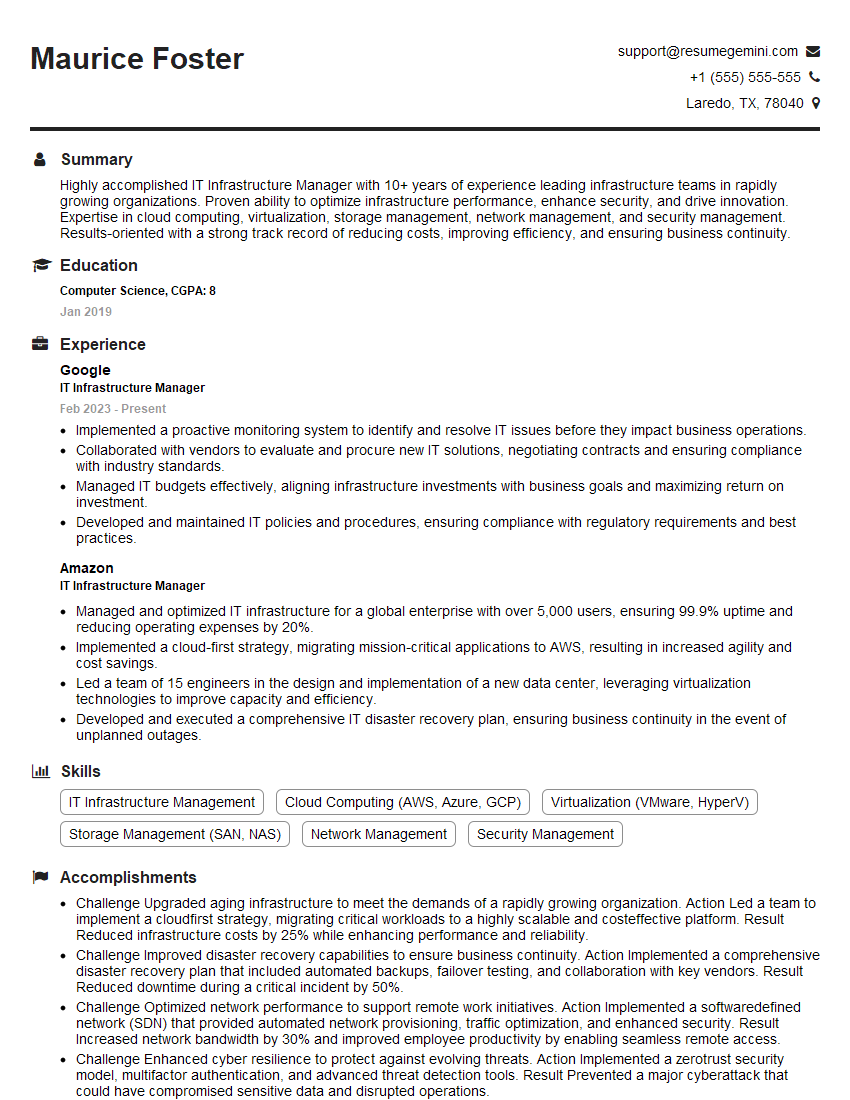
Mastering Data Center Configuration Management opens doors to exciting and high-demand roles within the IT industry. To maximize your job prospects, creating a strong, ATS-friendly resume is crucial. ResumeGemini is a trusted resource that can help you build a professional and impactful resume that highlights your skills and experience effectively. Examples of resumes tailored to Data Center Configuration Management are available to guide your creation process, ensuring your qualifications shine through.



Explore more articles
Users Rating of Our Blogs
Share Your Experience
We value your feedback! Please rate our content and share your thoughts (optional).
What Readers Say About Our Blog
Very informative content, great job.
good