Feeling uncertain about what to expect in your upcoming interview? We’ve got you covered! This blog highlights the most important Detailing and Drawing interview questions and provides actionable advice to help you stand out as the ideal candidate. Let’s pave the way for your success.
Questions Asked in Detailing and Drawing Interview
Q 1. Explain your experience with different CAD software packages.
Throughout my career, I’ve gained extensive experience with various CAD software packages. My proficiency spans industry-standard programs like AutoCAD, Revit, and SolidWorks. Each software has its strengths; for instance, AutoCAD excels in 2D drafting and detailed drawings, Revit is ideal for Building Information Modeling (BIM), and SolidWorks shines in 3D modeling and design. I’m also familiar with MicroStation and Inventor, allowing me to adapt quickly to different project requirements and client preferences. My experience isn’t limited to just using these tools; I understand their underlying principles and can leverage their advanced features for efficient and accurate detailing. For example, I’ve used AutoCAD’s dynamic blocks to create reusable components, saving time and ensuring consistency across multiple drawings, and leveraged Revit’s family creation capabilities for efficient management of building components in large-scale projects. My comfort with parametric modeling in SolidWorks allows me to easily update and adapt designs based on changes in specifications.
Q 2. Describe your process for creating detailed drawings from sketches or concepts.
My process for creating detailed drawings from sketches or concepts is methodical and iterative. It starts with a thorough understanding of the design intent, whether it’s a rough sketch, a 3D model, or a verbal description. I then translate this information into a digital format, typically beginning with a 2D sketch in CAD software. I utilize tools like dimensioning and constraints to ensure accuracy from the outset. For example, if creating a component drawing, I’ll define critical dimensions and relationships early, allowing the software to assist in maintaining accuracy as the design evolves. Then, I systematically develop the drawing, adding details like sections, elevations, and annotations. I frequently check my work against the original concept to ensure consistency and accuracy. This iterative process involves refining the design, adding more detail, and continuously checking for errors throughout the creation process. I find that creating detailed views and sections helps to eliminate ambiguity, even for complex geometries.
Q 3. How do you ensure accuracy and precision in your detailing work?
Accuracy and precision are paramount in detailing. I employ several strategies to ensure these. Firstly, I leverage the inherent accuracy tools of the CAD software, utilizing precise dimensioning, geometric constraints, and tolerance specifications. For example, instead of estimating dimensions, I directly measure from the model or sketch and input the exact values. Secondly, I rigorously follow established standards and conventions (like ISO or ANSI) to ensure consistency and clarity. Thirdly, I perform multiple checks and cross-references throughout the process. For instance, I frequently verify dimensions and alignment using the software’s built-in tools, as well as independent calculations when necessary, to identify and correct discrepancies early on. This meticulous approach minimizes errors and ultimately reduces rework later in the project.
Q 4. What are your preferred methods for checking drawings for errors?
My preferred methods for checking drawings for errors are multifaceted. A primary method is a thorough visual inspection, examining the drawing for inconsistencies in dimensions, notations, and overall clarity. I often use the zoom and pan features of the CAD software to meticulously review every aspect of the drawing. Beyond visual checks, I leverage the software’s built-in tools for error detection—like dimension checks, geometric relationship checks, and clash detection. In addition to these software-based checks, I also conduct peer reviews, sharing my drawings with colleagues for an independent assessment. A fresh pair of eyes often catches mistakes that I might have overlooked. For particularly complex drawings, I might create a check-list to ensure all required elements are present and correctly detailed.
Q 5. How do you handle revisions and changes to existing drawings?
Handling revisions and changes is a crucial part of the detailing process. When changes are requested, I carefully assess their impact on the existing drawing. I use the revision cloud feature within the CAD software to highlight the modified areas clearly. All revisions are documented, including a description of the change and the date. If the change is significant, I might create a new revision of the drawing, preserving the previous version for reference. A well-defined revision control system, often integrated within the CAD software or a separate project management system, is essential for tracking and managing changes. This ensures that all stakeholders are working from the most up-to-date version and historical records are maintained for traceability and auditing.
Q 6. Describe your experience with creating and managing drawing revisions.
My experience with creating and managing drawing revisions includes using both software-based revision control and manual methods depending on the project’s scale and complexity. For software-integrated revision control, I leverage features like AutoCAD’s revision clouds and layering system, or Revit’s built-in version control. This allows for easy tracking of changes, identifying the author, date, and a description of the revision. For smaller projects or when working with legacy systems, a manual system using revision numbers and a logbook detailing changes is employed. In either case, a consistent and well-organized approach ensures that every revision is easily identified, retrieved, and understood. This minimizes confusion and allows for a clear audit trail of the design evolution. Careful annotation of all changes is critical, improving the clarity and ease of use of the drawings.
Q 7. How familiar are you with different drawing standards and conventions?
I’m very familiar with different drawing standards and conventions, including ISO, ANSI, and other industry-specific standards. My understanding extends beyond simply recognizing symbols and notations; I comprehend the underlying principles of each standard and how they ensure clarity, consistency, and interoperability across different projects and organizations. For example, I understand the implications of different dimensioning styles, tolerance specifications, and sheet organization methodologies. I adapt my approach to the specific requirements of each project, ensuring the final drawings comply with the relevant standards and are easily understood by all parties involved. Adherence to these standards is not only essential for accuracy but also promotes efficient communication and collaboration throughout the design and construction process.
Q 8. Explain your understanding of dimensioning and tolerancing.
Dimensioning and tolerancing are fundamental aspects of technical drawing that ensure the manufactured part meets the design intent. Dimensioning provides the exact sizes and locations of features on a part, while tolerancing specifies the allowable variation from those dimensions. Think of it like baking a cake: the recipe (drawing) gives the exact measurements (dimensions), but you have some leeway (tolerance) in how precisely you follow those measurements – a slightly smaller or larger cake is still acceptable.
Dimensioning involves clearly indicating lengths, angles, diameters, and other geometric characteristics using lines, arrows, and numerals. Different types of dimensioning exist, such as chain dimensioning (a series of dimensions along a line), parallel dimensioning (dimensions originating from a common baseline), and coordinate dimensioning (dimensions referencing a coordinate system).
Tolerancing defines the acceptable range of variation for each dimension. This is often expressed using plus/minus values (±) or limits (e.g., 10 ± 0.2 mm, meaning the dimension can range from 9.8 mm to 10.2 mm). Geometric Dimensioning and Tolerancing (GD&T) is a more advanced system that uses symbols to specify tolerances on form, orientation, location, and runout of features, ensuring functionality even with slight variations.
For example, a dimension might be specified as ‘10.00 +/- 0.05 mm’ indicating that a 10mm dimension is acceptable if it falls between 9.95 mm and 10.05 mm. GD&T could add specifications about the surface finish or how straight a cylindrical part needs to be.
Q 9. How do you incorporate client feedback into your drawings?
Incorporating client feedback is crucial for successful project completion. My process involves actively listening to the client, clarifying their needs, and then translating those needs into actionable changes on the drawings. I typically use a version control system so we can track all changes, and I might use tools like markup software or even just a simple email chain with detailed descriptions.
For example, if a client requests a modification to a window’s location, I would first confirm the exact changes they want. I’d then update the drawing, clearly indicating the alterations with revision numbers and date stamps. I’d also communicate the impact of those changes on other parts of the design, to avoid any unforeseen complications. A simple but effective method is color-coding changes for quick identification during a review session. Open and clear communication is always a priority. I’ll always explain why a change might impact other areas of the design, ensuring buy-in and collaboration.
Q 10. Describe your experience with working on large-scale projects.
I have extensive experience with large-scale projects, including a recent project involving the detailed drawings for a multi-story residential building. This project required meticulous coordination among numerous disciplines (structural, mechanical, electrical, plumbing). My role involved creating and managing a large set of drawings, ensuring consistency, accuracy, and adherence to building codes and regulations.
My responsibilities extended beyond drawing creation to include collaboration with the project team, resolving drawing conflicts, and managing revisions throughout the construction process. I utilized a project management software to effectively track progress, manage deadlines, and maintain detailed records of all revisions. The successful completion of this project highlighted my ability to handle complex projects with multiple stakeholders and maintain organization in a high-pressure environment. This included proactively identifying potential conflicts and offering solutions, ensuring a smoother workflow.
Q 11. How do you prioritize tasks when working on multiple projects simultaneously?
When juggling multiple projects, I employ a prioritization system based on deadlines, urgency, and project impact. I use a combination of project management software (like Asana or Trello) and a personal to-do list to track tasks. I break down large projects into smaller, manageable tasks, assigning each task a priority level and deadline.
My approach prioritizes tasks with the most imminent deadlines first. Then, I consider the critical path of each project – the sequence of tasks that must be completed to meet the overall project goal. Tasks on the critical path of high-priority projects receive the highest attention. I use the Eisenhower Matrix (urgent/important) to further categorize and prioritize tasks, ensuring that the most important and time-sensitive tasks are addressed first. Regular review and adjustment of this system are crucial to maintaining efficiency and meeting deadlines.
Q 12. Explain your experience with creating detailed sections and elevations.
Creating detailed sections and elevations is a core part of my skillset. Sections provide a ‘slice’ view of a structure, revealing internal features, while elevations show the external faces of a building from different viewpoints. Both are crucial for construction and communication.
My approach starts with understanding the purpose of each section and elevation. I use precise measurements and annotations to show all relevant details, including materials, dimensions, and construction methods. I’m proficient in using CAD software to create accurate representations, ensuring clarity and precision. For example, I’ll carefully illustrate the different layers of wall construction in a section, showing insulation, sheathing, and cladding materials. In elevations, I’ll clearly show window and door placements, roof lines, and other external details, including precise dimensions for accurate construction.
Accuracy and clarity are paramount, as these drawings are relied upon by builders and contractors for construction. I always ensure that the drawings are visually clear, easy to understand, and meet professional standards.
Q 13. How do you manage large drawing files efficiently?
Managing large drawing files efficiently involves a multi-pronged approach. Firstly, I use CAD software optimized for handling large datasets and leverage techniques to optimize drawing file structure. This includes regularly purging unused data, using external references (xrefs) for frequently used components, and avoiding unnecessary layers and objects. This helps minimize file sizes and speeds up performance.
Secondly, I organize the drawings using a logical file structure and a system of naming conventions to easily locate and retrieve drawings. This is especially crucial on large projects with hundreds or thousands of files. I also regularly backup my files using cloud storage or external hard drives to prevent data loss.
Finally, I work in a way that minimizes file size growth. I’ll create multiple smaller drawing files instead of one enormous master drawing where appropriate. And for extremely large and complex files, I might leverage cloud-based collaborative design tools that allow multiple team members to work on the same drawing concurrently.
Q 14. How familiar are you with BIM (Building Information Modeling)?
My familiarity with BIM (Building Information Modeling) is extensive. I understand its principles and applications in architectural, engineering, and construction projects. I’m experienced in using BIM software such as Revit to create and manage 3D models, incorporating detailed information about building components and systems.
I understand how BIM facilitates collaboration among project stakeholders, improves design coordination, and enables better project management and cost control. I’ve used BIM to create clash detection reports, analyze building performance, and generate construction documents. While my primary expertise lies in 2D detailing and drawing, I recognize the advantages of BIM and am actively expanding my proficiency in this area to better address future project needs.
Q 15. Explain your experience with using BIM software.
My experience with BIM software is extensive, spanning over eight years and encompassing various platforms such as Revit, ArchiCAD, and Tekla Structures. I’m proficient in using these tools for all phases of a project, from conceptual design and detailed modeling to construction documentation and clash detection. For example, on a recent high-rise residential project, I utilized Revit to create a comprehensive 3D model, including structural, architectural, MEP (Mechanical, Electrical, and Plumbing) systems, and even furniture placement. This allowed for seamless coordination among different disciplines and early detection of potential conflicts, ultimately saving significant time and cost.
Beyond basic modeling, I’m adept at utilizing BIM functionalities like parametric modeling, allowing for quick design iterations and automated documentation. I also have experience with utilizing BIM for quantity takeoffs, cost estimation, and energy analysis, enhancing the overall efficiency of the design and construction process. My skills extend to managing and coordinating BIM data across different project phases and stakeholders.
Career Expert Tips:
- Ace those interviews! Prepare effectively by reviewing the Top 50 Most Common Interview Questions on ResumeGemini.
- Navigate your job search with confidence! Explore a wide range of Career Tips on ResumeGemini. Learn about common challenges and recommendations to overcome them.
- Craft the perfect resume! Master the Art of Resume Writing with ResumeGemini’s guide. Showcase your unique qualifications and achievements effectively.
- Don’t miss out on holiday savings! Build your dream resume with ResumeGemini’s ATS optimized templates.
Q 16. Describe your experience with creating 3D models from 2D drawings.
Creating 3D models from 2D drawings is a crucial skill in detailing and drawing. My approach involves a systematic process, starting with careful analysis of the 2D drawings to understand the geometry, dimensions, and spatial relationships. I then use this information to build the 3D model, paying close attention to detail and accuracy. This often involves working with different software tools and carefully checking measurements for consistency between the 2D source and the 3D model. For instance, I recently recreated a complex historical building’s model from its original hand-drawn blueprints using a combination of AutoCAD and Revit. This required meticulous attention to detail, inferring missing information, and cross-referencing multiple drawings to ensure accuracy.
This process often includes resolving inconsistencies and ambiguities found within the 2D drawings. I would then carefully document any changes or assumptions made during the 3D modeling process and clearly communicate them to the project team to prevent misunderstandings or misinterpretations.
Q 17. How do you handle conflicting information or discrepancies in project documents?
Conflicting information in project documents is a common challenge. My approach involves a methodical investigation to identify the source of the conflict and determine the most accurate and reliable information. This often involves cross-referencing different documents, comparing different versions of drawings, and consulting with relevant project stakeholders like architects, engineers, and contractors.
- Identify the conflict: Carefully compare the conflicting information, noting discrepancies in dimensions, materials, or specifications.
- Investigate the source: Determine the origin of the conflicting information (e.g., outdated drawings, errors in transcription, conflicting specifications).
- Consult stakeholders: Communicate the conflict to the relevant parties and seek clarification or resolution.
- Document the resolution: Once a resolution is reached, it’s crucial to document the decision-making process and any revisions to the project documents.
- Issue updated documentation: Distribute the updated drawings and specifications to the relevant parties to ensure everyone is working from the most current information.
For example, in one project, a conflict arose between the architectural and structural drawings regarding the location of a key structural element. Through collaboration and discussion with both teams, it was determined that the structural drawing was the most up-to-date and accurate, and the architectural drawing was revised accordingly.
Q 18. Explain your understanding of different drawing formats (e.g., DWG, PDF).
I have extensive experience working with various drawing formats, including the widely used DWG (AutoCAD Drawing), PDF (Portable Document Format), and other formats like DXF (Drawing Exchange Format) and IFC (Industry Foundation Classes).
- DWG: This is a native format for AutoCAD and is highly versatile, enabling editing and modifications. It’s commonly used for CAD drawings, allowing for precise geometric representation and data exchange between different CAD software.
- PDF: PDF is a widely supported format primarily for sharing and archiving documents, preserving formatting and layout. While it’s excellent for review and distribution, editing is limited.
- DXF: A neutral file format allowing for data exchange between different CAD systems, ensuring compatibility even when using different platforms.
- IFC: An open standard for BIM data exchange, allowing for seamless integration and collaboration among various BIM software applications and disciplines.
Understanding the capabilities and limitations of each format is essential for selecting the appropriate one for specific tasks, whether it’s for design, collaboration, or archiving.
Q 19. Describe your experience with creating fabrication drawings.
Creating fabrication drawings is a critical aspect of my work, requiring a thorough understanding of construction methods and fabrication processes. These drawings provide detailed instructions for fabricators to build components accurately and efficiently. My experience includes creating fabrication drawings for various materials, such as steel, concrete, and wood. This usually involves taking the 3D model and extracting the necessary information such as dimensions, tolerances, material specifications and connection details. I often use specialized software and templates to ensure compliance with industry standards and best practices.
For example, while working on a steel fabrication project, I created detailed shop drawings that included weld details, bolt specifications, cut lists, and material specifications. This involved close collaboration with the fabricator to ensure the drawings were clear, concise, and met their needs for efficient production. Accuracy and clarity are paramount in fabrication drawings as any discrepancies can lead to costly errors during the construction phase.
Q 20. How do you collaborate effectively with other team members?
Effective collaboration is crucial in the design and construction industry. My approach involves clear and concise communication, proactive problem-solving, and a willingness to actively listen to and incorporate feedback from team members. I utilize various collaboration tools like cloud-based platforms, version control systems, and regular meetings to keep everyone informed and on the same page. I believe in fostering a team environment where everyone feels comfortable contributing their expertise and raising concerns.
For instance, on a recent project, I proactively used a collaborative cloud-based platform to share models and drawings, facilitating efficient feedback and quick iteration based on comments from engineers and architects. This led to faster problem resolution and improved design outcomes.
Q 21. Explain your experience with coordinating drawings with other disciplines.
Coordinating drawings with other disciplines is essential for successful project delivery. My experience includes coordinating architectural, structural, MEP, and landscape drawings. This involves meticulous review of all drawings to identify and resolve clashes, ensure compatibility, and maintain design intent. I use various tools and techniques, including BIM software’s clash detection features, to identify and resolve potential conflicts before they become significant issues on site.
For example, I’ve successfully resolved a clash between the MEP and structural systems on a hospital project, where the positioning of ducts conflicted with a critical structural beam. Through collaboration with the engineers and architects, we revised the MEP design to avoid the conflict, ensuring both systems functioned optimally while maintaining structural integrity. This requires careful understanding of the construction sequence and the limitations of different systems to achieve effective coordination and avoid costly rework.
Q 22. How do you maintain organization and efficiency in your drawing workflow?
Maintaining organization and efficiency in my drawing workflow is paramount. I approach this systematically, using a multi-pronged strategy. First, I meticulously plan each project before starting, outlining the scope, deliverables, and deadlines. This prevents rework and ensures I stay on track. I utilize a robust filing system, both digital and physical, employing a consistent naming convention for all files, ensuring easy retrieval. For digital drawings, I leverage parametric modeling software, which allows for easy modification and version control. This avoids redundant work and minimizes errors. For example, if a change is required in one component, parametric modeling automatically updates all related components. Finally, I adhere to a strict checklist at each stage, ensuring that all necessary steps are completed accurately before proceeding. This structured approach contributes significantly to my productivity and reduces the likelihood of overlooking crucial details.
Q 23. Describe your experience with creating presentation drawings.
Creating presentation drawings requires a different approach than working drawings. My experience involves transforming complex technical information into visually appealing and easily understandable presentations. I prioritize clarity and impact, using consistent fonts, colors, and styles to maintain a professional look. I strategically use annotations and callouts to highlight key features and dimensions, avoiding cluttered visuals. I also leverage the strengths of my CAD software to create dynamic views, animations, and 3D renderings where appropriate, making the information easily digestible for non-technical audiences. For instance, for a recent project involving a complex bridge design, I created an animated sequence showing the construction phases, enhancing comprehension and engagement. A key consideration is understanding the target audience; the content and style must be tailored to their level of technical knowledge.
Q 24. Explain your understanding of material specifications and their impact on drawings.
Material specifications are critical; they directly impact the accuracy and feasibility of drawings. My understanding extends to interpreting and incorporating specific material properties, such as strength, weight, texture, and cost, into my designs. Each material has unique characteristics influencing its representation in drawings. For example, specifying ‘ASTM A36 steel’ is crucial; it defines the steel’s properties, impacting structural calculations and detailing. Inaccurate or missing specifications can lead to significant errors in construction, causing delays and cost overruns. I meticulously review specifications, ensuring they are consistent with industry standards and building codes. This involves verifying material availability, considering environmental impacts, and choosing sustainable alternatives where appropriate. Any deviations from standard specifications are clearly documented and communicated to all relevant stakeholders.
Q 25. How do you ensure drawings are clear, concise, and easy to understand?
Ensuring drawings are clear, concise, and easy to understand involves a deliberate process. I prioritize organization using clear layers, annotation, and consistent labeling. Dimensioning is crucial; I meticulously add dimensions to every relevant feature to avoid ambiguity. The use of appropriate scales and drawing sheets maintains readability. I avoid clutter by using only essential lines and information. I also employ consistent line weights and styles, following established standards. For complex assemblies, exploded views or detailed sectional drawings help break down intricate components. Finally, thorough revisions and review with other stakeholders are vital to identifying and resolving potential misunderstandings before the drawing is finalized. Think of it like writing a well-structured essay – clarity, conciseness, and logical flow are key.
Q 26. Describe a time you had to solve a complex detailing problem.
During a project involving the renovation of a historic building, I encountered a complex detailing challenge regarding the integration of a new HVAC system within existing structural elements. The existing brick walls were extremely thick, and the available space for ductwork was limited. My initial solutions proved impractical due to conflicting space requirements. To solve this, I utilized 3D modeling software to create a virtual representation of the building, allowing me to explore various duct routing options. Through iterative modeling and analysis, I identified a solution involving a combination of underfloor ductwork and concealed shafts, minimizing disruption to the historic structure. This involved meticulous coordination with other disciplines, such as structural and electrical engineering. The successful implementation of this solution required thorough communication and problem-solving skills, ultimately leading to a functional and aesthetically pleasing result.
Q 27. How do you stay up-to-date with the latest industry standards and technologies?
Staying updated is crucial in this dynamic field. I actively participate in industry conferences and workshops to learn about new technologies and best practices. I subscribe to relevant professional journals and online publications, keeping abreast of emerging standards and advancements in software. I also actively engage in online communities and forums, exchanging ideas and best practices with other professionals. Furthermore, I dedicate time to self-directed learning through online courses and tutorials, focusing on improving proficiency in current CAD software and emerging technologies such as BIM (Building Information Modeling). Continuous learning ensures that my skills remain relevant and competitive within the industry.
Q 28. What are your salary expectations?
My salary expectations are commensurate with my experience and skills, and I am open to discussing a competitive compensation package based on the specific details of the position and company benefits. I am confident that my expertise and contributions would add significant value to your team.
Key Topics to Learn for Detailing and Drawing Interview
- Geometric Dimensioning and Tolerancing (GD&T): Understanding GD&T symbols and their application in creating precise drawings. Practical application: Interpreting GD&T annotations on existing drawings and applying them to new designs.
- Orthographic Projection: Mastering the creation and interpretation of multi-view drawings. Practical application: Generating accurate orthographic projections from 3D models and sketching concepts.
- Section Views & Detailing: Creating clear and concise sectional views to highlight internal features. Practical application: Developing detailed drawings showcasing assembly and component interactions.
- Dimensioning and Tolerancing Techniques: Applying appropriate dimensioning standards and tolerances to ensure manufacturability. Practical application: Creating dimensioned drawings suitable for manufacturing processes.
- CAD Software Proficiency: Demonstrating expertise in relevant CAD software (AutoCAD, SolidWorks, Revit, etc.). Practical application: Effectively using CAD tools for creating, modifying, and managing drawing files.
- Material Selection and Properties: Understanding material characteristics and their impact on design choices. Practical application: Selecting appropriate materials based on project requirements and constraints.
- Blueprint Reading and Interpretation: Accurately reading and interpreting existing engineering drawings. Practical application: Understanding design intent and identifying potential issues in existing designs.
- Drawing Standards and Conventions: Adhering to industry-standard drawing practices and conventions. Practical application: Creating professional and consistent drawings that meet industry standards.
- Problem-solving and Design Thinking: Applying critical thinking to overcome challenges in drawing creation and interpretation. Practical application: Identifying and resolving discrepancies or ambiguities in existing drawings.
Next Steps
Mastering Detailing and Drawing is crucial for a successful career in engineering and design, opening doors to diverse and challenging roles. A strong understanding of these skills showcases your technical proficiency and attention to detail, vital attributes for any employer. To maximize your job prospects, creating an ATS-friendly resume is paramount. ResumeGemini is a trusted resource that can help you build a professional and impactful resume that highlights your skills effectively. Examples of resumes tailored to Detailing and Drawing are available to guide you in crafting a compelling application that showcases your abilities.
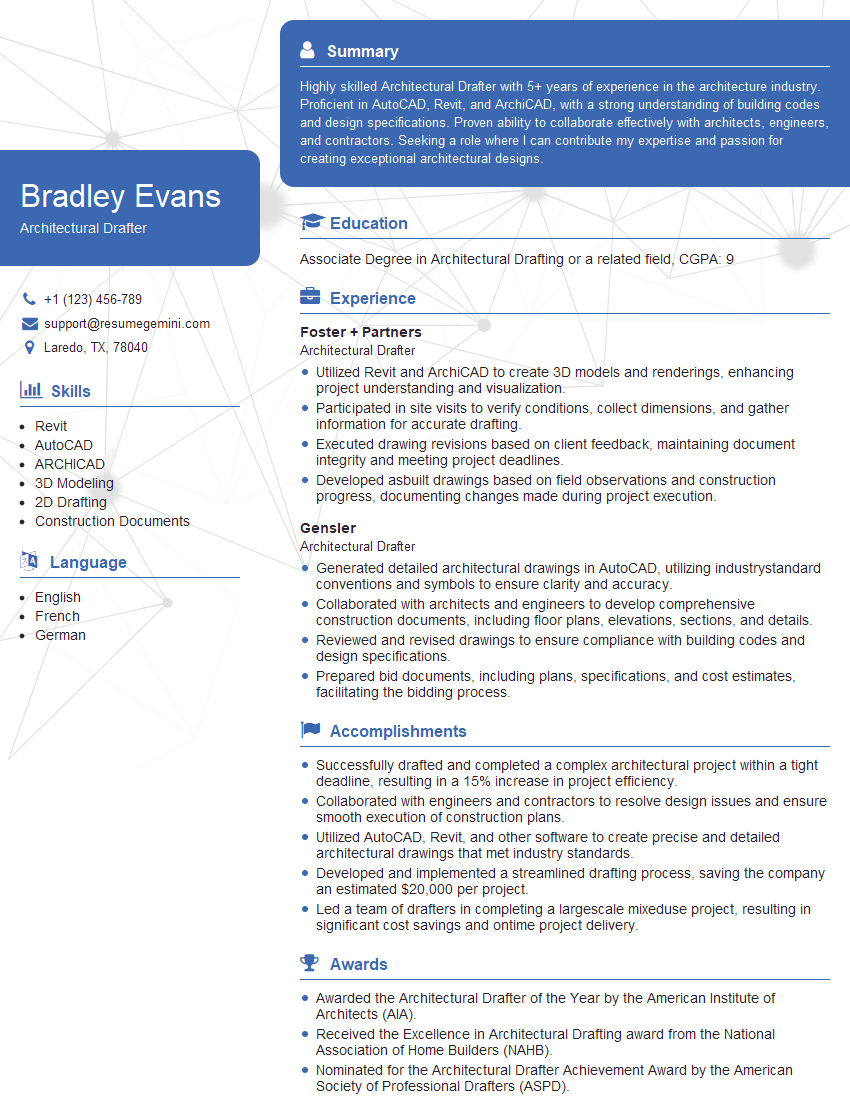
Architectural Drafter Resume Sample
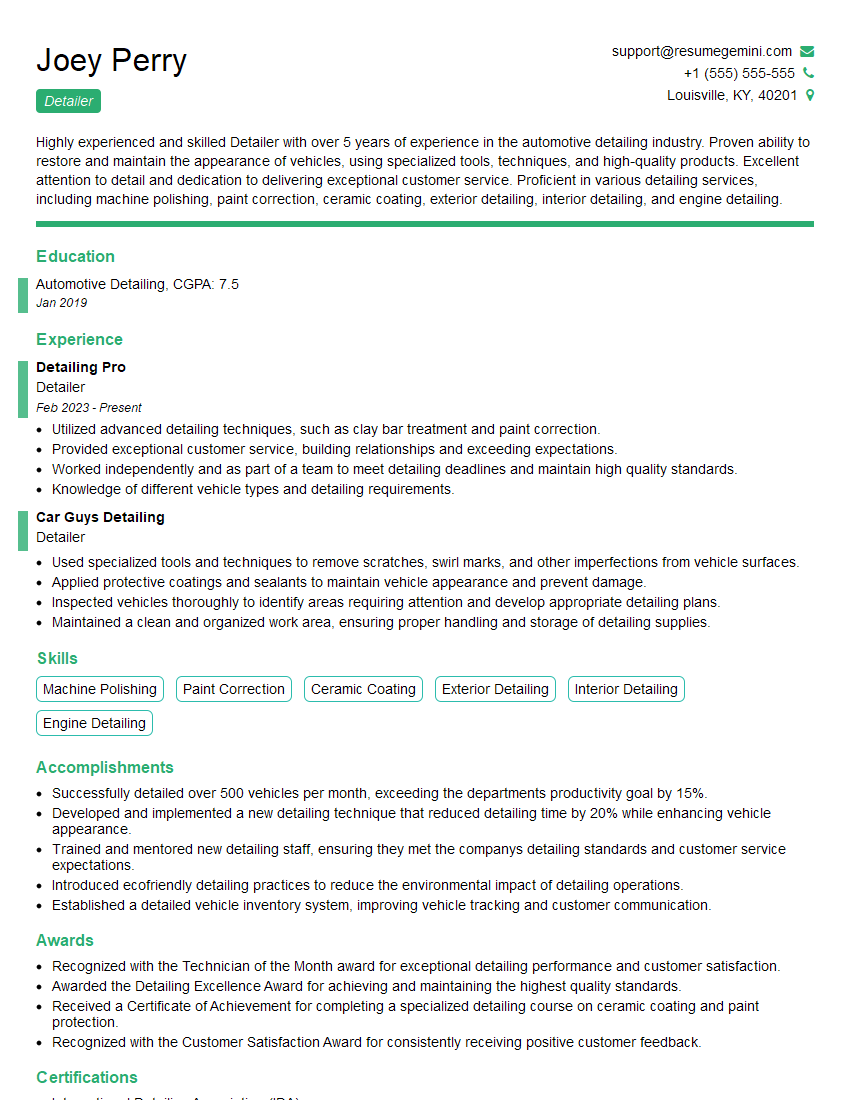
Detailer Resume Sample
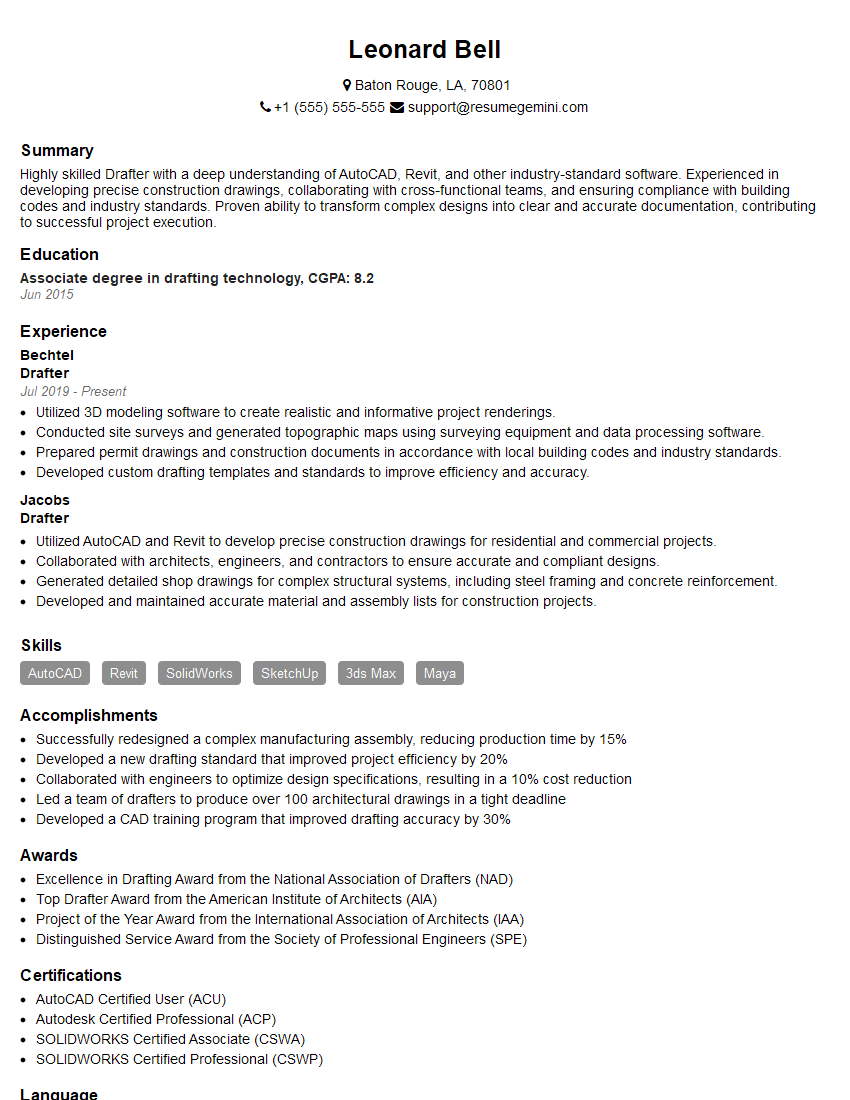
Drafter Resume Sample
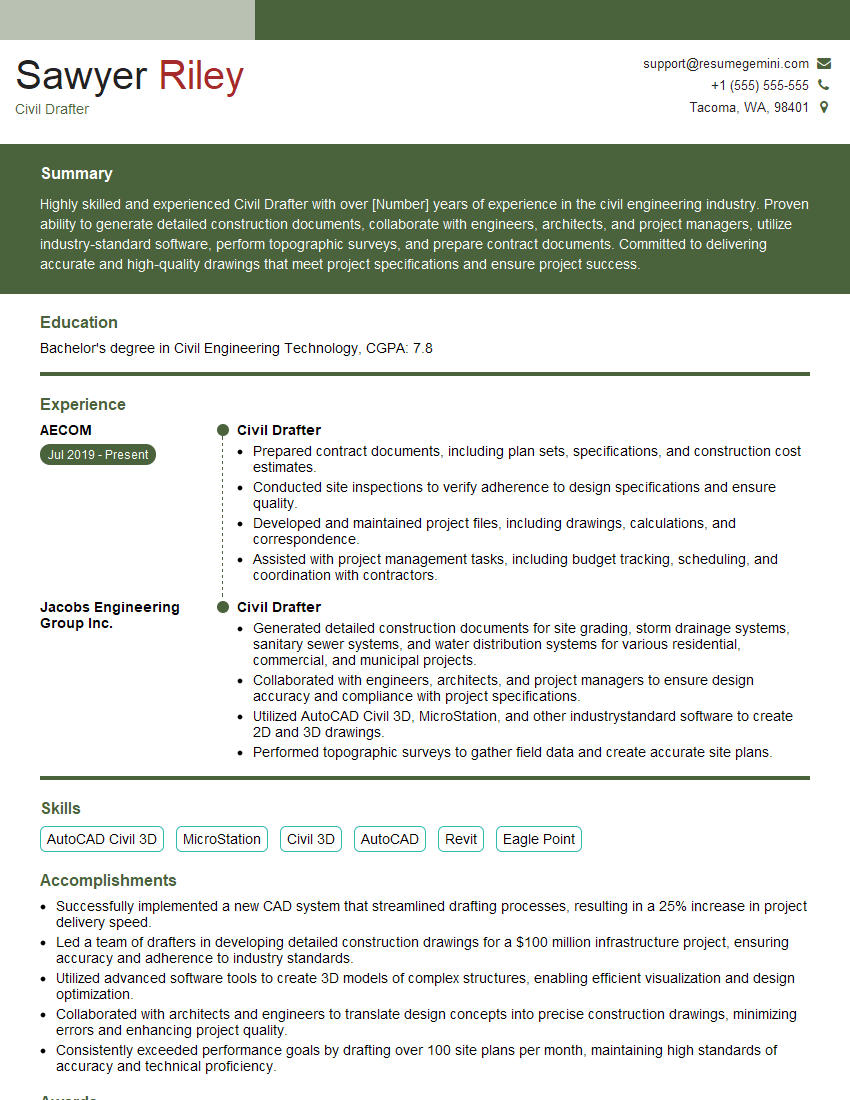
Civil Drafter Resume Sample
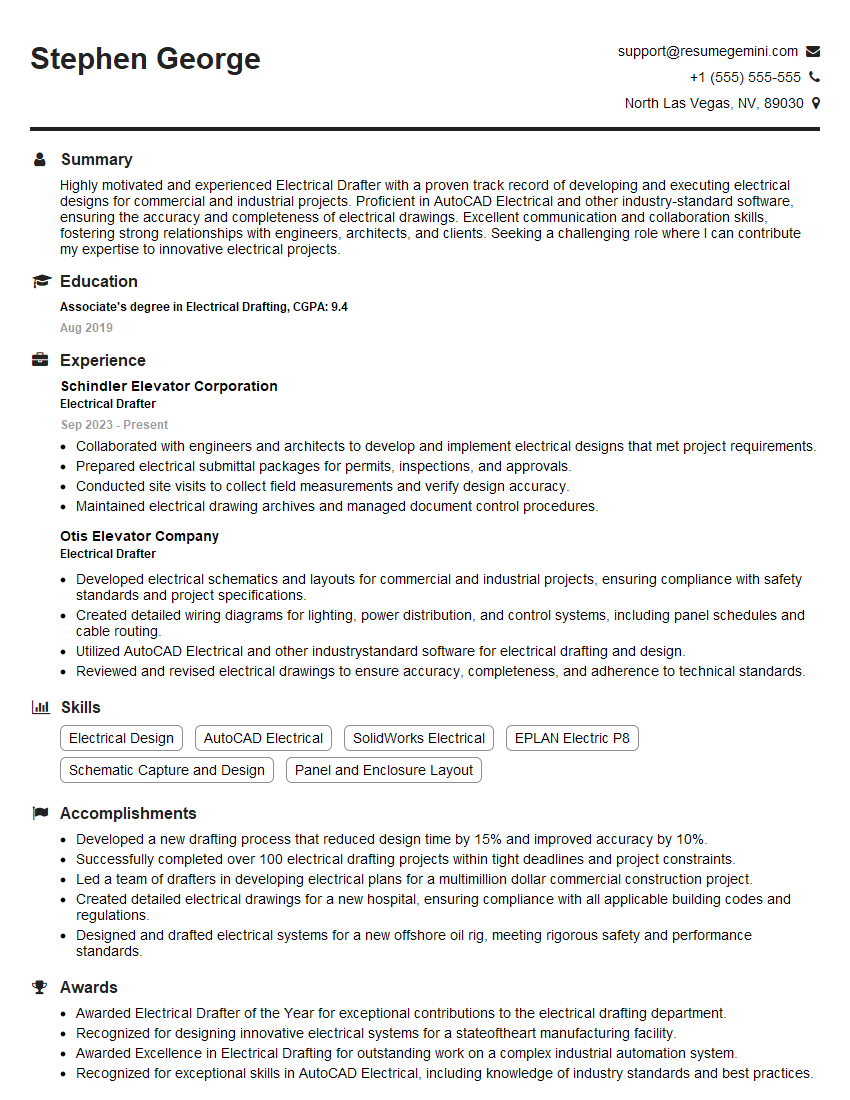
Electrical Drafter Resume Sample
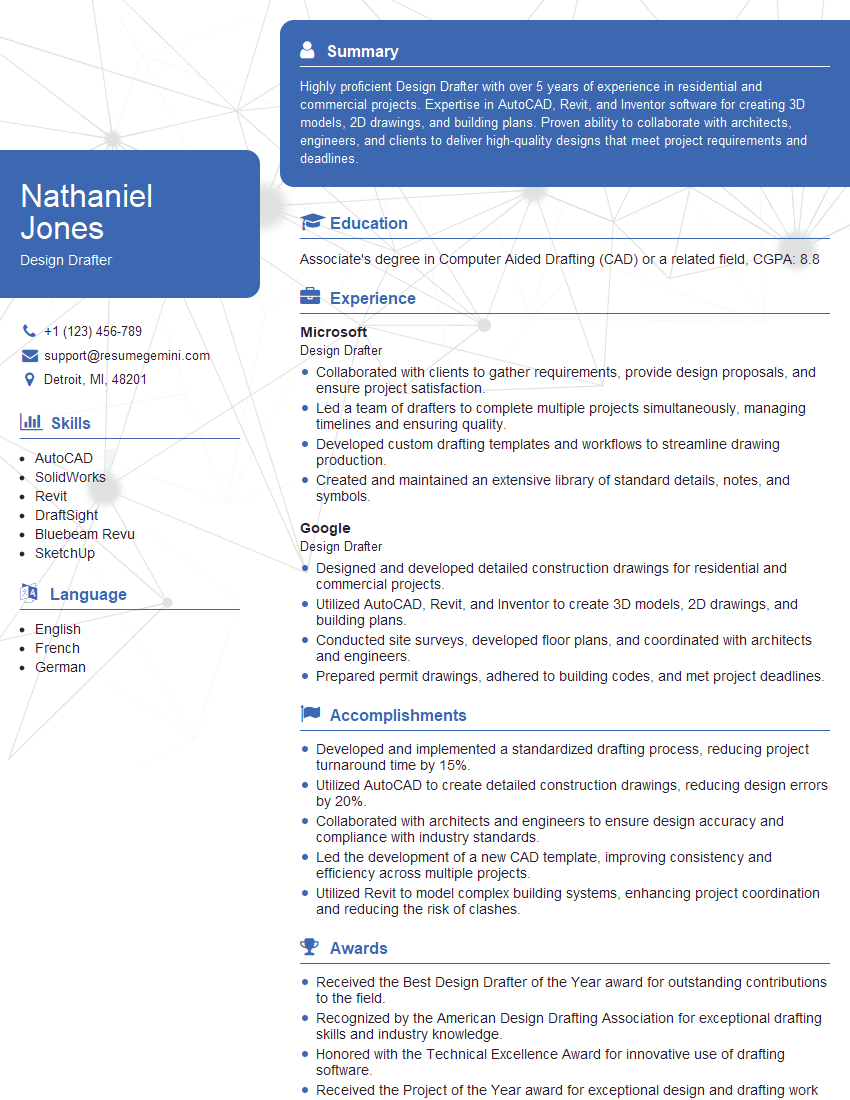
Design Drafter Resume Sample
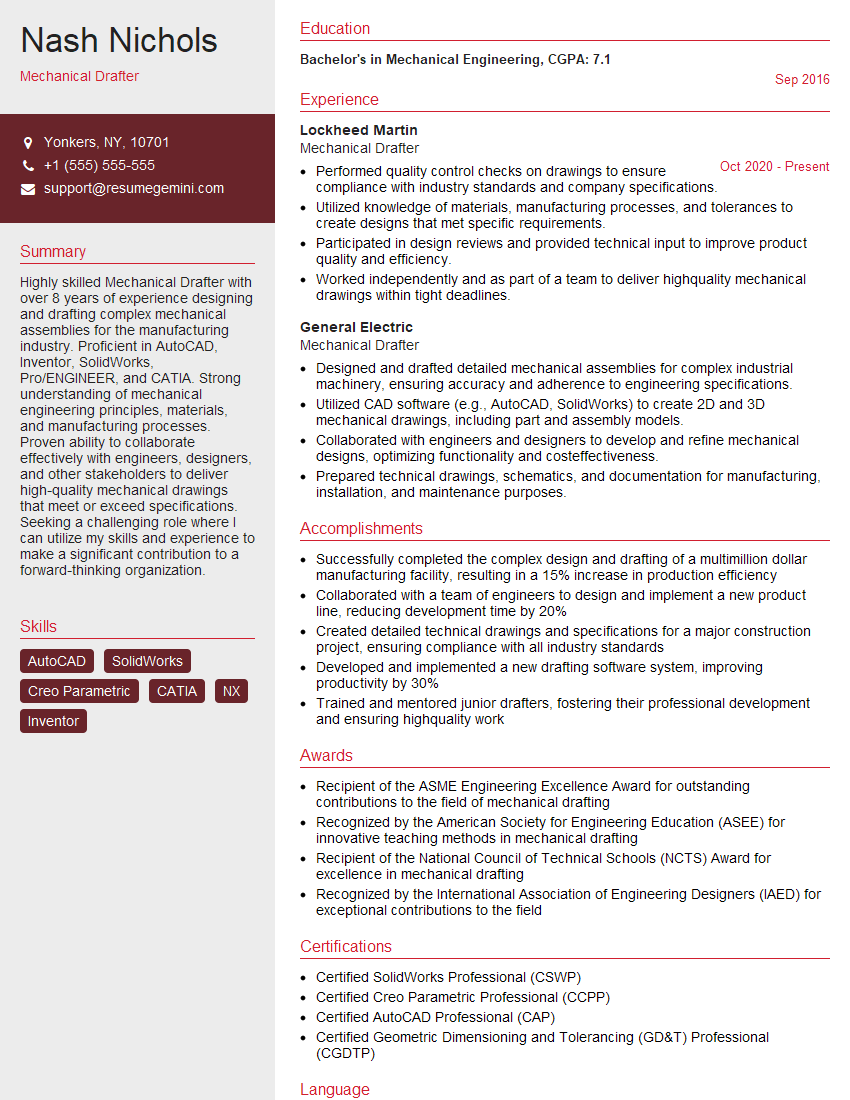
Mechanical Drafter Resume Sample

Technical Illustrator Resume Sample
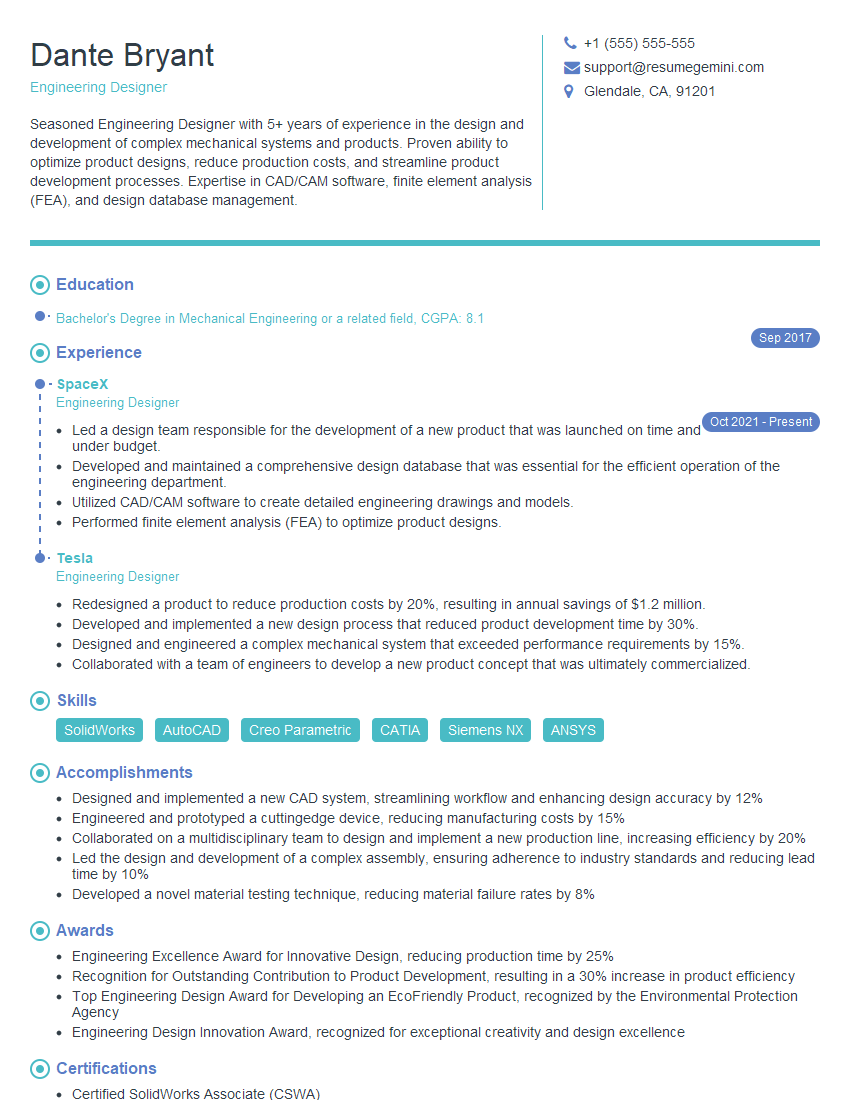
Engineering Designer Resume Sample

3D Modeler Resume Sample
Explore more articles
Users Rating of Our Blogs
Share Your Experience
We value your feedback! Please rate our content and share your thoughts (optional).
What Readers Say About Our Blog
Very informative content, great job.
good