Preparation is the key to success in any interview. In this post, we’ll explore crucial DevOps and CI/CD Integration interview questions and equip you with strategies to craft impactful answers. Whether you’re a beginner or a pro, these tips will elevate your preparation.
Questions Asked in DevOps and CI/CD Integration Interview
Q 1. Explain the core principles of DevOps.
DevOps is a set of practices, tools, and a cultural philosophy that automates and integrates the processes between software development and IT operations teams. Its core principles revolve around collaboration, automation, and continuous improvement. Think of it like a well-oiled machine where developers and operations work seamlessly together, rather than as separate silos.
- Collaboration: Breaking down the traditional walls between development and operations teams fosters a shared responsibility for the entire software lifecycle. This includes shared goals, shared tools, and shared accountability.
- Automation: Automating repetitive tasks, such as building, testing, and deploying code, frees up valuable time and reduces human error. This automation is at the heart of CI/CD pipelines.
- Continuous Improvement: DevOps emphasizes a culture of continuous learning and improvement through regular feedback loops, monitoring, and adaptation. This involves analyzing metrics, identifying bottlenecks, and implementing solutions to optimize the process.
- Infrastructure as Code (IaC): Managing and provisioning infrastructure through code allows for consistency, repeatability, and version control of the infrastructure, much like the application code.
- Monitoring and Feedback: Constant monitoring of the application and infrastructure provides real-time insights into performance and stability, enabling proactive issue resolution.
For example, in a traditional setup, a developer might hand off code to operations, leading to delays and potential miscommunication. In a DevOps environment, developers and operations collaborate from the beginning, using shared tools and processes to ensure a smooth and efficient workflow.
Q 2. Describe the CI/CD pipeline stages.
A CI/CD pipeline is an automated process that moves code from development to production. It’s like an assembly line for software, where each stage performs specific tasks. The stages typically include:
- Source Code Management (SCM): Developers commit code to a version control system (e.g., Git). This is the starting point of the pipeline.
- Continuous Integration (CI): Automated build and testing of the code after each commit. This ensures early detection of integration issues.
- Continuous Delivery (CD): Automating the release process, making the software ready for deployment to various environments (e.g., staging, production).
- Continuous Deployment (CD): Automating the deployment process itself, pushing the code directly to production after successful testing. This is a more advanced stage than Continuous Delivery.
- Monitoring and Feedback: Constant monitoring of the application in production to track performance, identify issues, and gather feedback. This informs future iterations and improvements to the pipeline and the application itself.
For instance, imagine a website. Each code change triggers an automated build, followed by automated tests. If all tests pass, the code is deployed to a staging environment for further testing before being deployed to production.
Q 3. What are the benefits of implementing CI/CD?
Implementing CI/CD brings significant benefits, leading to faster delivery cycles, increased efficiency, and higher quality software.
- Faster Time to Market: Automated processes drastically reduce the time it takes to release new features and updates.
- Improved Quality: Frequent testing and integration catch bugs early, leading to higher software quality.
- Reduced Risk: Smaller, more frequent deployments reduce the risk of large, disruptive releases.
- Increased Efficiency: Automation frees up developers and operations teams to focus on higher-value tasks.
- Enhanced Collaboration: Shared tools and processes improve communication and collaboration between teams.
- Better Feedback Loops: Continuous monitoring provides valuable insights into application performance and user behavior.
For example, a company releasing a new mobile app every week thanks to CI/CD would significantly outperform a company taking months for each release. The faster feedback also allows for quicker adaptation to changing market demands.
Q 4. How do you handle code deployments in a CI/CD environment?
Code deployments in a CI/CD environment are highly automated and managed through various strategies. The approach depends on the complexity of the application and the desired level of risk.
- Blue/Green Deployments: Two identical environments (blue and green) exist. Traffic is switched from the blue to the green environment after deploying the new code to the green environment. If issues arise, traffic can quickly be switched back to blue.
- Canary Deployments: A small subset of users is exposed to the new code initially. Monitoring this group allows for early detection of any issues before a full rollout.
- Rolling Deployments: The new code is incrementally deployed to servers, one at a time or in groups. This minimizes downtime and allows for a gradual rollout.
- Feature Flags/Toggles: New features can be deployed but disabled using feature flags. This allows for the release of code without immediately activating the feature.
Choosing the right strategy requires careful consideration of factors like application architecture, acceptable downtime, and risk tolerance. For example, a critical banking system might opt for blue/green deployments for maximum safety and minimal downtime.
Q 5. What are some common CI/CD tools you’ve used?
My experience includes working with a variety of CI/CD tools, each with its strengths and weaknesses. These include:
- Jenkins: A widely used open-source automation server that can be customized extensively to suit different needs.
- GitLab CI/CD: Tightly integrated with GitLab’s version control system, providing a streamlined workflow.
- GitHub Actions: Similar integration with GitHub, offering a user-friendly interface for creating CI/CD pipelines.
- CircleCI: A cloud-based CI/CD platform known for its scalability and ease of use.
- Azure DevOps: A comprehensive platform offering CI/CD, project management, and other DevOps tools.
- AWS CodePipeline: AWS’s CI/CD service, seamlessly integrated with other AWS services.
The choice of tool often depends on factors such as existing infrastructure, team familiarity, and project requirements.
Q 6. Explain your experience with Infrastructure as Code (IaC).
Infrastructure as Code (IaC) is the practice of managing and provisioning infrastructure through code, rather than manual processes. It’s like writing code for your servers, networks, and other infrastructure components.
- Improved Consistency: IaC ensures that environments are consistently provisioned, regardless of who or where they are created.
- Automation: Automates infrastructure setup, reducing manual effort and human error.
- Version Control: Infrastructure code can be version-controlled, allowing for tracking changes and reverting to previous states.
- Repeatability: Easily recreate environments in different locations or clouds.
I have extensive experience using tools like Terraform and Ansible. For example, using Terraform, I can define the desired state of a cloud infrastructure (e.g., number of EC2 instances, network configuration) in a configuration file, and Terraform will automatically provision it. This ensures consistency and reproducibility, making infrastructure management more efficient and reliable.
Q 7. How do you manage configuration management in your DevOps workflow?
Configuration management is crucial in DevOps, ensuring that systems are consistently configured and updated. This involves managing settings, software packages, and other aspects of the system.
- Centralized Configuration: Using a central repository to manage configurations, making it easier to update and maintain them.
- Version Control: Tracking changes to configurations using version control systems (e.g., Git) allows for rollback if needed.
- Automated Deployment: Deploying configuration changes automatically through tools, ensuring consistency and reducing human error.
- Idempotency: Configuration management tools should be idempotent, meaning they can be applied repeatedly without causing unintended changes.
I leverage tools such as Ansible, Chef, and Puppet for configuration management. For example, using Ansible, I can define playbooks that automate tasks such as installing software, configuring services, and managing users across multiple servers. This simplifies the process of maintaining a consistent configuration across our infrastructure.
Q 8. Describe your experience with containerization technologies (Docker, Kubernetes).
Containerization technologies like Docker and Kubernetes are fundamental to modern DevOps. Docker allows us to package applications and their dependencies into standardized units called containers, ensuring consistent execution across different environments. This solves the infamous “it works on my machine” problem. Kubernetes, on the other hand, is an orchestration platform that automates the deployment, scaling, and management of containerized applications at scale. Think of Docker as creating individual shipping containers, and Kubernetes as the sophisticated port authority managing the entire shipping process.
In my experience, I’ve extensively used Docker to build and ship microservices, ensuring consistent builds across development, testing, and production. For example, I built a CI/CD pipeline that automatically builds a Docker image for each commit to our Git repository. This image then gets pushed to a private registry, ready for deployment. With Kubernetes, I’ve managed deployments to cloud platforms like AWS and Google Cloud, leveraging its features like rolling updates and auto-scaling to ensure high availability and efficient resource utilization. I’ve worked on projects involving complex deployments with dozens of microservices, each orchestrated by Kubernetes to maintain optimal performance and reliability. This includes implementing strategies like blue/green deployments and canary releases (which I’ll elaborate on later).
Q 9. How do you ensure security within your CI/CD pipeline?
Security is paramount in any CI/CD pipeline. A breach at any stage can have catastrophic consequences. My approach is multifaceted and focuses on securing the entire pipeline, not just individual components. This involves several key strategies:
- Secure Code Reviews: Thorough code reviews are essential to identify vulnerabilities early in the development process. We utilize static and dynamic code analysis tools to automatically scan for common security flaws.
- Image Scanning: Before deploying any Docker image, we perform comprehensive vulnerability scans using tools like Clair or Trivy. This identifies any known security issues in the base image or installed packages. Any identified vulnerabilities trigger immediate remediation actions, preventing insecure images from entering our production environment.
- Secrets Management: Sensitive information like API keys, database credentials, and passwords are never hardcoded. Instead, we utilize dedicated secrets management tools like HashiCorp Vault or AWS Secrets Manager to securely store and manage these credentials. Access is strictly controlled and auditable.
- Role-Based Access Control (RBAC): We implement RBAC at every stage of the pipeline, restricting access to sensitive resources based on roles and responsibilities. This prevents unauthorized access and ensures that only authorized personnel can modify critical components.
- Infrastructure as Code (IaC): Using tools like Terraform or Ansible, we define and manage our infrastructure in a declarative manner. This ensures consistency, repeatability, and allows for automated security audits.
Regular security audits and penetration testing further reinforce our security posture. We continuously monitor the pipeline for suspicious activity and react promptly to any security alerts.
Q 10. Explain your experience with monitoring and logging in a DevOps environment.
Monitoring and logging are crucial for maintaining a healthy and responsive DevOps environment. They provide visibility into the system’s behavior, enabling early detection of issues and quick remediation. Effective monitoring and logging require a centralized approach. We use tools like Prometheus and Grafana for metrics monitoring, providing real-time visibility into key performance indicators (KPIs) such as CPU utilization, memory consumption, and request latency. These dashboards help us identify performance bottlenecks and proactively address potential issues before they impact users. For logging, we use the ELK stack (Elasticsearch, Logstash, Kibana) or a cloud-based solution like CloudWatch or Datadog. This provides centralized log aggregation, allowing us to search, filter, and analyze logs from various sources, facilitating efficient troubleshooting and incident management.
Imagine driving a car without a dashboard – you’d have no idea how the engine is performing. Monitoring and logging provide that crucial dashboard for our applications and infrastructure.
Q 11. How do you handle rollback strategies in case of deployment failures?
Rollback strategies are an integral part of a robust CI/CD pipeline. They safeguard against deployment failures and minimize downtime. The most common strategy is using version control to maintain previous deployments. The ideal strategy depends on the specific application and infrastructure. Some common approaches include:
- Automated Rollbacks: With tools like Kubernetes, we can automatically roll back to the previous stable version if a deployment fails to meet pre-defined health checks. This happens instantly, minimizing disruption.
- Blue/Green Deployments: In this strategy, we maintain two identical environments: ‘blue’ (live) and ‘green’ (staging). A new release is deployed to the ‘green’ environment. Once testing confirms its stability, traffic is switched from ‘blue’ to ‘green’. If something goes wrong, we simply switch back. This minimizes downtime and risk.
- Canary Deployments: Here, a new version is gradually rolled out to a small subset of users (the ‘canary’). We monitor its performance and stability closely. If everything is okay, we gradually roll it out to the rest of the users. If issues arise, the deployment is quickly stopped. This reduces the impact of a faulty release significantly.
A critical aspect of any rollback strategy is meticulous logging and monitoring. These provide the necessary information to understand what went wrong and to execute the rollback efficiently and safely.
Q 12. Describe your experience with version control systems (Git).
Git is the cornerstone of our development workflow. It’s not just a version control system; it’s a collaboration hub. My experience with Git spans various aspects, from basic branching and merging to advanced Git workflows like Gitflow and GitHub Flow. I’m proficient in using Git commands for managing code, resolving merge conflicts, and creating effective branching strategies. I have experience using Git repositories hosted on platforms like GitHub, GitLab, and Bitbucket. In my previous role, I implemented a robust branching strategy that allowed for parallel development while minimizing the risk of merge conflicts. We used feature branches extensively, ensuring that code changes were thoroughly reviewed and tested before merging into the main branch.
For example, I’ve utilized Git hooks to automate tasks such as code linting and testing before committing code, ensuring that only high-quality code makes its way into the repository.
Q 13. How do you automate testing within your CI/CD pipeline?
Automating testing within the CI/CD pipeline is crucial for ensuring code quality and preventing bugs from reaching production. My approach incorporates different levels of testing:
- Unit Tests: These tests verify individual components or modules of code. We write unit tests using frameworks like JUnit (Java), pytest (Python), or similar tools, ensuring high code coverage. These tests run automatically as part of the build process.
- Integration Tests: These tests verify the interactions between different components or modules. This typically involves testing the communication between different microservices or services.
- End-to-End (E2E) Tests: E2E tests simulate real-world user scenarios, verifying the entire application flow from start to finish. Tools like Selenium or Cypress are often used for automating E2E tests.
- Performance Tests: Load testing and stress testing are essential to verify the application’s ability to handle high traffic loads. We employ tools like JMeter or Gatling to simulate various load scenarios.
All tests are integrated into the CI/CD pipeline, triggering automatically with every code change. The results are reported in real-time, providing immediate feedback to developers and preventing issues from escalating.
Q 14. Explain your experience with different deployment strategies (e.g., blue/green, canary).
Deployment strategies greatly impact the reliability and availability of your application. I’ve worked with various strategies, choosing the most appropriate based on the application’s specific requirements and risk tolerance.
- Blue/Green Deployments: As previously mentioned, this strategy minimizes downtime by deploying a new version to a separate environment (‘green’) while keeping the live environment (‘blue’) running. Once the ‘green’ environment is validated, traffic is switched over. This is perfect for applications requiring high uptime and low risk.
- Canary Deployments: This gradual rollout strategy minimizes the impact of a faulty deployment by releasing the new version to a small subset of users. Continuous monitoring allows for quick identification and mitigation of any issues. This works well for applications with large user bases or sensitive operations.
- Rolling Deployments: In this approach, the new version is gradually rolled out across multiple servers, updating one at a time. If an issue arises, the deployment can be easily paused or rolled back. It’s suitable for applications with many servers and relatively low downtime tolerance.
- A/B Testing: This strategy allows comparison of two versions of an application side by side, enabling data-driven decisions on feature releases. Users are randomly assigned to either version, and their performance is monitored. This is particularly useful for comparing different UI designs or feature functionalities.
The choice of deployment strategy is always a trade-off between risk, downtime, and complexity. I always carefully assess these factors before recommending a strategy.
Q 15. How do you troubleshoot issues within a CI/CD pipeline?
Troubleshooting a CI/CD pipeline involves a systematic approach. Think of it like diagnosing a car problem – you need to identify the symptoms, isolate the cause, and then implement a fix. My process typically starts with reviewing the pipeline logs. These logs provide a detailed history of each stage, highlighting successes and failures. I look for error messages, unusual durations, or unexpected outputs. Next, I isolate the failing stage. Is it the build, testing, deployment, or something else? Once the problem area is identified, I’ll use debugging tools specific to the stage. For example, if the build fails, I might examine the build logs for compiler errors or missing dependencies. If tests fail, I might rerun them locally to reproduce the issue and pinpoint the root cause in the code. Finally, I implement a fix, retest thoroughly, and then commit the changes to the pipeline configuration itself – making future debugging easier. A crucial aspect is using monitoring and alerting systems; if something goes wrong, I get notified immediately, preventing larger problems down the line.
For example, once, a deployment to production failed due to a database connection issue. By examining the logs, I found the issue was a missing environment variable. A quick fix of adding the variable to the deployment configuration resolved the problem. Always remember to thoroughly test any fix before redeploying to prevent cascading issues.
Career Expert Tips:
- Ace those interviews! Prepare effectively by reviewing the Top 50 Most Common Interview Questions on ResumeGemini.
- Navigate your job search with confidence! Explore a wide range of Career Tips on ResumeGemini. Learn about common challenges and recommendations to overcome them.
- Craft the perfect resume! Master the Art of Resume Writing with ResumeGemini’s guide. Showcase your unique qualifications and achievements effectively.
- Don’t miss out on holiday savings! Build your dream resume with ResumeGemini’s ATS optimized templates.
Q 16. Explain your understanding of different cloud platforms (AWS, Azure, GCP).
My experience spans the three major cloud providers: AWS, Azure, and GCP. Each platform offers a unique set of services and strengths. AWS (Amazon Web Services) is known for its extensive range of services, mature ecosystem, and large market share. I’ve worked extensively with AWS services like EC2 (for compute), S3 (for storage), and ECS/EKS (for container orchestration). Azure (Microsoft Azure) integrates well with Microsoft technologies and offers strong support for hybrid cloud environments. I have experience leveraging Azure VMs, Azure Blob Storage, and Azure DevOps for CI/CD pipelines. Finally, GCP (Google Cloud Platform) is known for its innovative technologies and strong focus on data analytics. My experience includes using Google Compute Engine (GCE), Google Cloud Storage (GCS), and Kubernetes Engine (GKE). The choice of cloud provider often depends on factors like existing infrastructure, specific application requirements, and budget considerations.
Q 17. Describe your experience with scripting languages (e.g., Bash, Python).
I’m proficient in both Bash and Python scripting. Bash is my go-to for automating tasks within Linux environments, especially for interacting with the command line and managing files and processes within CI/CD pipelines. For example, I often use Bash scripts to orchestrate the build process, run tests, and manage deployments. Python, on the other hand, offers a more structured and powerful approach for complex automation tasks. I use it to create custom tools for tasks like parsing logs, generating reports, and interacting with APIs. Consider a scenario where I needed to automatically generate a weekly report summarizing the performance of our CI/CD pipeline. A Python script would be ideal for connecting to the pipeline’s metrics database, fetching the necessary data, and then generating a formatted report, which could be emailed automatically. This combines the power of Python’s data handling and Bash’s system command execution capabilities.
# Example Python script snippet (simplified)
import requests
# ... code to fetch data from an API ...
report_data = requests.get(api_url).json()
# ... code to generate a report ...
Q 18. How do you manage dependencies in your CI/CD pipeline?
Managing dependencies in a CI/CD pipeline is crucial for ensuring reproducibility and avoiding build failures. I typically use a combination of techniques. First, dependency management tools specific to the programming language are employed (e.g., npm for JavaScript, pip for Python, Maven for Java). These tools create a lock file which specifies exact versions of dependencies to eliminate conflicts and ensure consistency across environments. Second, I utilize virtual environments or containers (Docker) to isolate project dependencies. This prevents conflicts between different projects or versions of the same library. Third, I implement a robust caching strategy within the CI/CD pipeline. This speeds up builds by reusing previously downloaded dependencies, reducing build time significantly. This is especially relevant when dealing with many dependencies or large projects. For example, if the same dependencies are used in many projects, storing them in a central artifact repository will accelerate the build of any project using that same version.
Q 19. What are your preferred methods for automating infrastructure provisioning?
My preferred methods for automating infrastructure provisioning are Infrastructure as Code (IaC) tools such as Terraform and Ansible. Terraform allows me to define and manage infrastructure in a declarative manner using code. This ensures consistency and repeatability when creating and updating environments. Ansible excels at configuring and managing existing infrastructure, automating tasks such as installing software, configuring services, and deploying applications. The choice between them often depends on the specific need: Terraform for provisioning resources and Ansible for configuring them. I frequently use them in conjunction. For example, Terraform creates the virtual machines in AWS, then Ansible configures the OS, installs necessary software, and deploys the application onto those VMs. This ensures consistent and repeatable infrastructure management across development, testing and production environments.
Q 20. How do you ensure code quality in a CI/CD environment?
Ensuring code quality in a CI/CD environment is paramount. My approach involves several key strategies. First, automated static code analysis is implemented early in the pipeline, using tools like SonarQube or ESLint to detect potential bugs, security vulnerabilities, and style inconsistencies before code even reaches testing. Second, comprehensive automated testing is vital, including unit tests, integration tests, and end-to-end tests. These tests ensure code functionality and prevent regressions. Third, code reviews are conducted before merging changes into the main branch. This helps in catching issues that automated tools might miss and ensures consistency in coding style. Finally, metrics are tracked to monitor code quality over time. This involves analyzing test coverage, code complexity, and bug rates to identify areas for improvement. Combining these methods provides a layered approach to identifying and mitigating code quality issues. It is a continuous improvement loop to improve the codebase’s quality, reducing potential bugs and ensuring software robustness.
Q 21. Explain your experience with different CI/CD tools (e.g., Jenkins, GitLab CI, CircleCI).
I have extensive experience with Jenkins, GitLab CI, and CircleCI. Jenkins is a highly customizable and versatile platform, ideal for complex CI/CD pipelines with diverse requirements. Its extensive plugin ecosystem allows for integration with almost any tool or service. I’ve utilized Jenkins for building, testing, and deploying various applications. GitLab CI is seamlessly integrated into the GitLab platform, offering a streamlined approach for managing the entire software development lifecycle. Its ease of use and integration make it efficient for smaller to medium-sized projects. CircleCI is another popular choice, especially for projects hosted on GitHub. Its focus on simplicity and speed makes it a strong choice for rapid iterations. The best choice depends on the project’s scale, complexity, and integration needs. For instance, a large project with many dependencies and intricate deployment processes might benefit from Jenkins’ flexibility, whereas a smaller, simpler project would benefit from the ease of use and integration offered by GitLab CI or CircleCI.
Q 22. Describe a time you had to troubleshoot a significant CI/CD pipeline failure. What was your approach?
One time, our CI/CD pipeline for a major application update unexpectedly failed during the deployment stage. The error logs were initially unhelpful, simply indicating a general server-side issue. My approach was systematic and methodical. First, I replicated the deployment environment locally to isolate the problem. This allowed me to run the deployment script step-by-step and examine the output at each stage. The issue turned out to be a conflict between the updated application and a recently upgraded database schema. A specific migration script wasn’t correctly handling a new data type introduced in the application.
My troubleshooting steps included:
- Log Analysis: Thoroughly examined the server logs, focusing on the timeframe of the failure and specific error messages, correlating them to the deployment script stages.
- Environment Replication: Created a local replica of the deployment environment, mirroring the server configurations, databases, and application versions.
- Step-by-Step Execution: Executed the deployment script incrementally, carefully inspecting the results of each step in the local environment. This pinpoint method helped us quickly localize the failure to the database interaction.
- Code Review: Reviewed the database migration scripts to identify the root cause—the incompatibility with the new data type.
- Solution Implementation and Testing: Fixed the migration script, updated the database schema accordingly, tested the solution rigorously in the local environment, and then successfully deployed to the staging and production environments.
The key takeaway was the importance of meticulous log analysis, environment replication for isolated debugging, and incremental script execution for rapid problem identification. This incident highlighted the need for improved automated testing to catch such schema/application conflicts before production.
Q 23. What metrics do you use to measure the success of your CI/CD implementation?
Measuring CI/CD success isn’t solely about speed; it’s about balancing speed with quality and reliability. I use a combination of metrics, categorized as follows:
- Deployment Frequency: How often we successfully deploy code to production. This measures the agility of our process. A higher frequency generally indicates a more efficient and effective CI/CD pipeline.
- Lead Time for Changes: The time it takes for a code change to go from commit to production. This metric captures the overall efficiency of our development and deployment processes. Shorter lead times are desirable.
- Deployment Success Rate: The percentage of deployments that are completed without failures. A higher success rate points to a robust pipeline and effective testing.
- Mean Time To Recovery (MTTR): How quickly we can restore service in case of a deployment failure. A lower MTTR showcases a well-prepared and responsive team.
- Automated Test Coverage: The percentage of the codebase covered by automated tests. High coverage improves our confidence in the quality and stability of our releases.
- Code Quality Metrics (e.g., SonarQube): Analyze code for bugs, vulnerabilities, and code smells. This ensures maintainable and high-quality code is delivered through the pipeline.
By regularly monitoring these metrics and using data-driven insights, we can continuously improve our CI/CD pipeline and address any bottlenecks or weaknesses.
Q 24. How do you balance speed and stability in your CI/CD processes?
Balancing speed and stability in CI/CD is a crucial aspect of successful DevOps. It’s like driving a car—you want to go fast, but you also need to be safe. My approach involves several key strategies:
- Incremental Rollouts (Canary Deployments): Instead of deploying changes to all users at once, we gradually roll out new features to a small subset of users. This allows us to identify and address issues early, minimizing the impact on the entire user base.
- Automated Testing: Comprehensive automated testing, including unit, integration, and end-to-end tests, is essential. This catches bugs early in the development lifecycle, preventing them from reaching production.
- Continuous Monitoring: Real-time monitoring of application performance and logs provides immediate feedback and allows us to quickly detect and respond to any problems.
- Blue/Green Deployments: Maintain two identical environments, one (blue) live, the other (green) staging. Deploy to the green environment, test it thoroughly, and then switch traffic from blue to green once everything is verified. If an issue occurs, you can quickly switch back to the blue environment.
- Rollback Plan: Having a documented and tested rollback plan is crucial. It ensures we can swiftly reverse a failed deployment and minimize downtime.
By combining these approaches, we can achieve a high deployment frequency without sacrificing the stability and reliability of our applications.
Q 25. Describe your experience with implementing automated testing frameworks.
I have extensive experience implementing various automated testing frameworks, including Selenium (for UI testing), JUnit and TestNG (for unit and integration testing), and REST-Assured (for API testing). I’ve used tools like Jenkins to orchestrate these tests as part of the CI/CD pipeline.
For example, in a recent project, we integrated Selenium with a Jenkins pipeline to automate UI tests. This involved writing Selenium scripts to interact with the web application and verifying functionality. The pipeline then executed these scripts automatically after every code commit.
Example (Jenkinsfile snippet):
pipeline { agent any stages { stage('Test') { steps { sh 'mvn test' // Execute unit and integration tests sh 'mvn verify -Dtest=SeleniumTests' //Execute Selenium tests } } } } The key to successful automated testing is ensuring high test coverage, focusing on critical functionalities, and maintaining the tests themselves. Regular review and maintenance of tests are critical to prevent the tests from becoming outdated or unreliable.
Q 26. How do you handle conflicts between development and operations teams?
Conflicts between development and operations teams are common but can be mitigated through effective communication and collaboration. DevOps aims to bridge the gap between these teams. My approach focuses on fostering a shared responsibility for the application lifecycle.
- Shared Goals and Metrics: Define clear, shared objectives, and track success using common metrics (as discussed in question 2). This aligns the teams and demonstrates the mutual benefit of collaboration.
- Regular Communication: Implement daily stand-ups or other regular communication channels to facilitate open dialogue and information sharing. This promotes transparency and prevents misunderstandings.
- Collaboration Tools: Utilize collaborative tools like Slack, Jira, and Confluence to centralize communication, track progress, and manage tasks.
- Cross-Training: Encourage cross-training between development and operations teams. This helps each team understand the other’s perspective and challenges, leading to more empathy and constructive collaboration.
- Shared Ownership: Encourage shared responsibility for the success of deployments and ongoing application maintenance. This fosters a sense of teamwork and shared accountability.
By implementing these strategies, we build a culture of collaboration that transcends traditional silos, thereby minimizing conflicts and increasing overall team efficiency.
Q 27. How do you stay up-to-date with the latest DevOps and CI/CD trends?
Staying up-to-date with DevOps and CI/CD trends requires a multi-faceted approach.
- Online Resources: I regularly follow industry blogs, websites (such as InfoQ, DevOps.com), and publications focusing on DevOps and CI/CD best practices.
- Conferences and Webinars: Attending industry conferences and online webinars is crucial for staying abreast of the latest innovations and learning from experts.
- Hands-on Experimentation: I actively experiment with new tools and technologies in a safe environment (e.g., a personal cloud environment or a test environment) to gain practical experience.
- Open Source Contributions: Contributing to open-source projects related to DevOps and CI/CD allows me to deepen my understanding and network with other practitioners.
- Community Engagement: Participating in online communities and forums (e.g., Stack Overflow, Reddit) keeps me engaged with the active discourse and allows for knowledge exchange.
Continuous learning is not just a good practice, it is essential for remaining competitive in this rapidly evolving field. By combining these strategies, I can ensure I remain at the forefront of the latest advancements and incorporate them into my work whenever applicable.
Key Topics to Learn for DevOps and CI/CD Integration Interview
- Version Control Systems (VCS): Understanding Git, branching strategies (Gitflow, GitHub Flow), merging, and resolving conflicts is crucial. Practical application: Demonstrate experience with managing codebases, collaborating with teams, and resolving merge conflicts efficiently.
- Continuous Integration (CI): Grasp the core principles of CI, including automated builds, testing, and code integration. Practical application: Describe your experience setting up CI pipelines using tools like Jenkins, GitLab CI, or CircleCI. Be prepared to discuss pipeline design and troubleshooting.
- Continuous Delivery/Deployment (CD): Comprehend the differences between CD and CI and how they work together. Practical application: Explain your experience with automating deployment processes to various environments (development, staging, production) using tools like Ansible, Puppet, Chef, or Terraform.
- Containerization (Docker & Kubernetes): Understand containerization concepts, Dockerfiles, image building, and orchestration with Kubernetes. Practical application: Describe experience building and deploying applications using Docker containers and managing them using Kubernetes. Discuss challenges faced and solutions implemented.
- Infrastructure as Code (IaC): Master the principles of IaC using tools like Terraform or CloudFormation. Practical application: Explain how you’ve used IaC to manage and provision infrastructure consistently and repeatably across environments.
- Monitoring and Logging: Explain your experience with monitoring tools like Prometheus, Grafana, ELK stack, or Datadog. Practical application: Describe how you’ve used monitoring and logging to identify and resolve issues in CI/CD pipelines and deployed applications.
- Cloud Platforms (AWS, Azure, GCP): Familiarity with at least one major cloud provider is essential. Practical application: Discuss your experience leveraging cloud services for CI/CD pipelines, including compute, storage, and networking components.
- Security in DevOps: Understand security best practices within a DevOps context, including secure coding, vulnerability scanning, and secrets management. Practical application: Describe your experience implementing security measures in your CI/CD pipelines and applications.
Next Steps
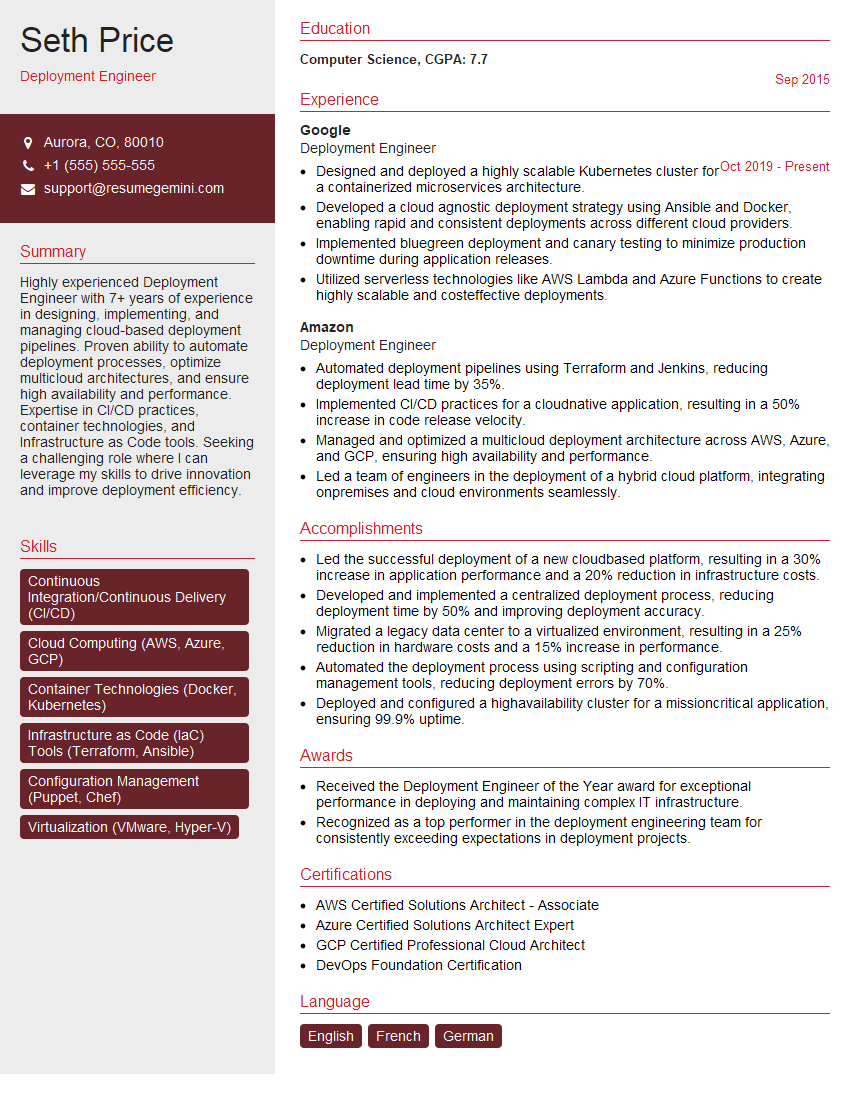
Mastering DevOps and CI/CD integration significantly enhances your career prospects, opening doors to high-demand roles with excellent compensation and growth potential. An ATS-friendly resume is crucial for getting your application noticed by recruiters. ResumeGemini is a trusted resource to help you build a professional and effective resume that highlights your skills and experience. We provide examples of resumes tailored to DevOps and CI/CD Integration to help you craft a compelling application.


Explore more articles
Users Rating of Our Blogs
Share Your Experience
We value your feedback! Please rate our content and share your thoughts (optional).
What Readers Say About Our Blog
Very informative content, great job.
good