The thought of an interview can be nerve-wracking, but the right preparation can make all the difference. Explore this comprehensive guide to Digital Music Editing interview questions and gain the confidence you need to showcase your abilities and secure the role.
Questions Asked in Digital Music Editing Interview
Q 1. Explain the difference between destructive and non-destructive editing.
Destructive editing permanently alters the original audio file, while non-destructive editing makes changes without modifying the source. Think of it like writing in pen versus pencil: pen (destructive) can’t be undone, while pencil (non-destructive) can be erased.
In a DAW, destructive edits might include normalizing audio to a specific level, which permanently changes the amplitude values. Non-destructive edits, on the other hand, often involve using plugins or automation to affect the sound temporarily. For instance, applying a compressor as a plugin on a track is non-destructive because the original audio remains untouched; the plugin’s effect can be bypassed or adjusted without altering the original waveform.
Non-destructive editing provides greater flexibility and allows for easier experimentation and corrections, making it the preferred method for most professional audio editing workflows.
Q 2. Describe your experience with various DAWs (Digital Audio Workstations).
My experience with DAWs spans over a decade, encompassing a wide range of software. I’m highly proficient in Pro Tools, Logic Pro X, and Ableton Live. Each DAW has its strengths and weaknesses. Pro Tools excels in its precision and stability, making it ideal for high-stakes film and television post-production. Logic Pro X is incredibly versatile, offering a huge array of built-in instruments and effects, making it great for songwriting and composing. Ableton Live’s strengths lie in its loop-based workflow and real-time performance capabilities.
Beyond these, I have experience with Reaper (known for its flexibility and affordability), Cubase (a powerhouse for complex projects), and Audacity (a free, open-source option great for basic tasks). This diverse experience allows me to adapt quickly to different project needs and client preferences.
Q 3. How do you handle audio noise reduction and restoration?
Audio noise reduction and restoration are crucial for achieving a professional sound. My approach is multi-faceted and depends on the type and severity of the noise. For consistent background hiss, I might use a spectral noise reduction plugin. These plugins analyze the noise profile and create a reduction filter tailored to eliminate it. I always prefer using these tools subtly, to avoid artifacts.
For more complex noise, like clicks or pops, I use tools that allow for precise editing such as spot removal tools or repairing damaged areas using algorithms that interpolate the surrounding audio. It’s important to remember that advanced noise reduction often involves a balance between reducing the noise and preserving the quality of the desired audio.
When restoring older recordings, I frequently need to employ manual methods alongside automated tools. This may involve careful phase alignment of overlapping tracks for stereo widening or even using EQ to boost specific frequencies to bring out details lost due to age or poor recording quality.
Q 4. What are your preferred methods for audio compression and limiting?
My approach to compression and limiting is based on a balance of subtle enhancement and transparent processing. I generally avoid aggressive settings that might distort the natural dynamics or add unwanted artifacts.
For compression, I often prefer using multiple compressor instances, one for overall gain control, and another for targeting specific frequency ranges or transient shaping. This provides more targeted control. I use different compressor types based on the material – optical compressors for warmer tones, FET compressors for punch and aggressiveness, and VCA compressors for versatility.
Limiting is primarily used in the mastering stage to prevent clipping and ensure that the final audio won’t exceed the 0dBFS threshold. I prefer to use a transparent limiter with a high threshold, allowing plenty of headroom, ensuring I’m primarily controlling loudness rather than reducing dynamics harshly.
Q 5. Explain your workflow for editing dialogue in a film or video project.
My dialogue editing workflow involves several key steps. First, I would synchronize the audio tracks with the video footage accurately. This is often done using a combination of manual and automatic sync methods (e.g., using waveform correlation). Then, I would perform a basic noise reduction (removing background hum or hiss).
Next, I address any unwanted noises, like pops, clicks, or breathing sounds, using tools like spot removal or spectral editing. I also work on correcting any issues in the audio such as inconsistent levels or unwanted room tone. After addressing technical problems, I might add subtle EQ adjustments or de-essing to fine-tune the audio quality.
Finally, I’d focus on the emotional impact, checking for clarity and consistency in the delivery to match the visuals. If there are any continuity errors, those would be addressed, perhaps by using dialogue replacement as a last resort.
Q 6. How do you manage large audio projects efficiently?
Managing large audio projects efficiently requires a methodical approach. First, meticulous organization is crucial. I use clear folder structures and naming conventions within my DAW and file system to keep things manageable. This often involves color-coding tracks and busses within the DAW itself.
Second, I rely on effective time management strategies such as breaking down tasks into smaller, manageable chunks, setting realistic deadlines and utilizing project templates to expedite setup. Using automation and batch processing functions within the DAW for operations like volume adjustments or similar tasks is also very efficient.
Finally, I also utilize external hard drives with sufficient storage space, and frequently backup my progress to cloud storage for redundancy, preventing loss of work in the event of a hardware failure.
Q 7. Describe your experience with ADR (Automated Dialogue Replacement).
My ADR experience includes working on various projects, ranging from short films to feature-length productions. The process typically involves the actor re-recording dialogue in a controlled environment (a recording studio) while watching the video footage.
My role includes setting up the recording environment, guiding the actors through their lines, capturing the performance with high audio quality, and then editing and synchronizing it to match the video’s lip sync as seamlessly as possible. It’s a highly collaborative process that often requires a sensitive approach, as we’re trying to match the tone and nuance of the original recording while also enhancing clarity and audibility. Sometimes the process might involve subtle adjustments to the original dialogue to improve pacing, rhythm, or clarity.
Q 8. How do you create and implement sound effects?
Creating and implementing sound effects involves a blend of creativity and technical skill. It starts with understanding the desired effect – is it a whooshing sound for a transition, a subtle creak for suspense, or a powerful explosion for action? Once the desired sound is clear, I explore various methods to achieve it. This might involve recording real-world sounds and manipulating them, or creating sounds entirely from scratch using synthesis techniques.
Recording and manipulation: For example, to create a realistic footstep sound on gravel, I would record the actual sound, then process it using tools like equalization (EQ) to boost or cut certain frequencies, compression to control dynamics, and reverb to add a sense of space. I might also layer multiple recordings to enrich the sound.
Synthesis: To create a sci-fi laser sound, I’d likely use a synthesizer. This involves manipulating oscillators to create different waveforms (sine, sawtooth, square), adding filters to shape the sound, and using effects like distortion and modulation to add character.
Finally, implementing the sound effect requires careful placement within the project’s timeline to ensure it integrates seamlessly with the other audio elements. Proper volume adjustments and panning (positioning in the stereo field) are crucial for optimal impact.
Q 9. What are your preferred techniques for sound design?
My preferred sound design techniques emphasize a combination of acoustic recording and digital manipulation. I find that starting with real-world sounds often yields more organic and believable results. For instance, I’ve used recordings of water dripping into a bucket to create the sound of alien rain in a science fiction project. The texture of the original recording provided a natural quality difficult to achieve through pure synthesis.
However, I also extensively use synthesis and granular synthesis (breaking down a sound into tiny grains and rearranging them) to create completely unique sonic textures. This allows me to craft sounds that don’t exist in the real world, expanding the creative possibilities. For example, I’ve built unique, otherworldly soundscapes by layering synthesized textures and manipulating recordings of wind chimes.
I also heavily rely on subtractive synthesis – shaping a sound by removing frequencies with filters, and additive synthesis, building complex sounds by layering simple waveforms. It’s all about experimentation and blending different techniques to achieve a specific sound character.
Q 10. Explain your understanding of different audio file formats (WAV, MP3, AIFF, etc.).
Understanding audio file formats is crucial for maintaining audio quality and compatibility. Each format offers a different balance between file size and audio fidelity.
- WAV (Waveform Audio File Format): This is a lossless format, meaning no audio data is discarded during encoding. It preserves the original audio quality perfectly, making it ideal for archiving and professional work where preserving quality is paramount. However, WAV files tend to be quite large.
- MP3 (MPEG Audio Layer III): This is a lossy format; data is compressed by discarding parts of the audio signal deemed less important to human hearing. This results in smaller file sizes, suitable for online streaming and distribution but at the cost of some audio quality. The level of compression can be adjusted.
- AIFF (Audio Interchange File Format): Similar to WAV, AIFF is a lossless format that maintains high audio fidelity. It’s commonly used on Apple platforms.
Choosing the right format depends on the project’s requirements. For mastering, WAV is preferred. For online distribution, MP3 is often necessary for efficient streaming and download. AIFF provides a good alternative to WAV, particularly within the Apple ecosystem.
Q 11. How do you handle audio synchronization issues?
Audio synchronization issues, where audio and video are out of sync, are frustrating but manageable. The first step is identifying the source of the problem. Is it a timing issue within the editing software, or is there a problem with the original media files?
Troubleshooting steps:
- Check frame rates: Ensure consistent frame rates across all video and audio files.
- Examine timecode: If available, verify that timecode aligns across all elements.
- Use audio editing software tools: Most DAWs (Digital Audio Workstations) provide tools for precise time-shifting and alignment of audio clips.
- Adjust offsets: Use the software’s alignment tools to introduce small delays or advances to match the audio and video.
- Re-render: If the problem persists, re-rendering the final output may be necessary.
Sometimes, complex sync issues may require dedicated video editing software tools with advanced synchronization features. Careful planning during the recording phase is essential for minimizing these problems later on.
Q 12. What are your strategies for troubleshooting common audio problems?
Troubleshooting audio problems requires systematic investigation. I usually follow these steps:
- Identify the Problem: Pinpoint the specific issue – is it noise, distortion, clipping, or something else?
- Isolate the Source: Determine which audio track or element is causing the problem. This might involve soloing and muting tracks.
- Check Levels: Ensure that audio levels are within the optimal range. Excessive levels lead to clipping (distortion), while low levels increase the noise floor.
- Analyze the Audio: Use spectrum analyzers and other visual tools to identify frequency-specific problems.
- Apply Corrections: Use EQ, compression, noise reduction, or other processing tools to address the issues. Experiment and listen carefully.
- Test and Iterate: Continuously test your adjustments to ensure you’re improving, not worsening, the audio.
For instance, if I hear excessive hiss, I would use noise reduction tools after identifying the noisy section. If there’s distortion, I’d check levels and reduce gain or use a limiter. Documenting each step is essential to allow for revisions and collaboration.
Q 13. Describe your experience with mixing and mastering audio.
Mixing and mastering are critical stages in audio post-production. Mixing involves balancing and shaping the individual audio tracks to create a cohesive sonic landscape. Mastering is the final stage, where the entire mixed project is optimized for playback across different systems.
Mixing: I approach mixing with careful attention to detail. This involves adjusting levels, panning, EQ, compression, and reverb for each track to ensure clarity and balance. The goal is to create a natural and engaging listening experience while preserving the artistic vision. I use reference tracks to guide my decisions and ensure consistency.
Mastering: Mastering requires a different approach. It’s about preparing the finished mix for various playback environments. This involves subtle adjustments to overall levels, dynamic range, stereo image, and other aspects to optimize the sonic experience across a range of devices and listening situations. Loudness standards and best practices are followed to ensure compatibility.
I have extensive experience with both, using industry-standard DAWs like Pro Tools and Logic Pro X. I emphasize meticulous attention to detail and a deep understanding of psychoacoustics to achieve polished and high-quality results.
Q 14. How do you collaborate effectively with other team members in a post-production environment?
Effective collaboration in post-production hinges on clear communication, organized workflows, and the use of appropriate tools. I prefer using collaborative platforms to share project files, track revisions, and manage feedback.
Strategies:
- Version Control: Utilizing version control systems allows for tracking changes and reverting to previous versions if needed.
- Cloud-Based Collaboration: Cloud storage and collaborative editing platforms facilitate simultaneous work by multiple team members.
- Regular Check-ins: Frequent communication and meetings keep the team aligned and address potential issues promptly.
- Clear Roles and Responsibilities: Defining roles ensures that tasks are handled efficiently and reduces potential conflicts.
- Feedback Mechanisms: Establishing clear feedback processes ensures that everyone’s input is considered and that issues are addressed effectively.
In my experience, open and honest communication is paramount. I always encourage feedback and aim to create a collaborative environment where everyone feels comfortable contributing their expertise.
Q 15. Explain your knowledge of different microphone techniques.
Microphone techniques are crucial for capturing high-quality audio. The choice of microphone and its placement significantly impact the final sound. Different microphone types excel in various situations. For example, a cardioid condenser microphone is ideal for vocals because of its excellent rejection of background noise. A dynamic microphone, on the other hand, is more robust and better suited for loud instruments like drums or amplified guitars, handling high sound pressure levels without distortion.
Techniques include:
- Distance: Closer miking produces a more intimate sound with a higher presence of the instrument’s natural characteristics, while further miking creates a more ambient, spacious sound with more room tone.
- Angle: The angle at which the microphone is positioned relative to the sound source affects the tonal balance. For example, angling a microphone slightly off-axis can reduce harshness in a vocal recording.
- Placement (in relation to other instruments): Careful placement is crucial for minimizing bleed – unwanted sounds from other instruments entering the microphone. Using isolation booths or strategically positioning instruments can dramatically improve this.
- Stereo miking techniques: Techniques like XY, ORTF, and MS (Mid-Side) miking are used to create a stereo image using multiple microphones. These techniques create different stereo widths and perspectives.
Example: When recording a jazz trio, I might use a cardioid condenser microphone close to the vocalist, a dynamic microphone for the bass, and a pair of small-diaphragm condensers in an XY configuration for the cymbals and acoustic guitar to achieve a balanced mix, minimizing bleed and capturing the nuances of each instrument.
Career Expert Tips:
- Ace those interviews! Prepare effectively by reviewing the Top 50 Most Common Interview Questions on ResumeGemini.
- Navigate your job search with confidence! Explore a wide range of Career Tips on ResumeGemini. Learn about common challenges and recommendations to overcome them.
- Craft the perfect resume! Master the Art of Resume Writing with ResumeGemini’s guide. Showcase your unique qualifications and achievements effectively.
- Don’t miss out on holiday savings! Build your dream resume with ResumeGemini’s ATS optimized templates.
Q 16. How do you use EQ (Equalization) and dynamics processing effectively?
EQ (Equalization) and dynamics processing are essential for shaping the sound and improving the clarity of a mix. EQ alters the frequency balance, boosting or cutting specific frequencies to enhance or remove certain aspects of the sound. Dynamics processing controls the volume variations, often using compressors, limiters, and gates.
Effective EQ use:
- Subtractive EQ: This is often the starting point – identifying and reducing frequencies that are muddy, harsh, or causing unwanted resonance. Imagine a vocal recording that’s a bit too boomy in the low-mids – carefully cutting around 250Hz would clear it up.
- Additive EQ: After addressing problem frequencies, boosting specific frequencies can enhance desired characteristics. Adding some presence at 4kHz to a vocal track can make it sound more clear and forward.
- High-pass filtering: This cuts low frequencies that don’t contribute to the sound, reducing muddiness and freeing up headroom.
Effective Dynamics Processing:
- Compression: Reduces the dynamic range, making the sound more consistent. For example, compressing a bass guitar makes it sit well in the mix without overpowering other instruments.
- Limiting: Prevents the signal from exceeding a certain level, protecting against clipping and distortion. Used for the master bus to ensure consistent loudness without distortion.
- Gating: Reduces noise by cutting off the signal below a threshold. Useful for removing the hiss in a drum mic that isn’t active.
Example: For a rock track, I might use a high-pass filter on the bass to remove low-frequency rumble, then compress the bass to control its dynamics and make it punchier. I might also use EQ to sculpt the guitar tones and carefully compress the vocals to give them clarity and evenness.
Q 17. What is your experience with surround sound mixing?
My experience with surround sound mixing is extensive, encompassing various formats like 5.1 and 7.1. Understanding spatial audio is crucial, placing elements in a 3D sound stage creates a more immersive experience. I’m proficient in using panning and delay to create depth and movement in the sound.
Key aspects of surround sound mixing:
- Spatial placement: Arranging sound elements across different speakers to create a wide and immersive soundscape.
- Panning: Moving sounds across the speakers to achieve directionality and movement.
- Delay and reverb: Using delay to create a sense of space and distance; reverb to emulate the acoustics of a specific environment.
- LFE (Low Frequency Effects): Managing the low-frequency content using the subwoofer to give the mix impact without overloading other speakers.
Example: In a film score, I would place the main melody in the front speakers, add environmental sounds (like birds chirping) to the rear speakers to create atmosphere, and use the LFE for the low-frequency impacts of the drums and bass to emphasize certain musical moments.
Q 18. Describe your familiarity with metadata embedding in audio files.
Metadata embedding is the process of adding information to audio files that isn’t directly part of the audio waveform. This information can include artist name, album title, track number, genre, album art, and more. It’s crucial for organization, searchability, and proper playback on various devices.
Methods and Standards:
- ID3 tags: The most common metadata standard for MP3 and other audio formats, allowing for embedding a wide variety of information.
- Software: Most Digital Audio Workstations (DAWs) like Pro Tools, Logic Pro X, and Ableton Live allow metadata embedding directly within the software.
- Importance: Proper metadata ensures correct display of information on music players, streaming services, and online stores, providing a professional and user-friendly experience.
Example: I always make sure to embed accurate and complete metadata in all audio files I export, including album art in appropriate resolutions, using the software’s built-in tagging functionality or dedicated tag editors.
Q 19. How do you approach creating a unique soundscape for a project?
Creating a unique soundscape requires a deep understanding of sound design, music theory, and storytelling. The process is more about intuition and experimentation than following a strict formula.
Key considerations:
- Mood and Atmosphere: Identifying the desired emotional impact. A horror movie will need a completely different soundscape than a romantic comedy.
- Sound Design: Using synthesized sounds, sampled instruments, and processed sounds to build interesting and unusual textures.
- Instrumentation and Arrangement: The choice of instruments and how they are arranged contributes heavily to the sonic identity.
- Sound Effects: Adding relevant sound effects that enhance the story and contribute to the overall atmosphere.
- Spatialization: Using panning, reverb, and delay to place sounds in the sonic space, creating a sense of depth and immersion. This is more pronounced in surround sound mixes.
Example: For an abstract electronic music project, I might use granular synthesis to create unusual textures, combine field recordings with processed sounds, and experiment with unconventional rhythmic structures to develop a unique sonic landscape. The goal is to create an environment that is both interesting and emotionally resonant.
Q 20. Explain your process for quality control and assurance in audio editing.
Quality control (QC) and quality assurance (QA) are essential steps to ensure professional-sounding results. My process involves a multi-stage approach, focusing on both technical aspects and artistic integrity.
Steps in my QC/QA process:
- Technical Checks: This includes analyzing the audio files for clipping, noise, and unwanted artifacts. I use metering tools to ensure levels are appropriate and the audio is within a suitable dynamic range. I carefully review gain staging throughout the process to avoid distortion.
- Frequency Balance: Checking if the EQ is properly balanced. There are specific requirements for different playback systems.
- Stereo Imaging: Evaluating the stereo width and ensuring the mix is well-balanced across the stereo field.
- Listening Tests: Critical listening is key, often employing different listening environments (headphones, studio monitors) and listening at varying volumes.
- Feedback: Gathering feedback from trusted colleagues or clients to identify areas that could be improved.
- Metadata Verification: Ensuring all metadata is accurate and complete before finalizing the project.
Example: After mixing a song, I’ll perform a detailed technical check with metering plugins, ensuring no clipping and evaluating the frequency balance across different frequency bands. Then I’ll conduct several listening tests on various playback systems before sharing the mix for feedback and making final adjustments before mastering.
Q 21. What are some common challenges in digital music editing and how do you overcome them?
Digital music editing presents several challenges, requiring creative problem-solving.
Common Challenges and Solutions:
- Phase Cancellation: This happens when two signals are out of phase, resulting in a loss of volume or a muddy sound. Solution: Careful microphone placement, using mono summing, or using phase correction plugins.
- Audio Bleed: Unwanted sounds from other instruments or sources entering the microphone. Solution: Strategic microphone placement, using isolation booths, and employing techniques like gateing or EQ to reduce unwanted signals.
- Clipping and Distortion: Signal exceeding the maximum level, causing a harsh sound. Solution: Careful gain staging, using compressors and limiters to avoid peaks.
- Noise Reduction: Eliminating unwanted background noise and hiss. Solution: Using noise reduction plugins (carefully, as over-processing can negatively impact audio quality), using quieter recording environments.
Example: If I encounter phase cancellation between two microphones recording the same instrument, I’ll analyze their waveforms and adjust the phase of one to align them properly. Alternatively, if I have excessive background noise, I’ll strategically use a noise reduction plugin (being mindful not to compromise the sonic quality).
Q 22. Describe your experience with audio plugins and effects processing.
Audio plugins are essentially mini-programs that add functionality to your Digital Audio Workstation (DAW). They allow you to manipulate audio in countless ways, from basic EQ and compression to highly specialized effects like granular synthesis or reverb emulation. My experience spans a wide range, including mastering-grade plugins like Waves plugins (Renaissance Compressor, L2 Maximizer), creative effects like FabFilter plugins (Pro-Q 3, Pro-C 2), and various others from companies such as iZotope, Soundtoys, and Universal Audio.
My approach to effects processing is highly context-dependent. For instance, when mastering a track, I focus on subtle, transparent processing to enhance the overall sound, using careful gain staging and dynamic control to optimize loudness and clarity. For creative applications like sound design, I might employ more extreme settings, pushing plugins to their limits to achieve unique and unconventional sonic textures. A recent project involved using granular synthesis to create unique atmospheric pads by manipulating short audio samples, a perfect example of how plugins can drastically shape the creative landscape.
Understanding the signal flow is key. I always consider how each plugin interacts with the others in the chain, carefully adjusting parameters to avoid unwanted artifacts or phase cancellations. Visualizing the audio with spectrum analyzers and oscilloscopes helps to optimize plugin settings for the desired results.
Q 23. How familiar are you with different audio metering techniques?
Audio metering is crucial for ensuring proper levels and avoiding distortion or clipping. I’m proficient in using various metering techniques, including peak metering (measuring the highest amplitude), RMS (Root Mean Square) metering (measuring average power), LUFS (Loudness Units relative to Full Scale) metering (for broadcast compliance), and spectral analysis (visualizing frequency content).
For example, LUFS metering is essential for delivering tracks to streaming platforms which have specific loudness requirements. Failure to adhere to these standards could result in your music sounding too quiet or too loud compared to other tracks. I use RMS metering for making informed decisions about compression, ensuring consistent perceived loudness throughout a track without compromising dynamic range unnecessarily. Spectral analysis provides valuable insight into frequency imbalances or problematic frequencies, helping with EQ decisions and identifying potential masking issues.
I’m also familiar with advanced techniques like True Peak metering, which accounts for inter-sample peaks that standard peak meters might miss and is particularly critical in mastering. A combination of different metering techniques is usually employed for optimal results. I rarely rely on just one meter, preferring a multifaceted approach to avoid potential errors.
Q 24. What is your approach to version control in audio projects?
Version control in audio projects is paramount to avoid losing work and maintain a clear history of edits. My primary method is using my DAW’s built-in versioning capabilities, usually creating regular snapshots or backups as I work. For larger or collaborative projects, I integrate with version control systems like Git via tools specifically designed for audio (though this is less common due to the large file sizes involved).
I typically create a new version whenever I make significant changes, such as completing a section of a mix or applying a major effect. This allows me to easily revert to previous versions if needed. In addition to DAW-based versioning, I also maintain a robust external backup strategy using cloud storage and local hard drives. A clear naming convention for my files, including dates and descriptions, is also crucial for efficient project organization. I see this as akin to a writer maintaining multiple drafts of a manuscript – crucial for quality control and creative iteration.
Q 25. Describe your experience with automation in your DAW of choice.
Automation is a cornerstone of modern audio production, enabling dynamic control over various parameters throughout a track. My experience with automation in my preferred DAW (Ableton Live) is extensive. I use automation clips to control parameters such as volume, panning, effects sends, and plugin parameters.
For instance, I might automate a reverb send to create a sense of space that evolves throughout a song, gradually increasing the reverb during the chorus and fading it back down during the verses. Or I could automate the cutoff frequency of a filter to create rhythmic variations in a synth sound. I frequently use automation to create subtle, evolving soundscapes, enhancing the overall dynamics and listenability of the track. Advanced techniques like MIDI automation allow for the dynamic control of virtually any plugin or effect parameter, opening up a broad range of expressive possibilities. This is particularly useful when working with complex instrument patches or effects chains.
Careful planning is important before jumping into automation. I find it useful to sketch out an idea of how I want the automation to flow before implementing it in my DAW to ensure the desired results.
Q 26. How do you manage audio licensing and copyright considerations?
Audio licensing and copyright are critical aspects of professional music production. I always ensure that I have the appropriate rights to use any audio samples or loops, and I’m familiar with various licensing models, including royalty-free, Creative Commons, and commercial licenses.
For samples, I meticulously document the source and license type, and I always obtain permission where necessary. I use reputable sample libraries and sound effects providers to minimize the risk of copyright infringement. When using royalty-free material, I still acknowledge the original creator. For original compositions, I register my copyrights with the relevant organizations to protect my intellectual property.
In collaborative projects, I establish clear agreements regarding ownership and usage rights from the outset to avoid future disputes. This detailed approach ensures compliance and allows for transparent and respectful collaboration across all involved parties.
Q 27. Explain your understanding of psychoacoustics and its relevance to audio editing.
Psychoacoustics is the study of how humans perceive sound. Understanding psychoacoustics is crucial for effective audio editing because it helps you make decisions that optimize the listening experience. For instance, the concept of masking explains how louder sounds can obscure quieter sounds in the same frequency range.
Knowing this, I can arrange my mix more effectively, strategically positioning instruments to minimize masking. I avoid placing competing sounds in similar frequency ranges without proper consideration of their levels. Similarly, the Haas effect (or precedence effect) explains how our brain perceives the first arriving sound as the primary source. I can use this effect to create a sense of spaciousness by introducing slightly delayed sounds to specific instruments. A recent project involved subtly delaying some background vocals using panning and delay to create a ‘wide’ stereo sound, directly utilizing the Haas effect.
Other psychoacoustic principles, such as critical bandwidth and loudness perception, also guide my editing decisions in EQ, compression, and mastering. By consciously applying these principles, I aim to create a balanced and compelling audio experience for the listener.
Key Topics to Learn for Your Digital Music Editing Interview
- Audio Editing Software Proficiency: Deep understanding of at least one major DAW (Digital Audio Workstation) such as Pro Tools, Logic Pro X, Ableton Live, or Cubase. This includes mastering its interface, workflow, and advanced features.
- Signal Flow & Processing: Grasp of concepts like gain staging, equalization, compression, reverb, delay, and other effects. Be prepared to discuss practical applications and troubleshooting common audio issues.
- Mixing & Mastering Techniques: Understanding the principles of creating a balanced and polished mix, and the process of mastering for various platforms (e.g., streaming services, CD). Be ready to discuss your approach to achieving a professional sound.
- Audio Restoration & Repair: Knowledge of techniques for cleaning up audio, removing noise, clicks, pops, and other artifacts. Be prepared to discuss different restoration methods and their applications.
- MIDI Editing & Sequencing: Understanding of MIDI data, its manipulation, and its role in creating and editing musical arrangements. Demonstrate your proficiency in working with MIDI instruments and controllers.
- Audio File Formats & Compression: Familiarity with various audio file formats (WAV, AIFF, MP3, etc.) and their properties. Understanding lossy vs. lossless compression and their implications for audio quality.
- Collaboration & Workflow: Experience working on collaborative projects, understanding version control, and efficiently managing large audio projects. Discuss your methods for seamless teamwork.
- Sound Design & Synthesis: Depending on the role, knowledge of sound design principles, synthesis techniques, and the creation of original sounds might be beneficial.
Next Steps
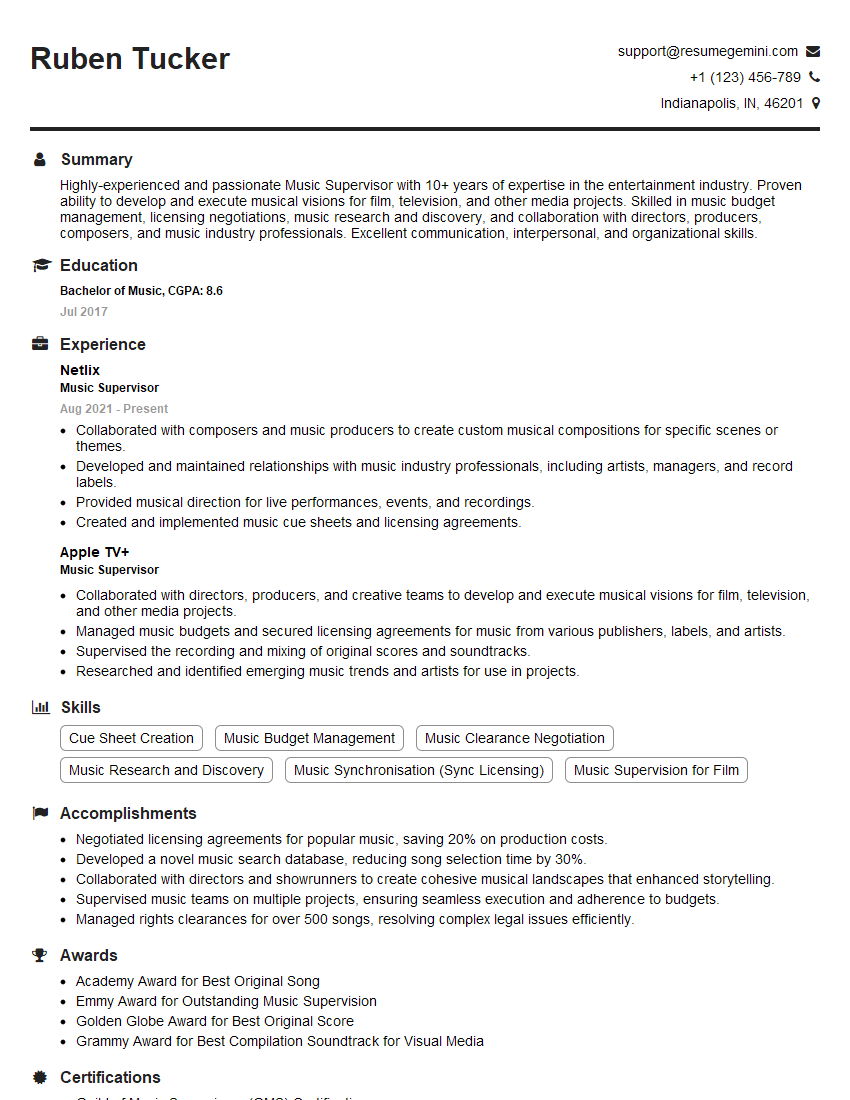
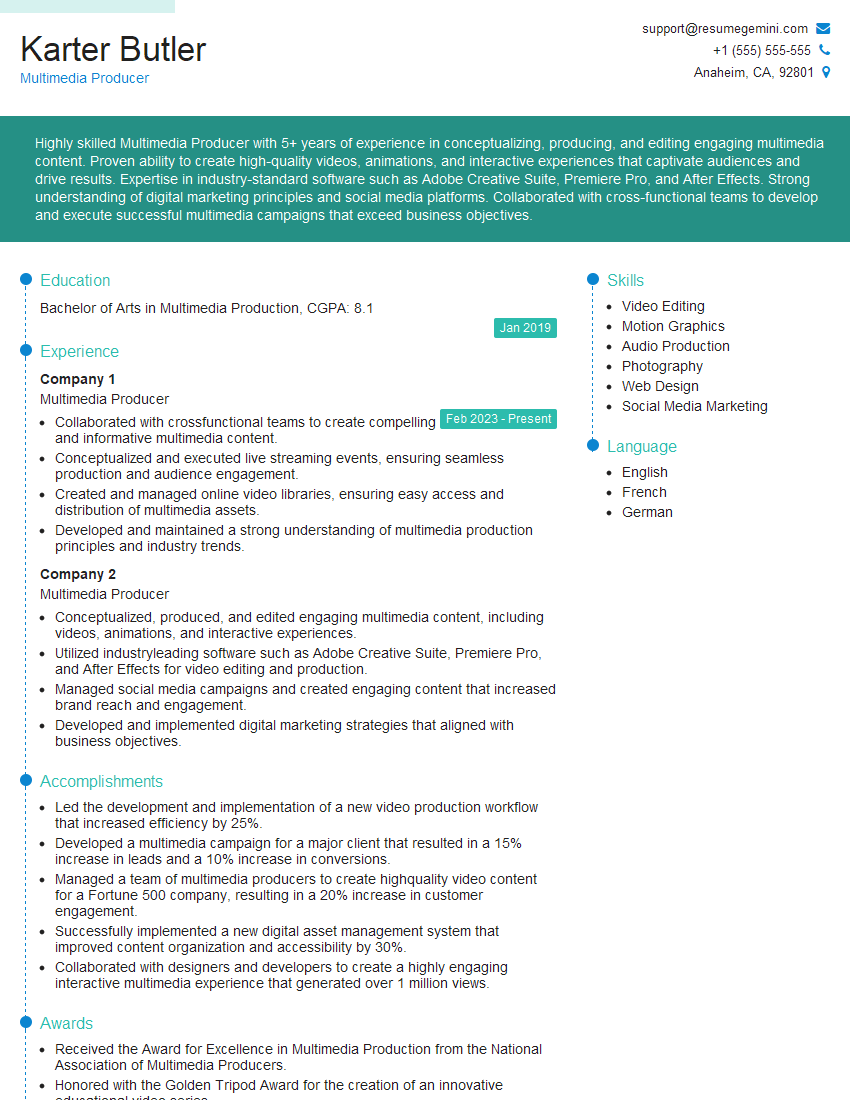
Mastering digital music editing is crucial for a thriving career in the exciting world of audio production. It opens doors to diverse roles, from freelance editing to studio engineering and beyond. To significantly boost your job prospects, crafting a strong, ATS-friendly resume is essential. ResumeGemini is a trusted resource that can help you build a professional and impactful resume that highlights your skills and experience effectively. Examples of resumes tailored specifically for Digital Music Editing professionals are available, giving you a head start in presenting yourself to potential employers.


Explore more articles
Users Rating of Our Blogs
Share Your Experience
We value your feedback! Please rate our content and share your thoughts (optional).
What Readers Say About Our Blog
Very informative content, great job.
good