Interviews are opportunities to demonstrate your expertise, and this guide is here to help you shine. Explore the essential Documentation and Technical Report Writing interview questions that employers frequently ask, paired with strategies for crafting responses that set you apart from the competition.
Questions Asked in Documentation and Technical Report Writing Interview
Q 1. Explain your experience with different documentation formats (e.g., user manuals, API docs, white papers).
My experience spans a wide range of documentation formats, each tailored to its specific audience and purpose. I’ve extensively worked with user manuals, focusing on clear, step-by-step instructions and troubleshooting guides. For example, I created a user manual for a complex medical device, prioritizing accessibility and minimizing technical jargon to ensure ease of understanding for medical professionals with varying levels of technical expertise. API documentation is another area of my expertise, where I’ve used tools like Swagger and OpenAPI to generate interactive and comprehensive documentation, enabling developers to quickly integrate our APIs into their applications. For instance, I documented a RESTful API for a financial trading platform, ensuring clarity and accuracy were paramount, as incorrect information could have significant financial consequences. Finally, I have experience in crafting white papers, often targeting a more technical or executive audience. These involve presenting in-depth technical details and analysis, such as a white paper I authored on the implications of a new cryptographic algorithm for cybersecurity.
Q 2. Describe your process for creating a technical document from start to finish.
My process for creating a technical document follows a structured approach, ensuring quality and consistency. It begins with a thorough understanding of the target audience and the document’s purpose. Next, I define the scope and outline the content, breaking down complex topics into manageable sections. I then conduct thorough research and gather relevant information, ensuring accuracy and completeness. A first draft is created, followed by rigorous review and editing, often involving feedback from subject matter experts and stakeholders. This includes ensuring clarity, consistency in style and terminology, and accuracy of technical details. After revisions, I perform a final quality check before publishing the document, utilizing version control for tracking changes. This entire process is iterative, with feedback loops at each stage ensuring the final product meets the intended requirements and is readily understood by the target audience.
Q 3. How do you ensure your documentation is accessible to diverse audiences?
Accessibility is a cornerstone of my documentation philosophy. I ensure diverse audiences can understand the content regardless of their technical expertise or background. This involves using plain language, avoiding jargon, and structuring information logically. Visual aids such as diagrams, illustrations, and screenshots significantly improve comprehension. I carefully consider the readability, employing appropriate font sizes and styles, and providing alternative text for images for users with visual impairments. Furthermore, I consider internationalization and localization aspects, adapting the documentation for different languages and cultural contexts. For example, when documenting software for a global audience, I ensure the terminology and examples resonate with each region’s users, using appropriate date formats and currency symbols.
Q 4. How do you handle conflicting requirements or feedback from stakeholders?
Handling conflicting requirements and feedback is an inevitable part of documentation creation. My approach involves open communication and collaboration. I actively seek clarification from stakeholders, documenting all requirements and feedback in a central repository. I then prioritize and analyze the conflicting aspects, identifying areas of compromise or reconciliation. Where compromises aren’t possible, I present stakeholders with a clear explanation of the trade-offs involved, along with justification for my recommendations. Ultimately, the goal is to achieve consensus while ensuring the final documentation remains accurate, consistent, and serves its intended purpose effectively. This often involves prioritization matrices and risk assessments to help guide decision-making.
Q 5. What tools and technologies are you proficient in for documentation creation and management?
I am proficient in a variety of tools and technologies for documentation creation and management. For writing and editing, I use Microsoft Word, Google Docs, and LaTeX. For creating interactive and web-based documentation, I utilize tools such as MadCap Flare, and for API documentation, I employ Swagger and OpenAPI. For version control, I am adept at using Git, and for collaborative work and feedback management, I leverage platforms like Confluence and Microsoft SharePoint. These tools enable efficient collaboration, streamlined workflows, and consistent, high-quality documentation.
Q 6. Explain your experience with version control systems for documentation.
Version control systems are essential for managing documentation, particularly in collaborative projects. I have extensive experience using Git for tracking changes, managing different versions, and facilitating collaborative editing. This allows me to revert to previous versions if needed, track specific changes made by different contributors, and ensure the documentation’s integrity. For example, using Git branches allows for simultaneous development of different versions of the documentation without affecting the main branch. This is crucial when handling multiple releases or updates concurrently. Moreover, Git’s branching capabilities help in managing various feedback iterations effectively, simplifying the review and approval process.
Q 7. How do you incorporate user feedback into your documentation?
User feedback is invaluable for improving documentation. I actively seek and incorporate user feedback throughout the documentation lifecycle. This includes conducting user surveys, analyzing user support tickets, and incorporating direct feedback from user testing sessions. I use this feedback to identify areas where the documentation lacks clarity, is inaccurate, or is incomplete. This feedback is documented and prioritized, leading to iterative improvements in the documentation. The goal is to create documentation that is not only informative but also easily understood and usable by the target audience. For example, if user feedback reveals a section is confusing, I rewrite it to improve clarity and add supporting visuals.
Q 8. Describe your experience with single-sourcing and content reuse.
Single-sourcing is a strategy where you create a single source of content that’s reused across multiple outputs. Think of it like having a master recipe that you adapt to make different dishes. Instead of writing the same information multiple times for different documents (like a user manual, a troubleshooting guide, and an FAQ), you write it once and then repurpose it. This significantly reduces redundancy and ensures consistency. Content reuse is the practical application of this – taking that single source and adapting it for various needs. For example, a description of a software feature written once can be reused in the user manual, the online help, and even marketing materials, with only minor modifications.
In my experience, I’ve used tools like MadCap Flare and XML-based content management systems to implement single-sourcing. For instance, I worked on a project documenting a complex software suite. We created a central repository of components – features, steps, troubleshooting tips – each with unique identifiers. Then, we used these components to build the various documentation sets. This ensured that if a feature changed, we only needed to update it in one place, automatically propagating the changes across all relevant documents. This saved countless hours and minimized the risk of inconsistencies.
Q 9. How do you ensure consistency and accuracy in your documentation?
Consistency and accuracy are paramount. I achieve this through a multi-pronged approach. Firstly, I meticulously follow a style guide – be it a company-specific one or a widely accepted standard like Chicago Manual of Style for formal documents or a more relaxed style guide for less formal content. This covers everything from punctuation and grammar to terminology and tone.
Secondly, I employ rigorous review processes. This includes peer reviews, technical reviews by subject matter experts (SMEs), and editing by professional editors. Each review focuses on different aspects: clarity, accuracy, completeness, and consistency. For instance, in a recent project, a technical review uncovered an inaccuracy in a diagram; the peer review pointed out a grammatical error; and the final edit enhanced the overall readability.
Thirdly, I use version control systems like Git to track changes and maintain a history of revisions. This allows for easy rollback in case of errors and provides a clear audit trail.
Finally, I leverage tools for style and grammar checking, such as Grammarly or ProWritingAid. These catch many errors that might otherwise be missed.
Q 10. How do you manage large and complex documentation projects?
Managing large documentation projects requires a structured approach. I start by breaking down the project into smaller, manageable modules. This involves creating a detailed project plan with clearly defined tasks, timelines, and responsibilities. I use project management tools like Jira or Asana to track progress and manage dependencies.
Effective communication is key. Regular meetings with the team and stakeholders keep everyone informed and aligned. I employ a collaborative writing environment, potentially utilizing shared document editing tools and a centralized content repository. I also leverage single-sourcing and content reuse to maximize efficiency.
For instance, on a recent project documenting a large enterprise system, we used a work breakdown structure (WBS) to decompose the documentation into manageable sections. Each section had a dedicated writer, and we held weekly status meetings to address challenges and coordinate efforts. This structured approach ensured we delivered the documentation on time and within budget.
Q 11. What are some common challenges you face in technical writing, and how do you overcome them?
Technical writing presents unique challenges. One common hurdle is dealing with complex technical information and translating it into easily understandable language for the target audience. This requires a deep understanding of the subject matter and the ability to simplify complex concepts without sacrificing accuracy. I overcome this by collaborating closely with SMEs and asking clarifying questions until I fully grasp the topic.
Another challenge is managing conflicting priorities, such as meeting tight deadlines while ensuring high quality. Prioritization and effective time management are vital here. I use project management techniques like Agile methodologies to adapt to changing requirements and ensure timely delivery.
Finally, working with multiple stakeholders with different needs can be difficult. This requires strong communication and negotiation skills to balance the various perspectives and ensure everyone is satisfied with the final product. For example, I’ve successfully navigated conflicting requirements from marketing and engineering teams by creating a documentation plan that clearly defined the scope and audience for each document.
Q 12. Explain your experience with creating diagrams and illustrations for technical documents.
I have extensive experience creating diagrams and illustrations for technical documents. I understand that visuals significantly improve understanding and engagement. I’m proficient in various tools, including Adobe Illustrator, Visio, and draw.io. My approach is to create clear, concise, and accurate visuals that complement the written text. This includes using consistent styles and labeling conventions to ensure visual consistency across the documentation.
For example, I’ve created intricate network diagrams, flowcharts, user interface mockups, and data visualizations. I always consider the audience and tailor the visual style to their needs. A simple flowchart might suffice for a user manual, while a more detailed diagram would be appropriate for a technical reference guide.
Furthermore, I ensure that all visuals are properly captioned and referenced in the text, and that the resolution is appropriate for the intended medium (print or online).
Q 13. How do you maintain the quality of your documentation over time?
Maintaining documentation quality over time is crucial. This involves establishing a process for updates and revisions. I typically implement a system of version control and regular reviews. Changes are tracked and documented, ensuring traceability and accountability.
Feedback mechanisms are essential. I encourage users to provide feedback on the documentation, allowing for continuous improvement. This could involve online feedback forms, user surveys, or direct communication channels. I regularly review user feedback and incorporate necessary changes and updates into future versions.
Finally, I plan for ongoing maintenance. This could involve scheduling regular reviews of the documentation, ensuring that all information is up-to-date and accurate. For example, I’ve set up a system for automatically updating documentation with software version changes, minimizing the effort required for maintenance.
Q 14. How familiar are you with style guides and documentation standards?
I’m highly familiar with various style guides and documentation standards. I’ve worked extensively with style guides such as the Chicago Manual of Style, the MLA Handbook, and various company-specific style guides. My experience also encompasses documentation standards like DITA (Darwin Information Typing Architecture) and DocBook. Understanding these guides and standards allows me to create consistent, high-quality documentation that meets specific requirements.
I understand the importance of adapting my writing style to suit the specific audience and context. For instance, a technical specification might require a formal, highly technical writing style adhering strictly to a specific standard, whereas a user manual would benefit from a more accessible, informal style. My ability to seamlessly switch between these styles, based on the needs of the project, is a significant asset.
Q 15. Describe your process for reviewing and editing technical documents.
My review and editing process for technical documents is a multi-stage approach focusing on clarity, accuracy, and consistency. It begins with a thorough first read focusing on content comprehension and identifying areas needing improvement. This involves checking for factual accuracy, logical flow, and completeness. I then perform a second, more detailed review, focusing on style, grammar, and consistency in terminology and formatting. This stage often includes using style guides and checklists to ensure adherence to company standards. Finally, I conduct a final proofread, looking for any remaining errors, inconsistencies, or typos. Think of it like baking a cake: the first read is like tasting the batter for flavor, the second is like checking the texture and presentation, and the final proofread is like making sure there are no crumbs left on the counter before serving.
- Accuracy Check: I verify all data, figures, and code snippets for correctness.
- Consistency Check: I ensure consistent terminology, formatting, and style throughout the document, using a style guide as a reference.
- Clarity and Flow: I assess the logical flow of information and rephrase confusing sentences or paragraphs to enhance clarity. I strive to write for my intended audience, keeping their knowledge level in mind.
- Accessibility Check: I check to ensure the document is accessible to users with disabilities, meeting standards like WCAG.
Throughout this process, I actively collaborate with the document’s authors to address any questions or concerns that arise, ensuring everyone is on the same page and satisfied with the final product.
Career Expert Tips:
- Ace those interviews! Prepare effectively by reviewing the Top 50 Most Common Interview Questions on ResumeGemini.
- Navigate your job search with confidence! Explore a wide range of Career Tips on ResumeGemini. Learn about common challenges and recommendations to overcome them.
- Craft the perfect resume! Master the Art of Resume Writing with ResumeGemini’s guide. Showcase your unique qualifications and achievements effectively.
- Don’t miss out on holiday savings! Build your dream resume with ResumeGemini’s ATS optimized templates.
Q 16. What is your experience with XML or other structured authoring tools?
I have extensive experience with XML-based authoring tools, specifically DITA (Darwin Information Typing Architecture). I’ve used it to create and manage large documentation sets, taking advantage of its modularity and reusability features. DITA allows for the creation of reusable components (topics) that can be assembled to create different output formats (HTML, PDF, etc.) efficiently. For example, I once managed a project where we used DITA to build a help system for a complex software suite. The modularity allowed us to quickly update specific sections without affecting the entire documentation set. This dramatically reduced the time and effort required for maintenance. My experience also extends to other structured authoring tools like MadCap Flare, which offer similar benefits in managing large and complex documentation projects.
<topic id="concept_overview"> <title>Concept Overview</title> <body> <p>This section provides a general overview...</p> </body> </topic>The use of structured authoring tools is vital in ensuring consistency, maintainability, and ease of update for technical documentation, particularly for large projects.
Q 17. How do you ensure your documentation is up-to-date with the latest software releases?
Keeping documentation current with software releases requires a proactive and systematic approach. I typically work closely with the development team to establish a process that includes early access to release notes and beta versions. This allows me to begin updating the documentation before the official release. Furthermore, a well-defined version control system (e.g., Git) for the documentation helps to track changes and easily revert to previous versions if needed. I often employ a system of issue tracking where any reported discrepancies or changes are documented, allowing for focused and efficient updates. We also use automated testing and checks to confirm the accuracy of updated information.
For example, in a previous role, we used a combination of Git for version control, a dedicated issue tracker (Jira), and a continuous integration/continuous deployment (CI/CD) pipeline. This pipeline automated the building and deployment of the documentation updates, ensuring the documentation was always synchronized with the latest software version.
Finally, a clear change management process ensures that updates are rolled out effectively and communicated transparently to users, minimizing confusion and disruption.
Q 18. How do you create effective search functionality within your documentation?
Creating effective search functionality in documentation is crucial for user experience. It requires careful planning and execution. The key is to go beyond simple keyword matching and instead focus on understanding user intent. This involves employing advanced search features such as stemming (searching for variations of a word), synonyms, and phrase searching. I leverage the capabilities of search engines specifically designed for documentation such as Algolia or Elasticsearch. These tools allow for flexible indexing and searching, boosting the relevance of search results. Additionally, a robust taxonomy and metadata tagging strategy allows for precise searching and filtering. The use of a well-structured information architecture, which I will discuss later, is also critical for achieving effective search results.
For instance, using a tool like Algolia, I’d meticulously tag each document with relevant keywords and metadata, allowing users to quickly find the information they need. Furthermore, implementing facets (filtering options) enables users to refine search results by category, version, or other relevant criteria.
Q 19. What metrics do you use to measure the effectiveness of your documentation?
Measuring the effectiveness of documentation involves tracking several key metrics. These fall into two main categories: usage metrics and effectiveness metrics.
- Usage Metrics: These tell us how much the documentation is being used. Examples include page views, search queries, time spent on pages, and download numbers. These provide insights into what parts of the documentation are popular and which ones need improvement.
- Effectiveness Metrics: These assess the impact of the documentation. Examples include customer satisfaction surveys (measuring how helpful the documentation is), support ticket reduction (indicating whether the documentation is successfully addressing user problems), and task completion rates (monitoring how effectively users can complete tasks based on the documentation).
By tracking these metrics, we can identify areas for improvement in our documentation and make data-driven decisions to enhance its overall effectiveness.
Q 20. Describe your experience with creating tutorials and training materials.
I possess significant experience in creating tutorials and training materials, having designed and delivered a range of learning resources, from short video tutorials to comprehensive, multi-module training courses. My approach emphasizes a user-centered design, focusing on clear, concise instructions and engaging visuals. I leverage various media types to cater to different learning styles, including screen recordings, step-by-step guides with screenshots, interactive exercises, and quizzes. The key is to break down complex procedures into manageable steps and provide ample opportunities for practice and reinforcement. For example, I recently developed a series of video tutorials demonstrating the use of a new software feature. These videos incorporated screen recordings, voiceover narration, and on-screen text to guide viewers through each step. The videos also included quizzes at the end to assess understanding and provide immediate feedback.
Creating effective training materials involves understanding the learners’ background knowledge, identifying their learning objectives, and selecting the most appropriate learning methods to meet those objectives. Careful planning and a focus on user experience are critical to ensuring the materials are both effective and engaging.
Q 21. How familiar are you with the concept of information architecture in documentation?
Information architecture (IA) in documentation is critical for creating a user-friendly and easily navigable system. It’s the structural design of the content, encompassing the organization, labeling, and navigation scheme. A well-defined IA ensures users can quickly find what they need without getting lost in a maze of poorly organized information. Think of it as the blueprint of your documentation. A poorly designed IA can lead to frustrated users, increased support requests, and overall decreased efficiency. A well-designed IA is intuitive, consistent, and allows for logical browsing.
My experience includes designing and implementing various IA strategies, from hierarchical structures (suitable for simple document sets) to more complex faceted classification systems (useful for large, multifaceted document collections). I use techniques like card sorting and tree testing to validate the IA design with users, ensuring it meets their needs and expectations. A well-defined IA, for example, might involve categorizing documentation by feature, task, or user role, creating a clear and intuitive navigation system for users to explore the information.
Q 22. Explain your understanding of user-centered design principles in documentation.
User-centered design in documentation prioritizes the needs and experiences of the end-users. It’s about creating documentation that is easily understandable, usable, and relevant to their specific tasks and knowledge levels. This contrasts with documentation written solely from the perspective of the developer or subject matter expert, which can often be overly technical and difficult for the intended audience to navigate.
- Understanding the Audience: Before writing a single word, I thoroughly research the target audience. Who are they? What’s their technical background? What are their goals when using the product or service? For instance, documentation for a software developer would be far more technical than a user guide for a grandmother using a new tablet.
- Task-Oriented Approach: Instead of organizing documentation by features or components, I focus on the tasks users want to accomplish. This allows users to find the information they need quickly and efficiently. Think of a recipe: it’s not organized by ingredients, but by the steps needed to prepare the dish.
- Clear and Concise Language: I avoid jargon and technical terms whenever possible, using plain language instead. If technical terms are unavoidable, I provide clear and concise definitions. Imagine explaining quantum physics to a five-year-old; the same principle applies to making complex information accessible.
- Effective Use of Visuals: Diagrams, screenshots, videos, and other visuals greatly improve understanding and engagement. A picture is worth a thousand words, and in documentation, a well-placed screenshot can eliminate pages of text.
- Iterative Design and Testing: User testing is crucial. I conduct usability testing throughout the documentation development process to identify areas for improvement and ensure the documentation meets the needs of its users. I iterate based on feedback, refining the content until it’s optimal.
Q 23. How do you handle changes in project scope or deadlines?
Handling changes in project scope or deadlines requires flexibility, proactive communication, and a structured approach. My strategy involves:
- Immediate Communication: As soon as a change is identified, I communicate with stakeholders to understand the impact on the documentation plan. This includes discussing priorities and potential trade-offs.
- Prioritization and Scope Management: We collaboratively determine which documentation elements are most critical and adjust the timeline accordingly. This may involve prioritizing key sections or delaying less important parts.
- Version Control: I use version control systems (like Git) to track changes and ensure we have a history of revisions. This allows us to easily revert to previous versions if necessary.
- Agile Methodology: I leverage Agile principles, such as iterative development and frequent feedback, to adapt to changes smoothly. This means breaking down the documentation into smaller, manageable chunks and regularly reviewing progress.
- Risk Assessment: I assess the potential risks of the change and identify mitigation strategies. This might involve adjusting the writing style, reducing the level of detail, or finding alternative ways to convey information.
For example, if a new feature is added late in the project, I’d immediately assess its impact on the existing documentation. I’d then decide whether a completely new section is required, or if an update to an existing one would suffice. I would also prioritize completing the documentation for this crucial new feature before moving on to less critical sections.
Q 24. Describe your experience with working in an Agile development environment.
I have extensive experience working in Agile development environments. The iterative nature of Agile aligns perfectly with my documentation approach. In these settings, I:
- Participate in Sprint Planning: I actively participate in sprint planning sessions to understand development goals and ensure documentation tasks are included and appropriately sized.
- Close Collaboration: I maintain close collaboration with developers and product owners throughout the sprint, ensuring documentation stays synchronized with the evolving product.
- Iterative Documentation: I create and update documentation in short cycles, mirroring the development process. This allows for continuous feedback and adaptation.
- Continuous Integration/Continuous Delivery (CI/CD): I work to integrate documentation into the CI/CD pipeline, ensuring that documentation is updated automatically whenever changes are deployed. This ensures documentation accuracy and availability.
- Feedback Loops: I actively seek and incorporate feedback from developers, testers, and users throughout the process to enhance clarity and accuracy. Daily stand-ups and sprint reviews provide valuable opportunities for this.
For instance, in one project, I created documentation for each user story in an iterative manner, allowing the developers to review it and make suggestions before merging their code into the main branch.
Q 25. What is your experience with documenting APIs and SDKs?
I possess significant experience documenting APIs and SDKs. This requires a highly structured and technical approach, focusing on clarity, accuracy, and ease of use for developers. My approach includes:
- Understanding API Design: I thoroughly understand the API design and its intended functionality before starting to write the documentation. This includes understanding the data structures, request/response formats, and authentication mechanisms.
- Use of Standard Formats: I use standard formats like Swagger/OpenAPI for defining and generating API documentation, which ensures consistency and allows for automated testing and generation of client SDKs.
- Code Examples: I provide comprehensive code examples in multiple programming languages to demonstrate how to use the API and SDK effectively. These examples are carefully tested to ensure accuracy.
- Clear Error Handling: I provide detailed descriptions of potential errors and how developers can handle them. This is crucial for robust application development.
- Interactive Documentation: I leverage interactive tools and platforms that allow developers to test API calls directly within the documentation. This provides a hands-on experience and accelerates learning.
For example, I’ve used Swagger to generate interactive API documentation with code samples in multiple languages like Python, Java, and JavaScript. This improved developer onboarding and reduced support requests considerably.
Q 26. How do you ensure your documentation is compliant with accessibility guidelines?
Ensuring documentation accessibility is paramount. I adhere to WCAG (Web Content Accessibility Guidelines) to make my documentation inclusive for all users, regardless of ability. This involves:
- Alternative Text for Images: Providing descriptive alt text for all images ensures visually impaired users can understand the content.
- Appropriate Color Contrast: Maintaining sufficient color contrast between text and background ensures readability for users with visual impairments.
- Keyboard Navigation: Ensuring all interactive elements are accessible using a keyboard only is vital for users who cannot use a mouse.
- Structured Markup: Using semantic HTML tags (e.g., headings, lists, paragraphs) to structure the content makes it easier for assistive technologies to interpret and convey the information.
- Text Alternatives for Multimedia: Providing captions for videos and audio descriptions for complex visuals ensures inclusivity.
- Plain Language and Readability: Using clear and concise language, short sentences, and structured formatting makes it easier for everyone to understand the content.
Regularly using accessibility checkers and involving users with disabilities in usability testing helps identify and fix accessibility issues proactively.
Q 27. How familiar are you with different documentation platforms and content management systems?
I am familiar with a wide range of documentation platforms and content management systems (CMS). My experience includes:
- Static Site Generators (SSGs): Such as Jekyll, Hugo, and Gatsby, offering flexibility and control over the documentation’s appearance and functionality. I find these particularly useful for projects with large amounts of content and a need for versioning.
- Wiki Platforms: Such as Confluence and MediaWiki, excellent for collaborative documentation efforts, allowing multiple authors to contribute and maintain the documentation simultaneously.
- Documentation-Specific Platforms: Such as Read the Docs and Sphinx, designed specifically for creating and hosting documentation, often integrating well with version control systems like Git.
- CMS Platforms: Such as WordPress, Drupal, and others, offering broader content management capabilities, but often requiring additional plugins or customization for documentation-specific features.
My choice of platform depends on the project’s specific needs and scale. For a large-scale project with many contributors, I might opt for a collaborative wiki platform like Confluence. For a smaller project with a focus on aesthetics and speed, a static site generator would be a better fit.
Q 28. Describe a time you had to significantly revise documentation due to unexpected changes.
In one project, we were nearing the release of a major software update when a critical security vulnerability was discovered. This necessitated a significant revision of the documentation. The steps I took included:
- Immediate Assessment: I first assessed the impact of the vulnerability on existing documentation. This involved identifying all sections potentially affected by the changes needed to address the security flaw.
- Prioritization: Given the urgency, I prioritized documenting the mitigation strategies and updated security precautions. We focused on creating clear, concise instructions for users and developers to implement these fixes.
- Collaboration: I collaborated closely with the development and security teams to understand the technical details of the fix and ensure the documentation accurately reflected the changes.
- Rapid Iteration: We used an agile approach, working in short cycles to quickly update the documentation and deploy it alongside the security patch. We employed version control to track changes and revert if necessary.
- Clear Communication: We proactively communicated these changes to all stakeholders, highlighting the urgency and the importance of updating their systems. We used multiple channels to disseminate information widely and effectively.
This experience highlighted the importance of flexibility, collaboration, and efficient communication in handling unexpected changes and maintaining accurate documentation. It also reinforced the critical role documentation plays in mitigating risk and informing users about security updates.
Key Topics to Learn for Documentation and Technical Report Writing Interview
- Understanding Your Audience: Learn to tailor your writing style and level of detail to different audiences (technical experts, managers, end-users).
- Information Architecture & Organization: Master structuring complex information logically and effectively, using outlines, headings, and subheadings to improve readability.
- Style Guides & Standards: Familiarize yourself with common style guides (e.g., Chicago Manual of Style, AP Stylebook) and industry-specific documentation standards.
- Technical Writing Principles: Grasp core principles like clarity, conciseness, accuracy, and accessibility in technical communication.
- Visual Communication: Understand the power of diagrams, charts, tables, and other visuals in conveying complex technical information effectively.
- Using Tools & Software: Gain proficiency in relevant software (e.g., Microsoft Word, Adobe Acrobat, specialized documentation tools) and their features.
- The Writing Process: Practice the iterative process of planning, drafting, revising, editing, and proofreading technical documents.
- Collaboration & Feedback: Understand the importance of working effectively with teams and incorporating feedback into your writing.
- Different Document Types: Become familiar with various document types (user manuals, technical specifications, proposals, reports, presentations) and their specific requirements.
- Problem-Solving & Troubleshooting: Practice identifying and addressing challenges in technical writing, such as ambiguous terminology or complex concepts.
Next Steps
Mastering documentation and technical report writing is crucial for career advancement in many technical fields. Strong communication skills are highly valued, and the ability to clearly and concisely convey complex information is a significant asset. To maximize your job prospects, creating an ATS-friendly resume is essential. This ensures your application is effectively screened by applicant tracking systems. We strongly recommend using ResumeGemini to build a professional and impactful resume. ResumeGemini provides tools and resources to craft a compelling resume, and examples of resumes tailored to Documentation and Technical Report Writing are available to help you get started. Invest time in crafting a resume that highlights your skills and experience effectively – it’s your first impression!

Knowledge Manager Resume Sample

Information Architect Resume Sample

Documentation Specialist Resume Sample
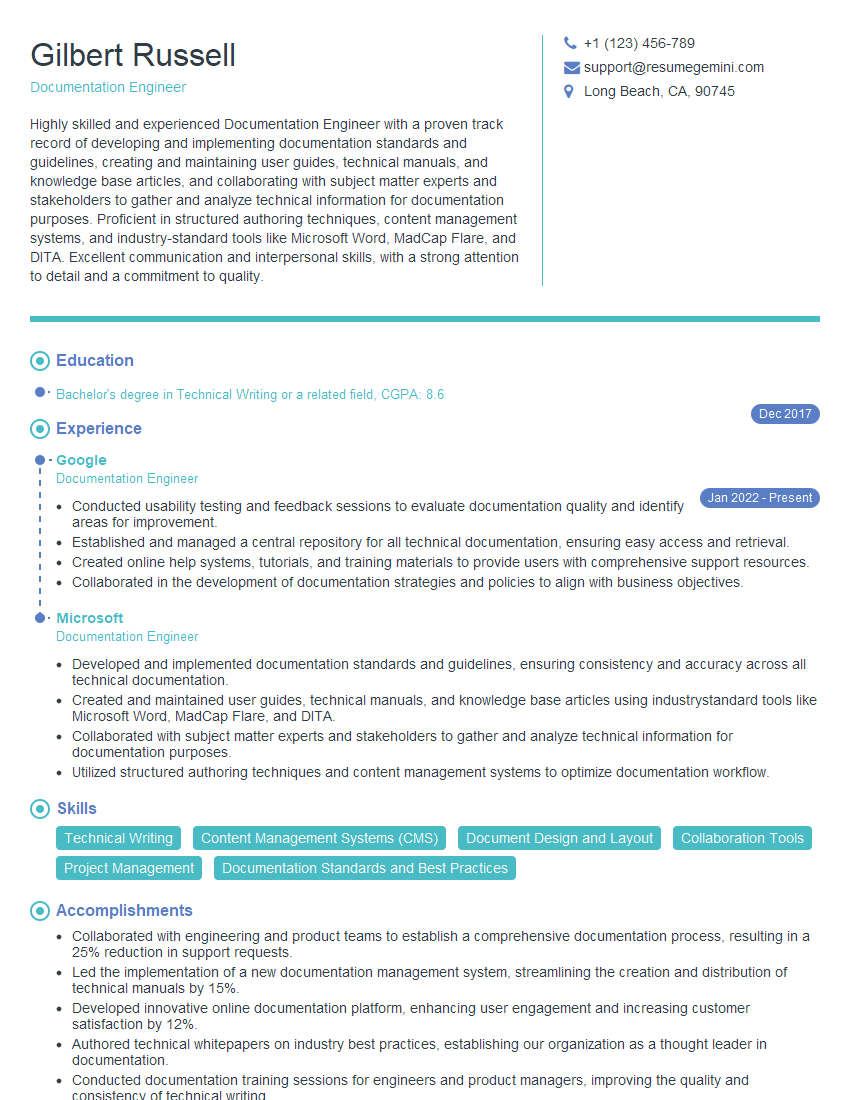
Documentation Engineer Resume Sample

Instructional Designer Resume Sample

Technical Editor Resume Sample
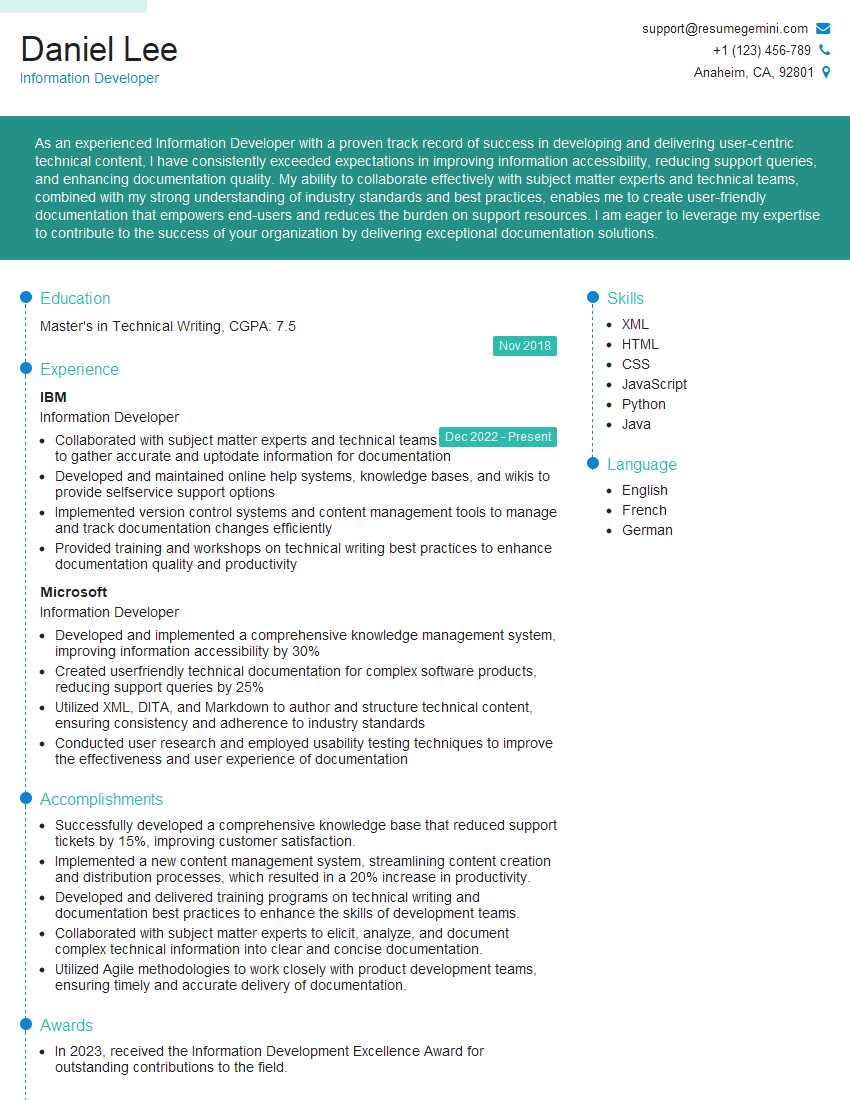
Information Developer Resume Sample
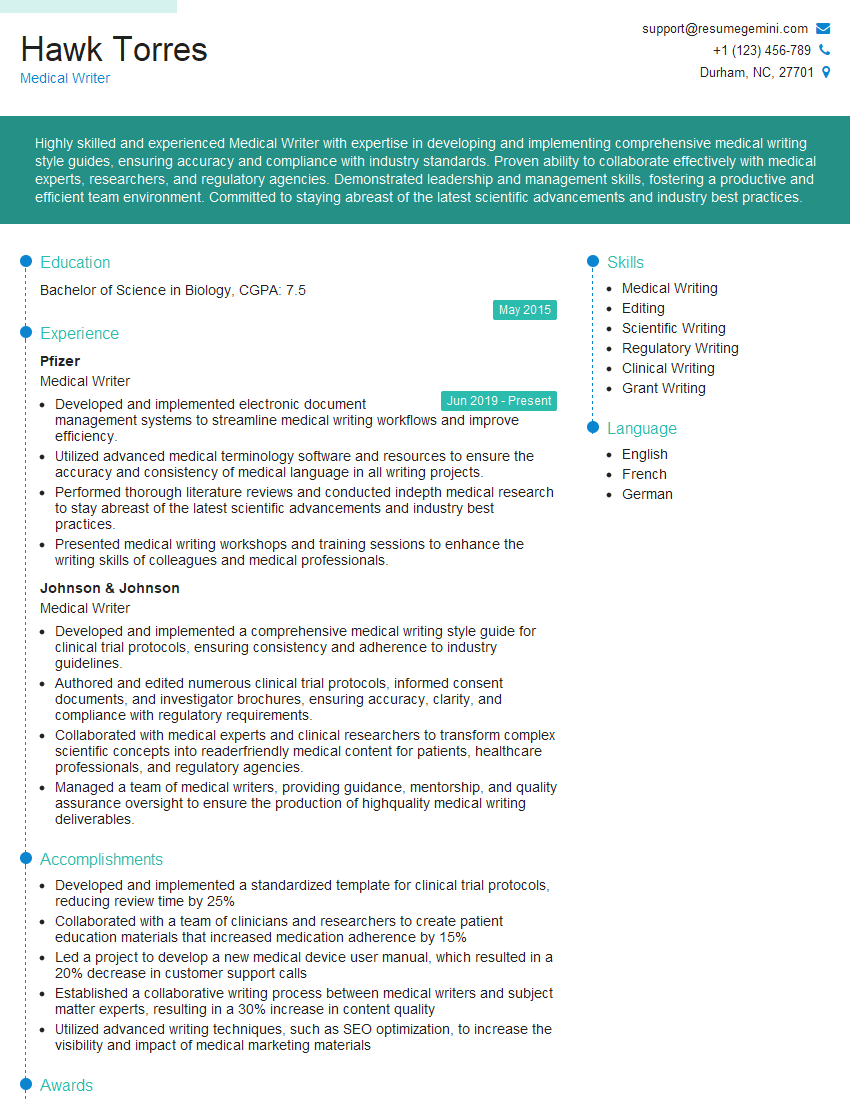
Medical Writer Resume Sample
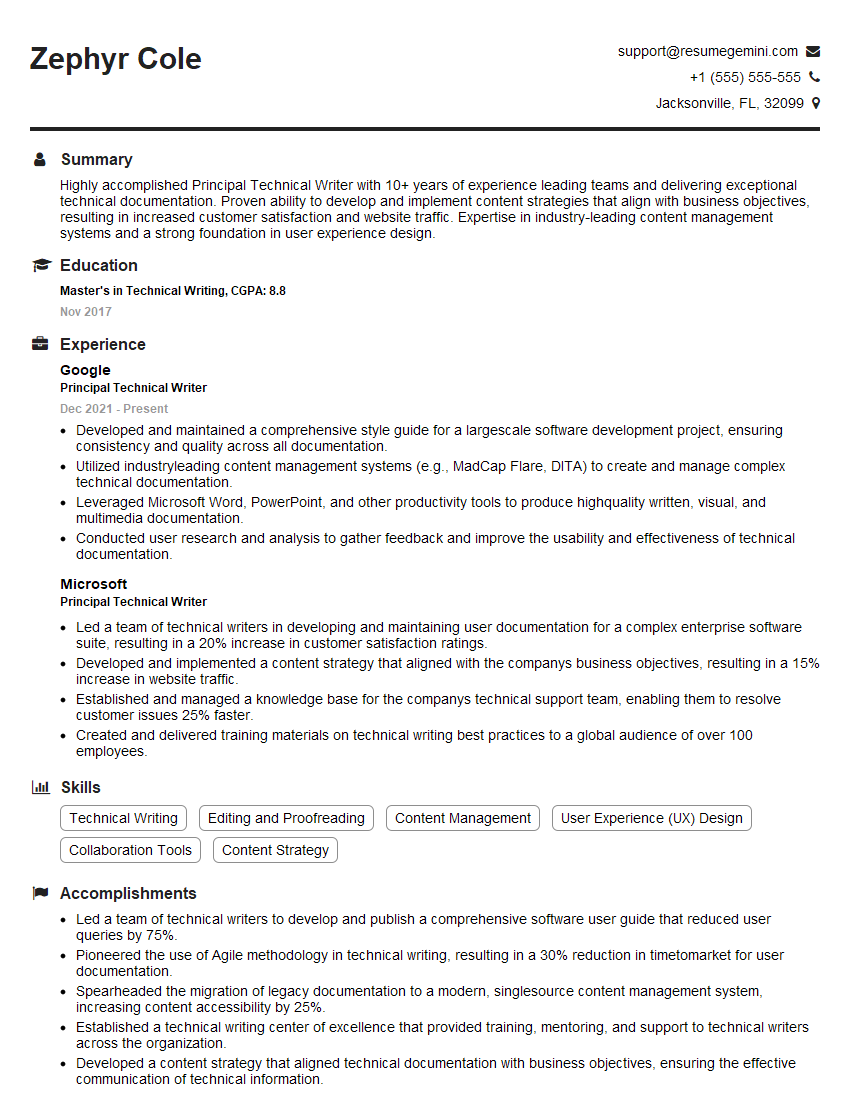
Principal Technical Writer Resume Sample
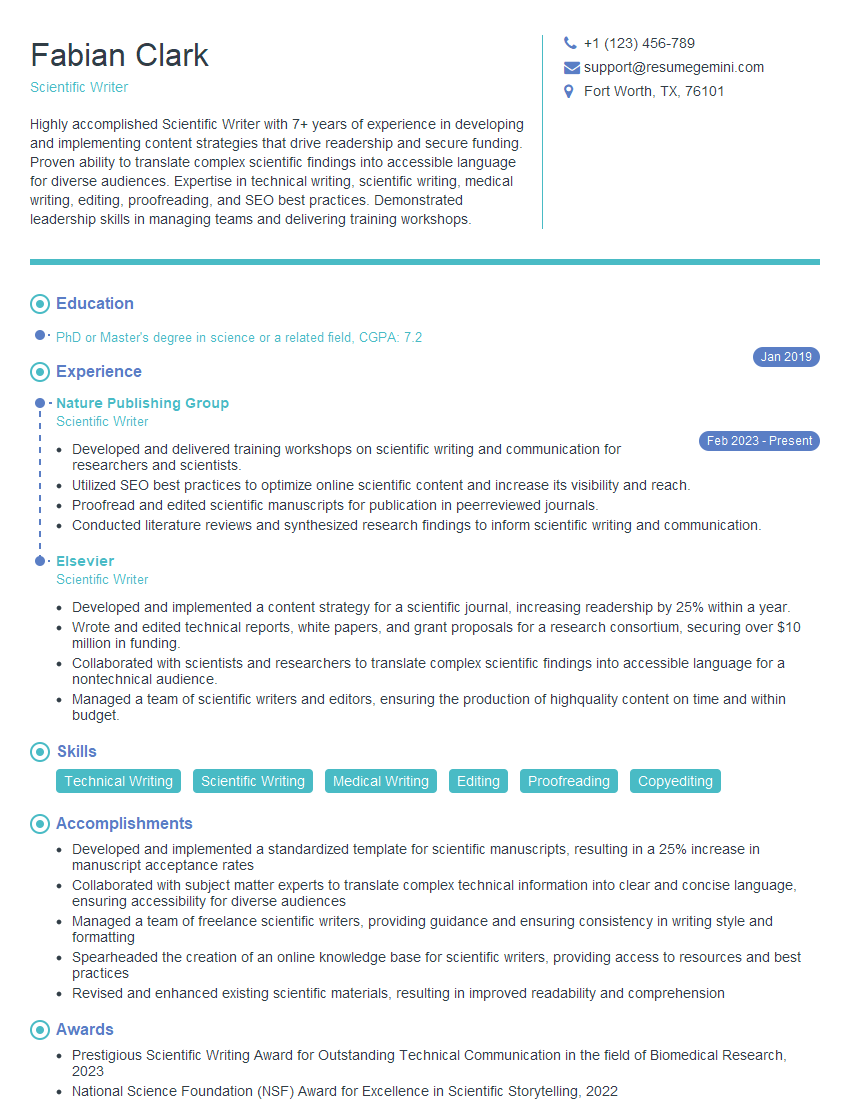
Scientific Writer Resume Sample
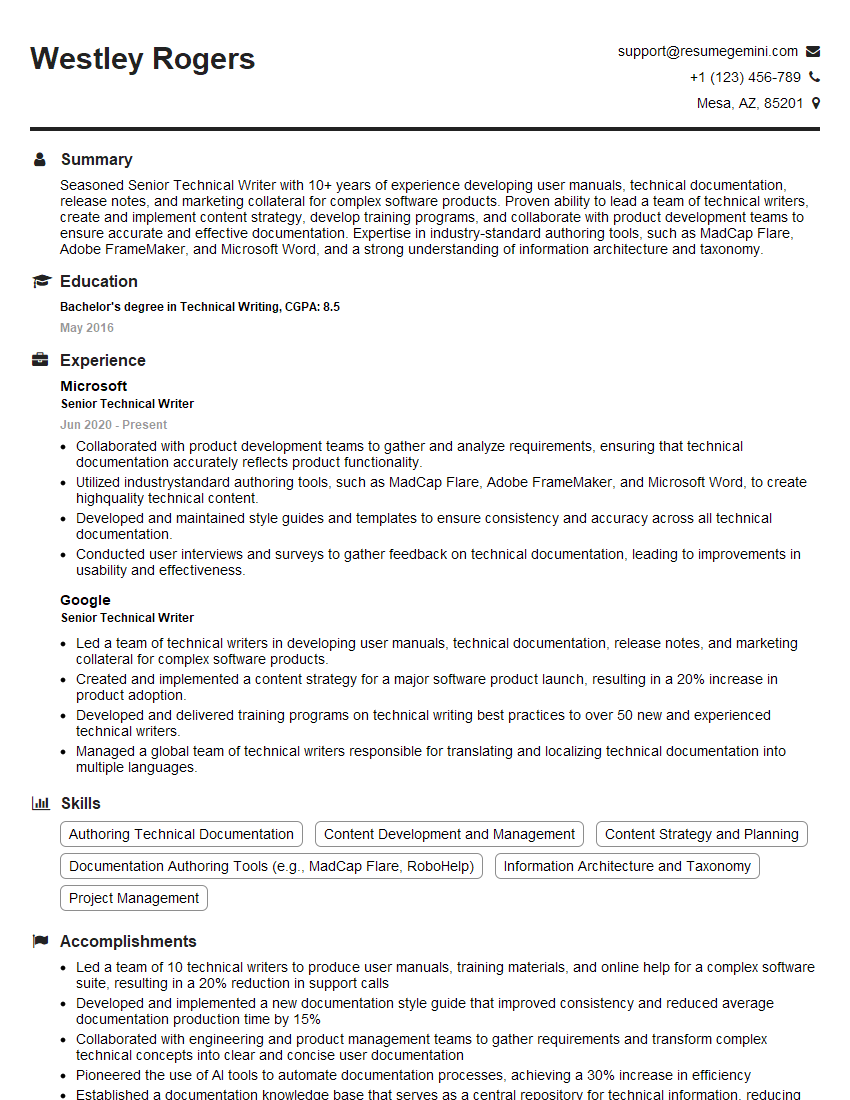
Senior Technical Writer Resume Sample

Technical Writer Resume Sample
Explore more articles
Users Rating of Our Blogs
Share Your Experience
We value your feedback! Please rate our content and share your thoughts (optional).
What Readers Say About Our Blog
Very informative content, great job.
good