The right preparation can turn an interview into an opportunity to showcase your expertise. This guide to Documentation for New Products and Technologies interview questions is your ultimate resource, providing key insights and tips to help you ace your responses and stand out as a top candidate.
Questions Asked in Documentation for New Products and Technologies Interview
Q 1. Explain your experience with different documentation formats (e.g., PDF, HTML, Wiki, online help systems).
Throughout my career, I’ve worked extensively with various documentation formats, each offering unique advantages depending on the project’s needs and target audience. PDFs remain a popular choice for their portability and print-friendliness, ideal for distributing static documents like user manuals. However, for dynamic content and collaborative editing, HTML is superior. I’ve leveraged HTML extensively to create responsive, searchable online help systems, ensuring accessibility across devices. Wikis offer a powerful collaborative platform for managing documentation, allowing multiple authors to contribute and maintain up-to-date content, which is particularly useful for large, evolving projects. Finally, dedicated online help systems, often integrated with software applications, allow for context-sensitive help, providing users with targeted assistance directly within the application itself.
For example, I once created a comprehensive online help system in HTML for a complex CRM software using JavaScript for interactive elements and a responsive design for seamless viewing on desktops and mobile devices. In another project, a wiki served as the central repository for a large-scale software development project, enabling the whole team to contribute to documentation, feature specifications, and design guides.
Q 2. Describe your process for creating user manuals for complex software applications.
Creating user manuals for complex software involves a structured, iterative process. It begins with a thorough understanding of the software’s functionality and target audience. I start by defining the scope – which features will be covered and at what level of detail. Next, I create a detailed outline, organizing information logically to guide users smoothly. I then draft the content, using clear, concise language, employing visuals like screenshots and diagrams to enhance understanding. Throughout this process, I adhere to established writing standards and style guides, ensuring consistency and readability.
After drafting, I meticulously review and revise the manual, checking for clarity, accuracy, and completeness. User testing is crucial; I involve representative users to identify areas needing improvement in terms of clarity or navigation. Based on their feedback, I iterate on the manual until it’s user-friendly and effective. Finally, I finalize the document, ensuring it’s properly formatted and meets all design specifications, before releasing it.
Think of it like building a house: you wouldn’t start building without blueprints (the outline), and you’d certainly test the structure for stability and livability before anyone moves in.
Q 3. How do you ensure your documentation is accessible to users with varying technical expertise?
Accessibility is paramount in documentation. I achieve this by employing several strategies. First, I use clear, simple language, avoiding jargon and technical terms whenever possible. If technical terms are necessary, I define them clearly. I structure the information logically using headings, subheadings, and bullet points to improve readability and scannability. Visual aids, like screenshots and diagrams, significantly improve comprehension for users with varying technical skills.
I also incorporate accessibility features, adhering to WCAG (Web Content Accessibility Guidelines) for online documentation. This includes using sufficient color contrast, providing alternative text for images, and ensuring keyboard navigation. For print manuals, I use clear fonts and sufficient spacing for comfortable reading. By catering to different learning styles and abilities, I make sure the documentation is inclusive and accessible to everyone.
For example, I recently worked on a project where we provided different versions of the documentation: a concise quick-start guide, a detailed user manual, and video tutorials, ensuring accessibility for both novice and experienced users.
Q 4. What tools and technologies are you proficient in for creating and managing technical documentation?
I’m proficient in a range of tools and technologies for creating and managing technical documentation. For writing and editing, I use industry-standard tools like Microsoft Word and Google Docs. For creating online documentation, I use HTML, CSS, and JavaScript to build responsive and interactive help systems. I’m also experienced with various content management systems (CMS) like WordPress and specialized documentation platforms like MadCap Flare and Document360. These platforms allow for version control, collaboration, and seamless publishing.
For image editing, I utilize Adobe Photoshop and GIMP. For creating diagrams and flowcharts, I employ tools like draw.io and Lucidchart. And critically, I’m highly proficient in Git for version control, enabling collaborative editing, tracking changes, and reverting to previous versions if needed.
Example: Using Git to manage documentation changes allows multiple team members to work simultaneously, while maintaining a complete history of all edits.
Q 5. Explain your experience with single-sourcing and content reuse strategies.
Single-sourcing and content reuse are essential for efficient documentation management. Single-sourcing involves storing all content in a central repository, ensuring consistency and reducing redundancy. Instead of maintaining multiple versions of the same information, a single source is used across different documents and platforms. Content reuse means leveraging existing content in various contexts, rather than rewriting it repeatedly. This dramatically reduces effort and ensures consistent messaging.
For example, I implemented a single-sourcing strategy for a large software project where common sections like troubleshooting steps or glossary terms were stored centrally and reused across different user manuals and online help pages. This ensured consistent information throughout, while reducing the chance of errors or inconsistencies.
Q 6. How do you handle conflicting requirements or feedback from different stakeholders?
Handling conflicting requirements or feedback from stakeholders requires a diplomatic yet firm approach. I begin by clearly documenting all requirements and feedback, noting the source and priority level of each. I then schedule meetings with stakeholders to discuss the conflicts, facilitating a constructive dialogue to find common ground. I present various options for resolving the conflicts, explaining the pros and cons of each approach, and always strive to find solutions that balance competing needs and priorities.
Effective communication is key. I carefully explain the rationale behind my decisions, ensuring all stakeholders understand the reasoning. Finally, I document the agreed-upon solution and ensure everyone involved understands the final decision. This collaborative approach ensures that the final documentation reflects the needs of all stakeholders, while maintaining a high level of quality.
Q 7. Describe your experience with version control systems for documentation (e.g., Git).
Version control systems, like Git, are essential for managing technical documentation, particularly in collaborative projects. Git allows multiple authors to work concurrently on the same document, tracking all changes and enabling easy reversion to previous versions if needed. This ensures that the documentation remains up-to-date and accurate, minimizing the risk of conflicting edits or accidental data loss.
I use Git extensively to manage documentation projects, leveraging its branching and merging capabilities for parallel development and collaborative editing. This fosters a more efficient workflow and reduces conflicts. Using platforms like GitHub or GitLab further enhances collaboration by providing tools for code reviews, issue tracking, and project management.
Example: A team member creates a new branch to work on updating a specific section of the documentation. Once complete, they merge the branch back into the main branch after a review. This ensures that the changes are thoroughly checked before being integrated into the main documentation.
Q 8. How do you incorporate user feedback into your documentation process?
Incorporating user feedback is crucial for creating truly helpful documentation. I employ a multi-pronged approach. First, I actively solicit feedback through various channels: in-app surveys, feedback forms on the documentation website, and community forums. Second, I analyze this feedback, categorizing it by type (e.g., clarity issues, missing information, inaccuracies) and severity. Third, I prioritize the feedback based on frequency, impact, and feasibility of implementation. For instance, a frequently reported error in a crucial workflow would take precedence over a minor typographical error. Finally, I update the documentation, noting the changes made and versioning them for traceability. This iterative process ensures the documentation continuously improves and better reflects user needs.
For example, if users consistently report difficulty understanding a specific API endpoint, I might rewrite the explanation, add visual aids like diagrams or code examples, and include more detailed error handling information.
Q 9. How do you ensure the accuracy and completeness of your documentation?
Accuracy and completeness are paramount. My strategy involves a multi-stage review process. First, the initial draft undergoes a thorough self-review. Then, a technical review by subject matter experts (SMEs) ensures the content aligns with the product functionality. Following that, a copy-edit ensures clarity, consistency, and adherence to style guides. Finally, a usability review involves testing the documentation with end-users to identify any gaps or ambiguities. This multi-layered approach helps identify and rectify errors, omissions, and inconsistencies before release. Utilizing version control systems like Git also allows for easy tracking of changes and collaborative editing, maintaining a clear audit trail.
Q 10. What is your experience with creating API documentation?
I have extensive experience creating API documentation using various tools and formats. I’m proficient in generating documentation from code comments using tools like Swagger/OpenAPI. This automates a significant part of the process, ensuring consistency and reducing manual effort. I also have experience manually crafting API documentation for cases where code-based generation isn’t suitable, emphasizing clarity, structure, and ease of navigation. I focus on providing comprehensive information regarding request parameters, response codes, error handling, and authentication methods. I prioritize interactive elements such as interactive API explorers to allow users to experiment with the API directly within the documentation. I believe effective API documentation is not just about listing endpoints; it’s about empowering developers to integrate the API effectively.
For instance, I would include code samples in multiple languages (like Python, JavaScript, and Java) demonstrating different API usage scenarios.
Q 11. Explain your understanding of DITA (Darwin Information Typing Architecture).
DITA, or Darwin Information Typing Architecture, is a structured authoring standard designed for creating, managing, and reusing information. It uses XML to define content in modular, reusable components (topics). This allows for single-sourcing content, meaning one piece of information can be reused across multiple documents. This reduces redundancy and ensures consistency. DITA also supports various topic types (e.g., concept, task, reference), promoting a logical organization of information. Furthermore, its structured nature makes it easy to manage large documentation projects, enabling easier translation, localization, and updates.
Imagine building with LEGOs. Each brick is a DITA topic, and you can combine them to create various structures (documents) without having to recreate individual bricks. This approach provides flexibility and efficiency in managing complex documentation.
Q 12. How do you prioritize tasks when working on multiple documentation projects?
When juggling multiple documentation projects, prioritization is key. I use a combination of methods. First, I assess each project’s urgency and impact. Projects with critical deadlines or significant user impact are prioritized. Then, I break down larger projects into smaller, manageable tasks and use a project management tool (like Jira or Asana) to track progress and manage dependencies. This allows me to allocate resources effectively and ensure timely completion. I also regularly re-evaluate priorities to accommodate changing circumstances or new information.
For example, a crucial security update document would supersede a less urgent feature release guide.
Q 13. Describe your experience with using style guides and maintaining consistency in documentation.
Consistency is crucial for usability. I heavily rely on style guides to ensure uniformity in terminology, formatting, and tone across all documentation. Style guides define standards for everything from heading styles and voice and tone to code formatting and image styles. I work closely with design and development teams to establish or adapt style guides to meet the specific needs of the product. Then, I diligently apply these guidelines in my writing and ensure everyone involved in the documentation process adheres to them. Tools like MadCap Flare or other content management systems can help enforce style guide rules and streamline the process.
Q 14. How do you ensure your documentation is up-to-date with the latest software releases?
Keeping documentation current requires a proactive approach. I integrate with the software development lifecycle (SDLC) and regularly review release notes and change logs. This provides advance notice of new features, updates, and bug fixes. I then schedule updates to the documentation in accordance with the release schedule. Using version control ensures that every change is tracked and allows for easy rollback if necessary. Furthermore, I create a feedback loop to gather information about any inconsistencies between the documentation and the latest software version.
For example, if a new API endpoint is added, I update the API documentation immediately after the release of the new software version, ensuring the documentation always reflects the latest software capabilities. Regular monitoring of user reports also helps identify any discrepancies.
Q 15. What strategies do you use to improve the readability and understandability of your documentation?
Improving the readability and understandability of documentation is paramount. I employ a multi-faceted approach, focusing on clear and concise language, effective structure, and visual aids. This includes:
- Plain Language Principles: I avoid jargon and technical terms whenever possible. If unavoidable, I provide clear definitions. For example, instead of saying ‘Utilize the asynchronous API endpoint,’ I might write ‘Use the online service to get data without waiting for a response.’
- Structured Content: I organize information logically, using headings, subheadings, lists, and tables to break down complex topics into digestible chunks. This allows readers to quickly scan and find the information they need. Think of it like a well-organized library—easy to navigate and find specific books.
- Visual Aids: Screenshots, diagrams, flowcharts, and videos significantly enhance understanding. A picture is worth a thousand words, and visual aids clarify complex processes far better than lengthy descriptions alone.
- Consistent Style and Formatting: Maintaining a consistent style guide ensures uniformity and readability. This includes consistent use of fonts, headings, spacing, and terminology. This prevents cognitive overload, which impacts comprehension.
- User Testing: I frequently test my documentation with target users to identify areas for improvement. This feedback is invaluable in ensuring the documentation is truly user-friendly.
Career Expert Tips:
- Ace those interviews! Prepare effectively by reviewing the Top 50 Most Common Interview Questions on ResumeGemini.
- Navigate your job search with confidence! Explore a wide range of Career Tips on ResumeGemini. Learn about common challenges and recommendations to overcome them.
- Craft the perfect resume! Master the Art of Resume Writing with ResumeGemini’s guide. Showcase your unique qualifications and achievements effectively.
- Don’t miss out on holiday savings! Build your dream resume with ResumeGemini’s ATS optimized templates.
Q 16. How do you handle urgent documentation requests or deadlines?
Handling urgent documentation requests requires a structured approach and strong time management skills. My strategy involves:
- Prioritization: I assess the urgency and importance of each request, focusing on the most critical tasks first. Using a task management tool helps to visualize the workload and manage competing deadlines effectively.
- Scope Definition: I clarify the scope of the urgent request with stakeholders to ensure we’re all on the same page regarding deliverables and expectations. Often, a smaller, more focused deliverable can be more useful than a delayed comprehensive one.
- Collaboration: I communicate openly and transparently with the development team to gather the necessary information efficiently. Sometimes, even a quick outline or skeleton document can be delivered swiftly to meet the immediate need, with further refinements later.
- Timeboxing: I allocate specific time blocks to focused writing, minimizing distractions. This allows me to stay on track and meet deadlines.
- Agile Methodology: Adopting an iterative approach allows for rapid development and feedback loops. It’s better to deliver a functional, if slightly less polished, document promptly than a perfect document too late.
Q 17. Describe your experience with using documentation authoring tools (e.g., MadCap Flare, RoboHelp).
I have extensive experience with both MadCap Flare and RoboHelp, two leading documentation authoring tools. MadCap Flare is particularly strong in its single-source publishing capabilities, allowing me to create multiple output formats (HTML, PDF, ePub) from a single source file. This is significantly more efficient than creating each format separately. RoboHelp excels in its robust features for creating context-sensitive help systems. My experience with these tools includes:
- Content Management: Effectively managing large volumes of documentation, ensuring consistent branding and updating.
- Single-Source Publishing: Leveraging the power of single-source publishing to reduce redundant effort and maintain consistency across different formats.
- Template Customization: Designing and implementing custom templates to ensure brand consistency and optimal readability.
- Version Control: Utilizing version control systems (like Git) to track changes and collaborate effectively with others.
- Conditional Text and Variables: Utilizing these advanced features to create tailored outputs for different audiences or product versions.
Q 18. What metrics do you use to measure the effectiveness of your documentation?
Measuring the effectiveness of documentation is crucial. I employ a variety of metrics, including:
- User Feedback: Surveys, feedback forms, and user testing sessions provide direct insights into the clarity and usability of the documentation. This qualitative data is invaluable.
- Support Ticket Reduction: A decrease in support tickets related to product usage suggests the documentation is effectively resolving user questions and problems. This is a key quantitative measure of success.
- Search Analytics: Analyzing search terms used within the documentation reveals areas where users are struggling to find information. This data guides future improvements.
- Completion Rates (for tutorials): Tracking completion rates for tutorials indicates user engagement and understanding. A high completion rate suggests a well-designed and effective tutorial.
- Task Completion Time: Measuring the time users take to complete specific tasks using the documentation provides insights into its efficiency.
By combining these qualitative and quantitative metrics, I gain a comprehensive understanding of my documentation’s effectiveness and areas for improvement.
Q 19. How do you stay current with the latest trends and best practices in technical writing?
Staying current in technical writing requires continuous learning. I actively engage in:
- Industry Conferences and Webinars: Attending conferences (like STC Summit) and webinars to learn about the latest trends and best practices. This networking aspect is also crucial.
- Professional Organizations: Membership in professional organizations (like the Society for Technical Communication) provides access to resources, publications, and networking opportunities.
- Online Courses and Tutorials: Engaging in online courses and tutorials offered by platforms such as Coursera or LinkedIn Learning to enhance specific skills.
- Blogs and Publications: Following industry blogs, publications (like Intercom’s blog), and journals to stay informed about best practices and emerging technologies.
- Peer Review: Participating in peer reviews and knowledge sharing with other technical writers fosters continuous improvement.
Q 20. Explain your experience with creating tutorials or instructional videos.
I have significant experience in creating tutorials and instructional videos. My approach involves:
- Storyboarding: Planning the video’s structure and content, including visual aids and narration, before filming. This ensures a cohesive and engaging final product.
- Screen Recording and Editing Software: Proficiency with tools like Camtasia, OBS Studio, and Adobe Premiere Pro for recording and editing high-quality videos.
- Clear and Concise Narration: Using a clear and concise narration style that is easy to understand and avoids unnecessary jargon.
- Visual Cues and Animations: Incorporating visual cues and animations to highlight important steps and keep viewers engaged. Think of it as adding emphasis in a written document, but visually.
- User Testing: Testing the video with target users to identify areas for improvement before final release. This ensures that the tutorial is effective and easy to follow.
Q 21. How do you collaborate with developers and engineers to gather information for documentation?
Collaborating effectively with developers and engineers is essential for accurate and comprehensive documentation. My approach involves:
- Early Involvement: I engage with the development team from the early stages of the project to gather information and understand the product’s functionality. The earlier the better for ensuring alignment.
- Regular Meetings and Communication: Maintaining regular communication with developers through meetings, email, and instant messaging to stay updated on progress and address questions.
- API Documentation and Code Reviews: Utilizing API documentation and conducting code reviews to gain a deeper understanding of the product’s technical aspects.
- Information Gathering Sessions: Organizing focused information-gathering sessions with developers to clarify specific features or processes. These sessions help to keep everyone on the same page.
- Documentation Workflow Integration: Integrating documentation tasks into the overall development workflow to ensure timely updates and consistency.
Q 22. Describe your approach to reviewing and editing technical documentation.
My approach to reviewing and editing technical documentation is multifaceted and emphasizes accuracy, clarity, and user experience. It begins with a thorough understanding of the target audience and their technical proficiency. I then conduct a comprehensive review, focusing on several key areas:
- Accuracy: I meticulously verify all facts, figures, code snippets, and instructions, cross-referencing information with source materials and the product itself whenever possible. Inaccuracies can lead to user frustration and potentially even system failures, so this step is paramount.
- Clarity and Conciseness: I look for ambiguous language, overly complex sentence structures, and jargon that might confuse the reader. My goal is to make the information easily digestible, using plain language and avoiding unnecessary technical terms. I often employ the ‘teach a child’ test – can a novice understand this explanation?
- Consistency: Maintaining consistency in terminology, style, formatting, and overall structure is crucial for a positive reading experience. Inconsistent documentation can be incredibly frustrating for users.
- Completeness: I check to ensure that all necessary information is included and that there are no knowledge gaps. I also assess the flow of information, ensuring that the documentation leads the user logically through the process.
- Usability: Beyond just clarity, I consider the overall ease of use. Is the documentation well-organized? Is it easy to navigate? Are there effective visuals and examples? Does it meet the needs of the target audience?
After the initial review, I make the necessary edits, focusing on improving clarity, correcting errors, and enhancing the overall user experience. I always strive for a collaborative approach, working with the technical writers and subject matter experts to ensure the final documentation is accurate, complete, and user-friendly. For example, I recently reviewed documentation for a new software API. I identified several areas where the terminology was inconsistent, leading to confusion. By standardizing the terminology and providing clearer examples, we significantly improved the documentation’s usability.
Q 23. How do you manage large and complex documentation projects?
Managing large and complex documentation projects requires a structured approach and effective collaboration. I typically employ a project management methodology, such as Agile, to break down the project into smaller, manageable tasks. This allows for better organization, tracking, and progress monitoring. Key strategies include:
- Content Management System (CMS): Utilizing a CMS like MadCap Flare or similar tools is essential for version control, collaboration, and efficient workflow. This central repository allows multiple writers to work simultaneously while tracking changes and ensuring consistency.
- Modular Design: Instead of creating one massive document, I prefer a modular approach, breaking down the documentation into smaller, self-contained units (modules). This makes updates and maintenance easier. Each module can then be assigned to different team members for better task management.
- Version Control: Utilizing a robust version control system (like Git) allows tracking changes, facilitating collaboration, and enabling easy rollback to previous versions if needed.
- Style Guides and Templates: Implementing and enforcing style guides and templates ensures consistency in formatting, terminology, and overall style, making the final product look professional and easy to navigate.
- Regular Team Meetings: Regular meetings with the writing team, subject matter experts, and stakeholders ensure everyone stays informed, addresses issues promptly, and keeps the project on track.
For instance, in a recent project documenting a complex enterprise software suite, we used a modular approach. Each module focused on a specific feature, allowing different team members to work concurrently. The use of a CMS facilitated version control and ensured that everyone worked with the latest version of the documentation. This improved efficiency and reduced conflicts considerably.
Q 24. How do you plan and organize your documentation workflow?
My documentation workflow is meticulously planned and organized to ensure efficiency and high-quality output. I typically follow these steps:
- Project Planning: This involves defining the scope of the documentation project, identifying the target audience, determining the desired format (e.g., online help, printed manual), and establishing a timeline with clear milestones.
- Content Outline Creation: I create a detailed outline that maps out the structure and flow of the documentation. This serves as a blueprint for the entire project and ensures a logical sequence of information.
- Content Creation: This involves writing the actual documentation, incorporating visuals, code examples, and other elements as needed. This often involves collaboration with subject matter experts.
- Review and Editing: A thorough review and editing process is crucial for ensuring accuracy, clarity, consistency, and completeness. This may involve peer review, technical review by subject matter experts, and a final editorial review by me.
- Publishing: Once the documentation is finalized, I publish it using the chosen method, whether it’s a CMS, PDF generation, or a website.
- Maintenance and Updates: Documentation is a living document. I plan for regular updates to reflect any changes or new features of the product or technology.
For example, when documenting a new mobile app, I started by creating a user persona to represent the target audience. This informed my writing style and helped me focus on the specific needs of the users. I created a detailed content outline, structuring the documentation around the user’s journey within the app. Each step of the workflow was carefully planned and tracked, ensuring a timely and high-quality final product.
Q 25. Explain your understanding of user experience (UX) principles as they relate to documentation.
User experience (UX) principles are fundamental to creating effective technical documentation. The goal is not simply to provide accurate information, but to make that information easily accessible and understandable to the user. Key UX principles applicable to documentation include:
- Information Architecture: The organization and structure of the documentation should be intuitive and easy to navigate. Users should be able to quickly find the information they need without getting lost.
- Findability: Users must be able to easily find the information they’re looking for. This often involves using clear headings, subheadings, a comprehensive index, and search functionality.
- Readability: The documentation should be written in clear, concise language, using appropriate visuals to enhance understanding and reduce cognitive load. The use of white space, headings, and bullet points significantly improves readability.
- Accessibility: The documentation should be accessible to all users, including those with disabilities. This involves adhering to accessibility guidelines, such as providing alternative text for images and using appropriate color contrast.
- Usability Testing: Testing the documentation with actual users to identify areas for improvement is crucial. This allows for iterative design and ensures that the documentation is truly user-friendly.
For example, instead of a dense wall of text explaining a complex process, I might break it down into smaller, manageable chunks, use visuals like flowcharts or screenshots, and provide clear step-by-step instructions. This approach makes the information much more accessible and understandable to the user.
Q 26. How do you create documentation that is both user-friendly and technically accurate?
Creating documentation that is both user-friendly and technically accurate requires a careful balance. Technical accuracy is paramount, but it’s meaningless if users can’t understand or utilize the information. This requires a combination of strong technical knowledge and excellent writing skills. Here’s how I approach it:
- Know Your Audience: Understanding the technical proficiency of your audience is critical. Adapt your language, style, and level of detail accordingly. Avoid jargon unless absolutely necessary, and always define any specialized terms.
- Clear and Concise Language: Use plain language and avoid overly technical terms. Break down complex topics into smaller, more manageable chunks. Use active voice and short, direct sentences whenever possible.
- Visual Aids: Incorporate visual aids such as screenshots, diagrams, flowcharts, and videos to illustrate complex concepts and processes. Visuals can significantly improve understanding and reduce cognitive load.
- Step-by-Step Instructions: Provide clear, step-by-step instructions for tasks and procedures. Numbered lists and bullet points help improve readability and guide users through the process efficiently.
- Examples and Use Cases: Include practical examples and use cases to show users how to apply the information in real-world scenarios.
- Feedback and Iteration: Gather feedback from users and iterate on the documentation based on their input. This ensures the documentation is truly useful and meets the needs of the audience.
For instance, when documenting a new software feature, I wouldn’t simply list the technical specifications. I’d demonstrate its use through practical examples, step-by-step instructions, and screenshots, making it easy for even novice users to understand and utilize the feature.
Q 27. Describe a time you had to make difficult decisions regarding documentation priorities.
In a previous project documenting a large-scale software update, we faced a critical decision regarding documentation priorities. We had limited time and resources, but the update included numerous significant changes affecting various user groups. We had to decide which aspects of the update to prioritize in the documentation.
The challenge was balancing the need for comprehensive documentation with the time constraints. We used a risk-assessment approach, prioritizing features with the highest potential for user error or causing disruptions. This meant focusing on those areas first, even if it meant delaying documentation for less critical features. We prioritized features with the highest risk of causing user error or system instability. We utilized a prioritization matrix, considering the impact of each feature and the likelihood of user error. This allowed us to allocate our resources effectively.
While this meant delaying some documentation, it ensured that the most critical information was readily available to users, minimizing the risk of errors and problems after the update. We communicated this prioritization to stakeholders clearly and transparently. This open communication helped to manage expectations and build trust.
Q 28. How do you adapt your documentation style to different target audiences?
Adapting my documentation style to different target audiences is crucial for effective communication. My approach involves understanding the audience’s technical proficiency, their goals, and their preferred learning style. This includes adjusting:
- Language and Tone: For technical audiences, I might use more precise language and include detailed technical explanations. For less technical audiences, I would use simpler language, avoid jargon, and focus on practical applications.
- Level of Detail: For expert users, I can provide more concise information, relying on their existing knowledge. For novice users, I provide more detailed explanations and step-by-step instructions.
- Format and Structure: The format and structure of the documentation should also be tailored to the audience. For example, a quick-start guide for novice users might be more visually focused and concise, whereas a comprehensive reference manual for experts could be denser with details.
- Visual Aids: The types of visual aids used can vary depending on the audience. For visual learners, diagrams, flowcharts, and videos can be highly effective. For others, a clear textual explanation might suffice.
For example, when documenting a software API, I would write detailed technical specifications for developers, including code examples and technical details. However, if I were documenting the same software for end-users, I would focus on how to use the software’s features, simplifying the explanations and using more visual aids.
Key Topics to Learn for Documentation for New Products and Technologies Interview
- Understanding Target Audience: Defining your audience (technical users, end-users, developers) and tailoring documentation accordingly. Practical application: Creating different documentation levels for varying technical expertise.
- Information Architecture & Structure: Designing clear, logical, and easily navigable documentation structures using appropriate tools and methodologies. Practical application: Creating a sitemap and outlining a comprehensive documentation plan before writing content.
- Content Strategy & Style Guides: Developing a consistent writing style, using clear and concise language, and adhering to established style guides. Practical application: Creating a style guide for your team to ensure consistency across all documentation.
- Technical Writing Principles: Mastering the art of explaining complex technical information in a simple and understandable way. Practical application: Using diagrams, flowcharts, and examples to clarify complex concepts.
- Documentation Tools & Technologies: Familiarity with various documentation tools (e.g., Markdown, Sphinx, Doxygen) and version control systems (e.g., Git). Practical application: Choosing the right tool for the project and using version control for collaborative writing and tracking changes.
- Usability Testing & Feedback Incorporation: Gathering user feedback and iteratively improving documentation based on user needs and comprehension. Practical application: Conducting user testing sessions and incorporating user feedback into documentation revisions.
- API Documentation: Creating clear and comprehensive documentation for APIs, including request/response examples and error handling. Practical application: Writing clear and concise API documentation using industry-standard formats (e.g., OpenAPI/Swagger).
- Accessibility Considerations: Ensuring documentation is accessible to all users, including those with disabilities. Practical application: Using proper headings, alt text for images, and following accessibility guidelines (e.g., WCAG).
Next Steps
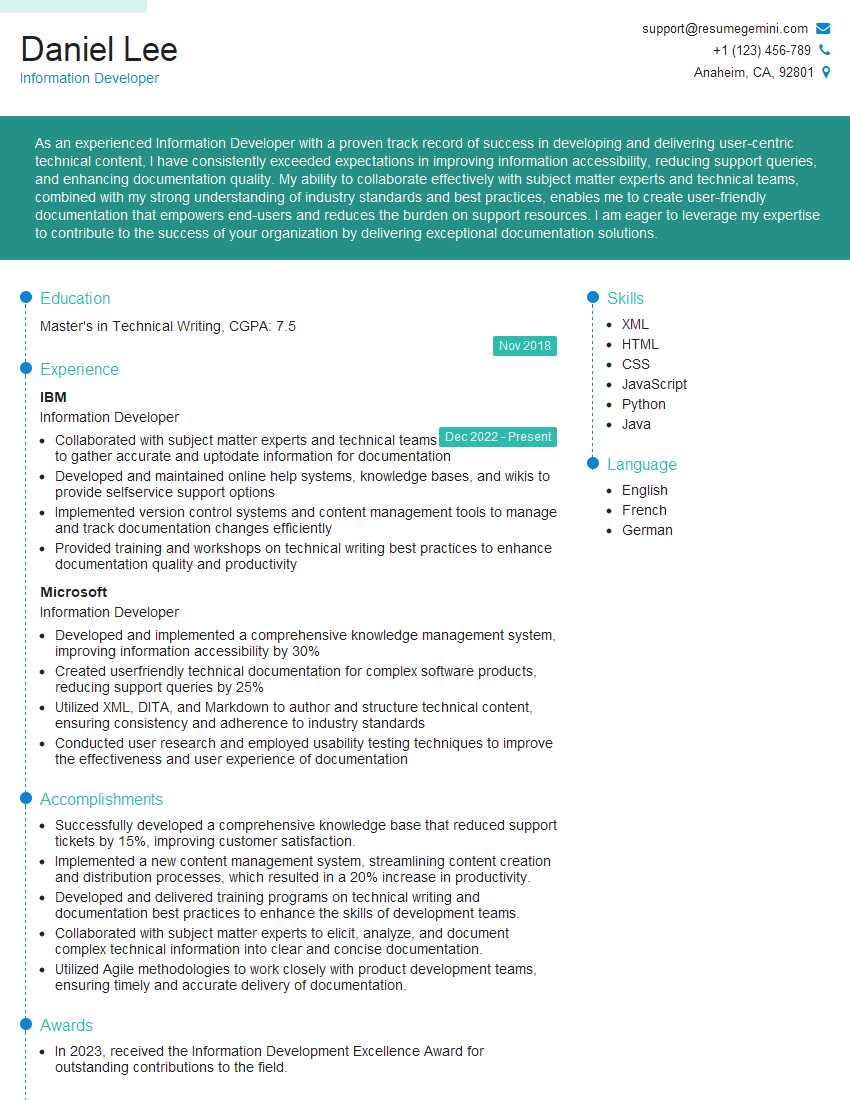
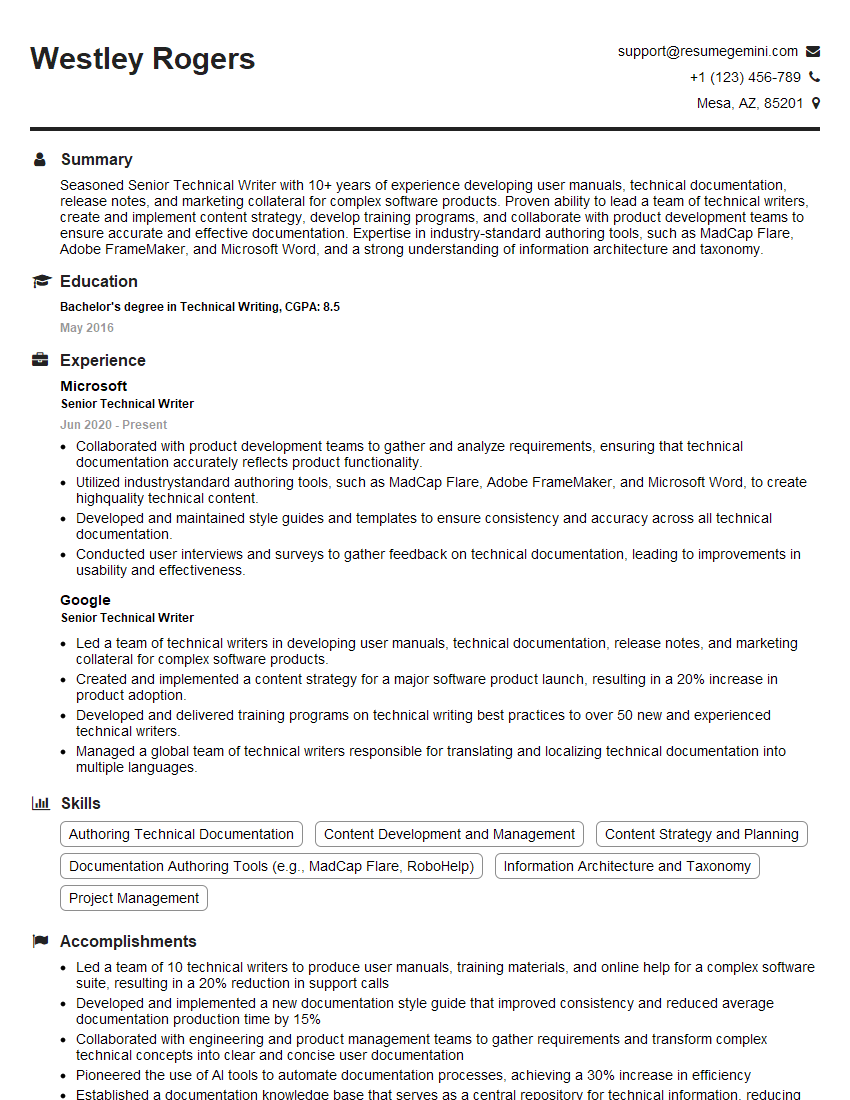
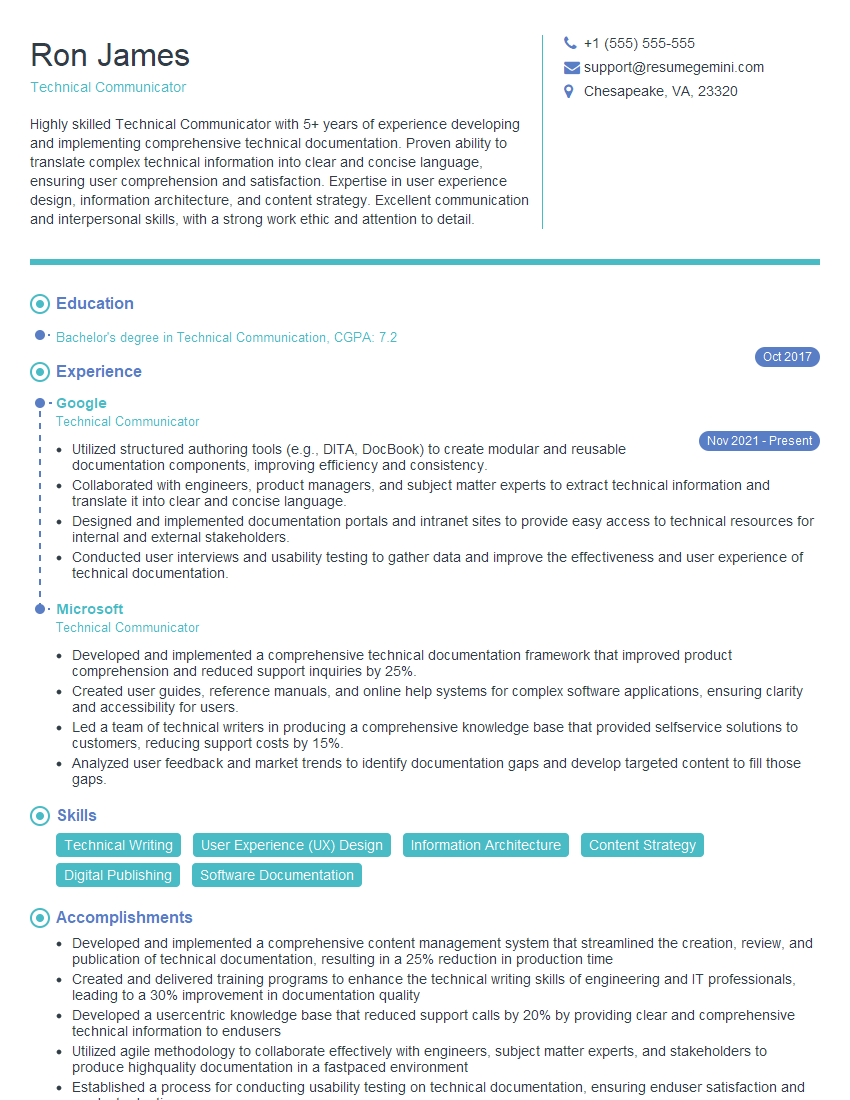
Mastering Documentation for New Products and Technologies is crucial for a successful career in tech. It demonstrates strong communication, technical understanding, and problem-solving skills – highly valued attributes in any technical role. Creating an ATS-friendly resume is essential to getting your foot in the door. An effectively structured and keyword-rich resume significantly increases your chances of getting noticed by recruiters. To build a powerful, ATS-optimized resume that highlights your skills and experience in documentation, leverage the power of ResumeGemini. ResumeGemini provides a streamlined process for creating professional resumes, and we offer examples of resumes tailored to Documentation for New Products and Technologies to help you get started.





Explore more articles
Users Rating of Our Blogs
Share Your Experience
We value your feedback! Please rate our content and share your thoughts (optional).
What Readers Say About Our Blog
Very informative content, great job.
good