Unlock your full potential by mastering the most common Editing and Presentation Skills interview questions. This blog offers a deep dive into the critical topics, ensuring you’re not only prepared to answer but to excel. With these insights, you’ll approach your interview with clarity and confidence.
Questions Asked in Editing and Presentation Skills Interview
Q 1. Explain your process for editing a complex technical document.
Editing a complex technical document requires a systematic approach. My process begins with a thorough first read to grasp the overall content and identify any major structural issues. Then, I move to a detailed edit focusing on clarity, consistency, accuracy, and style. This involves checking for:
- Accuracy of technical information: I verify facts, figures, and data sources, often consulting subject matter experts if needed. For example, if the document discusses a specific algorithm, I’d cross-reference its description with established literature or code implementations.
- Consistency of terminology and style: Maintaining consistent language and formatting is crucial. I use a style guide (more on this in a later answer) and create a glossary of terms for complex documents to ensure uniformity.
- Clarity and flow: I restructure sentences and paragraphs to improve readability. This involves simplifying complex jargon, using active voice whenever possible, and ensuring a logical flow of information.
- Grammar and mechanics: I meticulously check for grammatical errors, typos, punctuation issues, and spelling mistakes using a combination of software tools and manual review.
Finally, I perform a proofread, usually after a break, to catch any remaining errors I might have missed. This multi-stage process, combined with iterative feedback from the author or client, ensures a high-quality final product. Think of it like building a house – you wouldn’t just throw up walls without a blueprint, and similarly, editing needs a planned approach for best results.
Q 2. How do you handle conflicting feedback from multiple stakeholders on a presentation?
Conflicting feedback is common when working with multiple stakeholders. My approach is to:
- Document all feedback: I meticulously record each suggestion, noting the stakeholder’s name and rationale. This creates a transparent record for decision-making.
- Prioritize feedback: I identify the most critical issues and suggestions based on the stakeholder’s expertise and project goals. For example, feedback from a senior executive on the overall message might take precedence over minor formatting concerns.
- Seek clarification: If feedback is unclear or conflicting, I proactively reach out to stakeholders for clarification or to discuss alternative solutions. Sometimes, a simple conversation clarifies the intent behind seemingly contradictory comments.
- Propose solutions: I present a revised version addressing the majority of the feedback, highlighting the changes and explaining my rationale for any decisions not directly aligned with some comments. If there’s no consensus, I present different options for the stakeholders to choose from.
- Document decisions: I record the final decisions made regarding each piece of conflicting feedback, including the rationale for the choice, for future reference and transparency.
Essentially, I act as a facilitator, helping stakeholders reach a consensus through clear communication and a data-driven approach. This prevents a situation where everyone feels unheard and delivers a high quality final result that takes all valid concerns into account.
Q 3. Describe your experience with different style guides (e.g., AP, Chicago).
I’m experienced with several style guides, including the Associated Press (AP) Stylebook, the Chicago Manual of Style, and various company-specific guides. Each has its nuances. The AP Stylebook is concise and emphasizes journalistic accuracy; it’s ideal for news writing and similar applications. The Chicago Manual of Style is more comprehensive, offering extensive guidance on a wide range of writing styles and academic publications. Company style guides often build upon these standards, adding specific requirements for terminology, tone, and formatting.
My experience includes adapting to and consistently applying the rules of each style guide, understanding their distinct conventions, such as date formats (e.g., MM/DD/YYYY vs. DD/MM/YYYY), numeral styling, and citation methods. I’ve successfully applied them in various projects, ranging from marketing materials adhering to a brand’s specific style to academic papers following Chicago style.
Q 4. How do you identify and correct grammatical errors and typos efficiently?
Identifying and correcting grammatical errors and typos efficiently involves a layered approach. First, I utilize grammar and spell-checking tools within word processing software (like Microsoft Word or Google Docs). However, these tools aren’t perfect, so manual review is crucial.
I typically read the document aloud, which helps me catch errors my eyes might miss. I also reverse the reading order, starting from the end, to disrupt my reading patterns and increase attentiveness to detail. For more complex documents, I find it beneficial to take a break before proofreading, allowing a fresh perspective to discover remaining mistakes.
For consistency, I maintain a personal style guide, which includes my own frequent errors to watch out for. This personal guide serves as a quick reference and promotes consistent application of writing rules. This layered approach – technology combined with careful, methodical human review – ensures a high level of accuracy.
Q 5. What strategies do you use to ensure clarity and conciseness in writing?
Clarity and conciseness are paramount in effective writing. My strategies include:
- Active voice: Using active voice makes sentences more direct and engaging. For example, instead of ‘The report was written by John,’ use ‘John wrote the report.’
- Strong verbs: Strong verbs add energy and precision to writing. Avoid weak verbs like ‘to be’ or ‘to get’ whenever possible.
- Precise language: Choose words carefully; avoid vague or ambiguous language. Use a thesaurus to find the most suitable words for context.
- Sentence structure: Vary sentence length and structure to maintain reader interest. Avoid overly long or complicated sentences.
- Eliminate redundancy: Remove unnecessary words or phrases that don’t add meaning.
- Use headings and subheadings: Break up large blocks of text to improve readability and comprehension.
The goal is to convey information efficiently and effectively, respecting the reader’s time and attention. Think of writing like storytelling – you need to engage your audience without unnecessary detail, maintaining a captivating pace.
Q 6. How do you create visually appealing and effective presentations?
Creating visually appealing and effective presentations involves careful consideration of design principles and audience engagement. I focus on:
- Clear and concise messaging: Each slide should convey a single, clear message, using bullet points, visuals, and concise text.
- Visual hierarchy: Using fonts, size, color, and whitespace to guide the audience’s eye and emphasize key information. This creates a clean and professional look.
- High-quality visuals: Incorporating relevant images, charts, and graphs to support the message and enhance understanding. Avoid cluttered or low-resolution visuals.
- Consistent branding: Maintaining consistent fonts, colors, and logos throughout the presentation to reinforce brand identity.
- Storytelling approach: Structuring the presentation as a narrative, guiding the audience through a clear and engaging story.
- Interactive elements: Where appropriate, incorporating interactive elements such as polls, quizzes, or Q&A sessions to engage the audience.
I always consider the audience and the context of the presentation when making design choices. A presentation for a boardroom meeting will differ significantly from a presentation for a large conference. The key is to ensure the presentation is clear, memorable, and achieves its intended purpose.
Q 7. What software are you proficient in for editing and presentation design?
I am proficient in several software applications for editing and presentation design, including:
- Microsoft Word and Google Docs: For document editing, formatting, and collaborative writing.
- Adobe Acrobat Pro: For advanced PDF editing and manipulation.
- Microsoft PowerPoint and Google Slides: For creating and delivering presentations, leveraging visual aids effectively.
- Adobe Photoshop and Illustrator: For creating and enhancing visuals for presentations and documents.
My skills extend beyond simply using these tools; I understand how to leverage their features to maximize efficiency and produce high-quality outputs tailored to the specific requirements of the project. I’m adept at integrating visual assets, using advanced formatting options, and producing outputs ready for both print and digital distribution.
Q 8. Describe your experience with using visual aids in presentations.
Visual aids are crucial for engaging audiences and conveying complex information effectively. My approach involves selecting the right type of visual – charts, graphs, images, videos – depending on the message and audience. For instance, a complex data set is best represented by a clear chart, while an emotional story might benefit from a powerful image. I ensure visuals are high-quality, visually appealing, and directly support the presentation’s narrative, avoiding clutter and unnecessary detail. I always consider accessibility, using sufficient contrast and alt text for images to ensure inclusivity. For example, in a presentation on marketing trends, I’d use an interactive chart to show growth patterns, rather than simply stating the numbers. This allows for a more dynamic and engaging experience for the audience.
Q 9. How do you adapt your communication style to different audiences?
Adapting communication style is paramount. I tailor my approach based on factors like the audience’s level of expertise, their cultural background, and the context of the communication. For a technical audience, I use precise language and delve into details; for a general audience, I simplify concepts and use analogies. I also adjust my tone – formal for a corporate setting, more conversational for a workshop. For example, presenting project management strategies to seasoned project managers would involve a different vocabulary and level of detail compared to explaining it to a group of new hires. This requires a deep understanding of audience needs and anticipatory planning to ensure the message resonates.
Q 10. How do you prioritize tasks when managing multiple editing projects?
Managing multiple editing projects requires a systematic approach. I use a project management methodology, often a combination of Kanban and prioritization matrices. This involves listing all tasks, assigning deadlines, and prioritizing them based on urgency and importance. Factors like client deadlines, project scope, and potential impact guide my prioritization. I use tools like project management software to track progress and allocate time effectively. For instance, using a weighted scoring system where urgency and importance are assigned points helps me objectively rank tasks. This ensures critical tasks are addressed promptly and minimizes potential delays.
Q 11. Explain your approach to proofreading large volumes of text.
Proofreading large volumes of text demands a methodical approach. I break down the text into manageable chunks, focusing on different aspects in each pass – grammar and mechanics in one pass, style and consistency in another. I use tools like Grammarly to assist but always rely on a thorough manual review. I read aloud to catch inconsistencies in flow and rhythm. I pay close attention to details like punctuation, spelling, consistency in terminology and style, and factual accuracy. Taking breaks between proofreading sessions helps maintain focus and accuracy. I often employ a second reader for final review to catch any errors I might have missed, ensuring the final product is error-free and polished.
Q 12. How do you handle time constraints when preparing a presentation?
Time constraints require strategic planning and efficient content creation. I start by outlining the key message and structuring the presentation around it. I prioritize essential information and eliminate unnecessary details to fit within the allocated time. Rehearsing the presentation multiple times helps refine the pacing and ensure a smooth flow. I create visuals ahead of time, and use templates to streamline the design process. Utilizing pre-made elements, like animations, must be done strategically to aid the presentation rather than distract from it. Effective time management and careful planning are vital to ensure a concise and impactful presentation even with tight deadlines.
Q 13. What techniques do you use to improve the readability of text?
Improving readability involves several techniques. I focus on clear and concise language, avoiding jargon and complex sentence structures. I use headings, subheadings, bullet points, and white space to break up large blocks of text. I ensure a consistent font and font size for optimal readability. Active voice is preferred over passive voice, and I carefully choose words to ensure clarity and precision. For example, replacing ‘The report was written by the team’ with ‘The team wrote the report’ enhances readability. I also leverage techniques like chunking (breaking down information into smaller, manageable parts) and using visuals to enhance comprehension.
Q 14. How do you incorporate data and statistics effectively into presentations?
Data and statistics should be presented visually and concisely. I use charts, graphs, and tables to illustrate key findings, avoiding overwhelming the audience with raw data. I choose the appropriate chart type based on the data – bar charts for comparisons, line charts for trends, etc. I ensure data is clearly labeled and easy to interpret, and I contextualize the data by highlighting its significance and implications. For instance, rather than just presenting a sales figure, I’d show its growth over time in a line graph, explaining the reasons for any significant increases or decreases. Clear and concise explanations are paramount to ensuring the audience understands the significance of the presented data.
Q 15. How do you ensure consistency in style and tone across multiple documents?
Maintaining consistent style and tone across multiple documents is crucial for brand identity and reader experience. It’s like having a consistent voice in a novel – it keeps the reader engaged and prevents jarring shifts in perspective.
I achieve this through several strategies:
- Style Guides: Creating or utilizing a comprehensive style guide that dictates everything from font choices and heading styles to grammar rules and tone of voice. This serves as the single source of truth for all documents.
- Template Usage: Employing pre-designed templates ensures consistent formatting across all documents. This reduces manual formatting errors and saves time.
- Software Tools: Leveraging software with style-checking capabilities, such as Microsoft Word’s style checker or dedicated style guides plugins. These tools help automate the process of enforcing consistency.
- Review and Editing: Thorough review and editing processes where multiple editors check for consistency in style and tone. A second pair of eyes is always valuable.
For example, if I’m working on a series of marketing brochures for a client, I’ll first create a style guide specifying the brand’s voice (formal, informal, playful, etc.), font preferences, and formatting guidelines. Then, I’ll use a template for each brochure, ensuring every element adheres to the established style guide.
Career Expert Tips:
- Ace those interviews! Prepare effectively by reviewing the Top 50 Most Common Interview Questions on ResumeGemini.
- Navigate your job search with confidence! Explore a wide range of Career Tips on ResumeGemini. Learn about common challenges and recommendations to overcome them.
- Craft the perfect resume! Master the Art of Resume Writing with ResumeGemini’s guide. Showcase your unique qualifications and achievements effectively.
- Don’t miss out on holiday savings! Build your dream resume with ResumeGemini’s ATS optimized templates.
Q 16. What is your experience with accessibility considerations in editing and presentation design?
Accessibility is paramount in editing and presentation design. It ensures that everyone, regardless of ability, can access and understand the information. This involves considering visual, auditory, motor, and cognitive impairments.
- Visual Considerations: Using sufficient color contrast, providing alternative text for images (alt text), and ensuring text is legible (appropriate font size and style).
- Auditory Considerations: Providing transcripts for videos and audio recordings, using clear and concise language, and avoiding overly complex sentence structures.
- Motor Considerations: Designing for ease of navigation (logical layout, clear headings), and making sure the content is accessible across different devices.
- Cognitive Considerations: Using plain language, avoiding jargon, structuring information logically, and providing clear summaries.
For instance, when creating a presentation, I ensure sufficient color contrast between text and background to accommodate users with visual impairments. I also provide detailed captions for any videos or audio components, and use clear and concise language throughout.
Q 17. Describe a time you had to significantly revise a document based on feedback.
I once worked on a lengthy white paper on a complex financial product. My initial draft, while factually accurate, was dense and difficult to understand. The feedback I received emphasized the need for simpler language, clearer explanations, and more visuals.
The revision process involved:
- Breaking down complex concepts: I restructured the content to focus on one key concept per section, using plain language and avoiding jargon.
- Adding visuals: I incorporated charts, graphs, and diagrams to illustrate key data points and make the information easier to digest.
- Simplifying sentence structure: I shortened long, complex sentences and replaced passive voice with active voice where possible.
- Multiple rounds of review: I circulated the revised draft for feedback from colleagues and subject matter experts. This iterative process ensured the final product was clear, concise, and accurate.
The final product was significantly improved and was well-received by the target audience. This experience reinforced the importance of iterative feedback and the willingness to adapt and significantly revise work to meet the needs of the audience.
Q 18. How do you manage feedback from clients or supervisors?
Managing feedback is a crucial aspect of editing and presentation. I approach it systematically:
- Active Listening: Carefully listening to the feedback and asking clarifying questions to ensure a complete understanding.
- Documenting Feedback: Creating a detailed record of all feedback received, noting the source and the specific points raised.
- Prioritization: Prioritizing feedback based on its impact and relevance to the overall objective.
- Justification: If I disagree with a suggestion, I provide a clear justification based on established guidelines or best practices.
- Collaboration: Engaging in collaborative discussion to find solutions that address the concerns while maintaining the integrity and quality of the document or presentation.
For example, if a client requests a change that conflicts with established brand guidelines, I’ll explain the rationale behind the guidelines and suggest alternative solutions that align with both their requests and the brand’s identity.
Q 19. How do you ensure the accuracy of information in your writing and presentations?
Ensuring accuracy is fundamental. My approach is multi-faceted:
- Fact-Checking: Verifying all information against credible sources. This might involve consulting reputable websites, academic journals, or interviewing subject matter experts.
- Cross-referencing: Comparing information from multiple sources to ensure consistency and accuracy.
- Data Verification: Carefully reviewing numerical data and statistics to avoid errors. I often use independent tools to check calculations.
- Peer Review: Having colleagues or other editors review the work for factual accuracy and consistency.
For example, if I’m writing about a specific statistic, I’ll always cite the original source and verify the data with multiple sources before including it in the document. If a discrepancy is found, I will investigate further to identify the most reliable data.
Q 20. What are some common pitfalls to avoid when editing and presenting information?
Several common pitfalls can derail editing and presentations:
- Information Overload: Presenting too much information at once can overwhelm the audience. Prioritizing key messages and keeping the content concise is essential.
- Poor Organization: A poorly structured document or presentation can be confusing and difficult to follow. A logical flow and clear headings are vital.
- Jargon and Technical Language: Using overly technical language can exclude parts of the audience. Plain language and clear definitions are necessary.
- Lack of Visual Appeal: A visually unappealing presentation can be distracting and disengaging. Effective use of visuals can greatly enhance understanding and retention.
- Grammatical and Spelling Errors: These errors undermine credibility and professionalism. Thorough proofreading is critical.
For instance, I avoid jargon by defining any technical terms and using simpler language where possible. I also ensure that visuals are relevant and support the content.
Q 21. How do you maintain professionalism and composure during presentations?
Maintaining professionalism and composure during presentations involves preparation and practice:
- Thorough Preparation: Knowing the content inside and out reduces anxiety and increases confidence.
- Practice: Rehearsing the presentation multiple times helps to smooth out any rough patches and build confidence.
- Visual Aids: Using clear and engaging visuals can help maintain audience interest and reduce pressure on the presenter.
- Positive Self-Talk: Using positive affirmations before the presentation can help reduce anxiety.
- Dealing with Unexpected Issues: Having a plan for dealing with technical difficulties or unexpected questions.
For example, before a major presentation, I’ll practice several times, using visual aids and anticipating potential questions. This preparation allows me to deliver the presentation confidently and professionally, even if unforeseen issues arise.
Q 22. Explain your understanding of SEO best practices in writing and content creation.
SEO best practices in writing and content creation are crucial for online visibility. It’s about optimizing content so search engines understand and rank it highly for relevant keywords. This involves both on-page and off-page optimization.
- Keyword Research: Identifying the terms people use to search for information related to your content. Tools like Google Keyword Planner and SEMrush are invaluable. For example, instead of writing broadly about ‘dogs,’ I’d research keywords like ‘best dog breeds for apartments’ or ‘dog training tips for puppies’ to target specific audiences.
- On-Page Optimization: This focuses on the content itself. It includes using keywords naturally in titles, headings (H1-H6 tags), meta descriptions, image alt text, and throughout the body text. Think about the user experience; don’t stuff keywords – focus on providing valuable, engaging content.
- Content Quality: High-quality, original, and informative content is paramount. Google rewards comprehensive and well-written pieces that offer real value to the reader. Think in-depth articles, insightful blog posts, or engaging videos.
- Readability: Use clear, concise language, short paragraphs, and headings to improve readability and user experience. This also helps search engines understand your content.
- Off-Page Optimization: This involves building your website’s authority through backlinks from reputable sources. Think of it like citations in an academic paper – the more high-quality sites link to you, the more credible your site appears to search engines.
For instance, I recently helped a client optimize their blog posts about sustainable living. By carefully researching keywords like ‘eco-friendly cleaning products’ and incorporating them strategically into their articles, we saw a significant increase in organic traffic within months.
Q 23. Describe your experience with different presentation formats (e.g., slide decks, videos).
I’m experienced in various presentation formats, tailoring my approach to the audience and the message. Slide decks, videos, and even interactive presentations each have their strengths.
- Slide Decks (PowerPoint, Google Slides, Keynote): I utilize these for concise, data-driven presentations, often incorporating visuals like charts and graphs to support key findings. I prioritize clear, concise bullet points and impactful visuals over overwhelming text. I’ve presented quarterly reports to executives using this format, focusing on data visualization to communicate complex financial information effectively.
- Videos: Video presentations offer a more engaging and personal touch, particularly for online audiences. I’ve created explainer videos using screen recording software and video editing tools to demonstrate software functionalities or complex processes clearly. I ensure that these videos are concise, visually appealing, and easy to follow.
- Interactive Presentations: For more dynamic presentations, I incorporate interactive elements like polls, quizzes, or Q&A sessions to engage the audience and encourage participation. This is especially effective in workshops or training sessions.
Choosing the right format depends heavily on the context. For a formal academic conference, a polished slide deck would be appropriate. For a product demo, a video showcasing the product in action would be more effective.
Q 24. How do you stay up-to-date with the latest trends in editing and presentation design?
Staying current in editing and presentation design requires a multi-pronged approach.
- Industry Publications and Blogs: I regularly read publications like ‘Communication Arts,’ ‘AIGA Eye on Design,’ and blogs focusing on design trends and best practices. This keeps me informed about emerging technologies and design aesthetics.
- Conferences and Workshops: Attending industry conferences and workshops provides valuable networking opportunities and exposure to the latest innovations. I’ve recently attended a workshop on accessibility in design, improving my understanding of inclusive design principles.
- Online Courses and Tutorials: Platforms like Coursera, Skillshare, and LinkedIn Learning offer courses on various aspects of design and editing, providing structured learning opportunities. I’ve recently completed a course on advanced video editing techniques.
- Following Design Influencers: I follow key influencers and designers on platforms like Twitter, Instagram, and Behance to stay updated on new styles, trends, and best practices.
Continuous learning is vital in this fast-paced field; it ensures I remain competitive and can offer my clients the most up-to-date and effective solutions.
Q 25. How do you use storytelling techniques to enhance presentations?
Storytelling is fundamental to creating impactful presentations. It makes information relatable and memorable, engaging the audience on an emotional level.
- Establishing a Narrative Arc: I structure presentations with a clear beginning, middle, and end, mirroring the structure of a compelling story. This provides a framework that guides the audience through the information.
- Creating Relatable Characters: Even in business presentations, I try to identify relatable characters or scenarios that resonate with the audience. For instance, instead of just presenting data on market trends, I’d use a case study of a company that successfully navigated those trends.
- Using Emotional Appeals: While maintaining objectivity, I leverage emotion to enhance engagement. This could involve using evocative visuals or sharing personal anecdotes relevant to the topic.
- Show, Don’t Just Tell: I utilize visuals, metaphors, and examples to illustrate points rather than just stating facts. A compelling visual can often communicate a complex idea far more effectively than a lengthy explanation.
For example, in a presentation on climate change, instead of simply listing statistics, I might start with a personal anecdote about witnessing the effects of climate change firsthand, then use compelling visuals to highlight the impact before outlining potential solutions. This approach helps the audience connect with the issue on a human level.
Q 26. Describe your experience using collaborative editing tools.
I have extensive experience using collaborative editing tools, essential for efficient teamwork. These tools facilitate seamless revisions and feedback.
- Google Docs: I frequently use Google Docs for collaborative writing and editing, particularly for projects involving multiple contributors. Its real-time editing capabilities, version history, and commenting features are invaluable for streamlined workflows.
- Microsoft Word (with Track Changes): When working with clients or collaborators who prefer Microsoft Word, I leverage the Track Changes feature for precise revisions and easy feedback management. This allows us to see every change made and discuss them thoroughly.
- Adobe Creative Cloud (with collaborative features): For visual projects, I use Adobe Creative Cloud applications (Photoshop, Illustrator, InDesign) which include features for shared workspaces and simultaneous editing. This facilitates efficient collaboration in design and image editing.
- GitHub (for code-related projects): For projects involving code or web development, I use GitHub for version control and collaborative coding. Its branching and merging functionalities ensure efficient and error-free collaboration.
My approach emphasizes clear communication and consistent version control to avoid conflicts and ensure everyone is on the same page. I often schedule regular check-in meetings to address any questions or concerns promptly.
Q 27. What is your process for fact-checking information for publication?
Fact-checking is crucial for maintaining credibility and avoiding misinformation. My fact-checking process is rigorous and multi-layered.
- Source Verification: I meticulously verify the credibility of sources, checking their reputation, objectivity, and potential biases. I prioritize peer-reviewed academic journals, reputable news organizations, and government sources.
- Cross-Referencing Information: I cross-reference information from multiple sources to ensure consistency and accuracy. Discrepancies trigger further investigation to resolve inconsistencies.
- Consultation with Experts (when necessary): For complex or specialized topics, I consult with subject-matter experts to verify the accuracy and completeness of the information. This is particularly important when dealing with sensitive or controversial issues.
- Date Verification: I ensure that the information is up-to-date and relevant. Outdated information can be misleading and needs to be updated or removed.
- Documentation: I maintain a detailed record of my sources and the fact-checking process, enabling easy traceability and verification. This is crucial for transparency and accountability.
This methodical process helps guarantee the accuracy and trustworthiness of the information published, maintaining professional integrity and avoiding potential reputational damage.
Key Topics to Learn for Editing and Presentation Skills Interview
- Proofreading and Copyediting: Understanding the nuances of grammar, punctuation, style guides (AP, Chicago, etc.), and identifying inconsistencies in tone and style. Practical application: Preparing a manuscript for publication, reviewing marketing materials for accuracy.
- Structural Editing: Improving the overall organization, flow, and clarity of written content. Practical application: Reorganizing a lengthy report for better readability, improving the logical progression of arguments in a presentation.
- Visual Communication: Designing effective presentations using visuals like charts, graphs, and images to enhance understanding. Practical application: Creating compelling slide decks, designing infographics to communicate complex data simply.
- Presentation Delivery: Mastering public speaking skills, including vocal delivery, body language, and audience engagement techniques. Practical application: Delivering a confident and persuasive presentation to a diverse audience, handling Q&A effectively.
- Style and Tone: Adapting writing and presentation styles to suit different audiences and purposes. Practical application: Writing a formal report versus a blog post, tailoring a presentation for a technical versus a non-technical audience.
- Software Proficiency: Demonstrating familiarity with relevant software such as Microsoft Office Suite, Adobe Creative Suite (InDesign, Photoshop), or presentation software like PowerPoint or Google Slides. Practical application: Efficiently using software to create polished and professional documents and presentations.
- Feedback and Revision: Effectively incorporating feedback and iteratively improving written and presented content. Practical application: Responding constructively to critique, refining a presentation based on audience response.
Next Steps
Mastering editing and presentation skills is crucial for career advancement in virtually any field. Strong communication skills are highly valued, leading to increased opportunities for leadership roles and higher earning potential. To boost your job prospects, focus on crafting an ATS-friendly resume that highlights your achievements and skills effectively. ResumeGemini is a trusted resource that can help you build a professional and impactful resume tailored to your experience. Examples of resumes tailored to Editing and Presentation Skills are available to guide you.
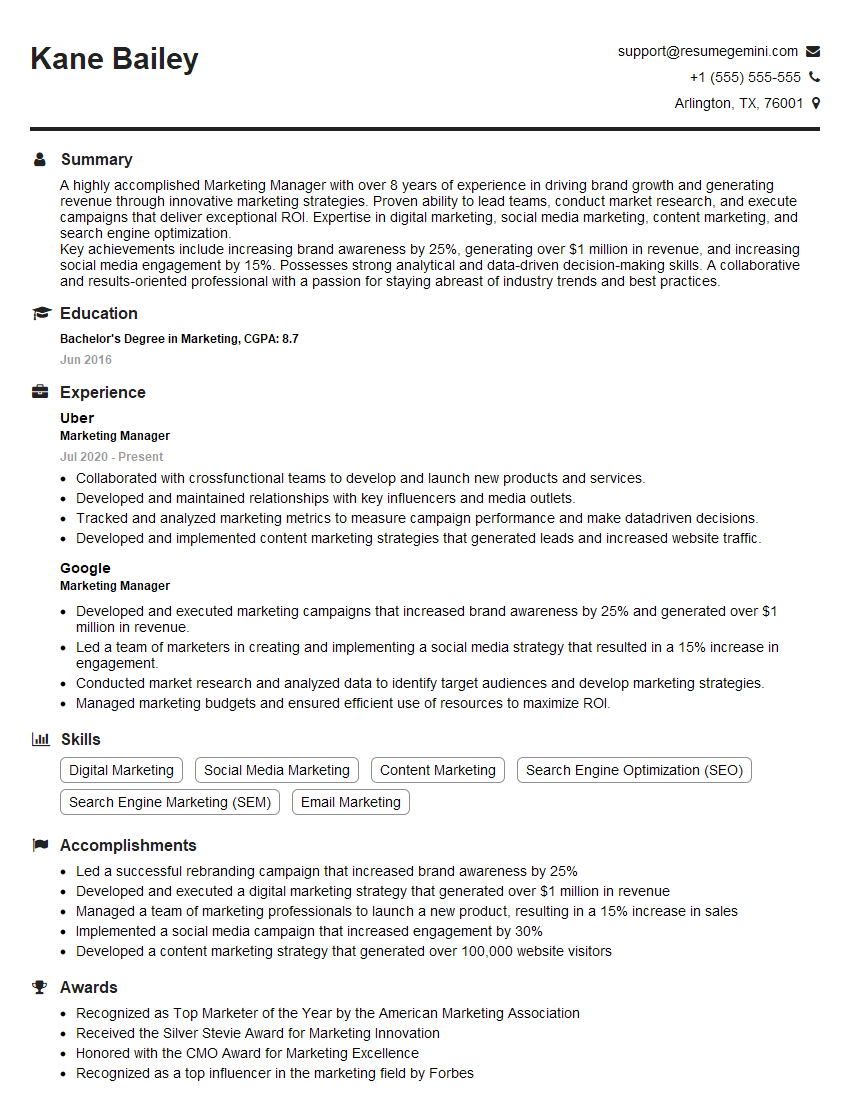
Marketing Manager Resume Sample

Communications Manager Resume Sample

Content Strategist Resume Sample

Graphic Designer Resume Sample
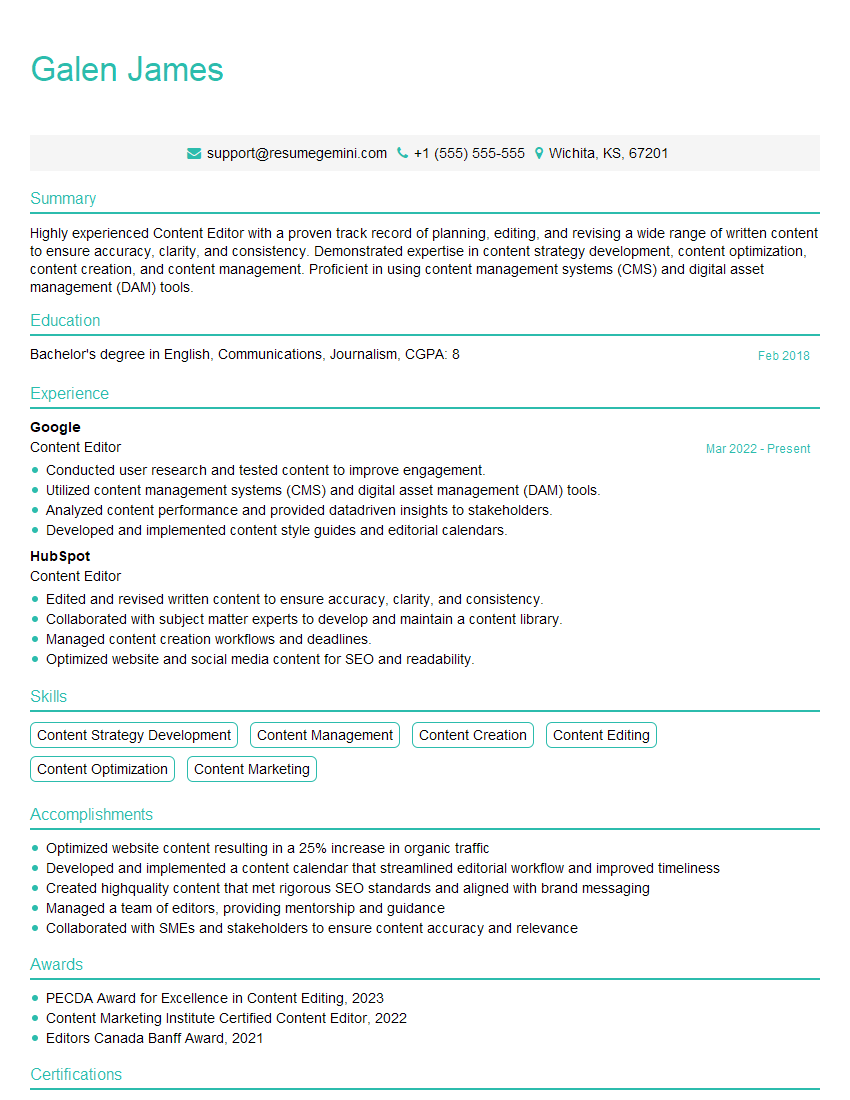
Content Editor Resume Sample
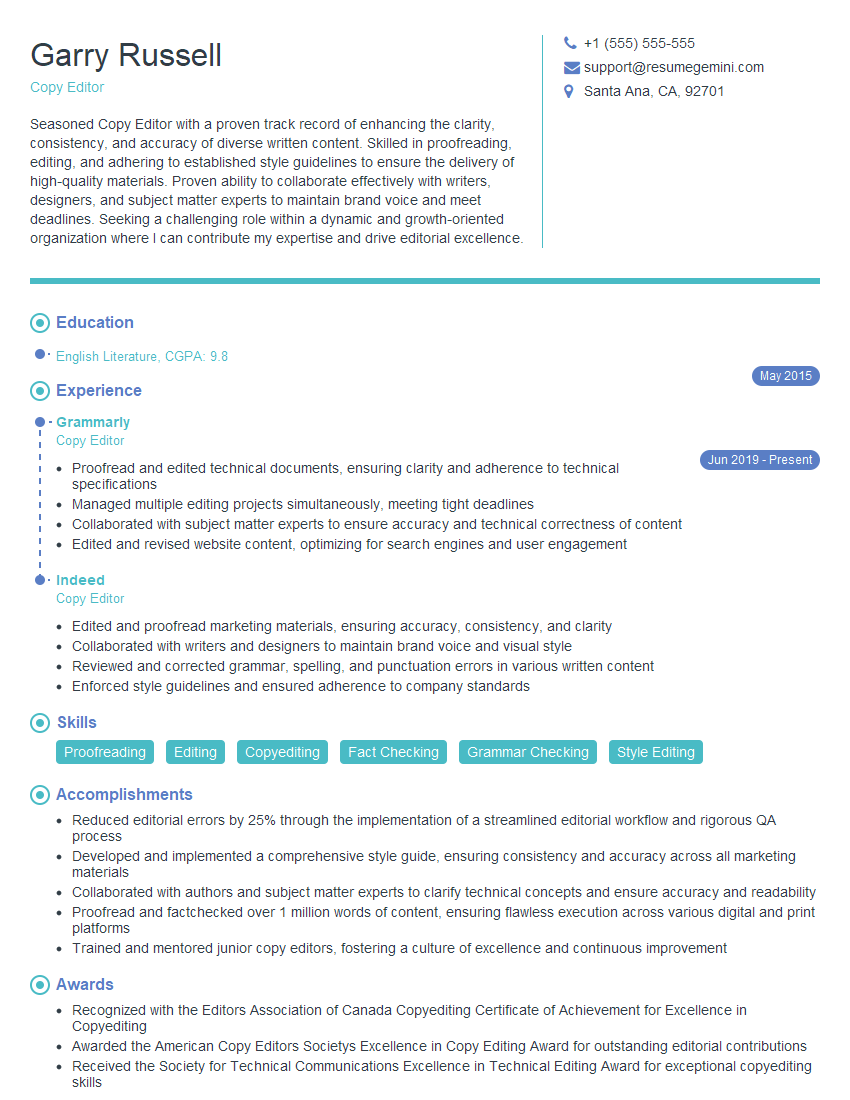
Copy Editor Resume Sample
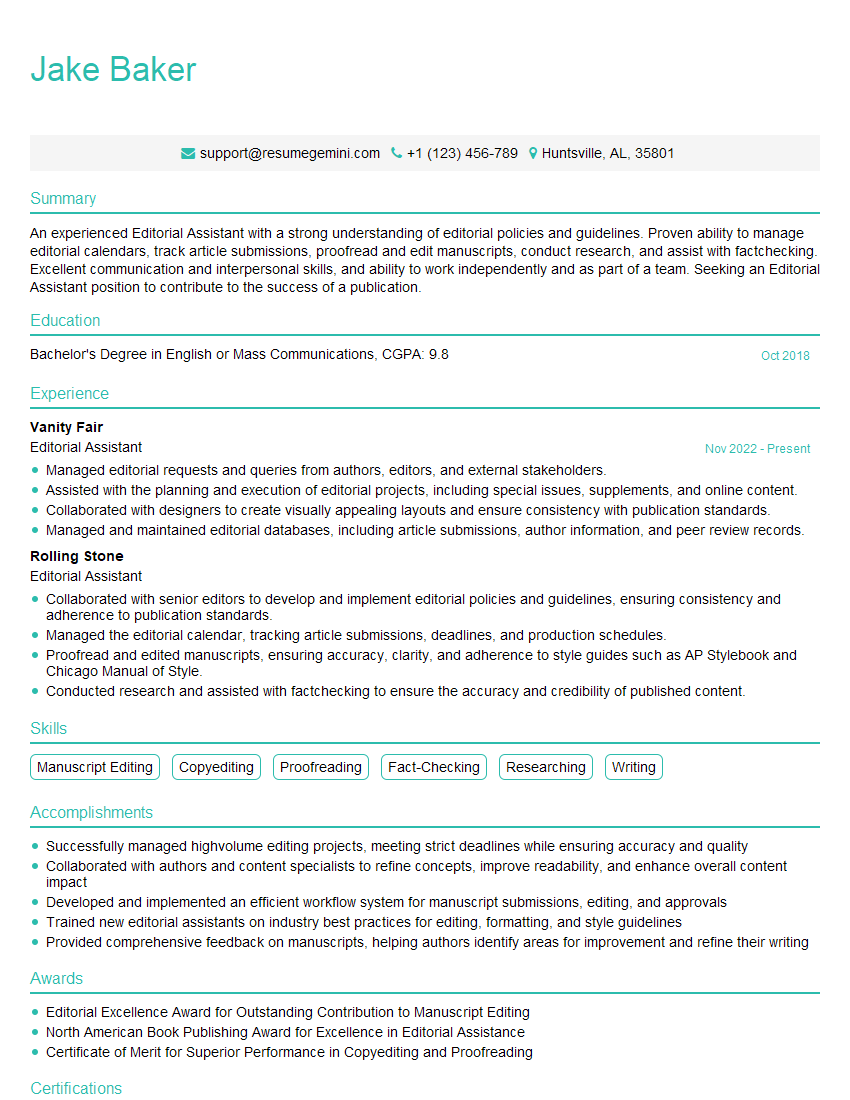
Editorial Assistant Resume Sample
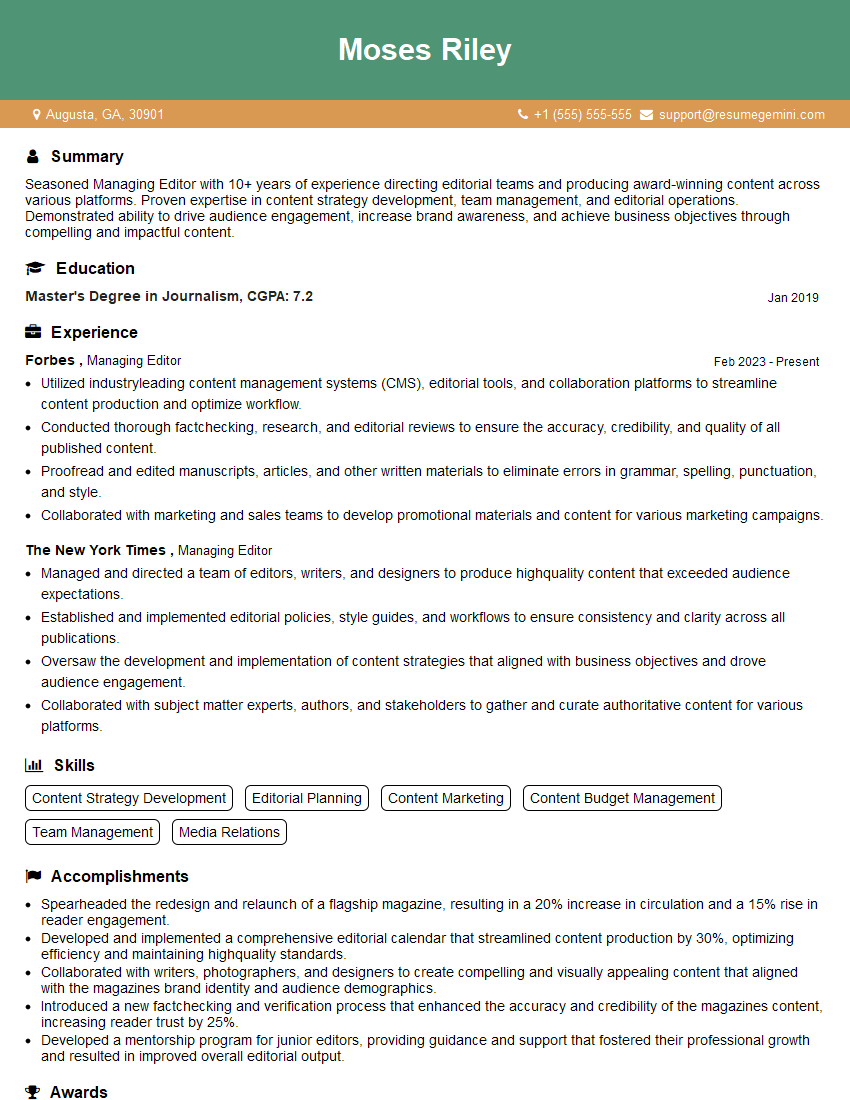
Managing Editor Resume Sample

Proofreader Resume Sample
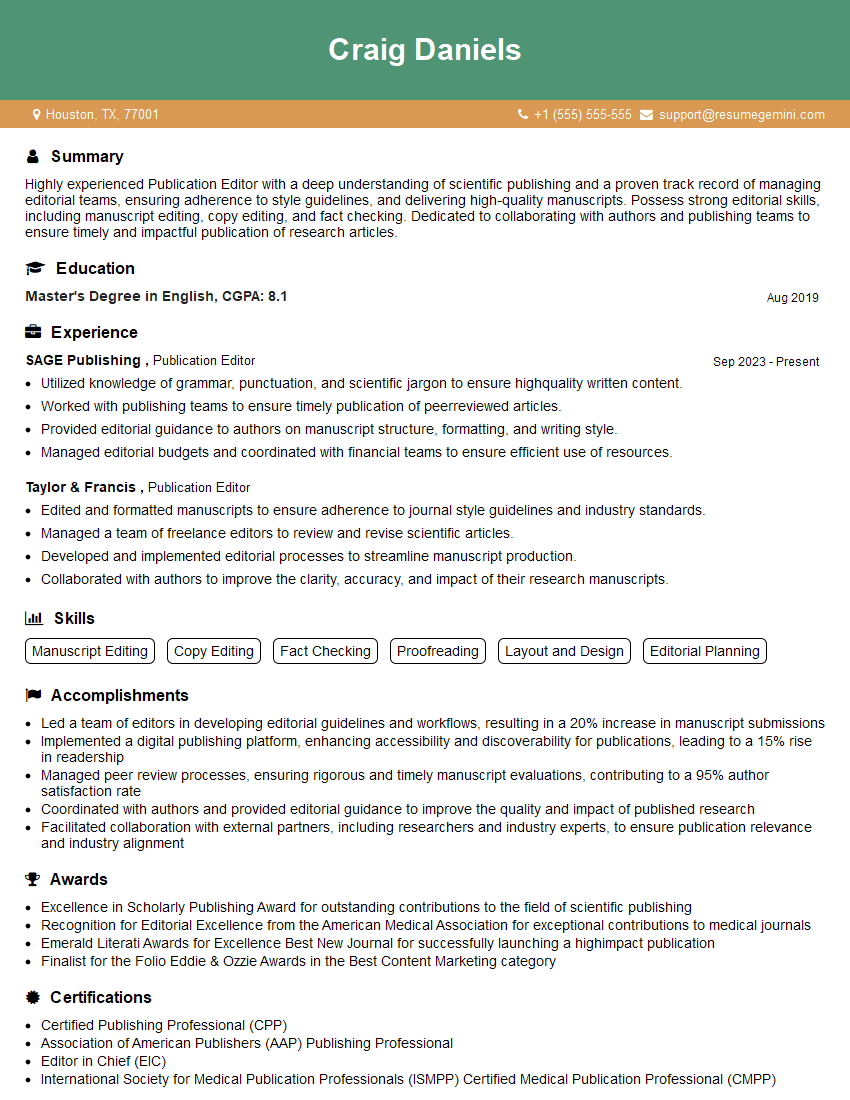
Publication Editor Resume Sample
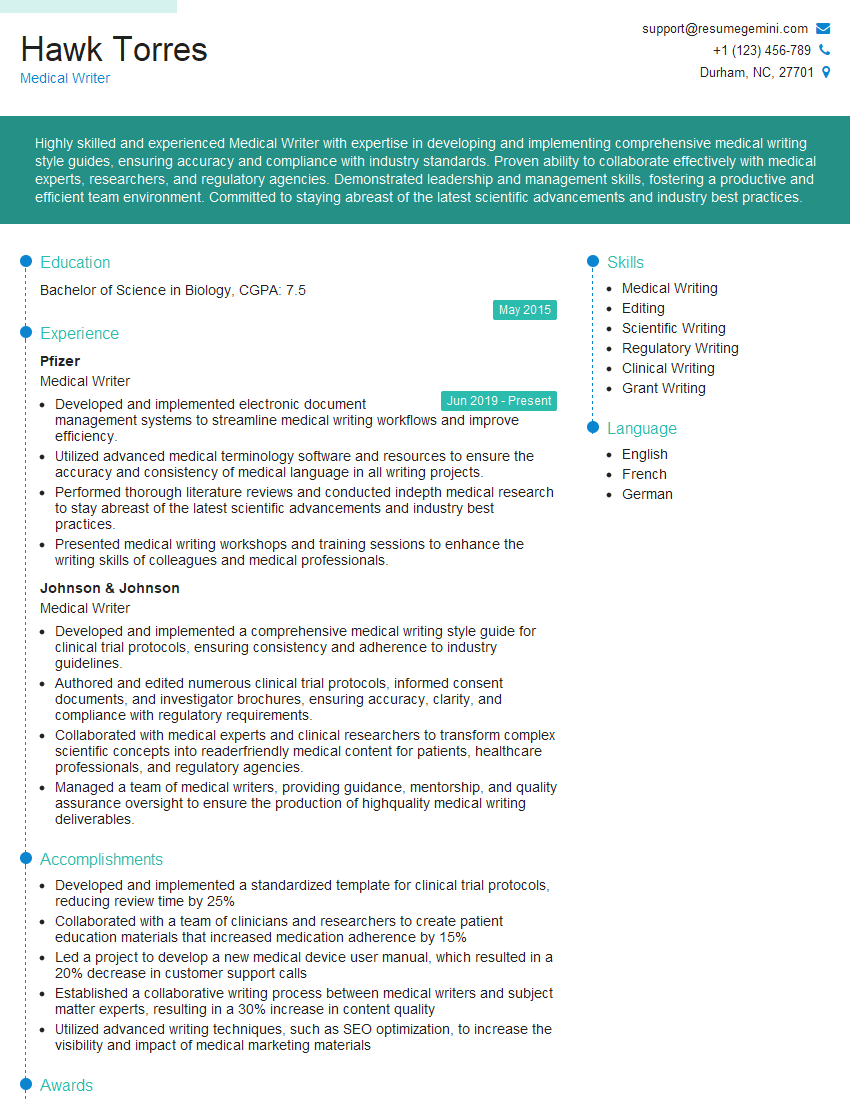
Medical Writer Resume Sample

Technical Writer Resume Sample

Copywriter Resume Sample

Video Editor Resume Sample
Explore more articles
Users Rating of Our Blogs
Share Your Experience
We value your feedback! Please rate our content and share your thoughts (optional).
What Readers Say About Our Blog
Very informative content, great job.
good