The right preparation can turn an interview into an opportunity to showcase your expertise. This guide to EHR (Electronic Health Record) Systems interview questions is your ultimate resource, providing key insights and tips to help you ace your responses and stand out as a top candidate.
Questions Asked in EHR (Electronic Health Record) Systems Interview
Q 1. Explain the difference between an EHR and an EMR.
While the terms are often used interchangeably, there’s a subtle but important distinction between an Electronic Health Record (EHR) and an Electronic Medical Record (EMR). Think of an EMR as a digital version of a patient’s chart, containing their medical history within a single healthcare organization. It focuses on clinical data—diagnoses, medications, allergies, and notes from visits.
An EHR, on the other hand, is broader. It’s a longitudinal record that follows a patient throughout their entire healthcare journey, regardless of the provider. It includes the EMR data but also integrates information from other sources, like labs, pharmacies, and specialists. This allows for a more comprehensive view of a patient’s health, facilitating better coordination of care and improving overall health outcomes. Imagine EMR as a single tree, while EHR is a whole forest encompassing multiple trees (different providers) and interconnected systems.
Q 2. Describe your experience with different EHR systems (e.g., Epic, Cerner, Meditech).
I’ve had extensive experience with several leading EHR systems, including Epic, Cerner, and Meditech. My work with Epic involved implementing their system in a large multi-specialty clinic. This involved everything from configuring workflows to training staff and resolving system-related issues. I found Epic’s robust reporting and analytics tools particularly useful for tracking key performance indicators. With Cerner, I’ve worked on optimizing their order entry system and integrating it with various laboratory information systems. This highlighted the importance of seamless data flow for accurate and timely results. My experience with Meditech involved troubleshooting interoperability issues with other healthcare systems. It reinforced the need for standardized data exchange formats for improved communication and efficiency across different platforms.
Q 3. What are the key functionalities of an EHR system?
Key functionalities of an EHR system are numerous and crucial for efficient healthcare delivery. They can be broadly categorized as follows:
- Patient Management: This involves demographics, medical history, allergies, medications, immunizations, and problems lists. It is the foundation of any EHR.
- Clinical Documentation: This allows providers to record patient encounters, including progress notes, lab results, imaging reports, and consultation notes in a structured or unstructured format.
- Order Entry and Management: Ordering of labs, radiology, and other diagnostic tests, as well as prescriptions, are streamlined digitally. This minimizes errors and improves speed.
- Results Management: EHRs allow for efficient review and integration of lab, radiology, and other test results directly into the patient record.
- Reporting and Analytics: EHR systems generate valuable reports, allowing for quality improvement initiatives, trend analysis and population health management.
- Scheduling and Appointment Management: Integrated scheduling tools improve patient flow and optimize clinic resources.
- E-Prescribing: Reduces errors and speeds up medication dispensing through electronic prescription transmission.
- Patient Portal: Provides patients access to their health information and allows for secure communication with their providers.
Q 4. How do you ensure data integrity within an EHR system?
Maintaining data integrity within an EHR is paramount. This involves a multi-faceted approach:
- Data Validation Rules: Implementing robust data validation rules to ensure data entered into the system is accurate, consistent, and complete (e.g., preventing illogical values like a negative age).
- Audit Trails: Comprehensive audit trails track all changes made to patient records, documenting who made the changes, when they were made, and what changes were made. This allows for identifying and correcting errors.
- Access Controls: Strict access control measures ensure that only authorized personnel can access and modify patient data based on their roles and responsibilities (e.g., using role-based access control).
- Regular Data Backups: Frequent data backups are essential for data recovery in case of system failures or data loss. Consider both on-site and off-site backup strategies for redundancy.
- Data Reconciliation: Regularly comparing data from different sources to identify discrepancies and resolve inconsistencies (e.g., comparing the EHR medication list with the patient’s pharmacy records).
- System Updates and Maintenance: Regular software updates and maintenance are critical for patching vulnerabilities and ensuring optimal system performance and data security.
Q 5. Explain your understanding of HIPAA compliance in the context of EHRs.
HIPAA compliance is critical when dealing with EHRs. The Health Insurance Portability and Accountability Act of 1996 (HIPAA) sets national standards for protecting sensitive patient health information. In the context of EHRs, compliance involves several key areas:
- Data Encryption: Protecting data at rest and in transit through encryption methods.
- Access Control: Implementing strict access controls to limit access to patient data based on need-to-know principles.
- Authentication and Authorization: Strong user authentication mechanisms to verify user identities and authorization controls to ensure users only have access to the information they’re authorized to view or modify.
- Data Breach Response Plan: A comprehensive plan to address data breaches, including notification procedures and remediation strategies.
- Employee Training: Regular training for all personnel who handle protected health information (PHI) to ensure understanding of HIPAA regulations and best practices.
- Business Associate Agreements: Ensuring that all business associates who access or handle PHI have appropriate agreements in place that comply with HIPAA rules.
Non-compliance can lead to significant financial penalties and reputational damage.
Q 6. Describe your experience with EHR data migration.
EHR data migration is a complex process that requires careful planning and execution. My experience involved migrating patient data from a legacy system to a new EHR platform. This involved several steps:
- Data Assessment: A thorough assessment of the data to be migrated, including data quality, completeness, and consistency checks.
- Data Mapping: Mapping the fields and data elements from the legacy system to the new EHR system.
- Data Cleansing: Cleaning and correcting any inconsistencies or errors in the data before migration.
- Data Transformation: Transforming the data into a format compatible with the new EHR system.
- Data Migration: The actual transfer of data from the legacy system to the new EHR system.
- Data Validation: Validating the migrated data to ensure accuracy and completeness.
- Go-Live Support: Providing support during the go-live phase to address any issues that arise.
This process is crucial for a smooth transition and maintaining data integrity during the changeover. Thorough testing and a robust rollback plan are essential to mitigate risks.
Q 7. How do you troubleshoot common EHR system errors?
Troubleshooting EHR errors requires a systematic approach. My strategy involves:
- Identify the Error: Clearly define the error message and the context in which it occurred.
- Check for System Issues: Ensure the EHR system is functioning correctly (e.g., check for network connectivity, server status).
- Review User Actions: Determine if the error was caused by user actions (e.g., incorrect data entry, insufficient permissions).
- Consult Documentation: Refer to the EHR system’s documentation or online help resources for troubleshooting steps or known issues.
- Check Logs: Review system logs and audit trails to identify the root cause of the error.
- Escalate If Necessary: If the issue cannot be resolved internally, escalate to the EHR vendor’s support team.
- Implement Workarounds: If immediate resolution isn’t possible, implement temporary workarounds to maintain operational efficiency.
- Preventative Measures: Following an error resolution, implement preventative measures to avoid similar issues in the future, like additional training for users.
Q 8. What are the challenges associated with EHR implementation?
EHR implementation is a complex undertaking, fraught with challenges across various domains. Think of it like building a skyscraper – you need a solid foundation and careful planning at every stage.
- Cost and Budget Constraints: The initial investment in software, hardware, training, and ongoing maintenance can be substantial, often exceeding initial projections. This requires careful budgeting and a strong ROI (Return on Investment) justification.
- Workflow Disruption: Switching to a new system inevitably disrupts existing workflows. Staff resistance to change is common, requiring extensive training and change management strategies. For example, a physician accustomed to paper charting might struggle to adapt to a new system’s interface.
- Data Migration Challenges: Transferring data from old systems to the new EHR can be time-consuming and error-prone. Data integrity must be maintained, and ensuring data compatibility between different systems is crucial. Inaccurate data migration could lead to significant clinical errors.
- Integration Issues: Integrating the EHR with other hospital systems (e.g., billing, pharmacy, laboratory) can be challenging, requiring careful planning and coordination. Poor integration can lead to data silos and inefficiencies.
- Vendor Selection: Choosing the right EHR vendor is critical. A poorly chosen system can be incompatible with the organization’s needs, leading to frustrations and ultimately, failure. This involves careful evaluation of vendor capabilities, scalability, and support.
- Training and Support: Adequate training for all users is vital for successful implementation. Ongoing technical support and user assistance are essential to address challenges and ensure user satisfaction.
Q 9. How do you ensure user adoption of a new EHR system?
Ensuring user adoption is paramount for a successful EHR implementation. It’s not just about installing the software; it’s about making it a valuable tool for everyone.
- Early and Frequent User Involvement: Involve clinicians and staff early in the selection and implementation process. Their feedback is invaluable in tailoring the system to their needs.
- Comprehensive Training: Provide comprehensive, hands-on training tailored to different user roles and skill levels. Offer both group sessions and individualized support.
- User-Friendly Interface: Choose a system with an intuitive and user-friendly interface. A clunky system will frustrate users and hinder adoption.
- Change Management Strategy: Develop a robust change management plan that addresses staff concerns and provides ongoing support. Communicate clearly the benefits of the new system.
- Incentivize Adoption: Consider providing incentives for timely adoption and proficiency with the new system. Recognition and positive reinforcement can go a long way.
- Ongoing Feedback and Support: Establish channels for ongoing feedback and support. Address issues promptly and make improvements based on user input. This shows that you value their contribution.
For example, at a previous organization, we implemented a gamified training program with leaderboards and badges, significantly boosting user engagement and adoption rates.
Q 10. Describe your experience with EHR reporting and analytics.
My experience with EHR reporting and analytics is extensive. I’ve worked with various systems, from simple reporting tools to sophisticated BI (Business Intelligence) platforms. I’m proficient in extracting, transforming, and loading (ETL) data for analysis.
I can generate reports on a wide range of clinical and operational metrics, including patient demographics, diagnoses, procedures, medication usage, length of stay, and resource utilization. I use data visualization techniques to present findings clearly and effectively, enabling data-driven decision-making.
For instance, I once used EHR data to identify a high rate of medication errors in a specific department. By analyzing the data, we pinpointed the causes of the errors and implemented corrective actions that significantly reduced error rates.
My experience encompasses:
- Data mining and analysis: using SQL and other tools to extract and analyze data from EHR databases
- Report generation: creating customized reports and dashboards to meet specific needs
- Data visualization: using tools like Tableau or Power BI to create insightful visualizations
- Predictive modeling: using statistical methods to predict future trends and outcomes
Q 11. What are some common security risks associated with EHR systems, and how can they be mitigated?
EHR systems contain highly sensitive patient data, making them prime targets for cyberattacks. Think of it as a bank vault holding valuable information – robust security is essential.
- Data breaches: Unauthorized access to patient data can lead to identity theft, financial losses, and reputational damage. This could involve hacking, phishing, or insider threats.
- Malware infections: Malware can compromise the integrity and availability of EHR data. This can disrupt clinical operations and potentially lead to patient harm.
- Insider threats: Malicious or negligent employees can compromise data security. This requires careful background checks, strong access controls, and regular security awareness training.
Mitigation strategies include:
- Strong access controls: Implementing role-based access control (RBAC) to ensure that only authorized users can access specific data.
- Data encryption: Encrypting both data at rest and in transit to protect against unauthorized access.
- Regular security audits: Conducting regular security audits to identify and address vulnerabilities.
- Firewall and intrusion detection systems: Implementing firewalls and intrusion detection systems to prevent unauthorized access.
- Employee training: Providing regular security awareness training to employees to educate them about best practices.
- Regular software updates and patching: Keeping the EHR software updated with the latest security patches to address known vulnerabilities.
Q 12. How do you ensure the accuracy and completeness of patient data in an EHR?
Ensuring data accuracy and completeness in an EHR is critical for providing quality patient care. Inaccurate information can lead to misdiagnosis, medication errors, and other adverse events. It’s like building a house on a shaky foundation – it won’t stand.
- Data validation rules: Implementing data validation rules to ensure that data entered into the EHR is consistent and accurate. For example, ensuring that dates of birth are valid and that medication dosages are within acceptable ranges.
- Automated alerts and reminders: Utilizing automated alerts and reminders to prompt clinicians to complete missing information or to flag potential inconsistencies in the data.
- Regular data quality checks: Conducting regular data quality checks to identify and correct errors. This may involve manual reviews, data profiling, or automated checks.
- Standardized data entry: Using standardized terminologies and data entry formats to ensure consistency and interoperability of data.
- Clinician education and training: Providing clinicians with education and training on accurate data entry practices.
- Audit trails: Maintaining audit trails to track changes made to patient data, allowing for identification and correction of errors.
Q 13. Explain your experience with EHR system upgrades and maintenance.
EHR system upgrades and maintenance are essential for ensuring the system’s functionality, security, and compliance with regulations. It’s akin to regular car maintenance – preventative measures prevent major breakdowns down the road.
My experience includes participating in numerous EHR upgrades, from minor patch updates to major system replacements. This involves:
- Planning and coordination: Carefully planning and coordinating upgrade activities to minimize disruption to clinical workflows. This includes establishing timelines, assigning roles and responsibilities, and conducting thorough testing.
- Testing and validation: Rigorously testing the upgraded system to ensure that all functionality is working correctly and that data integrity is maintained. This usually involves unit testing, integration testing, and user acceptance testing (UAT).
- Training and support: Providing training to users on any changes to the system’s functionality or interface. Offering ongoing technical support to address any issues that may arise after the upgrade.
- Post-implementation monitoring: Monitoring the system’s performance after the upgrade to identify and address any unexpected issues. This often includes analyzing system logs, collecting user feedback, and tracking key performance indicators (KPIs).
- Regular maintenance: Performing regular maintenance tasks, such as backups, security updates, and performance tuning, to keep the system running smoothly. This also includes addressing user reported issues and addressing potential system vulnerabilities.
Q 14. How do you handle conflicting data entries in an EHR?
Conflicting data entries can create confusion and potentially lead to errors in patient care. It’s important to resolve these conflicts efficiently and accurately. Think of it as resolving conflicting witness accounts in a court case – accuracy is paramount.
My approach to handling conflicting data entries involves:
- Identifying the conflict: First, identify the specific data points that are in conflict. This often involves reviewing audit trails and comparing data from different sources.
- Investigating the cause: Determine the cause of the conflict. Was it a data entry error? A system glitch? A disagreement between clinicians? Thorough investigation is key.
- Resolving the conflict: Once the cause is identified, the conflict can be resolved. This may involve correcting the error, merging the data, or flagging the conflict for further review. The resolution should be documented clearly.
- Reconciling data: After resolving the conflict, the data must be reconciled to ensure consistency across all systems. This might involve updating other related data points or correcting any downstream effects.
- Preventing future conflicts: Implementing measures to prevent similar conflicts from occurring in the future. This could involve improving data entry procedures, enhancing system validation rules, or improving clinician communication.
In practice, we might use a workflow where a designated team reviews conflicting entries, verifies information with the relevant clinicians, and documents the resolution process.
Q 15. What is your experience with EHR interoperability?
EHR interoperability refers to the ability of different EHR systems to exchange and use patient health information seamlessly. It’s crucial for improving patient care, reducing medical errors, and fostering better collaboration among healthcare providers. My experience encompasses working with various interoperability standards and methods. For instance, I’ve implemented and supported direct messaging using secure email for exchanging clinical information between different healthcare organizations, ensuring patient data is transferred safely and efficiently. I’ve also worked extensively on integrating different EHR systems through Health Information Exchanges (HIEs) leveraging APIs to access and share data across multiple platforms. This includes resolving common interoperability challenges such as data mapping, data standardization, and ensuring data security and privacy compliance.
In one particular project, we faced a challenge integrating an older EHR system with a newer, more sophisticated one. The solution involved a phased approach: first, we prioritized the exchange of critical data elements, like medication lists and allergies, using a standardized interface. Then, we gradually integrated more complex data points, carefully validating the accuracy and integrity of the information throughout the process. We continuously monitored the system for issues such as data loss or corruption during the transition.
Career Expert Tips:
- Ace those interviews! Prepare effectively by reviewing the Top 50 Most Common Interview Questions on ResumeGemini.
- Navigate your job search with confidence! Explore a wide range of Career Tips on ResumeGemini. Learn about common challenges and recommendations to overcome them.
- Craft the perfect resume! Master the Art of Resume Writing with ResumeGemini’s guide. Showcase your unique qualifications and achievements effectively.
- Don’t miss out on holiday savings! Build your dream resume with ResumeGemini’s ATS optimized templates.
Q 16. How familiar are you with HL7 and FHIR standards?
I’m very familiar with HL7 (Health Level Seven) and FHIR (Fast Healthcare Interoperability Resources) standards. HL7 is a family of standards that provides a framework for the exchange of clinical and administrative data between healthcare systems. FHIR, a more recent development, is a RESTful API-based standard designed for improved interoperability and easier integration. My work has involved leveraging both. I’ve written code using FHIR APIs to access patient data, create new resources, and update existing ones. For example, I utilized FHIR to build a patient portal application that allowed patients to view their lab results and schedule appointments.
In a past project, we needed to integrate a new radiology system with our existing EHR. We used HL7’s ORU (Observation Result Update) messages to transmit radiology reports to the EHR in real-time. We also used FHIR’s APIs to enable seamless access to patient imaging data from within the EHR. Understanding both HL7 and FHIR is vital for ensuring effective data exchange and integration in a healthcare setting.
Example FHIR resource snippet: {"resourceType":"Patient", "id":"123", "name":[{"family":"Smith","given":["John"]}]}Q 17. Describe your experience with EHR system training and support.
My experience in EHR system training and support is extensive. I’ve developed and delivered training programs for various user groups, from physicians and nurses to administrative staff, tailoring the content to their specific needs and roles. I’ve used a blended learning approach, combining classroom sessions, online modules, and hands-on workshops. I believe in a practical, user-centric approach, emphasizing real-world scenarios and providing ample opportunity for practice and feedback.
Beyond formal training, I provide ongoing support to end-users, assisting them with troubleshooting issues, answering questions, and offering guidance on best practices. I’ve created user manuals, quick reference guides, and frequently asked questions (FAQ) documents to improve self-service support. I also regularly gather feedback from users to identify areas for improvement in training and support materials. A key element has been building a knowledge base accessible to all users, incorporating videos and screenshots for more intuitive understanding.
For example, I recently redesigned the training curriculum for our new EHR system, incorporating interactive simulations to better reflect the user’s workflow and challenges. The result was a significant improvement in user adoption and proficiency.
Q 18. What metrics do you use to assess the effectiveness of an EHR system?
Several key metrics are used to assess the effectiveness of an EHR system. These include:
- User satisfaction: Surveys and feedback sessions are conducted to gauge user experience and identify areas for improvement.
- Clinical efficiency: Metrics like time spent on documentation, order entry, and appointment scheduling are tracked to assess workflow improvements.
- Data quality: Completeness, accuracy, and consistency of data are analyzed to ensure reliable information for clinical decision-making.
- Financial performance: Cost savings from reduced paperwork, improved billing processes, and increased efficiency are monitored.
- Meaningful use metrics: Compliance with regulatory requirements and adherence to meaningful use criteria are carefully assessed.
- Patient safety: Reduction in medication errors, improved diagnostic accuracy, and better communication contribute to the assessment.
For example, we tracked the average time physicians spent documenting patient encounters before and after implementing a new EHR system. We found a significant decrease in documentation time, indicating improved clinical efficiency. We also monitored the rate of medication errors, seeing a considerable reduction after the implementation of computerized physician order entry (CPOE).
Q 19. How do you contribute to a positive user experience with the EHR?
Contributing to a positive user experience with an EHR is crucial for its successful adoption and effective use. This involves several strategies:
- Intuitive design: The EHR system should have a user-friendly interface that is easy to navigate and understand.
- Customization options: Allowing users to personalize their workspaces and workflows improves efficiency and satisfaction.
- Personalized training: Tailoring training programs to users’ roles and skill levels ensures effective learning.
- Responsive support: Providing prompt and effective technical support resolves issues quickly and reduces frustration.
- Regular feedback mechanisms: Encouraging user feedback allows for continuous improvement and addresses concerns.
In one instance, we implemented a user feedback system that collected suggestions and complaints directly from clinicians. This allowed us to identify workflow inefficiencies and system limitations, ultimately leading to system enhancements and increased user satisfaction.
Q 20. Describe your experience with EHR system optimization.
EHR system optimization is a continuous process that involves improving the efficiency, effectiveness, and usability of the system. This includes optimizing workflows, improving data quality, enhancing security, and ensuring compliance with regulations. My experience includes streamlining clinical workflows to reduce administrative burden, improving reporting and analytics capabilities to provide insights for improved decision-making, and enhancing the security of the system to protect patient data.
One example of optimization involved analyzing the order entry process for laboratory tests. By identifying bottlenecks and redundancies, we redesigned the process, resulting in a significant reduction in order processing time and improved turnaround times for lab results. This optimization led to both cost savings and improved patient care.
Q 21. What is your experience with EHR system configuration and customization?
EHR system configuration and customization are essential for adapting the system to the specific needs of a healthcare organization. My experience covers a wide range of configuration tasks, including user role management, security settings, workflow design, and report generation. I’ve worked with various EHR vendors and platforms, understanding the nuances of each system’s configuration options.
In a recent project, we customized the EHR system to integrate with a specific billing system, ensuring seamless data flow between the two systems. This involved configuring data mapping rules, customizing report templates, and conducting thorough testing to verify the accuracy and completeness of data exchange. This customization ultimately improved billing accuracy and efficiency.
Q 22. Explain your understanding of different EHR data models.
EHR data models are the underlying structures that organize and store patient health information. Different models prioritize different aspects of data, impacting how efficiently and effectively information can be accessed and used. Key models include:
- Relational Database Model: This is the most common model, using tables with rows (records) and columns (fields) to represent data. Think of it like a spreadsheet, with each patient as a row and their data (age, diagnoses, medications) as columns. It’s structured and allows for efficient querying, but can become complex with large datasets.
- Object-Oriented Model: This model uses objects with properties and methods to represent data. This is useful for handling complex relationships between data elements, but can be more challenging to implement and query compared to relational models. For example, a ‘Patient’ object might contain nested ‘Medication’ objects, streamlining related information.
- NoSQL (Not Only SQL) Models: These encompass various non-relational models like document databases (JSON or XML) and graph databases. They offer flexibility for handling unstructured or semi-structured data, such as free-text clinical notes or social media data. They are often used for specific tasks like analyzing large volumes of unstructured data, but might lack the rigid structure of relational models.
- Hybrid Models: Many EHR systems employ hybrid models, combining features of different models to optimize for both structured and unstructured data. This allows them to address various clinical needs effectively.
Understanding these models is crucial for ensuring data integrity, facilitating interoperability, and enabling effective data analysis within the EHR.
Q 23. How do you stay current with the latest developments in EHR technology?
Staying current in the rapidly evolving field of EHR technology requires a multi-pronged approach. I actively engage in:
- Professional Organizations: Membership in organizations like HIMSS (Healthcare Information and Management Systems Society) provides access to conferences, webinars, and publications highlighting the latest advancements.
- Industry Publications and Journals: Regularly reading publications such as Journal of the American Medical Informatics Association (JAMIA) and industry news sites keeps me informed about new technologies and regulatory changes.
- Vendor-Specific Training: I participate in training offered by EHR vendors, keeping my skills up-to-date with their specific systems and features. This includes hands-on training with new releases and updates.
- Online Courses and Certifications: Online platforms offer specialized courses and certifications in various EHR aspects, from data analytics to security protocols. I actively pursue relevant certifications to enhance my expertise.
- Networking: Attending conferences and workshops allows me to connect with other professionals, sharing experiences and learning about best practices. This often leads to knowledge exchange and collaborative learning opportunities.
This continuous learning ensures I’m equipped to handle the complexities of modern EHR systems and leverage their full potential for improved patient care.
Q 24. Describe your experience with using EHR systems for clinical decision support.
My experience with EHR systems for clinical decision support (CDS) is extensive. I’ve worked with systems that provide alerts for medication interactions, potential adverse events, and guideline-based recommendations. For example, if a physician orders a medication that interacts negatively with an existing medication, the system will flag it and provide relevant information. This enhances patient safety and improves the quality of care.
I’ve also been involved in implementing and evaluating CDS tools focusing on preventative care. These might remind clinicians about needed screenings based on patient age and risk factors, or provide personalized recommendations for lifestyle changes. In one project, I helped configure an EHR to provide automated alerts reminding physicians to screen patients with diabetes for diabetic retinopathy, resulting in a significant increase in screening rates.
The key is understanding the limitations of CDS. While these tools are invaluable, clinicians still need to exercise professional judgment in interpreting the alerts and recommendations provided by the system.
Q 25. How do you manage EHR system downtime or outages?
EHR system downtime is a serious issue, impacting patient care and workflow. Our strategy involves several layers of preparedness:
- Disaster Recovery Plan: We have a detailed plan outlining procedures for handling different types of outages, including data backups, system failover mechanisms, and communication protocols. Regular drills ensure that everyone is familiar with the plan.
- Redundancy and Failover Systems: Our infrastructure utilizes redundant servers and network connections to minimize the impact of hardware or network failures. We have a robust failover system to quickly switch to a backup system if necessary.
- Communication Protocols: Clear communication channels are established to keep staff, patients, and relevant stakeholders informed during an outage. This includes automated messaging systems and dedicated communication points.
- Offline Procedures: We have established manual processes to continue essential functions like patient registration and medication administration during downtime. These processes are regularly reviewed and updated.
- Post-Outage Analysis: After each outage, a thorough analysis is conducted to identify the root cause and implement corrective measures to prevent future occurrences. This includes documenting procedures and lessons learned.
Proactive measures are critical for minimizing the disruption caused by EHR downtime.
Q 26. What is your experience with using EHR systems for patient portal management?
My experience with patient portal management within EHR systems is extensive. I’ve worked with several systems, configuring and customizing patient portals to meet specific organizational needs. This includes managing user access, permissions, and content customization. We ensure the portal is intuitive and user-friendly, allowing patients to access their medical records, schedule appointments, request prescription refills, and communicate securely with their healthcare providers.
One important aspect is patient education and training on portal usage. We provide various resources, including written instructions, videos, and in-person assistance, to ensure patients can effectively utilize the portal. We also monitor patient engagement metrics to identify areas for improvement and address any technical challenges.
The patient portal is an essential tool for enhancing patient engagement and promoting a more patient-centered approach to healthcare. It also facilitates better communication between patients and providers, ultimately improving the quality of care.
Q 27. How do you utilize EHR data for quality improvement initiatives?
EHR data is a goldmine for quality improvement (QI) initiatives. We use EHR data to identify trends, track key performance indicators (KPIs), and measure the effectiveness of interventions. For instance, we might analyze readmission rates for patients with heart failure, identifying factors contributing to readmissions and developing targeted interventions to reduce them.
Specific applications include:
- Analyzing medication adherence: Identifying patients with poor medication adherence and developing strategies to improve it. We might use data to track prescription refills and medication reconciliation.
- Tracking infection rates: Monitoring infection rates in specific units or procedures to identify areas for improvement in infection control practices.
- Measuring patient satisfaction: Analyzing patient satisfaction surveys to identify areas where patient experience can be improved.
- Evaluating clinical pathways: Assessing the effectiveness of clinical pathways and making necessary adjustments to optimize patient care.
Data analysis, using tools like dashboards and reporting systems, is essential for extracting meaningful insights from EHR data for QI efforts. It’s crucial to ensure data integrity and privacy while conducting these analyses. We meticulously protect patient privacy during the whole process.
Q 28. Describe your experience with EHR system audits and compliance reviews.
EHR system audits and compliance reviews are essential for ensuring data integrity, security, and adherence to regulatory requirements like HIPAA (Health Insurance Portability and Accountability Act). My experience encompasses all aspects of the audit process, from planning and preparation to reporting and remediation.
I’ve participated in various audits, including internal audits to assess our adherence to policies and procedures, and external audits conducted by regulatory bodies or independent auditors. These audits often involve reviewing access logs, user permissions, data backups, and security protocols. We meticulously document all findings and implement corrective actions to address identified deficiencies.
Understanding regulatory requirements and maintaining a robust compliance program is vital for safeguarding patient data and avoiding penalties. This includes establishing appropriate access controls, implementing data encryption, and providing ongoing training to staff on data security and privacy best practices.
Key Topics to Learn for EHR (Electronic Health Record) Systems Interview
- Data Entry and Management: Understanding efficient and accurate data entry practices, including patient demographics, medical history, and vital signs. Consider the implications of errors and how to prevent them.
- Clinical Documentation: Familiarize yourself with charting, progress notes, and other clinical documentation within the EHR. Practice applying standardized terminologies (e.g., SNOMED CT, LOINC).
- Medication Management: Learn about e-prescribing, medication reconciliation, and the role of the EHR in preventing medication errors. Explore different functionalities related to medication ordering and administration.
- Patient Portal and Communication: Understand how patients interact with the EHR through portals, including accessing their medical records and communicating with providers. Consider the security and privacy implications.
- Reporting and Analytics: Explore how EHR systems generate reports and provide data for analysis. Understand the importance of data integrity and its use in improving patient care and practice efficiency.
- Security and Compliance: Learn about HIPAA regulations and other relevant healthcare privacy laws. Discuss best practices for maintaining data security within the EHR system.
- Workflow Optimization: Consider how EHR systems impact clinical workflows and how to optimize processes for efficiency and improved patient care. Be prepared to discuss potential challenges and solutions.
- Troubleshooting and Problem Solving: Practice identifying and resolving common EHR system issues. Demonstrate your ability to think critically and find solutions to technical problems.
- Specific EHR Systems: While not requiring in-depth knowledge of every system, familiarity with common platforms (Epic, Cerner, Allscripts) will benefit your interview.
Next Steps
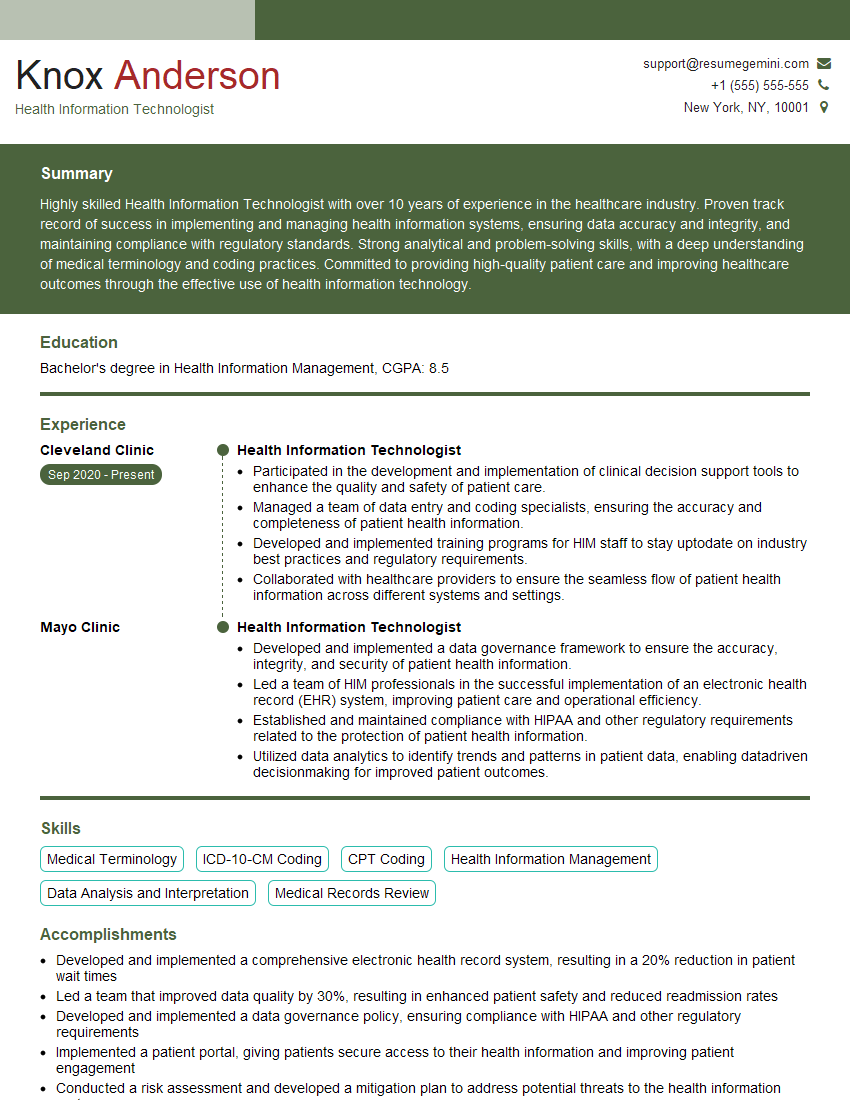
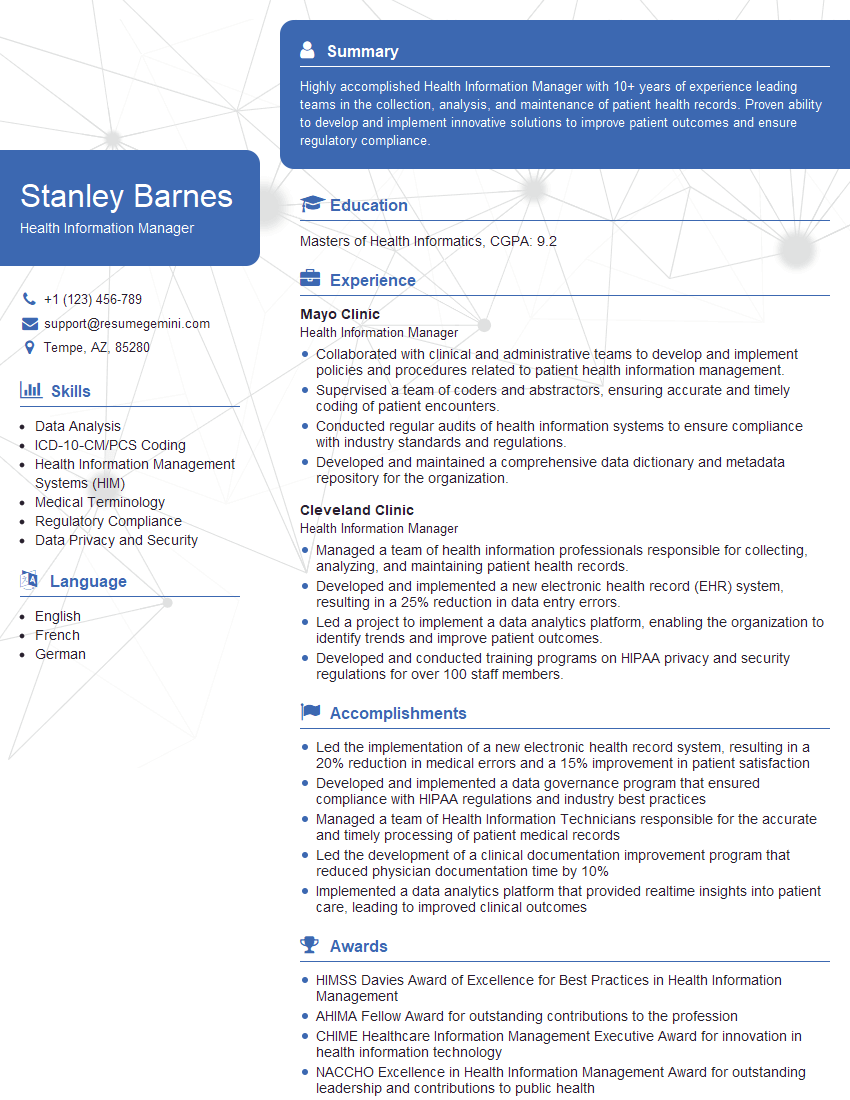
Mastering EHR systems is crucial for career advancement in healthcare. Proficiency in these systems demonstrates valuable skills and increases your marketability significantly. To maximize your job prospects, it’s essential to have an ATS-friendly resume that highlights your relevant skills and experience. We strongly encourage you to leverage ResumeGemini to build a compelling resume that showcases your qualifications effectively. ResumeGemini provides resources and examples of resumes tailored to EHR (Electronic Health Record) Systems professionals, helping you stand out from the competition.
Explore more articles
Users Rating of Our Blogs
Share Your Experience
We value your feedback! Please rate our content and share your thoughts (optional).
What Readers Say About Our Blog
good