Preparation is the key to success in any interview. In this post, we’ll explore crucial Electronic Lock Installation interview questions and equip you with strategies to craft impactful answers. Whether you’re a beginner or a pro, these tips will elevate your preparation.
Questions Asked in Electronic Lock Installation Interview
Q 1. Explain the difference between electromechanical and electromagnetic locks.
Electromechanical and electromagnetic locks both use electricity to operate, but their mechanisms differ significantly. Think of it like this: an electromechanical lock is like a traditional lock with an electric motor assisting its operation, while an electromagnetic lock is more like a powerful magnet holding a door shut.
Electromechanical locks utilize a motor to extend a bolt or latch, engaging with the door frame. They often incorporate additional features like keypads, card readers, or biometric scanners for access control. They’re robust and offer various security levels. An example would be a deadbolt lock with a keypad that requires a code to unlock.
Electromagnetic locks, or maglocks, are simpler. They consist of an electromagnet embedded in the door frame and an armature plate on the door. When energized, the magnet holds the armature and the door shut; when de-energized, the door opens. These are frequently used in commercial settings where a fail-safe mechanism is required (power failure causes the door to unlock).
The key difference lies in their operation: electromechanical locks have moving parts and offer more security features, while electromagnetic locks rely on magnetic force and are typically simpler and faster to unlock.
Q 2. Describe the installation process for a typical keypad electronic lock.
Installing a keypad electronic lock typically involves these steps:
- Preparation: Measure the door and door frame to ensure compatibility with the chosen lock. You’ll need to check for appropriate backset and latchbolt throw. Gather necessary tools: screwdriver (Phillips and flathead), drill, level, wire strippers, and possibly a hole saw.
- Door prep: Drill holes as necessary for the latchbolt, deadbolt, and wiring. The precise location and size will depend on the lock’s specifications.
- Lock installation: Mount the strike plate on the door frame, and then install the lock body on the door. Ensure the components align perfectly.
- Wiring: Connect the wiring from the keypad to the lock body according to the manufacturer’s instructions. Neatly route and secure the wires. This usually involves connecting the power supply (typically 12V DC) and any other necessary components.
- Programming: Program the keypad with user codes and administrative codes. Follow the instructions carefully to set up access levels and user permissions. Refer to manufacturer’s specifications for programming details.
- Testing: Thoroughly test the lock, verifying that all codes function correctly and the locking mechanism works flawlessly. Pay close attention to battery life during initial tests.
Remember to always consult the lock’s specific installation manual for precise instructions as variations exist across brands and models.
Q 3. How do you troubleshoot a malfunctioning electronic lock?
Troubleshooting a malfunctioning electronic lock involves a systematic approach:
- Check Power Supply: Start by verifying the power source (batteries or power adapter). Low battery is the most common cause of failure. For hardwired systems, check the wiring for damage or disconnections.
- Test Keypad/Reader: Try different authorized codes or cards. If they don’t work, the keypad or reader might be faulty. Check for any physical damage.
- Inspect the Lock Mechanism: Carefully inspect the locking mechanism for obstructions or mechanical issues. A jammed bolt or misalignment can prevent proper operation.
- Check Wiring: Examine all wiring connections for loose wires, shorts, or damage. A multimeter can help test continuity and voltage.
- Software/Programming Issues: If the problem isn’t hardware-related, consider software issues. Try resetting the lock to factory settings according to the manufacturer’s instructions.
- Call for Professional Help: If you’re unable to identify the cause of the malfunction, it’s best to contact a qualified locksmith or security professional for assistance.
Remember to always prioritize safety when troubleshooting. Never attempt repairs beyond your skill level.
Q 4. What are the common types of electronic access control systems?
Common types of electronic access control systems include:
- Keypad systems: These use numerical codes for access.
- Card reader systems: Employ proximity cards, magnetic stripe cards, or smart cards for access.
- Biometric systems: Utilize fingerprints, facial recognition, or other biometric data for authentication.
- Combination systems: Combine multiple technologies, like a keypad and card reader, for enhanced security.
- Standalone systems: Operate independently without connection to a central controller.
- Networked systems: Connect to a central control panel, allowing for remote monitoring and management.
The choice of system depends on the specific security needs and budget of the application. A high-security facility might use a networked biometric system, while a small office might opt for a standalone keypad system.
Q 5. Explain the function of a reader in an access control system.
The reader is the interface between the user and the access control system. It’s the device that receives the user’s credentials (code, card, fingerprint, etc.) and transmits that information to the access control panel for authentication.
Think of it as the system’s ‘eyes’ – it verifies the identity of the person attempting to access the secured area. If the credentials match the authorized list stored in the system’s database, the reader signals the lock to unlock. Otherwise, access is denied. Different reader types support different credential technologies.
Q 6. How do you secure wiring for an electronic lock to prevent tampering?
Securing wiring for an electronic lock is crucial to prevent tampering and maintain the system’s integrity. Here’s how to do it:
- Concealed Wiring: Route wires inside walls or conduits to hide them from view. This makes tampering more difficult.
- Secure Mounts: Use cable ties or clamps to securely fasten wires to surfaces, preventing them from being easily pulled or disconnected.
- Tamper-resistant Conduit: Employ metal conduit that resists physical damage and prevents unauthorized access to the wires.
- Protective Covers: Use plastic or metal sleeves to protect exposed wiring from abrasion or damage.
- Alarm System Integration: In high-security applications, integrate the wiring with an alarm system that triggers an alert if tampering is detected.
Proper wiring techniques significantly enhance the system’s resilience against vandalism and unauthorized entry.
Q 7. What are the safety precautions you take when installing electronic locks?
Safety is paramount during electronic lock installation. Key precautions include:
- Power disconnection: Always disconnect the power supply before working with any electrical components. This prevents electric shock.
- Proper tools: Use appropriate tools for the job and ensure they’re in good condition. Damaged or incorrect tools can lead to injury or damage to the lock.
- Personal Protective Equipment (PPE): Wear safety glasses and gloves to protect against injury from sharp objects or electrical hazards.
- Working at heights: If working on doors at a height, use a safe and stable ladder or scaffolding. Never overreach.
- Understanding instructions: Carefully read and understand the manufacturer’s installation instructions. Improper installation can compromise security and safety.
- Professional assistance: If you’re uncertain about any aspect of the installation, don’t hesitate to contact a qualified locksmith or security professional for assistance.
By prioritizing safety, you can minimize the risk of accidents and ensure a successful and secure installation.
Q 8. Describe your experience with different types of electronic lock power supplies.
Electronic locks utilize various power supplies, each with its pros and cons. The most common are battery-powered systems, often using multiple AA or lithium batteries for redundancy and longevity. These are ideal for locations without readily available power. Another type uses a wired power supply, connected directly to the building’s electrical system, providing consistent power but requiring more complex installation. Finally, some systems use a combination of battery and wired power, providing a backup power source in case of a power outage. This hybrid approach offers the best of both worlds – reliability and independence from mains power. For example, in a high-security environment like a server room, a wired system with a battery backup would be preferred for uninterrupted operation. In a remote access point with limited infrastructure, a battery-powered lock might be the only feasible solution.
I have extensive experience installing and maintaining all three types, understanding the intricacies of wiring, battery life estimation and replacement schedules, and troubleshooting power-related issues. I consider the specific security requirements and logistical constraints of the environment when choosing the most appropriate power solution.
Q 9. How do you program an electronic lock using a handheld programmer?
Programming an electronic lock with a handheld programmer typically involves a straightforward process. First, you need to connect the programmer to the lock, often via a wired interface. Then, you’ll navigate the programmer’s menu, usually a simple system with buttons and a small LCD screen. The exact steps vary depending on the lock’s manufacturer and model, but generally, you’ll input a master code or administrator credentials to access the programming mode. From there, you can perform actions such as adding, deleting, or modifying user codes, setting access schedules (e.g., specifying time windows for access), or configuring various lock settings like alarm sensitivity or lockout conditions.
For example, let’s say I’m adding a new user. I’d enter the programming mode, select the ‘Add User’ option, and then input a unique user code. The programmer will typically prompt for confirmation and potentially additional information, such as the user’s name or ID number (though this is often stored separately in access control software). Once completed, the new code will be stored in the lock’s memory. The crucial aspect is carefully following the manufacturer’s instructions for the specific lock model to avoid errors and ensure seamless operation.
Q 10. Explain the concept of fail-safe and fail-secure locking mechanisms.
Fail-safe and fail-secure are critical concepts in electronic lock design, referring to how the lock behaves in the event of a power failure. A fail-safe lock unlocks in a power outage. This is preferable for situations where people need to exit quickly and safely, such as during a fire or emergency. Think of it like a fire exit door – it needs to be readily accessible even without power. Conversely, a fail-secure lock remains locked during a power failure. This is more suitable for high-security areas where unauthorized access must be prevented at all costs, even in an emergency. A bank vault or a data center server room would be examples where this would be essential.
The choice between fail-safe and fail-secure heavily depends on the specific security risk assessment and regulatory requirements of a given location. The balance between safety and security is a key consideration in selecting the appropriate locking mechanism.
Q 11. How do you handle a situation where an electronic lock is not functioning correctly?
Troubleshooting a malfunctioning electronic lock requires a systematic approach. My first step is to identify the nature of the problem. Is the lock completely unresponsive? Is it only accepting certain codes? Is there an error message displayed? I begin with the simplest checks: checking the power supply (batteries or mains power), verifying that the keypad or card reader is responding, and testing with known valid credentials. If the problem persists, I’ll consult the lock’s technical documentation and manufacturer’s troubleshooting guide. Often, a simple reset procedure will solve the issue. If the issue is hardware-related, I’ll assess the condition of the components, look for any signs of physical damage or tampering, and check all wiring connections.
If the problem remains unresolved after these initial steps, I will escalate the issue. This may involve contacting the manufacturer’s technical support or replacing faulty components. Detailed documentation of all troubleshooting steps is essential for accurate record-keeping and future reference.
Q 12. What are the different types of access control credentials?
Electronic locks offer diverse access control credentials, providing flexibility in access management. The most prevalent are PIN codes (personal identification numbers), requiring users to enter a numerical sequence. Proximity cards or fobs use RFID (radio-frequency identification) technology; they emit signals that are read by the lock’s reader. Biometric credentials employ unique biological traits, such as fingerprints or facial recognition, for verification. Smartphones, with their increasing capabilities, are also being integrated as access credentials, often using NFC (near-field communication) or Bluetooth technology. The choice depends on factors such as security needs, budget, and user convenience. For instance, biometric locks provide high security but can be costly, while proximity cards offer convenience but may be susceptible to cloning if not properly secured.
Q 13. Explain your experience with different access control software platforms.
My experience encompasses several leading access control software platforms, including but not limited to Software House C•CURE 9000, Lenel OnGuard, and AMAG Symmetry. These platforms provide centralized management of user credentials, access rights, and system events. They allow for the programming of multiple electronic locks, the creation of user access schedules, and the generation of comprehensive audit trails. I’m proficient in configuring these systems, integrating them with other security platforms, such as intrusion detection systems or video surveillance, and troubleshooting any software-related issues. For example, I’ve used C•CURE 9000 to manage access for a large office complex, integrating access control with the building’s elevator system for controlled movement within the building. My experience also extends to migrating access control data from one platform to another, often required during system upgrades or changes in vendor preference.
Q 14. Describe your knowledge of network connectivity for electronic access control systems.
Network connectivity is crucial for modern electronic access control systems, enabling remote management, centralized monitoring, and integration with other security systems. Many systems utilize IP-based networks, connecting locks and controllers to a central management server. This allows for real-time monitoring of lock status, remote unlocking or locking, and centralized management of user credentials. The type of network connection (wired or wireless) varies depending on the installation requirements. Wired connections provide higher reliability and security but are more complex to install. Wireless connections using technologies like Wi-Fi or cellular offer greater flexibility but may be vulnerable to interference or hacking. I am experienced in configuring network settings for electronic access control systems, ensuring secure communication and data integrity. This includes implementing network security measures, such as firewalls and intrusion detection systems, to protect against unauthorized access and cyber threats. For example, in a large enterprise environment, a secure network infrastructure with proper segmentation and access controls is paramount to ensuring system integrity.
Q 15. How do you integrate electronic locks with other security systems (e.g., CCTV, alarm systems)?
Integrating electronic locks with other security systems is crucial for a comprehensive security solution. This integration typically involves using the lock’s communication capabilities (often via wired connections or wireless protocols like RS-485, TCP/IP, or Wiegand) to send signals to and receive signals from other systems. For example, when an unauthorized access attempt is detected by the electronic lock, it can trigger an alarm in a central monitoring system, and simultaneously, the event can be recorded by a connected CCTV system. This creates a unified system where security events across different components are correlated and logged.
Example: Imagine a building with an electronic lock on the main entrance. If someone tries to force the lock, the lock’s alarm system would activate, triggering both the central alarm system and alerting security personnel. Simultaneously, the connected CCTV cameras would start recording video footage of the event. The integrated system allows for immediate response and provides valuable evidence for post-event investigations.
- Wired Integration: This is a reliable method for larger installations where cable infrastructure is already in place. Data transfer rates tend to be faster and more reliable.
- Wireless Integration: This provides greater flexibility, especially in buildings with limited wiring or installations requiring retrofitting. Protocols like Wi-Fi or Zigbee are common choices, but require careful consideration for security and signal stability.
Career Expert Tips:
- Ace those interviews! Prepare effectively by reviewing the Top 50 Most Common Interview Questions on ResumeGemini.
- Navigate your job search with confidence! Explore a wide range of Career Tips on ResumeGemini. Learn about common challenges and recommendations to overcome them.
- Craft the perfect resume! Master the Art of Resume Writing with ResumeGemini’s guide. Showcase your unique qualifications and achievements effectively.
- Don’t miss out on holiday savings! Build your dream resume with ResumeGemini’s ATS optimized templates.
Q 16. Explain your experience with different types of door hardware and their compatibility with electronic locks.
My experience encompasses a wide range of door hardware, from mortise locks and cylindrical locks to rim locks and electric strikes. Understanding the compatibility of these with electronic locks is critical. For instance, a mortise lock requires a specific electronic lock mechanism designed for that type of door preparation, while a cylindrical lock might be compatible with a wider variety of electronic lock add-ons or replacements. Compatibility often hinges on factors like the backset (distance from the edge of the door to the center of the keyhole), the latchbolt throw, and the overall dimensions of the door hardware.
Example: When installing an electronic deadbolt, careful consideration must be given to the existing door preparation. If the existing door lock is a mortise lock with a specific backset, the new electronic deadbolt must have a compatible backset to ensure proper fitting and functionality. Incorrect backset selection can lead to installation difficulties and potentially security vulnerabilities.
I always ensure to meticulously assess the existing door hardware before recommending or installing an electronic lock. This involves measuring the existing hardware, identifying the type of lock, and then matching it with compatible electronic lock options. Failure to do so might necessitate costly modifications to the door or doorframe.
Q 17. How do you ensure the security of access control data?
Securing access control data is paramount. The methods employed depend on the system’s scale and complexity. For standalone systems, strong encryption and regular firmware updates are crucial. For networked systems, robust network security measures, like firewalls and intrusion detection systems, are vital. Access control data should be stored securely, preferably on encrypted servers with restricted access. The data itself needs to be encrypted both at rest and in transit (using SSL/TLS protocols).
Example: Access credentials, such as PIN codes or user IDs, should be encrypted using strong algorithms like AES-256. Access logs should be regularly backed up and stored in a physically secure location. Multi-factor authentication (MFA) should be implemented to further enhance security, requiring users to provide multiple authentication factors like passwords, one-time codes, or biometric verification.
Furthermore, user access to the administrative interface of the system should be strictly controlled, with different levels of access assigned to users based on their responsibilities. Regular audits of access control data and system configurations are crucial to identify and address potential vulnerabilities.
Q 18. What are the key considerations for selecting an appropriate electronic lock for a specific application?
Selecting the right electronic lock depends on several critical factors. These include:
- Security requirements: The level of security needed influences the type of lock (e.g., keypad, card reader, biometric) and the features (e.g., audit trail, tamper alarm). A high-security area like a server room might need a more robust lock than a storage closet.
- Environmental factors: The location’s climate and conditions (e.g., indoor/outdoor, temperature fluctuations) must be considered. Outdoor locks, for example, need weather resistance.
- Budget: Electronic locks vary greatly in price, ranging from simple keypad locks to sophisticated biometric systems. The available budget will dictate the options.
- User needs and convenience: The number of users, the need for remote access, and the preference for specific access methods (e.g., PIN, card, fingerprint) should be considered.
- Integration capabilities: Compatibility with existing security systems is critical for seamless integration and enhanced security.
Example: A high-security office building might opt for a networked access control system with biometric authentication for greater security, integrated with CCTV and alarm systems. Meanwhile, a smaller office might be perfectly served by a standalone keypad lock with a simple user management system.
Q 19. Describe your experience with different types of biometric access control systems.
My experience includes working with various biometric access control systems, including fingerprint scanners, facial recognition systems, and iris scanners. Fingerprint scanners are widely used due to their affordability and reliability. Facial recognition offers a contactless option, but its accuracy can be affected by lighting conditions and image quality. Iris scanning provides highly accurate authentication, but the equipment is more costly and requires precise alignment.
Example: In a high-traffic environment like a large office building, fingerprint scanners might be the most practical solution due to their speed and relative ease of use. A high-security data center might prefer iris scanning for enhanced accuracy and security. In situations requiring contactless access, facial recognition technology would be preferable.
Each system has its strengths and weaknesses, and the choice depends on factors such as budget, security needs, and environmental conditions. The importance of user experience and the need for clear communication to users regarding system usage must be considered.
Q 20. How do you maintain and service electronic locks?
Maintenance and service of electronic locks involve regular inspection, cleaning, and testing to ensure reliable operation and longevity. This includes checking for any signs of physical damage, ensuring proper battery function (for battery-powered locks), and verifying that the locking mechanism is functioning correctly. Regular software updates for networked systems are critical for patching security vulnerabilities and ensuring optimal performance.
Example: For a keypad lock, I’d routinely inspect the keypad for damage or debris, clean it with a soft cloth, and test the responsiveness of the buttons. For a biometric lock, I’d check the sensor for dirt or smudges, clean it gently, and test its accuracy. For networked systems, regular firmware updates, along with network security checks, would be part of the maintenance routine.
Preventive maintenance is key to avoiding costly repairs and downtime. A proactive approach, including regular inspections and prompt addressing of minor issues, significantly extends the lifespan and reliability of electronic locks.
Q 21. Explain your experience with various types of access control system architecture (standalone, networked).
I have experience with both standalone and networked access control system architectures. Standalone systems are simpler, self-contained units that manage access locally. They are ideal for small applications with limited users and don’t require extensive networking infrastructure. Networked systems, on the other hand, allow for centralized management of multiple access points, providing a more scalable and integrated solution for larger environments. They can be integrated with other security systems and offer features like remote monitoring and user management.
Example: A small office with only one door might use a standalone electronic lock. A large office building, however, would benefit from a networked system capable of managing access across multiple doors, floors, and potentially other buildings. Networked systems are significantly more versatile when it comes to reporting, remote administration, and integration with other security technologies.
The choice between these architectures depends primarily on the scale and complexity of the security needs. Standalone systems offer simplicity and affordability, while networked systems offer greater scalability, flexibility, and integration capabilities but at a higher initial investment cost.
Q 22. Describe your experience with troubleshooting network connectivity issues related to electronic locks.
Troubleshooting network connectivity issues with electronic locks often involves systematically checking the entire communication pathway. This starts with verifying the lock’s physical connection – is the cable securely plugged in on both ends? Is there any visible damage to the cable? Then, we move to the network itself. I check the lock’s IP address and subnet mask to ensure they are correctly configured within the network’s parameters. Tools like ping and network scanners are invaluable for identifying network connectivity problems. A ping test, for example, ping 192.168.1.100 (replacing with the lock’s IP), determines if the lock is reachable on the network. If the ping fails, there’s a network interruption between the lock and the network device. I’ll investigate potential issues like firewall rules, router configurations, and cable faults. If the ping is successful, the problem might lie within the lock’s firmware or its communication protocol (e.g., TCP/IP). Finally, I will check the access control system’s server logs for any error messages related to the specific lock. Often, the solution is as simple as a loose cable, but other times, it involves deeper investigation into the network infrastructure or a firmware update.
Q 23. How do you handle a situation where a user forgets their access code or credential?
When a user forgets their access code or credential, the procedure depends on the system’s design and security level. For simpler systems, a master key or a designated administrator might be able to reset the code or grant temporary access. More sophisticated systems employ user-friendly recovery mechanisms such as password reset emails or questions. I always prioritize security. If the system allows for it, I might implement a temporary code, valid only for a short period, before the user can reset their password through a secure procedure. In some systems, the forgotten credential might trigger an audit trail, recording the attempt and potentially providing information about the user’s identity to help with subsequent access. It’s crucial to follow the manufacturer’s guidelines and security protocols when dealing with forgotten credentials to prevent unauthorized access and maintain data integrity.
Q 24. What are the relevant building codes and safety regulations related to electronic lock installation?
Building codes and safety regulations concerning electronic lock installation vary widely depending on location and the type of building. However, common themes include ADA (Americans with Disabilities Act) compliance for accessibility (requiring specific door handle types and clear signage), fire codes (ensuring the locks don’t hinder emergency exits and that power failsafes are in place), and security standards (like those set by UL or ANSI, concerning strength and resistance to forced entry). I always consult local building codes and relevant standards before undertaking any installation. This involves thorough documentation review and, in some cases, seeking approval from building inspectors. For example, emergency exits often require fail-safe mechanisms, which means that in a power outage, the lock must unlock automatically, ensuring easy egress. Failure to adhere to these regulations can result in hefty fines or legal repercussions. It’s a critical aspect of responsible installation.
Q 25. How do you manage access permissions and user accounts in an access control system?
Managing access permissions and user accounts in an access control system requires careful planning and a systematic approach. Typically, this involves using software provided by the manufacturer or a third-party access control system. I begin by defining user roles (e.g., administrator, employee, visitor), each with its associated access rights. This might involve granting different levels of access to specific areas, times of day, or even particular functions within the system. For instance, an administrator might have full control, while an employee might only have access to their designated office during working hours. User accounts are then created, assigned roles, and credentials (passwords or access codes) are distributed securely. Regular audits of user access are essential, removing inactive users or updating access privileges as needed. This ensures that the system remains secure and efficient, maintaining only the necessary access permissions.
Q 26. Explain your experience working with different manufacturers’ electronic locks.
My experience encompasses a range of manufacturers, including major players like ASSA ABLOY, Schlage, and Allegion, as well as smaller, specialized brands. Each manufacturer has its own unique software, communication protocols, and installation procedures. For example, ASSA ABLOY’s systems often focus on network integration and advanced features, while Schlage offers a wider array of mechanical and electromechanical solutions. Understanding the nuances of each manufacturer is key; it’s not just about installing the lock itself but also integrating it effectively into the overall access control system. This requires familiarity with their programming software, troubleshooting methods, and specific hardware components. The learning curve varies between manufacturers, but gaining expertise across multiple platforms allows for greater flexibility and competence in handling diverse client requirements.
Q 27. Describe a time you had to troubleshoot a complex electronic lock problem. What was the solution?
One particularly challenging case involved a seemingly simple problem: a network-connected lock that consistently failed to communicate with the access control system. Initial checks showed the lock had power and network connectivity. However, it was failing to register on the system. After exhaustive checks of the network infrastructure and the lock’s settings, I discovered the issue was a subtle incompatibility between the lock’s firmware version and the latest update of the access control software. The system was expecting a different data packet format than the lock was sending. The solution was a firmware update for the lock, after which communication was immediately restored. This highlighted the importance of verifying software and firmware compatibility during installation and maintenance, as well as keeping detailed logs of all changes and versions.
Q 28. How do you ensure compliance with industry standards and regulations during electronic lock installation?
Ensuring compliance with industry standards and regulations is paramount. This includes meticulous adherence to manufacturer guidelines, local building codes (as mentioned previously), and any relevant security standards (such as UL or ANSI). Before beginning any installation, I perform a thorough risk assessment to identify potential security vulnerabilities. Throughout the process, I keep detailed documentation of each step, including the components used, the configurations set, and any modifications made. This documentation serves as proof of compliance and aids in future troubleshooting. Regularly updating my knowledge of relevant standards and best practices through professional development courses and industry publications is equally crucial. This proactive approach ensures that my installations meet the highest levels of safety, security, and legal requirements.
Key Topics to Learn for Electronic Lock Installation Interview
- Understanding Different Electronic Lock Mechanisms: Explore various lock types (keypad, biometric, card reader, etc.), their functionalities, and internal components. Consider the advantages and disadvantages of each.
- Installation Procedures and Best Practices: Master the step-by-step process of installing different electronic lock systems, including door preparation, wiring, programming, and testing. Understand industry safety regulations and best practices for a clean and secure installation.
- Troubleshooting and Diagnostics: Learn common troubleshooting techniques for malfunctioning electronic locks. This includes identifying problems through systematic testing and utilizing diagnostic tools to pinpoint the source of issues. Develop problem-solving strategies for various scenarios.
- Networking and Integration: Familiarize yourself with how electronic locks integrate with access control systems and other building management systems. Understand network protocols and data transmission involved in these integrations.
- Security Protocols and Access Control: Understand the importance of security in electronic lock systems. Learn about different access control methods, user management, and audit trails. Consider the implications of security vulnerabilities and how to mitigate them.
- Code Reading and Programming: If applicable to the specific roles you’re targeting, gain proficiency in reading and understanding the programming logic of electronic lock systems. This might involve understanding specific programming languages or protocols used in the systems you’re interested in.
- Compliance and Regulations: Familiarize yourself with relevant building codes, safety standards, and industry regulations related to electronic lock installation in your area.
Next Steps
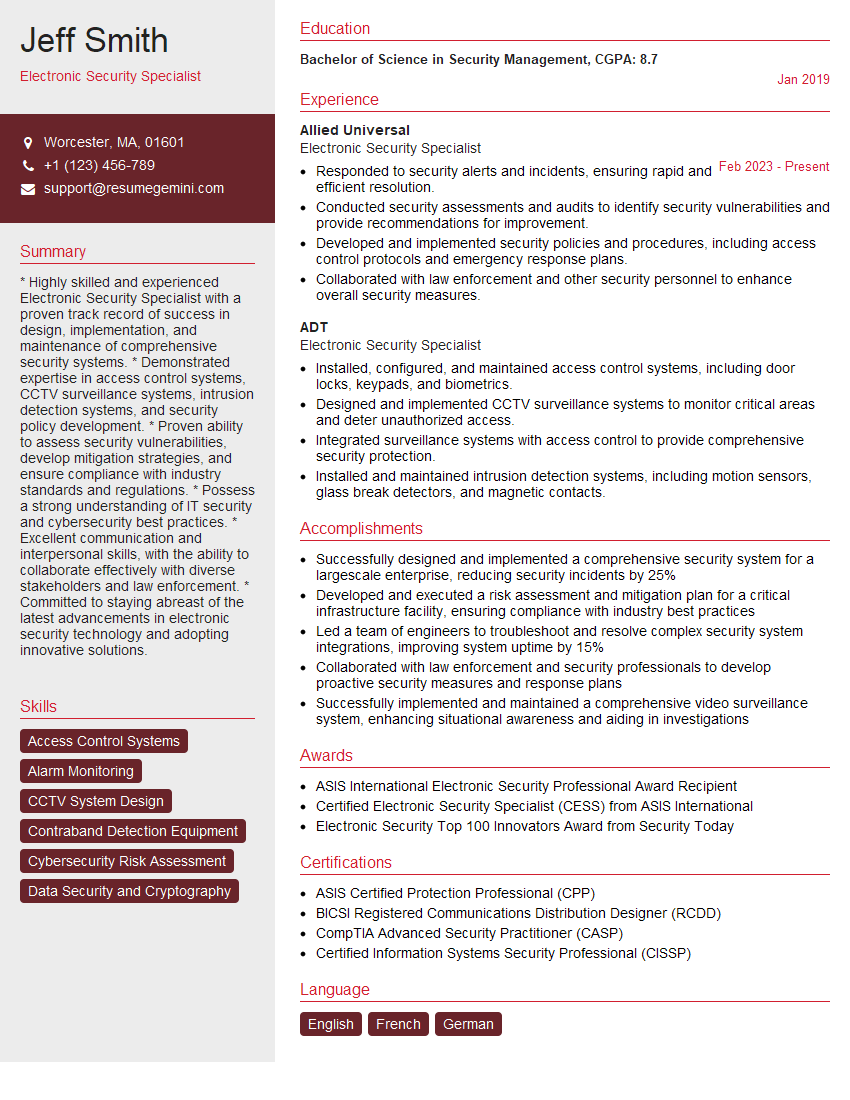
Mastering electronic lock installation opens doors to exciting career opportunities with growth potential in the security industry. A strong resume is crucial for showcasing your skills and experience to potential employers. To maximize your chances, craft an ATS-friendly resume that highlights your technical abilities and relevant experience. ResumeGemini is a trusted resource that can help you build a professional and effective resume. They provide examples of resumes tailored to the Electronic Lock Installation field to guide you through the process. Take the next step in your career journey by creating a compelling resume that reflects your expertise!

Explore more articles
Users Rating of Our Blogs
Share Your Experience
We value your feedback! Please rate our content and share your thoughts (optional).
What Readers Say About Our Blog
Very informative content, great job.
good