Unlock your full potential by mastering the most common Enphase Enlighten Manager interview questions. This blog offers a deep dive into the critical topics, ensuring you’re not only prepared to answer but to excel. With these insights, you’ll approach your interview with clarity and confidence.
Questions Asked in Enphase Enlighten Manager Interview
Q 1. Explain the key features and functionalities of Enphase Enlighten Manager.
Enphase Enlighten Manager is a powerful cloud-based monitoring platform for Enphase microinverter-based solar systems. Its key features provide comprehensive system oversight, enabling installers and homeowners to track performance, diagnose issues, and optimize energy production. Key functionalities include:
- System Monitoring: Real-time monitoring of individual microinverter performance, including power output, voltage, and current. This granular detail allows for quick identification of underperforming components.
- Production Tracking: Detailed energy production data, displayed in various formats (daily, monthly, yearly), allowing for easy analysis of system efficiency and energy consumption.
- Performance Reporting: Generate customizable reports detailing energy production, system health, and financial savings, useful for homeowners and for demonstrating system performance to clients.
- Alarm Management: Real-time alerts for critical system issues, such as microinverter faults or production drops, allowing for prompt troubleshooting and minimizing downtime.
- Remote Diagnostics: Enables remote troubleshooting of system issues, reducing the need for on-site visits and saving time and money.
- Data Visualization: Intuitive dashboards and graphs provide a clear visual representation of system performance, making complex data easily understandable.
- Multiple System Management: Ability to monitor and manage multiple solar systems from a single account, streamlining management for installers and large-scale deployments.
For example, a homeowner can easily see their daily energy production, compare it to previous days, and identify potential issues such as shading or equipment malfunction.
Q 2. How do you troubleshoot common issues encountered in Enphase Enlighten Manager?
Troubleshooting in Enphase Enlighten often starts with examining the system overview dashboard. Look for any microinverters showing error codes or significantly reduced production. The steps usually involve:
- Identify the Problem: Check the Enlighten Manager for error messages, low production, or unusual patterns in the data. For example, a consistently low-producing microinverter or a sudden drop in overall system production are clear indicators of a problem.
- Isolate the Source: Examine individual microinverter data to pinpoint the location of the issue. Look for specific error codes and check the status of each component (e.g., panels, cables, connectors) associated with the affected microinverters.
- Consult the Documentation: Refer to the Enphase microinverter manual and Enlighten Manager help documentation for error code definitions and troubleshooting steps. Each error code usually has a clear explanation and recommended actions.
- Remote Diagnostics (If Possible): Use Enlighten’s remote diagnostics features to gather more detailed information about the problematic microinverter. Sometimes, a simple firmware update can resolve the issue.
- On-Site Inspection: If remote diagnostics fail to identify the root cause, a physical inspection of the affected panels, microinverters, and wiring may be necessary. Look for loose connections, damaged components, or environmental factors (shading, debris).
- Contact Support: If the problem persists, contact Enphase support for assistance. They have extensive expertise in diagnosing and resolving complex issues.
Imagine a scenario where a large portion of the system suddenly stops producing power. Enlighten will immediately display this, allowing a quick check of the microinverters to find a common thread, possibly a tripped breaker or a shading issue.
Q 3. Describe your experience with monitoring and analyzing PV system performance using Enphase Enlighten.
My experience with monitoring and analyzing PV system performance using Enphase Enlighten is extensive. I regularly use it to track energy production, identify performance trends, and compare actual output to predicted values. This allows for early detection of problems and proactive system maintenance. I’m proficient in interpreting the various data points, including energy yield, performance ratios, and microinverter-level data. For example, I can readily identify periods of reduced production due to shading, soiling, or equipment malfunction.
I utilize Enlighten’s reporting features to generate customized reports illustrating system performance over different timeframes. These reports are invaluable for clients to understand their energy production and potential savings. Furthermore, I have used Enlighten to compare the performance of different systems, allowing me to optimize system design and installation practices.
Q 4. How do you identify and interpret performance degradation in solar systems using Enphase Enlighten?
Identifying performance degradation in Enphase Enlighten involves close monitoring of key metrics over time. A decline in energy production compared to historical data or predicted values is a major indicator. Other factors to consider include:
- Decreased Microinverter Output: A consistent drop in the power output of one or more microinverters indicates potential issues with that specific unit or its associated panels.
- Increased Error Rates: A rise in the number of error codes reported by microinverters suggests hardware failures or environmental issues.
- Deviation from Expected Performance: Comparing actual production against predicted values (using tools within Enlighten or external software) helps highlight underperformance.
- Performance Ratios: Analyzing performance ratios (e.g., PR, CUF) can pinpoint specific areas of degradation. Consistent low PR values may indicate issues with panel efficiency or system design.
For example, if a microinverter consistently shows a lower output than others, it could suggest a problem with the panel connected to it (e.g., shading, damage), a faulty connection, or a failing microinverter itself. By analyzing data trends and combining them with visual inspection, I can identify and accurately diagnose the degradation.
Q 5. What are the different reporting functionalities in Enphase Enlighten, and how do you utilize them?
Enphase Enlighten offers a suite of robust reporting functionalities. These reports provide comprehensive summaries of system performance, financial savings, and system health. Key reports include:
- Production Reports: Show energy generated over various periods (daily, monthly, yearly) and can be customized to include specific data points.
- Financial Reports: Estimate the financial savings achieved through solar energy production, often factoring in electricity costs and potential incentives.
- System Health Reports: Provide an overview of the overall system health, highlighting any issues or potential problems requiring attention.
- Customizable Reports: Allow users to tailor reports to their specific needs by selecting the data points and timeframes they wish to include.
I utilize these reports extensively for client presentations, system performance analysis, and identifying areas for improvement. For example, I can showcase a client’s energy savings over a year, illustrating the return on their investment. I can also use these reports for internal quality control, tracking system performance trends across multiple installations.
Q 6. How do you use Enphase Enlighten to identify and diagnose system faults?
Enphase Enlighten is invaluable for identifying and diagnosing system faults. By leveraging its real-time monitoring and diagnostic capabilities, I can quickly pinpoint the source of problems and provide efficient solutions. The process typically involves:
- Reviewing System Alerts: Checking for alarm notifications indicating potential issues such as microinverter faults, production drops, or communication errors.
- Analyzing Microinverter Data: Inspecting individual microinverter data to determine their operational status, identifying any error codes, and reviewing their production levels.
- Comparing Performance Metrics: Comparing current performance against historical data and predicted values to identify any significant deviations or unexpected trends.
- Utilizing Remote Diagnostics: Employing Enlighten’s remote diagnostics capabilities to gather detailed information about specific microinverters, which helps isolate the cause of the fault.
- Generating Reports: Creating customized reports to document the fault, diagnostic steps taken, and resolutions implemented.
For instance, if a microinverter shows an error code indicating a communication problem, I can use Enlighten to verify the issue and then troubleshoot the cabling or network connection to resolve the fault. The detailed logging within Enlighten ensures I have a complete record of the event, aiding in future diagnostics.
Q 7. Describe your experience with Enphase Enlighten’s alarm system and how you manage alerts.
Enphase Enlighten’s alarm system plays a crucial role in proactive system maintenance. It generates alerts for critical events, ensuring prompt identification and resolution of issues. I manage these alerts by:
- Configuring Alert Thresholds: Setting appropriate thresholds for various parameters (e.g., production drop, error rates, temperature) to minimize false alarms while ensuring important events are flagged.
- Reviewing Alerts Regularly: Frequently checking the Enlighten dashboard for any new alerts and investigating their causes.
- Prioritizing Alerts: Categorizing alerts based on their severity, addressing critical issues immediately and handling less urgent ones later.
- Using Email and SMS Notifications: Leveraging email and SMS alerts to receive immediate notifications of critical events, ensuring prompt response and minimizing downtime.
- Maintaining Alert History: Keeping a record of past alerts to identify recurring issues and potential areas for system improvement.
A typical scenario might involve an alert for a microinverter operating at a high temperature. This alerts me to a potential issue which I can address before it leads to system failure. The detailed information provided with the alert in Enlighten helps guide troubleshooting and prevent further problems.
Q 8. Explain the process of commissioning a new PV system using Enphase Enlighten.
Commissioning a new Enphase PV system in Enlighten involves several key steps, ensuring seamless data flow and system functionality. It begins with adding the system to Enlighten. You’ll need the system ID, typically found on a sticker on the combiner box or provided by the installer. This ID links the physical system to the Enlighten platform. Next, you verify that all microinverters are communicating and reporting data accurately. This involves checking for any error messages or missing microinverters. Enlighten provides a visual representation of the system, showing the status of each microinverter. If any issues are identified, troubleshooting may involve checking wiring connections, ensuring proper communication between the microinverters and the Envoy (the communication gateway), and potentially replacing faulty components. Finally, you’ll want to review the system’s performance against expectations. This includes validating that the energy production aligns with the system design and site conditions. A newly commissioned system might show initial fluctuations as it adjusts to the conditions, so observation over a few days is ideal. Think of it like breaking in a new car – the initial performance might vary until everything is fully optimized.
Q 9. How do you use Enphase Enlighten to generate reports for clients or stakeholders?
Enphase Enlighten offers a robust reporting suite catering to diverse needs. To generate reports, you typically navigate to the reporting section, selecting the desired timeframe and the specific system(s) you wish to analyze. For clients, reports focusing on energy production, system performance, and potential savings are most valuable. Enlighten allows you to create custom reports with customizable parameters such as start and end dates, data points (e.g., energy generated, power output, microinverter status), and visualization options (e.g., graphs, tables). For example, you might create a monthly report showing total energy generated compared to previous months to highlight seasonal variations. You can then easily export these reports in various formats (PDF, CSV) for sharing with clients or stakeholders. This enables informed discussions about system health and energy production. For stakeholders, more comprehensive reports, encompassing system-wide performance metrics and financial summaries, may be necessary. Enlighten’s data enables you to showcase the return on investment effectively.
Q 10. Describe your experience with integrating Enphase Enlighten with other monitoring platforms.
My experience with integrating Enphase Enlighten with other monitoring platforms is primarily focused on leveraging APIs (Application Programming Interfaces). Many building management systems (BMS) and energy monitoring platforms offer APIs to integrate data from various sources, including Enlighten. This integration typically involves utilizing the Enlighten API to extract system performance data and then importing this data into the external platform. This allows for a holistic view of energy consumption and production across a building or portfolio of systems. For instance, integrating Enlighten data with a BMS allows facility managers to see real-time solar energy generation alongside building energy consumption, optimizing energy usage. The integration process usually involves setting up API keys and authorization, defining data extraction parameters, and handling data formatting for compatibility. While relatively straightforward for experienced developers, it may require careful attention to detail and troubleshooting to ensure reliable data transfer and accurate visualizations.
Q 11. How do you utilize Enphase Enlighten’s data to optimize system performance?
Enphase Enlighten’s data is invaluable for system performance optimization. By regularly monitoring individual microinverter performance, we can quickly identify potential issues. Low-performing microinverters, for example, might indicate shading issues, wiring problems, or component failure. Enlighten’s visualization tools make identifying problematic microinverters simple; a quick glance often suffices. Further investigation through detailed microinverter reports can pinpoint the cause. Moreover, we can use Enlighten data to adjust system parameters for optimal energy harvesting. Analyzing production trends relative to weather patterns helps assess system efficiency. Identifying consistent underperformance helps guide targeted maintenance or even design adjustments in future installations. For example, if a specific area of the array consistently underperforms due to shading, we might recommend adding trimming or adjusting panel angles. Essentially, Enlighten turns reactive maintenance into proactive optimization.
Q 12. What are the limitations of Enphase Enlighten Manager, and how do you work around them?
While Enphase Enlighten is a powerful tool, it does have some limitations. One is the reliance on internet connectivity for data transmission. System outages during internet disruptions hinder real-time monitoring. We work around this by educating clients about the importance of reliable internet access and exploring alternative communication methods where feasible. Another limitation is the lack of detailed granular data on specific components within the microinverters themselves. While Enlighten provides operational data, diagnosing internal faults might require on-site inspection and specialized tools. We typically use this limitation as an incentive to conduct routine site visits, combining Enlighten’s remote diagnostics with on-site assessments to ensure thorough system evaluation. Finally, Enlighten’s reporting capabilities, while extensive, may not fulfill all specific niche client requirements. In such cases, we may export the data to specialized analysis software for deeper exploration and custom report generation.
Q 13. How do you ensure data integrity and accuracy within Enphase Enlighten?
Data integrity in Enlighten is paramount. We verify the accuracy of reported data through several methods. First, we carefully check the system during commissioning, ensuring all microinverters are correctly installed and communicating. Regularly reviewing Enlighten’s data for anomalies, such as sudden drops in production or unusual error messages, is crucial. Second, we compare Enlighten’s data with production estimates based on system design and site conditions. Significant discrepancies trigger investigation. We also cross-reference the data with other monitoring tools if integrated, providing redundancy and cross-validation. Finally, regular firmware updates for both the microinverters and Envoy ensure system stability and accuracy. Think of it as regular vehicle maintenance; timely updates enhance performance and reliability. Addressing inconsistencies promptly reduces errors and preserves data accuracy.
Q 14. Explain your understanding of Enphase microinverter technology and its relevance to Enlighten.
Enphase microinverters are the core of their system, and their functionality is intrinsically linked to Enlighten. Each microinverter acts as an independent power converter, optimizing the energy generated by a single solar panel. This granular monitoring capability is what makes Enlighten so powerful. Enlighten leverages the communication capabilities built into each microinverter to gather real-time performance data, including voltage, current, power output, and operating status. This detailed information, available for each individual panel, is crucial for diagnostics, troubleshooting, and overall system performance analysis. Without the microinverters’ data-logging capabilities, Enlighten wouldn’t be able to provide the level of detail and insights it does. It’s a symbiotic relationship: the microinverters generate the data, and Enlighten provides the platform for analysis and management. This allows for unparalleled system monitoring and optimized energy production compared to traditional string inverter systems.
Q 15. How do you use Enphase Enlighten to remotely troubleshoot and resolve system issues?
Enphase Enlighten is a powerful tool for remotely troubleshooting solar systems. Its real-time monitoring capabilities allow me to quickly identify issues. For example, if an inverter shows a low production or a fault code, I can immediately investigate. Enlighten provides detailed information about each microinverter, including its current status, voltage, power output, and any error messages. This granular data is crucial for diagnosing problems.
My troubleshooting process usually involves:
- Checking inverter status: I look for any error codes or warnings displayed for individual microinverters. Enlighten provides clear explanations for these codes.
- Analyzing production data: Comparing current production to historical data helps me identify significant drops or anomalies. A sudden drop in production from a specific area of the array may point to shading, a faulty string, or a problem with the microinverters in that section.
- Examining environmental factors: Enlighten doesn’t directly provide weather data, but I can correlate production drops with weather reports to rule out external factors like cloud cover or extreme temperatures.
- Remote diagnostics: Enlighten sometimes allows for more detailed diagnostics on specific inverters depending on the system’s configuration and firmware, enabling me to pinpoint the precise issue.
- Remote firmware updates: In some cases, a simple firmware update via Enlighten can resolve performance issues or bug fixes.
By combining these approaches, I can effectively diagnose most system issues remotely, often eliminating the need for on-site visits, saving time and money.
Career Expert Tips:
- Ace those interviews! Prepare effectively by reviewing the Top 50 Most Common Interview Questions on ResumeGemini.
- Navigate your job search with confidence! Explore a wide range of Career Tips on ResumeGemini. Learn about common challenges and recommendations to overcome them.
- Craft the perfect resume! Master the Art of Resume Writing with ResumeGemini’s guide. Showcase your unique qualifications and achievements effectively.
- Don’t miss out on holiday savings! Build your dream resume with ResumeGemini’s ATS optimized templates.
Q 16. Describe your experience with different types of Enphase inverters and their representation in Enlighten.
I have extensive experience with various Enphase microinverter models, including the IQ 7, IQ 7X, IQ 7A, IQ 8, and IQ 8M. Enlighten represents each inverter individually, providing a unique identifier and detailed performance metrics for each. This granular level of detail is a significant advantage over systems that only show aggregate data.
The differences in inverters are reflected in Enlighten through the reported data. For instance, the IQ 8M displays higher maximum power output compared to the IQ 7. Enlighten shows this clearly in its production graphs and individual inverter statistics. Different firmware versions also show up and are key to ensuring systems are running optimally. Identifying specific inverter models within Enlighten is vital for selecting appropriate troubleshooting steps and understanding the specific capabilities and limitations of each.
Q 17. How do you interpret production data and identify trends within Enphase Enlighten?
Interpreting production data in Enlighten involves a multi-faceted approach. I start by reviewing the overall energy production trends over time, using the various visualization options available. I look for consistent patterns and any significant deviations. A simple line graph showing daily or monthly energy production is a great starting point. I then drill down to individual inverters to pinpoint areas of concern.
Identifying trends often involves comparing production data with:
- Historical data: Comparing current production to previous periods (same time last year, same month last year, etc.) helps highlight seasonal variations and unusual declines.
- Weather data: While Enlighten itself doesn’t have integrated weather data, I often cross-reference it with external weather sources to account for environmental impacts on energy generation.
- System components: Comparing production with data on individual microinverters helps isolate problem areas within the array.
For example, a consistent drop in production during specific hours of the day might indicate shading issues. A sudden drop in production from a single inverter could indicate a fault with that specific unit. Using these analyses, I create reports and make recommendations for improvements or maintenance.
Q 18. Explain your process for creating customized reports and dashboards in Enphase Enlighten.
Creating customized reports and dashboards in Enphase Enlighten is straightforward. The platform offers a range of pre-built report templates, but its flexibility allows for substantial personalization. I typically start by selecting the desired time range and choosing the specific data points I want to include.
My process usually follows these steps:
- Select report type: Choose from pre-built options or create a custom report.
- Specify date range: Define the period for analysis (daily, weekly, monthly, yearly, custom).
- Choose metrics: Select relevant data points like energy production, inverter status, error codes, and more.
- Filter data: Filter data based on specific inverters, systems, or other criteria to isolate key information.
- Customize visualization: Select appropriate chart types (line graphs, bar charts, etc.) to best represent the data.
- Download and share: Download the report in PDF or CSV format, for sharing with clients or colleagues.
For example, if a client is concerned about the energy production of a specific area of their roof, I can generate a custom report showing only the performance of the microinverters in that area, allowing for targeted analysis and solutions. This detailed level of reporting increases client trust and demonstrates a commitment to proactive problem-solving.
Q 19. How do you utilize Enphase Enlighten’s data to improve system efficiency?
Enphase Enlighten’s data is invaluable for improving system efficiency. By meticulously analyzing the data, I can identify bottlenecks and areas for optimization. This proactive approach helps maximize energy generation and system ROI for my clients.
Here are some ways I use Enlighten data for efficiency improvements:
- Identifying shading issues: Analyzing production patterns helps me identify shaded areas of the array, allowing me to recommend solutions like trimming branches or adjusting panel orientation.
- Detecting faulty components: Enlighten helps spot underperforming or failing microinverters, allowing for timely replacements and minimizing energy losses.
- Optimizing system design: Data analysis informs future system designs by highlighting the effectiveness of different configurations and orientations.
- Monitoring system health: Regular monitoring ensures early detection of potential issues, preventing costly repairs and downtime.
For example, if an analysis reveals consistent underperformance in a certain section of the array during peak sunlight hours, I can investigate for shading or other potential issues and make adjustments to improve production. This data-driven approach ensures the solar system operates at optimal efficiency.
Q 20. Describe your experience working with Enphase Enlighten’s mobile application.
I frequently use the Enphase Enlighten mobile app for quick checks and notifications. It offers a streamlined interface for monitoring system performance on the go. The app provides key metrics like current energy production, total energy generated, and any error notifications. This allows me to be proactive in addressing issues quickly.
I find the app particularly helpful for:
- Rapid system overview: Getting a quick snapshot of system health and production levels without needing to log into the full Enlighten Manager website.
- Instant alerts: Receiving immediate notifications about system errors or anomalies, allowing for timely interventions.
- On-site troubleshooting: Accessing relevant system data directly on-site, assisting with faster diagnostics.
The app enhances my responsiveness to system issues and gives me a valuable tool for remote monitoring, maximizing my efficiency and client satisfaction. It’s a critical complement to the full Enlighten Manager platform.
Q 21. How do you handle multiple Enphase systems within Enlighten Manager?
Managing multiple Enphase systems within Enlighten Manager is quite efficient. The platform’s user interface allows for easy navigation between different systems. I typically organize them by client or geographical location to maintain clarity. Each system is clearly identified with a unique name and location.
My approach involves using the system selection tools to switch between different projects. Enlighten’s organizational features allow for efficient management of a significant number of installations without feeling overwhelming. I can easily generate comparative reports across multiple systems to analyze performance trends and identify any common issues.
For example, if I’m managing 10 different residential solar systems, I can easily access each system individually from the main dashboard and quickly compare their performance metrics to identify any significant variances or potential problems.
Q 22. Explain your understanding of different energy production metrics within Enphase Enlighten.
Enphase Enlighten provides a wealth of energy production metrics, allowing for a comprehensive understanding of solar system performance. Key metrics include:
- Energy Production (kWh): The total amount of energy generated by the system over a specified period. This is arguably the most important metric, showing the system’s overall output.
- Power Production (kW): The instantaneous power output of the system at any given moment. This metric provides a real-time view of energy generation.
- Microinverter Production: Enlighten tracks the performance of each individual microinverter, allowing for granular analysis and quick identification of potential issues. This is crucial for troubleshooting as a single underperforming microinverter can significantly impact overall system output.
- Energy Yield (kWh/kWp): This metric represents the system’s energy production relative to its rated power (kWp). It indicates the system’s efficiency and helps compare performance against expected values.
- Performance Ratio (PR): A comprehensive metric that accounts for various factors impacting energy production, including losses due to shading, soiling, and temperature effects. A higher PR indicates better overall system efficiency.
- System Uptime: Indicates the percentage of time the system is operational. Extended periods of low uptime can point to potential problems requiring investigation.
Understanding these metrics is vital for optimizing system performance, identifying potential problems, and providing accurate reporting to clients.
Q 23. How do you identify and resolve discrepancies between expected and actual system performance?
Discrepancies between expected and actual system performance can stem from various factors, including shading, soiling, weather conditions, faulty equipment, or inaccurate system design estimates. My approach to resolving these discrepancies involves a systematic process:
- Data Review: I’d thoroughly review the Enlighten data, focusing on trends and anomalies in the key metrics mentioned earlier. For example, a sudden drop in energy production might signal a problem.
- Site Inspection (if possible): A visual inspection of the system can identify physical issues like shading from newly grown trees or debris accumulation on panels.
- Microinverter-Level Analysis: Enlighten’s microinverter-level data provides invaluable insights. Identifying microinverters underperforming compared to others points towards a specific problem. A low production microinverter could indicate panel shading, soiling, or a faulty microinverter itself.
- Environmental Data Correlation: Comparing system performance with weather data (temperature, irradiance) helps determine if environmental factors are significantly impacting energy production.
- System Design Review: If necessary, I’d review the original system design to ensure the actual installation matches expectations.
- Troubleshooting and Repair: Based on the analysis, I would initiate the necessary troubleshooting steps, including panel cleaning, addressing shading issues, or replacing faulty equipment.
For instance, if the actual yield is consistently below the projected yield by 15%, I would investigate shading issues first, followed by examining microinverter data for potential faults, and finally reviewing the system design parameters against actual site conditions.
Q 24. How familiar are you with Enphase Enlighten’s API and its potential applications?
I am very familiar with Enphase Enlighten’s API. It provides extensive capabilities for automated data retrieval and integration with other systems. This opens up a wide range of applications, such as:
- Automated Reporting: Generate customized reports on system performance, reducing manual effort and improving efficiency.
- Predictive Maintenance: Develop algorithms to anticipate potential issues based on historical performance data, allowing for proactive maintenance.
- Integration with Monitoring Platforms: Consolidate energy data from multiple sources into a central dashboard for comprehensive system oversight.
- Custom Data Visualization: Develop dashboards that showcase key performance indicators (KPIs) in a user-friendly manner tailored to specific user needs.
- Financial Forecasting: Utilize historical energy production data to predict future energy generation and financial returns.
My experience includes developing custom scripts using the Enlighten API to automate reporting and integrate data with our internal CRM. For example, I used the API to create a script that automatically emails clients a monthly performance summary, including comparisons to previous months and weather-adjusted performance.
Q 25. Describe your experience with data export and analysis from Enphase Enlighten.
I have extensive experience exporting and analyzing data from Enphase Enlighten. The platform offers multiple export options, including CSV and other formats. I typically use the following approaches:
- Data Export: I regularly export data at various granularities (daily, monthly, yearly) depending on the analysis required. This data export is typically done through the Enlighten user interface.
- Data Cleaning and Preprocessing: Before analysis, I clean and preprocess the data to handle missing values and outliers. Techniques like imputation (filling in missing values) and smoothing are frequently employed.
- Data Analysis Tools: I utilize various software tools such as Excel, Python (with libraries like Pandas and NumPy), and specialized data visualization tools for analysis. Python provides powerful capabilities for handling large datasets and performing complex statistical analysis.
- Data Visualization: I create insightful visualizations – charts, graphs, and maps – to present findings clearly. Visualizations allow for easier interpretation of complex datasets and aid in identifying trends and patterns.
For example, I recently used Python and Pandas to analyze years’ worth of data to identify correlations between weather patterns and system performance. This analysis allowed us to refine our system design recommendations for specific climate zones.
Q 26. How would you train a new team member on using Enphase Enlighten Manager effectively?
Training a new team member on Enphase Enlighten involves a structured approach combining theoretical knowledge and hands-on practice:
- Introduction to the Platform: Start with an overview of the platform’s features and functionalities, focusing on navigation and key metrics.
- Hands-on Training: Provide access to a test system or sample data to allow practical experience with data navigation, reporting, and analysis. This allows the new team member to familiarize themselves with the platform features in a non-production environment.
- Metric Explanation: Thoroughly explain the meaning and interpretation of key metrics, including their significance in troubleshooting and performance assessment.
- Troubleshooting Scenarios: Present various scenarios requiring data analysis and problem-solving. This builds practical skills in identifying and resolving performance issues.
- Data Export and Analysis: Explain the different data export options and the use of relevant data analysis tools (Excel, Python, etc.). This includes practical training on handling and interpreting data from the platform.
- API Introduction (if applicable): Depending on their role, introduce the Enlighten API and its applications for automation and integration.
- Ongoing Support and Mentorship: Provide ongoing support and guidance, allowing for continued learning and skill development.
I find a combination of structured training modules and real-world case studies to be the most effective approach, allowing trainees to learn by doing and gain confidence quickly.
Q 27. How do you handle situations where data is missing or corrupted in Enphase Enlighten?
Missing or corrupted data in Enphase Enlighten can significantly impact analysis. My approach involves:
- Identify the Extent of the Problem: First, determine the scope of the missing or corrupted data, noting the affected time periods and microinverters. Enlighten’s system alerts can help identify these problems.
- Investigate the Cause: Try to determine the reason for the data loss or corruption. This could range from temporary network issues to hardware problems. Checking the communication status of the microinverters is key.
- Data Recovery (if possible): Explore possibilities for data recovery. If the issue is temporary, the data might reappear once the underlying problem is resolved.
- Data Imputation: For missing data, appropriate imputation techniques can be used to fill in the gaps based on available data. This might involve using neighboring data points or more sophisticated statistical methods.
- Data Validation: Once data is recovered or imputed, validate its accuracy and consistency. This ensures the integrity of any subsequent analysis.
- Preventative Measures: Put in place measures to prevent future data loss, such as ensuring robust network connectivity and regular system health checks.
For example, if a microinverter has several days of missing data, I would first check its communication status. If the communication is down, I would troubleshoot the issue. If it’s a persistent problem, I might have to replace the faulty microinverter.
Q 28. Explain your understanding of compliance and regulatory requirements related to Enphase Enlighten data.
Compliance and regulatory requirements related to Enphase Enlighten data vary depending on location and specific regulations. Generally, it’s crucial to be aware of data privacy laws (e.g., GDPR, CCPA), which dictate how personal and energy consumption data is handled, stored, and shared.
Key aspects of compliance include:
- Data Security: Implementing robust security measures to protect data from unauthorized access, modification, or disclosure.
- Data Retention Policies: Adhering to data retention policies, ensuring data is stored for the required period while complying with regulatory requirements.
- Data Backup and Recovery: Maintaining appropriate backup and recovery systems to ensure data availability and business continuity.
- Data Reporting and Transparency: Accurate and timely reporting of relevant data to meet regulatory obligations. This frequently involves ensuring compliance with local or national energy reporting requirements.
- Auditing and Compliance Certification: Maintaining records and implementing processes to demonstrate compliance with relevant regulations and standards. This may involve undergoing audits or obtaining specific certifications.
My experience involves working within established protocols and guidelines, ensuring all data handling practices are compliant with relevant regulations. This understanding is critical for responsible data management and adherence to ethical and legal standards within the energy industry.
Key Topics to Learn for Enphase Enlighten Manager Interview
- System Overview: Understand the architecture of Enphase Enlighten Manager, its key components, and how they interact to provide a comprehensive view of solar energy systems.
- Monitoring & Data Analysis: Learn to interpret performance data, identify trends, and diagnose potential issues using the system’s reporting and visualization tools. Practical application: Explain how you would troubleshoot a system showing low energy production based on Enlighten data.
- Troubleshooting & Diagnostics: Master the techniques for identifying and resolving common problems encountered in solar installations using Enphase Enlighten Manager’s diagnostic features. Focus on practical, real-world scenarios.
- User Management & Permissions: Familiarize yourself with user roles, access control, and how to manage multiple systems or accounts within Enphase Enlighten Manager.
- Reporting & Data Export: Understand how to generate custom reports, export data to other systems, and utilize this information for system optimization or client communication.
- Microinverter Technology: Develop a solid understanding of how Enphase microinverters function within the larger system and how their performance is reflected in Enphase Enlighten Manager.
- Remote Monitoring & Support: Explore the capabilities of remote system monitoring, troubleshooting, and providing technical support using Enlighten Manager’s tools.
- System Design & Configuration: Gain a basic understanding of how Enphase systems are designed and configured, and how this impacts the data presented in Enlighten Manager.
Next Steps
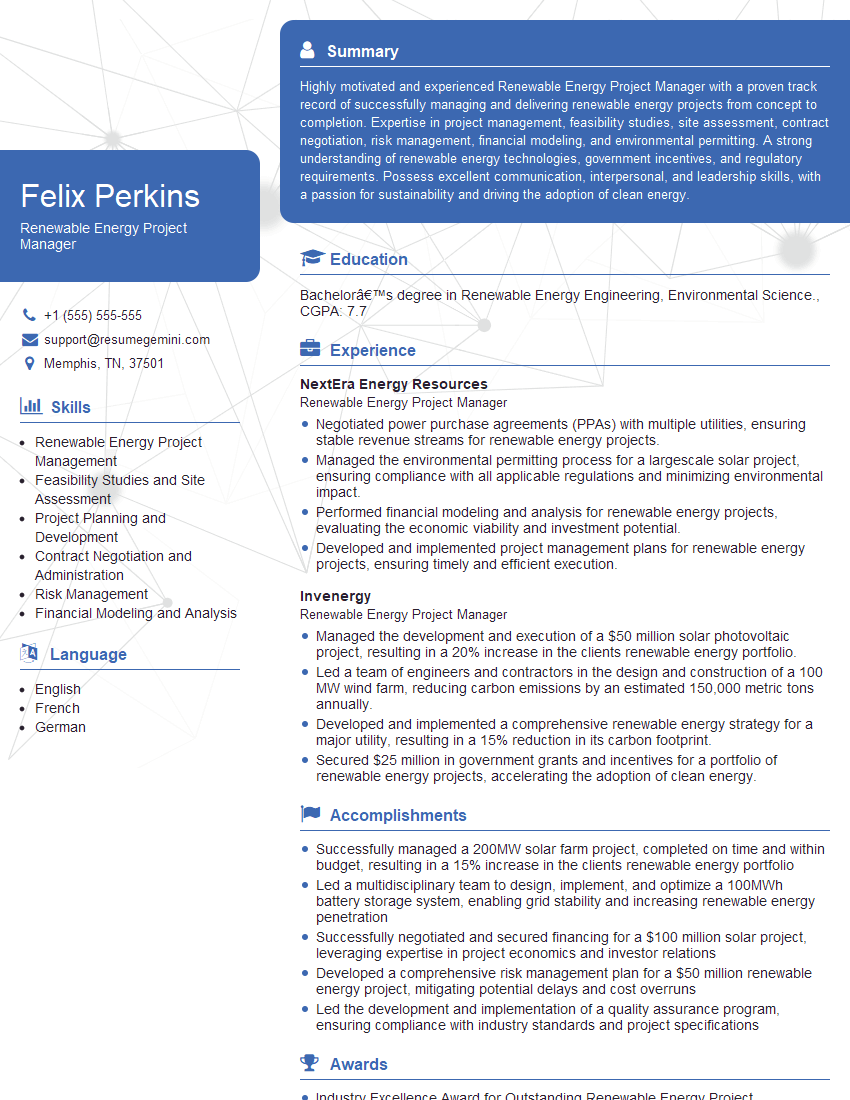
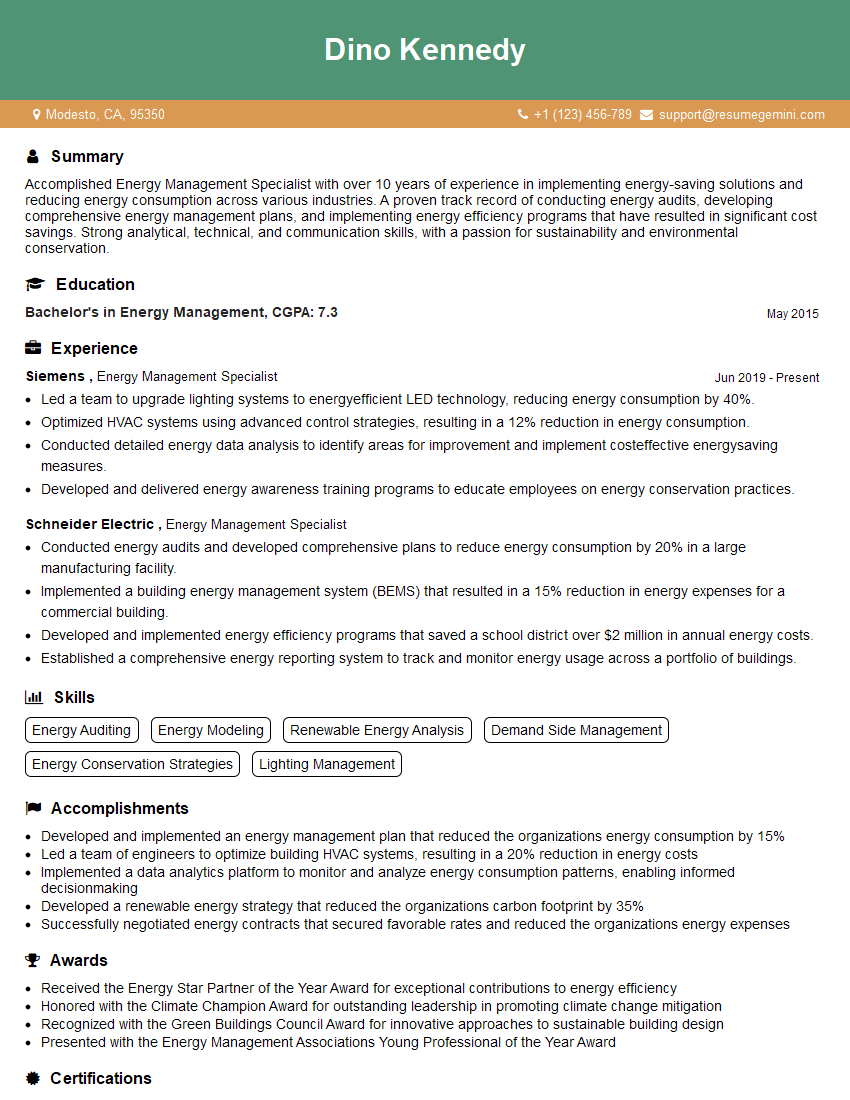
Mastering Enphase Enlighten Manager significantly enhances your value to potential employers in the solar industry, showcasing your technical expertise and problem-solving abilities. To maximize your job prospects, creating a strong, ATS-friendly resume is crucial. ResumeGemini is a trusted resource to help you build a professional and impactful resume that highlights your skills effectively. Examples of resumes tailored to Enphase Enlighten Manager expertise are provided to help you build your own compelling application.
Explore more articles
Users Rating of Our Blogs
Share Your Experience
We value your feedback! Please rate our content and share your thoughts (optional).
What Readers Say About Our Blog
Very informative content, great job.
good