Unlock your full potential by mastering the most common Ergonomic Posture interview questions. This blog offers a deep dive into the critical topics, ensuring you’re not only prepared to answer but to excel. With these insights, you’ll approach your interview with clarity and confidence.
Questions Asked in Ergonomic Posture Interview
Q 1. Define ‘ergonomic posture’ and its significance in workplace health.
Ergonomic posture refers to the body positions that minimize stress and strain on muscles, joints, ligaments, and nerves. It’s about maintaining a natural alignment that allows the body to function efficiently and comfortably. In a workplace setting, proper ergonomic posture is hugely significant because it directly impacts employee health and productivity. Poor posture can lead to a wide range of musculoskeletal disorders (MSDs), reducing efficiency, increasing absenteeism, and leading to significant healthcare costs for both the employee and the employer. Maintaining a neutral spine while sitting or standing is crucial for minimizing strain. The goal of ergonomic posture is to promote overall well-being and prevent workplace injuries.
Q 2. Explain the principles of proper posture alignment (neutral spine, etc.).
Proper posture alignment centers around maintaining a ‘neutral spine.’ This means that the natural curves of your spine—the cervical (neck), thoracic (upper back), and lumbar (lower back)—are preserved. Think of it like a balanced stack of books; each vertebra sits atop the one below it, with appropriate spacing. Imagine a straight line running from your ear, through your shoulder, hip, and knee, to the ankle. This is the ideal alignment when standing. When sitting, the same principle applies, but with adjustments for the chair. Your hips and knees should be bent at approximately 90 degrees. Avoid slouching, hunching, or excessive arching of the back. Maintaining this neutral spine distributes weight evenly and prevents undue stress on any single area. Support your lower back with a lumbar support cushion if needed. Keep your shoulders relaxed and your head level.
Q 3. Describe common postural deviations and their associated risks.
Common postural deviations carry significant risks. For example, forward head posture, where the head juts forward, strains neck muscles and can lead to headaches, neck pain, and upper back pain. Rounded shoulders, often caused by prolonged computer use, restrict breathing and can lead to shoulder pain and stiffness. Kyphosis (excessive curvature of the upper back) puts pressure on the spine and can cause back pain, fatigue, and difficulty breathing. Lordosis (excessive curvature of the lower back) can strain back muscles, leading to lower back pain and potentially sciatica. Scoliosis (lateral curvature of the spine) can cause pain, uneven shoulders, and rib cage asymmetry. Each of these deviations can cause chronic pain, reduced mobility, and decreased quality of life, significantly impacting the individual’s ability to work and perform daily activities.
Q 4. How do you assess a workstation for ergonomic suitability?
Assessing a workstation for ergonomic suitability involves a systematic evaluation of several key aspects. This starts with observing the individual’s posture and work habits. Next, I examine the chair (adjustability, support), the desk height (elbow height when typing), the monitor placement (at eye level), the keyboard and mouse position (close and within easy reach), and the lighting. I look for any potential strain points – is the employee reaching excessively? Are they twisting their body? Are they using improper lifting techniques? I’ll also consider the surrounding environment (temperature, noise levels, clutter). The assessment should aim to identify any potential risk factors and suggest modifications to improve the workstation’s ergonomics. Often, simple adjustments can dramatically improve posture and comfort.
Q 5. What are the key elements of a thorough ergonomic workstation assessment?
A thorough ergonomic workstation assessment includes:
- Postural analysis: Observing the user’s posture while performing tasks.
- Chair evaluation: Assessing adjustability (height, backrest angle, armrests), lumbar support, and overall comfort.
- Desk height and position: Ensuring the desk height allows for neutral wrist and elbow angles when typing.
- Monitor placement: Positioning the monitor directly in front of the user, at eye level to avoid neck strain.
- Keyboard and mouse placement: Ensuring proximity and ease of access, promoting neutral wrist posture.
- Document holder: Using a document holder to maintain the same position as the monitor.
- Lighting and environment: Evaluating lighting conditions and minimizing glare, clutter, and noise.
- Footrest (if needed): Providing foot support for proper leg posture.
- Breaks and stretching: Recommending regular breaks and stretches to avoid prolonged static postures.
Q 6. What are the common causes of musculoskeletal disorders (MSDs) related to poor posture?
Musculoskeletal disorders (MSDs) linked to poor posture stem from prolonged static postures, repetitive movements, and awkward postures that overload muscles, tendons, ligaments, and nerves. For example, prolonged sitting with poor back support can lead to lower back pain (lumbago), sciatica, and spinal stenosis. Repeatedly typing with improperly positioned wrists can cause carpal tunnel syndrome and tendinitis. Maintaining awkward positions, such as reaching overhead frequently, can lead to shoulder impingement and rotator cuff injuries. Essentially, the cumulative effect of poor posture over time creates micro-trauma to the musculoskeletal system, resulting in pain, inflammation, and functional limitations. Early intervention through ergonomic adjustments can mitigate or even prevent the development of these conditions.
Q 7. Explain the role of anthropometry in ergonomic design.
Anthropometry plays a vital role in ergonomic design by considering the physical dimensions and characteristics of the human body. It uses measurements of body size, shape, and proportions to design products and workspaces that are comfortable and safe for the intended user population. This data, often collected using statistical methods and considering percentiles to account for individual variations (e.g., 5th percentile for smallest users, 95th for largest), helps determine optimal dimensions for chairs, desks, keyboards, and other equipment. For example, understanding the range of arm lengths and sitting heights allows for the creation of adjustable chairs and work surfaces that accommodate a variety of body sizes. Neglecting anthropometry in design can lead to products that are uncomfortable, inefficient, or even hazardous for a significant portion of the population, potentially causing musculoskeletal problems.
Q 8. Describe different types of ergonomic seating and their suitability for different tasks.
Ergonomic seating aims to support the natural curves of the spine and reduce strain. Different types cater to various needs and tasks.
- Office Chairs: These are highly adjustable, offering features like lumbar support, adjustable height and armrests, and often include tilt mechanisms. They are suitable for prolonged desk work, but the effectiveness depends on proper adjustment. Imagine a perfectly tailored suit – it supports you correctly and comfortably. A poorly adjusted office chair is like a suit two sizes too big – it offers no support.
- Task Chairs: Similar to office chairs but often designed for more dynamic movement. They might have a more active tilt mechanism or be designed to encourage micro-movements throughout the day. Ideal for tasks requiring more movement.
- Saddle Seats: Encourage an upright posture and promote dynamic sitting. They’re excellent for reducing pressure on the coccyx but can take time to get used to and might not be suitable for everyone.
- Kneeling Chairs: These support the knees and shins, shifting weight away from the lower back and promoting a more open hip angle. Beneficial for those with back pain, but prolonged use can cause discomfort in the knees and ankles. It’s crucial to make sure the chair’s angle is appropriately adjusted.
- Standing Desks: These aren’t technically seating but are an important part of an ergonomic setup, allowing for alternating between sitting and standing to reduce prolonged static postures. They are ideal for tasks where periods of standing is less strenuous and when used in combination with proper seating.
The best chair depends on individual needs and the type of work performed. A thorough ergonomic assessment is recommended to determine the most suitable chair.
Q 9. How do you evaluate the effectiveness of ergonomic interventions?
Evaluating the effectiveness of ergonomic interventions requires a multi-faceted approach. We must consider both objective and subjective measures.
- Pre- and Post-Intervention Assessments: Conduct thorough assessments of posture, musculoskeletal discomfort, and productivity before and after implementing changes. This could include using standardized questionnaires (like the Nordic Musculoskeletal Questionnaire) and objective measures like range of motion tests.
- Observation of Workplace Practices: Observe employees in their work environment to assess whether ergonomic recommendations are being followed. Are they using their adjustable chairs correctly? Are they taking breaks?
- Surveys and Feedback: Gather employee feedback through surveys or interviews to gauge their satisfaction with the interventions and assess any improvements in comfort and well-being. This is crucial for identifying and addressing any issues that may arise.
- Performance Metrics: If the goal was to improve productivity, then assess if that has been achieved. Were there improvements in speed and accuracy? A reduction in workplace accidents should also be considered.
- Biomechanical Analysis: This more in-depth analysis often uses sophisticated technology to track movement, forces, and posture. This can be very helpful, but can be cost-prohibitive.
A holistic approach combining these methods provides a comprehensive evaluation of the effectiveness of the intervention and allows for adjustments if needed.
Q 10. What are the best practices for promoting good posture among employees?
Promoting good posture requires a combination of education, practical solutions, and consistent reinforcement.
- Education and Awareness: Conduct workshops or training sessions to educate employees about the importance of good posture and its impact on health and well-being. Show them how to perform posture checks and self-corrections. It can be helpful to provide visual aids illustrating good posture.
- Ergonomic Assessments: Provide individual ergonomic assessments to identify and address specific posture issues at each workstation. This often includes adjustments to the chair, desk height, keyboard and mouse placement, and monitor positioning.
- Adjustable Workstations: Equip workstations with adjustable chairs, desks, and monitor arms to ensure that employees can customize their setup to accommodate their individual needs and preferences.
- Regular Breaks and Movement: Encourage employees to take regular breaks throughout the day to move around and stretch, reducing prolonged static postures. Implement a system of reminders and encourage the use of a standing desk.
- Active Lifestyle Promotion: Promote an active lifestyle outside of work. Encourage employees to engage in activities that strengthen core muscles, which are crucial for supporting good posture. A company sponsored gym membership could be beneficial.
- Feedback and Reinforcement: Provide regular feedback to employees regarding their posture and offer encouragement and support. This feedback should be constructive and focus on making positive changes.
A successful program involves creating a culture that values and supports good posture.
Q 11. Explain the difference between static and dynamic posture.
The distinction between static and dynamic posture lies in the degree of movement.
- Static Posture: This refers to maintaining a single posture for an extended period without significant movement. Think of a statue – it’s unchanging. Prolonged static postures can lead to muscle fatigue, discomfort, and eventually, pain. Examples include sitting at a desk for hours without moving, or standing in one position for a long time.
- Dynamic Posture: This involves regular shifting of posture and movement. It’s like a flowing river – always changing. It’s more natural and less taxing on the body. Examples include changing positions frequently while working, taking breaks to stretch, and walking.
Ideally, work should incorporate elements of both. Regular movement helps counteract the negative effects of static postures. The key is to minimize prolonged static postures as much as possible.
Q 12. How does prolonged sitting impact posture and health?
Prolonged sitting, particularly in poor posture, significantly impacts posture and overall health.
- Postural Deformities: Slouching leads to a weakening of core muscles, resulting in a forward head posture, rounded shoulders, and increased curvature in the lower back (hyperlordosis). This can become chronic.
- Musculoskeletal Issues: Strain on muscles and joints in the neck, back, shoulders, and hips leads to pain, stiffness, and potential injuries like carpal tunnel syndrome and sciatica.
- Cardiovascular Problems: Prolonged sitting is linked to increased risk of heart disease and other cardiovascular issues due to reduced metabolic activity.
- Metabolic Syndrome: It’s associated with increased risk of obesity, type 2 diabetes, and high blood pressure.
- Mental Health: Some studies suggest a correlation between prolonged sitting and depression and anxiety.
Regular movement, ergonomic workstations, and mindful posture are crucial to mitigate these risks. Even short, frequent breaks can significantly reduce the negative impact of prolonged sitting.
Q 13. What are some common ergonomic challenges in office environments?
Many ergonomic challenges exist in office environments, often stemming from poorly designed workstations and lack of awareness.
- Improper Chair Setup: Chairs that lack adequate lumbar support, adjustable height, and armrests contribute to poor posture and discomfort.
- Poor Monitor Placement: Monitors positioned too high or too low strain the neck and eyes.
- Uncomfortable Keyboard and Mouse Placement: Poorly positioned keyboards and mice can lead to repetitive strain injuries (RSI) like carpal tunnel syndrome.
- Inadequate Desk Height: Desks that are too high or too low force the body into unnatural positions.
- Lack of Movement: Sedentary workstyles contribute to muscle fatigue, stiffness, and various health problems.
- Poor Lighting and Workspace Organization: Inadequate lighting and cluttered workspaces can add strain and discomfort.
- Insufficient Training and Awareness: Many employees lack awareness of proper ergonomic practices.
Addressing these challenges requires a proactive approach involving ergonomic assessments, workstation adjustments, and employee training.
Q 14. Describe different types of keyboard and mouse designs and their ergonomic implications.
Keyboard and mouse designs significantly impact ergonomics. A well-designed input device reduces strain and promotes comfort.
- Keyboards:
- Standard Keyboards: These often contribute to strain due to their flat design and lack of wrist support.
- Ergonomic Keyboards: These are designed with split layouts, curved keybeds, and often include wrist rests to promote a more natural wrist position and reduce strain. They encourage a more neutral wrist posture.
- Vertical Keyboards: These position the keys vertically, reducing wrist extension and promoting a more relaxed hand position. These can require a significant adjustment period.
- Mice:
- Standard Mice: Can lead to wrist strain due to the required hand contortions.
- Ergonomic Mice: These come in various designs, including vertical mice that reduce wrist twisting and trackballs that minimize hand movement. Vertical mice force the wrist into a more neutral position.
- Trackballs: Allow for operation with minimal hand movement and can reduce strain. However, some users find them difficult to master.
The choice depends on individual preferences and needs. Experimentation and proper setup are essential for finding the most comfortable and efficient input devices.
Q 15. How do you accommodate individuals with pre-existing musculoskeletal conditions?
Accommodating individuals with pre-existing musculoskeletal conditions requires a highly personalized approach. It begins with a thorough assessment, understanding the specific limitations and needs of each employee. This assessment shouldn’t just focus on their current job tasks, but also their medical history and any previous injuries or diagnoses. For example, an employee with carpal tunnel syndrome might benefit from ergonomic keyboard modifications, adjustable work surfaces, and frequent breaks. Someone with lower back pain might require a supportive chair with lumbar support and possibly a standing desk option.
The key is to collaborate closely with the employee, their physician, and occupational therapists, if needed. We develop a plan that addresses their limitations while allowing them to perform their job duties effectively and safely. This might involve job modifications, assistive devices, or even a temporary or permanent change in job tasks if necessary. The goal is to prevent further injury and promote their well-being in the workplace.
For example, I once worked with an employee who had osteoarthritis in her hands. Through a comprehensive assessment, we identified that she spent a lot of time using a mouse. By switching her to a vertical mouse and adjusting her keyboard height, we significantly reduced her discomfort and improved her productivity. This kind of personalized approach ensures that everyone can contribute their best work while maintaining their health and well-being.
Career Expert Tips:
- Ace those interviews! Prepare effectively by reviewing the Top 50 Most Common Interview Questions on ResumeGemini.
- Navigate your job search with confidence! Explore a wide range of Career Tips on ResumeGemini. Learn about common challenges and recommendations to overcome them.
- Craft the perfect resume! Master the Art of Resume Writing with ResumeGemini’s guide. Showcase your unique qualifications and achievements effectively.
- Don’t miss out on holiday savings! Build your dream resume with ResumeGemini’s ATS optimized templates.
Q 16. What are the legal and ethical considerations related to workplace ergonomics?
Legal and ethical considerations in workplace ergonomics are paramount. Legally, many jurisdictions have regulations related to workplace safety and health, mandating employers to provide a safe work environment. This often includes provisions for ergonomic assessments and the implementation of ergonomic controls to prevent musculoskeletal disorders (MSDs). Failure to comply can lead to significant fines and legal action.
Ethically, creating a safe and ergonomic workplace is a moral obligation. Employers have a responsibility to protect their employees’ health and well-being. This involves respecting employee autonomy by involving them in the ergonomic assessment process and implementing their suggestions wherever possible. Transparency about ergonomic concerns and the steps being taken to address them is also critical. It’s about creating a culture of care and preventing suffering caused by preventable workplace injuries.
For instance, confidentiality of employee medical information must be maintained during any ergonomic assessment. Employers should ensure they are compliant with data privacy regulations such as HIPAA (in the US) while collecting necessary information to create effective ergonomic solutions.
Q 17. Discuss the importance of regular breaks and movement for maintaining good posture.
Regular breaks and movement are crucial for maintaining good posture. Prolonged static postures, even in seemingly ‘good’ positions, can lead to fatigue and discomfort. Our bodies are designed for movement. When we stay in one position for extended periods, muscles become strained, blood flow is restricted, and the risk of MSDs increases.
Regular breaks, even short ones (5-10 minutes every hour), allow for muscle relaxation, improved circulation, and reduced stress on the musculoskeletal system. These breaks should involve more than just a quick stretch at your desk. Ideally, they should include a change in posture, walking around, or some light exercise. Incorporating micro-breaks throughout the day, like standing up to stretch or walking to a coworker’s desk instead of emailing, can significantly improve posture and overall health.
Think of it like this: if you were to hold a weight above your head for an hour straight, your arm would ache. The same principle applies to our posture. Maintaining an upright position for extended periods without breaks puts unnecessary strain on the body. Regular movement ‘resets’ our posture and helps prevent fatigue and discomfort.
Q 18. Explain the use of ergonomic assessment tools and software.
Ergonomic assessment tools and software play a vital role in identifying and correcting postural issues in the workplace. These tools range from simple checklists and questionnaires to sophisticated software capable of analyzing video recordings of workstation setups and employee movements. Checklists help evaluate workstation setup aspects like chair height, monitor placement, and keyboard position. More advanced software can analyze posture in real-time, using motion capture or sensor technology to provide detailed feedback on posture deviations.
Software can be used to create 3D models of workstations, allowing for virtual adjustments before implementing changes in the physical workspace. Some examples include programs that analyze the force applied during repetitive tasks, identifying potential ergonomic risks. Using these tools helps to create data-driven solutions, ensuring that interventions are targeted and effective. It moves beyond subjective opinions and provides objective measurements of ergonomic risks.
For instance, RULA (Rapid Upper Limb Assessment) is a widely used observational checklist for assessing the risk of upper limb musculoskeletal disorders. Software incorporating RULA can automate the assessment process, making it more efficient and reliable. This technology reduces guesswork and ensures consistent application of ergonomic principles.
Q 19. How do you communicate ergonomic recommendations effectively to employees and management?
Effective communication is key to successful ergonomic implementation. When communicating ergonomic recommendations, the goal is to empower employees and management to adopt healthier work habits. This means avoiding technical jargon and using clear, concise language that everyone can understand. Visual aids, such as diagrams and videos demonstrating correct posture and workstation setup, are very helpful.
Involve employees in the process. Seek their input on changes, address their concerns, and acknowledge their contributions. For management, the focus should be on the return on investment (ROI) of ergonomic improvements, highlighting reduced healthcare costs, increased productivity, and improved employee morale. This involves demonstrating that ergonomic interventions are not just a cost, but a strategic investment.
I often use storytelling in my communications. Sharing real-life examples of how ergonomic changes have positively impacted employees helps convey the benefits in a relatable way. Combining educational materials with interactive workshops and one-on-one consultations ensures that information is properly absorbed and applied.
Q 20. Describe the benefits of implementing an ergonomic program in the workplace.
Implementing an ergonomic program offers numerous benefits. From a health perspective, it reduces the risk of musculoskeletal disorders (MSDs), such as back pain, carpal tunnel syndrome, and neck pain. This leads to lower healthcare costs and reduced absenteeism, resulting in significant savings for the company. Employees experience increased comfort and reduced pain, contributing to improved job satisfaction and morale.
Ergonomic programs also boost productivity and efficiency. When employees are comfortable and free from pain, they are more focused and productive. Reduced workplace injuries translate into less downtime, and a smoother workflow. Additionally, a commitment to ergonomics improves the company’s reputation and enhances its ability to attract and retain talent. Employees are more likely to join and remain with a company that prioritizes their well-being.
Imagine a workplace where employees are energized and less prone to debilitating injuries. The benefits cascade – fewer sick days mean fewer disruptions, greater productivity, and a positive work environment that benefits everyone involved.
Q 21. How can technology be used to improve ergonomic posture?
Technology offers many innovative solutions to improve ergonomic posture. Adjustable desks allow employees to switch between sitting and standing, reducing prolonged static postures. Ergonomic keyboards and mice are designed to reduce strain on the wrists and hands. Software applications provide real-time feedback on posture, prompting users to adjust their positions to improve alignment. Wearable sensors can track posture throughout the day and provide personalized recommendations for improvement.
Virtual reality (VR) and augmented reality (AR) technologies can be used to create immersive training programs that teach proper posture and ergonomic techniques. Video conferencing tools can facilitate remote ergonomic assessments, allowing specialists to provide guidance to employees regardless of their location. This allows for more accessibility and a wider reach in providing ergonomic support.
For example, posture correction apps on smartphones use the phone’s camera to provide real-time feedback on posture. This readily available technology makes ergonomic awareness and improvement more convenient and accessible to a broader audience, fostering better posture habits.
Q 22. What are the key performance indicators (KPIs) for measuring the success of an ergonomic program?
Measuring the success of an ergonomic program requires a multi-faceted approach, using Key Performance Indicators (KPIs) that track both leading and lagging indicators. Leading indicators predict future outcomes, while lagging indicators reflect past performance.
- Leading Indicators: These measure the effectiveness of the program’s implementation. Examples include: the number of employees trained in ergonomic principles, the percentage of workstations assessed for ergonomic risks, the number of ergonomic interventions implemented, and employee participation rates in ergonomic initiatives.
- Lagging Indicators: These reflect the program’s impact on employee health and productivity. Examples include: the reduction in reported musculoskeletal disorders (MSDs), a decrease in lost workdays due to MSDs, improved employee satisfaction scores related to workstation comfort, and changes in workers’ compensation claims related to ergonomic issues.
- Other important KPIs: Employee survey data on comfort and satisfaction, reduction in near misses or incidents, and improvements in productivity can also be tracked.
A balanced scorecard approach, using both leading and lagging indicators, provides a comprehensive view of the program’s success. For instance, a high percentage of workstations assessed and interventions implemented (leading) should correlate with a lower incidence of MSDs (lagging).
Q 23. Explain the concept of cumulative trauma disorders (CTDs).
Cumulative Trauma Disorders (CTDs) are injuries to the musculoskeletal system that develop gradually over time, rather than resulting from a single incident. These repetitive strain injuries are caused by repeated motions, forceful exertions, awkward postures, or prolonged vibrations, often performed in a workplace setting.
Imagine a dripping faucet constantly wearing away a stone – that’s analogous to how CTDs develop. The constant micro-trauma accumulates, leading to inflammation, pain, and ultimately, lasting damage.
- Common CTDs: Carpal tunnel syndrome (CTS), tendonitis, tenosynovitis, bursitis, and epicondylitis (golfer’s or tennis elbow) are common examples.
- Risk Factors: Repetitive movements, forceful exertions, prolonged awkward postures, vibration, and insufficient rest breaks all contribute to CTD development.
- Prevention: Ergonomic interventions, such as modifying workspaces, implementing job rotation, providing training on proper posture and lifting techniques, and encouraging regular breaks, are crucial for prevention.
Addressing CTDs involves identifying risk factors in the work environment, implementing controls to reduce exposure to these factors, and providing early intervention and treatment to affected workers.
Q 24. How do you address resistance to ergonomic changes from employees?
Resistance to ergonomic changes can stem from several sources: lack of understanding, fear of change, inconvenience, or perceived loss of efficiency. Addressing this requires a multi-pronged approach focused on education, communication, and collaboration.
- Education: Explain the benefits of ergonomic changes – improved comfort, reduced pain, increased productivity, and fewer injuries. Use clear, simple language, and provide real-world examples of how ergonomic improvements have benefited other employees.
- Communication: Involve employees in the change process. Actively solicit feedback, address concerns, and demonstrate that their input is valued. Transparency about the reasons for changes and the process involved is crucial.
- Collaboration: Work with employees to find solutions that accommodate their individual needs and preferences while still addressing ergonomic concerns. A collaborative approach fosters buy-in and reduces resistance.
- Incentives and Recognition: Recognize and reward employees for their cooperation and participation. Offering incentives, such as gift cards or extra time off, can help motivate employees to adapt to the changes.
- Pilot Programs: Implementing ergonomic changes in a pilot program can help demonstrate the benefits and overcome resistance in a smaller group before implementing changes across the organization.
Ultimately, success hinges on clear communication, active listening, and demonstrating the value of ergonomic changes to the employees.
Q 25. Describe your experience in conducting ergonomic training programs.
I have extensive experience in designing and delivering ergonomic training programs. My approach is highly interactive and practical, focusing on hands-on activities and real-world application of principles.
My programs typically include:
- Needs Assessment: Identifying specific ergonomic risks and training needs within the workplace.
- Interactive Sessions: Lectures are supplemented with interactive exercises, group discussions, and demonstrations using real-world scenarios.
- Practical Application: Employees actively assess their workstations and practice proper posture and lifting techniques.
- Personalized Feedback: Providing individual feedback to employees based on their workstation assessment and posture.
- Post-Training Support: Offering ongoing support and resources, such as checklists, posters, and access to ergonomic specialists.
- Evaluation: Measuring the effectiveness of the training through pre- and post-training assessments and follow-up surveys.
For example, in a recent program for a manufacturing facility, I combined classroom training on proper lifting techniques with on-site workstation assessments, resulting in a significant reduction in reported back injuries.
Q 26. What is your understanding of the NIOSH lifting equation?
The NIOSH Lifting Equation is a mathematical model developed by the National Institute for Occupational Safety and Health (NIOSH) to assess the risk of back injuries associated with manual lifting tasks. It considers several factors that contribute to lifting risk, including the weight of the object, the distance it needs to be lifted, the vertical and horizontal distances, the frequency of lifting, and the asymmetry of the lift.
The equation assigns a recommended weight limit (RWL) which is the weight that a worker can lift without an increased risk of injury. Any lift exceeding the RWL indicates a higher risk.
While valuable, the equation has limitations. It’s a simplified model and may not perfectly capture the complexity of all lifting tasks. Other factors like posture, individual differences, and environmental conditions are not fully accounted for.
RWL = LC x HM x VM x DM x AM x FM x CM
Where:
LC= Load ConstantHM= Horizontal MultiplierVM= Vertical MultiplierDM= Distance MultiplierAM= Asymmetry MultiplierFM= Frequency MultiplierCM= Coupling Multiplier
The equation’s output should be used as one factor in a comprehensive ergonomic risk assessment, not as the sole determinant of risk.
Q 27. Explain the role of risk assessment in ergonomic design.
Risk assessment is the cornerstone of ergonomic design. It involves systematically identifying hazards and evaluating the risks associated with manual material handling, repetitive movements, and awkward postures. This helps determine the need for and the type of ergonomic interventions needed to create a safer work environment.
The process typically involves:
- Hazard Identification: Observing work processes, interviewing employees, and reviewing incident reports to identify potential ergonomic hazards. Examples of hazards include heavy lifting, awkward postures, repetitive movements, and vibrations.
- Risk Evaluation: Assessing the likelihood and severity of injury associated with each hazard. This could involve using tools like the NIOSH lifting equation, job-exposure matrices, or other standardized assessment methods.
- Control Implementation: Developing and implementing controls to eliminate or reduce ergonomic risks. This might include engineering controls (e.g., redesigning workstations, using automated equipment), administrative controls (e.g., job rotation, work-rest schedules), or personal protective equipment (PPE).
- Monitoring and Evaluation: Regularly monitoring the effectiveness of implemented controls and reevaluating risks as needed. This ensures that interventions remain effective and adapt to changing work processes.
For example, a risk assessment might reveal that assembly line workers are at high risk for carpal tunnel syndrome due to repetitive wrist movements. The subsequent ergonomic design could involve redesigning the workstation to reduce wrist flexion or implementing regular rest breaks.
Q 28. How do you stay current with the latest research and best practices in ergonomics?
Staying current with the latest research and best practices in ergonomics requires a multi-faceted approach.
- Professional Organizations: I am an active member of professional organizations such as the Human Factors and Ergonomics Society (HFES), which provide access to publications, conferences, and networking opportunities.
- Peer-Reviewed Journals: I regularly review relevant peer-reviewed journals like the Applied Ergonomics and the International Journal of Industrial Ergonomics, staying updated on the latest research findings.
- Conferences and Workshops: Attending conferences and workshops allows me to learn about new technologies, techniques, and best practices directly from leading experts in the field.
- Continuing Education Courses: I participate in continuing education courses and workshops to maintain my expertise and professional certification.
- Online Resources: I utilize reputable online resources such as government websites (e.g., NIOSH, OSHA) and professional organizations’ websites for the latest guidelines and information.
- Networking: Regularly connecting with colleagues and other professionals through conferences, online forums, and professional groups facilitates knowledge sharing and the exchange of best practices.
This continuous learning allows me to adapt my approach to ergonomic design and training to reflect the most current scientific evidence and best practices.
Key Topics to Learn for Ergonomic Posture Interview
- Fundamental Principles of Ergonomics: Understanding the core concepts of ergonomics and their application to posture.
- Postural Assessment and Analysis: Methods for identifying postural deviations and analyzing their impact on the musculoskeletal system. This includes understanding common postural issues like forward head posture, rounded shoulders, and swayback.
- Workplace Ergonomics: Designing and adapting workstations to promote proper posture and minimize risk of injury. This includes chair selection, desk setup, monitor placement, and keyboard/mouse positioning.
- Musculoskeletal System and Posture: Knowledge of the anatomy and biomechanics of the spine, muscles, and joints as they relate to posture and movement.
- Impact of Posture on Health and Wellbeing: Understanding the long-term effects of poor posture on physical and mental health, including musculoskeletal disorders, fatigue, and reduced productivity.
- Remediation Techniques: Familiarizing yourself with various techniques for correcting postural imbalances, such as stretching, strengthening exercises, and postural awareness training.
- Ergonomic Assessment Tools and Technologies: Understanding the use of tools and technologies for assessing posture and identifying areas for improvement. This could include posture analysis software or wearable sensors.
- Case Studies and Problem Solving: Being able to analyze real-world scenarios and propose solutions to improve ergonomic posture in different work environments.
- Legislation and Standards: Familiarity with relevant health and safety regulations and standards related to workplace ergonomics and posture.
Next Steps
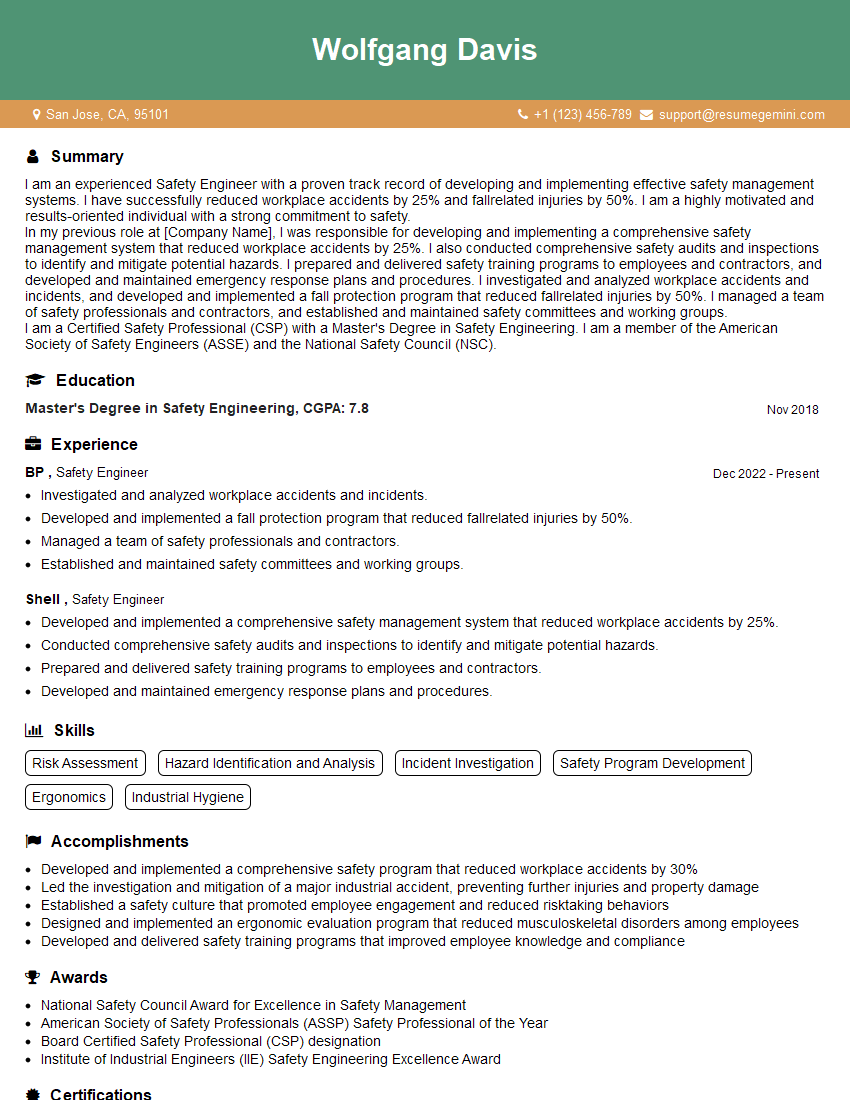
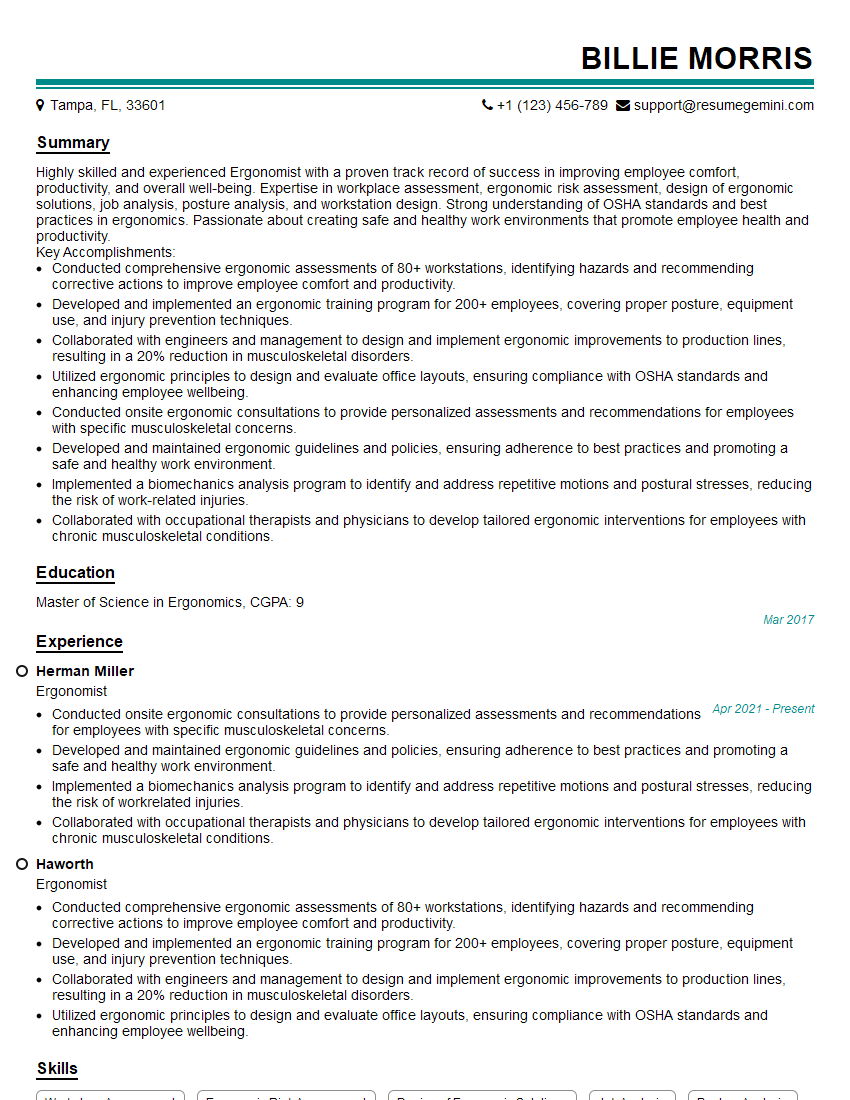
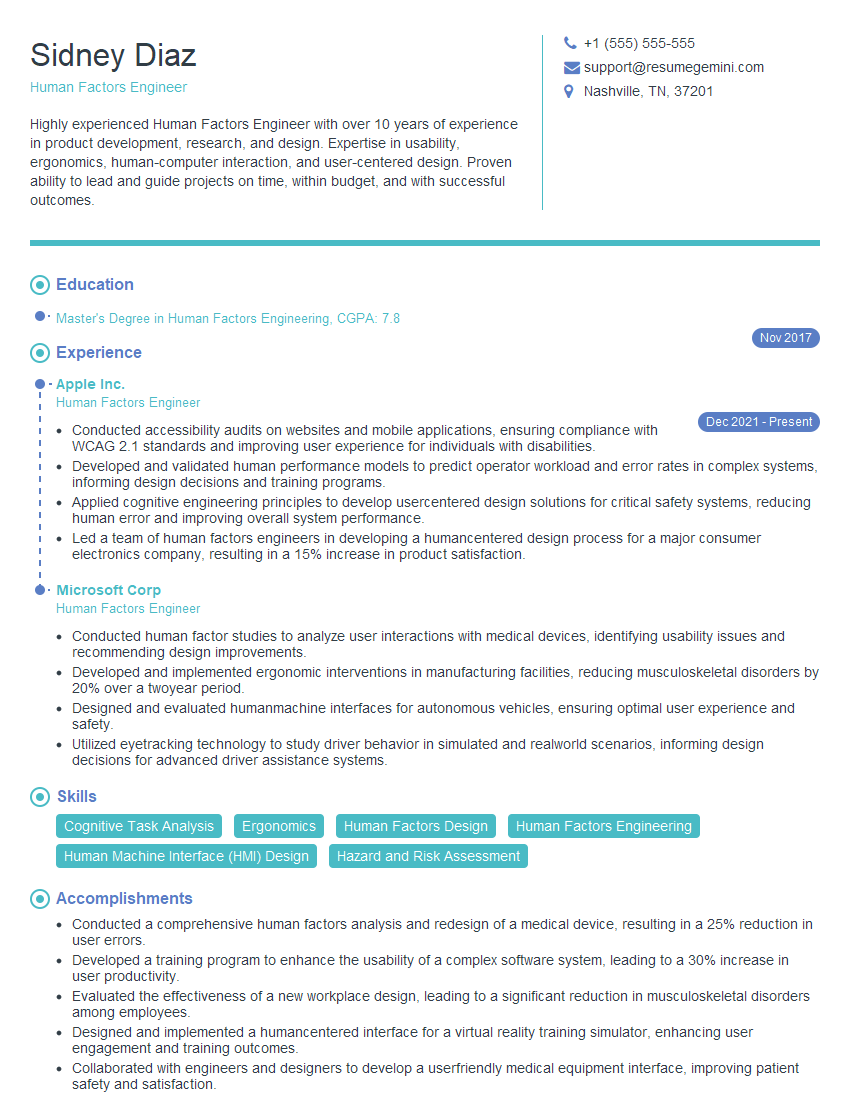
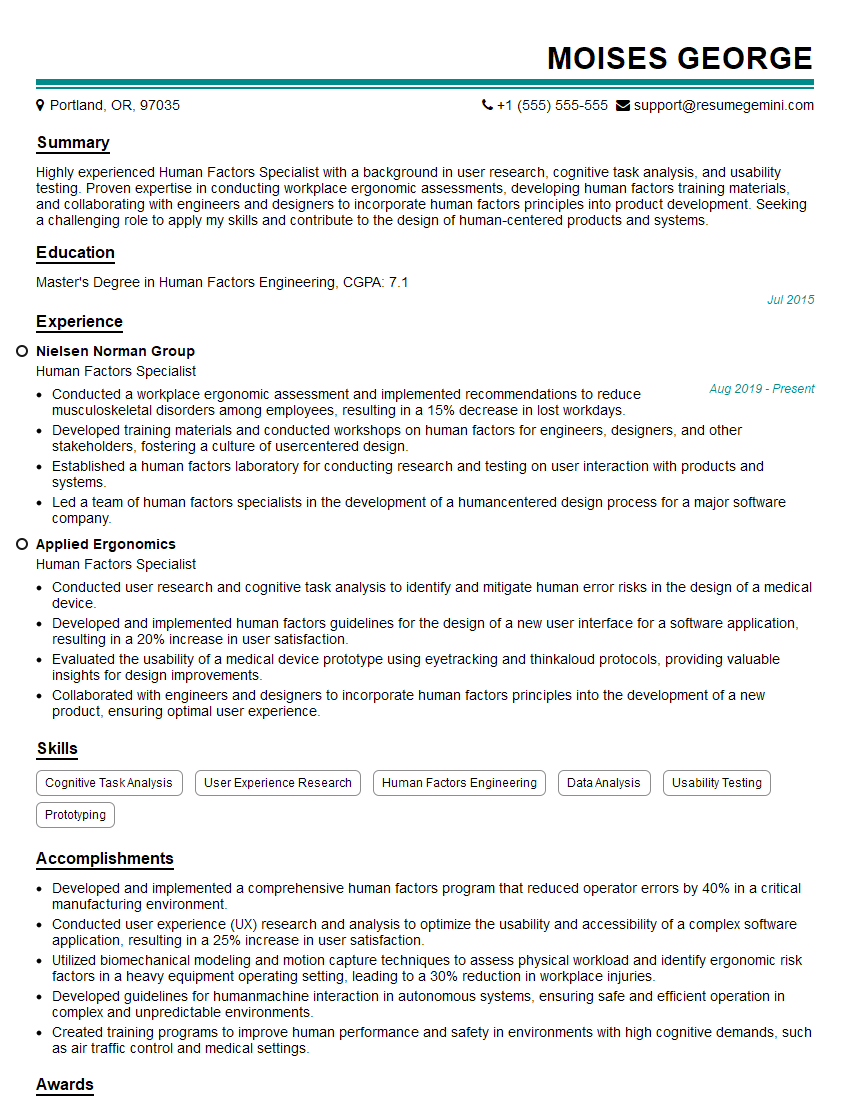
Mastering ergonomic posture is crucial for a successful career in many fields, showcasing your commitment to health, safety, and efficiency. A strong understanding of these principles demonstrates your practical skills and commitment to well-being, making you a valuable asset to any team. To maximize your job prospects, create an ATS-friendly resume that highlights your expertise. ResumeGemini is a trusted resource that can help you build a professional resume that gets noticed by recruiters. Examples of resumes tailored to Ergonomic Posture are available to guide you.

Explore more articles
Users Rating of Our Blogs
Share Your Experience
We value your feedback! Please rate our content and share your thoughts (optional).
What Readers Say About Our Blog
Very informative content, great job.
good