Cracking a skill-specific interview, like one for ETABS Ultimate, requires understanding the nuances of the role. In this blog, we present the questions you’re most likely to encounter, along with insights into how to answer them effectively. Let’s ensure you’re ready to make a strong impression.
Questions Asked in ETABS Ultimate Interview
Q 1. Explain the difference between static and dynamic analysis in ETABS.
ETABS offers both static and dynamic analysis methods to assess structural behavior under various loading conditions. Static analysis assumes loads are applied slowly and the structure’s response is in equilibrium at all times. Think of it like gently placing a heavy book on a table – the table reacts instantly and settles into a stable position. This method is suitable for structures subjected to predominantly static loads, such as dead and live loads from buildings. Dynamic analysis, however, considers time-varying loads and the structure’s inertial properties, mimicking the effects of sudden impacts or vibrations like earthquakes or wind gusts. It’s like dropping the book on the table – the table momentarily vibrates before settling. Dynamic analysis is crucial for structures in seismically active regions or those susceptible to wind-induced vibrations.
In ETABS, static analysis is simpler and faster but may underestimate effects for dynamic loading scenarios. Dynamic analysis provides a more accurate representation of structural behavior under dynamic loads but requires more computational resources and expertise.
Q 2. Describe the various load combinations used in ETABS.
Load combinations in ETABS define how different load cases (dead load, live load, wind load, seismic load, etc.) are combined to simulate realistic scenarios. These combinations are essential for determining the worst-case design loads on structural members. ETABS allows users to create custom load combinations following various building codes (like ASCE 7, IBC). Common combinations include:
1.4D(1.4 times Dead Load): Represents the effect of dead load alone.1.2D + 1.6L(1.2 times Dead Load + 1.6 times Live Load): Considers the combined effect of dead and live loads.1.2D + 1.6L + 0.5(Lr or S or R)(1.2 times Dead Load + 1.6 times Live Load + 0.5 times Roof Live Load or Snow Load or Rain Load): Accounts for various live load scenarios.1.2D + 1.0W + 1.0L + 0.5(Lr or S or R)(1.2 times Dead Load + 1.0 times Wind Load + 1.0 times Live Load + 0.5 times Roof Live Load or Snow Load or Rain Load): Covers combinations including wind load.- Seismic Load Combinations: These are more complex and depend on the seismic design code and the chosen analysis method. They generally involve combinations of dead load, live load, and seismic loads in different directions.
The specific load combinations used are determined by the applicable building code and the structural engineer’s judgment based on the project’s specifics.
Q 3. How do you model different types of supports in ETABS?
Modeling supports in ETABS is crucial for accurately simulating how a structure interacts with its foundation. ETABS offers various support types that constrain the structure’s movement in different directions. These are defined by assigning restraints to nodes in the model. For example:
- Fixed Support: Completely restrains movement in all six degrees of freedom (three translations and three rotations). Imagine a deeply embedded foundation.
- Pinned Support: Restricts translation in all three directions but allows rotation. Think of a hinge connection.
- Hinged Support: Similar to a pinned support, but may allow rotation only about a specified axis.
- Roller Support: Restricts translation in one direction but allows movement in the other two directions, and allows free rotation. Think of a roller on a track.
- Diaphragm Support: Used to model rigid floor diaphragms which resist in-plane forces but are flexible out-of-plane.
The selection of appropriate support conditions greatly affects the analysis results. Incorrect support modeling can lead to significant errors in stress and deflection calculations.
Q 4. What are the different types of elements available in ETABS?
ETABS provides a variety of structural elements to accurately model buildings. These include:
- Frames: These represent beams and columns, typically used for the main structural system.
- Shells: Represent thin, curved surfaces like walls or roofs.
- Walls: Used to model walls, which can be both structural and non-structural.
- Ties: Model tension-only members like bracing.
- Springs: Simulate connections with flexibility.
- Link Elements: Represent flexible connections.
- Solid Elements: Used for detailed modeling of complex geometries.
The choice of element type depends on the geometry, material properties, and the desired level of detail in the analysis.
Q 5. Explain the concept of model checking and verification in ETABS.
Model checking and verification in ETABS are crucial steps to ensure the accuracy and reliability of the structural analysis. Model checking involves a thorough review of the geometry, material properties, support conditions, loads, and other model parameters to identify any errors or inconsistencies. This includes verifying that the model accurately reflects the design intent. Common checks include verifying member connections, checking for gaps or overlaps in the geometry, and confirming that loads are correctly applied. Verification involves comparing the analysis results against expected values or using independent methods to validate the accuracy of the analysis. For example, you might compare ETABS results with hand calculations for simple cases or use a different software to verify critical results. This process minimizes errors and increases confidence in the analysis results, ensuring the structural integrity of the designed building.
Q 6. How do you define and apply seismic loads in ETABS?
Defining and applying seismic loads in ETABS involves several steps. First, you need to specify the seismic design code (e.g., IBC, ASCE 7) which dictates the required load parameters. You’ll define the building’s location to determine the appropriate ground motion characteristics. ETABS will then use this information to generate seismic loads based on various methods, including:
- Response Spectrum Analysis: This method uses a response spectrum that defines the maximum response of a single-degree-of-freedom system to ground motion. This is a common approach for many building types.
- Time History Analysis: This more sophisticated method uses recorded earthquake acceleration data to simulate the dynamic response of the structure. This approach is used for particularly complex structures or when high accuracy is critical.
Once the seismic loads are generated, ETABS applies these loads to the model in the appropriate directions (X, Y, and often Z) to perform the seismic analysis. The results provide information on displacements, stresses, and internal forces, helping engineers assess the structural performance under seismic events.
Q 7. What are the different types of analysis methods available in ETABS and when would you use each?
ETABS offers several analysis methods, each suitable for different situations. The choice of method depends on the complexity of the structure, the type of loading, and the desired accuracy:
- Linear Static Analysis: This is the simplest method, suitable for structures under predominantly static loads where the structure’s behavior is linear (i.e., displacements are proportional to loads). This is suitable for preliminary design or when computational resources are limited.
- Nonlinear Static Analysis (Pushover Analysis): Used to assess the building’s capacity to resist lateral loads (e.g., earthquakes) until collapse. This involves applying increasing lateral loads and observing the structure’s behavior. It helps evaluate the structure’s strength and ductility.
- Linear Dynamic Analysis (Response Spectrum, Time History): Used for structures subject to dynamic loads like earthquakes or wind. Response spectrum analysis is faster but assumes linear behavior, while time history analysis allows for nonlinear material behavior.
- Nonlinear Dynamic Analysis: This is the most computationally intensive method and considers nonlinear material behavior and large displacements, providing the most accurate results but requiring substantial computational power.
The selection of an appropriate analysis method is crucial and should consider several factors to balance accuracy and computational efficiency.
Q 8. Explain the concept of modal analysis in ETABS.
Modal analysis in ETABS is a linear dynamic analysis that determines the natural frequencies and mode shapes of a structure. Imagine a building swaying in the wind; modal analysis identifies the different ways it can naturally vibrate. Each way is a ‘mode shape’, characterized by its unique frequency. These frequencies are crucial for seismic design, wind load analysis, and assessing the structure’s dynamic response to various excitations.
It involves solving the eigenvalue problem, which mathematically represents the structure’s dynamic characteristics. The lower mode shapes typically represent the overall building sway, while higher modes involve more localized vibrations. The software calculates the frequencies (in Hertz or cycles per second) at which these modes occur and visualizes the corresponding mode shapes (deformed shapes of the structure).
Q 9. How do you interpret the results of a modal analysis in ETABS?
Interpreting modal analysis results involves examining the natural frequencies and mode shapes. High natural frequencies indicate a stiffer structure, less prone to significant vibrations. Low natural frequencies, however, could signify potential resonance issues if the structure’s excitation frequencies are close. This can lead to excessive movements and structural damage.
Mode shapes show how the structure deforms at each natural frequency. You look for areas of high displacement, which indicate potentially weak points or areas needing design modifications. For example, a significant mode shape might highlight a soft story, requiring strengthening measures. ETABS typically provides tables and graphical visualizations (animations are particularly helpful) to illustrate these results. You compare the calculated frequencies with building codes and design standards to ensure the building’s dynamic behavior is acceptable.
It is critical to consider not only the fundamental mode (the lowest frequency) but also the higher modes, as these can contribute significantly to the overall response, especially under dynamic loads like earthquakes. For instance, higher modes might represent localized vibrations in a particular part of a building, such as a cantilever beam or a tall slender element.
Q 10. Describe the process of generating design drawings from ETABS models.
Generating design drawings from ETABS models involves several steps. First, you need to ensure the ETABS model accurately reflects the design intent, including all geometrical, material, and loading properties. Once the analysis is complete and you’re satisfied with the results, you export the data necessary for drawing generation. This usually involves exporting member forces, support reactions, and displacements.
ETABS doesn’t directly produce architectural or detailed construction drawings; rather, it provides the necessary data that you then import into CAD software (such as AutoCAD or Revit). You can export data in various formats like DXF or CSV. Within the CAD software, you create the actual drawings using this data to show reinforcement details, section cuts, and other design elements. The exported data from ETABS, such as member forces and displacements, is then used to create detailed sections with reinforcement layouts, beam sizes, and column sizes.
Many firms use custom scripts or macros to automate some aspects of this data transfer. The level of detail in the final drawings depends on the specific project requirements and local codes. For example, detailing rebar requires careful attention to spacing, bending, and anchorage in accordance with relevant building codes.
Q 11. How do you handle non-linear behavior in ETABS?
ETABS handles non-linear behavior through various analysis options. Linear analysis assumes a structure’s stiffness remains constant under load. However, reality often deviates: materials may yield, cracking may occur, or geometric non-linearities (like P-Delta effects) may become significant. ETABS caters to this by offering non-linear static and dynamic analyses.
- Nonlinear Static Analysis: This considers material non-linearity (e.g., concrete cracking, steel yielding) and/or geometric non-linearity. It’s useful for analyzing structures under static loads where non-linear behavior could be significant, such as analyzing a building’s behavior under gravity loads in the presence of cracking of concrete.
- Nonlinear Dynamic Analysis: This accounts for both material and geometric non-linearities under dynamic loads (earthquakes, blasts). It’s more complex but necessary for critical structures.
The specific method used (e.g., iterative solution methods like Newton-Raphson) depends on the type of non-linearity. The user must define material models (e.g., concrete confined and unconfined concrete models) that reflect the true material behavior. Properly defining these material models and selecting appropriate analysis options is crucial for accurate results. One must carefully analyze the convergence behavior to make sure that the results are valid. A lack of convergence may indicate a need to refine modeling or the non-linear approach.
Q 12. Explain the concept of P-Delta analysis in ETABS.
P-Delta analysis in ETABS accounts for the effects of geometric non-linearity due to significant axial loads and lateral deflections. Imagine a tall, slender column under significant gravity load; the column deflects slightly. This deflection creates an additional moment, amplified by the axial load (P). This additional moment, referred to as the P-Delta effect, further increases the deflection, leading to a feedback loop. This can destabilize the structure.
P-Delta analysis is crucial for tall buildings or structures with significant axial loads. If neglected, it can lead to underestimation of displacements and stresses. ETABS incorporates this effect in its non-linear analysis options. When activated, the program iteratively considers the effect of the axial load (P) multiplying the lateral deflection (Delta) to refine the calculations and obtain the correct internal forces and deflected shape.
Consider a tall, slender high-rise building subjected to wind loads. If P-Delta analysis is not performed, the calculated displacements may be significantly underestimated, leading to an unsafe design. Neglecting P-Delta effect is dangerous for tall slender structures and can have significant implications on stability and safety.
Q 13. What are the different types of concrete models available in ETABS?
ETABS offers several concrete models, each with varying levels of complexity and sophistication. The choice depends on the level of accuracy needed and the computational resources available.
- Linear Elastic Model: The simplest model; it assumes a linear stress-strain relationship. Suitable only for preliminary analyses or when non-linear behavior isn’t expected to be significant.
- Nonlinear Concrete Model (with cracking, crushing, and confinement): This considers the non-linear behavior of concrete, including cracking, crushing, and the effect of confinement. It uses material models that capture the complex stress-strain relationships of concrete in tension and compression and considers the effects of confining pressure on the concrete behavior.
- Concrete Damaged Plasticity (CDP): A more advanced model that captures the effects of damage and plasticity in concrete. Suitable for complex scenarios involving cyclic loading or significant cracking.
Selecting the appropriate concrete model is crucial for accurate analysis. A simplistic model can provide misleading results if the structure exhibits significant non-linear behavior. Using appropriate constitutive models requires a good understanding of material behavior and concrete design.
Q 14. How do you account for the effects of creep and shrinkage in concrete using ETABS?
Creep and shrinkage in concrete are time-dependent phenomena. Creep refers to the gradual deformation of concrete under sustained load, while shrinkage is the reduction in volume due to moisture loss. These effects can significantly influence long-term structural performance, particularly in structures with high slenderness.
ETABS doesn’t directly model creep and shrinkage in its standard static analysis. You need to use a time-dependent analysis option, often combined with a non-linear analysis if you are accounting for other non-linear effects. You’ll typically define creep and shrinkage parameters based on material properties and environmental conditions. The software then iteratively accounts for the time-dependent effects throughout the analysis period. The effects are typically modeled using effective modulus of elasticity, and creep and shrinkage strains are calculated and applied incrementally during the analysis time steps.
Properly accounting for creep and shrinkage is crucial for long-term structural safety. Neglecting these effects can lead to inaccurate predictions of long-term deflections, stresses, and cracking patterns. It is often critical in post-tensioned structures.
Q 15. How do you model composite beams in ETABS?
Modeling composite beams in ETABS involves defining the concrete and steel sections separately and then combining them to represent the composite action. Think of it like making a layered cake – you have distinct layers (concrete and steel), but they work together as a single unit.
- Section Definition: First, define the concrete section and the steel section as individual elements within ETABS. Specify the dimensions and material properties (concrete compressive strength, steel yield strength, modulus of elasticity, etc.) for each.
- Composite Section Property: Next, create a new composite section property. Here, you’ll combine the concrete and steel sections, specifying the exact location and interaction between them. Crucially, you’ll define the connection mechanism – whether it’s fully composite (shear studs transferring shear forces between concrete and steel) or partially composite.
- Element Assignment: Finally, assign this composite section property to the beam elements in your model. ETABS will then accurately analyze the stresses and deflections within the composite beam, considering the combined behavior of concrete and steel.
Example: Imagine a composite beam with a 12” x 18” concrete slab and two #8 steel reinforcing bars. You’d first create a concrete rectangular section and a steel section representing the rebar. Then, in the composite section definition, you’d position the steel within the concrete section, specifying the effective width of the concrete slab contributing to the composite action and ensuring you’ve correctly input the shear connection parameters, if any.
Career Expert Tips:
- Ace those interviews! Prepare effectively by reviewing the Top 50 Most Common Interview Questions on ResumeGemini.
- Navigate your job search with confidence! Explore a wide range of Career Tips on ResumeGemini. Learn about common challenges and recommendations to overcome them.
- Craft the perfect resume! Master the Art of Resume Writing with ResumeGemini’s guide. Showcase your unique qualifications and achievements effectively.
- Don’t miss out on holiday savings! Build your dream resume with ResumeGemini’s ATS optimized templates.
Q 16. Describe the process of defining and applying bracing elements in ETABS.
Bracing elements in ETABS, like diagonal rods or shear walls, are crucial for providing lateral stability to a structure. They resist lateral forces from wind or earthquakes. Think of them as the ‘skeleton’ that prevents the structure from collapsing.
- Define Frame Elements: Create the bracing elements as frame elements in ETABS. This requires specifying the element type (e.g., a rod or a beam), material properties (e.g., steel), and cross-sectional dimensions. You might model diagonal bracing members as simple truss elements.
- Assign Section Properties: Select appropriate section properties for your bracing elements based on your design requirements and available materials. For steel bracing, you would assign appropriate steel sections; for shear walls, you would define wall sections.
- Connect to Structure: Connect the bracing elements to the existing structural elements (beams, columns) at the appropriate nodes in your model. Ensuring proper connection is vital for accurate load transfer. A poorly-modeled connection will undermine the analysis.
- Releases (Optional): You can define releases at the connections of the bracing element to model pinned or hinged connections if needed. This might be appropriate for a specific bracing configuration but generally bracing members should be rigidly connected.
Example: In a tall building design, you’d model diagonal steel bracing elements connecting between columns at various levels. These braces resist lateral wind loads and contribute significantly to the building’s overall stiffness. Each brace would be defined as a frame element with its own section properties, material properties, and precise connections to the columns.
Q 17. How do you perform a pushover analysis in ETABS?
A pushover analysis simulates the incremental application of lateral loads to a structure until collapse. It’s like gently pushing on a building until you see how it behaves and where it fails. This helps assess the building’s structural strength and ductility.
- Define Load Pattern: Create a static load pattern representing the lateral loads in the desired direction (e.g., along the X-axis). You may use a load pattern that mimics seismic loading scenarios.
- Specify Pushover Settings: Access the pushover analysis settings within ETABS, selecting the appropriate load pattern and defining the target displacement or drift limit for the analysis.
- Run the Analysis: ETABS will perform the pushover analysis, incrementally increasing the lateral loads and calculating the resulting displacements and internal forces in the structure until the defined criteria are met (e.g., a specific target drift or collapse).
- Review Results: Review the pushover curve (displacement vs. base shear), capacity curve, and the distribution of internal forces and deformations throughout the structure to identify potential weak points or collapse mechanisms. This is where you’ll visualize the building’s response and critical failure points.
Example: A pushover analysis can reveal which columns or beams are most likely to fail first during a seismic event, allowing you to reinforce those specific components to improve the building’s overall seismic resilience.
Q 18. How do you define and apply soil-structure interaction in ETABS?
Soil-structure interaction (SSI) accounts for the influence of the soil on the structural response. It acknowledges that the ground isn’t infinitely rigid and that the soil’s stiffness and damping properties affect the structure’s behavior. It’s like acknowledging the ground under your building isn’t fixed bedrock but can move too.
- Define Soil Properties: Determine the soil’s engineering properties, such as its stiffness (modulus of elasticity), damping, and density. This usually requires geotechnical investigation.
- Specify Spring Elements: Model the soil’s influence using spring elements in ETABS. These springs represent the stiffness of the soil in the horizontal, vertical, and rotational directions, which connect the base of the structure to the ground. A spring represents the soil’s response to displacement.
- Input Spring Stiffness: Calculate the stiffness values for the springs based on the soil properties and the foundation type. Several methods exist for this, including Winkler foundation models or more sophisticated techniques. You might use a simplified spring model for a preliminary assessment or a more complex model based on soil analysis.
- Run Analysis: Perform a structural analysis considering the SSI effects. ETABS will now consider the interaction between the structure and the soil, which provides more realistic results.
Example: A tall building on soft soil will experience significant SSI effects. Ignoring SSI in the analysis could lead to significantly underestimating the structural response during earthquakes.
Q 19. How do you check for code compliance in ETABS?
ETABS offers code checks for various international and regional building codes. This ensures your design adheres to relevant regulations and safety standards. It’s like having an automated ‘checklist’ for your design.
- Select Code: Choose the appropriate design code in ETABS. This might include ACI, AISC, Eurocode, and many more. The code dictates the limit states used in the code check.
- Run Code Checks: After completing the structural analysis, run the built-in code checks within ETABS. The software will automatically compare the calculated stresses, deflections, and other parameters with the code provisions.
- Review Results: Carefully review the code check results to identify any violations. The software will typically highlight which elements or members don’t meet code requirements. Note that many violations require engineering judgment.
- Iterative Design: Revise your design based on the code check results, modifying section properties or member sizes as needed to achieve compliance. This may involve multiple iterations.
Example: ETABS will check if concrete beams satisfy the ACI 318 requirements for flexural strength and shear capacity. It will also check steel beams against AISC provisions. If violations exist, these need to be addressed in the design before approval.
Q 20. Explain the importance of meshing in ETABS and how it can affect accuracy.
Meshing in ETABS refers to the process of dividing shell elements into smaller sub-elements. This is particularly important for shell elements such as walls or slabs. Finer meshing generally leads to improved accuracy, while coarser meshing simplifies the computational load and can cause inaccuracies.
- Accuracy vs. Computational Cost: A finer mesh (more elements) provides more accurate results, particularly when dealing with complex geometry or stress concentrations. However, it significantly increases the computational time and file size. A coarser mesh is computationally less expensive, but its accuracy might be compromised, especially near stress concentrations or discontinuities.
- Mesh Refinement: Use mesh refinement strategically. Focus on areas where higher accuracy is needed, like areas with discontinuities, complex geometry, or expected stress concentrations. It’s not always necessary to have uniformly fine meshing throughout the entire structure.
- Shell Element Types: The choice of shell element types also affects accuracy. Some elements are more suitable for certain types of analyses than others, based on their assumptions about displacement patterns and stress distribution. ETABS offers a range of shell element options.
Example: In a complex curved shell structure, using a very coarse mesh might lead to inaccurate stress predictions, possibly underestimating actual stresses near the curves. Refining the mesh in these critical areas will provide a more accurate stress analysis.
Q 21. How do you use ETABS to design for wind loads?
Designing for wind loads in ETABS requires defining wind pressures on the structure based on various parameters and then applying these pressures as loads within the software. This process ensures that the structure can withstand the forces exerted by the wind.
- Wind Pressure Calculation: Determine the design wind pressures based on the location, building height, and other factors using appropriate wind load standards (like ASCE 7). You may employ tools outside of ETABS to determine these pressures based on site-specific considerations such as topography, terrain roughness, and proximity to other buildings.
- Define Wind Loads in ETABS: Input the calculated wind pressures as loads in ETABS. You can apply these either as a uniform pressure on surfaces or as point loads at nodes. Often, this involves applying the pressure in a specific load case or pattern.
- Apply Load Cases: Create appropriate load cases to represent different wind directions and their associated pressures. Wind from different directions will cause different stress distributions in the structure.
- Run Analysis and Review: Run the structural analysis considering the wind loads. Review the results to check for compliance with applicable codes and identify critical areas in the structural design.
Example: A tall building is subjected to significant wind loads. ETABS would be used to calculate and apply wind pressures on the building’s exterior surfaces from various directions (windward, leeward, etc.), considering factors such as the wind speed, building height, and the structure’s aerodynamic characteristics.
Q 22. What are the different options for defining material properties in ETABS?
Defining material properties in ETABS is crucial for accurate structural analysis and design. ETABS offers several ways to accomplish this, catering to different levels of detail and project requirements. You can define materials using either built-in libraries or by specifying custom properties.
Built-in Libraries: ETABS provides a comprehensive library of pre-defined materials with standard properties for common materials like concrete, steel, and aluminum. Selecting from these libraries is quick and convenient for typical projects. You simply select the material type and the program automatically assigns the corresponding properties, such as modulus of elasticity, Poisson’s ratio, and density. For instance, selecting ‘Concrete’ will prompt you to specify the compressive strength, which ETABS then uses to determine other properties based on empirical relationships.
Custom Material Definition: For more precise control or materials not found in the library (e.g., a specific type of composite material), you can define custom materials. This involves manually inputting all relevant material properties. This requires a good understanding of material behavior and access to relevant test data. For example, you would input the Modulus of Elasticity, Poisson’s Ratio, Shear Modulus, and potentially even stress-strain curves for non-linear analysis.
Material Models: ETABS supports various material models, ranging from linear elastic to nonlinear models (like concrete damaged plasticity). The choice depends on the complexity of the analysis. A linear elastic model is suitable for simple structures under small deformations. Nonlinear models are necessary for analyzing structures under large deformations or those with complex material behavior, providing greater accuracy at the cost of increased computation time.
The accuracy of your analysis heavily depends on the correct definition of material properties. Inaccurate material properties can lead to significant errors in design and potentially unsafe structures. Always double-check your material definitions and consult relevant standards and codes.
Q 23. Describe the process of creating a design code check in ETABS.
Creating a design code check in ETABS is a multi-step process that ensures your design complies with relevant building codes. The process begins with selecting the appropriate code (e.g., ACI 318, IBC). ETABS then uses this code to perform design checks based on the defined material properties, load combinations, and member properties. This process isn’t automatic; it requires careful model setup and understanding of the code’s requirements.
Select Design Code: In the ETABS interface, navigate to the ‘Code Setup’ section. Choose the relevant design code and specify the relevant version. This will load the necessary design provisions for the analysis.
Define Load Combinations: Properly defining load combinations is critical as they directly influence the design checks. ETABS allows you to create load combinations based on the requirements of your selected design code. For example, you might create combinations that address dead load, live load, wind load, and seismic load, depending on your location and project specifics.
Run Analysis: After defining the design code and load combinations, you run the analysis. This generates internal forces and moments in the structural elements.
Perform Design Checks: Once the analysis is complete, you can initiate design checks. ETABS will automatically compare the calculated internal forces against the capacity determined by the design code and the defined material properties. The results will clearly indicate which elements meet or don’t meet the code requirements. Review these results carefully, paying special attention to elements that fail the checks. You can further examine the results by looking at design reports that show details of stresses, moments, and other forces.
Iterative Design: Often, the initial design might not satisfy all code requirements. This requires iterative changes to the model—modifying member sizes, adding bracing, or adjusting the material properties—and repeating the analysis and design checks until all elements meet the design code requirements.
Careful attention to detail during each step is essential for accurate and reliable design checks. Misinterpreting or neglecting any step can lead to an unsafe design. Always review the output carefully and consult the design code to understand the results.
Q 24. How do you export data from ETABS to other software?
ETABS offers a variety of options for exporting data to other software applications. This interoperability is crucial for collaboration and specialized analysis tasks. Common export formats include:
Text Files (.txt, .csv): Useful for exporting basic data like member forces, displacements, and nodal coordinates. This is suitable for data that needs to be imported into spreadsheets or other applications for custom processing or visualization. I often use this for quick checks or to share limited data with team members.
DXF/DWG: These formats are especially valuable for exporting geometry to CAD software. This enables coordination between structural and architectural design teams, ensuring compatibility between models.
SDNF (SAP2000 Data Neutral Format): This format provides a common interchange for data between ETABS and other structural analysis programs developed by Computers and Structures, Inc. (CSI). It’s helpful when collaborating with teams using different CSI software.
Other Specialized Formats: ETABS supports exporting data in other formats, depending on the needs of the receiving software. These formats are often tailored for use in finite element analysis programs or specialized post-processing tools.
The choice of export format depends on the receiving software and the type of data needed. Always ensure the exported data is properly interpreted and utilized by the receiving application.
Q 25. Explain the importance of proper model documentation in ETABS.
Proper model documentation in ETABS is essential for several reasons. It ensures clarity, traceability, and maintainability of the model, which is critical for long-term project success and collaboration within a team.
Clarity and Understanding: A well-documented model allows anyone reviewing the model (including yourself in the future) to quickly understand the design assumptions, load cases, and analysis parameters. This is particularly important for complex projects and when multiple engineers are involved.
Traceability: Comprehensive documentation enables tracking changes made to the model over time. This is crucial for identifying sources of error or discrepancies in the analysis. Think of it like a record of the project’s development, allowing for audits and identification of decisions made during the design process.
Collaboration and Communication: Documentation aids team collaboration. Clearly labeled elements, load cases, and analysis parameters prevent misunderstandings and ensure that everyone is working from the same baseline. This minimizes errors and streamlines the review process.
Maintainability: Well-documented models are much easier to maintain and update. Clear descriptions of design choices make future modifications or troubleshooting far simpler.
Legal and Regulatory Compliance: Comprehensive documentation often forms part of the project record, supporting compliance with industry standards and regulations. It can be crucial in case of future disputes or investigations.
Effective documentation includes detailed descriptions of the model, assumptions, materials used, load cases, analysis parameters, and a thorough review of the design checks. Remember that a well-documented model saves time and prevents costly errors in the long run.
Q 26. Describe your experience working with ETABS in a team environment.
I have extensive experience working with ETABS in team environments, leveraging the software’s collaborative features to ensure efficient and effective project delivery. In one project involving the design of a large-scale commercial building, our team of five engineers used ETABS collaboratively. We established a clear workflow, utilizing the program’s version control features and cloud-based storage (where applicable) to prevent overwriting and ensure everyone worked on the most current model.
We held regular meetings to discuss the model’s progress, and individual team members focused on specific aspects of the model, such as geometry creation, load definition, and material property input. This division of tasks maximized efficiency while allowing each engineer to leverage their unique expertise. We used established naming conventions and comment sections within the model to maintain clarity and track changes. This systematic approach minimized conflicts and ensured everyone could easily understand the model’s development. Regular quality control checks were implemented throughout the process. A well-defined communication protocol, combined with the clear structure within ETABS, enabled us to deliver a structurally sound and efficiently designed building.
Q 27. How would you handle a situation where the ETABS model is not converging?
A non-converging ETABS model indicates a problem within the model that prevents the solver from finding a solution. This can stem from several sources, and troubleshooting requires a systematic approach:
Review Geometry: The most common cause is errors in the geometry, such as gaps, overlaps, or poorly connected elements. Carefully review the model for such inconsistencies using the ETABS visualization tools. Look for any unusual element shapes or connections that might be causing problems.
Check Supports: Ensure that the model has adequate and correctly defined supports. Incorrect support conditions can lead to instability and prevent convergence. Verify that the support types and restraints are properly assigned.
Examine Loads: Incorrectly defined loads or excessively large load magnitudes can also cause convergence issues. Review the load cases and combinations to ensure their accuracy and reasonableness. Try reducing the load magnitudes temporarily to see if convergence improves. This can help isolate the problem.
Material Properties: Incorrect or unrealistic material properties can sometimes cause convergence problems. Re-examine the material definitions and ensure they are realistic and consistent with the project specifications.
Mesh Refinement: In some cases, a coarse mesh can lead to convergence issues. Try refining the mesh in critical areas of the model, especially around areas with complex geometry or high stress concentrations.
Analysis Options: Check the analysis settings, especially the number of iterations and convergence tolerances. Modifying these parameters might help achieve convergence, but this shouldn’t be the first course of action as it can sometimes mask underlying problems.
Simplification: In particularly stubborn cases, consider simplifying the model by removing less critical elements or sections to isolate the source of the problem. Once the issue is identified, you can then gradually reintroduce the removed elements.
Debugging a non-converging model often requires a methodical approach and a good understanding of the structural behavior of the modeled system. Remember, fixing the underlying issue, not just forcing convergence, is crucial for a reliable and accurate analysis.
Q 28. Have you used ETABS for any specific code (e.g., ACI, IBC)? Describe your experience.
Yes, I have extensive experience utilizing ETABS with various design codes, most notably ACI 318 (American Concrete Institute) and IBC (International Building Code). My experience spans multiple projects ranging from small residential structures to large-scale commercial and industrial buildings.
ACI 318 Experience: I’ve frequently used ACI 318 for reinforced concrete design. This involves defining concrete and steel material properties accurately, based on specified compressive strength and yield strength, respectively. ETABS integrates seamlessly with the code requirements, enabling automated checks for strength, shear, and deflection, among other aspects. I’ve extensively used the code’s provisions for moment redistribution and the design of columns, beams, and slabs, reviewing and addressing any code violations identified by ETABS.
IBC Experience: When using the IBC, the process involves defining load combinations based on its provisions. The IBC doesn’t offer detailed design procedures like ACI 318; rather, it dictates minimum requirements, including those for seismic design. The design itself often involves complying with other relevant codes, such as ASCE 7 (for seismic loads) and those referencing specific material standards. Therefore, employing the IBC within ETABS requires a deeper understanding of the relevant code sections and their interaction with the structural analysis and design aspects within ETABS.
In both cases, thorough understanding of the design code’s requirements and appropriate interpretation of the results generated by ETABS are crucial. It’s essential to verify the automated checks and manually review critical aspects for accuracy, as the software simply performs checks based on what it’s given—it doesn’t replace engineering judgment.
Key Topics to Learn for Your ETABS Ultimate Interview
- Model Creation and Geometry Definition: Understanding how to effectively input building geometry, including defining levels, grids, and assigning material properties. This is fundamental to any ETABS analysis.
- Material Properties and Section Definition: Accurately defining material properties (concrete, steel, etc.) and cross-sections is crucial for realistic analysis results. Practice defining various section types and their properties.
- Load Generation and Application: Mastering the application of various load types (dead loads, live loads, wind loads, seismic loads) according to building codes and design standards is essential. Practice different load combinations.
- Analysis Methods and Procedures: Familiarize yourself with different analysis types (linear static, nonlinear static, modal, time-history) and understand when to apply each method. Understand the underlying theory behind each.
- Design Codes and Standards: Demonstrate your understanding of relevant building codes (e.g., ASCE 7, IBC) and how they influence the ETABS analysis and design process. Show you can interpret code requirements within the software.
- Result Interpretation and Design Checks: Learn to interpret ETABS output, including displacements, stresses, forces, and understand how these results inform design decisions. Practice checking your designs against code requirements.
- Advanced Features (Optional): Depending on the seniority of the role, familiarity with advanced features like pushover analysis, spectral analysis, or nonlinear analysis could be beneficial. Explore these based on the specific job description.
Next Steps
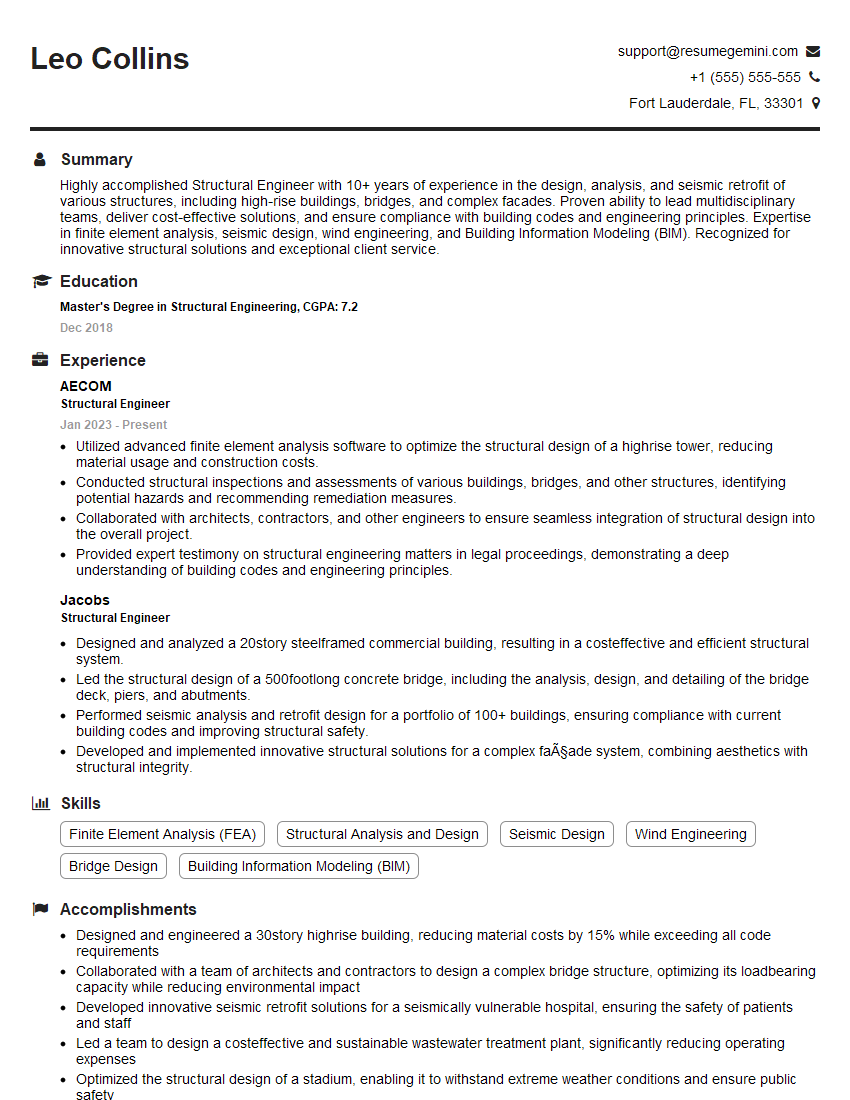
Mastering ETABS Ultimate is a significant asset for any structural engineer, opening doors to exciting career opportunities and challenging projects. To maximize your job prospects, invest time in crafting a professional and ATS-friendly resume that highlights your skills and experience. ResumeGemini is a trusted resource to help you build a compelling resume that stands out from the competition. Examples of resumes tailored to ETABS Ultimate expertise are available, further enhancing your application materials.
Explore more articles
Users Rating of Our Blogs
Share Your Experience
We value your feedback! Please rate our content and share your thoughts (optional).
What Readers Say About Our Blog
Very informative content, great job.
good