Interviews are more than just a Q&A session—they’re a chance to prove your worth. This blog dives into essential Excellent Knowledge of press mechanics interview questions and expert tips to help you align your answers with what hiring managers are looking for. Start preparing to shine!
Questions Asked in Excellent Knowledge of press mechanics Interview
Q 1. Explain the different types of printing presses.
Printing presses come in a variety of types, each suited to different printing needs and volumes. They’re broadly categorized by their printing method. Let’s explore some key examples:
- Letterpress: This venerable method uses raised type or plates to transfer ink to the substrate (paper, fabric, etc.). Think of it like a giant rubber stamp. It creates a beautifully tactile impression, prized for its unique texture and longevity. Historically dominant, it’s now often used for specialty applications like fine art prints or embossed stationery.
- Offset Lithography: This is the workhorse of modern commercial printing. It uses a flat printing plate with ink-receptive and ink-repellent areas, transferring the image indirectly to a rubber blanket, and then to the substrate. This indirect transfer allows for high-quality printing on a wide range of materials and produces incredibly sharp images with fine detail, ideal for magazines, books, and brochures.
- Flexography: This uses flexible photopolymer plates and liquid inks, excellent for printing on flexible substrates like plastic films, paper bags, and corrugated cardboard. It’s often used for high-speed, high-volume printing of packaging and labels. The inks are typically water-based, making it an environmentally friendly option.
- Screen Printing: A stencil-based process where ink is pushed through a mesh screen onto the substrate. This is ideal for printing on unusual surfaces like T-shirts, mugs, and promotional merchandise. It offers bold, vibrant colors and can handle thick layers of ink.
- Gravure: A rotary printing process that uses etched cylinders to hold ink. It’s known for its ability to produce high-quality images with exceptional detail and consistency across large print runs. Commonly used for high-volume packaging, magazines and newspapers.
The choice of press depends on the print job’s requirements, such as print quality, material, quantity, budget and turnaround time.
Q 2. Describe the process of setting up a printing press for a specific job.
Setting up a printing press for a specific job is a meticulous process that involves several key steps. First, we need to thoroughly review the job specifications – the number of colors, the type of paper, the desired print quality and the run length.
Next, we prepare the printing plates. This might involve creating new plates from digital files or using pre-existing plates. The plates are then carefully mounted onto the press cylinders, ensuring accurate registration (alignment of colors).
The ink system is then configured using the correct inks, adjusting the ink viscosity and metering to achieve the desired color density and consistency. The paper stock is carefully loaded, ensuring proper alignment and feed.
A test run, or ‘proof’, is crucial to check color accuracy, registration, and overall print quality before proceeding with the full print run. Any necessary adjustments to ink density, pressure, or registration are made during the proofing phase. This ensures the final product meets the client’s specifications.
Finally, regular monitoring during the print run is vital to maintaining consistency and identifying any potential problems before they significantly impact the job.
Q 3. How do you troubleshoot common printing press malfunctions?
Troubleshooting printing press malfunctions requires systematic investigation. We start by identifying the problem – is it a color issue, a registration problem, a mechanical issue, or a paper-feeding problem?
Examples: A common problem is misregistration (colors not aligning correctly). This could be due to faulty plate mounting, improper cylinder adjustment, or worn rollers. We carefully inspect these components and make adjustments as needed.
Ink problems, such as uneven color density or mottling, could stem from incorrect ink viscosity, insufficient ink flow, or problems with the ink fountain. We would check ink levels, clean the rollers, and adjust the ink fountain settings accordingly.
Mechanical problems, such as paper jams, might indicate issues with the paper feed system, grippers, or rollers. This calls for examining the paper path, checking for obstructions, and adjusting or replacing faulty parts.
A methodical approach involves observing the problem, isolating the potential causes, checking common points of failure, and systematically eliminating possibilities until the root cause is found and corrected. Thorough documentation of each step is vital for future reference and for minimizing downtime.
Q 4. What safety procedures must be followed when operating a printing press?
Safety is paramount when operating a printing press. Strict adherence to safety procedures is non-negotiable. This starts with proper training and understanding of the machine’s operating procedures.
Personal Protective Equipment (PPE) is crucial. This includes safety glasses, hearing protection, and appropriate clothing that won’t get caught in moving parts.
Lockout/Tagout procedures must be meticulously followed before any maintenance or repair work is done to prevent accidental starting of the machine.
Machine guarding should always be in place and operational. Regular inspections of the guards are needed to ensure they are functioning correctly.
Emergency stops should be clearly visible and accessible. All operators should know their location and how to use them.
Proper handling of inks and chemicals is critical, with appropriate ventilation and protective measures in place.
Finally, maintaining a clean and organized workspace contributes to safety by minimizing trip hazards and the risk of accidents.
Q 5. Explain the importance of preventative maintenance on printing presses.
Preventative maintenance is not just cost-effective; it’s essential for ensuring the longevity, efficiency, and safety of a printing press. Regular maintenance prevents costly breakdowns and ensures consistent print quality.
A proactive maintenance schedule includes regular cleaning, lubrication, and inspection of all components. This includes rollers, cylinders, gears, and the entire ink and paper feed system.
Regular checks of critical wear parts (like rollers and blankets) allow for timely replacements, preventing costly downtime and maintaining consistent print quality.
Proper lubrication reduces friction, preventing premature wear and tear and extending the lifespan of the equipment. A well-maintained press reduces waste and increases production efficiency. It’s a crucial aspect of operational excellence in the printing industry and ultimately improves the bottom line.
Q 6. How do you identify and correct misregistration on a printing press?
Misregistration, the misalignment of colors in a multi-color print job, is a common problem. Identifying its cause requires careful observation and systematic troubleshooting.
Visual inspection is the first step. We carefully examine the printed sheets to determine the extent and pattern of misregistration. Is it consistent across the entire sheet or localized? Does it affect all colors equally or just some?
Possible causes include incorrect plate mounting, improper cylinder adjustment, worn rollers, or issues with the paper feed mechanism. We might find that a specific color is consistently off, indicating a problem with that particular plate or its mounting.
Corrective actions would involve making fine adjustments to the cylinder positioning. This often involves precise measurements using specialized tools and micrometers. Worn rollers or plates might need replacing. We may also have to re-check the paper feed to ensure consistent paper movement.
Proper registration is crucial for a professional print job, and correcting misregistration often requires a combination of technical skill, precision, and patience.
Q 7. Describe your experience with different types of inks and their application.
My experience encompasses a wide range of inks, each with its own properties and applications.
- Offset inks are specifically formulated for offset lithography. They are typically oil-based and require precise viscosity control for optimal transfer and color fidelity. I have experience with both conventional and UV-cured offset inks, the latter offering faster drying times and improved scratch resistance.
- Water-based inks are increasingly popular due to their environmental friendliness. They are commonly used in flexographic printing, ideal for food packaging and other applications where direct food contact is a concern. However, they can sometimes require adjustments for drying and adhesion depending on the substrate.
- UV-curable inks are high-performance inks that cure instantly upon exposure to ultraviolet light. They offer exceptional durability, fast drying times, and vibrant colors. I’ve worked extensively with these inks in high-speed applications, such as label printing and packaging.
- Screen printing inks are highly versatile and come in various viscosities and formulations to suit different substrates and printing techniques. From plastisol inks for durable prints on textiles to water-based inks for more eco-conscious applications, I’ve adapted my approach to various ink types to achieve high-quality screen printed outputs.
Ink selection is critical; it dictates not only the print quality but also the environmental impact, cost-effectiveness, and overall suitability for the specific application.
Q 8. How do you maintain consistent color accuracy throughout a printing run?
Maintaining consistent color accuracy throughout a printing run is crucial for delivering high-quality results. It’s a multi-faceted process involving careful color management from pre-press to the final printed sheet. Think of it like baking a cake – you need precise measurements and consistent oven temperature to get the desired outcome.
Color Calibration: Regular calibration of the press’s color sensors and spectrophotometer is essential. These instruments measure the actual color output and compare it to the desired color profile (e.g., CMYK).
Ink Consistency: Maintaining consistent ink viscosity (thickness) is critical. Changes in temperature or humidity can affect ink flow, leading to color variations. We regularly monitor ink viscosity using specialized tools and adjust as needed.
Paper Consistency: Paper stock variations (even within the same batch) can influence color absorption. Using a consistent paper source and ensuring proper paper handling minimizes this variability.
Press Settings: Optimizing press settings, such as ink density, dampening solution levels, and impression pressure, is key to achieving consistent color throughout the run. We use color bars and test prints throughout the run to continuously monitor and adjust these settings.
Proofing: Careful color proofing before the print run helps predict and mitigate potential color inconsistencies. We often use soft proofs (digital) and hard proofs (printed samples) to ensure accuracy.
Q 9. What are the common causes of paper jams and how do you resolve them?
Paper jams are a common nuisance in printing, often stemming from issues with paper handling, press settings, or the paper itself. Imagine trying to feed a stack of slightly crumpled cards through a narrow slot – it’s bound to jam!
Common Causes:
- Paper Misfeeds: Incorrect paper registration (alignment), warped or damaged paper, or insufficient paper suction can cause misfeeds.
- Paper Curl or Static: Curly or static-charged paper can cause sheets to stick together or cling to rollers.
- Obstructions: Foreign objects (dust, debris) in the paper path can block the flow of paper.
- Incorrect Press Settings: Improperly set feed rollers, grippers, or separation rollers can contribute to jams.
Troubleshooting:
- Identify the Jam Location: Locate where the jam occurred to pinpoint the cause. Check rollers, sensors, and paper path components.
- Clear the Jam Carefully: Gently remove the jammed sheets, ensuring not to damage the paper path or components.
- Check Paper Condition: Examine the paper for any defects (curl, wrinkles, damage). If damaged, replace the stock.
- Inspect Rollers: Examine rollers for wear, damage, or debris. Clean or replace as needed.
- Adjust Press Settings: Adjust the relevant settings, such as feed roller pressure, separation roller gaps, or paper suction.
Q 10. Explain the function of various press components (e.g., dampening system, inking system).
The printing press is a complex machine with many interconnected components. Think of it as a sophisticated assembly line, where each part plays a vital role in producing a high-quality print.
Inking System: This system delivers the ink to the printing plate. It involves ink fountains, rollers (form rollers, distribution rollers, metering rollers), and ductor rollers. These rollers transfer ink evenly to the plate, controlling ink viscosity and distribution across the plate surface. It’s like meticulously brushing paint onto a canvas, ensuring even coverage.
Dampening System: In offset lithography, this system applies a dampening solution (usually water) to the non-image areas of the printing plate. This keeps non-image areas from accepting ink, preventing smudging and ensuring sharp image reproduction. It acts as a crucial barrier, preventing unwanted ink spread.
Impression Cylinder: This transfers the image from the printing plate to the paper. It exerts the correct pressure to ensure a crisp, clear impression. This step is like pressing a stamp onto paper to create a clear imprint.
Blanket Cylinder: This rubber-covered cylinder acts as an intermediary between the printing plate and the paper. It receives the ink from the plate and transfers it to the paper, avoiding direct contact between plate and paper. This crucial step protects the printing plate and ensures even ink transfer.
Paper Feed System: This system accurately feeds sheets of paper into the press, ensuring proper registration and alignment for consistent printing. This is akin to a precise conveyor belt carefully positioning each item for processing.
Q 11. Describe your experience with different types of printing plates.
I have extensive experience with various printing plates, each with its own properties and applications. Choosing the right plate is like selecting the right tool for a specific job.
Conventional Plates: These are typically aluminum plates coated with a photosensitive layer. They’re widely used for their cost-effectiveness and versatility. We often use them for high-volume commercial printing.
CTP (Computer-to-Plate) Plates: These plates are imaged directly from a computer, eliminating the need for film. They offer greater precision, faster turnaround times, and improved efficiency. We use these plates when speed and accuracy are paramount.
Thermal Plates: These plates are imaged using heat, offering a more environmentally friendly option compared to chemical processing. They are excellent for shorter runs and provide quick turnaround times. Perfect for a quick print job with specific needs.
UV Plates: These plates use ultraviolet light for imaging and are durable and resistant to scratching and abrasion. This is an ideal plate for applications requiring high-quality and long-lasting prints.
My experience encompasses handling, processing, and troubleshooting issues related to each plate type to ensure optimal print quality.
Q 12. How do you perform a pre-press inspection?
A thorough pre-press inspection is crucial to prevent errors and ensure a smooth printing process. It’s like performing a quality check on all ingredients before starting to bake. Overlooking this step can lead to costly mistakes.
Image Inspection: Checking the digital files for resolution, color accuracy, and proper image placement. We use specialized software to analyze the files thoroughly.
Text Inspection: Verifying the accuracy of text, font sizes, and kerning (spacing between letters). We conduct detailed proofreading to avoid errors.
Plate Inspection: Examining the printing plates for any defects or damage. This step often involves a visual inspection along with specialized plate inspection equipment.
Paper Inspection: Checking the paper stock for quality, size, and consistency. We examine sheets for any defects, ensuring the entire batch meets the required standard.
Proofing: Comparing the printed proof with the original digital files to verify color accuracy and image quality. We use various proofing methods, like soft proofs and hard proofs, to ensure fidelity.
Q 13. How do you adjust the impression pressure on a printing press?
Adjusting impression pressure is critical for achieving optimal print quality. Too little pressure results in a light, faint print, while too much pressure can cause paper damage or ink smearing. Imagine pressing a stamp – the right amount of pressure is key to getting a clear imprint.
Impression pressure is usually adjusted using a series of screws or levers on the press. The specific method depends on the press model. We use a pressure gauge to measure the pressure exerted by the impression cylinder on the blanket cylinder. We make incremental adjustments, carefully monitoring the print quality after each adjustment using test prints until we obtain optimal image sharpness and density. This often involves multiple iterations and requires a skilled eye for detail.
Q 14. What are the different types of press blankets and their applications?
Different press blankets cater to various printing needs, much like specialized tools for diverse tasks. Choosing the right blanket depends on factors such as the printing process, paper type, and ink used.
Rubber Blankets: These are the most common type, offering a good balance of durability, elasticity, and ink transfer properties. They’re widely used in offset lithography for their versatility.
Polyester Blankets: These offer superior durability and resistance to wear and tear, making them suitable for long print runs and heavy-duty applications. They are a good choice for high-volume jobs.
Silicone Blankets: These blankets offer exceptional release properties, reducing the risk of paper sticking and scuffing. Ideal for specialty printing, such as printing on textured or delicate papers.
Hybrid Blankets: These combine the advantages of different materials, such as rubber and polyester, to offer a customized solution. Their properties allow for enhanced performance in different applications.
The selection of the appropriate blanket is critical for ensuring proper ink transfer, print quality, and press longevity.
Q 15. How do you perform a daily press inspection?
A daily press inspection is crucial for maintaining print quality and preventing costly downtime. It’s a systematic check of all press components, focusing on safety and operational readiness. My routine involves a visual inspection, followed by functional tests.
- Visual Inspection: I check for any loose parts, leaks (ink, oil, water), signs of wear and tear on rollers, blankets, and impression cylinders. I also examine the paper path for obstructions or damage, and ensure proper alignment of guides and grippers.
- Functional Tests: I’ll run a test print to check for consistent ink density and dot gain, ensuring register is accurate. I also verify the functionality of the feeder, delivery system, and dampening system. I’ll listen for any unusual noises indicating potential problems.
- Documentation: All findings, including any minor adjustments or maintenance performed, are meticulously documented. This allows for tracking of press performance over time and helps predict potential issues.
For example, if I notice a roller showing signs of wear, I’d document it and schedule a replacement to prevent smudging or uneven ink distribution. Consistent daily inspections prevent major problems down the line and ensure consistent print quality.
Career Expert Tips:
- Ace those interviews! Prepare effectively by reviewing the Top 50 Most Common Interview Questions on ResumeGemini.
- Navigate your job search with confidence! Explore a wide range of Career Tips on ResumeGemini. Learn about common challenges and recommendations to overcome them.
- Craft the perfect resume! Master the Art of Resume Writing with ResumeGemini’s guide. Showcase your unique qualifications and achievements effectively.
- Don’t miss out on holiday savings! Build your dream resume with ResumeGemini’s ATS optimized templates.
Q 16. Describe your experience with different types of paper and their handling.
Experience with different paper types is fundamental in press operation. Paper varies significantly in terms of weight, finish, absorbency, and fiber content, each affecting the printing process.
- Weight: Heavier papers (e.g., card stock) require adjustments to the press’s feeding system and impression pressure to avoid jams or damage. Lighter papers (e.g., newsprint) may require adjustments to avoid slippage or wrinkles.
- Finish: Coated papers provide a smoother surface for sharper images and vibrant colors, while uncoated papers offer a more rustic or matte look but might require adjustments to ink absorption.
- Absorbency: Highly absorbent papers (e.g., newsprint) need careful ink adjustments to prevent show-through or feathering. Less absorbent papers (e.g., glossy coated stock) may need tweaks to prevent excessive drying time and smearing.
- Fiber Content: Different fiber compositions affect paper’s strength and flexibility, influencing its behavior during feeding and printing. I’ve handled papers from recycled content to specialty stocks requiring more precise handling.
For example, when printing on a highly absorbent paper, I reduce the ink amount to avoid show-through and adjust the drying system accordingly. It’s all about understanding the nuances of each paper type to achieve the best possible print quality.
Q 17. Explain the concept of makeready in the context of printing presses.
Makeready is the crucial setup process before a printing job begins. It’s where the printing press is prepared for the specific job requirements, ensuring accurate and consistent results. Think of it as fine-tuning the press for a particular performance.
- Plate Mounting: This involves accurately attaching the printing plates to the press cylinders, ensuring precise registration—the alignment of colors or images.
- Ink and Dampening System Adjustment: This involves adjusting ink viscosity, ink distribution, and dampening solution levels to achieve the desired ink density and color reproduction.
- Paper Feed and Delivery Setup: Adjusting the paper guides and grippers ensures smooth paper flow and prevents jamming. The delivery system is configured for the specific paper size and stacking requirements.
- Impression Cylinder Adjustment: This is adjusted to provide optimal pressure between the plate and the paper, ensuring consistent image transfer and sharp printing. Too much pressure leads to paper damage and weak impressions; too little, to light and blurry prints.
- Test Prints and Adjustments: This involves running several test prints to verify color accuracy, register, and overall print quality. Adjustments are made until the desired quality is achieved.
Effective makeready minimizes waste, speeds up production, and directly impacts the final product’s quality. It’s a skilled process, combining technical understanding and a keen eye for detail.
Q 18. How do you calculate the required amount of ink for a printing job?
Calculating ink requirements is essential for efficient printing. The amount needed depends on several factors, and it’s not an exact science; it often involves practical experience and fine-tuning.
- Paper Size and Quantity: The larger the print area and the greater the quantity, the more ink is needed.
- Ink Coverage: The percentage of the paper covered with ink directly influences consumption. A full-color image consumes much more than a simple text-based page.
- Ink Density: The desired darkness or vibrancy of the print affects ink usage. Denser colors naturally require more ink.
- Press Type and Configuration: Different presses have varying ink delivery systems and efficiency levels. Some may consume more ink than others.
- Previous Job Data: Analyzing past job data provides a helpful benchmark for estimating ink needs for similar projects.
In practice, I combine these factors with an understanding of my press and ink characteristics. I might start with an initial estimate based on past jobs and then fine-tune it during the makeready process by monitoring ink consumption during test prints. Often, experienced press operators develop a ‘feel’ for ink usage after years of practice.
Q 19. What is your experience with press automation and control systems?
My experience with press automation and control systems is extensive. I’m proficient in operating and troubleshooting computerized press systems, boosting efficiency and reducing errors.
- Computer-to-Plate (CTP) Systems: I’m comfortable working with various CTP workflows, from plate creation to mounting, understanding the importance of accurate image transfer.
- Prepress Software Integration: I’m familiar with different prepress software packages that allow for job setup and color management directly from the press console.
- Press Control Systems: I’m experienced with operating and troubleshooting various press control systems, understanding settings for speed, ink, and dampening adjustments. This includes preventative maintenance and recognizing error codes.
- Data Monitoring and Analysis: I can analyze press performance data to identify areas for improvement, such as optimizing speed, reducing waste, or predicting potential equipment failures.
For example, using a press control system, I can precisely adjust ink keys and dampening rollers for optimal results. Automation streamlines operations, allowing for consistent high-quality output, even during high-volume jobs.
Q 20. How do you handle waste and ensure efficient material usage?
Waste management and efficient material usage are vital aspects of environmentally responsible and cost-effective printing. I employ several strategies to minimize waste.
- Careful Makeready: Precise makeready minimizes waste generated during the initial setup and test prints. It’s all about getting it right the first time.
- Optimized Press Settings: Proper press settings minimize paper jams and misfeeds, reducing waste. This includes adjusting feeder settings, ensuring proper paper alignment, and correctly setting impression pressure.
- Efficient Job Scheduling: Organizing jobs effectively by paper size and type minimizes setup time and avoids unnecessary waste during transitions.
- Waste Recycling: I ensure that waste materials are properly sorted and recycled according to company procedures. This often involves separating paper, ink cartridges, and other components for responsible disposal.
- Monitoring and Analysis: Tracking waste levels helps identify areas for improvement and allows for the implementation of better strategies. Data analysis enables informed decisions about resource management.
For example, I track waste generated per job and use this data to identify trends and areas needing optimization. By carefully analyzing the data, we can identify inefficiencies and adjust our workflow or press parameters to reduce waste.
Q 21. Describe your experience with different types of printing substrates.
My experience encompasses a wide range of printing substrates beyond just paper. Understanding their properties is key to achieving optimal print quality.
- Cardboard and Corrugated Board: Printing on these requires adjustments to the press’s feeding and impression systems due to their thickness and stiffness. Ink absorption also needs careful consideration.
- Plastic Films and Foils: These substrates present unique challenges due to their non-porous nature and require specialized inks and drying systems. The possibility of static electricity also needs to be considered.
- Textiles: Printing directly onto fabric necessitates different ink types and processes. The press may need specialized attachments to accommodate the textile’s flexibility.
- Metal Sheets: Printing on metal requires inks specifically formulated for adhesion to metallic surfaces. The press may require adjustments to accommodate the substrate’s rigidity.
For example, when printing on plastic films, I use UV-curable inks which dry instantly, eliminating the need for extensive drying times. Understanding the limitations and possibilities of each substrate is vital for successful printing.
Q 22. How do you troubleshoot problems related to ink density and coverage?
Troubleshooting ink density and coverage involves a systematic approach. Think of it like baking a cake – you need the right ingredients in the right proportions for the perfect result. Inconsistent ink density can stem from several sources: the ink itself (viscosity, age), the rollers (worn, improperly set), or the printing plates (damaged, incorrect ink trapping). Coverage issues, on the other hand, often relate to the pressure settings, the dampening system (in offset printing), or the substrate (paper type and absorbency).
Step-by-Step Troubleshooting:
- Visually inspect the printed sheet: Identify areas of light or heavy ink coverage. Note patterns – are they consistent across the sheet, or localized to specific areas?
- Check ink viscosity: Use a viscosimeter to ensure the ink is within the manufacturer’s recommended range. Too thick, and you’ll get uneven coverage; too thin, and you’ll get poor color saturation.
- Examine the rollers: Look for wear, damage, or improper setting of the inking and dampening rollers. Worn rollers can cause uneven ink distribution, resulting in variations in density. The durometer (hardness) of the rollers should also be appropriate for the ink and substrate.
- Inspect the printing plates: Ensure the plates are clean, undamaged, and properly mounted. Scratches, nicks, or improper registration can impact ink coverage.
- Adjust ink keys and roller settings: Fine-tune the ink distribution by adjusting the ink keys and roller settings. This is often an iterative process, requiring careful observation and adjustment until the desired density is achieved.
- Check the dampening system (offset printing): In offset printing, a balanced dampening system is crucial. Too much water, and the ink will emulsify and spread poorly. Too little, and you might get poor transfer.
- Verify substrate properties: Different paper types absorb ink differently. Ensure you are using the appropriate paper for the job specification.
For example, I once had a job where we were experiencing inconsistent density on one side of a large format print. Through systematic inspection, we discovered a slightly worn roller on that side of the press. Replacing the roller immediately solved the problem.
Q 23. Explain the importance of maintaining proper humidity levels in the pressroom.
Maintaining proper humidity is crucial in the pressroom because paper’s dimensional stability is highly sensitive to moisture content. Think of it as the ‘fine-tuning’ for your press. Fluctuations in humidity can cause paper to expand or contract, leading to issues with registration (accurate alignment of colors or images), paper jams, and even damage to the printed product. Ideal humidity levels typically fall within a range of 45-55%, but the precise range may vary depending on the paper type and the printing process.
Consequences of Incorrect Humidity:
- Paper stretching or shrinking: Leading to misregistration and inaccurate color alignment.
- Increased paper jams: As the paper expands or contracts, it can get stuck in the press.
- Static electricity buildup: Low humidity can lead to static, causing problems with sheet feeding and even damage to the printed material.
- Ink drying issues: Extreme humidity can slow down ink drying, leading to smudging or set-off (ink transfer to the back of the sheet).
To maintain humidity, we rely on a combination of industrial dehumidifiers or humidifiers, and hygrometers (to accurately monitor humidity levels) ensuring consistent conditions throughout the printing process.
Q 24. How do you interpret and follow job tickets and specifications?
Job tickets and specifications are the ‘blueprint’ for a printing job. They provide all the necessary information to successfully complete the task, ensuring that the final product matches the client’s expectations. These documents outline details like the quantity, paper type, ink colors, image resolution, finishing requirements (folding, binding), and any special instructions. Interpreting them requires close attention to detail and a thorough understanding of printing terminology.
How I interpret and follow them:
- Carefully review all details: I start by reading through the entire job ticket, paying close attention to every specification.
- Verify the specifications: I check the specifications against the supplied artwork (digital files) to ensure consistency. This step helps catch any discrepancies early on.
- Prepare the press: I set up the press according to the specifications, selecting the correct paper, inks, and printing plates. I double-check all settings to prevent errors.
- Monitor the printing process: Throughout the print run, I carefully monitor the quality of the printed product, checking for any deviations from the job ticket specifications.
- Document any issues: If any problems arise, I document them meticulously and take corrective actions. This documentation ensures accountability and aids in future problem-solving.
- Quality control checks: Before releasing the job, I conduct thorough quality control checks to ensure the final product meets all specifications.
For example, a recent job specified a Pantone color that had subtle variations depending on the paper stock. This required me to adjust the ink density to achieve the exact shade specified in the job ticket. Through careful attention to detail, I ensured consistency throughout the printing process.
Q 25. Describe your experience with different types of rollers and their maintenance.
Different types of rollers serve distinct purposes in the printing press. Each type needs specific maintenance to ensure optimal performance and longevity. Think of them as the ‘hands’ of the press, precisely transferring ink or dampening solution.
Common Roller Types and Maintenance:
- Inking rollers: These transfer ink from the ink fountain to the printing plate. Regular cleaning, with appropriate solvents, is crucial to prevent ink buildup and ensure even ink distribution. We need to monitor for wear and tear; replace rollers when they become excessively worn or damaged.
- Dampening rollers (offset): These apply a water-based solution to the plate to control ink receptivity. Careful cleaning is vital to avoid contamination and maintain proper balance. We need to check for surface damage or wear as well as proper durometer.
- Form rollers: These transfer ink from the inking system to the plate in some press types. They also require regular cleaning and careful inspection.
- Blanket rollers: These transfer the image from the plate to the substrate. Careful cleaning with appropriate solutions is key to preventing ink build-up and maintaining image quality. Regular checks for surface wear or damage are needed. Blanket rollers are often more expensive and require meticulous care.
Proper maintenance includes regular cleaning, visual inspection for wear and tear, and timely replacement of worn-out rollers. Neglecting roller maintenance can lead to poor print quality, increased downtime, and higher costs.
Q 26. What are your strategies for minimizing downtime during production?
Minimizing downtime is paramount in a busy pressroom. It directly impacts production efficiency and profitability. My strategy involves a proactive and preventative approach, combining careful planning with diligent maintenance.
Strategies for Minimizing Downtime:
- Preventative maintenance: Regular scheduled maintenance is key to avoiding unexpected breakdowns. This includes regular cleaning, lubrication, and inspection of all press components.
- Efficient setup and changeover procedures: Well-defined procedures minimize the time required for setting up and changing over between different jobs.
- Operator training: Properly trained operators are less likely to cause errors or damage to the equipment.
- Quick response to problems: A well-stocked parts inventory and efficient troubleshooting procedures enable swift resolution of any issues that arise.
- Regular press checks: Routine checks for any potential problems help identify issues before they cause significant downtime.
- Predictive maintenance: Using sensors and data analysis to predict potential failures allows for proactive maintenance, preventing unexpected breakdowns.
For example, by implementing a preventative maintenance schedule for our presses, we were able to reduce downtime by 15% in a single quarter. This resulted in significant cost savings and improved our on-time delivery performance.
Q 27. How do you maintain a clean and safe working environment in the pressroom?
Maintaining a clean and safe working environment is not just about tidiness; it’s about ensuring the safety and efficiency of the pressroom. It is essential for both productivity and the well-being of the team. A clean environment minimizes risks like slips, trips, and falls; prevents equipment damage; and enhances the overall quality of the printed product.
Maintaining a Clean and Safe Environment:
- Regular cleaning: Scheduled cleaning is essential to remove ink spills, paper scraps, and other debris. We follow established cleaning procedures for each area of the pressroom.
- Proper waste disposal: We have designated areas for ink and chemical waste, ensuring safe and environmentally friendly disposal. This is crucial for safety and environmental compliance.
- Organization and storage: Tools and materials are neatly organized and stored properly to prevent accidents and enhance workflow.
- Safety training and procedures: Regular safety training for all personnel is paramount to prevent accidents, including procedures for handling chemicals and operating heavy machinery.
- Emergency procedures: Clear emergency procedures and equipment like fire extinguishers are in place and easily accessible.
- Proper lighting and ventilation: Ensuring adequate lighting and ventilation helps prevent fatigue and ensures a comfortable work environment.
Implementing these strategies results in a more efficient and safer work environment, reducing the risk of accidents and boosting overall productivity.
Q 28. Explain your experience with quality control procedures in printing.
Quality control (QC) procedures are the cornerstone of ensuring the consistent production of high-quality printed materials. It’s about ensuring the final product meets, or exceeds, the client’s expectations and adheres to industry standards. QC procedures vary depending on the printing method, but common practices apply across the board.
Quality Control Procedures:
- Pre-press checks: This involves verifying the artwork, ensuring the color profiles are accurate, and checking the printing plates for any defects. This is crucial for preventing costly errors in the printing process.
- In-process monitoring: During the printing process, we monitor the quality of the printed output, checking for variations in ink density, registration, and other critical parameters. This helps detect and correct issues early on.
- Visual inspection: Thorough visual inspection of printed sheets is essential to identify any defects, such as smudges, misregistration, or inconsistencies in color.
- Densitometer readings: Measuring ink density using a densitometer ensures consistent color reproduction and adherence to specifications. Accurate color reproduction is critical for many print jobs.
- Final inspection: A final inspection is conducted before releasing the job to the client, ensuring that the printed product conforms to the specifications and quality standards.
- Documentation: Maintaining accurate records of quality control checks is essential for tracking quality metrics and addressing any recurring issues.
For example, a recent job required a very precise Pantone match. By using a densitometer to monitor the ink density throughout the print run, and by adjusting the press settings as needed, we ensured consistent color reproduction, resulting in a product that precisely met the client’s specifications.
Key Topics to Learn for Excellent Knowledge of Press Mechanics Interview
- Press Operation & Maintenance: Understanding the mechanical components of various printing presses (offset, flexographic, etc.), their functions, and routine maintenance procedures. This includes preventative maintenance schedules and troubleshooting common malfunctions.
- Press Setup & Adjustments: Mastering the process of setting up a press for a specific job, including ink adjustments, register control, and perfecting print quality. Consider the practical application of these skills in a real-world production environment.
- Color Management & Ink Systems: Deep understanding of color theory, ink mixing, and the impact of different inks and substrates on print quality. Explore troubleshooting issues related to color consistency and achieving accurate color reproduction.
- Safety Procedures & Regulations: Familiarity with all relevant safety protocols and industry regulations related to press operation and maintenance. This includes lockout/tagout procedures and personal protective equipment (PPE) usage.
- Troubleshooting & Problem Solving: Developing strong analytical skills to diagnose and resolve common press-related problems efficiently. This includes understanding error codes and utilizing diagnostic tools effectively.
- Print Quality Control: Knowledge of quality control techniques, including visual inspection, densitometry, and other methods for ensuring consistent and high-quality print output. This also includes understanding the impact of different paper types and finishing techniques.
- Automation and Digital Press Technologies: Familiarity with automated press controls, digital printing technologies, and their integration into modern printing workflows.
Next Steps
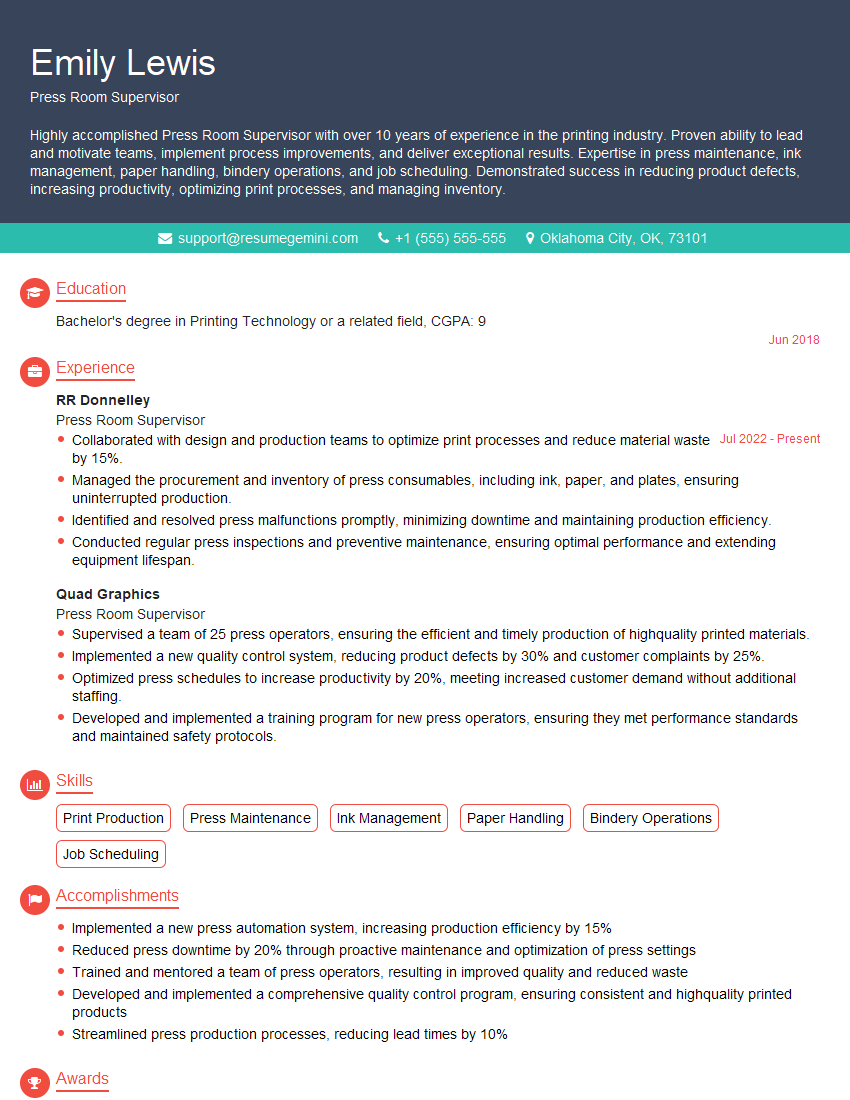
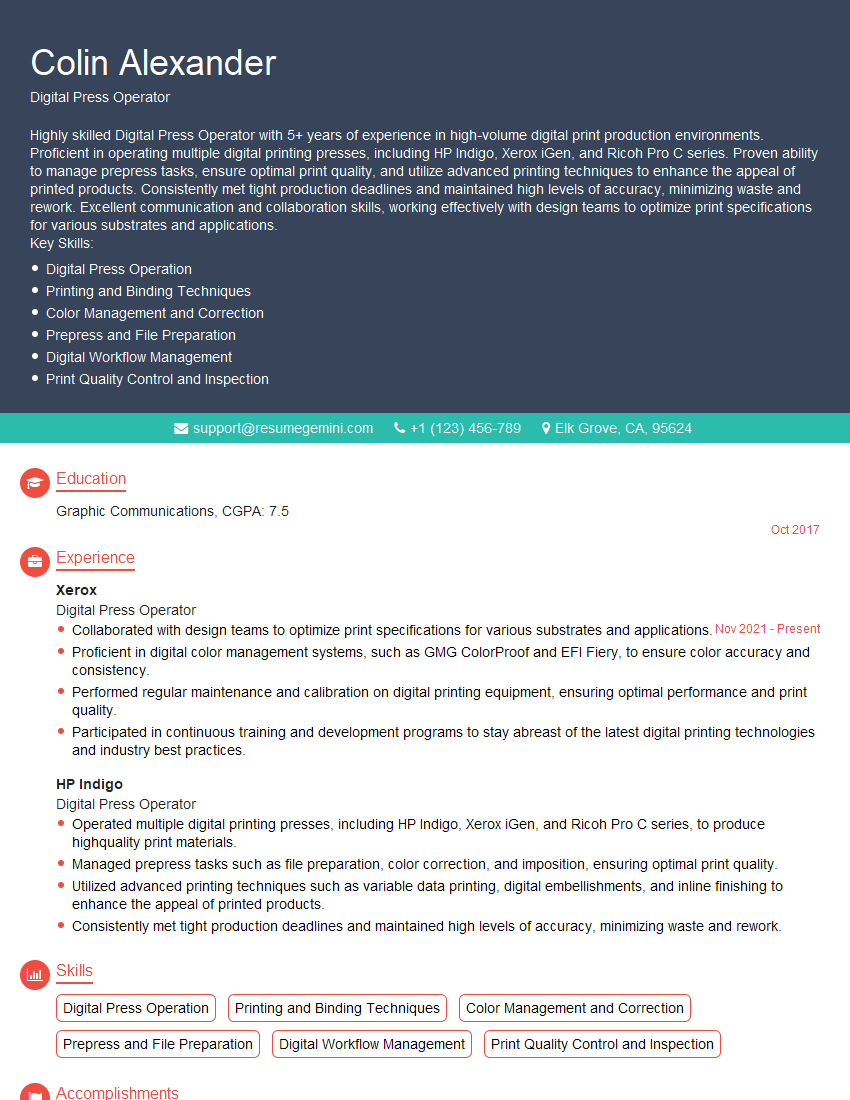
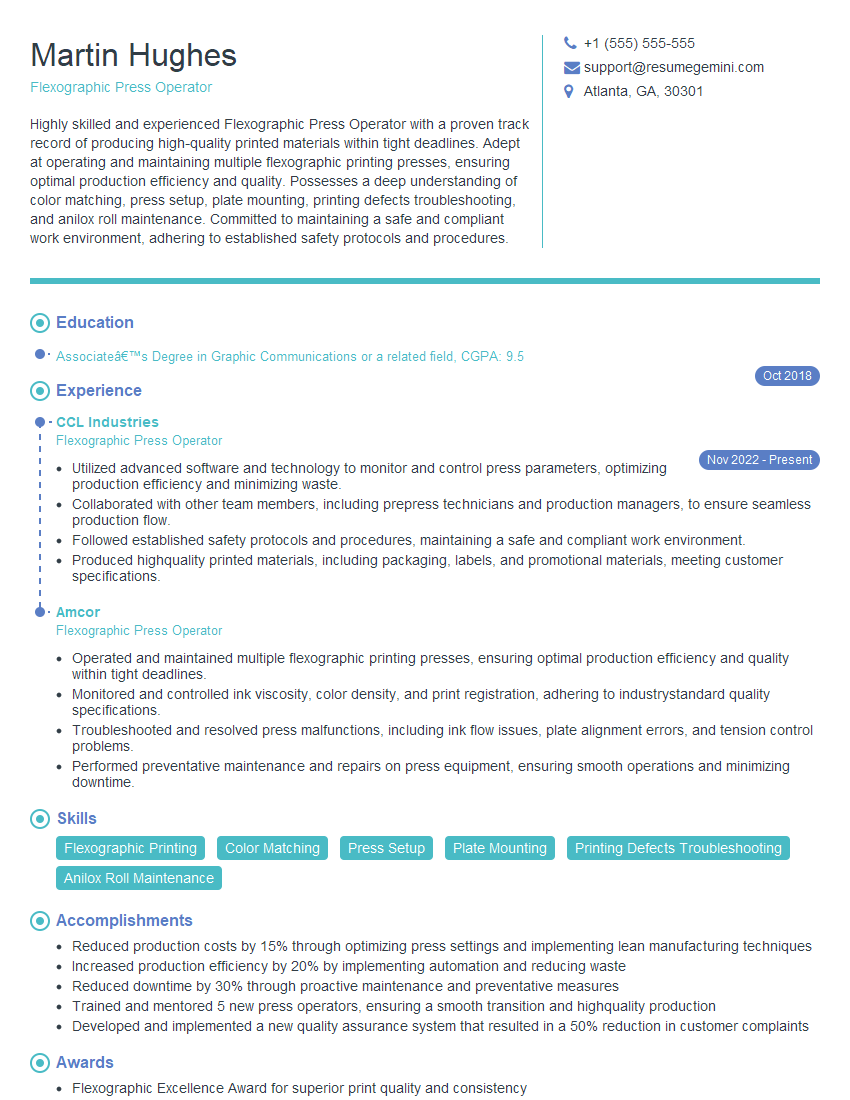
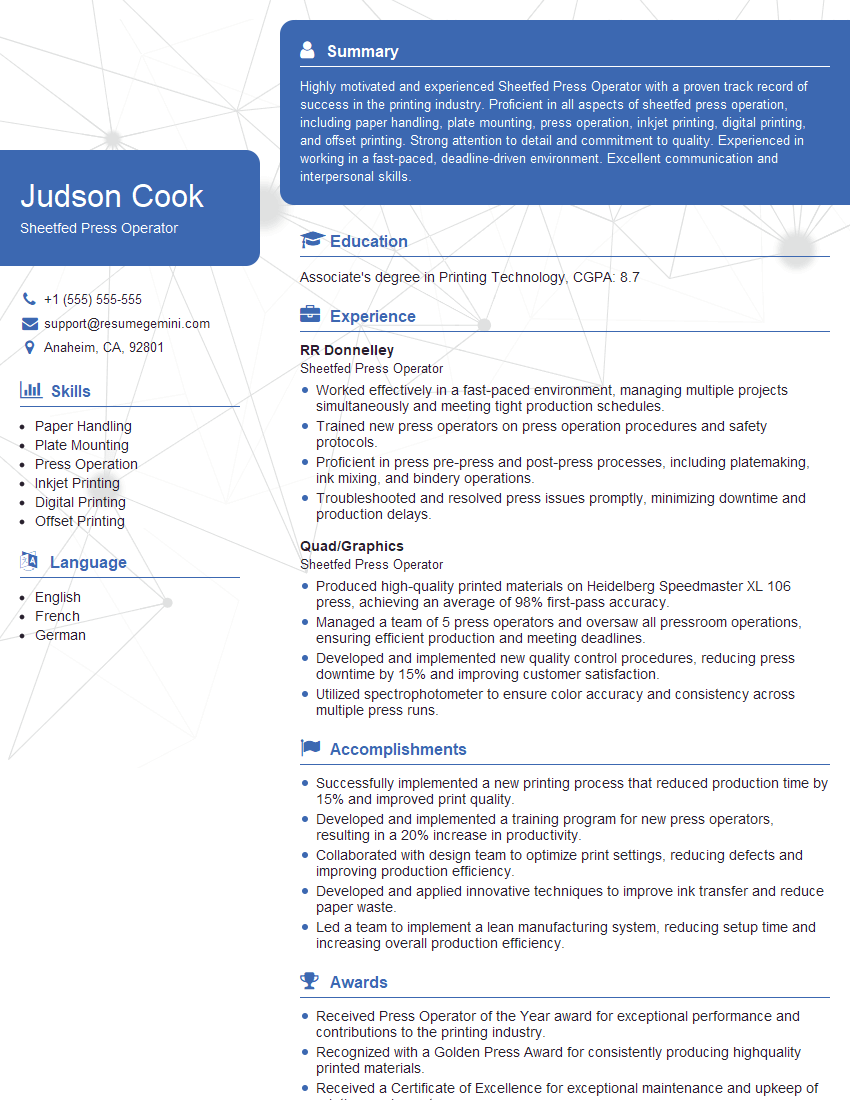
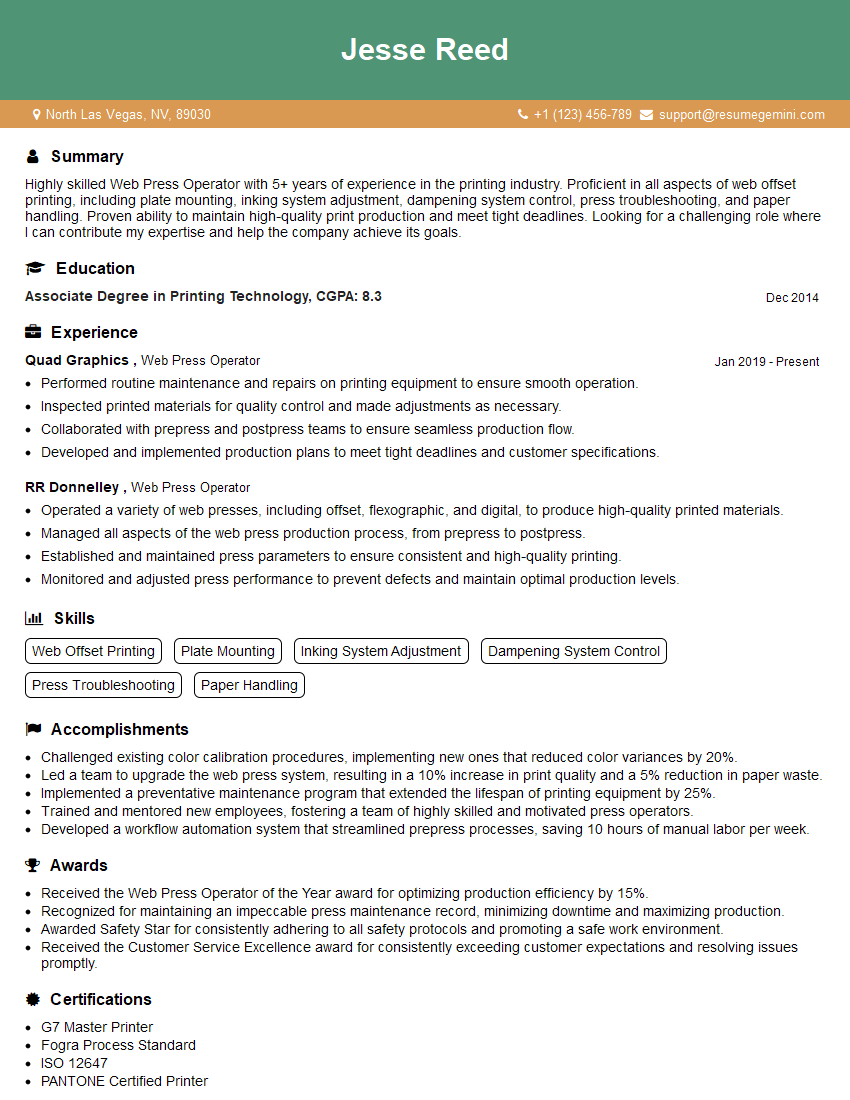
Mastering press mechanics opens doors to exciting career opportunities in the printing industry, offering diverse roles with increasing responsibility and earning potential. A well-crafted resume is crucial for showcasing your skills and experience effectively to potential employers. An ATS-friendly resume, optimized for Applicant Tracking Systems, significantly increases your chances of getting your application noticed. ResumeGemini is a trusted resource to help you build a professional and impactful resume that highlights your expertise in press mechanics. Examples of resumes tailored to Excellent Knowledge of press mechanics are available to guide you. Invest in your future; build a compelling resume that reflects your abilities and secures your next career advancement.

Explore more articles
Users Rating of Our Blogs
Share Your Experience
We value your feedback! Please rate our content and share your thoughts (optional).
What Readers Say About Our Blog
Very informative content, great job.
good