The thought of an interview can be nerve-wracking, but the right preparation can make all the difference. Explore this comprehensive guide to Experience in developing and implementing new designs interview questions and gain the confidence you need to showcase your abilities and secure the role.
Questions Asked in Experience in developing and implementing new designs Interview
Q 1. Describe your design process from ideation to implementation.
My design process is iterative and user-centered, focusing on a collaborative approach. It typically unfolds in these phases:
- Ideation & Research: This involves brainstorming, competitive analysis, and importantly, user research. I use methods like user interviews, surveys, and contextual inquiry to deeply understand user needs and pain points. For example, before designing a new mobile banking app, I’d conduct interviews with target users to understand their current banking habits, frustrations, and expectations.
- Sketching & Wireframing: I translate initial ideas into low-fidelity sketches and wireframes, focusing on the overall structure and information architecture. This allows for rapid iteration and exploration of different layouts without getting bogged down in details.
- Prototyping: I create interactive prototypes, often using tools like Figma or Adobe XD, to test the usability and functionality of the design. This enables early feedback and identification of potential issues.
- Visual Design: Once the core functionality and structure are validated, I focus on the visual aspects – typography, color palettes, imagery – to create a cohesive and engaging user experience. I ensure the design adheres to established brand guidelines.
- Testing & Iteration: User testing is crucial throughout the process. I gather feedback on the prototypes and make iterative improvements based on the findings. This ensures the final design meets user needs and is effective.
- Implementation & Launch: I work closely with developers to ensure a smooth transition from design to development. This includes providing clear specifications, assets, and ongoing support during the implementation phase.
Q 2. How do you handle design feedback and incorporate it into your work?
Handling design feedback effectively is crucial. My approach involves:
- Active Listening: I listen carefully to feedback, asking clarifying questions to ensure I understand the concerns.
- Empathy & Understanding: I try to understand the perspective of the person providing feedback, even if I don’t immediately agree.
- Prioritization: I prioritize feedback based on its impact on usability, user satisfaction, and feasibility. Not all feedback is equally important.
- Documentation & Iteration: I document all feedback and iterate on the design accordingly. I may create multiple versions to test different solutions.
- Justification & Explanation: When I disagree with feedback, I clearly explain my reasoning and justify my design choices based on user research or design principles.
For example, if feedback suggests adding a feature that would compromise performance, I’ll explain the trade-offs and potentially suggest alternative solutions.
Q 3. Explain your experience with user research and its impact on your designs.
User research is fundamental to my design process. I’ve used various methods, including:
- User Interviews: One-on-one conversations with users to understand their needs and behaviors.
- Surveys: Gathering quantitative data on user preferences and attitudes.
- Usability Testing: Observing users interacting with prototypes to identify usability issues.
- A/B Testing: Comparing different design variations to determine which performs better.
For instance, while designing an e-commerce website, user research revealed that customers struggled to find specific products. This led to redesigning the navigation and search functionality, resulting in a significant increase in conversion rates.
Q 4. How do you prioritize design features when facing constraints?
Prioritizing design features under constraints requires a strategic approach. I use a framework that combines:
- User Impact: Prioritize features that provide the most significant value to users. This is often determined through user research.
- Business Goals: Align design features with key business objectives, such as increasing conversion rates or improving user retention.
- Feasibility: Consider technical feasibility, development time, and resource constraints.
- MoSCoW Method: Categorize features as Must have, Should have, Could have, and Won’t have. This clarifies priorities and helps manage expectations.
For example, if I’m designing a mobile app with limited storage capacity, I might prioritize core features over less essential ones.
Q 5. Describe a time you had to iterate on a design significantly. What caused the changes, and what was the outcome?
I once designed a dashboard for a project management tool. The initial design, while visually appealing, proved difficult to navigate and understand. User testing revealed significant confusion among users.
The primary cause was the complexity of information presented and an inefficient layout. To address this, I:
- Simplified the Information Architecture: I reorganized the information into more logical groups and streamlined the navigation.
- Improved Visual Hierarchy: I used visual cues to highlight important information and guide users’ attention.
- Reduced Cognitive Load: I broke down complex information into smaller, more manageable chunks.
After significant iteration based on user feedback, the revised design was significantly more user-friendly and effective. User satisfaction scores increased dramatically, and task completion times decreased.
Q 6. How do you ensure design consistency across different platforms or devices?
Maintaining design consistency across different platforms and devices requires a well-defined design system. This system includes:
- Style Guide: A comprehensive document outlining typography, color palettes, spacing, and other visual elements.
- Component Library: A collection of reusable UI components that adhere to the style guide. This ensures consistency across different screens and platforms.
- Responsive Design Principles: Designing for adaptability across different screen sizes and resolutions.
- Platform-Specific Considerations: Adapting the design to specific platform conventions and guidelines (e.g., iOS vs. Android).
Tools like Figma and Adobe XD facilitate the creation and management of design systems, allowing for easy sharing and collaboration among designers and developers.
Q 7. How do you measure the success of your designs?
Measuring the success of my designs depends on the project goals, but generally involves:
- Usability Testing Metrics: Task completion rates, error rates, and user satisfaction scores.
- Business Metrics: Conversion rates, bounce rates, and user retention.
- Qualitative Feedback: User interviews and surveys to gather in-depth insights.
- A/B Testing Results: Comparing the performance of different design variations.
- Analytics Data: Tracking user behavior and engagement using tools like Google Analytics.
For example, for an e-commerce website, I’d track conversion rates, average order value, and customer satisfaction to assess the effectiveness of the design.
Q 8. Describe your experience with design tools (e.g., Figma, Sketch, Adobe Creative Suite).
My experience spans a wide range of design tools, encompassing both vector-based and raster-based software. I’m highly proficient in Figma, leveraging its collaborative features and prototyping capabilities extensively for projects involving user interface (UI) and user experience (UX) design. I’ve used it to create everything from low-fidelity wireframes to high-fidelity mockups, including interactive prototypes for user testing. Sketch was my primary tool before transitioning to Figma, and I still utilize it for specific tasks where its strengths lie, such as icon design. My experience with the Adobe Creative Suite is equally robust. I’m adept at Photoshop for image editing and manipulation, Illustrator for vector graphics, and InDesign for layout and publication design. This diverse skillset allows me to adapt to various project requirements and deliver high-quality designs across diverse platforms and formats.
For example, in a recent project designing a mobile banking app, I used Figma to create interactive prototypes showcasing the user flow, incorporating micro-interactions and animations to enhance user engagement. In another project, I used Illustrator to create a consistent brand style guide containing custom icons and illustrations, which was then implemented in Figma to maintain consistency across the user interface.
Q 9. Explain your understanding of accessibility in design.
Accessibility is paramount in my design process. It’s not just about compliance; it’s about ensuring that everyone, regardless of their abilities, can use and interact with the designs I create. This involves considering users with visual, auditory, motor, and cognitive impairments. My understanding encompasses WCAG (Web Content Accessibility Guidelines) and its success criteria, including aspects like color contrast, keyboard navigation, alternative text for images, proper labeling of form fields, and providing captions and transcripts for videos.
For example, I meticulously check color contrast ratios using tools to ensure sufficient readability for users with low vision. I also ensure that all interactive elements are navigable using only a keyboard, accommodating users who cannot use a mouse. Furthermore, I always write detailed alternative text for images, conveying the essential information to screen reader users. I also design with cognitive accessibility in mind, using clear and concise language, avoiding overly complex layouts, and using visual cues to support understanding.
Q 10. How do you stay up-to-date with the latest design trends and technologies?
Staying current in the rapidly evolving design landscape is crucial. I actively utilize several methods to achieve this. I regularly follow prominent design blogs and publications like Awwwards and Smashing Magazine, which offer insights into emerging trends and best practices. I also actively participate in online communities, such as Dribbble and Behance, where I can view the work of other designers, learn from their approaches, and engage in discussions. Further, attending design conferences, workshops, and webinars allows me to network with peers and learn from industry experts. Finally, I experiment with new tools and technologies. Trying out new software features or design techniques firsthand lets me understand their capabilities and limitations and adapt my design workflow accordingly.
Q 11. Describe your experience working with developers to implement your designs.
Collaboration with developers is essential for successful design implementation. My approach involves fostering open communication and a shared understanding from the outset of a project. I meticulously prepare design specifications, using tools like Zeplin or Figma’s built-in specifications, to ensure accurate handover of design assets and details. This includes providing clear instructions on the use of fonts, colors, spacing, and interactive elements. I actively participate in code reviews and provide feedback to ensure the final product aligns with the design vision. I also prioritize a clear and consistent naming convention for design assets, making it easier for developers to integrate them into the codebase. This collaborative approach helps prevent misunderstandings and streamlines the development process.
For example, in a recent project, I used Zeplin to provide developers with precise measurements and color codes for all UI elements, facilitating seamless integration and reducing the risk of discrepancies. I also held regular check-in meetings with the development team to discuss any challenges or questions they faced, ensuring a smooth and collaborative workflow.
Q 12. How do you handle conflicts between design and business requirements?
Conflicts between design and business requirements are inevitable. My approach involves a balanced and collaborative solution-finding process. I begin by clearly understanding both perspectives. I ask clarifying questions to ensure I fully grasp the business needs, often working with stakeholders to identify the underlying goals. Then, I explore different design solutions that satisfy both aesthetic and functional goals, presenting options and explaining the trade-offs. This often involves data-driven decisions. For example, if a business goal involves increasing conversions, I might use A/B testing to compare design variations and choose the one that yields the best results. Open communication and a willingness to compromise are key. The end goal is a design that balances both user experience and business objectives.
Q 13. How do you present your design work to stakeholders?
Presenting design work effectively is crucial for gaining stakeholder buy-in and securing approval. I prepare presentations that are visually compelling and easy to understand, avoiding jargon and focusing on the key features and benefits. I begin with a clear overview of the design rationale and goals, highlighting the problem the design solves and how it aligns with business objectives. I then showcase the design itself, using high-fidelity mockups and prototypes to illustrate its functionality and aesthetics. I always leave room for feedback and questions, actively encouraging discussion and incorporating feedback into the design process. I also use data-driven insights to support design decisions, demonstrating the impact of design choices on key metrics like user engagement or conversion rates. For example, I’d use heatmaps to show where users are focusing attention and click-through rates to demonstrate the effectiveness of a particular design element.
Q 14. Describe a time you had to make a difficult design decision. What was the rationale?
In a recent project redesigning a company website, I faced a difficult decision regarding the navigation menu. The initial design, while aesthetically pleasing, resulted in poor usability during user testing. Users struggled to find the information they needed. The business team, however, was attached to the original design due to its clean aesthetic. The rationale for my final decision involved prioritizing user experience over purely aesthetic considerations. I proposed a modified navigation structure that simplified the information architecture and increased findability, while maintaining a visually appealing design. This involved compromises on both sides. The final design incorporated feedback from user testing to address usability concerns while subtly adjusting the visual elements to maintain a cohesive brand identity. The resulting design improved user engagement and satisfaction metrics, ultimately supporting business objectives.
Q 15. How do you incorporate user feedback into the design process?
Incorporating user feedback is crucial for creating designs that truly resonate with the target audience. It’s not a one-time event but an iterative process woven throughout the design lifecycle. I employ a multi-pronged approach.
- Early-stage feedback: I use methods like user interviews and surveys during the initial research phase to understand user needs, pain points, and expectations. This informs the direction of the design before significant resources are invested.
- Mid-stage feedback: During prototyping, usability testing with representative users provides invaluable insights. Observing users interacting with the prototype allows me to identify usability issues and areas for improvement. I typically use think-aloud protocols, where users verbalize their thoughts as they complete tasks.
- Post-launch feedback: After launch, A/B testing, user analytics (e.g., heatmaps, session recordings), and feedback forms help measure the success of the design and identify areas needing further refinement. This data fuels future iterations and improvements.
For example, on a recent e-commerce project, initial user interviews revealed a strong preference for visual product search. This feedback directly influenced the design, leading to the inclusion of a prominent image search functionality, which ultimately boosted conversion rates.
Career Expert Tips:
- Ace those interviews! Prepare effectively by reviewing the Top 50 Most Common Interview Questions on ResumeGemini.
- Navigate your job search with confidence! Explore a wide range of Career Tips on ResumeGemini. Learn about common challenges and recommendations to overcome them.
- Craft the perfect resume! Master the Art of Resume Writing with ResumeGemini’s guide. Showcase your unique qualifications and achievements effectively.
- Don’t miss out on holiday savings! Build your dream resume with ResumeGemini’s ATS optimized templates.
Q 16. What are your preferred methods for prototyping?
My prototyping methods depend on the project phase and complexity. I believe in employing a mixed-method approach.
- Low-fidelity prototypes: Early in the process, I often use low-fidelity methods like paper prototypes or whiteboard sketches to quickly explore different ideas and get feedback. This is cost-effective and allows for rapid iteration.
- Mid-fidelity prototypes: As designs mature, I use tools like Figma or Adobe XD to create mid-fidelity prototypes, incorporating interactive elements and basic functionality. This allows for more realistic user testing.
- High-fidelity prototypes: For more complex interactions, or before significant development work begins, I’ll sometimes build high-fidelity prototypes that closely mimic the final product. This might involve using tools like InVision or prototyping directly within development environments.
For instance, for a mobile banking app, I started with paper prototypes to test the basic workflow. Then, I moved to a mid-fidelity Figma prototype to test the user interface and navigation before creating a near-final high-fidelity prototype for extensive user testing.
Q 17. Explain your experience with A/B testing or other design validation methods.
A/B testing and other design validation methods are essential for data-driven design decisions. I have extensive experience using these methods to optimize designs and improve user experience.
- A/B testing: I regularly use A/B testing to compare different design variations. This involves creating two or more versions of a design element (e.g., button color, call-to-action text) and presenting them to different segments of users. The version that performs better (e.g., higher click-through rates, conversion rates) is chosen.
- Multivariate testing: For more complex scenarios, I employ multivariate testing, where multiple elements are tested simultaneously, providing a more comprehensive understanding of their interaction.
- Qualitative data: I combine quantitative data from A/B testing with qualitative data from user interviews and surveys to gain a holistic understanding of user behavior and preferences.
For example, on a website redesign project, we A/B tested two different homepage layouts. One layout focused on highlighting new products, while the other emphasized customer testimonials. The A/B test clearly showed that the layout highlighting customer testimonials significantly improved conversion rates.
Q 18. How do you define ‘good’ design?
To me, ‘good’ design is a blend of aesthetics, functionality, and user experience. It’s not just about looking pretty; it’s about solving a problem effectively and making the user’s interaction enjoyable and intuitive. I consider several key aspects:
- User-centered: The design should meet the needs and expectations of the target users.
- Accessible: It should be usable by people of all abilities.
- Usable: It should be easy to learn and use, with clear navigation and intuitive interactions.
- Efficient: It should help users achieve their goals quickly and easily.
- Aesthetically pleasing: The design should be visually appealing and consistent with the brand.
A good design is like a well-oiled machine – it works seamlessly and effortlessly, allowing users to focus on their task rather than struggling with the interface.
Q 19. Describe your approach to designing for different user personas.
Designing for different user personas is critical for creating inclusive and effective designs. My approach involves a deep understanding of each persona’s unique needs, goals, and behaviors.
- Persona development: I begin by creating detailed user personas, including demographic information, goals, motivations, frustrations, and technical skills. This involves thorough user research.
- Empathy mapping: I use empathy maps to visualize the user’s experience from their perspective, helping to identify their emotional state at different points in their interaction with the product.
- Scenario planning: I develop different scenarios representing how users might interact with the design, considering various paths and potential challenges.
- Design iterations: I iterate on the design based on the insights gained from the persona development, empathy mapping, and scenario planning, ensuring that the design addresses the specific needs of each persona.
For example, when designing a healthcare app, I created personas for patients of different age groups and health literacy levels. This helped me tailor the design to ensure accessibility and ease of use for all users.
Q 20. How do you manage your time and workload effectively in a design project?
Effective time management is essential in design. I employ several strategies:
- Project planning: I meticulously plan each project, breaking it down into smaller, manageable tasks with clear deadlines. I use project management tools like Jira or Asana to track progress and identify potential bottlenecks.
- Prioritization: I prioritize tasks based on their importance and urgency, focusing on high-impact activities first. This ensures that critical elements are addressed promptly.
- Time blocking: I allocate specific time blocks for different tasks, minimizing distractions and maximizing focus. This helps me stay on track and avoid getting bogged down in less important activities.
- Regular check-ins: I regularly check in with stakeholders and team members to ensure that everyone is on the same page and to address any potential issues proactively.
I also prioritize rest and avoid burnout by taking regular breaks and ensuring a healthy work-life balance. This leads to improved focus and creativity.
Q 21. Explain your experience with design systems or component libraries.
Design systems and component libraries are invaluable for creating consistent and efficient designs. My experience encompasses both creating and utilizing them.
- Component creation: I’ve participated in the development of several design systems, creating reusable components like buttons, forms, and navigation elements. This involves defining clear style guides and interaction patterns to ensure consistency.
- Component implementation: I’ve extensively used existing design systems and component libraries to accelerate the design process, ensuring a consistent look and feel across different products and platforms. This dramatically reduces design and development time.
- Maintenance and updates: I understand the importance of maintaining and updating design systems to reflect evolving brand guidelines and user needs. This requires collaboration with developers and designers.
For example, on a large-scale web application project, we built a comprehensive design system that included reusable components, style guides, and code snippets. This significantly improved the efficiency and consistency of the design and development process, allowing us to deliver the project ahead of schedule and within budget.
Q 22. How do you handle criticism of your designs?
Criticism is crucial for growth in design. I approach it as an opportunity to refine my work and learn from different perspectives. I listen actively, ask clarifying questions to understand the concerns, and avoid getting defensive. My process involves:
- Understanding the feedback: I try to understand the underlying reason for the criticism, separating subjective opinions from objective concerns about usability or functionality.
- Analyzing the validity: I objectively assess if the criticism is valid and addresses actual design flaws or if it’s based on personal preference.
- Iterating and improving: Based on the analysis, I iterate on the design, incorporating valid criticisms while respectfully explaining why I might not fully address subjective preferences. I document the changes and their rationale.
- Seeking further feedback: After making changes, I seek further feedback to ensure the modifications address the initial concerns and haven’t introduced new problems.
For example, in a recent project, a client criticized the color palette. While I initially felt defensive, I realized their concern stemmed from the palette’s lack of accessibility for colorblind users. I revised the palette incorporating accessible color combinations, ultimately strengthening the design.
Q 23. How do you ensure the designs are scalable and maintainable?
Scalability and maintainability are paramount. I achieve this through:
- Modular Design: Breaking down the design into reusable components ensures easy modification and adaptation. Think of it like building with LEGOs – each block serves a specific purpose and can be rearranged or replaced without affecting the entire structure.
- Consistent Naming Conventions: Using clear and consistent naming conventions for assets and code simplifies future updates and collaboration. This is vital for larger projects and when working in teams.
- Version Control: Utilizing tools like Git for version control allows for tracking changes, easy rollbacks, and collaboration without conflicts.
- Well-documented Code: If the design involves coding, meticulously documented code is essential for future maintenance and troubleshooting. Clear comments and organized files make the project much easier to understand and update.
- Design System Implementation: Creating a comprehensive design system, encompassing style guides, component libraries, and design patterns, ensures consistency across all parts of the project and facilitates scaling.
For instance, a website I worked on used a modular approach; each section was a self-contained component. When the client wanted to add a new feature, we simply added a new module without altering existing ones.
Q 24. Describe a time you failed in a design project. What did you learn?
In one project, I underestimated the complexity of integrating a third-party API. I focused too much on the front-end design and didn’t thoroughly research the API’s limitations. This resulted in delays and required significant rework. My key learnings were:
- Thorough Research: Always conduct thorough research on all aspects of the project before starting the design phase, especially when third-party integrations are involved.
- Realistic Time Estimation: Develop a realistic timeline that accounts for potential unforeseen challenges. Buffer time for troubleshooting and unexpected issues.
- Collaboration and Communication: Maintain open communication with developers and stakeholders throughout the project. Early identification of potential problems can prevent major setbacks.
This experience taught me the importance of proactive planning and collaborative problem-solving. Now, I always dedicate significant time to research and risk assessment before starting any design project.
Q 25. What is your experience with responsive design?
Responsive design is crucial for delivering consistent user experiences across devices. My experience encompasses:
- Fluid Grids: Using flexible grids and relative units (
em,rem,%) allows the layout to adapt seamlessly to different screen sizes. - Media Queries: I leverage CSS media queries (
@media (max-width: 768px) { ... }) to apply different styles based on screen size, orientation, and resolution, optimizing the layout for various devices. - Mobile-First Approach: Often, I start designing for mobile first, focusing on core content and functionality, and then progressively enhancing the design for larger screens. This ensures a positive experience on all devices.
- Testing Across Devices: I thoroughly test designs on various devices and browsers to ensure optimal responsiveness and identify any inconsistencies.
I’ve used this approach extensively; for example, I recently redesigned a website for a non-profit. The site now adapts smoothly to smartphones, tablets, and desktops, providing a consistent experience for all users.
Q 26. How do you balance aesthetics and functionality in your designs?
Balancing aesthetics and functionality is a core principle. It’s not about choosing one over the other but rather finding the sweet spot where both complement each other. I achieve this by:
- User-Centered Design: I begin by understanding the user’s needs and goals. Aesthetics should enhance the user experience, not detract from it.
- Prioritizing Functionality: I prioritize functionality over purely decorative elements. A beautiful design that is unusable is a failure.
- Iterative Refinement: I refine the design through user testing and feedback. This iterative process allows for adjustments to be made based on user interaction and feedback.
- Accessibility Considerations: I ensure the design adheres to accessibility guidelines, making it usable for everyone, regardless of abilities.
Think of it like a well-designed car: it’s both aesthetically pleasing and functions efficiently. A beautiful car that doesn’t start is useless; similarly, a highly functional app that is unpleasant to use will be unpopular.
Q 27. Describe your process for creating wireframes and mockups.
My wireframing and mockup process is iterative and user-focused:
- User Research: I start by understanding user needs and behaviors through user research, interviews, and surveys.
- Low-Fidelity Wireframes: I create low-fidelity wireframes using simple tools like pen and paper or basic digital tools. This allows for quick iterations and exploration of different layouts without getting bogged down in details.
- User Feedback: I test the low-fidelity wireframes with users to gather feedback and make necessary adjustments.
- High-Fidelity Mockups: Once the layout is refined, I create high-fidelity mockups using design tools like Figma or Sketch. These mockups incorporate visual elements, typography, and branding to showcase the final design.
- Prototype Creation: Often, I create interactive prototypes to simulate user interaction and further test usability.
For instance, in a recent e-commerce project, I started with basic paper sketches, tested them with potential customers, and then created refined digital mockups based on their feedback.
Q 28. How do you approach designing for different screen sizes and resolutions?
Designing for diverse screen sizes and resolutions requires a flexible and adaptive approach. My strategy involves:
- Responsive Design Principles: Utilizing fluid grids, relative units, and media queries allows for consistent layout across different devices.
- Flexible Images: Using responsive images ensures images scale appropriately without compromising quality or performance.
- Retina Displays: Providing high-resolution images for devices with Retina displays ensures crisp visuals.
- Testing Across Devices: Testing across multiple devices and browsers is critical for identifying any inconsistencies or display issues. Browser developer tools allow for easy simulation of various screen sizes.
- Consideration of Device Capabilities: I take into account device capabilities such as touch input, processing power, and connection speed when designing the interface.
For example, when designing a mobile app, I prioritize touch-friendly elements, and I ensure that the interface loads quickly even on slower connections.
Key Topics to Learn for Experience in developing and implementing new designs Interview
- Design Thinking Process: Understanding the stages of design thinking (empathize, define, ideate, prototype, test) and how to apply them to real-world design challenges.
- User Research & Analysis: Methods for gathering user feedback (e.g., surveys, interviews, usability testing) and translating that feedback into design solutions. Practical application: Describe a time you used user feedback to improve a design.
- Wireframing & Prototyping: Creating low-fidelity and high-fidelity prototypes to test and iterate on design concepts. Practical application: Explain your preferred prototyping tools and why you choose them.
- Visual Design Principles: Understanding principles like typography, color theory, composition, and visual hierarchy and their impact on user experience. Practical application: Discuss a design decision you made based on these principles.
- UI/UX Design Best Practices: Familiarity with accessibility guidelines (WCAG), responsive design principles, and user interface patterns. Practical application: Explain how you ensure accessibility in your designs.
- Design Systems & Component Libraries: Experience with building and maintaining design systems for consistency and efficiency across projects. Practical application: Describe your experience with a specific design system.
- Collaboration & Communication: Effectively communicating design decisions and rationale to stakeholders (developers, product managers, clients). Practical application: Give an example of how you resolved a design conflict.
- Design Tools Proficiency: Demonstrate expertise in relevant design software (e.g., Figma, Sketch, Adobe XD). Practical application: Discuss your experience with specific features of your preferred design tool.
- A/B Testing & Iteration: Using data-driven approaches to evaluate design performance and iterate based on results. Practical application: Explain a time you used A/B testing to optimize a design.
- Problem-Solving & Critical Thinking: Applying creative problem-solving skills to complex design challenges. Practical application: Describe a challenging design problem you solved and how you approached it.
Next Steps
Mastering the art of developing and implementing new designs is crucial for career advancement in today’s competitive market. A strong understanding of these concepts will significantly boost your interview performance and open doors to exciting opportunities. To maximize your job prospects, crafting an ATS-friendly resume is essential. ResumeGemini is a trusted resource to help you build a professional and impactful resume that highlights your skills and experience effectively. Examples of resumes tailored to showcasing experience in developing and implementing new designs are available to guide you. Start building your winning resume today!

Art Director Resume Sample

Creative Director Resume Sample

Information Architect Resume Sample

Web Designer Resume Sample
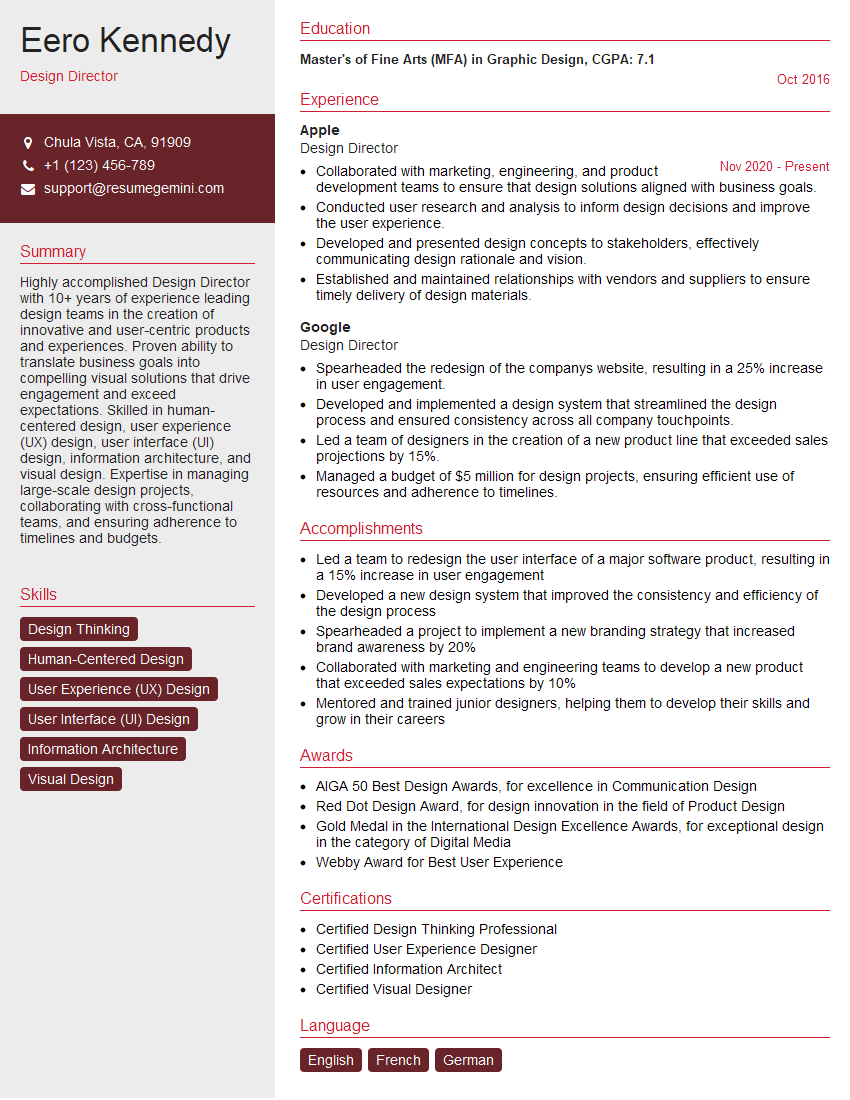
Design Director Resume Sample

Game Designer Resume Sample

Product Designer Resume Sample

Graphic Designer Resume Sample
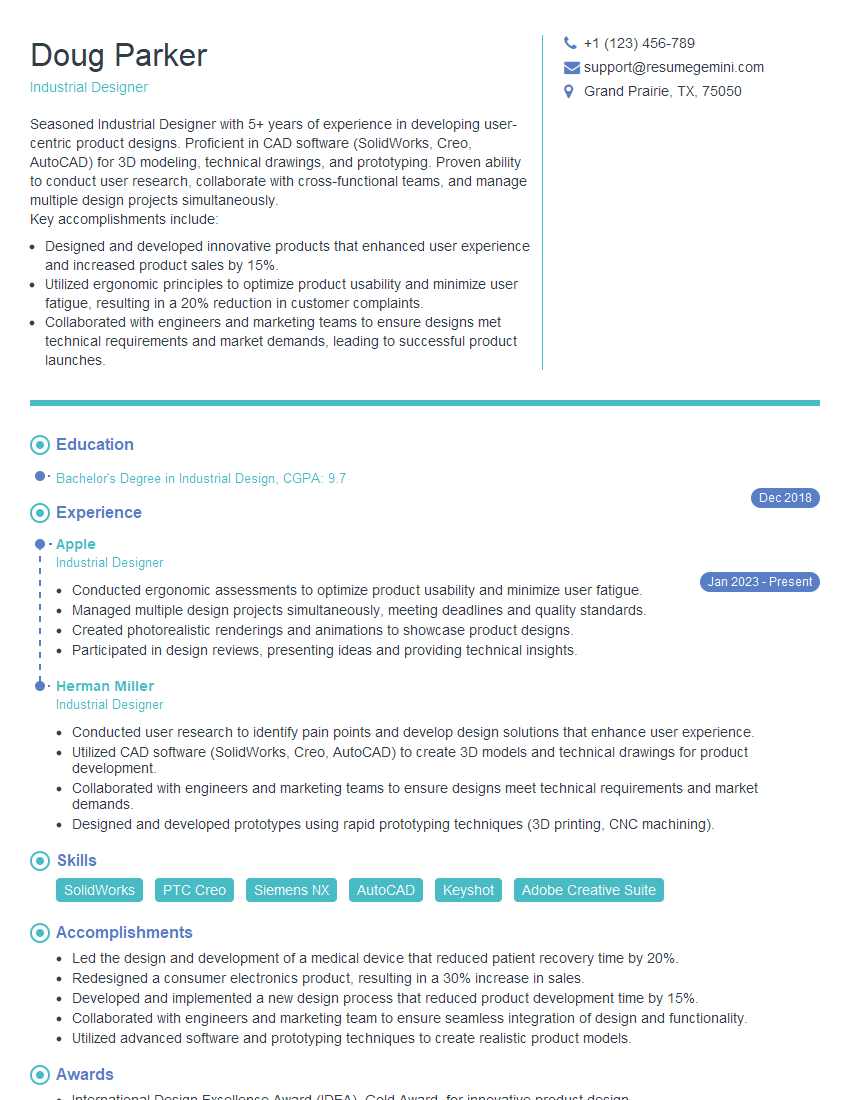
Industrial Designer Resume Sample
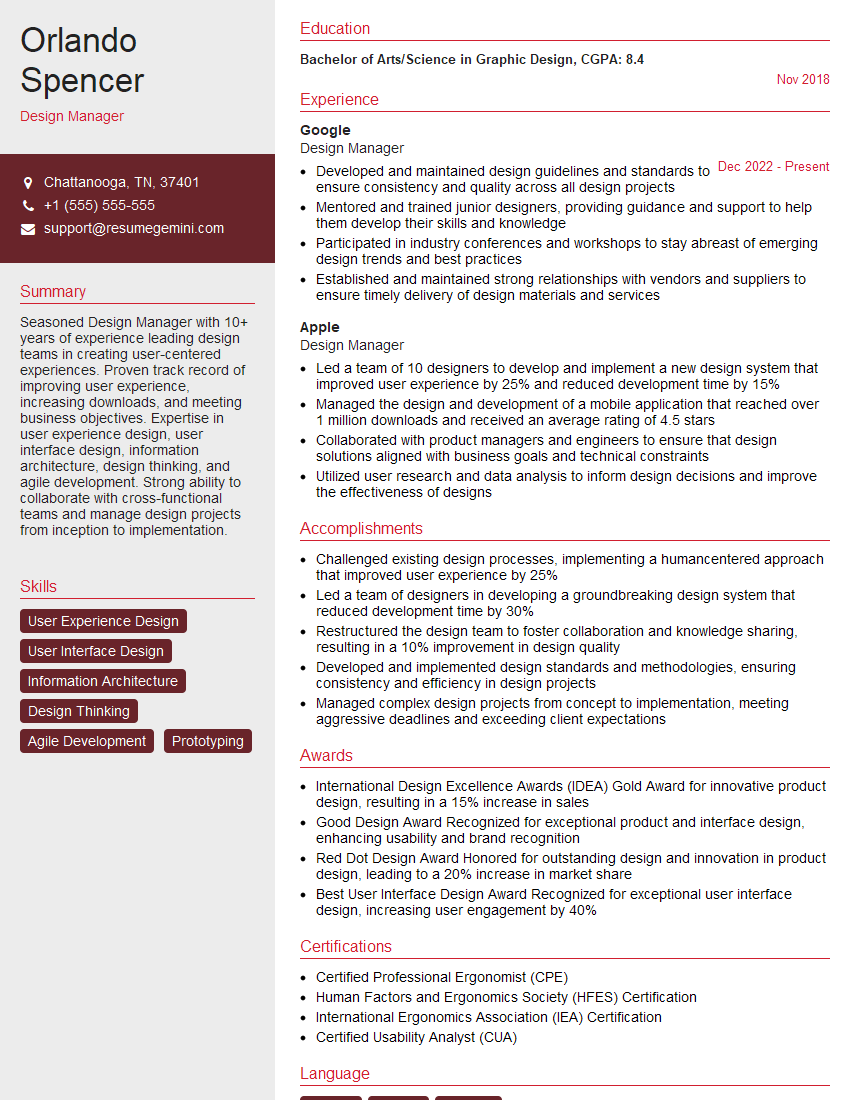
Design Manager Resume Sample
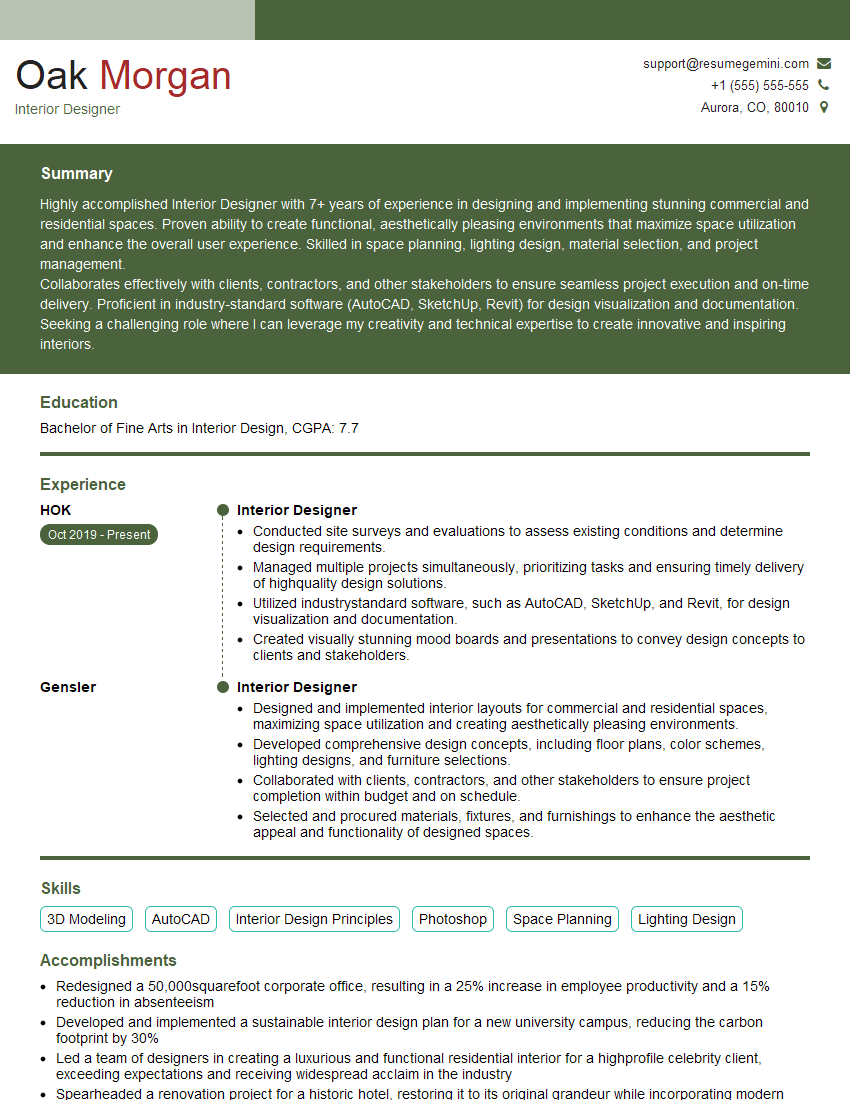
Interior Designer Resume Sample

UX Designer Resume Sample
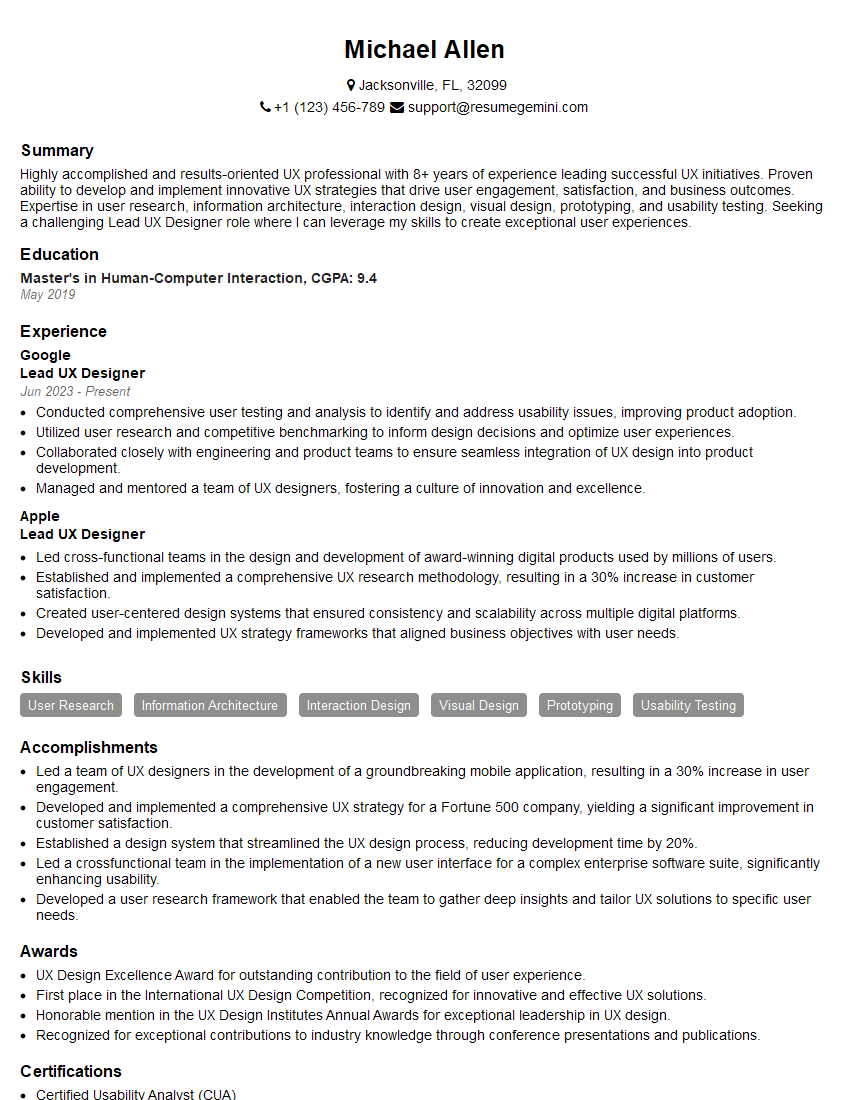
Lead UX Designer Resume Sample
Explore more articles
Users Rating of Our Blogs
Share Your Experience
We value your feedback! Please rate our content and share your thoughts (optional).
What Readers Say About Our Blog
Very informative content, great job.
good