The right preparation can turn an interview into an opportunity to showcase your expertise. This guide to Experience with CAD/CAM Systems interview questions is your ultimate resource, providing key insights and tips to help you ace your responses and stand out as a top candidate.
Questions Asked in Experience with CAD/CAM Systems Interview
Q 1. Explain the difference between CAD and CAM.
CAD and CAM are two distinct but interconnected phases in the manufacturing process. CAD, or Computer-Aided Design, focuses on the creation and modification of 3D models. Think of it as the blueprint stage – where you design the part using software like SolidWorks or AutoCAD. CAM, or Computer-Aided Manufacturing, takes that digital design and translates it into instructions for a CNC machine to fabricate the part. It’s the ‘how-to’ guide for the machine. While CAD deals with the ‘what’ – the design – CAM handles the ‘how’ – the manufacturing process. They work in tandem; a well-designed part in CAD is useless without a well-planned manufacturing process in CAM.
Q 2. Describe your experience with specific CAD/CAM software (e.g., Mastercam, SolidWorks CAM, Fusion 360).
My experience spans several leading CAD/CAM systems. I’ve extensively used Mastercam for complex 3-axis and 5-axis milling operations, particularly in the aerospace industry, where intricate geometries and tight tolerances are paramount. I’ve successfully programmed numerous parts requiring high-speed machining and intricate surface finishing. I’m also proficient in SolidWorks CAM, leveraging its intuitive interface for faster prototyping and streamlined workflows, especially when integrated with SolidWorks’ robust modeling capabilities. Recently, I’ve explored Fusion 360, appreciating its cloud-based collaboration features and its ability to handle various manufacturing processes from a single platform. For instance, I used Fusion 360 to design and generate toolpaths for a custom fixture, leveraging its integrated simulation tools to verify toolpath accuracy before machining.
Q 3. How do you optimize toolpaths for efficient machining?
Optimizing toolpaths is crucial for efficient machining, reducing cycle times, and extending tool life. Several key strategies are involved: First, selecting the appropriate cutting tools and parameters based on material properties and desired surface finish. Second, employing efficient machining strategies such as high-speed machining (HSM), where the machine runs at high speeds with smaller depths of cut. Third, strategically planning toolpath movements to minimize rapid traverse and non-cutting time. I routinely use techniques like ‘constant step-over’ to maintain consistent material removal rates. For example, when programming a pocketing operation, using a helical approach instead of a zig-zag pattern often results in faster machining and a smoother finish. Finally, simulating the toolpath in the CAM software allows for verification and identification of potential collisions or inefficiencies before actual machining.
Q 4. What are the common challenges in CAD/CAM programming and how do you overcome them?
Common challenges in CAD/CAM programming include model inaccuracies, interference detection, and dealing with complex geometries. Model inaccuracies can lead to tool collisions during machining, highlighting the importance of meticulous model preparation and validation. Interference detection requires careful analysis of tool movements within the part’s geometry. I address this by employing CAM software’s simulation capabilities, which visually displays the toolpath and identifies potential collisions before the actual machining process. For complex geometries, breaking down the part into simpler components and programming each section individually can greatly simplify the process. Also, utilizing different toolpath strategies, such as adaptive clearing, significantly improves efficiency for complex parts. Furthermore, thorough communication with design engineers to clarify design intent is crucial in preventing misunderstandings and streamlining the process.
Q 5. Explain the concept of G-code and its importance in CNC machining.
G-code is the language spoken by CNC machines. It’s a set of instructions consisting of numerical codes that direct the machine’s movements, such as spindle speed, feed rate, and tool changes. Each line of G-code represents a specific action. For example, G01 X10 Y20 F50 moves the tool linearly to coordinates X10, Y20 at a feed rate of 50 units/minute. G-code’s importance lies in its ability to translate the complex toolpaths generated by CAM software into precise instructions that the CNC machine can understand and execute to accurately manufacture the part. Without accurate and properly formatted G-code, the CNC machine wouldn’t know how to create the part.
Q 6. How do you handle design changes during the manufacturing process?
Handling design changes during manufacturing is crucial. My approach involves immediately communicating with the design team to understand the extent and nature of changes. Then, I evaluate the impact on existing toolpaths and determine the most efficient way to incorporate these changes. This often involves adjusting existing toolpaths or even regenerating them entirely, depending on the magnitude of alterations. Version control and proper documentation are extremely important to track revisions and maintain a history of changes. I always ensure the new toolpaths are simulated and verified to prevent any errors before machining the updated design. This process requires flexibility, quick thinking, and a strong understanding of both the CAD model and the CAM programming process.
Q 7. Describe your experience with different machining processes (e.g., milling, turning, drilling).
My experience encompasses various machining processes. Milling is extensively used for creating complex shapes and features, and I’m adept at programming various milling strategies, including roughing, finishing, and pocketing operations. Turning is primarily used for creating cylindrical parts, and I’m experienced in generating toolpaths for turning operations, including facing, grooving, and threading. Drilling is used to create holes of different sizes and depths, and my expertise includes programming both simple and complex drilling operations. I have a firm understanding of the cutting parameters, tool selection, and fixturing requirements for each process. For instance, while milling requires specific strategies for managing chip evacuation and surface finish, turning focuses on controlling the cutting depth and feed rate for precision and efficiency. Understanding these nuances is critical for successful machining.
Q 8. How do you ensure the accuracy and precision of your CAM programs?
Ensuring accuracy and precision in CAM programming is paramount for producing high-quality parts. It’s a multi-step process that begins even before the CAM software is opened. Think of it like baking a cake – you need the right recipe (design) and the right tools (software and machine) to get the perfect result.
Precise CAD Model: The foundation is a clean, accurate CAD model. Any inaccuracies in the original design will propagate through the CAM process. I meticulously check for gaps, inconsistencies, and proper tolerances. I often employ techniques like model checking and self-intersection checks within the CAD software to ensure the geometry is sound.
Toolpath Strategies: Choosing the right toolpaths is crucial. For example, using a roughing strategy followed by a finishing strategy allows for efficient material removal while achieving the desired surface finish. I consider factors like tool diameter, step-over, depth of cut, and feed rate, carefully balancing speed and accuracy. Overly aggressive parameters can lead to tool breakage or inaccuracies, while overly conservative settings can lead to increased machining time.
Simulation and Verification: Before sending a program to the machine, I always simulate the toolpaths in the CAM software. This allows for virtual verification of clearances, collision detection, and overall machining process. I look for any potential issues – a tool colliding with a fixture, for example – that could damage the part or the machine. Think of this as a virtual dry-run before the actual machining.
Post-Processor Verification: The post-processor translates the CAM instructions into the machine’s specific language (G-code). I meticulously check the generated G-code for errors or inconsistencies, often comparing it with previous successful runs or using dedicated G-code verification tools.
Machine Calibration and Maintenance: Finally, the accuracy of the machine itself is critical. Regular calibration and proper maintenance of the CNC machine ensure that the actual cut matches the programmed toolpath.
For example, I once identified a slight error in a CAD model that would have led to an undersized critical feature on a precision part. By carefully reviewing the model and using simulation, I caught the issue before it went to production, saving significant time and resources.
Q 9. Explain your experience with fixture design for CNC machining.
Fixture design is an integral part of successful CNC machining. A well-designed fixture ensures part stability, repeatability, and safety during the machining process. It’s like creating a sturdy foundation for a building – without it, the whole structure could crumble.
Workholding Considerations: I consider the part geometry, material properties, and machining operations when designing fixtures. The goal is to securely hold the part while providing access for the cutting tools. I often use a combination of clamps, vices, and other workholding devices to achieve optimal stability.
Material Selection: Fixture material selection is critical. The material must be rigid enough to withstand machining forces and provide accurate part location, yet machinable itself if necessary. Common materials include steel, aluminum, and composites.
Software Utilization: I utilize CAD software to design fixtures, often using parametric modeling techniques to easily modify designs as needed. This ensures that the fixture aligns precisely with the part design and allows for iterative design improvements.
Design for Manufacturing (DFM): Designing fixtures with DFM principles in mind is essential. This means considering the ease of manufacturing the fixture itself and its compatibility with the available CNC machines and tooling. I try to minimize the number of components and machining operations needed to manufacture the fixture.
In one project, I designed a complex fixture for machining a delicate aerospace component. The fixture incorporated multiple clamping points and adjustable elements to ensure accurate positioning and repeatability, leading to significantly improved part quality and reduced scrap.
Q 10. How do you troubleshoot errors during CNC machining?
Troubleshooting errors during CNC machining requires a systematic approach. It’s like detective work – you need to carefully examine the clues to pinpoint the problem.
Check the G-Code: The first step is to meticulously review the generated G-code for syntax errors, incorrect tool selections, or illogical toolpaths. I use G-code verification tools to assist in this process.
Examine the Machine Setup: Verify that the machine is correctly set up, including tool offsets, work coordinates, and speed/feed settings. A simple oversight in these settings can lead to significant machining errors.
Inspect the Workpiece and Fixture: Check the workpiece for any defects or inconsistencies. Also, verify the fixture’s proper setup and stability. A loose part or a faulty fixture can result in inaccurate machining.
Review the Tooling: Inspect the cutting tools for wear, damage, or incorrect specification. A dull tool or a tool that is not appropriately sized for the operation can cause inaccuracies or tool breakage.
Analyze the Machining Process: Observe the actual machining process carefully. Listen for unusual sounds or vibrations. Look for signs of tool chatter or excessive wear.
For example, I once encountered a situation where a part was consistently machined out of tolerance. By systematically checking each aspect of the process, I discovered a slight misalignment in the machine’s spindle, which was corrected with recalibration, solving the problem.
Q 11. Describe your experience with simulation software and its role in verifying CAM programs.
Simulation software plays a crucial role in verifying CAM programs. It allows for a virtual dry run of the machining process, preventing costly errors on the actual machine. Think of it as a safety net that catches potential problems before they arise.
Collision Detection: Simulation software effectively identifies potential collisions between the cutting tool, workpiece, and fixture. This is essential for preventing damage to the machine and the part.
Toolpath Verification: The software allows for the visual inspection of toolpaths, ensuring that they accurately follow the desired geometry. This helps identify errors like incorrect tool selection or improper clearances.
Machining Time Estimation: Simulation provides an estimate of the machining time, which aids in planning and scheduling.
Improved Programming Efficiency: By identifying and correcting errors in the virtual environment, simulation significantly reduces the time spent troubleshooting issues on the actual machine, leading to improved efficiency.
I regularly utilize simulation software in my workflow, often performing multiple iterations of simulation and adjustments to fine-tune the toolpaths and ensure the optimal machining process. In one instance, simulation software helped me prevent a costly collision between the tool and a fixture, avoiding significant downtime and expense.
Q 12. How familiar are you with different post-processors?
Post-processors are essential for translating the CAM toolpath data into machine-specific G-code. I have extensive experience with various post-processors, understanding their nuances and how to customize them to meet specific machine requirements. Think of them as translators that convert a universal language (CAM data) into a language understood by each individual CNC machine.
Machine Specific Knowledge: My familiarity extends to different types of machines, including 3-axis, 4-axis, and 5-axis milling machines as well as lathes. Each type of machine requires a specific post-processor tailored to its control system and capabilities.
Customization and Modification: Post-processors are often customizable. I have experience modifying existing post-processors or creating custom ones to meet unique machine or process requirements. This includes adjusting feed rates, spindle speeds, and other parameters to optimize machining performance.
Troubleshooting Post-Processor Issues: When issues arise, I can diagnose and solve problems related to post-processor configuration, ensuring efficient and error-free code generation.
For example, I once customized a post-processor to incorporate specific canned cycles for a particular machine, leading to a significant reduction in programming time and enhanced machining efficiency. My experience spans various vendors like Mastercam, FeatureCAM, and others, ensuring adaptability across different software and machine configurations.
Q 13. What are the best practices for managing CAD/CAM data?
Effective CAD/CAM data management is crucial for maintaining project integrity and ensuring smooth workflow. It’s like organizing a library – a well-organized system makes it easy to find what you need when you need it.
Version Control: I always utilize version control systems, such as Git or similar, to track changes to both CAD models and CAM programs. This allows for easy rollback to previous versions if necessary and helps maintain a clear history of project development.
Data Organization: A well-defined folder structure is essential for organizing CAD models, CAM programs, and related documents. I employ a consistent naming convention to aid in easy identification and retrieval.
Data Backup and Archiving: Regular backups of all CAD/CAM data are crucial to prevent data loss. I utilize cloud storage and local backups to ensure data redundancy and security. Archiving of older projects is also necessary for long-term preservation.
Data Security: Protecting sensitive CAD/CAM data from unauthorized access is critical. I ensure that all data is appropriately secured, employing strong passwords and access controls.
In my experience, a well-managed data system significantly reduces the risk of errors and inefficiencies in the CAD/CAM process, leading to better project outcomes and cost savings. Poor data management often leads to lost time searching for files or using outdated versions, creating avoidable problems.
Q 14. Explain your approach to verifying the manufacturability of a design.
Verifying the manufacturability of a design is critical for preventing costly issues during production. It’s like conducting a feasibility study before starting construction – ensuring that the design can actually be built.
Design for Manufacturing (DFM) Analysis: I conduct a thorough DFM analysis to assess the design’s manufacturability, identifying potential challenges early in the design phase. This involves considering factors such as material selection, part geometry, tolerances, and surface finish requirements.
Tolerance Analysis: I assess the tolerances specified in the design, ensuring they are achievable with the available machining equipment and processes. Overly tight tolerances can lead to increased machining time and costs, while overly loose tolerances may result in unacceptable part variations.
Process Simulation: Process simulation software allows me to virtually evaluate different machining processes to determine the optimal approach for the given design. This includes selecting appropriate cutting tools and parameters.
Material Properties Consideration: I carefully consider the material properties, ensuring that the selected material is suitable for the intended machining process and application. The material’s machinability, strength, and other characteristics influence tool selection and machining parameters.
Collaboration with Manufacturing Engineers: Collaboration with manufacturing engineers is vital to leverage their expertise in production processes. Their input provides crucial insights into the practical aspects of manufacturing the design.
In a previous project, a DFM review revealed a design feature that would have been extremely difficult and costly to machine. By working with the design team, we modified the feature, resulting in a significant reduction in manufacturing costs and lead time. Early identification of manufacturability challenges is far less expensive than rectifying them during or after the production process.
Q 15. How do you handle complex geometries in CAD/CAM software?
Handling complex geometries in CAD/CAM effectively involves a multi-pronged approach. It’s not just about the software, but also a strong understanding of geometry principles and efficient workflow. For instance, dealing with intricate freeform surfaces often requires breaking down the model into simpler, manageable sections. This could involve using features like surface splitting, creating construction geometry to aid in toolpath generation, or utilizing advanced surfacing techniques within the CAD software to simplify the design before moving to CAM.
Consider a design with numerous intricate curves and undercuts. Instead of trying to machine it as a single, monolithic part, I would employ techniques like creating separate toolpaths for different features. This allows for better control over tool selection and avoids potential collisions. I might also employ adaptive clearing strategies to manage the removal of larger volumes of material efficiently before finishing operations. Additionally, many modern CAM systems offer advanced algorithms for handling complex geometry, such as using NURBS (Non-Uniform Rational B-Splines) curves and surfaces that can more accurately represent the complex shapes and ensure smooth toolpaths.
Finally, thorough simulation and verification are paramount. Before sending the toolpath to the machine, I always run a simulation to identify any potential collisions or issues. This proactive approach significantly reduces the risk of damaging the workpiece or the machine itself.
Career Expert Tips:
- Ace those interviews! Prepare effectively by reviewing the Top 50 Most Common Interview Questions on ResumeGemini.
- Navigate your job search with confidence! Explore a wide range of Career Tips on ResumeGemini. Learn about common challenges and recommendations to overcome them.
- Craft the perfect resume! Master the Art of Resume Writing with ResumeGemini’s guide. Showcase your unique qualifications and achievements effectively.
- Don’t miss out on holiday savings! Build your dream resume with ResumeGemini’s ATS optimized templates.
Q 16. Describe your experience with different types of cutting tools.
My experience encompasses a wide range of cutting tools, each suited for specific applications and materials. For example, I’m proficient in using end mills for various machining operations – from roughing, where I might use a larger diameter, high-helix end mill for faster material removal, to finishing, where I’d opt for a smaller diameter, ball-nose end mill for smoother surfaces. I understand the differences between different end mill types such as flat end mills, ball nose mills, and tapered ball nose mills, and how their geometries affect the surface finish and machining efficiency.
I also have extensive experience with drills, reamers, and taps for hole-making operations. The choice here depends on the required hole tolerance and the material being machined. For instance, for precise hole sizes, I’d employ a reamer after drilling. Similarly, selecting the correct tap for threading is crucial to ensure the proper thread pitch and avoid damage. In high-speed machining, I’ve utilized specialized tools like high-performance carbide end mills that provide enhanced durability and efficiency in removing material.
Furthermore, I’m familiar with the nuances of tool wear and its impact on part quality. I know how to monitor tool life and plan tool changes to maintain consistency and prevent costly errors. Selecting the right cutting tool is always a critical part of the CAM programming process, and I strive to balance speed and accuracy by selecting the correct tool and parameters for each operation.
Q 17. What are the considerations for material selection in CNC machining?
Material selection in CNC machining is a critical step that significantly impacts the entire process, from tool selection to machining parameters and final part quality. Several factors are considered. The machinability of the material – its ease of cutting – is paramount. Some materials, like aluminum, are relatively easy to machine, while others, such as hardened steel, require specialized tools and techniques. The material’s strength and hardness influence the tool selection and cutting parameters. Harder materials demand tougher, more durable tools, and often necessitate lower cutting speeds and feeds to prevent tool breakage.
Thermal properties are crucial. Materials with high thermal conductivity, such as aluminum, dissipate heat more effectively, reducing the risk of tool wear and workpiece distortion. Conversely, materials with low thermal conductivity might require the use of specialized cutting fluids or lower cutting speeds to prevent excessive heat buildup. The material’s cost plays a vital role. Using less expensive materials can often decrease the overall cost of production. Finally, the application and required performance characteristics of the final part dictate the material choice. For instance, a high-strength structural part might require steel, while a lightweight component might utilize aluminum or a composite.
A practical example: When machining a high-precision part from titanium, I would select a specialized carbide tool designed for titanium, use a coolant to manage the heat generated during machining, and optimize the cutting parameters to ensure both accuracy and surface finish. Conversely, for a simple part from mild steel, I might use a high-speed steel (HSS) tool and employ a simpler, faster machining strategy.
Q 18. How do you balance speed and accuracy in your CAM programming?
Balancing speed and accuracy in CAM programming is a constant optimization challenge. Speed is crucial for productivity, while accuracy guarantees the part meets the design specifications. The balance is achieved through careful selection of cutting parameters (feed rate, spindle speed, depth of cut) and toolpaths. Aggressive cutting parameters, such as high feed rates and depth of cuts, increase speed but can compromise accuracy and surface finish, leading to potential tool breakage. This is often seen when dealing with high-hardness materials such as hardened steel.
My approach involves a phased approach. I typically start with roughing operations, where I prioritize material removal rate using higher feed rates and depth of cut with robust tools. Then, I switch to finishing operations where I prioritize accuracy and surface finish, using smaller tools and lighter cutting parameters such as lower feed rates. I also utilize CAM software’s simulation capabilities to test the planned toolpaths and fine-tune parameters before running the actual program on the machine. This reduces the risk of errors, preventing waste of materials and time.
For example, when creating a complex part from aluminum, I would employ roughing operations with high speed and feed, then transition to finishing operations using shallower depths of cuts, a smaller diameter end mill, and slower feed rate to achieve a specified surface roughness.
Q 19. Explain your experience with automated part programming.
I have extensive experience with automated part programming, primarily using Mastercam and Fusion 360, among others. Automated part programming significantly increases efficiency and reduces the risk of human error. This is especially advantageous for repetitive tasks or high-volume production runs. My experience includes utilizing various automated features such as automated feature recognition (AFR), which allows the software to automatically identify and program features from the CAD model, like holes, pockets, and slots, thus reducing the time spent on manual programming.
I’m skilled in developing and using post-processors to tailor the CAM output to specific CNC machines. Post-processors translate the generic CAM code into machine-specific G-code, which the CNC machine directly interprets. Properly configuring the post-processor is critical for ensuring the machine runs smoothly and produces the desired result. Additionally, I’ve worked with various macro programming languages that help automate repetitive tasks and create customized machining strategies. This allows me to program complex operations, such as adaptive toolpath generation or custom tool management, efficiently.
A recent project involved using automated feature recognition to program a batch of 100 similar parts. By utilizing AFR, I drastically reduced programming time, enabling a much faster production cycle, and ensuring consistency across all parts.
Q 20. Describe your experience with using CAD/CAM software for different material types (e.g., metal, plastic, wood).
My experience with CAD/CAM spans a variety of materials, each demanding a different approach. Machining metals like aluminum, steel, and titanium requires specialized tools and cutting parameters. Aluminum, for instance, is relatively easy to machine, but requires attention to chip control to prevent built-up edge formation. Steel, especially hardened steel, needs robust tools and careful consideration of cutting speeds and feeds to prevent tool wear and breakage. Titanium, known for its high strength and low thermal conductivity, requires specialized carbide tooling and efficient cooling strategies.
Working with plastics necessitates different strategies. The choice between roughing and finishing passes depends on the specific plastic type and its tendency to deform under pressure. Certain plastics are prone to melting if excessive heat is generated. Therefore, cutting parameters must be adjusted accordingly to minimize heat buildup. Machining wood demands a different set of tools and techniques altogether. High-speed steel or carbide tools with appropriate geometries are employed, and cutting parameters are adjusted to avoid tearing or splintering the wood. I often utilize specialized software features for each material type, like optimized toolpath strategies to minimize tool wear and surface imperfections.
For example, when machining a complex wooden mold, I will use a strategy that minimizes the amount of force applied and maximizes the chip removal in order to create a smooth, clean surface without any splintering. This requires both choosing the right type of tool and adjusting parameters like feed rate and depth of cut.
Q 21. How do you manage version control in your CAD/CAM projects?
Version control in CAD/CAM projects is critical for maintaining data integrity and collaboration. I typically use a combination of software-based version control systems and good file management practices. For CAD models, many CAD systems offer built-in versioning capabilities. These allow me to track changes, revert to previous versions if necessary, and compare different revisions to identify modifications. I also regularly back up my project files to a secure cloud storage system or network drive to protect against data loss.
In terms of CAM programs, I often use a similar approach. Each iteration of a toolpath is saved with a descriptive name, reflecting its purpose and revision. This allows tracking the changes to the toolpath strategy and parameter optimization over time. Additionally, I implement a clear naming convention for all files. This ensures that I can easily identify and locate files, simplifying version management and collaboration. When collaborating on projects, I frequently use cloud-based file-sharing services that incorporate version control functionalities.
For instance, if an error is found in a toolpath after the program is generated, I can easily revert to a previous version, make the necessary corrections, and save a new version, maintaining a complete history of changes and allowing for easy traceability in case of any issues.
Q 22. Explain your experience with collaborative CAD/CAM workflows.
Collaborative CAD/CAM workflows are crucial for efficient and high-quality product development. Think of it like an orchestra – each musician (engineer, designer, machinist) plays their part, but the conductor (project manager) ensures harmony. My experience involves leveraging platforms like cloud-based PDM (Product Data Management) systems to manage revisions and share design files. For instance, on a recent project involving a complex aerospace component, we used a system where each engineer could simultaneously work on different aspects of the design, track changes using version control, and receive automated notifications of updates. This prevented conflicts, ensured everyone was working with the latest version, and dramatically reduced turnaround time.
Furthermore, I’m proficient in using collaborative design tools integrated within CAD software. These tools allow for real-time feedback and simultaneous editing, facilitating seamless communication and accelerating the design iteration process. Imagine a scenario where a designer is working on the aesthetics while an engineer concurrently checks for manufacturability – with real-time collaboration, potential issues are identified much earlier, avoiding costly rework later.
Q 23. How do you ensure the safety of CNC machining operations?
Ensuring CNC machining safety is paramount. It’s not just about following procedures; it’s about a mindset of proactive risk mitigation. My approach starts with a thorough risk assessment of each machining operation, considering factors like the material being used, the cutting tools, the machine’s capabilities, and the operator’s experience. This assessment informs the creation of a detailed safety plan that includes:
- Proper Machine Setup: Verifying tool clamping, workpiece fixturing, and coolant flow before starting any operation.
- Safe Operating Procedures: Establishing clear guidelines for machine operation, including emergency stop procedures and lockout/tagout protocols. We regularly conduct safety training to ensure everyone understands these procedures.
- Personal Protective Equipment (PPE): Mandating the use of appropriate PPE, such as safety glasses, hearing protection, and machine-specific safety guards.
- Regular Machine Maintenance: Scheduled preventative maintenance minimizes the risk of unexpected failures and ensures the machine operates within its designed safety parameters.
- Toolpath Verification: Utilizing simulation software within the CAM system to verify the toolpath and identify potential collisions before machining commences. This significantly reduces the risk of accidents and damage.
I always adhere to strict safety protocols and believe in a culture of safety where everyone feels empowered to report potential hazards.
Q 24. Describe your experience with integrating CAD/CAM systems with other manufacturing software.
Integrating CAD/CAM systems with other manufacturing software is essential for a streamlined workflow. My experience includes integrating CAD models with ERP (Enterprise Resource Planning) systems for inventory management and production scheduling. For example, I’ve worked with systems that automatically generate production orders based on CAD design data, ensuring accurate material ordering and timely production.
I also have experience integrating CAD/CAM with MES (Manufacturing Execution Systems) for real-time monitoring of machining processes. This allows for tracking machine performance, identifying bottlenecks, and optimizing production parameters. Think of it as the central nervous system of the factory floor. We can view and analyze data like cutting speeds, spindle loads, and tool wear to optimize parameters in real time and potentially alert us to potential issues before they escalate.
Data exchange between different systems often requires using standardized file formats (like STEP or IGES) or APIs (Application Programming Interfaces). Understanding these interfaces is crucial for ensuring seamless data flow and avoiding data loss or incompatibility issues.
Q 25. How do you use CAD/CAM software to generate manufacturing documentation?
Generating manufacturing documentation is a critical part of the CAD/CAM process, ensuring clear communication between design, manufacturing, and quality control. CAD/CAM software provides powerful tools for this purpose. I typically generate the following documents:
- Detailed Drawings: Creating 2D drawings with precise dimensions, tolerances, and material specifications directly from the 3D CAD model. These drawings include essential annotations for machining processes.
- Tooling Plans: Generating comprehensive reports that detail the required tooling, including cutter geometry, speeds and feeds, and other relevant parameters.
- NC Programs (G-Code): The CAM software generates the G-code, which are the instructions for the CNC machine. I carefully verify these codes using simulation before sending them to the machine.
- Inspection Reports: Creating reports with specific dimensional measurements that need to be inspected to verify part quality according to the tolerance specified in the drawings.
- Material Lists: Generating BOMs (Bill of Materials) based on design specifics ensuring proper material procurement.
These documents are crucial for ensuring consistent and accurate manufacturing, simplifying the production process, and reducing errors.
Q 26. Describe your experience with reverse engineering using CAD/CAM software.
Reverse engineering using CAD/CAM software involves creating a 3D CAD model from an existing physical part. This is commonly used when original design data is unavailable, or when modifying an existing part. My approach typically involves:
- 3D Scanning: Using a 3D scanner to capture the physical part’s geometry. The accuracy of the scan is vital for the success of the reverse engineering process. Different scanning technologies, like laser scanning or structured light scanning, offer varied levels of precision and are selected based on the part’s complexity and size.
- Point Cloud Processing: The scan data is then processed to create a point cloud, a massive set of 3D coordinates representing the part’s surface. Specialized software is used to clean and filter the point cloud, removing noise and artifacts.
- Mesh Generation: A mesh is created from the point cloud, representing the part’s surface as a network of interconnected polygons. This mesh provides a visual representation of the part’s shape.
- CAD Modeling: Finally, the mesh is used to create a solid 3D CAD model using CAD software. This may involve curve fitting, surface creation, and other advanced modeling techniques to ensure accuracy and manufacturability. We also often need to add features like fillets, holes, and other details that may not be completely captured by the scanning process.
I’ve successfully reverse-engineered numerous parts, from small components to large assemblies, adapting my techniques to the specific challenges of each project. For example, on one project, reverse engineering an antique clock mechanism proved particularly challenging due to the intricate details, but through meticulous scanning, processing, and CAD modeling, we were able to create accurate CAD models for restoration and reproduction.
Q 27. How do you stay up-to-date with the latest CAD/CAM technologies?
Staying current in the rapidly evolving field of CAD/CAM requires a multifaceted approach. I actively participate in:
- Industry Conferences and Webinars: Attending conferences like IMTS (International Manufacturing Technology Show) and participating in online webinars presented by leading CAD/CAM software vendors to learn about new features and industry best practices.
- Professional Development Courses: Regularly taking advanced courses and workshops on specific CAD/CAM software packages, manufacturing processes, and new technologies like additive manufacturing.
- Online Resources and Publications: Following industry publications, online forums, and blogs to keep abreast of the latest trends and technological advancements.
- Software Updates and Tutorials: Actively engaging in software updates, tutorials, and online communities to learn about new features and efficient techniques provided by the software vendors.
- Networking with Peers: Regularly exchanging information and ideas with other professionals in the field, participating in online communities, and attending industry-related events.
This commitment to continuous learning ensures my skills remain sharp and relevant to the constantly evolving demands of the industry.
Q 28. What are your salary expectations for this role?
My salary expectations for this role are in the range of $X to $Y per year, depending on the specific responsibilities, benefits, and overall compensation package. This range is based on my experience, skills, and the current market rate for similar roles in this region. I am open to discussing this further and am confident that my contributions will significantly benefit your company.
Key Topics to Learn for Experience with CAD/CAM Systems Interview
- CAD Software Proficiency: Demonstrate in-depth knowledge of at least one major CAD software (e.g., SolidWorks, AutoCAD, CATIA). Be prepared to discuss your experience with modeling techniques, feature creation, and assembly management.
- CAM Programming Fundamentals: Understand the principles of CNC machining, toolpath generation, and post-processing. Be ready to discuss different machining strategies and their applications (e.g., milling, turning, drilling).
- Design for Manufacturing (DFM): Showcase your ability to design parts and assemblies considering manufacturing constraints, material selection, and cost-effectiveness. Explain how you ensure manufacturability during the design process.
- Simulation and Verification: Discuss your experience with simulating machining processes and verifying designs for accuracy and functionality. Highlight your proficiency in using simulation software to optimize processes and prevent errors.
- Troubleshooting and Problem-Solving: Prepare examples demonstrating your ability to identify and resolve issues encountered during the CAD/CAM process, including potential errors in designs or programming.
- Data Management and Collaboration: Explain your understanding of CAD/CAM data management practices, including file formats, version control, and collaboration tools. Be ready to discuss how you efficiently manage large datasets and collaborate with teams.
- Industry Standards and Best Practices: Demonstrate familiarity with relevant industry standards and best practices related to CAD/CAM. This showcases your commitment to professional development and adherence to quality standards.
Next Steps
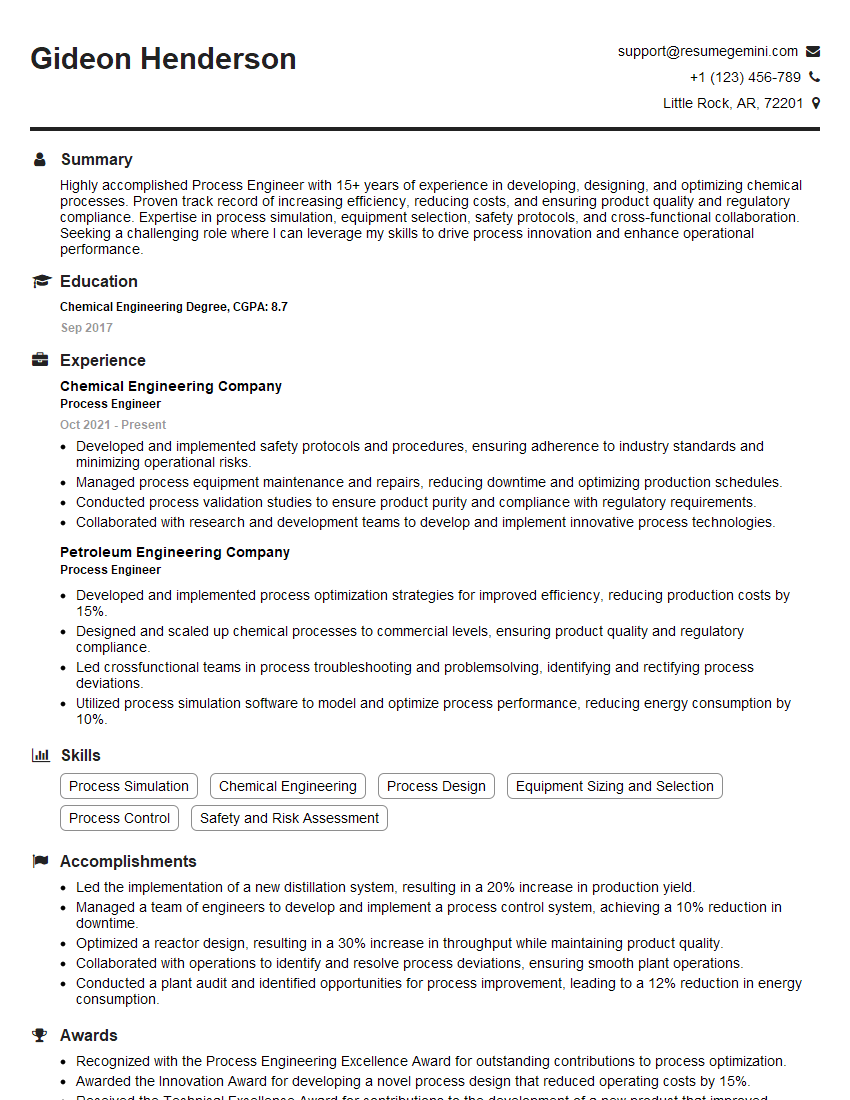
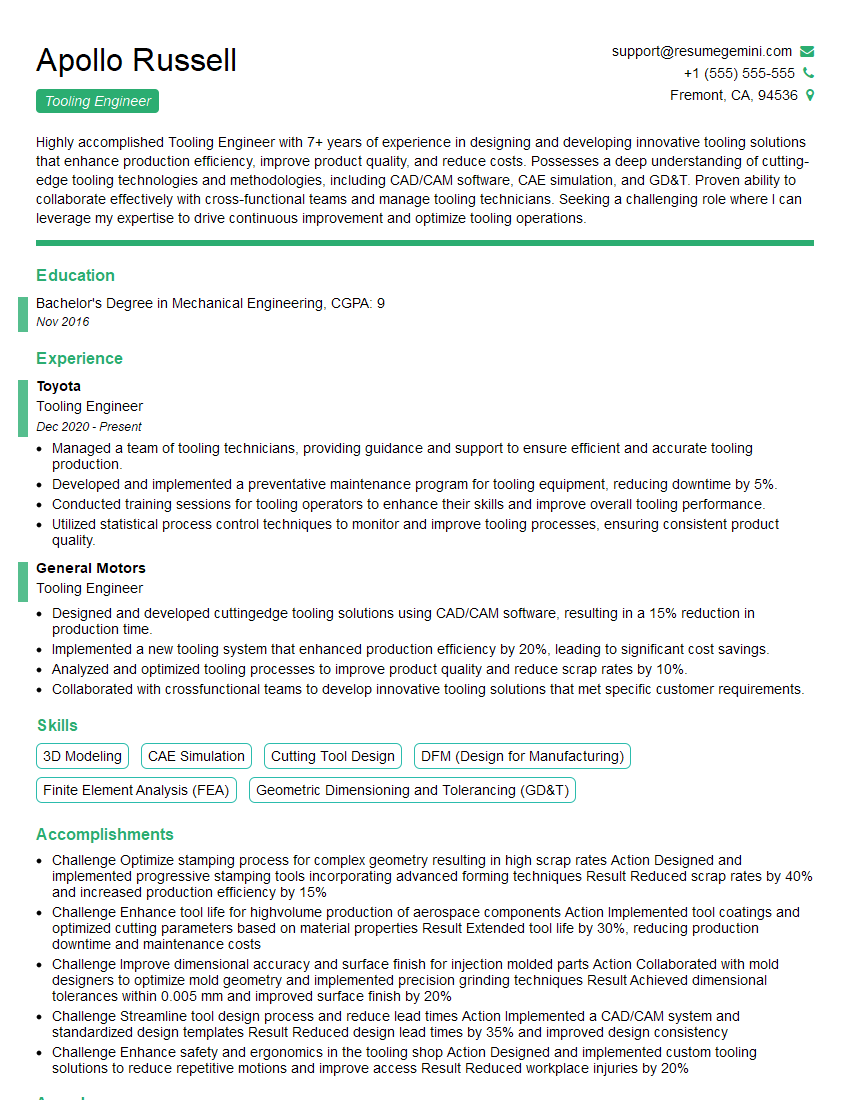
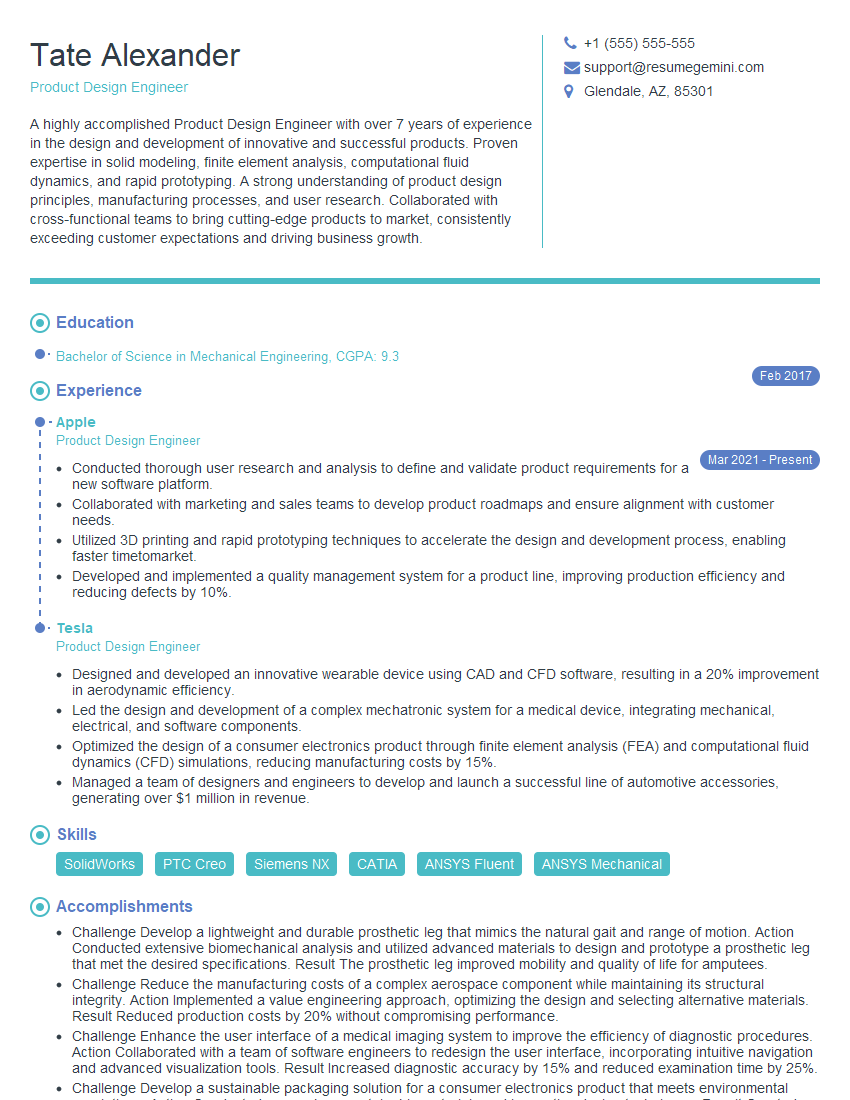
Mastering CAD/CAM systems is crucial for career advancement in manufacturing, engineering, and related fields. A strong understanding of these technologies opens doors to exciting opportunities and higher earning potential. To maximize your job prospects, create an ATS-friendly resume that effectively highlights your skills and experience. ResumeGemini is a trusted resource that can help you build a professional and impactful resume tailored to your specific experience. Examples of resumes tailored to Experience with CAD/CAM Systems are available to guide you. Take the next step towards your dream career today!




Explore more articles
Users Rating of Our Blogs
Share Your Experience
We value your feedback! Please rate our content and share your thoughts (optional).
What Readers Say About Our Blog
Very informative content, great job.
good