The right preparation can turn an interview into an opportunity to showcase your expertise. This guide to Experience with Digital Asset Management Systems interview questions is your ultimate resource, providing key insights and tips to help you ace your responses and stand out as a top candidate.
Questions Asked in Experience with Digital Asset Management Systems Interview
Q 1. What are the key features you look for when evaluating a Digital Asset Management system?
Selecting a Digital Asset Management (DAM) system requires careful consideration of several key features. It’s not just about storage; it’s about streamlining workflows and improving team collaboration. I prioritize systems that offer a robust balance of functionality and user-friendliness.
- Intuitive User Interface (UI) and User Experience (UX): A clunky interface can hinder adoption. I look for systems with a clean, easy-to-navigate design that allows users of varying technical skills to quickly find and use assets.
- Robust Metadata Capabilities: The ability to tag assets with rich metadata (keywords, descriptions, usage rights, etc.) is crucial for efficient search and retrieval. The system should allow for custom metadata schemas to match specific organizational needs.
- Strong Search and Filtering: Finding the right asset quickly is paramount. I look for systems with powerful search functionalities, including faceted search, full-text search, and the ability to filter by metadata.
- Version Control and Workflow Management: Tracking changes and managing asset versions are vital to prevent confusion and maintain consistency. A clear workflow system for approval and publication is also essential.
- Integration Capabilities: Seamless integration with other systems (CMS, CRM, marketing automation platforms) is key to optimizing workflows. I assess the system’s APIs and connectors to ensure compatibility with our existing tech stack.
- Security and Access Control: Protecting digital assets is paramount. I evaluate the system’s security features, including access controls, user permissions, encryption, and audit trails.
- Scalability and Performance: The system needs to handle the current and projected volume of assets and users without performance degradation. Scalability is crucial for long-term growth.
- Reporting and Analytics: Understanding asset usage patterns is critical for informed decision-making. I seek systems that provide insightful reporting and analytics on asset downloads, usage, and overall performance.
For instance, in a previous role, we chose a DAM system based heavily on its integration with our marketing automation platform. This streamlined the process of distributing marketing materials and significantly improved campaign efficiency.
Q 2. Explain the importance of metadata in a DAM system.
Metadata is the backbone of any effective DAM system. Think of it as the descriptive information that makes your assets searchable and manageable. Without rich metadata, your digital assets become buried in a chaotic digital graveyard, impossible to find when you need them.
The importance lies in its ability to:
- Improve Search and Retrieval: Properly tagged assets can be easily located using keywords, descriptions, categories, and other metadata fields. This saves significant time and effort.
- Enable Efficient Asset Management: Metadata allows for organization and categorization of assets, leading to a more structured and manageable library.
- Ensure Compliance: Metadata can track usage rights, copyright information, and other legal details, helping organizations avoid legal issues.
- Automate Workflows: Metadata can trigger automated workflows, such as sending notifications when an asset is updated or approved.
- Generate Insights: Analyzing metadata can provide valuable insights into asset usage patterns, helping organizations understand what content is most effective.
For example, imagine a marketing team searching for a specific image used in a past campaign. Without metadata, they might have to manually sift through thousands of files. With proper metadata tagging (e.g., ‘campaign: Spring2023’, ‘product: WidgetX’, ‘type: banner’), the image is easily found in seconds.
Q 3. Describe your experience with different DAM systems (e.g., Adobe Experience Manager, Bynder, Widen).
I have extensive experience with several leading DAM systems, each with its strengths and weaknesses. My experience helps me make informed decisions when evaluating new systems.
- Adobe Experience Manager (AEM): A robust and feature-rich enterprise-level DAM system known for its powerful capabilities but also its complexity and higher cost. I’ve worked with AEM in large-scale implementations, integrating it with other Adobe Creative Cloud applications. Its strength lies in its enterprise-grade functionality and tight integration within the Adobe ecosystem.
- Bynder: Bynder offers a more user-friendly interface than AEM, making it suitable for organizations of various sizes. I’ve used Bynder in projects requiring a strong emphasis on collaboration and brand consistency. Its user-friendly interface facilitates widespread adoption within teams.
- Widen: Widen is another strong contender, particularly well-suited for organizations needing robust marketing automation and distribution capabilities. My experience with Widen has involved projects emphasizing efficient asset distribution and marketing campaign management. Its strength lies in connecting DAM functionalities to marketing operations.
The best choice depends heavily on specific needs and budget. A smaller company might prefer Bynder’s ease of use, while a larger enterprise might require AEM’s scalability and complex features. Widen shines where marketing workflow efficiency is paramount.
Q 4. How do you ensure the efficient storage and retrieval of digital assets?
Efficient storage and retrieval of digital assets relies on a combination of technical infrastructure and organizational strategies.
- Structured Storage: Assets should be organized using a logical folder structure, based on metadata and project requirements. This prevents assets from becoming lost in a disorganized mess.
- Appropriate File Formats: Choosing optimal file formats (e.g., lossless compression for archival, lossy compression for web) balances quality and storage space.
- Metadata Tagging: Comprehensive metadata tagging, as discussed earlier, is essential for efficient search and retrieval.
- Cloud Storage: Leveraging cloud storage solutions offers scalability, accessibility, and redundancy, protecting against data loss.
- Content Delivery Network (CDN): Using a CDN ensures fast delivery of assets to users worldwide, improving website performance and user experience.
- Regular Backups: Implementing regular backups to a separate location protects against data loss due to hardware failure or cyberattacks.
For example, we implemented a system using cloud storage, a well-defined folder structure based on project and asset type, and automated metadata tagging, resulting in a 40% reduction in time spent searching for assets.
Q 5. What strategies do you use to manage and maintain version control within a DAM?
Version control is essential to maintain asset integrity and prevent confusion. Strategies include:
- Version History: The DAM system should track all versions of an asset, allowing users to revert to previous versions if necessary. This should be readily available.
- Workflow Approvals: Implementing a workflow for asset approvals ensures that only approved versions are published, maintaining consistency and quality.
- Check-in/Check-out Functionality: This prevents multiple users from editing the same asset simultaneously, avoiding conflicts and data corruption.
- Metadata Versioning: Metadata should also be versioned, tracking changes to asset descriptions and keywords.
- Clear Naming Conventions: Using a consistent naming convention for assets (e.g., ‘projectname_assetname_v1.jpg’) helps identify different versions easily.
In a past project, we implemented a system where every asset version was automatically saved and associated with the user and timestamp. This not only solved potential conflict resolution issues but provided a rich history for asset tracking and auditing purposes.
Q 6. How would you handle a situation where a critical asset is missing or corrupted?
Losing a critical asset is a serious issue, demanding immediate action. My approach is:
- Identify the Asset and Impact: Determine the missing asset’s specifics and the impact its absence creates.
- Investigate the Cause: Try to identify why the asset is missing (deletion, corruption, technical failure). Check the system’s audit trails and logs for clues.
- Recover from Backup: Restore the asset from the most recent backup, if available. Ensure that backups are regular and complete.
- Reconstruct the Asset: If a backup is unavailable, try to reconstruct the asset from source files or other available information.
- Implement Preventative Measures: To prevent future occurrences, review storage processes, data redundancy strategies, and access permissions. Implement stronger version control measures.
- Communicate: Keep stakeholders informed of the situation and the progress of recovery efforts. Transparency is key to managing expectations.
For example, if a critical marketing image is missing, we would first check the backup system and then investigate the user access logs to find when and why the asset might have been deleted. We would also consider notifying stakeholders if the asset is critical to upcoming marketing campaigns.
Q 7. Explain your understanding of digital rights management (DRM) within a DAM context.
Digital Rights Management (DRM) within a DAM system refers to the technological measures used to control access to and usage of digital assets. It’s crucial for protecting intellectual property and ensuring compliance with licensing agreements.
Key aspects of DRM within a DAM include:
- Access Control: Restricting access to assets based on user roles and permissions, preventing unauthorized viewing or downloading.
- Usage Rights Management: Tracking and enforcing the permitted uses of an asset (e.g., print only, web use only, commercial use allowed). Metadata plays a critical role here.
- Watermarking: Adding watermarks to assets to prevent unauthorized redistribution or use.
- Encryption: Encrypting assets to prevent unauthorized access even if the asset is downloaded.
- Expiration Dates: Setting expiration dates for asset access, ensuring temporary access as needed.
- Usage Tracking: Monitoring and tracking asset usage to understand how the assets are being used and identify potential unauthorized access.
A well-implemented DRM strategy within the DAM allows organizations to securely manage and distribute their digital assets while protecting their intellectual property rights.
Q 8. How do you ensure compliance with copyright and usage rights for digital assets?
Ensuring compliance with copyright and usage rights for digital assets is paramount in a DAM system. It’s not just about avoiding legal trouble; it’s about protecting your brand and maintaining trust. My approach involves a multi-layered strategy.
Metadata Management: We meticulously tag each asset with comprehensive metadata, including copyright information (holder, license type, restrictions, expiration dates), usage rights, and model releases where necessary. This allows for easy searching and filtering based on usage permissions.
Workflow and Approval Processes: We implement robust workflows that require approvals for asset usage, particularly when dealing with licensed or restricted content. This ensures that only authorized personnel can access and utilize assets in compliance with the terms.
Regular Audits: We conduct regular audits of the DAM to identify potential compliance issues. This proactive approach helps us stay ahead of potential problems and ensures our practices remain aligned with the latest regulations.
Training and Education: We provide comprehensive training to all users on copyright law, usage rights, and the DAM’s compliance features. This ensures everyone understands their responsibilities and how to use the system correctly.
Integration with Legal Systems: In some cases, we integrate the DAM with legal management systems to streamline the process of tracking licenses and permissions, and potentially automating notifications for impending expirations.
For example, imagine a marketing campaign requiring the use of a stock photo. Our system ensures that the correct license is attached to the asset, and the usage terms are clearly documented. If the license expires, the system can flag it, prompting the user to renew or replace the asset.
Q 9. What experience do you have with integrating a DAM with other systems (e.g., CRM, CMS)?
Integrating a DAM with other systems is crucial for optimizing workflow and data consistency. I have extensive experience integrating DAMs with CRMs (Customer Relationship Management systems) and CMSs (Content Management Systems), leveraging APIs and other integration methods.
CRM Integration: This enables seamless access to relevant assets within the CRM, improving sales and marketing efforts. For instance, sales representatives can easily access product images and brochures directly from the CRM, leading to improved customer engagement and faster response times. This integration often involves the use of APIs to transfer data, such as customer details and asset usage.
CMS Integration: Integrating with a CMS allows for direct embedding of assets into web pages and other content, streamlining the content creation process and preventing duplicate asset storage. This often involves custom plugins or using APIs to seamlessly pull assets into the CMS.
Other Integrations: I’ve also worked with integrating DAMs with marketing automation platforms, digital experience platforms, and other enterprise systems to build a holistic, interconnected digital ecosystem.
In one project, we integrated a DAM with a CRM using RESTful APIs. This allowed sales reps to quickly find and download marketing materials pertinent to the specific client they were interacting with, directly from their CRM dashboard. This automation significantly improved sales efficiency.
Q 10. Describe your process for onboarding new users to a DAM system.
Onboarding new users to a DAM system is crucial for its successful adoption. My process is designed to be thorough yet efficient.
Needs Assessment: We begin by understanding the user’s role and their specific needs within the system. This ensures we tailor the training to their specific requirements.
Interactive Training: We conduct interactive training sessions, combining online modules with hands-on exercises. This approach encourages active learning and allows users to practice using the system in a safe environment.
Role-Based Access Control: We establish role-based access control, ensuring that users only have access to the assets and functionalities relevant to their roles. This is vital for maintaining security and data integrity.
Ongoing Support: We offer ongoing support through FAQs, documentation, and dedicated help desk channels. This ensures that users can readily access assistance whenever needed.
Feedback Mechanism: We encourage feedback from users to continuously improve our onboarding process and the system itself.
For instance, a new marketing manager would receive training focused on asset search, download, and approval workflows, while a photographer would get training focused on asset upload and metadata tagging. This ensures optimal utilization of the system by each user group.
Q 11. How do you measure the success and ROI of a DAM implementation?
Measuring the success and ROI of a DAM implementation requires a multifaceted approach, combining quantitative and qualitative metrics.
Reduced Search Time: Track the time spent searching for assets before and after DAM implementation. A significant reduction indicates improved efficiency.
Increased Asset Reuse: Monitor the number of times assets are reused, highlighting the cost savings achieved by avoiding recreating content.
Improved Brand Consistency: Analyze the consistency of brand assets used across different channels to gauge the impact of centralized asset management.
Reduced Storage Costs: Compare storage costs before and after implementation, highlighting savings achieved by eliminating redundant files.
User Satisfaction: Conduct surveys or interviews to assess user satisfaction with the DAM system and its impact on their workflow.
Qualitative Benefits: Consider factors like improved brand consistency, better collaboration, and reduced legal risks. These qualitative benefits contribute to the overall ROI, even if they are harder to quantify directly.
For example, if we observe a 50% reduction in asset search time, coupled with a 30% increase in asset reuse, we can quantify the direct cost savings and demonstrate a clear ROI.
Q 12. What are some common challenges faced when implementing or managing a DAM system?
Implementing and managing a DAM system presents several common challenges.
Data Migration: Migrating existing assets can be complex and time-consuming, requiring careful planning and execution.
Metadata Management: Ensuring consistent and accurate metadata tagging can be difficult, especially with large asset libraries. This requires thorough training and potentially the use of automation tools.
User Adoption: Encouraging users to adopt and consistently use the DAM system requires effective training and ongoing support.
Integration Challenges: Integrating the DAM with other systems can be complex and require technical expertise.
Cost: The initial investment and ongoing maintenance costs can be significant.
Security Concerns: Protecting assets from unauthorized access and ensuring data security is paramount.
For instance, a common migration challenge involves inconsistencies in file naming conventions or metadata across different sources. Addressing these discrepancies before migration is essential for smooth transition.
Q 13. How do you prioritize asset requests and manage conflicting deadlines?
Prioritizing asset requests and managing conflicting deadlines involves a structured approach.
Prioritization Matrix: We use a prioritization matrix to rank requests based on urgency, impact, and dependencies. This provides a clear framework for decision-making.
Communication and Collaboration: We foster open communication between the DAM team and asset requesters, keeping everyone informed of progress and potential delays. This transparency helps to avoid misunderstandings and conflicts.
Project Management Tools: We leverage project management tools to track deadlines, assign tasks, and monitor progress. This allows for proactive identification and mitigation of potential conflicts.
Escalation Procedures: We establish escalation procedures for handling high-priority requests or urgent situations that require immediate attention.
For instance, if we have multiple urgent requests for images for different marketing campaigns with overlapping deadlines, the prioritization matrix would help us determine which campaign gets priority based on factors like revenue potential and impending deadlines. We would then communicate this decision transparently to all stakeholders.
Q 14. Explain your experience with DAM system migration or upgrades.
I have significant experience with DAM system migrations and upgrades. These projects require meticulous planning and execution.
Assessment and Planning: We begin with a thorough assessment of the current system and the desired functionalities of the new system. This includes evaluating data migration strategies, user training requirements, and potential downtime.
Data Migration Strategy: We develop a robust data migration strategy, ensuring data integrity and minimizing disruption. This might involve phased migration or using specialized data migration tools.
Testing and Validation: We conduct rigorous testing to ensure the new system functions correctly and meets all requirements before going live.
User Training: We provide comprehensive user training to ensure a smooth transition and minimize disruption to workflow.
Post-Migration Support: We provide ongoing support to users after the migration to address any issues or questions that may arise.
In one instance, we migrated a client from an outdated DAM to a cloud-based solution. The process involved careful data cleansing, metadata migration, and rigorous testing to ensure minimal disruption during the transition. We implemented a phased migration to mitigate risks and minimize downtime.
Q 15. How familiar are you with different file formats and their compatibility within a DAM?
Understanding file formats and their compatibility is crucial for effective DAM implementation. Different file types have varying characteristics impacting storage, accessibility, and workflow. For example, a high-resolution TIFF image might be ideal for archival purposes but impractical for web use, while a JPEG offers a smaller file size suitable for online display but compromises image quality. Within a DAM, compatibility refers to the system’s ability to handle these diverse formats, preview them correctly, and allow for appropriate transformations (resizing, compression) without data loss.
My experience spans working with a wide range of formats, including raster images (JPEG, PNG, TIFF, GIF), vector graphics (SVG, AI, EPS), video (MP4, MOV, AVI), audio (MP3, WAV), and documents (PDF, DOCX, PPTX). I’ve used DAM systems that seamlessly handled these, ensuring consistent viewing across various devices and applications. For instance, in a previous role, we migrated from an older DAM that struggled with large RAW image files to a newer system optimized for handling high-resolution imagery, improving workflow significantly. I understand the importance of metadata embedded within these files (EXIF data, for example) for efficient searching and organization. Poor compatibility can lead to display errors, accessibility issues, and workflow bottlenecks, so I’m always attentive to the DAM’s capabilities in this area.
Career Expert Tips:
- Ace those interviews! Prepare effectively by reviewing the Top 50 Most Common Interview Questions on ResumeGemini.
- Navigate your job search with confidence! Explore a wide range of Career Tips on ResumeGemini. Learn about common challenges and recommendations to overcome them.
- Craft the perfect resume! Master the Art of Resume Writing with ResumeGemini’s guide. Showcase your unique qualifications and achievements effectively.
- Don’t miss out on holiday savings! Build your dream resume with ResumeGemini’s ATS optimized templates.
Q 16. What are your preferred methods for organizing and categorizing digital assets?
Organizing and categorizing digital assets requires a structured approach to ensure easy retrieval and efficient management. My preferred methods leverage a combination of metadata tagging, hierarchical folder structures, and keywording.
- Metadata Tagging: I favor using standardized metadata schemas (like IPTC or XMP) to capture essential information about each asset, including title, description, keywords, copyright details, and usage rights. This ensures consistency and facilitates automated filtering and searching.
- Hierarchical Folder Structures: I believe in creating a logical folder structure mirroring the organizational needs of the business. This might involve folders for projects, campaigns, product lines, or departments. A clear structure makes browsing and navigation intuitive.
- Keywording: In addition to metadata, I use a controlled vocabulary of keywords to enrich asset discoverability. This should be a collaborative effort, involving key stakeholders to ensure consistency and avoid ambiguity.
For example, in a previous role managing assets for a large fashion brand, we implemented a system using metadata schemas combined with a hierarchical folder structure (by season, product category, and photoshoot). This significantly improved asset retrieval and reduced time spent searching for specific items. Consistency in metadata and keywording is paramount – it’s the foundation of a well-organized DAM.
Q 17. How do you ensure the security and access control of digital assets within a DAM?
Security and access control are paramount in any DAM system. I approach this by implementing a multi-layered security strategy focusing on user roles, permissions, and encryption.
- Role-Based Access Control (RBAC): Different user roles (administrator, editor, viewer) are granted specific permissions tailored to their responsibilities, restricting access to sensitive assets based on their needs. For example, only administrators can modify system settings, while editors can modify assets, and viewers can only access pre-approved assets.
- Digital Rights Management (DRM): Implementing DRM features allows controlling asset usage, preventing unauthorized copying, printing, or downloading. This is particularly critical for intellectual property protection.
- Encryption: Data encryption, both in transit and at rest, safeguards assets from unauthorized access even if the system is compromised.
- Auditing and Logging: Maintaining comprehensive audit trails tracks all user actions, providing accountability and enabling investigation of security incidents.
Think of it like a bank vault – multiple layers of security to protect valuable assets. In a project for a pharmaceutical company, we implemented strict RBAC, DRM, and encryption to protect confidential clinical trial data and marketing materials. This ensured compliance with strict regulations and prevented data breaches.
Q 18. Describe your experience with developing and enforcing DAM usage policies.
Developing and enforcing DAM usage policies is crucial for ensuring the system’s effectiveness and protecting assets. My approach includes creating clear guidelines, providing thorough training, and establishing a feedback mechanism.
- Policy Creation: I start by defining clear usage guidelines, outlining asset naming conventions, metadata standards, and acceptable usage practices. The policies should address access control, version control, and asset retirement procedures.
- Training and Communication: Effective training is essential to educate users on the system’s capabilities and the importance of adhering to the established policies. This can involve workshops, online tutorials, and readily available documentation.
- Enforcement and Monitoring: Regular monitoring is essential to ensure compliance. Automated alerts and reporting mechanisms help identify inconsistencies or deviations from established guidelines.
- Feedback Loop: A feedback mechanism allows users to provide input and suggest improvements to the policies and the system itself. This iterative process improves user adoption and promotes system effectiveness.
In a previous role, we developed a comprehensive DAM usage policy with accompanying training materials, significantly reducing asset misplacement and improving overall efficiency. The key is creating a culture of adherence, supported by clear communication and supportive training.
Q 19. How do you handle asset requests from different departments or stakeholders?
Handling asset requests efficiently requires a well-defined workflow and clear communication channels. My approach typically includes a request portal, automated notifications, and a tracking system.
- Request Portal: Implementing a centralized request portal allows stakeholders to submit requests specifying the required assets, their intended purpose, and the deadline.
- Workflow Automation: Automated notifications keep all involved parties informed about the request’s status, from submission to approval and delivery.
- Tracking System: Maintaining a comprehensive request tracking system ensures accountability and facilitates efficient management of multiple requests concurrently.
- Access Control: The system should only deliver assets to authorized users, enforcing the security policies defined earlier.
Imagine a well-oiled machine – smooth flow of requests, clear status updates, and secure delivery. In a marketing agency context, we utilized a DAM system with a custom-built request portal integrated with our project management software, automating asset distribution and tracking, thus minimizing delays and communication overhead.
Q 20. What are your thoughts on cloud-based versus on-premise DAM solutions?
The choice between cloud-based and on-premise DAM solutions depends on several factors, including budget, security requirements, IT infrastructure, and scalability needs.
- Cloud-based DAMs: Offer scalability, accessibility, and reduced IT overhead. They are typically more cost-effective upfront but may involve recurring subscription fees. Security is often managed by the provider, but due diligence is crucial.
- On-premise DAMs: Provide greater control over data and security, particularly beneficial for organizations with strict compliance requirements. However, they necessitate significant investment in infrastructure, maintenance, and IT expertise. Scalability can also be a concern.
The best choice depends on the organization’s specific context. For a small business with limited IT resources, a cloud-based solution might be more practical. For a large enterprise with highly sensitive data and stringent security policies, an on-premise solution may be more suitable. I have experience with both types, and my recommendation would always be based on a thorough assessment of the organization’s needs and priorities.
Q 21. What experience do you have with DAM system reporting and analytics?
DAM system reporting and analytics offer invaluable insights into asset usage, user behavior, and overall system effectiveness. My experience includes utilizing reports to optimize workflows, identify underutilized assets, and improve overall DAM utilization.
- Usage Reports: These reports track asset downloads, views, and other usage metrics. This data can reveal popular assets, helping prioritize content and inform future asset creation strategies.
- User Activity Reports: Tracking user logins, searches, and asset interactions can identify patterns of use and areas for improvement in the DAM’s organization or search functionality.
- Metadata Analysis: Analyzing metadata usage can highlight gaps or inconsistencies in tagging practices, indicating areas for improvement in metadata management.
- Custom Reports: Many DAM systems allow for the creation of custom reports tailored to specific business needs. This enables deeper dives into specific aspects of asset usage or user behavior.
In a previous role, we utilized DAM reporting to identify underutilized assets, resulting in a successful initiative to repurpose or archive them, saving storage costs and streamlining the system. Data-driven decision-making is key to maximizing the value of a DAM system.
Q 22. Describe your experience with automated workflows within a DAM system.
Automated workflows within a DAM system are crucial for efficiency and consistency. Think of them as automated assembly lines for your digital assets. Instead of manually uploading, tagging, and distributing each asset, you configure the system to perform these tasks automatically based on predefined rules.
For example, upon upload, a workflow might automatically extract metadata (like keywords or captions) using OCR or AI, apply pre-defined watermarking, resize the image to multiple formats (web, print, social media), and then automatically deliver the assets to the relevant team or platform.
- Scenario 1: Imagine a marketing team using a DAM. Whenever a new marketing campaign image is uploaded, the workflow automatically creates variations optimized for Facebook, Instagram, and email campaigns, saving hours of manual work.
- Scenario 2: A news organization uses the system to automatically ingest images from their photojournalists, applying copyright information and routing them to the appropriate editors based on keyword assignments.
These workflows are usually configured through the DAM’s interface, often involving drag-and-drop functionality to define the steps and rules. The more complex workflows might require some scripting or integration with external services, but the goal is always streamlined asset management.
Q 23. How do you ensure the quality and consistency of digital assets?
Ensuring quality and consistency across digital assets is paramount. It’s about establishing clear standards and leveraging the DAM’s features to enforce them. This involves multiple steps:
- Metadata Standardization: Consistent metadata tagging is key. We implement controlled vocabularies and taxonomies to ensure everyone uses the same terms for the same things, preventing confusion and facilitating searchability. This often involves creating detailed metadata schemas.
- Asset Quality Control: Implementing automated checks for file size, resolution, color profiles, and format compliance ensures that all assets meet minimum quality standards before they’re published. This could involve custom scripts or integrations with image processing tools.
- Version Control: The DAM should manage different versions of an asset, allowing for easy rollback if necessary. This prevents accidental use of outdated or incorrect versions.
- Review and Approval Workflows: Implementing workflows where assets must be approved by designated personnel before publication adds another layer of quality control. This can be done within the DAM itself or through integration with other systems.
- Regular Audits: Periodically reviewing assets and metadata helps identify areas for improvement and maintains the overall quality of the digital asset library.
Think of it like a professional kitchen—consistent recipes (metadata schemas), quality ingredients (high-resolution assets), and a well-organized workflow (DAM features) guarantee consistent output (high-quality, easily accessible assets).
Q 24. How familiar are you with DAM API’s and integrations?
I’m very familiar with DAM APIs (Application Programming Interfaces) and integrations. APIs allow the DAM to connect with and exchange data with other systems, expanding its functionality and integrating it into your broader technology stack.
For example, a DAM API can be used to:
- Integrate with CRM systems: Automatically link assets to customer records.
- Integrate with CMS systems: Easily embed assets into website content.
- Integrate with marketing automation platforms: Automatically include assets in marketing emails.
- Build custom applications: Create specialized tools for asset management needs.
I have experience working with RESTful APIs and various authentication methods, enabling seamless integration between the DAM and other applications. I understand how to handle API requests, responses, and error handling, ensuring robust and reliable integration. Understanding API documentation and using tools like Postman to test API calls are essential skills in this area.
Q 25. What is your experience with image and video optimization for web and mobile?
Image and video optimization for web and mobile is critical for performance and user experience. It’s about finding the balance between quality and file size. Large files lead to slow loading times, frustrating users and impacting SEO.
My approach involves a multi-faceted strategy:
- Format Selection: Choosing the right file format (e.g., WebP for images, H.265 for video) is essential for efficient compression without significant quality loss.
- Resolution Scaling: Images and videos should be appropriately sized for the target platform (web, mobile). Up-scaling low-resolution content is generally avoided.
- Compression Techniques: Using appropriate compression techniques, without sacrificing visual quality, is critical. Tools and software like Adobe Photoshop, or specialized online services, are frequently used for this purpose.
- Responsive Design: Ensuring assets are optimized for various screen sizes and devices is important for optimal display and minimal loading times.
- Lazy Loading: Employing lazy loading techniques for images delays the loading of images until they are visible in the viewport, improving initial page load speed.
I have hands-on experience using tools and software that allow for batch processing of assets, ensuring efficient optimization of large quantities of images and videos.
Q 26. How do you train users on the effective use of a DAM system?
Training users effectively is key to DAM adoption. It’s not just about showing them the buttons; it’s about helping them understand the system’s value and how it benefits their workflow.
My approach is multifaceted:
- Needs Assessment: Understanding user roles and their specific needs helps tailor the training content. Different roles (marketing, sales, legal) will have different priorities.
- Modular Training: Breaking down the training into smaller, digestible modules makes it easier to follow and retain information. This approach allows users to focus on aspects relevant to their roles.
- Hands-on Workshops: Practical sessions where users can perform real-world tasks within the DAM are crucial for building confidence and competence.
- Documentation and Resources: Providing clear and concise documentation, FAQs, video tutorials, and cheat sheets ensures ongoing support and reference material.
- Ongoing Support and Feedback: Regular check-ins, Q&A sessions, and open communication channels allow users to address concerns and receive assistance.
I believe in a blended approach, combining online learning with interactive workshops. This approach creates a more engaging and effective learning experience, resulting in higher user adoption rates.
Q 27. Explain your understanding of DAM best practices and industry standards.
DAM best practices and industry standards revolve around efficiency, accessibility, and governance. Key aspects include:
- Metadata Schema Design: Implementing a well-defined metadata schema ensures consistency and searchability. This schema should be tailored to the organization’s needs and aligned with industry standards like Dublin Core.
- Access Control and Permissions: Implementing robust access controls ensures that only authorized users can access specific assets and prevents unauthorized distribution.
- Version Control: Maintaining different versions of assets aids in tracking changes and prevents accidental overwriting of files. Version control ensures that older versions are retrievable.
- Workflow Automation: Automating common tasks improves efficiency and reduces manual effort. Think automated approvals, metadata extraction, and asset delivery.
- Regular Backups and Disaster Recovery: Protecting digital assets from loss or damage is paramount. Regular backups and a comprehensive disaster recovery plan are essential.
- Digital Rights Management (DRM): Where appropriate, implementing DRM to protect intellectual property rights.
Adherence to these best practices ensures the DAM effectively serves its purpose as a central repository for managing and distributing digital assets, promoting collaboration and efficiency.
Q 28. Describe a time you had to troubleshoot a DAM system issue. What was the issue, and how did you resolve it?
In a previous role, we experienced an issue where the DAM’s automated thumbnail generation process stopped working. This meant new assets weren’t displaying thumbnails, making it incredibly difficult for users to browse the library.
My troubleshooting involved these steps:
- Initial Assessment: I checked the DAM’s logs for error messages and confirmed that the issue wasn’t due to a server outage or network problems.
- System Checks: I verified that the storage location for thumbnails was accessible and had sufficient space. I checked the DAM’s configuration settings related to thumbnail generation.
- Testing: I tested the thumbnail generation process manually, identifying that it failed only for certain types of image files (specifically, RAW files).
- Resolution: After researching the issue, I discovered a bug in the DAM’s image processing module that was incompatible with a specific RAW image format. The solution involved updating the DAM software to a newer version that included a fix for the bug. Following the update, the automated thumbnail generation worked correctly for all image types.
- Documentation: I documented the issue, the resolution steps, and any relevant information to prevent this problem from occurring again. This involved internal communication to the team.
This experience highlighted the importance of regular system updates, comprehensive logging, and thorough testing when implementing automated processes within a DAM.
Key Topics to Learn for Experience with Digital Asset Management Systems Interview
- Understanding DAM Fundamentals: Defining Digital Asset Management, its purpose, and benefits within an organization. Explore different DAM system architectures and functionalities.
- Metadata and Tagging Strategies: Mastering effective metadata schemas and tagging conventions for efficient asset discovery and retrieval. Discuss the importance of consistent and accurate tagging for improved searchability and organization.
- Workflow and Collaboration: Understanding the asset lifecycle within a DAM system, including ingestion, processing, approval, and distribution workflows. Discuss collaborative features and best practices for team efficiency.
- Digital Rights Management (DRM): Explain the role of DRM in protecting intellectual property and ensuring compliance. Discuss different DRM strategies and their implementation within a DAM system.
- Integration with other systems: Discuss the importance of seamless integration with CMS, CRM, and marketing automation platforms. Explore common integration methods and their benefits.
- DAM System Selection and Implementation: Understanding the process of selecting a DAM system based on organizational needs and evaluating different vendors. Discuss key considerations for successful implementation and migration.
- Asset Optimization and Delivery: Discuss techniques for optimizing assets for different platforms and devices. Explore various delivery methods and their impact on performance and user experience.
- Reporting and Analytics: Understanding how DAM systems provide insights into asset usage, performance, and ROI. Discuss the importance of using data to inform decision-making and optimize workflows.
- Security and Access Control: Discuss security considerations for protecting digital assets and ensuring compliance with relevant regulations. Explore different access control mechanisms and best practices for data security.
- Troubleshooting and Problem-Solving: Prepare to discuss common issues encountered in DAM systems and your approaches to resolving them. Highlight your problem-solving skills and ability to identify and address technical challenges.
Next Steps
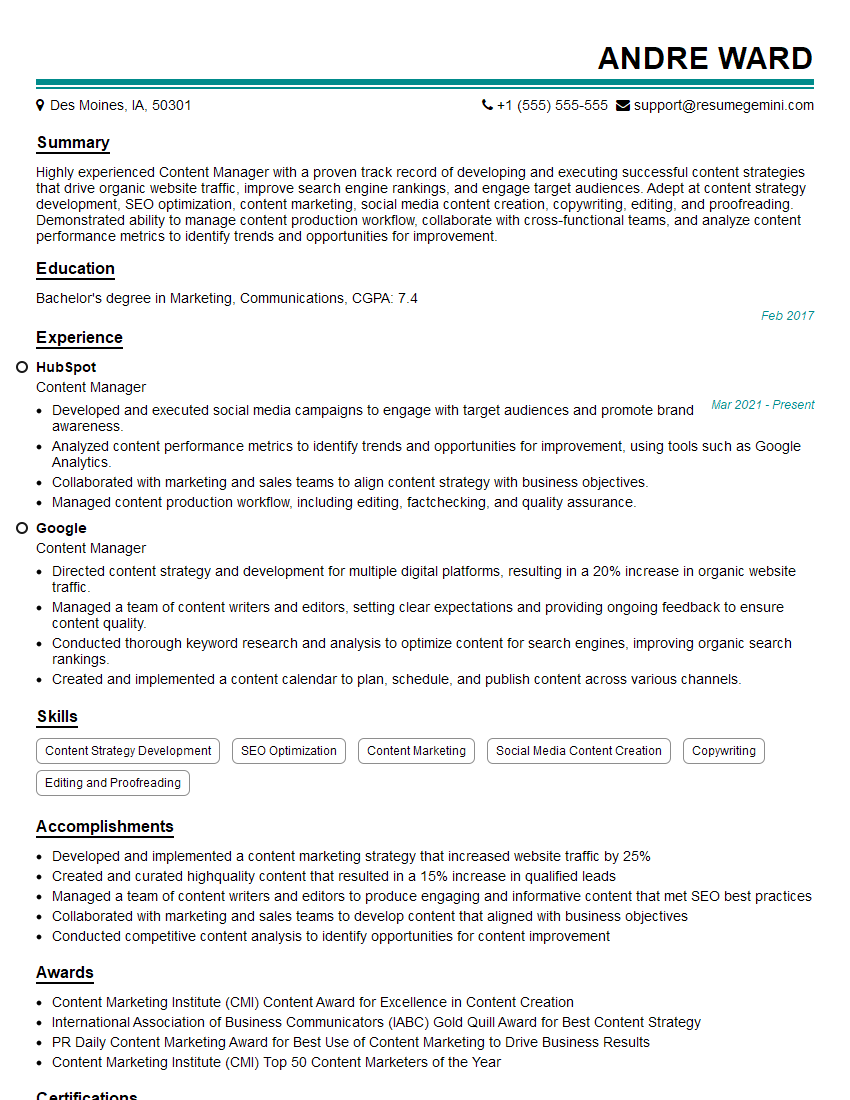
Mastering Digital Asset Management systems is crucial for career advancement in today’s digital landscape. Proficiency in this area significantly enhances your value to any organization that relies on effective content management and distribution. To maximize your job prospects, invest time in creating an ATS-friendly resume that effectively highlights your skills and experience. ResumeGemini is a trusted resource to help you build a professional and impactful resume. We provide examples of resumes tailored to highlight Experience with Digital Asset Management Systems to help you get started.
Explore more articles
Users Rating of Our Blogs
Share Your Experience
We value your feedback! Please rate our content and share your thoughts (optional).
What Readers Say About Our Blog
Very informative content, great job.
good