Preparation is the key to success in any interview. In this post, we’ll explore crucial Experience with human factors engineering interview questions and equip you with strategies to craft impactful answers. Whether you’re a beginner or a pro, these tips will elevate your preparation.
Questions Asked in Experience with human factors engineering Interview
Q 1. Explain the difference between human factors and ergonomics.
While often used interchangeably, human factors and ergonomics have distinct focuses. Human factors is a broader field encompassing the understanding of how humans interact with systems, including physical, cognitive, and organizational aspects. It seeks to optimize the system for human capabilities and limitations. Ergonomics, on the other hand, focuses specifically on the physical interaction between humans and their work environment, aiming to reduce physical strain and improve workplace safety and efficiency. Think of it this way: ergonomics is a subset of human factors. For example, designing a comfortable chair (ergonomics) contributes to the overall usability of a workstation (human factors), which also includes aspects like software design and workflow.
Q 2. Describe your experience with usability testing methodologies.
My experience with usability testing methodologies is extensive, encompassing various techniques. I’ve led studies using both qualitative and quantitative methods. Qualitative methods, such as think-aloud protocols (where users verbalize their thoughts while interacting with a system), and user interviews (structured or unstructured conversations to gain insights) help uncover the ‘why’ behind user behavior. Quantitative methods, like A/B testing (comparing different designs) and task completion rates, provide measurable data on performance. For example, in a recent project redesigning a medical device interface, we employed a think-aloud protocol to identify areas of confusion, which led to significant improvements in task completion times and error reduction (measured through A/B testing with a control group).
Q 3. How do you conduct a heuristic evaluation?
A heuristic evaluation involves having usability experts review a system against established usability principles (heuristics) to identify potential usability issues. I typically follow these steps:
- Select Heuristics: Choose a set of heuristics, such as Nielsen’s 10 usability heuristics or those specific to the domain.
- Form a Team: Assemble a team of at least 3-5 evaluators with diverse backgrounds.
- Individual Evaluation: Each evaluator independently assesses the system, noting usability problems.
- Debriefing Session: The team meets to discuss findings, consolidate results, and prioritize issues based on severity.
- Report Generation: A formal report documenting the findings and recommended improvements is created.
Q 4. What are some common human factors design principles?
Several key human factors design principles guide my work. These include:
- Visibility: Making system status and options readily apparent.
- Feedback: Providing immediate and clear feedback to user actions.
- Consistency: Maintaining consistency in terminology, layout, and functionality.
- Affordances: Designing controls that clearly indicate their function.
- Error Prevention: Designing systems to minimize errors through constraints and clear guidance.
- Error Recovery: Providing clear and easy mechanisms for correcting errors.
- User Control and Freedom: Allowing users to easily undo actions and exit tasks.
Q 5. Explain the concept of cognitive workload and how it’s measured.
Cognitive workload refers to the mental effort required to perform a task. High cognitive workload can lead to errors, reduced performance, and increased stress. Measuring cognitive workload involves a combination of methods:
- Subjective Measures: Using questionnaires like the NASA-TLX (Task Load Index) to assess perceived mental effort.
- Physiological Measures: Monitoring physiological indicators such as heart rate, eye movements, and brain activity (EEG) to detect mental strain.
- Performance-Based Measures: Assessing task completion time, accuracy, and error rates, which indirectly indicate cognitive load.
Q 6. Describe your experience with human-computer interaction design.
My experience in human-computer interaction (HCI) design is extensive. I’ve been involved in designing various interfaces, from mobile apps to complex software systems. My focus is always on creating intuitive and efficient user experiences. For example, I recently worked on a project to improve the user interface of a medical imaging software. Through user-centered design techniques, we simplified the navigation, improved the visualization of medical images and provided more effective feedback to user interactions. This resulted in a significant reduction in the time taken for doctors to interpret images and increased diagnostic accuracy.
Q 7. How do you incorporate user feedback into the design process?
User feedback is integral to iterative design. I incorporate feedback at every stage:
- Early-stage Feedback: Through user interviews and surveys during the concept phase to understand user needs and preferences.
- Mid-stage Feedback: Usability testing with prototypes provides insights on the effectiveness and ease of use.
- Post-launch Feedback: Collecting data on actual usage through analytics and user reports helps identify areas for improvement in subsequent iterations.
Q 8. What are some common human error models?
Human error models are frameworks that help us understand why people make mistakes. They’re crucial in designing safer and more user-friendly systems. Some common models include:
- The Swiss Cheese Model: This model visualizes layers of defenses against errors, like slices of Swiss cheese. If the holes in all the layers align, an accident occurs. It highlights the importance of multiple safeguards. For instance, in aviation, multiple checks and balances (pre-flight checks, air traffic control, pilot redundancy) prevent accidents, even if one layer fails.
- Reason’s Swiss Cheese Model: A refinement of the original, focusing on latent conditions (underlying weaknesses in the system) and active failures (immediate human actions). For example, poorly maintained equipment (latent) combined with a pilot’s momentary lapse in concentration (active) could lead to an accident.
- Human Reliability Analysis (HRA): This is a more quantitative approach using techniques to estimate the probability of human error in specific tasks. This data can inform design decisions by pinpointing high-risk areas and allocating resources effectively.
- SHEL (Software, Hardware, Environment, Liveware): This model considers the interplay between human factors and the system components they interact with. A poorly designed software interface (Software) in a noisy environment (Environment) can increase the likelihood of error, irrespective of the user’s skills (Liveware).
Understanding these models allows us to anticipate potential errors and build systems that are more resilient to human fallibility.
Q 9. How do you identify and mitigate human error in a system?
Identifying and mitigating human error requires a multi-faceted approach. It begins with a thorough understanding of the system and the tasks users perform. Here’s a process I follow:
- Hazard Analysis: Identify potential hazards (conditions that could lead to accidents or errors). Techniques like Failure Mode and Effects Analysis (FMEA) or Hazard and Operability Study (HAZOP) can be helpful. For example, analyzing a medical device to identify failure points that could harm patients.
- Task Analysis: Break down the tasks users perform into steps. This helps pinpoint areas where errors are most likely to occur. Think of analyzing the steps of a pilot landing a plane or a surgeon performing surgery.
- User Observation and Data Collection: Observe users interacting with the system to see where they struggle or make mistakes. Use techniques like think-aloud protocols or eye-tracking. This provides direct evidence of issues.
- Error Analysis: Once errors are identified, analyze their causes – were they due to poor design, lack of training, or other factors? We often apply root cause analysis techniques here.
- Mitigation Strategies: Implement solutions to reduce the likelihood of error. This may involve redesigning the interface, providing better training, implementing safety checks, or developing decision support tools. For instance, using visual cues to make critical controls more salient or adding automation to reduce human workload.
- Evaluation: Continuously evaluate the effectiveness of the mitigation strategies. This is essential for ongoing improvement and verification that we’ve successfully reduced human error.
This iterative process ensures a comprehensive approach to minimizing human error, making systems safer and more reliable.
Q 10. Explain your experience with different types of user research methods.
My experience encompasses a wide range of user research methods, each with its own strengths and weaknesses. I’ve used:
- Usability Testing: Observing users completing tasks with the system to identify areas of difficulty. I’ve conducted both lab-based and remote usability testing. For example, testing the navigation of a website, and a mobile app.
- Cognitive Walkthroughs: A method for evaluating a system’s design by simulating how a user would learn and use it. This is useful for identifying potential confusion points during early design stages. Example: Reviewing a software interface to determine if a user will easily understand how to achieve specific functions.
- Heuristic Evaluation: Expert review of a system’s design against established usability heuristics (principles). Experienced usability experts can identify usability issues not always apparent during usability testing. I use this frequently to identify potential problems early in the design lifecycle.
- Surveys and Questionnaires: Gathering large-scale feedback from users on their attitudes and experiences. These can be quantitative (e.g., rating scales) or qualitative (e.g., open-ended questions). Useful for assessing user satisfaction or perceptions of certain features. I use these for measuring user satisfaction with a particular service.
- Interviews: In-depth conversations with users to explore their needs, experiences, and expectations. This is a good way to understand the context of use and uncover underlying issues. For example, interviewing airline pilots about their workflows.
The choice of method depends on the research questions, available resources, and project timeline. Often, I employ a mixed-methods approach, combining several techniques for a more comprehensive understanding.
Q 11. What are the key considerations for designing interfaces for users with disabilities?
Designing for users with disabilities requires adhering to accessibility guidelines and employing inclusive design principles. Key considerations include:
- Visual Impairments: Providing sufficient color contrast, using alternative text for images, ensuring proper keyboard navigation, and offering screen reader compatibility. For example, ensuring that all interactive elements have appropriate labels, or using color schemes with high contrast.
- Auditory Impairments: Providing captions and transcripts for audio content, using visual cues for auditory alerts, and ensuring that information isn’t solely conveyed through sound. Example: Adding visual notifications for incoming calls or messages.
- Motor Impairments: Making interfaces operable using a variety of input methods (mouse, keyboard, touch screen, voice), using large and clearly labeled controls, and minimizing the need for precise mouse movements. For example, implementing voice control or larger buttons, using keyboard shortcuts for common actions.
- Cognitive Impairments: Using simple and clear language, avoiding jargon, providing step-by-step instructions, and allowing users to easily adjust settings and preferences. Examples include providing help screens, using clear and concise language.
- Following Accessibility Standards: Adhering to guidelines like WCAG (Web Content Accessibility Guidelines) ensures broad accessibility. This involves checking contrast ratios, keyboard navigability, and other critical aspects to meet or exceed legal and ethical standards.
Inclusive design is not just about compliance; it’s about creating products that are usable and enjoyable for everyone. By considering the needs of users with disabilities from the outset, we create better products for all users.
Q 12. Describe your experience with designing for different cultural contexts.
Designing for different cultural contexts is crucial for creating products that resonate with diverse user groups. My experience involves:
- Cultural Research: Understanding the cultural norms, values, and beliefs of target users through literature reviews, ethnographic studies, and user interviews. For example, researching different conceptions of time and space between cultures when developing a schedule management app.
- Language and Translation: Ensuring that the product’s language is appropriate and easily understandable for the target audience, beyond just literal translation. This includes the use of idioms and metaphors, which may not translate well across cultures.
- Visual Design: Considering cultural preferences in color schemes, imagery, and layout. For example, certain colors might have different symbolic meanings in different cultures. Imagery should also avoid cultural stereotypes.
- User Interface Conventions: Being aware of different conventions for user interface elements (e.g., button placement, reading direction) to avoid confusion. For instance, text direction should be adjusted to match the reading habits of the target culture.
- Accessibility Considerations: Considering the diverse needs of users within different cultural contexts, especially for those with disabilities. This may influence the selection of assistive technology solutions or adaptations needed in certain markets.
A culturally sensitive design approach not only increases user satisfaction but also avoids potential misunderstandings and offense. It’s vital to involve users from the target culture throughout the design process for authentic and relevant products.
Q 13. How do you measure the effectiveness of a human factors intervention?
Measuring the effectiveness of a human factors intervention requires a combination of quantitative and qualitative data. Key metrics include:
- Error Rates: Tracking the frequency and types of errors before and after the intervention. A reduction in error rates indicates a successful intervention.
- Task Completion Time: Measuring the time taken to complete tasks. A decrease suggests improved efficiency and usability.
- User Satisfaction: Gathering feedback through surveys, interviews, or usability testing to assess user satisfaction with the changes. High satisfaction scores indicate a positive user experience.
- Subjective Workload: Using subjective workload scales (e.g., NASA-TLX) to assess the mental effort required to perform tasks. Lower workload scores suggest less cognitive strain on the user.
- Safety Metrics (if applicable): In safety-critical systems, measuring accident rates or near-miss incidents can show the impact of the intervention on safety. Example: tracking the number of patient safety incidents in a hospital after redesigning workflows.
The specific metrics will vary depending on the intervention and context. A well-designed evaluation plan should address both the effectiveness and efficiency of the implemented solution.
Q 14. Explain your experience with risk assessment and safety analysis.
My experience with risk assessment and safety analysis involves applying various methods to identify and mitigate potential hazards within systems. I’ve used:
- Fault Tree Analysis (FTA): A top-down approach that identifies the events that could lead to a specific undesired event (top event). Example: Analyzing potential failures leading to a power plant meltdown.
- Event Tree Analysis (ETA): A bottom-up approach that explores the consequences of an initiating event through a series of branching possibilities. Example: Examining the consequences of a fire in a building, based on how different actions may influence its spread.
- Failure Mode and Effects Analysis (FMEA): A systematic approach to identifying potential failure modes in a system and assessing their severity, likelihood, and detectability. This helps prioritize the most critical risks. Example: Identifying failure modes in a medical device and their potential impact on patient safety.
- Human Factors Analysis and Classification System (HFACS): A model used to investigate accidents and incidents, categorizing contributing factors into organizational influences, preconditions for unsafe acts, unsafe acts, and consequences. This comprehensive method helps pinpoint where human factors played a role in an incident.
The choice of method depends on the complexity of the system and the goals of the analysis. Risk assessment is an ongoing process that involves continuously monitoring, evaluating, and updating safety measures as needed. It requires collaboration among engineers, designers, and safety professionals.
Q 15. What are some common human factors issues in the design of mobile applications?
Common human factors issues in mobile app design often stem from the limitations of the small screen and the diverse contexts of use. These include:
- Thumb zone accessibility: Important controls should be placed within easy reach of the thumb, considering both one-handed and two-handed use. Failing to do so results in users struggling to reach buttons or information.
- Cognitive load: Overly complex interfaces or too much information presented at once can overwhelm users. Think of a cluttered screen with numerous icons and options, making it difficult to find what’s needed.
- Legibility and readability: Small text sizes and poor font choices can make reading difficult, especially for users with visual impairments. Imagine trying to read a dense paragraph on a tiny screen in bright sunlight.
- Error prevention: Poor design can lead to accidental taps or inputs. A classic example is buttons that are too close together, resulting in users accidentally selecting the wrong option.
- Contextual awareness: The app should adapt to the user’s context, such as network availability or location. Imagine a map app failing to function when offline.
- Accessibility: Apps must be usable by people with disabilities, including those with visual, auditory, motor, or cognitive impairments. This requires careful consideration of color contrast, alternative text for images, and keyboard navigation.
Addressing these issues requires careful consideration of user needs and capabilities throughout the design process, from user research to usability testing.
Career Expert Tips:
- Ace those interviews! Prepare effectively by reviewing the Top 50 Most Common Interview Questions on ResumeGemini.
- Navigate your job search with confidence! Explore a wide range of Career Tips on ResumeGemini. Learn about common challenges and recommendations to overcome them.
- Craft the perfect resume! Master the Art of Resume Writing with ResumeGemini’s guide. Showcase your unique qualifications and achievements effectively.
- Don’t miss out on holiday savings! Build your dream resume with ResumeGemini’s ATS optimized templates.
Q 16. How do you balance usability and functionality in a design?
Balancing usability and functionality is a constant challenge in design. It’s about finding the sweet spot where the app is both easy to use and delivers the features users need. This often involves iterative design and testing.
Think of it like baking a cake: Functionality is like having all the right ingredients (features), while usability is how well those ingredients are combined and presented (user experience). You need both for a delicious (successful) outcome.
Here’s how we approach this:
- Prioritize core functionality: Identify the essential features users need most and focus on making them highly usable. Start with the Minimum Viable Product (MVP) approach.
- User research: Understand user needs and behaviors through interviews, surveys, and usability testing to inform design decisions. This provides data to guide decisions about feature inclusion and user interface design.
- Iterative design: Develop prototypes, test them with users, and iterate based on feedback. This helps to refine the design and improve usability while ensuring functionality remains intact.
- Usability heuristics: Apply established usability principles (like Nielsen’s 10 Heuristics) to guide design decisions and identify potential usability problems early in the process.
Ultimately, a successful balance between usability and functionality is achieved through a user-centered design approach, where user needs guide all design choices.
Q 17. What software tools are you familiar with for human factors analysis?
I’m proficient in several software tools for human factors analysis, each offering unique capabilities:
- Figma/Adobe XD: For prototyping and usability testing, allowing for interactive simulations of the user experience.
- Optimal Workshop: For conducting various user research methods, including card sorting, tree testing, and first-click testing, to understand user information architecture and navigation.
- UserTesting.com/TryMyUI: Platforms facilitating remote usability testing, providing video recordings and feedback directly from users interacting with prototypes or finished applications.
- Microsoft Excel/Google Sheets: For data analysis and reporting. We use spreadsheets to organize and analyze quantitative and qualitative data collected during usability testing.
- Statistical software (e.g., SPSS, R): For advanced statistical analysis of quantitative data from user studies, helping to identify statistically significant patterns and relationships.
The choice of tool often depends on the specific needs of the project and the phase of the design process. A comprehensive human factors analysis may involve using multiple tools in coordination.
Q 18. Describe your experience with creating user personas and scenarios.
Creating user personas and scenarios is a crucial part of my human factors process. Personas provide a fictional yet realistic representation of target users, while scenarios outline specific user tasks and interactions with the system.
Example Persona: Let’s say we’re designing a fitness app. One persona might be ‘Sarah,’ a 35-year-old working mother who prioritizes quick, effective workouts and needs easy tracking of her progress. Her goals, frustrations, and technology proficiency are all detailed in her persona.
Example Scenario: A scenario might describe Sarah using the app to find a 20-minute workout suitable for her busy schedule, tracking her calories burned, and sharing her progress on social media. This scenario guides the design of features and workflows.
My experience includes conducting user interviews and surveys to gather data for persona development. I use this data to create detailed personas and realistic scenarios to guide the design team’s decisions and improve the app’s usability and effectiveness.
Q 19. How do you prioritize design issues based on their severity and impact?
Prioritizing design issues involves assessing their severity and impact on user experience. A common framework is to use a severity matrix, which considers two primary dimensions:
- Severity: How serious is the problem? Does it prevent users from completing tasks? Does it lead to errors or frustration?
- Frequency/Impact: How often does this problem occur, and how many users are affected?
We often use a simple 3×3 matrix (low, medium, high for both severity and frequency) to categorize problems. High severity/high frequency issues naturally receive top priority. For example: a crash occurring frequently for all users would be a high priority; a minor cosmetic issue affecting a few users is low priority. This matrix helps the design team focus resources on fixing the most critical usability problems first.
Q 20. Explain your understanding of human perception and cognition.
Understanding human perception and cognition is fundamental to human factors engineering. Perception involves how users sense and interpret information from the environment, while cognition encompasses mental processes such as attention, memory, and problem-solving.
- Perception: This includes visual perception (color contrast, size, and shape of UI elements), auditory perception (feedback sounds), and haptic perception (feedback from touchscreens). Understanding these allows us to design interfaces that are easily perceived and understood by users.
- Cognition: Designing for effective cognition requires simplifying tasks, minimizing cognitive load, and providing clear and concise information. This ensures that users can process information efficiently and make decisions without difficulty. The use of chunking and visual hierarchy are key components of this.
For instance, the design of a mobile banking app should consider how users perceive account balances (easy readability of numbers and clear visual indicators of account type) and their cognitive abilities to follow a process for transferring funds (simple, step-by-step instructions). I apply this knowledge to design effective and efficient interactions for users.
Q 21. How do you deal with conflicting stakeholder requirements?
Conflicting stakeholder requirements are common in design. My approach involves:
- Facilitation and negotiation: I act as a facilitator, bringing stakeholders together to discuss their requirements and find common ground. The aim is to reach a consensus, not just compromise.
- Prioritization and trade-offs: It’s sometimes necessary to prioritize some requirements over others. This requires careful consideration of user needs, business goals, and technical feasibility. Trade-offs might involve postponing certain features or simplifying existing ones.
- Data-driven decision making: Using data from user research, usability testing, and analytics helps to justify design decisions and demonstrate the impact of different options on users.
- Documentation and communication: Maintaining clear documentation of requirements, trade-offs, and rationale is essential for transparency and accountability. Regular communication with all stakeholders keeps everyone informed and aligned.
The goal is not to please every stakeholder completely, but to create a design that effectively balances the needs of all parties while prioritizing the user experience.
Q 22. Describe a time you had to make a difficult trade-off in a design.
In designing a new medical device, we faced a classic trade-off between usability and cost. The ideal design incorporated a large, intuitive touchscreen interface, but this increased manufacturing costs significantly. The alternative was a smaller, simpler interface with fewer features, impacting user experience, especially for elderly patients.
To resolve this, we employed a phased approach. We prioritized core functionalities for the initial release, using the simpler, more cost-effective interface. We then conducted extensive user testing with our target demographic (elderly patients with varying levels of tech proficiency). This feedback informed the design of future iterations, where we incrementally added features to the touchscreen based on actual user needs and prioritized ease of use for the most critical functions. This iterative design process allowed us to balance usability with cost constraints, ensuring the device remained both affordable and user-friendly.
Q 23. What are the ethical considerations in human factors engineering?
Ethical considerations in human factors engineering are paramount. We have a responsibility to ensure the designs we create are not only usable but also safe and equitable. This involves:
- Safety: Minimizing risks of injury or harm. For example, designing equipment with appropriate safety mechanisms and warnings. Ignoring potential hazards due to cost or time constraints is unethical.
- Privacy: Protecting user data and respecting their privacy. For example, designing systems that appropriately secure user information and comply with data protection regulations.
- Accessibility: Ensuring designs are inclusive and usable by people with disabilities. This requires careful consideration of diverse needs and abilities and avoiding the creation of exclusionary designs.
- Equity: Avoiding bias in design and ensuring fairness for all users. For example, avoiding designs that inadvertently disadvantage specific demographics or populations.
- Transparency: Being open and honest about limitations and potential risks associated with our designs. This includes clearly communicating limitations to users.
Ultimately, ethical human factors engineering prioritizes the well-being and rights of users above all else.
Q 24. How do you stay up-to-date with the latest trends and advancements in human factors?
Staying current in human factors requires a multi-pronged approach:
- Professional Organizations: Active membership in organizations like the Human Factors and Ergonomics Society (HFES) provides access to publications, conferences, and networking opportunities.
- Journals and Publications: Regularly reading peer-reviewed journals like the Human Factors and Applied Ergonomics keeps me abreast of the latest research and advancements.
- Conferences and Workshops: Attending industry conferences and workshops provides a platform to learn from leading experts and engage with cutting-edge developments.
- Online Resources: Utilizing online resources like relevant websites, blogs, and webinars from reputable organizations offers continuous learning opportunities.
- Continuing Education: Actively seeking professional development courses and certifications keeps my skills updated and ensures I adhere to best practices.
By combining these methods, I maintain a comprehensive understanding of current trends and advancements in the field.
Q 25. Describe your experience with working in an agile development environment.
I have extensive experience working within agile development environments. My approach centers on collaborative participation in sprints, actively contributing to user story refinement and design iterations.
For instance, during a project developing a new mobile banking app, we used Scrum methodology. My role involved participating in daily stand-ups, sprint planning, and retrospectives. I provided user-centered design input throughout the sprints. Specifically, I conducted usability testing at each iteration, providing immediate feedback on the design and functionality, allowing for rapid adjustments and improvements. This iterative approach, crucial in Agile, ensured the app’s usability and user satisfaction.
Q 26. How do you collaborate effectively with cross-functional teams?
Effective cross-functional collaboration is crucial in human factors. My approach emphasizes clear communication, active listening, and a shared understanding of project goals.
I frequently use visual aids like user flows, wireframes, and prototypes to communicate design concepts effectively to engineers, marketing teams, and other stakeholders. I also actively solicit feedback and encourage open discussion to ensure everyone’s perspectives are considered. In one project involving the redesign of a control panel for industrial machinery, I facilitated workshops that brought together engineers, operators, and safety experts to collaboratively identify and resolve potential usability issues. This inclusive approach ensured that the final design met the needs of all stakeholders.
Q 27. Explain your understanding of the ISO standards related to ergonomics.
ISO standards related to ergonomics provide a framework for designing workplaces and products that promote safety and well-being. Key standards include:
- ISO 9241-171:2018: This standard focuses on usability, providing guidelines for designing user interfaces that are effective, efficient, and satisfying to use.
- ISO 13407:1999: This standard outlines a human-centered design process, which emphasizes user involvement throughout the design lifecycle.
- ISO 11226:2001: This standard deals with ergonomic design principles for manual handling tasks, helping to minimize the risk of musculoskeletal disorders.
- ISO 20286:2014: This standard outlines methodology for the assessment and evaluation of the usability of hand-held tools.
These standards provide a common language and a set of best practices that enhance the design of safe, efficient, and user-friendly products and systems.
Key Topics to Learn for Your Human Factors Engineering Interview
Ace your next interview by mastering these essential human factors engineering concepts. Remember, demonstrating practical application is key!
- Usability Testing & Evaluation: Understand various methods (heuristic evaluation, A/B testing, user interviews) and their application in different design contexts. Be prepared to discuss your experience designing and conducting usability studies.
- Human-Computer Interaction (HCI): Discuss principles of effective interface design, including accessibility considerations. Prepare examples showcasing your understanding of user-centered design processes.
- Cognitive Ergonomics: Explain how cognitive processes (attention, memory, decision-making) impact design. Be ready to illustrate how you’ve addressed cognitive limitations in your work.
- Physical Ergonomics: Discuss workplace design principles focused on minimizing physical strain and promoting comfort and safety. Showcase projects where you applied ergonomic principles to improve user experience.
- Human Factors in Safety: Explain your understanding of human error and how to mitigate risks through design. Provide examples of safety-critical systems and your role in improving their safety.
- Data Analysis & Interpretation: Demonstrate your ability to analyze user data to identify usability issues and inform design improvements. Discuss statistical methods and software you are proficient in.
- Design Process & Methodologies: Showcase your familiarity with iterative design processes (e.g., Agile, Lean UX) and your ability to adapt your approach to different projects.
Next Steps: Elevate Your Career with a Powerful Resume
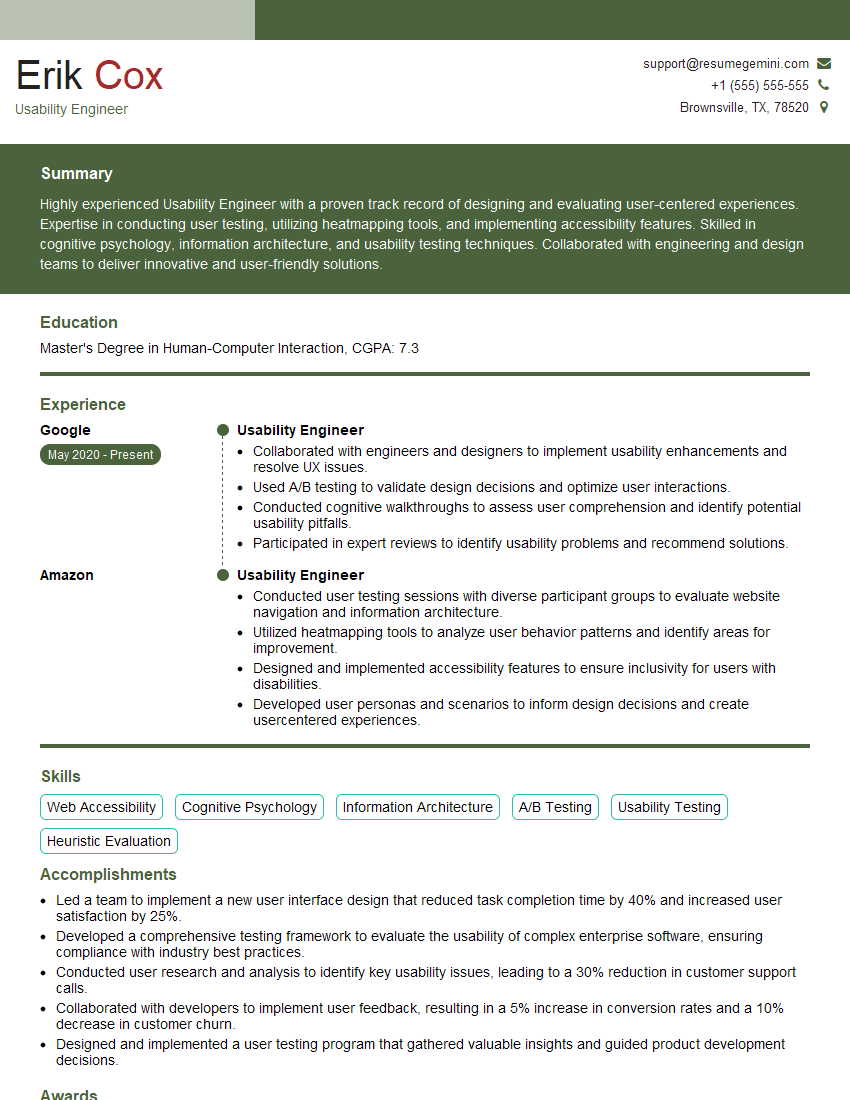
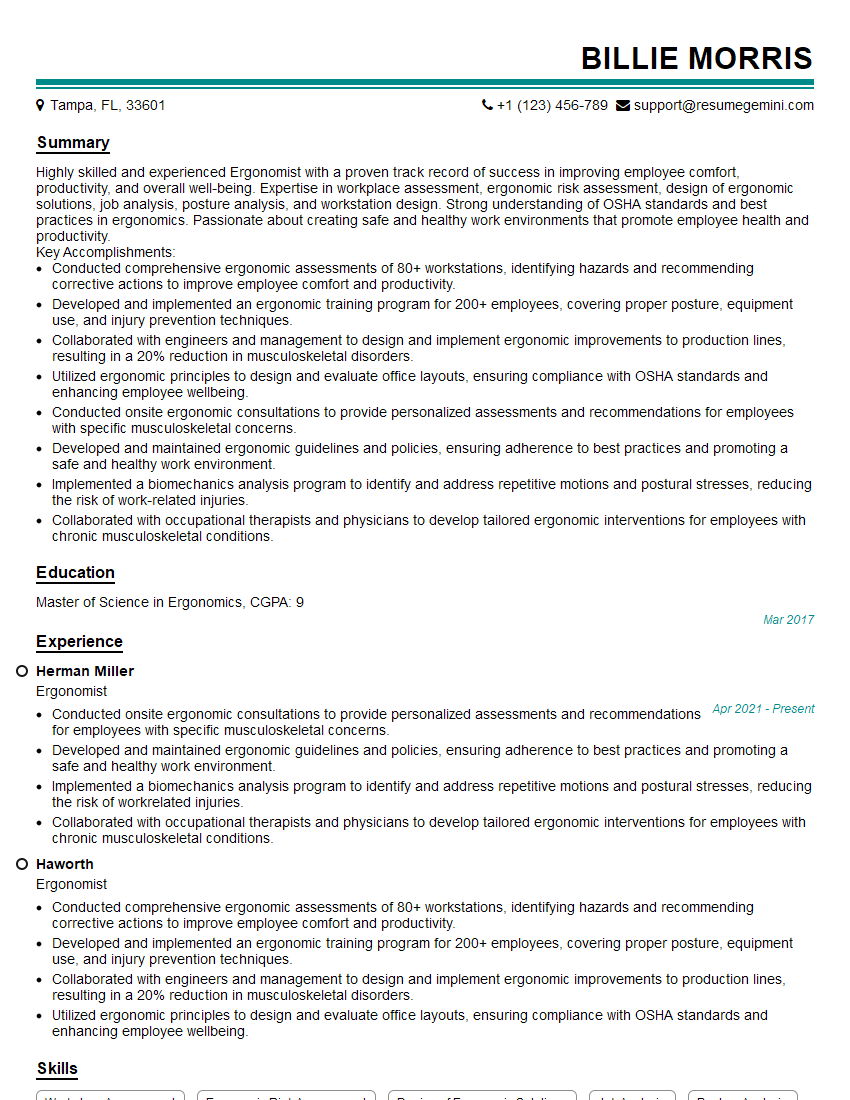
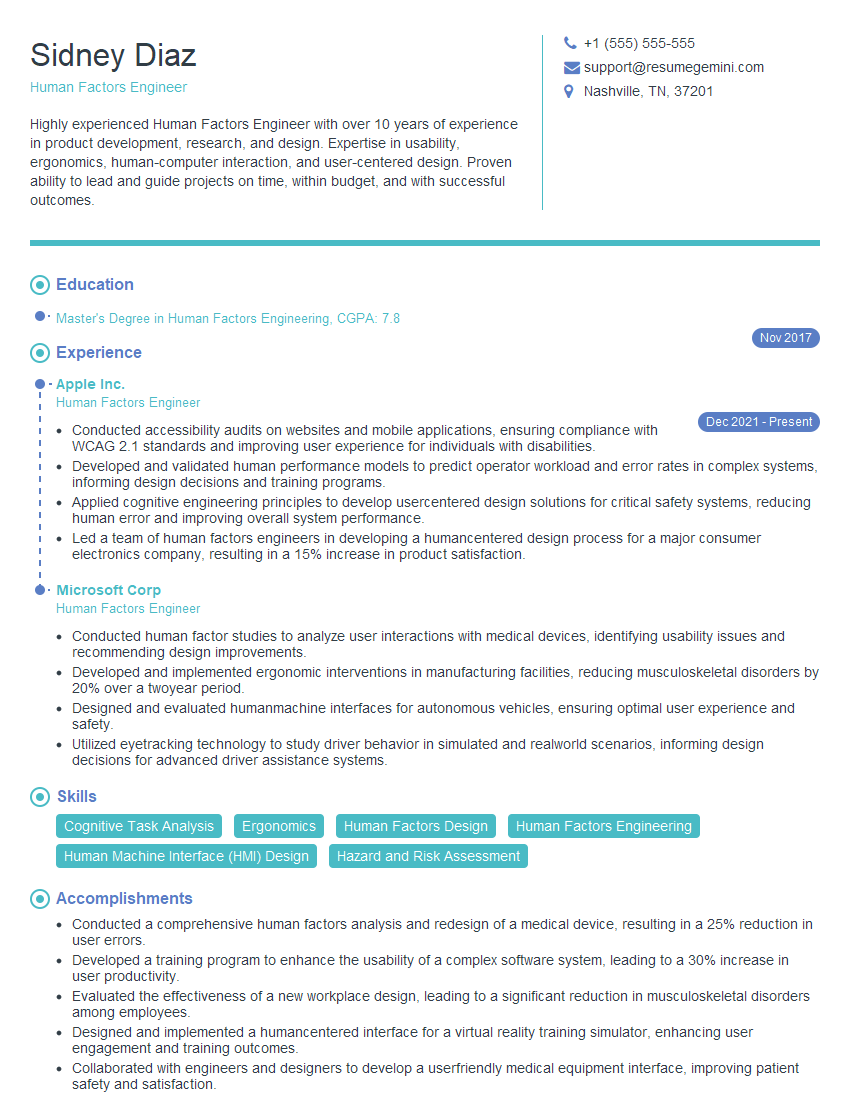
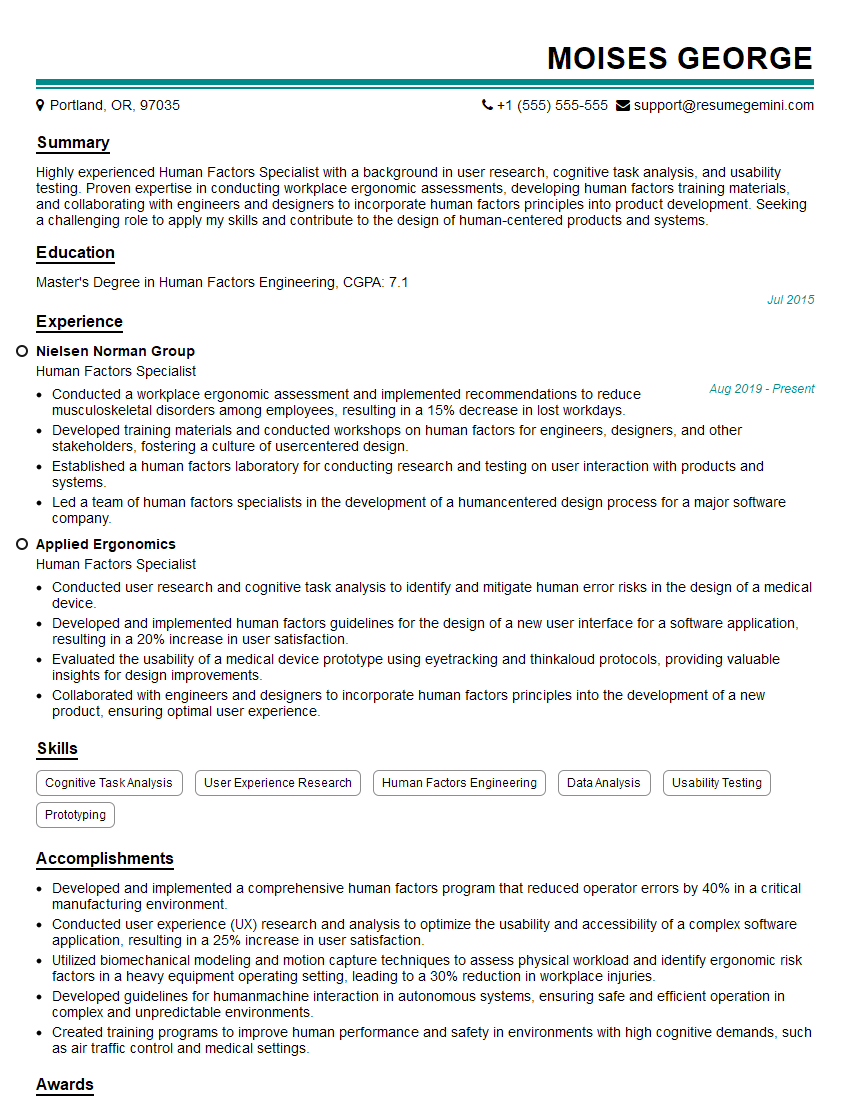
Mastering human factors engineering opens doors to exciting career opportunities. A strong resume is your key to unlocking them. An ATS-friendly resume significantly increases your chances of getting noticed by recruiters. ResumeGemini is your trusted partner in building a professional and impactful resume that highlights your skills and experience effectively. We provide examples of resumes tailored specifically to human factors engineering professionals to help you get started. Invest in your future – invest in your resume.

Explore more articles
Users Rating of Our Blogs
Share Your Experience
We value your feedback! Please rate our content and share your thoughts (optional).
What Readers Say About Our Blog
Very informative content, great job.
good