Are you ready to stand out in your next interview? Understanding and preparing for Experience with network monitoring and troubleshooting tools interview questions is a game-changer. In this blog, we’ve compiled key questions and expert advice to help you showcase your skills with confidence and precision. Let’s get started on your journey to acing the interview.
Questions Asked in Experience with network monitoring and troubleshooting tools Interview
Q 1. Explain the difference between active and passive network monitoring.
Active and passive network monitoring differ fundamentally in how they collect data. Think of it like this: active monitoring is like proactively checking in on your friends – you call them directly to see how they’re doing. Passive monitoring, on the other hand, is like observing your friends from afar – you see what they’re up to without directly interacting.
Active monitoring involves sending probes or requests to network devices and analyzing the responses. Tools send pings (ICMP requests), perform port scans, or run other tests to assess device availability, performance, and configuration. This approach provides real-time data but can consume more bandwidth and resources. For example, a tool might periodically ping a server to check its response time. If the ping fails, it indicates a potential problem.
Passive monitoring relies on collecting data from network traffic that naturally flows through the network. This is often done through network taps or SPAN (Switched Port Analyzer) ports, which mirror network traffic to a monitoring device. Passive monitoring is less intrusive but might miss intermittent issues that don’t produce enough traffic to be detected. A classic example is observing network traffic flows to identify potential congestion points.
In practice, a comprehensive network monitoring strategy often employs a combination of both active and passive techniques for a holistic view of network health.
Q 2. Describe your experience with network monitoring tools like Nagios, Zabbix, or PRTG.
I have extensive experience with Nagios, Zabbix, and PRTG, each offering a unique set of capabilities. My experience spans from initial setup and configuration to advanced alert management and reporting.
Nagios, for example, is known for its robust plugin architecture and its ability to monitor a vast array of devices and services. I’ve used it to create sophisticated monitoring systems with custom checks for specialized applications and hardware. In one project, I leveraged Nagios to monitor the uptime of critical web servers and database systems, triggering automated alerts for failures. The flexibility and customization options were crucial for our specific needs.
Zabbix excels in its scalability and ability to handle large-scale deployments. I’ve utilized its auto-discovery features to automatically add new devices to our monitoring environment. I find Zabbix’s flexible dashboarding particularly useful for presenting performance data to non-technical stakeholders.
PRTG‘s strength lies in its user-friendly interface and easy setup, making it suitable for smaller networks or teams with limited IT expertise. I’ve used PRTG for various projects needing a rapid deployment solution, requiring quick insights into network performance. Its intuitive interface made it easy to train new team members on its operation.
Beyond these tools, I’m also familiar with other monitoring solutions, showcasing my adaptability to different environments.
Q 3. How do you troubleshoot network connectivity issues?
Troubleshooting network connectivity issues requires a systematic approach. I typically start with the basics and work my way up, using a combination of tools and techniques. Think of it like a detective investigating a crime scene, meticulously following the clues.
My approach follows these steps:
- Verify basic connectivity: Check cables, ports, and power supplies. A simple loose cable can be the root cause!
- Ping the target: Use the
pingcommand to test basic connectivity to the target device. A successful ping means basic communication is possible; failures indicate a problem somewhere in the path. - Traceroute/Tracert: This command shows the path packets take to reach the destination, highlighting any potential points of failure along the route. It helps pinpoint the specific device or network segment causing the problem.
- Check IP configuration: Ensure correct IP addresses, subnet masks, and default gateways are configured on the affected devices. A simple misconfiguration can disrupt connectivity.
- Analyze network logs: Examine logs from routers, switches, and firewalls for error messages or unusual activity. These logs often provide clues about the nature and cause of the problem.
- Examine network monitoring tools: Check monitoring dashboards for alerts related to latency, packet loss, or device availability. This often gives a broader picture of network health.
- Use network analyzers: Wireshark or similar tools can capture and analyze network traffic to identify specific issues such as dropped packets or incorrect protocols.
Throughout the process, I meticulously document each step and the results, creating a clear record of the troubleshooting process. This helps to resolve the immediate issue and also prevent similar problems in the future.
Q 4. What are common network performance metrics you monitor?
Common network performance metrics I monitor include:
- Bandwidth utilization: Tracks the amount of bandwidth being used on network links, identifying potential congestion points.
- Latency: Measures the delay in data transmission, indicating potential bottlenecks or network congestion. High latency impacts application performance.
- Packet loss: Tracks the percentage of lost data packets, a key indicator of network errors or congestion. Lost packets lead to retransmissions, slowing down performance.
- Jitter: Measures variations in latency, indicating network instability. High jitter can affect voice and video communication quality.
- CPU and Memory utilization of network devices: Monitoring resource usage on routers, switches, and firewalls is crucial for identifying performance bottlenecks or signs of overload.
- Uptime and availability: Tracking the uptime of servers and network devices ensures critical services remain available.
- Error rates: Examining error rates on interfaces identifies potential hardware or configuration issues.
The specific metrics I prioritize depend on the network’s critical services and the business needs. For example, in a VoIP environment, jitter and packet loss are critically important; in a web server environment, response time and bandwidth utilization take center stage.
Q 5. How do you identify and resolve network bottlenecks?
Identifying and resolving network bottlenecks often involves a combination of monitoring, analysis, and problem-solving. My approach involves these steps:
- Identify the bottleneck: Use network monitoring tools to pinpoint areas experiencing high latency, packet loss, or high bandwidth utilization. This could be a specific network segment, device, or application.
- Analyze traffic patterns: Examine network traffic using tools like Wireshark to understand the types of traffic contributing to the bottleneck. Is it a specific application, user, or protocol?
- Upgrade hardware: If the bottleneck is due to insufficient capacity (e.g., overloaded switches or routers), upgrading the hardware to a higher-capacity model might be necessary.
- Optimize network configuration: Adjust QoS (Quality of Service) settings to prioritize critical traffic and improve overall network performance. For instance, prioritizing voice traffic over other data can reduce latency in VoIP calls.
- Implement traffic shaping or policing: Restrict bandwidth usage by specific applications or users to prevent resource exhaustion and ensure fair allocation of bandwidth.
- Improve application design: Inefficiently designed applications can contribute to network bottlenecks. Optimizing applications for performance and reducing unnecessary data transfers can improve efficiency.
- Refactor network architecture: A poorly designed network architecture can contribute to bottlenecks. Revising network segmentation, reducing network hops, or redesigning the network topology might improve performance.
After implementing any changes, I carefully monitor the network’s performance to ensure that the bottleneck has been resolved and the network is performing optimally.
Q 6. Explain your experience with SNMP and its role in network monitoring.
SNMP (Simple Network Management Protocol) is a crucial element in network monitoring. It allows network devices (routers, switches, servers) to report their operational status and performance metrics to a central monitoring system. Think of it as a system for devices to report their health status.
My experience with SNMP encompasses configuring devices to support SNMP, configuring SNMP traps for immediate alerts on critical events (like interface failures), and creating custom scripts to parse SNMP data and correlate it with other metrics. I’ve used SNMP extensively to monitor CPU utilization, memory usage, interface statistics, and other critical parameters on various network devices.
For example, I might use SNMP to monitor the CPU utilization of a critical server. If the CPU usage exceeds a predefined threshold, an alert will automatically trigger, allowing for proactive intervention. This proactive approach helps maintain optimal performance and prevent outages.
Security is paramount when using SNMP. I always ensure that SNMP communities are secured with strong passwords and that access is carefully controlled to prevent unauthorized access. Using SNMPv3 with encryption and authentication is crucial for enhancing security.
Q 7. Describe your experience with different types of network diagrams.
I’m experienced with various network diagrams, each serving a different purpose:
- Physical diagrams: Show the physical layout of the network infrastructure, including devices, cables, and their physical connections. These diagrams are essential for troubleshooting physical connectivity issues.
- Logical diagrams: Illustrate the logical organization of the network, showing devices, their IP addresses, and how they communicate with each other. This is crucial for understanding network segmentation and communication paths.
- Network topology diagrams: Describe the overall structure of the network, such as star, bus, ring, or mesh topologies. Understanding the topology is fundamental for capacity planning and troubleshooting.
- Rack diagrams: Show the physical layout of devices within server racks, providing a detailed view of hardware placement and connections. This is particularly important in data centers.
- VLAN diagrams: Illustrate the Virtual LANs (VLANs) within a network, showing how devices are logically grouped and separated for security and network management.
The choice of diagram depends on the specific task. For instance, a physical diagram is useful for cable tracing, while a logical diagram is better for troubleshooting routing issues. I regularly create and update network diagrams using various tools like Visio or draw.io to ensure accurate and up-to-date network documentation.
Q 8. How do you use packet analyzers (like Wireshark) for troubleshooting?
Packet analyzers like Wireshark are invaluable for network troubleshooting. They capture network traffic in real-time, allowing you to examine individual packets to pinpoint the source of problems. Think of it like having a magnifying glass for your network. Instead of just seeing overall network slowdowns, you can see exactly which packets are delayed, lost, or corrupted.
For example, if users are experiencing slow application performance, I’d use Wireshark to capture packets related to that application. I’d then filter the capture to show only packets associated with the specific application and look for patterns such as high latency, retransmissions (indicating congestion or packet loss), or unusually large packet sizes. If I see a lot of retransmissions on TCP, that suggests a problem with packet loss likely due to network congestion or a faulty link.
Another common use case is investigating connectivity issues. If a server is unreachable, I would capture packets from the client attempting to connect. I’d look for ICMP (Internet Control Message Protocol) messages such as destination unreachable or time exceeded, which can provide clues as to where the connection fails. Wireshark’s powerful filtering and display capabilities help me isolate the relevant packets quickly, making troubleshooting efficient and accurate.
Q 9. What are some common network protocols and their functions?
Several common network protocols play critical roles in network communication. Here are a few key ones:
- TCP (Transmission Control Protocol): A connection-oriented protocol providing reliable, ordered data delivery. Think of it as a registered mail service – it guarantees delivery and proper sequencing. It’s used for web browsing (HTTP/HTTPS), email (SMTP), and file transfer (FTP).
- UDP (User Datagram Protocol): A connectionless protocol offering faster, less reliable data transmission. Like sending a postcard – faster, but no guarantee of arrival or order. It’s used for streaming (video, audio), online gaming, and DNS lookups.
- IP (Internet Protocol): Handles addressing and routing of data packets across networks. It’s the addressing system of the internet, determining where packets need to go.
- HTTP (Hypertext Transfer Protocol): The foundation of data communication on the web, used for retrieving web pages and other resources.
- HTTPS (Hypertext Transfer Protocol Secure): A secure version of HTTP, using encryption to protect data transmitted between client and server.
- DNS (Domain Name System): Translates domain names (like google.com) into IP addresses, making it easier for users to access websites.
Understanding these protocols and their functions is fundamental to effective network troubleshooting. For instance, if I encounter slow downloads, I might investigate TCP retransmissions or congestion; if a streaming service has issues, UDP packet loss could be a culprit.
Q 10. Explain the TCP/IP model and its layers.
The TCP/IP model is a conceptual framework for understanding network communication. It’s not a strict layer-by-layer implementation, but rather a logical organization that simplifies complex networking processes. It’s broken down into four layers:
- Application Layer: This layer provides network services to applications. Examples include HTTP, SMTP, FTP. Think of this as the user interface for networking.
- Transport Layer: Manages end-to-end communication between applications. TCP and UDP reside in this layer. This layer is like the delivery service that takes care of the reliable or unreliable aspects of data delivery.
- Internet Layer (Network Layer): Handles logical addressing (IP addresses) and routing of data packets between networks. This layer is responsible for directing packets to their destination.
- Network Access Layer (Link Layer): Deals with physical transmission of data over the network medium (e.g., Ethernet cables, Wi-Fi). This is the physical layer that handles the actual transmission of data bits across the network.
Understanding the TCP/IP model helps in systematic troubleshooting. If an issue appears at the application layer, for example a webpage not loading, we may first examine HTTP requests and responses. If the problem is at the transport layer, we might look into TCP connection establishment and data transfer. This layer-by-layer approach aids in isolating the problem quickly and accurately.
Q 11. How do you handle network security alerts and incidents?
Handling network security alerts and incidents requires a systematic approach. My process typically involves these steps:
- Detection and Analysis: Use Security Information and Event Management (SIEM) systems to monitor network traffic and logs for suspicious activity. This involves analyzing logs from firewalls, intrusion detection systems, and other security tools. We look for patterns, anomalies, and known threats.
- Incident Response: If a security incident is confirmed, I’d initiate our incident response plan. This includes steps such as isolating affected systems, containing the threat, and eradicating the malicious code.
- Root Cause Analysis: After containment, we conduct a thorough root cause analysis to determine how the breach happened. This includes reviewing logs, network traffic captures, and security configurations.
- Remediation: Based on the root cause analysis, we implement appropriate remediation steps. This might involve patching vulnerabilities, updating security configurations, or implementing new security controls.
- Recovery: We restore affected systems and data to normal operation. Thorough testing is performed to ensure everything is functional and secure.
- Post-Incident Review: A final review of the entire incident helps us improve our security posture and prevent similar events in the future. This often includes documentation updates and adjustments to our incident response plan.
Effective incident response is critical for minimizing damage and maintaining network security. Regular training, robust security practices, and well-defined response plans are crucial components of a strong security posture.
Q 12. Describe your experience with network automation tools (e.g., Ansible, Puppet).
I have extensive experience with network automation tools, primarily Ansible and Puppet. These tools enable efficient configuration management and deployment of network devices.
Ansible, with its agentless architecture, simplifies tasks like configuring firewalls, routers, and switches. I’ve used Ansible to automate the deployment of new network devices, ensuring consistent configurations across multiple environments. For example, configuring a large number of switches with identical VLAN configurations would be significantly faster and error-free with Ansible compared to manual configuration. Its playbooks offer declarative descriptions of configurations, facilitating change management and version control.
Puppet, on the other hand, utilizes an agent-based approach. I’ve used Puppet to manage complex network infrastructures, enabling centralized control and orchestration of various network devices and services. The ability to manage configurations in a modular fashion using Puppet manifests enhances maintainability and scalability. I’ve successfully used Puppet to build and manage our company’s entire network infrastructure, ensuring consistency and reliability.
Both tools offer advantages and are suitable for different scenarios. My choice often depends on the size and complexity of the network and the specific automation requirements.
Q 13. What is the difference between a router and a switch?
Routers and switches are both crucial networking devices, but they serve different functions. Think of routers as city traffic controllers and switches as building traffic controllers.
Routers operate at the network layer (Layer 3) of the TCP/IP model. They route traffic between different networks based on IP addresses. They determine the best path to forward packets based on routing tables. Routers are responsible for forwarding traffic between different networks such as LAN to WAN (Local Area Network to Wide Area Network) or across different subnets within a LAN.
Switches operate at the data link layer (Layer 2). They forward traffic within a single network based on MAC addresses. They learn MAC addresses and create a switching table, allowing them to forward traffic directly to the destination device. Switches improve efficiency within a single network segment by avoiding broadcasting of traffic to every device.
In essence, routers connect networks, while switches connect devices within a network.
Q 14. Explain your experience with log analysis for troubleshooting.
Log analysis is a crucial part of network troubleshooting. Network devices and applications generate vast amounts of logs containing valuable information about their operational status, errors, and performance. Effective log analysis can reveal subtle problems and provide critical clues for resolution.
My experience involves using log management tools (e.g., Splunk, ELK stack) to collect, parse, and analyze logs from various sources. I utilize techniques such as filtering, searching, and correlation to identify patterns and anomalies that indicate potential issues. For example, consistently high CPU utilization on a particular server, as observed in server logs, could signal an application problem or resource bottleneck.
A real-world example was troubleshooting intermittent connectivity issues. By analyzing firewall logs, I identified that specific types of traffic were being blocked at certain times. Through further investigation, I discovered a misconfiguration in the firewall rules that caused the intermittent blocking. Accurate log analysis can accelerate the troubleshooting process, allowing faster identification and resolution of issues, minimizing downtime and improving network reliability.
Q 15. How do you ensure network security best practices are followed?
Ensuring network security best practices involves a multi-layered approach, focusing on prevention, detection, and response. It’s like building a castle with multiple strong walls and vigilant guards.
Access Control: Implementing strong password policies, multi-factor authentication (MFA), and role-based access control (RBAC) to limit who can access sensitive data and systems. For example, only authorized personnel should have access to the company’s database server, and their access should be limited to only the necessary functions.
Network Segmentation: Dividing the network into smaller, isolated segments to limit the impact of a security breach. Think of this as dividing your castle into different sections, so if one section is compromised, the others remain secure.
Firewall Management: Configuring firewalls to block unauthorized traffic and only allow necessary inbound and outbound connections. This is like having guards at the castle gates, only letting in trusted visitors.
Intrusion Detection/Prevention Systems (IDS/IPS): Deploying IDS/IPS to monitor network traffic for malicious activity and automatically block or alert on suspicious behavior. This is like having watchtowers to spot potential threats from afar.
Regular Security Audits and Penetration Testing: Conducting regular security assessments to identify vulnerabilities and proactively address them. This is similar to regularly inspecting the castle walls for weaknesses and repairing them before they can be exploited.
Vulnerability Management: Keeping all software and hardware up-to-date with security patches. Regularly updating your castle’s defenses against known threats is crucial.
Security Awareness Training: Educating employees about security threats and best practices to prevent social engineering attacks (phishing, etc.). Training castle guards on recognizing and dealing with potential spies is essential.
Career Expert Tips:
- Ace those interviews! Prepare effectively by reviewing the Top 50 Most Common Interview Questions on ResumeGemini.
- Navigate your job search with confidence! Explore a wide range of Career Tips on ResumeGemini. Learn about common challenges and recommendations to overcome them.
- Craft the perfect resume! Master the Art of Resume Writing with ResumeGemini’s guide. Showcase your unique qualifications and achievements effectively.
- Don’t miss out on holiday savings! Build your dream resume with ResumeGemini’s ATS optimized templates.
Q 16. Describe your experience with network capacity planning.
Network capacity planning is about predicting future network needs and ensuring the infrastructure can handle the expected growth. It’s like building a road system anticipating future population growth.
My experience involves using various tools and techniques to analyze current network usage, project future requirements based on historical data and business growth projections, and recommending upgrades or changes to the network infrastructure. This includes:
Traffic Analysis: Using tools like SolarWinds, PRTG, or Wireshark to monitor network traffic patterns and identify bottlenecks. We’d look at bandwidth utilization, latency, and packet loss to understand where the pressure points are.
Forecasting: Projecting future bandwidth and processing power needs based on factors such as user growth, application adoption, and anticipated data volumes. This usually involves modeling and trend analysis.
Resource Sizing: Determining the appropriate size and capacity for network devices like routers, switches, and firewalls to meet future demands. This ensures the network can handle the increased traffic without performance degradation.
Technology Selection: Evaluating and selecting appropriate networking technologies to support future growth, including cloud-based solutions, SD-WAN, etc.
Budgeting: Developing cost estimates for proposed network upgrades and improvements.
For example, in a previous role, I used historical data to project the need for a 10Gbps uplink to our main data center within the next two years. This prevented a significant performance bottleneck during a period of rapid business expansion.
Q 17. What are your preferred methods for documenting network infrastructure?
Effective network documentation is crucial for maintainability, troubleshooting, and future planning. It’s like having a detailed blueprint of your network.
My preferred methods involve a combination of:
Network Diagrams: Using tools like Visio or Lucidchart to create visual representations of the network topology, including devices, connections, and IP addressing schemes. These are essential for quickly understanding the network’s structure.
Configuration Management Databases (CMDB): Centralized repositories that store configuration details for all network devices. This allows for easy access to vital information like device firmware versions, IP addresses, and interface configurations.
Wiki or Knowledge Base: Creating a central repository for documentation like troubleshooting guides, standard operating procedures (SOPs), and network diagrams. This enables easy sharing of information among team members.
Automated Documentation Tools: Using tools that automatically discover and document network devices and their configurations. These can save significant time and effort in keeping documentation up-to-date.
I ensure the documentation is accurate, consistent, and easily accessible. The goal is to enable anyone to understand the network layout and quickly identify and resolve issues.
Q 18. How do you prioritize network troubleshooting tasks during an outage?
Prioritizing network troubleshooting tasks during an outage requires a systematic approach, much like a firefighter’s triage system.
My approach follows these steps:
Impact Assessment: Determine the scope and impact of the outage. Which systems are affected? How many users are impacted? This helps prioritize critical systems first.
Initial Diagnostics: Use monitoring tools to gather information about the outage. Where did the problem originate? What are the symptoms (e.g., latency, packet loss, complete outage)?
Isolate the Problem: Systematically isolate the affected area of the network. Is it a specific device, segment, or application?
Develop a Hypothesis: Based on available data, formulate potential causes of the outage. This is like creating educated guesses about the source of the problem.
Test and Verify: Test your hypothesis by making changes to the network configuration and observe the effects. Don’t just guess, but test your assumptions!
Escalate if Necessary: If you’re unable to resolve the issue, escalate to a more senior engineer or vendor for assistance.
Documentation and Post-Mortem: Document the troubleshooting steps, root cause, and resolution for future reference and to prevent similar outages.
In short, it’s about a structured and methodical approach – focusing on impact, isolating the issue, testing hypotheses, and learning from the experience.
Q 19. Explain your experience with VPN technologies.
VPN technologies are crucial for secure remote access and connecting disparate networks. They’re like secure tunnels connecting different locations.
My experience encompasses various VPN protocols, including:
IPsec: A suite of protocols providing secure communication over an IP network. It’s known for its strong security and is commonly used for site-to-site VPNs.
SSL/TLS VPNs: Often used for remote access VPNs, leveraging the secure HTTPS protocol for encryption. This makes them relatively easy to deploy and manage.
OpenVPN: An open-source VPN solution known for its flexibility and strong security features. It’s highly configurable and adaptable to various network environments.
My work involves configuring, troubleshooting, and optimizing VPN connections, including establishing secure remote access for employees, setting up site-to-site VPNs between branch offices, and ensuring compliance with security policies. I’ve worked with various VPN appliances and software solutions, including Cisco AnyConnect, FortiGate, and Pulse Secure.
Q 20. How do you troubleshoot DNS issues?
DNS troubleshooting involves systematically investigating why a domain name isn’t resolving correctly. It’s like tracing a package that’s lost in transit.
My approach is methodical:
Verify Local DNS Resolution: Start by checking if the DNS server is functioning correctly on the client machine using
nslookupordigcommands. These commands let you see exactly how DNS resolution unfolds.Check DNS Server Configuration: Inspect the DNS server’s configuration to ensure the correct forwarders and zones are configured. Are there any errors in the DNS records?
Examine DNS Records: Verify the correctness of the DNS records (A, AAAA, CNAME, MX) for the domain in question. Are there any typos or inconsistencies?
Trace the DNS Query: Use tools like
tracerouteortracertto track the DNS query’s path. Are there any network connectivity issues along the way?Check DNS Server Logs: Examine the DNS server logs for any errors or indications of problems. These logs often provide crucial clues.
Test with Different DNS Servers: Try resolving the domain name using different DNS servers (e.g., Google Public DNS) to determine if the problem lies with the specific DNS server or the domain name itself.
For example, I once resolved a DNS issue by discovering a typo in the A record for a crucial web server, highlighting the importance of careful configuration checks.
Q 21. Describe your experience with network segmentation.
Network segmentation involves dividing a network into smaller, isolated segments to improve security and manageability. It’s like dividing a large city into smaller, more manageable neighborhoods.
My experience with network segmentation includes:
VLANs (Virtual LANs): Using VLANs to logically separate devices on the same physical network. This allows for isolating different departments or functions.
Firewalls: Employing firewalls to control traffic flow between segments, enhancing security by preventing unauthorized access between different sections of the network.
Access Control Lists (ACLs): Using ACLs on routers and switches to filter traffic based on source and destination IP addresses, ports, and protocols. This allows for granular control over network access.
Micro-segmentation: Employing technologies like software-defined networking (SDN) to create even finer-grained segmentation within a data center or cloud environment. This isolates individual applications and virtual machines for enhanced security.
Properly implemented network segmentation reduces the impact of security breaches by limiting their scope and improves manageability by simplifying network administration. For example, in a previous project, I implemented VLANs and ACLs to segregate the company’s guest Wi-Fi network from the internal corporate network, enhancing security and improving network performance.
Q 22. What are your strategies for preventing network attacks?
Preventing network attacks requires a multi-layered approach, combining proactive security measures with reactive incident response. Think of it like building a castle – you need strong walls (firewalls), vigilant guards (intrusion detection systems), and a well-trained army (security team) ready to respond to any breach.
Firewall Implementation: Employ robust firewalls to control network traffic, blocking unauthorized access and malicious connections. This is like the castle walls, preventing unwanted entries.
Intrusion Detection/Prevention Systems (IDS/IPS): These systems monitor network traffic for suspicious activity, alerting administrators to potential threats. They’re the castle guards, constantly watching for intruders.
Vulnerability Management: Regularly scan for and patch software vulnerabilities on all network devices. This is like maintaining the castle’s structure, preventing weak points from being exploited.
Security Information and Event Management (SIEM): SIEM systems collect and analyze security logs from various sources, providing a centralized view of network activity and helping identify anomalies. Think of this as the castle’s intelligence network.
Employee Security Awareness Training: Educating employees about phishing scams, social engineering, and other threats is crucial. This is like training the castle’s inhabitants to recognize and avoid threats.
Network Segmentation: Dividing the network into smaller, isolated segments limits the impact of a successful attack. This is like dividing the castle into separate sections, limiting the spread of a fire.
A comprehensive strategy combines all these elements to create a robust defense against network attacks.
Q 23. Explain how you’d troubleshoot a slow network connection.
Troubleshooting a slow network connection involves a systematic approach, starting with the most likely causes and working our way down. It’s like a detective investigating a crime – you need to gather evidence and follow the clues.
Check the Physical Layer: Start with the basics! Are cables plugged in securely? Is the Wi-Fi signal strong? A loose cable or poor Wi-Fi signal can significantly impact speed. This is like checking if the crime scene is properly secured.
Run a Speed Test: Use online tools to measure your download and upload speeds. Compare these results to your internet plan’s advertised speeds. This provides a baseline measurement.
Check Resource Usage: High CPU or memory utilization on your device can slow down network performance. Close unnecessary applications and check your device’s resource monitor. This is analogous to determining the capacity of the crime scene.
Examine Network Devices: Inspect routers, switches, and other network hardware for error messages or performance issues. Restarting these devices can often resolve temporary glitches.
Check for Network Congestion: Too many devices using the network simultaneously can lead to slowdowns. Prioritize bandwidth-intensive applications. This involves looking at the flow of the crime to understand the root cause.
Use Network Monitoring Tools: Tools like Wireshark (for packet analysis) or SolarWinds (for network performance monitoring) can help identify bottlenecks or other issues. This is equivalent to forensic analysis of the crime scene.
Contact Your Internet Service Provider (ISP): If the problem persists after checking all of the above, contact your ISP. They can investigate issues with their network infrastructure.
Q 24. What are some common causes of network latency?
Network latency, or delay, can stem from various sources. Think of it like a traffic jam – various obstacles can slow down the flow of data.
Network Congestion: High traffic volume on the network can lead to delays. This is like a major highway jam.
Physical Distance: Data needs time to travel across longer distances. The further the data needs to travel, the longer the delay.
Hardware Limitations: Old or underpowered routers, switches, or other network hardware can cause bottlenecks. This is like having an old, slow car.
Software Issues: Bugs or inefficiencies in network software can add to delays. This is akin to a faulty car part.
Wireless Interference: Interference from other wireless devices or physical obstacles can affect Wi-Fi performance. This is like unexpected roadblocks.
ISP Issues: Problems with your internet service provider’s infrastructure can cause significant latency. This could be considered the traffic regulations.
Q 25. Describe your experience working with network monitoring dashboards.
I have extensive experience working with network monitoring dashboards, using them daily to gain real-time insights into network performance and security. My experience spans various platforms, including commercial solutions like SolarWinds and Datadog, as well as open-source options like Grafana and Prometheus. These dashboards are like the cockpit of an airplane – providing critical information at a glance.
I’m proficient in configuring dashboards to display key metrics such as:
- Bandwidth utilization
- Network latency
- Packet loss
- CPU and memory usage of network devices
- Security events and alerts
I can create custom dashboards tailored to specific needs, allowing for proactive identification of potential issues.
Q 26. How do you use network monitoring data to improve network performance?
Network monitoring data is invaluable for improving network performance. It’s like having a doctor constantly monitoring a patient’s vital signs – you can identify and address issues before they become major problems.
I utilize monitoring data to:
Identify Bottlenecks: By analyzing bandwidth utilization, latency, and packet loss, I can pinpoint areas of congestion and implement solutions, such as upgrading hardware or optimizing network configurations.
Proactive Capacity Planning: Historical data helps predict future network needs, enabling proactive scaling to avoid performance degradation as network traffic grows. This prevents future issues.
Optimize Network Design: Analyzing traffic patterns helps optimize network topology and routing for better efficiency and performance. This makes the network more resilient.
Improve Application Performance: Identifying applications contributing significantly to network congestion can help prioritize resources or optimize application performance.
Reduce Downtime: Early detection of hardware failures or other issues allows for timely intervention, minimizing downtime and service disruptions.
Q 27. How would you approach investigating a network security breach?
Investigating a network security breach requires a methodical and systematic approach, similar to a crime scene investigation. The goal is to contain the breach, identify the root cause, and prevent future occurrences.
Contain the Breach: Immediately isolate affected systems to prevent further damage. This limits the spread of the attack.
Gather Evidence: Collect logs, system snapshots, and other relevant data from affected systems. This information is crucial for understanding the attack.
Identify the Attack Vector: Determine how the attacker gained access to the network. This might involve analyzing logs, network traffic, and system configurations.
Analyze the Attack: Examine the attacker’s actions to understand their objectives and techniques. This involves reverse engineering any malicious code.
Remediate the Vulnerability: Patch any vulnerabilities exploited by the attacker. This prevents future attacks.
Restore Systems: Restore affected systems from backups, ensuring data integrity and availability.
Post-Incident Review: Conduct a thorough review of the incident to identify weaknesses in security practices and implement improvements.
Q 28. What is your experience with cloud-based network monitoring solutions (e.g., AWS CloudWatch)?
I possess significant experience with cloud-based network monitoring solutions, primarily using AWS CloudWatch. I’ve used it to monitor various aspects of cloud-based infrastructure, including EC2 instances, VPCs, and load balancers. CloudWatch is like a sophisticated control panel for your cloud infrastructure.
My experience includes:
Setting up CloudWatch alarms: Creating custom alerts for critical metrics, such as CPU utilization, network latency, and disk space. This is like setting up early warning systems.
Analyzing CloudWatch metrics: Utilizing graphical dashboards to visualize performance trends and identify anomalies. This allows for proactive identification of potential issues.
Using CloudWatch Logs: Analyzing application and system logs to identify errors and security events. This provides insights into the events causing issues.
Integrating CloudWatch with other AWS services: Combining CloudWatch with other services like X-Ray and Lambda to gain a comprehensive view of system health and application performance.
My proficiency extends to other cloud monitoring solutions as well, and I adapt quickly to new tools and technologies. I understand the nuances of monitoring in cloud environments, where scalability and reliability are paramount.
Key Topics to Learn for Network Monitoring and Troubleshooting Tools Interviews
- Network Monitoring Fundamentals: Understanding key performance indicators (KPIs) like latency, throughput, packet loss, and jitter. Knowing how to interpret these metrics and identify potential issues.
- Practical Application of Monitoring Tools: Hands-on experience with tools like SolarWinds, Nagios, PRTG, or similar. Be prepared to discuss your experience with their features, dashboards, and alert systems. Focus on specific examples of how you used these tools to solve problems.
- Troubleshooting Network Issues: Describe your approach to diagnosing and resolving common network problems, such as connectivity issues, slow performance, and DNS failures. Highlight your systematic troubleshooting methodology (e.g., top-down approach).
- Network Protocols and Technologies: Demonstrate a strong understanding of TCP/IP, routing protocols (BGP, OSPF), and switching technologies. Be ready to discuss their impact on network performance and troubleshooting.
- Security Considerations: Discuss security best practices related to network monitoring and troubleshooting. This could include topics like intrusion detection/prevention systems (IDS/IPS) and network security monitoring.
- Log Analysis and Interpretation: Explain your experience analyzing network logs to identify trends, anomalies, and security threats. Knowing how to use log aggregation tools is a plus.
- Cloud Networking Monitoring: If applicable, showcase your experience with monitoring cloud-based networks (AWS, Azure, GCP) and the tools used in those environments.
Next Steps
Mastering network monitoring and troubleshooting skills is crucial for career advancement in IT. Proficiency in these areas significantly enhances your value to any organization. To maximize your job prospects, create a compelling and ATS-friendly resume that highlights your expertise. ResumeGemini can help you build a professional resume that stands out from the competition. We offer examples of resumes tailored specifically to highlight experience with network monitoring and troubleshooting tools, to help guide you in showcasing your skills effectively.

Security Analyst Resume Sample

Network Administrator Resume Sample

Network Engineer Resume Sample

Network Security Engineer Resume Sample

Systems Administrator Resume Sample

Infrastructure Engineer Resume Sample
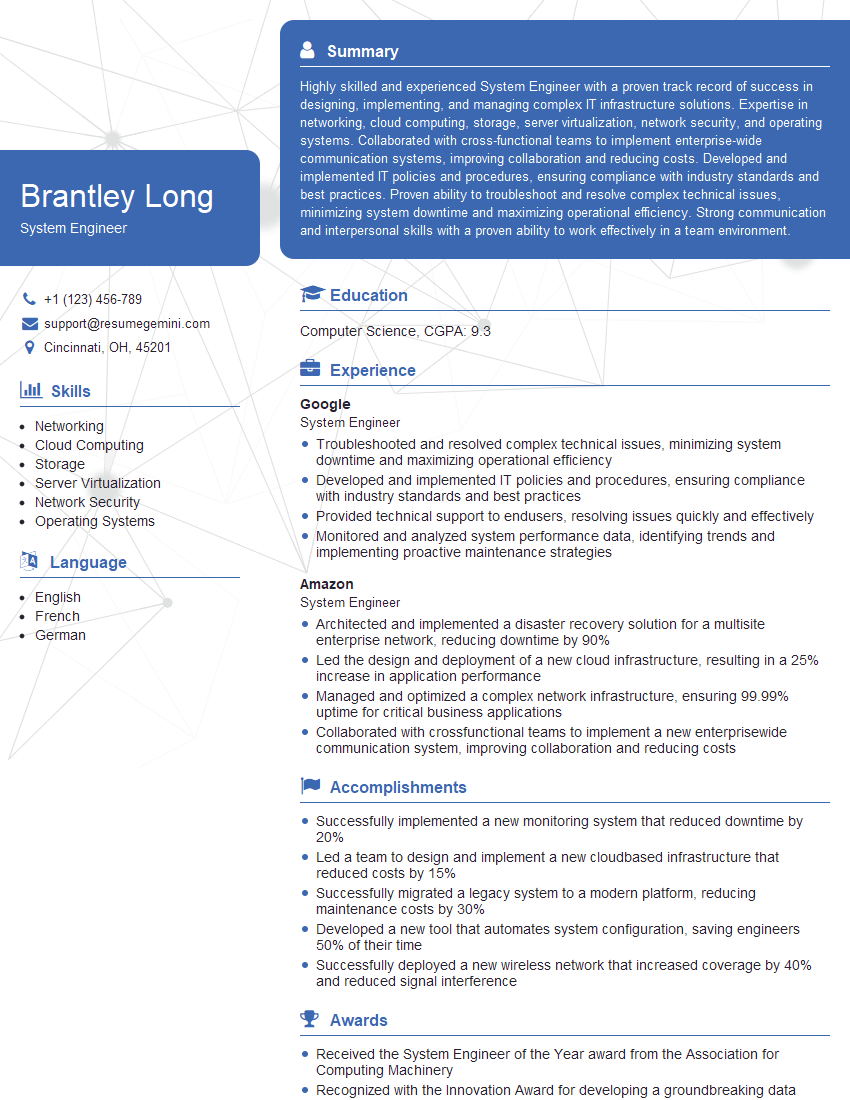
System Engineer Resume Sample

Network Analyst Resume Sample

Network Technician Resume Sample

Network Architect Resume Sample

Help Desk Analyst Resume Sample

IT Manager Resume Sample

Field Service Engineer Resume Sample

IT Support Specialist Resume Sample

DevOps Engineer Resume Sample

Cloud Architect Resume Sample

Cybersecurity Analyst Resume Sample
- Security Analyst
- Network Administrator
- Network Engineer
- Network Security Engineer
- Systems Administrator
- Infrastructure Engineer
- System Engineer
- Network Analyst
- Network Technician
- Network Architect
- Help Desk Analyst
- IT Manager
- Field Service Engineer
- IT Support Specialist
- DevOps Engineer
- Cloud Architect
- Cybersecurity Analyst
Explore more articles
Users Rating of Our Blogs
Share Your Experience
We value your feedback! Please rate our content and share your thoughts (optional).
What Readers Say About Our Blog
Very informative content, great job.
good