The thought of an interview can be nerve-wracking, but the right preparation can make all the difference. Explore this comprehensive guide to Experience with network virtualization technologies (e.g., VMware, Hyper-V) interview questions and gain the confidence you need to showcase your abilities and secure the role.
Questions Asked in Experience with network virtualization technologies (e.g., VMware, Hyper-V) Interview
Q 1. Explain the difference between Type 1 and Type 2 hypervisors.
The core difference between Type 1 and Type 2 hypervisors lies in how they interact with the host operating system. Think of it like this: Type 1 is a bare-metal installation, while Type 2 runs *on top* of an existing OS.
- Type 1 hypervisors (also known as bare-metal hypervisors) run directly on the server hardware. They don’t need a host OS; they are the host OS. Examples include VMware ESXi and Microsoft Hyper-V (when installed directly on the hardware). This offers better performance and resource utilization because there’s no intermediary OS layer consuming resources.
- Type 2 hypervisors run as an application *on top* of an existing host operating system (like Windows or Linux). Examples include VMware Workstation Player and Oracle VirtualBox. They’re easier to set up and manage but generally offer less performance due to the overhead of the host OS.
In a real-world scenario, a large data center would likely leverage Type 1 hypervisors for their efficiency and performance, while a developer might use a Type 2 hypervisor on their personal laptop for testing and development purposes.
Q 2. What are the advantages and disadvantages of using VMware vSphere compared to Microsoft Hyper-V?
VMware vSphere and Microsoft Hyper-V are both leading hypervisors, but they cater to different needs and preferences. The choice often comes down to existing infrastructure, budget, and specific feature requirements.
- VMware vSphere Advantages: Mature ecosystem, robust feature set (vMotion, Storage vMotion, DRS), extensive third-party support, strong community, generally considered more enterprise-ready.
- VMware vSphere Disadvantages: Higher licensing costs, steeper learning curve, can be more complex to manage.
- Microsoft Hyper-V Advantages: Tight integration with Windows Server, lower licensing costs (especially if already using Windows Server), easier initial setup for those familiar with Windows.
- Microsoft Hyper-V Disadvantages: Feature set is less extensive than vSphere’s, potentially less robust for large-scale deployments, third-party support might be slightly less widespread.
For example, a company already heavily invested in the Microsoft ecosystem might find Hyper-V a more cost-effective and easier-to-integrate solution. A large enterprise needing advanced features like vMotion (live migration of VMs) and advanced resource management might prefer the power and maturity of vSphere.
Q 3. Describe your experience with vCenter Server.
vCenter Server is the central management console for VMware vSphere environments. It acts as a single pane of glass to manage and monitor all aspects of your virtual infrastructure. My experience encompasses the entire lifecycle management, from initial setup and configuration to ongoing maintenance and troubleshooting.
- Deployment and Configuration: I’ve deployed vCenter Server in various configurations, including both embedded and external deployments. This includes configuring networking, storage, and security policies.
- VM Management: I’ve used vCenter to create, manage, and monitor virtual machines (VMs), including resource allocation (CPU, memory, storage), power management (starting, stopping, suspending VMs), and VM cloning and template creation.
- Monitoring and Alerting: I have configured and utilized vCenter’s monitoring capabilities to track resource utilization, identify performance bottlenecks, and set up alerts for critical events.
- High Availability and Disaster Recovery: I’ve implemented High Availability (HA) and Disaster Recovery (DR) solutions using vCenter, configuring features like vCenter HA and SRM (Site Recovery Manager).
In one project, I used vCenter to identify a memory leak in a critical production VM, preventing a potential outage. The real-time monitoring and alerting features in vCenter allowed for proactive intervention.
Q 4. How do you manage virtual machine storage in VMware or Hyper-V?
Managing virtual machine storage effectively is crucial for performance and availability. Both VMware and Hyper-V offer various approaches.
- VMFS (VMware File System): VMFS is a clustered file system specifically designed for VMware. It provides high availability and scalability.
- NFS (Network File System): Both VMware and Hyper-V support NFS, enabling sharing storage across multiple hosts.
- iSCSI (Internet Small Computer System Interface): Both hypervisors support iSCSI, allowing access to SAN storage.
- VMware vSAN: A software-defined storage solution for VMware, offering highly scalable and resilient storage.
- Hyper-V Replica: Enables replication of virtual machine storage for disaster recovery.
Strategies include using storage tiering (placing frequently accessed data on faster storage), creating storage policies based on VM requirements, and utilizing thin provisioning to optimize storage usage. Proper storage management is a crucial aspect of performance and scalability. For example, using storage DRS in VMware dynamically balances storage usage across various datastores, preventing bottlenecks and ensuring performance.
Q 5. Explain your understanding of virtual networking concepts, including VLANs and vLANs.
Virtual networking is a cornerstone of virtualization, enabling the creation of isolated and secure networks within a physical infrastructure. VLANs and vLANs play a crucial role.
- VLANs (Virtual Local Area Networks): VLANs segment a physical network into logical networks based on functionality or security needs. They’re managed by the physical network switches and use 802.1Q tagging to identify traffic belonging to different VLANs.
- vLANs (Virtual VLANs, often just referred to as VLANs in the context of virtualization): In virtual environments, vLANs are the virtual equivalent of VLANs. They are implemented through software within the hypervisor, creating logical isolation within the virtual infrastructure. The hypervisor is responsible for encapsulating the traffic with VLAN tags.
Consider a scenario with multiple departments (sales, marketing, IT). Using VLANs, you can logically separate their network traffic, ensuring security and reducing broadcast domains. In a virtual environment, you might have a vLAN for each department, all residing within the same physical network infrastructure. This is achieved through the hypervisor’s virtual switch, which tags the traffic accordingly.
Q 6. How do you troubleshoot network connectivity issues in a virtualized environment?
Troubleshooting network connectivity issues in a virtualized environment requires a systematic approach. I typically follow these steps:
- Identify the affected VM(s): Determine which VMs are experiencing connectivity issues.
- Check VM networking settings: Verify the VM’s network adapter configuration, including the correct vNIC assignment and network settings.
- Inspect the virtual switch: Examine the configuration of the virtual switch (vSwitch) the VM is connected to, ensuring it’s correctly configured and connected to the physical network.
- Check physical network connectivity: Verify the physical network connectivity and ensure that the physical switch ports are configured correctly.
- Analyze network traffic: Use tools like Wireshark or tcpdump to capture and analyze network traffic to pinpoint the source of the issue.
- Review logs: Check the hypervisor, virtual switch, and VM logs for any errors or warnings related to network connectivity.
- Ping and traceroute: Use basic network troubleshooting tools like ping and traceroute to test connectivity between the VM and other network resources.
Recently, I encountered an issue where VMs couldn’t communicate with the internet. By analyzing the vSwitch configuration, I discovered a misconfiguration in the routing settings. After correcting the configuration and restarting the vSwitch, connectivity was restored.
Q 7. Describe your experience with high availability and failover clustering in virtual environments.
High availability (HA) and failover clustering are critical for ensuring business continuity in virtual environments. My experience includes implementing and managing these features using both VMware and Hyper-V.
- VMware HA: VMware HA automatically restarts VMs on other hosts in the cluster if a host fails. This provides near-zero downtime for critical applications.
- VMware Fault Tolerance (FT): Provides extremely low RTO (Recovery Time Objective) by creating a real-time replica of a VM on a separate host. The virtual machine fails over instantly.
- Hyper-V Replica: Enables replication of virtual machines to a secondary site for disaster recovery. It allows for non-disruptive replication and easy failover to the secondary location.
- Hyper-V Failover Clustering: Provides high availability for VMs by automatically moving VMs to a healthy cluster node if a node fails.
In one project, we implemented VMware HA and FT for a critical e-commerce application, ensuring that the application remained available even during hardware failures. The careful planning and configuration of HA ensured minimal disruption to business operations.
Q 8. How do you perform virtual machine backups and restores?
Backing up and restoring virtual machines (VMs) is crucial for data protection and business continuity. The method depends on the hypervisor (VMware vSphere, Microsoft Hyper-V, etc.) and the chosen backup solution. Generally, this involves creating snapshots or copies of the VM’s disk files and configuration data.
Common Approaches:
- Snapshot-based backups: These are created by the hypervisor itself, capturing the VM’s state at a specific point in time. They’re fast but can be space-consuming and may not always be reliable for disaster recovery if the underlying storage fails.
- Image-based backups: These involve creating a complete copy of the VM’s disk files, often using third-party tools like Veeam, VMware vCenter Site Recovery Manager (SRM), or Acronis. This is more reliable but takes longer.
- Agent-based backups: These utilize software agents installed within the guest operating system to backup application-level data, ensuring consistency. This approach is useful for application specific backups.
Restoration process usually involves:
- Restoring the backup image to a new or existing storage location.
- Registering the restored VM with the hypervisor.
- Powering on the restored VM and verifying its functionality.
Example (VMware): In VMware vSphere, I’ve extensively used vCenter Server and vSphere Replication to create scheduled backups of VMs to a secondary datastore, both locally and across geographically diverse sites for disaster recovery.
Q 9. Explain your understanding of resource allocation and management in virtualized environments.
Resource allocation and management in virtualized environments are critical for optimal performance and cost efficiency. It involves dynamically assigning CPU, memory, storage, and network resources to VMs based on their demands. This is achieved through the hypervisor and its management tools.
Key aspects:
- CPU allocation: VMs are assigned virtual CPUs (vCPUs), which map to the physical CPU cores of the host. Over-allocation is possible but needs careful monitoring to avoid performance bottlenecks.
- Memory allocation: Similar to CPU, VMs are allocated RAM, either statically or dynamically. Memory ballooning (dynamically reclaiming unused RAM from VMs) is a common technique for memory optimization.
- Storage allocation: VMs utilize virtual disks (VMDKs in VMware, VHDX in Hyper-V), which can be stored on shared storage (SAN, NAS, or local storage). Storage provisioning methods include thick, thin, and eager zeroed thick provisioning.
- Network allocation: VMs are assigned virtual network interfaces (vNICs) which are connected to virtual switches. These switches can provide network isolation, VLAN tagging, and network security features.
Resource management tools: Hypervisors include built-in resource management capabilities. For example, VMware vCenter provides detailed monitoring and control over resource allocation, allowing administrators to set resource limits, prioritize VMs, and implement resource pooling and reservation.
Example: In a past project involving a heavily utilized production environment, I used VMware DRS (Distributed Resource Scheduler) to automate VM placement and resource balancing across multiple ESXi hosts, resulting in improved resource utilization and reduced VM downtime during peak load.
Q 10. What are your experiences with virtual machine migration and cloning?
VM migration and cloning are essential for various operations, like consolidating servers, creating test environments, or handling maintenance.
Migration: involves moving a running VM from one host to another without interrupting its operation. There are various types:
- Live migration (vMotion in VMware, Live Migration in Hyper-V): Allows the VM to remain powered on during migration. This minimizes downtime.
- Storage vMotion: Migrates the VM storage while keeping it powered on. Useful for storage maintenance or consolidation.
- Cold migration: Requires shutting down the VM before migration. Simpler but results in downtime.
Cloning: creates an exact copy of a VM. This is useful for creating test environments or deploying identical VMs.
- Full clone: Creates a complete independent copy of the VM, including its disks. This uses more storage space but offers complete independence.
- Linked clone: Creates a copy that shares some disk space with the original VM, saving storage but making the clone dependent on the original. This is space efficient but less resilient.
Example: I’ve used VMware vCenter Converter to perform P2V (physical to virtual) migrations, converting physical servers to VMs and VMware vCenter to perform numerous live migrations of production VMs for maintenance purposes and to balance resources across clusters. Cloning is routinely used for creating development and testing environments from production VMs.
Q 11. Describe your experience with network virtualization technologies such as VXLAN or NVGRE.
Network virtualization technologies like VXLAN (Virtual Extensible LAN) and NVGRE (Network Virtualization using Generic Routing Encapsulation) are crucial for scaling and simplifying network management in virtualized environments. They allow extending Layer 2 networks across multiple physical locations or data centers.
VXLAN: Uses UDP encapsulation to create virtual networks over existing Layer 3 networks (IP). This overcomes the limitations of VLANs (limited number of VLAN IDs). VXLAN uses a 24-bit VXLAN Network Identifier (VNI) to support a massive number of virtual networks. It’s more scalable and flexible.
NVGRE: Similar to VXLAN, it uses encapsulation to extend Layer 2, but it uses TCP/IP for encapsulation. It offers simpler implementation in some cases, but VXLAN is more widely adopted due to its superior scalability and performance.
Practical Application: I have experience designing and implementing VXLAN networks using VMware NSX. This technology provided superior scalability, allowing our enterprise network to handle numerous virtual machines and virtual networks without performance degradation, providing seamless connectivity between various virtual data centers, and improved security due to the isolated virtual networks.
Example: In a recent project, migrating our entire data center infrastructure to VXLAN was instrumental in improving network agility, simplifying the administration of virtual networks, and improving scalability.
Q 12. How do you monitor the performance of virtual machines and the overall virtualized infrastructure?
Monitoring the performance of VMs and the overall virtualized infrastructure is vital for ensuring optimal performance and preventing issues. It involves continuously collecting and analyzing performance metrics from various sources.
Key Metrics:
- VM-level metrics: CPU utilization, memory usage, disk I/O, network throughput, application performance.
- Host-level metrics: CPU utilization, memory usage, storage I/O, network utilization, resource utilization.
- Network-level metrics: Network latency, packet loss, bandwidth usage.
- Storage-level metrics: IOPS, latency, storage capacity.
Monitoring Tools:
- Hypervisor management tools: VMware vCenter, Microsoft Hyper-V Manager provide built-in monitoring capabilities.
- Third-party monitoring tools: Nagios, Zabbix, Prometheus, Grafana provide more advanced features and reporting.
Example: In a previous role, I implemented a comprehensive monitoring solution using Prometheus and Grafana to visualize and alert on key performance metrics of both VMs and the underlying infrastructure. This helped us proactively identify and resolve performance bottlenecks before impacting users. We also set up alerts for thresholds like CPU over 90%, high disk I/O and excessive network latency, alerting our team immediately for any problems.
Q 13. Explain your experience with implementing security best practices in virtualized environments.
Implementing security best practices in virtualized environments is crucial to protect sensitive data and prevent unauthorized access. It involves securing the hypervisor, VMs, and the underlying network.
Key Security Measures:
- Secure hypervisor: Update the hypervisor regularly with the latest security patches, enable strong authentication, and use role-based access control.
- Secure VMs: Use strong passwords for VMs, apply appropriate security policies and software updates for guest operating systems, and enable features like VM encryption.
- Network security: Implement firewalls, intrusion detection/prevention systems, and VLAN segmentation to isolate VMs and control network traffic. Utilize micro-segmentation and network access control lists.
- Secure storage: Utilize encryption for storage volumes and utilize security features provided by storage arrays. Employ access controls for storage access.
- Regular security audits: Conduct regular security assessments to identify vulnerabilities and ensure security policies are enforced.
Example: In my previous experience, I implemented a multi-layered security strategy utilizing VMware NSX to create isolated virtual networks, enabled VM encryption for sensitive data, applied strong password policies for both hosts and VMs, regularly performed vulnerability scans to identify and remediate security risks, and implemented a robust security information and event management (SIEM) system to monitor security events and logs.
Q 14. Describe your experience with virtual SAN (vSAN) or similar storage solutions.
Virtual SAN (vSAN) is a software-defined storage solution that leverages the local storage of multiple ESXi hosts to create a shared storage pool. Similar solutions exist for other hypervisors (e.g., Storage Spaces Direct in Hyper-V). It offers advantages like scalability, ease of management, and cost-effectiveness compared to traditional SAN/NAS solutions.
Key features:
- Distributed architecture: Storage capacity and performance are distributed across multiple ESXi hosts, enhancing resilience and scalability.
- Flexibility: It supports various storage devices like SSDs and HDDs, allowing for different performance tiers.
- Ease of management: vSAN is managed directly through VMware vCenter, simplifying administration.
- High availability: Data replication and RAID techniques provide high availability and data protection.
Example: In a past project, I implemented vSAN to create a highly available and scalable storage solution for a virtualized environment. This provided better performance, simplified storage management, and reduced capital expenditure compared to a traditional SAN solution. We used a hybrid configuration of SSDs and HDDs to balance performance and capacity.
Q 15. How do you handle virtual machine sprawl?
Virtual machine sprawl is a common problem where the number of virtual machines (VMs) grows uncontrollably, leading to inefficient resource utilization and increased management complexity. Think of it like a garden overrun with weeds – initially manageable, but eventually overwhelming.
To handle it, I employ a multi-pronged approach:
- Regular VM audits: Identifying underutilized or redundant VMs is crucial. We use tools to track VM resource consumption and identify those consistently below a certain threshold. These are then candidates for consolidation or decommissioning.
- VM consolidation: Combining multiple smaller VMs onto fewer, more powerful hosts optimizes resource utilization. This is like gardening and grouping similar plants together to optimize space and resources.
- VM right-sizing: Allocating VMs the appropriate amount of resources (CPU, memory, storage) is vital. Over-provisioning wastes resources, while under-provisioning impacts performance. We utilize performance monitoring tools to determine optimal VM sizing.
- Automated provisioning: Implementing tools like Terraform or Ansible allows for standardized, repeatable VM deployments. This ensures consistency and reduces the likelihood of unnecessary VMs.
- Lifecycle management: Establishing clear policies for VM creation, usage, and decommissioning. This may involve setting expiration dates for VMs associated with specific projects or defining clear criteria for decommissioning.
For example, in a previous role, we identified 20% of our VMs as consistently underutilized. By consolidating these, we reduced our physical server footprint by three servers and saved significant costs on power and licensing.
Career Expert Tips:
- Ace those interviews! Prepare effectively by reviewing the Top 50 Most Common Interview Questions on ResumeGemini.
- Navigate your job search with confidence! Explore a wide range of Career Tips on ResumeGemini. Learn about common challenges and recommendations to overcome them.
- Craft the perfect resume! Master the Art of Resume Writing with ResumeGemini’s guide. Showcase your unique qualifications and achievements effectively.
- Don’t miss out on holiday savings! Build your dream resume with ResumeGemini’s ATS optimized templates.
Q 16. What is your experience with automation tools for managing virtualized environments?
I have extensive experience with various automation tools for managing virtualized environments, including Ansible, Chef, Puppet, and Terraform. These tools enable efficient management of large-scale virtual infrastructure, minimizing manual intervention and human error.
Ansible, for instance, is my preferred tool for automating repetitive tasks like VM provisioning, configuration management, and patching. Its agentless architecture simplifies deployment and reduces the operational overhead. Here’s a simple example of an Ansible playbook to create a virtual machine:
---
- hosts: all
tasks:
  - name: Create VM
    vmware_guest:
      name: myVM
      datastore: datastore1
      resource_pool: resourcePool1
      cpu_count: 2
      memory_mb: 4096
Chef and Puppet are also powerful configuration management tools that allow for defining desired states for VMs. They’re particularly useful for enforcing consistency across multiple VMs and for managing updates. Terraform excels in infrastructure as code, allowing for repeatable and version-controlled infrastructure deployments.
In a past project, we used Ansible to automate the deployment of hundreds of VMs for a large-scale cloud migration. This automated process reduced the deployment time from weeks to days, dramatically improving efficiency.
Q 17. Explain your understanding of virtual machine snapshots and their impact on performance.
A virtual machine snapshot is a point-in-time copy of a VM’s disk state. Think of it like taking a photo of your computer’s hard drive; you capture the state at that specific moment. This is useful for backups and rollback capabilities, allowing you to revert to a previous state if something goes wrong.
However, snapshots significantly impact performance. Every snapshot creates a delta file containing only the changes made since the previous snapshot. While efficient storage-wise initially, as more snapshots accumulate, disk I/O performance degrades substantially. The VM needs to track changes across all deltas, leading to performance slowdowns, especially for I/O-intensive operations. It is like having several versions of a document – it becomes difficult to find the latest version efficiently.
Therefore, it’s crucial to manage snapshots effectively. Limit their number, delete obsolete snapshots regularly, and consider using alternative backup solutions for long-term data protection. Using snapshot management tools provided by hypervisors can streamline this process.
Q 18. How do you troubleshoot performance bottlenecks in a virtualized environment?
Troubleshooting performance bottlenecks in a virtualized environment requires a systematic approach. I typically follow these steps:
- Identify the bottleneck: Use performance monitoring tools (e.g., vCenter Performance Charts, Perfmon) to pinpoint the affected VMs, hosts, or storage. Look at CPU utilization, memory consumption, disk I/O, and network traffic.
- Isolate the cause: Determine the root cause. Is it resource contention, storage latency, network issues, or application-specific problems? Analyze logs and performance counters to gather relevant information.
- Implement solutions: Depending on the root cause, solutions could involve adding more resources (CPU, memory, storage), optimizing VM configuration, upgrading network hardware, enhancing storage performance, or resolving application-specific issues.
- Validate the fix: After implementing a solution, monitor the environment to ensure that the bottleneck has been resolved and that the overall performance has improved. Continuous monitoring is key.
For example, in a past instance, high CPU utilization on a specific host was identified as a bottleneck. Analysis revealed that a particular VM was running a CPU-intensive application. We resolved this by allocating more vCPUs to that VM and optimizing the application’s configuration.
Q 19. Describe your experience with different virtualization platforms, such as KVM or Xen.
My experience spans multiple virtualization platforms, including VMware vSphere, Microsoft Hyper-V, KVM (Kernel-based Virtual Machine), and Xen. Each platform has its strengths and weaknesses.
VMware vSphere is a mature, enterprise-grade platform known for its robust feature set and management capabilities. It offers advanced features like vMotion for live VM migration, DRS (Distributed Resource Scheduler) for automated resource allocation, and vSAN for software-defined storage.
Microsoft Hyper-V is a strong contender, particularly within Windows environments, offering good integration with other Microsoft products. It’s generally easier to manage within a Microsoft-centric IT infrastructure.
KVM is a powerful open-source hypervisor that’s a popular choice for Linux environments. Its flexibility and open nature make it attractive for custom deployments and automation. It’s often used in cloud environments and is highly scalable.
Xen is another open-source hypervisor that’s widely adopted in various environments. It’s known for its performance and efficiency, especially in specific workloads.
The choice of platform depends on specific requirements. In previous roles, I’ve chosen VMware for large, enterprise-scale deployments needing advanced management features, and KVM for smaller, more agile projects emphasizing cost efficiency and open-source flexibility.
Q 20. How do you ensure compliance and security standards in your virtualized infrastructure?
Ensuring compliance and security in a virtualized infrastructure is paramount. My approach involves a layered security strategy:
- Access control: Implementing strong authentication and authorization mechanisms (e.g., RBAC, multi-factor authentication) limits access to the virtualized environment only to authorized personnel.
- Regular patching and updates: Keeping the hypervisor, VMs, and underlying infrastructure up-to-date with security patches is crucial to mitigate vulnerabilities. We utilize automated patching solutions to streamline this process.
- Security hardening: Configuring the hypervisor and VMs according to security best practices, disabling unnecessary services, and implementing firewalls minimize the attack surface.
- Regular security audits and penetration testing: Regular security assessments identify vulnerabilities and ensure the infrastructure remains secure. This proactive approach identifies vulnerabilities before they can be exploited.
- Network segmentation: Isolating sensitive VMs and applications from less critical ones enhances overall security. This includes utilizing VLANs and network firewalls to restrict network traffic.
- Data protection and backups: Regular backups of VMs and critical data ensure business continuity and provide recovery options in case of incidents. We employ robust backup and recovery strategies including version control and offsite storage.
- Compliance monitoring: Using tools and processes to monitor compliance with relevant standards (e.g., HIPAA, PCI DSS) ensures that the virtualized environment adheres to required regulations. Audit trails are thoroughly maintained.
In a previous role, we implemented a comprehensive security plan that included regular penetration testing and vulnerability scans, leading to a significant reduction in security risks.
Q 21. Explain your approach to capacity planning for a virtualized environment.
Capacity planning for a virtualized environment requires forecasting future resource needs to avoid performance bottlenecks and ensure sufficient capacity. My approach involves:
- Gathering historical data: Analyzing historical resource utilization trends (CPU, memory, storage, network) provides a baseline for future projections.
- Forecasting future needs: Based on historical data and anticipated growth (e.g., new applications, increased users), I project future resource requirements. This often involves considering factors like application scalability and potential future growth.
- Determining resource allocation: Allocating resources to VMs considering the anticipated load and prioritization. Over-provisioning may waste resources, while under-provisioning impacts performance. We employ modeling and simulation tools to explore different scenarios.
- Monitoring and adjusting: Continuously monitoring resource utilization and making adjustments as needed. This iterative process ensures the environment stays optimized and avoids unexpected capacity issues. We utilize alerts to flag potential capacity issues in advance.
- Choosing the right hardware: Selecting appropriate hardware that can meet current and future needs while considering factors like power consumption, maintenance, and budget.
In a previous project, we used capacity planning tools to forecast resource needs for a new cloud-based application. This proactive planning ensured that we had sufficient capacity when the application went live, preventing performance issues and service disruptions.
Q 22. What are the key considerations when designing a virtualized network?
Designing a virtualized network requires careful consideration of several key factors to ensure performance, security, and scalability. Think of it like building a house – you need a solid foundation and a well-thought-out plan before you start construction.
- Scalability and Performance: How will the network handle growth? Will you need to add more virtual machines (VMs) or resources in the future? This influences your choice of hypervisor (VMware vSphere, Microsoft Hyper-V, etc.), networking hardware, and storage solutions. Consider factors like bandwidth requirements, latency, and CPU/memory resources.
- Security: Virtual networks need robust security measures, just like physical networks. This includes virtual firewalls, network segmentation (creating isolated virtual networks for different functions), access control lists (ACLs), and regular security audits. You’ll need to consider how to protect against VM escape attacks and ensure data confidentiality and integrity.
- High Availability and Disaster Recovery: What happens if a server or network component fails? High availability features, like vCenter HA (High Availability) in VMware, are crucial. Disaster recovery planning is also vital, involving backups, replication, and a well-defined recovery process. Think of it like having a backup plan for your house in case of a fire.
- Network Topology: Choosing the right network topology (e.g., flat, hierarchical, VLAN-based) affects performance, scalability, and management. A well-designed topology will optimize traffic flow and minimize bottlenecks.
- Management and Monitoring: How will you monitor and manage the virtual network? Centralized management tools provided by hypervisors are vital, allowing for efficient VM deployment, configuration, and monitoring of resource utilization. These tools typically provide dashboards to show real-time performance data.
- Cost Optimization: Virtualization offers cost savings but requires careful planning. This includes choosing the right hardware, software licenses, and considering operational costs like power consumption and cooling.
Q 23. Describe your experience with implementing and managing virtualized desktops (VDI).
I have extensive experience implementing and managing Virtual Desktop Infrastructure (VDI) using both VMware Horizon and Citrix Virtual Apps and Desktops. In one project, we migrated 500 physical desktops to a VDI environment using VMware Horizon. This involved:
- Planning and Design: Assessing user needs, defining desktop specifications, choosing the appropriate hypervisor and storage solution, and designing the network infrastructure.
- Deployment: Setting up the VDI infrastructure, including image creation, deployment of virtual desktops, and configuration of user profiles.
- Management: Ongoing maintenance, monitoring performance metrics, managing user access, and troubleshooting issues. We utilized VMware’s vRealize Operations to monitor resource usage and proactively identify potential bottlenecks.
- Security: Implementing strong authentication mechanisms, access controls, and data encryption to secure the virtual desktops.
- Optimization: Continuously monitoring performance and implementing optimizations to improve user experience, such as using vSphere Storage DRS (Distributed Resource Scheduler) to balance storage load and optimize disk I/O.
We experienced a significant improvement in IT efficiency and reduced hardware costs after the migration, with enhanced security and centralized management.
Q 24. How do you deal with storage contention in a virtualized environment?
Storage contention in a virtualized environment occurs when multiple VMs compete for the same storage resources, leading to performance degradation. Imagine many people trying to use the same single water tap – it’s going to be slow and frustrating.
Addressing this involves a multi-pronged approach:
- Storage Capacity Planning: Properly sizing storage capacity based on projected VM needs is fundamental. Over-provisioning can be costly, but under-provisioning directly leads to contention.
- Storage Performance Optimization: This could involve using high-performance storage solutions like SSDs or NVMe drives for VMs requiring high I/O, implementing storage tiering to move less frequently accessed data to slower, cheaper storage, and using caching mechanisms.
- Storage Virtualization: Technologies like VMware vSAN or Microsoft Storage Spaces Direct pool storage from multiple physical disks to improve performance, availability, and scalability. They also offer features like deduplication and compression to save space.
- VM Resource Allocation: Carefully allocating storage resources to VMs based on their requirements. Using vSphere Storage vMotion allows moving a VM’s storage without downtime to a less congested datastore.
- Monitoring and Analysis: Regularly monitoring storage I/O metrics using tools provided by the hypervisor or storage arrays. This helps identify bottlenecks and allows for proactive adjustment.
Q 25. What are your experiences with disaster recovery planning for virtualized infrastructure?
Disaster recovery planning for virtualized infrastructure is crucial. Think of it as having a detailed plan for how to rebuild your house quickly and efficiently in case of a disaster.
My experience involves implementing various strategies, including:
- Replication: Using technologies like VMware vCenter Site Recovery Manager (SRM) or similar tools to replicate VMs to a secondary site. This allows for rapid recovery in case of a primary site failure.
- Backup and Restore: Regularly backing up VMs using tools like Veeam or VMware vCenter Backup & Restore. This provides a point-in-time recovery mechanism. We always test our backup and recovery procedures to make sure they work effectively.
- High Availability: Implementing features like failover clustering and high availability to ensure minimal downtime in case of server or component failures. This ensures business continuity.
- Testing and Documentation: Regularly testing the disaster recovery plan to validate its effectiveness. Thorough documentation is also crucial for quick and efficient recovery when needed.
- Offsite Storage: Storing backups offsite to protect against data loss due to local disasters like fire or flood.
Q 26. Describe your experience with software-defined networking (SDN).
Software-defined networking (SDN) decouples the control plane from the data plane, allowing for centralized management and automation of network functions. It’s like having a central command center controlling all aspects of your network.
My experience includes working with Open vSwitch (OVS) and VMware NSX. In a project, we utilized NSX to:
- Virtual Network Creation: Easily creating and managing virtual networks with granular control over security and access policies.
- Network Automation: Automating network configuration and deployment tasks, reducing manual effort and errors.
- Micro-segmentation: Isolating individual VMs or groups of VMs to improve security and limit the impact of security breaches.
- Load Balancing: Distributing network traffic across multiple VMs for increased performance and availability.
SDN provided significant improvements in network agility, scalability, and security in this scenario.
Q 27. Explain your understanding of network function virtualization (NFV).
Network function virtualization (NFV) replaces dedicated hardware network functions (like firewalls, routers, load balancers) with virtualized software running on standard hardware. This allows for greater flexibility, scalability, and cost-efficiency.
My understanding includes the benefits of NFV:
- Increased Agility: Rapid deployment and scaling of network functions according to demand.
- Reduced Costs: Lower capital expenditure (CAPEX) and operational expenditure (OPEX) due to reduced hardware requirements and simplified management.
- Improved Scalability: Easily scaling network functions up or down based on traffic demands.
- Enhanced Flexibility: The ability to dynamically provision and manage network resources.
I’ve seen NFV implementations using virtual network functions (VNFs) from various vendors, often managed through an orchestration platform like OpenStack or VMware vCloud Director.
Q 28. What are some common challenges you’ve faced while working with network virtualization technologies?
Working with network virtualization technologies presents unique challenges. Some common ones I’ve encountered are:
- Complexity: Managing virtualized networks can be complex, requiring specialized skills and tools. Understanding the interplay between the hypervisor, virtual switches, and underlying physical infrastructure is key.
- Performance Bottlenecks: Identifying and resolving performance bottlenecks can be challenging. This often involves careful monitoring and analysis of resource utilization and network traffic.
- Security Concerns: Ensuring the security of the virtualized network is crucial, given that a security breach in one VM could potentially affect others. Implementing robust security measures and regularly auditing the network are essential.
- Integration with Legacy Systems: Integrating virtualized networks with existing legacy systems can be complex, requiring careful planning and design. Often, compromises are needed to bridge the gap between old and new technologies.
- Skill Gaps: Finding and retaining skilled personnel with expertise in network virtualization is a continuous challenge.
Overcoming these challenges often involves a combination of careful planning, thorough testing, proactive monitoring, and continuous learning. Keeping up-to-date with the latest technologies and best practices is vital in this rapidly evolving field.
Key Topics to Learn for Experience with Network Virtualization Technologies (e.g., VMware, Hyper-V) Interview
- Virtual Network Fundamentals: Understand concepts like virtual switches, VLANs, virtual routers, and network segmentation within virtualized environments. Explore the differences between physical and virtual networking.
- VMware vSphere Networking: Gain proficiency in configuring and managing virtual networks using VMware vSphere Distributed Switch (vDS), understanding port groups, and network policies. Practice troubleshooting common networking issues within a vSphere environment.
- Hyper-V Virtual Switch Manager: Become familiar with configuring virtual switches in Hyper-V, including external, internal, and private virtual switches. Learn how to manage virtual network adapters and implement network policies.
- Network Virtualization Architectures: Explore different network virtualization architectures, such as software-defined networking (SDN) and network function virtualization (NFV). Understand their benefits and limitations.
- Security in Virtualized Networks: Discuss security best practices for virtual networks, including firewall configurations, network segmentation, and access control lists (ACLs). Understand the importance of securing virtual machines and their network connections.
- Troubleshooting and Performance Optimization: Develop your skills in diagnosing and resolving network performance issues in virtualized environments. Learn techniques for optimizing network bandwidth and reducing latency.
- High Availability and Disaster Recovery: Understand how to design and implement high-availability and disaster recovery solutions for virtualized networks using features like vCenter HA and replication technologies.
- Practical Application: Prepare examples from your experience where you implemented, managed, or troubleshooted virtual networks. Be ready to discuss the challenges you faced and how you overcame them.
Next Steps
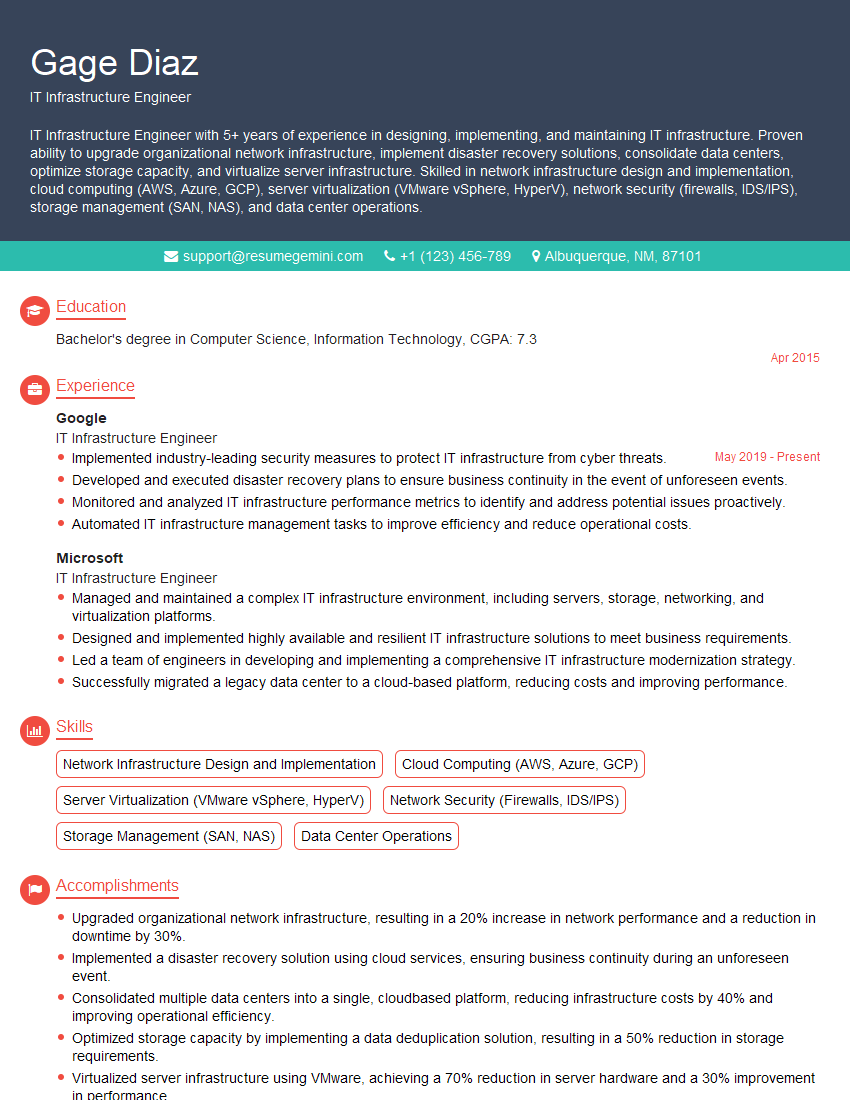
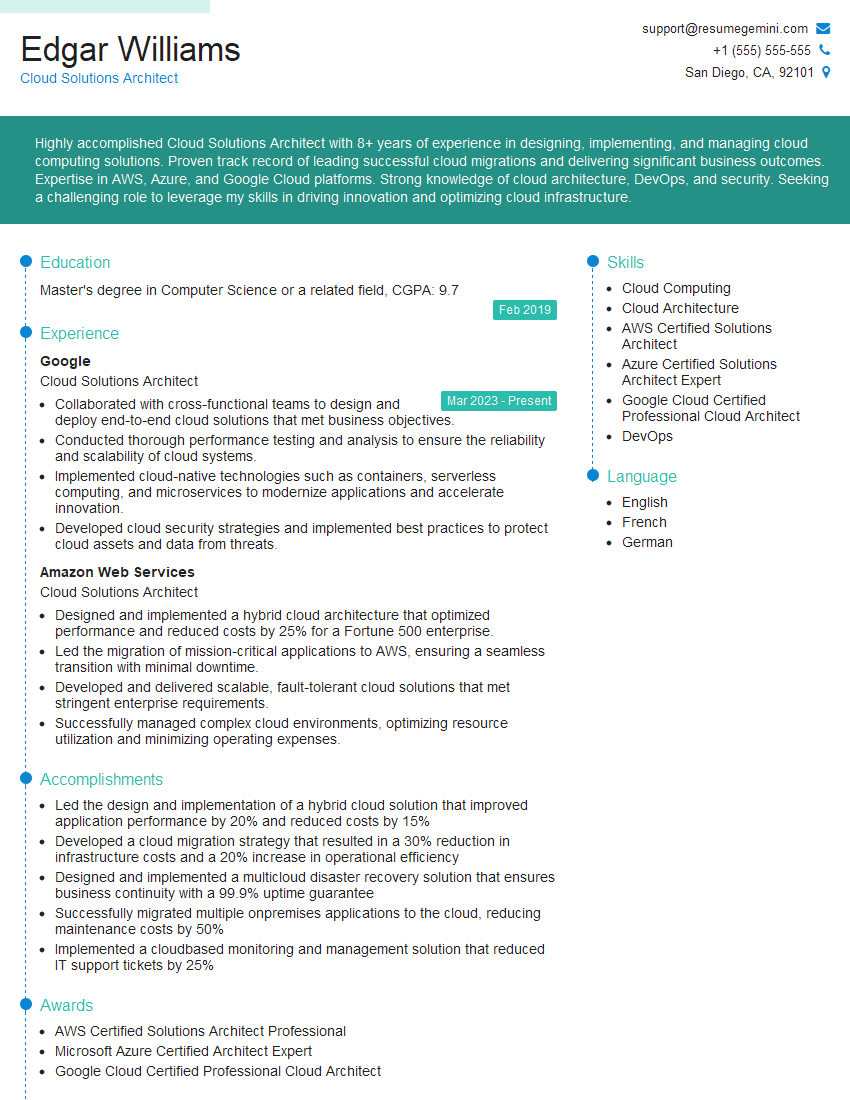
Mastering network virtualization technologies like VMware and Hyper-V is crucial for career advancement in IT, opening doors to exciting roles with higher responsibilities and compensation. To stand out, create a compelling and ATS-friendly resume that highlights your skills and experience effectively. ResumeGemini is a trusted resource that can help you build a professional resume tailored to your specific skills and experience. Examples of resumes tailored to showcasing expertise in network virtualization technologies (e.g., VMware, Hyper-V) are available to help you get started. Investing time in crafting a strong resume is an investment in your future career success.
Explore more articles
Users Rating of Our Blogs
Share Your Experience
We value your feedback! Please rate our content and share your thoughts (optional).
What Readers Say About Our Blog
Very informative content, great job.
good