Cracking a skill-specific interview, like one for Experience with Offset Printing, requires understanding the nuances of the role. In this blog, we present the questions you’re most likely to encounter, along with insights into how to answer them effectively. Let’s ensure you’re ready to make a strong impression.
Questions Asked in Experience with Offset Printing Interview
Q 1. Explain the difference between sheetfed and web offset printing.
The primary difference between sheetfed and web offset printing lies in how the paper is fed into the press. Sheetfed presses use individual sheets of paper, typically fed from a tray or stack. This is ideal for smaller print runs, higher-quality paper, and jobs requiring precise control over individual sheets. Think of printing business cards or brochures – the precise placement of each card is crucial.
Web offset printing, on the other hand, uses a continuous roll of paper, much like a giant roll of wallpaper. This method is significantly faster and more cost-effective for large print runs, such as newspapers, magazines, and mass-market books. The speed allows for efficient production, but less control over individual sheets.
Imagine the difference between carefully hand-painting individual canvases versus using a massive printing machine to create thousands of posters on a continuous roll – one is precise and detailed, the other is high-volume and efficient.
Q 2. Describe the process of preparing printing plates for offset printing.
Plate making for offset printing is a crucial step ensuring accurate image reproduction. The process typically begins with a digital file, which is then processed using specialized software to create a plate. This is usually done using Computer-to-Plate (CTP) technology, which eliminates the need for film. CTP directly exposes a photosensitive plate, creating the image for printing.
Several methods exist for creating plates. Common ones include thermal CTP, which uses heat to expose the plate, and violet laser CTP, which uses a laser to burn the image onto the plate. The choice depends on factors like press speed and image resolution requirements. Once the plate is processed, it’s mounted onto the printing press, ready for the printing process.
For example, in a high-volume magazine printing job, a violet laser CTP system would likely be used for its speed and high-resolution capabilities. Whereas, for a smaller job printing on specialty paper, a thermal CTP might be more appropriate.
Q 3. What are the common types of inks used in offset printing?
Offset printing utilizes various ink types, each with specific properties suited to different substrates (paper types) and printing effects. Common ink types include:
- Conventional Inks: These are oil-based inks that require a longer drying time, often using a dryer system on the press. They are known for their vibrancy and rich color reproduction, however they can be more environmentally impactful.
- UV (Ultraviolet) Inks: These inks cure instantly upon exposure to UV light, offering faster drying times and eliminating the need for a conventional dryer. UV inks are excellent for applications requiring immediate handling or high-gloss finishes.
- Vegetable-Based Inks (Soy-based): Environmentally friendly option, offering a lower environmental footprint compared to conventional oil-based inks. Their properties might slightly differ in terms of drying time and color vibrancy.
- Water-Based Inks: Often used in combination with UV, these offer a more environmentally-friendly option with quicker drying times than conventional inks.
The choice depends on the project’s requirements, budget, and environmental concerns. For instance, a high-speed packaging print job may benefit from UV inks for their fast drying time. For a brochure printed on high-quality paper, conventional inks might produce a more luxurious finish.
Q 4. How do you ensure accurate color reproduction in offset printing?
Accurate color reproduction in offset printing requires a meticulous approach encompassing several key steps. It starts with using a calibrated monitor and color management software to prepare the digital files. Accurate color profiles for the inks and paper are crucial.
A color proof, often a digital proof or contract proof, should be created and approved by the client before printing. This allows adjustments to be made before the full print run, saving time and materials. During the printing process, regular color checks are made using a densitometer, measuring the density of each color. These measurements are compared to the target values, and adjustments to the ink keys are made accordingly.
A common example of color management in practice is using a Pantone color matching system for consistent brand colors. The use of a spectrophotometer ensures that the printed colors accurately match the intended Pantone values.
Q 5. Explain the importance of maintaining proper register in offset printing.
Maintaining proper register is paramount in offset printing. Register refers to the precise alignment of multiple colors or images on a single sheet of paper. Inaccurate register, where colors are misaligned, creates a blurred or out-of-focus appearance, detracting significantly from the print quality and professionalism of the work.
Maintaining register requires careful attention to the printing press setup and operation, including proper plate mounting, and consistent paper feeding. Regular checks during the printing process ensure that the alignment is correct, and adjustments are made if necessary. Failure to maintain proper register can lead to significant waste, reprint costs, and client dissatisfaction.
Imagine a logo design with multiple color layers – if these layers aren’t perfectly aligned, the logo would appear distorted and unprofessional.
Q 6. What are some common printing defects and how are they corrected?
Several common printing defects can occur in offset printing. These include:
- Mottle: Uneven ink distribution across the printed area.
- Hickies: Small specks of dust or foreign material embedded in the ink.
- Set-off: Wet ink transferring from one printed sheet to the next.
- Color misregister: Colors not aligning correctly.
- Scratches on the printing plate: Causing visual defects on the printed sheets.
Corrections vary depending on the defect. Mottle might require adjustments to the ink viscosity or press settings. Hickies are often caused by dirty rollers or press components and require cleaning. Set-off may necessitate the use of different inks or slower drying time. Misregister requires careful adjustment of the press’s register settings. Scratches on the printing plates will necessitate replacement of the plate.
Q 7. Describe your experience with different types of offset printing presses.
Throughout my career, I’ve gained extensive experience working with various offset printing presses. I’ve operated both sheetfed and web offset presses from several leading manufacturers, including Heidelberg, Komori, and Manroland.
My experience encompasses different press sizes, from smaller format presses suitable for short-run jobs to larger web presses designed for high-volume production. This exposure has provided me with a comprehensive understanding of the nuances of different press technologies and the adjustments needed to produce high-quality output in diverse printing scenarios.
For example, working with a Heidelberg Speedmaster XL 105 enhanced my proficiency in handling large-format sheetfed printing, while my experience with a Manroland web press sharpened my skills in high-speed, large-volume production. These experiences gave me a deep appreciation for the different capabilities and limitations of each press type, allowing me to select the most appropriate machine for any given job.
Q 8. How do you troubleshoot problems with ink density or dot gain?
Troubleshooting ink density and dot gain issues in offset printing requires a systematic approach. Ink density refers to the concentration of ink on the printed area, while dot gain is the increase in the size of printed dots during the printing process. Both affect the final color and image quality.
- Low Ink Density: This could stem from insufficient ink supply (low ink fountain levels, clogged ink ducts), incorrect ink viscosity (too thin), improper roller settings (ink rollers not transferring enough ink), or worn printing plates. We’d check each element systematically. For example, we might measure ink viscosity with a viscosimeter and adjust it based on the manufacturer’s guidelines, clean and inspect the rollers and ink train, and potentially replace worn plates.
- High Ink Density: This is often caused by excessive ink, too thick ink viscosity, incorrect roller settings (too much ink transfer), or excessive dot gain. Solutions might include reducing the ink fountain level, adjusting the ink rollers to reduce ink transfer, or modifying the printing pressure. We might even need to adjust the ink formulation if viscosity isn’t the main culprit.
- Dot Gain: Excessive dot gain is typically attributed to paper absorption, printing pressure, or the type of ink used. To troubleshoot, we’d examine the paper type and its absorbency, adjust the printing pressure on the press, and consider switching to a different ink with lower dot gain properties. We also test print using a test sheet (using a densitometer) and adjust until we reach the desired density.
A densitometer is crucial in measuring and adjusting ink density. We also rely heavily on standardized test prints to pinpoint the exact source of the problem and measure improvements after adjustments.
Q 9. What is the role of the pre-press department in the offset printing process?
The pre-press department plays a vital role, acting as the bridge between the design and the printing process. Their responsibilities ensure a smooth and high-quality final product. Think of them as the architects of the print job.
- File Preparation: They receive the design files (often PDFs or high-resolution images) and prepare them for printing. This involves checking image resolution, color profiles, fonts, and ensuring the files are in the correct format for the printing press. They often use color management software to ensure color consistency.
- Plate Making: They create printing plates (usually using computer-to-plate or CTP technology) based on the prepared files. These plates transfer the image onto the printing blankets and then the paper. Careful attention is paid to plate quality to avoid defects.
- Proofing: They produce color proofs – physical representations of the final print – to verify the accuracy of colors and design elements before the actual printing begins. This helps prevent costly mistakes later in the process.
- Quality Control: They are crucial for ensuring that all aspects of the file and the resulting plates meet the standards of quality required. They act as a final checkpoint before the job reaches the press.
In essence, the pre-press department minimizes the risk of errors by meticulously preparing the job and verifying accuracy before production begins. It’s a crucial cost-saving and quality-control step in offset printing.
Q 10. Explain the importance of proper paper handling in offset printing.
Proper paper handling is paramount in offset printing because the paper’s characteristics directly impact the final print quality and the press’s performance. Think of it as the foundation upon which the entire print is built.
- Moisture Content: Paper’s moisture content significantly influences its dimensions and its ability to absorb ink. Inconsistent moisture can lead to paper jams, inaccurate registration (misalignment of colors), and poor ink transfer. We store paper in climate-controlled environments to maintain optimal moisture levels.
- Storage and Handling: Paper should be stored properly to avoid damage and maintain its quality. Stacking it correctly, protecting it from environmental factors like humidity and sunlight, and avoiding bending or tearing are essential. We often use paper pallets and covers to preserve its quality.
- Feeding and Alignment: Accurate feeding of the paper into the press is critical. The paper must be aligned correctly to ensure precise registration of colors. Poor feeding can lead to jams, smudging, and misalignment.
- Paper Type and its Properties: Selecting the appropriate paper type for the job is essential; different papers have varying absorbency, thickness, and surface finishes. Understanding these properties allows us to optimize the printing process for the best results. Choosing the wrong paper might lead to poor print quality or even damage to the printing press.
Ignoring proper paper handling can lead to significant production delays, wasted materials, and a subpar final product. It’s an often-overlooked aspect that significantly impacts efficiency and quality.
Q 11. How do you maintain the quality and consistency of printed products?
Maintaining consistent print quality requires a multi-faceted approach involving meticulous attention to detail throughout the entire process.
- Regular Press Maintenance: Scheduled maintenance of the printing press is critical. This includes cleaning rollers, checking for wear and tear, lubricating moving parts, and calibrating the press to ensure accurate color registration and ink transfer. We use standardized maintenance procedures and keep detailed logs.
- Quality Control Checks: Throughout the printing process, regular quality checks are performed using tools such as densitometers and colorimeters to ensure color consistency and ink density meet the specified standards. We pull samples periodically and compare them to the original proofs.
- Standard Operating Procedures (SOPs): We use documented SOPs for every step, from pre-press to post-press, ensuring that all team members follow the same procedures. This creates uniformity and prevents variations in quality.
- Operator Training: Well-trained operators are crucial for consistent results. Regular training and certification ensure that our team understands the intricacies of the equipment and the importance of maintaining quality standards. They’re well versed in troubleshooting and maintaining consistency.
- Consistent Materials: Using the same inks, plates, and paper stock throughout the print run helps to ensure consistency. Any change in materials needs to be thoroughly tested to avoid unexpected variations.
Consistency isn’t just about achieving a good print once; it’s about reliably achieving the same high quality throughout the entire print run, no matter the quantity.
Q 12. What are your experiences with different types of substrates?
My experience encompasses a wide range of substrates, each with its unique printing characteristics.
- Coated Papers: These offer excellent print quality due to their smooth surface and good ink reception. They are commonly used for high-quality brochures, magazines, and catalogs. Different types of coatings exist – matte, gloss, silk – each impacting the final appearance.
- Uncoated Papers: These are more porous and absorb ink more readily, leading to a different look and feel. They often provide a more natural, less glossy finish and are suitable for letterheads, business cards, and certain types of packaging.
- Cardboard and Paperboard: These thicker substrates are used for packaging, boxes, and point-of-sale displays. Their thickness and surface structure require adjustments in printing pressure and ink formulation.
- Specialty Substrates: I’ve also worked with specialty substrates, such as synthetic papers, metallic papers, and textured papers. These materials present unique challenges, often requiring modifications to the printing process for optimal results. Synthetic materials, for instance, demand specialized inks and press settings.
The choice of substrate significantly impacts the final product’s aesthetics and functionality. Choosing the right substrate for a job is key for achieving the desired look, feel, and performance.
Q 13. Describe your experience with color management software.
I have extensive experience with various color management software, including industry-standard solutions like Adobe Acrobat Pro, GMG ColorProof, and X-Rite i1Profiler.
- Profile Creation and Management: I’m proficient in creating and managing color profiles for different printers, paper stocks, and inks. Accurate profiles ensure consistent color reproduction across different stages of the printing process.
- Color Proofing and Verification: I utilize color management software to create accurate soft proofs that closely match the final printed output. This minimizes discrepancies and ensures client approval before proceeding to production.
- Color Correction and Adjustments: When discrepancies arise, the software enables me to make precise color adjustments to correct any inaccuracies. I can use the software to adjust individual colors or apply global corrections based on the color profile.
- Workflow Integration: I integrate color management software seamlessly into our pre-press workflow, ensuring that color accuracy is maintained throughout the entire process from design to final print. This integration eliminates many color discrepancies between the screen and the printed product.
Color management software is indispensable for ensuring color accuracy and consistency in offset printing. Without it, significant color variations are almost inevitable. It’s a critical tool in our arsenal.
Q 14. How do you calculate the cost of a printing job?
Calculating the cost of a printing job involves considering various factors. It’s more than just the cost of ink and paper.
- Material Costs: This includes the cost of paper, inks, plates, and any other consumables used in the printing process. These costs are usually determined by quantity and type of materials used.
- Labor Costs: This accounts for the time spent on pre-press, printing, and post-press operations. It includes the wages of press operators, pre-press technicians, and other personnel involved. It depends on job complexity and labor rates.
- Equipment Costs: This represents the cost of using the printing press, finishing equipment (e.g., folding, binding), and other machinery. This could be depreciation or rental costs.
- Overhead Costs: This includes utilities, rent, maintenance, and other indirect costs associated with running the print shop. These are often calculated as a percentage of the total direct costs.
- Profit Margin: Finally, a profit margin is added to cover business expenses and ensure profitability. The margin varies depending on the type of job and market competition.
A common approach is to calculate a cost per unit (e.g., per sheet or per piece) based on all the costs above and then multiply by the required quantity. Software tools are often used to streamline and automate these calculations. For example, we might use a spreadsheet software to accurately track all costs associated with different print runs.
Q 15. What are your experiences with different finishing techniques?
Finishing techniques in offset printing are crucial for enhancing the final product’s quality and appeal. My experience encompasses a wide range, including:
- Folding: From simple parallel folds to complex gatefolds and Z-folds, I’ve worked with various folding machines to achieve precise and consistent results. For instance, I once optimized a gatefold process for a high-end brochure, reducing waste by 15% by adjusting the blade settings and paper feed.
- Die-cutting: I’m proficient in using die-cutting machines to create intricate shapes and designs, often working closely with designers to ensure accuracy and precision. A memorable project involved creating custom-shaped business cards with a complex, multi-layered die-cut.
- Laminating: I have extensive experience with different types of lamination, including gloss, matte, and soft-touch, understanding how each impacts the final product’s feel and durability. Choosing the right lamination is key – a recent project required a durable matte lamination for a high-volume outdoor poster campaign.
- UV Coating: I’m adept at applying UV coatings for both spot and overall coverage, improving print durability and adding a high-gloss finish. I’ve managed projects requiring both aqueous and UV coatings, understanding the differing qualities and applications.
- Embossing and Debossing: I’m familiar with the processes of embossing and debossing, adding tactile elements to printed materials. This technique requires precise pressure and temperature control, and I’ve successfully executed numerous projects, from subtle embossing on invitations to dramatic debossing on book covers.
My approach is always to select the most appropriate finishing technique based on the project’s specific needs, budget, and desired aesthetic.
Career Expert Tips:
- Ace those interviews! Prepare effectively by reviewing the Top 50 Most Common Interview Questions on ResumeGemini.
- Navigate your job search with confidence! Explore a wide range of Career Tips on ResumeGemini. Learn about common challenges and recommendations to overcome them.
- Craft the perfect resume! Master the Art of Resume Writing with ResumeGemini’s guide. Showcase your unique qualifications and achievements effectively.
- Don’t miss out on holiday savings! Build your dream resume with ResumeGemini’s ATS optimized templates.
Q 16. Explain your experience with quality control procedures.
Quality control is paramount in offset printing. My experience involves a multi-stage process starting from pre-press through to post-press. This includes:
- Pre-press checks: Thorough review of artwork for color accuracy, resolution, and proper bleeds. I utilize color management software and proofing techniques to ensure the digital file accurately reflects the client’s expectations.
- Press checks: Regular monitoring of the printing press during production, checking for color consistency, registration, and print quality defects (e.g., dot gain, slurring). We utilize densitometers and colorimeters for precise measurements and adjustments.
- Post-press checks: Inspection of the finished product for defects such as misfolds, incorrect cuts, or damage during finishing. This often involves sampling and comprehensive quality checks before packaging and shipping.
- Statistical Process Control (SPC): I leverage SPC charts to monitor key press metrics and identify potential issues before they become significant problems. This proactive approach allows for timely interventions and minimizes waste.
I believe a robust quality control process isn’t just about catching errors, it’s about preventing them. By implementing these procedures and continually analyzing the data, I can guarantee consistent, high-quality output.
Q 17. How do you manage deadlines and prioritize tasks in a fast-paced environment?
Working in a fast-paced printing environment requires excellent time management skills. My approach involves:
- Prioritization: I use project management techniques to prioritize tasks based on urgency and impact. This usually involves using a Kanban board or similar tool for visualizing and tracking progress.
- Deadlines: I always work with clients to establish realistic deadlines, factoring in potential challenges or delays. I communicate openly about progress, including any potential setbacks, to manage expectations.
- Teamwork: Efficient workflow relies heavily on clear communication and collaboration. I work closely with other team members to ensure everyone understands their responsibilities and deadlines.
- Flexibility: Unexpected issues often arise in a busy print shop. I’m adaptable and able to quickly adjust my schedule to accommodate changing priorities, while maintaining overall project timelines.
For example, during a particularly busy week with multiple urgent jobs, I prioritized tasks based on delivery dates and client urgency, effectively completing all jobs on time without compromising quality. Effective communication with the team was crucial for successful multitasking.
Q 18. What is your experience with different types of printing plates?
My experience encompasses various printing plate types, each with its advantages and limitations:
- Conventional plates (PS Plates): These are still widely used and provide a good balance between cost and quality. I’m experienced in processing these plates, understanding the chemistry involved, and optimizing exposure settings for consistent results.
- CTP (Computer-to-Plate) plates: I’m proficient with various CTP systems, both thermal and violet, greatly improving efficiency by eliminating the need for film. The digital workflow allows for faster turnaround times and reduced errors.
- Flexographic plates: While not strictly offset, I have experience working with these plates in hybrid printing projects. This knowledge allows for flexibility in handling diverse printing requirements.
My experience allows me to select the appropriate plate type based on the project specifications, budget considerations, and required turnaround time. I understand that the selection of the plate directly impacts the final print quality and production efficiency.
Q 19. Describe your experience with press maintenance and troubleshooting.
Press maintenance and troubleshooting are essential for ensuring smooth production. My experience covers:
- Preventive maintenance: I’m familiar with the regular maintenance schedules for various press models, performing tasks like cleaning rollers, replacing blankets, and lubricating moving parts. This preventative approach significantly minimizes downtime.
- Troubleshooting: I’m adept at diagnosing and resolving common printing press issues, such as misregistration, color variations, and paper jams. This involves systematically checking various components and applying my knowledge of the press’s mechanics to pinpoint the root cause.
- Repair and part replacement: I can perform basic repairs on the press and identify when more specialized technical assistance is required. I understand the importance of maintaining a well-stocked parts inventory to minimize downtime.
For example, I once successfully diagnosed a recurring misregistration problem by identifying a worn roller bearing, preventing significant production delays. Early detection and quick intervention are key in maximizing uptime and minimizing losses.
Q 20. How do you ensure the safety and efficiency of the pressroom?
Ensuring a safe and efficient pressroom is crucial. My approach incorporates:
- Safety protocols: Strict adherence to safety regulations and procedures, including the proper use of personal protective equipment (PPE) like safety glasses, gloves, and hearing protection. I actively promote and enforce a culture of safety among the team.
- Machine safety: Regular inspections of equipment for potential hazards, ensuring all safety guards are in place and functioning correctly. Lockout/Tagout procedures are strictly followed during maintenance or repairs.
- Ergonomics: I advocate for ergonomic work practices to reduce the risk of work-related injuries. This includes proper workstation setup, lifting techniques, and regular breaks.
- Waste management: Implementing procedures for the safe disposal of chemicals and waste materials, in compliance with all environmental regulations. This includes proper recycling and waste segregation.
A safe and organized environment directly translates to increased productivity and reduces the risk of accidents. I believe that a proactive approach to safety is not just a requirement, but a vital part of a productive and successful team.
Q 21. What is your experience with various types of printing equipment?
My experience spans a range of printing equipment:
- Sheet-fed offset presses: I have extensive experience operating and maintaining various models of sheet-fed offset presses, from smaller format machines to large-format presses capable of handling high-volume jobs. I am familiar with Heidelberg, Komori, and Ryobi presses.
- Web offset presses: I have worked with web offset presses, understanding their unique capabilities for high-speed, continuous printing. This experience includes working with newspaper and magazine printing lines.
- Finishing equipment: Proficient in operating a wide range of finishing equipment, including folders, die-cutters, laminators, and UV coating machines. I’m adept at setting up and adjusting these machines to achieve optimal results.
This diverse experience provides me with a comprehensive understanding of the capabilities and limitations of different printing equipment, allowing me to make informed decisions about selecting the best equipment for each project, ultimately optimizing the printing process.
Q 22. Explain your understanding of CMYK color model.
The CMYK color model is the cornerstone of offset printing, representing the four process inks used to create a vast range of colors: Cyan, Magenta, Yellow, and Key (black). Unlike the RGB model used for screens, CMYK is subtractive. This means that each ink subtracts light from the white paper, resulting in the final color. Imagine mixing paints – adding more colors makes the resulting color darker.
Cyan, Magenta, and Yellow are used in varying proportions to create a spectrum of colors, while black (Key) is added to improve the depth and richness of dark colors, preventing muddy or dull results. It also significantly reduces ink consumption, leading to cost savings. For instance, a rich dark blue might be a combination of high Cyan, high Magenta, and a small amount of Yellow and Black. Precise ratios are crucial for accurate color reproduction.
Q 23. How do you handle customer complaints or print errors?
Handling customer complaints or print errors requires a systematic and professional approach. First, I carefully listen to the customer’s concerns, confirming their description of the issue and the specifics of the job (e.g., quantity, paper type, color specifications). I then review the job’s specifications and the production process log to pinpoint the source of the error.
- Common Issues & Solutions: Incorrect color matching often stems from calibration problems or incorrect file setup. We address this by reviewing the color profiles and pre-press steps. Misaligned print often involves a mechanical issue on the press, which we investigate and fix. Paper defects need a review of our paper stock quality control process.
- Communication is Key: Once the root cause is identified, I communicate transparently with the customer, explaining the situation and offering solutions. This may involve reprinting the job, offering a discount, or credit, depending on the severity of the issue and our agreement. I ensure the corrected prints meet the agreed specifications and seek their confirmation before completion.
Ultimately, the goal is to find a mutually agreeable solution, learn from the mistake to prevent recurrence, and maintain a positive customer relationship.
Q 24. Describe your experience with process control and quality assurance.
Process control and quality assurance are paramount in offset printing. My experience involves implementing and adhering to a comprehensive quality control system, encompassing every stage from pre-press to post-press. This includes:
- Pre-press Checks: Thorough file review for color accuracy, resolution, and proper bleeds and margins. Color proofing (e.g., using Pantone color matching system) ensures that the printed output matches expectations.
- Press Checks: Regular monitoring of ink density, dot gain, register, and paper consistency during the printing process. Color adjustments are made using the press’s control systems and color bars for consistent quality.
- Post-press Checks: Verification of cutting, folding, binding, and finishing processes for any defects. Visual inspections and measurements to ensure accuracy in size and quantity.
- Data-driven Improvement: Tracking and analysis of production data, including waste, downtime, and reject rates, provide valuable insight for process optimization and continuous improvement.
I believe in proactive quality control, implementing preventive measures rather than solely reacting to problems. Regular calibration and maintenance of equipment are crucial in achieving this. Maintaining detailed records of all quality checks is also essential for tracing any issues and supporting our quality certification efforts (e.g., ISO).
Q 25. What software are you proficient in (e.g., RIP software, pre-press software)?
My proficiency in various software essential to offset printing includes:
- RIP Software: Extensive experience with Esko, Kodak, and Harlequin RIP software, including color management, trapping, and imposition.
- Pre-press Software: Proficient in Adobe Creative Suite (Photoshop, Illustrator, InDesign) for file preparation and preflighting, ensuring files are print-ready. Experienced with other pre-press software like ColorGATE for color management and workflow automation.
- Other Relevant Software: Microsoft Office Suite for managing projects, reporting, and communications. Familiarity with ERP systems for managing inventory and production scheduling.
I can efficiently prepare files for offset printing, ensuring the smoothest possible workflow, minimizing errors and maximizing print quality. My understanding of color management is essential for ensuring accurate color reproduction, considering the differences between RGB and CMYK.
Q 26. What is your experience with different types of paper stocks?
My experience encompasses a wide array of paper stocks, understanding their properties and suitability for different applications. This includes:
- Coated Papers: Gloss, matte, and silk – I understand their impact on color vibrancy, ink holdout, and overall print quality. These are often used for high-quality brochures, magazines, and catalogs.
- Uncoated Papers: These offer a more natural feel and are suitable for eco-friendly printing, book printing, or where a less shiny finish is desired.
- Specialty Papers: Experience includes working with textured papers, recycled papers, and heavier stocks, including card stock for business cards and invitations. Understanding the limitations and capabilities of each paper type is crucial for effective print management.
Choosing the right paper stock is critical to achieving the desired aesthetic and functionality. I carefully consider the project’s requirements and advise clients on the most appropriate options, including the cost implications.
Q 27. How do you ensure accurate color matching?
Accurate color matching is crucial for offset printing’s success. It involves a multi-step process:
- Color Management System (CMS): Using a consistent CMS throughout the workflow (from design to press) ensures color accuracy across different devices and software.
- Color Profiles: Accurate ICC profiles for monitors, printers, and press are essential for translating digital color to the printed result.
- Proofing: Soft proofing using digital proofs allows for early color adjustments. Hard copy proofs (e.g., contract proofs) offer the most accurate representation of the final print.
- Press Calibration: Regular calibration of the offset press using color measurement devices (spectrophotometers or densitometers) ensures consistent color output.
- Press Adjustments: Fine-tuning ink levels and other press settings during the printing process, based on color measurements and visual inspection.
I have extensive experience in managing color and troubleshooting inconsistencies. It’s not just about matching colors but about understanding the nuances of different inks and papers to get the closest representation of the client’s vision.
Q 28. Describe your experience with lean manufacturing principles in a print shop.
Lean manufacturing principles significantly improve efficiency and reduce waste in a print shop. In my experience, we’ve implemented various lean techniques, including:
- 5S Methodology: Implementing a system for workplace organization (Sort, Set in Order, Shine, Standardize, Sustain) significantly improves workflow and reduces downtime.
- Value Stream Mapping: Identifying and eliminating waste in the printing process through detailed analysis of the entire workflow – from order placement to delivery.
- Kaizen Events: Organizing focused improvement workshops to identify and address specific bottlenecks or inefficiencies in the production process.
- Just-in-Time Inventory: Optimizing the inventory management of inks, paper, and other materials to minimize storage costs and reduce waste.
- Total Quality Management (TQM): Creating a culture of continuous improvement where quality is everyone’s responsibility, from design to final delivery.
By adopting lean principles, we’ve been able to reduce waste, improve turnaround time, and enhance overall productivity, ultimately leading to increased profitability and customer satisfaction. I’m adept at implementing and managing lean methodologies within a print production environment.
Key Topics to Learn for Your Offset Printing Interview
- Color Management: Understanding color profiles (CMYK, Pantone), color separation techniques, and troubleshooting color inconsistencies. Practical application: Explain how you’ve addressed a color mismatch between proof and final print.
- Platemaking & Press Operation: Familiarize yourself with different plate types (CTP, conventional), press setup procedures (ink, paper, registration), and common press problems (e.g., slurring, ghosting). Practical application: Describe your experience with troubleshooting a specific press issue and the solution you implemented.
- Pre-press Processes: Mastering file preparation (trapping, imposition, bleeds), image resolution, and proofing methods. Practical application: Explain your workflow for preparing files for offset printing, highlighting quality control measures.
- Paper Selection & Handling: Understanding different paper types (coated, uncoated, specialty), their properties, and how paper choice impacts print quality. Practical application: Describe how you select paper for different printing projects, considering factors like budget and desired aesthetic.
- Printing Techniques & Finishes: Knowledge of various printing techniques (perfect binding, saddle stitch, etc.) and finishing options (lamination, UV coating). Practical application: Discuss your experience with different finishing techniques and their impact on the final product.
- Quality Control & Troubleshooting: Developing a keen eye for detail, identifying print defects, and implementing corrective actions. Practical application: Describe a situation where you identified and resolved a printing quality issue.
- Health and Safety: Understanding and adhering to safety regulations and best practices in an offset printing environment. Practical application: Explain your experience with maintaining a safe working environment in an offset printing facility.
Next Steps
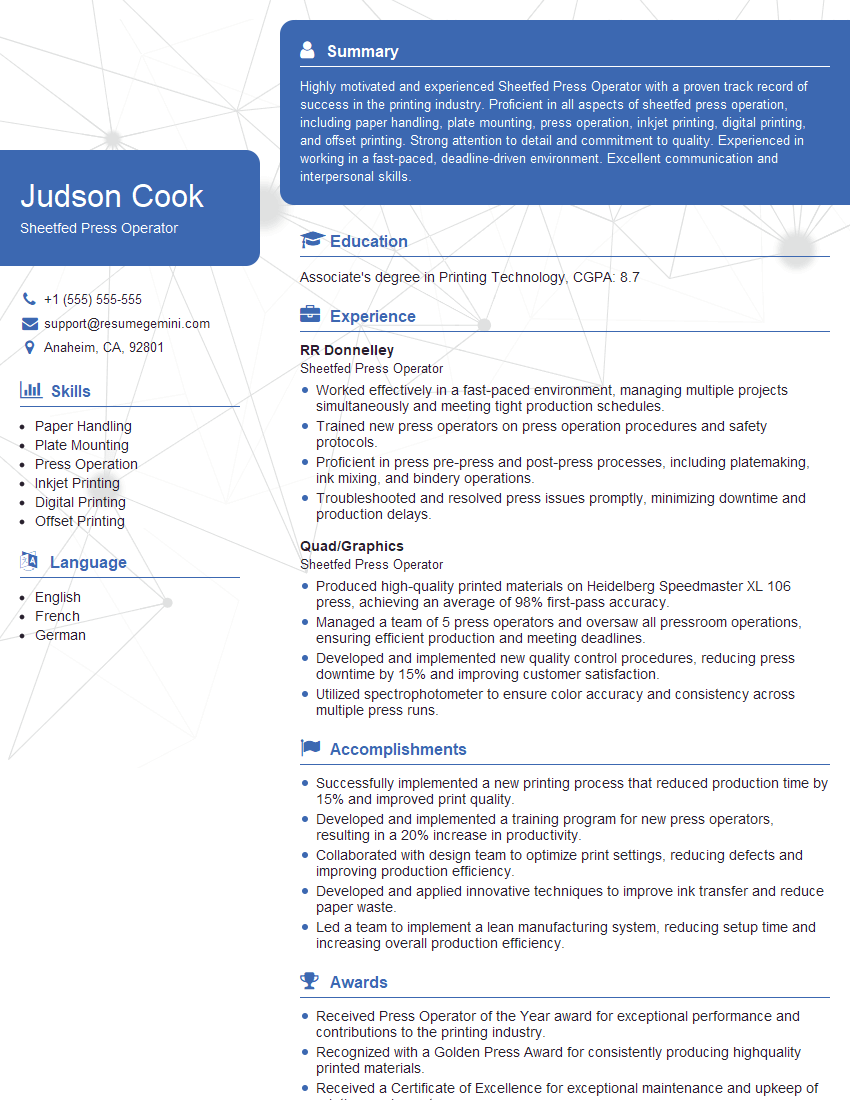
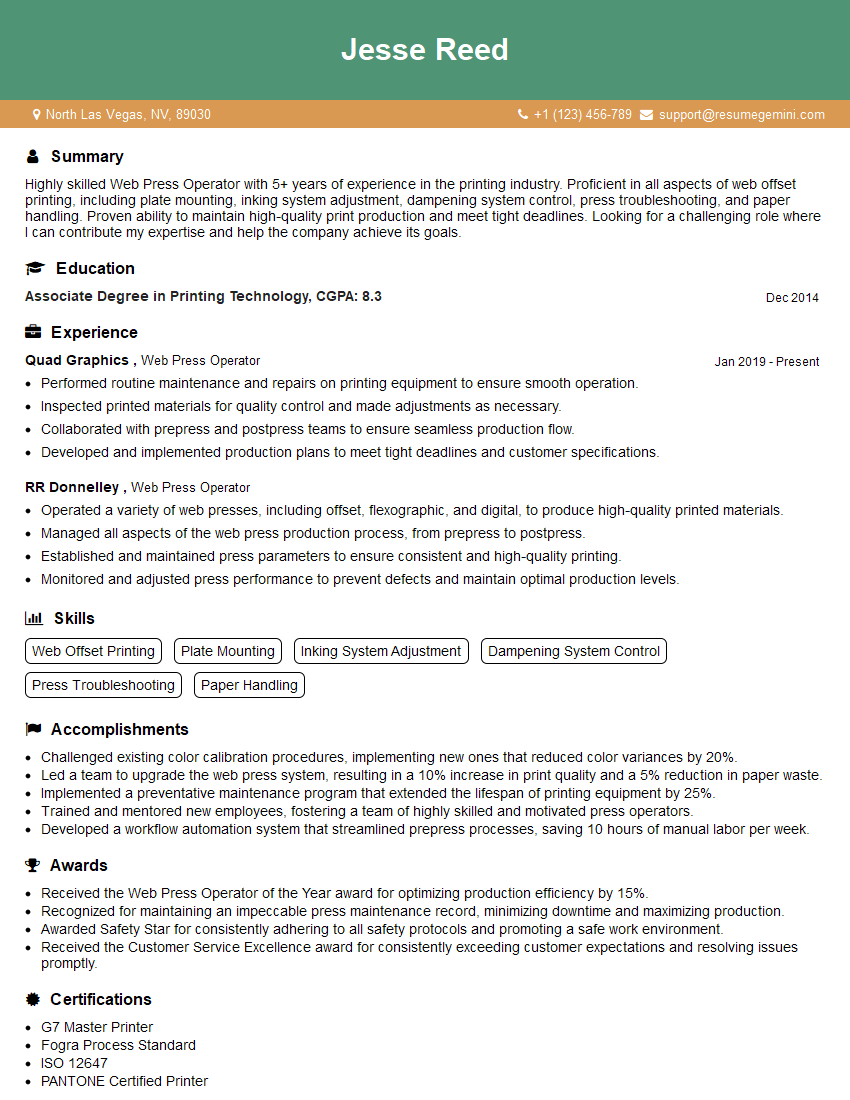
Mastering offset printing techniques significantly enhances your career prospects within the printing industry, opening doors to more senior roles and higher earning potential. To maximize your chances, create an ATS-friendly resume that showcases your skills effectively. ResumeGemini is a trusted resource that can help you build a professional resume tailored to the specific requirements of offset printing jobs. Examples of resumes tailored to highlight experience in offset printing are available to help you craft a compelling application.



Explore more articles
Users Rating of Our Blogs
Share Your Experience
We value your feedback! Please rate our content and share your thoughts (optional).
What Readers Say About Our Blog
Very informative content, great job.
good