Interviews are more than just a Q&A session—they’re a chance to prove your worth. This blog dives into essential Experience with Prepress interview questions and expert tips to help you align your answers with what hiring managers are looking for. Start preparing to shine!
Questions Asked in Experience with Prepress Interview
Q 1. Explain the process of color separation in prepress.
Color separation in prepress is the process of dividing a full-color image into its individual CMYK (Cyan, Magenta, Yellow, and Key/Black) components. Think of it like separating the layers of a cake – each layer represents a different color plate that will be printed separately. This is crucial because most printing presses print each color individually, one on top of the other to create the final image.
The process typically involves using specialized software to analyze the color information in the original artwork. Each color is then assigned to its corresponding plate. For example, areas that appear red might be a combination of Magenta and Yellow, and these are then separated to their individual plates. This results in four separate files, one for each color, ready to be used to create printing plates.
For example, imagine designing a vibrant logo with a red apple. In the separated plates, the cyan plate might show only a faint shadow, the magenta plate a significant area of color, and the yellow plate a supporting area of color. The black plate would handle fine details and solid areas of black.
Q 2. Describe your experience with different file formats used in prepress (e.g., PDF, TIFF, EPS).
My experience encompasses a wide range of file formats commonly used in prepress. PDF (Portable Document Format) is a ubiquitous format, offering excellent compatibility and color management features, ideal for final files ready for print. I’m proficient in utilizing PDF/X standards, specifically designed for reliable color reproduction in print. TIFF (Tagged Image File Format) is my go-to for high-resolution images, especially those requiring lossless compression to preserve image quality. EPS (Encapsulated PostScript) files are also commonly used, particularly for vector-based artwork that needs to be incorporated into layouts.
Understanding the strengths and weaknesses of each format is essential. For instance, while PDFs are great for final files, I avoid using heavily compressed PDFs for images requiring fine detail, as this may lead to image quality loss. TIFFs, on the other hand, are heavier files, but preserve image integrity. EPS works well for logos, but isn’t suitable for complex raster images.
Choosing the right format depends on the specific job. A complex multi-page brochure might use a PDF/X-1a for final output, while high-resolution product shots might be delivered as TIFFs.
Q 3. How do you ensure color consistency across different printing processes?
Maintaining color consistency across different printing processes is paramount. This involves a multi-faceted approach beginning with color management at the source.
- ICC Profiles: Using accurate ICC (International Color Consortium) profiles for both the monitor and the printing press is crucial. This ensures that what I see on screen accurately represents the printed output. Different printers use different inks and papers, requiring individual profiles.
- Proofing: Soft proofing allows me to simulate the printing process on-screen. Hard proofing – using a professional proofing printer – provides a physical representation of the final print, catching potential issues before mass production.
- Color Calibration: Regular calibration of my monitor ensures accurate on-screen color representation. This is often overlooked, but is a foundation for consistent results.
- Standard Color Spaces: Working primarily in CMYK color space for print projects eliminates potential conversion issues when compared to using RGB, designed for screens.
A real-world example involved a client wanting identical branding across brochures and banners. I meticulously created and implemented ICC profiles for both printers, and through soft and hard proofing, ensured a seamless match in color, regardless of the printing process.
Q 4. What are your preferred methods for trapping and why?
Trapping is a crucial step to prevent gaps between colors during printing, especially when using fine lines or small text. I favor using spread trapping for most projects.
Spread Trapping: This method slightly enlarges the darker color, overlapping the lighter color. It’s effective for minimizing gaps, especially when printing on absorbent materials. It’s my preferred method because it is less likely to create unwanted color shifts compared to choke trapping. The software handles the overlapping, allowing me to focus on design.
Choke Trapping: This method slightly reduces the lighter color, allowing the darker color to overlap. This method is appropriate for very fine lines, but can sometimes create noticeable color shifts.
The choice of trapping method depends heavily on the design and printing process. For simple designs, spread trapping is generally sufficient, but for intricate designs, more sophisticated techniques may be necessary.
Q 5. Explain the importance of image resolution in prepress.
Image resolution is critically important in prepress because it directly impacts the quality of the final printed product. Resolution is measured in dots per inch (dpi) or pixels per inch (ppi).
Insufficient resolution leads to blurry or pixelated images, ruining the visual appeal. The required resolution depends on the printing method and the final size of the image. For example, a large billboard requires significantly higher resolution than a business card. A good rule of thumb is to use at least 300 dpi for high-quality offset printing. Using a low-resolution image for a large print job will result in a blurry, unprofessional final product. It is usually easier and less costly to fix resolution issues before the print job begins.
One time, a client provided low-resolution images for a large-format poster. I had to explain the importance of resolution and guide them to higher-quality sources. This prevented a potentially costly reprint.
Q 6. What software are you proficient in for prepress tasks (e.g., Adobe Acrobat, InDesign, Photoshop)?
My prepress workflow heavily relies on Adobe Creative Suite applications. I’m highly proficient in Adobe InDesign for page layout and design, Adobe Photoshop for image editing and retouching, and Adobe Illustrator for vector graphics. Adobe Acrobat Pro is essential for PDF creation, editing, and preflighting, ensuring the final file meets print specifications and is free of errors.
Beyond Adobe products, I’m familiar with color management software like GMG ColorProof and other RIP software that are essential for managing color consistency between screens and printers. This helps me bridge the gap between digital design and physical print output.
Q 7. How do you handle a last-minute change in a print job?
Handling last-minute changes requires a calm, organized, and efficient approach. First, I would clarify the nature and scope of the change. Then, I assess the impact on the existing schedule and production timeline. Is it a simple text edit or a major design overhaul? The next step is determining the feasibility of incorporating the change – are there time and resource constraints?
For minor changes, I can usually adapt quickly. For significant alterations, I would discuss the implications with the client, outlining potential delays and added costs. Clear communication is key here. I always prioritize delivering high-quality work, even under pressure. Using version control software to keep track of revisions is also beneficial. A calm and systematic approach minimizes chaos.
Once the scope is clear, I prioritize the implementation, focusing on the critical aspects first. Through efficient time management and precise execution, I strive to deliver the best possible result, even with the added stress of a tight deadline.
Q 8. Describe your experience with color profiles and color management systems (e.g., ICC profiles).
Color profiles, specifically ICC (International Color Consortium) profiles, are the cornerstone of color management. They act like a digital translator, ensuring that colors appear consistently across different devices – from your monitor to the printing press. Each device has its own unique way of interpreting and reproducing color, and ICC profiles help bridge this gap.
My experience involves extensively working with ICC profiles to create accurate color representations in prepress. For example, I’ve worked with various profile types, including device-link profiles (used for transforming colors from one device to another), and rendering intents (like perceptual, absolute colorimetric, relative colorimetric, and saturation) which determine how color is mapped during transformations. I’ve also had to troubleshoot color discrepancies by carefully analyzing the profiles used throughout the workflow, often identifying the root cause in a mismatched or outdated profile. This involved creating custom profiles for unique substrates or printing devices whenever necessary, ensuring the final product matched the client’s expectations. Imagine trying to match paint colors without a standard – that’s the chaos ICC profiles prevent.
Q 9. What is your experience with imposition software?
Imposition software is crucial for efficiently arranging pages to create printing plates or digital sheets. My experience encompasses various imposition solutions, including Esko Automation Engine, and others depending on the client’s needs and the printing method. I’m proficient in creating imposition layouts for different formats (brochures, books, posters) accounting for bleed, margins, and registration marks. I’m also adept at creating custom imposition settings to optimize paper usage and reduce waste. For instance, I’ve worked on projects requiring complex nested layouts with multiple signatures, ensuring accurate page sequencing and avoiding costly errors on press.
Beyond the software itself, I understand the crucial role imposition plays in minimizing printing costs and maintaining consistency. I can optimize imposition layouts for different press sheet sizes and manage imposition parameters to accommodate specific substrate and press requirements. An example would be utilizing the ‘gang-up’ feature where multiple similar jobs are printed together onto one large sheet to optimize the use of expensive materials like high-quality paper stock.
Q 10. How do you ensure the quality of prepress output before sending it to the press?
Quality control in prepress is paramount. My approach involves a multi-stage process starting with thorough file checks. I verify that all files are properly formatted (resolution, color mode, etc.), check for missing fonts or linked images, and examine the artwork for any potential problems like low-resolution images or incorrect bleeds.
After that I perform soft proofing, using color-managed software to simulate the final printed result on-screen. This helps to identify and correct color inaccuracies before the expensive printing process begins. Finally, before sending the files, I generate a contract proof (a physical hard copy proof) for client approval. This serves as a final visual confirmation and reduces the risk of costly reprints due to unexpected color shifts or other errors. This meticulous process has saved numerous projects from costly mistakes.
Each stage involves using specific software tools and workflows tailored to the job’s requirements. This includes careful checking for things like trapping (overlapping colors to prevent white gaps between elements in the print), and the use of color separation techniques for offset printing.
Q 11. Explain your experience with different printing techniques (e.g., offset, digital, flexography).
My experience encompasses a wide range of printing techniques, including offset, digital, and flexography. Offset printing, known for its high quality and large-scale production capabilities, requires a deep understanding of color separations and plate making. In contrast, digital printing offers faster turnaround times and is ideal for shorter runs or personalized print materials. The key here is knowing which process is best suited to the job requirements and managing the different file formats and specifications required by each method. Finally, Flexography, often used for packaging and labels, involves creating flexible plates which requires a different skillset and software.
For example, I’ve worked on large-scale offset projects that involved careful preflighting of files, color management, and the creation of high-resolution plates for optimal print quality. I’ve also managed smaller, more time-sensitive projects using digital printing technologies, optimizing files for fast turnaround and cost effectiveness. Understanding the intricacies of each process, including the types of inks, substrates, and presses used, allows me to accurately anticipate and address potential production issues.
Q 12. What is your experience with proofing methods (e.g., soft proof, contract proof)?
Proofing is a crucial step to ensure the printed output meets the client’s expectations. Soft proofing, using color-managed software, allows for an on-screen visual representation of the final printed product. This provides an early opportunity to identify color and image issues before printing. Contract proofs, physical hard copies, serve as a legally binding agreement between the client and the printing company, showing what the final result will look like and establishing a clear standard for acceptance. I’m proficient in both methods, and select the appropriate approach based on the project’s needs and client preferences.
In my work, I’ve used various soft proofing solutions, including those integrated within Adobe Creative Suite and other dedicated prepress software. I’ve also generated multiple contract proofs using different methods, depending on whether the client needs a simple digital proof or a more sophisticated press proof that simulates the final printing process closely.
Q 13. How do you manage large-scale print projects?
Managing large-scale print projects requires meticulous planning, organization, and effective communication. I employ a structured project management approach using established workflows and tools such as project management software to track deadlines, tasks, and resources. This approach involves clearly defining project scope, setting realistic timelines, and establishing clear communication channels with clients and various stakeholders involved in the process. Regular status meetings and progress updates keep all parties informed and help prevent potential issues from escalating.
A crucial aspect is risk management. I anticipate potential challenges, such as delays in file delivery or unforeseen technical issues, and create contingency plans. This proactive approach ensures that projects stay on track and are delivered on time and within budget. An example of this would be proactively managing the scheduling of large offset printing jobs, ensuring ample time for prepress stages and accommodating potential production bottlenecks.
Q 14. Describe your experience with prepress workflows and automation.
Prepress workflows have evolved significantly, incorporating automation to streamline processes and improve efficiency. My experience includes implementing automated workflows using various software solutions, streamlining tasks such as file validation, imposition, and color management. This automation reduces manual intervention, minimizes human error, and accelerates the overall prepress process. For example, I’ve integrated automated preflighting and color management solutions into our workflows, ensuring consistency and reducing the time spent on manual checks.
This has also involved optimizing the digital asset management systems for effective storage and retrieval of files and using workflow automation tools to integrate various software applications in the prepress process creating a seamless workflow from design to print-ready files.
Q 15. How do you troubleshoot common prepress issues?
Troubleshooting prepress issues involves a systematic approach. I start by identifying the problem – is it a color issue, a font problem, a missing image, or something else? Then, I use a combination of tools and techniques to pinpoint the root cause.
- Color Issues: If colors are off, I check the color profiles (e.g., CMYK, Pantone) ensuring consistency between the design file and the printing press profile. I might need to adjust color settings in the design software or check for color management issues within the RIP (Raster Image Processor).
- Font Problems: Missing or incorrect fonts are a common culprit. I meticulously check the fonts used, ensuring they are embedded in the PDF and readily available to the printing device. I might need to substitute fonts if needed, confirming that the replacement closely matches the original.
- Image Issues: Low-resolution images or improper image compression can lead to poor print quality. I analyze image resolution, ensuring it meets the required DPI (dots per inch) for the intended print size. I also check for correct color modes and compression settings.
- RIP and Printer Issues: Problems can stem from the RIP software or the printing device itself. I check the RIP settings, printer drivers, and communication between the computer and the printer. I might need to contact the printer manufacturer for support.
For example, I once worked on a project where the client complained about dull colors. After investigating, I found the problem was incorrect color profile assignments in the PDF. By correcting this simple setting, we solved the issue and maintained brand consistency.
Career Expert Tips:
- Ace those interviews! Prepare effectively by reviewing the Top 50 Most Common Interview Questions on ResumeGemini.
- Navigate your job search with confidence! Explore a wide range of Career Tips on ResumeGemini. Learn about common challenges and recommendations to overcome them.
- Craft the perfect resume! Master the Art of Resume Writing with ResumeGemini’s guide. Showcase your unique qualifications and achievements effectively.
- Don’t miss out on holiday savings! Build your dream resume with ResumeGemini’s ATS optimized templates.
Q 16. How do you handle files with inconsistencies or errors?
Handling inconsistent or erroneous files requires a careful and methodical approach. The first step is to identify the specific inconsistencies, such as missing fonts, low-resolution images, incorrect color spaces, or embedded links that don’t work. I use preflighting software to check for these issues automatically. If manual intervention is needed, I’ll check each element in the design file.
For example, if a font is missing, I attempt to locate the font and embed it correctly. If an image is low-resolution, I will communicate with the client to obtain a higher resolution alternative. I might have to recreate or repair elements.
My process involves:
- Preflighting: Running a preflight check to identify a broad range of potential issues.
- Detailed Analysis: Manually checking all elements, comparing against the client’s specifications and design briefs.
- Communication: Keeping the client informed every step of the way and seeking clarification.
- Solutions: Implementing fixes, which might range from simple font substitutions to complete image replacements.
- Testing: Proofing the corrected file meticulously before proceeding to the print stage.
Imagine a scenario where a client provides a PDF with images at 72 DPI. By running a preflight check, I instantly identify the problem. Instead of proceeding to print and getting a blurry result, I can promptly inform the client and request higher-resolution images, saving both time and money.
Q 17. What is your understanding of different types of paper and their impact on print quality?
Understanding different paper types and their impact on print quality is crucial. The choice of paper significantly affects the final appearance and feel of the printed piece. Paper properties such as weight, texture, finish, and brightness influence the color reproduction, ink absorption, and overall print quality.
- Weight: Measured in gsm (grams per square meter), paper weight impacts the overall sturdiness and feel. Heavier paper feels more luxurious but might also affect the folding and binding processes.
- Texture: The paper’s texture, whether smooth, rough, or textured, affects ink absorption and the visual appeal. Smooth papers often produce sharper images and cleaner text, while textured papers offer a more tactile and unique feel.
- Finish: Different finishes, such as matte, gloss, or uncoated, influence the color appearance and the overall look. Glossy finishes enhance color vibrancy but can sometimes create glare. Matte finishes provide a subtle and elegant look, while uncoated papers offer a more natural and rustic feel.
- Brightness: Measured in ISO brightness, it describes how much light the paper reflects. Higher brightness means the paper appears whiter and improves color vibrancy.
For instance, using a glossy paper for a high-quality photo book will dramatically enhance the color saturation and image sharpness, creating a more visually appealing result compared to using a matte paper.
Q 18. Describe your experience with print finishing techniques.
My experience encompasses a broad range of print finishing techniques. These techniques add value and enhance the overall presentation of the printed piece. They can range from simple to complex processes and are often chosen based on the project’s requirements and budget.
- Cutting and Trimming: Ensuring precise cutting to the required dimensions, maintaining accuracy and clean edges.
- Folding: Various folding techniques, including letter folds, gate folds, and roll folds, depending on the design’s complexity.
- Binding: Different binding methods, such as saddle-stitch, perfect binding, wire-o binding, and case binding, each suited for different document types and page counts.
- Laminating: Applying a protective film to enhance durability and provide water resistance.
- Die-cutting: Creating custom shapes and designs, often used for unique business cards, invitations, or packaging.
- Embossing and Debossing: Adding a three-dimensional effect to the paper, enhancing the visual appeal and tactile experience.
For example, a client might require a high-end brochure with perfect binding and UV coating for enhanced durability and visual appeal. I would ensure proper coordination between the prepress stage and the finishing processes to ensure that everything aligns perfectly.
Q 19. Explain the importance of preflighting in prepress.
Preflighting is a crucial prepress step that involves automatically checking a design file for potential printing problems before it goes to the printing press. It’s like a comprehensive quality control check that helps avoid costly mistakes and delays.
Preflight software analyzes the document for a variety of issues, including:
- Missing or incorrect fonts: Ensuring all fonts used are embedded or available to the printer.
- Low-resolution images: Identifying and flagging images below the required resolution.
- Color profile inconsistencies: Detecting color space mismatches that could lead to color variations.
- Oversized images: Checking if images exceed the trim size.
- Bleed issues: Ensuring images extend beyond the trim area.
- Color management: Confirming the proper color profiles are assigned.
A preflight check can be likened to a pilot’s pre-flight checklist for an airplane, making sure everything is in order before embarking on the journey. By catching issues early in the prepress process, we save time and prevent costly reprints, ensuring a smooth and efficient printing workflow.
Q 20. How do you ensure the accuracy of barcodes and other variable data in print jobs?
Ensuring the accuracy of barcodes and variable data is vital in many print jobs. Errors can lead to significant problems with inventory management, tracking, and other applications.
My process involves:
- Data Validation: I meticulously verify the source data for accuracy, completeness, and consistency before incorporating it into the print file.
- Barcode Verification: I use barcode verification software to ensure the barcodes are correctly generated, readable, and meet industry standards.
- Variable Data Handling: I utilize software that allows for efficient merging of variable data with the base design, accurately placing the correct information in the designated fields for each individual piece.
- Test Prints: I always create test prints with a sample of the variable data to visually check the output before proceeding to the main print run.
For instance, if we’re printing personalized mailers with unique tracking barcodes, even a small error in the barcode generation can lead to undelivered mail or misidentified shipments. Therefore, a robust verification process is crucial to avoid these types of problems.
Q 21. What is your experience with PDF optimization for print?
PDF optimization for print focuses on reducing the file size while maintaining print quality. Large PDF files can slow down the printing process, increase storage requirements, and sometimes lead to printing errors. Optimization involves several techniques:
- Image Compression: Reducing the file size of images without significantly affecting print quality. JPEG compression is commonly used for photographs, while lossless compression is ideal for illustrations or text-heavy graphics.
- Font Subsetting: Embedding only the necessary characters from a font, reducing the file size.
- Downsampling Images: Reducing the resolution of images to the required DPI for the print output.
- Removing Unnecessary Objects: Deleting unused objects, layers, or elements from the PDF.
- Using PDF/X Standards: Ensuring the PDF conforms to a standard suitable for printing, such as PDF/X-1a or PDF/X-4.
For example, a large brochure with high-resolution images might have a PDF file size of several hundred megabytes. Optimizing this file can reduce its size to a few megabytes without compromising the quality, thus making the printing process significantly faster and more efficient.
Q 22. Explain your understanding of bleed and margins in print design.
Bleed and margins are crucial elements in print design, ensuring your final printed piece looks exactly as intended. Think of it like framing a picture: you need space around the image to avoid cutting off important parts.
Bleed refers to the area of your design that extends beyond the final trim size. This is essential because printers often have slight variations in cutting, and bleed ensures that even with minor inconsistencies, no white edges will appear on your printed piece. For instance, a business card might have a 0.125-inch bleed on all sides, meaning the design extends 0.125 inches beyond the intended 3.5 x 2-inch final size. The printer then trims the excess.
Margins, on the other hand, represent the blank space between the edge of the printed area and the design elements. They provide a clean, uncluttered look and prevent important text or images from being too close to the edge and potentially getting cut off during trimming. A common guideline is to have at least 0.25-inch margins.
Failing to account for bleed and margins results in unsightly white edges or crucial design elements being cropped. Properly setting these is paramount to a professional-looking print product.
Q 23. Describe your experience with working with clients and managing their expectations.
Managing client expectations is a cornerstone of successful prepress work. It starts with clear and consistent communication. I begin each project by having a detailed initial consultation to thoroughly understand the client’s vision, their target audience, and their desired outcome. I then provide a comprehensive project timeline and a clear breakdown of the process, including potential challenges and their solutions.
I regularly update clients with progress reports and actively solicit feedback, ensuring they feel involved and informed throughout the process. If unexpected issues arise, I address them promptly and transparently, offering alternative solutions where appropriate. For instance, if a client wants a particular paper stock that’s unavailable, I’ll suggest a viable alternative, clearly explaining the differences in cost and quality.
Building trust and rapport with clients is key. It’s about managing their expectations realistically while also offering creative solutions and exceeding their expectations whenever possible. I find that proactive communication and a collaborative approach are incredibly effective in maintaining positive relationships and delivering exceptional results.
Q 24. How do you prioritize tasks and manage deadlines in a fast-paced environment?
Prioritization and deadline management are critical in a fast-paced prepress environment. I utilize a combination of project management techniques to stay organized and efficient.
I typically use a Kanban board (either physical or digital) to visualize the workflow, categorizing tasks by status (To Do, In Progress, Review, Completed). This allows me to easily monitor progress and identify potential bottlenecks. I also employ time-blocking techniques, scheduling specific time slots for different tasks, ensuring focus and avoiding distractions. For instance, I dedicate mornings to complex design tasks and afternoons to client communication and quality control.
When multiple deadlines converge, I prioritize tasks based on urgency and impact. Critical tasks with tight deadlines take precedence. I also utilize project management software to track progress, manage dependencies, and set reminders to prevent task slippage. Proactive communication with clients about any potential delays is crucial for maintaining trust and managing expectations.
Q 25. What are some common challenges in prepress and how do you address them?
Prepress presents a unique set of challenges, mostly revolving around file preparation, color management, and technical specifications. Common issues include:
- Incorrect file formats or resolutions: Clients might submit files in unsuitable formats (e.g., low-resolution images) leading to poor print quality. I address this by carefully reviewing files during the initial stages and providing clear guidelines to clients about acceptable file formats and resolutions.
- Color inconsistencies: Variations in color profiles across different devices can result in significant discrepancies between on-screen and printed output. I use color management tools and profiles (e.g., ICC profiles) to ensure accurate color reproduction.
- Font issues: Missing or improperly embedded fonts can cause problems during printing. I ensure all fonts are properly embedded or converted to outlines before sending files to print.
- Bleed and margin errors: As mentioned previously, neglecting these can cause significant issues. Thorough file preflighting is essential to catch such errors before they reach the printer.
My approach is to implement robust quality control procedures at each stage, proactively identify potential issues, and communicate effectively with both clients and printers to resolve any problems before they escalate.
Q 26. Describe your problem-solving skills in a prepress context.
My problem-solving approach in prepress is systematic and methodical. I follow a structured process:
- Identify the problem: Clearly define the issue, gathering all relevant information.
- Analyze the problem: Determine the root cause – is it a software issue, a client-side error, or a technical limitation?
- Develop solutions: Brainstorm potential solutions, weighing their pros and cons.
- Implement the solution: Choose the most appropriate solution and execute it.
- Test and evaluate: Thoroughly test the implemented solution to ensure its effectiveness.
- Document the solution: Record the problem, solution, and outcome for future reference.
For example, if I encounter a color mismatch, I would systematically check the client’s source files, the color profiles used, the printer’s color calibration, and the paper stock. I’d then adjust color settings as needed, ensuring a consistent output. This structured approach allows me to efficiently identify and resolve even complex problems.
Q 27. How do you stay updated with the latest technologies and trends in prepress?
Staying current in the rapidly evolving prepress field is crucial. I utilize several methods to keep my knowledge and skills sharp:
- Industry publications and websites: I regularly read trade magazines, blogs, and online resources dedicated to prepress, print production, and graphic design.
- Webinars and online courses: I participate in webinars and online courses offered by industry leaders to learn about new technologies and best practices.
- Industry conferences and workshops: Attending conferences and workshops provides valuable networking opportunities and exposure to the latest advancements.
- Software updates and training: I proactively update my software and regularly participate in training sessions provided by software vendors.
- Networking with colleagues: Engaging with colleagues and peers through online forums and professional organizations keeps me abreast of current trends and challenges.
This multifaceted approach ensures that I remain knowledgeable about emerging technologies and best practices, allowing me to effectively utilize them in my work.
Q 28. What is your experience with quality control procedures in prepress?
Quality control is an integral part of my prepress workflow. I follow a rigorous process at each stage:
- Preflighting: I use preflighting tools to automatically check files for common errors such as missing fonts, low-resolution images, incorrect color spaces, and bleed issues.
- Proofing: I create soft proofs and, when necessary, hard proofs to visually inspect the design and ensure colors, images, and text appear as intended.
- File review: A meticulous review of all files ensures accuracy and consistency before sending them to the printer.
- Communication with the printer: I communicate clearly with the printer about any special requirements or potential concerns.
- Post-print review: After receiving the printed output, I conduct a final quality check to ensure the final product meets the client’s expectations and specifications. If necessary, I work with the printer to resolve any issues.
This comprehensive approach minimizes errors, ensuring the final product is of the highest quality and meets the client’s expectations. I see quality control not as a separate process, but as an integrated part of every step, reducing risks and optimizing efficiency.
Key Topics to Learn for Your Prepress Interview
- Color Management: Understanding color spaces (CMYK, RGB, Pantone), color profiles, and color conversion processes. Practical application: Troubleshooting color inconsistencies between digital and printed output.
- File Preparation & Formats: Expertise in preparing files for various printing methods (offset, digital, large format). Understanding file formats like PDF, TIFF, JPEG, and their implications for print quality. Practical application: Optimizing images and ensuring files meet print specifications.
- Image Editing & Retouching: Proficiency in software like Adobe Photoshop for image manipulation, retouching, and preparing images for print. Practical application: Correcting image flaws, improving resolution, and ensuring proper image scaling for different print sizes.
- Proofing & Quality Control: Understanding different proofing methods (soft proof, hard proof) and quality control procedures to ensure accurate color reproduction and print quality. Practical application: Identifying potential print issues before going to press and implementing corrective actions.
- Prepress Software & Workflow: Familiarity with prepress software (e.g., Adobe Acrobat Pro, imposition software) and the overall workflow from file reception to platemaking. Practical application: Streamlining the prepress process for efficiency and accuracy.
- Print Production Knowledge: Basic understanding of printing processes (offset, digital, screen printing) and their limitations. Practical application: Making informed decisions about file preparation based on the chosen printing method.
- Troubleshooting & Problem-solving: Ability to identify and resolve common prepress issues, such as color mismatches, image artifacts, and file format errors. Practical application: Demonstrating proactive problem-solving skills to minimize print delays and costs.
Next Steps
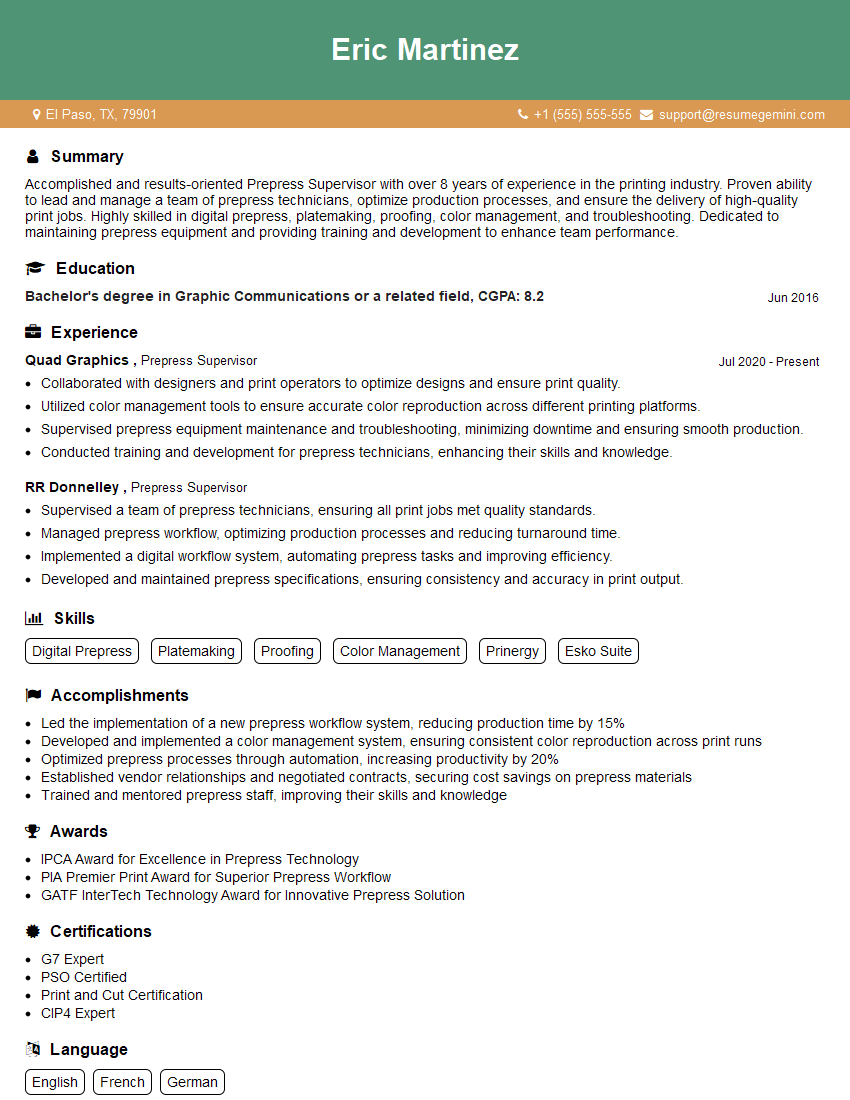
Mastering prepress skills significantly enhances your career prospects in the graphic arts and printing industries, opening doors to specialized roles and increased earning potential. To maximize your job search success, creating a strong, ATS-friendly resume is crucial. ResumeGemini is a trusted resource to help you build a professional and effective resume that highlights your prepress expertise. We provide examples of resumes tailored to prepress experience to guide you in crafting your own compelling application. Take the next step towards your dream job – build your best resume with ResumeGemini today!



Explore more articles
Users Rating of Our Blogs
Share Your Experience
We value your feedback! Please rate our content and share your thoughts (optional).
What Readers Say About Our Blog
Very informative content, great job.
good