The right preparation can turn an interview into an opportunity to showcase your expertise. This guide to Experience with printing equipment interview questions is your ultimate resource, providing key insights and tips to help you ace your responses and stand out as a top candidate.
Questions Asked in Experience with printing equipment Interview
Q 1. Describe your experience with different types of printing presses (offset, digital, flexographic, etc.).
My experience spans across various printing press technologies, each with its own strengths and applications. Offset printing, a mainstay in high-volume commercial printing, involves transferring ink from a plate to a rubber blanket and then to the substrate. I’ve worked extensively with perfecting the registration and ink balance on large-format offset presses, producing everything from brochures and magazines to book covers. Digital printing, on the other hand, offers unmatched flexibility for short runs and personalized content, ideal for on-demand printing and variable data printing projects. I’m proficient in operating various digital presses, from toner-based devices to inkjet systems, and understand the intricacies of managing color profiles and substrate compatibility. Flexographic printing, primarily used for packaging and labels, utilizes flexible plates and is renowned for its ability to print on diverse substrates, including plastics and films. My experience with flexo includes troubleshooting print defects specific to this technology, such as dot gain and ink adhesion issues.
For example, I once had to troubleshoot a significant color shift on a large offset print run of a product catalogue. After meticulously examining the plates, dampening system, and ink viscosity, I identified the problem as a subtle variation in the ink’s temperature, a problem quickly resolved by adjusting the temperature controls on the press.
Q 2. Explain the process of color management in printing.
Color management in printing is a crucial process ensuring that the colors you see on your screen accurately translate to the printed output. It involves a series of steps and considerations, starting with the color profile of your digital files. These profiles define the color space – for example, sRGB, Adobe RGB, or Pantone – and dictate how colors are interpreted by different devices. Accurate color management involves matching the color profiles of the design software, the digital proof, and the printing press. This requires careful calibration and profiling of all equipment involved. Color management also accounts for the interaction between ink and substrate, as different paper types can affect color appearance. Often, we use color calibration tools and software such as X-Rite i1Profiler or similar to ensure consistency.
For instance, a client requested a specific Pantone color for their branding on their business cards. By carefully managing the color profile throughout the entire process from digital design to the final print, I ensured the Pantone color appeared consistent and accurate across all prints, meeting the client’s expectations.
Q 3. What are the common causes of print defects and how do you troubleshoot them?
Print defects can stem from numerous sources, impacting quality and leading to costly reprints. Common causes include problems with the printing plates (scratches, damage), incorrect ink settings (density, viscosity), improper paper handling (moisture content, jams), and issues with the press itself (misalignment, faulty rollers). Troubleshooting involves systematic investigation, starting with a visual inspection of the printed output, followed by a check of the press settings and components. For example, banding or streaking could indicate a problem with the ink supply, while fuzzy or unclear images might point to issues with the printing plate or improper registration. I often use a methodical checklist and elimination process to isolate and solve these issues, taking into account the specific printing process (offset, digital, etc.).
Once, I encountered a significant problem with ghosting on an offset print job. By systematically checking and eliminating possible causes, I traced the issue to a small imperfection in the blanket cylinder. Replacing the cylinder resolved the ghosting issue immediately.
Q 4. How do you ensure print quality consistency across different jobs?
Maintaining consistent print quality across different jobs requires attention to detail and adherence to standardized procedures. This starts with rigorous pre-press checks to ensure files are properly prepared and color-managed. Regular calibration and maintenance of printing equipment are also critical, including cleaning rollers, adjusting settings, and checking ink viscosity. Furthermore, using standardized color profiles and implementing consistent quality control checks throughout the production process are essential. I often maintain detailed records of print settings and quality metrics for each job to facilitate future consistency. I also engage in regular preventative maintenance schedules to ensure optimal performance and avoid unexpected downtime.
We use color targets and test prints throughout the run to make sure the color stays consistent and is aligned with client expectations.
Q 5. Describe your experience with prepress procedures (file preparation, trapping, imposition).
Prepress procedures are the foundation for high-quality printing. My experience encompasses all aspects, starting with file preparation. This includes ensuring that files are in the correct format (e.g., PDF/X-1a), resolution, and color space. Trapping, the process of creating overlaps between colors to prevent gaps in printing, is essential for maintaining clean lines, especially with process colors. I’m proficient in various trapping techniques, including choke and spread, tailored to the job requirements and substrate. Imposition is the arrangement of pages for efficient printing, which varies significantly depending on the type of print product (e.g., book signatures, brochures). I use specialized software and understanding of workflow optimization to achieve accurate imposition for various projects.
For example, I recently worked on a project with complex bleed areas and intricate designs. I meticulously handled the trapping to prevent any unwanted white gaps between colors in the final print, ensuring a perfect and consistent output across all copies.
Q 6. What software programs are you proficient in for print production (e.g., Adobe Acrobat, RIP software)?
I’m proficient in a wide range of software crucial for print production. My expertise includes Adobe Creative Suite (Photoshop, Illustrator, InDesign) for design and image manipulation. I’m highly skilled in using Adobe Acrobat Pro for PDF creation, editing, and preflighting, which is essential for ensuring print-ready files. Furthermore, I possess extensive experience working with various RIP (Raster Image Processor) software, including those from manufacturers such as EFI and Kodak. These programs translate digital files into instructions for the printing devices and are essential for accurate color management and image processing. I’m also familiar with other relevant software, such as imposition and workflow automation tools.
For example, I utilize Adobe Acrobat’s preflighting tools to catch potential errors like missing fonts or low-resolution images in client files before they get to the printing press, preventing expensive and time-consuming reprints.
Q 7. Explain your understanding of different printing substrates (paper, cardstock, vinyl, etc.).
Understanding printing substrates is key to achieving optimal print results. Different substrates have varying properties that impact ink absorption, color reproduction, and overall print quality. Paper, for instance, ranges widely in weight, finish (coated, uncoated), and texture, each affecting how ink adheres and the final visual outcome. Cardstock, thicker and more rigid than paper, is frequently used for business cards, postcards, and packaging, requiring careful consideration of ink weight and drying times. Vinyl, a durable and flexible material, is popular for signage and decals, requiring inks formulated to adhere properly and withstand environmental factors. I’ve worked with a wide range of substrates, including coated and uncoated papers, various cardstocks, vinyl, and even specialty materials like canvas and metallic substrates. I understand the specific requirements each requires to produce a high-quality printed result.
Once, I helped a client choose the right substrate for a high-end invitation. By understanding the subtle differences between various paper weights and finishes, I assisted them in selecting a stock that perfectly complemented the design and projected the desired luxurious feel.
Q 8. How do you maintain and troubleshoot printing equipment?
Maintaining and troubleshooting printing equipment involves a proactive and reactive approach. Proactive maintenance includes regular cleaning, inspecting components for wear and tear, and performing scheduled preventative maintenance as outlined in the manufacturer’s manual. Think of it like servicing your car – regular oil changes prevent major issues down the road.
Reactive troubleshooting, on the other hand, addresses problems as they arise. This often involves diagnosing the issue, identifying the root cause, and implementing the necessary repair or replacement. For example, if a printer consistently jams, I’d systematically check the paper path, rollers, and pickup mechanism for obstructions or damage. I utilize diagnostic tools, error codes, and my knowledge of the machine’s inner workings to pinpoint the problem. This might involve replacing a worn roller, clearing a paper jam, or even replacing a faulty component. Detailed record-keeping is crucial for tracking maintenance, identifying recurring issues, and optimizing preventative measures.
- Regular Cleaning: This includes removing dust, debris, and toner from the printer’s interior and exterior.
- Preventative Maintenance: Following the manufacturer’s recommended maintenance schedule, including replacing parts like fuser units, rollers, and toner cartridges.
- Diagnostic Tools: Using built-in diagnostic tools or external software to identify and troubleshoot specific problems.
- Troubleshooting Strategies: Utilizing a systematic approach to identify problems, such as checking for obvious issues before diving into more complex repairs.
Q 9. Describe your experience with postpress finishing techniques (cutting, binding, laminating).
My experience with post-press finishing encompasses a wide range of techniques, including cutting, binding, and laminating. I’ve worked with various equipment, from guillotine cutters and three-knife trimmers for precise cutting to saddle-stitch, perfect binding, and wire-o binding machines for different document types and aesthetics. Laminating, both gloss and matte, is a regular part of my workflow, enhancing the durability and visual appeal of printed materials.
For example, in one project, we had a large print run of brochures requiring perfect binding. I oversaw the entire process, ensuring consistent page alignment during gathering, accurate trimming, and a robust binding that could withstand handling. My understanding extends beyond mere operation to include selecting appropriate techniques based on project requirements, managing material costs, and optimizing workflow for efficiency. I’m adept at identifying potential issues during each stage, preventing delays and ensuring high-quality results.
- Cutting: Proficient with guillotine cutters, three-knife trimmers, and die-cutting machines for various applications.
- Binding: Experienced with saddle-stitch, perfect binding, wire-o binding, and other binding methods.
- Laminating: Skillful in applying both gloss and matte laminates for various finishes.
Q 10. What safety procedures do you follow when operating printing equipment?
Safety is paramount in a print production environment. Before operating any equipment, I always ensure I’ve received proper training and understand the machine’s safety features and potential hazards. This includes adhering to lock-out/tag-out procedures during maintenance and repairs. Personal Protective Equipment (PPE) is essential, and I always wear safety glasses, gloves, and appropriate clothing to prevent injuries from moving parts or ink/toner exposure. Regularly inspecting equipment for any signs of damage or malfunction is crucial, and reporting any such issues immediately is non-negotiable. Safety isn’t just a checklist, it’s a mindset that guides my every action.
For instance, when operating a guillotine cutter, I’m always mindful of the blade’s trajectory and ensure the safety features are engaged before making any cuts. This careful attention to detail extends to all equipment, minimizing risks and ensuring a safe working environment for myself and my colleagues.
Q 11. How do you manage ink and toner inventory?
Managing ink and toner inventory involves a combination of forecasting, tracking, and ordering. I use inventory management software to track stock levels, consumption rates, and reorder points. This allows me to predict future needs and avoid running out of essential supplies. I maintain a detailed record of each ink and toner type, including supplier information and cost per unit. This detailed approach ensures that we have the necessary materials readily available without excessive stock that could expire or become obsolete. Regular audits ensure accuracy and help refine the forecasting model.
For example, by analyzing past consumption data, I can predict the demand for specific inks based on upcoming projects. This prevents unexpected shortages and production delays. Additionally, I leverage bulk purchasing options to minimize per-unit costs while considering storage capacity.
Q 12. Explain your experience with different types of inks and their properties.
My experience encompasses a variety of inks, each with unique properties. Water-based inks are environmentally friendly and ideal for certain applications, but they have limited vibrancy compared to solvent-based inks, which offer a wider color gamut and exceptional vibrancy but require specialized handling due to their volatile nature. UV-curable inks are known for their quick drying time and durability, making them suitable for applications needing immediate handling. I also have experience with vegetable-based inks that are gaining popularity for their sustainability. Choosing the right ink depends on the substrate, the desired finish, and environmental considerations.
For example, when printing on a porous material like paper, water-based inks are often a good choice. However, for packaging that requires resistance to abrasion and chemicals, UV-curable inks are preferred due to their durability. Selecting the correct ink involves understanding the properties and limitations of each type and aligning them with the project requirements.
Q 13. How familiar are you with color profiles (e.g., ICC profiles)?
I’m very familiar with color profiles, particularly ICC profiles. These profiles are crucial for ensuring color accuracy across different devices and throughout the printing process. An ICC profile characterizes the color response of a specific device, allowing for accurate color matching between the design software, the printer, and the final print. Without them, colors could appear significantly different than intended, leading to costly reprints and dissatisfied clients. Understanding color management and ICC profiles is essential for producing consistent and accurate color reproduction.
For example, I’ve used ICC profiles to calibrate my monitors and printers to achieve consistent color reproduction across all stages of a project, from design to printing. This involves carefully selecting and installing the appropriate profiles and configuring the print settings to match.
Q 14. Describe your experience with workflow automation in a print production environment.
My experience includes implementing and managing workflow automation in print production using various software solutions. These systems streamline the process from job submission to final output, reducing manual intervention and optimizing efficiency. I’m proficient in using tools for prepress preparation, job scheduling, and tracking, improving turnaround times and minimizing errors. Automation helps in managing complex print jobs and large volumes, ensuring consistency and quality while reducing operational costs. For example, I’ve worked with systems that automatically route files to the appropriate printers, track job status in real-time, and generate reports on production metrics, giving us valuable insights into our operations.
The use of workflow automation is essential for larger-scale print shops handling diverse print projects. It ensures standardization, consistency and predictability of the print process, leading to cost-effectiveness and time savings.
Q 15. How do you handle rush jobs and meet tight deadlines?
Handling rush jobs requires a systematic approach blending prioritization, efficient workflow, and clear communication. I start by assessing the urgency and complexity of the job, immediately determining if it’s feasible within the requested timeframe. This involves analyzing the file specifications, required quantity, finishing needs, and available resources like personnel and equipment.
Next, I prioritize the job within my existing workload, potentially adjusting other schedules as needed. I communicate proactively with the client, providing realistic timelines and potential challenges. Finally, I implement a streamlined workflow, possibly involving overtime or bringing in additional support if the job demands it. For example, if a client needs 500 brochures printed by the end of the day, I wouldn’t hesitate to utilize faster printing methods or enlist help from colleagues to ensure timely completion, while still maintaining quality.
Transparent communication throughout the process is key to managing expectations and avoiding misunderstandings. I frequently update the client on the job’s progress and address any concerns promptly.
Career Expert Tips:
- Ace those interviews! Prepare effectively by reviewing the Top 50 Most Common Interview Questions on ResumeGemini.
- Navigate your job search with confidence! Explore a wide range of Career Tips on ResumeGemini. Learn about common challenges and recommendations to overcome them.
- Craft the perfect resume! Master the Art of Resume Writing with ResumeGemini’s guide. Showcase your unique qualifications and achievements effectively.
- Don’t miss out on holiday savings! Build your dream resume with ResumeGemini’s ATS optimized templates.
Q 16. What is your experience with large-format printing?
My experience with large-format printing spans several years and encompasses various applications, including banners, posters, trade show displays, and vehicle wraps. I’m proficient in operating wide-format printers from leading manufacturers like HP and Canon, including both inkjet and solvent-based systems. I understand the nuances of media selection – from vinyl and canvas to backlit film – and the importance of color profiles for accurate color reproduction in large-scale prints. I’ve worked on projects requiring precise registration and have expertise in handling large, unwieldy materials safely and effectively. One notable project involved designing and printing a massive 30-foot banner for a city-wide festival. The meticulous planning and execution, ensuring accurate scaling and flawless color matching on such a large format, was a great success.
Q 17. Describe your experience with digital printing technologies.
My experience with digital printing technologies is extensive, covering a range of processes and applications. I’m adept at operating various digital presses, including Xerox, Ricoh, and Konica Minolta machines. I’m familiar with different print technologies, such as toner-based (electrophotography), inkjet (thermal inkjet and piezoelectric inkjet), and LED printing. I understand color management, file preparation (PDF optimization), and the importance of maintaining consistent print quality. I’ve worked extensively with variable data printing (VDP), allowing for personalized print pieces for targeted marketing campaigns. For instance, I recently managed a project involving over 10,000 personalized postcards, each with a unique recipient address and tailored message, demonstrating my ability to handle large-scale VDP projects efficiently and accurately.
Q 18. How do you handle customer inquiries and resolve print-related issues?
Handling customer inquiries and resolving print-related issues requires a blend of active listening, technical expertise, and empathy. I begin by attentively listening to the customer’s concerns, asking clarifying questions to fully understand the problem. This could range from simple questions about pricing and turnaround times to complex issues related to color accuracy, file compatibility, or print defects. Then, I leverage my technical knowledge to diagnose the issue. This could involve inspecting print samples, reviewing files, or checking printer settings. Once I identify the root cause, I provide clear, concise solutions, explaining the steps taken and their implications. If the issue involves a technical failure, I’ll work diligently to troubleshoot or coordinate with relevant support teams to ensure timely resolution. Finally, I follow up with the customer to confirm satisfaction and address any remaining concerns. I aim for every interaction to reinforce customer trust and loyalty.
Q 19. What is your understanding of different print finishing options?
My understanding of print finishing options is comprehensive and includes a wide range of processes designed to enhance the final product’s aesthetic appeal and durability. These include:
- Binding: Saddle stitch, perfect binding, wire-o binding, coil binding (for booklets, brochures, reports).
- Cutting & Trimming: Ensuring precise dimensions and clean edges.
- Folding: Various fold types to accommodate different designs and formats.
- Laminating: Gloss, matte, or UV coating for protection and enhanced visual appeal.
- Die-cutting: Creating custom shapes and designs.
- Embossing & Debossing: Adding tactile elements to enhance the design.
- Finishing touches: Perforations, scoring, numbering, and more.
Selecting the appropriate finishing options is crucial for achieving the desired outcome and aligning with the project’s overall aesthetic and functionality. For instance, a glossy lamination would be suitable for a product brochure requiring a high-quality finish, while a saddle stitch might be ideal for a smaller, cost-effective booklet.
Q 20. How do you calculate the cost of a printing job?
Calculating the cost of a printing job involves several factors. It’s not a simple formula but rather a careful consideration of various elements. Here’s a breakdown:
- Material Costs: The cost of paper, ink, or other substrates used.
- Labor Costs: Time spent on pre-press, printing, and post-press operations.
- Equipment Costs: Depreciation and maintenance of printing equipment.
- Overhead Costs: Rent, utilities, and other business expenses.
- Finishing Costs: Costs associated with additional finishing processes such as binding, laminating, etc.
- Profit Margin: A markup to ensure profitability.
The calculation typically involves determining the cost per unit (e.g., per page, per piece) and multiplying that by the total quantity. For example, a job might require $0.50 in materials and $0.25 in labor per unit. With 100 units and a 20% profit margin, the total cost would be (0.50 + 0.25) * 100 * 1.20 = $90. This demonstrates that a comprehensive cost analysis is crucial to avoid underselling and ensure profitability.
Q 21. What metrics do you use to measure print quality?
Measuring print quality involves a multifaceted approach encompassing both subjective and objective assessments. Objective metrics include:
- Color Accuracy: Measured using spectrophotometers and comparing the printed color to the target color (e.g., using Delta E values).
- Sharpness and Resolution: Assessing image clarity and detail, often using line screens or dot gain measurements.
- Registration: Ensuring accurate alignment of multiple colors or print elements.
- Density: The intensity of the printed ink.
- Dot Gain: The spreading of ink during printing.
Subjective assessments involve visual inspection for defects like banding, streaks, or uneven color distribution. Software can help analyze many of these objective aspects, but a trained eye is essential for detecting subtle flaws. A consistent quality control process ensures that the finished product meets or exceeds expectations and adheres to industry standards.
Q 22. Describe your experience with quality control procedures in printing.
Quality control in printing is paramount to ensuring a consistently high-quality product. My experience encompasses a multi-stage approach, starting with pre-press checks of the digital files – verifying color profiles (e.g., ensuring accurate CMYK values), resolution, and the overall design layout for errors or inconsistencies. This often involves using software like Adobe Acrobat Pro to review files for potential problems before they even reach the press.
During the printing process itself, regular checks are crucial. This includes monitoring color consistency using spectrophotometers and densitometers to ensure accurate reproduction of colors specified in the design. I also meticulously inspect printed sheets for defects like ink smudging, misregistration (where colors don’t align perfectly), and paper imperfections. This often involves using standardized color charts and visual inspection tools.
Post-press quality control involves examining the final product, whether it’s a booklet, brochure, or other printed material. This stage includes checking the binding quality, ensuring all pages are in the correct order, and verifying that the finishing touches (like cutting, folding, and laminating) are done precisely. Any deviation from the established standards triggers a thorough investigation to identify the root cause and implement corrective actions to prevent recurrence. For example, if consistent misregistration is detected, adjustments to the press settings or plate alignment may be needed.
Q 23. How do you ensure the accurate and timely delivery of printed materials?
Accurate and timely delivery hinges on meticulous project management and efficient communication. I’ve consistently delivered projects on time and within budget by employing a structured approach. This starts with a clear project scope defined upfront, including deadlines, material specifications, and client expectations. We utilize project management software to track progress, identify potential bottlenecks, and proactively address any issues.
For instance, if a particular paper stock faces delays from the supplier, I immediately communicate with the client to discuss alternative solutions or adjust the timeline accordingly. Maintaining transparent communication with all stakeholders—clients, designers, and internal teams—is essential to manage expectations and avoid misunderstandings. Regular progress reports and proactive updates keep everyone informed. A robust system for managing print orders, from receiving the artwork to scheduling the press and coordinating delivery, is crucial for achieving timely execution. This often involves sophisticated software solutions tailored to the print workflow.
Q 24. What is your experience with different types of binding techniques?
My experience with binding techniques is extensive, covering a wide range of methods suitable for different applications. I’m proficient in various types including:
- Perfect Binding: Ideal for softcover books and magazines, involving gluing the edges of the pages together.
- Saddle Stitch Binding: A cost-effective method for documents with a low page count, using wire staples to fasten pages through the fold.
- Spiral Binding (Coil Binding): Commonly used for reports and notebooks, involves using plastic or metal coils to bind pages.
- Wire-O Binding: Creates a professional look and allows pages to lay flat, frequently used for calendars or high-end reports.
- Case Binding: A robust method suitable for hardcover books, involving sewing sections together and then applying a cover.
Choosing the right binding technique depends on factors like page count, budget, desired aesthetic, and the intended use of the printed material. For example, for a high-volume, low-cost project, saddle stitch is efficient. For a high-end presentation book, case binding would be more appropriate. I consider all these factors in recommending the most suitable binding option for each client’s project.
Q 25. What are your strengths and weaknesses as a printing professional?
My strengths lie in my meticulous attention to detail, my problem-solving abilities, and my proactive approach to project management. I thrive in fast-paced environments and can maintain composure under pressure, effectively prioritizing tasks and managing multiple projects simultaneously. My experience has equipped me with a deep understanding of all aspects of the printing process, allowing me to anticipate and prevent potential issues before they arise.
One area I’m continually working on is delegating tasks more effectively. While I take pride in my hands-on approach, I recognize the importance of empowering team members and trusting them with responsibilities to improve overall efficiency. I actively seek opportunities to refine this skill by participating in leadership training and observing best practices.
Q 26. Describe your experience working with a team in a fast-paced print environment.
In fast-paced print environments, teamwork is crucial. I’ve consistently worked effectively within teams, collaborating with designers, pre-press operators, press operators, and finishers. Effective communication is key; I ensure clear and concise communication to avoid misunderstandings and delays. I actively participate in team meetings, contributing ideas and providing support to colleagues.
For example, during a high-pressure project with a tight deadline, we faced a significant paper jam on the press. Instead of panicking, I collaborated with the press operator and maintenance technician to troubleshoot the issue quickly. We efficiently divided responsibilities, addressing the problem swiftly and minimizing downtime. My experience with various personalities and different roles means I can adapt to any team dynamic and contribute positively.
Q 27. How do you stay up-to-date with the latest trends and technologies in printing?
Staying updated in the printing industry is vital. I achieve this through a combination of methods:
- Industry Publications: Regularly reading trade magazines and online resources to stay abreast of new technologies, trends, and best practices.
- Industry Events and Conferences: Attending conferences and workshops to learn from experts and network with professionals in the field.
- Online Courses and Webinars: Utilizing online learning platforms to expand my knowledge on specific areas of interest, such as advanced color management or new printing technologies.
- Manufacturer Websites and Documentation: Staying informed about the latest developments in printing equipment from manufacturers, including software updates and new product releases.
Continuous learning ensures I remain proficient with the latest technologies and techniques, allowing me to maintain a competitive edge and offer my clients the most efficient and high-quality services.
Q 28. What are your salary expectations?
My salary expectations are commensurate with my experience and skills, and are in line with industry standards for a Printing Professional with my level of expertise. I am open to discussing a competitive compensation package based on the specific details of the role and the overall compensation structure of your organization.
Key Topics to Learn for Experience with Printing Equipment Interview
- Types of Printing Equipment: Understanding the differences between various printing technologies (e.g., offset, digital, screen, large format) and their applications. This includes knowing their strengths, weaknesses, and typical use cases.
- Pre-press Processes: Familiarity with file preparation, color management (CMYK, RGB), proofing, and imposition techniques. Be prepared to discuss your experience with software used in this stage.
- Print Production: Practical knowledge of operating printing equipment, troubleshooting common issues, maintaining equipment, and ensuring quality control throughout the printing process. Think about specific examples from your experience.
- Post-press Processes: Understanding finishing techniques like binding, cutting, folding, laminating, and other value-added services. Discuss your experience with different finishing equipment and the impact on the final product.
- Print Materials and Inks: Knowledge of different paper types, substrates, and inks, and how they affect the final print quality. Be able to discuss the properties and applications of various materials.
- Health and Safety: Familiarity with relevant safety procedures and regulations related to operating printing equipment and handling chemicals.
- Troubleshooting and Problem Solving: Be ready to discuss how you approach identifying and resolving technical problems encountered during the printing process. Use the STAR method (Situation, Task, Action, Result) to structure your answers.
- Workflow and Efficiency: Understanding and optimizing workflows to maximize productivity and minimize waste. Discuss your experience with improving efficiency in a print environment.
Next Steps
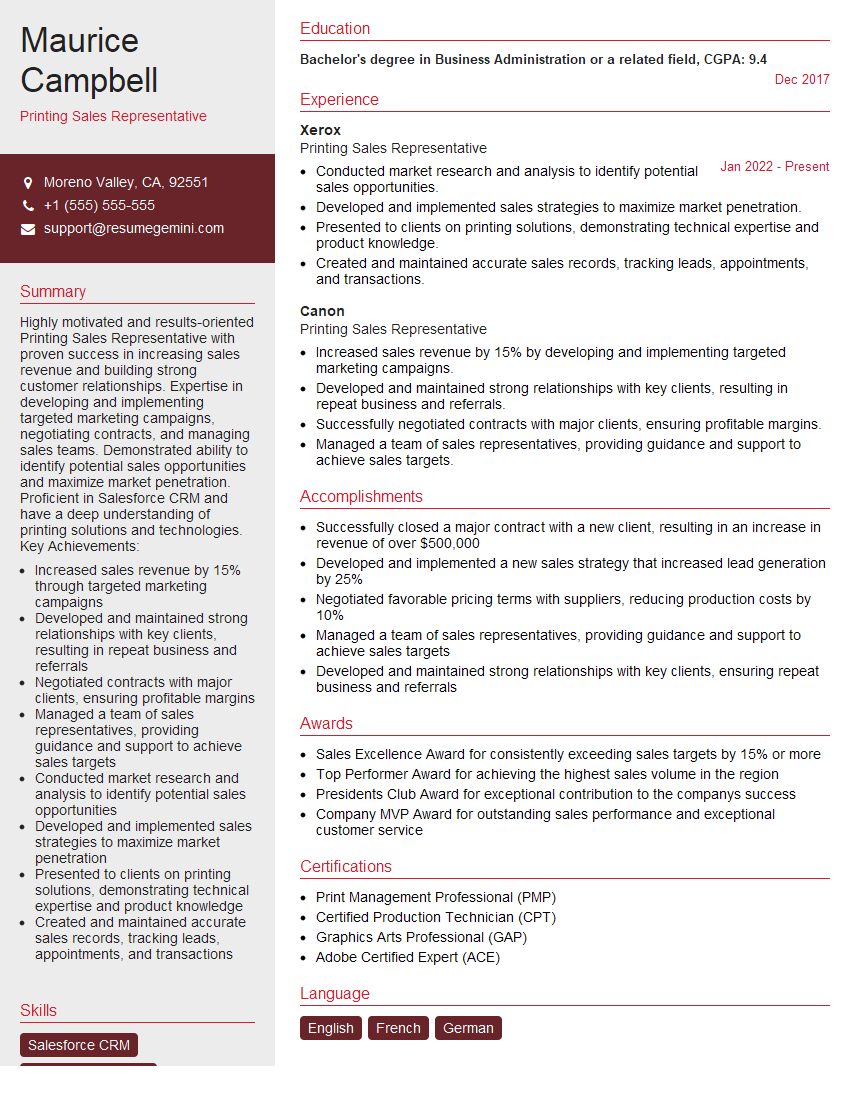
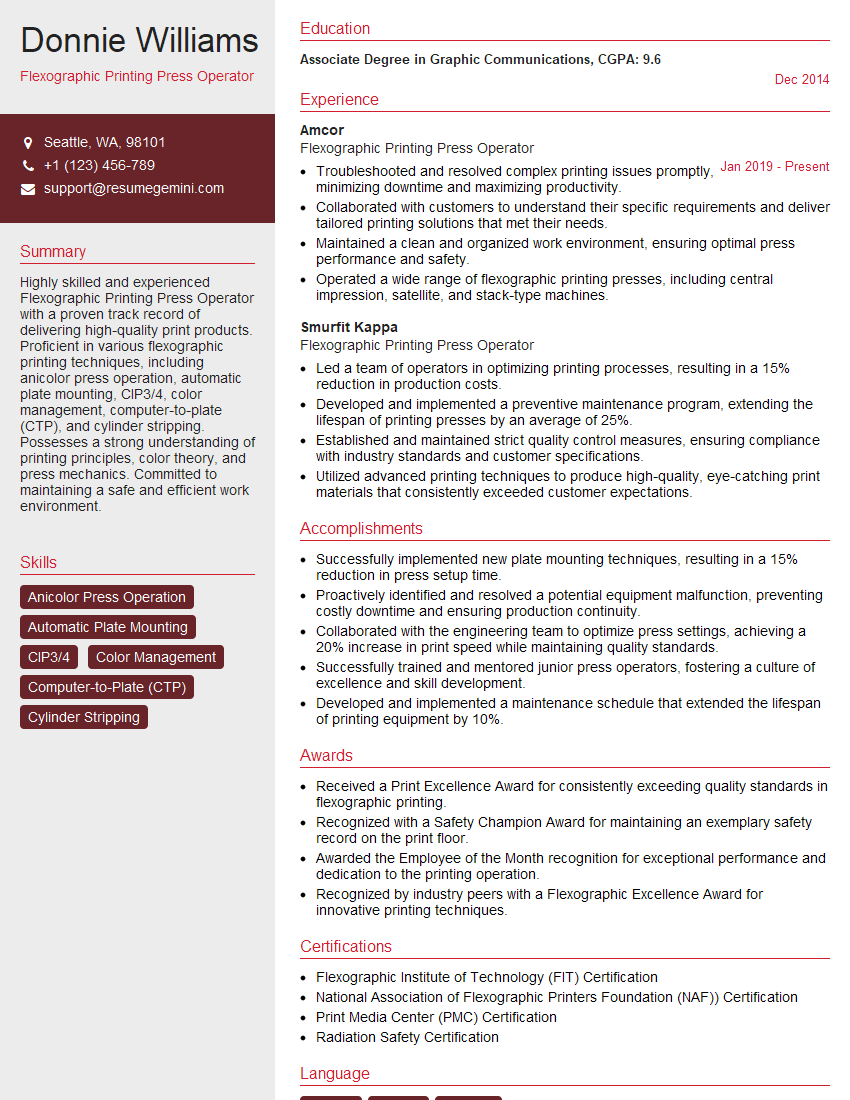
Mastering knowledge of printing equipment is crucial for career advancement in the graphic arts and printing industries, opening doors to more senior roles and higher earning potential. An ATS-friendly resume is key to getting your application noticed by recruiters and hiring managers. To significantly enhance your job prospects, we strongly recommend using ResumeGemini to craft a professional and effective resume that highlights your skills and experience. ResumeGemini provides examples of resumes tailored to highlight experience with printing equipment, helping you showcase your qualifications effectively.



Explore more articles
Users Rating of Our Blogs
Share Your Experience
We value your feedback! Please rate our content and share your thoughts (optional).
What Readers Say About Our Blog
Very informative content, great job.
good