Every successful interview starts with knowing what to expect. In this blog, we’ll take you through the top Experience with Sampling and Sound Manipulation interview questions, breaking them down with expert tips to help you deliver impactful answers. Step into your next interview fully prepared and ready to succeed.
Questions Asked in Experience with Sampling and Sound Manipulation Interview
Q 1. Explain the difference between sampling rate and bit depth.
Sampling rate and bit depth are two crucial parameters defining the quality of digital audio. Think of it like taking a photograph: sampling rate is how many pictures you take per second, and bit depth is how many shades of color each picture has.
Sampling rate refers to the number of times per second a sound wave is measured and converted into a digital value. It’s measured in Hertz (Hz) or kilohertz (kHz). A higher sampling rate captures more detail, resulting in a clearer, higher-fidelity sound. Common rates include 44.1 kHz (CD quality), 48 kHz (standard for digital audio workstations), and 96 kHz or higher for high-resolution audio. A lower sampling rate, like 8kHz, might sound acceptable for speech but will lack the richness needed for music.
Bit depth represents the number of bits used to represent each sample’s amplitude (loudness). A higher bit depth allows for a wider dynamic range and more accurate representation of the sound wave’s shape, leading to less distortion and noise. Common bit depths include 16-bit (CD quality) and 24-bit (higher resolution). A 16-bit recording can capture a decent range of loudness, but 24-bit offers significantly more detail, especially in quiet passages. Think of it like the difference between a drawing with only a few shades of grey versus one with hundreds of shades.
Q 2. Describe your experience with various sampling techniques (e.g., loop-based, granular).
My experience encompasses a wide range of sampling techniques. Loop-based sampling is a fundamental technique where a short audio segment, or ‘loop’, is repeated to create a rhythmic or melodic pattern. I’ve extensively used this in hip-hop and electronic music production, manipulating loop tempo and pitch to create variations and build entire tracks. For example, I once transformed a simple drum break into a complex, layered rhythm using various looping and time-stretching techniques.
Granular synthesis offers a more experimental approach. This involves breaking down a sound into tiny fragments (‘grains’) and manipulating them individually – controlling their timing, pitch, and amplitude. This allows for creating unique textures and evolving soundscapes. I’ve employed this to generate atmospheric sounds, evolving textures, and unique sonic effects for video games and sound installations. A recent project involved creating a shimmering, ethereal soundscape by meticulously arranging and manipulating hundreds of grains extracted from a field recording of a forest.
I’m also proficient in other techniques like spectral manipulation (working directly with the frequency content of sounds) and resynthesis (reconstructing sounds from their spectral components), further enriching my ability to transform and create sounds from sampled material.
Q 3. How do you handle copyright issues when using samples?
Copyright is paramount when using samples. Ignoring it can lead to legal trouble and reputational damage. My approach involves a multi-step process: First, I only use samples from sources where I have explicit permission or that fall under Creative Commons licenses that allow for commercial use. I meticulously document the source of each sample and the specific license terms. For samples where I’m unsure, I contact the copyright holder to seek permission. If I can’t obtain permission, I avoid using the sample or search for alternative sounds.
In cases where I’m using a sample creatively enough that it’s transformed into a new work, I believe in transparency. This means clearly crediting the original source in my project’s documentation or liner notes. Even with transformative use, seeking permission is always best practice. Remember, prevention is key—it’s far better to address copyright proactively than face legal repercussions later. This also fosters respect within the music and sound design community.
Q 4. What are some common audio file formats and their pros and cons?
Several audio file formats serve different purposes. WAV (Waveform Audio File Format) is a lossless format, meaning no audio data is discarded during compression. It’s widely used for high-quality audio storage and editing, but the files are large. AIFF (Audio Interchange File Format) is another lossless format, similar to WAV, often preferred on Apple systems.
MP3 (MPEG Audio Layer III) is a lossy format, meaning some audio data is removed during compression to reduce file size. It’s widely used for distributing audio online due to its small size, but it compromises sound quality compared to lossless formats. AAC (Advanced Audio Coding) is another lossy format that generally offers better sound quality than MP3 at similar bitrates. FLAC (Free Lossless Audio Codec) is a lossless format offering excellent compression without compromising quality. It’s a popular choice for archiving high-quality audio.
Choosing the right format depends on the application. Lossless formats are ideal for archiving and studio work, while lossy formats are suitable for distribution where smaller file sizes are critical. I carefully consider the trade-offs between file size and audio quality for each project.
Q 5. What software and hardware are you proficient in for sampling and sound manipulation?
My proficiency spans various software and hardware. In terms of software, I’m highly skilled in Digital Audio Workstations (DAWs) like Ableton Live, Logic Pro X, and Pro Tools. I’m also experienced with sound design and granular synthesis software like Max/MSP and Reaktor. I’m familiar with audio editors like Audacity and specialized samplers like Kontakt and HALion.
Hardware-wise, I’m comfortable working with audio interfaces from various manufacturers (Focusrite, Universal Audio, etc.) and have experience using microphones, MIDI controllers, and other sound-manipulation hardware. I’m also familiar with different types of speakers and monitoring systems to ensure accurate sound reproduction across various listening environments.
Q 6. Describe your workflow for creating a sound effect from scratch using samples.
Creating a sound effect from scratch using samples is a multi-stage process. Let’s say I want to create a futuristic laser blast:
- Sample Selection: I might start with samples of metallic impacts, electrical crackles, and high-pitched sweeps from various sound libraries or field recordings.
- Processing and Manipulation: I’d use techniques like pitch shifting, time stretching, reverb, and distortion to modify the character of each sample. For example, I might drastically increase the pitch of the metallic impact to achieve a piercing, laser-like quality. The electrical crackle could be sped up to create a sense of energy.
- Layering and Mixing: I would carefully layer the processed samples, adjusting their volume and panning to create a balanced and cohesive sound. This process might involve multiple iterations, experimenting with different combinations and effects until I achieve the desired texture and impact.
- Automation and Dynamics: To enhance realism and drama, I’d automate parameters like volume, panning, and effects to create dynamic changes over time, making the sound effect more engaging and less static. This might involve gradual changes in volume to mimic a laser charging up, and then a sudden increase when it fires.
- Mastering and Export: Once I’m satisfied with the sound, I’d master it to ensure optimal loudness and clarity across different playback systems, and finally export it to the required file format (WAV or similar).
This iterative process is typical, requiring careful listening and experimentation to achieve the desired outcome. It’s about creating not just sound, but believable, evocative sound.
Q 7. How do you ensure the seamless integration of samples into a track or soundscape?
Seamless integration requires careful attention to detail. Key considerations include:
- EQ and Filtering: Adjusting the EQ of the sample and the surrounding track to ensure they complement each other without clashing. This involves removing frequencies that might cause muddiness or unwanted resonances.
- Dynamics Processing: Employing compression and limiting to control the dynamic range and prevent the sample from overpowering or disappearing within the track.
- Time Alignment: Using timing tools to align the sample precisely with the rest of the track. This is crucial for preventing phase cancellation or timing inconsistencies.
- Effects Processing: Using reverb, delay, and other effects to create a cohesive soundscape. This can involve matching the reverb settings of the sample with the track’s existing reverb to ensure a unified acoustic environment.
- Automation: Using automation to subtly shape the sample over time to achieve a smooth transition, preventing the sample from feeling abruptly placed in the mix.
Careful attention to these aspects ensures a smooth, natural blend, enhancing the overall quality of the final product.
Q 8. How do you address phasing and other artifacts when using multiple samples?
Phasing and other artifacts, like comb filtering, often arise when layering multiple samples, especially if they contain similar frequencies. This happens because slight timing differences between the samples create constructive and destructive interference, resulting in a hollow or ‘washey’ sound.
Addressing this involves careful alignment and processing. My approach begins with precise sample editing to ensure the waveforms are as closely synced as possible. Tools like phase alignment plugins can help here. If perfect alignment isn’t achievable, I’ll use subtle time stretching or delay to nudge the samples slightly out of phase, minimizing the most prominent comb filtering frequencies. Next, I utilize EQ to carefully attenuate the frequencies where the most severe phasing occurs; often these are resonant peaks in the mid-range. This often involves using narrow band cuts, carefully listening for improvements. Finally, a touch of compression can help glue the samples together and make the overall sound more cohesive, masking some minor remaining artifacts. The goal isn’t perfect elimination but rather a reduction to a level where the artifact is either inaudible or contributes positively to the timbre.
Q 9. What are your preferred methods for manipulating sample pitch and tempo?
I prefer time-stretching and pitch-shifting algorithms that use high-quality resampling techniques, such as those found in high-end DAWs or dedicated plugins. Crude methods can introduce unwanted artifacts like metallic sounds or a loss of clarity. For tempo changes, I often favor methods that preserve the original timing information of the sample, such as élastique Pro or similar algorithms. This minimizes the potential for artifacts and maintains the sample’s natural rhythmic feel. For pitch adjustments, I frequently rely on formant correction, which preserves the vocal characteristics of samples by adjusting the formant frequencies alongside the pitch. This is especially crucial when manipulating vocal samples or other instruments with distinct tonal qualities. The choice between time-stretching and pitch-shifting often depends on the creative intent. For instance, I might use pitch shifting to create dramatic effects or to adapt samples for different musical keys, while time-stretching is ideal for adjusting the length of a sample without affecting its pitch.
Q 10. How do you use EQ and compression to shape the sound of a sample?
EQ and compression are my go-to tools for sculpting sample sounds. EQ allows for precise frequency shaping. For instance, I might use high-pass filtering to remove muddiness in the low-end, or a subtle boost in the high frequencies to add brilliance. Conversely, I might cut specific frequencies to remove harshness or unwanted resonances. Compression controls the dynamic range; I might use it to tame overly loud transients, making a sample sit better in a mix, or to add punch and body by squashing the signal and bringing up the lower level details. Sometimes I use multi-band compression to apply different amounts of compression to different frequency ranges, achieving more nuanced control. For example, I might compress the low-end more heavily than the highs to prevent low-frequency sounds from overpowering the rest of the mix.
A practical example: I recently worked on a project where a sampled drum sound was too harsh. I used a narrow band EQ cut around 4kHz to reduce the harshness, then used compression to make the sound punchier and more consistent in volume. This preserved the overall character of the sample while refining its sonic qualities.
Q 11. Explain your understanding of time-stretching and pitch-shifting algorithms.
Time-stretching and pitch-shifting algorithms are complex, but fundamentally, they aim to manipulate the audio signal’s time and frequency characteristics independently. Early methods relied on simpler techniques like resampling, which often resulted in audible artifacts. Modern algorithms utilize more sophisticated approaches, like phase vocoder-based methods, which analyze the audio’s frequency components and manipulate them separately. These are often preferred as they can lead to cleaner, less artificial results. Phase vocoders work by transforming the time-domain signal into the frequency domain using an FFT (Fast Fourier Transform). This allows for independent manipulation of frequency components, enabling both time-stretching and pitch-shifting with greater control and reduced artifacts. Other algorithms, like Wavelet transforms, offer further improvements in quality and computational efficiency. The choice of algorithm often depends on the balance between processing power requirements, processing speed, and the quality of the outcome. In professional scenarios, using the highest quality available is crucial to avoid sonic artifacts.
Q 12. Describe your experience with granular synthesis.
Granular synthesis is a fascinating technique that involves breaking down a sound into tiny grains and then manipulating these grains individually. Each grain is typically a very short segment of the original sound. By controlling the grain’s parameters – such as size, pitch, and spacing – you can create entirely new sonic textures and evolve sounds in interesting ways. I use granular synthesis to create evolving pads, unique textures, and atmospheric soundscapes. It’s also excellent for transforming existing samples into something completely different. For instance, I might take a field recording of birdsong, chop it into tiny grains, and then control their playback rate and pitch to create a shimmering, abstract pad. The possibilities are vast – from subtle textural enhancements to entirely new sonic landscapes. The control you have over the grain parameters allows for incredible creative exploration. I often use specialized granular synthesis plugins or even dedicated software for this kind of sound design, since many DAWs do not offer such advanced granular synthesis capabilities directly.
Q 13. How do you approach designing sounds for different media (e.g., film, games, music)?
Designing sounds for different media requires a nuanced understanding of the context. Film sound design often emphasizes realism and emotional impact, where I might focus on creating immersive soundscapes that support the narrative. In games, sounds need to be clear, dynamic, and responsive to gameplay. I will often prioritize distinct and unambiguous audio cues in game audio. Music production involves achieving a balance between artistic expression and technical proficiency, where the focus is often on creating sounds that contribute to the musical structure and aesthetics of the piece. In all cases, the technical details of sample manipulation serve the creative vision. For film, I might use layers of subtle sounds to create a sense of place; for games, I might need to tailor sounds to be instantly recognizable even at low volumes. In all cases, the techniques of sampling and manipulation remain essential, but the creative goals change based on the context.
Q 14. What are some techniques for creating realistic sounds using samples?
Creating realistic sounds from samples often involves layering, processing, and attention to detail. Layering multiple samples, each with slightly different characteristics or playing at slightly different times, can add depth and complexity. Careful EQ and compression can refine the overall sound, while subtle effects like reverb and delay can add space and realism. For example, to create a realistic-sounding snare drum hit, I might layer several samples, each with different aspects – one for the fundamental tone, another for the crack, another for the resonance, then use EQ to sculpt frequencies and adjust dynamics using compression and other processing techniques. I also frequently use advanced noise reduction and restoration techniques to enhance realism, specifically when working with older samples or recordings that may have unwanted noise or imperfections. Moreover, I pay close attention to the natural characteristics of the sounds I am emulating, paying attention to the subtle details such as frequency response, transient behaviour, and the natural decay of real instruments or sounds. The goal is to create something that isn’t simply a single sample but an evolved sound that is both aesthetically pleasing and sonically rich.
Q 15. How do you create and maintain a sound library?
Creating and maintaining a robust sound library is crucial for any audio professional. It’s like building a well-organized toolbox – you need the right tools (sounds) readily accessible for any project. My approach involves a multi-stage process:
- Acquisition: I meticulously source sounds from various avenues – recording my own instruments and environments, purchasing high-quality sample packs from reputable vendors, and even utilizing free, creative commons resources. Careful consideration is given to the sound’s quality, uniqueness, and potential applications.
- Organization: I employ a hierarchical folder structure, often using a combination of instrument type, articulation, and descriptive keywords (e.g.,
/Instruments/Strings/Violin/Legato/C4.wav). This allows for quick retrieval. Metadata tagging (using software like Ableton’s Live’s browser or dedicated tagging tools) is crucial for efficient searching. - Quality Control: Each sample undergoes careful listening tests. I check for artifacts, unwanted noise, and inconsistencies in volume and dynamics. Normalization to a consistent level (e.g., -18dBFS) is essential for seamless integration in a project.
- Maintenance: Regular backups are paramount. I use multiple redundant storage methods (local drives, cloud storage) to prevent data loss. Periodic reviews ensure the library remains relevant and organized, removing outdated or unused samples to maintain efficiency.
For example, when working on a project requiring specific string samples, my organized library allows me to quickly locate the desired legato violin notes at C4, saving valuable time and improving workflow.
Career Expert Tips:
- Ace those interviews! Prepare effectively by reviewing the Top 50 Most Common Interview Questions on ResumeGemini.
- Navigate your job search with confidence! Explore a wide range of Career Tips on ResumeGemini. Learn about common challenges and recommendations to overcome them.
- Craft the perfect resume! Master the Art of Resume Writing with ResumeGemini’s guide. Showcase your unique qualifications and achievements effectively.
- Don’t miss out on holiday savings! Build your dream resume with ResumeGemini’s ATS optimized templates.
Q 16. Describe your experience with different reverb and delay effects.
Reverb and delay are fundamental effects for shaping the sonic environment of a piece. My experience spans a wide range of algorithms and applications:
- Reverb: I’m proficient with various reverb types, including algorithmic reverbs (offering control over parameters like decay time, pre-delay, and diffusion), convolution reverbs (using impulse responses of real spaces for realism), and plate reverbs (providing a classic, shimmery sound). I choose the type based on the desired aesthetic; for example, a large concert hall might call for a convolution reverb, while a more intimate space might use an algorithmic reverb with shorter decay.
- Delay: I’m experienced with both simple delay lines (creating echoes) and more complex delay types such as modulated delays (producing rhythmic, evolving textures) and ping-pong delays (sending the signal between left and right channels). These are frequently used to create rhythmic interest or rhythmic patterns, broadening the sonic landscape. Delay can also be used creatively for textural effects.
For instance, I’ve used a combination of a convolution reverb of a cathedral and a subtle delay on vocals to create a sense of grandeur and spaciousness in a recent film score. Conversely, short, rhythmic delays were used on drums to enhance their impact and groove.
Q 17. How do you handle the challenges of working with large sample libraries?
Managing large sample libraries presents storage and processing challenges. My strategies for effective handling include:
- Optimized Storage: Utilizing external hard drives (SSD for faster access) with sufficient capacity is crucial. I often organize libraries across multiple drives for redundancy and quicker load times. Cloud-based solutions are also considered for archiving.
- Sample Streaming and RAM Management: RAM management is crucial. Techniques like Kontakt’s streaming technology or other sample player’s options (such as using smaller sample resolutions where possible without a significant loss of quality) minimize the demand on system resources, thereby improving performance.
- Selective Loading: Instead of loading an entire library at once, I only load the necessary instruments and articulations for a specific project. This reduces RAM consumption and improves responsiveness.
- Sample Library Organization & Culling: Regular auditing to remove unused samples helps to maintain a manageable library size and optimizes workflow.
For example, when working on a large orchestral project, I wouldn’t load the entire sample library. I load only the specific instruments needed for each scene, ensuring smooth playback without performance issues.
Q 18. What is your experience with automated dialogue replacement (ADR)?
Automated Dialogue Replacement (ADR) is a critical process in post-production sound for film and video. My ADR experience includes:
- Recording and Editing: I’m proficient in setting up and running ADR sessions, including microphone placement, soundproofing techniques, and capturing clean dialogue takes. I then edit the chosen takes, ensuring synchronization with the picture and maintaining consistent vocal levels and clarity.
- Synchronization: Precise synchronization between the new dialogue and the lip movements in the video is paramount. I use sophisticated software tools to achieve accurate alignment.
- Noise Reduction and Cleaning: I use advanced noise reduction techniques to eliminate background noise and other artifacts, ensuring the clarity of the ADR dialogue. This can involve spectral editing, denoising plugins, and meticulous manual cleaning.
- Matching Tone and Performance: A key aspect of successful ADR is matching the tone and performance style of the original recording, even down to subtle vocal nuances.
In a recent project, we needed to replace a dialogue track in a crowded, noisy scene. I carefully matched the original actor’s vocal style and energy, using sophisticated noise reduction techniques to clean up the new recordings, resulting in imperceptible replacement.
Q 19. What strategies do you use to organize and manage your audio files?
Organizing audio files is vital for efficient workflow and project management. My strategy utilizes a combination of methods:
- Hierarchical Folder Structure: I use a clear, consistent folder structure based on project name, date, and file type (e.g.,
/Projects/2024/ProjectName/Audio/Dialogue/SFX/Music). This makes locating specific files quick and easy. - Metadata Tagging: I utilize metadata tagging to add descriptive information to each file (artist, date, genre, keywords). This improves searchability and facilitates organization.
- Database Management: For very large projects, a dedicated audio database software can be invaluable for cataloging and managing audio files.
- Cloud Storage and Backups: Regular backups to multiple locations (local and cloud) safeguard against data loss. Cloud storage also facilitates access across multiple devices and locations.
This structured approach prevents wasted time searching for files, ensuring smooth and efficient workflow across numerous projects.
Q 20. How do you maintain the sonic consistency of a project involving multiple samples?
Maintaining sonic consistency across multiple samples requires careful attention to detail. My approach involves:
- Pre-processing: Before incorporating samples into a project, I normalize them to a consistent level. I also adjust their EQ and dynamics processing to ensure they blend seamlessly.
- Careful Mixing and Matching: I pay close attention to the sonic characteristics of each sample, ensuring that they complement each other tonally and dynamically. This involves adjustments to pan, reverb, and delay to enhance the overall cohesive sound.
- Reference Tracks: I often use reference tracks to gauge the overall balance and consistency of the mix, comparing my work to established standards.
- Use of consistent plugins and processing: Utilizing the same or similar processing chains across different samples helps to maintain a consistent sound.
In a recent project involving numerous percussion instruments, I ensured consistent levels, EQ, and compression across each sample. This provided a powerful and unified rhythm section without jarring inconsistencies.
Q 21. Describe your experience with sound design for interactive media.
Sound design for interactive media (games, virtual reality, etc.) demands a unique skill set. My experience in this area emphasizes:
- Interactive Sound Design Principles: I understand the principles of spatial audio, procedural sound generation, and responsive sound design (sounds that react dynamically to player actions). This includes the use of middleware such as Wwise or FMOD.
- Sound Event Design: I create detailed sound events that define how a sound plays within the game environment (including parameters such as volume, pitch, and panning based on the player’s position and actions).
- Implementation and Integration: I’m familiar with various game engines (Unity, Unreal Engine) and their respective audio systems, enabling efficient implementation of sound design assets.
- Dynamic Sound Generation: I can create sounds that change based on real-time events. For example, a crackling fire whose sound changes based on the wind’s intensity.
For a recent virtual reality project, I created a dynamically evolving soundscape that reacted to the user’s actions, providing immersive and reactive audio feedback to the experience.
Q 22. How do you create unique sonic identities for different characters or objects?
Creating unique sonic identities hinges on understanding the character or object’s personality and role within the context. It’s about crafting a sound signature that instantly communicates key attributes. This involves a multi-faceted approach.
Source Material Selection: The initial sound choice is crucial. For a lumbering giant, I might use deep, resonant sounds like heavy impacts or rumbling bass. For a nimble, mischievous sprite, I’d explore higher pitched, playful sounds like chimes or tweeting birds.
Processing and Effects: After selecting source material (which could range from field recordings to synthesized sounds), I employ various audio effects to shape the sound. For example, distortion can add aggression, reverb can create a sense of space, and delay can emphasize rhythm or create a ghostly effect. A robotic character might benefit from heavy filtering and modulation effects, creating a distinctive metallic tone.
Sound Design Iteration: This isn’t a one-step process. It’s iterative. I’ll often create multiple variations, experimenting with different sounds, effects, and processing techniques until I achieve the desired sonic identity. I constantly test and refine these sounds within their intended context to ensure they effectively communicate their characteristics.
Example: In a game featuring a friendly robot, I might start with a series of metallic pings and whirs. Then, I’d add a touch of warmth using saturation and perhaps a subtle delay to create a friendly, somewhat quirky personality. In contrast, a villainous robot would use the same core sounds, but with heavy distortion, harsh filtering, and a more aggressive, rhythmic use of reverb and delay.
Q 23. Describe your process for creating and implementing a sound design brief.
My process for handling a sound design brief involves a structured, collaborative approach. It begins with a thorough understanding of the project’s goals and context.
Understanding the Brief: I begin by meticulously reviewing the brief, paying close attention to the narrative, desired mood, target audience, and technical specifications. Open communication with the client is paramount to clarifying any ambiguities.
Concept Development: I then develop initial concepts, sketching out potential sound palettes and exploring different sonic directions. I might create mood boards (visual representations of sounds) or even short audio demos to illustrate my ideas.
Sound Implementation: Once the concepts are approved, I proceed to implementation, using a range of techniques depending on the project’s requirements. This could involve recording and manipulating real-world sounds, synthesizing sounds using virtual instruments, or using pre-existing sound libraries. I document my design choices and maintain detailed organizational techniques.
Iteration and Feedback: Throughout the process, I regularly share my progress with the client, incorporating their feedback and making necessary adjustments. Multiple iterations are usually required to achieve the desired results.
Delivery and Documentation: Finally, I deliver the finalized sounds with comprehensive documentation detailing the design choices and technical specifications.
Think of it like building a house: the brief is the blueprint, the concepts are the architectural sketches, the implementation is the construction, feedback are the inspections, and documentation is the completed set of blueprints and permits.
Q 24. What are the key considerations for designing sounds for specific platforms (e.g., mobile, console)?
Designing sounds for different platforms necessitates considering their unique limitations and capabilities. This involves optimizing for performance and user experience.
Mobile: Mobile platforms typically have lower processing power and memory compared to consoles or PCs. Therefore, sound design for mobile requires careful consideration of file size and processing demands. We often prioritize simple, efficient sounds and utilize compression techniques to reduce file size.
Console: Consoles offer more processing power than mobile but still have limitations. Sound designers for consoles must balance audio fidelity and detail with the constraints of the system’s hardware. The focus is on high-quality sound without excessive load on system performance.
PC: PCs generally have the most processing power, allowing for more complex and detailed sound designs. However, this doesn’t eliminate the need for optimization; file sizes still need to be managed, and efficient coding practices are crucial to prevent performance issues.
Key Considerations Across Platforms: Regardless of the platform, optimizing file formats (e.g., using Ogg Vorbis for smaller file sizes) and implementing efficient audio mixing techniques are crucial. This involves careful consideration of the audio hierarchy, volume levels, and panning to achieve a clear and balanced soundscape without overwhelming the system. For example, on mobile, you might prioritize using lower sample rates for sounds that aren’t critical to the experience.
Q 25. How do you use spectral analysis to inform your sound design decisions?
Spectral analysis, using tools like a frequency analyzer, is an invaluable technique for sound design. It reveals the frequency components of a sound, allowing for targeted manipulation.
Identifying Key Frequencies: By analyzing the spectrum of a sound, I can identify its prominent frequencies and their relative amplitudes. This helps me understand the sound’s character—is it bright, dark, muddy, or resonant?
Targeted EQ and Filtering: This information informs my equalization (EQ) and filtering decisions. I might boost certain frequencies to emphasize specific characteristics, such as adding presence to a dull sound, or cut frequencies to remove unwanted muddiness or harshness.
Designing Sounds from Scratch: Spectral analysis can guide the creation of synthetic sounds. By visualizing the frequency components of a desired sound, I can attempt to recreate it by layering various oscillators and synthesizers with carefully crafted frequency characteristics.
Sound Manipulation and Effects: I use spectral information to inform the use of effects like phasers, flangers, and distortion. For example, knowing the resonance frequencies of a sound helps me design a filter sweep that highlights specific components, creating interesting sonic textures.
For example, if a sound is too muddy in the low frequencies, a low-cut filter will help clarify it. Conversely, if it lacks brightness, a boost in the high frequencies might be needed.
Q 26. How do you incorporate spatial audio principles into your work?
Incorporating spatial audio principles—creating a sense of three-dimensional space—significantly enhances immersion and realism. This is achieved using techniques that manipulate the perceived location and movement of sounds.
Panning: The most basic technique is panning, moving a sound from left to right in the stereo field. In more complex systems, this extends to a 3D space.
Reverb and Delay: Reverb and delay can simulate the reflection of sound waves in a physical environment, providing cues about the size and shape of the space. Different reverberation characteristics can suggest different locations (a large cathedral versus a small room).
Ambisonics and Binaural Recording: More sophisticated approaches utilize techniques like ambisonics, which captures sound in a 360-degree sphere, or binaural recording, mimicking the way human ears perceive sound. This can create incredibly realistic and immersive spatial audio experiences.
3D Sound Engines: Many game engines and audio software support 3D sound engines that automatically manage spatial audio effects, allowing for accurate placement of sounds in a 3D space. This simplifies the implementation and lets sound designers focus on the creative aspects.
For example, imagine a game where a character is exploring a cave. Using reverb with a longer decay time, and subtly changing the sounds’ volume and panning to create realistic reflections, would effectively place the player within that space. As the character moves, sounds would shift accordingly, dynamically updating the audio environment for greater immersion.
Q 27. Describe a situation where you had to troubleshoot a technical problem related to sampling or sound manipulation.
During a project involving a large number of custom-designed foley sounds (everyday sounds manipulated for specific effects), I encountered a significant issue with sample rate discrepancies. I had various sources for the sounds, some recorded at 44.1 kHz, and others at 48 kHz.
Problem: When I imported these sounds into my DAW (Digital Audio Workstation) and attempted to mix them, they created a noticeable clicking and popping sound—an artifact of the varying sample rates. This made it sound unprofessional.
Troubleshooting Steps:
Identify the Source: I carefully analyzed the audio tracks to locate the source of the problem, using my DAW’s tools. The problem became evident when I isolated the offending tracks.
Solutions: I explored several solutions:
Sample Rate Conversion: I chose to convert all my samples to a single, consistent sample rate—44.1 kHz, the standard for many platforms—using the built-in sample rate conversion functionality within my DAW. It involves resampling, which may introduce a minor loss of quality but it was a minor price to pay for seamless audio.
Alternative: Alternatively, I could have created ‘proxy’ files for each sound source to manage the playback but I found that method less reliable and more resource intensive for this size of project.
Testing and Refinement: After converting the samples, I rigorously tested the mix, ensuring the artifacts were eliminated. I listened carefully across different playback systems to avoid unexpected issues caused by different hardware and software.
This experience highlighted the importance of consistent audio metadata and file management when working with multiple samples from different sources.
Q 28. How do you stay current with trends and developments in sampling and sound manipulation technology?
Staying current in the dynamic field of sampling and sound manipulation demands continuous learning and exploration.
Industry Publications and Websites: I regularly read industry publications, both digital and print, and follow relevant blogs and websites focusing on audio technology, sound design, and music production. They often feature cutting-edge tools and techniques.
Online Courses and Workshops: Online courses and workshops are valuable sources of knowledge, especially those focusing on new software and techniques. This allows me to learn from experienced professionals, and often network with other professionals in the field.
Conferences and Events: Attending industry conferences and events allows for direct interaction with developers, experts, and fellow sound designers. It’s a great opportunity to learn firsthand about the latest advancements, discover new products, and share insights.
Experimentation and Personal Projects: The most effective way is to experiment hands-on with new software and tools, working on personal projects to refine skills and explore emerging trends. This allows for deeper understanding of technology.
Community Engagement: Participating in online forums and communities dedicated to sound design and audio engineering provides opportunities to learn from others, share experiences, and stay abreast of industry developments. It’s a fantastic way to discover new resources, tools, and creative solutions to problems.
In essence, staying current is an ongoing process, a commitment to continuous professional development, and a genuine passion for this ever-evolving field.
Key Topics to Learn for Experience with Sampling and Sound Manipulation Interview
- Sampling Techniques: Understanding different sampling methods (e.g., loop-based, granular, spectral), their applications, and limitations. Consider the impact of sample rate, bit depth, and quantization on audio quality.
- Digital Audio Workstations (DAWs): Proficiency in at least one DAW (e.g., Ableton Live, Logic Pro X, Pro Tools) including knowledge of its workflow, audio editing capabilities, and effects processing.
- Signal Processing Fundamentals: Familiarity with concepts like amplitude, frequency, phase, and their manipulation through filters (EQ, compression, reverb, delay). Be prepared to discuss how these impact the sonic character of a sample.
- Sound Design and Synthesis: Demonstrate understanding of how to manipulate samples creatively to design new sounds. This could include layering, time-stretching, pitch-shifting, and granular synthesis techniques.
- Audio Effects and Plugins: Discuss your experience with various audio effects (reverb, delay, distortion, etc.) and different plugin types (VST, AU). Be ready to explain how you choose and use effects to achieve a specific sonic goal.
- Workflow and Organization: Explain your approach to managing large audio projects, including file organization, naming conventions, and efficient editing practices. This demonstrates professionalism and attention to detail.
- Copyright and Licensing: Understanding the legal aspects of sample usage and clearance, including fair use and proper licensing of samples.
- Troubleshooting and Problem-Solving: Be prepared to discuss challenges encountered while working with samples and how you overcame them. This showcases your problem-solving skills and technical aptitude.
Next Steps
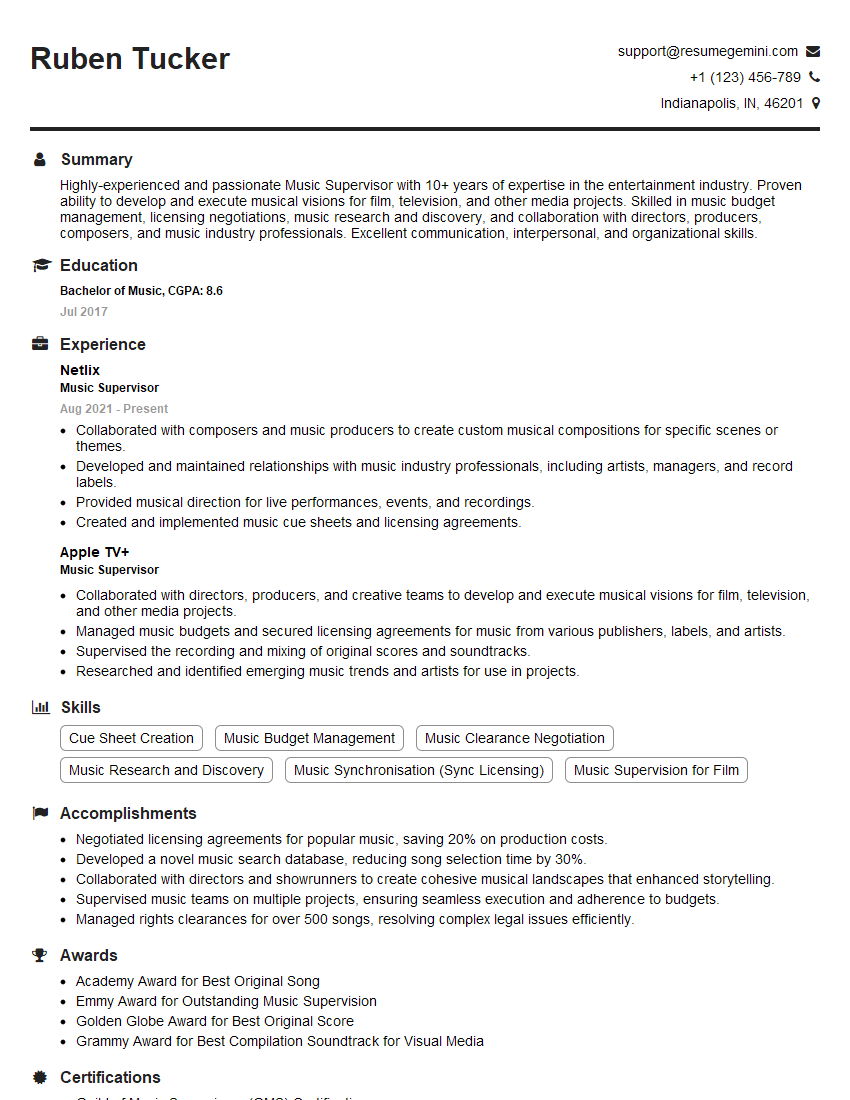
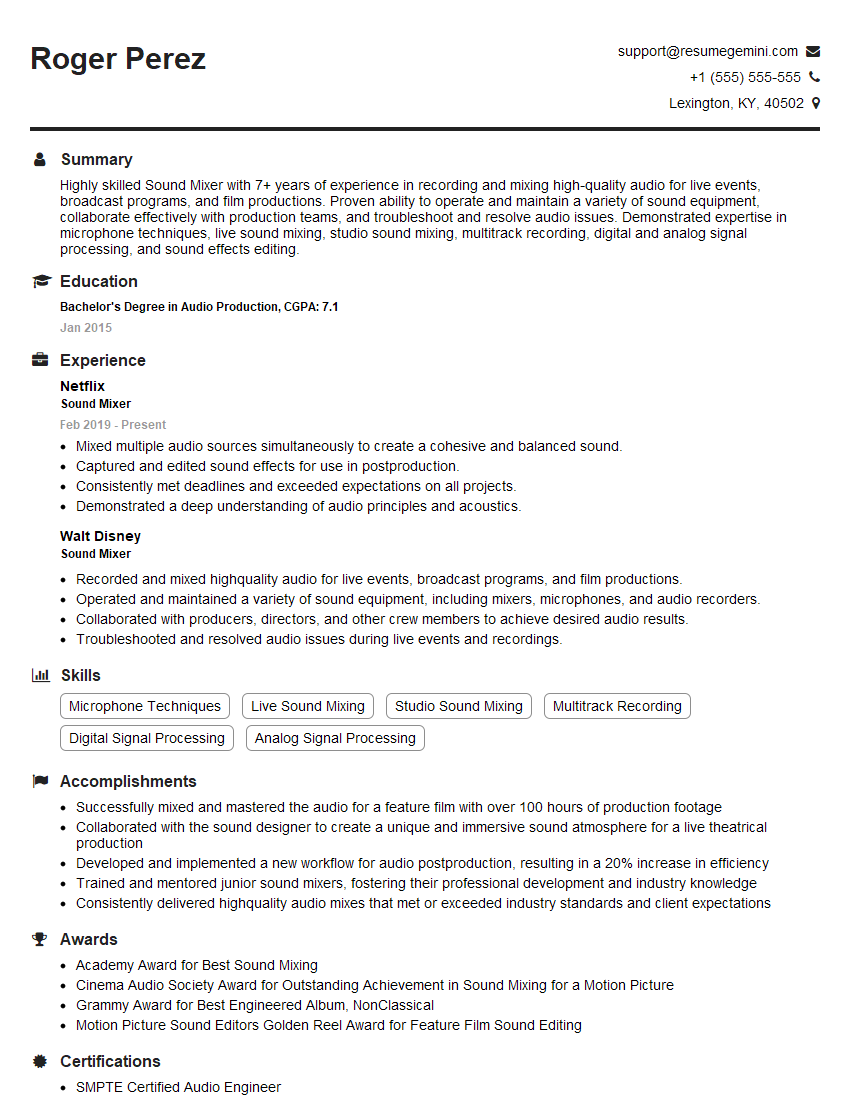
Mastering sound manipulation and sampling is crucial for career advancement in audio engineering, music production, game development, and many other creative fields. A strong understanding of these techniques opens doors to exciting opportunities and higher earning potential. To maximize your job prospects, create an ATS-friendly resume that highlights your skills and experience effectively. ResumeGemini is a trusted resource that can help you build a professional and impactful resume. Examples of resumes tailored to showcasing experience in sampling and sound manipulation are available – use them to inspire your own!





Explore more articles
Users Rating of Our Blogs
Share Your Experience
We value your feedback! Please rate our content and share your thoughts (optional).
What Readers Say About Our Blog
Very informative content, great job.
good