Preparation is the key to success in any interview. In this post, we’ll explore crucial Familiarity with solar software tools (e.g., PVsyst, SAM, SolarGIS) interview questions and equip you with strategies to craft impactful answers. Whether you’re a beginner or a pro, these tips will elevate your preparation.
Questions Asked in Familiarity with solar software tools (e.g., PVsyst, SAM, SolarGIS) Interview
Q 1. Describe your experience using PVsyst for system design. What are its key features and limitations?
PVsyst is a powerful software for detailed PV system design and performance simulation. My experience spans numerous projects, from small residential installations to large-scale utility projects. I’ve used it extensively for everything from site assessment and system sizing to loss analysis and performance prediction.
Key Features: PVsyst excels in its detailed modeling capabilities. It allows for precise input of geographic location, module specifications, inverter characteristics, and shading profiles. Its sophisticated algorithms consider various losses, including those due to temperature, soiling, and shading, providing a realistic performance estimation. The software also facilitates the design of various system configurations, including fixed-tilt, one-axis tracking, and two-axis tracking systems.
Limitations: While incredibly detailed, PVsyst’s complexity can be a barrier for entry, requiring a significant learning curve. The interface isn’t always intuitive, and some advanced features can be challenging to master. Also, the software’s accuracy depends heavily on the quality and accuracy of input data. Inaccurate inputs will lead to unreliable simulations.
For example, in a recent project involving a complex rooftop array, PVsyst’s 3D shading model proved crucial in accurately assessing the impact of nearby buildings and structures on energy yield. This detailed analysis allowed us to optimize the system layout for maximum energy production.
Q 2. How do you utilize SAM to perform energy yield assessments?
SAM (System Advisor Model) is invaluable for comprehensive energy yield assessments. I typically start by defining the project location, using detailed geographical coordinates and selecting the appropriate weather file. This file contains hourly meteorological data (solar irradiance, temperature, wind speed) crucial for accurate simulation.
Next, I input the system’s specifications: module type and quantity, inverter characteristics, array configuration (fixed-tilt, tracker, etc.), and system losses (e.g., wiring, soiling). SAM then uses these parameters and the weather data to simulate the system’s hourly, daily, and annual energy production.
A key feature I leverage is SAM’s ability to perform sensitivity analysis. This allows me to evaluate the impact of changes in various parameters (e.g., module tilt angle, array orientation) on energy yield, helping optimize the system design for maximum economic efficiency. For example, I might compare the performance of a fixed-tilt system against a single-axis tracker system to determine the most cost-effective solution for a specific site.
Finally, SAM generates detailed reports including energy production curves, financial analysis, and performance metrics, providing valuable insights for project evaluation and decision-making.
Q 3. Explain the process of creating a solar resource map using SolarGIS.
SolarGIS provides a user-friendly interface for generating high-resolution solar resource maps. The process is relatively straightforward. First, I define the geographic area of interest using either a polygon tool or by specifying latitude and longitude coordinates.
Next, I select the desired parameters for the map, such as the time period (e.g., annual average, monthly average), solar radiation parameters (e.g., global horizontal irradiance, direct normal irradiance), and spatial resolution. SolarGIS then accesses its extensive database of satellite imagery and meteorological data to create a detailed map.
This map visually represents the solar resource potential across the area, allowing for identification of locations with optimal solar irradiance levels. The resulting map can be exported in various formats, enabling integration into GIS software or other analysis tools. For instance, in a recent land-use planning project, we used SolarGIS to identify suitable locations for a large-scale solar farm, optimizing the project’s placement for maximum energy production and minimal environmental impact.
Q 4. Compare and contrast PVsyst, SAM, and SolarGIS. When would you choose one over the others?
PVsyst, SAM, and SolarGIS are valuable tools, each with its own strengths and weaknesses. SolarGIS is primarily for resource assessment, providing quick insights into solar irradiance levels for broad areas. It’s excellent for initial site selection and regional planning.
PVsyst excels in detailed system design and performance simulation, considering a wide range of parameters and losses. It’s ideal when precise modeling and system optimization are crucial. SAM offers a balance between these two extremes, providing a comprehensive platform for both system design and financial analysis. It’s suitable for a broader range of project sizes and complexities.
Choosing between them depends on the project stage and specific requirements. For initial site screening, SolarGIS is sufficient. For detailed design and performance prediction, PVsyst is preferred. SAM is a versatile tool suitable for a wide range of scenarios, often used throughout the project lifecycle.
Q 5. How do you incorporate shading analysis into your designs using these software tools?
Shading analysis is crucial for accurate performance prediction. All three software tools offer shading analysis capabilities, though with varying levels of sophistication. SolarGIS provides basic shading information, often derived from satellite imagery. It’s helpful for a general understanding of potential shading impacts.
PVsyst and SAM provide more advanced shading analysis features. In PVsyst, I typically utilize the 3D shading model, inputting the coordinates of any shading objects (buildings, trees). The software then calculates the hourly shading impact on each module within the array. SAM offers similar capabilities, with tools for importing custom shading data or using built-in shading algorithms.
For example, in a rooftop project, PVsyst’s 3D model helped us identify periods of significant shading caused by adjacent buildings, which allowed us to adjust the array orientation and optimize the system layout to minimize these losses. Accurate shading analysis helps optimize array design and reduce the overestimation of energy yield often caused by neglecting these important factors.
Q 6. What are the different array configurations available in PVsyst, and how do you select the optimal one?
PVsyst offers a variety of array configurations, including fixed-tilt, one-axis tracking, and two-axis tracking. The choice depends on factors like the site’s climate, land availability, and budget.
For example, in areas with high solar irradiance and ample land, two-axis tracking systems often maximize energy yield, though their higher cost needs to be weighed against the benefits. One-axis tracking provides a good balance between performance and cost. Fixed-tilt systems are typically simpler and less expensive but yield less energy, especially in regions with significant variations in solar altitude throughout the year.
Selecting the optimal configuration involves a multi-faceted approach. I utilize PVsyst’s simulation capabilities to compare the energy production and cost-effectiveness of different configurations under the specific site conditions. This involves carefully considering not only the energy production but also the initial investment, maintenance costs, and potential future energy price fluctuations.
Q 7. How does SAM account for weather data in its simulations?
SAM’s accuracy in simulating energy yield depends heavily on the quality of weather data. The software incorporates weather data through the use of weather files, which usually contain hourly meteorological data for a specific location. These files are often sourced from meteorological stations or databases.
SAM utilizes this weather data to simulate the hourly solar irradiance, ambient temperature, and wind speed affecting the PV system. These parameters are then used within SAM’s detailed PV system model to calculate the system’s performance throughout the year. The accuracy of the simulation is directly correlated to the quality and completeness of the weather data employed. Missing data or data with low quality can significantly impact the accuracy of the simulation results.
In practice, I always carefully scrutinize the chosen weather file. I ensure the data is representative of the site’s climate and that there are minimal gaps or questionable data points. I often use multiple weather files from nearby stations to validate the results and account for potential regional variations.
Q 8. Explain the importance of accurate geographical data in SolarGIS.
Accurate geographical data is the foundation of any reliable solar energy assessment. In SolarGIS, this data directly impacts the accuracy of solar irradiance calculations, which are crucial for determining potential energy generation. Think of it like this: if you’re building a house, you need accurate blueprints; similarly, accurate geographic data in SolarGIS provides the ‘blueprint’ for estimating solar potential.
SolarGIS utilizes high-resolution satellite imagery, topographical data (elevation), and meteorological data to model the sun’s path and shading throughout the year at a specific location. Inaccurate data, even slight discrepancies in latitude and longitude, can lead to significant errors in estimations of solar radiation and thus, the projected energy yield of a solar system. For example, a small error in elevation could significantly alter the amount of shading a nearby building casts on the solar panels, leading to an overestimation of the system’s capacity.
The software leverages this information to calculate key parameters such as solar irradiance (the amount of solar energy received per unit area), sun hours, and shading analysis. These calculations are fundamental for sizing the solar system appropriately and ensuring its economic viability.
Q 9. Describe your experience with financial modeling using any of these software packages.
I have extensive experience in financial modeling using PVsyst and SAM. Both programs offer robust tools for detailed financial analysis of solar projects. My workflow typically involves inputting project-specific data, such as capital costs (panels, inverters, installation), operational and maintenance costs, electricity tariffs (selling price), and financing terms (loan interest rates, repayment schedules).
In PVsyst, I utilize the financial simulation module to generate detailed cash flow projections, net present value (NPV), internal rate of return (IRR), and payback period calculations. Similarly, SAM provides sophisticated tools to model different financing scenarios, including tax incentives and depreciation methods, and to compare various project configurations based on their economic performance.
For example, I once used SAM to compare the financial viability of a ground-mounted system versus a rooftop system for a client. By inputting detailed cost estimates and performance data for both options, the model clearly demonstrated the superiority of the ground-mounted system in terms of NPV and payback period, despite the higher initial investment, due to its superior energy production capacity. This facilitated a well-informed decision for the client.
Q 10. How do you ensure the accuracy of your inputs and validate your outputs in these software tools?
Ensuring accuracy and validating outputs is paramount. My approach is multi-faceted:
- Data Validation: I meticulously check all input data, cross-referencing information from multiple sources like site surveys, manufacturer datasheets, and weather data from reputable meteorological sources. For example, I always verify panel specifications – power output, efficiency, temperature coefficients – directly from the manufacturer’s website to avoid errors.
- Sensitivity Analysis: I perform sensitivity analyses to understand how changes in key input parameters (e.g., irradiance, panel efficiency, electricity prices) affect the model’s output. This helps identify uncertainties and potential risks in the project.
- Output Comparison: Whenever possible, I compare the outputs from one software package with those from another (e.g., comparing PVsyst’s results against SAM’s). This cross-validation enhances confidence in the results. Discrepancies highlight areas needing further investigation.
- Real-world Data: If the project has existing performance data (from similar projects or monitoring systems), I compare the modeled outputs against these real-world values to assess the model’s accuracy and adjust inputs accordingly.
By employing these strategies, I significantly reduce the risk of errors and create more reliable and trustworthy results.
Q 11. What are some common errors you encounter when using PVsyst, SAM, or SolarGIS, and how do you troubleshoot them?
Common errors often stem from incorrect input data or misinterpreting software settings. Some examples include:
- Incorrect shading data: Failing to accurately model shading from buildings, trees, or other obstructions leads to significant overestimations of energy production. Troubleshooting involves detailed site surveys and accurate 3D modeling of the surroundings within the software.
- Inaccurate meteorological data: Using unsuitable or low-resolution weather data can drastically alter the simulation results. Solution: Utilize high-quality data from reliable sources like PVGIS or local weather stations.
- Improper inverter selection: Selecting an inverter with insufficient capacity or inappropriate characteristics for the panel array can lead to performance losses. Solution: Carefully match inverter specifications with PV array parameters.
- Software-specific errors: Sometimes, software glitches can occur. Solution: Verify software updates, check online forums for solutions, and contact technical support.
My troubleshooting approach starts with a systematic review of all inputs and settings, followed by comparative analysis against similar projects or alternative software simulations. If needed, I consult the software’s documentation and online resources before seeking help from technical support.
Q 12. How does the software handle different inverter technologies and their impact on system performance?
PVsyst, SAM, and SolarGIS allow the user to specify various inverter technologies (e.g., string inverters, microinverters, power optimizers). The software models the impact of these different technologies on system performance by accounting for their unique characteristics. This includes:
- Maximum Power Point Tracking (MPPT): The software simulates how MPPT algorithms in different inverter types affect energy harvesting from PV panels under varying conditions (shading, temperature).
- Inverter Efficiency Curves: The efficiency curves of different inverters are incorporated into the simulation, reflecting the losses associated with conversion of DC power from the panels to AC power for the grid.
- Mismatch Losses: The software models the impact of panel mismatch (differences in performance of individual panels within a string) on the overall system output, considering how different inverter types handle such mismatches.
For instance, microinverters typically exhibit less susceptibility to mismatch losses compared to string inverters, which the software reflects in its performance estimations. The choice of inverter type significantly influences the overall system efficiency and cost-effectiveness, and the software helps evaluate these trade-offs.
Q 13. Explain how you use the results from these software tools to optimize system design and reduce costs.
The results from these software tools are indispensable for optimizing system design and reducing costs. I utilize them in the following ways:
- Optimal System Sizing: The software’s energy yield estimations help determine the appropriate number and size of PV panels, inverters, and other components required to meet the energy needs of the project.
- Component Selection: By comparing the performance and costs of different PV panels and inverters, I can select the most cost-effective options without compromising system efficiency.
- Orientation and Tilt Optimization: The software allows for simulation of various panel orientations and tilt angles to maximize energy production based on the site’s geographic location and shading conditions.
- Financial Analysis and Optimization: Financial modeling helps in determining the optimal financing scheme and identifying potential cost savings through different project configurations or incentives.
- Risk Assessment: The software allows simulations under various scenarios to better understand the potential impact of uncertainties (like changes in energy prices or weather patterns) on the project’s financial returns.
Essentially, these software packages act as powerful design and optimization tools, enabling informed decision-making and minimizing project risks and costs.
Q 14. Describe your experience with different types of solar panels and their performance characteristics within these programs.
My experience encompasses a wide variety of solar panels, including monocrystalline, polycrystalline, and thin-film technologies. Each technology has unique performance characteristics that are accounted for within the software. I input the specific parameters of the chosen panel type, obtained directly from the manufacturer’s datasheet. This includes:
- Power Output: The nominal power rating of the panel under standard test conditions (STC).
- Efficiency: The conversion efficiency of sunlight into electricity.
- Temperature Coefficients: The change in power output with temperature variations.
- Spectral Response: The panel’s response to different wavelengths of light.
For example, monocrystalline panels generally have higher efficiency than polycrystalline panels, and this difference is reflected in the software’s simulations. Thin-film panels exhibit different temperature coefficients and spectral responses, which also get incorporated into the model. These variations in performance characteristics can significantly impact the overall system output and economic viability, which the software helps to analyze precisely. I use this information to choose the most suitable panels for a given project, considering factors like cost, performance, and aesthetics.
Q 15. How do you incorporate building-integrated photovoltaics (BIPV) into your designs using these software tools?
Incorporating Building-Integrated Photovoltaics (BIPV) into designs using PVsyst, SAM, or SolarGIS requires a nuanced approach. Unlike traditional rooftop PV, BIPV systems are integrated directly into building materials like roof tiles, facades, or windows. This necessitates precise modeling of the system’s geometry and shading effects, often requiring more detailed CAD drawings.
In PVsyst, for instance, you’d meticulously map the BIPV modules’ exact location and orientation on the building model, accounting for any obstructions like overhangs or neighboring structures. This usually involves importing a detailed CAD file to accurately represent the BIPV array’s unique arrangement. SAM and SolarGIS offer similar capabilities, allowing for detailed geometry input to simulate the complex shading and performance scenarios BIPV presents. A key challenge is accurately representing the varying tilt angles and orientations of individual BIPV components which aren’t as uniform as standard racking systems. For example, if designing a BIPV roof, the individual tile angle might slightly deviate, affecting energy output. Accurate modeling is crucial to avoid overestimating production and to ensure the design aligns with the building’s aesthetics and structural integrity.
Career Expert Tips:
- Ace those interviews! Prepare effectively by reviewing the Top 50 Most Common Interview Questions on ResumeGemini.
- Navigate your job search with confidence! Explore a wide range of Career Tips on ResumeGemini. Learn about common challenges and recommendations to overcome them.
- Craft the perfect resume! Master the Art of Resume Writing with ResumeGemini’s guide. Showcase your unique qualifications and achievements effectively.
- Don’t miss out on holiday savings! Build your dream resume with ResumeGemini’s ATS optimized templates.
Q 16. How do you handle uncertainties and variability in solar resource data when using these tools?
Solar resource data variability, including cloud cover and atmospheric conditions, introduces significant uncertainty in solar energy estimations. To address this, I leverage the statistical capabilities within these software tools. For example, in PVsyst, I typically use multiple years of irradiance data to create a robust statistical representation of the resource and calculate performance based on probability distributions rather than single-year averages. This helps determine the energy yield under different weather scenarios. Similarly, SAM allows for incorporating various weather file formats including those providing probabilistic forecasts, and SolarGIS provides tools to analyze the uncertainty inherent in satellite-based estimations of solar irradiance. In my practice, I often employ Monte Carlo simulations to model the impact of uncertainty across numerous variables like irradiance, temperature, and module performance. This produces a range of likely energy outputs and helps me appropriately size the system and manage client expectations.
Q 17. Describe your experience generating reports and presentations based on the software’s output.
Generating reports and presentations requires a combination of technical expertise and clear communication skills. After running simulations in PVsyst, SAM, or SolarGIS, I export the data into spreadsheets or directly utilize the software’s reporting features to create custom reports. These reports typically include key performance indicators (KPIs) like annual energy yield, capacity factor, and system cost, displayed in tables and charts. For example, I’d use clear bar graphs to compare different system configurations or pie charts to illustrate energy losses. Beyond quantitative data, I also include narrative summaries explaining the design rationale, assumptions, and potential limitations. For presentations, I use the data visualizations to build visually compelling slides, avoiding technical jargon when possible. My goal is to present the information clearly and concisely to a diverse audience, whether it’s a client, investor, or regulatory authority. For instance, I might use a simplified map showing the location of the proposed system and a graph highlighting its expected energy production compared to local consumption.
Q 18. How do you ensure compliance with local regulations and standards when designing a solar system?
Ensuring compliance with local regulations and standards is critical. I begin by thoroughly researching the specific requirements for the project’s location, including building codes, interconnection standards, and safety regulations. This research involves reviewing local utility interconnection requirements, which are essential for obtaining approval for grid-tied systems. These regulations often define technical aspects such as maximum voltage, acceptable grounding techniques, and fire safety measures. For example, in the US, this may include adherence to the National Electrical Code (NEC). The software tools themselves assist by allowing the input of parameters relevant to these standards. Many tools include features to create compliance documents and reports needed to obtain permits and approvals. During the design process, I ensure all system components meet the specified standards. I also use the software to model the system’s performance under different scenarios to demonstrate compliance with performance targets often included in regulations. Following this procedure minimizes risks and ensures a smooth permit application and system approval.
Q 19. How familiar are you with using advanced features like performance ratios and degradation modeling in these programs?
I’m very familiar with advanced features like performance ratios (PR) and degradation modeling. Performance ratio helps assess a system’s efficiency by considering factors beyond the ideal solar irradiance and module performance. I regularly use the PR calculation capabilities within PVsyst, SAM, and SolarGIS to model the effects of factors like wiring losses, soiling losses, and inverter efficiency. Degradation modeling is equally important for evaluating the long-term performance and financial viability of a PV system. These tools often offer various degradation models (e.g., linear, exponential) allowing me to input manufacturer data or default values to accurately project the system’s output over its lifetime. For example, I might input a 0.5% annual performance degradation rate in SAM to factor in the slow, but steady, decrease in panel efficiency over time. Accurate degradation modeling is crucial for long-term financial analysis and helps determine appropriate system sizing and financial models.
Q 20. How do you account for system losses, such as wiring, connection, and soiling losses, in your calculations?
System losses are a significant consideration and directly affect the overall system energy yield. The software tools I use provide methods for accurately accounting for various losses. For instance, in PVsyst, I can input specific values or use default percentages for different loss categories, including:
- Wiring losses: Based on cable length and type
- Connection losses: Considering the performance of connectors and related components
- Soiling losses: Inputting site-specific data or utilizing default values based on climate conditions
- Mismatch losses: Accounting for minor differences in performance between individual modules within the array.
Q 21. Explain your experience working with different types of inverters and their specific settings within these programs.
My experience encompasses various inverter types, including string inverters, microinverters, and power optimizers. Each type has unique characteristics and settings that need to be accounted for in the design process. Within PVsyst, SAM, and SolarGIS, I meticulously input the specific parameters of the chosen inverters, including their maximum power, efficiency curves, and other relevant specifications. For example, when using string inverters, I adjust the software to consider the string length and the potential mismatch losses between modules in the string. Microinverters and power optimizers are more complex because their individual performance characteristics must be considered for each panel, which these tools handle through detailed module-level modeling. Furthermore, different inverters have different operating temperature ranges and these environmental factors are also considered when inputting their parameters to the software to ensure the calculations reflect real world conditions. The accurate input of inverter specifications is crucial for determining the system’s performance, and the software provides features to appropriately model the interaction between these components and the overall system performance.
Q 22. How does your use of these software tools influence your decision-making process during project development?
My use of PVsyst, SAM, and SolarGIS significantly impacts my decision-making throughout a solar project’s lifecycle. These tools aren’t just for generating pretty visuals; they are crucial for quantitative analysis that informs key choices. For instance, PVsyst’s detailed simulations allow me to compare the performance of different PV module types and array configurations under specific site conditions, ensuring I select the optimal system for maximum energy yield and return on investment. SAM helps me to model the financial aspects, including the impact of incentives, loan terms and energy pricing. SolarGIS provides essential data on solar irradiance, helping refine my system design to optimize energy production. Essentially, these tools transform a largely guesswork-based process into one driven by data-backed insights.
Example: In a recent project, I used PVsyst to compare a string-based system with a microinverter system for a large-scale commercial installation. The simulation revealed that while the initial cost of microinverters was higher, their superior performance in partially shaded conditions resulted in a higher overall energy yield over the system’s lifespan, making them the economically superior choice.
Q 23. Describe your workflow for utilizing these tools from initial design concepts to final system implementation.
My workflow integrates these tools seamlessly from initial concept to final implementation. It begins with site assessment and data gathering using tools like SolarGIS to obtain high-resolution solar irradiance data, including shading analysis. This data is then imported into PVsyst or SAM, where I model different system configurations, experimenting with panel types, array orientations, and inverter selections. PVsyst excels in detailed hourly performance modeling, allowing me to fine-tune the design for optimal energy production. SAM then helps to assess the financial viability, adjusting system size and financing options until the project achieves the desired ROI. Finally, the optimized design is used to generate detailed engineering drawings and specifications for procurement and construction. I leverage the visualization tools in each software to effectively communicate design choices and expected performance to clients and stakeholders.
Example Workflow Step: After obtaining site data, I typically start by creating a preliminary model in PVsyst to assess yearly energy generation based on various panel and array configurations. These results help me determine the optimal array layout to maximize energy yield, factoring in constraints like available roof space and shading.
Q 24. How proficient are you in using the post-processing and visualization features of these software packages?
I’m highly proficient in the post-processing and visualization capabilities of all three software packages. I regularly utilize features such as generating detailed performance curves, creating interactive charts illustrating energy production, and exporting data in various formats for reports and presentations. For instance, I might use PVsyst’s graphical output to show clients a clear visual representation of their system’s energy production throughout the year, highlighting peak and off-peak periods. In SAM, I leverage the financial reports to demonstrate project viability using various financial scenarios. Beyond standard reports, I often customize visualizations to better highlight key performance indicators or compare different design options in a way that is easily digestible for non-technical audiences.
Example: I recently created a custom animation in SAM showing the financial performance of a solar project under different utility rate scenarios, allowing my client to understand the sensitivity of the investment to future energy costs.
Q 25. Have you ever encountered challenges with data import/export from these software tools, and how did you resolve them?
Yes, I’ve encountered challenges with data import/export, particularly when dealing with legacy data formats or transitioning between different software packages. These challenges often involve data inconsistencies or missing fields. To resolve these, I employ a multi-step strategy: first, I meticulously check data formats for compatibility. If necessary, I use scripting languages like Python with libraries such as Pandas to clean, transform, and standardize the data before importing it into the target software. I also leverage the built-in data import/export tools provided by each software, carefully reviewing their documentation. Finally, after importing, I perform thorough data validation within the target software to ensure accuracy and completeness.
Example: I once had to convert weather data from a proprietary format into a format compatible with PVsyst. I used Python with the Pandas library to clean and reformat the data, successfully ensuring accurate simulations.
Q 26. How do you ensure the data integrity and security of project data within these software applications?
Data integrity and security are paramount. My approach is multi-faceted: I utilize the version control features within each software package to track changes and revert to earlier versions if needed. I also maintain a robust backup system, regularly backing up all project files to a secure cloud storage location. For sensitive client data, I employ encryption during transmission and storage. Access to project data is controlled through user permissions and password protection. Finally, I maintain a detailed record of all data sources and modifications within project documentation.
Q 27. What are your preferred methods for validating the accuracy of the software’s output against real-world measurements?
Validating software output is crucial. My primary method involves comparing the software’s predicted energy yield against real-world performance data from operating solar systems. This typically involves using monitoring data from systems with similar characteristics (e.g., same panel type, similar geographic location, similar array orientation) as the ones modeled in the software. I also account for factors like weather variations and system degradation to ensure fair comparisons. Significant discrepancies trigger a thorough review of the model parameters, site data, and actual system performance.
Example: I recently compared the energy production predicted by PVsyst for a completed system against actual performance data collected over a six-month period. The difference was within the acceptable range, validating the accuracy of the model and data.
Q 28. Describe a situation where you had to adapt your use of these software tools to meet a specific project requirement.
In one project, the client required a detailed shading analysis incorporating the impact of future building construction. Standard tools struggled to accurately model the dynamic shading caused by buildings under construction. To meet this need, I integrated high-resolution 3D building models from a CAD software package into PVsyst, using the software’s advanced shading capabilities. This allowed me to generate precise simulations accounting for the evolving shading patterns, providing the client with a highly accurate prediction of long-term system performance.
Key Topics to Learn for Familiarity with solar software tools (e.g., PVsyst, SAM, SolarGIS) Interview
- Understanding Software Functionality: Gain a thorough grasp of the core functionalities of PVsyst, SAM, and SolarGIS. Focus on their individual strengths and how they can be applied to different project phases.
- Data Input and Interpretation: Master the process of accurately inputting site-specific data (e.g., geographical location, irradiance data, panel specifications) and interpreting the resulting outputs (e.g., energy yield, performance ratios).
- Model Building and Simulation: Practice creating realistic system models within each software, including array design, shading analysis, and system sizing. Understand the limitations and assumptions inherent in each model.
- Performance Analysis and Optimization: Learn how to analyze simulation results to identify potential performance bottlenecks and explore optimization strategies for system design and operation.
- Financial Modeling and Cost Analysis: Familiarize yourself with the financial modeling capabilities of these tools, including levelized cost of energy (LCOE) calculations and return on investment (ROI) analysis.
- Software Comparison and Selection: Understand the differences between PVsyst, SAM, and SolarGIS, and be able to justify the choice of software for specific project requirements.
- Troubleshooting and Error Handling: Develop the ability to troubleshoot common errors encountered during simulation and data analysis. Understand how to validate results and identify potential inaccuracies.
- Reporting and Visualization: Practice creating clear and concise reports summarizing simulation results, including visualizations of key performance indicators.
Next Steps
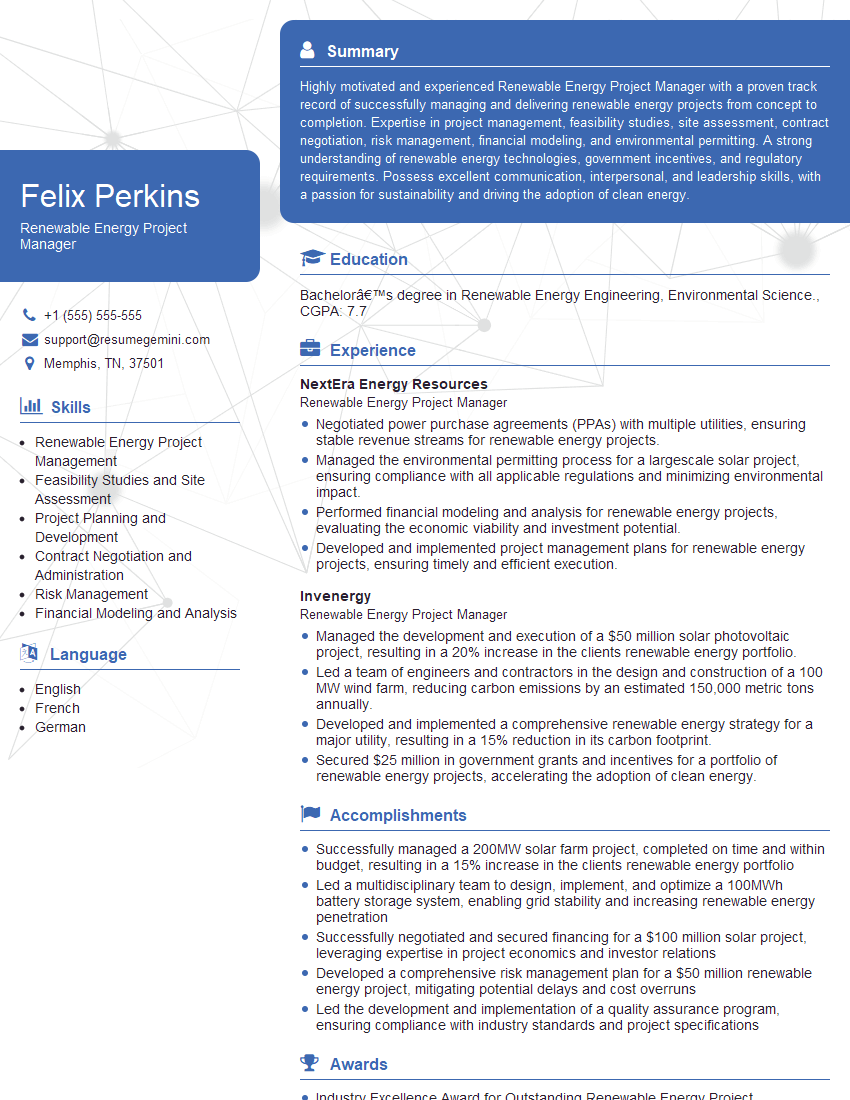
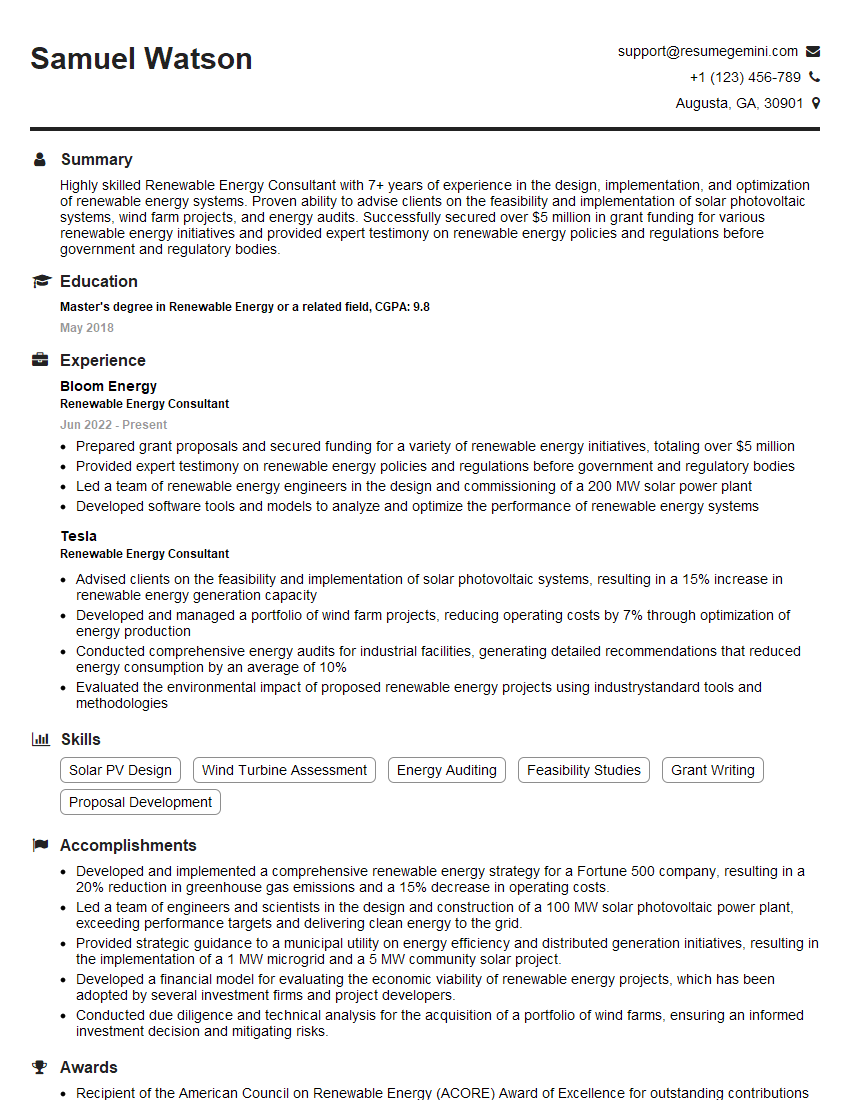
Mastering solar software tools like PVsyst, SAM, and SolarGIS is crucial for career advancement in the solar energy industry, opening doors to more challenging and rewarding roles. A strong resume showcasing this expertise is vital. To ensure your qualifications shine, create an ATS-friendly resume that highlights your skills and accomplishments. ResumeGemini is a trusted resource that can help you build a professional and impactful resume, maximizing your job prospects. Examples of resumes tailored to showcasing proficiency in these solar software tools are available to help you get started.





Explore more articles
Users Rating of Our Blogs
Share Your Experience
We value your feedback! Please rate our content and share your thoughts (optional).
What Readers Say About Our Blog
Very informative content, great job.
good