Are you ready to stand out in your next interview? Understanding and preparing for GIS and GPS Mapping interview questions is a game-changer. In this blog, we’ve compiled key questions and expert advice to help you showcase your skills with confidence and precision. Let’s get started on your journey to acing the interview.
Questions Asked in GIS and GPS Mapping Interview
Q 1. Explain the difference between vector and raster data.
Vector and raster data are two fundamental ways to represent geographic information in a GIS. Think of it like drawing a picture: vector uses lines and points to define shapes, while raster uses a grid of pixels to create an image.
- Vector Data: Represents geographic features as points, lines, and polygons. Each feature has precise coordinates. Imagine drawing a map with a pen – you’d define roads as lines, buildings as polygons, and locations as points. Vector data is ideal for storing discrete features like roads, buildings, or well locations because it’s precise and scalable.
- Raster Data: Represents geographic features as a grid of cells or pixels, each with a value. Think of a satellite image or a digital elevation model (DEM) – every pixel has a color or elevation value. Raster data is great for representing continuous phenomena like temperature, elevation, or land cover.
Example: A map showing the location of individual trees (points) in a forest would be best represented as vector data. Conversely, a satellite image showing the forest canopy would be best represented as raster data.
Q 2. What are the common coordinate reference systems (CRS) used in GIS?
Coordinate Reference Systems (CRSs) define how geographic coordinates are placed on a 2D map or 3D globe. Choosing the right CRS is crucial for accurate spatial analysis. Some common CRSs include:
- WGS 84 (EPSG:4326): This is the most widely used geographic coordinate system, based on the Earth’s geodetic system. Latitude and longitude are used, making it suitable for global applications.
- UTM (Universal Transverse Mercator): This projected coordinate system divides the Earth into 60 zones, each with its own projection. UTM uses meters as units, reducing distortion within each zone, making it useful for large-scale mapping projects.
- State Plane Coordinate Systems (SPCS): These are designed for specific states or regions and minimize distortion within those areas. They are commonly used for local and regional mapping projects.
Choosing the right CRS depends on the scale and geographic extent of your project. For global-scale analysis, WGS 84 is often preferred. For regional or local projects where minimal distortion is crucial, UTM or SPCS are better choices.
Q 3. Describe the process of georeferencing an image.
Georeferencing is the process of assigning geographic coordinates (latitude and longitude) to an image or map that doesn’t already have them. It’s like pinning a picture to a map. This is often done with aerial photographs or scanned maps.
The process typically involves these steps:
- Identify Control Points: Locate points on the image with known coordinates. These points should be easily identifiable on both the image and a reference map (e.g., landmarks, intersections).
- Acquire Reference Data: Obtain a reference dataset with accurate geographic coordinates (e.g., a high-resolution map or a base map from a GIS database).
- Transform the Image: Use GIS software to transform the image using a mathematical transformation (e.g., affine, polynomial) based on the control points. This aligns the image with the reference data.
- Evaluate Accuracy: Assess the accuracy of the georeferencing by checking the Root Mean Square Error (RMSE). A lower RMSE indicates better accuracy.
Example: A historical aerial photo of a city can be georeferenced by identifying recognizable landmarks (like street intersections or buildings) on both the photo and a modern map. The software then uses these points to match and align the historic photo to the modern coordinate system.
Q 4. How do you handle spatial data errors and inconsistencies?
Spatial data errors and inconsistencies can significantly impact the accuracy and reliability of GIS analysis. They can stem from various sources, including data acquisition, processing, and storage. Addressing these errors is critical.
Common error handling techniques include:
- Data Cleaning: Identifying and correcting obvious errors such as incorrect attribute values, duplicate features, or spatial inconsistencies.
- Spatial Consistency Checks: Verifying that features are topologically correct (e.g., lines connect properly, polygons are closed). This often involves using tools like topology rules in GIS software.
- Data Validation: Comparing data against known reliable datasets to identify discrepancies and potential errors. For example, comparing a newly digitized road network against existing official road maps.
- Error Propagation Analysis: Understanding how errors from different sources can compound throughout the analysis process. This requires careful consideration of data accuracy and uncertainty.
- Interpolation and Smoothing: Techniques used to fill in gaps in spatial data or smooth out noisy data, but must be used cautiously to avoid creating artificial patterns.
Example: If a digitized road network has overlapping segments, it needs to be cleaned and corrected to ensure consistent topology and accurate representation.
Q 5. What are the different types of map projections and when would you use each?
Map projections transform the 3D surface of the Earth onto a 2D plane, inevitably introducing some distortion. The choice of projection depends on the specific needs of the map. Common types include:
- Conformal Projections (e.g., Mercator): Preserve angles, meaning shapes are relatively accurate, but distances and areas are distorted, especially at higher latitudes. Excellent for navigation as compass bearings are maintained.
- Equal-Area Projections (e.g., Albers Equal-Area Conic): Preserve area, meaning the relative size of features is accurate, but shapes are distorted. Ideal for thematic mapping where area is a key factor (e.g., population density maps).
- Equidistant Projections: Preserve distance from a central point or along specific lines. Useful for maps focused on distances from a specific location.
- Compromise Projections (e.g., Robinson): Attempt to balance distortions in shape, area, and distance. Often used for world maps.
Example: The Mercator projection is commonly used for world maps but severely distorts areas at higher latitudes. For a map showing population distribution across a country, an equal-area projection is more appropriate.
Q 6. Explain the concept of spatial autocorrelation.
Spatial autocorrelation describes the degree to which nearby features are similar to each other. It measures the statistical dependency between observations in space. If values are similar closer together and dissimilar further apart, we have positive spatial autocorrelation (clustering). The opposite is negative spatial autocorrelation (dispersion).
Understanding spatial autocorrelation is vital because it violates a key assumption of many statistical analyses (independence of observations). Ignoring it can lead to inaccurate inferences. For example, if you’re analyzing crime rates and find high rates clustered in certain areas, this spatial autocorrelation needs to be considered in your analysis.
Example: If houses of similar value tend to cluster together in a neighborhood, this indicates positive spatial autocorrelation. The presence of positive spatial autocorrelation might lead you to explore factors that create such clustering, like zoning regulations or local amenities.
Q 7. What are some common GIS software packages you are familiar with?
I’m proficient in several GIS software packages, each with its own strengths and weaknesses:
- ArcGIS: A comprehensive and widely used platform offering a broad range of geoprocessing tools and functionalities. Excellent for large-scale projects and complex analyses.
- QGIS: A powerful and open-source GIS software package. It’s a strong alternative to commercial software, especially for users on a budget, and boasts a large and supportive community.
- Google Earth Engine: A cloud-based platform ideal for working with massive datasets, particularly satellite imagery and remote sensing data. It’s particularly useful for analyzing changes over time.
- GRASS GIS: Another open-source option that is particularly strong for raster processing, spatial modeling, and image analysis.
My choice of software depends heavily on the project’s specific requirements, including the scale of the data, the type of analysis needed, and budgetary constraints.
Q 8. Describe your experience with data cleaning and preprocessing in GIS.
Data cleaning and preprocessing in GIS is crucial for ensuring the accuracy and reliability of spatial analyses. It involves identifying and correcting errors, inconsistencies, and inaccuracies within geospatial datasets. This can range from simple tasks like correcting typos in attribute tables to complex processes like resolving geometric errors in shapefiles.
My experience includes working with various datasets, including point, line, and polygon data, as well as raster data like satellite imagery. I’ve used tools like ArcGIS Pro and QGIS to perform tasks such as:
- Attribute cleaning: Identifying and correcting inconsistencies, duplicates, and null values in attribute tables. For example, standardizing spellings of place names or correcting inconsistencies in data units.
- Geometric cleaning: Identifying and resolving geometric errors like self-intersections, slivers, and overlaps in polygon features. This often involves using tools like topology checks and editing features manually.
- Data transformation: Converting data between different coordinate systems and projections to ensure compatibility. This requires a thorough understanding of map projections and their implications for spatial analysis.
- Data validation: Implementing checks to ensure data integrity and adherence to predefined standards. This might include range checks for attribute values or spatial consistency checks.
For instance, in a recent project involving land-use mapping, I discovered inconsistencies in the classification of land cover types. Through careful data cleaning, I standardized the classification system, resulting in a more accurate and reliable dataset for subsequent analysis.
Q 9. How do you perform spatial analysis using GIS software?
Spatial analysis in GIS involves exploring the spatial relationships and patterns within geospatial data. It’s like being a detective, uncovering insights hidden within location data. I utilize GIS software like ArcGIS Pro and QGIS to perform a wide range of spatial analyses, including:
- Buffer analysis: Creating zones around features; for example, determining areas within a certain radius of a hospital to understand its service area.
- Overlay analysis: Combining different layers to understand relationships. For example, overlaying a soil type layer with a land-use layer to determine the suitability of land for specific crops.
- Network analysis: Analyzing networks like roads and pipelines to find the shortest routes or optimal flow paths. This is vital in logistics and transportation planning.
- Proximity analysis: Identifying features that are near each other. For instance, finding houses within a certain distance of a school.
- Spatial interpolation: Estimating values at unsampled locations based on known values. This is commonly used in creating elevation models from scattered elevation points.
For example, I used overlay analysis to identify areas suitable for building wind turbines by combining layers representing wind speed, land ownership, and protected areas. The results directly informed the siting of new wind farms.
Q 10. Explain your understanding of GPS technology and its limitations.
GPS (Global Positioning System) technology relies on a constellation of satellites orbiting Earth to provide precise location information. Receivers on the ground detect signals from these satellites to pinpoint their location in terms of latitude, longitude, and altitude. It’s like triangulation – using multiple reference points (satellites) to determine a single location.
However, GPS has limitations:
- Signal blockage: Buildings, trees, and even atmospheric conditions can obstruct GPS signals, resulting in inaccurate or no readings. Think of it as a dense forest blocking your view of the stars.
- Atmospheric effects: The ionosphere and troposphere can delay or distort GPS signals, affecting accuracy. This is like light bending as it passes through a prism.
- Multipath errors: Signals reflecting off surfaces can reach the receiver at slightly different times, causing errors in position determination. Imagine hearing an echo that confuses your perception of the original sound’s location.
- Satellite geometry: The relative positions of the satellites in the sky affect the accuracy of the measurements. A poor geometry (satellites clustered together) leads to less accurate positioning.
- Receiver limitations: The quality of the GPS receiver itself affects the accuracy, with cheaper receivers often having lower precision.
Q 11. How do you ensure the accuracy and precision of GPS measurements?
Ensuring the accuracy and precision of GPS measurements involves a multi-faceted approach:
- Using high-quality receivers: Higher-end receivers have better signal processing capabilities and can filter out noise more effectively, leading to improved accuracy.
- Differential GPS (DGPS): Using a fixed reference station with known coordinates to correct for errors in the raw GPS data. This improves accuracy significantly, especially in surveying applications.
- Real-Time Kinematic (RTK) GPS: A more precise technique that utilizes carrier-phase measurements for centimeter-level accuracy. This is frequently used for high-precision surveying and mapping.
- Post-processing: Processing GPS data after collection to correct for atmospheric and other errors using specialized software. This can significantly improve the accuracy of the final positions.
- Multiple observations: Taking multiple readings at the same location and averaging the results to reduce random errors.
- Careful planning: Choosing appropriate locations for measurements, avoiding areas with signal blockage, and ensuring good satellite geometry.
For instance, when surveying a building site, I’d utilize RTK GPS to achieve the required centimeter-level accuracy for precise boundary definition.
Q 12. Describe different types of GPS errors and how to mitigate them.
Several types of GPS errors can affect the accuracy of measurements. Understanding these errors is key to mitigating their impact.
- Satellite clock errors: Inaccuracies in the timing of the satellite clocks. These errors are mitigated through precise clock synchronization and correction algorithms.
- Ephemeris errors: Errors in the predicted positions of the satellites. These are corrected using precise ephemeris data broadcast by the satellites.
- Atmospheric delays: Delays in signal propagation caused by the ionosphere and troposphere. These are often mitigated using models and correction techniques.
- Multipath errors: Reflections of GPS signals from buildings and other surfaces, resulting in distorted position information. Techniques like signal filtering and advanced receiver algorithms can help minimize multipath.
- Receiver noise: Random errors caused by electronic noise in the GPS receiver. Averaging multiple readings can help reduce the impact of noise.
Mitigation strategies often involve combining techniques like DGPS, RTK GPS, and post-processing to reduce the cumulative effect of these errors.
Q 13. What are the applications of remote sensing in GIS?
Remote sensing is the acquisition of information about an object or phenomenon without making physical contact. In GIS, remote sensing data, such as satellite imagery and aerial photographs, provides crucial spatial information. Think of it as getting a bird’s-eye view of the Earth.
Applications of remote sensing in GIS include:
- Land cover/land use classification: Identifying different types of land cover, such as forests, urban areas, and water bodies, from satellite imagery.
- Environmental monitoring: Tracking changes in deforestation, pollution, or other environmental phenomena.
- Urban planning: Assessing urban sprawl, monitoring infrastructure development, and planning urban growth.
- Precision agriculture: Analyzing crop health and yields using multispectral imagery.
- Disaster response: Assessing damage from natural disasters such as floods and earthquakes using high-resolution imagery.
For example, I used Landsat imagery to monitor changes in deforestation rates in the Amazon rainforest over a decade, providing valuable data for conservation efforts.
Q 14. How do you integrate data from different sources into a GIS project?
Integrating data from different sources is a core aspect of GIS projects. It involves combining data with different formats, coordinate systems, and levels of detail to create a comprehensive spatial database.
The process usually involves:
- Data format conversion: Converting data from various formats (e.g., shapefiles, GeoTIFFs, databases) into a compatible format.
- Coordinate system transformation: Transforming data from different coordinate systems and projections into a common system.
- Data cleaning and preprocessing: Ensuring data consistency and accuracy before integration.
- Data merging and joining: Combining data layers based on spatial relationships (overlay analysis) or attribute relationships (joins).
- Data validation and quality control: Checking for inconsistencies and errors after integration.
For example, I integrated data from cadastral maps (showing land ownership), elevation models (showing terrain characteristics), and census data (showing population density) to create a comprehensive dataset for land-use planning. The careful integration allowed for a detailed analysis of population distribution relative to land ownership and elevation.
Q 15. Describe your experience with database management in a GIS context.
Database management is fundamental to GIS. It’s how we store, retrieve, and manipulate the vast amounts of geospatial data – everything from points representing building locations to polygons defining land parcels. My experience spans various database systems, including relational databases like PostgreSQL/PostGIS and spatial databases like Oracle Spatial. I’m proficient in SQL for querying and manipulating spatial data, including using functions like ST_Intersects to find features within a specific area or ST_Distance to calculate distances between points.
For example, in a project involving analyzing crime hotspots, I used PostGIS to store crime incident data with their geographic coordinates. Then, I wrote SQL queries to analyze crime frequency within different neighborhoods, identifying areas requiring increased police presence. This involved joining the crime data with a polygon layer representing neighborhood boundaries.
Beyond SQL, I also have experience with managing geodatabases in ArcGIS, understanding the intricacies of feature classes, attribute tables, and spatial indexes. Knowing how to optimize database structure for efficient querying is crucial for handling large datasets, and I have a strong grasp of this concept.
Career Expert Tips:
- Ace those interviews! Prepare effectively by reviewing the Top 50 Most Common Interview Questions on ResumeGemini.
- Navigate your job search with confidence! Explore a wide range of Career Tips on ResumeGemini. Learn about common challenges and recommendations to overcome them.
- Craft the perfect resume! Master the Art of Resume Writing with ResumeGemini’s guide. Showcase your unique qualifications and achievements effectively.
- Don’t miss out on holiday savings! Build your dream resume with ResumeGemini’s ATS optimized templates.
Q 16. Explain your experience with spatial modeling techniques.
Spatial modeling is the heart of many GIS projects. It’s about using geographic data to simulate real-world processes or predict future outcomes. My experience includes various techniques, such as overlay analysis, network analysis, and suitability modeling.
Overlay analysis involves combining different layers to understand spatial relationships. For instance, to identify suitable locations for a new wind farm, I combined layers showing wind speed, land ownership, proximity to power lines, and environmental protection areas. By overlaying these layers and applying logical rules, I created a suitability map highlighting optimal locations.
Network analysis is vital for optimizing routes, such as finding the shortest delivery route for a logistics company or identifying the optimal evacuation routes in case of an emergency. I have experience using algorithms like Dijkstra’s algorithm to solve these problems.
Suitability modeling techniques, like weighted linear combination, are used to predict the likelihood of an event or the suitability of an area for a specific purpose. I’ve used these to assess the risk of flooding or identify optimal locations for new housing developments.
Q 17. How do you create and manage map layouts and symbology?
Map layout and symbology are crucial for effective communication of geographic information. A well-designed map is clear, concise, and visually appealing. My experience involves creating maps using ArcGIS Pro and QGIS, utilizing a variety of symbology techniques to represent data clearly and meaningfully.
I’m proficient in choosing appropriate symbology based on data type and purpose. For example, I might use graduated colors to represent population density, proportional symbols to show the magnitude of an event, or distinct markers for different categories of features. I understand the importance of using a clear legend, a well-chosen map projection, and appropriate scale to accurately represent spatial information.
Map layout involves strategically placing map elements like the title, legend, scale bar, and north arrow. I focus on creating a visually balanced and easy-to-understand map, ensuring that the information is presented clearly and efficiently. This includes managing the spatial arrangement of map elements and employing effective use of white space.
Q 18. What is your experience with spatial statistics?
Spatial statistics is the application of statistical methods to spatial data to understand patterns, relationships, and trends. My experience includes performing spatial autocorrelation analysis (e.g., Moran’s I) to detect clustering of events, and spatial regression to model the relationship between a dependent variable and one or more independent variables that have spatial components.
For instance, in a study of disease outbreaks, I used spatial autocorrelation to identify clusters of cases, helping to pinpoint potential sources of infection. I also used spatial regression to model the relationship between disease incidence and factors like population density and proximity to contaminated water sources.
Understanding the concepts of spatial dependence and spatial heterogeneity is critical for accurate analysis. My work includes appropriately accounting for these factors in statistical modeling, ensuring robust and reliable results.
Q 19. Explain your understanding of terrain analysis using GIS.
Terrain analysis uses GIS to extract meaningful information from elevation data, such as Digital Elevation Models (DEMs). This allows us to understand the physical characteristics of the landscape, including slope, aspect, and viewshed.
I’ve used various terrain analysis tools to generate slope maps, which are essential for assessing erosion risk, planning road construction, and analyzing habitat suitability. Aspect maps, showing the direction a slope faces, are vital for understanding sunlight exposure and its impact on vegetation and wildlife. Viewshed analysis helps determine visibility from a specific point or along a line, essential for site selection, communication network planning, and military applications.
Furthermore, I have experience in hydrological modeling, using DEMs to derive drainage networks and watershed boundaries, vital for flood risk assessment, water resource management, and environmental impact studies. Understanding the limitations of DEMs and applying appropriate interpolation methods is a key part of my expertise.
Q 20. Describe your experience with creating interactive web maps.
Creating interactive web maps is key to making GIS data accessible to a broader audience. My experience includes using platforms like ArcGIS Online, Leaflet, and OpenLayers to develop and deploy web mapping applications.
I’m familiar with various web mapping technologies and programming languages, including JavaScript, HTML, and CSS. I can create interactive maps with features such as pop-up windows displaying attribute information, dynamic layers, search functionalities, and integration with other web services.
For example, I developed a web map showing real-time traffic conditions for a city, integrating data from traffic sensors and GPS devices. Users could zoom in and out, pan across the map, and see detailed information about traffic flow on individual roads. This involved using JavaScript libraries to handle user interactions and map rendering, and using web services to access real-time traffic data.
Q 21. How do you handle large datasets in GIS?
Handling large datasets in GIS requires efficient data management strategies. My approach combines techniques for data preprocessing, efficient data structures, and optimized queries.
Data preprocessing involves cleaning, transforming, and summarizing data to reduce its size and complexity. This might involve techniques like raster compression, data aggregation, and feature selection. I’m proficient in using tools to handle geospatial file formats like shapefiles, GeoTIFFs, and GeoJSON efficiently.
Choosing the right data structures is also vital. Spatial indexes, such as R-trees and quadtrees, drastically improve the speed of spatial queries. I’m experienced in using database systems that support spatial indexing, allowing for fast retrieval of information even from massive datasets.
Finally, optimizing queries is critical. I use techniques like spatial joins and spatial filters to efficiently extract the required information from large datasets, avoiding unnecessary computations. Employing parallel processing techniques is also a key approach when dealing with extremely large datasets that require significant computational power.
Q 22. Explain your knowledge of different data formats used in GIS (e.g., shapefiles, GeoTIFF, GeoJSON).
GIS utilizes various data formats to represent geographic information. Each format has strengths and weaknesses, making the choice dependent on the specific application and data characteristics. Let’s explore a few key formats:
- Shapefiles: A popular, widely-supported vector data format. It stores geographic features as points, lines, or polygons. While simple, a shapefile isn’t a single file; it’s actually a collection of files (.shp, .shx, .dbf, etc.) that work together. Think of it like a family – each file plays a crucial role, and they must all be present for the data to be complete. I’ve used shapefiles extensively for mapping roads, building footprints, and political boundaries in numerous projects.
- GeoTIFF: A versatile raster format that’s excellent for storing imagery and elevation data. The ‘Geo’ prefix indicates that it includes geospatial metadata, meaning it knows its location on the Earth. This metadata is crucial for accurate map visualization. For example, I once used GeoTIFFs of satellite imagery to assess deforestation in the Amazon rainforest, where the precise geolocation information was essential for accurate analysis.
- GeoJSON: A lightweight, text-based format that’s becoming increasingly popular. It uses JavaScript Object Notation (JSON), which is easily readable by humans and machines. This makes it ideal for data sharing and web mapping applications. Its flexibility and ease of integration with web technologies have made it my preferred format for many online map projects.
Choosing the right data format is a critical decision in any GIS project. The decision depends on factors such as data type, the intended use of the data, compatibility with GIS software, and file size considerations.
Q 23. Describe your experience with scripting or automation in GIS (e.g., Python, ArcGIS ModelBuilder).
Automation is key to efficiency in GIS. I’m proficient in both Python scripting and ArcGIS ModelBuilder. Python offers unparalleled flexibility and power. I’ve used it to automate complex geoprocessing tasks, such as batch processing of large datasets, performing spatial analysis across multiple layers, and generating custom reports. For instance, I wrote a Python script to automate the generation of weekly road condition reports, processing data from various sources and generating visually appealing maps for stakeholders.
# Example Python snippet for calculating distances between points
import arcpy
# ... (code to define input point features and output feature class) ...
arcpy.analysis.Near(in_features, near_features, search_radius)
ArcGIS ModelBuilder provides a visual, drag-and-drop interface, ideal for simpler, repeatable tasks. It’s perfect for creating workflows that can be shared easily with others. I’ve used ModelBuilder extensively to create standardized processes for tasks like creating buffers around points, clipping rasters, and creating thematic maps, ensuring consistency across projects.
Q 24. How do you ensure data quality and integrity in a GIS project?
Data quality is paramount in GIS. Errors can have significant consequences. My approach involves a multi-step process:
- Data Source Evaluation: Thoroughly assessing the reliability and accuracy of the source data is the first crucial step. This includes examining the metadata, understanding data collection methods, and identifying potential biases or limitations.
- Data Cleaning and Preprocessing: This includes handling missing data, identifying and correcting spatial inconsistencies (e.g., overlaps, gaps, slivers), and ensuring data consistency across different datasets.
- Data Validation and Verification: I employ various techniques, such as visual inspection, spatial analysis (e.g., checking for topological errors), and attribute checks (e.g., using data consistency rules), to identify and rectify errors.
- Metadata Management: Comprehensive metadata documentation is critical for data traceability and understanding. This includes details on the data source, processing steps, and any limitations.
- Quality Control Checks: Regular quality control checks throughout the project lifecycle ensure that data remains accurate and consistent. This might involve comparing results against existing data or using independent verification methods.
Imagine creating a map of property boundaries – errors here could have significant legal and financial consequences. A rigorous quality assurance process is essential to prevent such issues.
Q 25. Explain your understanding of spatial joins and overlay analysis.
Spatial joins and overlay analysis are fundamental spatial operations in GIS. Let’s explore each:
- Spatial Joins: These operations link attributes from one feature class to another based on their spatial relationships. For example, I might join census data (attributes) to polygons representing neighbourhoods (geometry) to analyze demographic characteristics at the neighbourhood level. The type of spatial relationship (e.g., intersects, contains) is defined by the user.
- Overlay Analysis: This involves combining two or more spatial layers to create a new layer that incorporates information from all source layers. Common overlay techniques include intersect (finding the common areas between layers), union (combining all areas), and erase (removing areas of one layer from another). For instance, I’ve used overlay analysis to determine areas vulnerable to flooding by intersecting a flood risk map with a land use layer.
Think of it like working with transparent layers on a map. Overlay analysis lets you see what’s ‘underneath’ and create new information from the combination.
Q 26. Describe your experience with GPS field data collection and post-processing.
I have extensive experience with GPS field data collection and post-processing. This involves:
- Data Collection: Using handheld GPS receivers to collect data points, lines, or polygons in the field. This often includes planning the data collection strategy carefully to ensure accurate and efficient data acquisition. Data types collected might include locations of specific features, routes traveled, or boundaries of areas.
- Data Post-processing: This is crucial for improving the accuracy of GPS data. Common post-processing steps include applying corrections for errors caused by atmospheric conditions (Differential GPS, DGPS or Real-Time Kinematic, RTK) and smoothing the data to reduce noise. Software packages like ArcGIS and QGIS are commonly used for this purpose. For example, I once used RTK GPS to map a highly accurate survey of a construction site, ensuring precise measurements for design and construction.
- Data Quality Control: After post-processing, I always perform quality checks to identify any remaining errors or outliers. Techniques like visual inspection of data points, statistical analysis of data accuracy, and error propagation modeling are employed to ensure data integrity.
Accurate GPS data is crucial for many applications, from mapping infrastructure to monitoring environmental changes, and a meticulous approach to both collection and post-processing is essential.
Q 27. What are your experiences with different types of maps (topographic, thematic, etc.)?
Different map types serve different purposes. My experience encompasses:
- Topographic Maps: These maps represent the Earth’s surface features, including elevation, landforms, and drainage patterns. They are essential for various applications, including land-use planning, infrastructure development, and environmental studies. I used topographic maps extensively during a project involving trail development in a mountainous region, where understanding the terrain was crucial for route planning.
- Thematic Maps: These highlight specific attributes or phenomena, such as population density, soil type, or rainfall patterns. Thematic maps are designed to communicate specific information effectively and are highly versatile. For example, I’ve created thematic maps visualizing disease outbreaks, showing the spatial distribution of cases and facilitating targeted public health interventions.
- Other Map Types: My experience also includes working with cadastral maps (showing property boundaries), nautical charts (for navigation), and web maps (interactive maps designed for online viewing).
The choice of map type depends heavily on the data and the intended audience. An effective map clearly communicates its message.
Q 28. How familiar are you with cloud-based GIS platforms (e.g., ArcGIS Online, Google Earth Engine)?
I’m familiar with several cloud-based GIS platforms, including ArcGIS Online and Google Earth Engine. ArcGIS Online provides a collaborative platform for creating, sharing, and managing GIS data and maps. I’ve used it for collaborative projects, enabling seamless data sharing and teamwork. Its accessibility and scalability are significant advantages. Google Earth Engine, on the other hand, is geared towards large-scale geospatial analysis using satellite imagery and other massive datasets. Its processing power is invaluable for analyzing large datasets that are difficult to handle on a local machine, such as monitoring deforestation, assessing agricultural yields, and analyzing environmental changes over time. I used Google Earth Engine to conduct a global-scale analysis of land cover change, processing terabytes of satellite imagery efficiently.
Key Topics to Learn for GIS and GPS Mapping Interview
- Geographic Coordinate Systems: Understanding different coordinate systems (e.g., UTM, geographic) and their transformations is fundamental. Practical application: Accurately representing spatial data in various projections.
- Data Acquisition and Processing: Explore methods for acquiring geospatial data (e.g., GPS, remote sensing, LiDAR) and techniques for cleaning, processing, and analyzing this data. Practical application: Preparing data for analysis and visualization in GIS software.
- Spatial Analysis Techniques: Master techniques like buffering, overlay analysis, proximity analysis, and network analysis. Practical application: Solving real-world problems such as identifying optimal locations for services or predicting environmental impacts.
- GIS Software Proficiency: Demonstrate familiarity with industry-standard GIS software (e.g., ArcGIS, QGIS). Practical application: Showcase projects and experiences utilizing these tools effectively.
- Cartography and Visualization: Learn effective map design principles for clear and compelling communication of spatial information. Practical application: Creating professional-quality maps that effectively convey complex data.
- GPS Technology and Accuracy: Understand the principles of GPS technology, including error sources and mitigation strategies (e.g., DGPS, RTK). Practical application: Assessing the accuracy of GPS data and selecting appropriate methods for specific applications.
- Geodatabases and Data Management: Learn best practices for organizing and managing geospatial data within a geodatabase. Practical application: Efficiently managing large and complex datasets for analysis and sharing.
- Spatial Statistics and Modeling: Explore techniques for analyzing spatial patterns and relationships in data. Practical application: Developing predictive models or understanding spatial autocorrelation.
Next Steps
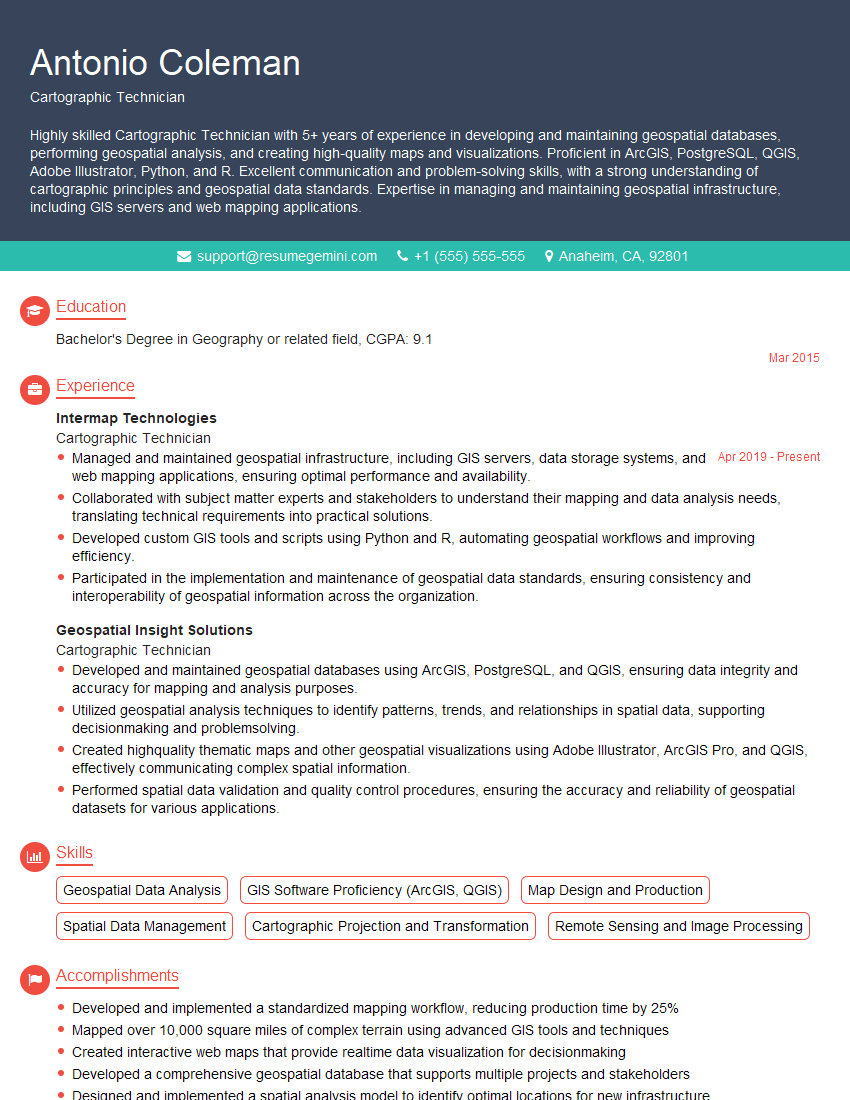
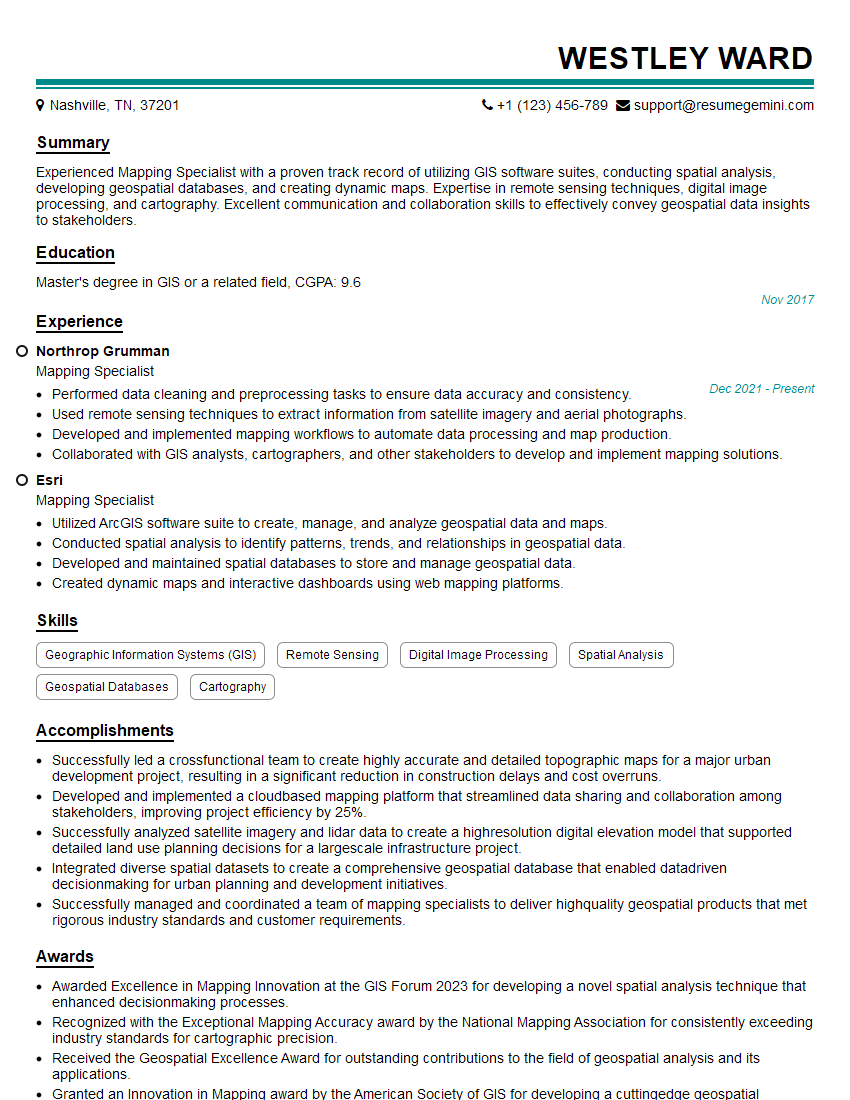
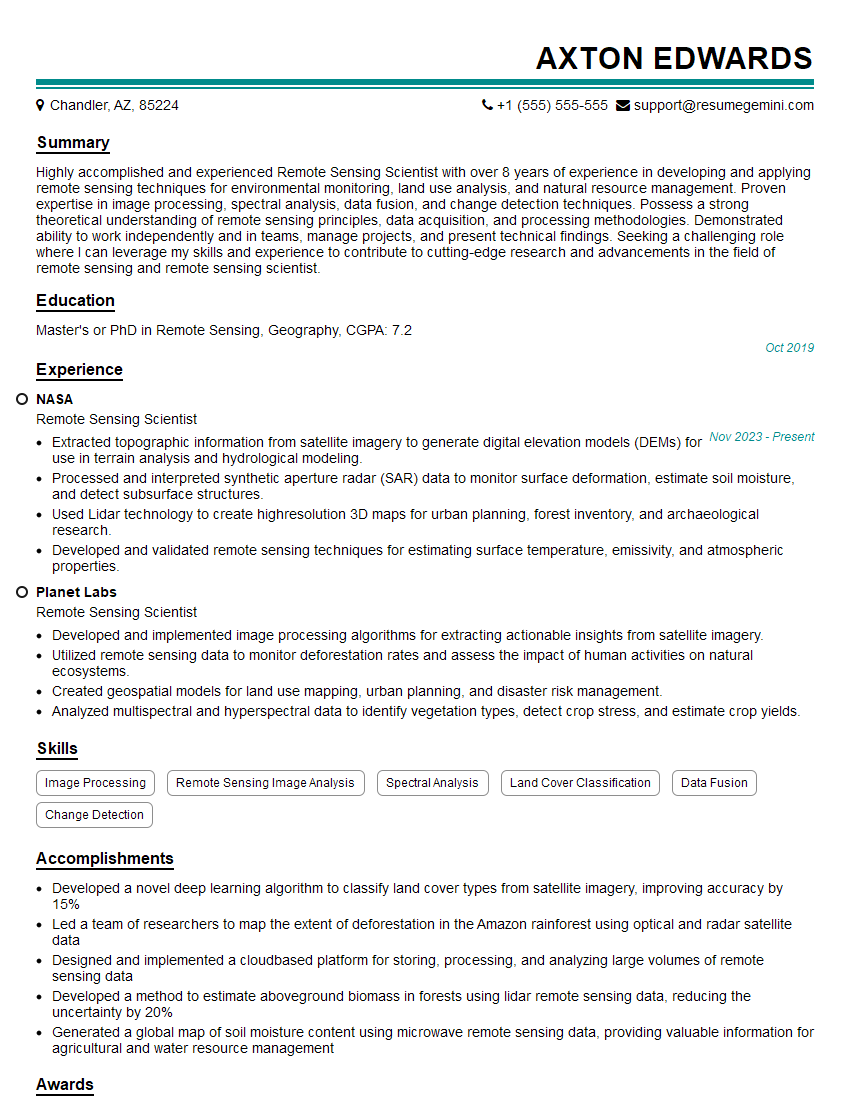
Mastering GIS and GPS mapping opens doors to exciting careers in various sectors, offering opportunities for innovation and problem-solving. A strong resume is crucial to showcase your skills and experience to potential employers. Creating an ATS-friendly resume increases your chances of getting noticed. ResumeGemini is a trusted resource to help you build a professional and impactful resume that highlights your unique qualifications. Examples of resumes tailored to GIS and GPS Mapping positions are available to help guide you.



Explore more articles
Users Rating of Our Blogs
Share Your Experience
We value your feedback! Please rate our content and share your thoughts (optional).
What Readers Say About Our Blog
Very informative content, great job.
good