Cracking a skill-specific interview, like one for GIS (Geographic Information System) Software Proficiency, requires understanding the nuances of the role. In this blog, we present the questions you’re most likely to encounter, along with insights into how to answer them effectively. Let’s ensure you’re ready to make a strong impression.
Questions Asked in GIS (Geographic Information System) Software Proficiency Interview
Q 1. Explain the difference between vector and raster data.
Vector and raster data are two fundamental ways to represent geographic information in a GIS. Think of it like drawing a map: vector uses points, lines, and polygons to represent features, while raster uses a grid of cells (pixels) to represent continuous data.
Vector Data: Imagine drawing a precise outline of a building on a map. Each wall is a line, the entire building is a polygon, and specific locations within the building (e.g., entrances) are points. Vector data is ideal for representing discrete features with defined boundaries, like roads, buildings, or political boundaries. It’s accurate at any scale, as the data itself isn’t affected by zooming. Common vector file formats include Shapefile (.shp), GeoJSON, and KML.
Raster Data: Now imagine a satellite image. The entire image is composed of a grid of pixels, each with a specific color value representing things like land cover, temperature, or elevation. Raster data is best for representing continuous phenomena that vary across space, like elevation, temperature, or imagery. The level of detail is tied to the resolution (pixel size) and can become less detailed upon zooming. Common raster file formats include GeoTIFF (.tif), JPEG, and ERDAS Imagine (.img).
In short, choose vector for precise features, and raster for continuous data.
Q 2. Describe your experience with different GIS software packages (e.g., ArcGIS, QGIS).
I have extensive experience with both ArcGIS and QGIS, using them for a variety of projects over the past [Number] years. My ArcGIS experience includes working with ArcMap, ArcGIS Pro, and the ArcGIS online platform. I’ve leveraged ArcGIS for complex spatial analysis, data management, and cartography tasks, often working with large datasets involving [mention specific types of data, e.g., hydrological modeling, land-use change analysis, utility network management].
QGIS, on the other hand, I’ve used extensively for its open-source nature and flexibility. Its scripting capabilities (using Python) have allowed me to automate geoprocessing tasks and customize workflows for specific project needs. For example, I used QGIS to develop a fully automated pipeline for processing drone imagery, reducing processing time by [Percentage] compared to manual methods. I found it particularly useful for tasks requiring a high degree of customization and rapid prototyping where the cost of ArcGIS licenses would be prohibitive.
My skills encompass data import/export, geoprocessing, spatial analysis, and map creation in both environments, allowing me to select the best tool for the job based on project needs and budget constraints.
Q 3. How do you handle spatial data projection and coordinate systems?
Understanding and managing spatial data projections and coordinate systems is crucial for accurate spatial analysis and data integration. A coordinate system defines how locations on the Earth’s surface are represented numerically. A projection is a method of transforming three-dimensional spherical coordinates into two-dimensional plane coordinates, essential for map creation but always involves distortion.
My workflow typically involves:
Identifying the existing projection: I begin by carefully checking the metadata of the input datasets to determine their existing coordinate systems and projections. Tools within ArcGIS and QGIS provide utilities for this.
Choosing an appropriate projection: The selection depends on the project’s geographic area and the type of analysis being performed. For example, a projected coordinate system like UTM is generally preferred for local-scale analysis, while a geographic coordinate system like WGS 84 is suitable for global-scale analysis. The choice also depends on the minimization of specific types of distortion (area, shape, distance).
Projecting the data: Once the target projection is chosen, I use the appropriate geoprocessing tools in ArcGIS or QGIS to reproject the datasets to ensure consistency. This often involves using tools like ‘Project’ or ‘Define Projection’ depending on the software and the need to create a new file or re-define the projection in place.
Verifying the projection: After re-projection, I verify the accuracy using various tools and techniques to ensure all data is correctly aligned.
Incorrect projections can lead to significant errors in spatial analysis, so this is a critically important step.
Q 4. What are the different types of spatial analysis you are familiar with?
I’m proficient in various spatial analysis techniques, categorized broadly as:
Overlay Analysis: This involves combining different spatial datasets to create new information. Examples include intersection (finding areas of overlap), union (combining features), and spatial join (linking attributes of different datasets based on spatial relationships). I’ve used this extensively for land-use suitability analysis, identifying areas where different criteria overlap (e.g., suitable terrain, proximity to infrastructure, water availability).
Proximity Analysis: This focuses on measuring distances and spatial relationships between features. Buffering is a common technique – creating zones around features at a specified distance. I’ve applied this in determining areas affected by a natural disaster or identifying areas within a certain radius of a facility.
Network Analysis: This involves analyzing networks like roads or pipelines to find optimal routes or model flows. I’ve used this to model transportation networks, optimizing delivery routes or assessing accessibility to services.
Geostatistics: This is used for spatial interpolation, predicting values at unsampled locations based on known values. Techniques like kriging and inverse distance weighting are crucial for creating continuous surfaces from point data (e.g., creating an elevation surface from elevation points).
Spatial Statistics: This involves employing statistical methods to analyze spatial patterns and relationships in data. Examples include spatial autocorrelation analysis (measuring the degree of similarity among neighboring locations) and hotspot analysis (identifying areas with statistically significant clusters of high or low values).
My experience in these methods allows me to tackle complex spatial questions and extract meaningful insights from geographic data.
Q 5. Explain your experience with geoprocessing tools and workflows.
Geoprocessing is the automation of GIS tasks using tools and workflows. I’ve extensive experience designing and implementing efficient geoprocessing workflows using both model builders (in ArcGIS) and scripting (primarily Python in both ArcGIS and QGIS).
For instance, in a recent project involving the analysis of a large dataset of [data type], I developed a Python script that automated the following steps:
Data import and projection conversion
Data cleaning and error correction
Spatial analysis (e.g., buffering, overlay)
Data export and report generation
This automated workflow drastically reduced processing time from [original time] to [new time], improving project efficiency and reducing manual errors. My approach involves breaking down complex tasks into smaller, manageable units, utilizing iterative processes for debugging and quality control.
I’m adept at using geoprocessing tools for tasks ranging from simple data conversions to complex spatial modeling. My expertise includes building both simple and complex models with feedback loops to handle uncertainty or iterative refinement.
Q 6. Describe your experience with data cleaning and preprocessing in a GIS environment.
Data cleaning and preprocessing are critical steps in any GIS project. Raw data is rarely perfect; it often contains errors, inconsistencies, and inaccuracies that need to be addressed before meaningful analysis can be performed. My approach involves a multi-step process:
Data inspection: This begins with a thorough visual and statistical examination of the data to identify potential issues, like missing values, spatial inconsistencies, attribute errors, and outliers.
Data correction: Once errors are identified, I use various techniques to correct them. This might involve editing features manually, using spatial analysis tools to identify and fix topological errors, or employing statistical methods to handle missing or erroneous attribute values.
Data transformation: Sometimes data needs to be transformed to make it suitable for analysis. This might involve re-projecting data to a common coordinate system, converting data types, or creating new attributes from existing ones.
Data validation: After cleaning, I validate the data to ensure the corrections were effective. This can involve consistency checks, spatial validation using tools that identify topological errors and data comparisons with reliable external sources.
I have developed efficient workflows involving both automated scripting and manual editing techniques for various datasets, including point, line, and polygon data, as well as raster data.
Q 7. How do you ensure data accuracy and integrity in GIS projects?
Ensuring data accuracy and integrity is paramount in GIS projects. My strategies include:
Using reliable data sources: I prioritize using data from authoritative sources, such as government agencies or reputable organizations. When necessary, I cross-reference data from multiple sources to verify accuracy.
Implementing rigorous quality control checks: Throughout the project lifecycle, I conduct regular quality control checks at every stage – data acquisition, processing, analysis, and visualization. This involves visual inspection, statistical analysis, and topological checks to identify and correct errors.
Documenting data sources and methods: Maintaining a detailed record of data sources, processing steps, and analysis methods ensures transparency and reproducibility, aiding in future auditing and verification.
Employing metadata standards: I adhere to metadata standards, such as the ISO 19115 standard, to provide comprehensive information about the data, its origins, quality, and limitations. This allows others to properly understand and utilize the data.
Using version control: Using version control systems allows for tracking changes, reverting to previous versions if needed, and collaborates more efficiently. This helps to minimize errors and track data lineage.
By implementing these strategies, I strive to produce high-quality, reliable GIS products that meet the highest standards of accuracy and integrity.
Q 8. Explain your experience with spatial databases (e.g., PostgreSQL/PostGIS, Oracle Spatial).
Spatial databases are crucial for storing and managing geographic data efficiently. My experience encompasses working extensively with both PostgreSQL/PostGIS and Oracle Spatial. PostGIS, an open-source extension for PostgreSQL, offers a powerful and flexible environment for handling spatial data. I’ve used it in projects involving everything from analyzing crime patterns within a city to modeling the spread of invasive species. For instance, I used PostGIS’s spatial functions to perform proximity analysis, identifying properties within a certain radius of a proposed development. Oracle Spatial, on the other hand, is a commercial solution often preferred for large-scale enterprise GIS applications where robust scalability and performance are critical. In one project, we used Oracle Spatial to manage a massive dataset of utility infrastructure, enabling efficient querying and updating of network data across a vast geographic area.
I’m proficient in writing SQL queries to retrieve, manipulate, and analyze spatial data. For example, I can use ST_Contains() in PostGIS to identify points falling within a polygon, or ST_Distance() to calculate the distance between two geographic features. My understanding also extends to spatial indexing (like GiST and SP-GiST indexes), which are essential for optimizing query performance on large spatial datasets. I understand the importance of choosing the appropriate spatial data type (e.g., points, lines, polygons) based on the application requirements and data characteristics.
Q 9. How do you create and manage map layouts and cartographic elements?
Creating and managing map layouts is an art form in itself. It involves not just displaying geographical information but also effectively communicating a story or conveying insights. I leverage the cartographic capabilities of ArcGIS Pro, QGIS, and MapInfo Pro. My workflow typically starts by defining the map’s purpose and target audience. This dictates the choice of projection, basemap, and symbols.
I pay close attention to detail when selecting appropriate symbology, ensuring clarity and avoiding visual clutter. For example, I might use graduated color ramps to show population density or distinct marker symbols for different land-use types. I understand the importance of creating a visually appealing and easily understandable map through thoughtful placement of elements, such as the legend, title, scale bar, and north arrow. I also incorporate annotations and labels strategically to enhance the map’s narrative. In addition, I’m adept at creating different map layouts (e.g., single map, atlas, series maps) to best communicate spatial relationships.
I have experience creating and exporting maps in a variety of formats (PDF, PNG, JPG) with specific considerations for printing and web display resolution. Furthermore, I understand and apply map design principles (like visual hierarchy and Gestalt principles) to create engaging and informative maps.
Q 10. Describe your experience with remote sensing data and its applications in GIS.
Remote sensing data provides a powerful perspective on our planet. My experience involves processing and analyzing data from various sources, including Landsat, Sentinel, and aerial photography. I use software like ENVI and Erdas Imagine to pre-process images (geometric correction, atmospheric correction) and extract valuable information. For example, I’ve used NDVI (Normalized Difference Vegetation Index) to monitor vegetation health over time, identifying areas experiencing drought stress or deforestation.
In one project, I analyzed multispectral satellite imagery to map the extent of urban sprawl in a rapidly growing city. By classifying the imagery, we were able to identify built-up areas, agricultural land, and natural vegetation, providing valuable data for urban planning. I’m also familiar with LiDAR (Light Detection and Ranging) data and its applications in creating detailed digital elevation models (DEMs) for hydrological modeling or terrain analysis. Understanding the limitations and potential errors associated with remote sensing data is crucial, and I rigorously apply quality control measures to ensure accuracy and reliability.
Q 11. How familiar are you with GPS technology and its integration with GIS?
GPS technology is fundamental to many GIS applications, providing the crucial link between real-world locations and digital maps. I’m very familiar with GPS principles, data formats (e.g., NMEA sentences), and its integration with GIS software. I’ve worked with GPS receivers to collect spatial data in the field for various projects, ranging from surveying infrastructure to monitoring wildlife movements.
I understand the concepts of positional accuracy, error sources (e.g., atmospheric effects, multipath), and the importance of differential correction techniques (like DGPS or RTK) to improve precision. I can use GIS software to import and process GPS data, incorporating it into existing spatial datasets. For example, I’ve used GPS data to geo-reference aerial imagery and create accurate maps, ensuring proper alignment between the images and geographic coordinates. My experience also includes the use of GPS data for field data collection apps connected to databases and the implementation of quality checks on gathered data.
Q 12. What are your experiences with GIS web mapping technologies (e.g., Leaflet, OpenLayers)?
Web mapping technologies have revolutionized the way we access and share geographic information. I possess hands-on experience with both Leaflet and OpenLayers, two popular JavaScript libraries for creating interactive web maps. Leaflet is known for its simplicity and lightweight nature, making it ideal for projects that prioritize performance. I have used it to develop web maps for visualizing real-time data, like traffic flow or air quality monitoring.
OpenLayers, while more complex, offers greater flexibility and advanced features. I’ve leveraged its capabilities in projects requiring advanced map interactions and customization. For instance, I used OpenLayers to develop a web application for exploring historical maps alongside current geographic data, allowing users to compare changes over time. In both cases, I’m proficient in integrating various data sources, including vector data (shapefiles, GeoJSON) and raster imagery (tiles, WMS services), into the web map. My understanding extends to map projections, interaction tools, pop-ups, and other user interface elements that enhance the user experience. I’m also familiar with backend technologies needed for web map deployments and can work with various APIs to access data from different sources.
Q 13. Explain your experience with creating and using geodatabases.
Geodatabases are essential for managing complex spatial data, particularly in enterprise GIS environments. My experience includes creating and managing both file geodatabases (in ArcGIS) and enterprise geodatabases (using ArcGIS Server or similar platforms). I’m proficient in designing geodatabase schemas, defining feature classes, and establishing relationships between different datasets. For example, I might create a geodatabase to model a transportation network, with feature classes representing roads, intersections, and transit stops, and relationships to link them together.
I understand the importance of data integrity and use geodatabase tools to enforce data validation rules and maintain data quality. This ensures that only accurate and consistent data is entered and stored. My experience includes working with different geodatabase versions, managing concurrent edits, and resolving conflicts. Understanding data models, spatial relationships, and the use of appropriate data types within the geodatabase is critical for ensuring efficiency and data integrity. My experience also includes using geodatabases to implement and maintain spatial indexes to improve query speed.
Q 14. How do you handle large datasets in GIS?
Handling large datasets in GIS requires a strategic approach, focusing on efficient data storage, processing, and visualization. I’ve encountered datasets encompassing millions of features, requiring the use of techniques to optimize performance. These techniques include employing appropriate spatial indexing strategies (as mentioned earlier), utilizing database management system (DBMS) capabilities for efficient querying and data retrieval, and leveraging cloud-based solutions for storage and processing when needed.
Data partitioning and tiling are key strategies I employ for managing large rasters. This involves breaking down large datasets into smaller, more manageable chunks, allowing for faster processing and rendering on the client side. For vector data, I employ techniques like data simplification (generalization) to reduce the file size without significantly compromising accuracy, particularly when dealing with map visualization. I also utilize tools for feature selection and subsetting, allowing me to work with only the relevant portion of the data for a specific task. In addition, I routinely leverage parallel processing techniques and distributed computing (e.g., using Spark or Hadoop) when dealing with extremely large datasets that exceed the capabilities of a single workstation. Choosing the appropriate tools and methods is crucial for efficient large dataset management and data visualization.
Q 15. Describe your approach to solving a spatial problem using GIS.
My approach to solving a spatial problem using GIS is systematic and iterative. It begins with a thorough understanding of the problem’s context, including the specific question being asked and the available data. This involves defining the problem clearly – what are we trying to achieve? What are the key variables? Then, I move into data acquisition and preparation. This might involve gathering data from various sources (satellite imagery, LiDAR, census data, etc.), cleaning and transforming it into a usable format, and projecting it into a consistent coordinate system. Next comes data analysis, using appropriate GIS tools and techniques. This could involve spatial analysis (buffering, overlay, proximity analysis), geoprocessing (clipping, merging, dissolving), or spatial statistics (regression, kriging). I always visualize the results using maps and charts, making sure they are clearly labeled and easy to understand. Finally, I interpret the results, drawing conclusions and communicating them effectively, often through reports or presentations. For example, if analyzing the spread of a disease, I would use point pattern analysis to identify clusters and then overlay this with socioeconomic data to investigate potential risk factors. The iterative nature means I often revisit earlier steps, refining my approach based on the analysis results.
Career Expert Tips:
- Ace those interviews! Prepare effectively by reviewing the Top 50 Most Common Interview Questions on ResumeGemini.
- Navigate your job search with confidence! Explore a wide range of Career Tips on ResumeGemini. Learn about common challenges and recommendations to overcome them.
- Craft the perfect resume! Master the Art of Resume Writing with ResumeGemini’s guide. Showcase your unique qualifications and achievements effectively.
- Don’t miss out on holiday savings! Build your dream resume with ResumeGemini’s ATS optimized templates.
Q 16. What are your strengths and weaknesses in using GIS software?
My strengths lie in my proficiency with ArcGIS Pro, QGIS, and PostGIS. I’m comfortable with a wide range of spatial analysis techniques, including network analysis, raster analysis, and geostatistics. I also possess strong data management skills and experience working with large datasets. My weakness, if I had to identify one, is my relatively limited experience with specific niche GIS software like ERDAS Imagine or ENVI. While I’m a quick learner and adaptable, I haven’t had the opportunity for extensive hands-on experience with these specialized platforms. However, I’m confident in my ability to learn and master new software as needed, focusing on the underlying spatial principles rather than software-specific intricacies.
Q 17. How do you stay up-to-date with the latest advancements in GIS technology?
Staying current in the rapidly evolving GIS field requires a multi-pronged approach. I regularly attend webinars and conferences, both online and in-person, to learn about new technologies and best practices. I actively follow key journals and publications such as GeoWorld and GISCafe. I also engage with the GIS community online through forums, mailing lists, and professional networking sites like LinkedIn. Moreover, I participate in online courses and workshops offered by platforms like Esri, Coursera, and edX to enhance my skills in specialized areas. Finally, I actively seek opportunities to work with new technologies and data formats on projects to maintain a hands-on approach to learning.
Q 18. Describe your experience with scripting or programming in a GIS context (e.g., Python).
I have extensive experience using Python for GIS tasks. I use it primarily for automating geoprocessing workflows, analyzing spatial data, and creating custom GIS tools. For example, I’ve used Python with libraries like geopandas and rasterio to process large datasets, perform complex spatial calculations, and generate custom map visualizations. A recent project involved automating the creation of thousands of individual maps for various sub-regions, a task that would have been exceptionally time-consuming manually. My Python skills allow me to streamline my workflow, improving efficiency and reducing errors. I also use Python to interface with PostGIS databases, enabling efficient querying and manipulation of spatial data stored in the database. # Example: Using geopandas to read a shapefileimport geopandas as gpdgdf = gpd.read_file('my_shapefile.shp')
Q 19. Explain your experience with spatial statistics.
My experience with spatial statistics includes applying various techniques for analyzing spatial patterns and relationships in geographic data. I’m proficient in using spatial autocorrelation analysis (e.g., Moran’s I) to assess spatial clustering and spatial regression models (e.g., geographically weighted regression – GWR) to understand how relationships between variables vary across space. I’ve also worked with geostatistical methods like kriging for spatial interpolation and prediction. For instance, in a project analyzing air quality, I used kriging to create a continuous surface of pollutant concentrations from a set of point measurements, allowing for a better understanding of pollution hotspots and spatial distribution. My understanding extends to the important considerations of spatial dependence and heterogeneity, and how these aspects impact the choice of statistical methods. I understand the importance of choosing appropriate statistical tests based on the data’s characteristics and the research question.
Q 20. How do you ensure the security and confidentiality of geospatial data?
Ensuring the security and confidentiality of geospatial data is paramount. My approach involves adhering to strict data governance policies, including access control measures (restricting access to authorized personnel only), encryption (both in transit and at rest), and data anonymization techniques where applicable to protect sensitive information. I also maintain thorough documentation of data provenance and security protocols. Furthermore, I’m familiar with relevant data privacy regulations like GDPR and CCPA, and I always ensure that data handling practices comply with these regulations. For sensitive data, I would explore using secure cloud storage solutions with robust access controls and auditing capabilities. Regular security assessments and updates to software and protocols are critical to prevent breaches and maintain data integrity. Properly managing metadata is crucial, ensuring accurate and complete descriptions of data security measures.
Q 21. Describe a time you had to troubleshoot a GIS problem. What was your solution?
During a project involving the integration of multiple datasets with differing coordinate systems, I encountered significant errors in the spatial analysis results. Initially, I suspected issues with the data itself. However, after thorough investigation, I realized the problem stemmed from inconsistencies in the coordinate reference systems of the input layers. Some layers were using a geographic coordinate system (WGS 84), while others were in a projected coordinate system (UTM). My solution involved carefully examining the metadata of each dataset to identify the correct coordinate systems. I then used the GIS software’s projection tools to reproject all layers into a consistent coordinate system before performing the spatial analysis. This resolved the errors and produced accurate results. This experience highlighted the crucial importance of proper data management and understanding projection issues in GIS.
Q 22. Explain your experience with GIS modeling and simulation.
GIS modeling and simulation involves using geographic data to create models that represent real-world phenomena and simulate their behavior over time. This allows us to analyze complex systems and predict future outcomes. For example, we might model the spread of a wildfire based on factors like wind speed, fuel type, and topography, or simulate traffic flow in a city to optimize traffic light timing.
My experience includes building hydrological models using ArcGIS to predict flood risk in coastal areas. This involved integrating elevation data (DEM), rainfall data, and land use information to simulate water flow and inundation. I also have experience with agent-based modeling, where individual agents (e.g., people, vehicles) interact within a geographic environment to simulate complex behaviors such as pedestrian movement in a city center. This often involves using specialized extensions or programming languages like Python within the GIS environment.
Another key aspect of my work involves validating these models with real-world data. This step is critical to ensure the accuracy and reliability of the simulations, enabling informed decision making.
Q 23. How familiar are you with different map projections and their uses?
Map projections are essential because the Earth’s spherical surface cannot be accurately represented on a flat map without distortion. Different projections distort different properties, such as area, shape, distance, or direction. The choice of projection depends on the specific application.
- Equirectangular Projection: Preserves direction and scale along the equator, but distorts areas significantly at higher latitudes. Useful for world maps emphasizing direction.
- Mercator Projection: Preserves shape and direction, but distorts area significantly at higher latitudes. Widely used for navigation because rhumb lines (lines of constant bearing) appear as straight lines.
- Albers Equal-Area Conic Projection: Preserves area, making it suitable for mapping spatial distributions and calculating areas accurately. Commonly used for mapping large areas with minimal east-west extent.
- UTM (Universal Transverse Mercator): Divides the earth into 60 zones, each projected using a transverse Mercator projection. Minimizes distortion within each zone and is widely used for large-scale mapping and surveying.
My experience encompasses selecting and applying the appropriate projection for various tasks, understanding the inherent distortions, and transforming data between different projections using GIS software. For instance, I had to reproject cadastral data from a state plane coordinate system to a UTM zone for a land use planning project, ensuring accurate area calculations.
Q 24. What is your experience with different data formats used in GIS?
GIS utilizes a variety of data formats, each with its strengths and weaknesses. My experience includes working with both vector and raster data, as well as various specialized formats.
- Vector Data: Represents geographic features as points, lines, and polygons. Common formats include
.shp(shapefiles),.gdb(geodatabases),.geojson, and.kml(Keyhole Markup Language). - Raster Data: Represents geographic data as a grid of cells (pixels), each with a value representing a specific attribute. Common formats include
.tif(GeoTIFF),.img(ERDAS Imagine), and.asc(ASCII grid). - Other Formats: I’ve also worked with databases like PostGIS (PostgreSQL extension for spatial data), CAD files (
.dwg,.dxf), and imagery formats like.jpgand.png.
Understanding these formats is critical for data import, processing, and analysis. A project I worked on involved integrating data from multiple sources with varying formats, requiring careful data cleaning and conversion to ensure consistency and accuracy.
Q 25. Explain your understanding of spatial relationships and topology.
Spatial relationships describe how geographic features relate to each other in space. Topology defines the spatial relationships between features based on their connectivity and adjacency. Understanding spatial relationships and topology is crucial for many GIS operations.
Examples of spatial relationships include:
- Containment: Feature A is inside Feature B.
- Intersection: Feature A overlaps with Feature B.
- Proximity: Feature A is within a certain distance of Feature B.
Topology ensures data integrity by maintaining consistent relationships between features. For example, in a road network, topology ensures that lines representing roads connect properly at intersections, preventing gaps or overlaps. This is vital for network analysis like routing or tracing utilities.
In my experience, I have utilized topological rules to ensure data quality and consistency during data editing and analysis. For example, during a land parcel delineation project, topological rules helped to maintain consistent polygon boundaries and prevent slivers or gaps between adjacent parcels.
Q 26. How do you assess the quality of geospatial data?
Assessing geospatial data quality involves evaluating its accuracy, completeness, consistency, and timeliness. It’s a critical step to ensure reliable results from GIS analysis.
Methods for assessment include:
- Accuracy Assessment: Comparing the data to a high-accuracy reference dataset. This might involve ground truthing or comparing to authoritative sources like lidar data.
- Completeness Assessment: Determining whether all relevant features are included in the dataset. This often involves visual inspection and comparison to known data sources.
- Consistency Assessment: Checking for inconsistencies in data attributes or spatial relationships (e.g., overlapping polygons). This usually employs automated checks within the GIS software.
- Timeliness Assessment: Determining if the data is up-to-date for its intended use. Outdated data can lead to inaccurate conclusions.
I routinely employ these methods, utilizing tools within GIS software and statistical analysis to identify and address data quality issues before proceeding with further analysis. For instance, I once discovered inaccuracies in elevation data by comparing it with high-resolution LiDAR data, which significantly impacted a hydrological model I was building.
Q 27. Describe your experience with GIS in a specific industry (e.g., environmental, transportation).
My experience extensively involves the environmental sector. I’ve worked on projects involving habitat mapping, environmental impact assessments, and conservation planning.
In one project, we used GIS to map different habitat types in a national park. We integrated satellite imagery, vegetation indices, and field survey data to create detailed maps showing the distribution of various species. This information was then used to develop a conservation plan aimed at preserving biodiversity. This involved using classification techniques on satellite imagery, spatial analysis to identify connectivity between habitats, and overlay analysis to determine the overlap between protected areas and key habitats.
Another project involved an environmental impact assessment for a proposed highway. We used GIS to model potential impacts on wildlife corridors and water resources. This included using network analysis to assess connectivity changes and hydrological modeling to simulate changes in water flow patterns. This was crucial in developing mitigation measures to minimize negative environmental impacts.
Q 28. Explain your understanding of the limitations of GIS technology.
While GIS is a powerful tool, it has limitations. It’s crucial to be aware of these limitations to avoid misinterpretations and inaccurate conclusions.
- Data limitations: GIS analysis is only as good as the data used. Inaccurate, incomplete, or outdated data will lead to inaccurate results. Data collection methods, resolution, and accuracy all affect the reliability of the analysis.
- Spatial inaccuracies: Map projections always involve distortion. This needs to be considered when analyzing spatial relationships and distances.
- Computational limitations: Processing large datasets can be computationally intensive and time-consuming, especially for complex spatial analyses.
- Analyst bias: The selection of data, methods, and interpretation can be influenced by the analyst’s biases. It is important to maintain objectivity and transparency in the analysis process.
For example, an inaccurate basemap could lead to miscalculations of distances and areas. Understanding and clearly communicating these limitations is essential for responsible GIS practice.
Key Topics to Learn for GIS (Geographic Information System) Software Proficiency Interview
- Data Acquisition and Management: Understanding various data sources (raster, vector, attribute data), data formats (shapefiles, GeoTIFFs, GeoDatabases), and methods for data import, cleaning, and preprocessing. Practical application: Describe your experience with data quality control and handling inconsistencies in real-world datasets.
- Spatial Analysis Techniques: Proficiency in using geoprocessing tools for tasks like buffering, overlay analysis (union, intersect, clip), proximity analysis, spatial joins, and network analysis. Practical application: Explain how you’ve used spatial analysis to solve a specific problem, perhaps involving site selection, route optimization, or impact assessment.
- Cartography and Visualization: Creating clear, informative, and aesthetically pleasing maps using GIS software. Understanding map design principles, symbolization, labeling, and legend creation. Practical application: Describe a map you designed and the decisions you made regarding symbolization and layout to effectively communicate spatial information.
- Geospatial Databases: Working with geodatabases, understanding schema design, and managing spatial data in a relational database environment. Practical application: Discuss your experience with database management, including query writing and data manipulation within a GIS context.
- GPS and Remote Sensing: Familiarity with GPS data integration, understanding different remote sensing data types (e.g., aerial photography, satellite imagery), and image processing techniques. Practical application: Describe your experience using remotely sensed data for analysis or mapping, highlighting any image processing steps.
- Specific Software Proficiency: Demonstrate in-depth knowledge of your chosen GIS software (ArcGIS, QGIS, etc.), including common tools and workflows. Practical application: Be prepared to discuss specific functionalities and your experience using advanced tools within your preferred software.
- Problem-Solving and Analytical Skills: GIS is about solving real-world problems. Be ready to discuss your approach to tackling spatial challenges, highlighting your analytical skills and ability to interpret results. Practical application: Prepare examples of how you’ve used GIS to solve problems, focusing on your thought process and methodology.
Next Steps
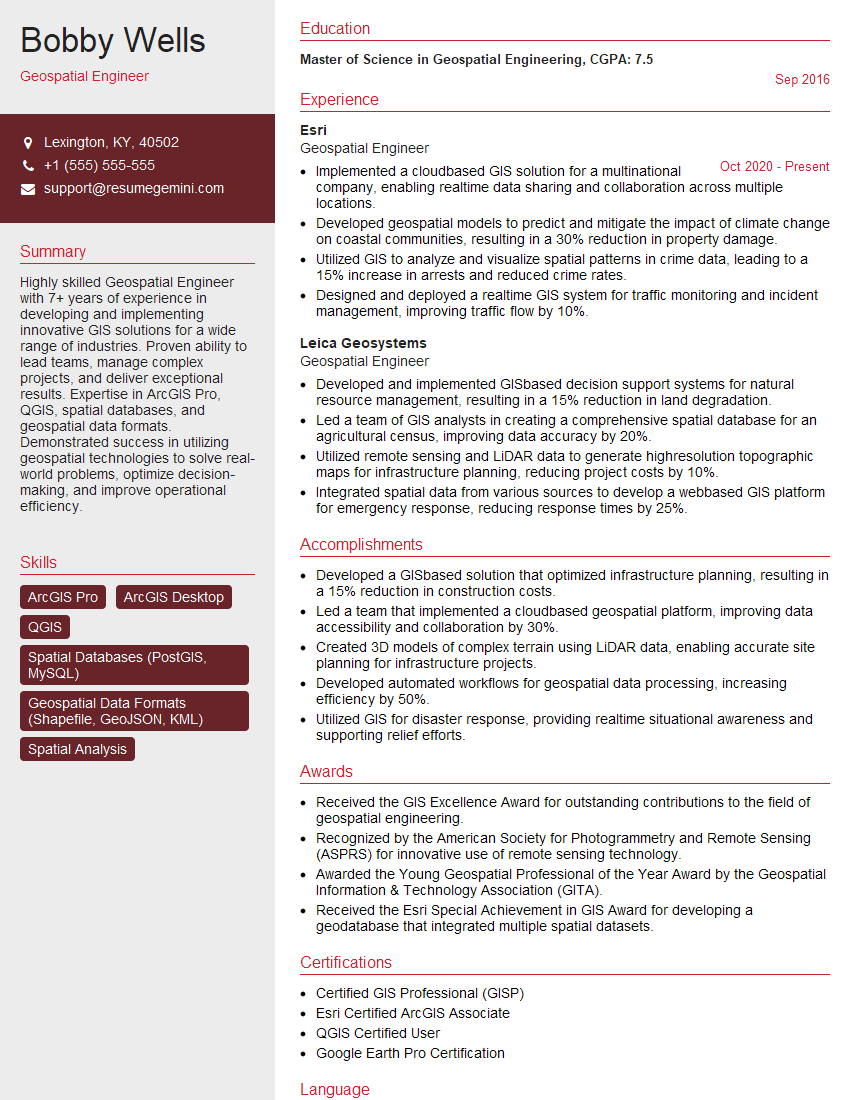
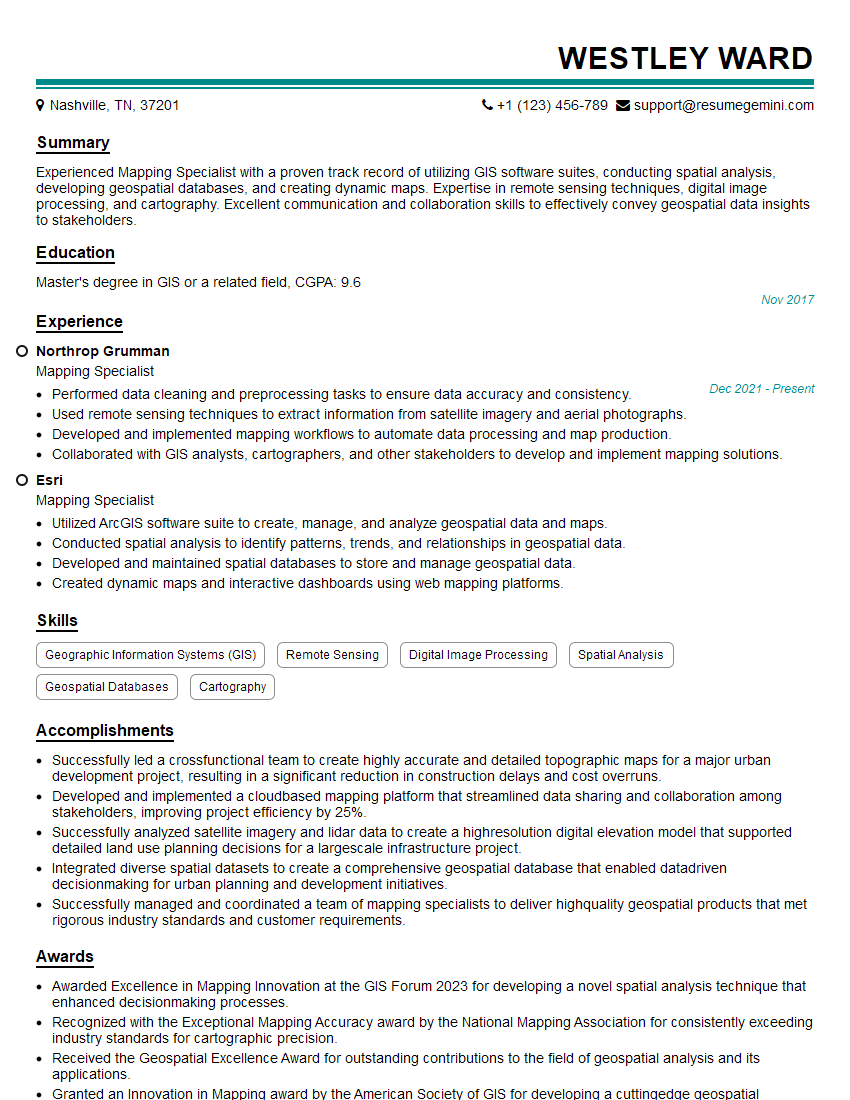
Mastering GIS software proficiency is crucial for a successful career in many exciting fields, opening doors to opportunities in urban planning, environmental science, resource management, and more. To maximize your job prospects, create an ATS-friendly resume that highlights your skills and experience effectively. ResumeGemini is a trusted resource for building professional resumes that stand out. They provide examples of resumes tailored to GIS (Geographic Information System) Software Proficiency to help you craft a compelling application. Invest the time to create a strong resume – it’s your first impression on potential employers!


Explore more articles
Users Rating of Our Blogs
Share Your Experience
We value your feedback! Please rate our content and share your thoughts (optional).
What Readers Say About Our Blog
Very informative content, great job.
good