Are you ready to stand out in your next interview? Understanding and preparing for GIS Mapping Software Applications interview questions is a game-changer. In this blog, we’ve compiled key questions and expert advice to help you showcase your skills with confidence and precision. Let’s get started on your journey to acing the interview.
Questions Asked in GIS Mapping Software Applications Interview
Q 1. Explain the difference between vector and raster data.
Vector and raster data are two fundamental ways of representing geographic information in GIS. Think of it like drawing a map: vector data is like using precise lines and points to draw features, while raster data is like using a mosaic of tiny colored squares (pixels).
- Vector Data: Uses points, lines, and polygons to define geographic features. Each feature is a distinct geometric object with associated attributes. For example, a road would be represented as a line, a building as a polygon, and a fire hydrant as a point. Vector data is ideal for representing discrete features and is highly accurate for precise measurements of lengths, areas, and locations.
- Raster Data: Represents geographic information as a grid of cells or pixels, each containing a value representing a particular attribute. Examples include satellite imagery, aerial photographs, and elevation models (DEMs). Raster data is great for representing continuous phenomena like temperature or elevation changes across an area. However, it can be less precise for representing discrete features.
In short: Vector is precise and detailed for discrete features; raster is a grid-based representation better for continuous phenomena. Choosing between them depends on the application. A road map will likely use vector data for clear lines, whereas a land surface temperature map will use raster data for displaying the variations.
Q 2. Describe your experience with different GIS software packages (e.g., ArcGIS, QGIS, MapInfo).
I have extensive experience with several GIS software packages, each with its strengths and weaknesses. My primary expertise lies in ArcGIS Pro, which I’ve used for over seven years for projects ranging from urban planning to environmental modeling. I’m proficient in creating and managing geodatabases, performing spatial analysis using its toolset, and automating workflows with Python scripting. I am also familiar with QGIS, an open-source alternative, particularly useful for its flexibility and cost-effectiveness. I’ve utilized QGIS for specific tasks requiring more customized analysis or where ArcGIS Pro’s licensing constraints were a factor. I have some experience with MapInfo Pro, mainly in data conversion and legacy data handling. My experience spans across various aspects of these platforms, from basic data entry and visualization to advanced spatial analysis and geoprocessing tasks.
Q 3. How do you perform geoprocessing tasks?
Geoprocessing involves using GIS software to manipulate and analyze geographic data. I approach geoprocessing tasks systematically, typically following these steps:
- Define the problem and desired output: Clearly understanding the task and the desired outcome is crucial before starting.
- Select appropriate tools: Choosing the right tools from the GIS software’s geoprocessing toolbox is essential for efficiency. This often involves considering the data format, spatial analysis type, and desired output.
- Data preparation: This includes checking data quality, cleaning and preprocessing data, projecting data into a consistent coordinate system, and ensuring data compatibility.
- Tool execution: Carefully set parameters for chosen tools and execute the geoprocessing operation.
- Output validation: Verify output accuracy and consistency by checking for errors and visually inspecting results. This often involves comparing results with known data or expectations.
- Documentation: Maintaining comprehensive documentation throughout the process for reproducibility and future reference is important.
For example, I recently used ArcGIS Pro’s ‘Buffer’ tool to create buffer zones around schools for a school safety analysis. The buffer tool created polygons around school points, representing a specified distance around each school.
Q 4. What are the various coordinate systems and datum used in GIS?
Coordinate systems and datums are fundamental to GIS, defining the location and orientation of geographic data. A datum is a reference surface (like a mathematical model of the Earth’s shape) used for calculating geographic coordinates. A coordinate system is a framework for defining the location of points using coordinates (latitude and longitude, or x and y). Here are some common examples:
- Datums: NAD83 (North American Datum of 1983), WGS84 (World Geodetic System 1984), these are reference ellipsoids that approximate the Earth’s shape.
- Coordinate Systems: Geographic Coordinate System (GCS) uses latitude and longitude, projected coordinate systems (e.g., UTM, State Plane) use x and y coordinates on a flat plane. The choice of datum and coordinate system is critical for accurate spatial analysis and data integration.
Choosing the wrong datum or coordinate system can lead to significant errors in spatial analysis, especially for large areas. For instance, using different datums for overlapping datasets can lead to positional inaccuracies where features appear misaligned.
Q 5. Explain your experience with spatial analysis techniques.
I have extensive experience in various spatial analysis techniques. My work involves using these techniques to solve real-world problems. Some examples include:
- Overlay analysis: Combining spatial layers (e.g., determining areas where floodplains overlap with residential areas).
- Buffer analysis: Creating areas around points or lines, used for proximity analysis (e.g., finding all houses within 1 mile of a school).
- Network analysis: Analyzing transportation networks (e.g., finding the shortest route between two locations).
- Proximity analysis: Measuring distances and areas around features.
- Spatial statistics: Using statistical methods to analyze spatial patterns (e.g., hotspot analysis).
For example, I used spatial autocorrelation analysis to identify spatial patterns of crime in a city, helping law enforcement target resources effectively. Another example involved using network analysis to optimize delivery routes for a logistics company, reducing fuel consumption and delivery times.
Q 6. How do you handle data projection and transformation?
Data projection and transformation are critical steps in GIS for ensuring data compatibility and accuracy. Data projection involves converting geographic coordinates (latitude and longitude) into projected coordinates (x, y), suitable for planar representations. This is necessary because the Earth is a sphere, and maps are flat. Transformation involves converting data from one coordinate system to another.
I handle these processes using the projection and transformation tools within the GIS software. The key is to select the appropriate projection and transformation parameters. Incorrect parameters will lead to inaccurate results. I always document the projection and transformation steps taken to ensure reproducibility. Tools like the ‘Project’ tool in ArcGIS Pro and similar tools in QGIS are commonly employed for these tasks. The choice of projection depends on the area being mapped and the application; for example, UTM is suitable for smaller areas, while Lambert Conformal Conic is better for larger areas.
Q 7. Describe your experience with data cleaning and preprocessing.
Data cleaning and preprocessing are crucial for ensuring the quality and reliability of any GIS analysis. This involves various steps to identify and correct errors or inconsistencies in the data. My experience includes:
- Identifying and removing duplicates: Locating and eliminating duplicate features based on spatial location and attributes.
- Error detection and correction: Identifying and rectifying geometric errors (e.g., slivers, overlaps) or attribute errors (e.g., inconsistencies in data values).
- Attribute cleaning: Handling missing values, correcting inconsistencies, and standardizing data formats.
- Spatial data validation: Checking the topological relationships between features (e.g., ensuring that polygons share common boundaries correctly).
- Data conversion: Transforming data between different formats (e.g., Shapefile to Geodatabase).
For example, in a recent project involving land parcel data, I used ArcGIS Pro’s ‘Eliminate’ tool to remove small slivers created due to digitization errors, ensuring clean and consistent polygon boundaries. Effective data cleaning greatly improves the reliability and accuracy of results.
Q 8. Explain your experience with spatial databases (e.g., PostGIS, Oracle Spatial).
Spatial databases are crucial for storing and managing geospatial data efficiently. My experience encompasses working with both PostGIS and Oracle Spatial, two leading systems. PostGIS, an extension of PostgreSQL, is open-source and highly versatile, perfect for projects requiring flexibility and cost-effectiveness. I’ve used it extensively for projects involving analyzing crime patterns, where the spatial relationships between crime incidents and socio-economic factors were critical. Oracle Spatial, on the other hand, is a commercial solution ideal for large-scale enterprise applications demanding high performance and reliability. I leveraged its capabilities in a project mapping global infrastructure, handling a massive dataset of pipelines and power grids across multiple continents. In both cases, I’ve worked with various spatial data types, such as points, lines, and polygons, using SQL queries to perform spatial analysis tasks like finding nearest neighbors or calculating buffer zones. Understanding the nuances of spatial indexing and query optimization is key to efficiently managing large datasets within these systems, and this is something I’ve consistently honed.
For example, in a project involving analyzing the spread of a disease, I utilized PostGIS’s spatial functions to query points representing disease cases within specific buffers around potential sources, identifying high-risk zones. Similarly, with Oracle Spatial, I optimized queries by creating appropriate spatial indexes to speed up the processing of complex spatial joins on the massive infrastructure dataset.
Q 9. How do you create and manage map layouts?
Creating and managing map layouts is a critical aspect of effective communication in GIS. It involves carefully arranging map elements like the map itself, the legend, scale bar, title, north arrow, and any additional annotations to ensure clarity and visual appeal. My experience spans various GIS software, including ArcGIS Pro and QGIS. I start by defining the map’s purpose and target audience, which dictates the level of detail and style. For instance, a map intended for a scientific publication will differ considerably from one aimed at the general public.
I meticulously design layouts considering cartographic principles (more on that in the next question). I use a layered approach, organizing map elements for easy modification and maintenance. Consider a scenario where I’m mapping potential flood zones. I might create layers for the flood zone boundaries, roads, buildings, and water bodies, each with its own style and visibility settings. This layered approach allows me to control what features appear in the final map and makes it easier to make changes, ensuring the layout is clean and efficient. In addition, I often use templates and styles to maintain consistency and efficiency across multiple maps.
Q 10. Describe your experience with cartographic principles.
Cartographic principles are the foundational rules guiding map design to ensure effective communication. I’m deeply familiar with these principles and incorporate them into every map I create. This includes considerations of visual hierarchy (emphasizing key information), symbology (using appropriate colors, patterns, and shapes to represent data), and map scale (choosing a suitable scale to show the necessary level of detail). For example, I would carefully choose colors in a choropleth map, ensuring that they are visually distinct and avoid perceptual biases. Using a color ramp with a sequential scale helps show a gradual change in the attribute being mapped, whereas a diverging scale is ideal for illustrating changes in both positive and negative directions around a central value.
Understanding map projection is also crucial; I select the appropriate projection depending on the area being mapped and the intended use. For instance, a Mercator projection is suitable for navigation, but distorts area towards the poles, so I wouldn’t use it for applications requiring accurate area measurement. Generalization techniques, such as simplifying line features or aggregating small polygons, are employed to reduce visual clutter, especially in maps of large areas. I always strive to ensure that my maps are not only aesthetically pleasing but also accurately and effectively communicate the underlying spatial data.
Q 11. How do you handle large datasets in GIS?
Handling large datasets is a routine challenge in GIS. My approach involves a combination of techniques aimed at optimizing data processing and visualization. First, I assess the dataset’s size and structure to determine the most appropriate tools and strategies. Geodatabases offer efficient data management for large volumes of geographically referenced information, while cloud-based platforms like Amazon Web Services (AWS) or Google Cloud Platform (GCP) provide scalable processing capabilities. I often employ data tiling – dividing a large dataset into smaller, manageable tiles – for faster processing and rendering.
Secondly, I carefully choose the appropriate data formats. Shapefiles are convenient for smaller datasets but less efficient for very large ones. File geodatabases or cloud-based storage solutions are often preferable for scalability and efficient data management. Data selection and filtering techniques are crucial. Before processing, I carefully select only the necessary data subsets and apply filters to reduce the amount of data that needs to be processed. Techniques like spatial indexing dramatically improve query performance. Finally, I leverage the processing capabilities of the GIS software, often using tools to perform batch processing to improve efficiency. In a project involving analyzing global deforestation, I had to work with a massive raster dataset representing satellite imagery. I used cloud computing to process the dataset and employed various geoprocessing tools to perform multispectral analysis and change detection.
Q 12. Explain your workflow for creating a thematic map.
My workflow for creating a thematic map typically follows these steps:
- Data Acquisition and Preparation: This involves gathering the necessary data, ensuring data quality, and transforming it into a suitable format for mapping. Data cleaning and preprocessing steps are crucial to ensure accuracy.
- Data Classification: Depending on the type of data and map purpose, I select the most appropriate classification method (e.g., equal interval, quantile, natural breaks). This determines how data values are grouped for visualization.
- Symbology Selection: Choosing appropriate colors, patterns, and labels is vital for communicating the information effectively. Color ramps are crucial for thematic maps showing gradients or ranges of values. Consider a map visualizing population density. I might use a color ramp transitioning from light to dark shades to visually represent areas with increasing population density.
- Map Layout Design: Creating a visually appealing and informative layout, including a title, legend, scale bar, and north arrow, is crucial for map clarity.
- Map Production and Export: After reviewing the map, I generate it in a suitable format (e.g., PDF, PNG, image file) for distribution or publication. Accessibility considerations for different audiences are equally important.
For instance, in creating a map showcasing unemployment rates across different counties, I might use a choropleth map, classifying the unemployment rates into distinct categories and using a color ramp to represent the levels of unemployment. The legend will clearly explain the color scheme and the corresponding unemployment rate ranges.
Q 13. What are your skills in data visualization techniques?
Data visualization is paramount in communicating geographic information effectively. My skills encompass various techniques, from simple choropleth maps and dot density maps to more complex visualizations like 3D surface maps, flow maps, and cartograms. I am adept at selecting the most appropriate technique based on the data type and the message to be conveyed.
For example, a dot density map excels in visualizing the spatial distribution of point data, while a choropleth map is ideal for representing aggregated data across geographical areas. In situations with multiple variables or complex relationships, I employ advanced visualization techniques like small multiples, dashboards, or interactive maps to convey the information efficiently. I’m also proficient in using tools like ArcGIS Pro and QGIS to create these visualizations and am comfortable with scripting languages (e.g., Python) to automate map creation and analysis. I always strive to create visualizations that are both aesthetically pleasing and easily understandable to the intended audience.
Q 14. How do you ensure data accuracy and quality in GIS?
Data accuracy and quality are paramount in GIS. My approach involves a multi-step process starting with rigorous data validation during the acquisition phase. This involves checking data sources for inconsistencies, inaccuracies, and potential errors, potentially utilizing data validation tools within the GIS software. I use metadata meticulously to document data sources, projections, and any known limitations or uncertainties.
Data cleaning is crucial, removing or correcting erroneous values, and ensuring data consistency across different datasets. I perform spatial checks to detect topological errors such as overlaps or gaps in polygon features. Regular quality control checks are part of my workflow. This includes comparing results with other known datasets or ground truthing data where possible. In a recent project involving land cover classification, I integrated data from multiple sources and employed visual inspection and accuracy assessment techniques (e.g., creating confusion matrices) to ensure the reliability of the results. Transparency and clear communication about data limitations are equally important in ensuring the ethical and responsible use of GIS data.
Q 15. Explain your experience with remote sensing data integration.
Remote sensing data integration involves incorporating imagery and data acquired from remote platforms like satellites and aircraft into GIS. This data provides valuable spatial information across vast areas, often impossible to collect through ground-based methods. My experience includes working with various remote sensing data types, such as Landsat, Sentinel, and aerial photography. I’m proficient in pre-processing steps like atmospheric correction and geometric correction using software like ENVI and ArcGIS Pro. I then integrate these corrected datasets into GIS projects for applications like land cover classification, change detection, and environmental monitoring. For example, in a recent project assessing deforestation in the Amazon rainforest, I used Sentinel-2 imagery to create time-series analysis, highlighting areas with significant tree cover loss over a five-year period.
Specifically, I have expertise in:
- Atmospheric correction: Removing atmospheric effects (e.g., haze, scattering) to improve image accuracy.
- Geometric correction: Aligning imagery to a known coordinate system for accurate spatial analysis.
- Image classification: Utilizing supervised and unsupervised methods to categorize land cover types (e.g., forest, water, urban areas).
- Change detection analysis: Comparing images from different time periods to identify changes over time.
Career Expert Tips:
- Ace those interviews! Prepare effectively by reviewing the Top 50 Most Common Interview Questions on ResumeGemini.
- Navigate your job search with confidence! Explore a wide range of Career Tips on ResumeGemini. Learn about common challenges and recommendations to overcome them.
- Craft the perfect resume! Master the Art of Resume Writing with ResumeGemini’s guide. Showcase your unique qualifications and achievements effectively.
- Don’t miss out on holiday savings! Build your dream resume with ResumeGemini’s ATS optimized templates.
Q 16. Describe your experience with GPS data processing and integration.
GPS data processing and integration is crucial for adding accurate location information to GIS projects. My experience involves working with GPS data from various sources, including handheld receivers, vehicle trackers, and even smartphone apps. The process typically begins with post-processing raw GPS data to account for errors caused by atmospheric conditions and satellite geometry. Software like ArcGIS and QGIS are commonly used to import and integrate GPS data points, lines, and polygons, into GIS maps.
I have a deep understanding of:
- Data cleaning: Identifying and removing erroneous data points due to signal blockage or multipath errors.
- Coordinate transformation: Converting GPS data from one coordinate system (e.g., WGS84) to another (e.g., UTM) for compatibility with existing GIS data.
- Georeferencing: Aligning GPS data with a known map or image to create a spatial reference.
- Spatial interpolation: Estimating values at locations not directly measured by GPS devices, for applications like creating contour lines from elevation data.
For instance, in a project involving mapping hiking trails, I used GPS data collected from hikers to create accurate trail lines within a GIS, enriching the map with elevation profiles and points of interest.
Q 17. What are the challenges you’ve faced in GIS projects, and how did you overcome them?
One significant challenge I encountered was working with inconsistently formatted data from multiple sources in a large-scale urban planning project. The data included cadastral maps, utility lines, and demographic information, each with varying coordinate systems and attribute tables. Overcoming this involved a multi-step process. First, I meticulously reviewed the metadata of each dataset to understand its characteristics. Then, I used geoprocessing tools within ArcGIS Pro to reproject all datasets to a common coordinate system, standardize attribute fields, and address data inconsistencies. Finally, I developed a comprehensive data dictionary documenting all data fields and their definitions for future reference and use. This ensured data integrity and facilitated seamless integration during analysis.
Another challenge was managing large raster datasets, leading to slow processing times. To overcome this, I implemented techniques like data pyramiding and tiling within ArcGIS to improve the efficiency of data access and visualization.
Q 18. Explain your understanding of spatial statistics.
Spatial statistics involves the application of statistical methods to analyze spatial data. This is crucial for understanding patterns, relationships, and trends in geographically referenced data. It allows us to go beyond simple map visualization and gain deeper insights into spatial phenomena. My understanding encompasses various techniques such as:
- Spatial autocorrelation: Measuring the degree to which nearby locations are similar or dissimilar.
- Point pattern analysis: Investigating the spatial distribution of points to identify clustering or dispersion.
- Geostatistics: Techniques like kriging for interpolating values between known data points, essential for applications like creating surface maps from sample data.
- Spatial regression: Analyzing the relationship between a dependent variable and independent variables, considering the spatial location of the data.
For instance, I used spatial autocorrelation analysis to study the spatial distribution of crime incidents in a city, identifying high-crime clusters to inform policing strategies. In another project, I used geostatistics to interpolate air quality measurements across a region, creating a continuous surface map of pollution levels.
Q 19. How do you communicate GIS data and findings to non-technical audiences?
Communicating GIS data and findings to non-technical audiences requires translating complex spatial information into easily understandable formats. I utilize several strategies:
- Visualizations: I create clear and concise maps, charts, and infographics that highlight key findings, avoiding technical jargon. Color schemes and symbology are carefully chosen to enhance understanding.
- Storytelling: Presenting findings through a narrative, linking spatial data to real-world contexts and impacts. For example, rather than presenting crime statistics in a table, I might show a map illustrating crime hotspots and explain how this affects the local community.
- Interactive dashboards: Using web-based mapping applications to allow audiences to explore data interactively, focusing on key indicators and insights.
- Plain language: Explaining technical concepts in simple terms, avoiding jargon, and using analogies to help audiences connect with the information.
For a recent presentation to city council members, I used an interactive web map demonstrating the potential impact of a proposed new highway on local neighborhoods, allowing them to visually explore the projected changes in traffic flow and commute times.
Q 20. Describe your experience with using Python or other scripting languages for GIS automation.
Python is an invaluable tool for automating GIS tasks, improving efficiency and reproducibility. My experience includes using various Python libraries like arcpy (for ArcGIS), geopandas, and rasterio for geospatial data processing. I have written scripts to automate tasks such as:
- Batch processing: Applying the same operations to multiple datasets, such as converting file formats or applying geometric corrections.
- Data analysis: Performing complex calculations and statistical analyses on geospatial data.
- Map creation: Automating the generation of maps with customized layouts and symbology.
- Data conversion: Converting data from one format to another (e.g., shapefile to GeoJSON).
#Example Python code snippet using geopandasimport geopandas as gpdgdf = gpd.read_file('shapefile.shp')#Perform analysis on the geodataframe
In a recent project, I used a Python script to process hundreds of satellite images, automatically perform atmospheric correction and classification, generating land cover maps for each time period with significantly reduced processing time compared to manual methods. This increased both efficiency and the accuracy of the resulting analysis.
Q 21. What are your experiences with version control in GIS projects?
Version control is crucial for managing GIS projects, particularly collaborative ones. I am experienced with Git, a widely used version control system, for tracking changes to geospatial data and scripts. This ensures data integrity, allows for collaboration among multiple users, and enables easy rollback to previous versions if needed. This is essential for larger projects to prevent data loss, accidental overwriting, and conflicts between team members. Specifically, I utilize Git for tracking changes to shapefiles, rasters, and code, using platforms like GitHub or GitLab to facilitate team collaboration and project management.
My workflow typically involves committing changes regularly with descriptive messages, creating branches for new features or bug fixes, and merging changes carefully to avoid conflicts. Using branches ensures that new developments can be worked on independently without disrupting the main project.
Q 22. Describe your understanding of georeferencing.
Georeferencing is the process of assigning geographic coordinates (latitude and longitude) to points on a map or image, thereby giving it a real-world location. Think of it like adding a GPS tag to a picture – you’re linking the visual information to its place on Earth. This is crucial because without it, a map is just a picture; it lacks the power to be analyzed spatially or integrated with other geographic data.
The process typically involves identifying control points – easily recognizable features present on both the map and a reference dataset (like a satellite image or a high-accuracy map). Software then uses these control points to mathematically transform the map or image, aligning it with the reference data. The accuracy of georeferencing heavily depends on the number and quality of the control points selected and the chosen transformation method. For example, a historical map might be georeferenced using landmarks like rivers and roads that are still visible in modern satellite imagery.
In a professional setting, I’ve used georeferencing extensively to integrate historical land use maps into modern GIS projects. This allowed for insightful temporal analyses, tracking changes in land cover over decades and identifying trends in urban development or deforestation.
Q 23. How do you ensure data security and privacy in GIS projects?
Data security and privacy are paramount in GIS projects, especially when dealing with sensitive information like personal locations or environmental vulnerabilities. My approach incorporates several key strategies:
- Access Control: Implementing robust access control measures, such as user roles and permissions, restricts data access only to authorized personnel. This could involve password protection, encryption, and role-based access control (RBAC) within the GIS software.
- Data Encryption: Encrypting sensitive data both in transit and at rest protects it from unauthorized access even if a breach occurs. This is especially important for data stored on cloud platforms or shared among multiple users.
- Data Anonymization and Aggregation: Where appropriate, I anonymize data by removing identifying information or aggregating data to a coarser spatial resolution to protect individual privacy while still allowing for useful analysis. For instance, instead of showing individual house locations, I might represent the data as population density within census tracts.
- Compliance with Regulations: Adhering to relevant data privacy regulations, such as GDPR or HIPAA, is crucial. This includes understanding the legal requirements for data handling, storage, and disclosure.
- Regular Audits and Security Updates: Performing regular security audits and promptly applying software updates helps identify and mitigate potential vulnerabilities. This proactive approach minimizes the risk of data breaches.
For instance, in a project involving sensitive health data, I employed rigorous encryption and anonymization techniques to ensure compliance with HIPAA regulations while still enabling meaningful spatial epidemiological analysis.
Q 24. What are your experiences with cloud-based GIS platforms (e.g., ArcGIS Online, Google Earth Engine)?
I have extensive experience with cloud-based GIS platforms like ArcGIS Online and Google Earth Engine. ArcGIS Online excels in collaborative map creation, sharing, and web application deployment. Its user-friendly interface makes it suitable for various users, from beginners to experts. I’ve utilized its capabilities for creating interactive web maps, deploying customized GIS tools, and collaborating on large-scale projects. For example, I used it to develop a web map showing real-time traffic data integrated with city planning information for a municipality.
Google Earth Engine, on the other hand, is a powerful platform ideal for big data processing and analysis. Its vast collection of satellite imagery and geospatial datasets provides an unparalleled resource for environmental monitoring, land cover classification, and change detection. I’ve leveraged its capabilities to perform complex image processing tasks, such as classifying deforestation patterns across large regions or analyzing the impact of climate change on agricultural yields. For example, I developed algorithms for monitoring illegal logging using satellite time-series data.
Choosing between these platforms depends on the project’s specific needs. ArcGIS Online suits collaborative mapping and application deployment, while Google Earth Engine is superior for large-scale data processing and analysis.
Q 25. Explain your familiarity with different map projections.
Map projections are methods for representing the three-dimensional Earth on a two-dimensional surface, which inevitably introduces distortions. Understanding these distortions is crucial for accurate spatial analysis. Different projections minimize different types of distortions, making certain projections suitable for specific applications.
- Equirectangular Projection: Simple to construct, but severely distorts areas at higher latitudes. Suitable for world maps where shape preservation is less critical than showing the entire world.
- Mercator Projection: Preserves shape and direction, but distorts areas significantly at higher latitudes, making landmasses near the poles appear larger than they are. Commonly used for navigation.
- Albers Equal-Area Conic Projection: Preserves area, making it suitable for representing large regions spanning a smaller range of latitude. Often used for mapping countries or continents.
- UTM (Universal Transverse Mercator): Divides the world into zones, minimizing distortion within each zone. Excellent for large-scale mapping and local-area analysis.
Choosing the right projection depends on the project’s goals and the area of interest. For instance, if I were mapping global temperature data, an equal-area projection like Albers would be more appropriate to accurately represent the size of landmasses, ensuring accurate analysis of area-weighted averages. However, for regional navigation, a UTM projection would be preferable.
Q 26. How do you manage and resolve spatial data conflicts?
Spatial data conflicts arise when inconsistencies exist between different datasets covering the same geographic area. These conflicts can range from minor discrepancies in boundary lines to major overlaps or gaps. Effective management involves a multi-step process:
- Data Identification and Assessment: The first step is to identify the conflicting datasets and assess the nature and extent of the conflicts. This often involves visual inspection and spatial analysis tools to identify overlaps, gaps, and inconsistencies.
- Data Quality Assessment: Determine the quality of each dataset. This includes metadata review, accuracy assessment, and understanding the source and creation methods. Data with higher quality or more reliable source should be prioritized.
- Conflict Resolution: The method for conflict resolution depends on the nature of the conflict and the priority of the data. Common strategies include:
- Manual Editing: Directly editing the data in a GIS software to resolve conflicts. This is labor-intensive but provides precise control.
- Spatial Overlay Analysis: Using spatial overlay techniques (intersect, union, erase) to create a new dataset that combines or resolves the conflicts.
- Weighted Averaging: Assigning weights to data based on reliability and averaging the values in areas of conflict.
- Documentation: Thoroughly document the conflict resolution process, including decisions made and justification for chosen methods. This is critical for transparency and repeatability.
For example, while working on a land use mapping project, I encountered conflicting boundaries between different land ownership datasets. I resolved this using a manual editing approach, guided by high-resolution imagery and field verification data to achieve the most accurate representation.
Q 27. Describe your experience with using different spatial interpolation methods.
Spatial interpolation is the process of estimating values at unsampled locations based on known values at sampled locations. The choice of method depends on the nature of the data and the desired outcome.
- Inverse Distance Weighting (IDW): A simple method where the value at an unsampled location is a weighted average of nearby sampled locations, with closer points receiving higher weights. It’s easy to implement but can be sensitive to outliers.
- Kriging: A geostatistical method that considers both spatial autocorrelation and the variance of the data. It provides a more statistically rigorous estimate but requires more advanced knowledge and data preprocessing.
- Spline Interpolation: Creates a smooth surface that passes through or near the sampled points. Useful for creating visually appealing surfaces but may not accurately reflect the underlying spatial patterns.
In a project involving soil moisture estimation, I used Kriging due to its ability to handle spatial autocorrelation effectively. It provided a more accurate and statistically sound interpolation than IDW, leading to a better representation of soil moisture distribution.
Q 28. Explain your knowledge of different map scales and their implications.
Map scale refers to the ratio between the distance on a map and the corresponding distance on the ground. It’s typically expressed as a representative fraction (e.g., 1:100,000), meaning one unit on the map represents 100,000 units on the ground. Different scales have implications for the level of detail and the area covered.
- Large Scale: Shows a small area in great detail (e.g., 1:1000). Suitable for local-level planning and engineering projects.
- Small Scale: Shows a large area with less detail (e.g., 1:1,000,000). Suitable for national-level planning or global-scale analysis.
Choosing the appropriate scale is crucial. A large-scale map might be suitable for detailed site analysis, but it would be impractical for representing a whole country. Conversely, a small-scale map might be adequate for a country-wide overview, but insufficient for detailed local planning. Selecting the wrong scale can result in inaccurate representations and misleading interpretations of spatial data.
For example, when mapping infrastructure for a city’s transportation department, I used a large-scale map (1:5000) to ensure all details, such as street widths, utility lines, and building footprints, were accurately represented and suitable for detailed analysis and planning.
Key Topics to Learn for GIS Mapping Software Applications Interview
- Spatial Data Models: Understanding vector and raster data, their strengths and weaknesses, and when to use each. Practical application: Choosing the appropriate data model for a specific mapping project involving land parcels versus elevation data.
- Data Acquisition and Preprocessing: Techniques for importing, cleaning, and transforming geospatial data from various sources (e.g., GPS, LiDAR, satellite imagery). Practical application: Describing your experience with data validation and error correction in a GIS project.
- Geoprocessing and Analysis: Mastering spatial analysis techniques like buffering, overlay analysis, proximity analysis, and network analysis. Practical application: Explaining how you used geoprocessing tools to solve a real-world problem, such as identifying optimal locations for new facilities.
- Cartography and Map Design: Principles of effective map design, including symbology, labeling, and layout. Practical application: Creating a clear and informative map that effectively communicates spatial information to a specific audience.
- GIS Software Proficiency: Demonstrating practical experience with industry-standard software (ArcGIS, QGIS, etc.). Practical application: Describing your experience with specific tools and functionalities within your chosen software.
- Coordinate Systems and Projections: Understanding different coordinate systems (geographic and projected) and their implications for spatial analysis. Practical application: Explaining the importance of choosing the correct projection for a specific mapping task.
- Database Management in GIS: Working with spatial databases, understanding relationships between tables, and performing queries. Practical application: Describing your experience with managing and querying geospatial data within a database environment.
- Remote Sensing and Image Processing: Fundamental understanding of remote sensing principles and image processing techniques. Practical application: Describing experience with interpreting satellite imagery or aerial photographs for mapping applications.
- 3D GIS and Visualization: Understanding and working with 3D GIS data and visualization techniques. Practical application: Explaining how you used 3D GIS to create a model or presentation.
Next Steps
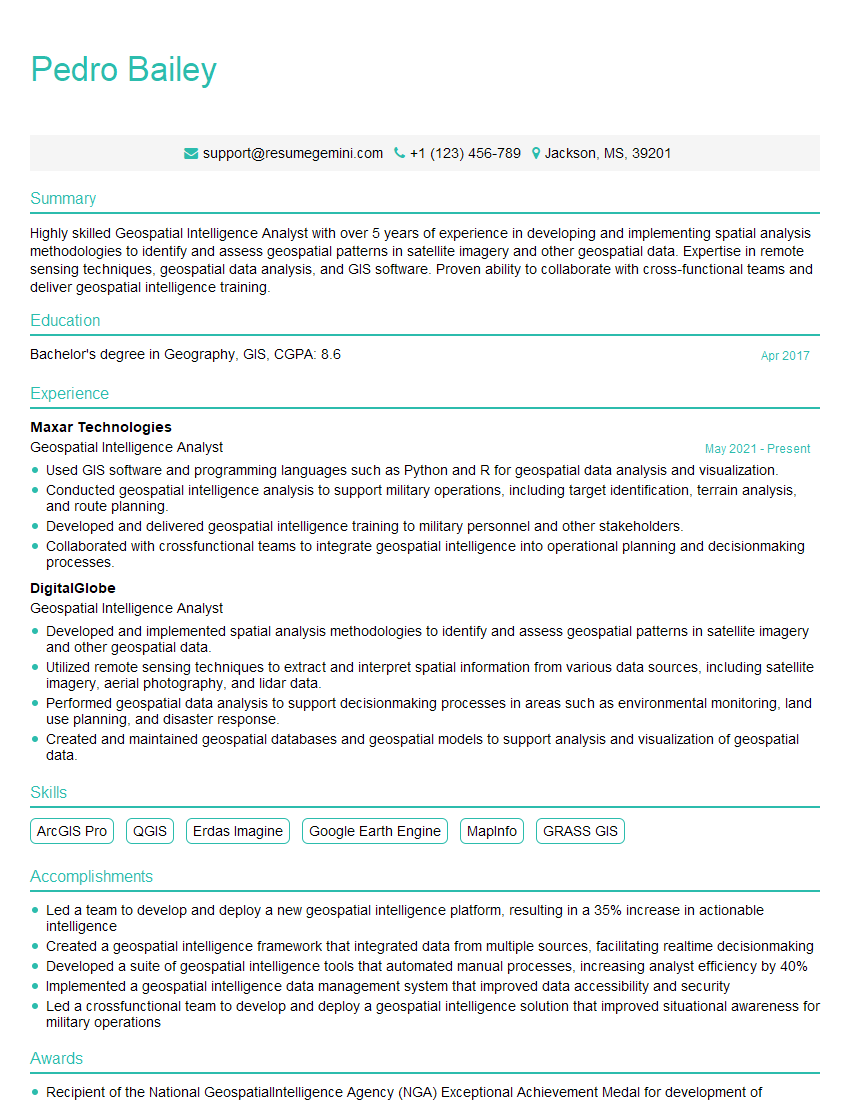
Mastering GIS Mapping Software Applications is crucial for a thriving career in many exciting fields, opening doors to roles with significant impact. To maximize your job prospects, crafting a compelling and ATS-friendly resume is essential. ResumeGemini is a trusted resource to help you build a professional resume that highlights your skills and experience effectively. Examples of resumes tailored to GIS Mapping Software Applications professionals are available to guide you. Take the next step towards your dream career today!



Explore more articles
Users Rating of Our Blogs
Share Your Experience
We value your feedback! Please rate our content and share your thoughts (optional).
What Readers Say About Our Blog
Very informative content, great job.
good