The thought of an interview can be nerve-wracking, but the right preparation can make all the difference. Explore this comprehensive guide to GIS (QGIS, ArcGIS) interview questions and gain the confidence you need to showcase your abilities and secure the role.
Questions Asked in GIS (QGIS, ArcGIS) Interview
Q 1. Explain the difference between vector and raster data.
Vector and raster data are two fundamental ways of representing geographic information in GIS. Think of it like this: vector data is like drawing a map with precise lines and points, while raster data is like a mosaic of tiny squares (pixels).
- Vector Data: Represents geographic features as points, lines, and polygons. Each feature has precise coordinates and can store attributes (e.g., a point representing a well could store information about its depth and water quality). Vector data is ideal for representing discrete objects with well-defined boundaries, such as roads, buildings, or political boundaries. File formats include shapefiles (.shp), GeoJSON, and geodatabases.
- Raster Data: Represents geographic features as a grid of cells (pixels), each with a value representing a characteristic. For example, a raster image representing elevation would have each pixel storing an elevation value. Raster data is best for representing continuous phenomena like elevation, temperature, or satellite imagery. Common file formats are GeoTIFF (.tif), JPEG, and ERDAS Imagine (.img).
Key Differences Summarized:
- Data Structure: Vector uses points, lines, and polygons; Raster uses a grid of cells.
- Data Representation: Vector represents discrete features; Raster represents continuous phenomena.
- Storage: Vector stores coordinates and attributes; Raster stores cell values.
- Scalability: Vector scales well; Raster size increases with higher resolution.
For example, a map showing the boundaries of different land parcels would be best represented as vector data, while a satellite image showing land use would be best as raster data.
Q 2. Describe the process of georeferencing a raster image.
Georeferencing a raster image is the process of assigning real-world coordinates to the image’s pixels, essentially tying it to a specific location on the Earth. This is crucial because a raw image only contains pixel values, lacking geographical context. Imagine a photo of a city; georeferencing gives that photo a place on a map.
The process typically involves the following steps:
- Identify Control Points: You need to select identifiable features that appear both on the raster image and a reference map (with known coordinates). These features could be intersections, landmarks, or recognizable structures.
- Define the Reference System: Choose a suitable Coordinate Reference System (CRS) that matches the reference map’s projection. This ensures the image is correctly positioned relative to other geographic data.
- Transform the Image: Using GIS software (like QGIS or ArcGIS), you input the control points. The software uses these points to calculate a transformation function (e.g., affine transformation, polynomial transformation) that maps the image’s pixel coordinates to real-world coordinates based on the chosen CRS. The software then applies this function to georeference the entire image.
- Assess Accuracy: After georeferencing, it is essential to evaluate the accuracy by calculating the Root Mean Square Error (RMSE). A lower RMSE indicates better accuracy.
In QGIS, this is done using the ‘Georeferencer’ plugin. ArcGIS provides similar functionality within its geoprocessing tools. The accuracy of georeferencing greatly depends on the number and quality of control points used. More points, especially those strategically spaced, lead to higher accuracy.
Q 3. What are the common coordinate reference systems (CRS) and their applications?
Coordinate Reference Systems (CRS) are essential for defining the location of geographic features. They specify how locations on the Earth’s curved surface are represented on a flat map. Different CRSs use various projections and datums.
- Geographic Coordinate Systems (GCS): Use latitude and longitude to define locations. Latitude and longitude are angles relative to the Earth’s equator and prime meridian, respectively. WGS 84 is a commonly used GCS, the standard for GPS. It’s useful for global applications.
- Projected Coordinate Systems (PCS): These are created by projecting the 3D Earth onto a 2D plane. This projection inevitably introduces distortions (area, shape, distance, direction). Different projections minimize specific types of distortions, making them suitable for different purposes. Some popular examples include:
- UTM (Universal Transverse Mercator): Divides the Earth into 60 zones, using a transverse Mercator projection within each zone. This minimizes distortion in smaller areas and is commonly used for mapping and surveying.
- State Plane Coordinate Systems (SPCS): Designed for individual states or regions. Each state may have multiple zones to minimize distortion within their boundaries.
- Web Mercator (EPSG:3857): Optimized for web mapping applications, as it avoids distortions at the equator, but it distorts significantly at higher latitudes.
Choosing the right CRS depends on the scale and extent of your project and the types of analysis you plan to perform. A global project might use WGS 84, while a local survey might use UTM or SPCS to reduce distortions.
Q 4. How do you handle spatial data errors and inconsistencies?
Spatial data errors and inconsistencies are common challenges in GIS. These errors can stem from various sources, including data acquisition, processing, and digitization. Effective error handling involves a combination of prevention and correction.
- Data Validation and Cleaning: Checking data for inconsistencies and obvious errors (e.g., overlapping polygons, gaps in lines, incorrect attribute values) is crucial. Tools for spatial data validation are available in most GIS software.
- Topology Editing: Topology rules ensure spatial data integrity. For instance, ensuring lines meet at vertices, preventing overlapping polygons, and maintaining consistent attribute values for shared boundaries. Fixing topological errors often involves manual editing using GIS software.
- Spatial Data Quality Assessment: Assessing positional accuracy, attribute accuracy, and completeness is essential. Techniques include Root Mean Square Error (RMSE) for positional accuracy and completeness checks for missing data.
- Data Transformation and Projection: Dealing with data in different CRS is critical. Correct projection and transformation are important to eliminate inconsistencies stemming from different coordinate systems.
- Error Propagation: Be mindful that errors can propagate through spatial analysis. An error in the input data can affect the results, so accurate input data is essential.
For example, if you’re working with a dataset of building footprints that have overlapping polygons, you’ll need to use topology rules or manual editing in your GIS software to fix those overlaps before performing any analysis.
Q 5. What are topology rules and why are they important?
Topology rules define spatial relationships between geographic features. They are essential for ensuring data integrity and consistency. Think of them as rules that govern how geometric features should relate to each other.
Examples of topology rules:
- Must Not Overlap: Polygons (e.g., parcels) should not overlap each other.
- Must Be Covered By: Points or lines must fall within a specific polygon (e.g., wells within a watershed).
- Must Not Have Gaps: Lines should connect to form continuous features (e.g., roads).
- Area Consistency: Polygons should have consistent areas and boundaries.
- Connectivity: Lines must connect properly at nodes to form a network.
Importance of topology rules:
- Data Integrity: Topology ensures the data is spatially sound and consistent.
- Data Quality: It enhances the reliability and accuracy of the data.
- Spatial Analysis: Many spatial analyses (e.g., network analysis) rely on topologically correct data.
- Data Editing: Topology rules guide data editing, reducing errors and speeding up the process.
Topology is crucial for applications such as utility network management, cadastral mapping, and environmental modeling. Violation of topology rules can lead to errors in spatial analysis and hinder the quality of decision-making.
Q 6. Explain the concept of spatial autocorrelation.
Spatial autocorrelation refers to the degree to which features located near each other are similar. It measures the correlation of spatial data with itself. If nearby locations tend to have similar values, there is high spatial autocorrelation (spatial clustering). Conversely, if nearby locations have dissimilar values, there is low or negative spatial autocorrelation.
Examples:
- High Spatial Autocorrelation: House prices in a particular neighborhood tend to be similar. If one house is expensive, its neighboring houses are likely to be expensive as well.
- Low Spatial Autocorrelation: A random distribution of plant species in a forest. The presence of one species does not imply the presence or absence of another nearby.
Measuring Spatial Autocorrelation:
Various statistical measures are used to quantify spatial autocorrelation, including Moran’s I and Geary’s C. These measures consider both the spatial proximity and the similarity in attribute values of features.
Significance of Spatial Autocorrelation:
Understanding spatial autocorrelation is critical in many fields. For instance, in epidemiology, it can help identify disease clusters, and in environmental science, it can assist in understanding the spatial patterns of pollution. Ignoring spatial autocorrelation in statistical modeling can lead to biased and inaccurate results.
Q 7. Describe different types of spatial analysis techniques (e.g., buffer analysis, overlay analysis).
Spatial analysis techniques are powerful tools used to extract meaningful information from geographic data. They allow us to understand spatial patterns, relationships, and trends.
- Buffer Analysis: Creates zones around features at a specified distance. This is useful for identifying areas within a certain radius of a point (e.g., a school) or along a line (e.g., a river). Imagine creating a 1km buffer around a school to show the area potentially impacted by its presence.
- Overlay Analysis: Combines two or more layers to create a new layer that contains the combined information. This is frequently used to determine spatial relationships. Examples include:
- Intersection: Keeps only the overlapping areas of two layers (e.g., finding the areas where a forest overlaps with a flood zone).
- Union: Creates a new layer containing all areas from both input layers (e.g., combining soil type and land use layers).
- Erase: Removes the portions of one layer that overlap with another (e.g., removing the parts of a road layer that are covered by a building layer).
- Proximity Analysis: Measures distances or spatial relationships between features (e.g., determining the nearest hospital to a specific location).
- Density Analysis: Calculates the density of points or features within a given area (e.g., calculating the population density of a city).
- Network Analysis: Analyzes connections and flows in networks (roads, pipelines, etc.). It helps find the shortest paths, optimal routes, or service areas (e.g., determining the best routes for emergency vehicles).
These techniques are applied in numerous fields including urban planning, environmental management, transportation planning, and public health.
Q 8. How do you perform spatial joins in QGIS/ArcGIS?
Spatial joins in GIS software like QGIS and ArcGIS are crucial for integrating data from different layers based on their spatial relationships. Imagine you have a layer of census tracts and a layer of crime incidents. A spatial join would allow you to associate crime statistics with each census tract.
In QGIS, you’d typically use the ‘Join attributes by location’ tool. This tool allows you to specify the target layer (e.g., census tracts), the join layer (e.g., crime incidents), the type of geometric predicate (intersects, contains, etc.), and how to handle multiple matches. You can choose to create a new layer with the joined attributes or update the existing target layer.
ArcGIS offers a similar functionality through the ‘Join’ tool in the geoprocessing toolbox. The process involves choosing the target feature class, the join feature class, the join type (one-to-one, many-to-one, etc.), and the spatial relationship. Similar to QGIS, you can append the data to the target feature class or create a new one.
For example, if using the ‘intersects’ predicate, each census tract will be joined with all crime incidents that fall within its boundaries. The resulting dataset would contain census tract information alongside the number or type of crimes reported in each tract, allowing for powerful spatial analysis.
Q 9. Explain the difference between a point, line, and polygon feature.
The fundamental building blocks of most GIS data are points, lines, and polygons. They represent different levels of spatial dimensionality.
- Point: A point feature represents a single location in space, like a GPS coordinate. Think of it as a dot on a map. Examples include locations of trees, wells, or fire hydrants. These only have an x and y coordinate.
- Line: A line feature represents a linear extent, often used to depict roads, rivers, or utility lines. It’s defined by a series of connected points creating a path. It has length but no area.
- Polygon: A polygon feature represents an area, like a park, building, or country. It’s a closed shape defined by a series of connected points that form a loop. It has both length and area.
Understanding the differences between these features is crucial for selecting appropriate analysis methods. For instance, calculating the length of a river requires line features, while measuring the area of a forest requires polygon features.
Q 10. What is a geodatabase and what are its advantages?
A geodatabase is a container that stores various types of geographic data in a structured and organized manner. Think of it as a highly organized filing cabinet specifically designed for GIS data, providing significant advantages over simple shapefiles.
- Data Integrity: Geodatabases enforce data integrity through schema management. They ensure data consistency and prevent errors by defining data types, relationships, and constraints.
- Data Relationships: They allow you to establish relationships between different feature classes, making complex spatial analysis possible. For example, you could relate street addresses (points) to parcels (polygons) and link those to property ownership data.
- Versioning and Editing: Advanced geodatabases offer versioning, allowing multiple users to edit the data concurrently without conflicts. This is especially beneficial in collaborative projects.
- Spatial Indexing: They employ spatial indexing techniques to improve the speed and efficiency of spatial queries. This enables faster processing of large datasets.
- Data Storage: They can store various data types including feature classes (points, lines, polygons), rasters, tables, and annotations.
In essence, geodatabases provide a more robust, reliable, and efficient way to manage and analyze geographic data compared to other formats like shapefiles.
Q 11. How do you manage large datasets in QGIS/ArcGIS?
Managing large datasets in GIS requires efficient strategies that leverage the software’s capabilities and best practices. This often involves a multi-pronged approach.
- Data Subsetting: Instead of processing the entire dataset at once, you can work with smaller, manageable subsets. This involves selecting specific areas of interest or filtering out unnecessary data.
- Data Compression: Raster data can often be significantly reduced in size using compression techniques without noticeable loss of quality. Similarly, some vector formats support compression.
- Spatial Indexing: Ensuring appropriate spatial indexing is crucial for fast querying of the data. The software should be configured to efficiently locate features based on spatial location.
- Database Management Systems (DBMS): For extremely large datasets, integrating with a DBMS like PostGIS (for QGIS) or a dedicated enterprise geodatabase (ArcGIS) is recommended. This allows for optimized storage, retrieval, and analysis.
- Tile Caching and Pyramids: For raster datasets, creating tile caches or pyramids significantly improves visualization performance in QGIS and ArcGIS. This pre-processes the data into smaller chunks for faster loading.
Furthermore, utilizing cloud-based solutions and optimizing processing scripts can also contribute to handling large datasets efficiently.
Q 12. Describe your experience with data projection and transformation.
Data projection and transformation are essential for accurate spatial analysis and mapping. A projection defines how three-dimensional spherical coordinates are converted to a two-dimensional plane. Different projections distort the Earth’s surface in various ways.
My experience encompasses a broad range of projection systems, including UTM (Universal Transverse Mercator), geographic coordinate systems (like WGS84), State Plane Coordinates, and various map projections like Albers Equal-Area Conic and Lambert Conformal Conic.
I’m proficient in using QGIS and ArcGIS tools to reproject data from one coordinate system to another. This often involves using tools like the ‘Reproject Layer’ tool in QGIS or the ‘Project Raster’ or ‘Project Feature Class’ geoprocessing tools in ArcGIS. Understanding the implications of different projections and choosing the appropriate projection for a particular analysis or map is crucial for accurate results. For example, I once had to reproject a dataset from WGS84 to UTM for a local-scale land use analysis, reducing distortion and ensuring accuracy of area calculations.
Q 13. What are your preferred methods for data visualization in GIS?
Data visualization is paramount in GIS for effective communication of spatial information. My preferred methods involve a combination of techniques depending on the data and the intended audience.
- Cartographic principles: I adhere to cartographic best practices to create clear and effective maps, including appropriate symbology, labeling, and legends.
- Choropleth maps: For showing spatial patterns of quantitative data (e.g., population density), choropleth maps effectively represent variations in values across areas.
- Isoline maps: These are useful for depicting continuous surfaces like elevation or temperature, using contour lines to connect points of equal value.
- Dot density maps: These are great for visualizing the concentration of point features, such as the distribution of trees or buildings.
- Interactive maps: Leveraging web mapping technologies and incorporating interactive elements in the visualization process can significantly enhance user engagement and exploration.
I am also experienced in creating visualizations with tools like QGIS’s layout manager and ArcGIS Pro’s map layout capabilities. The choice of visualization techniques is always guided by the objective, the type of data, and the intended audience.
Q 14. Explain your experience with different types of map projections.
My experience with map projections extends to understanding their strengths and weaknesses, and how to select the appropriate projection for a given task. Different projections distort the Earth’s surface in different ways, and the choice depends heavily on the spatial extent and the type of analysis.
- Cylindrical projections (e.g., Mercator): These are useful for navigation because they preserve direction, but distort areas significantly at higher latitudes.
- Conic projections (e.g., Albers Equal-Area): These are suitable for mid-latitude regions and preserve area, but distort shapes near the edges.
- Azimuthal projections (e.g., Stereographic): These are useful for mapping polar regions and preserve direction from a central point.
- Geographic Coordinate System (GCS): This is a coordinate system that uses latitude and longitude. While not a projection, it’s fundamental to understanding the underlying coordinate system of the data.
Selecting the right projection isn’t just a technical decision. It influences the accuracy of spatial analysis. For example, calculating areas using a projection that distorts area will lead to inaccurate results. Choosing a projection involves balancing different aspects based on the specific requirements of the project.
Q 15. How do you create and manage layers in QGIS/ArcGIS?
Adding and managing layers is fundamental to any GIS project. Think of layers as transparent sheets stacked on top of each other, each representing a different type of geographic data. In both QGIS and ArcGIS, you can add layers from various sources, such as shapefiles, GeoTIFFs, databases, and online services.
- QGIS: You typically add layers using the ‘Add Layer’ menu. This allows you to browse your computer’s file system or connect to a database to import data. You can then manage the layer’s properties (symbology, labelling, visibility) through the Layer Properties dialog. For example, you might change the color of a polygon layer representing land use to make it easier to distinguish different zones.
- ArcGIS: ArcGIS provides similar functionality through the ‘Add Data’ menu. You can add data from various sources including geodatabases, file geodatabases, and shapefiles. Layer properties, such as symbology and labeling, are managed through the Layer Properties window. Imagine you’re working with a map of elevation; you can adjust the color ramp to effectively visualize changes in altitude.
Beyond adding layers, both programs allow for robust management: you can reorder layers to control their visual display order, change their symbology to enhance visual clarity, and perform various analyses directly on the layers within the respective software.
Career Expert Tips:
- Ace those interviews! Prepare effectively by reviewing the Top 50 Most Common Interview Questions on ResumeGemini.
- Navigate your job search with confidence! Explore a wide range of Career Tips on ResumeGemini. Learn about common challenges and recommendations to overcome them.
- Craft the perfect resume! Master the Art of Resume Writing with ResumeGemini’s guide. Showcase your unique qualifications and achievements effectively.
- Don’t miss out on holiday savings! Build your dream resume with ResumeGemini’s ATS optimized templates.
Q 16. Describe your experience with spatial query languages (e.g., SQL).
Spatial query languages, primarily SQL (Structured Query Language), are invaluable for extracting specific information from spatial databases. My experience encompasses writing SQL queries to select features based on both spatial and attribute characteristics.
For instance, I’ve used SQL to find all parcels within a certain distance of a proposed highway route (using spatial functions like ST_DWithin in PostGIS). I’ve also used SQL to filter data based on attribute values, such as selecting only parcels zoned for residential use. This allows for efficient retrieval of precise data subsets for analysis and reporting.
My experience extends to using SQL within various database systems like PostgreSQL/PostGIS and Oracle Spatial. I’m proficient in writing complex queries involving joins, subqueries, and spatial functions to effectively retrieve and manipulate data for analysis and map production.
SELECT * FROM parcels WHERE ST_DWithin(geom, ST_GeomFromText('POINT(10 20)'), 1000); -- Example query in PostGISQ 17. Explain your understanding of raster data processing techniques (e.g., reclassification, resampling).
Raster data processing involves manipulating gridded datasets, like satellite imagery or DEMs (Digital Elevation Models). Reclassification and resampling are two key techniques.
- Reclassification: This involves changing the values of cells in a raster. For example, you might reclassify a land cover raster to simplify categories. A raster with 10 land cover types might be reclassified into 3 broader categories (forest, urban, water). This simplification can improve the efficiency of subsequent analyses.
- Resampling: This is used when changing the resolution of a raster. If you have a high-resolution raster and need to work with a lower resolution, resampling algorithms like nearest neighbor, bilinear, or cubic convolution are used to estimate the values of the new cells. The choice of method depends on the data and the desired accuracy; nearest neighbor is fast but can lead to artifacts while cubic convolution is smoother but computationally more expensive. Imagine downscaling high resolution satellite imagery to a lower resolution to improve processing speed without drastically sacrificing information.
Understanding these techniques is crucial for tasks such as suitability analysis (identifying areas appropriate for a particular land use), change detection (comparing rasters over time), and creating composite indices (combining different rasters).
Q 18. How do you perform spatial interpolation?
Spatial interpolation estimates values at unsampled locations based on known values at nearby locations. Imagine having temperature readings at a few weather stations – interpolation allows you to estimate temperatures at locations between the stations.
Several methods exist, each with its strengths and weaknesses:
- Inverse Distance Weighting (IDW): A simple method where the value at an unsampled location is a weighted average of the known values, with closer points having greater weight. It’s easy to understand and implement but can produce artifacts near data points.
- Kriging: A geostatistical method that considers both the spatial distribution of data and the spatial autocorrelation to produce estimates. It provides measures of uncertainty which IDW does not.
- Spline Interpolation: This method fits a smooth surface through the known points. It’s good for creating smooth surfaces but may not accurately reflect the underlying pattern in the data if there are sharp changes.
The choice of method depends on the data characteristics, the desired accuracy, and the computational resources available. For example, Kriging is often preferred when uncertainty estimates are crucial, while IDW is a good choice for quick estimations when accuracy isn’t paramount.
Q 19. What are your experiences with different GIS software packages beyond QGIS and ArcGIS?
Beyond QGIS and ArcGIS, I have experience with several other GIS software packages. This includes:
- GRASS GIS: A powerful open-source GIS with extensive capabilities for raster and vector analysis, particularly useful for large datasets and advanced spatial modeling.
- WhiteboxTools: A free and open-source GIS specializing in advanced raster processing, ideal for hydrology, remote sensing, and terrain analysis.
- MapInfo Pro: A commercial GIS software commonly used for mapping and spatial analysis in various sectors, particularly useful for its robust database integration.
This diverse experience allows me to choose the most appropriate tool for a given task, leveraging the strengths of each package to achieve optimal results. The selection often depends on factors like licensing costs, the nature of the data, and the specific analytical tasks involved.
Q 20. How do you ensure data accuracy and quality in your GIS projects?
Data accuracy and quality are paramount in GIS. I employ a multi-pronged approach throughout the project lifecycle to ensure these crucial aspects:
- Data Source Evaluation: Carefully assessing the reliability and accuracy of data sources is the first step. Understanding the methodology used for data collection, the age of the data, and the potential sources of error is critical.
- Data Cleaning and Validation: This involves identifying and correcting errors in the data, such as inconsistencies, duplicates, and missing values. Tools like QGIS’s and ArcGIS’s data checking functionalities are used. This may also include using field calculations to detect inconsistencies.
- Spatial Consistency Checks: Checking for topological errors (e.g., overlaps or gaps in polygon layers) is essential for ensuring spatial accuracy. Spatial data editing tools within the GIS software are used for this purpose.
- Metadata Management: Maintaining comprehensive metadata (information about the data) is vital for ensuring traceability, reproducibility, and understanding the limitations of the data.
- Quality Control Measures: Implementing a rigorous quality control process, including regular data validation and peer review, helps identify and rectify errors before they impact analysis and decision-making. This usually includes a detailed documentation of the QA/QC process.
My commitment to data quality ensures that the outputs of my GIS projects are reliable, accurate, and support sound decision-making.
Q 21. Describe a situation where you had to solve a complex spatial problem.
In a previous project, I was tasked with modeling optimal locations for new water wells in a drought-stricken region. The challenge lay in considering multiple factors simultaneously: proximity to existing infrastructure, water table depth (obtained from raster data), land use restrictions, and population density. Simply overlaying these factors wasn’t sufficient; we needed a more sophisticated approach.
My solution involved using a weighted overlay analysis in ArcGIS. I first reclassified each factor into a common scale (e.g., 1-5) reflecting its suitability for well placement. Then, I assigned weights to each factor based on its relative importance (determined through stakeholder consultation), using a multi-criteria evaluation (MCE) framework. Finally, the weighted layers were combined to generate a suitability map showing the optimal locations for new wells.
This integrated approach helped us to present a well-supported recommendation to decision-makers, ensuring that the placement of new wells maximizes access to water while minimizing conflicts with existing land uses.
Q 22. Explain your understanding of metadata and its importance.
Metadata is essentially descriptive information about data. Think of it as a detailed label that tells you everything about a dataset, including its source, creation date, coordinate system, and what it represents. It’s crucial for understanding, managing, and using GIS data effectively. Without proper metadata, finding, interpreting, and using data becomes a significant challenge, like trying to find a specific book in a library without a catalog.
- Importance: Metadata ensures data discoverability, facilitates data quality control, allows for better data interoperability between different systems, and supports data reusability and long-term preservation. It aids in understanding data limitations and potential biases.
- Example: A shapefile of roads in a city would have metadata specifying the source (e.g., city planning department), projection (e.g., UTM Zone 17N), date of creation, and attributes included (e.g., road name, type, speed limit). This information is critical for anyone wanting to use this data in their analysis.
Q 23. What are your experiences with versioning and data management in GIS?
Versioning and data management are cornerstones of any successful GIS project. Versioning allows tracking changes made to a dataset over time, which is critical for collaboration and auditing. In QGIS, I utilize features like the ‘History’ tool in the ‘Edit’ menu for managing edits and reverting to previous versions. ArcGIS offers powerful versioning capabilities within its geodatabase environment. This allows multiple users to edit data concurrently without overwriting each other’s work. Proper data management involves implementing clear naming conventions, creating comprehensive metadata, and establishing a well-structured file system for efficient organization and retrieval.
In a recent project involving mapping land use changes over a decade, versioning in ArcGIS Pro was crucial. We had multiple users contributing edits to land parcel data across different time periods. The versioning system ensured that we could track who made specific changes, when they were made, and easily revert to previous states if needed. This prevented data loss and maintained a clear audit trail of all updates.
Q 24. How do you create custom tools or scripts within QGIS/ArcGIS?
Creating custom tools and scripts significantly enhances GIS workflows. In QGIS, I primarily use Python within the Processing framework. This allows me to automate repetitive tasks, such as batch processing of raster data or generating custom reports. ArcGIS provides ModelBuilder for creating graphical workflows and Python scripting capabilities within its arcpy module. This enables the development of advanced geoprocessing tools.
Example (QGIS Python): A Python script within the Processing Toolbox could automate the process of clipping multiple shapefiles to a common boundary, applying a specific style, and exporting the results to a new folder. This avoids manual repetition for each shapefile.
# Example QGIS Python script snippet
from qgis.core import *
# ... (code to process and clip shapefiles)...
Q 25. Explain your knowledge of different GIS file formats (e.g., Shapefile, GeoTIFF, GeoJSON).
Understanding various GIS file formats is essential for interoperability and data exchange.
- Shapefile: A widely used vector format storing geometric data (points, lines, polygons) and associated attributes. It’s relatively simple but requires multiple files (.shp, .shx, .dbf, .prj) to function completely. Its simplicity makes it easy to share but it lacks the efficiency of geodatabases for large datasets.
- GeoTIFF: A raster format supporting georeferencing (location information) and various compression methods, ideal for storing satellite imagery and elevation data. It efficiently stores pixel values and location, making it popular for large datasets.
- GeoJSON: A text-based, human-readable vector format increasingly used for web mapping and data exchange. It’s lightweight and easily parsed by various applications and programming languages.
Choosing the right format depends on the data type, size, and intended use. For instance, a simple road network might use a shapefile, while high-resolution satellite imagery would benefit from GeoTIFF’s efficiency.
Q 26. How do you use GPS data in your GIS workflow?
GPS data is often the foundation for many GIS projects, providing real-world location information. My workflow typically involves importing GPS data (often in GPX or CSV formats) into QGIS or ArcGIS. This data is often post-processed to correct errors, handle inconsistencies in data acquisition, and ensure accuracy, often through techniques like interpolation and smoothing. After importing and processing, the GPS data can be integrated with other GIS data layers for analysis and visualization. For example, GPS tracklogs from fieldwork can be overlayed on basemaps to show movement patterns, or GPS points of collected samples can be used for spatial analysis.
For example, I recently used GPS data collected during a field survey to map vegetation types. After importing the GPS points into QGIS, I used spatial analysis tools to classify vegetation zones based on the locations and attributes recorded at each point. The resulting map accurately depicted the distribution of different vegetation types.
Q 27. Describe your experience with remote sensing and image processing techniques.
Remote sensing and image processing are integral to my GIS expertise. I’m proficient in using tools like ERDAS Imagine, ENVI, and the raster processing capabilities within QGIS and ArcGIS to perform various operations on satellite and aerial imagery. These operations include orthorectification (geometric correction), atmospheric correction (removing atmospheric effects), image classification (categorizing pixels into different classes, like land cover types), and change detection (identifying changes over time).
In a project involving flood mapping, I utilized Sentinel-2 satellite imagery. Through atmospheric correction and image classification, I created a flood inundation map, providing critical information for disaster response. Techniques like NDVI (Normalized Difference Vegetation Index) analysis were used to assess vegetation health before and after the flood, complementing the inundation map.
Q 28. How would you approach a project requiring integration of various data sources (e.g., census data, satellite imagery)?
Integrating various data sources is a common GIS task requiring a structured approach. I typically follow these steps:
- Data Acquisition and Preparation: Obtain the necessary data (census data, satellite imagery, etc.) ensuring they are in compatible formats and projections. This might involve data cleaning, error correction, and format conversion.
- Data Integration: Use geoprocessing tools to integrate the datasets. For example, I might perform spatial joins to link census data to polygon boundaries derived from satellite imagery. Or I’d use raster calculator to combine different raster datasets to produce a composite image.
- Data Analysis: Perform spatial analysis using the integrated dataset, employing techniques like overlay analysis, spatial statistics, or interpolation, depending on the project goals.
- Visualization and Output: Create maps, charts, and reports to communicate the findings effectively. This might include creating thematic maps showing the distribution of variables, or using spatial statistics to identify clusters or patterns.
In a project analyzing the relationship between urban sprawl and air quality, I integrated census data (population density), satellite imagery (urban land cover), and air quality monitoring station data. By using spatial analysis techniques, I identified correlations between population density, urban expansion, and air pollution levels, contributing to informed urban planning strategies.
Key Topics to Learn for GIS (QGIS, ArcGIS) Interview
- Spatial Data Fundamentals: Understanding vector and raster data models, coordinate systems (WGS84, UTM, etc.), projections, and data transformations. Practical application: Explaining the advantages and disadvantages of using different data formats for a specific project.
- Data Acquisition and Preprocessing: Methods for acquiring GIS data (e.g., GPS, remote sensing, digitizing), data cleaning, error detection, and geoprocessing techniques. Practical application: Describing your experience with data cleaning and preprocessing workflows, including handling inconsistencies and errors.
- Spatial Analysis Techniques: Proficiency in using spatial analysis tools such as overlay analysis (union, intersection), buffering, proximity analysis, network analysis, and spatial statistics. Practical application: Explaining how you’ve used spatial analysis to solve a real-world problem, such as identifying optimal locations for new infrastructure.
- QGIS/ArcGIS Software Proficiency: Demonstrating a strong understanding of the user interface, toolbars, functionalities, extensions, and scripting capabilities (e.g., Python for ArcGIS or Processing Toolbox for QGIS). Practical application: Describing efficient workflows within your preferred software for common GIS tasks.
- Cartography and Visualization: Creating clear, accurate, and effective maps and visualizations using various symbolization methods, labeling techniques, and map layouts. Practical application: Showcasing examples of maps you’ve created and explaining the design choices made.
- Geodatabase Management: Understanding geodatabase structures, managing feature classes, attribute tables, and relationships within a geodatabase environment (file geodatabases, enterprise geodatabases). Practical application: Describing your experience with geodatabase design and maintenance.
- Data Management and Versioning: Strategies for organizing, archiving, and versioning large datasets to ensure data integrity and collaborative workflow efficiency. Practical application: Explaining a project where you managed and versioned GIS data effectively.
- Remote Sensing Principles (optional): Basic understanding of remote sensing concepts, image processing techniques, and applications. Practical application: Discussing your experience with image classification or other remote sensing applications.
- GPS and GNSS (optional): Fundamentals of GPS technology, data collection using GPS receivers, and error analysis. Practical application: Describing your experience collecting and processing GPS data.
Next Steps
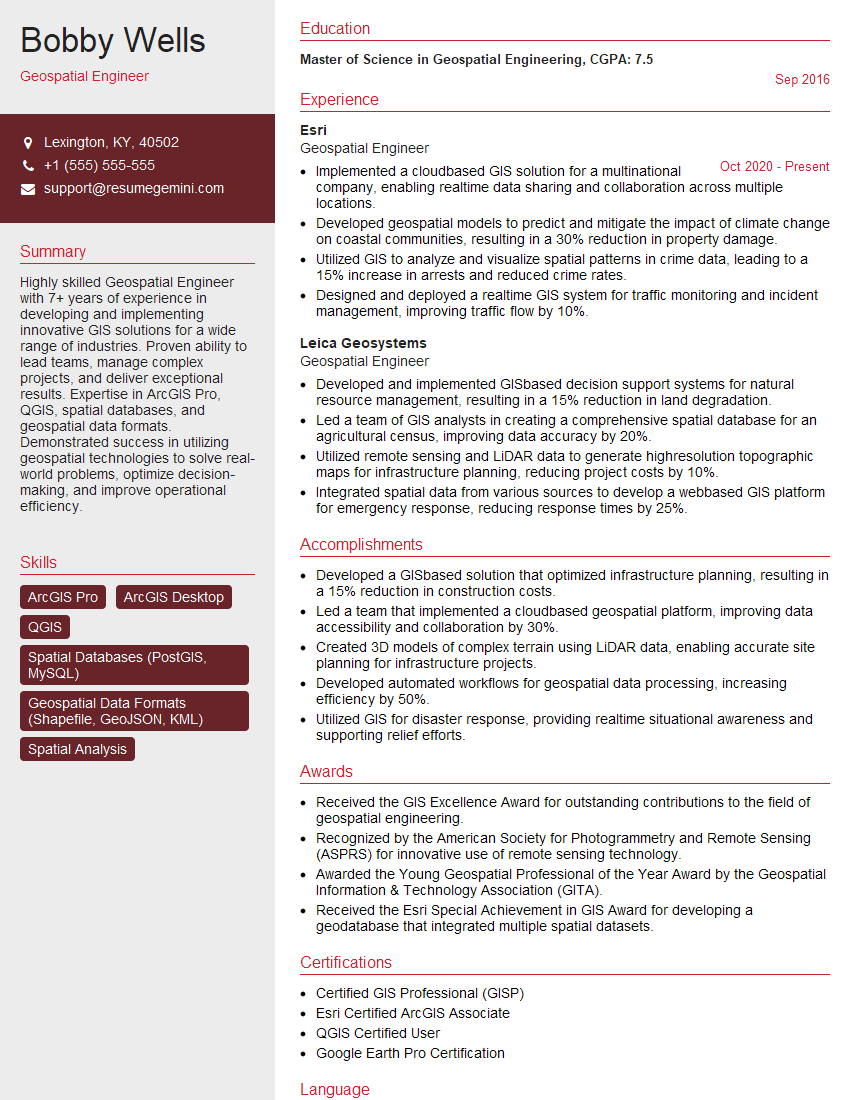
Mastering GIS skills with QGIS and ArcGIS opens doors to exciting and diverse career opportunities in various sectors. To significantly boost your job prospects, crafting an ATS-friendly resume is crucial. ResumeGemini is a trusted resource that can help you build a professional resume that gets noticed. Take advantage of their tools and resources, including examples of resumes tailored to GIS (QGIS, ArcGIS) roles, to create a compelling application that showcases your skills and experience.


Explore more articles
Users Rating of Our Blogs
Share Your Experience
We value your feedback! Please rate our content and share your thoughts (optional).
What Readers Say About Our Blog
Very informative content, great job.
good