Every successful interview starts with knowing what to expect. In this blog, we’ll take you through the top GPS Mapping and Navigation interview questions, breaking them down with expert tips to help you deliver impactful answers. Step into your next interview fully prepared and ready to succeed.
Questions Asked in GPS Mapping and Navigation Interview
Q 1. Explain the difference between latitude and longitude.
Latitude and longitude are the coordinates that define a point’s location on the Earth’s surface. Think of it like a grid system wrapped around our planet. Latitude measures the angle north or south of the Equator, ranging from 0° (Equator) to 90° (North and South Poles). Longitude measures the angle east or west of the Prime Meridian (passing through Greenwich, England), ranging from 0° to 180° in both east and west directions.
Example: New York City has an approximate latitude of 40.7° North and a longitude of 74° West. This means it’s about 40.7 degrees north of the Equator and 74 degrees west of the Prime Meridian. The combination of latitude and longitude uniquely identifies the location.
Imagine slicing an orange: latitude lines are like the horizontal slices, while longitude lines are the vertical slices. The intersection of these lines precisely pinpoints any location on the orange’s surface (Earth).
Q 2. Describe the various types of GPS errors and how they are mitigated.
GPS errors are unavoidable, stemming from various sources. These include:
- Atmospheric Effects: The ionosphere and troposphere can delay GPS signals, leading to positional inaccuracies. This is mitigated using sophisticated models that estimate and correct for these delays.
- Multipath Errors: Signals bouncing off buildings or other objects before reaching the receiver cause inaccuracies. Mitigation techniques include advanced signal processing algorithms and antenna design.
- Satellite Geometry (GDOP): The relative positions of the satellites affect the precision of the position calculation. A poor geometric arrangement (high GDOP) leads to larger errors. This is managed by using more satellites and selecting the best satellite constellation.
- Satellite Clock Errors: Slight inaccuracies in the atomic clocks onboard the satellites contribute to errors. These are corrected using precise timing information transmitted by the satellites themselves.
- Receiver Noise: The receiver electronics can introduce noise, affecting the accuracy of the signal reception. High-quality receivers with advanced filtering techniques minimize this.
Mitigation strategies often involve combining data from multiple satellites, employing differential GPS (DGPS) or Real-Time Kinematic (RTK) techniques that use a reference station with a known precise location to correct errors, and using advanced signal processing algorithms.
Q 3. What are the different coordinate systems used in GPS mapping?
GPS utilizes several coordinate systems, each suitable for different applications:
- Geographic Coordinates (Latitude/Longitude): This is the most common system, using degrees, minutes, and seconds to represent location on the Earth’s ellipsoidal surface. It’s easily understood but not ideal for distance calculations.
- Universal Transverse Mercator (UTM): This divides the Earth into 60 longitudinal zones, projecting each zone onto a flat surface using a transverse Mercator projection. It uses meters as units, making distance calculations straightforward within a zone.
- State Plane Coordinates: Designed for specific states or regions, this system minimizes distortion within a relatively small area. It’s useful for local surveying and mapping projects.
- Military Grid Reference System (MGRS): Used primarily by the military, MGRS provides a grid-based coordinate system built upon the UTM system. It offers a simpler way to communicate locations.
The choice of coordinate system depends on the scale and purpose of the mapping project. For global applications, geographic coordinates are common, while UTM or state plane coordinates are better suited for regional or local projects requiring accurate distance measurements.
Q 4. How does GPS technology work?
GPS technology relies on a constellation of satellites orbiting the Earth. These satellites transmit precise timing signals, which GPS receivers use to determine their location. The process works as follows:
- Signal Transmission: GPS satellites continuously broadcast signals containing information about their position and the precise time.
- Signal Reception: A GPS receiver receives signals from multiple satellites (at least four are needed for a 3D position fix).
- Triangulation: Using the time it takes for the signals to reach the receiver, along with the known satellite positions, the receiver calculates its distance from each satellite.
- Position Calculation: Through triangulation, the receiver determines its precise three-dimensional position (latitude, longitude, and altitude).
The accuracy depends on several factors, including the number of satellites received, atmospheric conditions, and the quality of the receiver. The system requires accurate atomic clocks on the satellites and sophisticated signal processing in the receivers to achieve high accuracy.
Q 5. Explain the concept of georeferencing.
Georeferencing is the process of associating geographic coordinates (latitude and longitude) with data, such as images, maps, or other spatial information. It essentially gives spatial context to non-spatial data. For instance, a scanned map might be georeferenced by aligning it to known ground control points (GCPs) with known coordinates. This allows the map to be displayed within a GIS alongside other geographically referenced data.
Example: A historical aerial photograph of a city can be georeferenced by identifying buildings or landmarks on the photo that are also present on a modern map with known coordinates. Once the photo is georeferenced, it can be overlaid on a modern map within a GIS, allowing for comparisons over time.
Georeferencing is critical for integrating different datasets, enabling accurate spatial analysis, and creating seamless maps.
Q 6. What is a GIS and how does it relate to GPS mapping?
A Geographic Information System (GIS) is a powerful software system for capturing, storing, managing, analyzing, and presenting all forms of geographically referenced data. It’s essentially a digital map that can integrate and analyze diverse spatial data.
GPS mapping and GIS are closely related. GPS provides the positional data (latitude and longitude) that forms the foundation of GIS. GPS devices collect location information, which can then be imported into a GIS for further analysis and visualization. For example, GPS data from a vehicle’s navigation system might be used in a GIS to track its route, analyze travel times, or even create maps showing traffic patterns.
In essence, GPS provides the ‘where,’ and GIS provides the ‘what’ and the tools to analyze and present that spatial information in meaningful ways.
Q 7. Describe your experience with different GIS software (e.g., ArcGIS, QGIS).
I have extensive experience with both ArcGIS and QGIS. ArcGIS, a proprietary software by Esri, is a comprehensive and powerful GIS platform known for its advanced analytical capabilities and extensive toolsets. I’ve used it extensively for tasks ranging from spatial analysis and data modeling to creating interactive web maps and managing large geospatial datasets. I’m proficient in using various ArcGIS extensions like Spatial Analyst and Geostatistical Analyst for advanced spatial modeling.
QGIS, on the other hand, is a free and open-source GIS software. While lacking some of the advanced features of ArcGIS, it’s a robust alternative with a large and active community providing support and extensions. I find QGIS particularly useful for tasks involving raster data processing, spatial analysis in less complex projects, and for quick visualization tasks due to its user-friendly interface and rapid development of new functionalities.
My experience spans the entire workflow, from data acquisition and preprocessing to data analysis, visualization, and cartography, using both ArcGIS and QGIS depending on the project’s requirements and budget. For example, I might use ArcGIS for a large-scale project requiring high-end analytical functions and sophisticated data management, while using QGIS for smaller projects or exploratory data analysis where cost-effectiveness is paramount.
Q 8. How do you handle large datasets in a GIS environment?
Handling large datasets in a GIS environment requires a multi-pronged approach focusing on data management, processing, and visualization. Think of it like organizing a massive library – you can’t effectively use it if it’s a chaotic mess.
- Data Storage and Management: Utilizing geodatabases (like those offered by ESRI ArcGIS) or cloud-based solutions (like Amazon S3 or Google Cloud Storage) allows for efficient storage and retrieval of large spatial datasets. These systems offer features like spatial indexing, which drastically speeds up queries and analysis.
- Data Processing: Processing large datasets often necessitates parallel processing techniques. Tools like GDAL/OGR and specialized GIS software packages allow for distributing processing tasks across multiple cores or even multiple machines, significantly reducing processing time. For example, instead of processing a massive raster image all at once, we can break it into tiles and process each tile independently.
- Data Visualization and Analysis: Efficient visualization is crucial. Instead of trying to display everything at once, we use techniques like tiling, where the map is broken into smaller sections loaded on demand, or employing simplification algorithms to reduce the complexity of data for quicker rendering. We might also use data aggregation techniques to summarize data at different scales, simplifying analysis and visualization without losing critical information.
For instance, during a project involving analyzing nationwide traffic patterns, we utilized a cloud-based geodatabase to store terabytes of GPS trajectory data. Then, we employed parallel processing to calculate average speeds along road segments, visualizing the results using a tiled web map for optimal performance.
Q 9. Explain the process of creating a map from GPS data.
Creating a map from GPS data involves several key steps, much like transforming raw ingredients into a delicious meal. It starts with the raw GPS data and culminates in a visually informative map.
- Data Acquisition: GPS receivers collect latitude, longitude, and often altitude and timestamp data. The quality of this raw data significantly influences the final map’s accuracy.
- Data Pre-processing: This stage is crucial. It involves cleaning the data, removing outliers (erroneous GPS readings), and potentially smoothing noisy trajectories. Imagine removing stray ingredients before starting to cook.
- Data Transformation: The raw latitude and longitude coordinates are transformed into a projected coordinate system that is appropriate for the area being mapped. This accounts for the earth’s curvature and ensures accurate distances and areas on the map.
- Spatial Analysis (Optional): Depending on the purpose of the map, various spatial analysis techniques might be applied. For instance, we could calculate the density of GPS points to identify areas with high traffic or use clustering algorithms to group similar locations.
- Map Creation: Using GIS software like ArcGIS or QGIS, the processed data is visualized as points, lines, or polygons on a map. Symbols, colors, and labels are added to enhance readability and convey information effectively.
For example, creating a hiking trail map involves collecting GPS trackpoints during a hike. Post-processing removes sporadic inaccurate points, the track is then converted to a line feature, and finally displayed on a basemap with labels indicating trail difficulty and distance.
Q 10. What are the various map projections and their applications?
Map projections are methods of representing the three-dimensional Earth’s surface on a two-dimensional map. It’s like trying to flatten an orange peel – you’ll inevitably introduce some distortions. Different projections minimize different types of distortions, making them suitable for various applications.
- Mercator Projection: This is famous for its use in navigation. It preserves direction, making it ideal for seafaring. However, it significantly distorts areas, especially at higher latitudes. Greenland appears much larger than it is in reality.
- Lambert Conformal Conic Projection: This projection minimizes area distortion and is often used for mid-latitude areas. It’s common in topographic maps and atlases.
- Albers Equal-Area Conic Projection: As the name suggests, it preserves area accurately. This is crucial for maps representing land use, population density, or other thematic data where area representation is vital.
- UTM (Universal Transverse Mercator): This divides the earth into zones, applying a Mercator projection to each zone to minimize distortion. It’s widely used for large-scale mapping.
The choice of projection depends heavily on the application. For example, a nautical chart would utilize a Mercator projection, while a map showing the distribution of agricultural lands would likely employ an equal-area projection like Albers.
Q 11. How do you ensure the accuracy of GPS data?
Ensuring the accuracy of GPS data is paramount. Several factors contribute to GPS errors, and addressing them is crucial for reliable results. Think of it like fine-tuning a precision instrument.
- Differential GPS (DGPS): This technique uses a known reference station to correct for errors in GPS signals, greatly improving accuracy. It’s like having a calibration point for your GPS readings.
- Real-Time Kinematic (RTK) GPS: RTK offers centimeter-level accuracy by utilizing real-time corrections from a base station. This is vital for precise surveying and mapping applications.
- Post-Processed Kinematic (PPK) GPS: Similar to RTK, PPK utilizes base station data for correction but does so after data collection. This allows for processing GPS data and correcting errors later, offering high precision at a lower cost than real-time correction.
- Data Filtering and Smoothing: Techniques like median filtering and moving average smoothing can help remove noise and outliers from GPS trajectories, producing smoother and more realistic paths.
- Multiple System Constellation Usage: Utilizing data from multiple satellite constellations (GPS, GLONASS, Galileo, BeiDou) increases the number of satellites available for positioning, reducing error potential.
In a recent surveying project, we used RTK-GPS to ensure the accurate mapping of property boundaries with centimeter-level precision. This was critical for avoiding legal disputes and ensuring proper land demarcation.
Q 12. Describe your experience with GPS data processing and analysis.
My experience with GPS data processing and analysis spans several years, encompassing diverse projects that have required a deep understanding of spatial data handling, error correction, and data visualization. I have extensive experience using various software packages such as ArcGIS, QGIS, and specialized programming languages like Python with libraries like GDAL and GeoPandas.
I have worked on projects ranging from:
- Route optimization: Analyzing GPS traces from delivery vehicles to identify inefficiencies and optimize routes for fuel efficiency and time saving.
- Animal tracking: Processing GPS data from animal collars to understand migration patterns and habitat use, contributing to conservation efforts.
- Precision agriculture: Analyzing GPS-guided machinery data to improve farming efficiency, optimize fertilizer application, and reduce waste.
- Traffic flow analysis: Processing massive amounts of GPS data from vehicles to create detailed traffic models for urban planning and intelligent transportation systems.
My approach emphasizes rigorous data validation, careful selection of appropriate processing techniques, and clear visualization of results to ensure the reliability and usability of the final output. For example, In one project, we were able to successfully identify areas of increased traffic congestion in a major city by effectively processing and analyzing millions of GPS data points from taxi cabs.
Q 13. Explain different types of GPS receivers and their capabilities.
GPS receivers vary significantly in their capabilities, reflecting their intended uses and price points. Think of them like cameras – a simple point-and-shoot has different features than a professional DSLR.
- Single-Frequency Receivers: These are generally cheaper and simpler, receiving signals from one frequency. Accuracy is lower, suitable for basic navigation and recreational use.
- Dual-Frequency Receivers: Receive signals from two frequencies, improving accuracy and reducing interference, especially in urban environments. Ideal for mapping and surveying, though still not as precise as RTK receivers.
- RTK (Real-Time Kinematic) Receivers: These receivers, along with a base station, provide high accuracy (centimeter-level). They are used in precision applications like surveying, construction, and high-accuracy mapping.
- PPK (Post-Processed Kinematic) Receivers: Similar to RTK but process corrections after data collection, offering high accuracy at a potentially lower cost since it does not require real-time base station communication.
The choice of GPS receiver depends heavily on the application’s precision requirements. For basic navigation, a single-frequency receiver might suffice. However, for precise surveying, an RTK receiver is necessary.
Q 14. What are the applications of GPS mapping in your field of expertise?
The applications of GPS mapping are vast and are constantly expanding. In my field, GPS mapping is fundamental to many aspects of spatial analysis and decision-making.
- Precision Agriculture: Guiding farm machinery with GPS for optimized planting, fertilization, and harvesting, leading to higher yields and reduced resource consumption.
- Environmental Monitoring: Tracking animal movements to understand their behavior and habitat use, mapping pollution plumes to identify pollution sources, and monitoring deforestation.
- Urban Planning and Transportation: Analyzing traffic flow patterns, optimizing public transportation routes, and improving infrastructure planning based on real-time location data.
- Disaster Response: Mapping affected areas after natural disasters like floods or earthquakes to aid rescue efforts and coordinate relief operations.
- Logistics and Supply Chain Management: Optimizing delivery routes, tracking shipments in real-time, and managing fleet vehicles more efficiently.
For instance, I’ve used GPS mapping to model the spread of an invasive plant species. By analyzing GPS data from field surveys, we were able to create a predictive model that helped focus resource allocation for control efforts.
Q 15. How do you interpret elevation data in a GIS?
Elevation data in a GIS represents the height of a surface above a reference point, typically mean sea level. It’s crucial for understanding terrain, modeling hydrological processes, and visualizing three-dimensional spatial features. We interpret this data through various methods depending on the format and application.
For example, in a raster format, like a Digital Elevation Model (DEM), each cell holds an elevation value. We can visualize this using color ramps (where higher elevations are represented by brighter colors) or contour lines (lines connecting points of equal elevation). Analysis involves calculating slope, aspect (direction of steepest slope), and hillshade (simulating the effect of light and shadow on the terrain) to gain a deeper understanding of the landscape.
In a vector format, elevation might be stored as attributes associated with points, lines, or polygons. For instance, elevation points can be used to create a 3D model of a mountain range. Analyzing vector elevation data often involves interpolation techniques to generate a continuous surface from discrete points. Imagine using elevation data to determine suitable locations for wind turbines based on wind speeds, which are influenced by terrain height. This is a practical example of interpreting elevation data for decision-making.
Career Expert Tips:
- Ace those interviews! Prepare effectively by reviewing the Top 50 Most Common Interview Questions on ResumeGemini.
- Navigate your job search with confidence! Explore a wide range of Career Tips on ResumeGemini. Learn about common challenges and recommendations to overcome them.
- Craft the perfect resume! Master the Art of Resume Writing with ResumeGemini’s guide. Showcase your unique qualifications and achievements effectively.
- Don’t miss out on holiday savings! Build your dream resume with ResumeGemini’s ATS optimized templates.
Q 16. Describe your experience with spatial analysis techniques.
My experience with spatial analysis techniques is extensive, encompassing a wide range of methods applied to various projects. I’m proficient in techniques like overlay analysis (identifying areas where multiple datasets overlap, such as finding suitable sites for building that meet zoning, environmental, and accessibility criteria), buffer analysis (creating zones around features, such as determining the area impacted by a wildfire), proximity analysis (measuring distances between features to analyze spatial relationships, such as calculating travel time to a hospital from different neighborhoods), and network analysis (modeling movement and connectivity, such as optimizing delivery routes).
I have used these techniques with various software packages such as ArcGIS, QGIS, and GRASS GIS. For example, in one project, I used overlay analysis to combine land use data with soil type data to identify areas suitable for agriculture. This involved intersecting layers to find the common areas meeting specific criteria. In another, I performed network analysis to optimize bus routes, minimizing travel times and maximizing coverage. These analyses required careful consideration of factors like road networks, traffic patterns, and passenger demand.
Q 17. Explain the concept of spatial autocorrelation.
Spatial autocorrelation describes the degree to which nearby features are similar. If nearby features tend to have similar values (e.g., high elevation values are clustered together), we have positive spatial autocorrelation. Conversely, if neighboring features tend to have dissimilar values (e.g., high and low elevation values alternate), we have negative spatial autocorrelation. No spatial autocorrelation implies that the values are randomly distributed.
Understanding spatial autocorrelation is crucial because it violates the assumption of independence in many statistical analyses. Ignoring it can lead to incorrect inferences. For instance, in analyzing crime rates, if crimes are clustered in certain areas, ignoring the spatial autocorrelation could lead to incorrect conclusions about the effectiveness of crime-prevention strategies. Spatial autocorrelation is often measured using tools like Moran’s I and Geary’s C, and accounted for using spatial statistical models such as geographically weighted regression.
Q 18. What is the difference between vector and raster data?
Vector data represents geographic features as points, lines, and polygons, each with associated attributes. Think of it like a precise drawing, where each object has defined boundaries. For example, a city boundary would be represented as a polygon, roads as lines, and individual buildings as points. Vector data is ideal for representing discrete features and is generally good for storing detailed information.
Raster data represents geographic features as a grid of cells (pixels) each containing a value. Imagine it as a mosaic or a digital photograph, where each pixel has a color or a numerical value. Raster data is commonly used for representing continuous surfaces, such as elevation, temperature, or land cover. A digital elevation model (DEM) is a classic example of raster data. The choice between vector and raster depends on the nature of the data and the analysis to be performed.
Q 19. How do you handle inconsistencies or errors in GPS data?
GPS data is inherently prone to errors due to atmospheric conditions, multipath effects (signals bouncing off buildings or other objects), and satellite geometry. Handling these inconsistencies is a critical part of working with GPS data. My approach involves a multi-step process.
Firstly, I use data cleaning techniques to identify and remove outliers and blatant errors. This can involve visual inspection of the data, statistical analysis (identifying values far from the mean), and filtering algorithms. Secondly, I use error models and differential GPS (DGPS) or Real-Time Kinematic (RTK) GPS data to improve accuracy. DGPS uses a network of base stations to correct for errors, while RTK achieves centimeter-level accuracy using real-time corrections. Lastly, I employ spatial interpolation techniques, such as kriging or inverse distance weighting, to fill in gaps in the data and smooth out inconsistencies.
For example, if GPS data shows a vehicle suddenly jumping hundreds of meters, it’s likely an error and should be investigated and corrected. A possible explanation would be signal blockage by a high building.
Q 20. Describe your experience with data visualization techniques in GIS.
My experience with data visualization techniques is vast, encompassing various methods tailored to different datasets and audiences. I use a variety of tools, including ArcGIS Pro, QGIS, and custom programming in Python to create informative and engaging maps and charts.
I am adept at choosing appropriate chart types (bar charts, scatter plots, histograms) to display relationships between variables and utilizing different map types (choropleth maps, isarithmic maps, dot density maps) to visualize spatial patterns. I’m experienced in leveraging color ramps, symbology, labeling, and map annotations to communicate information clearly and effectively. In one instance, I created an interactive web map to display real-time traffic data, enabling users to plan their routes efficiently. The map used color-coding to represent traffic congestion levels and provided real-time updates.
Q 21. Explain your experience with different map design principles.
Effective map design is critical for clear communication. My experience encompasses several key principles. First, I always consider the audience and their needs when designing a map. This influences choices about the level of detail, symbology, and overall style. Simplicity and clarity are paramount—avoiding clutter and ensuring that the key information is easily accessible. A cluttered map is useless.
Second, I use a consistent visual hierarchy to guide the reader’s eye, ensuring that the most important information stands out. This is accomplished through the strategic use of size, color, and font. Thirdly, I carefully select appropriate map projections to minimize distortion depending on the geographical area and the type of analysis. Finally, I ensure that the map includes a clear legend, title, scale, and north arrow, all essential components of effective cartography. A well-designed map speaks for itself and needs little explanation.
Q 22. What is your experience with GPS field data collection?
My experience with GPS field data collection is extensive, encompassing various methodologies and technologies. I’ve utilized handheld GPS receivers for precise point location capture, integrating them with data loggers to record environmental parameters like temperature and humidity alongside geographical coordinates. I’m proficient in using both differential GPS (DGPS) for centimeter-level accuracy and real-time kinematic (RTK) GPS for even higher precision, critical for applications like surveying and asset mapping. Furthermore, I have experience with mobile data collection apps which streamline the workflow and integrate directly with GIS software. For example, I once used a mobile app to collect GPS data for a utility company’s pipeline mapping project, where each pipeline segment had associated attributes like material type, diameter and age, all recorded directly in the field and subsequently integrated into their GIS system for efficient management and maintenance.
I’m also experienced in post-processing data to account for errors and improve accuracy. This includes working with software like ArcGIS, QGIS, and specialized GPS processing tools.
Q 23. How do you ensure data security and integrity in a GIS environment?
Data security and integrity are paramount in a GIS environment. My approach involves a multi-layered strategy. Firstly, I implement strict access control measures, utilizing role-based permissions to limit access to sensitive data based on individual responsibilities. This is coupled with strong password policies and regular security audits. Secondly, data integrity is maintained through rigorous data validation and quality control processes. This involves checking for inconsistencies, outliers, and errors during data entry and post-processing. Data backups are regularly scheduled and stored securely, both on-site and off-site, to prevent data loss. Finally, encryption is used to protect data both in transit and at rest, utilizing industry-standard encryption protocols.
For example, in a recent project involving sensitive land ownership data, we implemented a secure database with encryption and only authorized personnel had access to the data using role-based permissions, ensuring both security and efficiency.
Q 24. Describe your experience working with different map scales.
My experience working with different map scales is broad, ranging from large-scale maps showing detailed features of a small area (e.g., 1:500 for urban planning) to small-scale maps providing a general overview of a large region (e.g., 1:1,000,000 for national-level mapping). I understand the trade-offs involved in choosing an appropriate scale – a larger scale provides more detail but covers a smaller area, while a smaller scale shows a larger area with less detail. The selection of a suitable scale depends entirely on the project objectives. A city planner needs a larger scale map to assess building footprints, while a national park manager may need a smaller scale map to display trail networks across a whole park.
I’m proficient in using GIS software to manage and manipulate data across various scales, performing tasks like data aggregation, generalization and symbolization appropriately for each scale.
Q 25. How familiar are you with real-time GPS tracking systems?
I am very familiar with real-time GPS tracking systems. I’ve worked with various systems, from simple GPS trackers on vehicles to sophisticated systems integrating multiple sensors for asset management and logistics. I understand the underlying technologies, including communication protocols (e.g., cellular, satellite) and data transmission methods. I am skilled in configuring and managing these systems, analyzing the real-time data streams to generate reports and insights, and using visualization tools to track assets in real-time on a map.
For instance, I assisted a trucking company in implementing a real-time tracking system for their fleet. This provided valuable data on fuel efficiency, driver behavior, and delivery times, resulting in significant operational improvements and cost savings.
Q 26. Explain the concept of map projections and their effects on distance, area, and shape.
Map projections are mathematical transformations that translate the three-dimensional surface of the Earth onto a two-dimensional map. Because the Earth is a sphere (more accurately, an oblate spheroid), it’s impossible to represent its surface perfectly on a flat plane without some distortion. Different map projections minimize different types of distortion, resulting in compromises between preserving shape (conformal), area (equal-area), or distance (equidistant).
For example, the Mercator projection, commonly used for navigation, preserves angles but significantly distorts areas near the poles, making Greenland appear much larger than it actually is relative to South America. In contrast, an equal-area projection like Albers preserves area but distorts shapes. The choice of projection is crucial and depends on the specific application. An equal-area projection might be best for thematic mapping showing population densities, whereas a conformal projection is suitable for navigation where accurate angles are essential.
Q 27. How would you approach a project requiring integration of GPS data with other data sources?
Integrating GPS data with other data sources is a common task in GIS. My approach is systematic and involves several key steps. First, I carefully assess the data sources and their formats, ensuring compatibility. This may involve data cleaning, transformation and formatting adjustments. Next, I establish a common spatial reference system (CRS) for all data layers to ensure correct alignment and analysis. This often includes using a suitable coordinate reference system (like UTM or geographic coordinates) based on the location and desired output. After that, the data integration process itself can be achieved through various methods depending on the nature of the data and the software used. These methods include spatial joins, overlays, and relational database joins. Finally, I implement thorough quality control measures to validate the accuracy and consistency of the integrated data. This includes visual inspection of the data on the map and appropriate statistical analysis.
For instance, I recently integrated GPS-based tree locations with remotely sensed imagery and soil data to assess forest health and inform management decisions. This involved combining point data (GPS locations), raster data (imagery), and attribute data (soil properties) to create a comprehensive dataset for analysis.
Q 28. Describe a challenging GIS project you worked on and how you overcame obstacles.
One challenging project involved creating a highly accurate 3D model of a historical site using a combination of terrestrial laser scanning (TLS) and drone-based photogrammetry. The site was complex with dense vegetation and uneven terrain, leading to significant data gaps and challenges in processing the point clouds and imagery. Overcoming these obstacles required a multi-pronged approach. First, we employed multiple scanning positions and flight paths to maximize data coverage and minimize occlusion. Second, advanced processing techniques were implemented to filter noise, stitch together overlapping data, and create a seamless 3D model. Third, we incorporated ground control points (GCPs) surveyed with RTK GPS for accurate georeferencing and to address any potential drift in our aerial data. Finally, extensive manual editing and quality control were crucial to ensure a high-quality and accurate final product. The resulting model provided invaluable insights into the site’s structure and historical evolution, and significantly enhanced its preservation and understanding.
Key Topics to Learn for GPS Mapping and Navigation Interview
- GPS Fundamentals: Understanding GPS signal reception, triangulation, and error sources (atmospheric effects, multipath). Consider exploring different GPS constellations (GPS, GLONASS, Galileo, BeiDou).
- Map Projections and Coordinate Systems: Familiarity with different map projections (Mercator, UTM, etc.) and their implications for distance and area calculations. Understanding latitude, longitude, and other coordinate systems.
- Navigation Algorithms: Knowledge of pathfinding algorithms like Dijkstra’s algorithm, A*, and their applications in route planning and optimization. Understanding the complexities of real-time navigation.
- Data Structures and Algorithms: Proficiency in relevant data structures (graphs, trees) and algorithms for efficient map manipulation and route calculations. This is crucial for optimizing navigation performance.
- Mapping Software and Tools: Practical experience with GIS software (QGIS, ArcGIS), map data formats (shapefiles, GeoJSON), and API’s for map services (Google Maps Platform, OpenStreetMap).
- Real-world Applications: Understanding the applications of GPS mapping and navigation in various industries (logistics, transportation, autonomous vehicles, surveying) and the challenges specific to each.
- Error Handling and Robustness: Strategies for handling GPS signal loss, inaccurate data, and other potential errors in a navigation system. Designing for reliability and fault tolerance.
Next Steps
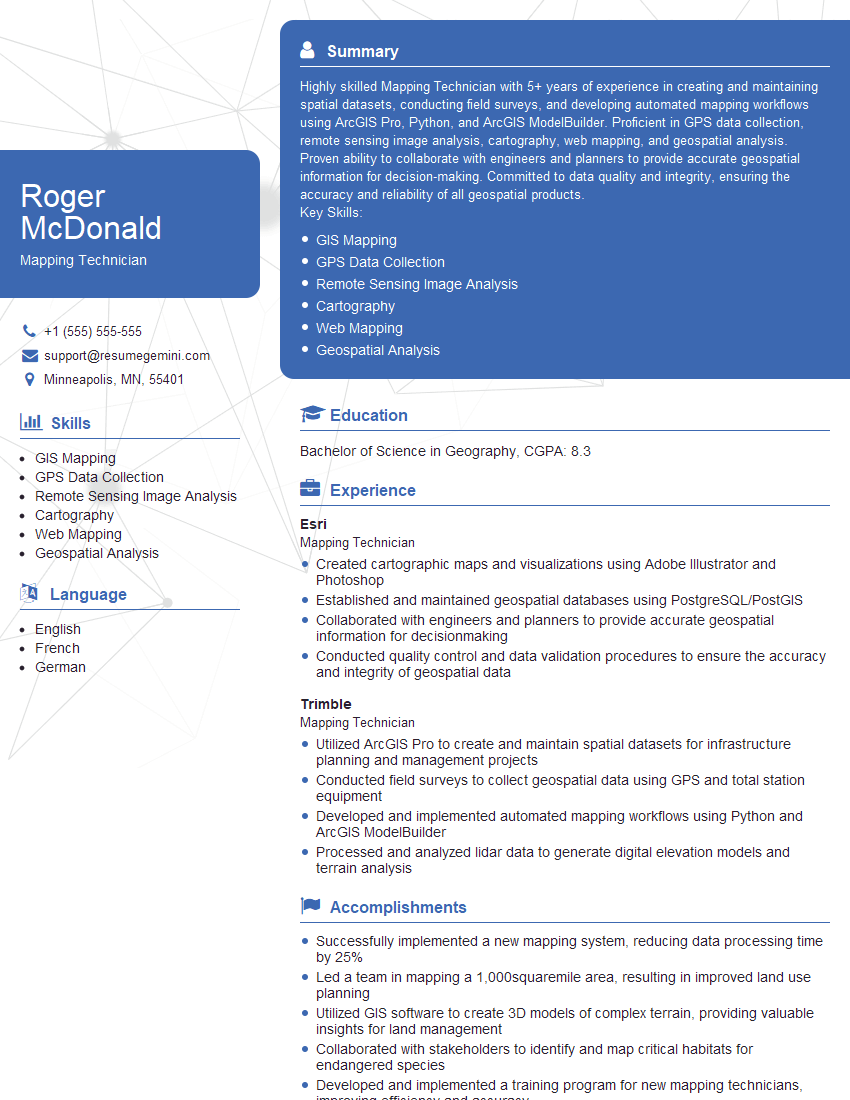
Mastering GPS Mapping and Navigation opens doors to exciting and rewarding careers in a rapidly growing technological landscape. From autonomous driving to logistics optimization, your skills are highly sought after. To maximize your job prospects, creating a strong, ATS-friendly resume is crucial. ResumeGemini is a trusted resource that can help you build a professional and impactful resume that highlights your unique skills and experience. Examples of resumes tailored to GPS Mapping and Navigation are available to help you craft a compelling application. Invest the time to present your qualifications effectively – it will significantly increase your chances of landing your dream role.





Explore more articles
Users Rating of Our Blogs
Share Your Experience
We value your feedback! Please rate our content and share your thoughts (optional).
What Readers Say About Our Blog
Very informative content, great job.
good