Feeling uncertain about what to expect in your upcoming interview? We’ve got you covered! This blog highlights the most important Graphic Design Basics interview questions and provides actionable advice to help you stand out as the ideal candidate. Let’s pave the way for your success.
Questions Asked in Graphic Design Basics Interview
Q 1. Explain the difference between RGB and CMYK color models.
RGB and CMYK are two different color models used in graphic design, each suited for different applications. RGB (Red, Green, Blue) is an additive color model, meaning colors are created by adding light. It’s used for digital displays like computer screens, smartphones, and projectors. Think of shining a red, green, and blue flashlight on a white wall; where the lights overlap, you create other colors. CMYK (Cyan, Magenta, Yellow, Key – black) is a subtractive color model, meaning colors are created by subtracting light from white. It’s used for print media like brochures, posters, and books. Imagine starting with a white sheet of paper and applying cyan, magenta, and yellow inks; the more ink you use, the darker the color becomes. The key difference lies in their light source: RGB uses light emission, while CMYK uses ink absorption.
In short: Use RGB for screens; use CMYK for print. Failure to convert between these models can lead to significant color discrepancies between your digital design and the final printed product. For example, a vibrant RGB green might appear duller in CMYK print due to the limitations of ink mixing.
Q 2. What are the principles of design?
The principles of design are fundamental guidelines that help create visually appealing and effective designs. They act as a framework for making thoughtful design decisions. They are not rigid rules but rather tools for achieving visual harmony and communication. These principles work together and often overlap.
- Balance: Distributing visual weight evenly across a design. Symmetrical balance is mirror-like; asymmetrical relies on visual weight distribution.
- Contrast: Using opposing elements to create visual interest and highlight key information. This could be color contrast, size contrast, or font contrast.
- Emphasis: Drawing attention to a specific element. This is often achieved through size, color, or placement.
- Movement: Guiding the viewer’s eye through the design using visual cues like lines, shapes, and color gradients.
- Proportion: Establishing a harmonious relationship between the size and scale of elements.
- Rhythm: Creating a sense of visual flow and repetition using patterns and repetition.
- Unity/Harmony: Combining elements to create a cohesive and visually unified design.
For instance, a website might use strong color contrast to highlight call-to-action buttons, creating emphasis and guiding user movement towards a desired action. A logo might employ symmetrical balance to convey stability and trustworthiness.
Q 3. Describe your process for creating a logo.
My logo design process is iterative and client-focused. It usually follows these steps:
- Client Briefing and Research: I begin by thoroughly understanding the client’s brand, target audience, values, and competitors. This involves detailed discussions and market research.
- Concept Development and Sketching: I generate multiple initial concepts through sketching and brainstorming. This stage allows for exploring various styles, shapes, and ideas.
- Digital Refinement: I translate the chosen sketches into digital format using software like Adobe Illustrator, experimenting with typography, color palettes, and visual elements.
- Feedback and Revisions: I present the designs to the client, gathering their feedback and making necessary revisions based on their input and my design expertise.
- Finalization and Delivery: Once the client approves the design, I prepare the final files in various formats suitable for different applications (web, print, etc.).
For example, while designing a logo for a technology company, I might use sleek geometric shapes and a modern font to reflect innovation and efficiency. Conversely, a logo for a bakery might incorporate organic forms and warm colors to evoke a sense of comfort and homemade goodness. The design always aligns with the brand’s identity and target audience.
Q 4. What software are you proficient in (Adobe Creative Suite)?
I’m highly proficient in the Adobe Creative Suite, including:
- Adobe Photoshop: For raster-based image editing, photo manipulation, and retouching.
- Adobe Illustrator: For vector-based graphics, logo design, and illustrations.
- Adobe InDesign: For page layout and desktop publishing, especially for creating brochures, magazines, and books.
- Adobe After Effects: For motion graphics and video editing (though not my primary focus).
My skills extend beyond just using these tools; I understand the nuances of each application and how they can work together effectively in a design workflow. I leverage the strengths of each program to deliver high-quality and efficient results.
Q 5. How do you handle design critiques and feedback?
I welcome design critiques and feedback as crucial steps in the design process. I approach feedback constructively, viewing it not as personal criticism but as an opportunity for improvement.
My approach includes:
- Active Listening: Carefully listening to the feedback, asking clarifying questions to ensure full understanding.
- Objective Evaluation: Analyzing the feedback objectively, separating constructive criticism from subjective preferences.
- Iterative Refinement: Implementing changes based on the feedback, testing and iterating until the design meets both the client’s expectations and design principles.
- Professional Communication: Maintaining clear and professional communication throughout the process, ensuring transparency and collaboration.
For example, if a client dislikes a color choice, I’ll explore alternative palettes, explaining the rationale behind my initial selection and showing how the new option still aligns with design principles and the overall brand.
Q 6. Explain the importance of typography in design.
Typography is the art and technique of arranging type to make written language legible, readable, and appealing. It’s far more than just choosing a font; it’s about selecting fonts that effectively convey the brand’s personality and message, ensuring readability, and enhancing the overall aesthetic appeal of the design. Typography impacts the mood, feel, and effectiveness of a design. A playful script font conveys a different message than a bold sans-serif font.
Consider these aspects of typography’s importance:
- Readability: Choosing fonts with appropriate size, weight, and contrast to ensure easy reading.
- Brand Identity: Fonts reflect brand personality—a serious corporate brand might use a classic serif font while a tech startup could use a modern sans-serif.
- Hierarchy: Using different font sizes and styles to establish visual hierarchy and guide the reader’s eye through the content.
- Mood and Tone: Fonts set the mood—a delicate script font might suggest elegance, while a bold sans-serif font might convey strength.
Poor typography can lead to poor readability and a negative impact on the overall design, while well-executed typography can elevate a design and make it more impactful and memorable.
Q 7. What is kerning and tracking?
Kerning and tracking are both adjustments made to the spacing between letters but at different levels:
- Kerning: Refers to the adjustment of space between *individual* letter pairs. It’s a fine-tuning process done to improve the visual appeal and readability of text by optimizing the spacing between specific letter combinations. For example, the space between an ‘A’ and ‘V’ might need to be adjusted as they naturally sit closer together.
- Tracking: Refers to the adjustment of space between *all* letters in a selected block of text. It’s a global adjustment that affects the overall tightness or looseness of a line or paragraph. Tracking is used to adjust the overall density of the text, making it appear more condensed or more open.
Think of kerning as microscopic adjustments and tracking as macroscopic adjustments. Both are crucial for creating aesthetically pleasing and easily readable text. Poor kerning can make words look awkward and uneven, while incorrect tracking can lead to densely packed or overly spaced text, both hindering readability.
Q 8. Describe your understanding of visual hierarchy.
Visual hierarchy is the arrangement of elements on a design to guide the viewer’s eye and emphasize important information. Think of it like a story; you want the reader to follow a specific path, understanding the key points first, then progressing to supporting details. It’s about controlling the flow of information, ensuring clarity and impact.
- Size: Larger elements naturally draw more attention.
- Color: Bright, contrasting colors command attention. Consider the psychology of color – red often signifies urgency, while blue might suggest calmness.
- Contrast: High contrast between elements makes them stand out (e.g., white text on a dark background).
- Position: Elements placed higher or centrally are typically noticed first.
- Whitespace: Strategic use of white space (negative space) helps separate elements and prevent visual clutter, thus affecting hierarchy.
For example, a website landing page might use a large headline to immediately communicate the main message, followed by a concise subheading, supporting images, and then a clear call to action button. Each element plays a specific role in guiding the user’s engagement.
Q 9. How do you ensure design accessibility?
Ensuring design accessibility means creating designs that are usable and understandable by everyone, regardless of their abilities. This includes considering users with visual, auditory, motor, cognitive, and neurological differences. Key aspects include:
- Color Contrast: Sufficient contrast between text and background ensures readability for those with low vision. Tools like WebAIM’s contrast checker can help.
- Alternative Text for Images:
alttags describe images for screen readers used by visually impaired users. - Keyboard Navigation: All interactive elements should be accessible via keyboard for users who cannot use a mouse.
- Captioning and Transcripts: Videos and audio content should have accurate captions and transcripts for users with hearing impairments.
- Clear and Simple Language: Avoid jargon and overly complex sentence structures to improve comprehension for all users.
- Font Size and Readability: Use appropriately sized and legible fonts, offering font size adjustments if possible.
For example, a government website needs to be accessible to all citizens, regardless of their abilities. Failure to provide adequate accessibility can create significant barriers to information and services, which is not only unethical but can also result in legal challenges.
Q 10. What are your favorite design resources or websites?
My go-to resources are diverse and tailored to my current needs. I regularly check
Dribbble for design inspiration and trends, Behance for project showcases, and Awwwards for recognizing exceptional web design. For specific resources, I often turn to articles and tutorials on sites focusing on design theory and usability best practices.
Beyond online resources, I also find books on graphic design history, typography, and color theory incredibly valuable. They offer a depth of understanding that online resources sometimes lack. Staying updated through these diverse resources keeps my creative process fresh and relevant.
Q 11. Explain your design process from concept to completion.
My design process is iterative and adapts to each project’s unique requirements. It generally follows these steps:
- Brief and Research: Understand the project goals, target audience, and existing brand guidelines.
- Concept Development: Brainstorm ideas, sketch concepts, and explore different visual approaches. This might involve mood boards and style explorations.
- Mood Boards & Style Tiles: Create mood boards to define the overall aesthetic and style tiles to visualize the specific design elements (typography, color palette, imagery style).
- Prototyping: Develop low-fidelity prototypes to test the layout and functionality before committing to high-fidelity designs.
- Design Implementation: Create high-fidelity designs, incorporating feedback from the prototyping phase. This often involves collaboration with developers.
- Testing and Iteration: Test the design with users to identify areas for improvement. This iterative approach ensures the final design meets the needs and expectations of the users.
- Finalization and Delivery: Finalize the design assets and deliver them in the appropriate file formats for the intended platform (web, print, etc.).
For example, when designing a logo, the initial research phase might involve analyzing competitors’ logos, defining the brand identity, and considering the target audience. The iterative process ensures the final logo is both visually appealing and effectively communicates the brand essence.
Q 12. How do you manage your time effectively on multiple projects?
Managing time effectively across multiple projects requires a structured approach. I utilize project management tools like Trello or Asana to track tasks, deadlines, and progress. These tools allow me to visualize my workload and prioritize tasks based on urgency and importance.
I also break down large projects into smaller, manageable tasks. This makes the overall project feel less daunting and allows for better tracking of progress. Time blocking is another valuable technique. I allocate specific time slots for particular tasks or projects, minimizing distractions and maximizing focus.
Regularly reviewing my schedule and adjusting priorities as needed is crucial. Open communication with clients and team members is essential to manage expectations and ensure everyone is aligned on deadlines and deliverables.
Q 13. Describe a time you had to solve a design problem creatively.
In one project, I was tasked with designing a website for a non-profit organization with a very limited budget. Stock photography was out of the question. Instead of compromising on quality, I utilized creative commons licensed images and collaborated with local photographers who donated their time for the cause. I also designed a very clean and minimalist layout that reduced the overall need for extensive imagery, focusing instead on strong typography and well-structured content. The end result was a website that was visually appealing, accessible, and aligned with the organization’s values, even within the budget constraints.
Q 14. What is your experience with color theory?
Color theory is fundamental to my design process. It’s not just about picking pretty colors; it’s about understanding how colors interact, evoke emotions, and create visual harmony or contrast. My understanding encompasses:
- Color Wheel: Understanding primary, secondary, and tertiary colors, and how they relate to each other.
- Color Harmonies: Applying different color schemes, such as complementary, analogous, triadic, and split-complementary, to achieve specific visual effects. For example, a complementary scheme (colors opposite each other on the wheel) creates strong contrast, while analogous colors (next to each other) provide harmony.
- Color Psychology: Knowing the psychological impact of colors on the viewer – red for energy, blue for calmness, green for nature, etc. This understanding is crucial in aligning color choices with the message and brand identity.
- Color Modes: Working confidently with RGB (for screens) and CMYK (for print) color models and understanding their differences.
For instance, when designing a website for a spa, I might utilize a palette of calming blues and greens, evoking a sense of serenity and relaxation. Conversely, a website for a sports brand might use vibrant, energetic colors to convey excitement and dynamism. The application of color theory goes far beyond aesthetics; it is a critical tool for communication and emotional engagement.
Q 15. Explain the difference between vector and raster graphics.
The core difference between vector and raster graphics lies in how they represent images. Raster graphics, like JPEGs and PNGs, are made up of a grid of pixels. Each pixel has a specific color, and changing the image size alters the pixel count, leading to pixelation or blurring. Think of it like a mosaic – changing the size changes the individual tile size, affecting the overall quality. Vector graphics, on the other hand, use mathematical formulas to define shapes and lines. This means you can scale them to any size without losing quality, as the computer is recalculating the shapes, not simply stretching pixels. Think of it like an architect’s blueprint; you can enlarge the blueprint without losing the definition of the lines and shapes.
In practical terms: Raster graphics are ideal for photographs and images with complex details where subtle color gradations are crucial. Vector graphics are best for logos, illustrations, and designs that need to be scaled without losing sharpness, such as website icons or scalable print designs.
Career Expert Tips:
- Ace those interviews! Prepare effectively by reviewing the Top 50 Most Common Interview Questions on ResumeGemini.
- Navigate your job search with confidence! Explore a wide range of Career Tips on ResumeGemini. Learn about common challenges and recommendations to overcome them.
- Craft the perfect resume! Master the Art of Resume Writing with ResumeGemini’s guide. Showcase your unique qualifications and achievements effectively.
- Don’t miss out on holiday savings! Build your dream resume with ResumeGemini’s ATS optimized templates.
Q 16. How do you ensure brand consistency across different design materials?
Maintaining brand consistency across various design materials is paramount for building a strong brand identity. This involves creating a comprehensive brand style guide that acts as a central repository for all visual elements.
- Logo variations: Define primary, secondary, and variations of your logo for different applications (e.g., horizontal, vertical, small-scale versions).
- Color palette: Specify exact color codes (e.g., Hex, CMYK, RGB) for primary, secondary, and accent colors, ensuring consistency across all platforms.
- Typography: Choose specific fonts for headlines, body text, and captions, including font weights and sizes for various use cases.
- Imagery style: Establish a consistent photographic or illustrative style that reflects your brand’s personality.
- Brand voice and tone: The brand style guide should extend beyond visual elements to encompass the brand’s voice and tone, dictating the overall language and style of communication.
By meticulously documenting these elements and distributing the style guide to all designers and stakeholders, you minimize inconsistencies and maintain a unified brand image across websites, social media, marketing materials, and packaging.
For example: If a company uses a specific shade of blue (#007bff) in its logo, this exact code should be used across all materials. Deviation from this can weaken brand recognition and create a fragmented brand experience.
Q 17. What is your experience with user interface (UI) design?
My UI design experience encompasses a range of projects, focusing on creating intuitive and visually appealing interfaces for both web and mobile applications. I have a strong understanding of user-centered design principles and I’m proficient in tools like Figma and Adobe XD. I am particularly adept at wireframing, prototyping, and iterative design, constantly seeking user feedback to refine designs.
In one project, I redesigned the user interface for an e-commerce platform, focusing on improving navigation and product discovery. By implementing user testing and A/B testing, we improved conversion rates by 15%.
Q 18. What is your experience with user experience (UX) design?
My UX design experience involves more than just aesthetics; it’s about understanding the user journey and crafting seamless experiences. This includes user research, information architecture, interaction design, and usability testing. I utilize various methodologies such as user interviews, surveys, and card sorting to gather data, analyze user behaviors and pain points, and then translate those insights into effective design solutions.
For example, in a recent project for a healthcare app, I conducted extensive user research to understand the specific needs and challenges of users. This allowed me to streamline the user flow for medication reminders and appointment scheduling, improving user satisfaction and adherence to treatment plans.
Q 19. Describe your experience with print design.
My print design experience covers a wide spectrum, from brochures and flyers to posters and packaging. I’m proficient in Adobe InDesign, Illustrator, and Photoshop, and understand the nuances of print production, including color profiles (CMYK) and bleed considerations. I have extensive experience with pre-press preparation and working with printers to ensure high-quality output.
I’ve worked on projects ranging from designing marketing materials for small businesses to creating high-impact annual reports for larger corporations. Understanding the unique constraints and opportunities presented by print, such as paper choice and tactile elements, is crucial to creating successful print designs.
Q 20. What is your experience with web design?
My web design experience includes designing responsive websites, ensuring optimal viewing across various devices (desktops, tablets, and mobiles). I’m comfortable working with HTML, CSS, and JavaScript (at a foundational level) and am skilled in using content management systems (CMS) such as WordPress. My approach prioritizes user experience, accessibility, and search engine optimization (SEO) best practices. I also have experience designing e-commerce websites and incorporating e-commerce functionalities.
I recently completed a project where I redesigned a non-profit’s website, improving its information architecture and call-to-action placement, which significantly increased donations.
Q 21. How do you stay up-to-date with design trends?
Staying current in the ever-evolving field of design requires a multifaceted approach. I regularly engage with online resources like Dribbble, Behance, and Awwwards to observe the latest design trends and the work of leading designers. I also actively participate in online design communities and forums, engaging in discussions and learning from others’ experiences. Attending design conferences and workshops, reading design publications, and subscribing to design newsletters are other strategies I use to maintain my knowledge. Ultimately, continuous learning is key to adapting to new technologies and evolving design aesthetics.
Q 22. What are some common design pitfalls to avoid?
Common design pitfalls often stem from neglecting fundamental principles. One major mistake is poor visual hierarchy – failing to guide the viewer’s eye through the design in a logical and engaging way. This results in a confusing and ineffective layout. For example, using the same font size and weight for headings and body text makes it hard to understand the information’s importance. Another frequent issue is inconsistent branding. Using different fonts, colors, or styles across different parts of a design dilutes the brand’s message and makes it look unprofessional. Think of a website where the logo is different on each page – jarring and unreliable. Ignoring whitespace is another big problem. Cramming too much content into a small space makes the design feel cluttered and overwhelming. It’s like trying to read a novel written in all caps with no paragraph breaks. Finally, neglecting accessibility is a significant error. Designs should be usable by everyone, including people with disabilities. This means using sufficient color contrast, alt text for images, and keyboard navigation options.
Q 23. How do you use design to communicate a message?
Design is a powerful communication tool. We use visual elements to convey a message, evoking emotion and guiding user behavior. For example, a bold, bright red button signals urgency and action, whereas a subtle, muted blue button implies calm contemplation. Color psychology plays a vital role – think green for nature, blue for trust, red for passion. Typography also conveys meaning; a serif font might suggest tradition, while a sans-serif font might indicate modernity. The layout itself communicates; a clean, minimalistic design might project sophistication, while a busy, energetic design might evoke excitement. The placement of elements also matters significantly; emphasizing key information through size, position, and contrast ensures the intended message is clearly received. Storytelling is key; through image selection, layout, and composition, a narrative can unfold effectively conveying the core message.
Q 24. What is your approach to designing for different screen sizes?
Designing for different screen sizes requires a responsive design approach. This means creating a layout that adapts seamlessly to various devices, from desktops to tablets to smartphones. I typically utilize a combination of techniques: fluid grids, where elements resize proportionally to the screen, and media queries, which apply different CSS styles based on screen size. I also focus on flexible images, using percentages instead of fixed pixels, so they scale appropriately. Creating responsive designs starts with establishing a clear understanding of different device capabilities and user expectations. I always prioritize mobile-first design; starting the design process by making it work seamlessly on the smallest screen. Testing across multiple devices is essential, ensuring the design functions and looks great on various platforms.
Q 25. Explain your experience with creating mockups and wireframes.
I have extensive experience creating mockups and wireframes using tools such as Figma and Sketch. Mockups are visual representations of the final design, showcasing the look and feel, while wireframes serve as blueprints outlining the structure and functionality. My process usually begins with understanding the project’s goals and target audience. I then create low-fidelity wireframes to establish the basic layout and information architecture, focusing on user flow and interaction. These are often simple sketches or digital diagrams. Once approved, I move on to high-fidelity mockups, adding visual details, branding, and imagery. This iterative process helps ensure that the design meets client needs and is user-friendly. For example, I recently designed a wireframe for an e-commerce app, testing various layouts before moving onto a high-fidelity mockup showing the colors, fonts, and imagery that provided the best user experience.
Q 26. What is your process for choosing the right font for a project?
Choosing the right font is crucial for conveying the right message and ensuring readability. My process starts by considering the project’s goals and brand personality. A playful brand might suit a script font, while a corporate brand might require a clean sans-serif. I then assess the content’s length and complexity. A long body of text might require a highly legible serif font, while short headlines might benefit from a bold, impactful sans-serif. Readability is paramount; I ensure sufficient contrast against the background and appropriate font size for the intended audience. I also consider accessibility, choosing fonts that are easily read by those with visual impairments. Finally, I always test different font pairings to ensure visual harmony and avoid clashes. I might use a tool like Google Fonts to explore various options.
Q 27. How do you incorporate whitespace effectively in your designs?
Whitespace, or negative space, is often overlooked but incredibly important for creating a clean and visually appealing design. It’s not just the absence of content; it’s a powerful design element that improves readability, guides the viewer’s eye, and creates visual breathing room. I use whitespace strategically to create visual hierarchy, separating different sections of the design to improve organization and clarity. Think of it as the frame of a painting – it defines and enhances the artwork. For example, I might use generous margins and padding around text blocks to improve readability, or add ample space between elements to prevent a cluttered look. Using whitespace effectively can also highlight crucial design elements by giving them room to breathe. It’s about visual balance and understanding how the space around elements impacts the overall design.
Q 28. Describe your understanding of Gestalt principles.
Gestalt principles are fundamental laws of human perception that explain how we visually organize elements. Understanding these principles is crucial for creating effective and visually appealing designs. Proximity suggests that elements placed close together are perceived as a group. Similarity refers to similar elements being perceived as related. Closure means our minds tend to complete incomplete shapes. Continuity describes our tendency to perceive lines and curves as continuing even if interrupted. Figure/ground explains how we distinguish between the main focus (figure) and the background (ground). I apply these principles in my design by grouping related elements closely, using similar styles for consistent messaging, and creating visual hierarchies that are easy to understand. A good example of this is using proximity to group related items in a shopping cart, making it easy for users to manage their selections. Using Gestalt principles creates more engaging and intuitive designs.
Key Topics to Learn for Graphic Design Basics Interview
- Design Principles: Understanding fundamental principles like balance, contrast, proximity, repetition, and alignment. Practical application: Analyzing existing designs to identify the use of these principles and explaining their effectiveness.
- Color Theory: Mastering color palettes, harmonies (complementary, analogous, etc.), and the psychological impact of color choices. Practical application: Creating mood boards and explaining your color choices for a specific design project.
- Typography: Knowledge of font families, hierarchies, kerning, leading, and tracking. Practical application: Justifying type choices for readability and visual appeal in a design scenario.
- Image Composition and Manipulation: Understanding the rule of thirds, leading lines, and using software like Photoshop or Illustrator to retouch and enhance images. Practical application: Describing your workflow for image editing and optimization for different mediums.
- Design Software Proficiency: Demonstrating working knowledge of Adobe Creative Suite (Photoshop, Illustrator, InDesign) or other relevant design software. Practical application: Explain your experience with specific tools and features within your chosen software.
- Design Process and Workflow: Understanding the stages of a design project (briefing, research, sketching, prototyping, final artwork). Practical application: Detailing your approach to a design challenge and articulating the rationale behind your decisions.
- Visual Communication & Storytelling: Explain how design elements effectively communicate ideas and evoke emotions. Practical application: Analyzing the success or failure of a particular design in achieving its communicative goals.
Next Steps
Mastering Graphic Design Basics is crucial for launching and advancing your career. A strong foundation in these principles will significantly improve your design skills and open doors to exciting opportunities. To maximize your job prospects, crafting an ATS-friendly resume is essential. ResumeGemini is a trusted resource that can help you build a professional and impactful resume, ensuring your skills and experience are highlighted effectively. Examples of resumes tailored to Graphic Design Basics are available to guide you.

Art Director Resume Sample

Creative Director Resume Sample

Web Designer Resume Sample
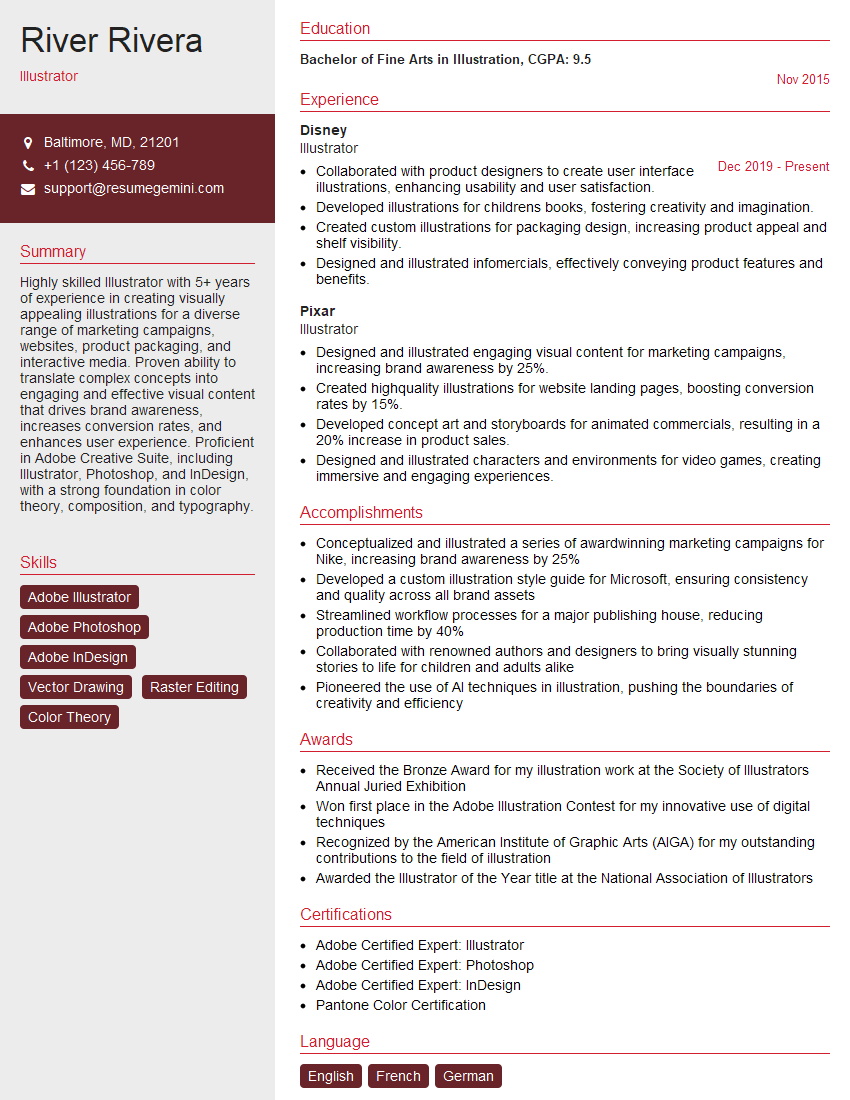
Illustrator Resume Sample

Graphic Designer Resume Sample
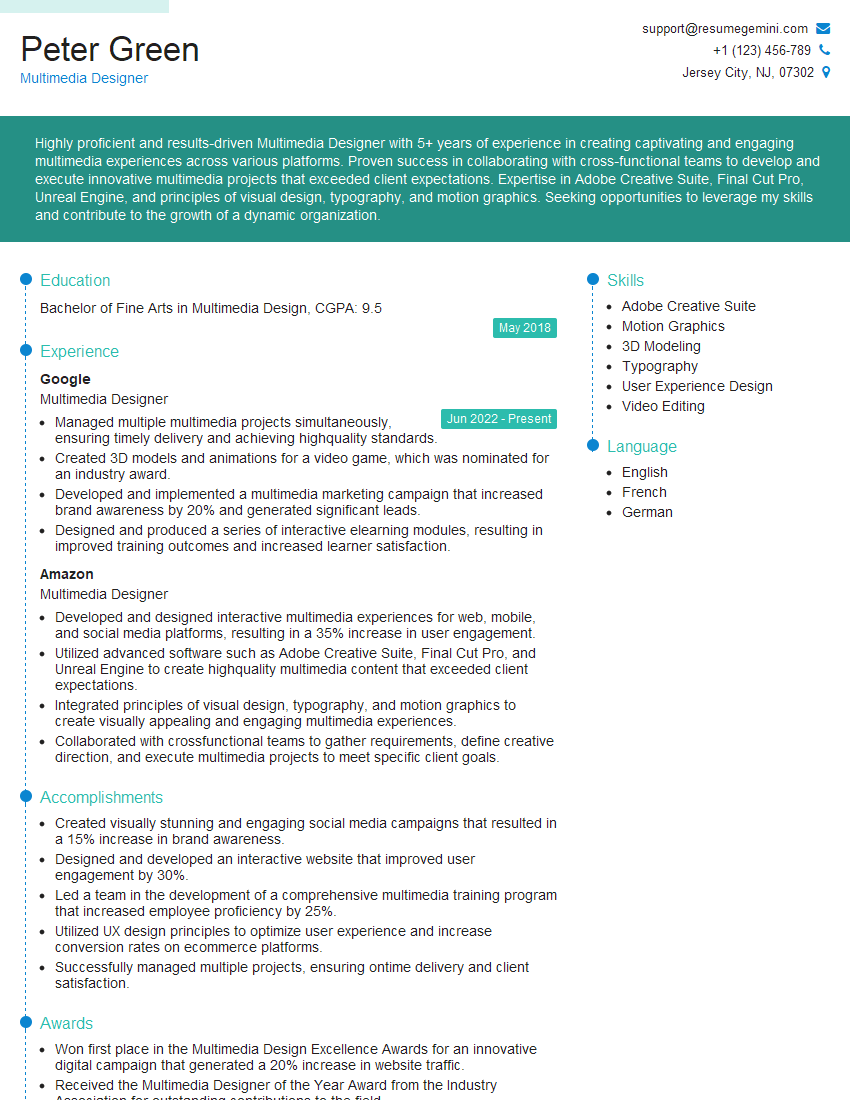
Multimedia Designer Resume Sample

Packaging Designer Resume Sample
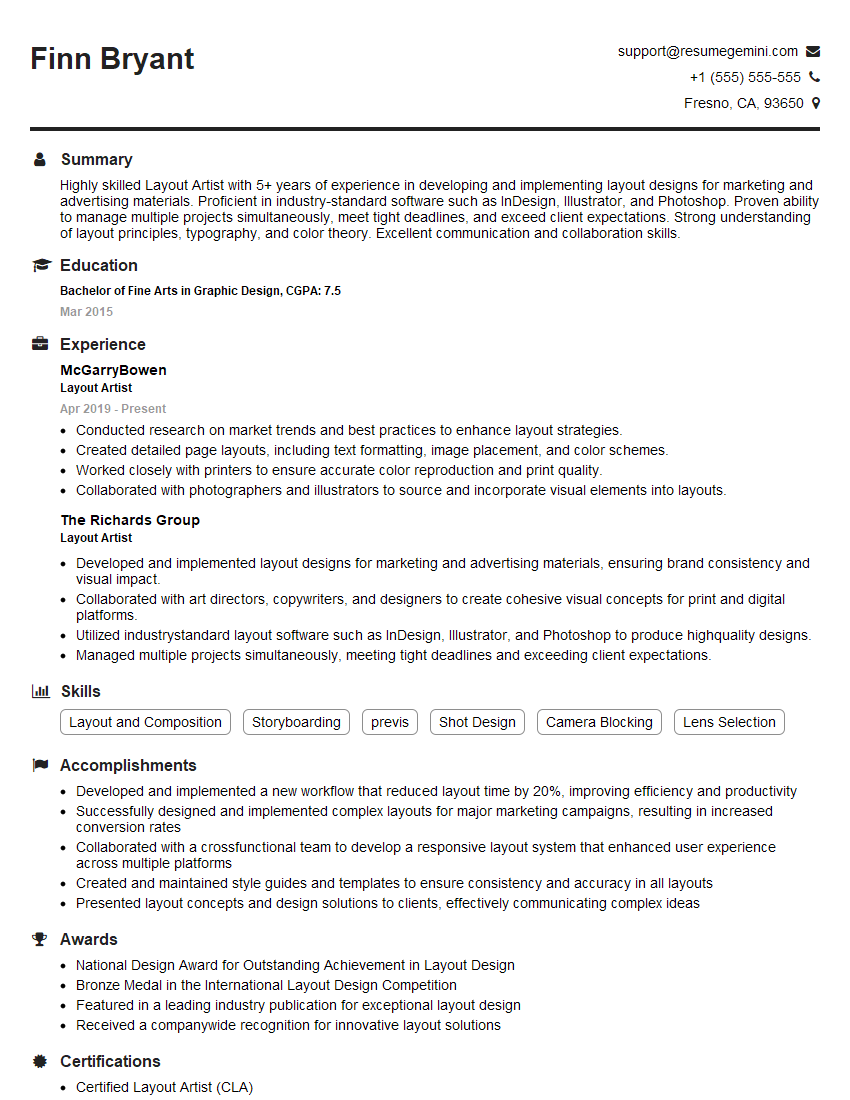
Layout Artist Resume Sample

UX Designer Resume Sample
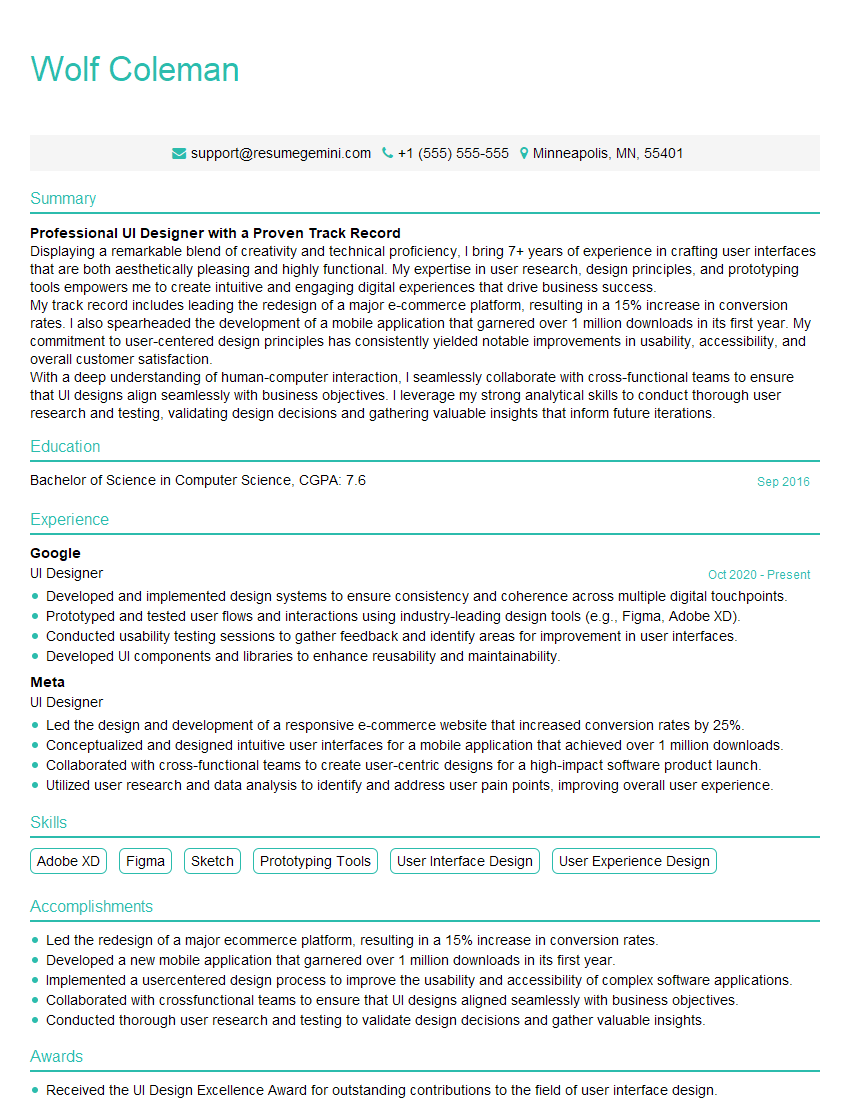
UI Designer Resume Sample
Explore more articles
Users Rating of Our Blogs
Share Your Experience
We value your feedback! Please rate our content and share your thoughts (optional).
What Readers Say About Our Blog
Very informative content, great job.
good