The thought of an interview can be nerve-wracking, but the right preparation can make all the difference. Explore this comprehensive guide to Helioscope interview questions and gain the confidence you need to showcase your abilities and secure the role.
Questions Asked in Helioscope Interview
Q 1. Explain the difference between a fixed-tilt and a single-axis tracking system in Helioscope.
In Helioscope, both fixed-tilt and single-axis tracking systems represent different approaches to orienting solar panels to optimize sunlight capture. A fixed-tilt system keeps the panels at a constant angle throughout the year, typically optimized for the average annual solar angle. Think of it like a permanently set picture frame – its angle never changes. This simplicity translates to lower installation costs, but it sacrifices some potential energy yield compared to tracking systems.
A single-axis tracking system, however, rotates the panels along a single axis (usually east-west) to follow the sun’s movement across the sky. Imagine a sunflower constantly turning its face towards the sun. This dynamic adjustment allows for significantly increased energy production, particularly during peak sun hours, but comes with higher upfront costs and increased maintenance.
The choice between the two hinges on the project’s specific circumstances: the balance between maximizing energy yield and minimizing costs. For instance, a small residential system might opt for a fixed-tilt for its lower cost, while a large-scale utility project might favor single-axis tracking to enhance ROI despite the increased initial investment.
Q 2. How do you account for shading in your Helioscope models?
Accurately modeling shading in Helioscope is crucial for realistic performance predictions. Helioscope offers several ways to incorporate shading effects. The most common is using the built-in shading analysis tools. This involves importing a digital elevation model (DEM) and creating accurate representations of nearby obstacles like trees, buildings, or hills. The software then automatically calculates the shadows cast on the array throughout the day and year. The resolution of the DEM is key; higher-resolution DEMs lead to more accurate shading calculations.
For complex shading scenarios, you can also manually define shading objects within Helioscope. This allows for very precise control, particularly when dealing with irregularly shaped obstructions where a DEM may not provide enough detail. However, this requires careful measurement and input of precise coordinates and dimensions. It’s important to accurately account for all shading factors because even minor shading can significantly impact the overall energy production of a solar array.
Finally, regular site visits and visual inspections should be employed to verify the model’s accuracy and identify any unexpected shading factors that might not be captured by the DEM or manual input. Any discrepancies can be incorporated through iterative refinements in the Helioscope model.
Q 3. Describe your process for optimizing the array layout in Helioscope for maximum energy yield.
Optimizing array layout in Helioscope involves iterative adjustments of panel arrangement, aiming to maximize energy yield while minimizing land use and cost. My process typically involves these steps:
- Initial Layout: I begin with a preliminary array layout based on site constraints (land availability, access roads, etc.).
- Shading Analysis: I perform a thorough shading analysis using the DEM and manual inputs, identifying and minimizing potential shading issues.
- Orientation and Tilt Optimization: I optimize the array’s orientation and tilt angles using Helioscope’s built-in tools, considering the site’s latitude, climate, and shading conditions.
- Spacing and Row Arrangement: I carefully adjust the spacing between rows and panels, balancing shading avoidance with land usage efficiency. Helioscope’s simulation helps determine the optimal spacing for maximum energy production while minimizing mutual shading.
- Iterative Refinement: I iteratively refine the layout based on the simulation results. I make adjustments to the panel arrangement, spacing, and orientation and re-run the simulation until I achieve the desired balance between energy production, land use, and cost. This iterative approach ensures the optimal design is found.
For example, in a project with significant east-west shading, I might experiment with adjusting row spacing or even using a portrait arrangement for panels to mitigate this shading impact and maximize the energy output.
Q 4. How do you use Helioscope to analyze the performance of different inverter technologies?
Helioscope allows for detailed comparison of different inverter technologies by modeling their specific performance characteristics. Each inverter type (e.g., string inverters, microinverters, power optimizers) has unique efficiency curves, maximum power points, and power handling capacities. These parameters are crucial in determining the overall system performance. Helioscope allows you to input these parameters for each inverter type being considered.
By inputting the specifications of different inverters into the Helioscope model, you can directly compare their projected energy output, loss factors, and overall system efficiency under the same conditions (weather data, array layout, etc.). This comparison allows for informed decision-making based on factors like cost, efficiency, and suitability for specific array configurations. For example, a comparison might reveal that microinverters, despite higher initial cost, offer better energy production in a partially shaded array compared to a string inverter.
Q 5. Explain how to model different weather data sets in Helioscope.
Helioscope allows you to model different weather datasets to accurately assess the performance of a solar energy system across varying climatic conditions. You can import weather data from different sources, such as the National Renewable Energy Laboratory’s (NREL) Typical Meteorological Year (TMY) data or custom weather files. The key is to choose a dataset that accurately reflects the historical and anticipated weather patterns at your project site. Using inappropriate data could lead to inaccurate system performance predictions.
When selecting a weather dataset, consider parameters like solar irradiance (GHI, DNI, DHI), temperature, wind speed, and cloud cover. The accuracy of the chosen dataset directly affects the reliability of the Helioscope simulation results. In addition, if high accuracy is required, or if the site lacks reliable long-term data, you might need to use a combination of data from different sources or employ sophisticated techniques to extrapolate or refine existing datasets.
Q 6. What are the key parameters you consider when analyzing the financial performance of a solar project using Helioscope?
Analyzing the financial performance of a solar project in Helioscope involves evaluating several key parameters. These parameters help assess project viability and inform crucial investment decisions.
- Energy Production: Helioscope provides detailed energy yield projections, crucial for estimating revenue generation.
- Capital Costs: This includes costs associated with equipment (panels, inverters, racking), installation, and permitting. Helioscope can help estimate these costs.
- Operational Costs: These are recurring expenses like insurance, maintenance, and monitoring. They are factored into assessing the overall project profitability.
- Financing Costs: This includes interest rates, loan terms, and other financing costs. Helioscope helps integrate these to compute Net Present Value (NPV) and other financial metrics.
- Incentives and Tax Credits: Applicable government incentives, rebates, and tax credits are factored into determining the overall project ROI.
- Electricity Prices: Projected electricity prices over the project’s lifetime directly impact revenue streams and the financial viability of the project.
- Depreciation and Salvage Value: The depreciation schedule and estimated salvage value of the equipment affect the project’s financial performance over its lifetime.
By analyzing these parameters within Helioscope’s financial model, we can generate key financial metrics such as NPV, Internal Rate of Return (IRR), and Payback Period, which are used to evaluate the economic viability of the solar project.
Q 7. How do you validate the accuracy of your Helioscope simulations?
Validating Helioscope simulations requires a multi-pronged approach to ensure accuracy and reliability. A key method involves comparing the simulated results against real-world performance data from similar projects, if available. This provides a benchmark to assess the model’s accuracy in predicting energy yield and other key parameters.
Another crucial step involves verifying the input data used in the simulation. This includes checking the accuracy of weather data, panel specifications, and system configurations. Errors in the input data directly propagate into the simulation results. Ensuring the accuracy of the site’s topography and shading analysis through on-site inspections and high-resolution DEMs is also essential for validating results.
Finally, sensitivity analysis plays a crucial role. By systematically varying key parameters (e.g., irradiance levels, shading factors, inverter efficiency), we can evaluate the model’s sensitivity to changes and estimate the range of possible outcomes. This helps to identify areas where uncertainties could significantly affect the results and prioritize further data acquisition or model refinement.
Q 8. Explain the importance of accurate system sizing in Helioscope.
Accurate system sizing in Helioscope is paramount because it directly impacts the financial viability and performance of a solar energy project. Undersizing leads to lower energy production and missed revenue potential, while oversizing increases initial costs without a proportional increase in energy generation. Helioscope’s strength lies in its ability to model various parameters – from solar irradiance and module characteristics to shading and system losses – to provide a highly accurate estimate of energy yield.
For example, consider a project where we’re aiming for a 10kW system. If we undersize by 10%, we might only generate 9kW, leading to a 10% loss in annual energy production. Conversely, oversizing by 10% increases initial capital expenditure unnecessarily. Helioscope’s detailed simulations help us find the optimal balance, ensuring the system meets energy demands efficiently and cost-effectively.
Q 9. Describe your experience using Helioscope’s reporting features.
Helioscope offers comprehensive reporting capabilities that are crucial for project development and communication. I frequently utilize its features to generate detailed reports showcasing key performance indicators (KPIs) such as annual energy production, capacity factor, and system losses. These reports include graphs and charts that visually represent system performance under different scenarios, allowing for easier understanding and analysis.
Beyond the standard reports, I often customize them to highlight specific aspects relevant to my clients. For example, I might create a report focusing solely on the impact of shading on energy production, or one demonstrating the financial return on investment (ROI) for various system sizes. This ability to tailor the reporting to specific client needs or project requirements is a critical advantage.
Q 10. How do you handle complex terrain in your Helioscope designs?
Handling complex terrain in Helioscope requires careful consideration and often involves multiple steps. First, I utilize high-resolution elevation data to accurately model the site’s topography. This ensures that shading calculations account for variations in elevation, which significantly impact energy production, especially in hilly or mountainous regions. Next, I meticulously place the array using Helioscope’s tools, ensuring that no modules are obstructed by terrain or other structures.
Sometimes, manual adjustments are necessary. Helioscope allows for fine-grained control over array placement and orientation, enabling me to optimize the system design to minimize shading losses even in challenging terrains. For instance, I might adjust the tilt and azimuth of the panels to mitigate shading from nearby hills or trees. The visual tools provided by Helioscope are invaluable in visualizing the effects of these adjustments on the overall system performance.
Q 11. How does Helioscope handle different module types and their specifications?
Helioscope’s database includes a wide range of commercially available PV modules. When designing a system, I select the specific module from the library based on its specifications, which include manufacturer, wattage, efficiency, dimensions, and temperature coefficients. These parameters are directly incorporated into the simulation, allowing Helioscope to accurately calculate energy production for that specific module.
If a module is not listed in the database, I can manually input its specifications, ensuring accuracy. This flexibility is vital because module technology is constantly evolving and different projects may require specific module choices. The software seamlessly integrates these inputs into the overall system simulation providing a precise energy yield prediction.
Q 12. What are the limitations of Helioscope, and how do you address them?
While Helioscope is a powerful tool, it has limitations. One key limitation is its reliance on meteorological data; the accuracy of the simulation directly depends on the quality of the weather data used. Another is the simplification of certain physical phenomena, such as soiling losses (dirt accumulation on panels) or snow accumulation, which can be significant in some locations. Finally, the model doesn’t inherently include microclimatic effects that may influence individual panel performance.
To address these limitations, I employ several strategies. I always use high-quality, reliable weather data. For soiling and snow losses, I incorporate conservative estimates based on local climate data and experience. I also conduct on-site assessments to account for microclimatic factors not captured in the simulation. By combining Helioscope’s modeling capabilities with on-site observations and expert judgment, I can mitigate these limitations and increase the reliability of my design and projections.
Q 13. Explain the concept of performance ratios in Helioscope and how to interpret them.
Performance Ratio (PR) in Helioscope is a key indicator reflecting the overall efficiency of a solar PV system. It represents the ratio of actual energy produced to the maximum possible energy production under ideal conditions. A higher PR signifies better system performance. The formula is typically expressed as: PR = Actual Energy Produced / (Nominal Power * Peak Sunshine Hours).
Helioscope calculates PR by considering various factors such as module temperature, shading, inverter efficiency, and wiring losses. Interpreting the PR allows for identifying areas for improvement. For instance, a low PR might indicate significant shading issues, suggesting the need for array re-orientation or changes in system layout. Similarly, a low PR may highlight inefficient inverters or suboptimal wiring, highlighting areas for optimization in the design. A typical range for PR is between 0.75 and 0.85, but this can vary depending on location and specific project conditions.
Q 14. How do you use Helioscope to assess the impact of different shading scenarios?
Helioscope offers powerful tools to assess the impact of different shading scenarios on system performance. I use the integrated shading analysis features to model various scenarios, such as shading from nearby trees, buildings, or even the terrain itself. The software provides a visual representation of the shading patterns throughout the year, which helps me to identify problematic areas and optimize the system design to minimize shading losses.
For example, if I find a significant shading effect from a neighboring building during the peak sun hours, I can simulate different array orientations and positions to minimize the impact. I can also explore various solutions like using different module configurations or adding bypass diodes to reduce the impact of shading on individual cells or strings within a module. This allows for a thorough evaluation of various mitigation strategies, leading to more robust and efficient system design.
Q 15. How do you utilize Helioscope for micro-inverters and string inverters?
Helioscope handles both micro-inverters and string inverters seamlessly. The key difference lies in how you model the system’s electrical architecture. For string inverters, you define strings of modules connected in series, with each string feeding into a single inverter. Helioscope automatically calculates the voltage and current for each string. The software considers string mismatch losses inherent in this configuration. Think of it like a single large pipeline carrying energy from multiple sources to one processing unit.
With micro-inverters, each module (or sometimes a small group) has its own individual inverter. In Helioscope, you’ll model this by assigning a micro-inverter to each module or module group within the array design. This granular approach eliminates string mismatch losses, as each module operates independently, optimizing its own energy production. It’s like having many small, independent pipelines each delivering energy to the grid.
The software then accounts for the specific characteristics of the chosen inverters, such as maximum power point tracking (MPPT) behavior and efficiency curves, to provide accurate energy production estimates.
Career Expert Tips:
- Ace those interviews! Prepare effectively by reviewing the Top 50 Most Common Interview Questions on ResumeGemini.
- Navigate your job search with confidence! Explore a wide range of Career Tips on ResumeGemini. Learn about common challenges and recommendations to overcome them.
- Craft the perfect resume! Master the Art of Resume Writing with ResumeGemini’s guide. Showcase your unique qualifications and achievements effectively.
- Don’t miss out on holiday savings! Build your dream resume with ResumeGemini’s ATS optimized templates.
Q 16. Explain your workflow in Helioscope, from project creation to final report generation.
My Helioscope workflow typically follows these steps:
- Project Creation: I start by defining the location using latitude, longitude, and address. This automatically imports weather data crucial for accurate simulation. I then select the desired array type (fixed tilt, single-axis tracker, etc.) and choose the appropriate terrain and shading model.
- System Design: I import the chosen PV module and inverter specifications from the Helioscope library or manually input data. I carefully place modules on the roof (or ground) based on site specifics and design considerations, making use of shading analysis to optimize array layout.
- Simulation and Analysis: Once the design is complete, I run the simulation. Helioscope calculates energy production, system losses, and other key performance indicators (KPIs). I carefully review these initial results to identify potential improvements to the design. I might adjust module placement or inverter sizing, if necessary.
- Sensitivity Analysis (Optional): I often perform sensitivity analyses to assess the impact of uncertainties like module degradation rates or weather patterns on energy production. This step helps identify factors significantly impacting project performance.
- Report Generation: Finally, I generate a comprehensive report. This report usually includes energy production estimations, system specifications, loss breakdown, financial analysis and visualizations, all valuable for client presentations and internal project review.
Q 17. How do you interpret the results of a Helioscope simulation?
Interpreting Helioscope results requires a holistic approach. I focus on several key metrics:
- Annual Energy Production (kWh): This is the most crucial output. It provides an estimate of the total energy the system will produce annually.
- System Losses: Understanding the individual components of energy loss (e.g., shading, soiling, temperature, mismatch) is vital to identify opportunities for improvement and system optimization.
- Performance Ratios (PR): The PR provides a comparative measure of system performance against its theoretical maximum. This helps identify potential issues or underperformance areas.
- Financial Analysis: Helioscope helps with financial analysis, including the levelized cost of energy (LCOE) and payback period. This analysis informs critical investment decisions.
- Visualizations: I rely heavily on the software’s visualization tools, such as the shading analysis and the performance graphs. These visuals help identify design issues, confirm assumptions, and communicate the key results effectively to clients and stakeholders.
I always cross-check these results with the system’s physical characteristics and other available design data to ensure that the simulation output reflects reality.
Q 18. Describe your experience with Helioscope’s sensitivity analysis tools.
Helioscope’s sensitivity analysis tools are invaluable for risk assessment and optimization. I frequently use them to explore the influence of variable inputs on the final energy output. For example, I might run simulations varying module degradation rates, inverter efficiency, shading conditions, or even azimuth and tilt angles to understand their individual and combined effects.
A practical example: I recently used sensitivity analysis to evaluate the financial implications of different module degradation rates. I modeled scenarios with degradation rates ranging from 0.5% to 1.0% per year, generating a range of probable energy production and financial returns. This analysis allowed me to provide a more realistic and nuanced financial projection to the client, revealing the potential impact of degradation on the long-term viability of the investment.
Q 19. How do you handle errors or unexpected results in Helioscope?
Dealing with unexpected results in Helioscope requires a systematic approach. My first step is to double-check the input data, ensuring that module and inverter specifications, shading models, and site parameters are accurate. I scrutinize the placement of modules, making sure there are no unexpected overlapping or inaccurate placement.
If the issue persists, I’ll analyze the loss breakdown report to pinpoint the source of the discrepancy. For instance, unusually high shading losses might suggest a problem with the shading model or module placement. Similarly, a poor performance ratio (PR) could point towards issues in the inverter’s selection or configuration. I then use the visualization tools to identify these areas visually.
If the issue remains unresolved, I consult the Helioscope documentation, online forums, or contact technical support for further assistance. Documentation reviews and online forums often contain answers to many common issues. Sometimes, it’s as simple as checking the units of measurement used in the input data.
Q 20. How would you compare Helioscope with other PV system design software?
Compared to other PV system design software, Helioscope stands out due to its intuitive interface, comprehensive features, and robust shading analysis capabilities. Software such as PVsyst and SAM also offer strong capabilities, but Helioscope often surpasses them in terms of ease of use and speed, making it ideal for rapid design iterations and client communication. Helioscope’s advanced shading modelling, offering both detailed and simplified methods, allows for highly accurate simulations across a range of project scenarios.
Other software might offer more detailed modeling in specific areas, such as thermal modeling or advanced financial calculations. However, Helioscope often provides a good balance between accuracy and ease of use. The choice ultimately depends on project-specific needs and the user’s comfort level with the various software interfaces.
Q 21. How do you incorporate module degradation rates into your Helioscope models?
Incorporating module degradation rates into Helioscope models is crucial for long-term performance prediction. Helioscope allows you to specify a yearly degradation rate for each module type used in the system. This degradation rate is applied cumulatively over the simulation period, reducing the module’s output power each year.
For example, if a module has a degradation rate of 0.7% per year, Helioscope will reduce its power output by 0.7% in the second year of simulation, by an additional 0.7% in the third year, and so on. This factor gradually reduces the system’s annual energy production estimates over its lifetime, providing a more realistic and conservative long-term performance projection. Neglecting degradation can lead to overly optimistic estimates that fail to reflect the realities of long-term energy generation.
Q 22. Explain the significance of the losses calculated in Helioscope.
Helioscope calculates various losses to accurately predict the performance of a photovoltaic (PV) system. Understanding these losses is crucial for realistic system design and financial projections. These losses aren’t just about efficiency; they directly impact the system’s energy output and ultimately, its return on investment.
- Module Losses: These account for the inherent inefficiencies of the solar panels themselves, such as temperature effects, shading, and manufacturing variations. Helioscope uses manufacturer-provided data to model this accurately.
- Mismatch Losses: Even within a single string of panels, variations in individual panel performance lead to energy loss. Helioscope simulates this using various string configurations and panel characteristics.
- Wiring Losses: Resistance in the wiring from the panels to the inverter and within the system itself causes energy loss. This is calculated based on wire gauge and length.
- Inverter Losses: Inverters, which convert DC power from the panels to AC power for use in the grid, are not 100% efficient. Helioscope models the efficiency curves of specific inverters to accurately estimate this loss.
- Soiling Losses: Dust, dirt, and other debris accumulating on the panels reduce their output. Helioscope allows users to input soiling factors based on location and climate.
- Shading Losses: Trees, buildings, or other obstructions can cast shadows on the panels, significantly reducing their output. Helioscope’s sophisticated shading analysis is one of its most powerful features, using 3D modelling to account for various shading patterns throughout the day and year.
For example, in a recent project, Helioscope showed that shading from a nearby tree accounted for a 15% loss in annual energy production. This highlighted the importance of proper site selection and array orientation to minimize shading impact.
Q 23. How do you use Helioscope to optimize the tilt and azimuth angles of a PV array?
Optimizing tilt and azimuth angles in Helioscope is key to maximizing energy production. It’s an iterative process involving both simulation and understanding the local climate conditions. Helioscope’s powerful visualization tools make this process quite straightforward.
First, I input the location coordinates. Helioscope uses this to access detailed solar irradiance data for that specific location. Then, I define the array characteristics (panel type, size, etc.). Helioscope allows me to adjust the tilt (angle from horizontal) and azimuth (angle from north) angles interactively. I typically start with the latitude for tilt and due south for azimuth as a baseline. I then use Helioscope’s performance reports to observe the impact of changes on annual energy production.
Helioscope allows for simulations across a range of tilt and azimuth values. This enables me to create detailed graphs visualizing the impact of different orientations on yearly energy production. This allows for fine-tuning until I find the optimal configuration for that particular location and system design. Factors such as potential shading and available land area often need to be balanced against the optimal angle for maximizing energy generation.
For instance, in a recent project with limited available space, adjusting the azimuth slightly to avoid shadowing from a neighboring structure resulted in a 5% increase in annual energy yield, despite a small deviation from the ideal south-facing orientation.
Q 24. Describe your experience with Helioscope’s integration with other software.
I’ve extensively used Helioscope in conjunction with other design software to streamline the entire solar project development workflow. The integration possibilities greatly enhance efficiency and accuracy.
- CAD Software: I often import site plans from AutoCAD or SketchUp into Helioscope to accurately model shading from surrounding structures. This creates a highly realistic simulation compared to manual input of shading objects.
- Financial Modeling Software: Helioscope’s performance data integrates seamlessly with financial modeling tools. This allows for accurate projections of project costs, energy production, and return on investment (ROI), making financial analysis much more robust.
- GIS Software: Combining Helioscope with GIS software allows me to overlay simulation results onto geographical maps, providing a visual context for project planning and site selection. This is particularly helpful for large-scale projects.
The interoperability between Helioscope and other professional software saves significant time and minimizes manual data entry errors, leading to improved accuracy and overall project quality.
Q 25. How do you ensure the accuracy of the inputs used in your Helioscope models?
Accuracy in Helioscope models is paramount. I employ a multi-step approach to ensure reliable input data:
- Detailed Site Surveys: Before starting any Helioscope model, I conduct a thorough site survey. This includes measurements of surrounding obstructions, accurate coordinates, and detailed photographs for shading analysis. Using a drone for aerial photography can improve the accuracy of shading estimations.
- Manufacturer Data: For panels and inverters, I rely solely on manufacturer-provided datasheets to ensure accurate performance characteristics are used in the simulation. This avoids potential inconsistencies and ensures data validity.
- Weather Data: I use high-quality weather data from reliable sources like TMY3 files or weather stations that are location-specific. Using inaccurate or generalized weather data can significantly impact simulation results.
- Data Validation: After inputting all data, I perform multiple cross-checks to ensure consistency and identify potential errors. This may include comparing data with similar projects or verifying shading assumptions using visual inspection.
For example, in a recent case, a slight discrepancy in the azimuth angle input led to a significant deviation in the predicted annual energy production. This highlighted the need for careful attention to detail when entering site characteristics and equipment data.
Q 26. What are the key factors influencing the accuracy of Helioscope simulations?
Several factors affect the accuracy of Helioscope simulations. Understanding these factors allows me to mitigate potential errors and enhance the reliability of the results.
- Input Data Quality: The accuracy of the inputs—site location, panel and inverter specifications, and weather data—directly influences the simulation’s accuracy. Using high-quality, reliable data sources is critical.
- Shading Analysis: Helioscope’s 3D shading model is very powerful, but its accuracy depends on the detail of the input data. Accurate representation of shading objects and their relative positions is essential.
- Ground Reflectance: The reflectivity of the ground surface affects the amount of irradiance reaching the panels. Accurate specification of albedo (reflectivity) is necessary for precise simulations.
- Weather Data Accuracy: Helioscope relies heavily on accurate weather data. Variations in data, especially in irradiance and temperature, will impact simulation results. Using TMY3 data based on historical weather measurements offers a higher degree of accuracy.
- Model Simplifications: Helioscope, like any simulation tool, uses simplified models of complex physical processes. These simplifications can introduce minor errors.
By carefully considering and managing these factors, I can significantly improve the accuracy and reliability of my Helioscope simulations.
Q 27. How do you address uncertainties in your Helioscope analysis?
Uncertainties are inherent in any solar energy simulation. Addressing these uncertainties is a crucial part of responsible project planning. I use a combination of approaches to manage uncertainty in my Helioscope analyses:
- Sensitivity Analysis: I perform sensitivity analysis by varying key input parameters (e.g., tilt angle, irradiance values, module efficiency) within a reasonable range to observe their impact on the simulation’s output. This helps identify the most critical factors and their potential impact on predicted energy production.
- Monte Carlo Simulation: For more advanced uncertainty quantification, I can use Monte Carlo simulations. This involves running many simulations with randomly varied inputs, generating a probability distribution of potential outcomes. This offers a more comprehensive understanding of the range of potential results.
- Uncertainty Ranges: Instead of presenting single-point estimates, I usually present results as ranges, reflecting the uncertainty inherent in the model and its inputs. This avoids presenting overly precise results that might be misleading.
- Conservative Estimates: In critical aspects, such as shading analysis, I may use conservative estimates to account for potential unforeseen factors or uncertainties in measurements. This helps avoid overly optimistic projections.
By incorporating these techniques, I create more robust and reliable predictions, better reflecting the inherent uncertainties in solar energy system design.
Q 28. Describe your approach to troubleshooting issues encountered while using Helioscope.
Troubleshooting in Helioscope usually involves a systematic approach. I start with the most basic checks and proceed to more complex debugging steps.
- Verify Input Data: The first step is always to meticulously check all input data for accuracy. This includes location coordinates, panel and inverter specifications, wiring parameters, and shading information. Often, simple errors in data entry can cause unexpected results.
- Check for Errors and Warnings: Helioscope provides error and warning messages. Carefully reviewing these messages often provides clues to the source of the problem.
- Compare with Previous Models: If possible, I compare the current model with previous similar projects to identify any anomalies or inconsistencies.
- Simplify the Model: Temporarily removing complex elements (e.g., shading) helps isolate potential problem areas. If the issue disappears after simplification, you know the problem lies within the removed component.
- Consult Helioscope Resources: Helioscope has comprehensive documentation, online forums, and support resources. Utilizing these resources is incredibly helpful for finding solutions to more complex issues.
One example involves a case where a seemingly incorrect energy yield was actually due to a missing ground reflectance value. Identifying and rectifying this simple oversight resolved the issue. A structured, step-by-step troubleshooting process allows for quick identification and correction of the problem.
Key Topics to Learn for Helioscope Interview
- Solar Resource Assessment: Understanding irradiance data, its variability, and how Helioscope utilizes it for system design.
- System Design & Optimization: Practical application of Helioscope’s tools to design various PV systems (residential, commercial, utility-scale), optimizing for energy production and cost-effectiveness.
- Array Design & Layout: Mastering the placement of PV modules, inverters, and other components within the Helioscope interface to minimize shading and maximize efficiency.
- Financial Modeling & Analysis: Utilizing Helioscope’s financial tools to create accurate project estimations, including costs, revenue projections, and return on investment (ROI).
- Shading Analysis & Mitigation: Identifying and addressing shading impacts from trees, buildings, and other obstacles on energy production.
- Report Generation & Interpretation: Understanding and utilizing the various reports generated by Helioscope to effectively communicate project findings to clients and stakeholders.
- Advanced Features & Capabilities: Exploring more advanced Helioscope features such as advanced shading models, custom component libraries, and detailed energy production analysis.
- Data Interpretation & Problem Solving: Developing the ability to interpret the data provided by Helioscope and use it to solve real-world design challenges.
Next Steps
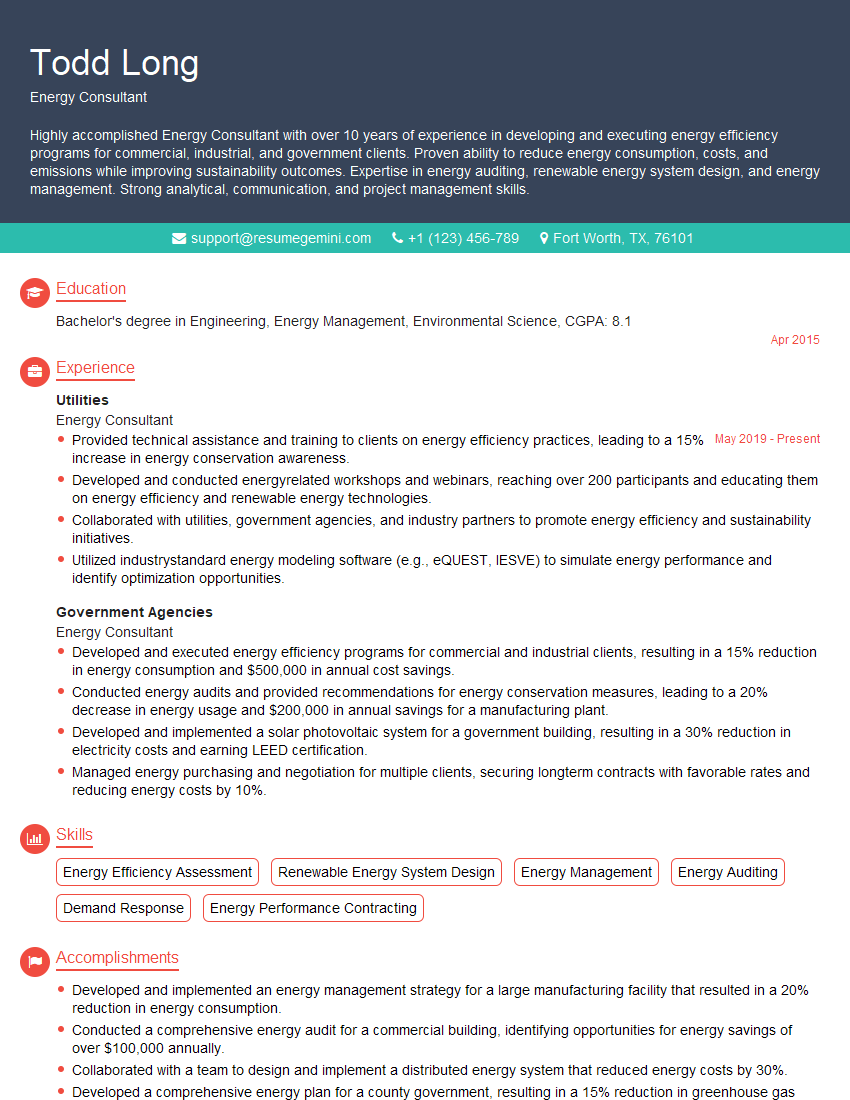
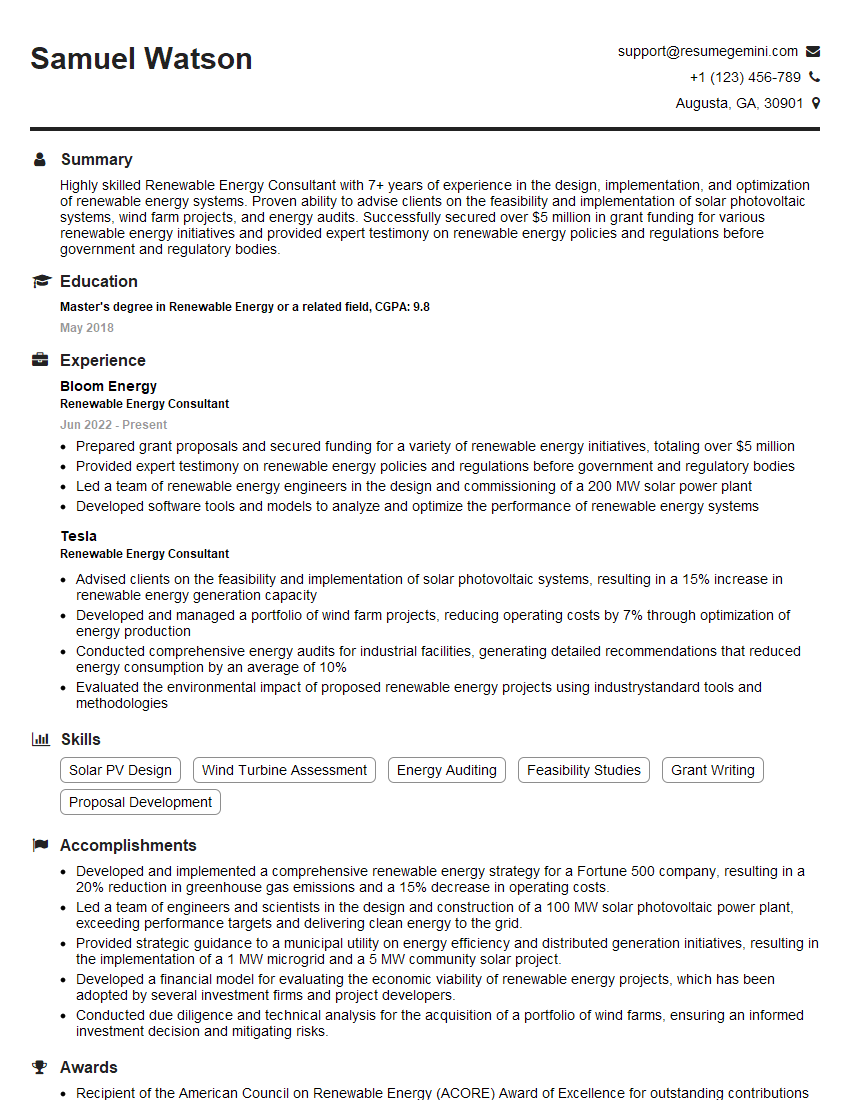
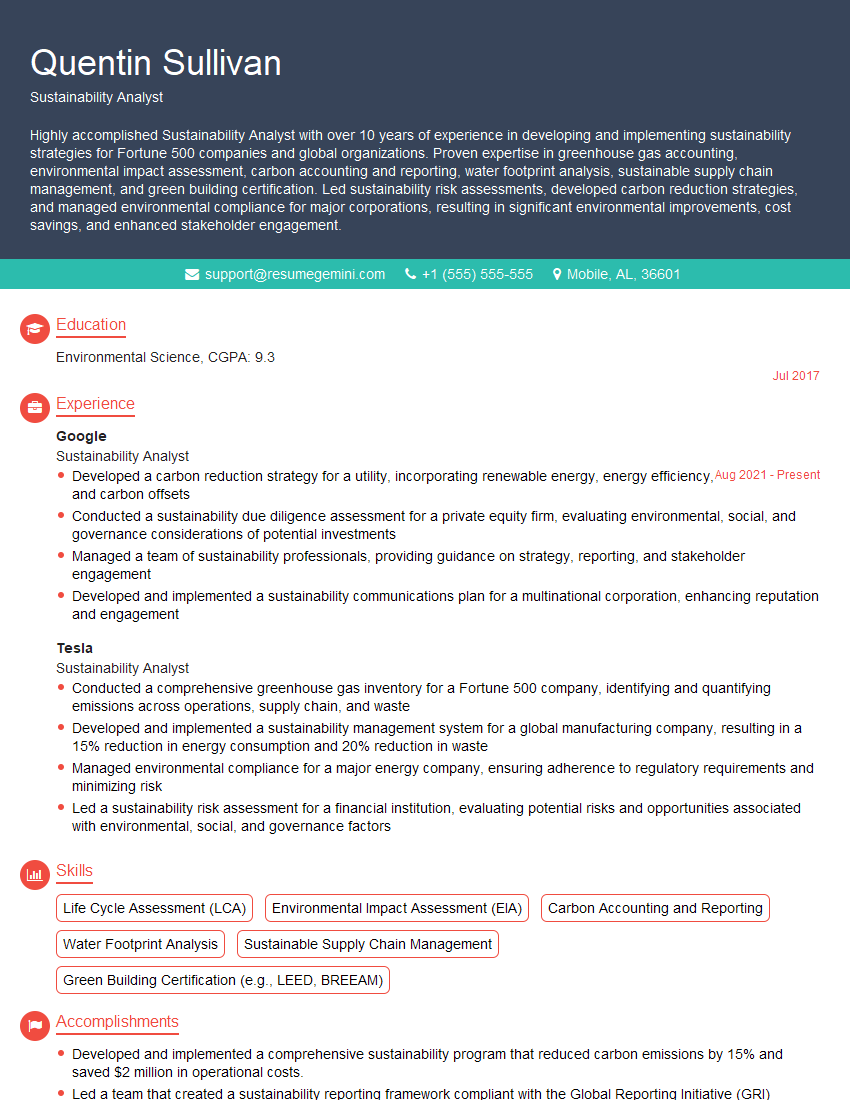
Mastering Helioscope significantly enhances your prospects in the renewable energy sector, opening doors to exciting roles and career advancement. A strong understanding of this software is highly sought after by employers. To maximize your chances of landing your dream job, focus on creating a compelling and ATS-friendly resume that showcases your skills and experience effectively. ResumeGemini is a trusted resource that can help you build a professional and impactful resume tailored to the specific requirements of Helioscope-related positions. Examples of resumes tailored to Helioscope are available to further guide your preparation.

Explore more articles
Users Rating of Our Blogs
Share Your Experience
We value your feedback! Please rate our content and share your thoughts (optional).
What Readers Say About Our Blog
Very informative content, great job.
good