The right preparation can turn an interview into an opportunity to showcase your expertise. This guide to Image Pre-Pressing interview questions is your ultimate resource, providing key insights and tips to help you ace your responses and stand out as a top candidate.
Questions Asked in Image Pre-Pressing Interview
Q 1. Explain the process of color profile conversion in image pre-press.
Color profile conversion in image pre-press is crucial for ensuring accurate color reproduction across different devices and printing methods. Imagine trying to match a paint color from a screen to a printed poster – it’s rarely perfect without proper calibration. Essentially, we’re translating color information from one color space (like sRGB on your screen) to another (like CMYK for printing). This involves using color profiles, which are standardized descriptions of how a specific device or output method represents color.
The process usually involves these steps:
- Identify Source Profile: Determine the color space of the original image (e.g., sRGB, Adobe RGB).
- Identify Destination Profile: Determine the color space of the target output device (e.g., a specific CMYK profile for a press).
- Conversion: Employ software (like Adobe Photoshop or a RIP) to convert the image data from the source to the destination profile. This often involves rendering intents like perceptual, relative colorimetric, or absolute colorimetric, each handling color differences in a slightly different way.
- Proofing: Soft proofing is done to visually check the converted image against the destination profile to ensure the colors are acceptable before final output.
For example, an image created in Adobe RGB might appear slightly different when converted to a CMYK profile for offset printing. The conversion aims to maintain the visual intent as closely as possible, even though an exact match is often impossible due to the differing gamuts (ranges of reproducible colors).
Q 2. Describe your experience with different RIP software.
I have extensive experience with various RIP (Raster Image Processor) software, including industry-leading solutions like EFI Fiery, Kodak Prinergy, and Agfa Apogee. Each has its own strengths and weaknesses depending on the printing environment and requirements.
For instance, EFI Fiery is known for its user-friendly interface and robust color management capabilities, making it ideal for high-volume commercial printing. Kodak Prinergy excels in workflow automation and integration with MIS systems, streamlining large-scale production. Agfa Apogee, on the other hand, is often preferred for its advanced features in stochastic screening and its strong performance in packaging printing. My experience spans configuring these RIPs for optimal color accuracy, managing job queues, troubleshooting color discrepancies, and optimizing print speeds. I am comfortable working with both traditional and newer cloud-based RIP solutions.
In one project, I used EFI Fiery to optimize the color profiles for a client printing high-resolution images on a wide-format inkjet printer. We achieved significant improvements in color consistency and reduced waste through careful calibration and profile optimization within the Fiery system.
Q 3. How do you ensure color consistency across different printing methods?
Ensuring color consistency across different printing methods—like offset, digital, and large-format inkjet—is a significant challenge. It’s like trying to bake the same cake in different ovens – the results can vary depending on the oven’s heat and other factors.
My approach involves a multi-faceted strategy:
- Standardized Color Profiles: Using consistent color profiles for all output devices is paramount. Each device should have a carefully measured and created ICC profile tailored to its unique characteristics.
- Proofing: Employing both soft proofing (on-screen) and hard proofing (physical prints) using a controlled proofing environment is vital for verifying color accuracy across various methods.
- Color Management Software: Utilizing a robust color management system (CMS) that links all aspects of the workflow ensures consistency. This includes appropriate software for image editing, RIP, and proofing.
- Calibration and Monitoring: Regular calibration and monitoring of all output devices using a spectrophotometer maintain accuracy and consistency.
- G7 Methodology (if applicable): For consistent color across multiple printers, the G7 color calibration standard helps to ensure neutral grays and proper color balance.
In a recent project, I implemented a G7-calibrated workflow across two offset presses and a large-format inkjet printer, achieving remarkable color consistency for a multi-location print campaign. It required careful color profile creation and rigorous quality control, but it resulted in a visually consistent product across different print methods.
Q 4. What are the common file formats used in image pre-press and their advantages/disadvantages?
Several file formats are commonly used in image pre-press, each with its own advantages and disadvantages:
- TIFF (Tagged Image File Format): A widely used lossless format that supports high-resolution images and various color modes. Advantages: High quality, excellent for pre-press. Disadvantages: Large file sizes.
- JPEG (Joint Photographic Experts Group): A lossy format commonly used for web and general image storage. Advantages: Small file sizes. Disadvantages: Quality loss with compression, not ideal for high-quality printing.
- PDF (Portable Document Format): A versatile format for storing vector and raster graphics, commonly used for final pre-press files. Advantages: Preserves fonts and layout, widely compatible. Disadvantages: Can be large, potential for compatibility issues with older software.
- EPS (Encapsulated PostScript): A vector-based format often used for placing artwork in layout programs. Advantages: Scalable without losing quality. Disadvantages: Can be tricky to edit, not suitable for raster images.
The choice of file format depends on the specific application and requirements of the print job. For high-quality printing, lossless formats like TIFF are preferred. PDF is crucial for final submission and consistency across different software and printing devices.
Q 5. Explain the importance of image resolution in pre-press.
Image resolution, measured in pixels per inch (ppi) or dots per inch (dpi), is critically important in pre-press. It directly impacts the print quality. A low-resolution image will appear blurry or pixelated when printed, while a high-resolution image will produce sharp details. Think of it like building a Lego model – more Lego bricks (pixels) create a more detailed and realistic final product.
The required resolution depends on the print method and the final size of the printed piece. For offset printing, 300 ppi is typically the minimum requirement for quality output. Large-format printing might need even higher resolutions. Using an image with insufficient resolution will lead to unsatisfactory print quality and potential reprints, impacting both cost and turnaround time.
Q 6. How do you handle images with low resolution?
Handling low-resolution images requires careful consideration. The ideal scenario is always to obtain a higher-resolution image from the source, but this isn’t always possible.
Strategies for managing low-resolution images include:
- Resampling (upscaling): Software can increase the resolution, but this artificially adds pixels and may not improve quality significantly. It can introduce blurriness and artifacts. Use this sparingly and only for minor increases.
- Reduce Print Size: If high-quality is critical, reducing the print size will use the available pixels more effectively and minimize the appearance of low resolution.
- Selective Sharpening: Applying sharpening techniques judiciously can enhance details, but be careful to avoid over-sharpening, which can create halos around edges.
- Accepting Limitations: In some cases, it might be necessary to accept that using a low-resolution image will result in a less crisp print. This should be communicated to the client.
It’s crucial to manage expectations and communicate the limitations of using low-resolution images to clients. In many cases, using a smaller print size is a more acceptable solution than attempting to artificially increase the resolution and compromise image quality.
Q 7. Describe your experience with trapping and its importance in print production.
Trapping is a crucial pre-press technique used to prevent gaps from appearing between colors in printed materials, especially when using different inks with slight registration misalignment. Imagine two colored blocks next to each other – slight misregistration could leave a small white gap. Trapping ensures the colors overlap slightly to eliminate these gaps.
There are several types of trapping:
- Spread Trapping: The color of one object spreads into the adjacent object. This is widely used for simple designs with larger areas of color.
- Choke Trapping: The color of one object slightly encroaches into the other. This is often used in complex designs where spread trapping might appear undesirable.
- No Trapping: This could be used intentionally for designs where a small gap is not problematic.
The importance of trapping is immense in print production. Without proper trapping, even slight misregistrations can lead to unacceptable gaps and color inconsistencies, impacting the visual appeal and professional quality of the final product. My experience includes setting up trapping parameters in RIP software, working with different trapping methods, and troubleshooting trapping issues to ensure clean and accurate prints. The selection of the appropriate trapping method is dependent on the complexity of the design, the printing method, and the type of inks being used.
Q 8. What is the difference between CMYK and RGB color models?
The key difference between CMYK and RGB color models lies in their intended use: RGB (Red, Green, Blue) is an additive color model used for screen displays, while CMYK (Cyan, Magenta, Yellow, Key [Black]) is a subtractive color model for print. Think of it like this: RGB adds light to create color; a black screen becomes vibrant as you add red, green, and blue light. CMYK, conversely, starts with a white surface and subtracts color to achieve the desired hue. Ink is applied to the paper; the more ink, the darker the color. This means a pure white on screen (RGB 255, 255, 255) translates to essentially no ink on paper (CMYK 0, 0, 0, 0) and a pure black on screen (RGB 0, 0, 0) is often represented by a combination of CMYK inks (e.g., C: 70, M: 70, Y: 70, K: 100) to achieve a richer, truer black in print.
This difference is crucial in pre-press because images designed for screens (RGB) need to be converted to CMYK for print, a process that can significantly alter the colors. Careful color management is essential to avoid unexpected shifts in hue and saturation during the conversion.
Q 9. How do you ensure proper imposition for different print jobs?
Proper imposition, the arrangement of pages on a press sheet, is critical for efficient printing. The process depends heavily on the print job’s specifications, including the number of pages, paper size, and binding method. For example, a booklet requires a specific page order to ensure correct sequencing after folding and binding. I utilize imposition software, such as imposition tools within Adobe Acrobat or dedicated prepress applications, to create imposition plans. These programs allow for accurate placement of pages, imposition marks (crop marks, color bars, etc.) and the generation of printer-ready output.
Before creating the imposition, I meticulously review the job’s specifications and confirm the page count and desired output size. The software then automates the page arrangement based on the chosen imposition scheme (e.g., booklet, signature, or sheetwise). I always perform a thorough preflight check before sending the file to print, confirming that the imposition is correct and that all necessary marks are included. This process ensures that the printed sheets are accurately folded and trimmed, delivering the intended final product.
Q 10. Explain your experience with different types of color separation techniques.
My experience encompasses various color separation techniques, from traditional methods to modern digital workflows. In the past, I worked with color separations created using film-based techniques involving scanners, film recorders, and color correction tools. These methods required specialized knowledge of color balance and halftone screens. Now, digital color separation is almost universal. I’m proficient in using software like Adobe Photoshop and Illustrator to prepare files for CMYK printing. This involves creating high-resolution files, managing color profiles (e.g., using ICC profiles), and converting RGB images to CMYK while minimizing color shifts.
I understand the importance of different color separation methods’ impact on the final printed product. For instance, the choice of halftone screen frequency and angle can affect the appearance of textures and patterns in the print, and understanding how different separations interact is key to achieving color consistency.
Q 11. What are your skills with PDF creation and editing for pre-press?
PDF creation and editing are fundamental to my pre-press workflow. I’m skilled in creating press-ready PDFs using Adobe Acrobat Pro, ensuring the final file meets all print specifications. This includes embedding fonts, managing color profiles, and verifying the file’s integrity using preflight checks. I’m adept at correcting various PDF issues, including font problems, missing images, and color profile inconsistencies.
For instance, I’ve frequently encountered situations where fonts are not embedded correctly, leading to font substitution issues during printing. My expertise allows me to identify and fix these problems, ensuring consistent typography across the printed material. I also know how to flatten layers, optimize images for print, and create layered PDFs for specific needs (such as annotation and proofing). I understand the importance of creating a compressed PDF for easy transmission, while maintaining image quality.
Q 12. How do you identify and correct pre-press errors?
Identifying and correcting pre-press errors is a crucial part of my role. I utilize a systematic approach, starting with a thorough preflight check using software such as Acrobat Pro’s preflight feature. This process automatically flags potential issues like missing fonts, incorrect color spaces, and low-resolution images. I also manually review the files for image quality, checking for pixelation, moiré patterns, and color inconsistencies.
Common errors include incorrect color spaces, resolution issues, and missing or incorrectly embedded fonts. For example, I once caught a critical error where an image was mistakenly saved in RGB mode instead of CMYK, resulting in a significant color shift in the final print. My intervention prevented a costly reprint. My problem-solving skills allow me to diagnose and correct such issues efficiently, ensuring a smooth printing process.
Q 13. What is your experience with proofing and color calibration?
Proofing and color calibration are vital to ensure color accuracy in the final print. I use a variety of methods for proofing, including soft proofing (viewing the file on screen with calibrated monitors) and hard proofing (printing a physical proof on a calibrated printer). For soft proofing, I employ calibrated monitors with appropriate color profiles, and I verify the accuracy against the client’s expectations. Hard proofing allows me to physically assess the colors before proceeding to the final print run.
Color calibration is achieved using a spectrophotometer or colorimeter to measure and adjust the color output of monitors and printers. This process ensures that the colors on screen accurately reflect the colors in the final print. I’ve successfully used these techniques in many projects, helping clients ensure the precision of brand colors in their printed materials. I’m well versed in different proofing standards and technologies to ensure the consistency of color across various media.
Q 14. Describe your process for managing large image files.
Managing large image files effectively requires a multi-faceted approach. First, I optimize the images for print by reducing file size without compromising image quality. Techniques include converting images to smaller file formats like JPEG (for photographic images) or saving as a compressed TIFF file (for images requiring lossless compression). I adjust the resolution of images according to the print requirements, and avoid unnecessary high resolutions which would only increase file size without adding quality to the final print.
Next, I efficiently organize files using a structured folder system, naming files clearly and descriptively. When dealing with a large number of files, I utilize asset management systems, such as Adobe Bridge or dedicated DAM systems (Digital Asset Management), to track and manage files effectively. Furthermore, high-capacity storage is important, often using network-attached storage or cloud-based solutions to ensure I have enough space and easy accessibility for large-scale projects.
Q 15. How do you handle image resizing and resampling?
Image resizing and resampling are critical steps in pre-press, ensuring images are optimized for their intended use without sacrificing quality. Resizing simply changes the dimensions of an image, while resampling alters the number of pixels. Resampling is crucial because simply resizing can lead to pixelation or blurring.
Handling Resizing and Resampling: I always begin by assessing the final output requirements. If the image is going to be printed at a large size, a higher resolution is needed. For web use, a lower resolution is sufficient. I use bicubic resampling for high-quality image resizing. This algorithm considers the surrounding pixels, providing a smoother result compared to simpler methods like nearest-neighbor. For downsampling, I might use a technique like Lanczos resampling which is known to produce sharper images. I avoid drastic resizing whenever possible; multiple small adjustments are generally preferable to one large jump. For example, if an image needs to be reduced by 50%, I might do it in two 25% steps to minimize artifacts.
Example: Let’s say a client provides a 3000×2000 pixel image for a print brochure, but the design only calls for a 1000×667 pixel image. I would use bicubic resampling in software like Adobe Photoshop to reduce the image size while maintaining sharpness and minimizing the appearance of artifacts.
Career Expert Tips:
- Ace those interviews! Prepare effectively by reviewing the Top 50 Most Common Interview Questions on ResumeGemini.
- Navigate your job search with confidence! Explore a wide range of Career Tips on ResumeGemini. Learn about common challenges and recommendations to overcome them.
- Craft the perfect resume! Master the Art of Resume Writing with ResumeGemini’s guide. Showcase your unique qualifications and achievements effectively.
- Don’t miss out on holiday savings! Build your dream resume with ResumeGemini’s ATS optimized templates.
Q 16. What software programs are you proficient in for image pre-press?
My proficiency in image pre-press software is extensive. I’m highly skilled in Adobe Photoshop, Adobe Illustrator, and Adobe InDesign—the industry-standard tools. I’m also proficient in other tools such as Capture One for high-end image processing and Affinity Photo as a cost-effective alternative. Beyond these, I’m comfortable using tools like Acrobat Pro for PDF manipulation and preflighting, ensuring files are print-ready. I also have experience with color management software like X-Rite i1Profiler and ColorWise.
My expertise extends beyond simple image editing; I can perform complex tasks like color correction, retouching, creating vector graphics for logos and illustrations, and preparing files for different printing methods (offset, digital, large format).
Q 17. Explain your experience with workflow automation tools.
Workflow automation is essential for efficiency in a fast-paced pre-press environment. I’ve worked extensively with automation tools such as Enfocus PitStop Server and various custom scripting solutions within Adobe applications (using Javascript or ExtendScript). These tools automate repetitive tasks like preflighting, color profile conversion, and file format conversion, significantly reducing manual intervention and ensuring consistency.
Example: Using PitStop Server, I can automate the preflighting process for hundreds of files simultaneously, ensuring each document meets print specifications before it reaches the printing stage. This helps catch errors early and avoids costly reprints. I can also set up custom actions to automatically convert files to specific color profiles or resize images based on predefined rules.
Q 18. Describe your experience with quality control checks in image pre-press.
Quality control (QC) is paramount in image pre-press. My QC process is multi-layered and starts with a thorough review of client specifications. I then perform visual inspections, checking for image sharpness, color accuracy, proper resolution, and the absence of artifacts. I use software tools like PitStop to automate preflight checks for technical issues such as missing fonts, embedded profiles, and color space inconsistencies. I also perform proofing – comparing the digital file to a hard copy proof to ensure accurate color representation.
I’m particularly attentive to potential problems like color casts, moiré patterns, and low-resolution images that can significantly impact the final print quality. I document all QC checks and communicate any issues to the client promptly.
Q 19. How do you handle client requests and revisions?
Handling client requests and revisions requires clear communication and a structured approach. I always start by confirming the request in writing to ensure a shared understanding. I use version control to track revisions, allowing both the client and me to access different versions of the file. This is crucial for transparency and accountability. I provide regular updates to the client and encourage open communication throughout the process. When dealing with multiple revisions, I maintain organized file naming conventions so I can easily access and distinguish between versions.
Example: If a client requests a change in color, I’d create a new version of the file, clearly labeled, and show them the difference. This avoids confusion and speeds up the approval process. I always strive to meet or exceed client expectations while maintaining a high standard of professionalism.
Q 20. What is your understanding of digital asset management in pre-press?
Digital Asset Management (DAM) in pre-press is critical for organizing, storing, and retrieving digital assets efficiently. It involves implementing a system that allows for easy searching, version control, and access control to ensure files are easily findable and consistently used. I have experience using both dedicated DAM software and cloud-based solutions like Adobe Creative Cloud Libraries. A robust DAM system prevents duplicated efforts, streamlines workflows and minimizes risks of using outdated versions of files.
A good DAM system ensures that everyone involved in the pre-press process has access to the correct and up-to-date versions of assets. It also enhances collaboration and reduces the risk of losing important files.
Q 21. How do you prioritize tasks in a fast-paced pre-press environment?
Prioritization in a fast-paced environment requires a structured approach. I generally use a combination of methods, including: (1) Deadline-driven prioritization: I focus on tasks with the closest deadlines first. (2) Urgency and importance matrix: I categorize tasks based on their urgency and importance, focusing on urgent and important tasks first. (3) Project-based prioritization: When multiple projects are underway, I prioritize tasks based on project deadlines and dependencies. (4) Communication & Collaboration: I communicate proactively with clients and internal teams to clarify priorities and manage expectations. I use project management tools like Trello or Asana to keep track of tasks and deadlines.
Flexibility is key; sometimes, unexpected high-priority requests arise that necessitate a shift in priorities. I am adept at adapting to these changes and communicating the adjustments transparently.
Q 22. Explain your experience with troubleshooting pre-press issues.
Troubleshooting pre-press issues requires a systematic approach. I begin by identifying the problem – is it a color issue, a resolution problem, a trapping issue, or something else? I then analyze the source – is the problem in the artwork itself, the pre-press software settings, or the output device? My process involves a combination of visual inspection, software diagnostics, and color profiling.
For example, if I encounter banding in a gradient, I’d first check the image resolution to rule out insufficient sampling. Then, I’d examine the color profile embedded in the file and ensure it matches the output profile. If the problem persists, I might investigate the printer settings, looking for potential problems with ink limitations or print head alignment. If the issue is related to trapping, I would meticulously review the trapping settings within the pre-press software, ensuring correct overlap and consistent parameters for different color combinations.
I also utilize test prints throughout the process, performing color checks and visual assessments to pinpoint the exact source of error and make necessary adjustments to the settings or the file itself.
Q 23. What are your strategies for preventing common pre-press problems?
Preventing pre-press problems is crucial for efficient workflows and high-quality output. My strategies are proactive and focus on several key areas:
- Consistent File Preparation: I meticulously check for resolution, color mode (CMYK for print), embedded profiles, and proper image flattening. Using templates and standardized workflows helps maintain consistency across projects.
- Effective Communication: Clear communication with designers and clients about file specifications and expectations prevents misunderstandings and delays. Early review sessions identify potential issues before they become major problems.
- Regular Software and Hardware Maintenance: Keeping software updated and printers regularly calibrated ensures optimum performance and minimizes unexpected errors.
- Thorough Proofing: Soft proofs and hard proofs are essential to catch issues early on. Soft proofs are created using color-managed software, while hard proofs simulate the final print output allowing for visual evaluation of color accuracy, trapping, and overall quality.
- Color Management: Implementing a robust color management system that controls color from the design stage to the final print output is paramount. Using consistent color profiles minimizes inconsistencies.
Q 24. Describe a situation where you had to solve a complex pre-press problem.
In one instance, a client provided artwork with severe moiré patterns. The design contained fine lines and halftones that interfered with the screen angle of the printing process. This resulted in a visually distracting interference pattern in the proof. It wasn’t a simple fix. A standard solution like adjusting the screen frequency wasn’t enough because the pattern was pervasive.
My solution involved a multi-step approach. First, I carefully analyzed the problematic areas using specialized software to identify the specific frequencies causing the interference. Then, I collaborated with the designer to subtly adjust the problematic elements in the original artwork to minimize conflict with the printer’s screen angles. Finally, I performed multiple test prints with modified screen settings and carefully monitored the resulting output. This involved multiple iterations of adjustments to both the artwork and the printing parameters until the moiré was sufficiently reduced, preserving the integrity of the original design.
Q 25. How do you stay updated with the latest technologies and trends in pre-press?
Staying current in the fast-paced world of pre-press is critical. I achieve this through a multi-pronged strategy:
- Industry Publications and Websites: I regularly read trade magazines and online resources dedicated to print production and graphic arts.
- Conferences and Workshops: Attending industry events allows for networking and exposure to the newest technologies and best practices.
- Online Courses and Webinars: Many reputable organizations offer online courses focused on advanced pre-press techniques and software.
- Professional Organizations: Membership in industry associations provides access to resources, training materials, and networking opportunities with other professionals.
- Hands-on Experimentation: Testing new software and hardware through experimentation helps refine knowledge and skillset.
Q 26. What are your strengths and weaknesses regarding image pre-press?
My strengths include a deep understanding of color management, a meticulous attention to detail, and strong problem-solving skills. I’m adept at using a variety of pre-press software and can quickly troubleshoot various issues. My proficiency in preparing files for different printing processes ensures consistent high-quality results.
One area I’m always working on is expanding my expertise in the latest automation tools in pre-press workflows. While I’m familiar with these technologies, I am keen on becoming even more proficient in their application to streamline processes further. I view this as an ongoing learning process.
Q 27. What are your salary expectations for this role?
My salary expectations for this role are in the range of [Insert Salary Range] annually. This is based on my experience, skills, and the requirements of the position. I am open to discussing this further based on the complete compensation package.
Q 28. Why are you interested in this specific image pre-press position?
I am deeply interested in this specific image pre-press position because of [Company Name]’s reputation for high-quality print production and innovative approach to the industry. The opportunity to work with cutting-edge technologies and contribute to a team that values precision and efficiency is very appealing. In particular, [mention a specific project, technology, or aspect of the job description that excites you]. I am confident that my skills and experience align perfectly with your needs, and I’m eager to make a significant contribution to your team.
Key Topics to Learn for Image Pre-Pressing Interview
- Color Management: Understanding color spaces (CMYK, RGB, etc.), color profiles, and color conversion processes. Practical application: Troubleshooting color inconsistencies between digital files and printed output.
- Image Resolution and Scaling: Knowing the implications of resolution on print quality and how to properly scale images without losing detail. Practical application: Preparing images for different print sizes and media.
- File Formats and Compression: Familiarity with various image file formats (TIFF, JPEG, PDF, etc.) and their suitability for different applications. Practical application: Choosing the optimal file format for pre-press workflows to balance file size and image quality.
- Image Editing and Retouching: Proficiency in using image editing software (Photoshop, etc.) for tasks such as correcting color casts, removing blemishes, and preparing images for printing. Practical application: Optimizing images for sharp, clean reproduction.
- Proofing and Quality Control: Understanding different proofing methods (soft proof, hard proof) and quality control procedures to ensure accurate color reproduction and image quality. Practical application: Identifying and correcting potential print errors before the final job goes to press.
- Pre-flighting and trapping: Understanding the importance of pre-flighting to ensure files are print-ready and the techniques involved in trapping to prevent gaps between colors in print.
- Workflow and Automation: Knowledge of different pre-press workflows and the use of automation tools to streamline processes. Practical application: Improving efficiency and reducing errors in the pre-press process.
Next Steps
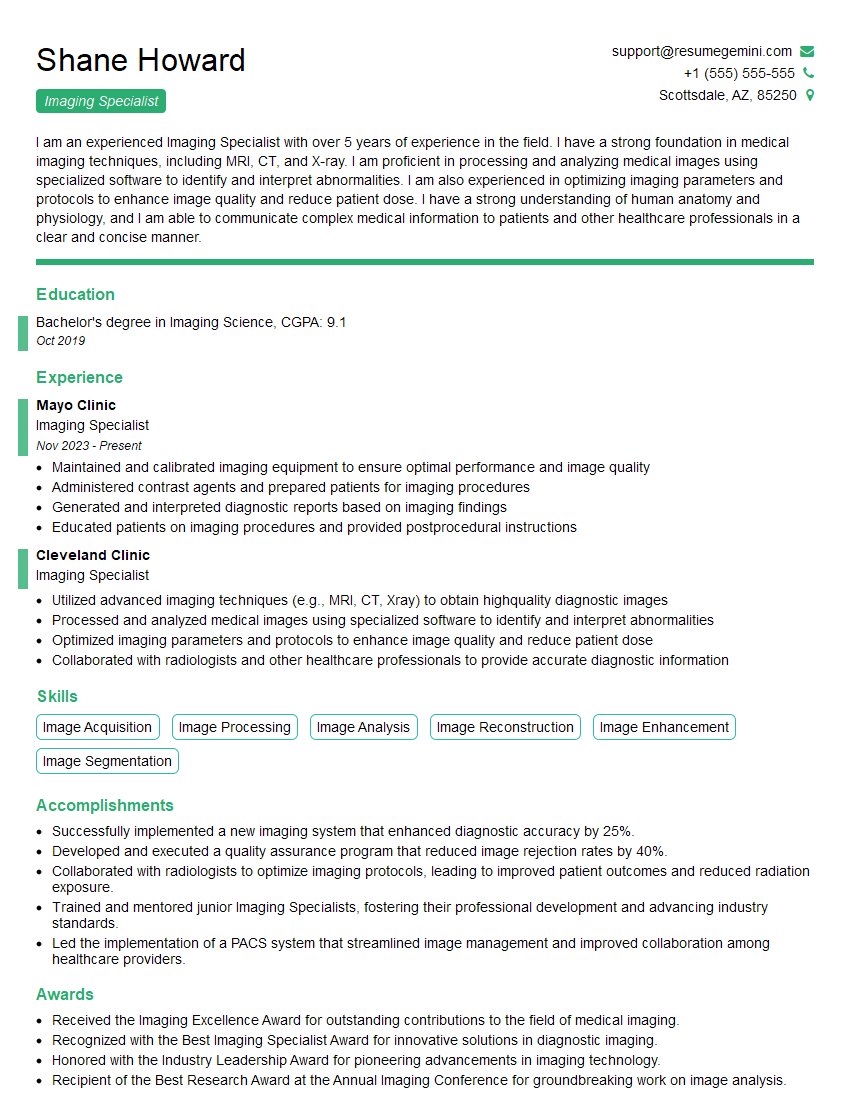
Mastering Image Pre-Pressing opens doors to exciting career opportunities in the graphic design and printing industries. A strong understanding of these concepts significantly enhances your value to potential employers. To maximize your job prospects, creating a well-structured, ATS-friendly resume is crucial. ResumeGemini is a trusted resource for building professional, impactful resumes that catch the eye of recruiters. Take advantage of their tools and resources; examples of resumes tailored to Image Pre-Pressing are available to help you craft a compelling application showcasing your skills and experience. Invest the time in creating a top-notch resume – it’s an investment in your future success.

Explore more articles
Users Rating of Our Blogs
Share Your Experience
We value your feedback! Please rate our content and share your thoughts (optional).
What Readers Say About Our Blog
Very informative content, great job.
good