Interviews are opportunities to demonstrate your expertise, and this guide is here to help you shine. Explore the essential Imposition and Platemaking interview questions that employers frequently ask, paired with strategies for crafting responses that set you apart from the competition.
Questions Asked in Imposition and Platemaking Interview
Q 1. Explain the process of imposition for a 16-page booklet.
Imposition is the process of arranging pages of a document on a printing sheet to optimize printing efficiency and reduce waste. For a 16-page booklet, we need to arrange the pages so that when the printed sheet is folded and trimmed, the pages fall in the correct sequence. Think of it like a puzzle where each piece (page) needs to fit perfectly to create the final image (booklet).
Let’s imagine our 16-page booklet. We’d typically use a sheet with four pages per side, meaning two sheets will be printed. The imposition would look something like this (imagine numbers represent page numbers):
- Sheet 1 (Side 1): 16, 1, 4, 13, 12, 5, 8, 9
- Sheet 1 (Side 2): 3, 14, 11, 6, 7, 10, 2, 15
- Sheet 2 (Side 1): 16, 1, 4, 13, 12, 5, 8, 9 (If two identical sheets are required)
- Sheet 2 (Side 2): 3, 14, 11, 6, 7, 10, 2, 15 (If two identical sheets are required)
After printing, the sheet is folded in half, then in half again, creating a booklet with pages in the correct order. The outside pages (1, 2, 15, 16) are printed first, then the inner pages are arranged accordingly, ensuring a smooth reading sequence.
Q 2. Describe different imposition methods and when you’d use each.
Several imposition methods exist, each suited for different printing scenarios and sheet sizes:
- Work and Turn (W&T): This is the simplest method. The sheet is printed on one side, then turned and printed on the reverse. It’s ideal for smaller jobs where only one side needs to be printed or where the paper is expensive and double-sided printing is not necessary.
- Work and Tumble (W&T): The sheet is printed on one side, then rotated 180 degrees and printed on the other side. This is efficient for jobs needing full double-sided printing.
- Sheetwise: This method uses multiple sheets to create the final product. It’s more common for larger jobs or formats that cannot be printed efficiently using W&T. Each sheet is printed independently, then assembled later. This is crucial for larger books or magazines.
- Perfect Binding Imposition: This is specifically for books bound with perfect binding (glue binding). Pages are arranged in ‘signatures’ (sections) that are later folded and glued together. It ensures proper page sequencing for the final book. It often involves the use of special imposition software.
The choice depends on factors like the number of pages, paper size, binding method, and the printing press’s capabilities. A simple booklet might use W&T, while a large magazine would require sheetwise imposition.
Q 3. What are the common file formats used in prepress?
Prepress utilizes various file formats, each serving a specific purpose:
- PDF (Portable Document Format): The industry standard for final prepress files. It ensures consistency across different platforms and guarantees color accuracy.
- TIFF (Tagged Image File Format): Commonly used for high-resolution images. It supports various color spaces (CMYK, RGB) and compression options.
- JPEG (Joint Photographic Experts Group): Used for images, but generally not preferred for prepress due to potential compression artifacts.
- EPS (Encapsulated PostScript): Vector graphics format, suitable for illustrations and logos.
- PostScript: A page description language used by some printing devices. It’s more commonly used in older systems.
The choice of file format often depends on the software used for design and prepress, and it’s critical that files are correctly set up for resolution and color space before sending to the printer.
Q 4. How do you handle color separations in platemaking?
Color separations in platemaking involve splitting a full-color image (CMYK) into individual plates, one for each color (Cyan, Magenta, Yellow, and Black). Each plate contains only the areas of that specific color, so when printed together, they create the composite image. This is done using specialized software that analyzes the color data and creates separate masks for each color.
This process ensures that each plate contains only the ink that it needs. This method avoids color mixing issues which would occur when using a single plate. It also allows for efficient use of inks in printing. Improper color separation can lead to muddy colors or inaccurate representations of the original design.
Q 5. Explain the difference between CTP and conventional platemaking.
Computer-to-plate (CTP) and conventional platemaking differ significantly in their methods:
- Conventional Platemaking (analog): This involves creating a film positive from the digital file. The film is then used to expose a photosensitive plate, transferring the image chemically. This process requires several steps, is time-consuming, and has a higher chance of errors. Think of it as an older photographic process.
- CTP (digital): This is a more modern, direct method. A digital file is directly transferred to a plate using a laser or other imaging device. This eliminates the film stage, making it faster, more accurate, and environmentally friendly. Think of it as printing directly onto the plate itself.
CTP has become the industry standard due to its speed, precision, and reduced waste. Conventional methods are less common now, mostly used in very niche printing applications.
Q 6. What are the key quality control checks performed during platemaking?
Quality control during platemaking is crucial for consistent print quality. Checks include:
- Plate Inspection: Visual inspection for scratches, pinholes, dust, or other defects on the plate surface. This is done under high-intensity lighting.
- Densitometer Readings: Measuring the density of each color plate to ensure proper ink coverage. This guarantees the colors are accurate.
- Dot Gain Measurement: Checking the size of the printed dots compared to the intended size. Improper dot gain can result in muddy or darker colors.
- Proof Comparison: Comparing the plate output (a proof) to the original digital file to ensure visual accuracy. Proofing methods vary from soft proofs (on screen) to hard proofs (physical prints).
- Pre-press Output Device (POD): In advanced setups, a specialized pre-press output device might be used to detect potential problems in the digital files before plate creation.
These checks are essential for identifying and correcting issues before printing, saving time and materials.
Q 7. How do you troubleshoot common platemaking issues (e.g., scratches, pinholes)?
Troubleshooting platemaking issues requires a systematic approach:
- Scratches: Scratches on the plate often result from handling or damage during processing. If caught early, you can try to repair minor scratches with specialized plate cleaners and polishes. However, severe scratches usually require replacing the plate.
- Pinholes: Tiny holes on the plate can be caused by dust particles or improper plate processing. These usually require plate replacement, as pinholes can lead to inconsistent ink transfer.
- Poor Image Quality: Blurred or unclear images are usually caused by problems with the digital file, incorrect plate processing settings, or equipment malfunction.
- Color Inaccuracies: Issues such as off-register or muddy colors might indicate improper color separation, wrong plate densities, or incorrect press settings.
Thorough documentation and maintaining a clean work environment are crucial in preventing these issues. Understanding the root cause is key to effectively troubleshooting; sometimes it means retracing steps to find where the process went wrong.
Q 8. Describe your experience with different types of printing plates (e.g., offset, flexo).
My experience spans a wide range of printing plates, encompassing both offset and flexographic printing. In offset printing, I’ve worked extensively with aluminum plates, utilizing both thermal and CtP (Computer-to-Plate) technologies. Thermal plates are more economical for shorter runs, while CtP offers superior precision and efficiency for larger jobs. I’m familiar with various plate thicknesses and surface treatments, selecting the optimal choice based on the press, ink, and substrate. With flexographic plates, I have experience with photopolymer plates, known for their durability and suitability for flexible packaging. I understand the nuances of different plate thicknesses and the importance of choosing the appropriate plate material for the specific application, such as food packaging where compliance with FDA regulations is crucial. I’m also conversant with the use of digital flexo plates, which offer faster turnaround times and improved quality. For both offset and flexo, I’m proficient in plate processing, including washing, gumming, and final preparation for mounting onto the press. This includes understanding the various plate mounting systems and their requirements.
Q 9. What is the importance of accurate imposition for efficient printing?
Accurate imposition is paramount for efficient printing. Think of it as meticulously planning the arrangement of pages on a sheet before printing. Improper imposition leads to significant waste, increased production time, and potential errors like misaligned pages or incorrect finishing. Accurate imposition ensures that pages are correctly positioned to minimize paper waste, optimize the use of sheet size, and facilitate efficient post-press processes such as folding, cutting, and binding. For example, if you’re printing a booklet, a well-imposed sheet will allow for seamless folding and result in a perfectly bound product. Conversely, inaccurate imposition will lead to incorrect page sequencing, wasted material from trimming misaligned pages, and potentially even necessitate reprinting the entire job, resulting in significant financial loss and delayed project delivery. This is especially critical in high-volume printing environments where even small inefficiencies can translate to substantial costs.
Q 10. How do you ensure accurate color reproduction in platemaking?
Achieving accurate color reproduction in platemaking relies heavily on a robust color management workflow. It begins with the creation of high-quality digital files with embedded color profiles that accurately represent the intended colors. These profiles define the relationship between the digital color values and the final printed output. I use calibrated monitors and colorimeters to ensure accurate color representation on screen and during the platemaking process. The software used for platemaking incorporates sophisticated color management tools, allowing for precise control over color separation and dot gain compensation. Additionally, I routinely perform test prints and color calibration checks, ensuring that the plates accurately reflect the desired colors before proceeding with the full production run. This ensures consistency and prevents costly reprints due to color discrepancies.
For example, in a job requiring Pantone matching, we’d create custom profiles specific to the chosen Pantone colours to guarantee accuracy. Regular calibration of our equipment ensures this accuracy is maintained. Further, understanding the impact of different substrates on color is crucial, as the same color may appear differently on coated versus uncoated paper. We account for these variations in the color profile to maintain consistency.
Q 11. Explain your experience with different platemaking software.
My experience encompasses a variety of platemaking software, including industry-standard packages like EskoArtwork, Creo, and Kodak Prinergy. These software solutions offer advanced features for imposition, color management, and plate optimization. I’m proficient in utilizing their tools to create highly accurate and efficient plates for various printing techniques. I’m familiar with the strengths and weaknesses of each platform, allowing me to select the most appropriate software for a given project. For instance, EskoArtwork’s robust imposition features are particularly beneficial for complex jobs with many pages and unique finishing requirements. My expertise extends to both the prepress and the post-press stages of these workflows. I can troubleshoot issues, create custom workflows, and ensure that the software is fully integrated with the rest of our production process.
Q 12. How do you manage imposition for different paper sizes and orientations?
Managing imposition for different paper sizes and orientations requires flexibility and precision. Most imposition software offers tools to handle a wide variety of page sizes and orientations automatically. I use these tools to create efficient imposition schemes for rectangular, square, and even custom-shaped sheets. The software allows for the accurate calculation of sheet size and the automatic adjustment of page placement to maximize sheet utilization and minimize waste. For example, when dealing with a large format print that extends across multiple sheets, the software can easily create a detailed plan to accurately join these sheets without visual discrepancies. This involves taking into account factors such as bleed, margins, and the overall geometry of the final printed piece. It’s critical to preview the imposition before sending it to platemaking to ensure that the pages are correctly aligned and that there are no overlaps or gaps.
Q 13. How do you handle complex imposition jobs with multiple pages and bleeds?
Handling complex imposition jobs with multiple pages and bleeds requires a systematic approach. I start by meticulously analyzing the job specifications, including the number of pages, page size, bleed requirements, finishing instructions, and desired output. Then, I utilize the advanced features of my imposition software to create a layout that efficiently arranges pages while adhering to all specifications. For instance, handling bleeds necessitates creating an additional area around the trim line to ensure that no critical content is lost during trimming. The software facilitates the precise calculation and placement of these bleeds. I always preview the imposition to check for any potential errors before sending it to the platesetter. During the process, I communicate closely with the client to ensure that the imposition is aligned with their expectations and requirements. This meticulous approach minimizes errors and ensures that the final product meets the client’s needs.
Q 14. What are your methods for optimizing platemaking workflow efficiency?
Optimizing platemaking workflow efficiency is a constant pursuit. I focus on streamlining processes through automation, leveraging the capabilities of our software and equipment. This includes utilizing automated imposition tools, implementing pre-flight checks to identify potential errors early, and optimizing plate imaging parameters for speed and quality. Regular maintenance of our platesetters and other equipment is crucial to prevent downtime. Implementing standardized operating procedures ensures consistent quality and reduces errors. Furthermore, continuous training and skill development for the team keeps us at the forefront of best practices. For example, I’ve developed custom templates within our software for frequently used print formats, which significantly reduces the time needed for imposition setup. By consistently analyzing and improving our workflow, we aim for maximum efficiency while maintaining the highest level of quality and accuracy.
Q 15. Describe your experience with proofing and color verification.
Proofing and color verification are critical steps in ensuring the final printed product matches the client’s expectations. This involves several stages, beginning with soft proofing on screen, using calibrated monitors to accurately represent colors in the chosen color space (usually CMYK). This allows for initial feedback and adjustments before any plates are made. Then, we move to hard proofing, which involves creating a physical print sample using a high-quality printer, ideally one that closely mimics the final printing process. This provides a tangible representation of the colors and allows for a more precise assessment of dot gain, trapping, and overall color accuracy. We use various tools, including spectrophotometers and densitometers, to measure color values and compare them against the approved proof. For example, I once caught a significant color shift in a corporate brochure during hard proofing that would have been very costly to correct after printing. By using a spectrophotometer, we identified an issue with the CMYK profile used and corrected it before plate creation.
Career Expert Tips:
- Ace those interviews! Prepare effectively by reviewing the Top 50 Most Common Interview Questions on ResumeGemini.
- Navigate your job search with confidence! Explore a wide range of Career Tips on ResumeGemini. Learn about common challenges and recommendations to overcome them.
- Craft the perfect resume! Master the Art of Resume Writing with ResumeGemini’s guide. Showcase your unique qualifications and achievements effectively.
- Don’t miss out on holiday savings! Build your dream resume with ResumeGemini’s ATS optimized templates.
Q 16. How do you manage prepress files and maintain version control?
Managing prepress files and version control is paramount to avoid confusion and errors. We use a dedicated asset management system, often integrated with our workflow software, that allows for organized storage and tracking of all files, including different versions. Each revision is clearly labeled with a sequential number or date, and we maintain a detailed history of changes. This is particularly important for projects with multiple revisions, allowing us to quickly revert to previous versions if necessary. For example, we might use a naming convention like ‘Brochure_v1.pdf’, ‘Brochure_v2_revA.pdf’, and so on. Additionally, we implement a strict check-in/check-out system to prevent simultaneous edits and overwriting of files. This helps us maintain a clear and auditable record of the entire project’s prepress journey.
Q 17. What are the advantages and disadvantages of different plate types?
Different plate types offer various trade-offs in terms of cost, print quality, and durability.
- Conventional Plates (e.g., PS Plates): These are relatively inexpensive but can be less durable and require more careful handling. They are suitable for shorter runs and less demanding applications.
- Thermal Plates: These offer quicker processing times and are generally more environmentally friendly due to reduced chemical usage. However, they might have slightly lower resolution and durability compared to conventional plates.
- CTP (Computer-to-Plate) Plates: These offer high resolution, precision, and efficiency, reducing the risk of errors associated with film output. They are more expensive than traditional methods but are perfect for high-quality, long-run jobs. CTP plates come in various types depending on the platemaking technology (e.g., violet laser, thermal inkjet).
Choosing the right plate type depends on the specific project requirements. For instance, a high-volume magazine print job would benefit from the efficiency and quality of a CTP plate, while a smaller print run of business cards might be perfectly suited to a thermal plate.
Q 18. Explain your experience with different types of printing presses.
My experience encompasses various printing press types, including sheetfed offset presses (both small and large format), web offset presses, and digital printing presses. Sheetfed presses are ideal for shorter runs and high-quality work, offering superior control over color and registration. Web presses are designed for high-volume jobs, offering speed and efficiency. I’ve worked extensively with both Heidelberg and Komori sheetfed presses, noting their differences in handling and maintenance requirements. Digital printing offers speed and versatility for short runs and personalized printing, but it may not always match the quality and color consistency of offset printing. I have practical experience in prepress preparation for each, ensuring files are properly formatted and adjusted for the specific capabilities of each press. For example, understanding the limitations of the different press types, like the maximum sheet size or ink capacity, is crucial to avoid costly errors.
Q 19. How do you manage different color spaces (e.g., CMYK, RGB) in prepress?
Color space management is essential to avoid discrepancies between the designed artwork and the final printed piece. Most designs start in RGB, the color space used for screens. However, printing is typically done in CMYK, which represents colors using cyan, magenta, yellow, and black inks. The conversion from RGB to CMYK is a crucial step, and it’s vital to use a proper color profile to minimize color shifts. We use color management software to convert colors accurately, and we may employ techniques like soft proofing to preview the result in CMYK before final plate creation. We always strive to work with clients using CMYK designs wherever possible to reduce conversion issues. For example, we often work with Pantone colors for specific brand colors, converting those values carefully into the CMYK profile used for the specific print job.
Q 20. How do you handle client revisions and adjustments in platemaking?
Handling client revisions requires a structured approach. We use version control to track every change, making sure that the client’s comments are documented and incorporated accurately. We use collaborative proofing systems where clients can mark up proofs directly with their comments. This ensures clear communication and avoids misinterpretations. Each revision is carefully reviewed and approved before proceeding to the next stage of production. We maintain a log of changes and revisions, which is crucial for transparency and accountability. For example, if a client requests a small text change, we’ll create a new version of the file and clearly indicate the revision history. This systematic approach minimizes rework and delays.
Q 21. What are the safety precautions you take while operating platemaking equipment?
Safety is a top priority in platemaking. We strictly adhere to all safety regulations, using appropriate personal protective equipment (PPE) such as safety glasses, gloves, and respirators when handling chemicals. We work in a well-ventilated area to minimize exposure to fumes. Proper training and adherence to manufacturer guidelines for equipment operation are paramount. We regularly inspect equipment for any potential hazards and perform maintenance as recommended. For example, we use specialized waste disposal procedures for used chemicals and plates, protecting the environment and preventing accidents. A clean and organized workspace is crucial to prevent slips and falls, ensuring a safe working environment for everyone.
Q 22. How do you calculate the cost of platemaking for a specific job?
Calculating platemaking costs requires a detailed breakdown of all expenses involved. It’s not simply the cost of the plate itself; it’s a multifaceted calculation encompassing materials, labor, and overhead.
- Materials: This includes the cost of the plate itself (CTP plates vary significantly in price depending on size, resolution, and type), chemicals (for processing if using conventional plates), and cleaning solutions.
- Labor: This covers the time spent by the platemaker creating the plate, including pre-flighting files, imposition, plate imaging, processing (if applicable), and quality control checks. Hourly rates for skilled technicians are a crucial factor here.
- Overhead: This encompasses indirect costs like equipment depreciation (CTP imager, processor, plate reader), software licenses, electricity, and facility maintenance. These are often calculated as a percentage of labor costs.
Example: Let’s say a job requires 4 plates at $50 each, takes a technician 2 hours at $30/hour, and the overhead is 20% of labor costs. The calculation would be: (4 plates * $50/plate) + (2 hours * $30/hour) + (2 hours * $30/hour * 0.20) = $200 + $60 + $12 = $272.
Accurate cost estimation is essential for accurate job pricing and profitability. Using a job costing system allows for consistent and transparent cost tracking, enabling informed business decisions.
Q 23. Explain your experience with job ticketing and tracking systems.
Throughout my career, I’ve extensively used job ticketing and tracking systems, both proprietary and cloud-based. These systems are indispensable for managing the workflow from file reception to plate completion and delivery. They ensure smooth communication, reduce errors, and provide invaluable data for analysis and improvement.
I’m proficient in systems that allow for detailed job information input (client, job name, deadlines, specifications), automatic tracking of status updates, and real-time monitoring of progress. Features like automated email notifications for milestones (plate completion, quality control approval) and integration with other prepress and pressroom software are essential. I also have experience generating reports analyzing turnaround time, cost per plate, and identifying bottlenecks in the workflow.
One example is a system where we used barcodes on plates to track them through every step of the process. This enabled precise inventory control and quick retrieval if needed. Another involved a fully integrated system that seamlessly connected order entry, prepress, platemaking, and the pressroom, providing a comprehensive overview of each job’s status.
Q 24. How do you ensure the accuracy and consistency of platemaking processes?
Ensuring accuracy and consistency in platemaking is paramount for high-quality printing. A multi-layered approach is crucial:
- File Pre-flighting: Thoroughly checking files for resolution, color profiles, bleed, and other critical specifications before processing ensures that the plate accurately reflects the design intent.
- CTP Imager Calibration: Regular calibration and maintenance of the CTP imager are essential for consistent exposure and image quality. This typically involves using test plates and adjusting settings to ensure optimal performance.
- Quality Control Checks: Visual inspection of plates after imaging and processing, often aided by plate readers for density measurements, ensures that the plates meet specifications and are free from defects.
- Standard Operating Procedures (SOPs): Strict adherence to documented SOPs for each stage of the platemaking process minimizes variability and ensures consistency across jobs and technicians.
- Regular Training: Ongoing training for platemakers keeps everyone updated on best practices and helps prevent errors.
For example, if a plate shows inconsistencies in density, it indicates a problem either with the file, the CTP imager’s calibration, or the processing parameters. Troubleshooting these issues requires careful analysis and addressing the root cause to prevent further issues.
Q 25. Describe your experience with different types of substrates.
My experience encompasses a wide range of substrates, from traditional aluminum plates to more specialized materials. Each substrate has specific characteristics impacting imaging, processing, and printing results:
- Aluminum Plates: These remain the most common, offering a balance of cost-effectiveness and performance. Different types exist, including those optimized for specific press types (offset, flexo) and printing processes (UV, conventional).
- Polyester Plates: Used in flexographic printing, these offer flexibility and durability, suitable for various packaging and labeling applications.
- Thermal Plates: These are exposed using heat rather than light, suitable for applications requiring quick turnaround times and are often used in digital printing.
Understanding the properties of each substrate is crucial. For instance, aluminum plates require careful handling to prevent scratching, while polyester plates need appropriate processing to ensure proper adhesion of the image. Choosing the correct substrate is vital for achieving the desired quality and longevity of the print.
Q 26. What is your experience with print finishing processes?
While my primary expertise is in prepress, understanding print finishing is vital for ensuring a cohesive and high-quality final product. My experience includes familiarity with various finishing techniques, enabling effective communication and collaboration with the finishing department.
- Cutting and Trimming: Understanding die-cutting, guillotine cutting, and other trimming methods allows me to ensure the plates align correctly with finishing requirements.
- Folding and Binding: Awareness of different folding and binding techniques (perfect binding, saddle stitch, etc.) helps in designing plates for optimal finishing results.
- Coating and Laminating: Understanding how different coatings (UV, aqueous) affect the printed image is essential for proper file preparation.
A strong understanding of finishing helps prevent costly errors. For example, misaligned plates can lead to significant waste during cutting. Clear communication with finishing ensures the final product meets the client’s expectations.
Q 27. How do you identify and resolve potential issues before they reach the press?
Proactive issue identification is crucial to prevent problems from reaching the press. My approach involves:
- Rigorous File Checking: As mentioned previously, pre-flighting ensures the digital files meet all specifications before plate creation.
- Plate Inspection: Meticulous visual inspection and density measurements, using a densitometer or plate reader, identify potential issues early on.
- Test Prints: Creating test prints using the generated plates allows for evaluation of color accuracy, registration, and overall print quality before large-scale production.
- Proofing: Using digital proofs provides a visual representation of the final product, allowing for early detection of errors or inconsistencies.
By catching potential problems before they reach the press, we save valuable time and materials, preventing costly reprints and production delays. It is much less expensive to correct an error during prepress than during a full press run.
Q 28. Explain your problem-solving skills in a prepress environment.
Problem-solving in prepress often involves systematic troubleshooting. My approach is based on:
- Identifying the Problem: Clearly defining the issue is the first step. This may involve analyzing error messages, inspecting plates, or examining the digital files.
- Gathering Information: Collecting relevant data, such as job specifications, machine logs, and previous job history, helps pinpoint the root cause.
- Testing and Experimentation: Using a methodical approach, I’ll systematically test different solutions to isolate the problem.
- Documentation: Keeping thorough records of troubleshooting steps and solutions improves efficiency and helps prevent similar problems in the future.
For example, if a plate shows incorrect color, I would systematically check the file’s color profile, the CTP imager’s settings, the processing parameters, and the quality of the plate material. This methodical approach is key to efficient resolution of complex problems.
Key Topics to Learn for Imposition and Platemaking Interview
- Imposition Software & Workflow: Understanding various imposition software (e.g., imposition modules within RIP software, dedicated imposition applications) and their workflows. This includes creating imposition schemes for different printing methods (sheetfed, web offset, etc.).
- Prepress File Preparation: Mastering file preparation techniques for optimal imposition, including color management, trapping, and bleed considerations. Practical application includes diagnosing and resolving common prepress issues.
- Platemaking Technologies: Familiarizing yourself with different platemaking technologies (CTP, analog platemaking), their processes, and quality control procedures. This includes understanding the impact of different plate types on print quality.
- Color Management and Proofing: Understanding color spaces, color profiles, and soft proofing techniques crucial for accurate color reproduction in the final print. Practical application involves interpreting color proofs and identifying potential color discrepancies.
- Print Finishing and Binding: Knowledge of how imposition affects finishing and binding processes, understanding limitations and possibilities to optimize the overall workflow. This includes considering gutter sizes, fold patterns, and other relevant factors.
- Troubleshooting and Problem Solving: Developing a methodical approach to identifying and resolving issues related to imposition errors, plate defects, and mismatches between the digital file and the final print. This involves understanding root cause analysis and implementing corrective actions.
- Industry Standards and Best Practices: Familiarity with industry standards and best practices related to file formats, color profiles, and workflow optimization to ensure consistent and high-quality results.
Next Steps
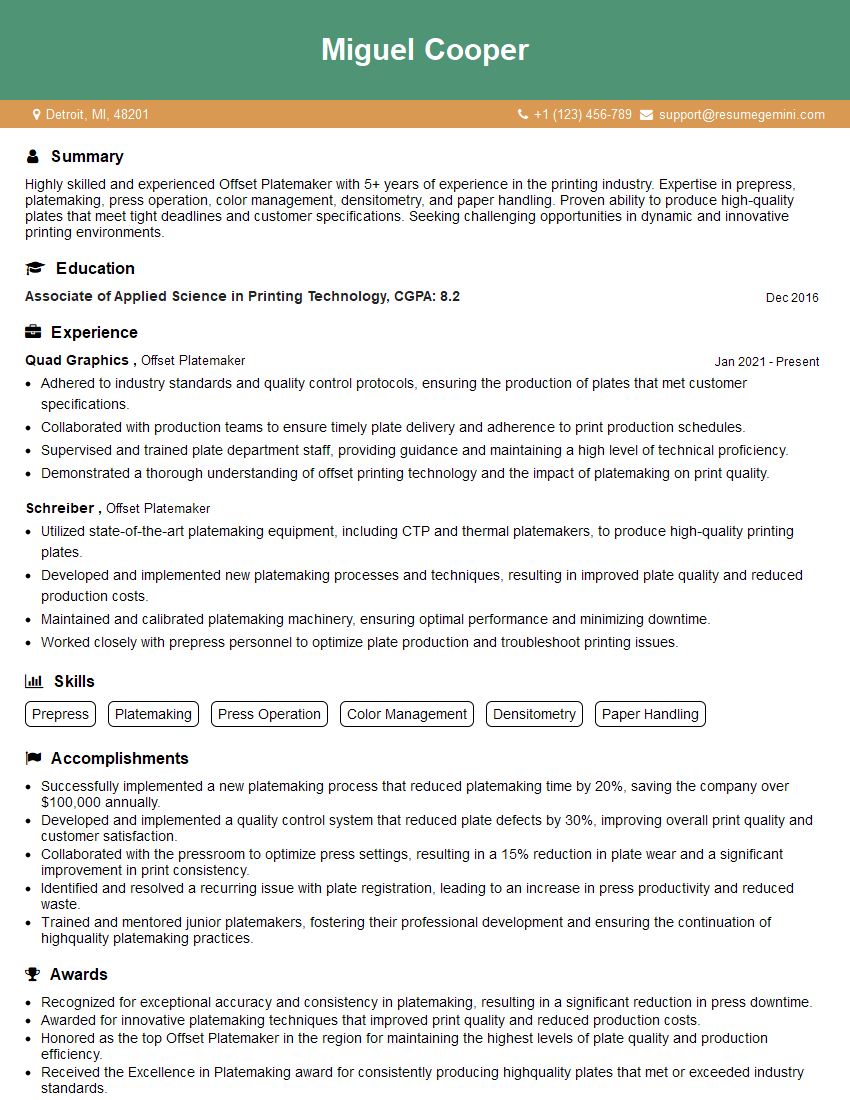
Mastering Imposition and Platemaking is crucial for a successful and rewarding career in the printing industry. A strong understanding of these processes will make you a highly valuable asset to any print shop or prepress department, opening doors to exciting opportunities for growth and advancement. To significantly increase your job prospects, creating an ATS-friendly resume is essential. ResumeGemini is a trusted resource that can help you build a professional and effective resume, maximizing your chances of landing your dream job. Examples of resumes tailored to Imposition and Platemaking positions are available through ResumeGemini, providing valuable templates and guidance to help you present your skills and experience in the best possible light.



Explore more articles
Users Rating of Our Blogs
Share Your Experience
We value your feedback! Please rate our content and share your thoughts (optional).
What Readers Say About Our Blog
Very informative content, great job.
good