Interviews are more than just a Q&A session—they’re a chance to prove your worth. This blog dives into essential in-depth knowledge of offset printing principles and techniques interview questions and expert tips to help you align your answers with what hiring managers are looking for. Start preparing to shine!
Questions Asked in in-depth knowledge of offset printing principles and techniques Interview
Q 1. Explain the difference between sheet-fed and web offset printing.
The core difference between sheet-fed and web offset printing lies in how the paper is fed into the press. Sheet-fed presses, as the name suggests, use individual sheets of paper, fed one at a time. Think of it like a manual process, where each sheet is carefully placed and registered. This offers high precision and is ideal for high-quality jobs with heavier stocks like business cards or brochures. Web offset presses, however, use a continuous roll of paper – a ‘web’ – which is much faster and more efficient. This method is perfect for high-volume jobs like newspapers or magazines, where speed and cost-effectiveness are crucial. The trade-off is slightly reduced precision compared to sheet-fed. Imagine the difference between carefully hand-placing tiles versus using a continuous roll of wallpaper – one is more precise, the other is faster and more cost effective for large areas.
Q 2. Describe the process of platemaking for offset printing.
Platemaking in offset printing is the crucial step of transferring the image onto the printing plate. It begins with the creation of a digital file. This file is then processed using various methods, most commonly Computer-to-Plate (CTP) technology. CTP eliminates the need for film and directly exposes the plate with a laser based on the digital file. This results in a plate with ink-receptive and non-ink-receptive areas that precisely mirror the desired image. Different plate types exist, each suited for specific needs, such as thermal plates, which are exposed using heat from a laser, or violet plates using UV laser exposure. After exposure, the plates are processed, removing unexposed areas to create the printing surface. This process requires precise control over exposure time, chemicals used in processing, and plate material to ensure high-quality image reproduction and plate durability for a consistent print run.
Q 3. What are the key considerations for ink selection in offset printing?
Ink selection in offset printing is critical for achieving the desired color, print quality, and drying time. Several factors influence this decision. The first is the type of substrate (paper) being used. Coated paper requires different ink characteristics than uncoated. Then there’s the drying method; UV inks require special curing equipment while conventional inks rely on absorption and oxidation. The desired color gamut is also paramount; some inks offer a broader color range than others. Finally, environmental considerations are becoming increasingly important. Some inks are designed to be more eco-friendly. For instance, a job requiring vibrant colors on glossy brochures might necessitate a specific type of UV-curable ink for sharp details and fast drying. In contrast, a newspaper might use a more economical, standard ink formulated for quick drying on newsprint.
Q 4. How do you achieve accurate color registration in offset printing?
Accurate color registration, meaning aligning multiple colors perfectly, is achieved through a combination of precise pre-press procedures and careful press operation. In pre-press, precise imposition and careful color proofing are critical. On the press, the process involves adjusting registration controls to ensure all colors align precisely. This includes using fine-tuning adjustments on the press’s individual color units. Experienced press operators employ techniques like using registration marks printed on the sheets themselves for visual alignment and using specialized instruments to measure the registration accuracy. This can involve intricate adjustments and constant monitoring throughout the print run to maintain perfect alignment across all colors. Incorrect registration leads to blurry or misaligned colors, impacting print quality significantly.
Q 5. Explain the function of dampening rollers in an offset press.
Dampening rollers are a key component of the offset printing process. They apply a fine mist of water (dampening solution) to the printing plate before the ink. This balance of water and ink is critical. The water is crucial because it makes the non-image areas of the plate water-receptive and ink-repellent. This prevents ink from adhering to the non-image areas, ensuring only the image is transferred to the blanket and then the paper. The dampening system’s functionality significantly impacts print quality. If too much water is applied, the ink will be diluted, leading to dull colors and poor print quality. Conversely, too little water can cause the non-image areas to become inked, resulting in smeared or blurred images. Maintaining the correct balance is a skill press operators acquire through experience and careful monitoring of the dampening solution’s properties.
Q 6. What are the common causes of offset printing defects like ghosting and slurring?
Ghosting, a faint reproduction of the image in unintended areas, often arises from insufficient dampening, causing ink to transfer to non-image areas. Slurring, or blurred edges, frequently stems from improper ink-water balance, excessive pressure, or issues with the dampening solution. Other factors contributing to these defects include worn-out rollers, low-quality printing plates, incorrect ink viscosity, or excessive speed. Troubleshooting involves systematically examining each component of the printing process. This might include checking roller conditions, verifying the dampening solution’s properties, adjusting press settings, and assessing the quality of the printing plates. A methodical approach is needed to pinpoint the root cause and resolve it effectively.
Q 7. How do you troubleshoot a problem with paper jams on an offset press?
Paper jams are a common issue in offset printing. Troubleshooting begins with identifying the location of the jam. Is it in the feeder, the press itself, or the delivery system? Once the location is determined, the next step involves safely accessing the jammed paper. This often requires shutting down the press and carefully removing the paper without causing damage. Common causes include misfed sheets, wrinkled or damaged paper, incorrect paper settings on the press (such as feed guides and registration), and obstructions in the paper path. Inspect the paper for defects. Ensure the paper settings are correct by verifying the paper type and size match the press settings. Also, check for any debris or obstructions that might be interfering with the smooth flow of paper. After resolving the immediate jam, it’s crucial to check the entire paper path for other potential issues to prevent future jams.
Q 8. Describe the different types of offset printing plates.
Offset printing plates are the heart of the process, transferring the image from the plate to the blanket and then to the substrate (paper, etc.). There are several types, each with its strengths and weaknesses:
- Metal Plates: These are the most common, typically made of aluminum. They can be further categorized by their surface treatment:
- PS (Photopolymer) Plates: Created using a photosensitive polymer layer. They offer high resolution and excellent detail reproduction, making them ideal for high-quality printing like brochures and magazines. They are also relatively environmentally friendly due to their water-based processing.
- Surface Plates: These plates have a treated surface that allows for image transfer. They are more durable than PS plates, but often require more aggressive processing. These are frequently used for longer print runs.
- CTP (Computer-to-Plate) Plates: Images are directly imaged onto the plate using a digital workflow. This eliminates the need for films and provides for more precise image reproduction and greater efficiency.
- Polymer Plates: These are becoming increasingly popular due to their environmental benefits and the elimination of processing chemicals. They are generally more expensive upfront but can result in lower long-term operating costs.
The choice of plate depends heavily on factors like print run length, image complexity, budget, and environmental considerations. For instance, a short print run with a complex image might benefit from a high-resolution PS plate, whereas a long run of simple text might be better suited to a durable surface plate.
Q 9. What is the importance of maintaining proper blanket-to-cylinder pressure?
Maintaining proper blanket-to-cylinder pressure is crucial for consistent and high-quality offset printing. Too little pressure leads to light, unclear images with poor ink transfer. Think of it like trying to write with a pencil that’s barely touching the paper – you’ll get a faint, patchy result. Too much pressure, on the other hand, can cause the ink to be smeared, resulting in poor dot reproduction and increased wear and tear on the blanket and printing plates. It can even lead to damage to the printing press itself.
The ideal pressure ensures uniform ink distribution across the printing surface, leading to crisp, well-defined images with consistent color density. It’s a delicate balance, often adjusted using pressure gauges and fine-tuning mechanisms on the press. Improper pressure can also cause problems like ghosting or slurring of images on the printed output.
Regular press maintenance, including checking and adjusting blanket-to-cylinder pressure, is essential for maximizing the lifespan of components and achieving consistent print quality. Press operators often monitor print quality throughout a print run and adjust pressure accordingly based on their observations.
Q 10. Explain the concept of color management in offset printing.
Color management in offset printing involves ensuring consistent and accurate color reproduction from the digital design to the final printed output. This is a complex process involving several stages:
- Profile Creation: Creating color profiles for each device involved (scanner, monitor, printer) is critical. A profile maps the device’s color space to a standard, allowing for consistent color representation across different devices.
- Color Conversion: Converting colors from one color space (like RGB on the screen) to the printing color space (CMYK) while maintaining color accuracy. This involves software and color management systems.
- Proofing: Creating color proofs, ideally soft proofs (on screen) and hard proofs (printed samples), to verify color accuracy before starting a large print run. This allows for adjustments before committing to a large print job. Examples include using a soft proofing system in software like Adobe Acrobat or a professional color proof from a color management company.
- Press Calibration: Adjusting the printing press to match the desired color profile. This often involves measuring ink densities and making adjustments to ink levels and press settings.
In essence, color management aims to bridge the gap between the designer’s vision on screen and the final printed product. Failure to properly manage color can lead to significant discrepancies and costly reprints.
Q 11. How do you calibrate an offset printing press for accurate color reproduction?
Calibrating an offset printing press for accurate color reproduction is a multi-step process requiring expertise and specialized equipment:
- Color Measurement: Use a spectrophotometer or densitometer to measure the density of each color (Cyan, Magenta, Yellow, Black) in test prints.
- Ink Adjustments: Based on the measurements, adjust the ink levels on the press. This might involve modifying the ink keys or adjusting the fountain solution concentration to influence ink density and dot gain.
- Dot Gain Compensation: Offset printing often results in dot gain (dots of ink appearing larger than intended). Software and techniques compensate for this to ensure the final print matches the design.
- Color Balance: Fine-tune the color balance using various press controls to achieve the desired color gamut.
- Test Prints and Adjustments: Print several test strips throughout the calibration process to monitor progress and make further adjustments as needed. Iterative refinement is key.
- Profile Generation (Optional): For highly precise color management, a dedicated color profile can be generated from the calibrated press readings. This profile can then be used in pre-press workflows.
Calibrating the press takes time and patience, but it’s essential for achieving consistent color accuracy across a print run. An improperly calibrated press will lead to unacceptable variations in color, requiring costly corrections or reprints.
Q 12. What is the role of a densitometer in offset printing quality control?
A densitometer is a crucial tool in offset printing quality control. It measures the density of ink on a printed surface, providing objective data on color accuracy and consistency. This is important because the human eye can be subjective when assessing color.
Densitometers measure ink density using different color filters (typically cyan, magenta, yellow, and black), providing numerical readings. These readings are compared to target values, allowing for quick identification of discrepancies. For instance, a consistently low density for cyan might indicate a problem with the ink supply or press settings. By comparing densitometer readings throughout a print run and comparing them to predetermined standards, inconsistencies can be rapidly identified, allowing for timely adjustments and preventing significant print issues.
Densitometers are inexpensive relative to spectrophotometers but less versatile. They are valuable tools that assist press operators in maintaining print quality and color consistency.
Q 13. Explain the difference between CMYK and PMS color systems.
CMYK and PMS are two different color systems used in printing, each with its own strengths and weaknesses:
- CMYK (Cyan, Magenta, Yellow, Key/Black): This is a subtractive color model used in most offset printing processes. It uses the four process colors to create a wide range of colors through their mixing. CMYK is widely adopted due to its cost-effectiveness and compatibility with most printing presses. It has limitations in color accuracy, especially when trying to reproduce specific colors precisely.
- PMS (Pantone Matching System): PMS uses a set of standardized spot colors, each with a unique number. This system allows for precise color matching across different printing processes and materials. It provides more vibrant and accurate color reproduction than CMYK for specific colors but requires separate plates for each PMS color, increasing the printing costs.
Imagine painting a house. CMYK is like mixing your own paint using primary colors, while PMS is like using pre-mixed, precisely formulated paints from a paint store. CMYK is cheaper but less precise, PMS is more expensive but far more accurate for specific colors.
The choice between CMYK and PMS depends on the project’s requirements. A large-volume print job might prefer CMYK, while a logo or design that needs exact color reproduction might use PMS.
Q 14. How do you manage waste and minimize environmental impact during offset printing?
Managing waste and minimizing environmental impact are crucial aspects of responsible offset printing. Strategies include:
- Waste Reduction: Minimizing paper waste through careful planning, accurate sheet counts, and efficient press operation. This includes using plate-making and press technologies to minimize waste during plate creation, and using advanced software to reduce the amount of paper waste from test prints.
- Water Management: Using water-based inks and fountain solutions, and implementing effective water recycling systems to reduce water consumption and minimize the amount of wastewater generated.
- Chemical Management: Using low-VOC (Volatile Organic Compounds) inks and coatings, proper handling and disposal of chemicals, and implementing robust waste management systems.
- Energy Efficiency: Using energy-efficient printing presses and lighting systems, optimizing press operations to minimize energy consumption.
- Sustainable Materials: Using recycled paper and other sustainable materials whenever possible.
- Waste Recycling: Implementing robust recycling programs for paper, ink, plates, and other materials.
By adopting these environmentally conscious practices, offset printing businesses can minimize their environmental footprint and contribute to a more sustainable industry.
Q 15. Describe your experience with different types of paper stocks used in offset printing.
My experience with paper stocks in offset printing is extensive, encompassing a wide range of weights, finishes, and compositions. The choice of paper significantly impacts the final print quality, so understanding its properties is crucial. For instance, coated papers, like gloss or matte, provide vibrant colors and sharp images due to their smooth surface, ideal for high-impact brochures or magazines. However, they can be more expensive. Uncoated papers, such as offset or text, offer a more natural, less glossy finish, suitable for stationery or books where a softer feel is desired. They tend to be more absorbent, which can impact drying times. Then we have specialized papers like cardstock for business cards or invitations, renowned for its thickness and durability, or recycled papers, environmentally friendly but potentially impacting print quality due to variations in fiber content.
I’ve worked with various weights, from lightweight papers (e.g., 60 lb) used for flyers to heavy stocks (e.g., 100 lb cover) for durable applications. Understanding the paper’s grammage (weight per square meter) is essential for press settings and achieving optimal results. Finally, I’m familiar with specialty papers including those with textures, colors, or unique finishes, each presenting specific challenges and rewards during the printing process. For example, working with textured papers requires careful adjustments to the press to avoid picking (the paper fibers being lifted by the ink). Selecting the correct paper for the project, considering both its aesthetic and functional properties, is a key aspect of my workflow.
Career Expert Tips:
- Ace those interviews! Prepare effectively by reviewing the Top 50 Most Common Interview Questions on ResumeGemini.
- Navigate your job search with confidence! Explore a wide range of Career Tips on ResumeGemini. Learn about common challenges and recommendations to overcome them.
- Craft the perfect resume! Master the Art of Resume Writing with ResumeGemini’s guide. Showcase your unique qualifications and achievements effectively.
- Don’t miss out on holiday savings! Build your dream resume with ResumeGemini’s ATS optimized templates.
Q 16. What safety precautions are essential when operating offset printing equipment?
Safety is paramount in offset printing. Operating this machinery requires strict adherence to safety protocols to prevent accidents. This begins with proper training and understanding the machine’s controls and potential hazards. Before operating any equipment, a thorough inspection is crucial, checking for loose parts, damaged components, or any potential leaks. Safety guards must be in place and functioning correctly. Personal Protective Equipment (PPE) is non-negotiable; this includes safety glasses to protect against ink splashes, earplugs to reduce noise exposure, and gloves to prevent skin irritation from chemicals. When handling chemicals, like cleaning solutions or inks, always refer to the Safety Data Sheets (SDS) and follow the instructions carefully.
Furthermore, proper lifting techniques should be used when handling paper rolls or ink buckets to avoid strain or injury. Regular machine maintenance helps to prevent malfunctions that could lead to accidents. Maintaining a clean and organized workspace minimizes tripping hazards. Finally, emergency procedures should be readily available and understood by all operators. I always stress a culture of safety, encouraging open communication of any concerns or potential hazards within the team.
Q 17. How do you perform routine maintenance on an offset printing press?
Routine maintenance on an offset press is crucial for consistent print quality and preventing costly breakdowns. My maintenance schedule typically involves daily, weekly, and monthly checks. Daily tasks include cleaning ink fountains, dampening systems, and rollers to prevent ink buildup and ensure even ink distribution. I inspect the blanket cylinders for any damage or debris, and replenish consumables like fountain solution. Weekly maintenance involves more thorough cleaning, checking rollers for wear and tear, and lubricating moving parts as per the manufacturer’s guidelines.
Monthly checks are more comprehensive. This might involve checking the pressure settings, adjusting the registration, and inspecting the rollers more carefully. I document all maintenance activities, including the date, task performed, and any parts replaced or adjusted. Preventive maintenance is far more cost-effective than dealing with unexpected breakdowns. Ignoring routine checks can lead to poor print quality, inconsistencies in color, and ultimately, expensive repairs. Thinking of it as preventative medicine for the printing press helps instill the importance of consistent maintenance.
Q 18. Explain the process of proofing and preflighting in prepress.
Proofing and preflighting are critical steps in the prepress process, ensuring that the final printed output matches the client’s expectations. Preflighting is a digital check of the artwork before it goes to platemaking, verifying that the file is structurally sound and meets the printing specifications. This involves checking the color profile, resolution, fonts, and embedded images to detect any potential issues that could cause problems during printing, such as missing fonts or low-resolution images.
Proofing involves creating a physical representation of the printed piece. There are various types of proofs, ranging from soft proofs (digital previews on screen) to hard proofs (physical prints, often created using a proof press or digital proofing system). The chosen proof type depends on the project’s complexity and the client’s requirements. A high-quality proof allows for final color corrections and adjustments before the actual printing begins, minimizing waste and ensuring client approval. Essentially, preflighting catches potential problems before they affect the proof, while proofing verifies the accuracy of the preflighting and addresses any unforeseen issues that might only be visible in a physical representation of the print.
Q 19. How do you handle color discrepancies between proof and printed output?
Color discrepancies between proof and printed output are frustrating but often manageable. First, we determine the source of the discrepancy. It could stem from differences in the proofing system (e.g., monitor calibration, proof type), ink variations, paper inconsistencies, or press settings. A detailed analysis is key. We compare the color values using a spectrophotometer, which precisely measures color data. This helps us identify the specific color shifts between the proof and the print.
Then, we address the problem systematically. If the issue stems from the proofing process, we recalibrate the monitor or adjust the proof settings. If the discrepancy is due to the press, we may need to adjust ink densities, dampening solution, or the press settings themselves. Paper variations also need consideration. The use of a color management system (CMS) throughout the entire process is vital to minimize such discrepancies, ensuring consistency from digital file to final print. Sometimes, small adjustments are sufficient, while more significant discrepancies may require a reprint after fine-tuning the process.
Q 20. Describe your experience with different types of offset printing inks.
My experience encompasses various offset printing inks, each with its unique properties and applications. Conventional inks, based on vegetable oils or mineral oils, are widely used due to their cost-effectiveness. However, they require longer drying times. UV (ultraviolet) inks cure instantly upon exposure to UV light, offering advantages in speed and quick turnaround times. Metallic inks provide a luxurious feel, adding a touch of sophistication to the print. These inks are more specialized and require particular attention during printing. There are also water-based inks, gaining popularity due to their eco-friendly nature and reduced environmental impact.
Choosing the right ink depends heavily on factors such as the paper used, the desired finish, drying time requirements, and budget. The substrate (paper) and ink interaction is crucial to ensure proper adhesion and avoid problems like ink smudging or poor color saturation. Each ink type requires a slightly different press setup and maintenance procedure. For example, UV inks require a UV-curing unit, and water-based inks may require careful adjustment of the dampening system to prevent issues with the balance between water and ink. I have found that a deep understanding of these differences is crucial for consistent and high-quality print results.
Q 21. What are the advantages and disadvantages of using UV inks?
UV inks offer several advantages, mainly their instant curing ability, eliminating the need for extensive drying time. This significantly speeds up production, allowing for a quicker turnaround time. The quick drying also prevents smudging and improves print quality, particularly on coated papers. The resulting print is more durable and resistant to scratching and scuffing, enhancing the longevity of the printed material. However, UV inks also have their drawbacks.
UV inks can be more expensive than conventional inks. The curing process requires specialized equipment, adding to the initial investment. Additionally, the UV curing process generates heat, which could damage heat-sensitive substrates. Furthermore, some UV inks may not be suitable for all paper types. Specific inks must be matched to specific substrates to prevent adhesion issues. The increased cost is a significant factor to consider, often needing to be balanced against the gains in speed and durability. Careful consideration of these pros and cons is necessary before choosing UV inks for a particular printing project.
Q 22. How do you troubleshoot problems with ink drying and curing?
Troubleshooting ink drying and curing issues in offset printing requires a systematic approach. It’s like detective work, examining the evidence to pinpoint the culprit. The primary factors affecting ink drying are ink properties (viscosity, tack, and pigment type), substrate (paper type and absorbency), environmental conditions (temperature and humidity), and press settings (ink-water balance and drying system).
- Ink-Water Balance: Too much water can lead to slow drying and potential set-off (ink smudging onto subsequent sheets). Too little water results in poor ink transfer and dull colors. Adjusting the water fountain rollers’ pressure and the amount of fountain solution is crucial. We always start by fine-tuning the water-ink balance, carefully monitoring the printed sheets.
- Temperature and Humidity: Low temperatures and high humidity significantly slow drying. Using air dryers on the press can greatly help. We often monitor the pressroom environment and adjust the drying system accordingly.
- Ink Viscosity: If the ink is too thick, it will dry slowly, requiring adjustment by adding reducer. Conversely, thinner inks may dry too quickly, losing vibrancy. A viscosity test is often employed.
- Substrate: Using a highly absorbent substrate helps with drying. However, highly absorbent papers can sometimes lead to uneven ink transfer. A coating on the paper could sometimes slow down drying as well.
- UV Curing: For UV inks, inadequate UV lamp intensity or improper lamp placement can prevent proper curing. We verify lamp intensity and positioning and may need to replace failing lamps.
For instance, on a recent job with slow drying, we initially adjusted the ink-water balance. This improved things slightly, but not enough. Then, checking the temperature and humidity, we found the pressroom was excessively humid. Implementing forced air drying solved the issue completely.
Q 23. Explain the importance of proper makeready in offset printing.
Proper makeready is the cornerstone of efficient and high-quality offset printing. It’s like preparing a stage for a play; every element must be in its place for a flawless performance. Makeready encompasses all the preparations done before printing begins. This involves preparing the press, setting up the plates, adjusting the ink and water balance, and ensuring that the paper is correctly fed. Neglecting this crucial step leads to wasted materials, poor quality prints, and delays.
- Plate Mounting: Precise plate mounting is vital to avoid registration issues (misalignment of colors). We use precision tools to guarantee accurate placement.
- Blanket Cylinder Preparation: The blanket cylinder needs to be clean and properly conditioned to ensure even ink transfer. We check for any damage or debris.
- Impression Cylinder Adjustment: Correct impression cylinder pressure ensures that the ink is transferred properly to the substrate without damaging the print or the plates.
- Ink and Water Balance: The correct ink-water balance is critical for maintaining consistent color and preventing issues like set-off.
- Paper Feed Setup: Accurate paper feed ensures consistent printing and minimizes waste. Improper paper setup could cause jams and misfeeds.
A poorly executed makeready can result in significant waste, both in terms of materials and time. We always take our time during makeready and carefully check every step to minimize issues later on.
Q 24. How do you determine the appropriate printing pressure for a specific job?
Determining the appropriate printing pressure is crucial for achieving optimal print quality. It’s a delicate balance: too little pressure results in light and faint prints, while too much causes smudging, and even damage to the printing plates and blanket. The pressure depends on several factors including substrate thickness and type, ink viscosity, plate type, and desired print quality. We often utilize test prints to dial in the perfect pressure.
We typically start with a standard pressure setting based on past experience with similar jobs. Then, we run a series of test prints, progressively adjusting the pressure to achieve the desired results. Each adjustment is accompanied by visual inspection of the printed sheets. We look for sharpness of images, density of colors, and absence of smudging. There are also pressure gauges to give an objective value to aim for on the press itself.
For instance, a thicker card stock would require higher impression cylinder pressure compared to a thinner paper. Similarly, highly viscous inks might need more pressure to ensure proper transfer. We record optimal pressure settings for each job and use this data for future reference.
Q 25. What are your experiences with different types of offset printing presses (e.g., Heidelberg, Komori)?
I’ve had extensive experience with various offset presses, including Heidelberg Speedmaster and Komori Lithrone models. Each manufacturer has its own strengths and characteristics. Heidelberg machines are often praised for their robust build and reliable performance, particularly in demanding environments. Komori presses are known for their advanced automation features and high-speed capabilities. These differences manifest in the user interface, maintenance requirements, and overall print quality.
Heidelberg’s SM 74, for instance, is renowned for its precision and durability, while the Komori Lithrone G40 is highly efficient for high-volume jobs due to its automation. My experience with both brands has allowed me to adapt quickly to new presses and optimize their settings for specific projects. I understand the nuances of each press, from the nuances of their ink and water systems to their unique automation features. This allows me to troubleshoot problems effectively.
Ultimately, the best press for a given job depends on factors like production volume, print quality requirements, and budget. My knowledge of both Heidelberg and Komori presses allows me to make informed recommendations for optimal results.
Q 26. How do you manage a high-volume printing job while maintaining quality and speed?
Managing high-volume printing jobs while maintaining quality and speed requires meticulous planning and execution. Think of it like conducting a well-orchestrated symphony; every section must perform flawlessly for a perfect result. We use a combination of techniques to accomplish this:
- Pre-press Optimization: We carefully review the files to minimize potential issues. Thorough pre-flight checks are vital to catch problems before printing commences, including color profile management and image resolution.
- Press Setup Optimization: Optimal press setup is crucial. This includes optimizing the ink-water balance, printing pressure, and speed for the specific job, ensuring maximum efficiency without sacrificing quality.
- Automated Workflow: Implementing automated processes like automated color control and automatic plate changing can significantly speed up production. This minimizes manual adjustments which can reduce errors and increase efficiency.
- Regular Maintenance: Preventative maintenance is essential to minimize downtime. Regular cleaning and lubrication of the press components are key to maintaining productivity.
- Quality Control: Establishing a robust quality control system, involving regular inspection of printed sheets, ensures consistent quality throughout the job.
For example, on a recent large-scale book printing job, we utilized an automated workflow which reduced set-up times and increased the production speed by 15%. Combining this with preventative maintenance enabled us to complete the project on time and within budget without compromising the quality of the prints.
Q 27. Describe a time you had to solve a complex printing problem.
One time, we encountered a perplexing problem involving inconsistent color density across a large print run of brochures. The color was fine at the start, but gradually became lighter throughout the run, especially towards the edges of the sheets. It was like a gradual fade to light, a frustrating and baffling issue.
We systematically investigated various causes, checking the ink viscosity, water fountain settings, paper consistency, and plate condition. The initial troubleshooting steps didn’t resolve the issue. We then carefully examined the paper feed mechanism, identifying some minor irregularities in the paper feed roller causing uneven pressure along the paper path.
By adjusting the paper feed roller settings and carefully cleaning all the components, we addressed the issue. The uneven pressure was causing inconsistent ink transfer, resulting in the lighter color toward the edges. Following this adjustment, the print quality was consistent throughout the entire run. The fix was surprisingly simple, once we uncovered the root cause. This highlights the importance of meticulous investigation and the need to consider less-obvious factors when troubleshooting complex problems.
Q 28. How do you stay up-to-date with the latest advancements in offset printing technology?
Staying updated in the dynamic field of offset printing is essential for remaining competitive. I employ several strategies:
- Industry Publications and Trade Shows: I regularly read industry publications like Printing Impressions and attend trade shows such as drupa. These events offer insights into the latest technologies and market trends.
- Webinars and Online Courses: Numerous online platforms provide webinars and courses on advanced offset printing techniques. These resources are invaluable for broadening and sharpening skills.
- Manufacturer Websites and Documentation: Staying up-to-date with the latest advancements from press manufacturers, like Heidelberg and Komori, is crucial. This involves regularly consulting their websites, technical documentation, and attending any relevant training courses offered.
- Networking with Peers: Discussing challenges and sharing knowledge with colleagues and professionals in the printing industry is an incredibly effective learning method.
For example, recently, I learned about the advancements in UV LED curing technology through an online course. This technology offers several advantages over traditional UV curing, including reduced energy consumption and improved print quality. I’m now exploring how this technology can be integrated into our workflow to improve our efficiency and printing quality.
Key Topics to Learn for an In-depth Knowledge of Offset Printing Principles and Techniques Interview
- The Offset Printing Process: Understand the complete workflow, from platemaking to final product, including pre-press, press operation, and post-press finishing.
- Color Management: Master color theory, color separation techniques (CMYK), and profile management for accurate color reproduction. Be prepared to discuss color calibration and proofing methods.
- Platemaking Technologies: Familiarize yourself with different plate types (e.g., thermal, violet, CTP), their properties, and the processes involved in platemaking. Understand the impact of plate quality on print quality.
- Press Operation and Maintenance: Demonstrate knowledge of various offset printing presses (sheetfed, web), their functionalities, and common maintenance procedures. Be ready to discuss troubleshooting techniques and solutions to common press issues.
- Ink and Paper Selection: Understand the properties of different inks (e.g., UV, conventional) and their interaction with various paper substrates. Be prepared to discuss how ink and paper choices impact the final print result.
- Quality Control and Troubleshooting: Explain your approach to identifying and resolving print defects, such as dot gain, moiré patterns, and color inconsistencies. Discuss quality control measures throughout the printing process.
- Print Finishing Techniques: Showcase your knowledge of various finishing options like cutting, folding, binding, laminating, and embossing, and how they enhance the final product.
- Safety and Environmental Considerations: Discuss the importance of safety protocols in the printing environment and environmentally friendly printing practices.
- Pre-press workflow and file preparation: Understand the importance of accurate and well-prepared files for optimal printing results. Discuss file formats, color spaces, and image resolution.
Next Steps
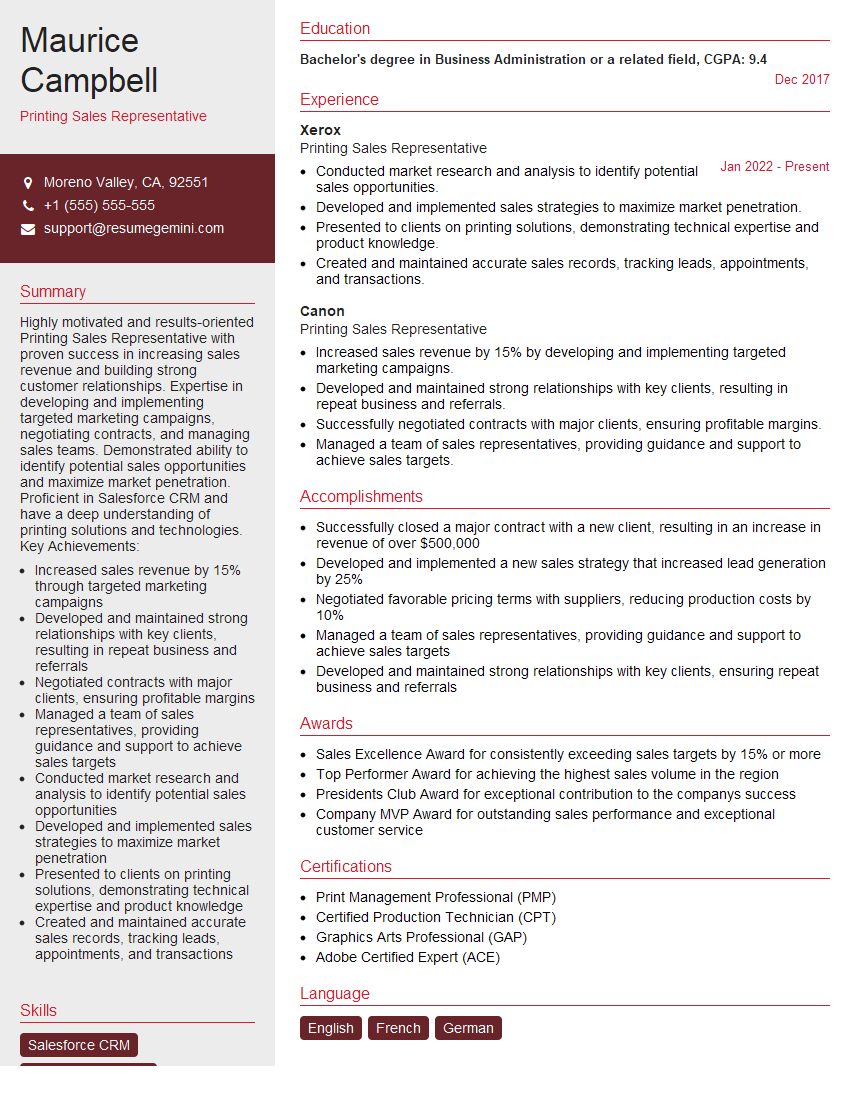
Mastering in-depth knowledge of offset printing principles and techniques is crucial for career advancement in this dynamic industry. A strong understanding of these concepts showcases your expertise and problem-solving abilities, making you a highly valuable asset to any printing company. To significantly boost your job prospects, create an ATS-friendly resume that highlights your skills and experience effectively. ResumeGemini is a trusted resource that can help you build a professional and impactful resume tailored to the specific requirements of the offset printing industry. Examples of resumes showcasing in-depth knowledge of offset printing principles and techniques are available to guide you.






Explore more articles
Users Rating of Our Blogs
Share Your Experience
We value your feedback! Please rate our content and share your thoughts (optional).
What Readers Say About Our Blog
Very informative content, great job.
good