Unlock your full potential by mastering the most common ITSM Tools Knowledge (ServiceNow, BMC Remedy, etc.) interview questions. This blog offers a deep dive into the critical topics, ensuring you’re not only prepared to answer but to excel. With these insights, you’ll approach your interview with clarity and confidence.
Questions Asked in ITSM Tools Knowledge (ServiceNow, BMC Remedy, etc.) Interview
Q 1. Explain the difference between incident, problem, and change management.
In IT Service Management (ITSM), incident, problem, and change management are distinct but interconnected processes aimed at ensuring smooth IT operations. Think of them as different stages in a troubleshooting journey.
Incident Management: This focuses on restoring service as quickly as possible. An incident is an unplanned interruption to an IT service or a reduction in the quality of a service. For example, a server going down, causing user application access issues, is an incident. The goal is to resolve the incident and get the service back online.
Problem Management: This is a proactive approach focused on identifying the root cause of recurring incidents. It’s about preventing future incidents by addressing the underlying problem. If the server keeps crashing due to insufficient memory, the problem management team would investigate and implement a solution such as adding more RAM. The outcome is a permanent fix preventing repeat occurrences.
Change Management: This is the controlled process of implementing new or modified IT services. Any change to a production environment requires planning, testing, approval, and communication. For instance, upgrading an application server, installing new software, or applying a security patch are all changes. The goal is to minimize disruptions and risks during implementation.
In essence: Incidents are reactive, problems are proactive, and changes are planned. They often interact; for example, a change might cause an incident, which may then lead to a problem investigation.
Q 2. Describe your experience with ServiceNow’s incident management module.
My experience with ServiceNow’s incident management module is extensive. I’ve used it across various organizations for incident logging, prioritization, escalation, and resolution. I’m proficient in configuring workflows, SLAs (Service Level Agreements), and knowledge base integration within the module.
For example, I once helped implement a new escalation process in ServiceNow that significantly reduced resolution times for critical incidents. We achieved this by creating a more robust workflow with automated notifications and a clear escalation path based on incident priority and assigned group expertise. This involved customizing the escalation rules, integrating with our paging system, and configuring email notifications. The result was improved response times and reduced downtime.
I’m also familiar with using ServiceNow’s reporting and analytics capabilities to track key metrics such as Mean Time To Acknowledge (MTTA), Mean Time To Resolve (MTTR), and incident volume, which helped identify areas for improvement in our processes.
Q 3. How would you troubleshoot a critical ServiceNow outage?
Troubleshooting a critical ServiceNow outage requires a systematic and methodical approach. Here’s my strategy:
Assess the Situation: Determine the scope and impact of the outage. Identify which parts of ServiceNow are affected (e.g., only the incident module, or the entire platform). Gather information from users about the nature of the problem.
Check ServiceNow’s System Logs: Analyze the ServiceNow logs for error messages, warnings, or unusual activity. This often points to the root cause. Look at both the application logs and any underlying infrastructure logs.
Investigate Infrastructure: If the issue isn’t solely within ServiceNow, investigate the underlying infrastructure. This might include checking server resources (CPU, memory, disk space), network connectivity, and database health.
Engage Support: If the problem is beyond the scope of in-house expertise, engage ServiceNow support immediately. Provide them with relevant logs and information from the previous steps.
Implement a Workaround: If possible, consider implementing a temporary workaround to minimize disruption. This might include using alternative systems or processes.
Post-Outage Analysis: After resolving the outage, conduct a thorough post-mortem analysis to identify the root cause, determine preventative measures, and document lessons learned to avoid future occurrences.
This structured approach ensures a swift and effective resolution and reduces the overall impact of the outage.
Q 4. What are the key features of BMC Remedy’s knowledge base?
BMC Remedy’s knowledge base is a crucial component of its ITSM suite, providing a centralized repository of information for resolving incidents and problems efficiently. Key features include:
Article Management: Enables creation, editing, and version control of knowledge articles.
Search and Retrieval: Robust search capabilities, including keyword search, allowing users to quickly find relevant information.
Categorization and Tagging: Organized structure using categories and tags for easy navigation and filtering.
Collaboration Features: Facilitates collaboration among users to create, review, and improve articles.
Workflow Automation: Automates article approval and publication processes.
Integration with other Remedy Modules: Integrates seamlessly with other Remedy modules, such as incident management, allowing users to access relevant knowledge articles directly from incident tickets.
A well-maintained knowledge base in BMC Remedy greatly reduces MTTR by providing technicians with quick access to solutions for common issues, leading to higher user satisfaction.
Q 5. How do you ensure data integrity within an ITSM tool?
Ensuring data integrity within an ITSM tool is paramount for accurate reporting and decision-making. Here’s how I ensure it:
Data Validation Rules: Implement validation rules to ensure data accuracy during input. For example, enforcing required fields, data type checks, and range limitations.
Access Control: Implement strict access control mechanisms to limit who can modify data and prevent unauthorized changes. Role-Based Access Control (RBAC) is key.
Regular Data Backups: Regularly back up the ITSM database to protect against data loss due to hardware failure or other unexpected events.
Data Cleansing Processes: Implement processes for identifying and correcting inaccurate or inconsistent data. This might involve automated scripts or manual reviews.
Audit Trails: Maintain comprehensive audit trails to track all data changes, who made them, and when. This allows for identification of errors or malicious activity.
Data Governance Policies: Establish clear data governance policies defining data quality standards, ownership, and responsibilities.
By combining these strategies, you ensure that your ITSM data is reliable, consistent, and trustworthy.
Q 6. Explain your experience with ITSM reporting and dashboards.
My experience with ITSM reporting and dashboards is extensive. I’ve used both ServiceNow and BMC Remedy to create a wide variety of reports and dashboards, visualizing key performance indicators (KPIs) and providing valuable insights into IT operations.
In ServiceNow, for example, I’ve built custom dashboards to monitor incident resolution times, open ticket counts by priority, and overall customer satisfaction. I’ve utilized ServiceNow’s reporting capabilities to generate reports on trends in incident types, enabling proactive identification of potential problems. This information then informs capacity planning, resource allocation, and process improvements.
Similarly, in BMC Remedy, I leveraged its reporting functionality to track key metrics such as MTTR and SLA adherence. I also created custom reports for management, focusing on key performance indicators and providing the information needed for strategic decision making.
My expertise encompasses the design, development, and deployment of effective reports and dashboards, tailoring them to specific audiences and reporting requirements, from technical teams to executive management.
Q 7. How do you prioritize incidents and requests?
Prioritizing incidents and requests is critical to ensuring that resources are allocated effectively and critical issues are addressed promptly. I typically use a combination of methods:
Impact and Urgency: This is the most common method, using a matrix to classify incidents based on their impact on the business and their urgency of resolution. High impact and high urgency incidents get top priority.
Service Level Agreements (SLAs): SLAs define agreed-upon response and resolution times for different types of incidents, influencing prioritization. Violations of SLAs trigger escalation and attention.
Predefined Prioritization Rules: Some ITSM tools allow for creating rules based on specific criteria, such as incident type, source, or affected user group, automating the prioritization process.
Business Context: In complex situations, it’s vital to consider the wider business context. An incident impacting a critical business process might require higher priority than one affecting a less critical application.
The key is to balance automated prioritization with human judgment to handle exceptions and ensure that the overall system works effectively. Regular review and refinement of the prioritization process is essential to adapt to changing business needs.
Q 8. Describe your experience with ServiceNow workflows.
ServiceNow workflows are the backbone of its automation capabilities. They’re essentially a series of actions, triggered by events, that automate tasks and processes. Imagine them as a recipe: you provide the ingredients (data from a ticket, for example), and the workflow follows the instructions (steps) to produce the desired outcome (ticket resolution, notification, etc.).
My experience involves designing, building, and troubleshooting complex workflows using various ServiceNow features like Script Includes, Business Rules, Scheduled Jobs, and Flow Designer. For instance, I built a workflow that automatically assigns incidents based on the category and urgency, escalating critical incidents to senior support teams immediately. Another workflow I developed automated the provisioning of new user accounts, integrating with our HR system and Active Directory. This reduced manual effort significantly and improved onboarding efficiency.
I’m proficient in using workflow components such as conditions, loops, and parallel processing to create efficient and robust automated processes. I also understand the importance of error handling and logging for effective workflow monitoring and maintenance.
Q 9. How familiar are you with BMC Remedy’s workflow automation?
My familiarity with BMC Remedy’s workflow automation is extensive. While ServiceNow uses a more visual, drag-and-drop approach, Remedy utilizes a more traditional, code-based approach, often employing AR System scripting (most commonly in Remedy scripting language). I’ve worked extensively with both the GUI-based workflow editor and the underlying scripting.
I’ve designed and implemented workflows in Remedy to manage change requests, incident escalation, and problem management. For instance, I created a workflow that automated the change approval process, ensuring that all changes go through the necessary steps based on their risk level. I have also worked on integrating Remedy workflows with external systems via APIs for data exchange and automation.
One key difference I’ve observed is the level of customization. While ServiceNow’s visual workflow designer is user-friendly and great for simpler workflows, Remedy’s scripting allows for very fine-grained control and complex logic for more advanced automation.
Q 10. What are the best practices for managing changes in an ITSM tool?
Best practices for managing changes in an ITSM tool center around the ITIL Change Management process. The key is to ensure that changes are planned, tested, approved, and implemented with minimal disruption. This includes:
- Standardized Change Request Forms: Using a consistent format for change requests ensures all necessary information is captured.
- Risk Assessment and Prioritization: Categorizing changes by risk level allows for appropriate review and approval processes.
- Change Approval Workflow: Implementing a workflow to automate approvals based on risk and authority levels.
- Thorough Testing: Ensuring changes are thoroughly tested in a non-production environment before deployment.
- Communication and Notification: Keeping stakeholders informed throughout the change lifecycle, including pre- and post-implementation communications.
- Rollback Plan: Having a clear plan in place to revert the change if it causes unexpected problems.
- Change Audit Trail: Maintaining a comprehensive audit trail of all changes made.
A practical example would be implementing a change to update a server’s operating system. Following best practices would involve creating a detailed change request, assessing the risk, getting approvals, testing the update in a staging environment, scheduling downtime for the update, communicating the schedule to users, and having a rollback plan ready in case of issues.
Q 11. Explain your understanding of ITIL framework and its application in ITSM tools.
The ITIL framework is a set of best practices for IT service management. It provides a structured approach to managing and improving IT services. ITSM tools, such as ServiceNow and BMC Remedy, are designed to support the ITIL framework by providing functionalities to manage the core processes.
ITIL processes like Incident Management, Problem Management, Change Management, and Service Level Management are directly supported by ITSM tools. For example, ServiceNow’s Incident Management module helps track incidents, manage their resolution, and monitor service levels. Similarly, BMC Remedy provides modules for managing changes, problems, and other ITIL processes. The tools automate many manual tasks, provide dashboards for monitoring performance, and facilitate collaboration between teams. This leads to improved efficiency, reduced downtime, and better overall service quality.
In my experience, aligning ITSM tool implementation with ITIL best practices is crucial for success. For instance, properly configured workflows in ServiceNow, guided by ITIL principles, can significantly improve incident resolution times.
Q 12. How do you handle escalated incidents?
Handling escalated incidents requires a structured approach. First, I would thoroughly understand the incident’s details, including its impact, urgency, and current status. This might involve reviewing the initial ticket, speaking to the user, and engaging with the team that’s been working on it.
Next, I’d determine the root cause. If it’s not clear, I’d initiate deeper investigation, possibly involving other teams or subject matter experts. Once the root cause is identified, I’d work on a solution, possibly delegating tasks to specific team members based on their expertise. Throughout the process, I’d maintain clear communication with the user and stakeholders, keeping them informed of the progress and any delays.
If the incident requires a major workaround or system outage, I’d initiate a major incident process, potentially involving management and communications teams. After resolution, a post-incident review would be conducted to identify any areas for improvement in the process or system to prevent similar incidents in the future.
Q 13. Describe your experience with integrating ITSM tools with other systems.
Integrating ITSM tools with other systems is crucial for holistic IT management. I have extensive experience integrating ITSM tools with various systems, including monitoring tools, HR systems, and asset management databases. This is typically done through APIs (Application Programming Interfaces).
For example, I integrated ServiceNow with our monitoring tool to automatically create incidents when critical alerts are triggered. Another integration involved linking ServiceNow with our HR system to automatically provision accounts for new employees. In BMC Remedy, I’ve used APIs to integrate with change management databases and asset management systems.
These integrations streamline workflows, improve data accuracy, and reduce manual data entry. The choice of integration method (REST, SOAP, etc.) depends on the capabilities of the systems involved and the specific integration requirements.
Q 14. What are the challenges of implementing a new ITSM tool?
Implementing a new ITSM tool presents several challenges:
- Data Migration: Migrating data from the legacy system can be complex, time-consuming, and prone to errors. Ensuring data integrity is crucial.
- User Adoption: Getting users to adopt the new tool requires proper training and change management. Resistance to change is a common hurdle.
- Integration Complexity: Integrating the new tool with existing systems can be technically challenging, requiring expertise in various technologies and APIs.
- Customization and Configuration: Configuring the tool to meet specific business needs often involves extensive customization and testing.
- Cost and Resources: Implementing a new ITSM tool can be expensive, requiring significant investment in software, hardware, and personnel.
- Process Re-engineering: The implementation might necessitate a review and update of existing IT processes to align with the tool’s capabilities.
Addressing these challenges requires careful planning, thorough testing, and effective communication with all stakeholders. A phased rollout approach can often help manage the transition and minimize disruption.
Q 15. How do you ensure user adoption of an ITSM tool?
Ensuring user adoption of an ITSM tool is crucial for its success. It’s not just about implementing the software; it’s about changing how people work. My approach focuses on a multi-pronged strategy combining communication, training, and ongoing support.
- Pre-launch Communication: I believe in transparency. Before the launch, I’d conduct workshops and presentations to showcase the tool’s benefits, address concerns, and gather feedback. This includes highlighting how the tool will simplify their tasks and improve their efficiency, not add to their workload.
- Targeted Training: Generic training is ineffective. I tailor training to different user roles, focusing on features relevant to their daily tasks. This includes hands-on sessions, interactive tutorials, and readily available documentation.
- Champions Program: Identifying and empowering ‘super users’ within each team is vital. These champions can act as internal support, answering questions and providing peer-to-peer training, fostering a more collaborative and supportive learning environment.
- Ongoing Support and Feedback Mechanisms: Post-launch support is critical. I establish clear communication channels (e.g., dedicated email address, help desk tickets within the ITSM tool itself) to address issues promptly. Regularly soliciting feedback through surveys and focus groups allows for continuous improvement and adjustment of the implementation.
- Gamification and Incentives: Introducing friendly competition or reward systems can boost engagement and motivation, especially in the early stages of adoption. This could involve awarding badges for completing training or successfully using specific features.
For example, in a previous implementation of ServiceNow, we used a combination of these techniques resulting in a 90% user adoption rate within three months. We achieved this by focusing on the immediate benefits to users – quicker ticket resolution, reduced paperwork, and easier access to knowledge.
Career Expert Tips:
- Ace those interviews! Prepare effectively by reviewing the Top 50 Most Common Interview Questions on ResumeGemini.
- Navigate your job search with confidence! Explore a wide range of Career Tips on ResumeGemini. Learn about common challenges and recommendations to overcome them.
- Craft the perfect resume! Master the Art of Resume Writing with ResumeGemini’s guide. Showcase your unique qualifications and achievements effectively.
- Don’t miss out on holiday savings! Build your dream resume with ResumeGemini’s ATS optimized templates.
Q 16. Explain your experience with ServiceNow’s CMDB.
My experience with ServiceNow’s CMDB (Configuration Management Database) is extensive. I’ve been involved in several implementations, from initial design and configuration to data migration and ongoing maintenance. I understand its importance in providing a single source of truth for IT assets.
- Data Modeling: I’m proficient in designing and implementing robust CMDB models, ensuring accurate representation of the IT infrastructure, including servers, applications, networks, and databases. This includes defining relationships between CIs (Configuration Items) for comprehensive impact analysis.
- Data Import and Reconciliation: I’ve managed the import of data from various sources, including spreadsheets, databases, and discovery tools. I’ve utilized ServiceNow’s data import sets and automated processes to maintain data accuracy and minimize manual intervention. Reconciling discrepancies between data sources is a critical aspect of ensuring data quality.
- Relationship Management: Understanding and maintaining the relationships between CIs is crucial for effective CMDB management. I’ve leveraged ServiceNow’s capabilities to establish and manage relationships to enable effective impact analysis, change management, and incident resolution.
- Reporting and Analytics: I’ve created custom reports and dashboards to provide insights into the CMDB data, such as asset utilization, cost analysis, and risk assessment. This helps organizations make informed decisions regarding their IT investments and resource allocation.
In one project, I streamlined the CMDB data import process by automating data extraction from multiple sources, reducing manual effort by 70% and improving data accuracy significantly.
Q 17. How familiar are you with BMC Remedy’s CMDB?
My familiarity with BMC Remedy’s CMDB is based on several projects where I’ve worked with the tool, though my ServiceNow experience is more extensive. However, the core principles of CMDB management remain consistent across platforms.
I understand the key aspects of BMC Remedy’s CMDB, including its data model, relationship management capabilities, and integration with other BMC Remedy modules. I know how to define CIs, establish relationships, and use the tool for asset tracking and reporting. The experience helped me appreciate the importance of standardized data models and the challenges associated with data migration and maintenance, which are very similar to those found in ServiceNow.
While I haven’t had hands-on experience with all the advanced features of BMC Remedy’s CMDB, I quickly adapt to new tools and readily learn new technologies. The fundamental concepts are transferable, so I could quickly become proficient with its specific functionalities.
Q 18. What is your experience with ITSM tool customization?
ITSM tool customization is a significant part of my expertise. I’ve extensively customized both ServiceNow and BMC Remedy to meet specific organizational needs. This involves leveraging scripting languages, workflows, and UI customization to enhance functionality and user experience.
- ServiceNow: I’m proficient in using ServiceNow’s scripting languages (JavaScript, GlideRecord) to create custom applications, workflows, and business rules. I’ve built custom forms, dashboards, and reports to streamline processes and provide tailored user interfaces.
- BMC Remedy: My experience with BMC Remedy’s customization involves working with its scripting language (AR System scripting) to create similar customizations, adapting workflows to meet specific business needs, and creating custom reports for detailed analysis.
- Workflow Automation: I’ve automated numerous processes using both platforms, improving efficiency and reducing manual intervention. This includes automating ticket routing, approvals, and notifications.
- Integration with other systems: I’ve integrated ITSM tools with other systems, such as HR, CRM, and monitoring tools, using APIs and integration platforms to enable seamless data flow and automation.
For instance, I once customized ServiceNow to integrate with our CRM system, automating the creation of incidents from customer support interactions, significantly reducing incident resolution time.
Q 19. How do you measure the success of an ITSM implementation?
Measuring the success of an ITSM implementation isn’t just about ticking boxes; it’s about demonstrating tangible value to the organization. My approach uses a balanced scorecard, encompassing qualitative and quantitative metrics.
- Reduced Resolution Times: Tracking the average time to resolve incidents and requests provides a clear indication of efficiency improvements.
- Improved Customer Satisfaction: Collecting feedback through surveys and analyzing customer satisfaction scores reflects the impact on the end-users.
- Increased User Adoption: Monitoring the number of users actively using the system indicates successful adoption.
- Cost Savings: Analyzing cost reduction in areas like support tickets, infrastructure, and manual processes demonstrates ROI.
- Improved Process Efficiency: Measuring key process indicators (KPIs) such as automation rates, error rates, and cycle times showcases the impact on organizational efficiency.
- Compliance and Risk Reduction: Ensuring compliance with industry regulations and reducing security risks are important success factors, often measured by audit results and security incident reports.
For instance, in one project, we tracked a 30% reduction in incident resolution time and a 15% increase in customer satisfaction after implementing ServiceNow. These quantifiable results demonstrated the value of the implementation.
Q 20. What are your preferred methods for documenting processes within an ITSM tool?
Documenting processes within an ITSM tool is crucial for standardization, training, and auditing. My preferred methods combine visual representations with clear textual descriptions, leveraging the tool’s built-in capabilities whenever possible.
- Workflow Diagrams: I utilize workflow diagrams (like swim lane diagrams) to visually represent the steps involved in a process. These diagrams are easily understood and maintained, making them ideal for training and review.
- Process Manuals: Detailed, step-by-step instructions are crucial. I create process manuals within the ITSM tool itself, utilizing the knowledge base or documentation features. This makes the information easily accessible to users.
- Embedded Documentation: I embed documentation directly into workflows and forms within the ITSM tool. This provides context-sensitive help to users, enhancing efficiency and reducing reliance on external documents.
- Version Control: Maintaining versions of process documents is essential. The ITSM tool’s version control features can track changes and facilitate rollback if necessary. This helps in maintaining accuracy and accountability.
- Regular Review and Updates: Processes must evolve to meet changing needs. I establish a schedule for reviewing and updating process documentation, ensuring it remains relevant and accurate.
For example, when documenting incident management, I’d use a swim lane diagram to illustrate the roles and responsibilities of each team member. The accompanying process manual provides detailed steps for each stage of the process, all accessible directly within the ServiceNow knowledge base.
Q 21. Describe your experience with ServiceNow’s reporting and analytics.
My experience with ServiceNow’s reporting and analytics is extensive. I leverage its reporting capabilities to generate insightful dashboards and reports, providing valuable data-driven insights for decision-making.
- Standard Reports: I’m proficient in utilizing ServiceNow’s out-of-the-box reports to track key metrics, such as incident resolution time, request fulfillment rates, and customer satisfaction scores.
- Custom Reports: I’ve created numerous custom reports using ServiceNow’s report writer and scripting capabilities. This allows me to tailor reports to specific business needs and gain granular insights into performance data.
- Performance Analytics: I’m familiar with ServiceNow’s Performance Analytics module, which enables more advanced analytics, predictive modeling, and performance dashboards for trend analysis and proactive decision-making.
- Data Visualization: I focus on creating clear and concise visualizations, using charts, graphs, and dashboards to present complex data in an easily understandable manner. This helps stakeholders quickly grasp key trends and insights.
- Report Scheduling and Distribution: I schedule reports to be automatically generated and distributed to relevant stakeholders, ensuring timely access to critical information.
For example, I once created a custom dashboard that tracked key metrics across multiple IT service areas, allowing management to quickly identify areas for improvement and prioritize resource allocation.
Q 22. Describe your experience with BMC Remedy’s reporting and analytics.
My experience with BMC Remedy’s reporting and analytics is extensive. I’ve leveraged its reporting capabilities to create dashboards and reports that provide key performance indicators (KPIs) for our IT service management (ITSM) processes. This involved working with the Remedy AR System reporting tools, including the built-in reporting engine and potentially integrating with external Business Intelligence (BI) tools for more advanced analytics.
For example, I developed a custom report that tracked the mean time to resolution (MTTR) for critical incidents, highlighting trends and allowing us to proactively address bottlenecks. Another report visualized the volume of incidents by category, revealing areas where process improvements or additional resources were needed. I am proficient in using filters, aggregations, and data visualizations to gain actionable insights from Remedy’s vast data repository, optimizing the efficiency of our IT operations.
Beyond standard reporting, I have experience using Remedy’s reporting features to analyze trends and forecast resource allocation. By correlating data points like incident types, assigned groups, and resolution times, we could predict future demand and adjust our staffing models accordingly. This proactive approach significantly reduced resolution times and improved overall customer satisfaction.
Q 23. How do you handle conflicting priorities in incident management?
Handling conflicting priorities in incident management requires a structured approach. I use a prioritization matrix that considers factors like impact, urgency, and business value. This ensures that incidents impacting critical business functions receive immediate attention, even if other incidents may seem equally urgent. Think of it like triage in a hospital—the most critical cases get seen first.
I frequently employ a method called MoSCoW (Must have, Should have, Could have, Won’t have) to analyze and prioritize features and fixes. This ensures alignment with overall business goals. For instance, fixing a system failure that prevents employees from accessing critical applications (Must have) supersedes the implementation of a new minor feature request (Could have).
Effective communication is vital. When multiple incidents compete for resources, I transparently communicate the prioritization rationale to all stakeholders, ensuring everyone understands the decision-making process. This reduces potential conflicts and fosters collaboration.
Q 24. What is your experience with ServiceNow’s security features?
My experience with ServiceNow’s security features is comprehensive. I’ve worked with various aspects, including access control, data encryption, auditing, and security incident response. ServiceNow’s security model is highly customizable, allowing for granular control over user permissions and data access.
Specifically, I’ve configured role-based access control (RBAC) to ensure that only authorized personnel can access sensitive data and perform specific actions within the platform. I’ve implemented strong password policies and multi-factor authentication (MFA) to enhance system security and protect against unauthorized access. Understanding and configuring ServiceNow’s audit logging capabilities are crucial for maintaining compliance and investigating potential security breaches.
Furthermore, I have experience integrating ServiceNow with other security information and event management (SIEM) systems to provide a holistic view of our security posture. This helps us detect and respond to threats quickly and efficiently. Keeping up with ServiceNow’s regular security updates and patches is vital to ensure the continued protection of sensitive data.
Q 25. What is your experience with BMC Remedy’s security features?
BMC Remedy’s security features are robust and offer similar functionalities to ServiceNow, although their implementation might differ slightly. Access control is managed through user roles and permissions, allowing administrators to define granular access rights to different modules and records. Data security is often enhanced through encryption at rest and in transit. Regular security patching and updates are essential, just like with any other ITSM tool.
My experience includes configuring and managing user roles and permissions within Remedy to ensure adherence to the principle of least privilege. This approach limits user access to only the data and functionalities required for their specific roles. I also have experience integrating Remedy with external authentication systems like Active Directory, providing centralized user management and authentication.
Remedy’s audit logging provides a trail of all modifications and actions performed within the system, crucial for auditing and compliance purposes. This data can be instrumental in identifying security breaches and potential areas for improvement. Proper configuration of these security features is vital for maintaining the integrity and confidentiality of sensitive data within Remedy.
Q 26. Explain your experience with ITSM tool upgrades and migrations.
ITSM tool upgrades and migrations are complex projects requiring meticulous planning and execution. My experience encompasses both, from smaller incremental upgrades to major platform migrations. I’ve followed a structured approach, including thorough impact assessment, testing, and change management.
For instance, during a recent migration from an older version of BMC Remedy to a newer release, I led a team through a phased rollout approach, minimizing disruption to end-users. This involved creating a detailed migration plan that included data migration strategies, system testing, user training, and comprehensive rollback procedures in case of unforeseen issues. Regular communication with stakeholders throughout the process kept everyone informed and mitigated potential risks.
I’ve used various migration techniques including in-place upgrades, parallel deployments, and phased rollouts. The choice depends on factors like the scale of the upgrade, the complexity of the system, and business requirements. Careful consideration of data backup and recovery strategies is crucial to ensure business continuity during and after the migration.
Q 27. How do you stay updated on the latest features and updates of ITSM tools?
Staying updated on the latest features and updates of ITSM tools is a continuous process. I leverage several methods to achieve this:
- Vendor websites and documentation: Regularly checking the official websites of ServiceNow and BMC for release notes, updates, and new features.
- Online communities and forums: Participating in online communities and forums where ITSM professionals share their experiences and knowledge.
- Industry publications and webinars: Following industry publications and attending webinars to stay informed about the latest trends and best practices.
- Training and certifications: Pursuing relevant training courses and certifications to deepen my understanding of the tools’ capabilities and new developments.
- Hands-on experience: Actively experimenting with new features and updates in a controlled environment to gain practical experience.
This multi-pronged approach ensures I’m always abreast of the latest advancements and can leverage them to improve our ITSM processes.
Q 28. Describe a time you had to solve a complex ITSM-related issue.
One challenging ITSM issue involved a critical system outage affecting a major client. The initial troubleshooting pointed towards a network connectivity problem, but after hours of investigation, it became clear that the issue stemmed from a misconfiguration within our ServiceNow instance, causing a cascading failure across several integrated systems. This wasn’t immediately apparent because of the indirect nature of the problem.
My approach was systematic: First, I assembled a cross-functional team comprising network engineers, database administrators, and ServiceNow developers. We utilized ServiceNow’s own logging and tracing capabilities to identify the root cause. This involved meticulously analyzing event logs and correlating system events to pinpoint the misconfigured setting. Simultaneously, we implemented a temporary workaround to restore partial functionality while addressing the root issue.
After isolating the faulty configuration, we meticulously corrected it, followed by rigorous testing to ensure the issue was resolved and wouldn’t reappear. The entire process involved close collaboration, clear communication, and a combination of technical expertise and problem-solving skills. The success of the resolution underscored the importance of comprehensive system monitoring, proactive issue detection, and a collaborative incident management process.
Key Topics to Learn for ITSM Tools Knowledge (ServiceNow, BMC Remedy, etc.) Interview
- Incident Management: Understanding the lifecycle, prioritization, and resolution of incidents within ServiceNow or BMC Remedy. Practical application: Describe your experience troubleshooting and resolving incidents using a specific ITSM tool.
- Problem Management: Identifying the root cause of recurring incidents and implementing preventative measures. Practical application: Explain how you’ve used an ITSM tool to analyze trends and prevent future issues.
- Change Management: Understanding the change lifecycle and the importance of risk assessment and approvals. Practical application: Describe your experience managing changes using a specific ITSM tool and minimizing disruption.
- Service Catalog Management: Creating, managing, and maintaining service offerings within the ITSM tool. Practical application: Explain how you’ve used the service catalog to improve self-service capabilities for end-users.
- Knowledge Management: Utilizing the knowledge base to document solutions and best practices. Practical application: Describe your experience contributing to and utilizing a knowledge base to improve efficiency.
- Reporting and Analytics: Generating reports and dashboards to monitor key performance indicators (KPIs). Practical application: Explain how you’ve used reporting features to identify areas for improvement in IT service delivery.
- Workflow Automation: Understanding and configuring automated workflows within the ITSM tool. Practical application: Describe your experience automating tasks to improve efficiency and reduce manual effort.
- Integration with other systems: Understanding how the ITSM tool integrates with other systems (e.g., monitoring tools, ticketing systems). Practical application: Discuss your experience integrating an ITSM tool with other systems to enhance overall IT operations.
- Customization and Configuration: Understanding the capabilities for customizing the ITSM tool to meet specific business needs. Practical application: Describe your experience configuring and customizing an ITSM tool to improve usability and efficiency.
Next Steps
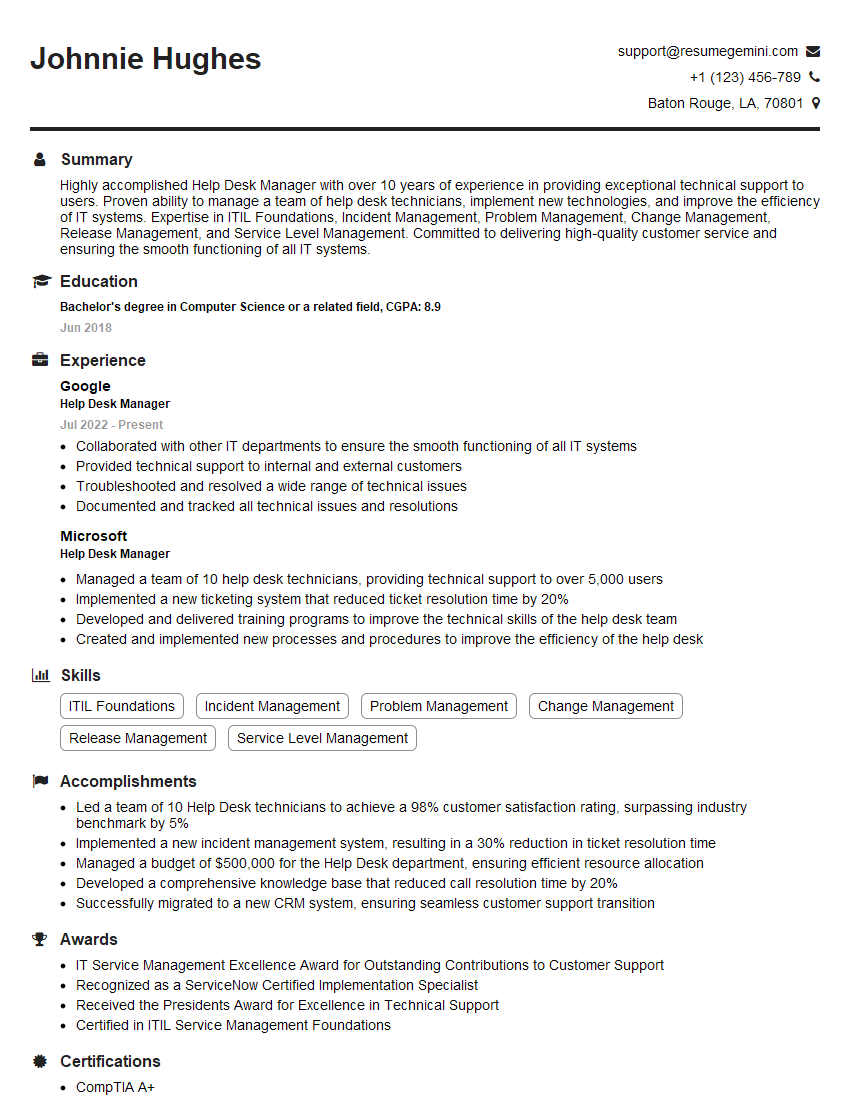
Mastering ITSM tools like ServiceNow and BMC Remedy is crucial for career advancement in IT service management. A strong understanding of these tools demonstrates valuable skills and experience highly sought after by employers. To maximize your job prospects, creating an ATS-friendly resume is essential. ResumeGemini is a trusted resource that can help you build a professional and effective resume that highlights your ITSM tool expertise. Examples of resumes tailored to ITSM Tools Knowledge (ServiceNow, BMC Remedy, etc.) are available to guide you. Take the next step towards your dream IT career today!



Explore more articles
Users Rating of Our Blogs
Share Your Experience
We value your feedback! Please rate our content and share your thoughts (optional).
What Readers Say About Our Blog
Very informative content, great job.
good