Preparation is the key to success in any interview. In this post, we’ll explore crucial Knowledge of cloud computing platforms (e.g., AWS, Azure, GCP) interview questions and equip you with strategies to craft impactful answers. Whether you’re a beginner or a pro, these tips will elevate your preparation.
Questions Asked in Knowledge of cloud computing platforms (e.g., AWS, Azure, GCP) Interview
Q 1. Explain the difference between IaaS, PaaS, and SaaS.
IaaS, PaaS, and SaaS represent different levels of cloud service abstraction. Think of it like a layered cake: SaaS is the frosting, PaaS the cake layers, and IaaS the foundation.
- IaaS (Infrastructure as a Service): You get the raw building blocks – virtual machines (VMs), storage, networking. You manage the operating system, applications, and everything on top. Think of renting a bare server rack in a data center; you’re responsible for installing and configuring everything. Examples include Amazon EC2, Microsoft Azure Virtual Machines, and Google Compute Engine.
- PaaS (Platform as a Service): This provides a pre-configured platform for deploying and running applications. The cloud provider manages the underlying infrastructure (servers, operating systems, networking), while you focus on developing and deploying your application. Think of it as renting a fully equipped kitchen; you just bring your ingredients (code) and cook (deploy). Examples include AWS Elastic Beanstalk, Azure App Service, and Google App Engine.
- SaaS (Software as a Service): You only access the software application over the internet. The provider manages everything – infrastructure, platform, and application. You simply use the software. This is like ordering takeout; you don’t worry about cooking or cleaning. Examples include Salesforce, Gmail, and Microsoft Office 365.
Choosing the right model depends on your technical expertise, budget, and application requirements. A simple website might be perfectly suited for PaaS or even SaaS, whereas a highly customized application requiring specific hardware configurations might necessitate IaaS.
Q 2. Describe the benefits and drawbacks of using serverless computing.
Serverless computing eliminates the need to manage servers. Your code runs in response to events, and the cloud provider automatically scales resources up or down based on demand. This offers incredible agility and cost efficiency, but it also presents some challenges.
- Benefits:
- Cost Savings: You only pay for the compute time your code actually uses.
- Scalability: The system automatically scales to handle bursts of traffic without manual intervention.
- Increased Agility: Faster deployment cycles and easier updates.
- Reduced Management Overhead: No server maintenance required.
- Drawbacks:
- Vendor Lock-in: Migrating away from a specific serverless platform can be challenging.
- Cold Starts: Initial invocation can be slow if the function hasn’t been recently used.
- Debugging Complexity: Troubleshooting can be more complex than traditional applications.
- Limited Control: Less control over underlying infrastructure compared to IaaS.
For example, imagine a photo-sharing app. With serverless, you could build functions to process uploaded images and generate thumbnails. The functions would only run when an image is uploaded, ensuring you pay only for the actual processing time, even during peak usage.
Q 3. How do you ensure high availability and scalability in a cloud environment?
High availability and scalability are crucial for cloud applications. They ensure your application remains operational and responsive even under heavy load. This is achieved through a combination of strategies.
- Redundancy: Employ multiple instances of your application across different availability zones or regions. If one fails, others take over seamlessly.
- Load Balancing: Distribute traffic across multiple instances to prevent any single instance from becoming overloaded. This uses tools like AWS Elastic Load Balancing, Azure Load Balancer, or Google Cloud Load Balancing.
- Auto-Scaling: Automatically adjust the number of instances based on demand. When traffic increases, more instances are provisioned; when traffic decreases, instances are scaled down. Examples include AWS Auto Scaling, Azure Autoscale, and Google Cloud Auto Scaling.
- Database Replication: Replicate your database across multiple availability zones to prevent data loss and maintain availability.
- Content Delivery Network (CDN): Use a CDN to cache static content (images, CSS, JavaScript) closer to users, reducing latency and improving performance.
For example, a global e-commerce platform would use a geographically distributed architecture with multiple availability zones and load balancers to ensure high availability and scalability during peak shopping seasons.
Q 4. Explain different deployment strategies in cloud environments (e.g., blue/green, canary).
Deployment strategies determine how you release new versions of your application to production. Different strategies offer different levels of risk and control.
- Blue/Green Deployment: Maintain two identical environments: blue (live) and green (staging). Deploy the new version to the green environment; test it thoroughly; then switch traffic from blue to green. If issues arise, switch back to blue quickly.
- Canary Deployment: Gradually roll out the new version to a small subset of users (the ‘canary’). Monitor performance and user feedback. If everything’s fine, gradually increase the rollout to the rest of the users. This minimizes the impact of a faulty release.
- Rolling Deployment: Gradually update instances one by one, allowing for rollback if issues are detected. It’s a more controlled approach than blue/green.
- A/B Testing Deployment: Run two versions of your application simultaneously and direct traffic to each version based on a predefined rule. This allows you to compare the performance of different versions and choose the best one.
The choice depends on your risk tolerance and application complexity. A critical application might benefit from a blue/green approach, while a less critical app could use canary deployment.
Q 5. What are the key security considerations when deploying applications to the cloud?
Cloud security is paramount. A compromised application can lead to significant data breaches and financial losses. Key considerations include:
- Identity and Access Management (IAM): Implement strong authentication and authorization mechanisms to control who can access your resources. Use least privilege principle – grant only necessary permissions.
- Data Encryption: Encrypt data both in transit (using HTTPS) and at rest (using encryption services). This protects data from unauthorized access.
- Network Security: Use virtual private clouds (VPCs) and firewalls to isolate your resources and control network traffic. Implement intrusion detection and prevention systems.
- Vulnerability Management: Regularly scan your applications and infrastructure for vulnerabilities and promptly apply patches.
- Security Monitoring: Implement logging and monitoring tools to detect suspicious activity. Utilize Security Information and Event Management (SIEM) solutions.
- Compliance: Adhere to relevant industry regulations and compliance standards (e.g., HIPAA, PCI DSS).
For example, a financial institution would need robust IAM controls, strong encryption, and regular security audits to protect sensitive customer data.
Q 6. How do you manage and monitor cloud resources?
Managing and monitoring cloud resources is essential for optimizing performance and cost. This involves leveraging cloud provider tools and potentially third-party monitoring solutions.
- Cloud Provider Consoles: Each major cloud provider (AWS, Azure, GCP) offers comprehensive consoles to manage your resources. You can monitor resource utilization, costs, and performance metrics.
- Monitoring Tools: Use tools like CloudWatch (AWS), Azure Monitor, or Stackdriver (GCP) to track key metrics, set alerts, and diagnose issues. Third-party tools like Datadog or Prometheus offer advanced monitoring capabilities.
- Logging: Implement robust logging mechanisms to track application events and troubleshoot issues. Centralized log management systems are essential for large deployments.
- Automation: Automate tasks such as provisioning, scaling, and patching using tools like Terraform, Ansible, or CloudFormation to improve efficiency and reduce errors.
Imagine managing a large-scale e-commerce website. Comprehensive monitoring would alert you to a sudden spike in CPU usage, enabling you to scale instances proactively to prevent outages.
Q 7. Explain your experience with cloud cost optimization strategies.
Cloud cost optimization is a continuous process. It requires a proactive approach and a deep understanding of your resource usage.
- Rightsizing Instances: Choose instance sizes appropriate for your workload. Avoid over-provisioning resources.
- Reserved Instances/Commitment Plans: Purchase reserved instances or commitment plans for significant discounts on long-term use.
- Spot Instances: Leverage spot instances for less critical workloads to save costs. These instances use unused capacity at discounted rates.
- Resource Tagging: Use tags to categorize and track your resources, making it easier to identify and manage costs. This enables detailed cost analysis.
- Scheduled Tasks: Turn off or reduce capacity of resources during periods of low utilization (e.g., overnight or weekends).
- Cost Analysis Tools: Use cloud provider cost analysis tools to identify areas for improvement. Regularly review your billing reports.
For example, I once worked on a project where we reduced costs by 40% by switching to reserved instances and implementing auto-scaling based on real-time usage patterns. A thorough analysis of our resource utilization, coupled with strategic instance selection, proved invaluable.
Q 8. Describe your experience with Infrastructure as Code (IaC) tools like Terraform or CloudFormation.
Infrastructure as Code (IaC) is the management of infrastructure through code, automating the provisioning and management of IT resources. This eliminates manual processes, increasing efficiency and reducing errors. I have extensive experience with both Terraform and CloudFormation.
Terraform, using HashiCorp Configuration Language (HCL), is known for its multi-cloud support and declarative approach. I’ve used it to build and manage complex infrastructure across AWS, Azure, and GCP, including VPCs, EC2 instances, databases, and load balancers. For example, I used Terraform to automate the deployment of a three-tier application architecture, including the creation of a highly available database cluster across multiple availability zones.
CloudFormation, AWS’s native IaC tool, utilizes YAML or JSON. I’ve leveraged its integration with other AWS services extensively. A recent project involved creating a serverless application using CloudFormation, defining Lambda functions, API Gateway endpoints, and DynamoDB tables all within a single template. This ensured consistency and repeatability across different deployments.
The benefits of IaC are numerous: improved consistency, reduced human error, version control through Git integration allowing for easy rollback and auditing, and increased speed and efficiency in deployments.
Q 9. How do you handle cloud outages and incidents?
Handling cloud outages requires a proactive and structured approach. My strategy involves a multi-layered defense, starting with robust monitoring and alerting. I utilize tools like CloudWatch (AWS), Azure Monitor, and Stackdriver (GCP) to track key metrics such as CPU utilization, network latency, and application performance. Critical thresholds trigger automated alerts via email, PagerDuty, or other notification systems.
When an outage occurs, I follow a well-defined incident response plan. This typically involves:
- Identifying the root cause using logs, monitoring data, and diagnostic tools.
- Implementing mitigation strategies, which might include scaling resources, rerouting traffic, or rolling back to a previous version.
- Communicating updates transparently to stakeholders and affected users.
- Conducting a post-mortem analysis to identify areas for improvement in our infrastructure and processes to prevent future occurrences.
For example, during a recent incident involving a database server failure, we used automated backups and failover mechanisms to quickly restore service, minimizing downtime. Post-mortem analysis revealed a need for improved capacity planning and a more robust backup strategy, which we subsequently implemented.
Q 10. Explain your experience with containerization technologies like Docker and Kubernetes.
Containerization, using Docker and Kubernetes, is essential for modern application deployment. Docker provides lightweight, portable containers that package applications and their dependencies. I use Docker to create consistent environments for development, testing, and production, ensuring that the application behaves identically across different platforms.
Kubernetes orchestrates the deployment, scaling, and management of containerized applications. I’ve extensively used Kubernetes to deploy and manage microservices architectures. Features like automatic scaling, self-healing, and rolling updates are crucial for maintaining application availability and performance. For instance, I orchestrated a microservice application on Kubernetes, leveraging its features to automatically scale resources based on demand and to manage deployments without service interruptions.
I am proficient in using various Kubernetes concepts, including deployments, services, ingress controllers, and persistent volumes. This allows me to design highly available and scalable containerized applications.
Q 11. What are the different types of cloud storage options and when would you use each?
Cloud providers offer various storage options, each suited for different needs. The choice depends on factors like cost, performance requirements, data accessibility, and security needs.
- Object Storage (e.g., S3, Azure Blob Storage, Google Cloud Storage): Ideal for unstructured data like images, videos, and backups. It’s cost-effective and highly scalable.
- Block Storage (e.g., EBS, Azure Disk Storage, Persistent Disk): Provides raw block-level storage, typically used as hard drives for virtual machines. Performance varies depending on the storage type (e.g., SSD vs. HDD).
- File Storage (e.g., EFS, Azure Files, Google Cloud Filestore): Offers file-level storage, suitable for applications requiring shared file systems. It’s often used for collaboration and shared data access.
- Database Storage (e.g., RDS, Azure SQL Database, Cloud SQL): Managed database services optimized for specific database systems. They offer high availability, scalability, and security features.
For example, I used S3 for storing user-uploaded images, EBS for VM boot volumes, and RDS for a relational database in a recent e-commerce application. The selection was based on the specific needs of each component.
Q 12. Explain the concept of a virtual network and its importance in cloud computing.
A virtual network (VPC) is a logically isolated section of a cloud provider’s network. Think of it as your own private network within the cloud. It allows you to create a secure and customizable network environment for your virtual machines, databases, and other resources.
Its importance lies in:
- Security: Isolates your resources from other users and the public internet, enhancing security.
- Customization: Allows you to define your own IP address ranges, subnets, and routing tables.
- Scalability: Easily expand your network as your needs grow.
- Control: Provides granular control over network traffic, security groups, and other network settings.
For example, in a multi-tier application, I’d create a VPC with separate subnets for the web servers, application servers, and databases. This ensures isolation and improves security.
Q 13. How do you implement load balancing in a cloud environment?
Load balancing distributes incoming network traffic across multiple servers, preventing overload and ensuring high availability. Cloud providers offer various load balancing solutions:
- Application Load Balancers (ALB): Route traffic based on application-layer characteristics like HTTP headers. They are ideal for handling complex routing rules and microservices architectures.
- Network Load Balancers (NLB): Route traffic based on the IP address and port. They are suitable for simpler scenarios where application-level routing is not required.
Implementation involves configuring the load balancer to listen on specific ports and forwarding traffic to registered instances. Health checks ensure that only healthy instances receive traffic. I often use load balancers in front of web servers to handle increased traffic during peak periods, ensuring consistent application performance.
For example, in a recent project, I implemented an ALB to distribute traffic across multiple web servers, ensuring high availability and responsiveness even during peak load. The ALB also enabled features like SSL termination and routing based on HTTP headers.
Q 14. Describe your experience with different database services offered by cloud providers.
Cloud providers offer a wide array of managed database services. My experience encompasses several types:
- Relational Databases (e.g., RDS for MySQL, PostgreSQL, Oracle; Azure SQL Database; Cloud SQL): These are suitable for structured data and applications requiring ACID properties (Atomicity, Consistency, Isolation, Durability). I’ve used them extensively for applications requiring high availability and scalability.
- NoSQL Databases (e.g., DynamoDB, Cosmos DB, Cloud Spanner): Designed for unstructured or semi-structured data, offering high scalability and performance. I’ve leveraged these for applications needing high write throughput and flexibility.
- Data Warehouses (e.g., Redshift, Snowflake, BigQuery): Optimized for large-scale data analytics and reporting. I’ve utilized these for building data pipelines and performing business intelligence.
The choice of database depends on the application’s requirements. For instance, I selected a NoSQL database for a high-volume, low-latency application, whereas a relational database was chosen for an application requiring transactional integrity and data consistency. The managed nature of these services simplifies operations and allows focus on application development rather than database administration.
Q 15. How do you ensure data backup and recovery in a cloud environment?
Ensuring data backup and recovery in a cloud environment is paramount for business continuity and data protection. It involves a multi-layered approach encompassing regular backups, secure storage, and efficient recovery mechanisms. Think of it like having multiple copies of your most precious family photos – you wouldn’t just keep them in one place!
Regular Backups: Employ automated scheduling for regular backups of your data. This might involve daily incremental backups and weekly full backups, depending on your Recovery Time Objective (RTO) and Recovery Point Objective (RPO). AWS offers services like S3 for object storage backups, while Azure provides Azure Backup and GCP offers Cloud Storage for backups.
Backup Storage Location: Store your backups in a geographically separate region from your primary data. This protects against regional outages and natural disasters. Imagine having your photos stored both at home and at your parents’ house – if one location is affected, you still have the other.
Backup Validation: Regularly test your backup and recovery processes. Don’t just assume they work; verify by restoring a small subset of your data. This is like periodically checking your photo copies to make sure they’re legible.
Backup Security: Employ encryption both in transit and at rest to protect your backup data from unauthorized access. Think of this as using a password-protected archive for your digital photos.
Recovery Procedures: Establish clear, documented recovery procedures detailing how to restore data in case of a disaster. This should include roles and responsibilities for each team member and step-by-step instructions.
For example, in an AWS environment, I might use S3 for storage, Glacier for long-term archiving, and CloudWatch for monitoring the backup process. The recovery plan would involve using AWS Backup to restore data to either a new instance or the original one.
Career Expert Tips:
- Ace those interviews! Prepare effectively by reviewing the Top 50 Most Common Interview Questions on ResumeGemini.
- Navigate your job search with confidence! Explore a wide range of Career Tips on ResumeGemini. Learn about common challenges and recommendations to overcome them.
- Craft the perfect resume! Master the Art of Resume Writing with ResumeGemini’s guide. Showcase your unique qualifications and achievements effectively.
- Don’t miss out on holiday savings! Build your dream resume with ResumeGemini’s ATS optimized templates.
Q 16. Explain the importance of logging and monitoring in cloud environments.
Logging and monitoring are crucial for maintaining the health, security, and performance of your cloud infrastructure. They provide insights into application behavior, identify potential issues, and facilitate faster troubleshooting. Imagine a car’s dashboard – the gauges and warning lights provide critical information about its status.
Security Monitoring: Detects suspicious activities like unauthorized access attempts, data breaches, and malware infections. Cloud providers often offer Security Information and Event Management (SIEM) tools like AWS CloudTrail, Azure Security Center, and GCP Cloud Security Command Center.
Performance Monitoring: Tracks key performance indicators (KPIs) like CPU utilization, memory usage, network latency, and disk I/O. This helps identify performance bottlenecks and optimize resource allocation. Services like CloudWatch (AWS), Azure Monitor, and Stackdriver (GCP) are essential here.
Application Monitoring: Monitors the health and performance of your applications. This often involves using APM tools that track requests, errors, and response times. This helps ensure a seamless user experience.
Alerting: Configuring alerts based on predefined thresholds is vital. This ensures timely notification of potential problems, allowing for proactive intervention. For example, an alert could be triggered if CPU usage exceeds 80% for an extended period.
In a real-world scenario, I might use CloudWatch to monitor the CPU utilization of my EC2 instances and set up an alarm to notify me if it goes above 90%, preventing potential performance issues.
Q 17. How do you troubleshoot network connectivity issues in a cloud environment?
Troubleshooting network connectivity issues in a cloud environment requires a systematic approach, combining cloud-specific tools with general networking troubleshooting techniques. Think of it as systematically diagnosing a car’s electrical problem – you need to check different components one by one.
Identify the Affected Resources: Determine which resources are experiencing connectivity issues – VMs, databases, applications, or network devices.
Check Cloud Provider Tools: Utilize the cloud provider’s monitoring and logging tools (e.g., AWS CloudWatch, Azure Monitor, GCP Cloud Logging) to identify network errors, packet loss, and latency issues.
Inspect Security Groups/Network Security Groups: Verify that the security rules are correctly configured and allow the necessary traffic. Incorrectly configured firewalls are a common cause of connectivity problems.
Examine Routing Tables: Check that the routing tables are correctly configured to route traffic to the intended destination. A misconfigured routing table could send traffic to the wrong subnet or region.
Check DNS Resolution: Ensure that DNS resolution is working correctly. If your application can’t resolve hostnames, it will be unable to connect to other resources.
Use Ping and Traceroute: Basic network diagnostics like ping and traceroute can help identify the point of failure. These tools will trace the path packets take, helping pinpoint issues on the path.
For example, if an EC2 instance can’t connect to a database instance on the same VPC, I’d first check the security groups of both instances to ensure they allow inbound and outbound connections on the appropriate port. If it was an issue with cross-region connectivity, I would check the VPC peering or VPN configuration.
Q 18. Describe your experience with cloud-based identity and access management (IAM).
I have extensive experience with cloud-based Identity and Access Management (IAM). IAM is the cornerstone of cloud security, controlling who can access what resources and how. It’s like being the security guard at a building, carefully managing who enters and what they’re allowed to do inside.
Role-Based Access Control (RBAC): I leverage RBAC to manage permissions granularly. This means assigning specific roles with predefined permissions to users or groups instead of directly managing individual permissions. This makes management far easier and more secure.
Principle of Least Privilege: I firmly adhere to this principle – granting users only the minimum access rights necessary to perform their tasks. This minimizes the potential damage from compromised accounts.
Multi-Factor Authentication (MFA): I enforce MFA to add an extra layer of security, requiring users to provide multiple authentication factors (something they know, something they have, something they are) before accessing resources. It’s like a double-lock on a vault, making it much harder to break in.
Access Keys and Secrets Management: I use secure methods for storing and managing access keys and secrets, such as AWS Secrets Manager, Azure Key Vault, or GCP Cloud KMS. These services allow rotation and secure retrieval of sensitive information, preventing direct exposure.
Regular Audits and Reviews: I conduct regular audits and reviews of IAM configurations to identify potential security vulnerabilities and ensure compliance with security policies.
For instance, while setting up a new application, I’d create specific IAM roles with permissions tailored to the application’s needs. The developers would assume these roles to access the required resources, rather than using their personal accounts with broader access.
Q 19. What are the different cloud security best practices?
Cloud security best practices are essential for protecting sensitive data and ensuring the integrity of your cloud environment. They cover various aspects, from network security to data protection and access control.
Secure Network Configuration: Implement strong network security measures such as firewalls, VPNs, and intrusion detection/prevention systems. This forms the perimeter of your cloud environment, protecting it from external threats.
Data Encryption: Encrypt data both in transit and at rest to protect it from unauthorized access. This is like using a strong lockbox to safeguard your valuables.
Access Control: Employ robust IAM policies and practices such as RBAC, least privilege, and MFA to restrict access to resources. This controls who can access what, limiting the impact of security breaches.
Regular Security Audits and Penetration Testing: Conduct regular security audits and penetration testing to identify vulnerabilities and assess your security posture proactively. This helps identify weaknesses before attackers do.
Vulnerability Management: Implement a comprehensive vulnerability management program to regularly scan for and remediate security vulnerabilities in your applications and infrastructure. This is like regularly maintaining your house’s security system.
Compliance and Governance: Ensure that your cloud environment complies with relevant regulations and industry standards such as HIPAA, PCI DSS, and GDPR. This ensures you’re operating within legal boundaries.
For example, I’d ensure all databases are encrypted using AWS KMS, implement robust security groups to control network access, and regularly scan for vulnerabilities using automated tools like QualysGuard.
Q 20. How do you implement disaster recovery and business continuity in the cloud?
Implementing disaster recovery and business continuity in the cloud involves creating a plan that ensures minimal disruption in case of a failure. It’s like having a backup plan for a crucial business trip, making sure you have alternative routes and accommodations.
Recovery Time Objective (RTO) and Recovery Point Objective (RPO): Define clear RTO and RPO goals. RTO is the maximum acceptable downtime after a disaster, while RPO is the maximum acceptable data loss.
Data Replication and Backup: Implement data replication and backup strategies to ensure data redundancy and quick recovery. This involves creating multiple copies of data across different locations.
Geographic Redundancy: Deploy your resources in multiple availability zones or regions to protect against regional outages. This is like having offices in different cities, mitigating the risk of a single city’s disaster impacting your business.
Automated Failover: Implement automated failover mechanisms to quickly switch to backup resources in case of a failure. This ensures a seamless transition with minimal downtime.
Disaster Recovery Testing: Regularly test your disaster recovery plan to ensure it’s effective and efficient. This validates your plan and identifies areas for improvement.
Recovery Procedures and Documentation: Create detailed recovery procedures and document them clearly, including roles, responsibilities, and contact information. This ensures everyone knows what to do during a disaster.
For example, in an AWS environment, I might use a combination of RDS multi-AZ deployments, S3 for backups, and AWS Lambda for automated failover scripts, along with a comprehensive disaster recovery plan detailing all procedures and contact information.
Q 21. Explain your experience with cloud automation tools.
I have extensive experience with cloud automation tools, utilizing them to streamline deployment, management, and operations of cloud resources. This significantly improves efficiency and reduces the risk of human error. Think of it like having a robot assistant to handle repetitive tasks, freeing you up for more strategic work.
Infrastructure as Code (IaC): I use tools like Terraform, CloudFormation, and Bicep to define and manage infrastructure as code. This allows me to automatically provision and manage resources, ensuring consistency and reproducibility.
Configuration Management: I leverage tools like Ansible, Chef, and Puppet to automate the configuration of servers and applications. This ensures that all servers are consistently configured, reducing discrepancies and security vulnerabilities.
Container Orchestration: I have experience with Kubernetes, Docker Swarm, and other container orchestration platforms to manage containerized applications. This enhances scalability, deployment speed, and manageability.
CI/CD Pipelines: I’m proficient in building and managing CI/CD pipelines using tools like Jenkins, GitLab CI, and GitHub Actions to automate the software development lifecycle. This enables faster and more reliable deployments.
Cloud Provider Specific Tools: I’m familiar with the cloud provider’s specific automation tools, such as AWS Systems Manager, Azure Automation, and GCP Deployment Manager, to manage and automate tasks within their respective environments.
For example, I might use Terraform to define and provision all the infrastructure for a new web application, including EC2 instances, load balancers, and databases. Then, I would utilize Ansible to configure the servers and deploy the application code via a CI/CD pipeline.
Q 22. How do you choose the right cloud provider for a specific project?
Choosing the right cloud provider is crucial for project success. It’s not a one-size-fits-all decision; it depends heavily on your specific needs and priorities. I typically follow a structured approach:
- Assess your needs: What are your application requirements? Do you need high compute power, massive storage, specific database solutions, or strong compliance certifications? Consider factors like scalability, reliability, security, and geographic location.
- Evaluate providers: Compare AWS, Azure, and GCP based on your needs. AWS often leads in market share and services, Azure excels in hybrid cloud solutions and enterprise integrations, while GCP shines in big data and machine learning. Examine pricing models (pay-as-you-go, reserved instances, etc.) as they can significantly impact costs.
- Consider existing infrastructure: If you already have an on-premise infrastructure, the migration complexity and compatibility should influence your choice. Azure, for instance, offers robust tools for hybrid cloud scenarios.
- Explore specific services: Dive into the specific services offered by each provider relevant to your project. Does one provider offer a superior managed database service or a more cost-effective serverless solution?
- Test and prototype: Before fully committing, try out each provider’s free tier or a trial period to gain hands-on experience and confirm your assumptions. This helps avoid expensive mistakes later.
For example, a company needing advanced analytics for a large dataset might choose GCP due to its strong BigQuery capabilities. Conversely, a company needing seamless integration with existing Active Directory infrastructure might prefer Azure.
Q 23. Describe your experience with migrating on-premise applications to the cloud.
I’ve extensive experience migrating on-premise applications to the cloud. It’s a multi-stage process requiring careful planning and execution. My approach involves:
- Assessment and Planning: Thorough analysis of the application architecture, dependencies, and data volume. This stage includes identifying potential challenges and risks associated with the migration.
- Proof of Concept (POC): Migrating a small portion of the application to the cloud to test feasibility and identify potential issues before committing the entire application. This minimizes disruption and risk.
- Migration Strategy: Choosing the appropriate migration strategy: rehosting (lift and shift), replatforming (refactoring), repurchase (replacing with SaaS), or refactoring (significant code changes). The best strategy depends on the application’s complexity and the desired level of modernization.
- Data Migration: Planning and executing the migration of data to the cloud, considering data volume, security, and downtime. Tools like AWS Database Migration Service or Azure Data Factory can be instrumental here.
- Testing and Validation: Rigorous testing of the application in the cloud environment to ensure functionality, performance, and security. This often involves automated testing and performance benchmarking.
- Monitoring and Optimization: Continuous monitoring of the application’s performance and resource utilization in the cloud to identify areas for optimization and cost reduction.
For instance, I recently migrated a legacy ERP system from an on-premise environment to AWS using a phased approach. We started with a POC, then migrated modules incrementally, minimizing disruption to the business. This involved meticulous database migration and thorough testing at each phase.
Q 24. What are the key differences between AWS, Azure, and GCP?
AWS, Azure, and GCP are the three major cloud providers, each with its strengths and weaknesses:
- AWS (Amazon Web Services): The largest provider with the broadest range of services. Known for its mature ecosystem, extensive documentation, and large community support. However, it can sometimes be complex to navigate due to its sheer size.
- Azure (Microsoft Azure): Strong in hybrid cloud solutions and enterprise integrations, especially with Microsoft products. It offers excellent tooling for managing and monitoring resources. Its integration with Active Directory is a significant advantage for organizations already using Microsoft products.
- GCP (Google Cloud Platform): A strong contender, particularly in big data analytics, machine learning, and container orchestration (Kubernetes). GCP boasts powerful tools like BigQuery and Dataflow for data processing. It often stands out for its innovative services.
The key differences lie in their strengths. Consider a scenario where a company wants to analyze massive datasets. GCP’s BigQuery might be the superior choice. Conversely, a company deeply invested in the Microsoft ecosystem might find Azure’s seamless integration more advantageous.
Q 25. Explain your experience with serverless functions (e.g., AWS Lambda, Azure Functions, Google Cloud Functions).
I have significant experience with serverless functions. They offer a powerful way to build scalable and cost-effective applications. My experience spans AWS Lambda, Azure Functions, and Google Cloud Functions. Key aspects include:
- Function Development: Writing code in various languages (Python, Node.js, Java, etc.) that executes in response to events. This could include HTTP requests, database changes, or messages from a queue.
- Event Handling: Configuring triggers to invoke functions based on specific events. For example, an AWS Lambda function can be triggered by an S3 object upload or an API Gateway request.
- Deployment and Management: Using the respective provider’s console or CLI tools to deploy and manage functions, including scaling, monitoring, and logging.
- Security Considerations: Implementing appropriate security measures such as IAM roles and access control lists to secure functions and protect sensitive data.
- Cost Optimization: Serverless functions are billed based on execution time and resources consumed, so optimizing code for efficiency is crucial for cost management.
For example, I built a serverless image processing pipeline using AWS Lambda and S3. Images uploaded to S3 triggered Lambda functions to resize and watermark them before storing them back in S3. This architecture eliminated the need for managing servers, resulting in significant cost savings and scalability.
Q 26. How do you manage and monitor cloud costs?
Managing and monitoring cloud costs is critical. My approach involves a combination of proactive strategies and reactive measures:
- Rightsizing Resources: Regularly reviewing resource utilization (CPU, memory, storage) to ensure instances are appropriately sized. Over-provisioning leads to wasted costs.
- Cost Allocation Tags: Using tags to categorize and track costs by project, team, or environment. This provides detailed visibility into spending patterns.
- Cost Optimization Tools: Leveraging cloud provider’s cost optimization tools, such as AWS Cost Explorer, Azure Cost Management, and GCP’s Billing dashboards. These tools offer detailed cost analysis and recommendations.
- Reserved Instances/Savings Plans: Utilizing reserved instances or savings plans to achieve discounts on compute and storage resources for predictable workloads.
- Spot Instances: Utilizing spot instances for fault-tolerant, non-critical workloads to significantly reduce costs. This requires careful planning and error handling.
- Monitoring and Alerting: Setting up alerts based on cost thresholds to proactively address potential cost overruns.
For example, by using AWS Cost Explorer, we identified a significant cost spike due to undersized database instances. Rightsizing the database instances resulted in immediate cost savings.
Q 27. Describe your experience with different types of databases (SQL, NoSQL) in the cloud.
I’ve worked extensively with various database types in the cloud, including both SQL and NoSQL solutions:
- SQL Databases: Relational databases like MySQL, PostgreSQL, SQL Server, and Oracle provide structured data storage with ACID properties (Atomicity, Consistency, Isolation, Durability). Cloud providers offer managed services for these databases, simplifying administration and scaling.
- NoSQL Databases: Non-relational databases like MongoDB, Cassandra, DynamoDB, and Cloud Spanner offer flexible schemas and horizontal scalability, suitable for large-scale, high-volume data. Each NoSQL database has different strengths; choosing the right one depends on the application’s data model and access patterns.
- Managed Services: Cloud providers offer managed database services, handling tasks like patching, backups, and scaling. This reduces operational overhead and allows developers to focus on application logic.
- Database Migration: I have experience migrating databases between different platforms and cloud providers. This requires careful planning and execution to minimize disruption and data loss.
For example, I helped a company migrate their on-premise MySQL database to AWS RDS (Relational Database Service). This involved a thorough database assessment, data migration planning, and rigorous testing to ensure a seamless transition.
Q 28. How do you ensure compliance with industry regulations in a cloud environment?
Ensuring compliance with industry regulations in a cloud environment is paramount. My approach incorporates the following:
- Identify Applicable Regulations: Determine which regulations apply to your industry and location (e.g., HIPAA, GDPR, PCI DSS, SOC 2). This is the foundation of your compliance strategy.
- Compliance Framework: Implement a comprehensive compliance framework that outlines policies, procedures, and controls to meet the requirements of applicable regulations. This includes data governance, access control, security monitoring, and incident response.
- Cloud Provider Compliance Offerings: Leverage the compliance certifications and tools provided by your chosen cloud provider. Most providers offer services and documentation to support compliance with various industry standards.
- Security Best Practices: Adhere to robust security best practices, including data encryption, access control, vulnerability management, and regular security audits. This includes employing infrastructure-as-code and automated security scanning.
- Monitoring and Auditing: Continuously monitor the cloud environment for compliance violations and conduct regular security audits to verify compliance. This should include both automated monitoring and manual reviews.
- Documentation: Maintain comprehensive documentation of your compliance program, including policies, procedures, audit reports, and security assessments. This is crucial for demonstrating compliance to auditors.
For instance, when working with a healthcare client, we ensured compliance with HIPAA by leveraging AWS’s HIPAA-compliant services, implementing strict access controls, and encrypting all sensitive data at rest and in transit.
Key Topics to Learn for Cloud Computing Platforms (AWS, Azure, GCP) Interviews
- Fundamental Cloud Concepts: IaaS, PaaS, SaaS, Cloud Deployment Models (public, private, hybrid), and key differences between the major cloud providers.
- Compute Services: Virtual Machines (VMs), containers (Docker, Kubernetes), serverless computing (Lambda, Azure Functions, Cloud Functions), and their appropriate use cases. Understand scaling and cost optimization strategies within these services.
- Storage Services: Object storage (S3, Blob Storage, Cloud Storage), block storage (EBS, Azure Disks, Persistent Disks), file storage (EFS, Azure Files, Cloud Files), and database services (RDS, Cosmos DB, Cloud SQL). Compare and contrast options based on performance, cost, and scalability needs.
- Networking: Virtual Private Clouds (VPCs), subnets, security groups, load balancing, and DNS management. Understand how to design secure and scalable network architectures.
- Security: Identity and Access Management (IAM), security best practices, data encryption, and compliance considerations (e.g., SOC 2, ISO 27001). Be prepared to discuss security considerations in your design choices.
- Data Analytics and Big Data: Cloud-based data warehousing (Snowflake, Synapse Analytics, BigQuery), data lakes, and data processing frameworks (Spark, Hadoop). Understand how to leverage these services for data analysis and reporting.
- Cost Optimization Strategies: Resource tagging, right-sizing VMs, utilizing reserved instances, and understanding pricing models for various cloud services. Demonstrate a practical understanding of cost management.
- Deployment and Orchestration: Infrastructure as Code (IaC) using tools like Terraform or CloudFormation, and Continuous Integration/Continuous Deployment (CI/CD) pipelines. Discuss experience with automating infrastructure deployments.
- Practical Problem Solving: Be prepared to discuss how you would approach common cloud-related challenges, such as troubleshooting network issues, optimizing application performance, or migrating on-premises applications to the cloud.
Next Steps
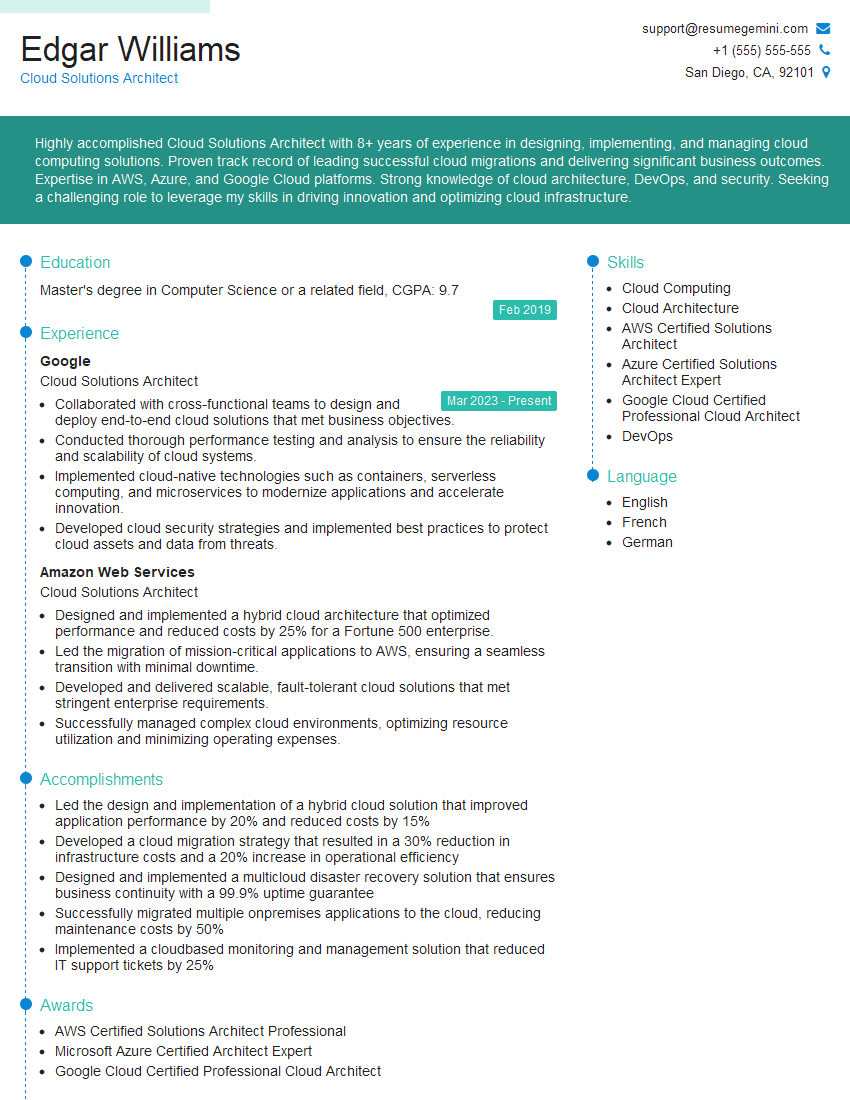
Mastering cloud computing platforms like AWS, Azure, and GCP is crucial for career advancement in today’s technology landscape. These skills are highly sought after, opening doors to diverse and rewarding roles. To maximize your job prospects, create a compelling and ATS-friendly resume that showcases your expertise. ResumeGemini is a trusted resource for building professional, impactful resumes tailored to your specific skills. We offer examples of resumes tailored to Cloud Computing roles featuring AWS, Azure, and GCP expertise – explore them to gain valuable insights and inspiration for crafting your own.



Explore more articles
Users Rating of Our Blogs
Share Your Experience
We value your feedback! Please rate our content and share your thoughts (optional).
What Readers Say About Our Blog
Very informative content, great job.
good