Every successful interview starts with knowing what to expect. In this blog, we’ll take you through the top Knowledge of cybersecurity interview questions, breaking them down with expert tips to help you deliver impactful answers. Step into your next interview fully prepared and ready to succeed.
Questions Asked in Knowledge of cybersecurity Interview
Q 1. Explain the difference between symmetric and asymmetric encryption.
Symmetric and asymmetric encryption are two fundamental methods for securing data. The core difference lies in how they handle encryption keys.
Symmetric encryption uses the same secret key to both encrypt and decrypt data. Think of it like a padlock with one key – you use the same key to lock and unlock the box. This is fast and efficient, but distributing the key securely to all parties who need access becomes a major challenge. If the key is intercepted, the entire system is compromised. Examples include AES (Advanced Encryption Standard) and DES (Data Encryption Standard).
Asymmetric encryption, on the other hand, uses two separate keys: a public key and a private key. The public key can be freely distributed, and it’s used to encrypt data. Only the corresponding private key, known only to the recipient, can decrypt it. This is analogous to a mailbox: anyone can drop a letter (encrypt data with the public key), but only the owner with the key can open it (decrypt with the private key). This solves the key distribution problem but is computationally slower than symmetric encryption. RSA (Rivest-Shamir-Adleman) and ECC (Elliptic Curve Cryptography) are common examples.
In practice, hybrid approaches are often used, combining the speed of symmetric encryption for the data itself with the secure key exchange capabilities of asymmetric encryption. For example, a secure website might use asymmetric encryption to exchange a symmetric session key, then use that session key for faster symmetric encryption of the rest of the communication.
Q 2. What are the key principles of the CIA triad (Confidentiality, Integrity, Availability)?
The CIA triad – Confidentiality, Integrity, and Availability – forms the cornerstone of information security. It represents the three core principles that must be protected to ensure data security.
- Confidentiality: Ensuring that only authorized individuals or systems can access sensitive data. Think of it as keeping secrets secret. This is achieved through access controls, encryption, and secure storage practices. For example, only authorized personnel should be able to view medical records.
- Integrity: Guaranteeing the accuracy and completeness of data and preventing unauthorized modification or deletion. This is about making sure data is reliable and trustworthy. Checksums, digital signatures, and version control are mechanisms used to maintain data integrity. For instance, an alteration to a financial transaction record should be immediately detectable.
- Availability: Ensuring that authorized users have timely and reliable access to information and resources when needed. This is about preventing disruptions and ensuring continuity of service. Redundancy, backups, and disaster recovery plans are crucial for ensuring availability. A website should be consistently accessible to its users, even during peak demand.
These principles are interconnected and mutually reinforcing. A breach in one area often compromises the others. For example, a data breach (violating confidentiality) can also lead to data alteration (violating integrity) and service disruption (violating availability).
Q 3. Describe the different types of malware and their impact.
Malware encompasses various malicious software designed to damage, disrupt, or gain unauthorized access to computer systems. Here are some key types:
- Viruses: Self-replicating programs that attach themselves to other files and spread when those files are executed. They can cause a range of harm, from minor annoyances to complete system crashes.
- Worms: Self-replicating programs that spread across networks without needing to attach to other files. They often consume network bandwidth and can cripple systems.
- Trojans: Malicious programs disguised as legitimate software. They often provide attackers with unauthorized access to systems or data.
- Ransomware: Malware that encrypts a victim’s files and demands a ransom for their release. This can have severe financial and operational impacts.
- Spyware: Software that secretly monitors a user’s activities and collects their personal information without their knowledge or consent.
- Adware: Software that displays unwanted advertisements. While less harmful than other malware, it can be intrusive and consume resources.
- Rootkits: Software that provides attackers with privileged access to a system, often hiding their presence from standard security tools.
The impact of malware can range from minor inconvenience to catastrophic data loss, financial damage, and reputational harm. Effective malware prevention strategies include regularly updating software, using antivirus software, and practicing safe browsing habits.
Q 4. What are the common types of network attacks?
Network attacks exploit vulnerabilities in network infrastructure and systems to gain unauthorized access or disrupt services. Common types include:
- Denial-of-Service (DoS) attacks: Flooding a network or server with traffic to overwhelm it and make it unavailable to legitimate users.
- Distributed Denial-of-Service (DDoS) attacks: Similar to DoS but uses multiple compromised systems (botnet) to launch the attack, making them more difficult to mitigate.
- Man-in-the-Middle (MitM) attacks: Intercepting communication between two parties to eavesdrop or manipulate the data being exchanged.
- SQL Injection attacks: Injecting malicious SQL code into input fields to manipulate database queries and potentially gain access to sensitive data.
- Cross-Site Scripting (XSS) attacks: Injecting malicious scripts into websites to steal user data or redirect users to malicious sites.
- Phishing attacks: Tricking users into revealing sensitive information (like passwords or credit card details) through deceptive emails or websites.
- Brute-force attacks: Trying numerous password combinations to gain unauthorized access to an account.
Protecting against these attacks requires a multi-layered approach involving firewalls, intrusion detection systems, security awareness training, and strong password policies.
Q 5. Explain the process of vulnerability assessment and penetration testing.
Vulnerability assessment and penetration testing are crucial security processes for identifying and mitigating security weaknesses.
Vulnerability assessment is a systematic process of identifying security flaws in systems and networks. It typically involves scanning systems for known vulnerabilities, analyzing configurations, and identifying potential weaknesses. Tools like Nessus and OpenVAS are commonly used for vulnerability assessments. The output provides a list of potential vulnerabilities with their severity levels, allowing organizations to prioritize remediation efforts.
Penetration testing, also known as ethical hacking, simulates real-world attacks to assess the effectiveness of security controls. Penetration testers attempt to exploit identified vulnerabilities to determine the potential impact of a successful attack. This process often involves multiple stages, including reconnaissance, vulnerability analysis, exploitation, and reporting. The results provide a practical demonstration of the effectiveness of security measures and highlight any gaps in the security posture.
The key difference is that vulnerability assessment identifies potential weaknesses, while penetration testing assesses the actual exploitability of those weaknesses. Both are crucial components of a comprehensive security program, offering complementary perspectives on an organization’s security posture.
Q 6. How does a firewall work and what are its limitations?
A firewall acts as a gatekeeper, controlling network traffic based on predefined rules. It examines incoming and outgoing network packets and decides whether to allow or block them based on criteria such as source and destination IP addresses, ports, and protocols.
Firewalls can be hardware or software-based and can be implemented at various levels, such as network perimeter firewalls, host-based firewalls, and application-level firewalls. They are a crucial component in protecting networks from unauthorized access and malicious traffic.
However, firewalls have limitations:
- They cannot protect against all attacks: Sophisticated attacks can bypass firewalls, particularly those that exploit internal vulnerabilities or utilize encrypted communication.
- They require careful configuration: Incorrectly configured firewalls can inadvertently block legitimate traffic or create security holes.
- They don’t protect against insider threats: Firewalls primarily protect against external threats; they don’t prevent malicious activity from authorized users within the network.
- They may become a bottleneck: Overly restrictive firewall rules can negatively impact network performance.
Therefore, firewalls should be considered one part of a comprehensive security strategy, not a standalone solution.
Q 7. Describe different authentication methods and their security implications.
Authentication verifies the identity of a user, device, or other entity attempting to access a system or resource. Different methods offer varying levels of security:
- Password-based authentication: The most common method, using a username and password combination. It’s relatively simple but vulnerable to brute-force attacks and phishing.
- Multi-factor authentication (MFA): Requires multiple forms of authentication, such as a password and a one-time code from a mobile app or security token. This significantly enhances security by adding layers of protection.
- Biometric authentication: Uses unique biological traits, such as fingerprints, facial recognition, or iris scans, for authentication. This can be highly secure but can raise privacy concerns.
- Certificate-based authentication: Uses digital certificates to verify the identity of users and devices. Commonly used in secure network communications.
- Token-based authentication: Uses tokens (temporary access codes) to authenticate users. Often used in conjunction with other methods for stronger security.
The security implications depend on the method used. Password-based authentication is relatively weak, while MFA and biometric authentication offer significantly stronger protection. The choice of authentication method should be based on the sensitivity of the data being protected and the risk tolerance of the organization. For example, accessing a bank account should employ strong MFA, while accessing an internal company wiki might only require a password.
Q 8. What is the importance of security awareness training?
Security awareness training is paramount because it’s the first line of defense against most cyber threats. Think of it like this: you can have the strongest lock on your door, but if you leave the key under the mat, it’s useless. Similarly, even the most robust technical security measures are ineffective if employees are unaware of phishing scams, malware, or social engineering tactics. Effective training empowers employees to identify and report suspicious activity, preventing breaches before they occur.
A comprehensive program covers various topics, including phishing recognition (identifying fake emails), password management (creating strong and unique passwords), safe browsing practices (avoiding malicious websites), and recognizing social engineering attempts (being wary of unsolicited requests for information). Regular refresher training, engaging simulations, and interactive exercises are crucial for reinforcing these lessons and ensuring they stay top-of-mind.
For example, training might include simulated phishing emails to test employee response and provide immediate feedback. This hands-on approach proves far more effective than simply reading a manual.
Q 9. Explain the concept of risk management in cybersecurity.
Risk management in cybersecurity is a systematic process of identifying, assessing, and mitigating potential threats to an organization’s information assets. It’s about understanding your vulnerabilities and prioritizing efforts to protect what matters most. Imagine a house: you wouldn’t equally secure every window and door. You’d prioritize the ones that are most vulnerable to intruders. Similarly, risk management helps you focus your resources on the most critical threats.
The process typically involves:
- Identifying Assets: Determining what information needs protecting (e.g., customer data, intellectual property).
- Identifying Threats: Pinpointing potential dangers (e.g., malware, phishing, insider threats).
- Assessing Vulnerabilities: Evaluating weaknesses that could be exploited (e.g., outdated software, weak passwords).
- Analyzing Risks: Combining threats and vulnerabilities to determine the likelihood and impact of a security incident.
- Mitigating Risks: Implementing controls to reduce or eliminate risks (e.g., firewalls, intrusion detection systems, security awareness training).
- Monitoring and Reviewing: Continuously monitoring the effectiveness of controls and adapting the strategy as needed.
The output is often a risk register, a document that details identified risks, their likelihood, impact, and mitigation strategies.
Q 10. What are common security protocols (e.g., TLS, SSH, IPsec)?
Security protocols are the rules and standards that govern secure communication over a network. They ensure data integrity, confidentiality, and authenticity. Several key protocols are frequently used:
- TLS (Transport Layer Security): Provides secure communication between a client and a server, commonly used for encrypting web traffic (HTTPS). Think of it as a secure envelope for your data when browsing the internet.
- SSH (Secure Shell): Enables secure remote login and file transfer. It creates an encrypted tunnel between your computer and a remote server, preventing eavesdropping on your login credentials or data transfer.
- IPsec (Internet Protocol Security): Provides secure communication at the network layer, often used for virtual private networks (VPNs) and securing network-to-network communication. It’s like creating a secure tunnel for all network traffic between two locations.
Each protocol uses cryptography to protect data, ensuring that only authorized parties can access and understand the information being transmitted.
Q 11. How do you handle a security incident?
Handling a security incident requires a structured approach. Think of it like a well-orchestrated emergency response. The key is to act swiftly and decisively to contain the damage and prevent further escalation.
My approach would follow these steps:
- Preparation: Having a well-defined incident response plan is crucial. This plan should detail roles, responsibilities, escalation procedures, and communication protocols.
- Detection & Analysis: Identify the incident, determine its nature and scope, and collect evidence.
- Containment: Isolate affected systems to prevent further spread of the threat.
- Eradication: Remove the threat from the affected systems.
- Recovery: Restore systems and data to their pre-incident state.
- Post-Incident Activity: Conduct a thorough review to identify weaknesses, improve security controls, and update the incident response plan.
- Lessons Learned: This crucial step ensures that any mistakes are noted and prevention strategies are implemented to avoid similar occurrences.
Throughout this process, maintaining clear and timely communication with stakeholders is vital. This includes keeping management informed and cooperating with law enforcement if necessary.
Q 12. Explain the concept of zero trust security.
Zero trust security operates on the principle of ‘never trust, always verify.’ It assumes that no user or device, whether inside or outside the network perimeter, should be automatically trusted. Each access request is verified before granting access, regardless of location.
Traditional security models often rely on a castle-and-moat approach, trusting anyone inside the network perimeter. Zero trust eliminates this inherent trust, making it far more secure against internal and external threats. It uses multiple layers of authentication and authorization to verify every access attempt. Think of it like having a personal code for every door in your house, not just the front door.
Key components include:
- Strong Authentication: Multi-factor authentication (MFA) is critical.
- Microsegmentation: Dividing the network into smaller, isolated segments to limit the impact of breaches.
- Continuous Monitoring: Constantly monitoring user activity and network traffic for suspicious behavior.
- Least Privilege Access: Granting users only the access they need to perform their job.
Zero trust is particularly important in today’s cloud-centric environment, where the traditional network perimeter is less defined.
Q 13. What are the key components of an incident response plan?
A comprehensive incident response plan (IRP) is a cornerstone of any robust cybersecurity strategy. It’s a detailed, step-by-step guide that outlines how to handle security incidents, minimizing damage and ensuring business continuity.
Key components of an effective IRP include:
- Incident identification and reporting procedures: Clear guidelines on how to identify, report, and escalate incidents.
- Roles and responsibilities: Clearly defining who is responsible for each stage of the response process.
- Communication plan: Outlining how to communicate with stakeholders during and after an incident.
- Containment, eradication, and recovery procedures: Detailed steps to isolate, remove, and restore affected systems.
- Post-incident activity: Procedures for reviewing the incident, learning lessons, and improving security controls.
- Training and awareness: Ensuring that all personnel are aware of the IRP and their roles.
- Legal and regulatory considerations: Addressing any legal or regulatory obligations related to incident handling.
Regular testing and updates are vital to ensure the IRP remains effective and relevant.
Q 14. What are the best practices for securing cloud environments?
Securing cloud environments requires a multi-layered approach that addresses the unique challenges of the cloud. Unlike on-premise infrastructure, you don’t have direct physical control over the underlying hardware. This necessitates a different security strategy.
Best practices include:
- Identity and Access Management (IAM): Implementing strong IAM controls, including multi-factor authentication (MFA) and least privilege access, is crucial.
- Data encryption: Encrypting data both in transit and at rest protects sensitive information from unauthorized access.
- Virtual patching: Using virtual patching techniques to mitigate vulnerabilities in software until a proper patch can be applied.
- Regular security assessments: Conducting regular vulnerability scans and penetration testing to identify and address security weaknesses.
- Security Information and Event Management (SIEM): Using SIEM tools to monitor security events and detect potential threats.
- Cloud-native security tools: Leveraging cloud-native security tools offered by cloud providers to enhance security posture.
- Compliance and regulations: Understanding and complying with relevant security and data privacy regulations (e.g., GDPR, HIPAA).
Remember that cloud security is a shared responsibility. While cloud providers are responsible for securing the underlying infrastructure, you are responsible for securing your data and applications running on that infrastructure.
Q 15. What is the difference between a VPN and a firewall?
VPNs and firewalls are both crucial for network security, but they function differently. Think of a firewall as a castle wall – it protects your network from unauthorized access by inspecting incoming and outgoing traffic and blocking anything that doesn’t meet predefined rules. A VPN, on the other hand, is like a secret tunnel. It creates an encrypted connection between your device and a server, masking your IP address and encrypting your data, making it much harder for others to intercept your online activity. In short: a firewall controls access to your network, while a VPN protects your data in transit.
Firewall: Acts as a barrier, filtering network traffic based on predefined rules. For example, a firewall might block all traffic from a known malicious IP address. It operates at the network level.
VPN: Creates a secure, encrypted connection between your device and a server, protecting your data from eavesdropping. This is particularly useful when using public Wi-Fi or connecting to sensitive data remotely. It operates at the application level.
Many organizations use both together for comprehensive security. The firewall protects the network perimeter, while the VPN secures individual connections from external threats.
Career Expert Tips:
- Ace those interviews! Prepare effectively by reviewing the Top 50 Most Common Interview Questions on ResumeGemini.
- Navigate your job search with confidence! Explore a wide range of Career Tips on ResumeGemini. Learn about common challenges and recommendations to overcome them.
- Craft the perfect resume! Master the Art of Resume Writing with ResumeGemini’s guide. Showcase your unique qualifications and achievements effectively.
- Don’t miss out on holiday savings! Build your dream resume with ResumeGemini’s ATS optimized templates.
Q 16. Explain the concept of data loss prevention (DLP).
Data Loss Prevention (DLP) is a strategy and set of technologies designed to prevent sensitive data from leaving the organization’s control. Imagine you’re a bank, and you need to prevent confidential customer information from being accidentally emailed to the wrong person, or stolen by a malicious insider. That’s where DLP comes in. It involves identifying, monitoring, and protecting sensitive data wherever it resides – whether on laptops, servers, in the cloud, or even in transit.
DLP solutions typically use a combination of techniques:
- Data Discovery and Classification: Identifying where sensitive data is located and classifying it according to its sensitivity (e.g., credit card numbers, social security numbers).
- Monitoring and Prevention: Tracking the movement of sensitive data and blocking attempts to transmit it outside authorized channels. This could involve blocking emails containing sensitive data or preventing the copying of sensitive files to unauthorized devices.
- Data Encryption: Protecting data at rest and in transit using encryption techniques to make it unreadable to unauthorized individuals.
Effective DLP requires a multi-layered approach, including technical controls, policies, and employee training. It’s not just about technology; it’s about culture and process too.
Q 17. What is the role of SIEM in security monitoring?
Security Information and Event Management (SIEM) is the central nervous system of a modern security operation. Think of it as a sophisticated monitoring system that collects, analyzes, and correlates security logs from various sources across your entire IT infrastructure. It acts like a detective, looking for patterns and anomalies that might indicate a security breach. Instead of relying on individual security tools providing fragmented alerts, SIEM integrates them to provide a holistic view of your security posture.
Key roles of SIEM:
- Real-time threat detection: By analyzing log data, SIEM can detect malicious activity in real-time, enabling swift response to potential threats.
- Security auditing and compliance: SIEM provides detailed audit trails, helping organizations meet regulatory compliance requirements.
- Incident response: When a security incident occurs, SIEM data helps security teams to understand the scope of the breach, identify the root cause, and take appropriate remediation actions.
- Forensics and investigation: SIEM logs provide valuable data for post-incident analysis and forensic investigations.
Modern SIEM systems often incorporate advanced analytics, machine learning, and automation to improve their efficiency and effectiveness in threat detection and response.
Q 18. How do you stay updated with the latest cybersecurity threats?
Staying updated on the latest cybersecurity threats is a critical ongoing responsibility. It’s not a one-time task; it’s a continuous process. I employ a multi-pronged approach:
- Threat intelligence feeds: Subscribing to reputable threat intelligence providers (like Recorded Future or CrowdStrike) that offer curated information on emerging threats, vulnerabilities, and attack techniques.
- Security newsletters and blogs: Following respected security researchers, companies, and publications (e.g., Krebs on Security, Threatpost) to keep abreast of current events and trends.
- Vulnerability databases: Regularly checking vulnerability databases (like the National Vulnerability Database – NVD) for newly discovered vulnerabilities in the software and systems my organization uses.
- Industry conferences and webinars: Attending cybersecurity conferences and participating in webinars to learn from leading experts and network with peers.
- Professional certifications: Maintaining and updating relevant professional certifications (like CISSP, CISM) demonstrates commitment to continuous learning and provides access to updated knowledge.
This combined approach helps me understand emerging threats, assess their potential impact on our systems, and proactively implement preventative measures.
Q 19. What are your experiences with specific security tools (e.g., Nessus, Metasploit)?
I have extensive experience with several security tools, including Nessus and Metasploit, but with different objectives. Nessus is a vulnerability scanner used for offensive security, and Metasploit is a penetration testing framework. Let’s explore each one:
Nessus: I’ve used Nessus extensively for vulnerability assessments, identifying weaknesses in our systems and applications. For example, I’ve used it to scan our network for open ports, outdated software, and misconfigurations. The detailed reports generated by Nessus provide crucial information for prioritizing remediation efforts. Nessus scan is a basic command to initiate a scan.
Metasploit: Metasploit is a more powerful tool. I’ve used it for penetration testing, simulating real-world attacks to identify exploitable vulnerabilities. This requires a more in-depth understanding of security principles and methodologies. Metasploit allows us to test our defenses and better understand how attackers might try to compromise our systems. For example, exploiting a known vulnerability in a web application. However, I emphasize responsible and ethical usage of Metasploit only on systems we have explicit permission to test.
Q 20. Explain different types of denial-of-service attacks.
Denial-of-Service (DoS) attacks aim to disrupt online services by flooding the target with traffic, making it unavailable to legitimate users. There are several types:
- Volumetric attacks: These flood the target with massive amounts of traffic from multiple sources, overwhelming its bandwidth and preventing it from responding to legitimate requests. Examples include UDP floods and ICMP floods.
- Protocol attacks: These exploit vulnerabilities in network protocols to consume server resources and disrupt service. SYN floods are a classic example, where the attacker sends many SYN packets without completing the three-way handshake, exhausting server resources.
- Application-layer attacks: These target specific applications or services, consuming their resources and causing them to fail. HTTP floods and Slowloris attacks are examples. Slowloris keeps many connections open, tying up server resources.
- Distributed Denial-of-Service (DDoS): This is a more sophisticated variant of DoS, using a botnet (a network of compromised computers) to launch an attack from numerous sources. This makes DDoS attacks much more difficult to mitigate.
Mitigating DoS attacks requires a multi-layered approach including robust network infrastructure, traffic filtering, and the use of content delivery networks (CDNs).
Q 21. Describe the different phases of the software development security lifecycle (SDLC).
The Secure Software Development Lifecycle (SDLC) integrates security practices into each phase of software development, ensuring security is considered from the beginning rather than as an afterthought. Think of it as baking a cake – if you forget a key ingredient at the beginning, you can’t just add it at the end and expect the same result.
The phases typically include:
- Planning: Defining security requirements and objectives, identifying potential threats and vulnerabilities.
- Requirements: Integrating security requirements into functional and non-functional requirements, defining security controls and mechanisms.
- Design: Designing secure architecture, incorporating security best practices (e.g., input validation, secure coding).
- Implementation: Developing the software according to secure coding guidelines, using secure libraries and frameworks.
- Testing: Performing security testing throughout the development process (e.g., penetration testing, static and dynamic code analysis).
- Deployment: Implementing secure deployment practices, configuring security controls in the production environment.
- Maintenance: Regularly monitoring the software for vulnerabilities, patching security flaws, and responding to incidents.
By integrating security at every step, the SDLC significantly reduces the risk of vulnerabilities reaching production, leading to more secure and reliable software.
Q 22. How do you ensure data compliance with regulations like GDPR or CCPA?
Ensuring data compliance with regulations like GDPR and CCPA requires a multifaceted approach. It’s not just about having a checklist, but embedding data protection into the very fabric of your organization’s operations. At its core, it involves understanding the specific requirements of each regulation, implementing appropriate technical and organizational measures, and consistently monitoring and improving your data handling practices.
GDPR (General Data Protection Regulation) focuses on the rights of individuals concerning their personal data within the European Union. This involves principles like data minimization, purpose limitation, and accountability. Compliance often involves:
- Data mapping: Identifying where all personal data is stored and processed.
- Consent management: Obtaining explicit, informed consent for data processing.
- Data breach notification: Having procedures in place to quickly identify, respond to, and report breaches.
- Data subject access requests (DSARs): Establishing processes to handle requests from individuals to access, rectify, or erase their data.
- Implementing appropriate technical and organizational measures: Such as encryption, access controls, and regular security audits.
CCPA (California Consumer Privacy Act), while geographically focused on California, shares similarities with GDPR but has its own nuances. Key areas include:
- Right to know: Consumers can request information about the data collected about them.
- Right to delete: Consumers can request the deletion of their data.
- Right to opt-out of sale: Consumers can opt-out of the sale of their personal data.
In practice, I’ve led teams in implementing data governance frameworks, conducting data privacy impact assessments (DPIAs), and developing robust data breach response plans. For example, in a previous role, we implemented a data masking solution to protect sensitive data during testing, significantly reducing the risk of a data breach while still maintaining data usability. Consistent training and awareness programs for staff are also crucial to maintaining compliance.
Q 23. What is your experience with intrusion detection and prevention systems (IDS/IPS)?
Intrusion Detection and Prevention Systems (IDS/IPS) are critical components of a robust security infrastructure. An IDS passively monitors network traffic and system activity for malicious behavior, alerting security personnel to potential threats. An IPS goes a step further by actively blocking or mitigating these threats. Think of an IDS as a security guard observing activity, while an IPS is a security guard actively intervening.
My experience includes deploying and managing both network-based and host-based IDS/IPS solutions. I’ve worked with various vendors, including Snort, Suricata, and commercial solutions like Cisco’s IPS. This involved configuring rule sets, analyzing alerts, fine-tuning detection thresholds, and integrating them with Security Information and Event Management (SIEM) systems for centralized monitoring and analysis. For example, I once used Snort to detect and alert on a specific type of SQL injection attack that was targeting our web application. By analyzing the IDS logs and correlating them with other security data, we were able to quickly identify and mitigate the threat.
Beyond simple deployment, my experience also covers the crucial aspects of managing false positives, which are common in IDS/IPS systems. This requires careful analysis of alerts, fine-tuning of rules, and potentially integrating threat intelligence feeds to improve accuracy. Regularly reviewing and updating the rule sets is also essential to stay ahead of evolving threats.
Q 24. Describe your understanding of cryptography and its applications in cybersecurity.
Cryptography is the practice and study of techniques for secure communication in the presence of adversarial behavior. It’s the foundation of many cybersecurity mechanisms. At its core, it involves converting readable data (plaintext) into an unreadable format (ciphertext) using an encryption algorithm, and then reversing this process using decryption.
Symmetric cryptography uses the same key for both encryption and decryption. Examples include AES (Advanced Encryption Standard) and DES (Data Encryption Standard). It’s fast and efficient but requires secure key exchange.
Asymmetric cryptography, also known as public-key cryptography, uses a pair of keys: a public key for encryption and a private key for decryption. RSA and ECC (Elliptic Curve Cryptography) are common examples. This allows for secure key exchange and digital signatures.
Hashing algorithms create one-way functions, generating a fixed-size string (hash) from any input data. These are used for data integrity checks and password storage (using techniques like salting and peppering). SHA-256 and SHA-3 are widely used examples.
In cybersecurity, cryptography has numerous applications:
- Data encryption: Protecting data at rest (e.g., database encryption) and in transit (e.g., HTTPS).
- Digital signatures: Verifying the authenticity and integrity of data.
- Authentication: Verifying the identity of users or systems (e.g., digital certificates).
- Key management: Securely storing and managing cryptographic keys.
I’ve personally used cryptography in various projects, from securing sensitive data in databases to implementing secure communication protocols. For example, I designed and implemented an end-to-end encrypted messaging system using AES for symmetric encryption and RSA for key exchange.
Q 25. How do you perform a risk assessment for a given system or network?
A risk assessment is a systematic process to identify, analyze, and prioritize potential threats and vulnerabilities that could impact a system or network. It’s like a thorough security checkup, allowing you to understand your weaknesses and plan accordingly.
A typical risk assessment follows these steps:
- Identify assets: Determine the valuable data, systems, and applications needing protection. This might include databases, servers, applications, and intellectual property.
- Identify threats: List potential threats that could compromise your assets, such as malware, phishing attacks, insider threats, denial-of-service attacks etc.
- Identify vulnerabilities: Determine weaknesses in your systems or processes that could be exploited by threats. This might involve outdated software, weak passwords, or misconfigured firewalls.
- Analyze risks: Evaluate the likelihood and potential impact of each threat exploiting a vulnerability. This often uses a risk matrix, assigning severity levels based on likelihood and impact.
- Develop mitigation strategies: Propose strategies to reduce or eliminate risks. These might include patching vulnerabilities, implementing security controls, or developing incident response plans.
- Prioritize and implement: Based on risk analysis, prioritize mitigation strategies and implement them. This will often involve balancing the cost and effort with the potential impact of the risk.
- Monitor and review: Regularly monitor the effectiveness of implemented mitigations and review the risk assessment periodically to account for changes in the environment or technology.
For example, I once performed a risk assessment for a client’s e-commerce website, identifying vulnerabilities in their payment processing system and recommending the implementation of PCI DSS compliance measures. The result was a prioritized list of actions that allowed the client to focus their resources on the highest-risk areas.
Q 26. Explain the concept of social engineering and how to mitigate it.
Social engineering is a manipulation technique that exploits human psychology to gain access to sensitive information or systems. It’s less about technical hacking and more about exploiting human trust and naivety. Think of it as a con artist tricking someone into giving up their valuables.
Common social engineering techniques include:
- Phishing: Deceptive emails or messages attempting to trick recipients into revealing sensitive data.
- Baiting: Offering something enticing (like a free download) to lure victims into a trap.
- Pretexting: Creating a false scenario to gain trust and information.
- Quid pro quo: Offering a service or favor in exchange for information.
- Tailgating: Physically following someone authorized to enter a restricted area.
Mitigating social engineering relies on educating and training users. This involves:
- Security awareness training: Educating users about common social engineering tactics and how to identify them. This should include realistic examples and scenarios.
- Strong password policies: Enforcing strong, unique passwords and encouraging the use of password managers.
- Multi-factor authentication (MFA): Adding an extra layer of security beyond passwords.
- Suspicion and verification: Encouraging users to be suspicious of unsolicited requests and to verify the identity of callers or email senders.
- Incident reporting: Establishing procedures for reporting suspected social engineering attempts.
In a previous role, I implemented a comprehensive security awareness training program that included interactive modules, phishing simulations, and regular updates to keep employees informed of the latest threats. This significantly reduced the number of successful social engineering attempts.
Q 27. What is your experience with security automation and orchestration?
Security automation and orchestration (SAO) involve automating repetitive security tasks and integrating different security tools to improve efficiency and effectiveness. Think of it as a security control tower, coordinating and automating various security functions.
My experience encompasses using various SAO tools and platforms to automate tasks such as vulnerability scanning, incident response, and security monitoring. This includes scripting using languages like Python and integrating with tools like Ansible, Chef, and Puppet for infrastructure automation. I’ve also worked with commercial SAO platforms that offer pre-built workflows and integrations.
SAO offers several benefits:
- Increased speed and efficiency: Automating routine tasks frees up security personnel to focus on more strategic activities.
- Improved consistency: Automating tasks ensures consistent application of security policies.
- Reduced human error: Automation minimizes the risk of human error in security operations.
- Enhanced visibility and control: Centralized dashboards provide better visibility into security events and alerts.
- Faster incident response: Automating incident response tasks allows for faster containment and recovery.
For instance, I developed a script to automatically scan for vulnerabilities in our web applications and trigger alerts if critical vulnerabilities are discovered. This dramatically reduced the time it took to identify and fix vulnerabilities, improving our overall security posture. SAO is not a replacement for human expertise but a powerful tool to augment human capabilities and optimize security operations.
Key Topics to Learn for Your Cybersecurity Interview
- Network Security Fundamentals: Understand concepts like firewalls, intrusion detection/prevention systems (IDS/IPS), VPNs, and common network protocols (TCP/IP, UDP). Consider practical applications like configuring a firewall or troubleshooting network connectivity issues.
- Cryptography: Grasp the principles of encryption, decryption, hashing, and digital signatures. Be prepared to discuss various encryption algorithms and their strengths/weaknesses, and how they’re applied in real-world scenarios like securing data at rest and in transit.
- Security Architecture & Design: Familiarize yourself with different security architectures (e.g., zero trust, defense in depth) and their implementation. Be ready to discuss how to design secure systems, considering factors like access control, authentication, and authorization.
- Risk Management & Compliance: Understand risk assessment methodologies, vulnerability management, and common compliance frameworks (e.g., ISO 27001, NIST Cybersecurity Framework). Practice applying these concepts to hypothetical scenarios.
- Incident Response: Learn the stages of incident response (preparation, identification, containment, eradication, recovery, lessons learned) and how to handle security incidents effectively. Be prepared to discuss incident response methodologies and tools.
- Security Awareness & Training: Understand the importance of educating users about security best practices and the role of social engineering in cybersecurity breaches. Discuss strategies for creating a strong security culture within an organization.
- Cloud Security: Familiarize yourself with security considerations specific to cloud environments (e.g., AWS, Azure, GCP), including identity and access management (IAM), data security, and compliance in the cloud.
Next Steps
Mastering cybersecurity knowledge is crucial for a thriving career in this rapidly evolving field. A strong foundation in these key areas will significantly improve your interview performance and open doors to exciting opportunities. To maximize your job prospects, create an ATS-friendly resume that highlights your skills and experience effectively. ResumeGemini is a trusted resource that can help you build a professional and impactful resume. They provide examples of resumes tailored specifically to cybersecurity roles, making the process easier and more efficient. Take the next step in your career journey – craft a compelling resume that showcases your expertise!

Compliance Officer Resume Sample

Security Administrator Resume Sample

Security Analyst Resume Sample

Security Consultant Resume Sample

Security Engineer Resume Sample
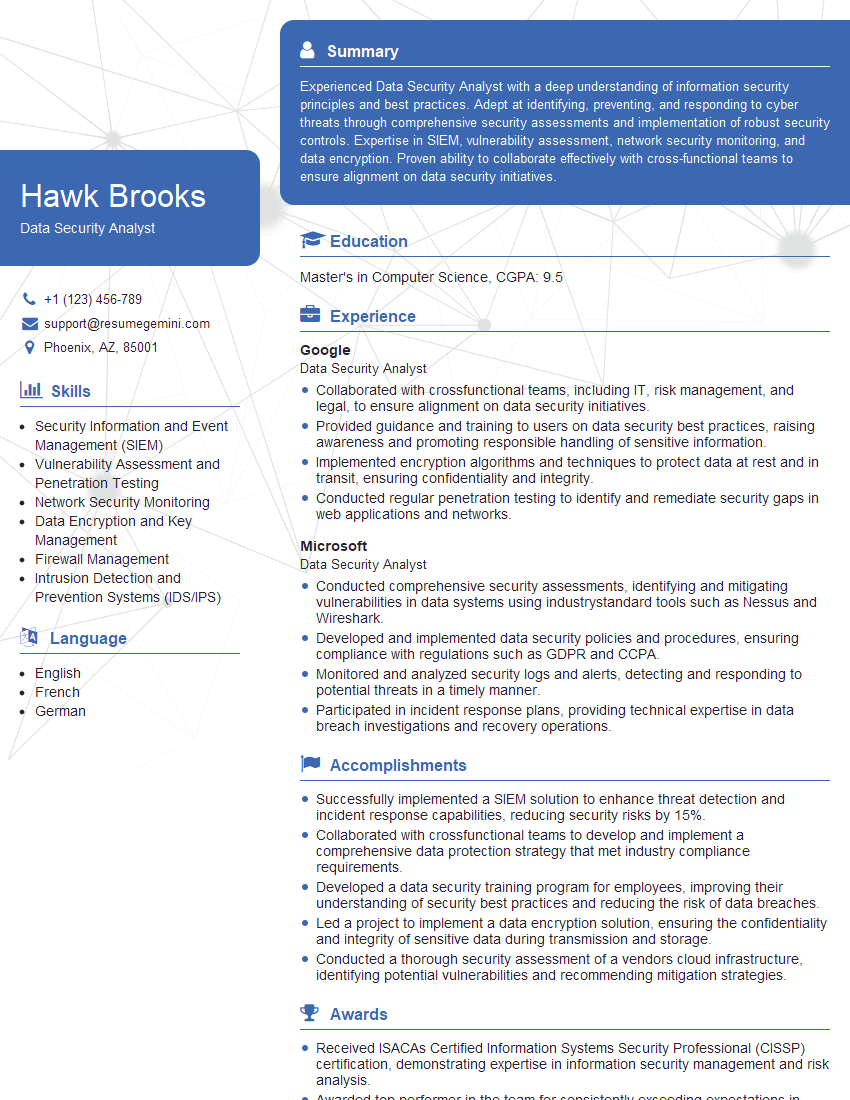
Data Security Analyst Resume Sample

Information Security Manager Resume Sample

Security Architect Resume Sample
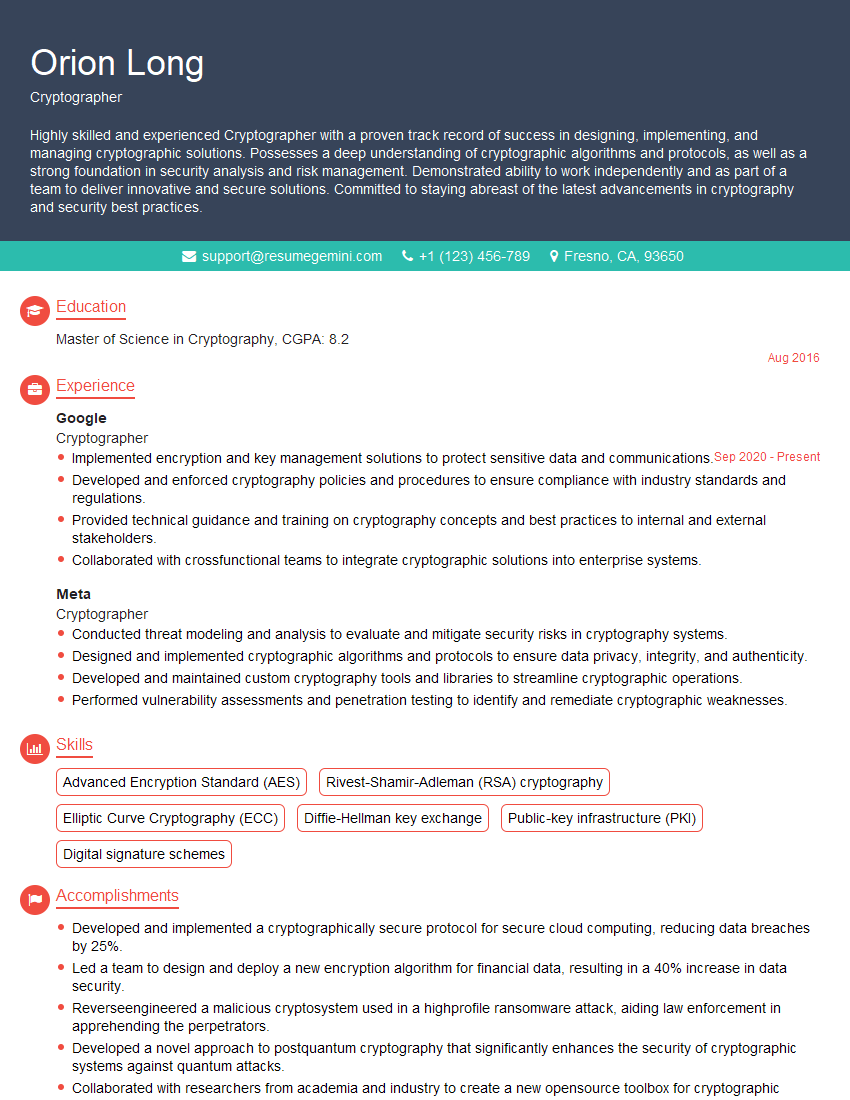
Cryptographer Resume Sample

Cybersecurity Analyst Resume Sample
Explore more articles
Users Rating of Our Blogs
Share Your Experience
We value your feedback! Please rate our content and share your thoughts (optional).
What Readers Say About Our Blog
Very informative content, great job.
good