Preparation is the key to success in any interview. In this post, we’ll explore crucial Knowledge of design thinking methodologies interview questions and equip you with strategies to craft impactful answers. Whether you’re a beginner or a pro, these tips will elevate your preparation.
Questions Asked in Knowledge of design thinking methodologies Interview
Q 1. Explain the five stages of the design thinking process.
The five stages of the design thinking process are a cyclical framework for approaching problem-solving with a human-centered approach. They are Empathize, Define, Ideate, Prototype, and Test. Think of it like a continuous loop, where learnings from one stage inform the next, often leading back to earlier stages for refinement.
- Empathize: This involves deeply understanding the needs, behaviors, and motivations of the users you’re designing for. It’s about stepping into their shoes and seeing the world from their perspective. Techniques include user interviews, observations, and empathy mapping.
- Define: Based on your empathy work, you articulate the core problem you’re aiming to solve. This isn’t just stating the problem, but framing it in a user-centric way, focusing on the user’s needs and pain points. This often involves crafting a problem statement.
- Ideate: This is the brainstorming phase where you generate a wide range of potential solutions to the defined problem. Techniques like brainstorming, sketching, and mind mapping help unlock creative ideas. The key is quantity over quality at this stage.
- Prototype: This involves creating tangible representations of your ideas, allowing you to test and iterate quickly. Prototypes can range from rough sketches and paper models to functional digital mockups. The goal isn’t perfection, but to learn and improve.
- Test: This involves gathering feedback from users on your prototypes. This feedback is crucial for identifying what works, what doesn’t, and what needs improvement. The testing phase informs iterations and refinements of the design.
For example, designing a new mobile banking app would start with empathizing with users’ frustrations with existing apps (Empathize). Then, you’d define the problem as ‘Users need a mobile banking app that is intuitive, secure, and efficient’ (Define). Next, you’d brainstorm features (Ideate), build a low-fidelity prototype (Prototype), and test it with users, iterating based on feedback (Test).
Q 2. Describe a time you used empathy mapping in a design project.
In a recent project designing a new ergonomic keyboard, we used empathy mapping extensively. We interviewed potential users – people with various levels of typing experience and those with potential wrist issues. We gathered data on their thoughts, feelings, pain points, and actions related to typing.
The empathy map was a visual representation of this data, organized into sections such as ‘Says’ (what they verbally express), ‘Thinks’ (their internal thoughts and beliefs), ‘Feels’ (their emotions and attitudes), ‘Does’ (their actions and behaviors), and ‘Pain Points’ (their frustrations and challenges). This helped us understand the user’s perspective beyond simple survey data. For instance, one section highlighted their frustration with cramped keyboards and the resulting pain, prompting design changes that prioritized comfort and spaciousness.
This process significantly influenced our design decisions, ultimately leading to a keyboard that was better received by the target audience due to the direct incorporation of their feedback and understanding their specific needs.
Q 3. How do you define ‘human-centered design’?
Human-centered design (HCD) is a design philosophy that prioritizes the needs, wants, and limitations of the end-user throughout the entire design process. It’s about deeply understanding the people you are designing for, iteratively testing designs with them, and making design decisions based on their feedback. It’s not about making something ‘look’ good, but about making something that truly meets the user’s needs and solves their problems effectively.
Instead of designing based on assumptions, HCD utilizes research methods to gain insights into the users’ context, behaviours, and motivations. This iterative process ensures the final product is practical, useful, and satisfying for the intended users. For example, designing a website for elderly users requires considering their digital literacy, visual acuity, and potential physical limitations.
Q 4. What are some common design thinking tools and techniques?
Design thinking employs a diverse toolbox of techniques. Some common ones include:
- Empathy Mapping: As discussed earlier, a collaborative tool to visualize user needs and perspectives.
- User Interviews: Structured or unstructured conversations with users to gather insights.
- User Personas: Representations of key user groups to guide design decisions.
- Journey Mapping: Visualizing the user’s experience with a product or service.
- Brainstorming: Generating a wide range of ideas in a collaborative setting.
- Sketching and Wireframing: Creating visual representations of design concepts at various fidelity levels.
- A/B Testing: Comparing different design options to see which performs better.
- Storyboarding: Narrating user experiences through a sequence of visuals.
The choice of tools depends heavily on the specific design challenge and the stage of the design thinking process. For instance, brainstorming is crucial in the ideation phase, while A/B testing is more relevant in the testing phase.
Q 5. How would you identify and define a design problem?
Identifying and defining a design problem requires a structured approach that moves beyond superficial observations. It involves a deep dive into understanding the user’s needs and the context in which the problem exists.
The process typically starts with:
- Observation and Research: Spend time observing users interacting with the current system or experiencing the problem. This could involve field studies, user interviews, and analyzing existing data.
- Problem Statement Definition: Clearly articulate the problem in a user-centric way. Avoid jargon and focus on the user’s needs, not just the technical aspects. A good problem statement typically follows a format such as: ‘Users are struggling to [action] because [reason].’
- Prioritization: If multiple problems are identified, prioritize based on factors such as impact, feasibility, and user urgency.
- Validation: Validate your problem definition by sharing it with stakeholders and potential users to ensure it resonates with their experiences.
For example, instead of stating ‘The website is slow,’ a better problem statement might be ‘Users are frustrated because the website takes too long to load, preventing them from completing their tasks efficiently.’
Q 6. Explain the importance of user research in design thinking.
User research is the backbone of successful design thinking. It provides the empirical evidence needed to inform every stage of the process, ensuring that the design is truly user-centered.
Its importance lies in:
- Understanding User Needs: Research helps uncover unmet needs and pain points that might not be apparent through assumptions.
- Validating Design Decisions: Testing prototypes with users allows designers to validate assumptions and identify areas for improvement.
- Reducing Risk: By gathering user feedback early and often, the risk of creating a product that nobody wants is significantly reduced.
- Improving User Experience: Research leads to designs that are more intuitive, usable, and enjoyable for the end user.
- Informing Iteration: User research is an iterative process. Findings from one round of testing inform the next, leading to continuous improvement.
Without user research, design becomes a guessing game, relying on assumptions rather than data. This often leads to products that fail to meet user needs and ultimately fail in the market.
Q 7. Describe your process for creating user personas.
Creating user personas involves synthesizing data from user research to create representative profiles of your target users. It’s a crucial step in understanding your audience and making informed design decisions.
My process typically includes these steps:
- Data Collection: Gather data through user interviews, surveys, observations, and other research methods. The goal is to gather a diverse range of insights representing different user groups.
- Identify Key User Groups: Analyze the data to identify distinct user groups with similar needs, behaviours, and motivations.
- Create Persona Templates: Develop a template to capture key information about each persona, such as demographics, goals, frustrations, technology proficiency, and daily routines.
- Populate Personas with Data: Fill in the templates with data gathered during research. Give each persona a name and a picture to make them relatable.
- Validate Personas: Share the personas with stakeholders and researchers to ensure they accurately reflect the target users.
The resulting personas are more than just demographic profiles; they are rich representations of the users, allowing the design team to empathize with them and design solutions tailored to their specific needs. For example, a persona for a mobile banking app might include information on their age, occupation, financial habits, and tech comfort level, providing a holistic understanding of the user’s needs.
Q 8. How do you handle conflicting requirements from stakeholders?
Handling conflicting stakeholder requirements is a crucial skill in design thinking. It often involves navigating differing priorities, perspectives, and sometimes even conflicting goals. My approach is multifaceted and focuses on collaboration, prioritization, and clear communication.
- Understanding the ‘Why’: I begin by individually interviewing each stakeholder to deeply understand the reasoning behind their requirements. This helps uncover the underlying needs and motivations, often revealing common ground despite seemingly conflicting surface-level requests.
- Prioritization through a shared framework: We use a prioritization matrix (e.g., MoSCoW method – Must have, Should have, Could have, Won’t have) or a weighted scoring system to rank requirements based on factors like business value, user impact, and feasibility. This collaborative exercise ensures everyone understands the rationale behind the final decisions.
- Visualizing trade-offs: I often create visual representations, like a decision matrix or a simple chart, to illustrate the trade-offs involved in choosing between different options. This transparency promotes understanding and buy-in.
- Iterative refinement: Stakeholder requirements are rarely static. We plan for iterative feedback loops throughout the process, allowing for adjustments and compromises as we progress and gain new insights.
- Documenting decisions: Every decision made regarding conflicting requirements is meticulously documented, including the reasoning and any compromises reached. This creates a clear audit trail and avoids future misunderstandings.
For example, in a recent project designing a mobile banking app, some stakeholders prioritized speed and simplicity, while others focused on comprehensive features. Through collaborative prioritization, we identified core functionalities essential for a minimum viable product (MVP) and planned for iterative feature additions based on user feedback and business needs.
Q 9. What is the role of prototyping in the design thinking process?
Prototyping is an integral part of the design thinking process, acting as a bridge between abstract ideas and tangible solutions. It allows us to test assumptions, gather feedback, and iterate on designs early and often, minimizing costly mistakes later in the development cycle.
- Validating assumptions: Prototypes help us test our assumptions about user behavior and needs. A low-fidelity prototype (e.g., paper prototype) might suffice for early-stage validation, while higher-fidelity prototypes (e.g., interactive digital mockups) are better suited for testing specific interactions and usability.
- Gathering user feedback: Prototypes provide a concrete artifact for users to interact with and provide feedback. This feedback is invaluable in identifying areas for improvement and refining the design.
- Iterative design improvement: The iterative nature of prototyping encourages continuous improvement. Each round of testing and feedback informs the next iteration, leading to a more refined and user-centered design.
- Communication and collaboration: Prototypes serve as effective communication tools. They enable stakeholders to visualize the design, understand its functionality, and contribute to its refinement.
For instance, I once used a simple paper prototype to test the flow of an online form. The testing revealed a significant usability issue that was easily fixed in the digital prototype, saving significant development time and resources.
Q 10. How do you conduct user testing and what metrics do you use?
User testing is the process of observing real users interacting with a design to identify usability issues and gather insights. It’s a critical step in the design thinking process, ensuring the design meets the needs and expectations of its target audience.
- Planning and recruitment: I begin by defining clear objectives for the testing, identifying the target user group, and recruiting participants who accurately represent this group. This often involves creating detailed participant profiles and using screening questionnaires.
- Test design and moderation: I develop a structured testing plan, including specific tasks for users to complete and questions to guide the session. During the testing, I act as a facilitator, observing user behavior and guiding the interaction, but avoiding leading questions.
- Data collection and analysis: I use various methods to collect data, including screen recordings, notes, and user feedback. After the testing, I analyze this data, looking for patterns and trends in user behavior, identifying pain points, and highlighting areas for improvement.
Metrics used include:
- Task completion rate: The percentage of users successfully completing the intended tasks.
- Task time: The time taken by users to complete tasks.
- Error rate: The number of errors made by users during the task completion.
- System usability scale (SUS): A standardized questionnaire to measure overall usability.
- Qualitative feedback: Verbal and written feedback from users about their experience.
For example, while testing a new e-commerce website, we discovered users were having difficulty navigating to the checkout page. User testing allowed us to identify the design flaw and implement changes to significantly improve the user experience.
Q 11. Describe a time you had to iterate on a design solution.
During a project designing a mobile app for managing personal finances, our initial design focused heavily on visual appeal but lacked intuitiveness. User testing revealed significant usability issues: users struggled to locate essential features, and the navigation felt disorienting.
We iterated on the design by:
- Simplifying the navigation: We replaced the complex hierarchical structure with a simpler, more intuitive tab-based navigation.
- Improving information architecture: We reorganized the content and features to enhance findability and clarity.
- Conducting further user testing: After implementing these changes, we conducted another round of user testing to validate our improvements. This iterative process continued for several iterations, resulting in a significantly improved and user-friendly app.
The key takeaway from this experience was the importance of embracing iterative design and continuous feedback throughout the process. By actively seeking and incorporating user feedback, we were able to create a product that truly met the needs of our target users.
Q 12. How do you prioritize features in a design project?
Prioritizing features in a design project is crucial for delivering a successful product within constraints of time and resources. My approach involves a combination of quantitative and qualitative methods.
- Value vs. Effort matrix: I use a value vs. effort matrix to visually map each feature based on its perceived value to the user and the effort required to implement it. This helps identify high-value, low-effort features that should be prioritized.
- MoSCoW method: The MoSCoW method (Must have, Should have, Could have, Won’t have) provides a structured approach to categorizing features based on their importance. This helps determine which features are essential for the MVP and which can be deferred to later iterations.
- User stories and impact mapping: Creating user stories and using impact mapping helps understand the impact of each feature on the user and the overall business goals. This enables data-driven prioritization.
- Stakeholder alignment: Prioritization is a collaborative process. I involve key stakeholders in the process to ensure alignment and buy-in.
For example, in a recent project developing a project management software, we used a value vs. effort matrix to prioritize features. High-value, low-effort features like basic task management and task assignment were prioritized, while more complex features like Gantt charts were deferred to later releases.
Q 13. What is your preferred method for generating design ideas?
My preferred method for generating design ideas is a combination of techniques that leverage both individual creativity and collaborative brainstorming. I believe a diverse approach yields the most innovative solutions.
- Individual sketching and mind mapping: I begin by dedicating time for individual idea generation using techniques like sketching and mind mapping. This allows for uninhibited exploration of ideas before collaborative sessions.
- Brainstorming sessions: I then facilitate structured brainstorming sessions, encouraging a free flow of ideas while ensuring everyone feels comfortable contributing. Techniques like ‘worst possible idea’ can be useful to break down mental barriers.
- Design studios: For more complex projects, design studios are helpful. These involve small teams working concurrently on different aspects of the design problem, followed by a review and synthesis phase.
- User research insights: I always ground idea generation in user research insights. Understanding the needs and pain points of the target audience helps generate more relevant and effective solutions.
Combining individual reflection with collaborative discussions helps prevent groupthink and ensures that a wide range of perspectives is considered.
Q 14. Explain the difference between ideation and brainstorming.
While both ideation and brainstorming are crucial for generating creative solutions, they differ in their approach and goals.
- Brainstorming: Brainstorming is a technique focused on rapidly generating a large quantity of ideas, often without initial judgment. The emphasis is on quantity over quality in the initial phase, followed by a separate evaluation and selection process.
- Ideation: Ideation is a broader process that encompasses brainstorming but also includes other activities like research, prototyping, and testing. It is a more structured and iterative approach to problem-solving, focusing on developing and refining ideas through a systematic process. Ideation involves more critical evaluation of ideas during the process, leading to higher-quality solutions.
Think of brainstorming as a sprint to generate many initial ideas, whereas ideation is a marathon of iteratively developing those ideas into a refined solution. While brainstorming can be a component of ideation, ideation is a more comprehensive and structured approach to innovation.
Q 15. How do you ensure design solutions are feasible, viable, and desirable?
Ensuring a design solution is feasible, viable, and desirable is crucial for its success. This is often represented as the sweet spot where these three factors intersect. Let’s break down each element:
- Feasible: Is it technically possible to build? Does the team have the necessary skills, resources, and time? This involves considering constraints like budget, technology, and available expertise. For example, designing a self-driving car with current technology is feasible, but designing a teleportation device is currently not.
- Viable: Is it financially sustainable? Will it generate enough revenue or value to justify the investment? This requires market research and a solid business model. For instance, a beautifully designed app might be feasible and desirable but not viable if there’s no market demand or a sustainable monetization strategy.
- Desirable: Do users want it? Does it solve a real problem or fulfill a need? This involves user research, testing, and iterative design to ensure the solution resonates with the target audience. A perfectly viable and feasible self-driving car won’t be successful if people are afraid to use it.
To ensure all three are met, I employ a combination of techniques, including user research (interviews, surveys, usability testing), market analysis, technical feasibility studies, and prototyping. It’s an iterative process where I constantly evaluate each aspect and adjust the design accordingly.
Career Expert Tips:
- Ace those interviews! Prepare effectively by reviewing the Top 50 Most Common Interview Questions on ResumeGemini.
- Navigate your job search with confidence! Explore a wide range of Career Tips on ResumeGemini. Learn about common challenges and recommendations to overcome them.
- Craft the perfect resume! Master the Art of Resume Writing with ResumeGemini’s guide. Showcase your unique qualifications and achievements effectively.
- Don’t miss out on holiday savings! Build your dream resume with ResumeGemini’s ATS optimized templates.
Q 16. Describe your experience with different types of prototyping (e.g., low-fidelity, high-fidelity).
Prototyping is essential for validating design ideas and gathering feedback. I’m experienced with both low-fidelity and high-fidelity prototypes:
- Low-fidelity prototypes: These are quick and rough representations of the design, often using simple tools like paper, sticky notes, or whiteboard sketches. They’re excellent for early-stage exploration and testing core concepts. For example, I’ve used paper prototypes to simulate user flows for a mobile app, quickly testing different navigation patterns and getting immediate feedback.
- High-fidelity prototypes: These are more refined and polished representations, often resembling the final product. They might involve interactive mockups created using design software like Figma or Adobe XD. A high-fidelity prototype allows for testing detailed interactions and micro-interactions, such as animations and transitions, providing a more realistic user experience. I once created a high-fidelity prototype of a dashboard for a SaaS product, which allowed us to test the usability and visual appeal before investing in development.
The choice between low and high-fidelity prototypes depends on the project phase and the information needed. Early on, low-fidelity prototypes are efficient for rapid iteration and exploration. As the design matures, high-fidelity prototypes are crucial for detailed testing and refining the user experience.
Q 17. How do you measure the success of a design project?
Measuring the success of a design project involves assessing both the process and the outcome. Key metrics include:
- User satisfaction: This can be measured through surveys, feedback forms, and usability testing. A high level of user satisfaction indicates a successful design that meets user needs.
- Task completion rate: How efficiently can users complete key tasks within the design? A high completion rate suggests good usability and an intuitive design.
- Business goals: Did the design achieve its intended business objectives? This might involve metrics like increased sales, improved user engagement, or reduced customer support costs.
- Qualitative feedback: This includes user comments, observations, and insights gathered through interviews and usability testing, providing valuable qualitative data beyond quantitative metrics.
The specific metrics used will vary depending on the project’s goals. For example, a website redesign might focus on conversion rates and bounce rates, while a mobile app redesign might focus on user engagement and retention. A holistic approach combining quantitative and qualitative data provides a complete picture of success.
Q 18. What design thinking frameworks are you familiar with (e.g., Double Diamond, Lean UX)?
I’m familiar with several design thinking frameworks, including:
- The Double Diamond: This framework emphasizes a diverging and converging approach to problem-solving. It involves a broad exploration phase followed by a focused iteration phase, ensuring thorough understanding of the problem before developing solutions. I frequently use this for complex projects requiring substantial user research and idea generation.
- Lean UX: This iterative approach prioritizes rapid prototyping and testing, minimizing wasted effort on features that don’t resonate with users. It relies heavily on data and user feedback to guide development. This framework is perfect for agile projects with evolving requirements.
- Design Sprint: A time-boxed (typically 5-day) process for quickly testing a core design idea. It’s great for validating hypotheses and de-risking design decisions early in the process. I’ve utilized this numerous times to rapidly prototype and test MVPs.
My choice of framework depends on the project’s complexity, timeline, and resources. Often, I blend elements from different frameworks to create a tailored approach.
Q 19. How do you handle criticism of your design work?
Criticism is an integral part of the design process. I view it as an opportunity for growth and improvement. I handle criticism by:
- Active listening: I carefully listen to the feedback without interrupting, seeking to understand the critic’s perspective.
- Asking clarifying questions: I ask questions to clarify any points I don’t understand, ensuring I address the concerns effectively.
- Separating criticism from the person: I focus on the feedback itself, rather than taking it personally. This helps me remain objective and focus on improving the design.
- Documenting and analyzing feedback: I meticulously record all feedback, categorizing it by theme or issue. This allows me to identify patterns and areas needing improvement.
- Iterative improvement: I use the feedback to iterate on my design, making necessary changes and improvements. I may present revised designs and seek further feedback if needed.
By embracing criticism as a constructive tool, I can refine my work and deliver better results. I believe that a design is never truly finished, and constant iteration is key to improvement.
Q 20. Describe a time you failed in a design project. What did you learn?
In a project designing an e-commerce website, we initially focused solely on aesthetics, neglecting crucial usability aspects. We produced a visually stunning website, but user testing revealed significant navigation problems and a poor checkout experience. Users struggled to find products and complete purchases. This led to low conversion rates, despite positive initial feedback on the website’s visual appeal.
The key learning from this failure was the importance of balancing aesthetics with usability. We prioritized visual design over functionality, neglecting user needs and the importance of user-centered design principles. This experience emphasized the need for rigorous user testing throughout the design process, not just at the end. In subsequent projects, I’ve prioritized user research and testing from the very beginning, ensuring that usability is a core consideration.
Q 21. How do you incorporate feedback into your design process?
Feedback is integrated throughout my design process, not just at the end. I use a variety of techniques:
- Early and frequent feedback: I seek feedback early and often, starting with low-fidelity prototypes and progressively incorporating feedback into higher-fidelity prototypes.
- Different feedback methods: I use a mix of methods, including user interviews, surveys, usability testing, and A/B testing, to gather diverse perspectives.
- Prioritizing feedback: I analyze feedback to identify recurring themes and prioritize changes based on their impact on usability and user satisfaction.
- Iterative design: I use feedback to iteratively refine the design, making adjustments and improvements based on user input. I believe in a cyclical process of design, test, and refine.
- Transparency and communication: I maintain open communication with stakeholders, clearly explaining the rationale behind design decisions and how feedback is incorporated.
Incorporating feedback is a collaborative process. I view feedback as a gift, providing valuable insights that lead to better design solutions.
Q 22. What are some limitations of the design thinking process?
Design thinking, while a powerful methodology, isn’t without its limitations. One major constraint is its inherent bias towards optimism and innovation. This can sometimes lead to overlooking practical constraints like budget, timeline, or existing infrastructure. For example, a beautifully designed app might be rendered useless if it requires a level of technological infrastructure that the target market doesn’t possess.
Another limitation is the potential for groupthink. The collaborative nature of design thinking, while beneficial, can also stifle dissenting opinions or alternative perspectives if not carefully managed. Facilitators need to actively encourage diverse viewpoints and challenge assumptions to avoid this pitfall.
Finally, design thinking, while excellent for identifying user needs and generating innovative solutions, can sometimes struggle with implementation. The process itself doesn’t inherently guarantee successful execution; robust project management and strategic planning are crucial for bridging the gap between ideation and actual product launch.
Q 23. How do you stay current with the latest design thinking trends and methodologies?
Staying current in the dynamic field of design thinking requires a multi-pronged approach. I actively participate in online communities and forums dedicated to UX/UI design and innovation, engaging in discussions and learning from the experiences of others. I subscribe to relevant newsletters and podcasts that cover the latest trends, research, and methodologies.
Furthermore, I regularly attend industry conferences and workshops, networking with peers and experts. These events provide valuable opportunities to learn about new tools, techniques, and approaches. Finally, I make it a point to continuously read books, articles, and research papers on design thinking and related fields, ensuring my knowledge base remains up-to-date and relevant.
Q 24. How do you collaborate effectively with cross-functional teams?
Effective collaboration with cross-functional teams is paramount in design thinking. My approach hinges on establishing clear communication channels and shared goals from the outset. I believe in fostering a culture of open communication where everyone feels comfortable sharing their ideas and concerns. This often involves regular check-ins, brainstorming sessions, and constructive feedback mechanisms.
I actively listen to diverse perspectives, acknowledging the unique expertise each team member brings to the table. This includes engineers, marketers, product managers, and others. By understanding their viewpoints and constraints, I can integrate their input into the design process, creating solutions that are both innovative and feasible. Using collaborative tools like shared online workspaces and project management software helps maintain transparency and keep everyone aligned throughout the project lifecycle.
Q 25. Describe a time you had to communicate complex design concepts to non-designers.
During a project involving the redesign of a complex software system, I needed to explain the proposed changes to a group of non-designers, including executives and engineers. Instead of using technical jargon, I employed visual aids like wireframes, mockups, and user flow diagrams. I also used relatable analogies to illustrate the functionality and improvements.
For instance, to explain the benefits of a new user interface, I compared the old system to a cluttered desk and the new system to a well-organized workspace. This simple analogy helped them understand the enhanced efficiency and user-friendliness without delving into technical specifics. I also focused on demonstrating the positive impact on key metrics like user engagement and task completion rates, which resonated with the non-designers’ business-oriented perspectives. This multi-faceted approach ensured clear communication and buy-in from the entire team.
Q 26. What are your strengths and weaknesses as a design thinker?
My strengths as a design thinker lie in my ability to empathize with users, translate their needs into actionable solutions, and effectively communicate complex ideas to diverse audiences. I am also adept at facilitating collaborative workshops and managing the design process efficiently. Furthermore, I am a strong problem-solver, capable of identifying and addressing challenges proactively.
One area for improvement is my tendency to get bogged down in details. Sometimes, I need to remind myself to step back and look at the bigger picture to ensure I don’t lose sight of the overall goals. I’m actively working on improving my ability to delegate tasks and trust my team members, allowing me to focus on higher-level strategic decisions.
Q 27. How do you manage time effectively during a design project?
Effective time management in design projects is crucial. My approach begins with a clearly defined project scope and timeline, broken down into manageable milestones with assigned responsibilities. I utilize agile methodologies, such as Scrum or Kanban, to track progress, identify potential bottlenecks, and adapt to changing priorities. Regular sprint reviews and retrospectives allow for course correction and optimization of workflows.
Prioritization is key. I focus on tackling the most critical tasks first and utilize time-blocking techniques to dedicate specific time slots to focused work. I also encourage the use of collaborative tools and project management software to maintain transparency and minimize unnecessary meetings. By proactively managing time and resources, I aim to ensure projects are completed on time and within budget.
Q 28. Explain your understanding of accessibility in design.
Accessibility in design is about creating products and services that are usable by everyone, regardless of their abilities. It encompasses a broad range of considerations, including visual, auditory, motor, and cognitive impairments. This means designing with inclusive principles in mind from the very beginning of the design process, rather than as an afterthought.
For example, ensuring sufficient color contrast for people with visual impairments, providing alternative text for images for screen readers, and designing interfaces that are easily navigable using keyboard-only input are all critical aspects of accessible design. Adherence to WCAG (Web Content Accessibility Guidelines) is essential for ensuring digital products meet accessibility standards. Ultimately, accessible design isn’t just about compliance; it’s about creating a more equitable and inclusive experience for all users.
Key Topics to Learn for a Design Thinking Methodologies Interview
- Empathy & User Research: Understanding user needs through various research methods (e.g., interviews, surveys, contextual inquiry). Practical application: Analyzing user data to identify pain points and opportunities for improvement.
- Define the Problem: Framing a design challenge clearly and concisely, focusing on the user’s needs and the core problem to be solved. Practical application: Creating a concise problem statement that guides the design process.
- Ideation & Brainstorming: Generating a wide range of innovative solutions through various brainstorming techniques. Practical application: Facilitating diverse brainstorming sessions and evaluating generated ideas using appropriate criteria.
- Prototyping & Testing: Creating low-fidelity prototypes to test and iterate on design solutions. Practical application: Utilizing rapid prototyping techniques to quickly test assumptions and gather feedback.
- Iteration & Refinement: Continuously improving designs based on user feedback and testing results. Practical application: Analyzing testing data to identify areas for improvement and incorporating feedback into the design process.
- Design Thinking Frameworks: Understanding and applying popular design thinking frameworks like the double diamond model or human-centered design. Practical application: Selecting and implementing the most appropriate framework for a given design challenge.
- Communication & Collaboration: Effectively communicating design ideas and collaborating with diverse teams. Practical application: Presenting design solutions clearly and persuasively to stakeholders.
Next Steps
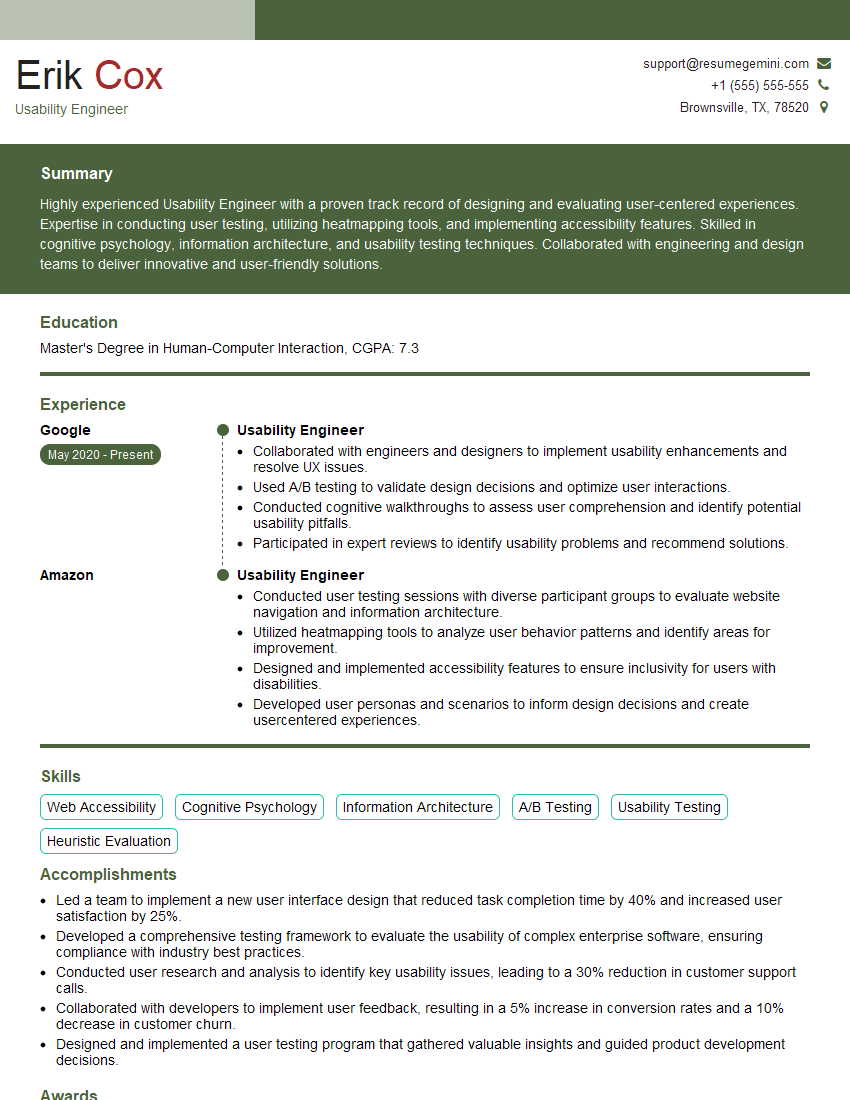
Mastering design thinking methodologies is crucial for career advancement in today’s rapidly evolving landscape. These skills are highly sought after across various industries, demonstrating your ability to solve complex problems creatively and user-centrically. To maximize your job prospects, create a compelling and ATS-friendly resume that highlights your design thinking expertise. ResumeGemini is a trusted resource that can help you build a professional and impactful resume. Examples of resumes tailored to showcasing design thinking methodologies are available – leverage these to craft a resume that truly reflects your skills and experience.




Explore more articles
Users Rating of Our Blogs
Share Your Experience
We value your feedback! Please rate our content and share your thoughts (optional).
What Readers Say About Our Blog
Very informative content, great job.
good