Interviews are more than just a Q&A session—they’re a chance to prove your worth. This blog dives into essential Knowledge of GIS software and applications interview questions and expert tips to help you align your answers with what hiring managers are looking for. Start preparing to shine!
Questions Asked in Knowledge of GIS software and applications Interview
Q 1. Explain the difference between vector and raster data.
Vector and raster data are two fundamental ways to represent geographic information in GIS. Think of it like this: raster data is like a photograph, while vector data is like a drawing.
Raster data stores data as a grid of cells or pixels, each with a value representing a characteristic like temperature, elevation, or land cover. Each pixel has a specific location defined by its row and column within the grid. Examples include satellite imagery, aerial photos, and digital elevation models (DEMs). Strengths include simple storage and rendering of continuous data. However, it can be less accurate for precise locations and less efficient for storing discrete features.
Vector data stores data as points, lines, and polygons. Points represent single locations, like a well or a city. Lines represent linear features such as roads or rivers. Polygons represent areas, such as parks or countries. Each feature has precise coordinates defining its geometry. The information associated with these features is stored in a database table which is linked to the geometry. Strengths include accurate representation of features, ease of editing, and the ability to perform topological analyses. However it can be less efficient for storing continuous phenomena like temperature.
In essence, the choice between vector and raster depends on the type of data being represented and the intended analysis. For precise location-based analysis of discrete features, vector data is preferred. For analyzing continuous phenomena or displaying imagery, raster data is more appropriate.
Q 2. Describe your experience with different GIS software packages (e.g., ArcGIS, QGIS, etc.).
My experience spans several leading GIS software packages. I’ve extensively used ArcGIS, particularly ArcGIS Pro, for complex geospatial analyses, including creating custom geoprocessing tools, managing large datasets, and performing advanced spatial statistics. I’ve leveraged its strong spatial analysis capabilities for projects involving urban planning, environmental monitoring, and infrastructure management. I’m proficient in using various extensions like Spatial Analyst and 3D Analyst.
I’m also highly skilled in QGIS, an open-source alternative. QGIS is a powerful tool, especially useful for its flexibility and cost-effectiveness. I’ve used QGIS for tasks ranging from basic map creation and data visualization to more advanced analyses like network analysis and raster processing. Its plugin architecture makes it highly customizable for specific needs, making it an ideal platform for rapid prototyping and open-source collaborations.
Furthermore, I have working knowledge of other GIS software, such as GRASS GIS, known for its strengths in raster processing and advanced spatial modeling, and have experience with basic map creation and data import/export in Google Earth Engine and MapInfo Pro. My familiarity with various platforms allows me to adapt to different project requirements and utilize the most appropriate tools for each task.
Q 3. How do you perform geoprocessing tasks?
Geoprocessing is the automation of GIS operations using tools and scripts to manipulate and analyze spatial data. This could involve anything from simple tasks like buffering features to complex tasks like overlay analysis and hydrological modeling. I perform geoprocessing tasks using both graphical user interfaces (GUIs) and scripting.
In ArcGIS, I use the ModelBuilder to create visual workflows. For instance, I might create a model to clip a raster dataset based on a vector polygon, then calculate zonal statistics, and finally create a classified map. In QGIS, the Processing Toolbox offers a similar functionality. For more complex or repetitive tasks, I write scripts using Python with libraries like arcpy (for ArcGIS) or PyQGIS (for QGIS). This allows for efficient batch processing of large datasets and customization of analysis workflows beyond the capabilities of the GUI.
For example, a script could automate the process of converting multiple shapefiles to a geodatabase, performing a spatial join, and generating summary statistics – a task that would be incredibly time-consuming to perform manually for hundreds of datasets.
#Example Python snippet (PyQGIS) layer = iface.activeLayer() features = layer.getFeatures() for feature in features: #perform operations on each feature Q 4. What are the different types of map projections and when would you use each?
Map projections are mathematical transformations that represent the 3D Earth’s surface on a 2D map. Because it’s impossible to perfectly represent a sphere on a flat surface without distortion, various projections exist, each with its own strengths and weaknesses concerning area, shape, distance, and direction.
- Equidistant projections: Preserve accurate distances from one or more central points. Useful for navigation or measuring distances from a specific location.
- Conformal projections: Maintain correct angles and shapes, ideal for navigational charts and small-scale maps where shape preservation is critical.
- Equal-area projections: Preserve the correct proportions of areas, essential for thematic mapping showing quantities or distributions across regions.
- Compromise projections: Balance distortions across several properties. These projections, like the Robinson projection, are often used for world maps where no single property can be perfectly preserved.
The choice of projection depends on the application. For instance, a map showing population densities requires an equal-area projection, while a navigational chart needs a conformal projection. Using an inappropriate projection can lead to significant misinterpretations of spatial relationships.
Q 5. Explain your understanding of coordinate systems and datums.
Coordinate systems define the location of points on the Earth’s surface, while datums provide the reference framework for those coordinates. They’re fundamental to accurate geospatial analysis.
A coordinate system is a mathematical framework for defining locations using coordinates (e.g., latitude and longitude). There are geographic coordinate systems (GCS) that use latitude and longitude based on a spherical model of the earth and projected coordinate systems (PCS) that transform the spherical coordinates into a planar coordinate system. The choice between GCS and PCS depends on the application. GCS are used when dealing with global datasets while PCS is used when working with local datasets.
A datum is a reference surface or model of the Earth that defines the origin and orientation of a coordinate system. Different datums are based on different reference ellipsoids (mathematical representations of the Earth’s shape) and may have different parameters. The choice of datum is crucial for accuracy. Using different datums can lead to positional errors, making it essential to ensure data consistency across projects.
For example, NAD83 is a North American datum, while WGS84 is a global datum. Data using different datums cannot be directly overlaid without transformation – a critical consideration in GIS data integration.
Q 6. How do you handle spatial data inconsistencies?
Spatial data inconsistencies are common and can severely affect the accuracy and reliability of analyses. These inconsistencies might include:
- Coordinate system discrepancies: Data from different sources might use different coordinate systems or datums.
- Geometric errors: Data may contain inaccuracies in the positions of features (e.g., a road slightly offset from its true location).
- Topological errors: Overlapping or incorrectly connected features might violate spatial relationships.
- Attribute errors: Inconsistent or missing attribute data can introduce inaccuracies in analysis.
Handling these requires a systematic approach. First, I identify the inconsistencies using tools like ArcGIS’s Data Reviewer or QGIS’s processing tools for geometry checks. Then, I address them using methods like:
- Data projection/transformation: Reprojecting data to a common coordinate system and datum.
- Geometric editing: Manually correcting obvious errors or using tools for automated cleanup (e.g., smoothing lines).
- Topological correction: Employing editing tools to fix overlapping or incorrectly connected features.
- Attribute cleaning: Standardizing data values, resolving inconsistencies, and filling in missing data through imputation or by looking up missing data using existing spatial attributes.
Thorough data quality assessment and validation are critical throughout the process to ensure that inconsistencies are minimal and won’t affect the results of spatial analysis.
Q 7. Describe your experience with spatial analysis techniques (e.g., overlay analysis, buffer analysis).
I have significant experience with various spatial analysis techniques. My work frequently involves:
- Overlay analysis: This combines two or more layers to identify spatial relationships. For example, I’ve used overlay analysis to determine the overlap between floodplains and residential areas for flood risk assessment. Specific techniques include intersection, union, and spatial join.
- Buffer analysis: This creates areas within a specific distance of features. For instance, I’ve used buffer analysis to create zones around schools to analyze proximity to hazardous waste sites. I can also perform multiple ring buffers around points or lines to create distance zones.
- Network analysis: This examines features within a network, such as roads or pipelines. I’ve used network analysis to determine the optimal routes for emergency services or to model the flow of goods through a transportation system. This is often done using shortest-path algorithms or location-allocation models.
- Proximity analysis: This involves determining the distance between features. This might be used to find the nearest hospital to each house in a city, useful for emergency response planning.
These analyses provide crucial insights for various applications, from urban planning and environmental management to resource allocation and infrastructure development. The specific techniques used depend on the research question and the data available. I’m adept at selecting the most appropriate technique and interpreting the results for actionable insights.
Q 8. How do you ensure data accuracy and quality in GIS projects?
Ensuring data accuracy and quality in GIS projects is paramount. It’s like building a house – a shaky foundation leads to a crumbling structure. We employ a multi-faceted approach, starting with meticulous data acquisition. This involves understanding the source of the data, its limitations, and potential biases. For example, if using satellite imagery, we consider factors like cloud cover and sensor resolution which can influence accuracy.
Data validation: We rigorously check data for inconsistencies, errors, and outliers. This can involve visual inspection, comparing with other datasets, and applying automated checks using tools within GIS software. Imagine comparing a newly digitized road network with existing maps; discrepancies need to be investigated and corrected.
Metadata management: Comprehensive metadata documenting the data’s origin, processing steps, and limitations is crucial. Think of it as a data passport – it provides all the necessary information about the data’s provenance.
Data cleaning and transformation: This often involves handling missing values, correcting inconsistencies, and transforming data into a suitable format for analysis. This might involve using scripting tools to automate repetitive cleaning tasks.
Quality control checks: Regular checks throughout the project lifecycle using various statistical methods and visual analysis ensure the accuracy and reliability of the data. For instance, we might use spatial autocorrelation analysis to identify spatial clusters of errors.
Finally, robust error reporting and documentation are essential for transparency and future use. We use version control to keep track of changes and ensure the ability to revert if necessary.
Q 9. What is your experience with spatial databases (e.g., PostGIS, Oracle Spatial)?
I have extensive experience with spatial databases, primarily PostGIS and Oracle Spatial. PostGIS, being open-source and tightly integrated with PostgreSQL, is my go-to for many projects due to its flexibility and scalability. I’ve used it extensively for storing and managing large geospatial datasets, such as road networks, parcel data, and environmental monitoring data. My experience includes designing database schemas, optimizing queries, and implementing spatial functions. For example, I recently used PostGIS’s ST_Intersects function to perform spatial joins between points and polygons to analyze the spatial relationships between air quality monitoring stations and designated protected areas.
Oracle Spatial, while commercial, offers powerful capabilities, especially for large-scale enterprise deployments. I’ve worked with it in projects requiring high performance and reliability, such as managing utility network data. I’m proficient in using its spatial indexing mechanisms to speed up query performance. In one project, we used Oracle Spatial’s spatial indexing to significantly reduce the processing time for queries involving millions of points representing customer locations.
Q 10. Describe your experience with data visualization and cartography.
Data visualization and cartography are crucial for communicating spatial information effectively. Think of a map – a well-designed map can convey complex information at a glance. My expertise encompasses a wide range of techniques, from creating simple thematic maps using graduated symbols to complex 3D visualizations using GIS software.
Thematic mapping: I’m skilled in designing maps that effectively represent spatial patterns and relationships using various symbolization techniques, such as choropleth maps, isopleth maps, and dot density maps. For example, I recently created a choropleth map showing the distribution of poverty levels across a region using census data.
Cartographic design principles: I adhere to established cartographic principles, focusing on map clarity, readability, and aesthetic appeal. This includes careful selection of colors, fonts, and symbols to enhance understanding and avoid misinterpretations.
Interactive maps: I’ve developed interactive maps using web mapping technologies such as Leaflet and OpenLayers, allowing users to explore spatial data dynamically. For example, I created an interactive map showing real-time traffic data overlaid on a road network, providing users with up-to-date information on traffic conditions.
3D visualization: I’m experienced in creating 3D visualizations using GIS software to represent terrain, buildings, and other 3D spatial data. This is particularly useful for projects involving urban planning and environmental modeling.
Q 11. Explain your understanding of remote sensing and its applications in GIS.
Remote sensing is the acquisition of information about the Earth’s surface from a distance, typically using satellites or aircraft. It’s a powerful tool for collecting data that’s otherwise difficult or impossible to obtain. In GIS, remote sensing data is often integrated to enrich and enhance spatial analysis. Imagine it like having a bird’s-eye view of the Earth, providing crucial information about land cover, deforestation, urban sprawl, and much more.
Data acquisition and pre-processing: This involves downloading and processing satellite imagery, such as Landsat or Sentinel data, to correct for atmospheric and geometric distortions. This step is like cleaning and preparing your raw materials before construction.
Image classification: This involves assigning different land cover types (e.g., forest, water, urban areas) to pixels in a satellite image. This can be done using supervised or unsupervised classification techniques.
Change detection: This uses images from different time periods to detect changes in land cover or other features. It’s like comparing before-and-after pictures to see what’s changed.
Applications: Remote sensing data is widely used in many applications, including environmental monitoring, urban planning, precision agriculture, disaster response, and natural resource management.
Q 12. How do you handle large datasets in GIS?
Handling large datasets in GIS requires a strategic approach. It’s like managing a vast library—you need an organized system to find what you need efficiently. My strategies include:
Data partitioning and tiling: Breaking down large datasets into smaller, manageable chunks allows for parallel processing and reduced memory requirements. This is akin to organizing books into shelves and categories within a library.
Spatial indexing: Using spatial indexes (e.g., R-trees, quadtrees) significantly speeds up spatial queries. This is like having a detailed catalog in the library, allowing you to quickly locate specific books.
Data compression: Using appropriate compression techniques reduces storage space and improves processing speed. This is similar to compressing files to save storage space on your computer.
Cloud computing: Leveraging cloud-based GIS platforms like ArcGIS Online or Google Earth Engine allows for processing large datasets on powerful servers without the need for expensive local hardware. This is like outsourcing your library management to a large, well-equipped facility.
Database optimization: Proper database design and query optimization are crucial for handling large spatial datasets efficiently.
Q 13. What is your experience with GPS data processing and analysis?
My experience with GPS data processing and analysis is extensive. It’s like having a sophisticated tracking system for real-world movements and locations. I’m proficient in:
Data cleaning and pre-processing: This includes handling errors, outliers, and inconsistencies in GPS data, often involving filtering and smoothing techniques.
Coordinate transformation: Converting GPS data from one coordinate system to another (e.g., WGS84 to UTM) is a routine task.
Trajectory analysis: Analyzing GPS trajectories to extract information such as speed, direction, and stops. This is useful in applications such as transportation analysis and wildlife tracking.
Geostatistical analysis: Applying geostatistical methods to interpolate GPS data and create spatial surfaces. For instance, we can create a heatmap showing the density of taxi trips in a city.
I’ve worked on projects involving GPS data from various sources, including hand-held GPS receivers, smartphones, and vehicle tracking systems. In one project, I analyzed GPS data from a fleet of delivery trucks to optimize delivery routes and improve efficiency.
Q 14. Describe your experience with scripting or programming in GIS (e.g., Python, R).
Scripting and programming are essential skills for automating tasks and extending the capabilities of GIS software. I’m proficient in Python and have used it extensively in GIS for tasks such as data processing, analysis, and automation.
Data processing and analysis: I use Python libraries like
geopandasandrasteriofor manipulating vector and raster data. For instance, I’ve written scripts to automate the process of clipping raster data to specific areas of interest.Geoprocessing: I’ve used Python to automate geoprocessing tasks, such as creating buffers, overlaying layers, and calculating distances.
Example:import geopandas as gpd; gdf = gpd.read_file('roads.shp'); buffered_roads = gdf.buffer(100)Web map development: I’ve used Python frameworks like Flask and Django to build web applications that integrate GIS data and functionalities.
Data visualization: I use libraries like
matplotlibandseabornto create customized plots and visualizations from GIS data.
My Python skills have significantly improved my efficiency and allow me to tackle complex problems that would be difficult or impossible to solve manually.
Q 15. How do you ensure data security and confidentiality in GIS projects?
Data security and confidentiality are paramount in GIS projects, especially when dealing with sensitive location data. My approach involves a multi-layered strategy encompassing technical, procedural, and administrative controls.
- Access Control: Implementing strict access control measures using role-based permissions within the GIS software. This ensures that only authorized personnel can access specific data sets and perform certain actions. For example, a data entry clerk might only have permission to add new data, while an analyst might have permission to edit and analyze.
- Data Encryption: Encrypting data both in transit and at rest. This means using secure protocols like HTTPS for data transmission and employing strong encryption algorithms to protect data stored on servers or local machines.
- Regular Audits: Conducting regular security audits to identify vulnerabilities and ensure that security policies are being followed. This might include reviewing access logs and testing the system’s resilience against various attacks.
- Data anonymization/pseudonymization: Where possible and appropriate, transforming identifying information in data to protect individual privacy. For example, instead of using exact addresses, we might use centroids of aggregated areas to maintain spatial analysis capabilities while reducing identifiability.
- Secure Data Storage: Utilizing secure cloud storage services with robust security features, or employing on-premise servers with appropriate physical security measures.
Consider a scenario involving a GIS project mapping vulnerable populations in a disaster-prone region. Protecting the location data of these individuals is critical. Failing to do so could put them at risk. My multi-layered approach ensures the privacy and security of this vulnerable population while still allowing authorized personnel to analyze the data and support effective disaster relief efforts.
Career Expert Tips:
- Ace those interviews! Prepare effectively by reviewing the Top 50 Most Common Interview Questions on ResumeGemini.
- Navigate your job search with confidence! Explore a wide range of Career Tips on ResumeGemini. Learn about common challenges and recommendations to overcome them.
- Craft the perfect resume! Master the Art of Resume Writing with ResumeGemini’s guide. Showcase your unique qualifications and achievements effectively.
- Don’t miss out on holiday savings! Build your dream resume with ResumeGemini’s ATS optimized templates.
Q 16. Explain your understanding of spatial statistics.
Spatial statistics is a branch of statistics that deals with data that has a spatial component. It’s about analyzing patterns, relationships, and trends in geographical data, going beyond simple visualization to uncover statistically significant findings. Understanding spatial autocorrelation is key – this means that values at nearby locations are likely to be more similar than those further apart.
Techniques include:
- Spatial autocorrelation analysis (Moran’s I, Geary’s C): Measuring the degree of spatial clustering or dispersion of a variable.
- Geostatistics (kriging): Interpolating values at unsampled locations based on known values, considering spatial autocorrelation.
- Point pattern analysis: Analyzing the distribution of points in space, identifying clusters or randomness.
- Spatial regression models (e.g., geographically weighted regression): Modeling the relationship between variables while accounting for spatial effects.
For example, imagine analyzing crime data within a city. Spatial statistics would help us determine if crime is clustered in specific areas, identifying hotspots for targeted law enforcement interventions. A spatial regression model could then examine the relationship between crime rates and factors like poverty levels or lack of street lighting, considering how these relationships might vary across different neighborhoods.
Q 17. How do you participate in a GIS team environment?
Collaboration is essential in GIS projects. I actively contribute to a team environment by:
- Clear Communication: I ensure clear and concise communication with my team, actively listening to others’ ideas and providing constructive feedback. I utilize various communication tools like project management software and regular team meetings.
- Shared Understanding: I work to ensure a shared understanding of project goals, timelines, and data requirements. This involves actively participating in project planning sessions and making sure everyone is on the same page.
- Skill Sharing: I am always willing to share my knowledge and expertise with other team members. I offer training or mentoring as needed. Likewise, I’m open to learning from others’ skills and perspectives.
- Problem Solving: I collaborate effectively with teammates to solve complex problems, bringing my GIS expertise to the table while valuing the insights of others.
- Respectful Collaboration: I foster a respectful and inclusive environment where everyone feels comfortable sharing their ideas and contributions.
In a recent project involving wetland mapping, our team needed to reconcile different data sources. By openly communicating and collaboratively analyzing the discrepancies, we effectively integrated the data and produced a more accurate final product.
Q 18. Describe your problem-solving approach when working with GIS data.
My problem-solving approach with GIS data follows a structured process:
- Problem Definition: Clearly defining the problem and its context. What information is needed? What are the potential obstacles? What is the desired outcome?
- Data Assessment: Carefully assessing the quality and suitability of the available data. Are there gaps? Are there inconsistencies? Is the data accurate and reliable?
- Data Cleaning and Preprocessing: Cleaning and preprocessing the data to address any errors, inconsistencies, or missing values. This might involve spatial data editing, projection transformations, or data attribute corrections.
- Data Analysis and Visualization: Applying appropriate GIS techniques and spatial analysis tools to analyze the data and visualize the results. This step often involves using various spatial analysis tools within the GIS software.
- Interpretation and Validation: Interpreting the results, and validating them against independent data sources or ground truth data, if available. This step is crucial to ensure the accuracy and reliability of findings.
- Report and Presentation: Presenting findings clearly and concisely, often including maps, charts, and tables to communicate the results to stakeholders.
For instance, if I encountered inconsistencies in elevation data from different sources, I would use a suitable method such as interpolation or error analysis and create quality control checks to create a reconciled and more reliable elevation surface.
Q 19. How do you stay current with new technologies and advancements in GIS?
Staying current in the rapidly evolving GIS field requires a multi-pronged approach:
- Professional Development: Attending conferences, workshops, and training courses. This allows me to learn about the latest software updates, analytical techniques, and industry best practices. ESRI User Conferences are a prime example.
- Online Learning: Utilizing online resources, such as webinars, online courses, and tutorials, to stay updated on new technologies and advancements.
- Industry Publications: Reading journals, magazines, and industry blogs to keep abreast of current research and trends. This includes publications from organizations such as the Association for Geographic Information (AGI).
- Networking: Actively participating in professional networks and communities (online forums, LinkedIn groups) to share knowledge and learn from others’ experiences. This allows for the exchange of ideas and insights with other professionals in the field.
- Experimentation: Experimenting with new software and techniques in my projects, providing opportunities to learn and explore the capabilities of new technologies.
For example, I recently completed an online course on cloud-based GIS platforms, enhancing my skills and enabling me to incorporate these technologies into my projects for increased scalability and data accessibility.
Q 20. What are the ethical considerations involved in GIS work?
Ethical considerations are crucial in GIS work. These considerations broadly center around data privacy, accuracy, transparency, and social responsibility.
- Data Privacy: Protecting the privacy of individuals whose data is used in GIS projects is paramount. This involves adhering to data protection regulations and implementing measures to anonymize or pseudonymize data where possible.
- Data Accuracy: Ensuring the accuracy and reliability of data is vital. This requires using appropriate data sources, applying rigorous quality control measures, and clearly communicating limitations and uncertainties in data.
- Transparency: Transparency in methodologies and data sources is crucial to foster trust and accountability. This includes documenting data sources, processing methods, and any limitations in the analysis.
- Social Responsibility: GIS projects should be conducted responsibly, considering their potential social impacts. This involves evaluating potential biases in data, avoiding the perpetuation of stereotypes, and ensuring that projects benefit society.
- Intellectual Property: Respecting intellectual property rights of data providers and software.
For example, in a project mapping environmental hazards, it’s crucial to ensure that the resulting maps don’t inadvertently discriminate against specific communities or lead to unfair or disproportionate responses.
Q 21. How would you approach a GIS project with conflicting data sources?
Conflicting data sources are common in GIS projects. My approach involves a systematic process to resolve these discrepancies:
- Data Source Evaluation: Evaluating the reliability, accuracy, and completeness of each data source. This involves considering factors such as data resolution, spatial accuracy, temporal coverage, and the source’s credibility.
- Data Reconciliation: Attempting to reconcile conflicting data by identifying the reasons for the discrepancies. This could involve looking for errors in data collection, processing, or interpretation.
- Data Integration Techniques: Using appropriate data integration techniques to combine the data sources, considering the level of uncertainty or conflict. This might involve using weighted averages, fuzzy logic, or other techniques to reconcile conflicting information.
- Spatial Analysis Techniques: Employing spatial analysis techniques to detect and assess areas of conflict and uncertainty. This could involve calculating statistics describing the differences between datasets or visualizing the discrepancies using GIS software.
- Uncertainty Assessment: Assessing the level of uncertainty or error associated with the integrated data. This ensures that the limitations and uncertainties are properly communicated.
- Documentation: Documenting the entire process, including the methods used to resolve conflicts and the resulting uncertainty, to provide a transparent and auditable record.
Imagine a project involving land cover mapping where two different satellite imagery datasets show conflicting classifications in a specific area. I would investigate the reasons for the discrepancy (e.g., different acquisition dates, varying sensor characteristics), then apply appropriate spatial analysis and data fusion techniques to generate a more accurate and reliable land cover map, acknowledging the uncertainties in the resulting product.
Q 22. Describe your experience with GIS web mapping technologies (e.g., Leaflet, OpenLayers).
My experience with GIS web mapping technologies like Leaflet and OpenLayers is extensive. These JavaScript libraries are crucial for creating interactive, web-based maps, allowing for data visualization and analysis directly within a browser. I’ve used Leaflet to build lightweight, fast-loading maps for mobile applications, leveraging its simplicity and efficiency. For more complex projects requiring advanced features like vector tile rendering and sophisticated interactions, I’ve relied on OpenLayers. For instance, in one project, I used OpenLayers to create a web map application displaying real-time traffic data overlaid on a basemap. This involved integrating with various data sources, handling user interactions (such as zooming and panning), and implementing custom styling for different traffic conditions. Another project used Leaflet to create a user-friendly interface for exploring environmental data across a large geographical area, employing pop-ups to display attribute information upon clicking map features. My proficiency extends to handling various map projections, managing layers, and customizing the user experience to best serve the application’s goals.
I am comfortable with both libraries’ APIs, including handling events, creating custom controls, and integrating with other web technologies like React or Angular for front-end development. I understand the importance of optimizing performance, considering factors like data volume and user experience to ensure smooth and efficient map rendering, even on low-bandwidth connections.
Q 23. How do you handle spatial uncertainty and error propagation?
Spatial uncertainty and error propagation are critical considerations in GIS. Spatial data is never perfectly accurate; errors can arise from various sources, including measurement inaccuracies, data aggregation, and projection transformations. To handle this, I employ several strategies. First, I always carefully assess the accuracy and precision of my data sources and document any known limitations. This involves understanding the metadata associated with the data, like coordinate system, datum, and positional accuracy. Second, I use appropriate geoprocessing tools to propagate uncertainty through analyses. For instance, when performing buffer operations, I consider the influence of input error on the buffer’s final size. Third, I visualize uncertainty directly on maps using techniques such as error ellipses or buffer zones to illustrate the range of possible locations. Finally, when presenting results, I always clearly communicate the inherent uncertainties associated with the data and analysis, avoiding overconfident interpretations.
Imagine a project involving crime mapping. The locations of reported crimes might be slightly inaccurate due to imprecise reporting or rounding. I would not just plot points precisely; I might create buffers around each point representing the potential area of the crime. This helps present a more realistic and nuanced view of the crime hotspots.
Q 24. Explain your understanding of georeferencing and image rectification.
Georeferencing is the process of assigning geographic coordinates (latitude and longitude) to points on an image or map that lacks them. Image rectification is a more advanced step which corrects geometric distortions in an image to align it accurately with a known coordinate system. This is especially important for aerial photos or satellite imagery, which can be affected by factors like camera tilt, lens distortion, and Earth’s curvature. The process usually involves identifying control points – points with known coordinates in both the image and a reference dataset – and then using software to transform the image to match the reference. Different transformation models (e.g., affine, polynomial) can be used, with higher-order models capable of handling more complex distortions. Accurate georeferencing and rectification are critical for integrating imagery into a GIS, enabling accurate measurements, spatial analysis, and overlay with other geospatial datasets.
For example, a historical map might need georeferencing to be overlaid onto a modern basemap. I’d identify landmarks visible on both the historical map and a modern map (like intersections or buildings) and use GIS software to define their coordinates. The software would then perform a transformation to correct for any scale or orientation differences and accurately place the historical map within the modern coordinate system.
Q 25. Describe a time you had to troubleshoot a complex GIS issue.
I once encountered a complex issue involving the misalignment of datasets from different sources in a large-scale environmental monitoring project. Multiple organizations contributed data using various coordinate systems and datums, leading to significant spatial inconsistencies. The project involved integrating soil sampling data, hydrological models, and land cover classifications to assess environmental change. Initial attempts to overlay the data resulted in significant discrepancies, hindering the analysis and undermining project conclusions. The problem-solving process involved several steps. First, I meticulously reviewed the metadata of each dataset to identify the coordinate systems and datums used, which revealed several inconsistencies. Next, I utilized geoprocessing tools to project all the data into a common, standardized coordinate system (UTM, in this case), ensuring compatibility and consistency. Further investigation revealed minor inconsistencies in the quality of the digital elevation model (DEM) being used. By replacing this with a higher-resolution DEM, and employing advanced interpolation techniques, I reduced the spatial errors significantly. Finally, I documented all these changes and developed standardized procedures for future data integration to avoid similar issues. This experience highlighted the importance of metadata management, data validation, and a systematic approach to troubleshooting complex spatial data integration challenges.
Q 26. What are your strengths and weaknesses when using GIS software?
My strengths in using GIS software lie in my proficiency in spatial analysis, data management, and problem-solving. I’m comfortable working with large datasets, performing complex geoprocessing operations, and creating insightful visualizations. I’m also adept at learning new software and techniques. For example, my recent work involved using Python scripting within ArcGIS Pro to automate repetitive tasks and improve workflow efficiency. I am proficient in several software packages, including ArcGIS, QGIS, and various remote sensing software.
A weakness I’m actively working on is improving my efficiency with certain advanced geostatistical techniques. While I understand the underlying principles, I’m aiming to increase my speed and fluency in applying them within specific projects. I consistently seek out opportunities to enhance my skills in this area by engaging in online courses, attending workshops, and collaborating with experts.
Q 27. How do you manage your time when working on multiple GIS projects?
Managing multiple GIS projects effectively requires a structured approach. I use a project management methodology that combines task prioritization, time allocation, and progress tracking. This typically involves creating a detailed work breakdown structure for each project, outlining all the tasks involved and their dependencies. I then allocate specific time slots for each task, considering its urgency and complexity. Tools like project management software (e.g., Trello, Asana) help track progress, deadlines, and resource allocation. Regular review of my schedule and prioritization of tasks ensures that I maintain focus and meet deadlines. For example, I might dedicate Monday mornings to data acquisition and preprocessing tasks, Tuesdays to spatial analysis, and Wednesdays to report writing. This approach helps optimize workflow and prevent multitasking inefficiencies. Clear communication with stakeholders regarding project timelines and potential delays is critical to maintain transparency and manage expectations.
Key Topics to Learn for a GIS Software and Applications Interview
- Spatial Data Models: Understanding vector and raster data, their strengths and weaknesses, and when to use each. Consider how different data models impact analysis and visualization.
- GIS Software Proficiency: Demonstrate practical experience with industry-standard software like ArcGIS, QGIS, or other relevant platforms. Be prepared to discuss your workflow, including data import/export, analysis techniques, and map creation.
- Geospatial Analysis Techniques: Practice common analytical methods such as spatial interpolation, overlay analysis (union, intersect, etc.), proximity analysis, and network analysis. Be ready to explain your approach to solving spatial problems.
- Data Management and Manipulation: Discuss your experience with data cleaning, projection transformations, georeferencing, and attribute management. Emphasize your ability to handle large datasets efficiently.
- Cartography and Visualization: Showcase your skills in creating clear, effective, and visually appealing maps. Be prepared to discuss map design principles, symbolization, and legend creation.
- Remote Sensing Fundamentals (if applicable): If your role involves remote sensing, be ready to discuss image processing, classification techniques, and the interpretation of remotely sensed data.
- GPS and GNSS Technologies (if applicable): Understanding the principles of GPS/GNSS, data acquisition, and potential error sources is crucial for certain roles.
- Problem-solving and Critical Thinking: Prepare examples demonstrating your ability to analyze spatial problems, identify solutions, and communicate your findings effectively.
Next Steps
Mastering GIS software and applications opens doors to exciting career opportunities in various sectors, including environmental science, urban planning, transportation, and public health. A strong grasp of these technologies significantly enhances your marketability and allows you to contribute effectively to challenging projects.
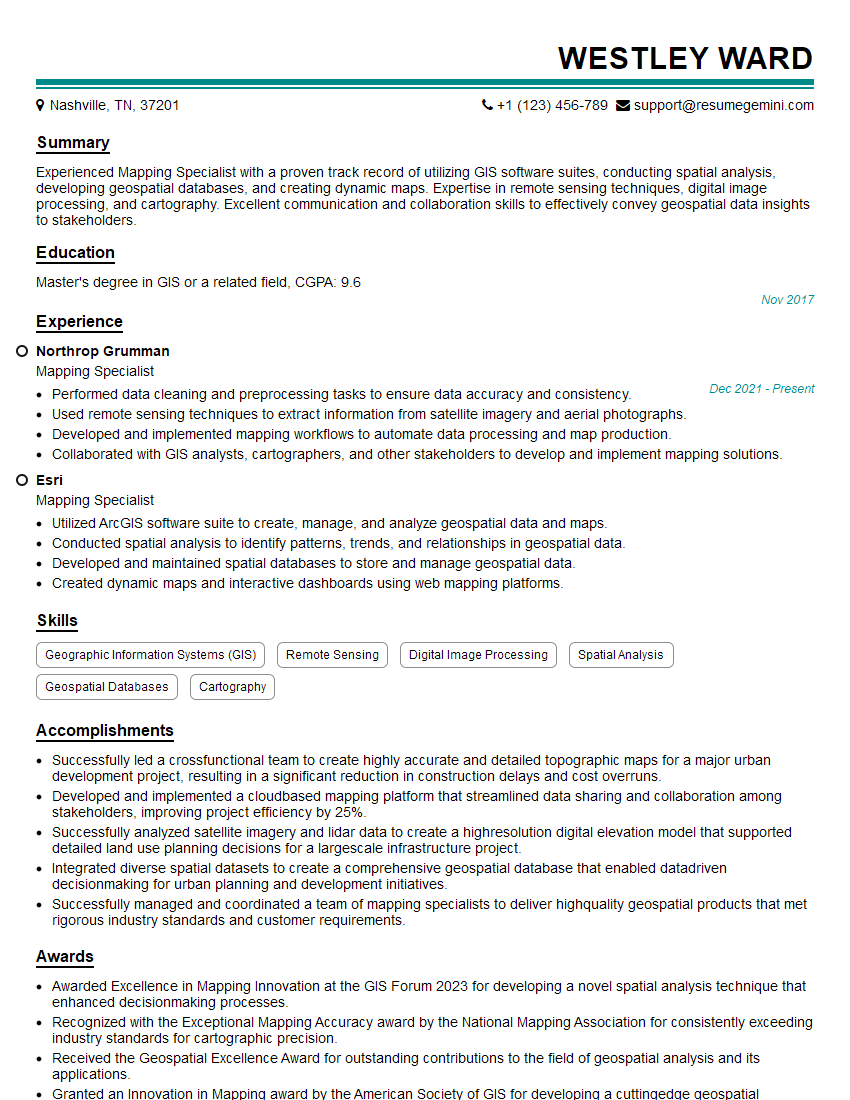
To increase your chances of landing your dream GIS job, it’s crucial to create an ATS-friendly resume that highlights your skills and experience effectively. ResumeGemini is a trusted resource that can help you build a professional and impactful resume tailored to the specific requirements of GIS positions. Examples of resumes tailored to showcasing Knowledge of GIS software and applications are available to guide you through the process.


Explore more articles
Users Rating of Our Blogs
Share Your Experience
We value your feedback! Please rate our content and share your thoughts (optional).
What Readers Say About Our Blog
Very informative content, great job.
good