Feeling uncertain about what to expect in your upcoming interview? We’ve got you covered! This blog highlights the most important Knowledge of Paper Properties and Printing Inks interview questions and provides actionable advice to help you stand out as the ideal candidate. Let’s pave the way for your success.
Questions Asked in Knowledge of Paper Properties and Printing Inks Interview
Q 1. Explain the difference between coated and uncoated paper.
The core difference between coated and uncoated paper lies in the surface treatment. Uncoated paper has a natural, porous surface, meaning the fibers are exposed. This gives it a characteristic texture, often described as ‘toothy.’ Coated paper, on the other hand, has a layer of coating applied to its surface, typically a mixture of clay and other materials. This coating fills the gaps between the fibers, creating a smoother, more uniform surface.
Think of it like comparing a brick wall (uncoated) to a wall with smooth plaster (coated). The plaster provides a smoother finish, better suited for certain tasks. Uncoated paper is ideal for applications where ink absorption is desired, like letterpress printing or absorbent notepads, where the ink’s texture contributes to the aesthetic appeal. Coated paper, however, excels in applications needing high-quality image reproduction, such as glossy magazines or brochures, where the smoother surface enables sharper images and richer colors.
- Uncoated: Absorbent, textured surface, good for ink absorption, less expensive, suitable for writing, drawing, and some printing methods.
- Coated: Smooth surface, better for high-quality image reproduction, less absorbent, more expensive, ideal for high-resolution printing such as offset lithography.
Q 2. Describe the various types of printing inks and their applications.
Printing inks are broadly categorized based on their chemical composition and drying mechanism. Here are some prominent types:
- Solvent-based inks: These use solvents to dissolve the pigment or dye, allowing for fast drying and excellent color vibrancy. They are commonly used in flexographic and screen printing, particularly for packaging and outdoor signage where durability is key. However, they have environmental concerns due to volatile organic compounds (VOCs).
- Water-based inks: Environmentally friendly, these inks use water as a solvent. They are popular for printing on paper and are becoming increasingly prevalent due to their lower environmental impact. However, they may not offer the same vibrancy or drying speed as solvent-based inks.
- UV-curable inks: These inks solidify instantly upon exposure to ultraviolet (UV) light. This allows for fast printing and immediate handling, making them suitable for high-speed applications and packaging. They offer excellent durability and scratch resistance.
- Vegetable-based inks: Made from renewable resources, these inks are gaining popularity for their eco-friendly nature. While their performance may vary depending on the formulation, they are increasingly used in packaging and publications focusing on sustainability.
The choice of ink depends heavily on the printing process, substrate (material being printed on), desired print quality, and environmental considerations. For instance, solvent-based inks might be ideal for durable outdoor banners, while water-based inks are often preferred for book printing.
Q 3. What is color management and why is it crucial in printing?
Color management is the process of controlling the colors throughout the entire printing workflow, from design to final output. It ensures that the colors on screen accurately represent the colors on the printed material. Without proper color management, there can be significant discrepancies between the intended colors and the final printed product, leading to costly reprints and client dissatisfaction.
Imagine you’re designing a vibrant poster. The colors look perfect on your monitor, but the printed version is dull and washed out. This is where color management comes in. It involves using color profiles (which define how colors are represented in different devices) and color conversion techniques to ensure consistency across all stages. This includes calibrating monitors, using specific color spaces (like CMYK for print), and using color management software to translate digital colors into the appropriate ink combinations for the printer.
Color management is crucial because it minimizes the risk of color variations, leading to accurate, consistent results and saving time and resources. It’s essential for professional printing, particularly when precise color representation is paramount, like in brand identity materials or high-end photography publications.
Q 4. How does paper grammage affect print quality?
Paper grammage (weight per unit area, typically expressed in gsm – grams per square meter) significantly affects print quality. Heavier grammage papers (higher gsm) are generally thicker and more robust. This thickness provides a superior base for printing, preventing ink from showing through (show-through) and resulting in sharper, clearer images and text. They also have better handling and folding characteristics.
Conversely, lighter grammage papers (lower gsm) are thinner and more susceptible to show-through, especially with darker inks. This can lead to a less crisp and professional appearance. The choice of grammage is a balance between print quality, cost, and the intended application. For instance, a business card would benefit from a higher grammage for a professional feel, whereas a newspaper might use a lower grammage to keep costs down and make it easy to handle.
In summary, higher grammage usually means improved print quality but higher cost, while lower grammage compromises on quality but reduces cost. The decision depends on the project’s specific needs and budget.
Q 5. Explain the concept of dot gain in printing.
Dot gain refers to the increase in the size of printed dots during the printing process. Ideally, a printed dot should be the same size as the dot on the printing plate or screen. However, factors like ink absorption, paper type, and printing pressure cause the dots to spread or grow larger than intended. This enlargement is known as dot gain.
Imagine you’re printing a small, black dot. If there’s significant dot gain, the dot will appear larger and less defined than intended. This can lead to several issues: darker areas in the print (especially in areas intended to be lighter tones), loss of detail, and a muddy or less sharp appearance overall.
Managing dot gain is crucial for accurate color reproduction. Printers use various techniques, including adjustments to printing pressure, ink density, and color profiles, to control and compensate for dot gain and achieve the desired print quality. Proper calibration and understanding of the press and paper are vital for minimizing unwanted dot gain.
Q 6. What are the different types of paper finishes and their impact on printability?
Paper finishes refer to the surface texture and feel of the paper, significantly impacting its printability and aesthetic appeal. Various finishes exist, each with unique characteristics:
- Gloss: A highly smooth, shiny finish that enhances color vibrancy and image sharpness. It’s ideal for high-quality images and vibrant colors, but can be prone to showing fingerprints.
- Matte: A smooth but non-shiny finish, reducing glare and providing a more subtle, sophisticated look. It’s less prone to showing fingerprints and is a good option for text-heavy documents.
- Silk: A finish that sits between gloss and matte, offering a balanced combination of smoothness, sheen, and reduced glare. It provides a good compromise between visual impact and practicality.
- Uncoated: A natural, textured finish that absorbs ink well, providing a unique aesthetic appeal often preferred for stationery or invitations where the paper texture is a key design element. However, it can sometimes result in less sharp images.
- Embossed: A finish created by pressing a design into the paper, giving it a three-dimensional texture. This adds a tactile element and can enhance the visual appeal, but it’s essential to ensure compatibility with the printing process.
The choice of finish depends on the desired visual impact, budget, and print method. A glossy finish is best suited for images needing high impact, while matte or silk finishes are better for documents where readability and less glare are priorities. Understanding the impact of these finishes is crucial for selecting the right paper for a project.
Q 7. Describe the process of color separation.
Color separation is the process of converting a full-color image into individual color plates (or files) for each printing color, typically Cyan, Magenta, Yellow, and Black (CMYK). This is necessary because most printing processes use multiple inks to create a wide range of colors. Each plate represents one of the CMYK colors, and when printed together, they create the full-color image.
Imagine a colorful flower. To print it, color separation software analyzes the image and separates it into four individual layers: one with only cyan shades, one with only magenta, one with only yellow, and one with black. Each layer is then used to create a separate printing plate (or digital file) that is used to print the corresponding color onto the paper.
The process involves using specialized software to scan or digitally create the image and separate the colors. Accuracy is crucial; imperfections in color separation will lead to mismatched colors and overall poor image quality in the final print. This process is essential for all multi-color printing processes, including offset lithography and screen printing.
Q 8. How do you troubleshoot common printing problems like ink smearing or paper jams?
Troubleshooting printing problems like ink smearing and paper jams requires a systematic approach. Let’s tackle each separately:
Ink Smearing: This often indicates an issue with either the ink itself (too wet or low viscosity), the paper (too absorbent or coated poorly), or the printing press (incorrect settings, faulty rollers).
- Check Ink Viscosity: If the ink is too thin, it will take longer to dry and may smear. Consult your ink manufacturer’s guidelines for optimal viscosity. You might need to adjust the ink’s properties or replace it.
- Examine Paper: Use a paper type appropriate for the printing method and ink. Highly absorbent paper will lead to smearing. Glossy or coated papers often offer better results for ink that tends to be more fluid.
- Inspect Press Settings and Rollers: Ensure the printing press is configured correctly with suitable drying time and pressure settings. Worn or dirty rollers can also cause smearing—clean or replace them if needed.
- Verify Drying Time: Allow sufficient drying time after printing to prevent smudging. Consider adding a post-print dryer to the process.
Paper Jams: Jams usually occur because of paper misfeeds, paper wrinkles, or obstructions in the paper path.
- Check Paper Path: Inspect the paper path for any obstructions (e.g., staples, debris). Remove any foreign objects carefully.
- Assess Paper Quality: Use appropriate paper weight and quality for the printing equipment. Wrinkled or damp paper is a common cause of jams.
- Paper Feed Settings: Verify that the paper feed rollers are properly aligned and that the paper guides are correctly positioned. The paper must be fed straight to avoid jams.
- Inspect Sensors: Printing presses utilize sensors to detect paper presence. Malfunctioning sensors may trigger improper paper feed actions leading to jams. Check for any signs of damage or misalignment.
Always refer to your printing press’s user manual for specific troubleshooting guides and safety precautions.
Q 9. Explain the difference between CMYK and RGB color models.
CMYK and RGB are two different color models used in different stages of the printing and display process.
RGB (Red, Green, Blue): This is an additive color model used for digital displays like computer screens and televisions. It works by combining different intensities of red, green, and blue light to create a vast spectrum of colors. The more light you add, the brighter the color becomes. White is achieved by combining all three colors at their maximum intensity, and black is the absence of light.
CMYK (Cyan, Magenta, Yellow, Key [Black]): This is a subtractive color model used in printing. It works by subtracting colors from white light reflected by the paper. Cyan, magenta, and yellow inks are layered to create various colors by absorbing specific wavelengths of light. Black ink (key) is added to improve color depth and reduce the amount of cyan, magenta, and yellow inks needed. The more ink you add, the darker the color becomes.
Key Difference: RGB is used for screen displays while CMYK is used for printed materials. A color that looks vibrant on screen might appear duller when printed because of the difference in how these models work. Color profiles help bridge the gap between RGB and CMYK but perfect color matching isn’t always guaranteed.
Q 10. What are the key factors to consider when selecting paper for a specific printing project?
Choosing the right paper for a printing project involves considering several key factors:
- Printing Method: Different printing methods (offset, digital, screen printing) have different paper requirements. Offset printing often uses thicker, smoother papers while digital printing might work well with a broader range of stocks.
- Paper Weight and Thickness: Paper weight (measured in gsm – grams per square meter) affects the feel, durability, and overall quality. Heavier papers are more substantial and luxurious. You’d choose a heavier paper stock for a business card compared to a flyer.
- Paper Finish: The paper finish (glossy, matte, uncoated) influences the look and feel of the printed piece. Glossy finishes offer vibrant colors and a sleek look, but matte finishes provide a more subdued elegance.
- Paper Color: While white is the most common, colored papers can add a creative touch. The color of the paper can subtly affect how the ink appears on it.
- Paper Brightness and Opacity: Brightness (how much white light the paper reflects) and opacity (how much light passes through the paper) impact the overall visual impact. High-brightness, high-opacity papers are ideal for crisp text and images.
- Budget: Different papers have varying costs; therefore, budget constraints play a significant role in paper selection.
- Project Requirements: The intended use of the printed material (e.g., brochures, business cards, posters) dictates the paper type. A poster might need a sturdy paper for durability, while a brochure might prioritize a smooth, image-friendly surface.
Q 11. Describe the properties of various paper stocks (e.g., bond, cardstock, etc.)
Various paper stocks possess unique properties making them suitable for different applications:
- Bond Paper: A common type used for everyday printing, photocopying, and writing. It’s relatively inexpensive, comes in various weights, and offers a smooth finish, usually uncoated.
- Cardstock: Thicker and more durable than bond paper, often used for business cards, postcards, and invitations. Its sturdiness makes it ideal for projects requiring longevity.
- Cover Stock: Heavier than cardstock and used for book covers, brochures, and other applications where durability and strength are crucial. It is designed to withstand wear and tear.
- Index Card Stock: Extremely thick and rigid, used for index cards, notecards, and other applications where a firm, durable surface is required. It’s known for its stiffness.
- Coated Paper: Paper with a coating applied to one or both sides, improving its smoothness, brightness, and printability. Gloss-coated paper offers vibrant colors; matte-coated paper provides a more refined look.
- Uncoated Paper: Paper without a coating, often used for applications where ink absorption is a desirable quality. It usually offers a more natural feel.
The choice of paper stock depends on the specific needs of the project, balancing cost, durability, and aesthetic considerations.
Q 12. What is the importance of ink viscosity in printing?
Ink viscosity is crucial in printing because it directly impacts the ink’s flow, transfer, and drying time. Viscosity refers to the thickness or resistance to flow of a liquid.
- Ink Transfer: Proper viscosity ensures that the ink is transferred smoothly and evenly onto the paper during printing. Ink that is too thick may not transfer adequately; ink that is too thin may cause smearing or feathering.
- Print Quality: Correct viscosity leads to sharp, clean prints without excessive dot gain (spreading of ink dots) or poor color saturation. Ink viscosity is critical for maintaining consistent color reproduction across a print job.
- Drying Time: High viscosity inks take longer to dry, increasing the risk of smearing, smudging, or set-off (transfer of ink to the back of the sheet of paper). Low-viscosity inks dry faster, reducing these risks.
- Printing Method Compatibility: The viscosity of the ink must be appropriate for the chosen printing method (offset, digital, screen). Each method has specific requirements to accommodate optimal ink flow and transfer.
Ink manufacturers provide guidelines on the optimal viscosity range for their inks. Rheological modifiers can be used to adjust the viscosity if necessary, ensuring consistent and high-quality prints.
Q 13. How does substrate choice impact the selection of printing inks?
The substrate (the material being printed on) significantly influences the selection of printing inks. The substrate’s properties, such as its absorbency, surface texture, and chemical composition, determine which types of inks will perform best.
- Absorbency: Highly absorbent substrates (e.g., uncoated paper) require inks that dry quickly to prevent feathering or smearing. Less absorbent substrates (e.g., coated paper, plastics) can accommodate inks with higher viscosity, allowing for sharper and more vibrant prints.
- Surface Texture: Smooth substrates result in even ink transfer; rough substrates might require inks that penetrate better to prevent uneven coverage.
- Chemical Composition: The substrate’s chemical composition can affect ink adhesion and compatibility. For example, inks specifically designed for plastics would likely be different from those for paper.
- Ink Type: Water-based inks are commonly used for uncoated papers because of their fast absorption. UV-cured inks are preferred for materials needing durability and quick drying.
Careful consideration of the substrate is essential to ensure good ink adhesion, optimal color reproduction, and high-quality print output.
Q 14. Explain the concept of trapping in print production.
Trapping in print production refers to the intentional overlapping of adjacent colors to prevent unwanted gaps or misregistrations between them. This is particularly important when printing multiple colors using processes like offset printing where slight misalignments can occur.
Think of it like this: imagine two adjacent color blocks, one red and one blue. Without trapping, a tiny white gap might appear where the colors meet due to minor misalignment. Trapping solves this by slightly overlapping the colors, ensuring a seamless transition.
Types of Trapping:
- Spread Trapping: The outside color is extended slightly into the inside color, which is a popular choice for larger areas.
- Choke Trapping: The inside color is extended into the outside color. This is preferable for fine lines or small details, as it helps to prevent gaps.
- No Trapping: This option is used when the colors meet precisely without overlap.
Importance: Trapping is crucial for maintaining the integrity of the design and achieving clean, sharp color transitions. It ensures consistent appearance across a print run, avoiding costly reprints or revisions.
Considerations: The amount of trapping required often depends on the type of printing press, color tolerances, and the design elements themselves. Professionals generally use specialized trapping software to control and optimize trapping settings for optimal print quality.
Q 15. Describe different methods of drying inks.
Ink drying is crucial for preventing smudging and ensuring the longevity of printed materials. Different inks require different drying methods, broadly categorized as absorption, oxidation, and evaporation.
- Absorption: This method relies on the porous nature of the paper to absorb the ink. It’s commonly used with inks like water-based inks on absorbent papers. The drying speed depends on the paper’s absorbency and the ink’s viscosity. For instance, a highly absorbent paper like newsprint will dry faster than a coated paper.
- Oxidation: Oxidation involves a chemical reaction where the ink solidifies upon exposure to air. This is typical of UV-curable inks and some oil-based inks. UV curing, for example, uses ultraviolet light to trigger a rapid polymerization process, leading to almost instantaneous drying. This is often seen in high-speed printing processes.
- Evaporation: Solvent-based inks dry primarily through the evaporation of the solvent. This process is heavily influenced by temperature, humidity, and airflow. A warm, dry environment will speed up evaporation, while a humid environment will slow it down. Consider the difference between printing in a desert versus a tropical rainforest – the drying time will vary considerably.
The choice of drying method significantly impacts the printing process’s efficiency and the final product’s quality. For example, using absorption drying with a non-absorbent paper will lead to smudging and slow production.
Career Expert Tips:
- Ace those interviews! Prepare effectively by reviewing the Top 50 Most Common Interview Questions on ResumeGemini.
- Navigate your job search with confidence! Explore a wide range of Career Tips on ResumeGemini. Learn about common challenges and recommendations to overcome them.
- Craft the perfect resume! Master the Art of Resume Writing with ResumeGemini’s guide. Showcase your unique qualifications and achievements effectively.
- Don’t miss out on holiday savings! Build your dream resume with ResumeGemini’s ATS optimized templates.
Q 16. What are the safety precautions when handling printing inks?
Safety when handling printing inks is paramount. Many inks contain volatile organic compounds (VOCs) that can be harmful if inhaled or ingested. Specific safety precautions depend on the ink type, but general guidelines include:
- Proper Ventilation: Always work in a well-ventilated area to minimize exposure to VOCs. This might involve using exhaust fans or working outdoors.
- Personal Protective Equipment (PPE): This includes gloves, eye protection, and respirators, especially when dealing with solvent-based or UV-curable inks. The choice of PPE depends on the specific hazards associated with the ink.
- Skin Contact: Avoid skin contact. If contact occurs, wash the affected area immediately with soap and water. For serious incidents, seek medical attention.
- Ingestion: Never ingest printing ink. Keep inks out of reach of children and pets.
- Waste Disposal: Dispose of ink cartridges and waste properly according to local regulations. Improper disposal can harm the environment.
- Safety Data Sheets (SDS): Always consult the SDS for the specific ink being used. The SDS provides detailed information on hazards, handling, and emergency procedures.
Ignoring these precautions can lead to health problems ranging from skin irritation to serious respiratory issues. Prioritizing safety is essential for both the printer’s health and environmental protection.
Q 17. How do you ensure consistent color reproduction across different printing runs?
Maintaining consistent color reproduction is critical for ensuring the quality and accuracy of printed materials. Several steps are essential:
- Color Management System (CMS): A robust CMS is fundamental. This involves using calibrated monitors, printers, and software to ensure consistent color representation throughout the workflow. A CMS creates profiles for each device, translating color data accurately.
- Proofing: Creating color proofs before initiating a large printing run is crucial. These proofs allow for adjustments and ensure the final product matches the design intent.
- Ink Consistency: Using the same ink batch throughout the print run is essential. Variations in ink formulation can cause color shifts. This is especially crucial for pantone colors.
- Paper Consistency: Using the same paper stock from the same supplier, batch number, and storage conditions is vital. Variations in paper properties like brightness, absorbency, and coating can significantly impact color reproduction.
- Regular Calibration: Regularly calibrating all devices involved in the printing process ensures accuracy. Regular checks with a spectrophotometer can detect subtle shifts and ensure that the color remains within the acceptable range.
- Print Standards: Adhering to established print standards (e.g., ISO standards) helps ensure consistency across different printers and printing facilities.
Imagine printing a company logo; inconsistent color reproduction across different marketing materials would damage the brand’s image. A robust color management strategy ensures every print job maintains the intended color, regardless of scale or timing.
Q 18. Explain the impact of humidity and temperature on paper and ink.
Humidity and temperature significantly affect both paper and ink. These environmental factors influence the paper’s dimensions, its ability to absorb ink, and the ink’s drying time and overall performance.
- Paper: High humidity can cause paper to expand, leading to dimensional instability and potential issues with printing registration (alignment of colors). Low humidity can cause paper to shrink and become brittle. Temperature fluctuations can also impact paper’s dimensional stability. Extreme temperatures can lead to warping or damage.
- Ink: High humidity slows down the drying process of most inks, particularly those that rely on evaporation. This can lead to smudging and offsetting (ink transferring to the other side of the paper). Low humidity can accelerate the drying but can also affect ink adhesion and vibrancy. Temperature affects viscosity. Increased temperature generally lowers viscosity, while lower temperature increases it, influencing application and drying.
Controlling the environmental conditions within the printing facility is therefore crucial for consistent results. Maintaining a stable temperature and humidity level within the recommended ranges for the paper and ink being used is paramount to achieving high-quality prints. For example, a climate-controlled print room is essential for high-quality printing processes and consistency.
Q 19. Describe the various methods of paper finishing (e.g., cutting, folding, binding).
Paper finishing encompasses various processes that enhance the aesthetic appeal and functionality of printed materials. These include:
- Cutting: Trimming the printed sheets to the desired size and shape using guillotines or other cutting machines. Precise cutting is crucial for maintaining uniform margins and overall presentation.
- Folding: Folding printed sheets into various configurations (e.g., letter folds, Z-folds, parallel folds) using folding machines. This transforms flat sheets into brochures, leaflets, or other formats.
- Binding: Securing multiple printed sheets together to create books, booklets, or other multi-page documents. Various binding methods exist, including:
- Saddle Stitch: Folding and stapling pages together.
- Perfect Binding: Gluing the edges of a block of pages and applying a cover.
- Spiral Binding/Coil Binding: Using a plastic or metal coil to bind pages.
- Case Binding: For books, it involves sewing sections together, adding endpapers, and applying a hard cover.
The choice of finishing method depends on the project’s requirements. For example, a simple brochure might only need cutting and folding, while a hardback book needs cutting, folding, and case binding. Finishing processes significantly impact the finished product’s quality and presentation, influencing the user experience.
Q 20. How do you calculate the cost of a printing project?
Calculating the cost of a printing project involves considering several factors. It’s not a simple formula, but rather a breakdown of various costs:
- Materials Cost: This includes the cost of paper, ink, and other consumables used in the printing process. The quantity and type of paper play a major role, alongside specialty inks and coatings.
- Labor Cost: The cost of operators’ time, pre-press preparation (design, proofing), and post-press finishing (cutting, folding, binding). The complexity of the project influences this greatly.
- Machine Cost: Depreciation, maintenance, and energy consumption of printing equipment. This is often factored in as a per-unit cost or machine hour rate.
- Overhead Cost: Rent, utilities, and other business expenses that are indirectly related to the project but essential for operation.
- Profit Margin: A percentage added to the total cost to account for profit.
A simple calculation might look like this (this is a simplified example and actual calculations are more complex):
Total Cost = (Materials Cost + Labor Cost + Machine Cost + Overhead Cost) / (1 - Profit Margin)Accurate cost estimation requires detailed planning and understanding of the project’s specific requirements. Software tools are often used to generate detailed cost estimations.
Q 21. What are some common printing defects and how can they be avoided?
Various printing defects can occur during the process. Recognizing and addressing these is crucial for quality control. Some common defects include:
- Smudging: Ink transferring to adjacent areas of the printed surface, often due to insufficient drying or excessive ink.
- Offsetting: Ink transferring from one sheet to another during the stacking process, particularly common with wet inks. Careful stacking and use of interleaving paper can mitigate this.
- Mottle: Uneven ink distribution causing variations in color density. This is often caused by problems with the ink or printing process.
- Blotches: Irregular patches of excess ink, usually due to problems with the ink delivery system.
- Streaks: Long, thin lines of inconsistent color or ink density due to issues with the printing plate, rollers, or ink flow.
- Registration Problems: Misalignment of colors or images in multicolor printing. Issues with the press setup or paper feeding are the usual culprits.
Avoiding these defects requires careful attention to detail throughout the printing process. This includes proper press setup, ink consistency, paper selection, appropriate environmental conditions, and routine maintenance of printing equipment. Regular quality checks during printing are essential to identify and correct defects promptly.
Q 22. What is the difference between offset and digital printing?
Offset and digital printing are two distinct methods of printing, differing primarily in their printing mechanisms and suitability for various applications. Offset printing, the traditional method, uses a plate-cylinder system where the image is transferred (offset) from a plate to a rubber blanket, then to the paper. This indirect transfer allows for high-volume, consistent, and high-quality printing, especially on coated papers. Think of it like using a stamp – the image is first transferred to a rubber surface, then to the paper. Digital printing, on the other hand, prints images directly onto the substrate, using toner or ink jets. It’s like using a high-resolution inkjet printer but on a larger scale. Digital printing excels in short-run jobs, personalized materials, and variable data printing, as it doesn’t require plates.
- Offset Printing: High volume, consistent color, excellent for coated papers, higher upfront costs due to plate making.
- Digital Printing: Short runs, variable data, quick turnaround, cost-effective for smaller quantities, may have slightly lower print quality depending on the machine and paper.
For example, a large-scale book printing project would typically employ offset printing for its cost-effectiveness and consistent quality across thousands of copies. A personalized greeting card campaign, however, would ideally utilize digital printing for its ability to print unique messages on each card.
Q 23. Explain the importance of pre-press preparation in print production.
Pre-press preparation is crucial for successful print production. It’s the bridge between design and printing, ensuring that the final product accurately reflects the client’s vision and aligns with the printing process capabilities. This stage involves several critical steps:
- Image Preparation: Ensuring images have the correct resolution and color mode (CMYK for offset, usually RGB for digital). Correcting any flaws or inconsistencies.
- File Setup: Creating print-ready files with accurate bleeds, margins, and color profiles, following the printer’s specifications.
- Proofing: Generating soft and/or hard proofs to verify the accuracy of color, layout, and text before proceeding with printing. This step helps prevent costly errors down the line.
- Plate Making (for Offset): Creating printing plates that will transfer the image to the paper. This step involves specialized equipment and techniques to ensure consistent and accurate reproduction.
Imagine building a house. Pre-press preparation is akin to creating detailed blueprints and ensuring all materials are ready before construction begins. Skipping this stage can lead to significant issues like inaccurate colors, misaligned text, and wasted materials.
Q 24. How do you handle color variations between proofs and final prints?
Color variations between proofs and final prints are common and are usually addressed through a methodical approach. Several factors can contribute to this, including:
- Proofing Method: Different proofing methods (soft, hard, contract) have variations in color reproduction.
- Paper Type: The paper’s absorption and surface texture can influence how inks are perceived.
- Ink Consistency: Minor variations in ink density or mixing can affect the final color.
- Press Calibration: Proper calibration of printing presses is essential for consistent color reproduction.
To handle these variations, we employ several strategies:
- Color Management Systems (CMS): Using profiles to calibrate monitors, printers, and presses to achieve accurate color reproduction.
- Press Adjustments: Fine-tuning the printing press during the production run to match the desired color. This often involves adjusting ink densities.
- Proof Approval Process: Establishing a rigorous proofing process with client approval before proceeding to full production.
For example, if a client’s approved hard proof exhibits a slight shift in blue compared to the final print, we might adjust the cyan ink density on the press to better match the approved color. The key is to have a robust color management system in place to minimize discrepancies and a clear communication process for corrections.
Q 25. Discuss your experience with different types of printing presses.
My experience encompasses various types of printing presses, both offset and digital:
- Offset Presses: I’ve worked extensively with sheet-fed offset presses, ranging from smaller format presses suitable for short runs to large-format presses capable of high-volume production. My experience includes both perfecting (two-sided printing in one pass) and perfecting presses.
- Digital Presses: I have hands-on experience with toner-based digital presses (Xerox, Ricoh) and inkjet-based digital presses (HP Indigo, Canon), understanding their distinct capabilities and limitations. This involves managing print settings, optimizing color profiles, and troubleshooting common issues such as jamming or streaking.
Understanding the nuances of different press types is crucial for making informed decisions about print production. For instance, selecting the right press based on factors such as print volume, paper type, and required quality is key to efficient and cost-effective printing. I am adept at determining which press is most appropriate for a given job, thereby ensuring optimal results.
Q 26. Explain the concept of Pantone Matching System (PMS).
The Pantone Matching System (PMS) is a standardized color reproduction system used widely across various industries, especially in printing. It provides a library of precisely formulated colors, each identified by a unique Pantone number. Unlike CMYK or RGB, which are subtractive and additive color models respectively, PMS colors are spot colors. This means each color is mixed specifically, guaranteeing consistent color reproduction regardless of the printing method or device used. Imagine a recipe – each PMS color has its own specific recipe, ensuring that the same color can be reproduced in various locations with the same level of accuracy.
In printing, using PMS ensures that a specific brand color or design element remains consistent across various print jobs and different printers. Think of a corporate logo: using a PMS color ensures that the logo always appears exactly as intended, regardless of whether it’s printed on business cards, brochures, or large-format posters. It is essential for maintaining brand consistency and achieving precise color matching across different printing projects.
Q 27. What is your experience with different paper certifications (e.g., FSC, recycled content)?
I have significant experience working with various paper certifications, primarily focusing on sustainability and responsible sourcing:
- Forest Stewardship Council (FSC): FSC certification guarantees that the paper comes from responsibly managed forests, meeting stringent environmental and social standards. I often work with clients who require FSC-certified paper to meet their sustainability goals.
- Recycled Content: I have experience with papers containing varying percentages of post-consumer recycled content. This involves understanding the impact of recycled content on paper properties, such as strength, printability, and color, and selecting appropriate papers for specific print applications.
- Other Certifications: Familiarity with other certifications, such as those related to chlorine-free bleaching or responsible sourcing of other materials.
Considering these certifications is vital for meeting clients’ sustainability targets and aligning with ethical sourcing practices. For instance, a client focused on environmental sustainability would likely request FSC-certified and high recycled content paper, requiring careful paper selection to ensure quality and printability.
Q 28. Describe a situation where you had to solve a complex printing problem.
One challenging project involved printing a large-format banner with a complex gradient design. The client provided a high-resolution digital file, but during the proofing stage, we discovered significant color banding in the gradient transitions when printed on the chosen vinyl material. The banding was initially attributed to the printer’s limitations; however, after thorough investigation, we found that the issue stemmed from the file’s color profile. The gradient was created in a color space not optimized for large-format vinyl printing.
To solve this, we implemented a three-step strategy:
- Color Profile Conversion: We carefully converted the file’s color profile to one suitable for vinyl printing, minimizing the color banding issue.
- Gradient Optimization: We re-worked the gradient within the correct color space using software tools to further reduce banding by smoothing the color transitions.
- Test Prints and Adjustments: We performed several test prints, making incremental adjustments to the file and printer settings until the gradient appeared smooth and consistent.
This situation highlighted the importance of meticulous pre-press preparation, especially when working with complex designs and specialized materials. By addressing the color profile mismatch and optimizing the gradient, we delivered a high-quality banner that met the client’s expectations and showcased the importance of thorough color management.
Key Topics to Learn for Knowledge of Paper Properties and Printing Inks Interview
- Paper Grades and Characteristics: Understand the differences between various paper types (coated, uncoated, recycled, etc.), their weight, texture, opacity, and suitability for different printing methods. Consider how these properties impact print quality and cost.
- Ink Chemistry and Properties: Familiarize yourself with different ink types (water-based, solvent-based, UV-curable), their color properties, drying mechanisms, and their interaction with various paper substrates. Be prepared to discuss the impact of ink viscosity and adhesion on print results.
- Color Management and Reproduction: Learn about color spaces (CMYK, RGB), color profiles, and how to achieve accurate color reproduction across different printing processes. Understand the challenges of achieving consistent color across various substrates and ink types.
- Printing Processes: Gain a solid understanding of common printing techniques (offset lithography, digital printing, flexography, screen printing) and their respective advantages and limitations in relation to paper and ink choices.
- Print Quality Assessment: Know how to identify and troubleshoot common printing defects such as dot gain, mottle, and color inconsistencies. This includes understanding the role of paper and ink properties in print quality issues.
- Sustainability and Environmental Considerations: Discuss environmentally friendly paper choices and inks, including recycled content, sustainable forestry practices, and the impact of printing on waste generation.
- Troubleshooting and Problem Solving: Be prepared to discuss how you would approach and solve problems related to paper selection, ink compatibility, and print quality issues. Demonstrate your analytical and problem-solving skills.
Next Steps
Mastering knowledge of paper properties and printing inks is crucial for career advancement in the printing and packaging industries. A strong understanding of these concepts showcases your technical expertise and problem-solving abilities, making you a highly sought-after candidate. To significantly enhance your job prospects, focus on crafting an ATS-friendly resume that effectively highlights your skills and experience. ResumeGemini is a trusted resource to help you build a professional and impactful resume. Examples of resumes tailored specifically to roles requiring expertise in Knowledge of Paper Properties and Printing Inks are available to guide you. Take this opportunity to present yourself in the best possible light and secure your dream role.

Print Production Manager Resume Sample

Print Buyer Resume Sample
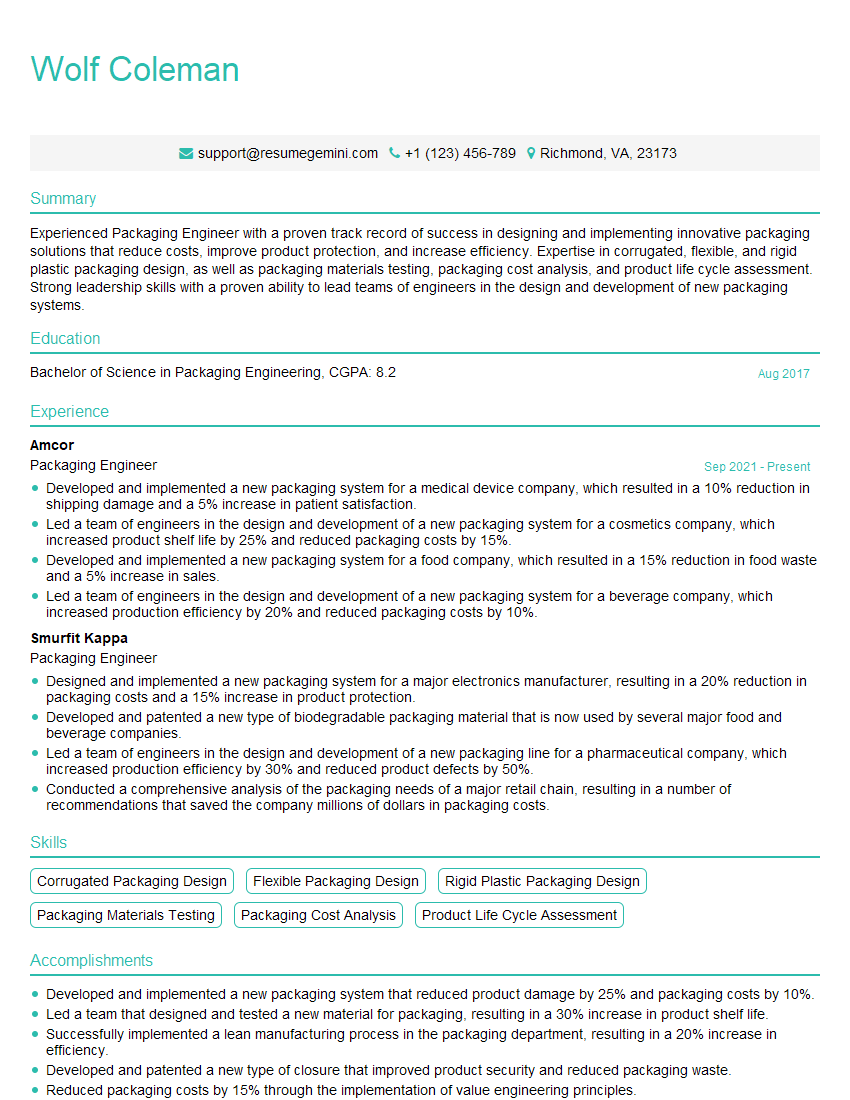
Packaging Engineer Resume Sample

Packaging Designer Resume Sample

Printing Estimator Resume Sample

Pressroom Supervisor Resume Sample

Prepress Technician Resume Sample
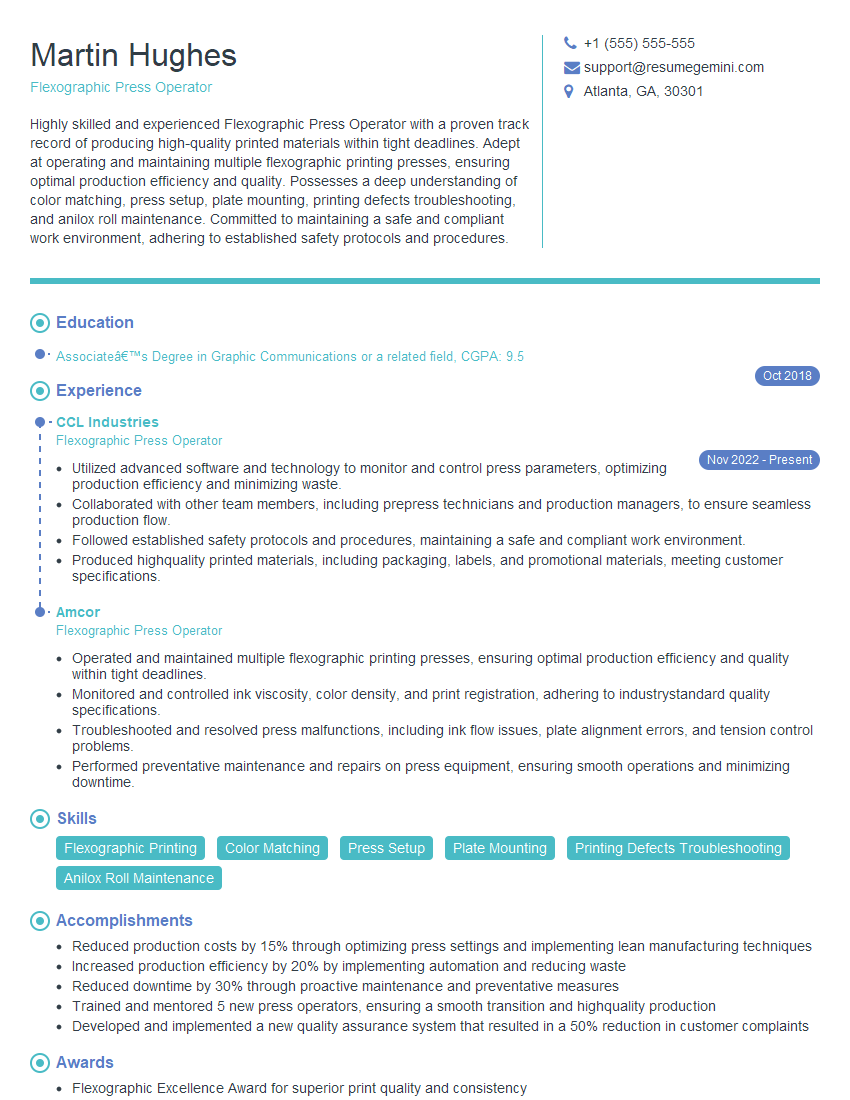
Flexographic Press Operator Resume Sample
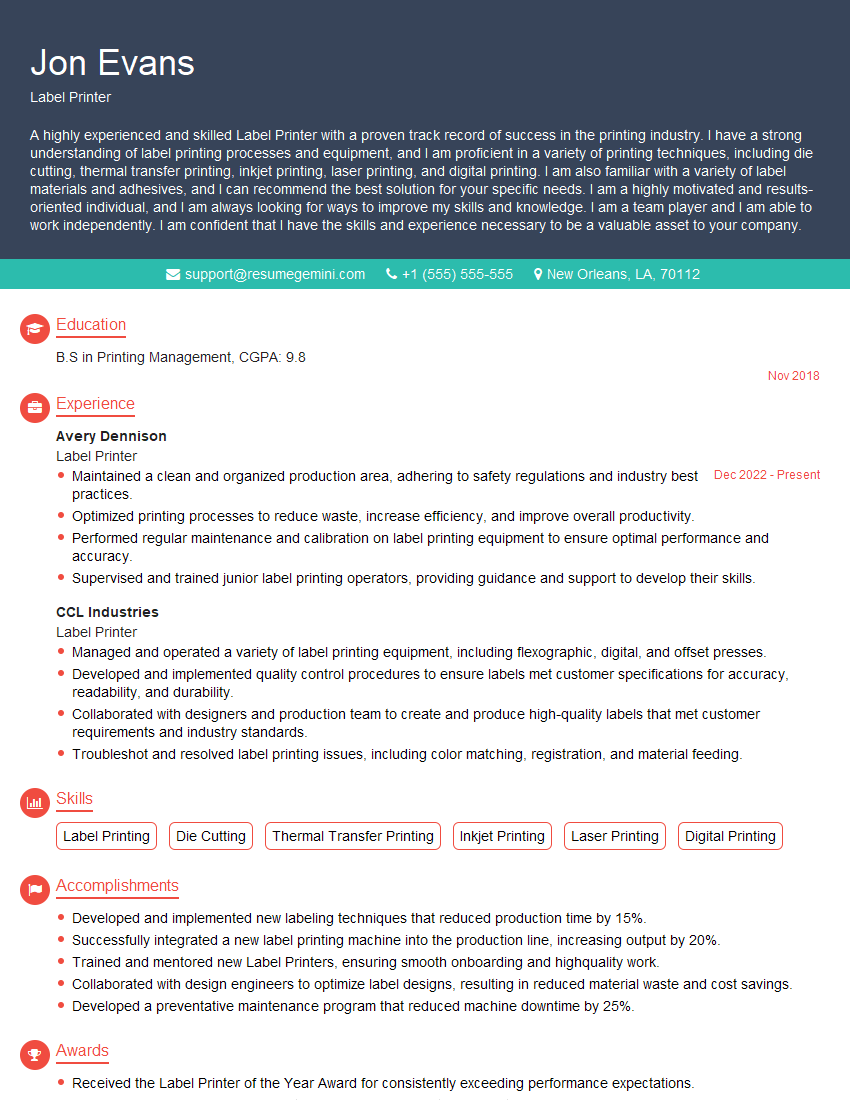
Label Printer Resume Sample

Offset Press Operator Resume Sample

Screen Printer Resume Sample
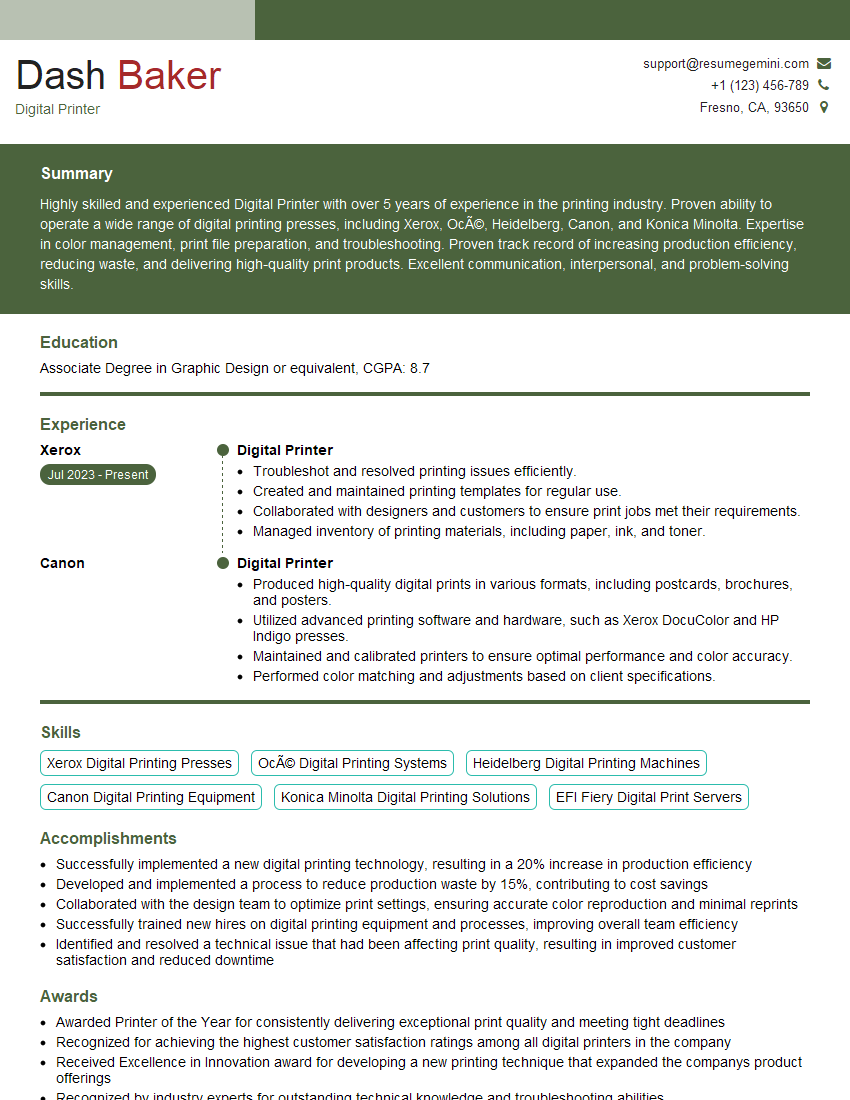
Digital Printer Resume Sample

Print Finisher Resume Sample
Explore more articles
Users Rating of Our Blogs
Share Your Experience
We value your feedback! Please rate our content and share your thoughts (optional).
What Readers Say About Our Blog
Very informative content, great job.
good