Are you ready to stand out in your next interview? Understanding and preparing for Knowledge of Printing Processes and Techniques interview questions is a game-changer. In this blog, we’ve compiled key questions and expert advice to help you showcase your skills with confidence and precision. Let’s get started on your journey to acing the interview.
Questions Asked in Knowledge of Printing Processes and Techniques Interview
Q 1. Explain the difference between offset and digital printing.
Offset and digital printing are two distinct methods for mass producing printed materials, differing fundamentally in their printing processes and applications. Offset printing, the dominant method for large-scale projects, uses an indirect printing method. Ink is transferred from a plate to a rubber blanket, and then from the blanket to the substrate (paper or other material). This indirect transfer allows for high-quality, consistent printing on a wide range of substrates and produces vibrant, sharp images suitable for high-volume jobs. Think of it like using a stamp – the image is first transferred to the stamp (blanket), then applied to the paper. Digital printing, on the other hand, prints images directly onto the substrate using toner or inkjet technology. It’s ideal for shorter runs, personalized items, and projects requiring quick turnaround times. Think of it like a high-resolution inkjet printer you might have at home, but on a much larger scale. The key differences lie in print volume, cost-effectiveness (offset is cheaper per unit for large runs, digital for small runs), turnaround speed, and image quality (offset generally offers superior quality for fine details).
Q 2. Describe the process of color separation in prepress.
Color separation is a crucial prepress process that prepares artwork for printing, converting a full-color image into individual plates, one for each of the CMYK process colors: Cyan, Magenta, Yellow, and Key (black). Traditionally, this was achieved using specialized filters or cameras, but today it’s primarily done digitally using software. The software analyzes the image and assigns color values to each of the CMYK channels. Imagine a full-color photograph of a red apple. The color separation process determines how much cyan, magenta, yellow, and black ink needs to be combined on each printing plate to reproduce that red apple faithfully. Accurate color separation is critical because it directly impacts the final printed result. An improperly separated file can result in muddy colors, inaccurate color reproduction, or other printing defects. It’s a delicate balance, ensuring the correct proportions of each color are achieved to mimic the original artwork.
Q 3. What are the common printing inks used, and their properties?
Several types of printing inks are commonly used, each with specific properties tailored to different printing methods and substrates.
- Solvent-based inks: These offer vibrant colors and excellent gloss, often used in flexographic printing on flexible packaging.
- UV-curable inks: These inks cure instantly upon exposure to ultraviolet light, providing instant drying, high durability, and scratch resistance, frequently used in screen and offset printing.
- Water-based inks: Environmentally friendly, these inks are popular for packaging and publications, with lower odor and VOCs (Volatile Organic Compounds).
- Vegetable-based inks: Sustainable and biodegradable, these inks are growing in popularity due to their eco-friendly nature.
- Pigment inks: Known for their high opacity and intense colors, often used in digital printing and screen printing.
Q 4. How do you ensure color consistency across different printing runs?
Maintaining color consistency across different printing runs is paramount for ensuring brand identity and product quality. Several strategies are employed to achieve this.
- Color management systems (CMS): These software solutions standardize color across different devices and processes, ensuring accurate reproduction from design to final print.
- Color standards and proof printing: Using calibrated proofing systems, the printer can create physical proofs that closely match the desired final output. These proofs are then approved by the client before mass production commences, serving as a benchmark for color consistency.
- Ink control and regular calibration: Maintaining consistent ink viscosity, density, and dot gain through regular equipment calibration and maintenance is essential. Press operators need regular training to ensure consistent settings are maintained.
- Substrate control: Slight variations in paper stock can affect ink absorption and color reproduction. Careful selection and consistent use of paper from the same batch are key.
Q 5. What are the various types of paper finishes and their applications?
Paper finishes significantly impact the visual appeal and tactile experience of a printed product.
- Coated: Provides a smooth surface ideal for high-resolution images and sharp text; common in magazines and brochures.
- Uncoated: A more natural, porous texture suitable for a rustic or traditional feel; commonly used for letterheads and invitations.
- Gloss: Highly reflective, provides vibrant colors and a luxurious look; used in high-end brochures and catalogs.
- Matte: Low-sheen finish reduces glare, suitable for applications where readability in various lighting conditions is important; used in textbooks and reports.
- Embossed/De-bossed: Adds tactile texture to the paper, enhancing the visual appeal; often used in invitations and high-end packaging.
Q 6. Explain the importance of proper paper selection for different printing techniques.
Proper paper selection is critical for achieving optimal results in different printing techniques. The paper’s weight, finish, and absorbency properties directly affect the ink’s adhesion, color reproduction, and the overall quality of the print. For example, offset printing often requires a heavier weight paper that can withstand the high pressure of the printing press. Conversely, digital printing can work well with lighter weight papers, often avoiding the need for pre-treatment. Uncoated paper, with its porous surface, absorbs ink differently than coated paper, which creates a more vibrant, glossy finish. Choosing an inappropriate paper can result in poor ink adhesion, color variations, and even damage to the printing press. A simple example: using a very thin paper in offset printing might lead to the paper wrinkling or tearing during the process. Therefore, understanding paper characteristics and matching them to the chosen printing method is crucial for a successful printing project.
Q 7. Describe the different types of binding and finishing techniques.
Various binding and finishing techniques are employed to enhance the durability, aesthetic appeal, and functionality of printed materials.
- Saddle Stitch: Cost-effective, simple folding and stapling used for brochures and booklets.
- Perfect Binding: Pages are glued together along the spine, creating a smooth edge; commonly used for books and magazines.
- Spiral Binding: Pages are bound using a plastic or metal coil; ideal for notebooks and reports.
- Case Binding: Pages are sewn together, then glued to a hard cover; used for high-quality books and journals.
- Wire-O Binding: Pages are bound using double-loop wire; often used for calendars and planners.
- Finishing techniques include lamination, die-cutting, embossing, UV coating, and foil stamping. These add durability, visual appeal, or functionality to the final product.
Q 8. What are the common problems encountered during the printing process, and how do you troubleshoot them?
Printing, while seemingly straightforward, is susceptible to a variety of problems. These can range from minor inconsistencies to significant production delays. Common issues include:
- Ink problems: Insufficient ink, clogged nozzles (in inkjet), incorrect ink viscosity, or improper ink mixing can lead to faded colors, streaks, or banding. Troubleshooting involves checking ink levels, cleaning print heads, adjusting viscosity with appropriate fluids, and ensuring accurate color mixing according to the manufacturer’s specifications.
- Paper jams: These are frustrating but often preventable. Causes range from incorrect paper loading to humidity affecting paper dimensions. Solutions involve checking the paper path for obstructions, ensuring the paper is the correct type and size for the printer, and adjusting humidity levels in the printing environment.
- Registration issues: This refers to misalignment of colors in multi-color printing (like CMYK). Poor registration results in blurry images or misaligned elements. Troubleshooting usually involves inspecting the printing press’s registration system, ensuring proper plate alignment, and making adjustments to the press settings.
- Print quality defects: These can manifest as blurry images, banding, moiré patterns (interference patterns), or poor sharpness. Diagnosing this requires checking the print resolution, evaluating the quality of the source image, ensuring the correct dpi settings, and reviewing the printing press settings for sharpness and clarity.
- Mechanical malfunctions: Problems within the printing equipment itself—such as broken rollers, faulty sensors, or worn parts—can lead to various printing issues. Troubleshooting necessitates routine maintenance, regular inspections of the equipment, and calling in qualified technicians for repairs.
A systematic approach is key. Start with the simplest explanations, check consumables (ink, paper), then the press settings, and finally consider mechanical issues. Keeping detailed logs of issues and their resolutions is vital for future problem-solving.
Q 9. How do you manage color profiles and color management systems?
Color management is crucial for consistent color reproduction across different devices and printing processes. It involves using color profiles, which are essentially digital descriptions of a device’s color capabilities (e.g., monitor, printer, scanner). A Color Management System (CMS) acts as the intermediary, translating color data between different profiles to ensure accurate color reproduction.
Managing color profiles involves:
- Profile creation: Creating custom profiles for your specific printers and monitors using specialized software and colorimeters for accurate color measurement.
- Profile embedding: Embedding the appropriate color profiles into image files before sending them to print. This ensures the printing press knows how to interpret the colors as intended.
- Profile selection: Choosing the correct profiles for your input device (scanner, camera), output device (printer), and the working space (the color space in which you edit your images).
- Software integration: Integrating color management software (such as Adobe Color Engine or other dedicated CMS software) into your workflow. This automatically translates colors between devices according to their profiles.
Imagine trying to assemble a puzzle with mismatched pieces; without color management, the colors might look different on your screen compared to the printed output. A proper CMS ensures the pieces fit together seamlessly, creating a final product true to the designer’s vision.
Q 10. Explain the concept of print resolution and its impact on image quality.
Print resolution refers to the number of dots per inch (dpi) or pixels per inch (ppi) that a printer can produce. It directly impacts the sharpness, detail, and overall quality of an image. A higher resolution means more dots or pixels are used to create the image, resulting in a finer level of detail and sharper edges. Conversely, a lower resolution leads to a coarser, less detailed, and potentially blurry image.
For example, a 300 dpi image will have significantly more detail and sharpness than a 72 dpi image. While 72 dpi is suitable for screen display, it’s far too low for high-quality print. In professional printing, resolutions of 300 dpi or higher are commonly used to achieve excellent image quality, especially for detailed graphics and photographs.
The choice of resolution depends on the type of printing, the desired quality, and the capabilities of the printing device. High-resolution images require more processing power and storage, but the payoff is noticeably superior print quality. A low resolution might save time and space but at the cost of image detail.
Q 11. What are the different types of printing plates and their applications?
Printing plates are crucial components in various printing techniques. They transfer the image to the printing substrate (paper, fabric, etc.). Different plate types cater to specific needs:
- Letterpress plates: These raised-surface plates are used in letterpress printing, a technique that uses pressure to transfer ink from the raised areas of the plate to the substrate. They’re typically made of metal alloys.
- Offset plates: These are widely used in offset lithography, the most common printing process for mass production. They’re typically made of aluminum and coated with photosensitive chemicals that enable the image to be transferred onto the plate. They can be further divided into:
- PS plates (photosensitive plates): Requires exposure to UV light to create the image.
- CTP plates (Computer-to-Plate): Created directly from digital files without photographic processing, providing higher speed and precision.
- Flexographic plates: Used in flexographic printing, a process primarily used for flexible packaging and labels. They are made of photopolymer and are characterized by their flexibility and durability. The image is raised on the surface.
- Gravure plates: Used in gravure printing, a process that creates etched wells into a cylinder. Ink is held in these wells and transferred to the substrate through a doctor blade. This process is best for high-volume printing of continuous-tone images, often used in magazines and packaging.
- Screen printing stencils: In screen printing, a stencil or mesh is used as a type of printing plate. Ink is pushed through the open areas of the stencil, creating the desired image. They’re usually made from materials like polyester or nylon mesh.
The selection of the printing plate depends on the printing process, the required quantity, the material to be printed on, and the budget. Each type offers a unique set of advantages and limitations regarding print quality, speed, and cost.
Q 12. Describe the role of a proof in the printing process.
A proof in printing acts as a visual representation of the final printed product before mass production begins. It’s a crucial step in quality control, enabling the detection and correction of errors or inconsistencies early in the process. Proofs allow for the review of color accuracy, image sharpness, text clarity, and overall layout before committing to a large print run, potentially saving considerable time and resources.
There are several types of proofs:
- Soft proofs: Digital representations of the final product viewed on a calibrated monitor. They are relatively inexpensive and easy to create.
- Hard proofs: Physical representations, printed using a similar process as the final product. These provide a closer approximation of the final printed piece and are particularly important for color-critical jobs.
- Contract proofs: Legally binding proofs that confirm the client’s approval of the color and content. These are formally signed off by both the client and the printer.
Imagine building a house; you wouldn’t start constructing without architectural blueprints. Similarly, a proof serves as the blueprint for the printed piece, allowing for adjustments and ensuring the final product meets the client’s expectations. Without a proper proof, costly mistakes in color, text, or image quality could lead to rework and wasted materials.
Q 13. Explain the differences between CMYK and RGB color models.
CMYK and RGB are two different color models used in different contexts. RGB (Red, Green, Blue) is an additive color model used for displaying colors on screens, while CMYK (Cyan, Magenta, Yellow, Key/Black) is a subtractive color model used in printing.
RGB: Starts with black and adds light to create colors. When you mix all three colors (red, green, and blue) at maximum intensity, you get white. This model is ideal for screens because they emit light.
CMYK: Starts with white and subtracts light to create colors. Cyan, magenta, and yellow inks are used to absorb certain wavelengths of light, leaving the desired color. Black (K) ink is added to improve darkness and sharpness. This model is used for printing because it works by reflecting light, and paper reflects all light to start with.
The key difference lies in how they create color. RGB adds light, resulting in bright, vibrant colors suitable for digital displays. CMYK subtracts light from white, resulting in slightly less vibrant but print-ready colors.
Conversion between RGB and CMYK is often necessary when preparing files for print. However, it’s important to note that a direct conversion may not perfectly match the colors, which is why color management is critical to minimize color discrepancies.
Q 14. What are the key aspects of quality control in printing?
Quality control in printing is a multi-faceted process aimed at ensuring the final product meets the required specifications and client expectations. It involves a series of checks and procedures throughout the printing process:
- Pre-press checks: Verifying the accuracy of the digital files, including color accuracy, image resolution, and text consistency. This might involve using software to check for trapping issues or other potential problems.
- Proofing: Reviewing physical and digital proofs to ensure color accuracy, image sharpness, and text clarity. It’s crucial to use calibrated monitors and standardized lighting conditions for accurate assessment.
- Press checks: Monitoring the printing press during production to ensure consistent color, registration, and print quality. This often involves regular color measurements using colorimeters and visual inspections of the printed sheets.
- Post-press checks: Inspecting the final product after finishing processes such as cutting, folding, binding, or lamination, ensuring quality throughout the entire workflow.
- Statistical process control (SPC): Using statistical methods to monitor and control the printing process, identifying trends and variations that might impact the final product quality. This can involve tracking things like ink density and sheet-to-sheet variation.
Maintaining detailed records of every stage and employing systematic checks allows for identification of potential problems and facilitates the necessary corrective actions. A robust quality control system not only ensures customer satisfaction but also enhances efficiency and reduces waste.
Q 15. How do you calculate the cost of a printing project?
Calculating the cost of a printing project involves a meticulous breakdown of all expenses involved. It’s not just about the price of ink and paper; it’s a comprehensive assessment encompassing pre-press, press, and post-press operations. Think of it like building a house – you need to account for every brick, board, and nail.
- Pre-press Costs: This includes design, file preparation (e.g., trapping, color correction), plate making, and proofing. These costs vary based on the complexity of the design and the number of revisions.
- Press Costs: This is the core cost, determined by the printing method (offset, digital, etc.), the number of colors, the paper type, the quantity printed, and the press’s speed and efficiency. For example, printing a large number of copies on an offset press will be more cost-effective per unit than printing a small number on a digital press.
- Post-press Costs: This involves finishing operations such as cutting, folding, binding, lamination, and any special effects. A simple booklet will cost less than a complex brochure with embossing and die-cutting.
- Materials Costs: The type and quantity of paper, ink, and other materials directly impact the final cost. Higher-quality paper and specialized inks will increase the price.
- Labor Costs: Consider the time and expertise of designers, press operators, and finishing personnel. Complex projects requiring skilled labor will cost more.
- Overhead Costs: This includes the costs of running the print shop, such as rent, utilities, and equipment maintenance.
To illustrate, let’s say we’re printing 1000 brochures. We’d carefully estimate the costs for design, plates, paper, ink for the four-color print job, the press run time, cutting and folding. Then we’d add profit margin to arrive at a final price. Accurate cost calculation is crucial for profitability and client satisfaction.
Career Expert Tips:
- Ace those interviews! Prepare effectively by reviewing the Top 50 Most Common Interview Questions on ResumeGemini.
- Navigate your job search with confidence! Explore a wide range of Career Tips on ResumeGemini. Learn about common challenges and recommendations to overcome them.
- Craft the perfect resume! Master the Art of Resume Writing with ResumeGemini’s guide. Showcase your unique qualifications and achievements effectively.
- Don’t miss out on holiday savings! Build your dream resume with ResumeGemini’s ATS optimized templates.
Q 16. What software are you proficient in related to prepress and postpress?
My proficiency in prepress and postpress software is extensive. I’m highly skilled in Adobe Creative Suite (Photoshop, Illustrator, InDesign), which are industry standards for design and file preparation. For prepress workflow and color management, I’m adept at using software like Esko ArtiosCAD for packaging design and imposition, and Color-Logic software for extended gamut printing. On the postpress side, I’m experienced with software used to manage finishing workflows and to control cutting and binding machines. Understanding these systems helps me optimize efficiency and ensure accurate output.
Example: In InDesign, I utilize preflight checks before sending files to press, to catch potential issues such as missing fonts or low-resolution images. This prevents costly errors later in the process.Q 17. Describe your experience with different types of printing presses.
I have extensive hands-on experience with various printing presses, ranging from conventional offset to digital printing technologies. My experience includes:
- Offset Printing: I’ve operated and maintained Heidelberg and Komori sheet-fed offset presses, handling multi-color jobs and ensuring consistent color accuracy. I understand the intricacies of the offset lithographic process, including platemaking, registration, and ink control. This allows me to troubleshoot issues quickly and optimize press performance for maximum output and minimal waste.
- Digital Printing: I’m proficient in operating various digital presses such as HP Indigo and Xerox iGen. Digital printing is ideal for shorter runs and personalized materials, where speed and variable data are crucial. I’m particularly skilled in managing color profiles and optimizing print settings to achieve high-quality results across different substrates.
- Large Format Printing: I have experience with wide-format inkjet printers used for producing banners, posters, and signage. This involves understanding media handling, color profiles, and the unique challenges of large-scale printing.
My experience encompasses both sheet-fed and web-fed press operations, giving me a comprehensive understanding of the diverse needs of different printing projects.
Q 18. Explain your understanding of imposition and its importance.
Imposition is the process of arranging pages of a document in a specific order on a printing sheet to optimize the printing process and minimize waste. Imagine it as a puzzle; each piece (page) must be placed correctly to form the final image (printed document).
Its importance stems from several factors:
- Efficiency: Proper imposition minimizes paper waste by maximizing the number of pages printed per sheet. This is especially crucial for large-scale projects.
- Cost Savings: Reduced paper waste directly translates to lower material costs.
- Production Time: Efficient imposition streamlines the printing process, leading to faster turnaround times.
- Accuracy: Correct imposition ensures the pages are printed in the correct sequence and orientation, preventing costly errors.
Different imposition schemes exist depending on the type of document (e.g., book, brochure, leaflet). Software like Esko ArtiosCAD automates this process, allowing for precise placement and efficient use of the printing sheet. A mistake in imposition can lead to pages being printed out of order, or worse, sections of the document completely missing.
Q 19. How do you handle client revisions during the printing process?
Handling client revisions is a crucial aspect of the printing process. It requires clear communication, efficient workflows, and the ability to adapt to changing requirements.
My approach involves:
- Detailed Review: Carefully examining all revision requests to ensure I understand the changes needed.
- Estimating Time and Costs: Assessing the impact of revisions on the production schedule and budget, and communicating these to the client transparently.
- Version Control: Maintaining organized versions of the files to track revisions and revert if necessary. This avoids confusion and errors.
- Proofing and Approval: Providing updated proofs to the client for approval before proceeding to the next stage. Using a formal approval process ensures accuracy.
- Flexible Approach: Adapting to client requests and deadlines, while maintaining high-quality standards. Sometimes unexpected changes are unavoidable and prompt, flexible action is crucial.
For instance, if a client requests a minor text change, I will quickly implement it and provide a revised proof for approval. If it is a significant redesign, I’ll carefully discuss the implications of timeline and budget before starting the work.
Q 20. Describe your experience with different types of finishing equipment.
My experience encompasses a wide range of finishing equipment, crucial for transforming printed sheets into finished products.
- Cutting and Trimming: I’m skilled in using guillotine cutters and other automated cutting systems to accurately cut sheets to the desired size and shape.
- Folding and Creasing: I’m proficient with various folding machines, handling different folding patterns and ensuring clean, consistent folds. This includes both manual and automated folding systems.
- Binding: I have experience with different binding methods, including saddle stitching, perfect binding, wire-O binding, and spiral binding. The choice depends on factors such as the number of pages and the desired aesthetic.
- Lamination and Coating: I’m familiar with using laminating machines to apply gloss or matte lamination for added durability and protection. I also have experience with aqueous coating, UV coating, and other specialized coatings.
- Other Finishing Techniques: My expertise extends to die-cutting, embossing, debossing, perforation, and other value-added finishing techniques that enhance the visual appeal and functionality of the printed piece.
Each finishing technique requires specific knowledge and precision to ensure a high-quality finished product. Understanding the capabilities of each piece of equipment, and matching them with project requirements, is vital for optimizing results.
Q 21. How do you manage deadlines and meet production schedules?
Managing deadlines and production schedules requires meticulous planning, efficient workflow management, and proactive problem-solving. My approach involves:
- Project Scheduling: Creating detailed project timelines, breaking down tasks into manageable steps, and allocating sufficient time for each stage.
- Prioritization: Identifying and prioritizing tasks based on their urgency and dependencies. This ensures timely completion of critical steps.
- Communication: Maintaining open communication with clients, design teams, and press operators to keep everyone informed of progress and any potential delays.
- Contingency Planning: Anticipating potential problems and developing strategies to mitigate their impact on the schedule.
- Progress Monitoring: Regularly tracking progress against the schedule and adjusting plans as needed to stay on track.
- Resource Allocation: Ensuring that the necessary resources (personnel, equipment, materials) are available when needed.
For example, if a delay occurs in one stage, I will immediately communicate this to the client and adjust subsequent tasks to minimize the overall impact on the project deadline. This proactive approach helps to maintain trust and ensures project success.
Q 22. What is your experience with variable data printing?
Variable data printing (VDP) is a powerful technique that allows for personalized content on each printed piece, even within a large print run. Imagine sending out thousands of marketing mailers, each addressed to a specific individual and tailored with their name, purchase history, or preferred product recommendations. That’s VDP in action. My experience spans several years, working with various VDP software and hardware. I’ve managed projects involving personalized brochures, direct mail campaigns, and even customized packaging. I’m proficient in integrating databases with printing systems to ensure accurate and efficient variable data implementation. For example, I once managed a project for a large retail chain where we personalized over 500,000 coupons, each featuring unique offer codes and expiry dates based on customer segmentation. This required careful data management, accurate database mapping, and rigorous quality control to ensure the success of the campaign.
Q 23. Describe your experience with different types of substrates (e.g., paper, cardboard, plastic).
My experience with substrates is extensive, encompassing a wide range of materials. I’m familiar with the nuances of different paper types – from lightweight papers suitable for flyers to heavier stocks for brochures and business cards. I understand the impact of paper weight, finish (matte, gloss, textured), and grain direction on print quality and overall aesthetic. Beyond paper, I have worked extensively with cardboard, particularly in packaging applications, understanding the importance of board strength and suitability for different printing techniques like flexography or offset. I’ve also worked with various plastics, including PVC, polypropylene, and PET, recognizing the unique challenges and opportunities presented by these materials, such as their ability to withstand harsh conditions and their suitability for durable prints using techniques like screen printing. Each substrate demands a different approach to ink selection, printing method, and finishing to achieve optimal results. For instance, using a high-gloss ink on a textured paper might lead to an uneven finish. Understanding these intricacies is key to producing high-quality prints.
Q 24. Explain your understanding of environmental concerns in printing (e.g., waste reduction, sustainable inks).
Environmental consciousness is paramount in the printing industry, and I’m deeply committed to sustainable practices. My understanding of environmental concerns encompasses several key areas: waste reduction, responsible ink selection, and energy efficiency. We employ strategies like minimizing paper waste through efficient pre-press planning and optimizing print runs. We also prioritize the use of vegetable-based inks, soy-based inks, and other sustainable alternatives that minimize environmental impact. Moreover, I’m familiar with different certifications like FSC (Forest Stewardship Council) for responsibly sourced paper. Our processes include proper waste management, recycling programs for paper and other materials, and the use of energy-efficient equipment. For example, we recently implemented a new printing press that uses significantly less energy than our previous model, resulting in a considerable reduction in our carbon footprint. Finding the right balance between quality, cost, and environmental responsibility is an ongoing challenge, but one I tackle proactively.
Q 25. How do you ensure the safety and proper handling of printing materials?
Safety is a top priority. My experience includes comprehensive training on the safe handling of printing materials, including inks, solvents, and cleaning agents. I adhere to all relevant safety regulations, utilizing personal protective equipment (PPE) such as gloves, masks, and eye protection when necessary. We maintain a clean and organized work environment to prevent accidents and ensure proper ventilation to minimize exposure to hazardous materials. Our company has strict protocols for the storage and disposal of waste materials, including the proper handling of hazardous waste according to local and national regulations. Regular safety training and drills are conducted to keep everyone informed and prepared. For instance, we have a detailed procedure for dealing with ink spills, including the type of absorbent material to use and the specific cleanup steps to ensure employee safety and environmental protection.
Q 26. Explain your experience with print quality assurance and control systems.
Print quality assurance and control are integral to my work. I utilize a multi-faceted approach to ensure consistent high-quality prints. This begins with careful pre-press procedures, including proofing and color management using software like Adobe Acrobat and dedicated color management systems. During the printing process, regular checks are made to monitor color accuracy, registration (alignment of multiple colors), and consistency. I’m proficient in using various measuring instruments, such as densitometers and spectrophotometers, to ensure color accuracy and consistency. Post-print quality checks involve inspecting for defects like smudging, misregistration, or inconsistencies in color or texture. We implement statistical process control (SPC) techniques to monitor print quality over time and identify potential problems early. A robust quality control system ensures that the final product meets or exceeds client expectations and brand standards.
Q 27. What is your experience with different printing workflows and automation?
I’m experienced with various printing workflows, from traditional methods to highly automated systems. I’m familiar with both offset and digital printing workflows, understanding the strengths and limitations of each. My experience includes managing projects involving pre-press preparation, press operation, post-press finishing, and distribution. I understand different file formats and their implications for print quality. I’ve worked with various automation tools, including pre-press automation software for job scheduling and workflow management, and post-press automation for tasks like cutting, folding, and binding. For example, I implemented an automated workflow for a large-scale direct mail campaign, which significantly reduced turnaround time and minimized errors. This involved integrating various software systems, from database management to printing and finishing software, to streamline the process and improve efficiency. This resulted in improved productivity and reduced costs.
Q 28. Describe your problem-solving skills in a print production environment.
Problem-solving is a crucial aspect of print production. My approach is systematic and data-driven. When faced with a printing challenge, I begin by clearly defining the problem, gathering all relevant data (e.g., print samples, machine logs, client specifications), and analyzing the root cause. I then develop potential solutions, considering factors such as cost, time, and impact on overall production. This often involves collaborating with other team members to leverage diverse expertise and perspectives. For instance, I once encountered a problem with inconsistent color output on a large print run. By analyzing the print data and conducting thorough tests, I identified the issue as a problem with the ink density settings on the printing press. By adjusting the settings and implementing additional quality control checks, we resolved the problem and avoided significant delays and cost overruns. My problem-solving methodology emphasizes a proactive approach, continuous improvement, and a commitment to delivering high-quality results.
Key Topics to Learn for Knowledge of Printing Processes and Techniques Interview
- Pre-press Techniques: Understanding file preparation, color management (CMYK, RGB, Pantone), image resolution, trapping, and imposition. Consider practical applications like preparing files for different printing methods.
- Printing Methods: A solid grasp of offset lithography, digital printing (including inkjet and toner-based systems), screen printing, flexography, and their respective strengths and weaknesses. Be prepared to discuss the applications of each method and their suitability for various projects.
- Paper and Substrate Knowledge: Familiarity with different paper types (coated, uncoated, specialty papers), their properties (weight, finish, absorbency), and their impact on print quality. Think about how substrate choice influences the selection of printing method.
- Color Theory and Management: Beyond CMYK, understand color profiles, proofing methods, and how to achieve color consistency across different printing processes. Be ready to discuss color correction and troubleshooting scenarios.
- Finishing Techniques: Knowledge of binding (e.g., perfect binding, saddle stitch), cutting, folding, laminating, and other post-printing processes. Consider the implications of finishing choices on project timelines and costs.
- Troubleshooting and Problem-Solving: Prepare to discuss common printing problems (e.g., color mismatches, registration issues, ink smearing) and the steps involved in identifying and resolving them. Highlight your experience in quality control.
- Print Production Workflow: Understanding the entire process from initial design to final product delivery, including job scheduling, cost estimation, and communication with clients and vendors.
Next Steps
Mastering Knowledge of Printing Processes and Techniques is crucial for career advancement in the graphic arts and printing industry. A strong understanding of these areas significantly improves your problem-solving capabilities and opens doors to more specialized roles and higher earning potential. To maximize your job prospects, crafting an ATS-friendly resume is essential. ResumeGemini is a trusted resource that can help you build a professional, impactful resume that highlights your skills and experience effectively. Examples of resumes tailored to showcasing expertise in Knowledge of Printing Processes and Techniques are available – take advantage of these resources to present yourself in the best possible light.

Print Production Manager Resume Sample

Print Buyer Resume Sample
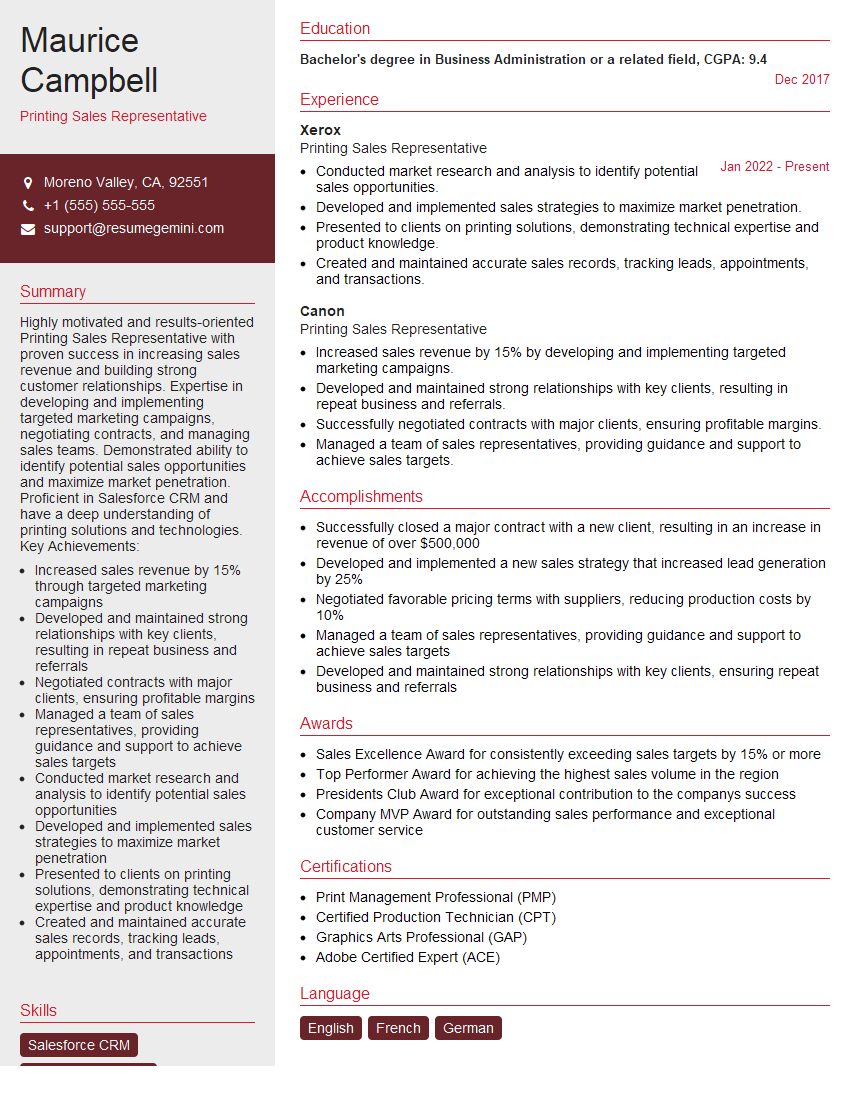
Printing Sales Representative Resume Sample

Prepress Manager Resume Sample

Press Operator Resume Sample

Prepress Technician Resume Sample
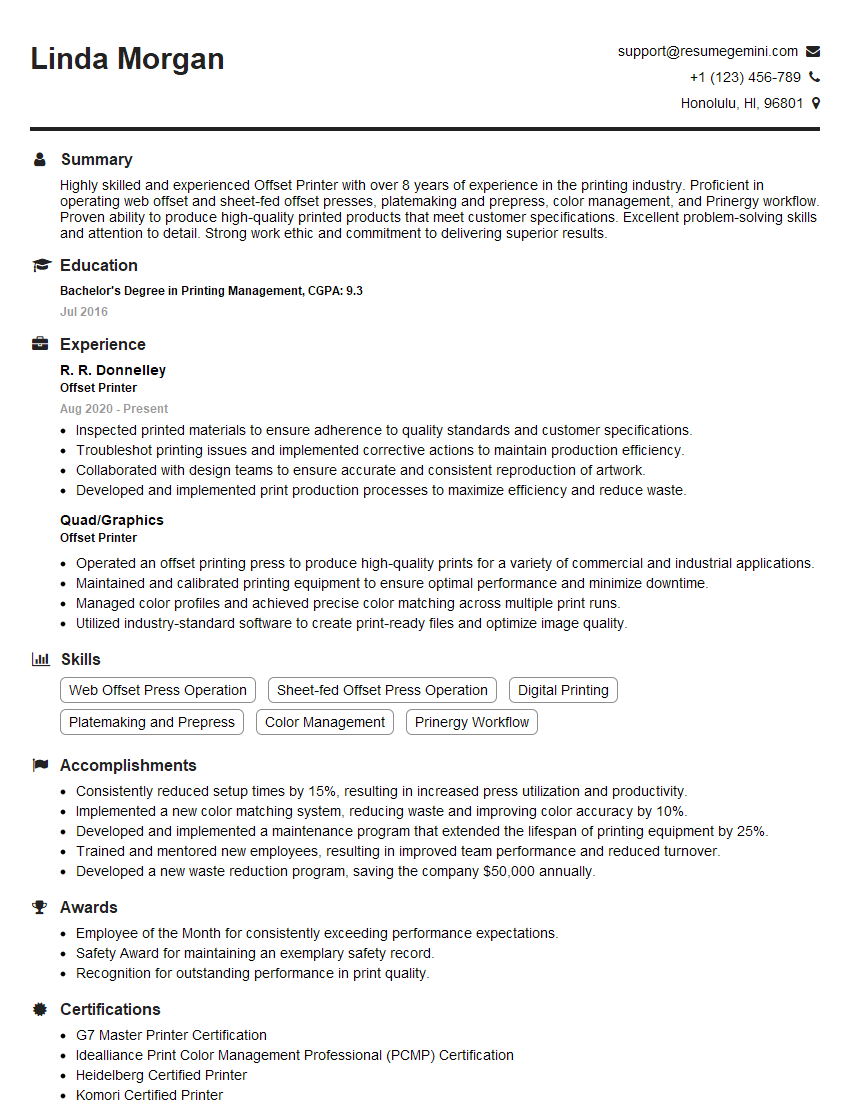
Offset Printer Resume Sample

Screen Printer Resume Sample
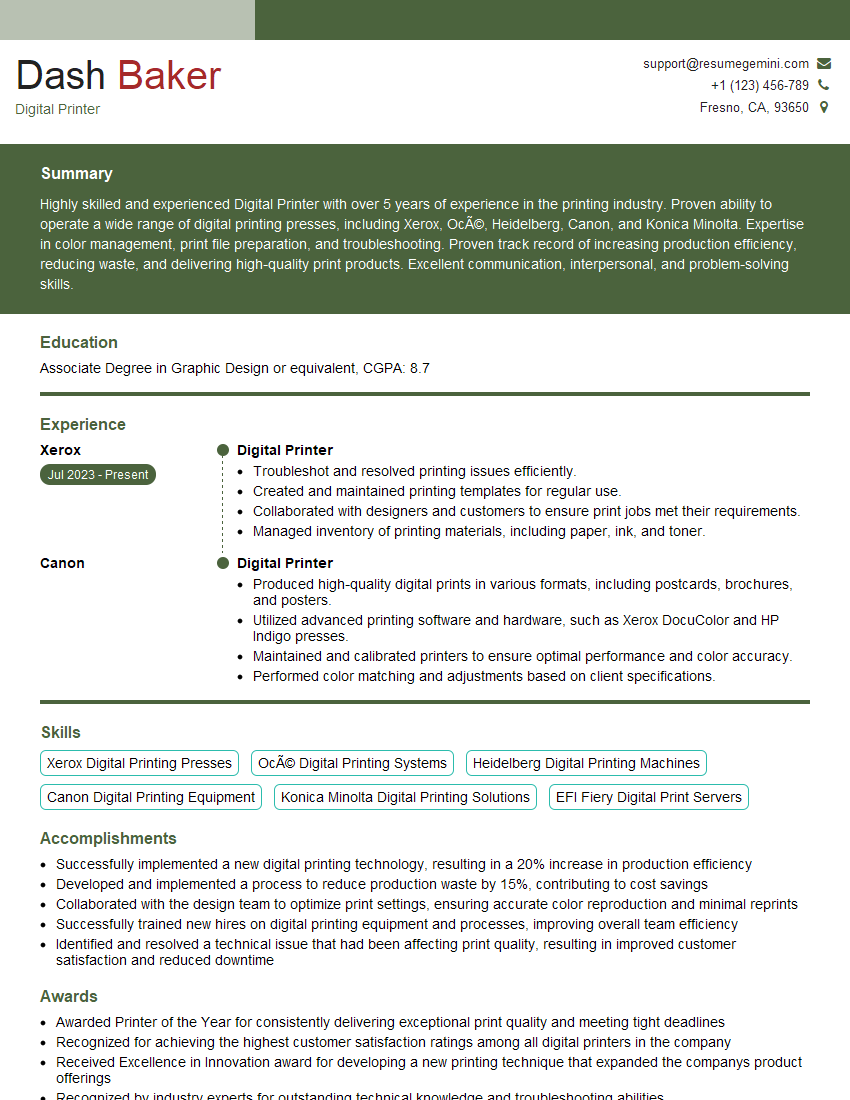
Digital Printer Resume Sample

Print Finisher Resume Sample
Explore more articles
Users Rating of Our Blogs
Share Your Experience
We value your feedback! Please rate our content and share your thoughts (optional).
What Readers Say About Our Blog
good