Interviews are more than just a Q&A session—they’re a chance to prove your worth. This blog dives into essential Knowledge of quality assurance and control techniques interview questions and expert tips to help you align your answers with what hiring managers are looking for. Start preparing to shine!
Questions Asked in Knowledge of quality assurance and control techniques Interview
Q 1. Explain the difference between QA and QC.
QA (Quality Assurance) and QC (Quality Control) are often confused, but they represent different, yet complementary, approaches to ensuring product quality. Think of QA as the preventative measure and QC as the detective measure.
QA focuses on establishing and maintaining a process to prevent defects. It’s proactive, encompassing the entire software development lifecycle (SDLC). QA activities include defining standards, creating test plans, reviewing requirements, and setting up processes to ensure quality is built into the product from the start. It’s about preventing problems before they happen.
QC, on the other hand, is a reactive process. It focuses on identifying defects after the software has been developed. QC activities involve testing the software to find bugs, reporting defects, and verifying that fixes are implemented correctly. It’s about finding and fixing problems after they’ve occurred.
Analogy: Imagine baking a cake. QA is like ensuring you have all the right ingredients, the oven is correctly calibrated, and you follow the recipe precisely. QC is like tasting the cake after it’s baked to see if it meets your expectations and identifying any flaws like burnt edges or undercooked center.
Q 2. Describe your experience with different testing methodologies (e.g., Agile, Waterfall).
I have extensive experience working within both Agile and Waterfall methodologies. My approach adapts to the chosen framework.
Waterfall: In Waterfall projects, testing is typically performed in a sequential manner, after each phase of development is completed. This allows for thorough testing of individual components but can be less flexible and adaptable to changing requirements. I’ve been involved in projects where rigorous test plans were created upfront, covering unit, integration, system, and user acceptance testing (UAT). Each stage had clear deliverables and sign-off criteria.
Agile: Agile methodologies necessitate a more iterative and collaborative approach to testing. I’ve worked on several Scrum projects where testing is integrated throughout the sprint, with continuous feedback loops and daily stand-ups to track progress. This involves close collaboration with developers, conducting frequent automated tests, and performing exploratory testing to uncover unforeseen issues. The focus is on fast feedback cycles and continuous improvement.
In both methodologies, my role has consistently involved creating test strategies, designing and executing test cases, reporting defects, and collaborating with development teams to resolve issues. I’m adept at adapting my testing style to meet the specific needs and constraints of each project.
Q 3. What are the different types of software testing?
Software testing encompasses a wide range of techniques, categorized in various ways. Some key types include:
- Unit Testing: Testing individual components or modules of the software in isolation.
- Integration Testing: Testing the interaction between different modules or components.
- System Testing: Testing the entire system as a whole, verifying it meets requirements.
- User Acceptance Testing (UAT): Testing by end-users to ensure the software meets their needs and expectations.
- Regression Testing: Retesting after code changes to ensure new code hasn’t introduced new bugs or broken existing functionality.
- Performance Testing: Evaluating the system’s response time, stability, and scalability under various loads.
- Security Testing: Identifying vulnerabilities and weaknesses in the system’s security.
- Usability Testing: Assessing how user-friendly and intuitive the software is.
- Functional Testing: Verifying that the software functions as specified in the requirements.
- Non-Functional Testing: Assessing aspects like performance, security, usability, etc., that are not directly related to specific functionalities.
The specific types of testing used depend on the project requirements and context. A comprehensive testing strategy often incorporates multiple types.
Q 4. How do you prioritize test cases?
Prioritizing test cases is crucial for efficient and effective testing. I use a risk-based approach, prioritizing test cases based on several factors:
- Risk: Test cases covering critical functionalities and those with a higher likelihood of failure are prioritized. This includes areas prone to errors based on past experience or complexity analysis.
- Business Impact: Test cases affecting core business processes and user experience are prioritized higher than those impacting less crucial aspects.
- Frequency of Use: Test cases covering frequently used functionalities are prioritized to ensure stability and reliability.
- Test Case Coverage: Ensuring adequate coverage of all requirements, aiming for balanced prioritization of different aspects of the software.
Often, I use a combination of techniques like MoSCoW (Must have, Should have, Could have, Won’t have) analysis to categorize requirements and prioritize accordingly. I might also use a risk matrix to visually represent the risk level of each test case, helping in setting priorities and allocating resources effectively.
Q 5. Explain your experience with test case design techniques.
I am proficient in various test case design techniques, including:
- Equivalence Partitioning: Dividing input data into groups (partitions) that are expected to be treated similarly by the system. This helps to reduce the number of test cases while ensuring adequate coverage.
- Boundary Value Analysis: Focusing on the boundary values of input data ranges to identify potential errors. This addresses common issues near the edges of valid input.
- Decision Table Testing: Using tables to represent different combinations of conditions and their corresponding actions. This is especially useful for complex logic with multiple conditions.
- State Transition Testing: Modeling the system’s behavior as transitions between different states. This is valuable for applications with a complex workflow.
- Use Case Testing: Testing the system’s functionality based on user scenarios and interactions. This is a highly effective method to ensure the software meets its intended purpose.
My choice of technique depends on the specific requirements and nature of the application under test. For instance, I might use equivalence partitioning for testing input validation, boundary value analysis for fields with numeric ranges, and state transition testing for a system with many states and transitions, like a workflow management tool. I always aim for test cases that are clear, concise, and easy to understand, with expected results clearly defined.
Q 6. How do you handle defects/bugs throughout the software development lifecycle?
Defect handling is a critical aspect of my role. My process involves the following steps:
- Defect Reporting: When a defect is found, I create a detailed report using a standardized format. This includes a clear description of the issue, steps to reproduce, expected and actual results, severity, priority, and screenshots or logs if applicable.
- Defect Tracking: I utilize a defect tracking system (like Jira or Bugzilla) to manage defects throughout their lifecycle. This provides a centralized location for tracking the status of each defect.
- Defect Verification: After a developer fixes a defect, I retest to verify that the issue has been resolved correctly. If not, I reopen the defect and provide further details.
- Defect Closure: Once a defect is verified as fixed, I close the defect in the tracking system.
- Defect Reporting and Analysis: I regularly analyze defect data to identify trends, patterns, and potential areas for improvement in the development process.
I prioritize clear and concise communication with developers throughout this process to ensure defects are understood and addressed promptly. Effective communication helps to improve developer-tester collaboration, minimizing misunderstandings and streamlining the resolution process.
Q 7. Describe your experience with defect tracking tools (e.g., Jira, Bugzilla).
I have extensive experience using various defect tracking tools, most notably Jira and Bugzilla. My proficiency includes:
- Jira: I’m comfortable creating and managing Jira issues, utilizing its workflow capabilities for tracking defect status, assigning tasks, and generating reports. I have experience configuring Jira workflows to suit project needs and integrating it with other development tools.
- Bugzilla: I understand the functionality of Bugzilla and its reporting capabilities. I have used it for tracking defects, assigning priorities, and generating customized reports to monitor the status of bug fixes.
My experience extends beyond simply using these tools; I understand the importance of choosing the right tool for a project, and I can adapt my workflow to leverage the strengths of any defect tracking system. I am familiar with the key features that help in efficient defect management—like custom fields, reporting dashboards, and integration capabilities—and I can effectively use these features to improve project workflows and decision-making.
Q 8. What is a test plan, and what are its key components?
A test plan is a comprehensive document that outlines the scope, approach, resources, and schedule for testing a software application or system. Think of it as the roadmap for your testing journey. It ensures everyone involved—developers, testers, and project managers—is on the same page.
- Test Scope: This defines what parts of the application will be tested and what functionalities will be covered. For example, we might focus on testing the core features of an e-commerce website (adding items to the cart, checkout process) initially, leaving less critical features (customer reviews) for later testing phases.
- Test Objectives: These are the goals you aim to achieve through testing. For example: ‘Verify that the shopping cart functions correctly under heavy load’ or ‘Ensure the website is accessible to users with disabilities’.
- Test Strategy: This describes the overall testing approach—will you use primarily manual testing, automated testing, or a combination? What testing types (functional, performance, security) will be employed?
- Test Environment: This section details the hardware, software, and network configuration needed for testing, mirroring the production environment as closely as possible.
- Test Schedule: This provides a timeline for each phase of testing, including deadlines for test case creation, execution, and defect reporting.
- Test Deliverables: This lists all the documents and reports that will be produced throughout the testing process, such as test plans, test cases, bug reports, and test summary reports.
- Resource Allocation: This identifies the team members involved, their roles, and responsibilities. It also lists any tools or technologies required for testing.
Q 9. Explain your experience with test automation frameworks (e.g., Selenium, Appium).
I have extensive experience with Selenium and Appium, two popular test automation frameworks. Selenium is primarily used for web application testing, while Appium excels in mobile app testing (both iOS and Android). In my previous role, we used Selenium to automate regression testing for a large e-commerce platform. We created a robust suite of automated tests using Java and Selenium WebDriver to cover critical functionalities like user registration, product search, and order placement. This significantly reduced testing time and improved the overall efficiency of the QA process. With Appium, I’ve automated UI tests for a mobile banking application, focusing on aspects like user login, transaction processing, and account balance display.
For example, a simple Selenium test case using Java might look like this (simplified):
WebDriver driver = new ChromeDriver();
driver.get("https://www.example.com");
WebElement searchBox = driver.findElement(By.id("searchBox"));
searchBox.sendKeys("test");
driver.findElement(By.id("searchButton")).click();
driver.quit();
The key is to structure your automation framework efficiently, using techniques like Page Object Model (POM) to make the tests maintainable and reusable across different versions of the application.
Q 10. What is your approach to risk management in QA?
My approach to risk management in QA involves a proactive, multi-step process. I begin by identifying potential risks early in the project lifecycle using techniques like brainstorming sessions and risk assessment matrices. This often involves collaborating closely with developers and project managers. Risks might include factors like insufficient time for testing, a lack of clear requirements, or the complexity of the system itself.
Once risks are identified, I prioritize them based on their likelihood and potential impact. High-priority risks require immediate attention, and mitigation strategies need to be developed. For example, if a significant risk is identified relating to performance under heavy load, we would allocate additional time and resources for performance testing.
Regular monitoring is crucial. Throughout the testing process, we track the progress of mitigation strategies and adapt as necessary. Thorough documentation of risks, mitigation plans, and test results ensures a comprehensive understanding of the risk landscape and informs decision-making during the project.
Q 11. How do you measure the effectiveness of your testing efforts?
Measuring the effectiveness of testing is vital to demonstrate its value. Key metrics I use include:
- Defect Density: The number of defects found per 1000 lines of code. A lower defect density indicates higher quality.
- Defect Leakage: The number of defects that escape into production. A low leakage rate reflects effective testing practices.
- Test Case Coverage: The percentage of requirements or functionalities covered by test cases. High coverage helps ensure comprehensive testing.
- Test Execution Efficiency: How many tests can be run and completed in a given timeframe. Automation can significantly improve this metric.
- Time to Resolution: The time taken to resolve defects reported during testing.
By tracking these metrics over time, we can identify trends, areas for improvement, and the overall effectiveness of our testing process. Regular reporting on these metrics allows for continuous improvement and adjustments to our testing strategies.
Q 12. How do you ensure test coverage?
Ensuring test coverage is crucial for high-quality software. My approach combines various techniques to achieve comprehensive coverage:
- Requirement Traceability Matrix (RTM): This matrix links requirements to test cases, ensuring that each requirement is covered by at least one test case.
- Test Case Design Techniques: Using techniques like equivalence partitioning, boundary value analysis, and decision table testing ensures thorough testing of different input values and scenarios.
- Code Coverage Analysis: For automated testing, tools can measure code coverage, showing what percentage of the codebase has been executed by the tests. This is particularly useful for unit and integration testing.
- Risk-Based Testing: Prioritizing tests based on the criticality of functionalities and the associated risks. High-risk functionalities receive more comprehensive testing.
Regular reviews of the test coverage ensure that gaps are identified and addressed promptly. Using a combination of these techniques maximizes test coverage and minimizes the risk of undiscovered defects.
Q 13. What experience do you have with performance testing?
I have significant experience in performance testing, using tools like JMeter and LoadRunner. In a previous project, we used JMeter to conduct load testing on a high-traffic e-commerce website. We simulated a large number of concurrent users to assess the website’s response time, resource utilization, and stability under stress. This helped us identify performance bottlenecks and optimize the system for better scalability and responsiveness. Performance testing isn’t just about finding the breaking point; it’s also about understanding how the system performs under realistic load conditions, ensuring a smooth and satisfactory user experience. This includes testing different aspects such as response time, throughput, and resource usage (CPU, memory, network). The results are then analyzed to identify areas for improvement and ensure the application can handle expected user loads without performance degradation.
Q 14. Describe your experience with security testing.
My experience in security testing includes conducting penetration testing, vulnerability assessments, and security audits. I’m familiar with common security vulnerabilities such as SQL injection, cross-site scripting (XSS), and cross-site request forgery (CSRF). In my previous role, we utilized tools like OWASP ZAP and Burp Suite to identify and report security vulnerabilities in web applications. Security testing isn’t a one-time event; it’s an ongoing process that needs to be integrated throughout the software development lifecycle (SDLC) to ensure the application remains secure and resilient against potential attacks. A key aspect is documenting and reporting vulnerabilities in a clear and concise manner so development teams can effectively address them. This often involves working closely with security experts to ensure the most effective remediation strategies are implemented.
Q 15. Explain your experience with different testing environments.
Throughout my career, I’ve worked with a variety of testing environments, from simple development environments to complex, multi-tiered systems. Understanding the nuances of each environment is crucial for effective testing.
- Development Environments: These are used by developers for initial code testing and debugging. My experience includes using these environments to perform unit and integration tests, identifying bugs early in the development lifecycle. For example, I’ve used local development environments set up with Docker containers to test application components independently before integration.
- Testing Environments: These dedicated environments mimic production conditions as closely as possible. I’ve extensively used these environments for system, integration, and user acceptance testing (UAT). This includes configuring databases, setting up network configurations, and deploying the application in a staging environment mirroring production.
- Staging Environments: These are often a near-replica of the production environment used for final testing before deployment. My experience involves performing end-to-end tests, performance testing, and security testing in staging environments to ensure a seamless transition to production.
- Production Environments: While direct testing is generally avoided in production due to risk, I have monitored and analyzed production logs for feedback and issue identification using tools for application performance monitoring (APM) and log analysis. This helps improve future releases.
My experience spans different cloud platforms (AWS, Azure, GCP) and on-premise solutions, enabling me to adapt my testing strategy to diverse infrastructure setups.
Career Expert Tips:
- Ace those interviews! Prepare effectively by reviewing the Top 50 Most Common Interview Questions on ResumeGemini.
- Navigate your job search with confidence! Explore a wide range of Career Tips on ResumeGemini. Learn about common challenges and recommendations to overcome them.
- Craft the perfect resume! Master the Art of Resume Writing with ResumeGemini’s guide. Showcase your unique qualifications and achievements effectively.
- Don’t miss out on holiday savings! Build your dream resume with ResumeGemini’s ATS optimized templates.
Q 16. How do you handle conflicting priorities in testing?
Conflicting priorities are a common challenge in testing. My approach involves a combination of prioritization techniques and effective communication.
- Prioritization Matrix: I use a risk-based prioritization matrix to rank testing activities based on the impact of a potential failure and the probability of occurrence. Critical functionalities with high impact and high probability of failure receive top priority.
- Negotiation and Collaboration: Open communication with stakeholders—developers, product managers, and clients—is key. I collaboratively discuss priorities, explaining the trade-offs involved in focusing on specific areas, and ensuring everyone understands the rationale. Sometimes, this means re-negotiating deadlines or scope to realistically address the most important risks.
- Scope Management: When faced with impossible deadlines, I advocate for scope reduction. Instead of compromising quality, we might focus on testing the most critical features and defer less important aspects to later iterations. This ensures that the delivered product is stable and reliable within the available time.
- Test Case Prioritization: I prioritize test cases based on the criticality of functionality, using techniques like risk-based testing and test case coverage analysis. This ensures that the most important scenarios are tested first, even with time constraints.
For instance, I once faced a situation where we had to release a new feature quickly, but time constraints limited our testing. Using a prioritization matrix, we focused on the core functionalities, leaving secondary features for the next sprint, ensuring a smooth release of the primary functionality without critical bugs.
Q 17. How do you communicate test results to stakeholders?
Effective communication of test results is paramount for successful software delivery. My approach involves a multi-faceted strategy:
- Formal Reports: I generate detailed reports summarizing the testing activities, including test cases executed, defects found, their severity and priority, and the overall test coverage. These reports typically include clear visuals like charts and graphs illustrating key metrics.
- Defect Tracking System: I utilize a defect tracking system (e.g., Jira, Bugzilla) to manage and track reported defects, providing transparent visibility of issues and their resolution status to stakeholders. Regular updates are provided on the progress of defect resolution.
- Status Meetings: Regular meetings are held to discuss the testing progress, highlight critical findings, and address any roadblocks. These meetings ensure that everyone is aligned and informed.
- Visual Dashboards: I use dashboards to visualize key metrics such as defect density, test coverage, and test execution progress. This provides a clear and concise overview of the testing status at a glance.
- Tailored Communication: I adapt my communication style to the audience. Technical details are provided to developers, while high-level summaries are presented to management and clients. This ensures that everyone receives the information they need in a clear and accessible format.
For example, I once used a combination of a formal report and a presentation to communicate the results of a large-scale performance test to a diverse group of stakeholders—technical team, product owners, and senior management. The report provided detailed technical findings, while the presentation summarized the key takeaways and recommendations.
Q 18. What is your experience with version control systems (e.g., Git)?
I have extensive experience with Git and other version control systems. Git is essential for collaborative software development and effective QA processes.
- Branching Strategies: I’m proficient in using various branching strategies like Gitflow to manage different versions of the code and isolate testing activities. For instance, feature branches are used for testing new features independently before merging them into the main branch.
- Code Reviews: I actively participate in code reviews to identify potential defects early in the development lifecycle. Git’s pull request mechanism facilitates collaborative code reviews.
- Collaboration and Version History: Git’s version control capabilities allow me to track changes, revert to previous versions if necessary, and collaborate effectively with other team members. This is especially useful when dealing with complex projects where multiple developers are working simultaneously.
- Test Data Management: Git can also be used to manage and version control test data, ensuring reproducibility and consistency across different testing phases.
For example, I’ve used Git to manage the test scripts for automation testing, allowing different members of the team to work on different aspects of the tests and merge their changes back into the main repository without conflicts.
Q 19. Describe your experience with Agile methodologies and QA.
My experience with Agile methodologies and QA is extensive. I’ve worked in Scrum and Kanban environments, integrating QA seamlessly into the development lifecycle.
- Shift-Left Testing: In Agile, I actively participate in sprint planning, providing input on testing requirements and estimating testing efforts. This enables early defect detection and reduces the overall cost of fixing bugs.
- Test Automation: I’ve integrated test automation into Agile sprints, leveraging tools like Selenium and Appium to automate repetitive testing tasks. This ensures faster feedback loops and reduces manual testing efforts.
- Continuous Testing: I implement continuous testing practices to provide constant feedback on the quality of the software. This involves integrating automated tests into the CI/CD pipeline to ensure that every code change is thoroughly tested.
- Collaboration with Developers: Close collaboration with developers is crucial. I work closely with them to understand the requirements, review the code, and provide feedback on the quality of the software.
- Daily Standups: Regular participation in daily stand-up meetings to track progress, communicate challenges, and coordinate testing activities.
For instance, in a recent project, I integrated automated UI tests into the CI/CD pipeline using Jenkins. This enabled us to detect and fix bugs early in the development cycle, resulting in higher-quality software releases and reduced rework.
Q 20. What is your approach to continuous integration/continuous delivery (CI/CD)?
My approach to CI/CD (Continuous Integration/Continuous Delivery) emphasizes automation and continuous feedback. It’s not just about tools, but a cultural shift towards faster, more reliable releases.
- Automated Testing: Comprehensive automated tests are a cornerstone. This includes unit tests, integration tests, system tests, and UI tests, all integrated into the CI/CD pipeline. Tools like Jenkins, GitLab CI, or CircleCI are essential for orchestration.
- Continuous Monitoring: Monitoring production deployments is critical. Logs, metrics, and alerts are analyzed to identify and address any issues quickly. Tools for APM (Application Performance Monitoring) are indispensable.
- Infrastructure as Code (IaC): Managing infrastructure using IaC tools like Terraform or Ansible ensures consistent and repeatable deployments across environments.
- Automated Deployments: Automation of deployments using tools like Docker and Kubernetes ensures consistency and minimizes human error. This allows for frequent and reliable releases.
- Rollback Strategy: A well-defined rollback strategy is essential to quickly revert to a stable version in case of production issues.
In a previous role, implementing CI/CD drastically reduced our release cycle from weeks to days, improving our ability to deliver features to users faster while maintaining high quality. This involved a shift in how we prioritized testing and integrated automation throughout the delivery pipeline.
Q 21. How do you stay up-to-date with the latest QA trends and technologies?
Staying up-to-date in the dynamic field of QA requires a proactive approach.
- Industry Conferences and Webinars: Attending conferences (like STAREAST, SeleniumConf) and webinars is essential for learning about the latest trends and technologies. These events provide opportunities to network with peers and industry experts.
- Online Courses and Tutorials: Platforms like Coursera, Udemy, and LinkedIn Learning offer excellent resources for upskilling in specific areas. I regularly take courses to deepen my knowledge in areas such as performance testing, security testing, and emerging automation frameworks.
- Professional Organizations: Joining organizations like the ISTQB (International Software Testing Qualifications Board) provides access to valuable resources, certifications, and networking opportunities.
- Blogs and Publications: Following industry blogs, articles, and publications keeps me abreast of new developments and best practices. This includes publications focusing on specific technologies or methodologies I use.
- Open Source Contributions: Contributing to open-source projects not only enhances my skills but also gives me hands-on experience with the latest technologies.
For example, I recently completed a course on performance testing with JMeter, which enabled me to improve the performance testing strategy for a recent project, leading to a more robust and scalable application. Continuous learning is crucial for remaining competitive in this rapidly evolving field.
Q 22. Explain your understanding of software quality metrics.
Software quality metrics are quantifiable measurements used to assess various aspects of software quality. They provide objective data to track progress, identify areas for improvement, and demonstrate the overall health of the software development process. These metrics can be categorized broadly into product metrics, process metrics, and project metrics.
- Product Metrics: These focus on the characteristics of the delivered software. Examples include defect density (number of defects per lines of code), code complexity (measured using cyclomatic complexity), test coverage (percentage of code covered by tests), and customer satisfaction scores.
- Process Metrics: These measure the effectiveness and efficiency of the software development process itself. Examples include defect removal efficiency (percentage of defects found before release), cycle time (time taken to complete a development cycle), and lead time (time from requirement to deployment).
- Project Metrics: These assess the project’s performance against its goals and deadlines. Examples include adherence to schedule, budget adherence, and resource utilization.
For example, a high defect density might indicate a need for better code reviews or more robust testing strategies. Low test coverage could highlight insufficient testing effort. By consistently tracking and analyzing these metrics, we can identify trends, predict potential risks, and take proactive measures to improve quality.
Q 23. How do you contribute to improving the software development process?
I contribute to improving the software development process through various means, focusing on proactive quality assurance rather than just reactive bug fixing. My contributions include:
- Early Involvement: Participating in requirements gathering and design reviews to identify potential quality issues early in the development lifecycle. This is crucial because fixing a problem during design is far cheaper than fixing it post-release.
- Test Planning and Design: Developing comprehensive test plans and designing effective test cases based on requirements and risk analysis. This ensures thorough testing covering various aspects of the software.
- Automation: Automating repetitive testing tasks using tools like Selenium or Cypress to save time and increase test coverage. Automation allows for faster feedback cycles and more frequent testing.
- Process Improvement: Identifying and recommending improvements to the development process based on identified trends and patterns from the metrics. This could involve suggesting changes to coding standards, reviewing processes, or adopting new testing methodologies.
- Mentoring: Sharing my QA expertise with other team members to promote a quality-conscious culture within the development team.
For instance, I recently helped a team implement a new test automation framework, reducing their testing time by 40% and significantly improving the early detection of bugs.
Q 24. What are your strengths and weaknesses as a QA professional?
My strengths lie in my analytical skills, attention to detail, and my proactive approach to quality assurance. I’m adept at identifying potential issues before they become major problems. I’m also a quick learner, readily adopting new technologies and methodologies. I thrive in collaborative environments and enjoy mentoring junior team members.
My weakness is sometimes getting overly focused on detail, which can occasionally slow down the process. I’m actively working on improving this by prioritizing tasks effectively and focusing on the most critical areas first. I also actively seek feedback to ensure I’m striking the right balance between thoroughness and efficiency.
Q 25. Describe a challenging QA project you worked on and how you overcame the challenges.
In a previous role, I worked on a project involving a high-traffic e-commerce website that was undergoing a major redesign. The challenge was ensuring the website’s stability and performance during peak traffic periods, especially given the changes introduced by the redesign. The initial performance tests revealed significant bottlenecks.
To overcome this, I employed a multi-pronged approach:
- Performance Testing: Conducted thorough performance testing using tools like JMeter, identifying bottlenecks and areas for optimization.
- Load Testing: Simulated realistic user loads to determine the website’s capacity and identify breaking points.
- Collaboration: Worked closely with the development team to prioritize and resolve the identified performance issues. This included providing detailed reports and collaborating on solutions.
- Monitoring: Implemented robust monitoring tools to track website performance in real-time post-launch, allowing for quick identification and resolution of any unexpected issues.
Through this combined effort, we successfully launched the redesigned website without major performance issues, exceeding expectations during peak traffic periods. This project highlighted the importance of proactive performance testing and collaborative problem-solving.
Q 26. What are your salary expectations?
My salary expectations are in the range of [Insert Salary Range] annually, depending on the specifics of the role and benefits package. I’m confident that my skills and experience align well with this range, and I’m open to discussing this further.
Q 27. Do you have any questions for me?
Yes, I have a few questions. I’d be interested in learning more about the team’s current QA processes and the technologies used for testing. I’d also like to understand the company’s approach to continuous improvement and how QA is integrated into the broader software development lifecycle.
Q 28. Describe your experience with non-functional testing (e.g., performance, security).
I have extensive experience in non-functional testing, focusing on performance, security, and usability.
- Performance Testing: I’m proficient in using tools like JMeter and LoadRunner to conduct load testing, stress testing, and endurance testing, ensuring the application performs optimally under various conditions. I can identify performance bottlenecks and suggest optimizations.
- Security Testing: My experience encompasses various security testing methodologies, including penetration testing, vulnerability scanning, and security code reviews. I use tools like OWASP ZAP and Burp Suite to identify and mitigate security risks.
- Usability Testing: I conduct usability testing to ensure the application is user-friendly and intuitive. This involves user observation, feedback collection, and analysis to identify areas for improvement in the user experience.
In a previous project, I identified a critical security vulnerability during a penetration test, preventing a potential data breach. This underscores the importance of incorporating security testing into the SDLC.
Key Topics to Learn for Knowledge of Quality Assurance and Control Techniques Interview
- Quality Management Systems (QMS): Understanding ISO 9001, or other relevant frameworks, and their practical implementation in different organizational contexts. Consider the roles of documentation, process mapping, and continuous improvement.
- Testing Methodologies: Explore various testing types (e.g., unit, integration, system, acceptance, regression) and their applications. Understand the strengths and weaknesses of each approach and when to apply them effectively. This includes familiarity with different testing levels and the software development lifecycle (SDLC).
- Defect Tracking and Management: Learn how to effectively track, report, and manage defects throughout the software development process. Familiarity with defect tracking tools and methodologies is crucial. Practice describing your experience with bug prioritization and resolution.
- Risk Management in QA/QC: Discuss proactive identification and mitigation of potential risks impacting product quality. Understand how to assess risk levels and prioritize mitigation strategies. This includes understanding risk assessment methodologies and reporting.
- Statistical Process Control (SPC): Explore the use of statistical methods to monitor and control processes. Focus on understanding control charts and their interpretation, and how they contribute to maintaining consistent product quality.
- Automation in QA/QC: Discuss the role of automation in improving efficiency and effectiveness of testing. Consider your experience with test automation frameworks and tools. Be prepared to discuss the benefits and challenges of automation.
- Communication and Collaboration: Highlight your ability to effectively communicate technical information to both technical and non-technical audiences. Emphasize your collaborative skills in working with developers, project managers, and other stakeholders.
Next Steps
Mastering knowledge of quality assurance and control techniques is vital for career advancement in today’s competitive market. A strong foundation in these areas demonstrates your commitment to excellence and opens doors to exciting opportunities. Creating an ATS-friendly resume is crucial for maximizing your job prospects. To ensure your resume effectively showcases your skills and experience, leverage the power of ResumeGemini. ResumeGemini provides a trusted platform for building professional resumes, and we offer examples of resumes tailored to highlight expertise in Knowledge of quality assurance and control techniques. Invest in your future – craft a compelling resume that gets noticed.
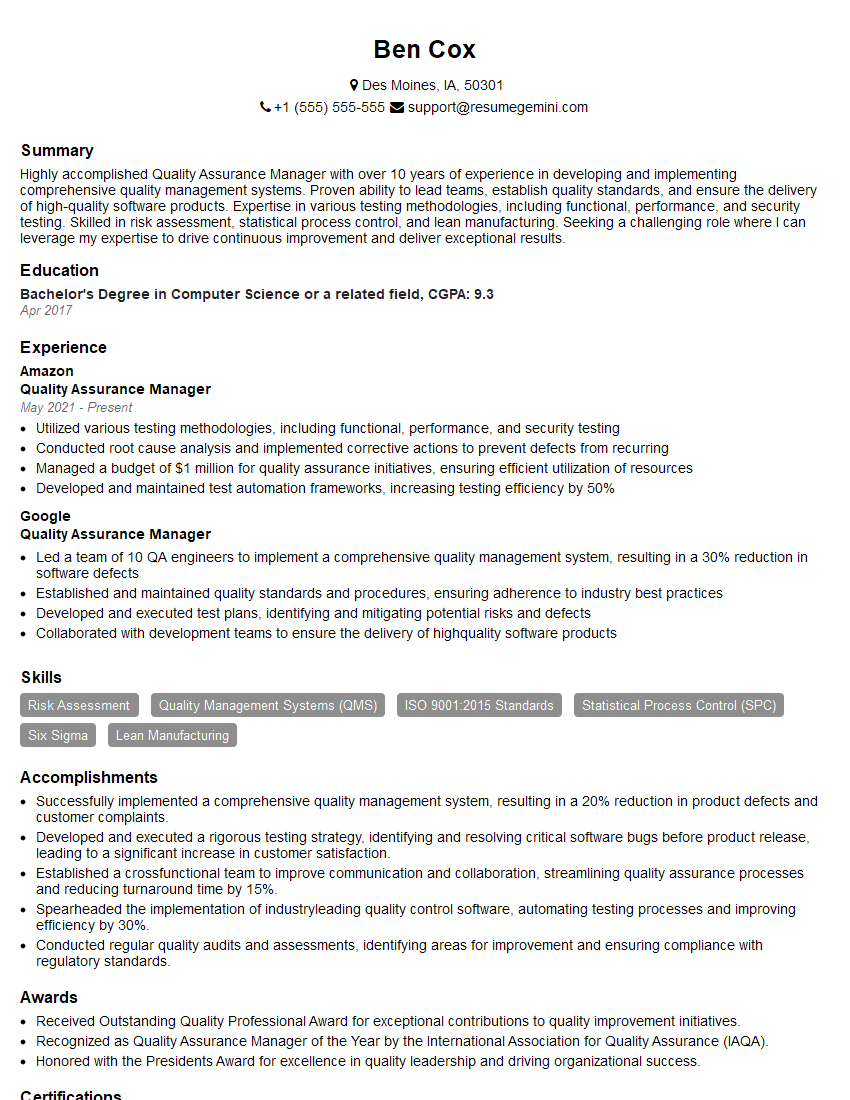
Quality Assurance Manager Resume Sample
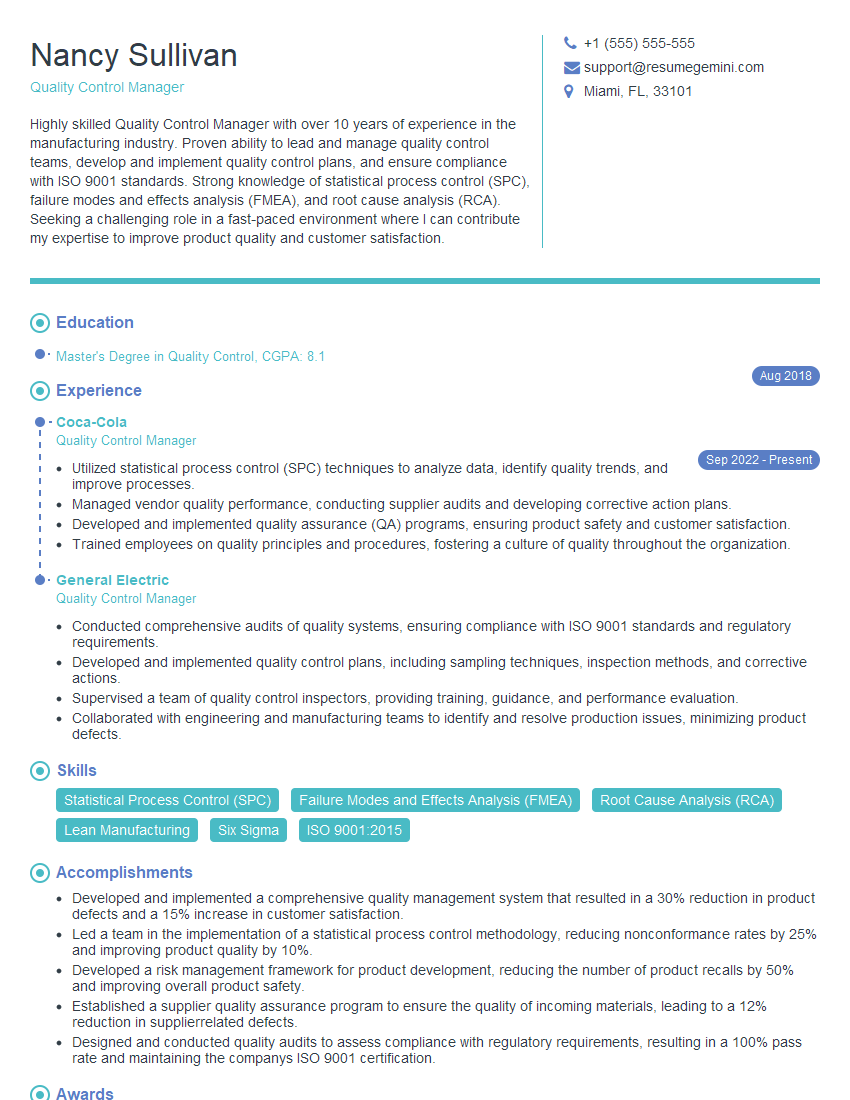
Quality Control Manager Resume Sample

Compliance Officer Resume Sample

Reliability Engineer Resume Sample

Test Engineer Resume Sample
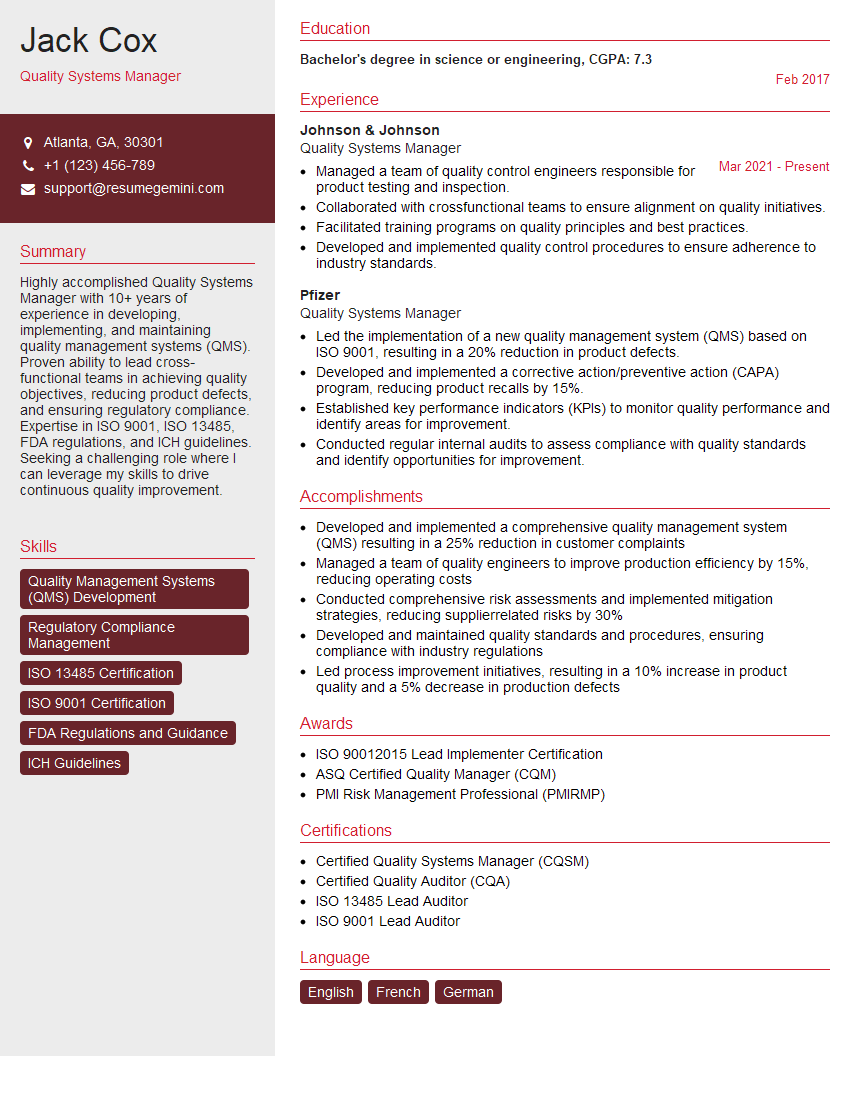
Quality Systems Manager Resume Sample
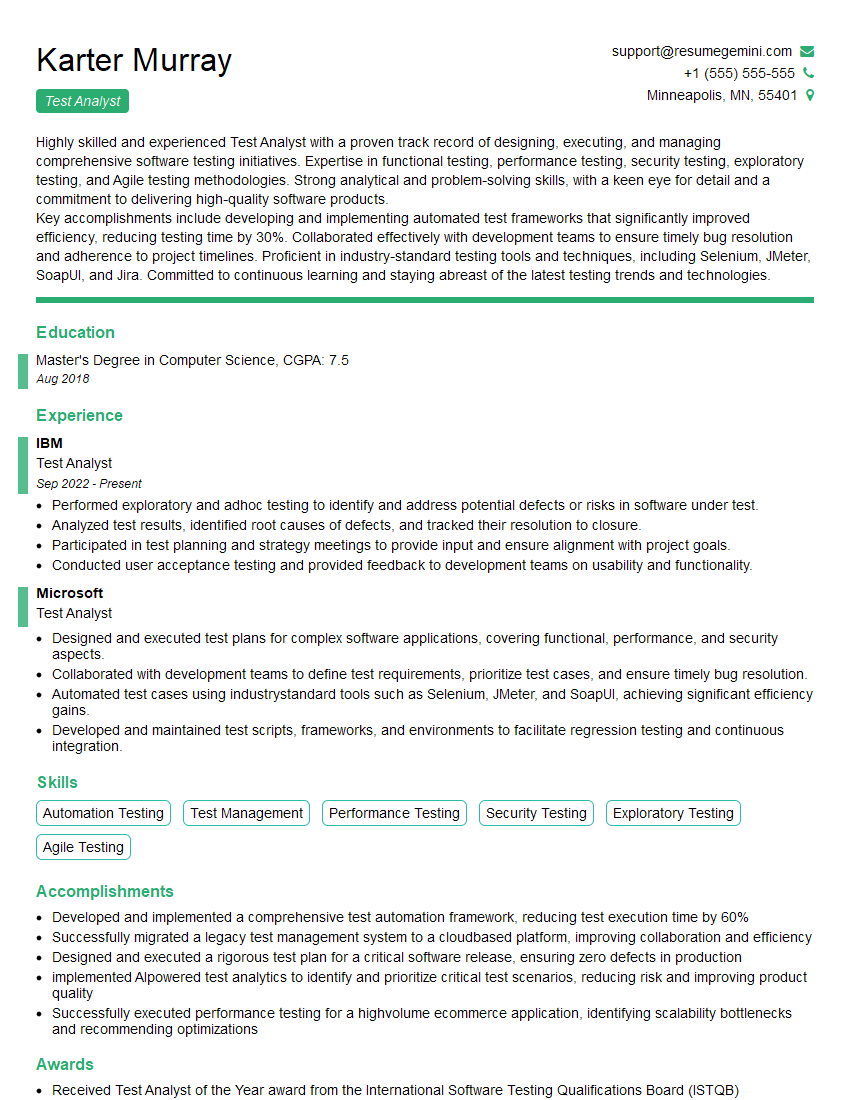
Test Analyst Resume Sample
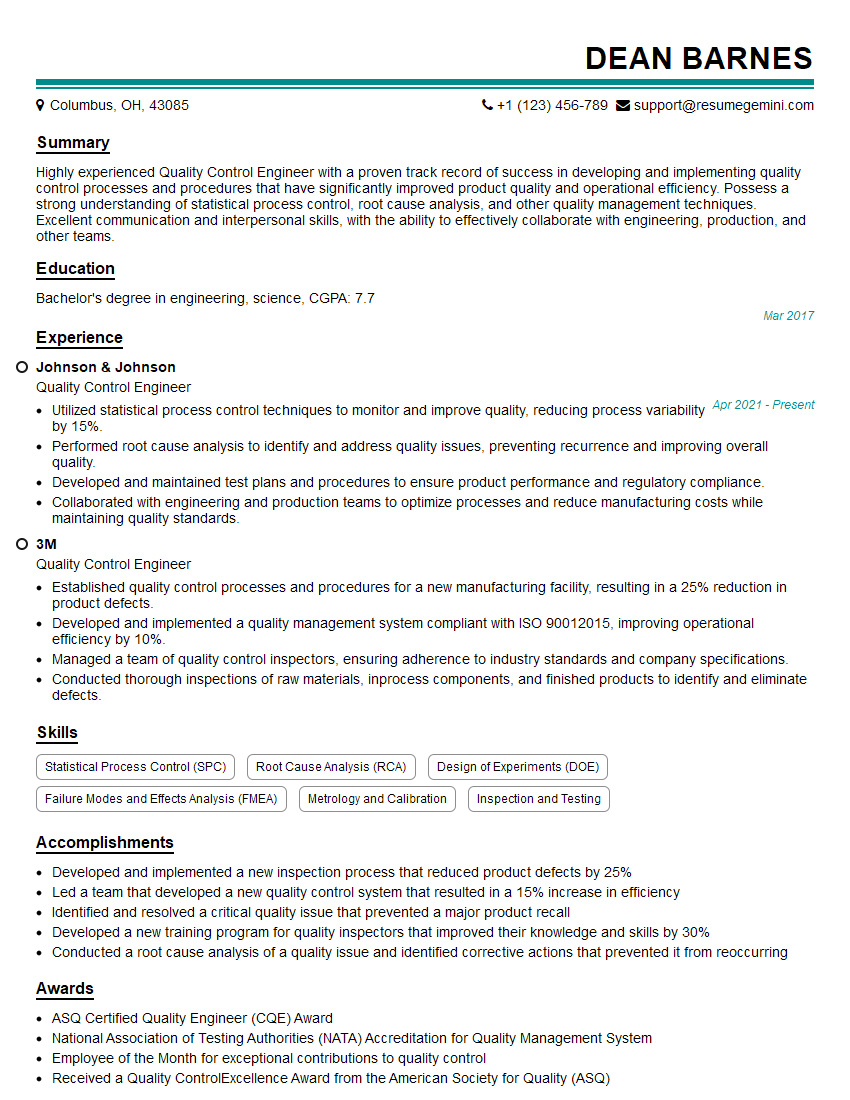
Quality Control Engineer Resume Sample

Validation Engineer Resume Sample
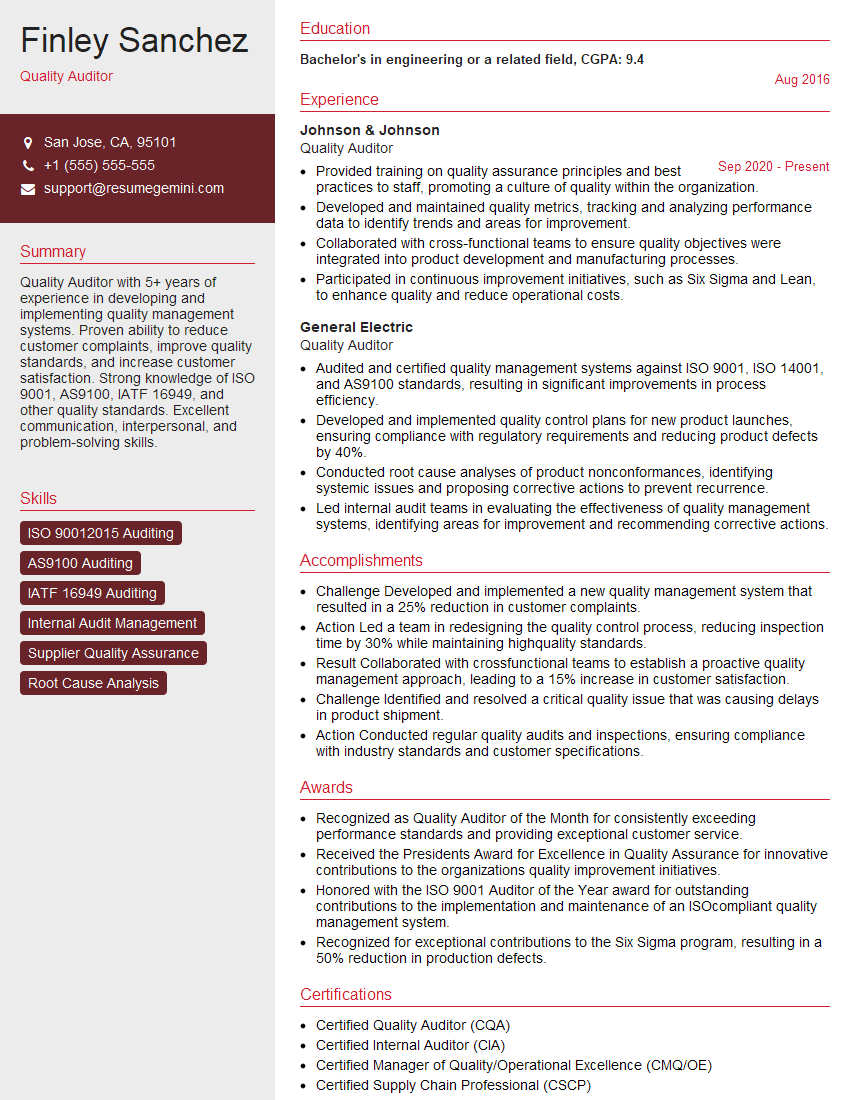
Quality Auditor Resume Sample

Quality Control Inspector Resume Sample
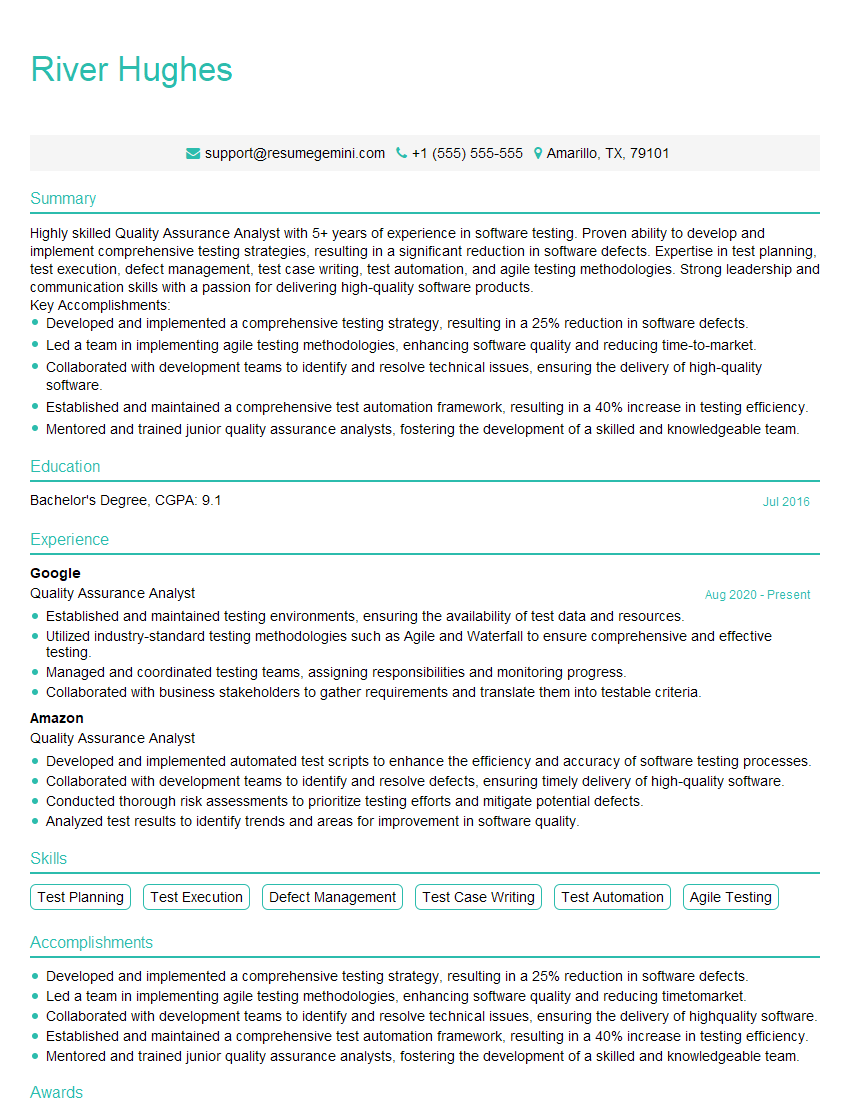
Quality Assurance Analyst Resume Sample
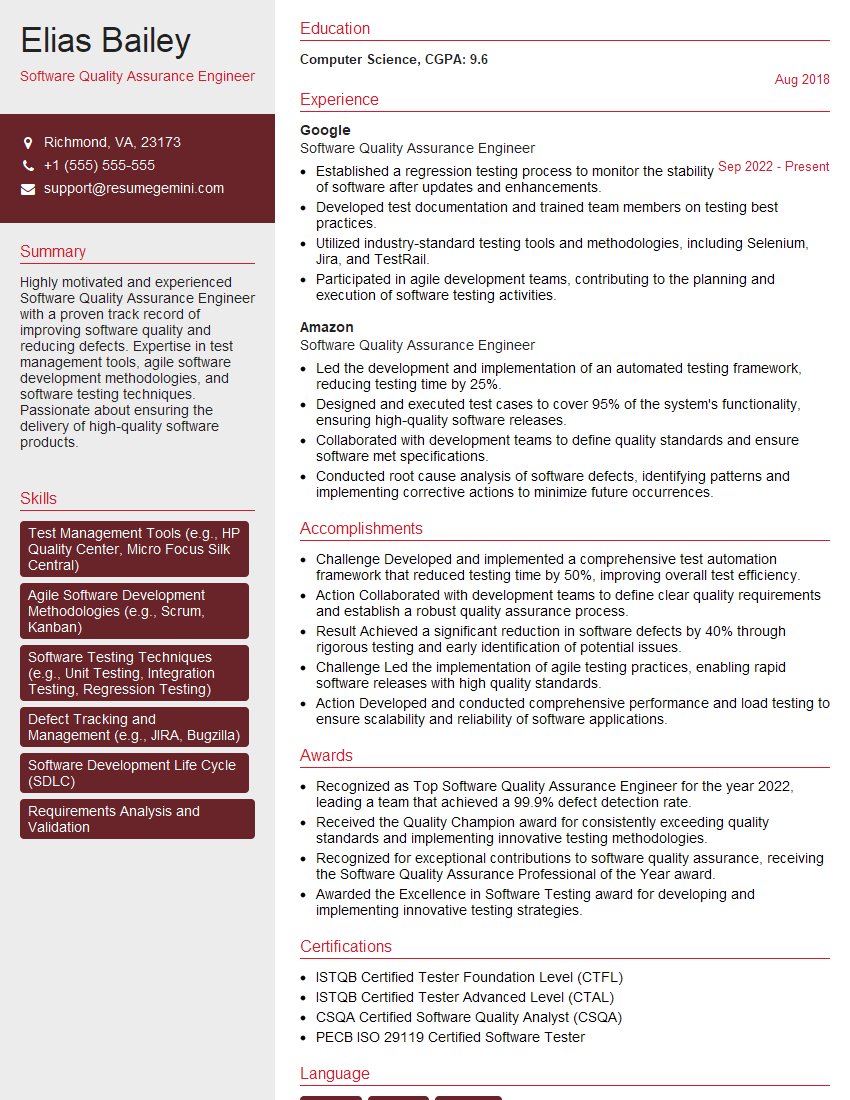
Software Quality Assurance Engineer Resume Sample
Explore more articles
Users Rating of Our Blogs
Share Your Experience
We value your feedback! Please rate our content and share your thoughts (optional).
What Readers Say About Our Blog
Very informative content, great job.
good