Feeling uncertain about what to expect in your upcoming interview? We’ve got you covered! This blog highlights the most important Light Exposure and Film Registration interview questions and provides actionable advice to help you stand out as the ideal candidate. Let’s pave the way for your success.
Questions Asked in Light Exposure and Film Registration Interview
Q 1. Explain the relationship between light exposure and film density.
The relationship between light exposure and film density is fundamental in photography and printing. Essentially, the longer a film is exposed to light, the more silver halide crystals are activated, resulting in a denser, darker area on the developed film. Think of it like this: imagine shining a flashlight on a piece of photographic paper. The longer you shine the light, the darker that spot becomes. This is directly proportional; more light equals higher density.
Conversely, less light exposure leads to lower density, resulting in a lighter or even transparent area on the developed film. This relationship is captured in the characteristic curve, also known as the D-logE curve, which graphically illustrates the relationship between exposure and density. This curve is crucial for understanding and controlling the tonal range in a final print.
In a practical setting, a poorly exposed film will yield either a very light, lacking in detail, or an extremely dark, completely blocked-up image. Achieving the correct exposure is crucial for achieving the desired image quality and tonal range.
Q 2. Describe the process of film registration in offset printing.
Film registration in offset printing refers to the precise alignment of different color separations (cyan, magenta, yellow, and black, or CMYK) onto the same printing substrate. Each color is printed from a separate printing plate, and perfect alignment is essential for accurate color reproduction and sharp image definition. Imagine trying to build a LEGO castle with slightly misaligned bricks; the resulting structure would be sloppy and inaccurate. The same applies to offset printing; misaligned colors produce muddy or blurry images.
The process typically involves using registration marks (small, precisely placed targets) printed on the films. These marks are used to guide the printing plates and ensure accurate alignment during the printing process. Advanced presses use sophisticated systems with sensors that automatically adjust registration, but meticulous pre-press preparation is still vital. The film itself is often processed on specialized equipment, ensuring consistent and precise positioning before plate making.
Q 3. What are the common causes of poor film registration?
Poor film registration can stem from several sources, often a combination of factors. Common culprits include:
- Film handling issues: Improper handling, such as bending or stretching the film, can cause dimensional instability, leading to misalignment.
- Camera issues: Problems with the camera used to create the film separations, such as faulty lenses or incorrect focusing, can introduce registration errors. This is especially true with camera-based systems.
- Scanning and stripping errors: Inaccurate scanning or improper stripping of the film separations can misalign the individual colors.
- Plate making issues: Errors in the plate-making process can misalign the images on the printing plates themselves.
- Press issues: Mechanical problems with the printing press, such as wear and tear on the registration rollers or improper setup, can contribute to misregistration during printing.
Addressing these issues involves a careful review of each stage of the process, from initial image capture to final print output.
Q 4. How do you troubleshoot registration problems on a printing press?
Troubleshooting registration problems on a printing press requires a systematic approach. It’s a process of elimination, focusing on potential sources one at a time. Here’s a typical workflow:
- Visual inspection: Carefully examine the printed sheets for patterns of misregistration. Is it consistent across the entire sheet, or is it localized?
- Check registration marks: Verify that the registration marks on the plates and the press are clean and clearly visible. Are they aligned correctly?
- Adjust press controls: If the press has automatic registration controls, make minor adjustments within the parameters defined by the press manufacturer. Always record the adjustments made.
- Inspect printing plates: Check the plates for damage or debris that might interfere with proper alignment.
- Check the blanket cylinder: Examine the blanket cylinder for any damage or inconsistencies that might affect registration.
- Check impression cylinder pressure: Incorrect pressure can cause slippage and affect registration. Refer to press manual for pressure settings.
- Check ink viscosity: Very thick or thin ink can lead to slippage on the plate or blanket.
- Consult press operator manuals: This is your primary guide for diagnosing and troubleshooting specific problems on your press.
Remember to document each step and adjust carefully to avoid creating more problems.
Q 5. Explain the importance of accurate color management in film production.
Accurate color management in film production is paramount for ensuring consistent and predictable color reproduction in the final print. It ensures that the colors you see on your monitor match the colors in the final printed piece. Imagine designing a vibrant poster with rich reds and blues, only to find that the printed version is dull and washed out. This is precisely what poor color management can lead to.
Color management involves using color profiles (which define the color space and characteristics of each device involved in the process, such as scanners, monitors, and printers). By profiling all devices, we create a reference point allowing consistent color transformation throughout the workflow. This is essential for achieving consistent color across different devices and maintaining color fidelity throughout the process, from initial design to final print.
Q 6. What are the different types of film used in printing?
Several types of films are used in printing, each suited to specific applications. Common types include:
- Lithographic film: Used for creating printing plates in offset lithography. It’s typically a high-resolution, orthochromatic film.
- Color separation film: Used to create separate color separations (CMYK) for multi-color printing. These films record different color channels.
- Negative film: Produces a negative image, where light areas appear dark and vice versa. This is often used as an intermediate step in the process.
- Positive film: Produces a positive image, which is a direct representation of the final printed image. This is frequently used directly for plate-making.
- Proofing film: Used to create color proofs for client approval. These proofing films aim for a very close visual match to the final output.
The choice of film depends on factors such as resolution requirements, color space, and the overall printing process.
Q 7. Describe your experience with different types of light sources used in exposure.
My experience encompasses a wide range of light sources used in film exposure, each with its own advantages and disadvantages. I’ve worked with:
- Vacuum frame exposure units with fluorescent lamps: These are cost-effective and relatively simple to use but offer less precise exposure control and can suffer from uneven light distribution.
- Metal halide lamps: Provide a more consistent light output than fluorescent lamps and offer better color balance. These provide much better uniformity.
- LED light sources: Becoming increasingly popular due to their energy efficiency, long lifespan, and precise control over light intensity and color temperature. These are particularly useful in automated systems.
- Laser imagers: These are used for Computer-to-Plate (CTP) systems, offering high resolution and precise exposure control. They are highly efficient but represent a higher capital investment.
The selection of the appropriate light source is determined by factors such as budget, required resolution, desired exposure consistency, and the type of film being used. The interplay between the light source’s spectral output and the film’s sensitivity is crucial for optimum results.
Q 8. How do you ensure consistent light exposure across a large film area?
Ensuring consistent light exposure across a large film area is crucial for achieving uniform image density and avoiding variations in the final print. This is often a challenge due to variations in the light source itself, the distance from the source to the film, and inconsistencies in the film’s sensitivity. To achieve uniformity, we employ several techniques:
Precise Light Source Calibration: We meticulously calibrate the light source, whether it’s a large-format enlarger or a specialized exposure unit, to ensure even light distribution. This involves measuring light intensity across the entire area using a densitometer and making adjustments to achieve a consistent reading.
Diffusers and Filters: Diffusers help to scatter and even out the light beam, preventing harsh shadows and hotspots. Neutral density filters can be used to control the overall exposure, compensating for variations in light sensitivity across the film area.
Test Exposures and Adjustments: A series of test exposures with varying exposure times is conducted. These test strips are carefully analyzed using a densitometer to determine the optimal exposure time that yields consistent density across the entire area. This iterative process allows for fine-tuning of the exposure parameters.
Vacuum Systems: In professional settings, vacuum systems are used to ensure that the film is held perfectly flat against the baseboard during exposure. This minimizes any shadowing caused by uneven contact between the film and the light source.
Q 9. What are the key parameters to adjust for optimal light exposure?
Optimal light exposure hinges on precise control of several key parameters:
Exposure Time: This is the duration for which the film is exposed to the light source. It directly affects the overall density of the image. A longer exposure time results in a denser image, while a shorter time yields a lighter image.
Aperture: The aperture controls the size of the opening in the lens, which regulates the amount of light reaching the film. A smaller aperture (higher f-stop number) lets in less light, resulting in a lower image density. Conversely, a larger aperture (lower f-stop number) allows more light, leading to a denser image.
Light Intensity: The intensity of the light source significantly impacts exposure. A more intense light source requires a shorter exposure time to achieve the desired density.
Film Speed (ISO): The ISO rating of the film indicates its sensitivity to light. A higher ISO film requires less exposure time than a lower ISO film for the same density.
Filter Factors: If using filters (e.g., color filters), their factor must be incorporated into the exposure calculations. These filters can reduce light transmission, requiring longer exposure times.
Mastering these parameters requires experience and careful measurement, often using a light meter to determine the correct settings for optimal exposure.
Q 10. How does film thickness affect light exposure?
Film thickness directly influences light exposure. Thicker film absorbs more light than thinner film. This means that for the same exposure time and light intensity, a thicker film will receive less light at its base, leading to a lower density in those areas. This effect is often negligible in thinner films commonly used in photography, but becomes significant when dealing with thicker materials like certain types of photographic plates or specialized films.
In practice, this means that thicker film might require a slightly longer exposure time to achieve the same density as thinner film. This difference in exposure compensation needs to be accounted for, typically through experimental testing and adjustments to the exposure parameters.
Q 11. What is the impact of incorrect film registration on print quality?
Film registration refers to the precise alignment of the film negative with the printing material during the printing process. Incorrect film registration leads to several significant problems in print quality:
Misalignment of Images: The most obvious consequence is that the image will be misaligned – shifted up, down, left, or right, relative to the desired position on the print material.
Blurred or Doubled Images: If the registration is significantly off, parts of the image can be blurred or even appear doubled, as portions of different parts of the film are inadvertently printed in the same area.
Incomplete or Cut-Off Images: Severe registration errors may result in portions of the image being cut off or missing from the final print.
These issues severely impact the aesthetic quality of the final print and make it unsuitable for professional applications.
Q 12. Describe the different methods of checking film registration.
Several methods are used for checking film registration, ranging from simple visual inspection to sophisticated digital alignment tools:
Visual Inspection: This involves carefully examining the film and the printing material before printing to ensure that the registration pins or marks are properly aligned.
Registration Marks: Many films have registration marks (small crosshairs or other markers) that should align precisely with corresponding marks on the printing material. These serve as visual guides for accurate alignment.
Test Prints: Making a test print with a small section of the film allows for a quick assessment of the registration before committing to a full print. Any misalignment is readily apparent in the test print.
Digital Alignment Systems: Advanced printing equipment often incorporates digital alignment systems. These systems use sensors and software to automatically register the film and the printing material, minimizing manual alignment errors.
Q 13. How do you handle inconsistencies in film exposure?
Inconsistencies in film exposure, resulting in uneven densities across the print, can be addressed in several ways, depending on the cause and severity:
Re-shooting: If the exposure problem is due to incorrect settings or equipment malfunction, the most effective solution is often to reshoot the film with the corrected parameters.
Dodging and Burning: For minor inconsistencies, techniques like dodging (reducing exposure in specific areas) and burning (increasing exposure in specific areas) during the printing process can be employed to compensate for uneven densities.
Digital Correction: If the image is scanned, digital image editing software can be used to adjust brightness and contrast levels to correct minor variations in exposure.
Masking: In some cases, masking can be used to selectively block or modify light exposure during printing, helping to compensate for problematic areas.
The choice of method depends on the specific situation, the severity of the inconsistencies, and the available resources. In some cases, a combination of techniques might be necessary.
Q 14. What are the common causes of moiré patterns and how can they be avoided?
Moiré patterns are unwanted interference patterns that appear as wavy or grid-like artifacts in an image. They typically arise from the interaction between two repeating patterns, such as the screen of the printing material and the pattern or texture within the image itself. In the context of film photography, moiré can be caused by several things:
Screen Angle: The angle of the halftone screen used in printing can create interference with repeating patterns or textures in the image. Choosing a different screen angle can often resolve this.
Film Grain: Fine-grained film is less prone to moiré, as the repeating pattern is less pronounced.
Texture in the Subject: Subjects with fine textures or repeating patterns (e.g., clothing with a repeating pattern, or a picket fence) are more susceptible to moiré. Changing the camera angle or using a different lens can sometimes minimize the effect.
Scanning Resolution: Incorrect scanning resolution can also introduce or enhance moiré patterns. Ensuring the correct scan resolution according to the source material is crucial.
Avoiding Moiré Patterns: The best approach is prevention. Careful attention to the screen angle during printing, choosing the right film, and considering the subject matter can significantly reduce the occurrence of moiré patterns. In post-processing, specialized software can sometimes be used to reduce or eliminate minor moiré effects, though complete removal is not always possible.
Q 15. Explain the concept of halftone screening and its role in film preparation.
Halftone screening is a crucial process in film preparation that converts continuous-tone images (like photographs) into a pattern of dots for printing. Think of it like a pointillist painting – instead of brushstrokes, we use tiny dots of varying sizes and densities to create the illusion of continuous tone. The size and spacing of these dots determine the tonal values (light and dark areas) in the printed image.
In film preparation, we use a halftone screen, which is a grid of lines or dots, during the image scanning or digital processing stage. This screen breaks the image into these halftone dots, creating a bitmap. The resulting film is then used to create a printing plate, where these dots are physically transferred onto the plate to receive ink. The finer the screen ruling (dots per inch or DPI), the more detail and smoother tonal gradations can be achieved, but also, the more likely you are to encounter issues with dot gain.
For example, a 150 lpi (lines per inch) screen is suitable for newsprint, while a 200 lpi or higher screen is typically used for high-quality magazines and brochures. The choice of screen ruling depends on the paper type, the printing process, and the desired image quality.
Career Expert Tips:
- Ace those interviews! Prepare effectively by reviewing the Top 50 Most Common Interview Questions on ResumeGemini.
- Navigate your job search with confidence! Explore a wide range of Career Tips on ResumeGemini. Learn about common challenges and recommendations to overcome them.
- Craft the perfect resume! Master the Art of Resume Writing with ResumeGemini’s guide. Showcase your unique qualifications and achievements effectively.
- Don’t miss out on holiday savings! Build your dream resume with ResumeGemini’s ATS optimized templates.
Q 16. How does the type of printing plate affect the registration process?
The type of printing plate significantly impacts the registration process, which is the accurate alignment of different color plates (cyan, magenta, yellow, and black, or CMYK) during printing. Imperfect registration results in blurry images, misaligned colors, and a generally unprofessional-looking print.
For example, flexible plates like those used in flexography are more prone to movement during printing, requiring more precise registration controls and potentially more frequent adjustments than rigid plates used in offset lithography. The material properties of the plate, its thickness, and its mounting on the printing cylinder all contribute to the degree of precision needed in the registration process. Plates with a thicker substrate require more precise adjustments to prevent misalignment. Furthermore, different plate materials have varying degrees of flexibility, impacting the ease and consistency of registration.
In my experience, working with plates that are warped or damaged also significantly increases the challenges of achieving accurate registration. Pre-press quality control is critical in minimizing these issues.
Q 17. Describe your experience with different types of film processors.
I’ve worked extensively with various film processors, both wet chemical and dry laser processors. Wet chemical processors, while requiring careful handling of chemicals and disposal procedures, provide highly reliable results for traditional film processing. They offer greater control over the development process. However, they are labor-intensive and slower compared to dry laser processors. I’ve used various brands throughout my career, becoming proficient in troubleshooting common issues like inconsistent development, staining, and improper film drying.
Dry laser imagers, on the other hand, are much faster and cleaner, ideal for high-volume operations. The speed and automation of these systems reduce turnaround times significantly. However, the initial investment is substantially higher, and specialized expertise is needed for maintenance and repair. My experience includes working with both traditional Kodak processors and state-of-the-art Creo (now part of Kodak) and Agfa dry laser imagers. The selection of a processor depends largely on the volume of work, budget, and required turnaround time.
Q 18. What are the safety precautions you take when working with film and chemicals?
Safety is paramount when working with film and chemicals. My routine always begins with wearing appropriate personal protective equipment (PPE), including gloves, safety glasses, and a lab coat when handling chemicals. The darkroom is well-ventilated to minimize exposure to fumes from developing solutions. Proper chemical handling and disposal procedures are strictly followed in accordance with local regulations. We use designated containers for waste chemicals and ensure their safe and environmentally sound disposal.
With film, I am cautious to avoid scratching or damaging the film surface. I use lint-free cloths and specialized cleaning solutions where necessary. Proper storage conditions, including controlled temperature and humidity, are maintained to prevent film degradation. I also adhere to strict light control procedures in the darkroom, using safelights appropriate for the type of film being used.
Q 19. How do you maintain the accuracy of your film registration equipment?
Maintaining accurate film registration equipment requires a rigorous and consistent maintenance schedule. This includes regular calibration using precision measuring tools and test targets. We employ standardized test strips for checking the consistency of the dot gain and image sharpness across the entire film area.
Mechanical parts require regular cleaning and lubrication to prevent wear and tear, potentially causing misalignment. Regular inspections of the equipment’s optical components, such as lenses and mirrors, are crucial to ensure the clarity and precision of the image. We maintain detailed service logs tracking maintenance activities and any observed irregularities. Any significant deviations from the calibration standards trigger immediate investigation and repair by qualified technicians.
Q 20. Explain the role of dot gain in achieving accurate color reproduction.
Dot gain, the increase in the size of halftone dots during the printing process, is a crucial factor affecting color reproduction. While some dot gain is expected and even desirable to achieve a smooth tonal range, excessive dot gain leads to muddiness and color shifts. It’s essentially a loss of detail in the highlights and mid-tones.
To achieve accurate color reproduction, we work with ICC profiles (International Color Consortium profiles), which characterize the color properties of different printing devices and materials. These profiles help compensate for dot gain and other printing-related variations. Careful control over printing pressure and ink density also plays a vital role. Pre-press proofing, using calibrated monitors and proofing systems, allows us to simulate the effects of dot gain in the final print, enabling corrections before the printing process begins. Accurate color reproduction requires a holistic approach to controlling all factors that influence the final output.
Q 21. What is your experience with digital proofing and its impact on film production?
Digital proofing has revolutionized film production by allowing for visual assessments of the final product before actual printing commences. This significantly reduces costly errors and material waste. I have extensive experience using various digital proofing systems, including soft proofing on calibrated monitors and hard proofing using high-resolution inkjet printers.
Digital proofing enables the early detection of problems like incorrect color reproduction, poor registration, and undesirable dot gain. This allows for adjustments to the film output before it is sent to the printing press. While digital proofing cannot fully replicate the physical printing process, particularly the substrate influence, it remains an indispensable tool in ensuring high-quality film production and reduces the risk of costly reprints. The availability of accurate digital proofing has reduced the overall amount of film we need to produce for each project, resulting in cost savings and reduced environmental impact.
Q 22. How do you handle discrepancies between the film and the final printed output?
Discrepancies between film and final print often stem from issues in exposure, registration, or color profile mismatches. My approach involves a systematic investigation. First, I meticulously examine the film itself for any defects like scratches, dust, or uneven density. Then, I compare the film’s color and density to the intended output using a densitometer and colorimeter. This helps pinpoint whether the issue originates in the film creation process or later in the printing stage. For instance, if the printed colors are consistently off, a color profile mismatch might be the culprit. I’d then verify the profiles used in both the RIP (Raster Image Processor) and the printing device are compatible and accurate. If the problem lies in registration – images not aligning precisely – I’d inspect the printing plates or the printer’s registration marks to identify mechanical misalignment. Finally, I analyze the printing parameters such as ink density, substrate (paper type), and dryer settings. Often, a combination of factors contribute to the final output. Addressing these individually and systematically allows for accurate diagnosis and correction.
Q 23. Describe your experience with different types of color spaces and profiles.
I have extensive experience with various color spaces, including sRGB, Adobe RGB, and ProPhoto RGB. My understanding extends beyond simply knowing their names; I deeply comprehend their gamut differences and how they impact color reproduction. For example, sRGB is a smaller color space, suitable for web use, while Adobe RGB offers a wider gamut ideal for print. ProPhoto RGB has the widest gamut, encompassing a significantly larger range of colors. Choosing the right color space is crucial. A common pitfall is using a wide-gamut space (like ProPhoto RGB) for a print intended for a printer with a narrower color space. The result would be a significant loss of color fidelity during conversion. I also have practical experience with ICC profiles—these are crucial for accurate color reproduction across different devices. I routinely check and create custom ICC profiles for specific printers and substrates to ensure consistent color throughout the process. This ensures that the colors seen on the monitor closely match the final printed output.
Q 24. How do you ensure the consistency of color reproduction across different print runs?
Maintaining color consistency across print runs requires a rigorous, multi-faceted approach. Firstly, I establish a baseline using a calibrated monitor and colorimeter. This ensures the input colors are consistently represented. Secondly, I employ color management systems (CMS) and ICC profiles, meticulously verifying that they remain compatible across different equipment and print jobs. I also perform regular color tests – printing control strips at the beginning of each run – allowing me to check for subtle variations caused by factors such as ink degradation or environmental conditions (temperature and humidity). Regular calibration of the printing equipment – printers, scanners, and densitometers – is crucial. This includes cleaning print heads, checking ink levels, and performing automated calibrations as specified by the manufacturer’s guidelines. Finally, careful storage of materials, particularly films and inks, under consistent environmental conditions is essential. Changes in temperature and humidity can significantly impact color rendition.
Q 25. What is your experience working with color correction software?
I’m proficient in several color correction software packages, including Adobe Photoshop, Lightroom, and ColorPerfect. My expertise encompasses not just basic adjustments but also advanced techniques like channel mixing, selective color correction, and curve manipulation. I regularly use these tools to fine-tune color balance, adjust contrast, and correct for color casts, which are common during image acquisition and scanning. For instance, when correcting a color cast due to specific lighting conditions during photography, I’d selectively adjust the color balance or utilize curves, focusing my changes on the affected areas rather than altering the entire image. This precision ensures maintaining the image integrity while addressing the specific issue.
Q 26. Describe your troubleshooting methodology when facing issues with light exposure or film registration.
My troubleshooting methodology is based on a structured approach. When dealing with light exposure issues, I begin by examining the light source itself – ensuring the light intensity, color temperature, and exposure time are all correct and consistent. I then check the film type and its sensitivity to light. Under-exposure results in a weak, faint image, whereas over-exposure can lead to loss of detail and washed-out areas. For registration problems, I start by analyzing the film itself for any misalignment of images or marks. If the issue is within the printing process, I meticulously inspect the registration marks on the printing plate and the printer mechanism. If misalignment is observed, I’ll investigate the mechanical parts for wear or damage. I also check for any issues related to the substrate (paper) and the printing process parameters such as speed, pressure, and temperature. I document each step and keep detailed notes, often photographing the problems for future reference. This systematic approach allows me to quickly identify and solve most problems. If the issue remains unresolved, I seek expert advice or consult the manufacturer’s documentation.
Q 27. How do you optimize the workflow to minimize errors in film registration and exposure?
Optimizing workflow to minimize errors involves several key strategies. First, implementing standardized operating procedures (SOPs) ensures consistency in every step, from film preparation to printing. This includes using calibrated equipment, rigorously adhering to specific exposure times, and checking registration marks at each stage. Second, regular equipment maintenance and calibration are vital for reducing unexpected issues. This includes cleaning equipment, checking for wear, and regularly calibrating devices to their manufacturer’s specifications. Third, using quality control checks at various stages of the process minimizes the propagation of errors. Regular quality checks of films, plates, and printed outputs reduce the risk of late-stage failures. Finally, proper training and communication among team members are essential to maintain a consistent and efficient workflow. Clearly documented instructions and regular team meetings allow addressing potential issues proactively.
Q 28. What are your strengths and weaknesses related to light exposure and film registration?
My strengths lie in my deep understanding of color science, my meticulous attention to detail, and my systematic problem-solving approach. I’m adept at troubleshooting complex issues and possess excellent communication skills to explain technical concepts to non-technical audiences. A weakness, like anyone, can be the occasional human error – missing a small detail during a long process. To mitigate this, I prioritize thorough checklists, double-checking my work, and leveraging the power of automation wherever possible. I’m also always seeking opportunities to improve my skills and expand my knowledge of emerging technologies and materials within the field.
Key Topics to Learn for Light Exposure and Film Registration Interview
- Understanding Light Exposure: Explore the relationship between light intensity, exposure time, and film sensitivity (ISO). Practice calculating appropriate exposure settings for various shooting scenarios.
- Film Registration Precision: Learn about the critical aspects of aligning film precisely within the camera or scanner to prevent image distortion and ensure sharp focus. Understand the impact of misregistration on final image quality.
- Color Science and Film Characteristics: Develop a strong understanding of color reproduction, color temperature, and the impact of different film stocks on final image characteristics. This includes understanding color balance and correction techniques.
- Troubleshooting Exposure and Registration Issues: Learn to identify and diagnose common problems related to incorrect exposure, film misalignment, and other technical issues. Practice formulating effective solutions to these problems.
- Digital Workflow and Film Scanning: Understand the process of digitizing film, including scanner calibration, resolution settings, and color management techniques to ensure accurate representation of the original film.
- Image Quality Assessment: Develop the ability to critically evaluate images for sharpness, contrast, color accuracy, and overall image quality, identifying deficiencies related to light exposure and film registration.
- Practical Applications: Consider real-world scenarios where precise light exposure and film registration are critical, such as in archival photography, high-resolution scanning, and specialized film processes.
Next Steps
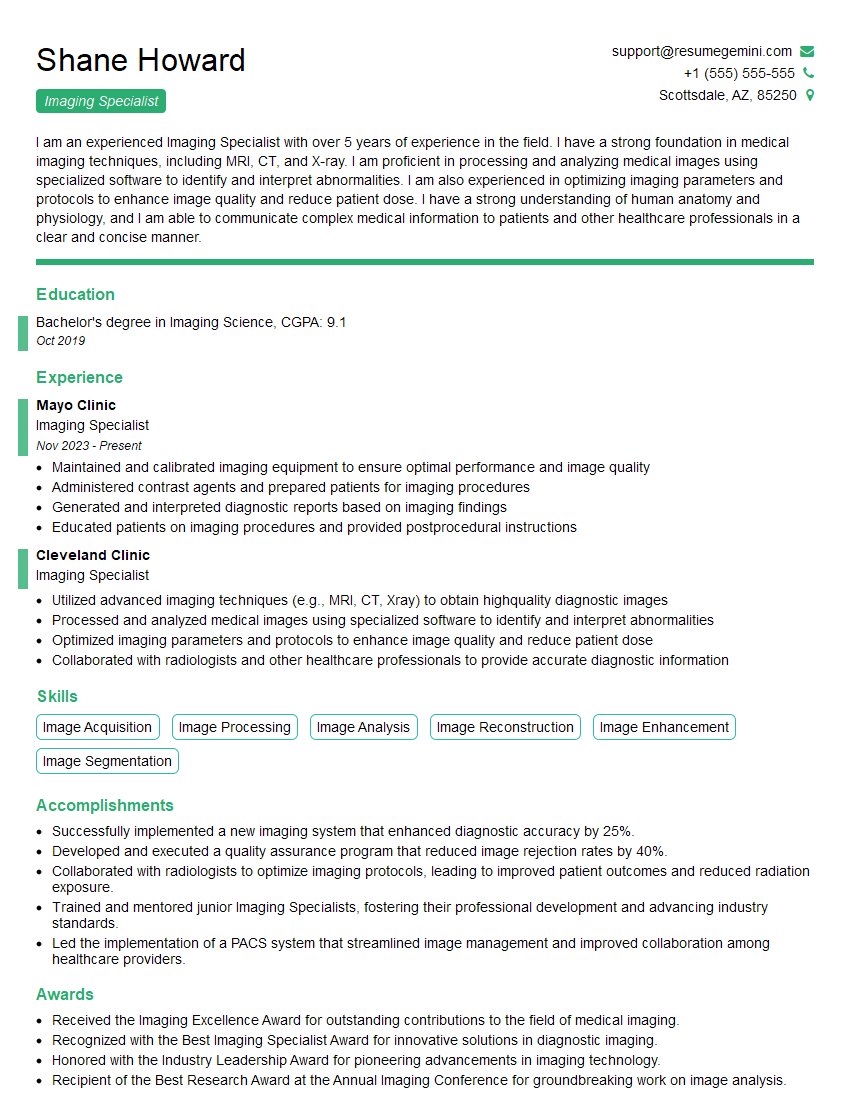
Mastering Light Exposure and Film Registration is crucial for career advancement in various imaging fields, opening doors to specialized roles and higher earning potential. A strong resume is your first step to showcasing your expertise to potential employers. To increase your chances of getting noticed by Applicant Tracking Systems (ATS), focus on creating an ATS-friendly resume that highlights your skills and accomplishments effectively. ResumeGemini is a trusted resource to help you build a professional and impactful resume. Examples of resumes tailored to Light Exposure and Film Registration are available to help guide you.




Explore more articles
Users Rating of Our Blogs
Share Your Experience
We value your feedback! Please rate our content and share your thoughts (optional).
What Readers Say About Our Blog
Very informative content, great job.
good