The right preparation can turn an interview into an opportunity to showcase your expertise. This guide to Lighting Design Software (e.g., AGI32, Dialux, AutoCAD) interview questions is your ultimate resource, providing key insights and tips to help you ace your responses and stand out as a top candidate.
Questions Asked in Lighting Design Software (e.g., AGI32, Dialux, AutoCAD) Interview
Q 1. Explain your experience using AGI32 for lighting design projects.
AGI32 is a powerful tool for lighting design, particularly for its ability to handle complex projects with numerous luminaires and intricate geometries. My experience with AGI32 spans several years and numerous projects, from small retail spaces to large-scale industrial facilities. I’ve used it extensively for tasks such as luminaire selection, illuminance calculations, energy analysis, and generating photorealistic renderings. For example, on a recent project designing the lighting for a museum, AGI32’s ability to accurately model the reflection and absorption of light from various materials (like polished marble and dark wood) was crucial in ensuring the proper illumination of artifacts while minimizing glare.
I am proficient in using AGI32’s various features, including its IES file import capabilities, allowing me to accurately model the light distribution of different luminaires. I’m also skilled in utilizing its daylight analysis tools to determine the contribution of natural light and optimize artificial lighting accordingly. Finally, I’m adept at creating compelling visualizations to present design options to clients.
Q 2. How do you create and manage lighting scenes within Dialux?
Dialux offers a streamlined approach to lighting scene management. Scenes are created by grouping luminaires and assigning them specific on/off states and dimming levels. Think of it like setting up different moods or operational modes for a space. You might have a ‘Daytime’ scene with all lights at 100%, an ‘Evening’ scene with lower intensity, and a ‘Night’ scene with only accent lighting.
Managing these scenes involves using Dialux’s intuitive interface. You can easily add, edit, and delete scenes, adjusting the parameters for each luminaire within each scene. Dialux allows you to quickly switch between scenes during the design process to compare the visual impact of different lighting configurations. This feature is especially helpful during client presentations as it allows me to demonstrate different lighting scenarios and their effects in real-time.
Q 3. Describe your workflow for importing architectural models into AutoCAD for lighting design.
My workflow for importing architectural models into AutoCAD for lighting design is precise and efficient. I typically receive models in formats like DWG, RVT (Revit), or SKP (SketchUp). The first step is to ensure the model’s accuracy and completeness, checking for any missing geometry or inconsistencies. Then, I import the model into AutoCAD, carefully aligning it to my project coordinates.
Next, I begin the lighting design process. This includes placing luminaires, adjusting their positions and orientations, and defining their properties (wattage, lumen output, etc.). AutoCAD’s layer management tools are essential here, allowing me to organize the lighting elements separately from the architectural model. Finally, I use AutoCAD’s annotation tools to create detailed lighting plans, sections, and elevations, including luminaire schedules and specifications. This ensures that all necessary information is clearly communicated to the contractors for accurate implementation.
Q 4. What are the key differences between AGI32 and Dialux?
AGI32 and Dialux are both powerful lighting design software, but they cater to different needs and have distinct strengths. AGI32 excels in its detailed simulation capabilities and is ideal for complex projects requiring high accuracy in illuminance calculations and energy analysis. Its rendering capabilities are also more advanced. Dialux, on the other hand, offers a more user-friendly interface and is excellent for rapid prototyping and simpler projects. Its strength lies in its ease of use and quick turnaround times, making it suitable for quick design iterations.
In essence, AGI32 is like a high-performance sports car – powerful and precise but requiring more expertise to operate; Dialux is a reliable sedan – easy to drive and suitable for everyday tasks. The choice between the two often depends on the complexity of the project and the designer’s priorities.
Q 5. How do you calculate illuminance levels using AGI32 or Dialux?
Both AGI32 and Dialux have built-in tools to calculate illuminance levels (measured in lux). The process involves defining the geometry of the space, placing luminaires with their specified light distribution data (usually imported as IES files), and then running a simulation. The software uses sophisticated algorithms to calculate the light levels at various points within the space.
In AGI32, this might involve using the ‘point calculation’ or ‘grid calculation’ tools to obtain illuminance values at specific points or across a grid. Dialux offers similar functionalities, often visualizing the results as an isolux diagram, showing contours of equal illuminance levels. Both programs usually allow for comparisons against established standards (like the IES) to ensure compliance with lighting codes.
Q 6. Explain your experience with lighting calculations and simulations.
My experience in lighting calculations and simulations is extensive. I’ve performed countless simulations to ensure projects meet illuminance requirements and energy efficiency goals. For instance, a recent project involved designing the lighting for a large office space. Using AGI32, I conducted simulations to optimize the placement and types of luminaires to achieve uniform illuminance levels on work surfaces while minimizing energy consumption. I regularly use these simulations to compare different design alternatives, fine-tuning the lighting to meet client preferences and budget constraints.
Beyond illuminance, I also consider factors such as glare, color rendering index (CRI), and light pollution during simulations. The results of these simulations are critical in creating a design that is not only functional but also aesthetically pleasing and environmentally responsible. I often create detailed reports based on these simulations to clearly articulate the performance of the lighting design.
Q 7. How do you use AutoCAD to create lighting layouts and detailed drawings?
AutoCAD is my primary tool for creating detailed lighting layouts and drawings. I use its drafting tools to precisely position luminaires, indicating their type, size, and mounting height. I create detailed plans, sections, and elevations showing the location and orientation of each fixture. I also use AutoCAD to develop luminaire schedules, which provide a comprehensive list of all lighting equipment, including manufacturer, model number, quantity, and wattage.
Beyond this, I leverage AutoCAD’s annotation capabilities to add crucial information, such as notes, dimensions, and specifications to clearly communicate the design intent to contractors and stakeholders. Furthermore, I utilize AutoCAD’s rendering capabilities to create visual representations of the lighting scheme, which aids in client presentations and helps to visualize the final impact of the design. The goal is always to create a set of clear, concise, and unambiguous drawings that are easily understood and implemented.
Q 8. How do you ensure lighting designs meet energy efficiency standards?
Ensuring energy efficiency in lighting design is paramount. It’s not just about saving money; it’s about minimizing our environmental impact. My approach involves a multi-pronged strategy. First, I meticulously select energy-efficient luminaires, focusing on high lumen output per watt (lm/W) and using LED technology wherever possible. LEDs are significantly more efficient than traditional incandescent or fluorescent bulbs.
Secondly, I utilize lighting design software like AGI32 and Dialux to conduct thorough energy calculations and simulations. These programs allow me to analyze different lighting scenarios, comparing energy consumption and illuminance levels to optimize the design. For example, I might compare the energy use of a high-output LED fixture with a lower-output fixture to see if the lower-output fixture adequately illuminates the space while significantly reducing energy consumption.
Thirdly, I employ strategies like daylight harvesting, where natural light is maximized to reduce reliance on artificial lighting. This might involve strategically placing windows or using light shelves to reflect daylight deeper into the space. Finally, I incorporate intelligent lighting controls, such as occupancy sensors and daylight sensors, which automatically adjust lighting levels based on occupancy and ambient light conditions. These controls can dramatically reduce energy consumption without compromising visual comfort.
Q 9. Describe your experience using IES files in lighting design software.
IES files (Illuminating Engineering Society files) are crucial for accurate lighting simulations. They contain photometric data for luminaires, providing detailed information about their light distribution. My experience with IES files is extensive. I routinely import them into AGI32, Dialux, and even AutoCAD (using plugins) to model the precise light output of specific fixtures in my projects.
For instance, if I’m designing a retail space, I’ll obtain the IES file for a chosen downlight from the manufacturer’s website. I’ll then import this file into Dialux. The software uses this data to accurately simulate the light levels, glare, and overall illumination patterns in the 3D model of the space. This allows for precise calculations and avoids relying on manufacturer’s simplified claims, ensuring an accurate representation of the lighting performance.
Using IES files is essential for realistic simulations, helping to avoid costly mistakes and ensure the client receives the desired lighting effect and energy efficiency. I also check the IES file’s metadata to verify its accuracy and relevance to the specific luminaire I am using.
Q 10. How do you handle conflicts between architectural and lighting design elements?
Conflicts between architectural and lighting designs are common, but proactive communication and collaboration are key to resolving them. I start by establishing clear communication channels with the architectural team early in the project. This involves regular meetings to discuss design concepts, material choices, and ceiling heights – all of which significantly impact lighting design.
For example, if the architects have designed recessed lighting fixtures in a section of the ceiling that is too shallow to accommodate the chosen luminaires, I’ll present alternative solutions, such as surface-mounted fixtures or adjusting the ceiling design. This requires careful consideration and compromises from both teams to achieve a harmonious and functional design.
Using 3D modeling software, I can create visualizations that clearly demonstrate potential conflicts and their solutions. I might create a visual overlay of the lighting design on the architectural model, highlighting potential clashes. This visual approach helps all parties involved to understand and resolve the issues collaboratively, preventing costly rework later in the process.
Q 11. Explain your process for creating lighting renderings.
Creating high-quality lighting renderings is a crucial part of my process. I utilize the rendering capabilities within AGI32 and Dialux, which allow for realistic visualizations of the lighting design in the context of the architectural space. I typically start by accurately modeling the space within the software, importing the IES files for the chosen luminaires, and setting the appropriate materials and textures.
Then, I carefully adjust the rendering settings to create realistic lighting effects. This includes configuring the camera angles, lighting levels, and post-processing effects. My goal is to produce images that accurately represent the ambience, color temperature, and illumination levels of the designed lighting scheme. These renderings are essential for client presentations and communication, helping them to fully visualize the final design and make informed decisions.
For more complex or highly detailed renderings, I might utilize external rendering software such as Lumion or Enscape, which can often produce more photorealistic results and allow for more creative control.
Q 12. How do you incorporate daylighting analysis into your designs?
Daylighting analysis is crucial for sustainable and energy-efficient lighting design. I integrate daylighting analysis into my designs using specialized software like AGI32, Dialux, or dedicated daylighting simulation tools. These programs use sophisticated algorithms to model the path of sunlight throughout the day and year, considering factors like building orientation, window size, and shading.
This analysis helps me determine the optimal placement of windows and the need for supplementary artificial lighting. For instance, the software might show that a certain office space receives sufficient daylight during most of the day, requiring only minimal artificial lighting supplementation. This information enables me to optimize the design, reducing the number of artificial light fixtures and energy consumption.
I use the daylight analysis results to design effective daylight harvesting strategies, such as light shelves or interior light diffusers, which enhance the distribution of natural light deeper into the building. I also use the analysis to determine the placement of blinds or other shading devices to control glare and heat gain.
Q 13. What are some common lighting design challenges you have encountered?
Throughout my career, I’ve encountered various lighting design challenges. One common issue is managing glare, particularly in spaces with high ceilings or reflective surfaces. Minimizing glare requires careful luminaire selection, proper positioning, and the use of appropriate shielding. Another challenge is achieving uniform illumination, especially in large spaces or those with complex geometries. This often necessitates the use of multiple light sources or specialized lighting techniques.
Balancing energy efficiency with the desired lighting quality is another recurring challenge. Clients often want the highest-quality lighting experience, but this can sometimes conflict with energy efficiency targets. Finding the optimal balance requires careful planning, utilizing advanced software simulations, and open communication with the client. Finally, I’ve also faced challenges in coordinating with other building systems, such as HVAC and fire protection systems, ensuring that the lighting design doesn’t conflict with other essential building elements.
Q 14. How do you select appropriate luminaires for different applications?
Selecting appropriate luminaires is crucial. My approach is methodical and considers various factors. First, I assess the functional requirements of the space. What is the purpose of the lighting? Is it task lighting, ambient lighting, or accent lighting? A task-oriented space like a surgery room will require very different luminaires than a retail store aiming for a specific atmosphere.
Next, I consider the aesthetic requirements. The luminaires must complement the overall design of the space. This involves evaluating factors such as size, shape, color, and material of the luminaire. I also evaluate the light output, color temperature, and color rendering index (CRI) to ensure the light source provides the appropriate color and quality. A high CRI is essential in spaces where color accuracy is important, such as art galleries or museums.
Finally, I examine energy efficiency, cost, and maintenance requirements. I compare different luminaires with similar light output to determine the most energy-efficient and cost-effective options. The maintenance requirements of the luminaires also play a vital role; for example, high-bay lighting in a factory might require easier access for maintenance than a decorative fixture in a residential setting. This entire process ensures a lighting solution that’s both functional and aesthetically pleasing.
Q 15. Explain your understanding of lighting control systems.
Lighting control systems are the brains behind how we manage and manipulate light in a space. Think of them as the sophisticated dimmer switches on steroids, allowing for precise control over intensity, color temperature, and even the timing of illumination. They range from simple on/off switches to complex networked systems capable of responding to occupancy, daylight levels, and even time of day.
These systems utilize various technologies, including:
- 0-10V dimming: A common analog system where voltage levels dictate light output. Simple, reliable, but less precise than digital solutions.
- DALI (Digital Addressable Lighting Interface): A digital protocol allowing individual control of lights within a network, offering granular control and feedback. This is ideal for large installations requiring precise light level adjustments and energy management.
- KNX: A robust building automation system which incorporates lighting control alongside other building functions like HVAC and security. This provides a centralized platform for managing all aspects of a building’s operation.
- Wireless systems (e.g., Zigbee, Z-Wave): These offer flexibility and ease of installation, especially for retrofit projects. However, they might be susceptible to interference and have limited data bandwidth compared to wired systems.
In practice, I’ve used DALI extensively for projects requiring intricate control over numerous fixtures, such as a museum installation where precise illumination of artifacts was crucial. For smaller, simpler projects, 0-10V dimming has proven effective and cost-efficient.
Career Expert Tips:
- Ace those interviews! Prepare effectively by reviewing the Top 50 Most Common Interview Questions on ResumeGemini.
- Navigate your job search with confidence! Explore a wide range of Career Tips on ResumeGemini. Learn about common challenges and recommendations to overcome them.
- Craft the perfect resume! Master the Art of Resume Writing with ResumeGemini’s guide. Showcase your unique qualifications and achievements effectively.
- Don’t miss out on holiday savings! Build your dream resume with ResumeGemini’s ATS optimized templates.
Q 16. How do you communicate design ideas to clients and other stakeholders?
Communicating design ideas effectively is crucial for a successful lighting design project. I use a multi-faceted approach, combining technical specifications with visual representations to ensure clear understanding by both technical and non-technical stakeholders.
- Detailed Renderings and Animations: I create photorealistic renderings and animations using software like AGI32 and Dialux, showing the client exactly how the lighting will look and feel in the space, under different conditions. These are especially impactful when demonstrating the ambiance created by dynamic lighting schemes.
- Interactive Presentations: Presenting designs through interactive platforms, allowing clients to explore different lighting scenarios and make informed decisions.
- Simplified Technical Documents: Technical specifications are essential but can be overwhelming. I create concise documents using clear language and diagrams, tailored to the client’s technical understanding. For less technical clients, I focus on the benefits and impact of the design rather than the technical details.
- Physical Models and Mock-ups: For complex designs, building physical models or creating small-scale mock-ups can greatly enhance understanding, especially when communicating spatial relationships and light diffusion.
For example, when presenting a design for a retail space, I’d show renderings demonstrating how lighting can highlight merchandise and create a welcoming atmosphere, alongside technical specifications explaining the energy efficiency and lifespan of the chosen fixtures. I always ensure the client is involved throughout the process, encouraging feedback and iterations to refine the design.
Q 17. What are some of the limitations of using lighting design software?
While lighting design software is invaluable, it does have its limitations. One major limitation is its reliance on simplified models and assumptions. The software can’t perfectly replicate real-world complexities like material reflectivity, light diffusion through dust or haze, or the impact of ambient light.
- Simplified Physics Engines: Software uses approximations of light propagation, which can lead to inaccuracies, especially in complex geometries or with specialized fixtures.
- Data Dependency: Accuracy of simulations relies heavily on the quality and completeness of input data, including fixture photometry files and material properties. Incorrect or missing data will lead to flawed results.
- Computational Limits: Simulating very large or highly detailed spaces can be computationally intensive, requiring powerful hardware and potentially impacting simulation time.
- Software Specific Limitations: Each software has its unique strengths and weaknesses. AGI32 excels in complex architectural modeling, while Dialux is more user-friendly for general lighting calculations. Understanding these limitations is crucial for accurate design.
For example, the software might overestimate the illuminance in a room with highly reflective surfaces if the material properties aren’t accurately defined. To mitigate these limitations, I always cross-check software results with hand calculations and on-site measurements whenever possible.
Q 18. How do you stay up-to-date with the latest advances in lighting technology?
Staying current in lighting technology is paramount. I achieve this through a blend of formal and informal learning:
- Industry Publications and Websites: I regularly read publications like Lighting Design + Application and websites of lighting manufacturers to stay abreast of new products and technologies.
- Professional Organizations: Active membership in organizations like the Illuminating Engineering Society (IES) provides access to conferences, webinars, and networking opportunities, facilitating knowledge exchange with peers and experts.
- Manufacturer Training and Workshops: Attending manufacturer-led training sessions allows for in-depth exploration of new product features and capabilities.
- Online Courses and Webinars: Many online platforms offer courses and webinars on advanced lighting design techniques and new technologies.
- Hands-on Experience: Experimenting with new technologies on personal projects and actively seeking opportunities to work on projects featuring innovative lighting solutions.
For instance, I recently completed a course on the application of LED integrated luminaires, understanding their capabilities and limitations compared to traditional light sources. This has directly impacted my designs, leading to more efficient and sustainable lighting schemes.
Q 19. Describe your experience working with lighting standards and codes.
I have extensive experience working with lighting standards and codes, crucial for ensuring the safety, functionality, and energy efficiency of lighting designs. My familiarity includes:
- IES (Illuminating Engineering Society) Standards: I’m proficient in applying IES standards for lighting design, such as illuminance levels for different spaces and guidelines for glare control. Understanding these is critical for achieving optimal visual comfort and safety.
- International Building Codes (IBC) and Local Codes: I ensure compliance with all relevant building codes, which often include energy efficiency requirements (e.g., ASHRAE 90.1) and accessibility guidelines (ADA).
- Energy Codes and Regulations: I integrate energy-efficient lighting solutions into my designs, often using software tools to model energy consumption and compliance with energy codes.
- Safety Standards: I adhere to relevant safety standards for electrical installations and ensure that lighting designs are free of hazards, such as glare and risk of electrical shock.
For example, during a recent project, I had to navigate complex energy codes to optimize lighting energy performance while still meeting the client’s design requirements. My knowledge of these standards allowed me to propose solutions that met both the design goals and regulatory requirements.
Q 20. How do you troubleshoot issues with lighting design software?
Troubleshooting lighting design software issues is a regular part of my work. My approach is systematic and involves these steps:
- Identify the Problem: Clearly define the issue – Is it a rendering error, a calculation discrepancy, or a software crash? Document the error messages or unusual behavior.
- Check Input Data: Verify the accuracy and completeness of all input data, including photometry files, material properties, and geometry models. Incorrect data is a frequent source of errors.
- Review Software Settings: Ensure that all software settings are appropriate for the task. Incorrect render settings or calculation parameters can lead to inaccurate results.
- Consult Documentation and Support: Refer to the software’s documentation for troubleshooting tips or contact the software vendor’s support team if necessary. The help files are often surprisingly useful.
- Test with Simplified Models: If the issue is complex, try simplifying the model to isolate the problem. Removing unnecessary elements can help identify the source of the error.
- Update Software and Drivers: Ensure that the software and graphics drivers are up-to-date, as outdated software can cause instability and bugs.
For instance, I once encountered a rendering error in AGI32 that was traced to a corrupted photometry file. By replacing the file with a validated version, I resolved the issue and avoided significant delays.
Q 21. How familiar are you with different lighting design metrics (e.g., lumens, lux, candelas)?
I am very familiar with various lighting design metrics, understanding their significance and how they interrelate. Here’s a breakdown:
- Lumens (lm): A measure of the total amount of light emitted by a light source. It’s analogous to the total amount of water flowing from a tap.
- Lux (lx): A measure of illuminance, or the amount of light falling on a surface. It’s like measuring the density of water falling on a specific area.
- Candelas (cd): A measure of luminous intensity, the amount of light emitted in a particular direction. This is like measuring the intensity of water flowing from a specific point of the tap.
- Footcandles (fc): An older unit of illuminance (1 fc = 10.76 lx), still used in some regions.
- Color Temperature (Kelvin, K): Describes the perceived color of a light source, ranging from warm (2700K) to cool (6500K). It affects the mood and atmosphere of a space.
- Color Rendering Index (CRI): A measure of how accurately a light source renders the colors of objects compared to natural daylight (CRI of 100).
In a practical scenario, designing a retail space, I would use lux calculations to ensure adequate illuminance on merchandise displays, lumens to determine the required output of individual fixtures, and color temperature and CRI to create the desired ambiance and accurately showcase product colors. These metrics are essential for ensuring the lighting design meets both aesthetic and functional requirements.
Q 22. Explain your experience using different light sources (e.g., LED, fluorescent, incandescent).
My experience encompasses a wide range of light sources, each with unique characteristics impacting design choices. Incandescent sources, while warm and aesthetically pleasing, are inefficient and generate significant heat. Fluorescent lighting offers improved energy efficiency but can present challenges in color rendering and dimming capabilities. LEDs, my current preference, provide superior energy efficiency, excellent color rendering, long lifespan, and sophisticated control options. I’ve extensively used LEDs in various applications, from accent lighting using high-CRI (Color Rendering Index) LEDs to general illumination using high-lumen output LEDs. For instance, in a recent project involving a museum exhibit, I carefully selected LEDs with a high CRI to accurately represent the colors of historical artifacts. In contrast, for a retail space, I optimized for high lumen output to ensure adequate illumination throughout the store.
Choosing the right light source depends heavily on the project’s specific needs – the desired ambiance, energy budget, color requirements, and the need for dimming or other advanced functionalities. My proficiency lies in selecting the optimal light source for each application and using the software to accurately model its performance.
Q 23. How do you manage large lighting design projects efficiently?
Managing large lighting design projects demands a structured approach. I employ a combination of techniques, including utilizing BIM (Building Information Modeling) software and setting up a detailed project workflow. AGI32, Dialux, and AutoCAD all play crucial roles in different aspects of this workflow. AGI32 assists in creating highly detailed lighting simulations and calculations. Dialux excels in quick estimations and initial lighting designs, while AutoCAD supports the integration of lighting designs into architectural plans. We divide large projects into smaller, manageable modules, assigning specific tasks to team members. We utilize cloud-based project management tools for efficient communication, file sharing, and tracking progress. Regularly scheduled meetings ensure everyone stays aligned with project goals and deadlines. For example, on a recent large-scale office complex project, we modeled each floor independently in Dialux before integrating the results into AGI32 for a comprehensive simulation of the entire building’s lighting. This modular approach streamlined the design process and ensured accurate results.
Q 24. Describe your experience with creating lighting specifications.
Creating lighting specifications is critical for ensuring the successful implementation of a lighting design. This involves specifying the exact light fixtures, lamps, controls, and other components needed for each area. My experience covers creating comprehensive specifications documents that include detailed technical data, such as wattage, lumen output, color temperature, CRI, and mounting details. I pay particular attention to ensuring the specifications are aligned with applicable building codes and energy efficiency standards. For example, I might specify ‘LED downlights with a minimum of 80 CRI, 3000K color temperature, and a minimum lumen output of 1000 lumens’ for a particular area. Clear specifications prevent misunderstandings with contractors and ensure the final installation matches the intended design. Furthermore, I use templates and libraries within the lighting design software to expedite the creation of consistent and error-free specifications.
Q 25. How do you handle revisions and feedback during the design process?
Handling revisions and feedback is an integral part of the design process. I utilize version control within the software, keeping track of every iteration and change. I encourage client feedback at different stages of the project and incorporate it iteratively. For instance, if a client prefers a warmer color temperature, I adjust the specifications and re-run the simulations to demonstrate the impact of the change. I always document all revisions clearly and maintain a transparent communication channel with the client. I find that regular communication, combined with clear visual representations (e.g., before-and-after simulations), makes the revision process smoother and ensures the final design aligns perfectly with the client’s vision.
Q 26. Explain your experience with creating lighting schedules and sequences.
Creating lighting schedules and sequences involves programming the lighting controls to achieve specific lighting effects at different times. This is particularly important for dynamic lighting scenarios in spaces like theaters, museums, or retail environments. My experience includes using various control systems, both DMX and DALI based, to create complex lighting scenes and schedules. I utilize the programming capabilities within the lighting design software to simulate and visualize the sequences before implementation. For example, in a recent hotel project, I programmed a sequence that subtly changed the lighting color temperature throughout the day, mimicking natural daylight. I’ve also designed lighting schedules that integrate with building management systems (BMS) for automated control and energy optimization.
Q 27. How do you collaborate effectively with other team members on lighting design projects?
Effective collaboration is essential for successful lighting design. I foster a collaborative environment by using shared project platforms that allow for real-time communication and file sharing. Regular team meetings, clear communication protocols, and the use of standardized design templates help maintain consistency and avoid conflicts. For example, I might use a shared cloud-based folder to store project files, allowing everyone access to the latest updates. I value diverse perspectives and ensure everyone’s input is considered. Open communication and a mutual respect for different skill sets are crucial for effective teamwork.
Q 28. Describe a time you had to solve a complex lighting design problem.
In a recent project involving a historic building renovation, we faced the challenge of illuminating a grand staircase without impacting its delicate architectural features. The initial lighting design created harsh shadows and glare, compromising the visual appeal. To solve this, we experimented with different lighting techniques within AGI32, testing various fixture placements, light distributions, and control strategies. We ultimately settled on a solution using recessed, low-profile LED fixtures with precise optics and carefully controlled dimming levels. This allowed us to provide adequate illumination without highlighting imperfections or creating excessive glare. The final design subtly highlighted the architectural details and showcased the staircase’s grandeur, highlighting my ability to navigate complex design challenges and deliver a successful outcome.
Key Topics to Learn for Lighting Design Software (e.g., AGI32, Dialux, AutoCAD) Interview
- Interface and Navigation: Mastering the software’s user interface, including toolbars, menus, and shortcuts, is crucial for efficient workflow. Practice navigating complex projects quickly and intuitively.
- Lighting Calculations & Simulations: Understand the principles behind illuminance, luminance, and other key metrics. Practice creating accurate lighting simulations and interpreting the results to optimize designs.
- Rendering and Visualization: Learn to create high-quality renderings that accurately represent the lighting design. Explore different rendering techniques and settings to achieve desired visual effects.
- Photometric Data & IES Files: Understand how to import and utilize photometric data (IES files) for accurate lighting simulations. Know how different luminaire distributions affect the overall lighting scheme.
- Energy Efficiency & Sustainability: Demonstrate knowledge of energy-efficient lighting practices and incorporate them into your designs. Understand how to analyze energy consumption and identify opportunities for optimization.
- Specific Software Features (AGI32, Dialux, AutoCAD): Focus on the unique features and functionalities of each software. Highlight your expertise in using specific tools and techniques within each program.
- Problem-Solving & Troubleshooting: Be prepared to discuss how you approach and resolve technical challenges encountered during the design process. Showcase your analytical and problem-solving skills.
- Collaboration & Teamwork: Discuss your experience working collaboratively on lighting design projects, including file sharing and coordination with other disciplines.
Next Steps
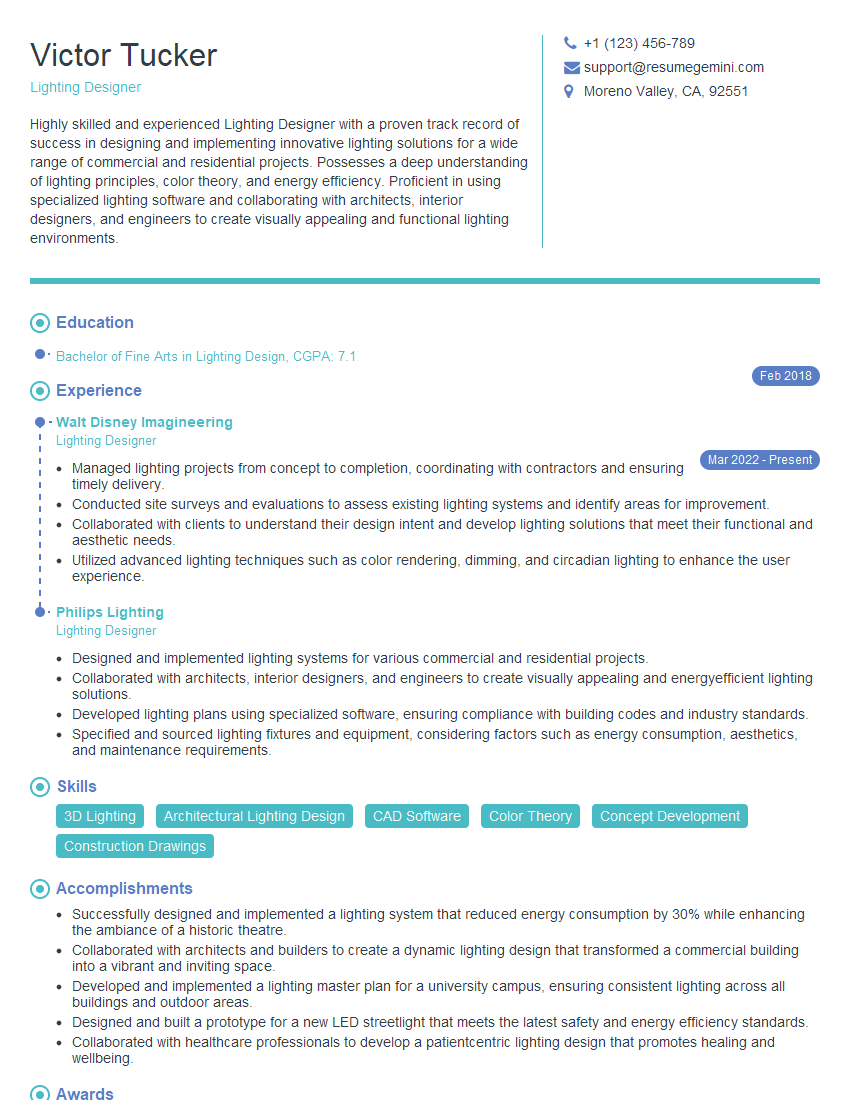
Proficiency in lighting design software like AGI32, Dialux, and AutoCAD is paramount for career advancement in this field. It signifies a commitment to utilizing industry-standard tools and producing high-quality, efficient designs. To maximize your job prospects, creating an ATS-friendly resume is vital. This ensures your qualifications are effectively communicated to potential employers. We strongly recommend using ResumeGemini to build a professional and impactful resume. ResumeGemini provides a streamlined process and offers examples of resumes tailored to lighting design professionals using software like AGI32, Dialux, and AutoCAD, to help you showcase your skills effectively.
Explore more articles
Users Rating of Our Blogs
Share Your Experience
We value your feedback! Please rate our content and share your thoughts (optional).
What Readers Say About Our Blog
Very informative content, great job.
good