Unlock your full potential by mastering the most common Log Management and Inventory interview questions. This blog offers a deep dive into the critical topics, ensuring you’re not only prepared to answer but to excel. With these insights, you’ll approach your interview with clarity and confidence.
Questions Asked in Log Management and Inventory Interview
Q 1. Explain the difference between structured and unstructured log data.
The key difference between structured and unstructured log data lies in how the information is organized. Think of it like this: structured data is neatly arranged in a database, each piece of information having its designated field (like a spreadsheet), while unstructured data is more like a free-form essay – difficult to search and analyze directly.
Structured logs conform to a predefined schema. They are typically stored in databases or formats like JSON or XML. Each log entry has specific fields like timestamp, severity level, source, and message. This allows for efficient querying and analysis using SQL or similar tools. For example, a structured log entry from a web server might look like this:
{"timestamp": "2024-10-27T10:00:00Z", "severity": "INFO", "source": "webserver", "message": "User logged in successfully"}Unstructured logs are typically text-based and lack a predefined format. Examples include raw system logs, application logs that aren’t parsed, and network traffic logs. Analyzing them often involves natural language processing or keyword searches, which are less efficient and may miss subtle patterns. A common example is a system log line like: Oct 27 10:00:00 server1 kernel: [12345]: Device driver error
Knowing the difference is crucial because your choice of log management tools and strategies depends entirely on the nature of your log data. Structured data lends itself well to advanced analytics, whereas unstructured data often requires preprocessing before meaningful analysis can be performed.
Q 2. Describe your experience with various log aggregation tools (e.g., Splunk, ELK stack, Graylog).
I have extensive experience with several log aggregation tools, each with its strengths and weaknesses. My experience includes:
- Splunk: Splunk is a powerful, enterprise-grade solution known for its exceptional search capabilities and ease of use for complex queries. I’ve used it to analyze massive datasets from diverse sources, creating dashboards and alerts for security monitoring and performance optimization. Its ability to handle both structured and unstructured data is a major advantage. A real-world example involved using Splunk to pinpoint the source of slow database queries during peak hours.
- ELK Stack (Elasticsearch, Logstash, Kibana): I’ve extensively used the ELK stack for building highly scalable and customizable log management solutions. Its open-source nature, coupled with the flexibility offered by Elasticsearch, made it ideal for projects with tight budgets or specific requirements not fully addressed by commercial solutions. For example, I’ve built a custom pipeline using Logstash to parse various log formats, enrich them with contextual information, and then visualize the data using Kibana.
- Graylog: I find Graylog to be a strong contender in the open-source log management space. Its user-friendly interface and robust features make it a suitable alternative to the ELK stack, particularly for smaller to medium-sized organizations. I’ve deployed Graylog in several projects focused on security information and event management (SIEM), leveraging its built-in alerting and analysis capabilities.
Choosing the right tool often depends on factors such as budget, scalability needs, technical expertise within the team, and the type and volume of log data.
Q 3. How do you ensure log data integrity and security?
Ensuring log data integrity and security is paramount. This involves a multi-faceted approach:
- Data Integrity: This focuses on making sure your logs are accurate, complete, and consistent. This includes using secure log shipping mechanisms to prevent data loss or corruption during transmission, implementing checksums to verify data integrity, and regularly auditing your log management systems to identify and rectify any inconsistencies.
- Data Security: This is about protecting your log data from unauthorized access, modification, or deletion. Encryption both in transit and at rest is essential. Access control mechanisms, such as role-based access control (RBAC), limit access to authorized personnel only. Furthermore, regular security audits and penetration testing identify vulnerabilities and ensure the security of your log management infrastructure. Consider using strong passwords and multi-factor authentication for access to your log management systems. Implementing data retention policies that comply with regulatory requirements is also important.
In practical terms, if I’m working with sensitive data, I would encrypt the logs at the source before transmitting them to a central log server. On the server-side, encryption at rest is also crucial. Regularly reviewing access logs and audit trails is a key security measure.
Q 4. What are some common log analysis techniques you utilize?
Log analysis relies on a combination of techniques. My approach often includes:
- Statistical Analysis: Identifying trends and patterns in log data, such as sudden spikes in error rates or unusually high resource consumption. This could involve calculating averages, standard deviations, and other statistical measures to highlight anomalies.
- Correlation Analysis: Finding relationships between events across different log sources. For example, correlating a web server error with a database query failure can pinpoint the root cause of a system malfunction.
- Regular Expression (Regex) Searching: Using regex to filter and extract specific information from unstructured logs. This is invaluable when dealing with text-based logs and identifying specific error messages or events. For example, a regex could be used to identify all log entries containing a particular error code.
- Machine Learning: In many cases, machine learning algorithms can be used to identify anomalies and predict potential issues before they impact the system. This requires building and training models using historical log data, which will assist in proactively identifying and mitigating potential risks.
The specific techniques I employ depend largely on the type of problem I’m trying to solve and the nature of the available data. Often, I combine multiple techniques to get a complete picture.
Q 5. Explain how to identify and troubleshoot performance issues using log analysis.
Log analysis is vital for identifying and troubleshooting performance issues. The process usually involves these steps:
- Identify Performance Bottlenecks: Examine system logs (CPU, memory, disk I/O, network) for signs of high resource utilization or errors. Look for slow response times, high error rates, or resource exhaustion. For example, consistently high CPU usage might indicate a poorly performing application or a resource leak.
- Correlate Logs with Metrics: Integrate log analysis with performance monitoring tools to gain a more comprehensive view of system behavior. This allows the ability to link specific log events with measurable performance metrics.
- Analyze Error Logs: Focus on error logs to identify patterns or recurring issues. This often involves detailed examination of stack traces, exception messages, and error codes to pinpoint the root cause of performance problems.
- Investigate Slow Queries or Transactions: If dealing with databases or other transaction-based systems, analyzing query logs to identify slow-running or poorly performing queries. Optimize queries and database indexes to improve performance.
- Monitor Application Logs: Analyze application logs for signs of performance bottlenecks, such as slow API calls or long processing times.
For example, a recent project involved slow website load times. By analyzing the web server logs, I discovered a surge in requests to a specific API endpoint that was causing the server to overload. Further analysis revealed a performance issue within the API itself, leading to efficient code optimization and improved performance.
Q 6. Describe your experience with log rotation and archiving strategies.
Log rotation and archiving strategies are crucial for managing log data effectively and efficiently. My experience includes implementing various strategies based on organizational needs and regulatory requirements.
- Log Rotation: I typically configure log rotation using built-in operating system utilities or specialized log management tools. This ensures that log files don’t grow indefinitely, consuming valuable disk space. The strategy often involves setting a maximum file size or age limit, after which the log files are automatically rotated and archived.
- Archiving: Once log files reach the end of their retention period (defined by business needs or regulations), I implement secure archival strategies. This might involve moving them to a separate storage location (cloud storage, tape backup, etc.), compressing them to reduce storage space, or deleting them after the retention period ends.
Best practices include using a combination of techniques like compressing archived logs and employing immutable storage, depending on sensitivity and regulatory compliance needs. For example, in industries with stringent compliance requirements, a strict retention policy might be implemented, archiving logs securely and immutably for a specified duration.
Q 7. How do you handle large volumes of log data efficiently?
Handling massive volumes of log data efficiently requires a combination of strategies:
- Centralized Logging: Using a central log management system to collect logs from various sources. This allows for efficient storage, querying, and analysis. It is important to choose a system that scales appropriately for your data volume and growth.
- Data Filtering and Aggregation: Filtering irrelevant logs to reduce the volume of data processed. Aggregating similar events into summaries to reduce storage space and improve query performance.
- Log Shipping and Indexing Optimizations: Use efficient log shipping methods to ensure minimal latency during data transfer. Optimize indexing strategies in your log management system to improve search and analysis performance.
- Data Partitioning: Dividing log data into smaller, manageable chunks to distribute processing workloads across multiple machines. This strategy significantly improves scalability.
- Cloud-Based Solutions: Consider using cloud-based log management solutions for enhanced scalability and cost-effectiveness. Cloud providers offer solutions that can automatically scale to handle fluctuating data volumes.
In practice, this might involve using Logstash to preprocess and filter log data, sending only relevant information to Elasticsearch, where data is partitioned for efficient querying using Kibana. This is a common approach to handling large-scale log data in a scalable and efficient manner.
Q 8. What are the benefits of centralized log management?
Centralized log management offers significant advantages over managing logs from individual systems. Think of it like having all your mail delivered to one mailbox instead of scattered across different locations. This consolidation simplifies monitoring, analysis, and troubleshooting.
- Improved Security Monitoring: By aggregating logs from various sources (servers, applications, network devices), security teams can quickly identify and respond to threats. For example, a centralized system can readily correlate a failed login attempt on a web server with suspicious network activity, providing a complete picture of a potential breach.
- Simplified Troubleshooting: When a problem occurs, finding the root cause becomes much easier. Instead of checking multiple systems individually, analysts can search across all logs simultaneously, saving valuable time and resources. Imagine tracking down a performance bottleneck—centralized logs allow quick identification of the source.
- Enhanced Reporting and Compliance: Centralized systems provide comprehensive reporting capabilities, allowing organizations to meet regulatory requirements and gain valuable insights into system performance and user behavior. Reports on security incidents, application errors, and system uptime are easily generated.
- Reduced Storage and Management Costs: While initial setup might involve costs, centralized systems often lead to overall cost savings by optimizing storage and reducing the need for multiple log management tools and personnel.
- Better Scalability and Maintainability: As your infrastructure grows, a centralized system can easily scale to accommodate new sources and increasing volumes of log data, without requiring significant changes in your logging infrastructure.
Q 9. Explain your understanding of different log levels (e.g., DEBUG, INFO, WARN, ERROR).
Log levels are crucial for filtering and prioritizing log messages, helping to separate important information from less relevant details. They’re akin to different levels of urgency in a communication system.
DEBUG: Extremely detailed messages, mostly useful for developers during troubleshooting. These are usually disabled in production environments.INFO: Informational messages indicating normal operation. These provide context and keep track of routine events.WARN: Messages indicating potential problems. These alert you to situations that might lead to errors if not addressed.ERROR: Messages indicating that an error has occurred. These require attention and investigation.
For instance, a DEBUG message might show the exact value of a variable during program execution, while an ERROR message would indicate a database connection failure.
Q 10. How do you correlate logs from different sources to identify root causes?
Correlating logs from different sources is essential for identifying the root cause of complex issues. It’s like piecing together clues in a detective story. This involves analyzing logs from various systems and applications, looking for patterns and relationships between events.
Techniques include:
- Timestamp Correlation: Comparing timestamps to determine the sequence of events. This helps in understanding the order of occurrences and identifying the potential causal chain.
- Unique Identifiers: Using unique identifiers (e.g., transaction IDs, session IDs) to link related events across different systems. Imagine a user’s online order—correlating logs from the web server, payment gateway, and order fulfillment system can reveal the exact point of failure, if any.
- Log Enrichment: Adding context to logs by incorporating data from other sources, such as user information, location details, or application configurations. This provides a richer picture of the events and helps in narrowing down the root cause.
- Using Log Management Tools: Specialized tools provide powerful search, filtering, and correlation capabilities. Many platforms offer built-in dashboards, visualisations, and analytics.
For example, a slow application response might be traced by correlating application logs showing increased processing time, database logs indicating query delays, and network logs showing increased latency.
Q 11. Describe your experience with log monitoring and alerting systems.
I have extensive experience with several log monitoring and alerting systems, including Splunk, ELK stack (Elasticsearch, Logstash, Kibana), and Graylog. I’m proficient in configuring dashboards, defining alerts based on specific criteria, and using these systems to proactively identify and respond to system issues.
In a previous role, I designed and implemented a comprehensive monitoring system using Splunk for a large e-commerce platform. We set up alerts for critical errors, performance degradations, and security events. This significantly improved our response time to incidents and reduced downtime. The system included real-time dashboards providing visibility into application performance, security logs, and network traffic. We utilized custom scripts and dashboards to visualize key metrics and provide deep diagnostic capabilities.
Q 12. Explain your understanding of regular expressions (regex) in log analysis.
Regular expressions (regex) are powerful tools for pattern matching in log analysis. They allow you to search for complex patterns within log files that would be difficult or impossible to find using simple keyword searches. Think of them as a flexible search language, enabling you to extract specific information from unstructured log data.
For example, you might use a regex to extract IP addresses from access logs: \b(?:(?:25[0-5]|2[0-4][0-9]|[01]?[0-9][0-9]?)\.){3}(?:25[0-5]|2[0-4][0-9]|[01]?[0-9][0-9]?)\b
Or to find all log entries related to a specific error code: Error Code: (\d+). The parentheses create a capture group, allowing you to extract the error code number itself.
Regex mastery is crucial for efficiently extracting key data points, filtering irrelevant information, and automating log analysis processes.
Q 13. What are some common challenges in log management and how do you overcome them?
Log management faces several challenges:
- Log Volume and Velocity: The sheer volume of log data generated by modern systems can be overwhelming. Effective solutions involve log aggregation, filtering, and efficient storage techniques.
- Data Silos: Logs often reside in multiple locations, making it difficult to gain a unified view. Centralized log management is crucial to address this.
- Log Parsing and Analysis: Extracting meaningful information from unstructured or inconsistently formatted logs requires sophisticated techniques like regex and machine learning.
- Storage Costs: Storing large volumes of log data can be expensive. Strategies like log rotation, archiving, and data compression are necessary.
- Real-time Monitoring and Alerting: Detecting and responding to critical events in real-time requires efficient monitoring and alerting systems.
To overcome these, I employ strategies such as:
- Centralized Log Management Platforms: Leveraging tools like Splunk or the ELK stack to aggregate, analyze, and monitor logs.
- Log Normalization and Standardization: Transforming logs into a consistent format for easier analysis and reporting.
- Automated Log Rotation and Archiving: Optimizing storage costs while ensuring historical data is readily accessible.
- Efficient Search and Filtering Techniques: Utilizing regex and other techniques to extract meaningful information efficiently.
- Data Aggregation and Summarization: Presenting key insights through dashboards and reports.
Q 14. Describe your experience with different inventory management systems.
My experience spans several inventory management systems, including both on-premise and cloud-based solutions. I’ve worked with systems ranging from simple spreadsheet-based solutions to sophisticated enterprise-level tools like Snipe-IT, and cloud-based options like Google Cloud’s inventory management tools.
In a past role, I was responsible for implementing Snipe-IT to manage our company’s IT assets. This involved defining asset categories, setting up workflows for asset tracking, and integrating the system with our existing ticketing system. This project improved our visibility into IT assets, streamlined the process of assigning and tracking equipment, and facilitated better decision-making regarding equipment purchases and upgrades. We successfully automated several previously manual processes like asset tagging and lifecycle management.
My experience also includes working with cloud-based inventory management, where I utilized automated provisioning and tracking tools to manage cloud resources. This allowed us to optimize cloud costs, increase infrastructure agility and maintain detailed inventory records of our cloud-based assets.
Q 15. How do you manage hardware and software assets within your organization?
Hardware and software asset management is crucial for maintaining operational efficiency and minimizing costs. We employ a comprehensive strategy combining manual processes with automated tools. For hardware, we utilize a CMDB (Configuration Management Database) which acts as a central repository for all physical assets. Each piece of equipment, from servers to laptops, is tagged with a unique identifier linked to its details in the CMDB – including specifications, purchase date, location, and assigned user. For software, we leverage license management software to track installations, ensuring compliance and preventing unauthorized use. This software integrates with our CMDB to provide a holistic view of all IT assets, both hardware and software.
Think of it like a well-organized library; the CMDB is the card catalog, meticulously detailing each book (asset) and its location. This detailed record-keeping is essential for effective management.
Career Expert Tips:
- Ace those interviews! Prepare effectively by reviewing the Top 50 Most Common Interview Questions on ResumeGemini.
- Navigate your job search with confidence! Explore a wide range of Career Tips on ResumeGemini. Learn about common challenges and recommendations to overcome them.
- Craft the perfect resume! Master the Art of Resume Writing with ResumeGemini’s guide. Showcase your unique qualifications and achievements effectively.
- Don’t miss out on holiday savings! Build your dream resume with ResumeGemini’s ATS optimized templates.
Q 16. Explain your experience with asset tracking and reconciliation processes.
Asset tracking involves continuously monitoring the location, status, and utilization of assets. Reconciliation is the process of comparing the recorded asset inventory with the physical assets to identify discrepancies. In my experience, this often involves regular physical audits, automated scans, and the use of barcode or RFID technology. For instance, we’ve used automated discovery tools to scan our network for active devices, comparing the results with our CMDB. Any discrepancies, like missing equipment or unregistered devices, trigger an investigation to ensure accuracy. Regular reconciliation is key to preventing losses and ensuring accurate budgeting.
Imagine a large warehouse; regular stocktakes are critical to ensuring that what is recorded matches the physical inventory. The same principle applies to IT asset management – continuous tracking and periodic reconciliation are vital.
Q 17. How do you ensure accurate and up-to-date inventory data?
Maintaining accurate and up-to-date inventory data requires a multi-pronged approach. Automated discovery tools, as mentioned, are essential for scanning networks and identifying active devices. We also integrate our CMDB with ticketing systems to automatically update asset information upon deployment or changes. Regular physical audits supplement automated processes, verifying the physical presence of assets. Furthermore, we encourage employees to report any changes or discrepancies, fostering a culture of accountability and data integrity. Data cleansing and validation are also performed regularly to maintain data quality.
Think of it as constantly updating a live spreadsheet. Automated tools provide the initial input, physical checks verify the accuracy, and user input keeps the data current and relevant.
Q 18. What are some common metrics used to measure inventory management effectiveness?
Several key metrics are used to gauge the effectiveness of inventory management. These include:
- Asset Utilization Rate: The percentage of assets actively utilized.
- Asset Disposal Rate: The rate at which outdated or unneeded assets are disposed of.
- Inventory Accuracy Rate: The percentage of accurate records compared to physical inventory.
- Mean Time To Resolution (MTTR) for Inventory Issues: The average time it takes to resolve discrepancies.
- Cost of Ownership (per asset): This shows total cost over the asset lifecycle.
Tracking these metrics provides insights into areas for improvement, such as optimizing asset utilization or streamlining disposal processes.
Q 19. Describe your experience with automated inventory management tools.
My experience with automated inventory management tools includes using both on-premise and cloud-based solutions. We’ve used tools that integrate with our CMDB, providing automated discovery, asset tracking, and reporting capabilities. These tools often include features for software license management, automated alerts for expiring licenses, and comprehensive reporting dashboards. For example, we utilize a system that automatically discovers new devices on the network, updating the CMDB with their details, reducing manual data entry and improving accuracy significantly.
Imagine using spreadsheet software versus a dedicated database management system; automation enhances efficiency and reduces errors dramatically.
Q 20. How do you handle software license management and compliance?
Software license management and compliance are critical for avoiding legal and financial penalties. We utilize a dedicated license management system to track software licenses, ensuring compliance with vendor agreements. This system provides insights into license utilization, alerts us to expiring licenses, and helps optimize software spending by identifying underutilized software. Regular audits, both internal and potentially external, are conducted to ensure compliance with licensing terms and conditions. We also establish clear policies and procedures on software acquisition and usage, providing employees with guidelines on obtaining and using software legally and effectively.
Similar to a library maintaining its collection, a company must keep an accurate inventory of its software licenses to avoid copyright infringement and ensure it’s using the software ethically and legally.
Q 21. How do you manage the disposal and decommissioning of IT assets?
The disposal and decommissioning of IT assets require careful planning and execution to ensure data security and compliance with environmental regulations. We have a documented process that involves securely wiping data from hard drives and other storage devices before disposal. We also work with certified recyclers to ensure responsible disposal of electronic waste, minimizing our environmental impact. Documentation of the entire process, including data destruction certificates and recycling records, is meticulously maintained to comply with all applicable regulations.
Like properly disposing of hazardous waste, decommissioning IT assets requires a systematic approach ensuring data security and environmental responsibility.
Q 22. What are some best practices for physical asset tracking?
Effective physical asset tracking hinges on a robust system encompassing several key practices. Think of it like meticulously organizing a large library – you need a system to know what you have and where it is.
- Unique Identification: Assign each asset a unique identifier, like a barcode or RFID tag. This is your book’s ISBN – crucial for individual tracking.
- Centralized Database: Maintain a central database recording asset details (location, condition, purchase date, etc.). This is your library catalog – your single source of truth.
- Regular Audits: Conduct regular physical audits to reconcile the database with physical assets. This is like a library inventory – checking what’s on the shelves versus what’s in the catalog.
- Check-in/Check-out System: Implement a system for tracking asset movement, especially for frequently used equipment. Imagine a library’s borrowing system – recording who has the book and when it’s due back.
- Automated Tracking: Leverage technologies like RFID or GPS tracking for real-time asset location updates, particularly for high-value or mobile assets. Think of a GPS tracker on a valuable book – always knowing its location.
- Visual Management: Use visual cues like color-coded labels to easily identify assets and their status. Imagine color-coded stickers on books – quickly identifying overdue books.
By combining these practices, you create a comprehensive asset tracking system that minimizes loss, improves efficiency, and enhances security.
Q 23. Describe a time you had to resolve a discrepancy in inventory data.
In my previous role, we discovered a significant discrepancy in our server inventory. Our database showed 15 servers in the data center, but a physical count revealed only 12. This was like finding 3 books missing from the library’s shelves.
To resolve this, we implemented a systematic approach:
- Verified the Physical Count: We meticulously recounted the servers, double-checking locations and IDs.
- Reviewed Database Entries: We examined database entries for potential duplicates, errors, or outdated information. We even checked for retired servers that hadn’t been removed from the database.
- Investigated Missing Servers: We investigated the three missing servers. It turned out two were decommissioned but not properly removed from the system, and one was temporarily relocated for maintenance without proper logging.
- Implemented Improved Processes: To prevent future discrepancies, we improved our check-in/check-out procedures, strengthened database validation rules, and automated reconciliation processes using scripting to compare the physical count data with the database entries.
This experience highlighted the importance of meticulous data management and the need for robust processes to ensure data integrity in inventory management.
Q 24. How do you integrate inventory management with other IT systems?
Integrating inventory management with other IT systems is crucial for a holistic view of your IT infrastructure. Think of it as connecting different parts of a city’s transportation system – all working together.
Here’s how I typically approach integration:
- CMDB Integration: Integrating with a Configuration Management Database (CMDB) provides a unified view of all IT assets, including hardware, software, and network devices. This creates a central hub for all your IT resources.
- Ticketing System Integration: Linking with a ticketing system helps track asset usage, maintenance requests, and issues directly related to specific assets.
- Procurement System Integration: Integrating with the procurement system streamlines the purchase and tracking of new assets, ensuring automatic updates to the inventory database.
- Financial System Integration: Integration with financial systems aids in tracking the lifecycle cost of assets, depreciation, and asset valuations.
- API Integration: Using APIs (Application Programming Interfaces) allows for seamless data exchange between systems, eliminating manual data entry and reducing errors. For example, when a server is decommissioned in the inventory system, the API can automatically remove it from the CMDB.
These integrations provide automated workflows, improved data accuracy, and better decision-making capabilities.
Q 25. How do you use inventory data to support capacity planning and forecasting?
Inventory data is an essential component of effective capacity planning and forecasting. Imagine building a house – you need accurate measurements and materials before you start.
Here’s how I use inventory data:
- Identifying Trends: Analyzing historical inventory data reveals usage patterns, helping predict future needs. For instance, if server usage consistently increases by 10% each year, I can project future capacity requirements.
- Resource Allocation: Inventory data informs resource allocation decisions, ensuring efficient deployment of IT assets. If we see that a certain type of server is frequently underutilized, we can consolidate resources or repurpose those servers.
- Forecasting Demand: By projecting future demand based on past usage trends and business growth projections, we can proactively procure necessary equipment and prevent shortages.
- Optimizing Infrastructure: Inventory data allows for optimization of infrastructure investments. By tracking asset performance and utilization, we can make data-driven decisions on upgrading or replacing equipment.
Accurate inventory data enables proactive capacity planning, preventing performance bottlenecks and ensuring the organization’s IT infrastructure effectively supports business needs.
Q 26. Explain the importance of data security and compliance in inventory management.
Data security and compliance are paramount in inventory management. Think of it as securing a valuable vault – protecting sensitive information from unauthorized access.
Key aspects include:
- Data Encryption: Protecting inventory data using encryption methods, ensuring only authorized personnel can access it.
- Access Control: Implementing robust access control measures, limiting access to sensitive data based on roles and responsibilities. This is like having different keys for different parts of the vault.
- Regular Audits and Vulnerability Assessments: Conducting regular security audits and vulnerability assessments to identify and address potential security weaknesses.
- Compliance with Regulations: Adhering to relevant data privacy regulations (like GDPR, CCPA) and industry best practices.
- Data Backup and Disaster Recovery: Implementing a robust data backup and disaster recovery plan to protect against data loss due to various incidents.
These measures ensure data integrity, protect sensitive information, and maintain compliance with legal and regulatory requirements.
Q 27. How do you ensure data accuracy and prevent data loss in inventory management?
Ensuring data accuracy and preventing data loss requires a multi-faceted approach. This is akin to having a well-maintained library with a robust system for preventing book loss and ensuring accurate cataloging.
Here’s how I approach this:
- Automated Data Entry: Minimizing manual data entry through automated processes like barcode scanning and RFID tracking reduces human error.
- Data Validation Rules: Implementing data validation rules to ensure the accuracy of entered data and prevent invalid entries from being added to the database.
- Regular Data Reconciliation: Regularly reconciling inventory data with physical counts to identify and correct discrepancies.
- Version Control: Utilizing version control systems to track changes to the inventory database, allowing for rollback in case of errors.
- Data Backup and Recovery: Implementing regular backups of the inventory database to protect against data loss due to hardware failure, software errors, or other unexpected events. Think of this as having multiple copies of the library catalog stored securely.
- User Training: Training users on proper data entry procedures and best practices to minimize errors.
A combination of these practices ensures data accuracy, prevents data loss, and maintains the integrity of the inventory data.
Q 28. Describe your experience with reporting and analysis of inventory data.
Reporting and analysis of inventory data are essential for informed decision-making. Imagine a librarian analyzing reading trends – informing future book purchases.
My experience includes:
- Custom Reports: I’ve developed custom reports using tools like SQL and reporting software to extract key insights from inventory data, like asset utilization, lifecycle costs, and depreciation.
- Data Visualization: I frequently use data visualization techniques to represent inventory data in a clear and concise manner, making it easily understandable for stakeholders.
- Trend Analysis: I conduct trend analysis to identify patterns in asset usage and predict future needs, facilitating proactive capacity planning.
- Cost Optimization Analysis: I perform cost optimization analysis to identify areas where we can reduce expenses related to asset acquisition, maintenance, and disposal.
- Performance Monitoring: I use inventory data to monitor asset performance, identify potential issues, and ensure optimal system uptime.
By leveraging these skills, I provide valuable insights to improve IT resource allocation, optimize costs, and enhance operational efficiency.
Key Topics to Learn for Log Management and Inventory Interview
- Log Management Fundamentals: Understanding log types (system, application, security), log aggregation methods, and common log formats (e.g., syslog, JSON).
- Log Analysis Techniques: Practical application of regular expressions (regex) for log parsing, filtering, and pattern recognition. Experience with log analysis tools (e.g., Splunk, ELK stack) is highly beneficial.
- Log Storage and Retention Policies: Designing efficient and cost-effective log storage strategies, including considerations for data volume, security, and compliance regulations (e.g., GDPR).
- Inventory Management Systems: Familiarity with different inventory management software and their functionalities (e.g., database systems, cloud-based solutions). Understanding the importance of accurate data and efficient tracking.
- Inventory Data Analysis: Analyzing inventory data to identify trends, predict future needs, and optimize stock levels. Experience with data visualization tools is a plus.
- Automation and Integration: Understanding how log management and inventory systems integrate with other IT infrastructure components. Experience with scripting or automation tools (e.g., Python, PowerShell) is valuable.
- Security and Compliance: Addressing security concerns related to log management and inventory data, including access control, data encryption, and auditing. Knowledge of relevant compliance standards is important.
- Problem-Solving & Troubleshooting: Demonstrating the ability to analyze log data to identify and resolve system issues, and to utilize inventory data to optimize resource allocation.
Next Steps
Mastering Log Management and Inventory is crucial for a successful and rewarding career in IT operations, cybersecurity, or DevOps. These skills are highly sought after, and demonstrating proficiency in these areas will significantly enhance your job prospects. To make the most of your job search, focus on building a strong, ATS-friendly resume that highlights your relevant skills and experience. ResumeGemini is a trusted resource to help you create a professional and impactful resume that gets noticed. We provide examples of resumes tailored to Log Management and Inventory roles to help guide you. Invest the time to craft a compelling resume – it’s your first impression with potential employers!

Data Center Manager Resume Sample

Principal Engineer Resume Sample

Compliance Officer Resume Sample
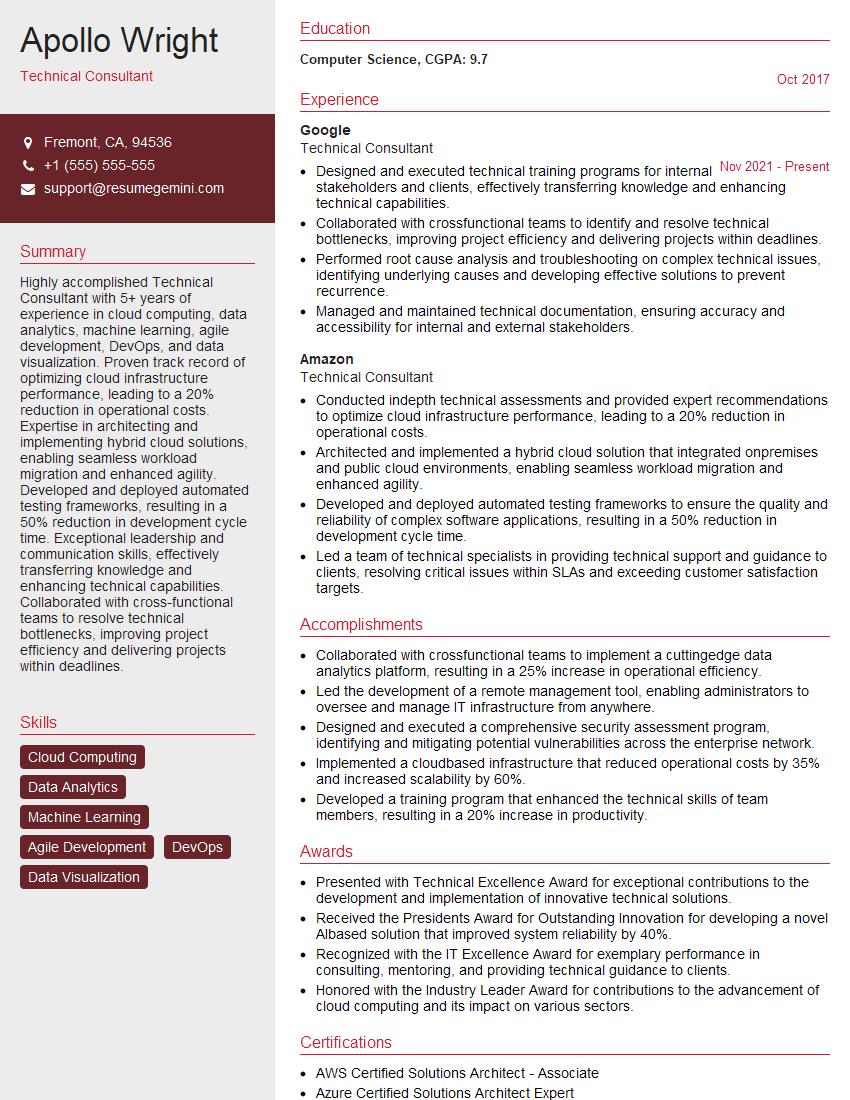
Technical Consultant Resume Sample

Security Analyst Resume Sample

Data Analyst Resume Sample

Information Security Manager Resume Sample

Network Engineer Resume Sample

Solutions Architect Resume Sample

System Administrator Resume Sample

Infrastructure Architect Resume Sample

IT Project Manager Resume Sample

Inventory Management Specialist Resume Sample

Database Administrator Resume Sample

DevOps Engineer Resume Sample
- Data Center Manager
- Principal Engineer
- Compliance Officer
- Technical Consultant
- Security Analyst
- Data Analyst
- Information Security Manager
- Network Engineer
- Solutions Architect
- System Administrator
- Infrastructure Architect
- IT Project Manager
- Inventory Management Specialist
- Database Administrator
- DevOps Engineer
Explore more articles
Users Rating of Our Blogs
Share Your Experience
We value your feedback! Please rate our content and share your thoughts (optional).
What Readers Say About Our Blog
Very informative content, great job.
good