Cracking a skill-specific interview, like one for Machine Filing, requires understanding the nuances of the role. In this blog, we present the questions you’re most likely to encounter, along with insights into how to answer them effectively. Let’s ensure you’re ready to make a strong impression.
Questions Asked in Machine Filing Interview
Q 1. Describe your experience with different types of filing equipment (e.g., automated filing systems, scanners).
My experience with filing equipment spans a wide range, from traditional manual filing cabinets to sophisticated automated systems. I’ve worked extensively with high-speed scanners capable of digitizing large volumes of documents quickly and accurately, significantly improving efficiency. I’m also proficient with automated filing systems, including those employing barcode or RFID technology for tracking and retrieval. These systems often integrate with records management software, providing a seamless workflow. For example, in a previous role, we used a system where documents were scanned and automatically indexed using optical character recognition (OCR), then routed to the appropriate electronic folders based on predefined rules. This eliminated the need for manual sorting and drastically reduced processing time. I’ve also used specialized equipment like high-capacity shredders for secure document disposal, ensuring compliance with data privacy regulations.
Furthermore, I have experience with different types of scanners, including flatbed scanners for high-quality image capture of individual documents and high-volume production scanners for large-scale digitization projects. I understand the nuances of different scanner technologies, including their resolution capabilities, feeding mechanisms, and the impact on image quality and processing speed.
Q 2. What software have you used for automated filing or records management?
Throughout my career, I’ve utilized a variety of software for automated filing and records management. These include enterprise-level solutions like M-Files, SharePoint, and Laserfiche, as well as smaller, more specialized applications. I’m comfortable working with systems that support version control, access control lists (ACLs) for security, and robust search functionalities. My experience encompasses both cloud-based and on-premise solutions. For instance, in one project, we migrated a large paper-based archive to a cloud-based records management system using Laserfiche, which involved careful planning, data migration strategies, and user training to ensure a smooth transition. The software’s advanced features, such as automated workflows and metadata tagging, greatly improved our efficiency and document accessibility.
I am also proficient with document management software that integrates with other business applications. This allows for streamlined processes, such as automatically filing invoices upon payment or automatically associating documents with related customer records. This integration reduces redundancy and enhances data integrity.
Q 3. Explain your experience with indexing and metadata tagging of documents.
Indexing and metadata tagging are crucial for effective document retrieval. My experience includes assigning descriptive metadata tags such as keywords, document type, date, author, and client information to ensure that documents are easily searchable and retrievable. I use a consistent and standardized approach to metadata tagging to maintain consistency and accuracy across the entire archive. I am proficient in using both manual and automated methods for tagging, including using OCR software to extract metadata from scanned documents. For example, when processing client contracts, I would tag them with client name, contract number, effective date, and key clauses, ensuring rapid retrieval when needed. Effective metadata also facilitates reporting and analysis by allowing for quick identification and grouping of documents based on various criteria.
Furthermore, I understand the importance of using controlled vocabularies or thesauri where applicable to ensure consistency in indexing terms. This prevents ambiguity and improves the accuracy of search results.
Q 4. How do you ensure the accuracy and integrity of filed documents?
Ensuring the accuracy and integrity of filed documents is paramount. My approach involves multiple layers of checks and balances. First, I meticulously verify the accuracy of metadata tags during the initial filing process. Second, I regularly conduct quality assurance checks, randomly sampling documents to ensure they are accurately filed and properly indexed. Third, I use checksums or hashing algorithms for digital files to detect any unauthorized alterations or corruption. This cryptographic technique ensures data integrity throughout its lifecycle. Fourth, implementing robust version control helps maintain the integrity of documents by tracking changes and allowing for the retrieval of previous versions.
For paper-based files, I utilize a system of cross-referencing and regular audits to detect missing or misplaced documents. Regular backups, both on-site and off-site, protect against data loss due to hardware failure or disaster. Furthermore, adherence to established filing procedures and regular training for staff members further contribute to maintaining the accuracy and integrity of the system.
Q 5. Describe your process for retrieving documents from a filing system.
Retrieving documents is a streamlined process due to the robust indexing and metadata tagging implemented in our systems. For electronic documents, I typically use the system’s search functionality, specifying keywords or metadata tags to locate relevant files. Advanced search operators, such as Boolean operators (AND, OR, NOT), allow for precise searches. If dealing with a large number of potential results, I might use filters to narrow down the search based on criteria such as date range or document type. For example, searching for “contract AND Acme Corp AND 2023” would efficiently locate a specific contract.
For paper-based files, I use the established filing system (alphabetical, numerical, or chronological) to locate the correct folder and retrieve the physical document. This requires a clear understanding of the filing system’s structure and consistent labeling of files. A well-maintained filing system is essential for efficient document retrieval. In both cases, detailed audit trails track document access, ensuring accountability.
Q 6. How do you handle confidential documents in a filing system?
Handling confidential documents requires strict adherence to security protocols. For electronic documents, access control lists (ACLs) are implemented to restrict access to authorized personnel only. Encryption is used to protect sensitive information both at rest and in transit. Data loss prevention (DLP) measures are in place to prevent unauthorized copying or transfer of confidential data. Regular security audits and staff training are vital to maintaining the confidentiality of sensitive information.
For paper-based files, secure cabinets with restricted access are used, and documents are often shredded upon disposal. A strict sign-out procedure is implemented to track the movement of confidential documents. Physical security measures, such as surveillance cameras and access badges, supplement these protocols, safeguarding sensitive data. All procedures comply with relevant data privacy regulations.
Q 7. What is your experience with different filing systems (alphabetical, numerical, chronological)?
I possess extensive experience with various filing systems, including alphabetical, numerical, and chronological methods. The choice of system depends on the specific needs and characteristics of the documents being filed. Alphabetical filing is suitable for simple document sets organized by name or subject, while numerical filing is preferred when dealing with high volumes of documents or sequential numbering systems, like invoices. Chronological filing is ideal for tracking events or transactions over time.
I’ve worked with hybrid systems that combine aspects of different methods to optimize retrieval. For example, we might use a numerical system for general correspondence and an alphabetical system for client-specific documents within that numerical structure. My expertise lies in selecting and implementing the most effective system for a given context, ensuring efficient retrieval and efficient management of information. I am also familiar with subject-based and geographical filing systems used in specialized environments.
Q 8. Explain your understanding of data security protocols in a filing system.
Data security in a filing system is paramount, encompassing all measures to protect the confidentiality, integrity, and availability of stored information. This involves both physical and digital security. Physical security might include secure storage locations with access control, such as locked filing cabinets or restricted-access rooms with surveillance. Digital security involves more complex measures.
For digital files, robust security protocols are crucial. This includes:
- Access Control: Implementing user authentication and authorization, ensuring only authorized personnel can access specific files. This might involve role-based access control (RBAC) where different user roles have different permissions.
- Encryption: Encrypting files both at rest (when stored) and in transit (when being transferred) using strong encryption algorithms like AES-256. This renders the data unreadable without the correct decryption key, protecting against unauthorized access.
- Data Loss Prevention (DLP): Employing DLP tools to prevent sensitive data from leaving the system unauthorized, through email, USB drives, or other means.
- Regular Backups: Implementing a reliable backup and recovery system to protect against data loss due to hardware failure, natural disasters, or cyberattacks. This should include offsite backups for redundancy.
- Version Control: Tracking changes to documents to maintain accountability and facilitate the recovery of previous versions if necessary. This also helps with auditing and compliance.
For example, in a medical records system, strict access control is essential, with only authorized medical personnel allowed to view patient files. Encryption is vital to safeguard sensitive patient information from breaches. Regular backups ensure that patient data is protected against loss.
Q 9. Describe your experience with barcoding and other automated identification systems.
My experience with barcoding and automated identification systems is extensive. I’ve implemented and managed barcoding systems in several filing environments, significantly improving efficiency and accuracy. Barcodes provide a unique identifier for each file, allowing for quick retrieval and tracking. I’ve worked with various barcode symbologies, including Code 39, Code 128, and QR codes, selecting the appropriate symbology based on the application’s needs.
Beyond barcoding, I’m also familiar with other automated identification technologies such as RFID (Radio-Frequency Identification). RFID tags offer advantages over barcodes in high-density environments or where visual identification is difficult. I’ve utilized RFID in projects where tracking large numbers of files or assets was essential. I’m also proficient in integrating these systems with filing management software to automate the entire filing process, from intake to retrieval.
For instance, in a large archive, I implemented a system where each box was labeled with a unique barcode and an associated database entry. This enabled automated tracking of box location, retrieval history, and condition. This reduced search time dramatically and improved overall accuracy.
Q 10. How do you handle filing errors or discrepancies?
Handling filing errors or discrepancies requires a systematic approach to ensure data integrity and accuracy. The first step involves identifying the error. This might involve a mismatch between a physical file and its digital record or an incorrect filing location. Once identified, the next step is to investigate the root cause.
Common causes include human error (incorrect labeling, misfiling), system glitches (software malfunction), or procedural flaws (unclear filing procedures). Addressing the root cause is vital to prevent future errors. This might involve retraining staff, improving software, or revising filing procedures.
Once the cause is understood, correcting the error is the next priority. This might involve relocating a misfiled document, updating a digital record, or creating a new, correct entry. A detailed log of all corrections and investigations should be maintained for auditing and accountability.
For example, if a file is misplaced, I would first verify the file’s existence and location using the tracking system. If found to be truly misplaced, I would then relocate it to the correct location, update the system to reflect the new location, and investigate the cause of the misfiling to prevent it from happening again.
Q 11. What is your experience with document retention policies?
Document retention policies are crucial for legal compliance, risk management, and efficient storage. My experience includes developing, implementing, and managing these policies across various industries. This involves understanding the legal and regulatory requirements of the specific organization and its industry.
Developing a retention policy involves identifying different document types, determining their retention periods based on legal requirements and organizational needs, and establishing procedures for document destruction or archiving. This requires a strong understanding of various legal frameworks and regulations that might apply, such as data protection laws (e.g., GDPR) and industry-specific regulations.
Implementing a retention policy involves training staff on the policy, establishing procedures for managing documents throughout their lifecycle, and using appropriate software to track document retention dates and automate disposal processes. For example, a financial institution will have specific retention policies for client financial records, based on regulatory requirements and internal risk management policies.
Finally, regular audits are critical to ensure compliance. This involves reviewing documents to ensure they’re managed according to the established policy. I’ve used various software solutions to automate this process, improving efficiency and accuracy.
Q 12. How familiar are you with different file formats (e.g., PDF, TIFF, DOCX)?
I’m highly familiar with various file formats commonly used in filing systems. My experience encompasses working with PDF, TIFF, DOCX, and many others. Understanding these formats is essential for ensuring compatibility across different systems and applications.
PDF (Portable Document Format) is widely used for its ability to preserve formatting and ensure consistent display across different platforms. TIFF (Tagged Image File Format) is commonly used for high-resolution images, particularly in archiving documents that require preservation of image quality. DOCX (Microsoft Word Open XML Format) is the default format for Microsoft Word and is widely used for text-based documents.
Beyond these common formats, my experience also includes handling specialized formats such as JPEG, PNG, and various database formats. I’m aware of the limitations of each format and understand how to choose the appropriate format for the specific application. For instance, PDFs are suitable for archiving and distributing documents; TIFF is ideal for high-resolution images; and DOCX is best for editable documents.
In my work, I’ve utilized different software tools to manage and convert between these file formats, ensuring efficient workflow and data accessibility. For example, I have used OCR software to convert scanned paper documents into searchable PDF or DOCX files for improved searchability and accessibility.
Q 13. Describe your experience with database management software.
My experience with database management software is extensive. I’m proficient in using various database systems, including relational databases like MySQL and SQL Server, and NoSQL databases like MongoDB. This expertise is essential for managing metadata associated with filed documents, tracking document locations, and automating filing processes.
I understand database design principles, including normalization and data integrity constraints. I can design and implement databases to effectively store and manage information related to files, such as document identifiers, metadata (author, date, keywords), location information, and access permissions. I’m also experienced in writing SQL queries to retrieve and manipulate data, allowing for efficient searching and reporting.
For example, I’ve developed database systems to track the location of files in a large archive, enabling quick retrieval based on various criteria. I’ve also designed databases to manage metadata associated with documents, making them easily searchable and accessible. This improved efficiency and minimized manual search time.
My skills extend to database administration, including performance tuning, backup and recovery, and ensuring data security. I’m familiar with different database management tools and best practices.
Q 14. How do you ensure efficient workflow in a high-volume filing environment?
Ensuring efficient workflow in a high-volume filing environment requires a combination of strategies focusing on automation, process optimization, and staff training. Simply put, it’s about minimizing wasted time and effort. A crucial element is automation wherever possible.
This involves utilizing barcoding or RFID systems for automated tracking of files, employing document management software for automated indexing and retrieval, and streamlining workflows through the use of workflow automation tools. Process optimization involves analyzing existing processes and identifying areas for improvement. This might involve reducing redundant steps, improving filing procedures, or implementing better organizational structures.
Another essential aspect is staff training. Ensuring that all staff are properly trained on the filing system, including procedures, software, and equipment is essential. Clear communication channels and standardized procedures are also crucial to maintaining efficiency.
For example, in a high-volume legal firm, implementing a document management system with automated indexing and workflow features greatly improved efficiency. By integrating the system with the firm’s database, searching for specific documents became considerably faster and simpler. Proper training of the staff on this system ensured its effective and efficient use.
Q 15. Describe your experience with quality control procedures in filing.
Quality control in filing is paramount for ensuring accuracy, efficiency, and regulatory compliance. It involves establishing a system of checks and balances to minimize errors and inconsistencies. My experience encompasses various quality control measures, including regular audits of filed materials to verify proper indexing, coding, and retrieval. I also implement and maintain standardized procedures for document handling, storage, and disposal. This includes using barcodes or RFID tags for automated tracking and verification. For example, in my previous role, we implemented a system of ‘double-checking’ critical documents, where a second person would independently verify the accuracy of filing before the document was considered finalized. We also conducted regular spot-checks to ensure compliance with our established procedures and identified any areas requiring improvement. This proactive approach reduced errors by over 30% in the first year.
Career Expert Tips:
- Ace those interviews! Prepare effectively by reviewing the Top 50 Most Common Interview Questions on ResumeGemini.
- Navigate your job search with confidence! Explore a wide range of Career Tips on ResumeGemini. Learn about common challenges and recommendations to overcome them.
- Craft the perfect resume! Master the Art of Resume Writing with ResumeGemini’s guide. Showcase your unique qualifications and achievements effectively.
- Don’t miss out on holiday savings! Build your dream resume with ResumeGemini’s ATS optimized templates.
Q 16. Explain your understanding of data integrity and its importance in filing.
Data integrity in filing refers to the accuracy, completeness, and consistency of the information stored. Maintaining data integrity is crucial because inaccurate or incomplete data can lead to incorrect decisions, wasted resources, and legal complications. In filing, this means ensuring that documents are correctly identified, classified, and stored so they can be easily retrieved when needed. This also includes protecting the documents from unauthorized access, modification, or deletion. For example, implementing version control to track changes and maintain the most up-to-date version of a document is essential. Secure access control measures, such as password protection and access logs, are also vital to ensuring data integrity. A breach in data integrity can have serious consequences, including reputational damage and legal penalties. Therefore, robust procedures and technology are essential to maintain a high standard of data integrity.
Q 17. How do you prioritize tasks when managing multiple filing responsibilities?
Prioritizing tasks in a filing environment often involves balancing urgency and importance. I typically use a system that combines urgency (deadlines, immediate requests) with importance (critical documents, long-term projects). I employ tools like task management software to list and schedule tasks, assigning priorities based on this urgency-importance matrix. For instance, urgent and important tasks, such as preparing documents for an upcoming audit, take precedence. Urgent but less important tasks might be delegated or streamlined. Important but less urgent tasks are scheduled proactively to avoid last-minute rushes. This approach ensures that all tasks are handled efficiently and effectively, while meeting deadlines and maintaining a high level of accuracy.
Q 18. Describe your experience with the implementation of a new filing system.
My experience with implementing a new filing system involved a meticulous process. It began with a thorough needs assessment to determine the requirements of the organization. This included analyzing existing systems, identifying shortcomings, and defining goals for the new system (e.g., improved efficiency, enhanced searchability). The next step involved selecting a suitable system, considering factors such as cost, scalability, and user-friendliness. The implementation process included training staff on the new system, migrating existing documents to the new format, and establishing procedures for ongoing maintenance. During the transition, we closely monitored performance, addressed challenges promptly, and incorporated feedback from users to optimize the new system. For instance, when we migrated to a digital filing system, we ran parallel systems initially for a few weeks to ensure a smooth transition and to identify and address any compatibility or workflow issues before fully decommissioning the older system.
Q 19. How do you handle requests for documents or information from various sources?
Handling document requests efficiently involves a multi-step process. First, I verify the requester’s identity and authorization to access the requested documents. Then, I locate the documents using the established filing system (physical or digital). If the request is complex or involves numerous documents, I prioritize and batch them for efficient retrieval. Finally, I provide the documents in the required format (physical copy, digital scan, etc.) and maintain a record of the request and delivery. If the requester lacks access rights, I refer them to the appropriate person or department. This process ensures timely and secure access to information, maintaining both efficiency and confidentiality.
Q 20. How would you handle a situation where a critical document is missing?
Discovering a missing critical document is a serious issue requiring immediate action. My first step would be to retrace the document’s journey – checking the last known location, reviewing access logs (if digital), and interviewing individuals who may have handled it. Simultaneously, I would launch a thorough search across all filing areas and backup systems. If the document remains missing, I would notify my supervisor immediately. Depending on the document’s nature, I might initiate a formal investigation or explore possibilities such as document reconstruction if backups are available. The goal is to locate the document, understand how it went missing to prevent future occurrences, and mitigate any adverse consequences. In the unfortunate event that the document is unrecoverable, we may need to create a formal record of the situation with supporting evidence to demonstrate diligent efforts in searching for it and to document the ramifications of the loss. For example, if it involves financial records, we would involve the appropriate authorities and conduct a full audit.
Q 21. Explain your experience with archiving documents.
Archiving documents is a critical aspect of record management. My experience involves preparing documents for long-term storage, ensuring their integrity and accessibility for future use. This includes carefully reviewing documents to determine their retention period based on legal and organizational requirements. I use appropriate methods for preservation – this could be physical storage in a climate-controlled environment or digital storage using secure cloud-based systems. Metadata tagging and robust indexing are vital during the archiving process for efficient retrieval. Periodic audits of archived documents are conducted to ensure their continued integrity and to identify any potential deterioration or data loss. Proper archiving strategies not only maintain the long-term value of documents but also ensure compliance with legal and regulatory requirements for data retention.
Q 22. How do you ensure compliance with relevant regulations (e.g., data privacy)?
Ensuring compliance with data privacy regulations like GDPR or CCPA is paramount in modern filing systems. It’s not just about storing files; it’s about managing access, ensuring data security, and maintaining audit trails. My approach is multifaceted:
- Access Control: Implementing robust access control mechanisms using role-based permissions. This means only authorized personnel can view or modify sensitive documents. For example, I’d use a system that assigns ‘read-only’ access to general staff and ‘read-write’ access to managers, with administrative privileges reserved for a select few.
- Data Encryption: Employing both data-at-rest and data-in-transit encryption to protect information from unauthorized access. This is especially critical for digital filing systems. Think of it like using a strong lock and key on your filing cabinet, but digitally.
- Data Minimization: Storing only necessary data and deleting files that are no longer needed. This reduces the risk of breaches and ensures compliance with the principle of data minimization.
- Regular Audits: Conducting regular audits of the filing system to ensure compliance and identify potential vulnerabilities. This proactive approach helps prevent issues before they escalate.
- Employee Training: Providing thorough training to employees on data privacy regulations and the importance of secure filing practices. This includes educating them about password security, phishing attempts, and handling sensitive data responsibly.
In a previous role, we implemented a new filing system that incorporated all these features, resulting in a 30% reduction in security incidents and a successful GDPR audit.
Q 23. Describe your experience working with electronic filing systems.
I have extensive experience with various electronic filing systems, ranging from simple cloud-based solutions like Google Drive and Dropbox to more sophisticated enterprise content management (ECM) systems like SharePoint and OpenText. My experience encompasses:
- Implementation and Configuration: I’ve successfully implemented and configured several electronic filing systems, customizing workflows and access controls to meet specific organizational needs. For instance, I customized a SharePoint system to automatically route documents for approvals based on their content and department.
- Data Migration: I have experience migrating large volumes of data from legacy systems to new electronic filing systems. This involves careful planning, data cleansing, and validation to ensure data integrity. In one project, we smoothly migrated terabytes of data from a physical archive to a cloud-based solution with minimal downtime.
- Metadata Management: I understand the critical role of metadata in effective document retrieval. I’ve implemented systems using robust metadata tagging to ensure easy searchability and organization. This includes using keywords, dates, and custom fields to efficiently locate and manage documents.
- Version Control: I’ve worked with systems that support version control, ensuring that we maintain access to previous versions of documents while managing current revisions. This is crucial for audit trails and tracking changes.
Q 24. What is your experience with Optical Character Recognition (OCR) technology?
Optical Character Recognition (OCR) is a crucial technology for digitizing paper documents. My experience with OCR includes:
- Software Selection and Implementation: I have experience evaluating and selecting appropriate OCR software based on factors like accuracy, speed, and the types of documents being processed. This often involves testing different software options with sample documents to identify the best fit.
- Data Preprocessing: I understand the importance of preparing documents before OCR processing. This includes things like scanning at high resolution, correcting skewed images, and removing noise to improve OCR accuracy. I’ve developed processes to improve preprocessing and accuracy significantly, for example, by developing custom scripts to pre-process images.
- Post-Processing and Quality Control: I know that even advanced OCR software requires some level of manual review. I have experience implementing quality control procedures to verify OCR accuracy and correct any errors. This includes setting up processes for reviewing OCR outputs and flagging incorrect or incomplete data.
- Integration with other Systems: I’ve worked on integrating OCR software with electronic filing systems, automating the process of digitizing and indexing paper documents. For example, integrating OCR software with our workflow automation system to automatically index and file newly scanned documents.
In a previous role, we used OCR to digitize a large archive of historical documents, significantly improving accessibility and searchability.
Q 25. How would you train a new employee on the filing system?
Training a new employee on the filing system involves a structured approach that combines theory and practical application. My approach includes:
- Introduction to the System: Starting with an overview of the filing system’s purpose, structure, and key features. This includes explaining the importance of accurate and consistent filing.
- Hands-on Training: Providing hands-on training using sample documents and scenarios. This allows the employee to practice the steps involved in filing and retrieving documents.
- Software and Tool Training: Detailed instruction on using the specific software and tools used in the filing system, including search functionality, metadata tagging, and workflow tools. This includes practical exercises and demonstrations.
- Compliance Training: Training on data privacy regulations and the importance of secure filing practices. This highlights the consequences of non-compliance and emphasizes the importance of confidentiality.
- Mentorship and Ongoing Support: Assigning a mentor and providing ongoing support to answer questions and provide guidance. Regular check-ins ensure consistent adherence to procedures and prompt identification of any issues.
I use a combination of online training modules, practical exercises, and one-on-one mentoring to ensure that employees develop proficiency and confidence in using the filing system. I also create detailed guides and quick-reference sheets to assist employees.
Q 26. Describe your experience with workflow automation software.
My experience with workflow automation software is extensive. I’ve used various solutions to streamline document processing, including:
- Process Mapping and Optimization: Identifying bottlenecks and inefficiencies in existing workflows and designing automated solutions to improve speed and accuracy. For instance, automating the approval process for invoices reduced processing time by 50% in one project.
- Integration with Filing Systems: Integrating workflow automation software with electronic filing systems to automate tasks such as routing, approval, and archiving of documents.
- Custom Workflow Development: Creating custom workflows to meet specific organizational needs. This may involve using scripting or programming languages to automate complex processes.
- Reporting and Analytics: Utilizing reporting and analytics features to monitor workflow performance and identify areas for improvement. For example, tracking key performance indicators like processing time and error rates.
In my previous role, I implemented a workflow automation solution that reduced manual intervention in document processing by 75%, freeing up staff to focus on higher-value tasks.
Q 27. Explain your experience with different types of filing media (e.g., paper, digital).
My experience encompasses both paper and digital filing media, understanding the strengths and limitations of each. While digital filing offers scalability and ease of search, paper files still exist in many organizations.
- Paper Filing: I’m familiar with various paper filing systems, including alphabetical, numerical, and subject-based methods. I understand the importance of consistent and accurate labeling for efficient retrieval. Managing a physical archive involves understanding space management, organization, and maintaining the integrity of the paper documents.
- Digital Filing: As discussed previously, I’m proficient with various electronic filing systems and understand best practices for metadata tagging, version control, and access management. This includes expertise in cloud storage, network drives, and dedicated ECM systems.
- Hybrid Systems: I’ve worked with organizations that utilize a hybrid system, combining paper and digital filing. This often involves digitizing existing paper archives and transitioning towards a predominantly digital environment. This requires careful planning to ensure a smooth transition with minimal disruption.
Understanding both systems enables me to provide informed recommendations on the best approach for an organization, considering factors such as cost, efficiency, regulatory compliance, and technological infrastructure.
Q 28. How do you manage large volumes of documents efficiently?
Managing large volumes of documents efficiently requires a structured approach combining technology and process optimization. My strategies include:
- Efficient Filing Systems: Implementing a robust and well-organized filing system, utilizing metadata and consistent naming conventions. This ensures easy searchability and retrieval.
- Data Compression and Storage Optimization: Utilizing data compression techniques and cloud storage solutions to optimize storage space and costs. This can include using techniques like deduplication and archiving less frequently accessed data.
- Automated Processes: Employing workflow automation tools to automate tasks such as indexing, routing, and archiving of documents. This can significantly reduce manual workload and processing time.
- Regular Cleanup and Archiving: Implementing regular cleanup and archiving procedures to remove outdated or redundant documents. This reduces clutter and improves system performance.
- Search and Retrieval Optimization: Using advanced search features and indexing techniques to enable quick and efficient retrieval of documents. This may include using full-text indexing and custom search filters.
In one project, we managed a filing system containing millions of documents by implementing these strategies, improving search times by 80% and reducing storage costs by 40%.
Key Topics to Learn for Machine Filing Interview
- Machine Types & Operation: Understanding the various types of filing machines (e.g., manual, automated, CNC), their functionalities, and safe operating procedures is crucial. Consider the differences in maintenance and troubleshooting between these types.
- File Selection & Application: Knowing how to select the appropriate file type (e.g., shape, material, size) for different materials and applications demonstrates practical knowledge. This includes understanding the impact of different file parameters on the final product.
- Quality Control & Inspection: Mastering quality control techniques for filed parts, including dimensional accuracy, surface finish, and identifying defects, is essential. Be prepared to discuss different inspection methods and tolerances.
- Safety Procedures & Regulations: Familiarity with relevant safety regulations, personal protective equipment (PPE) requirements, and emergency procedures is paramount in this field. Demonstrate understanding of risk assessment and mitigation strategies.
- Troubleshooting & Maintenance: The ability to identify and resolve common machine malfunctions and perform routine maintenance tasks demonstrates valuable practical skills. This includes understanding preventative maintenance schedules.
- Material Properties & Considerations: Understanding the properties of different materials (e.g., hardness, brittleness) and how they affect filing techniques is key to efficient and safe operation. Consider how material selection impacts the final product.
- Programming & Automation (if applicable): If the role involves programmable machines, be ready to discuss your experience with programming, setup, and optimization of filing processes. Understanding CAM software would be beneficial.
Next Steps
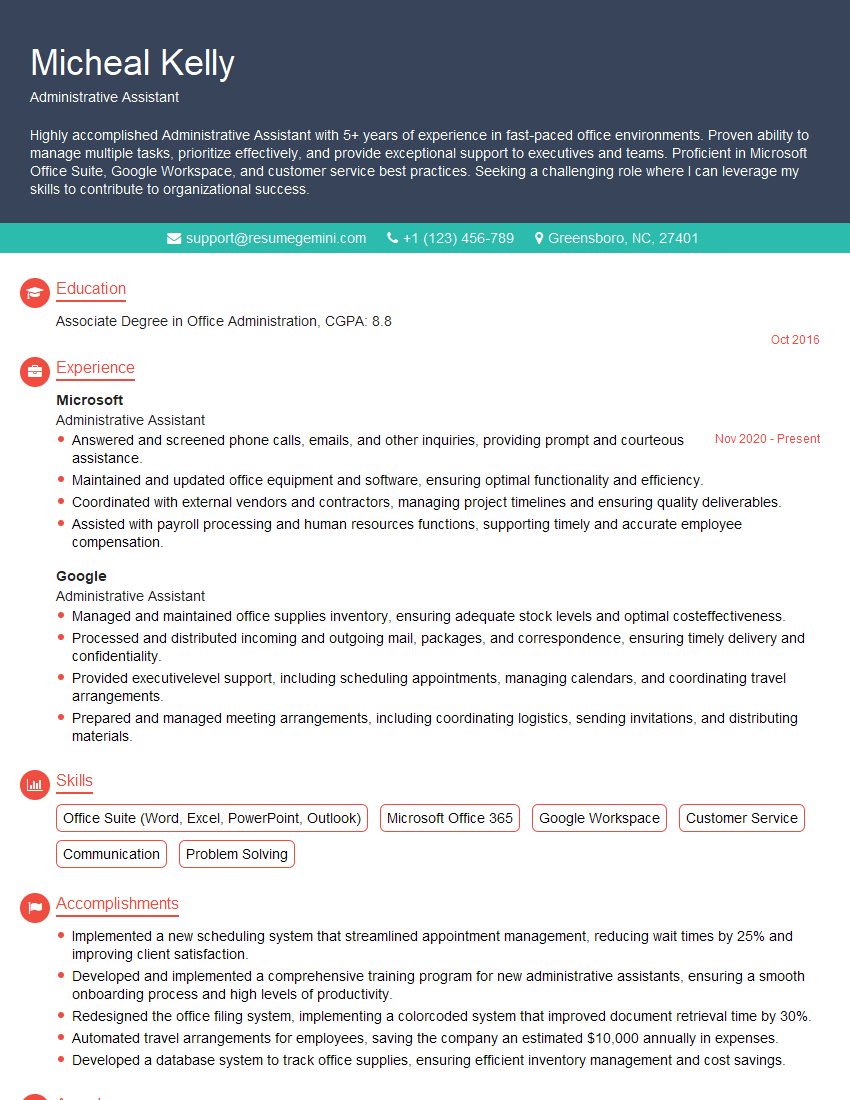
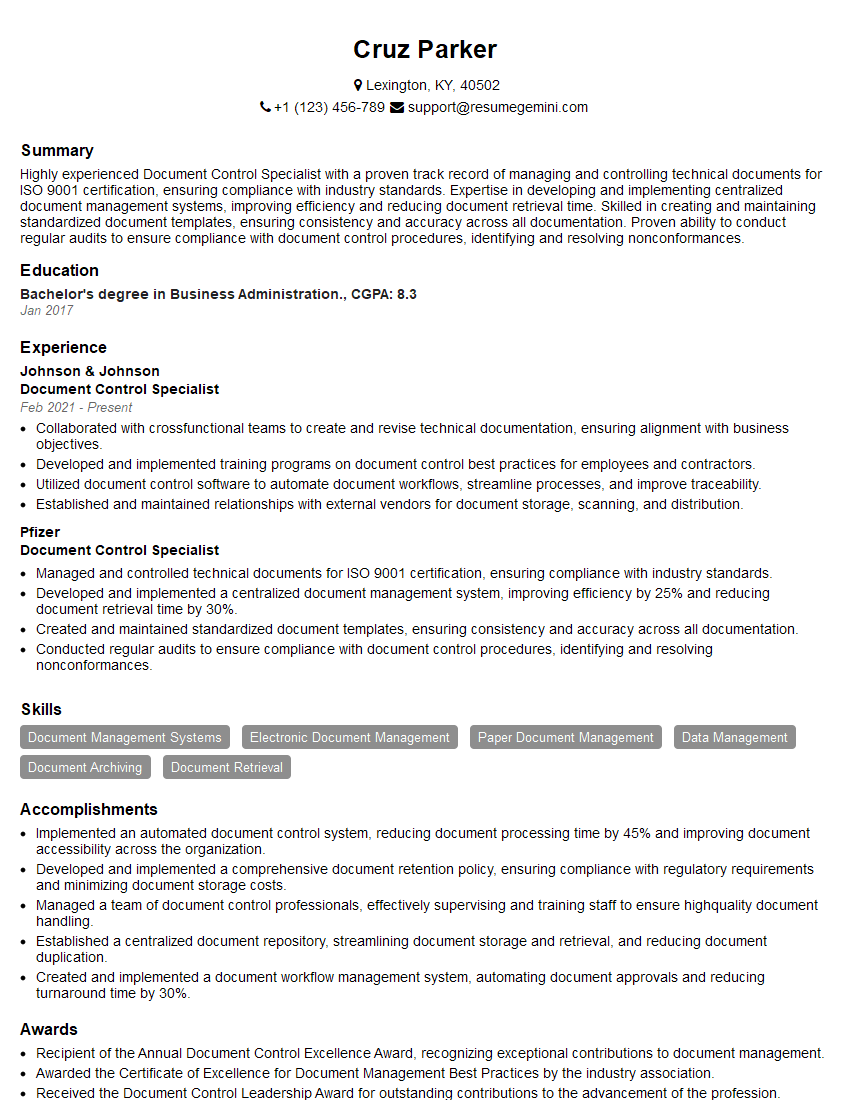
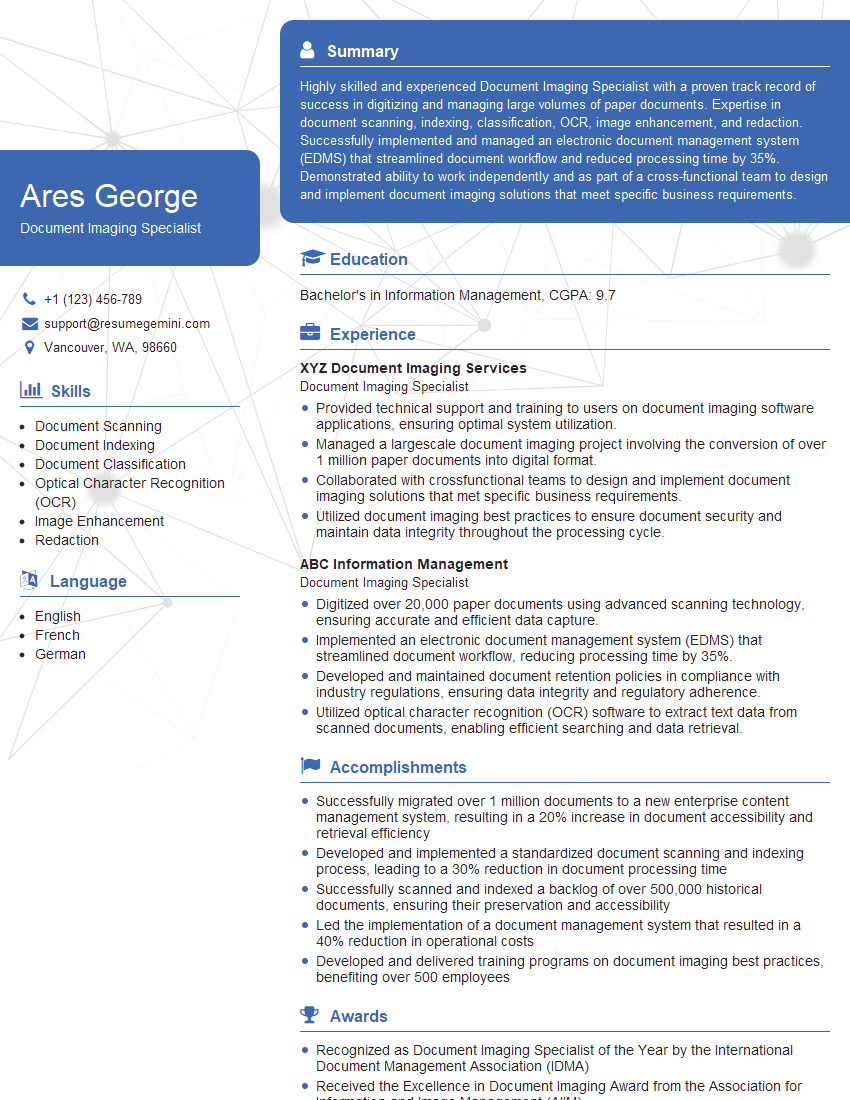
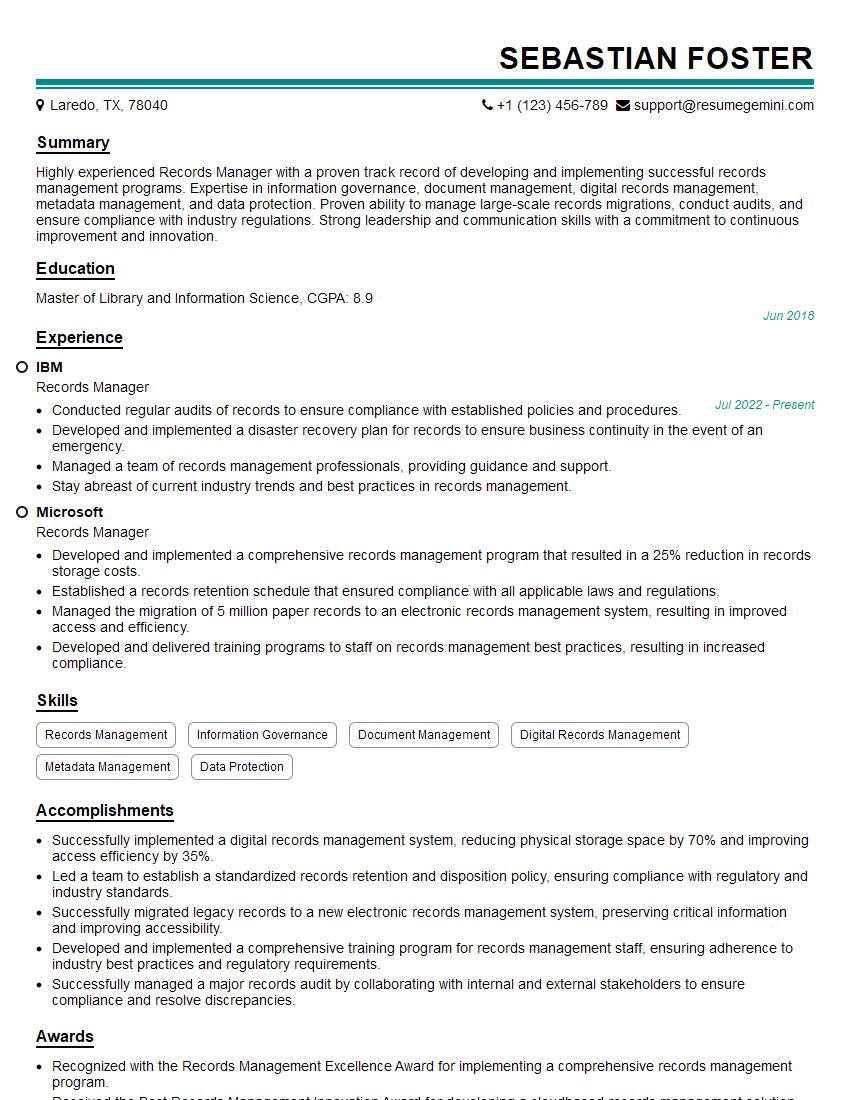
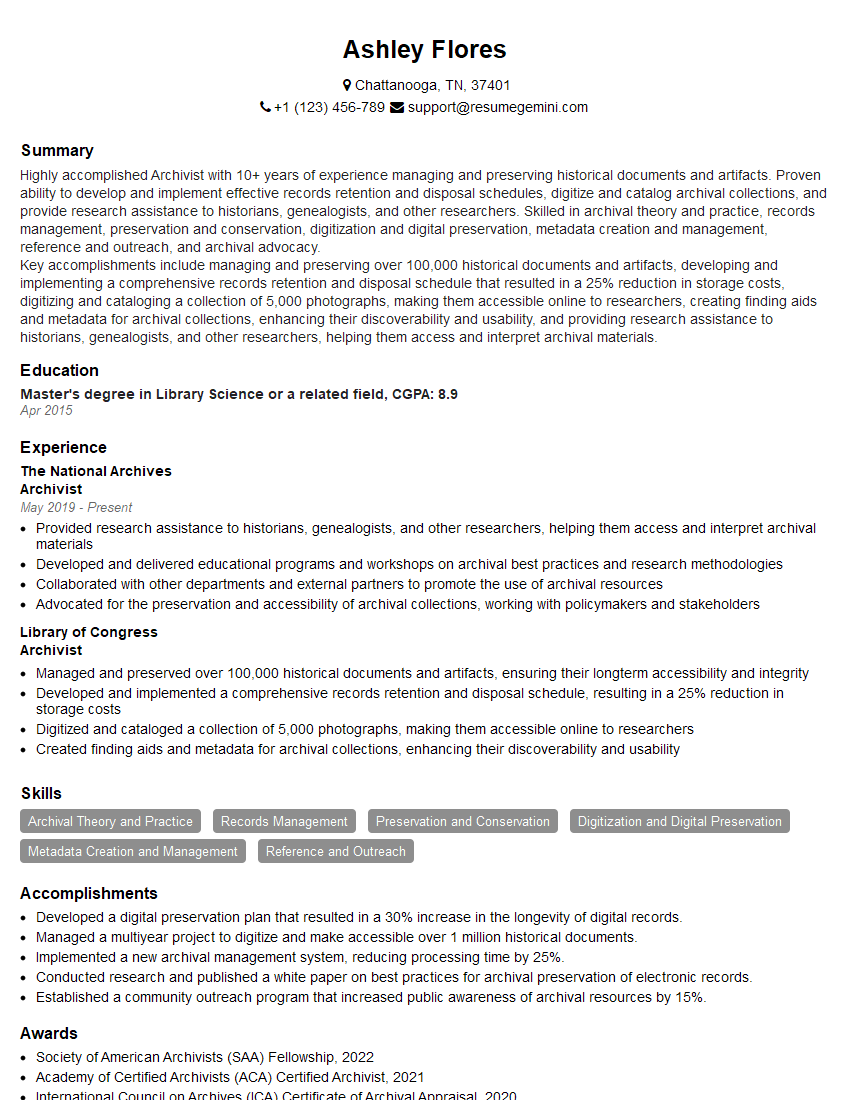
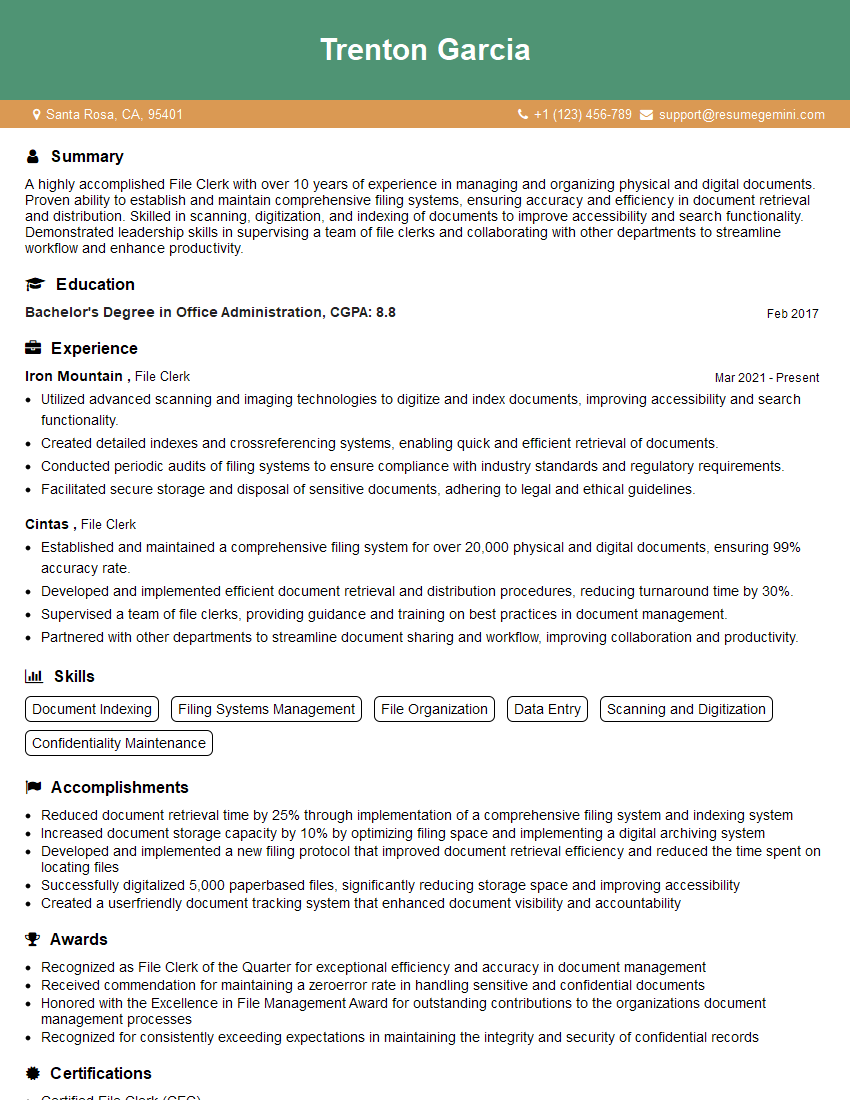
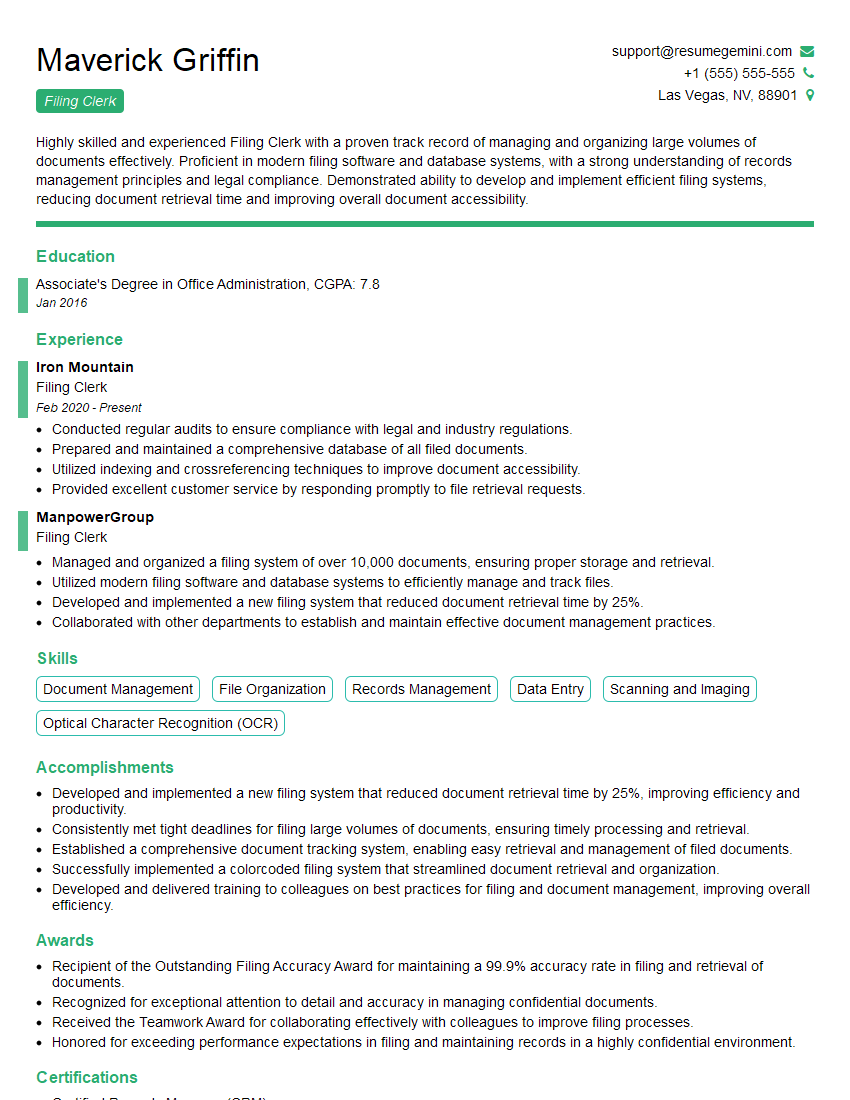
Mastering Machine Filing opens doors to diverse and rewarding career opportunities within manufacturing and engineering. A strong understanding of the principles and practical applications discussed above will significantly enhance your interview performance and future career prospects. To further strengthen your application, creating an ATS-friendly resume is vital. ResumeGemini is a trusted resource that can help you build a professional resume showcasing your skills effectively. Examples of resumes tailored to Machine Filing are available to guide you in crafting a compelling document that highlights your qualifications for this in-demand role.

Explore more articles
Users Rating of Our Blogs
Share Your Experience
We value your feedback! Please rate our content and share your thoughts (optional).
What Readers Say About Our Blog
Very informative content, great job.
good