Unlock your full potential by mastering the most common Map Production and Design interview questions. This blog offers a deep dive into the critical topics, ensuring you’re not only prepared to answer but to excel. With these insights, you’ll approach your interview with clarity and confidence.
Questions Asked in Map Production and Design Interview
Q 1. Explain the difference between vector and raster data.
The core difference between vector and raster data lies in how they represent geographic features. Think of it like this: raster data is like a photograph – a grid of pixels representing continuous surfaces, while vector data is like a drawing – composed of points, lines, and polygons representing discrete objects.
- Raster data: Uses a grid of cells (pixels) to store spatial information. Each cell contains a value representing a characteristic, like elevation, land cover, or temperature. Examples include satellite imagery, aerial photography, and scanned maps. The resolution (size of the pixels) determines the level of detail. Higher resolution means more detail, but also larger file sizes.
- Vector data: Uses points, lines, and polygons to represent features. Points represent locations (e.g., wells, cities), lines represent linear features (e.g., roads, rivers), and polygons represent areas (e.g., parks, countries). Each feature has associated attributes (e.g., name, population, length). Vector data is ideal for representing discrete objects with well-defined boundaries and is easily scaled without losing quality.
In a practical sense, choosing between raster and vector depends on the project. If you need to analyze continuous surfaces like elevation, raster is preferred. If you need precise location and attribute data for discrete objects, vector is better. Many GIS projects use both.
Q 2. Describe your experience with various map projections.
My experience encompasses a wide range of map projections, from the commonly used Mercator and UTM to more specialized projections like Albers Equal-Area and Lambert Conformal Conic. The choice of projection is crucial as it directly impacts the accuracy of distances, areas, shapes, and directions on the map. For example:
- Mercator: Excellent for navigation as it preserves direction but severely distorts area, especially at higher latitudes. I’ve used it extensively for web maps and navigation applications where direction is paramount.
- UTM (Universal Transverse Mercator): A cylindrical projection divided into zones; useful for large-scale mapping because it minimizes distortion within each zone. I’ve used this frequently for cadastral mapping and land surveying projects where accurate area measurements are vital.
- Albers Equal-Area Conic: Preserves area accurately, making it ideal for thematic mapping where area comparisons are essential. I used this projection when creating maps showing population density across a large region.
Understanding the strengths and weaknesses of different projections is vital. Selecting the wrong projection can lead to misinterpretations and inaccurate analyses, therefore I always choose carefully based on the map’s purpose and the geographic area of interest.
Q 3. What are the advantages and disadvantages of different coordinate systems?
Coordinate systems define the location of points on the Earth’s surface. The choice impacts accuracy and compatibility. Consider these advantages and disadvantages:
- Geographic Coordinate System (GCS): Uses latitude and longitude to define locations. Advantages include a global reference system and ease of understanding. Disadvantages include distortions in distance and area measurements, making it less suitable for large-scale mapping.
- Projected Coordinate System (PCS): Transforms the 3D surface of the Earth onto a 2D plane, resulting in a map. Advantages include accurate distance and area measurements within a defined zone. Disadvantages include distortions dependent on the projection used and the necessity to choose an appropriate projection for the study area.
For instance, using a GCS for calculating the area of a country would lead to significant errors, while a PCS like UTM would provide accurate area calculations within a specific zone. The choice between GCS and PCS depends on the scale, scope, and purpose of the map.
Q 4. How do you handle data inconsistencies in a GIS project?
Data inconsistencies are a common challenge in GIS. My approach involves a multi-step process:
- Identification: I use data validation techniques, including visual inspection, attribute queries, and spatial analysis tools to identify inconsistencies like duplicate features, missing values, and spatial errors.
- Analysis: Understanding the source and nature of the inconsistencies is critical. This often involves examining data metadata, contacting data providers, or performing field checks.
- Resolution: Strategies include data editing (correcting errors manually), using spatial joins to merge datasets, applying interpolation techniques to fill gaps, or using fuzzy logic for uncertain data. For inconsistencies stemming from different projection systems, I reproject the data to a common coordinate system.
- Documentation: All changes are meticulously documented to ensure transparency and reproducibility.
For example, I once encountered inconsistent address data in a project. Using address geocoding and comparing it to street network data helped identify and correct many errors. Addressing data inconsistencies is paramount to ensure data quality and the reliability of any subsequent analyses or maps.
Q 5. Explain your experience with data cleaning and preprocessing techniques.
Data cleaning and preprocessing are crucial steps before any analysis. My experience includes a range of techniques:
- Error detection and correction: This involves identifying and correcting spatial and attribute errors, such as missing values, outliers, and inconsistencies. I often use tools within GIS software to perform this task automatically or semi-automatically.
- Data transformation: This includes converting data formats, projecting data into a consistent coordinate system, and standardizing data attributes. This often involves scripting using Python or other programming languages.
- Data aggregation and generalization: When dealing with large datasets, I aggregate data to a coarser resolution or generalize features to simplify the dataset without losing significant information. I always carefully consider the trade-off between data detail and processing efficiency.
For example, in a recent project, I had to clean census data containing several instances of erroneous or missing population data. I employed interpolation techniques to estimate the missing values based on surrounding areas with similar characteristics. Thorough data cleaning ensures the accuracy and reliability of any mapping or analysis work.
Q 6. Describe your workflow for creating a thematic map.
My workflow for creating a thematic map generally follows these steps:
- Define the purpose and scope: Clearly defining the objective, target audience, and geographic area is the first step. What story needs to be told?
- Data acquisition and preparation: Gather data relevant to the thematic content. This often involves data cleaning, transformation, and preparation as described previously.
- Data classification: Choosing an appropriate classification method (e.g., equal interval, quantile, natural breaks) to categorize the data into meaningful classes for visual representation.
- Map design and symbology: Select appropriate colors, patterns, and labels to clearly represent the data. This stage incorporates cartographic principles to make the map visually appealing and easy to interpret.
- Layout and composition: Create a clear and concise map layout with a title, legend, scale bar, north arrow, and other essential cartographic elements. This involves considering factors like readability and visual hierarchy.
- Map production and export: Generate the map in the desired format (e.g., PDF, PNG, JPG) for distribution or publication. I often work in high-resolution to allow for flexibility in use.
For example, when creating a map showing income inequality across a city, I’d use a color ramp to represent income levels and choose a classification method that highlights the disparities while keeping the map visually understandable. The entire process requires a strong understanding of both data analysis and cartographic design principles.
Q 7. What software are you proficient in (e.g., ArcGIS, QGIS, MapInfo)?
I am proficient in several GIS software packages, including:
- ArcGIS: I have extensive experience using ArcGIS Pro and ArcMap, including geoprocessing tools, spatial analysis, and data management functionalities. I’m comfortable with various extensions like Spatial Analyst and 3D Analyst.
- QGIS: I’m highly proficient in QGIS, a free and open-source GIS software. I utilize its powerful capabilities for data processing, analysis, and map production, especially for tasks involving open-source data and community-driven projects.
- MapInfo Pro: I have experience with MapInfo Pro, particularly for its strengths in managing and analyzing tabular data alongside spatial information.
My proficiency extends beyond the software itself; I am adept at utilizing the scripting capabilities within these environments (Python, especially) to automate tasks, perform complex analyses, and extend the functionality of the software. I view software proficiency as a means to an end – the accurate and efficient production of high-quality maps and geospatial analyses.
Q 8. How do you ensure map accuracy and reliability?
Ensuring map accuracy and reliability is paramount in map production. It’s a multi-step process that begins with data acquisition and continues through to final publication. We rely on a combination of rigorous quality control checks and the use of validated data sources.
- Data Source Validation: We prioritize using authoritative data sources like government agencies (e.g., USGS, NOAA) or reputable commercial providers. This minimizes errors inherent in crowdsourced or less-vetted information. I always check the metadata meticulously to understand the data’s origin, accuracy, and limitations.
- Georeferencing Accuracy: For imagery and scanned maps, accurate georeferencing is crucial. This involves aligning the image or map to a known coordinate system using Ground Control Points (GCPs). The more GCPs and the better their distribution, the more accurate the georeferencing will be. I typically use at least 10 GCPs with a root mean square error (RMSE) below a pre-defined threshold, typically less than a pixel or a fraction of a meter, depending on the scale and intended use of the map.
- Data Cleaning and Editing: Raw data often contains errors or inconsistencies. This step involves identifying and correcting these errors, which might include removing duplicate features, smoothing lines, or rectifying positional inaccuracies. We utilize tools within GIS software to automate some of this but also perform manual checks for complex situations.
- Topology Checks: For vector data (points, lines, polygons), topology checks ensure that features are correctly connected and share boundaries. This prevents gaps, overlaps, and other geometric errors that compromise accuracy.
- Internal Review Process: Before final publication, a multi-stage review process is conducted. This involves peer review by other cartographers or GIS specialists to catch any missed errors or inconsistencies.
For example, when creating a map of a city’s infrastructure, I would utilize accurate data from the city’s GIS department and verify the road network using satellite imagery. Any discrepancies are then flagged and investigated to maintain a highly reliable map.
Q 9. Explain your understanding of spatial analysis techniques.
Spatial analysis techniques are the heart of GIS, allowing us to extract meaningful information from geographic data. These techniques range from simple measurements to complex statistical modeling, all aimed at understanding spatial relationships and patterns.
- Buffering: Creating zones around features, like identifying areas within a certain radius of a hospital or school.
- Overlay Analysis: Combining multiple layers to identify areas of overlap or intersection. For example, overlaying soil type with land use to determine suitable areas for agriculture.
- Proximity Analysis: Measuring the distance between features, essential for tasks like determining the optimal location for a new facility considering its distance to existing infrastructure.
- Network Analysis: Analyzing networks like roads or pipelines for shortest paths, optimal routes, or service area calculations, useful for emergency response planning and delivery route optimization.
- Spatial Statistics: Applying statistical methods to spatial data to identify clusters, hotspots, or outliers. For instance, identifying areas with high crime rates or disease outbreaks.
I frequently use spatial analysis techniques in my work. For example, I recently used overlay analysis to identify areas suitable for reforestation by combining land cover data, slope data, and proximity to water sources. The result was a targeted map highlighting the optimal locations for planting new trees. This saved considerable time and resources compared to traditional, less targeted approaches.
Q 10. How do you incorporate user feedback into map design?
User feedback is invaluable for improving map design and usability. It’s not enough to simply create a map; it must effectively communicate information to the intended audience. I actively seek feedback through various channels.
- Surveys and Questionnaires: These tools provide structured feedback on specific aspects of the map’s design, such as clarity, readability, and usefulness of the information presented.
- Focus Groups: Allowing direct interaction with users to gather qualitative feedback and observe how they interpret and interact with the map.
- User Testing: Watching users navigate and use the map, noting where they encounter difficulties or confusion. This can be done remotely or in-person.
- Online Feedback Forms: Easy to implement on a map website or application, allowing users to submit feedback directly related to specific map elements or areas.
- Social Media and Online Forums: Monitoring comments and discussions on social media platforms or online forums to gauge public reaction and obtain broader feedback.
Incorporating feedback might involve modifying the color scheme for better contrast, improving the labeling strategy, simplifying complex symbology, or re-organizing the layout to enhance readability. A recent project involved creating a hiking trail map. User testing revealed that the trail elevation profiles were not easily understood, so I redesigned them to be more visually clear and intuitive.
Q 11. Describe your experience with georeferencing imagery.
Georeferencing imagery involves assigning geographic coordinates (latitude and longitude) to images, aligning them to a known coordinate system. This allows the integration of imagery into a GIS environment.
My experience involves using various software packages (e.g., ArcGIS, QGIS) to georeference a wide variety of imagery, including aerial photographs, satellite images, and scanned historical maps. The process typically involves identifying Ground Control Points (GCPs) – points with known coordinates in both the image and a reference dataset (e.g., topographic map, GPS data). The software then uses these GCPs to transform the image’s coordinates into a geographic coordinate system.
Accuracy is crucial. I carefully select GCPs, ensuring they are well-distributed across the image and easily identifiable in both the image and the reference data. I use at least 10 GCPs, and typically more for large or complex images. After georeferencing, I assess the accuracy using the root mean square error (RMSE). A low RMSE indicates a high degree of accuracy. I regularly re-check my work and refine GCP selection to get the best possible results. I’ve successfully georeferenced images from various sensors with varying resolutions, consistently meeting accuracy standards for the intended application.
Q 12. How do you manage large datasets in a GIS environment?
Managing large datasets in a GIS environment requires efficient strategies and techniques. Simply opening a massive dataset can overwhelm a system, leading to performance bottlenecks and crashes. I utilize several approaches:
- Data Compression: Reducing the file size without significant data loss using techniques like shapefile zipping or using more compact data formats like GeoPackage.
- Data Subsetting: Working with smaller, manageable portions of the data instead of loading the entire dataset. This is particularly helpful when dealing with a dataset containing irrelevant features, for instance, for an analysis focusing on a limited area.
- Spatial Indexing: Creating spatial indexes significantly speeds up spatial queries, as the software doesn’t have to search through every single feature.
- Database Management Systems (DBMS): For extremely large datasets, a DBMS (e.g., PostgreSQL/PostGIS) is preferred for improved data management, search capabilities and efficient query processing.
- Cloud Computing: Utilizing cloud-based GIS platforms like ArcGIS Online or Google Earth Engine enables scalable data storage and processing, allowing the handling of datasets exceeding the capabilities of a local machine.
For example, working on a project involving nationwide land cover data, I utilized a cloud-based platform and performed the analysis using cloud computing resources. Subsetting the data by state before conducting local analysis helped me to improve performance and prevent any processing issues.
Q 13. Explain your experience with map symbolization and cartographic design principles.
Map symbolization and cartographic design principles are crucial for creating effective and visually appealing maps. The goal is to accurately and clearly convey geographic information. My experience encompasses a broad understanding of these principles.
- Visual Hierarchy: Using size, color, and pattern to emphasize important features and create a clear visual hierarchy; for example, roads are larger than trails.
- Color Selection: Choosing colors that are both visually appealing and support data interpretation; considering color blindness and providing an alternative for color-deficient individuals.
- Symbol Design: Using appropriate symbols to represent features, maintaining consistency throughout the map.
- Labeling and Typography: Creating clear, legible labels, choosing appropriate fonts and sizes.
- Map Layout and Composition: Arranging map elements to create a balanced and aesthetically pleasing composition, ensuring a comfortable user experience.
I adhere to cartographic standards to create maps that are both informative and visually appealing. For instance, I recently designed a map showcasing population density. Using a graduated color scheme with appropriate color ramps emphasized population concentrations clearly while maintaining readability.
Q 14. How do you create interactive maps and web maps?
Creating interactive maps and web maps involves utilizing web mapping technologies and programming skills. My expertise involves using various platforms and languages.
- Web Mapping Platforms: I am proficient in using platforms such as ArcGIS Online, Google Maps API, and Leaflet to create and deploy interactive web maps.
- JavaScript Libraries: I utilize JavaScript libraries like Leaflet, OpenLayers, and Mapbox GL JS to build custom interactive map experiences; this includes adding layers, pop-ups, and other interactive elements.
- Web Servers and Databases: I have experience setting up and configuring web servers to host web maps and integrating them with databases for data management and retrieval.
- Data Formats: I can work with various web-compatible data formats such as GeoJSON, TopoJSON, and shapefiles.
- API Integration: I integrate various APIs (e.g., weather APIs, elevation APIs) to add dynamic and up-to-date information to the map.
For example, I developed a web map application visualizing real-time traffic data overlaid on a street map. The application also included interactive elements such as the ability to zoom, pan, and view traffic information for different areas. I used the Leaflet library to create the interactive map and integrated a third-party traffic API to get real-time data. This application was user-friendly, providing intuitive navigation and data visualization.
Q 15. What is your experience with GPS data and integration with GIS?
GPS data is fundamental in modern map production. My experience encompasses the entire workflow, from data acquisition and processing to its seamless integration within a GIS environment. I’m proficient in using various GPS receivers to collect data, understanding the nuances of different coordinate systems (like WGS84 and UTM), and handling errors inherent in GPS measurements, such as multipath and atmospheric effects.
In a recent project, we used GPS data collected from a drone survey to create a highly accurate topographic map of a challenging terrain. We then integrated this data into our GIS using software like ArcGIS Pro, performing georeferencing and error correction to ensure accuracy. This involved transforming the raw GPS coordinates into a projected coordinate system suitable for the map’s purpose, considering factors like the map’s scale and projection. The result was a highly detailed and accurate map, which would have been impossible to create using traditional methods.
Further, my understanding extends to post-processing techniques to improve GPS data accuracy, using software like RTK (Real-Time Kinematic) post-processing to correct for atmospheric errors and achieve centimeter-level precision.
Career Expert Tips:
- Ace those interviews! Prepare effectively by reviewing the Top 50 Most Common Interview Questions on ResumeGemini.
- Navigate your job search with confidence! Explore a wide range of Career Tips on ResumeGemini. Learn about common challenges and recommendations to overcome them.
- Craft the perfect resume! Master the Art of Resume Writing with ResumeGemini’s guide. Showcase your unique qualifications and achievements effectively.
- Don’t miss out on holiday savings! Build your dream resume with ResumeGemini’s ATS optimized templates.
Q 16. Explain your understanding of spatial statistics.
Spatial statistics provides the tools to analyze geographically referenced data, uncovering patterns and relationships that would be invisible in a simple visual inspection. I understand various techniques, including spatial autocorrelation analysis (which I’ll discuss later), point pattern analysis, and spatial regression. These techniques are crucial for understanding spatial dependence, identifying clusters or hotspots, and modeling spatial relationships between different variables.
For instance, in a public health study, spatial statistics could be used to identify clusters of disease outbreaks, allowing health officials to target interventions effectively. By analyzing the spatial distribution of cases, we could determine if the spread is random, clustered, or dispersed, informing strategies for disease control. Similarly, in urban planning, spatial statistics helps in analyzing population density, crime rates, or access to services to make informed decisions about resource allocation and urban development.
Q 17. How do you handle scale and resolution issues in map production?
Scale and resolution are inherently linked and critical aspects of map production. Scale refers to the ratio between the map distance and the corresponding ground distance; resolution refers to the smallest discernible detail on a map. Handling these issues requires careful planning and often involves compromise. A large-scale map (e.g., 1:1000) shows a small area in great detail, while a small-scale map (e.g., 1:1,000,000) shows a large area with less detail.
When working with high-resolution data (like satellite imagery), we often need to downsample or generalize to create maps at smaller scales, avoiding unnecessary detail and improving rendering speed. Conversely, if we need a large-scale map from low-resolution data, we might need to interpolate or enhance detail which can introduce uncertainty.
Choosing the appropriate scale and resolution is crucial. The intended purpose of the map guides this decision. A detailed city map for navigation requires a larger scale and high resolution, whereas a world map showing population distribution would use a much smaller scale and lower resolution.
Q 18. Describe your experience with map generalization techniques.
Map generalization involves simplifying the representation of geographic features on a map to make it clearer and easier to read at smaller scales. This is essential because showing every detail at small scales is impractical and visually overwhelming. My experience includes using a range of generalization techniques, including:
- Simplification: Reducing the number of vertices in a polygon or line.
- Smoothing: Replacing jagged lines with smoother curves.
- Aggregation: Combining small features into larger ones.
- Displacement: Moving features slightly to avoid overlap or improve visual clarity.
- Amalgamation: Combining closely spaced features into single representations.
- Collapsing: Removing less significant features.
The selection of appropriate generalization techniques depends heavily on the context and the scale of the map. For example, simplifying the coastline on a world map is necessary for clarity, but simplifying building footprints on a city map would be undesirable and lead to loss of crucial information.
Q 19. Explain your understanding of spatial autocorrelation.
Spatial autocorrelation describes the degree to which values at nearby locations are similar. It essentially measures the spatial dependence of data. High spatial autocorrelation indicates that nearby locations tend to have similar values (e.g., high crime rates tend to cluster together), while low spatial autocorrelation suggests random distribution. Understanding spatial autocorrelation is crucial to avoid errors in statistical analysis because ignoring it can lead to inaccurate or misleading results.
For example, if we are analyzing house prices, and we find high spatial autocorrelation, then ignoring this dependency and treating each house price as independent would lead to incorrect standard errors in our analyses. We must use methods that account for this spatial dependency, such as spatial regression models, to get reliable results. Moran’s I is a common statistic used to measure spatial autocorrelation.
Q 20. How do you create and maintain a GIS database?
Creating and maintaining a GIS database requires careful planning and adherence to data standards. It involves defining data models, establishing appropriate schemas, and implementing rigorous quality control measures. My approach involves:
- Data Modeling: Defining the data structure and relationships between different data layers (e.g., points, lines, polygons) using a suitable model, often based on entity-relationship diagrams.
- Data Acquisition and Input: Gathering data from various sources, including GPS, remote sensing, and existing databases, ensuring data consistency and accuracy.
- Data Cleaning and Preprocessing: Identifying and correcting errors, inconsistencies, and outliers in the data.
- Data Storage and Management: Implementing appropriate database management systems (e.g., PostGIS, Oracle Spatial) for efficient storage, retrieval, and updating of spatial data.
- Data Validation and Quality Control: Regularly checking data integrity and implementing procedures to ensure data quality over time.
- Metadata Management: Documenting information about the data, its source, its accuracy, and its limitations.
For example, when creating a GIS database for land management, we might include layers for land use, soil type, elevation, and ownership boundaries. Maintaining data quality involves regular updates, incorporating new data, and addressing errors.
Q 21. Describe your experience with remote sensing data.
My experience with remote sensing data is extensive, encompassing various data acquisition techniques and data processing methodologies. I am familiar with various sensor types, including satellite imagery (Landsat, Sentinel, etc.) and aerial photography. My expertise includes:
- Data Acquisition Planning: Selecting appropriate sensors and acquisition parameters based on project requirements.
- Data Preprocessing: Tasks such as atmospheric correction, geometric correction, and orthorectification, ensuring accurate spatial referencing and minimizing distortions.
- Image Classification: Using supervised and unsupervised techniques to categorize pixels into different land cover types (e.g., forests, urban areas, water bodies).
- Image Enhancement and Analysis: Applying various techniques to improve image quality and extract meaningful information.
- Data Integration with GIS: Importing remote sensing data into GIS software for further analysis and map production.
In a recent project, we used high-resolution satellite imagery to map deforestation in the Amazon rainforest. We used image classification techniques to identify forest areas and monitor changes over time, contributing crucial data to conservation efforts. This involved sophisticated image processing techniques, careful attention to spatial accuracy, and integrating the results into a GIS environment for analysis and visualization.
Q 22. How do you ensure accessibility in map design for users with disabilities?
Ensuring accessibility in map design is crucial for inclusivity. It means creating maps that are usable and understandable by everyone, regardless of their abilities. This involves considering users with visual, auditory, motor, and cognitive impairments.
- Visual Impairments: We use alternative text for images, ensuring sufficient color contrast for readability (following WCAG guidelines), and providing textual descriptions of map features. For example, instead of relying solely on color to differentiate land use types, we might use distinct patterns or symbols combined with clear labels in the legend.
- Auditory Impairments: While maps are primarily visual, we can improve accessibility through detailed captions and transcripts for any associated videos or audio explanations. We also focus on clear, concise labeling, minimizing the need for complex auditory interpretation.
- Motor Impairments: Maps should be navigable using keyboard controls and screen readers. We adhere to web accessibility standards to ensure that all interactive elements are accessible through assistive technologies.
- Cognitive Impairments: Simplicity is key. We utilize clear and consistent symbology, a well-organized legend, and straightforward labeling. Avoiding clutter and using a hierarchical structure in the map design improves comprehension.
For example, in a project mapping public transportation, I ensured accessibility by providing alternative text for all icons (bus, train, subway), using high-contrast color palettes for route lines, and including detailed textual descriptions in the map legend specifying routes and accessibility features (e.g., wheelchair accessibility).
Q 23. What is your approach to troubleshooting GIS issues?
My approach to troubleshooting GIS issues is systematic and involves several key steps. I begin by clearly defining the problem, gathering all relevant information, and then systematically investigating potential causes.
- Reproduce the error: I try to replicate the issue to understand its context and triggers.
- Check data integrity: I examine the source data for inconsistencies, errors, or corruption. This may involve using data validation tools or manually inspecting the data.
- Review the processing steps: I trace back through all the processing steps, checking for any errors in the workflow or incorrect parameter settings. For example, incorrect projection parameters can lead to spatial misalignment.
- Consult documentation and resources: I refer to the software documentation, online forums, and support resources to find solutions to common problems.
- Test and iterate: Once I’ve identified a potential solution, I test it thoroughly to ensure that it resolves the issue without introducing new problems. I often iterate, making incremental changes and testing until the problem is solved.
- Document the solution: Finally, I document the issue and its resolution to prevent similar problems in the future. This also helps others in my team.
For instance, if I encounter a geoprocessing error, I’ll first check the log files for detailed error messages. If that fails, I’ll examine the input data, the tool parameters, and the overall processing environment. A methodical approach ensures that I identify the root cause, rather than treating the symptoms.
Q 24. Describe your experience working with different data formats (e.g., Shapefile, GeoJSON, GeoTIFF).
I have extensive experience working with various GIS data formats, including Shapefiles, GeoJSON, GeoTIFF, and others. Each format has its strengths and weaknesses, and choosing the appropriate format depends on the project’s requirements and the tools being used.
- Shapefiles: A widely used vector format, ideal for storing point, line, and polygon data. I’m comfortable working with its limitations, such as requiring multiple files to represent a single feature class.
- GeoJSON: A lightweight, text-based format ideal for web mapping and data exchange. Its JSON structure makes it easily parsed and manipulated using scripting languages like Python or JavaScript. I’ve used it extensively in web application development.
- GeoTIFF: A commonly used raster format that supports georeferencing, allowing me to integrate raster data seamlessly into GIS workflows. My experience involves processing satellite imagery and elevation data in GeoTIFF format.
In a recent project involving creating a web map of urban green spaces, I used GeoJSON to store the vector data of parks and gardens due to its suitability for web mapping applications. For the underlying elevation data, I utilized GeoTIFF to ensure seamless integration with the vector data. I’m proficient in converting between formats when necessary using tools such as GDAL/OGR.
Q 25. How do you prioritize tasks in a GIS project with competing deadlines?
Prioritizing tasks in a GIS project with competing deadlines requires a structured approach. I typically use a combination of techniques, including:
- Project breakdown: I start by breaking down the project into smaller, manageable tasks. This helps me clearly identify dependencies between tasks.
- Dependency analysis: I analyze the dependencies between tasks to create a logical workflow. Critical path analysis can be used to identify tasks that are crucial for meeting the overall project deadline.
- Prioritization matrix: Using a matrix that weighs urgency and importance, I can objectively prioritize tasks. Tasks with high urgency and high importance are addressed first.
- Agile methodologies: Adopting an agile approach allows for flexibility and adaptability. Tasks can be re-prioritized based on changing circumstances or new information.
- Communication: Open communication with stakeholders and team members is vital to ensure everyone is aligned on the priorities and potential trade-offs.
For instance, in a project mapping floodplains, we had competing deadlines for delivering a preliminary map and a final high-resolution map. Using a prioritization matrix, I prioritized tasks related to the preliminary map delivery (data acquisition, initial processing) first, ensuring that the critical deadline was met. Tasks for refining the final map (detailed analysis, quality control) were then tackled systematically.
Q 26. Explain your understanding of map legends and their importance.
Map legends are crucial components of any map, acting as a key to understanding the map’s symbology and data. They provide a clear and concise explanation of the visual elements used to represent different features or attributes on the map.
A well-designed legend includes:
- Clear and concise labels: Labels should accurately describe the features they represent, using terminology readily understood by the target audience.
- Appropriate symbology: The symbols used should be visually distinct and easily interpretable, avoiding ambiguity.
- Consistent scaling (for quantitative data): When representing quantitative data, a consistent scale is crucial for accurate interpretation.
- Data units: Units of measurement should always be specified (e.g., meters, hectares, population).
- North arrow (if applicable): In many maps, including a north arrow is vital for orientation.
- Source data information: A clear indication of the data sources used in creating the map builds credibility and transparency.
Without a clear legend, a map is essentially useless. Imagine a map showing different land use types without indicating what color represents what. The map would be indecipherable. A well-designed legend, however, ensures that the map’s information is easily accessible and understandable to all.
Q 27. Describe your experience in project management within a GIS context.
My experience in GIS project management involves overseeing all aspects of a project, from initiation to completion. This includes planning, resource allocation, task assignment, monitoring progress, and risk management. I’m proficient in using various project management tools and methodologies, such as Agile and Waterfall.
- Planning: I develop detailed project plans, including defining scope, setting objectives, timelines, and resource requirements.
- Team management: I coordinate and manage teams of GIS specialists, ensuring effective collaboration and communication.
- Budgeting and resource allocation: I develop and manage project budgets, ensuring resources are allocated effectively.
- Risk management: I identify potential risks and develop mitigation strategies to minimize potential project delays or failures.
- Quality control: I implement quality control procedures to ensure the accuracy and reliability of the project deliverables.
In a recent large-scale project involving the creation of a national land use database, I successfully managed a team of ten GIS analysts, adhering to a strict budget and timeline. I employed an Agile methodology, allowing for flexibility and adaptation based on evolving project needs. We delivered the project on time and within budget, exceeding stakeholder expectations.
Q 28. What are your strategies for communicating complex spatial information effectively?
Communicating complex spatial information effectively requires a multifaceted approach that goes beyond simply presenting a map. It involves choosing the right visualization methods, using clear and concise language, and tailoring the communication to the audience.
- Choose appropriate visualizations: Different visualizations are effective for communicating different types of spatial information. For example, choropleth maps are good for showing spatial patterns of a single variable, while dot density maps are useful for showing the distribution of points.
- Use clear and concise language: Avoid technical jargon whenever possible. If jargon is necessary, define it clearly.
- Tailor the communication to the audience: Consider the audience’s level of understanding when choosing visualization methods and language. A map designed for experts might be too complex for a general audience.
- Use multiple methods: Combining maps with other communication formats, such as charts, graphs, and tables, can enhance understanding.
- Interactive elements: Web maps and interactive dashboards can significantly enhance the communication of complex spatial information, allowing users to explore the data at their own pace.
For example, when presenting spatial analysis results on air quality to city planners, I used a combination of choropleth maps (showing pollution levels across neighborhoods), charts (comparing pollution levels across different years), and an interactive dashboard (allowing planners to explore pollution data by various factors). This multimodal approach ensured that the planners could easily grasp the complex spatial information and make informed decisions.
Key Topics to Learn for Map Production and Design Interview
- Cartographic Principles: Understanding map projections, symbolization, and generalization techniques. Practical application: Explaining the choice of projection for a specific map and its impact on accuracy.
- Geographic Information Systems (GIS) Software: Proficiency in ArcGIS, QGIS, or other relevant software. Practical application: Demonstrating experience with data manipulation, spatial analysis, and map composition using chosen software.
- Data Management and Sources: Working with various data formats (shapefiles, GeoTIFFs, etc.) and understanding data quality and accuracy. Practical application: Describing your experience with data cleaning, transformation, and validation.
- Map Design and Aesthetics: Creating visually appealing and effective maps that communicate information clearly. Practical application: Explaining design choices made in a past project, such as color palettes, labeling, and legend design.
- Cartographic Communication: Effectively conveying spatial information through maps to diverse audiences. Practical application: Describing how you tailored map design to meet the needs of a specific user group.
- Spatial Analysis Techniques: Understanding and applying spatial analysis methods like buffering, overlay, and network analysis. Practical application: Explaining how you used spatial analysis to solve a problem in a past project.
- Geospatial Data Modeling: Understanding different data models (vector, raster) and their application in map production. Practical application: Discussing your experience choosing the appropriate data model for a given project.
- Production Workflow: Familiarity with the entire map production process, from data acquisition to final output. Practical application: Describing your role and responsibilities in a collaborative mapping project.
Next Steps
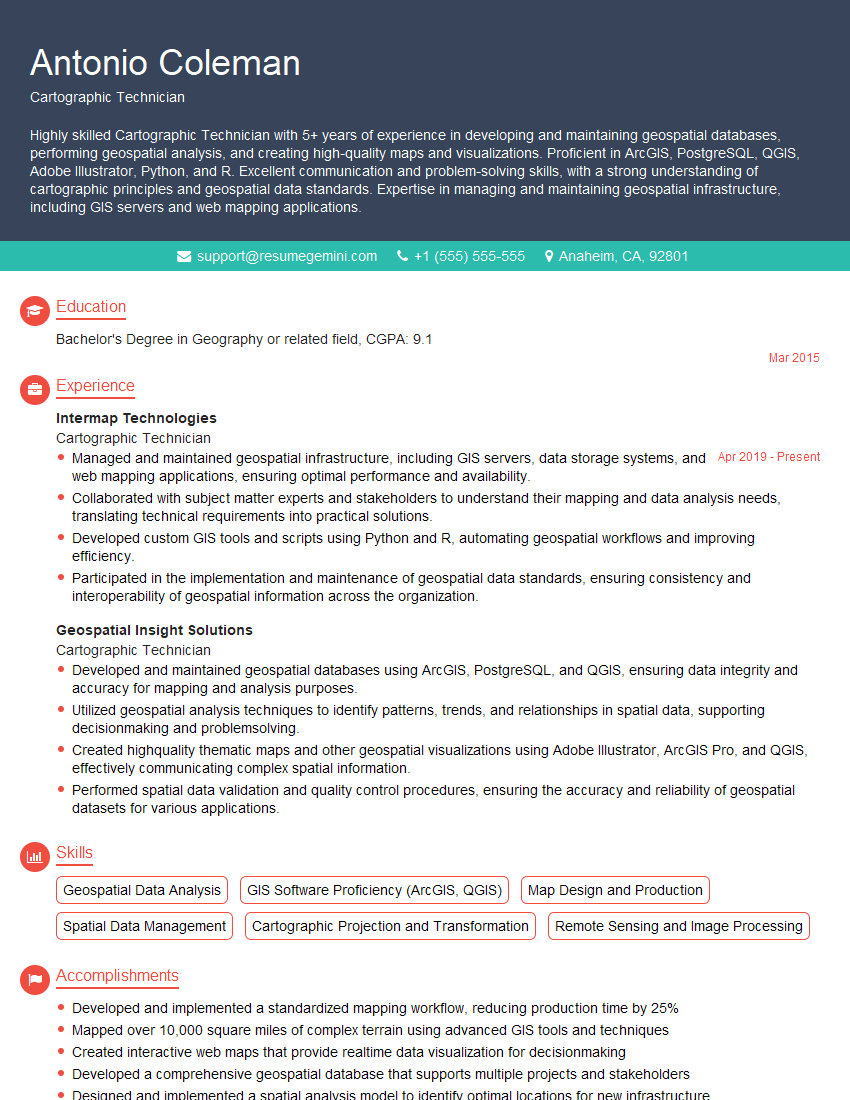
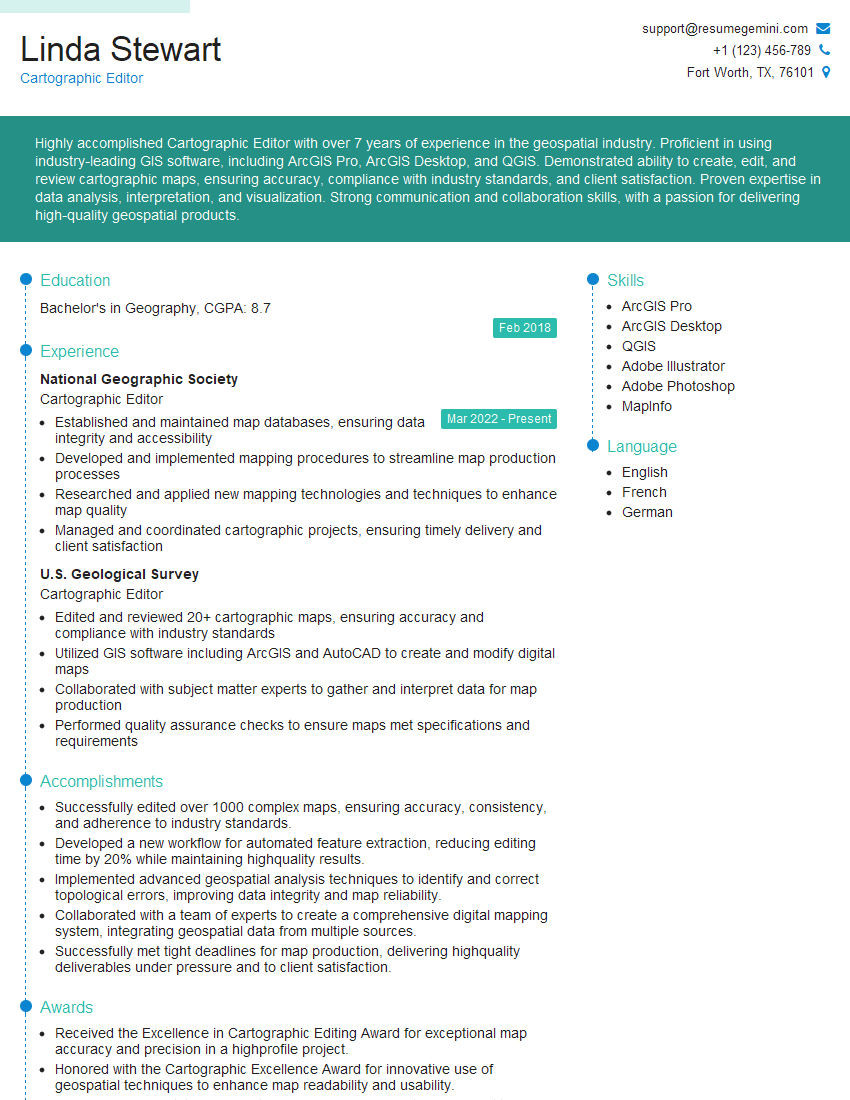
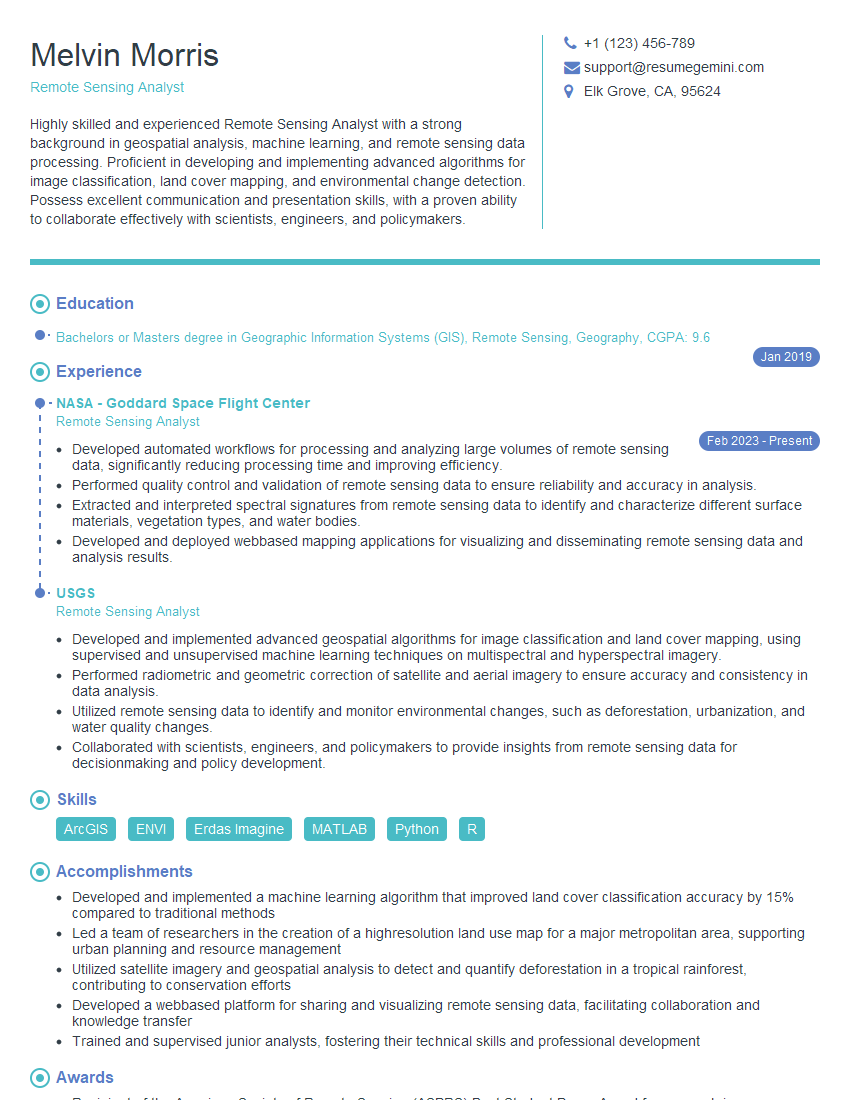
Mastering Map Production and Design opens doors to exciting careers in various fields, from environmental science and urban planning to transportation and public health. A strong understanding of these concepts is crucial for success. To significantly boost your job prospects, creating an ATS-friendly resume is paramount. ResumeGemini is a trusted resource to help you build a professional and impactful resume that highlights your skills and experience effectively. Examples of resumes tailored specifically to Map Production and Design are available to help you craft the perfect application.


Explore more articles
Users Rating of Our Blogs
Share Your Experience
We value your feedback! Please rate our content and share your thoughts (optional).
What Readers Say About Our Blog
Very informative content, great job.
good