The thought of an interview can be nerve-wracking, but the right preparation can make all the difference. Explore this comprehensive guide to Mechanical Design (SolidWorks, Inventor) interview questions and gain the confidence you need to showcase your abilities and secure the role.
Questions Asked in Mechanical Design (SolidWorks, Inventor) Interview
Q 1. Explain your experience with SolidWorks or Inventor.
My experience with SolidWorks and Inventor spans over eight years, encompassing a wide range of projects from consumer product design to complex machinery. I’m proficient in both, choosing one over the other based on project needs and client preferences. For example, I used SolidWorks extensively for a recent project involving the design of a high-precision medical instrument, leveraging its advanced simulation capabilities. In contrast, Inventor’s strength in sheet metal modeling proved invaluable for a project designing custom enclosures for electronic components. My expertise extends beyond basic modeling; I’m comfortable utilizing advanced features such as parametric modeling, design automation, and simulation tools in both platforms.
Q 2. Describe your proficiency in 2D and 3D modeling.
My proficiency in 2D and 3D modeling is a cornerstone of my design process. In 2D, I’m adept at creating detailed technical drawings that conform to industry standards (ANSI, ISO). This includes creating orthographic projections, section views, detail views, and BOMs (Bills of Materials). I use these skills to communicate design intent clearly to manufacturers. In 3D, I build models using both surface and solid modeling techniques. I understand the advantages and limitations of each approach and tailor my technique based on factors like the complexity of the geometry and the manufacturing process. For instance, surface modeling is ideal for creating organic shapes in consumer products, whereas solid modeling is preferred for robust mechanical parts where structural integrity is paramount. I routinely utilize features like sweeps, lofts, and revolves to create complex geometries efficiently.
Q 3. How do you manage large assemblies in SolidWorks/Inventor?
Managing large assemblies requires a strategic approach. In SolidWorks and Inventor, I employ several techniques: First, I use top-down assembly design. This involves creating a simplified representation of the assembly first, and progressively adding detail. Second, I utilize component suppression and layer management to manage visualization and simplify the assembly. This allows me to focus on specific areas without performance degradation. Third, I leverage the power of component patterns and mirrored components to reduce the number of individual components. Finally, I frequently save and manage my work using configurations to easily explore design variations without creating completely new assemblies. For example, on a recent robotics project with over 500 parts, employing these methods enabled smooth navigation and efficient modification of the assembly.
Q 4. What are your preferred methods for creating detailed drawings?
Creating detailed drawings involves more than just generating 2D views. My preferred methods emphasize clarity, precision, and manufacturability. I start by employing intelligent model-based drawing creation. This automatically generates views based on the 3D model, ensuring consistency and minimizing errors. I then annotate the drawings meticulously with dimensions, tolerances, material specifications, surface finishes, and other critical information. I always follow relevant standards for drawing creation. For example, I might use GD&T (Geometric Dimensioning and Tolerancing) to clearly define tolerances and avoid ambiguities. This ensures that the manufacturer has a complete and unambiguous understanding of the design.
Q 5. How familiar are you with design for manufacturing (DFM)?
Design for Manufacturing (DFM) is critical to successful product development. My familiarity with DFM encompasses a wide range of considerations, including material selection, manufacturability analysis, and cost optimization. I regularly review designs for potential issues that could arise during manufacturing, such as undercuts, complex tooling requirements, and assembly challenges. I use this knowledge to modify designs proactively to simplify manufacturing and reduce costs. For instance, I recently redesigned a plastic part to minimize the need for complex molds, leading to a 20% reduction in manufacturing cost. This included choosing a more easily moldable material and simplifying the geometry.
Q 6. Explain your understanding of tolerance analysis.
Tolerance analysis is crucial for ensuring that components fit and function correctly. My understanding includes both geometric dimensioning and tolerancing (GD&T) and statistical tolerance analysis. I can use GD&T to clearly communicate acceptable variations in dimensions and geometry on drawings. For more complex scenarios, I use statistical methods to assess the impact of component tolerances on the overall assembly. This involves analyzing the distribution of tolerances and determining the probability of assembly issues. For example, in designing a precision bearing assembly, I would use tolerance analysis to ensure that the shaft and bearing fit within the required clearances, while also considering the manufacturing variations of both components.
Q 7. How do you handle design changes and revisions?
Handling design changes and revisions requires a systematic approach. I maintain detailed revision control using version control systems. Both SolidWorks and Inventor offer robust revision management tools. I always clearly document all changes with a description of the modification, the reason for the change, and the date of the change. I then communicate these changes effectively to all stakeholders involved in the project. This ensures that everyone is working from the most up-to-date design version and that potential conflicts are minimized. Clear communication and thorough documentation are critical in preventing confusion and ensuring that design changes are implemented smoothly. For example, when a design change necessitated a redesign of a sub-assembly, I created a new revision of the assembly, documented the changes, and promptly informed the manufacturing team.
Q 8. Describe your experience with finite element analysis (FEA).
Finite Element Analysis (FEA) is a powerful computational method used to predict how a product reacts to real-world forces, vibration, heat, fluid flow, and other physical effects. It works by breaking down a complex geometry into smaller, simpler elements, and then applying mathematical equations to each element to solve for stresses, strains, and displacements. Think of it like building a Lego castle – instead of using physical bricks, we use virtual elements to simulate the load and behavior of the structure.
My experience with FEA spans several years and numerous projects. I’ve utilized software like ANSYS and Abaqus to analyze components ranging from simple brackets to complex engine parts. For example, on a recent project involving a robotic arm, I used FEA to optimize the design of the arm’s links, ensuring they could withstand the expected loads without failure. This involved creating a detailed model in SolidWorks, importing it into ANSYS, applying boundary conditions (representing the forces and constraints on the arm), and then analyzing the results to identify areas of high stress or deflection. Based on the FEA results, we iteratively refined the design, increasing its strength and reducing its weight.
I’m proficient in meshing techniques, boundary condition application, and result interpretation, including stress contour plots and displacement animations. I understand the limitations of FEA and always consider the assumptions made during model creation. I also know when to employ different types of analysis, such as static, dynamic, or thermal analysis, depending on the specific needs of the project.
Q 9. What is your experience with simulation software?
My experience with simulation software is extensive, encompassing both FEA and other relevant tools. Beyond ANSYS and Abaqus mentioned earlier, I have experience with SolidWorks Simulation, Autodesk Inventor Nastran, and even some specialized software for fluid dynamics and thermal analysis. Each software package offers unique capabilities and strengths. For instance, SolidWorks Simulation integrates seamlessly with SolidWorks CAD, making it ideal for quick analyses of simpler parts. For more complex simulations requiring greater accuracy or specialized analysis types, I leverage the power of ANSYS or Abaqus.
My proficiency isn’t limited to running simulations; I can also create custom scripts and automation routines to streamline the analysis process. This includes automating mesh generation, applying boundary conditions, and post-processing results, which significantly reduces analysis time and allows me to focus on interpreting the results and refining the design.
Beyond FEA, I’m familiar with CFD (Computational Fluid Dynamics) software such as Fluent and CFX for analyzing airflow and heat transfer. This broader understanding allows me to approach design challenges from a multidisciplinary perspective, ensuring that the final product performs optimally in all relevant aspects.
Q 10. How do you ensure design compliance with industry standards?
Ensuring design compliance with industry standards is paramount. This involves a multi-step process starting even before the design phase. First, I thoroughly research and identify all relevant standards for a given project, such as those related to safety, performance, and manufacturing. These standards could include ISO, ASME, or industry-specific regulations.
During the design phase, I actively incorporate these standards into the design process, using the appropriate materials, tolerances, and safety factors. For example, if designing a pressure vessel, I’d adhere to ASME Section VIII, Division 1 or 2, ensuring the vessel can withstand the intended pressure without failure. I also utilize design review processes, involving peers and stakeholders to check the design against the established standards.
After the design is finalized, I utilize FEA and other simulations to verify that the design meets the required performance criteria. Finally, detailed documentation is created, including design calculations, simulation results, and a compliance report, all of which demonstrate adherence to all relevant standards. This ensures traceability and accountability, a critical factor in meeting legal and quality requirements.
Q 11. How familiar are you with different materials and their properties?
Understanding material properties is fundamental to mechanical design. My knowledge extends beyond simply knowing the yield strength or ultimate tensile strength; I understand how factors like temperature, humidity, and loading conditions affect material behavior. I’m familiar with a wide range of materials, including metals (steel, aluminum, titanium), polymers (ABS, nylon, polycarbonate), and composites (carbon fiber reinforced polymer).
For example, I know that the fatigue strength of a material is crucial when designing components that undergo cyclic loading. Similarly, I understand the importance of considering creep and thermal expansion when working with high-temperature applications. I often use material databases like MatWeb to access the necessary material properties for simulations and calculations.
Selecting the right material is a key part of the design optimization process. It’s not just about strength; factors like cost, machinability, weight, and environmental impact also play a significant role. I regularly use material selection charts and software tools to make informed decisions, balancing performance requirements with practical considerations.
Q 12. Explain your understanding of GD&T (Geometric Dimensioning and Tolerancing).
Geometric Dimensioning and Tolerancing (GD&T) is a standardized system for specifying the tolerances and geometric variations allowed on a part. It’s much more precise and unambiguous than traditional tolerance notation. Instead of simply stating ±0.1 mm, GD&T uses symbols and tolerances to define allowable variations in size, form, orientation, location, and runout. Imagine trying to assemble a complex mechanism with just plus/minus tolerances – it would be extremely difficult to ensure proper fit and function. GD&T provides the necessary precision.
My understanding of GD&T encompasses the interpretation and application of various symbols and tolerances. I’m proficient in using GD&T in both SolidWorks and Inventor, ensuring that the designs are clear, unambiguous, and manufacturable. This includes creating detailed drawings that accurately convey the necessary tolerance information to manufacturers. Understanding GD&T helps prevent costly errors during manufacturing and assembly, leading to higher-quality products.
For instance, a feature control frame (FCF) might specify the perpendicularity of a hole to a surface, along with the allowable tolerance. This ensures the hole is correctly oriented, even if its location might have minor variations within the permissible tolerance.
Q 13. How do you create and manage design documentation?
Creating and managing design documentation is a critical aspect of my workflow. I use a structured approach, ensuring all relevant information is captured and easily accessible. This includes producing detailed 2D drawings with proper annotations, BOMs (Bills of Materials), and assembly instructions. I leverage SolidWorks and Inventor’s built-in features to generate professional and accurate documentation.
Beyond the CAD software, I use version control systems like PDM (Product Data Management) to manage design revisions and collaborate effectively with team members. This ensures that everyone is working with the most up-to-date version of the design and prevents conflicts. The PDM system allows for easy tracking of changes, simplifying the process of identifying and reviewing design modifications.
All documentation is formatted according to company standards and includes revision numbers, dates, and author information, ensuring traceability and accountability. I also ensure that the documentation is clear, concise, and easily understood by manufacturing personnel and other stakeholders. Clear communication is essential for successful product development and manufacturing.
Q 14. Describe your experience with parametric modeling.
Parametric modeling is a cornerstone of modern CAD design. It’s a technique that uses parameters (variables) to define the geometry of a part or assembly. Instead of manually editing dimensions, parameters are used, allowing for easy modification and design iteration. Think of it like a spreadsheet – you change one cell (parameter), and dependent cells (dimensions) automatically update. This significantly speeds up the design process and reduces the risk of errors.
My extensive experience with parametric modeling in SolidWorks and Inventor allows me to create highly efficient and flexible designs. I use relationships, equations, and global variables to create robust models, making it simple to explore different design alternatives. For example, I might parameterize the dimensions of a housing to quickly evaluate the impact of different component sizes on the overall product design.
One specific example: I designed a complex bracket with many interconnected features. By using parametric modeling, I could easily change the overall dimensions, and the software would automatically update the sizes and positions of all dependent features, maintaining the correct relationships. This saved countless hours of manual adjustment and significantly improved design efficiency.
Q 15. How do you approach problem-solving in a design context?
My approach to problem-solving in design begins with a deep understanding of the problem itself. I don’t jump straight into CAD; instead, I follow a structured process. First, I thoroughly analyze the requirements, identifying constraints like budget, materials, manufacturing processes, and performance targets. I then brainstorm potential solutions, sketching concepts and exploring different approaches. This often involves researching existing solutions and best practices. Following this, I create detailed 3D models in SolidWorks or Inventor, simulating performance and conducting analyses (FEA, CFD, etc.) to validate the design. Finally, I iterate, refining the design based on simulation results and feedback, until I achieve an optimal solution that meets all requirements. For example, in a recent project designing a robotic arm, I started by analyzing the required reach, payload, and speed. Through iterative design and FEA analysis, I optimized the arm’s geometry to maximize strength while minimizing weight.
Career Expert Tips:
- Ace those interviews! Prepare effectively by reviewing the Top 50 Most Common Interview Questions on ResumeGemini.
- Navigate your job search with confidence! Explore a wide range of Career Tips on ResumeGemini. Learn about common challenges and recommendations to overcome them.
- Craft the perfect resume! Master the Art of Resume Writing with ResumeGemini’s guide. Showcase your unique qualifications and achievements effectively.
- Don’t miss out on holiday savings! Build your dream resume with ResumeGemini’s ATS optimized templates.
Q 16. What are your preferred methods for collaboration on design projects?
Collaboration is key in design. My preferred methods include using cloud-based platforms like Autodesk Fusion Team or SolidWorks PDM to manage designs and facilitate real-time collaboration. This allows multiple team members to access and modify the same models concurrently, track revisions, and leave comments. Regular design reviews, where the team gathers to discuss progress, identify potential issues, and provide feedback, are crucial. I also leverage tools like Microsoft Teams or Slack for quick communication and updates. For example, on a recent automotive project, we used Fusion Team to manage the design of various components, ensuring everyone worked with the latest versions and could see the design evolve in real-time. This significantly reduced design conflicts and improved efficiency.
Q 17. Describe your experience with version control systems.
I have extensive experience with version control systems, primarily using SolidWorks PDM and Autodesk Vault. I understand the importance of maintaining a detailed history of design changes, allowing for easy rollback to previous versions if necessary. I’m proficient in branching and merging workflows, managing different design iterations concurrently, and ensuring data integrity. I understand the importance of proper file naming conventions and metadata to enhance searchability and organization. For instance, in a previous project, using Vault prevented a significant problem when a crucial component design was accidentally overwritten. By easily reverting to a previous version, we avoided significant delays and potential cost overruns.
Q 18. How do you handle conflicting design requirements?
Conflicting design requirements are common. My approach involves careful prioritization and trade-off analysis. I start by documenting all requirements clearly and then analyze their relative importance. This may involve discussions with stakeholders to understand their priorities and justify potential compromises. I then use techniques such as Pugh matrices or decision matrices to systematically evaluate design options and identify the best balance between conflicting requirements. If a compromise is necessary, I ensure that all stakeholders are informed and agree upon the chosen solution. For example, in designing a lightweight yet strong chassis, I had to balance material cost, structural integrity, and weight constraints. Using a decision matrix, I weighed the pros and cons of different materials and designs before selecting the optimal solution.
Q 19. Explain your experience with creating manufacturing drawings.
I have extensive experience in creating detailed manufacturing drawings using SolidWorks and Inventor. I am familiar with ASME Y14.5 standards and can create drawings that accurately represent the design’s geometry, dimensions, tolerances, and other manufacturing specifications. This includes creating various views (orthographic projections, section views, isometric views), adding GD&T (Geometric Dimensioning and Tolerancing) symbols, and creating detailed parts lists and assembly drawings. I understand the importance of clear and concise annotation to ensure that the drawings are easily understood by manufacturing personnel. For example, in creating drawings for a precision machined part, I used GD&T to specify critical tolerances to ensure proper functionality and interchangeability.
Q 20. What is your experience with bill of materials (BOM) management?
BOM management is crucial for efficient manufacturing and product lifecycle management. I’m proficient in generating and managing BOMs within SolidWorks and Inventor, and I understand the importance of accurate data entry, including part numbers, descriptions, quantities, and material specifications. I’m experienced in using integrated BOM tools to link the BOM directly to the 3D model, ensuring consistency and reducing the risk of errors. I also understand how to use BOMs for cost estimation and procurement. In a previous project, accurate BOM management was crucial for cost control. By meticulously managing the BOM, we were able to identify and eliminate unnecessary components, saving significant costs.
Q 21. How do you optimize designs for cost and manufacturability?
Design optimization for cost and manufacturability involves a holistic approach. I start by considering manufacturing processes early in the design phase, selecting materials and geometries that are easily manufactured and avoid complex or expensive processes. This often involves using design for manufacturing (DFM) principles and tools. For cost reduction, I explore alternatives, considering different materials and simplifying designs to reduce the number of parts and the overall complexity of assembly. I also use FEA and other simulation tools to optimize designs for strength and performance while minimizing material usage. For example, during the design of a plastic enclosure, I selected a simpler geometry that could be injection molded, reducing manufacturing costs compared to machining. I also optimized wall thickness using FEA to minimize material use without compromising structural integrity.
Q 22. Describe your experience with design reviews and feedback.
Design reviews are crucial for ensuring the quality and manufacturability of a product. My experience involves actively participating in both formal and informal reviews, where we meticulously examine designs for functionality, manufacturability, cost-effectiveness, and safety. I’ve used SolidWorks’ eDrawings for sharing designs and facilitating remote collaborative reviews.
Feedback is integrated throughout the design process, not just at the end. I actively solicit feedback from colleagues with diverse expertise—manufacturing engineers, quality control specialists, even marketing—to gain multiple perspectives. For example, on a recent project designing a robotic arm, early feedback from the manufacturing team highlighted an assembly issue that would have been costly to rectify later. We redesigned a component based on this feedback, avoiding costly rework and project delays. I’m adept at both giving and receiving constructive criticism, focusing on solutions rather than blame. I document all feedback received, along with the actions taken, to maintain a clear record of design iterations.
Q 23. How do you stay current with the latest design technologies?
Keeping up with the rapidly evolving landscape of design technologies is paramount. My approach is multi-pronged. I regularly attend webinars and online courses offered by companies like SolidWorks and Autodesk, focusing on advanced techniques and new features. I subscribe to industry publications like ASME’s Mechanical Engineering magazine and read peer-reviewed journals to stay informed about cutting-edge research and development.
Networking is also essential. I actively participate in professional organizations like ASME and attend industry conferences to learn from other engineers and share best practices. For example, I recently attended a conference focused on generative design, which significantly broadened my understanding of AI-driven design optimization. Finally, I leverage online resources such as YouTube channels and online forums dedicated to CAD software and engineering simulations, allowing me to continuously improve my skills and expand my knowledge base.
Q 24. Explain your experience using SolidWorks/Inventor add-ins or plugins.
I have extensive experience leveraging SolidWorks and Inventor add-ins and plugins to streamline my workflow and enhance design capabilities. In SolidWorks, I frequently use plugins for finite element analysis (FEA) like SolidWorks Simulation to validate designs under various loads and conditions. This helps avoid costly prototyping iterations.
For example, I used a SolidWorks Simulation add-in to analyze the stress distribution in a complex housing assembly. This revealed a potential stress concentration point which we then reinforced, improving the product’s overall durability. In Inventor, I’ve utilized plugins for generating detailed manufacturing documentation, which significantly reduces manual work and enhances accuracy. I’m comfortable learning and integrating new add-ins as needed to address specific project requirements. My proficiency extends to customizing existing plugins or even developing basic macros for repetitive tasks to boost efficiency.
Q 25. Describe a challenging design project you worked on and how you overcame the challenges.
One challenging project involved designing a compact, high-performance cooling system for a server rack. The primary challenge was minimizing the system’s footprint while maintaining efficient heat dissipation in a confined space. Initially, our design struggled to meet the required thermal specifications. We faced limitations due to the physical constraints of the server rack.
To overcome this, I employed a multi-faceted approach. Firstly, I used computational fluid dynamics (CFD) simulation software to analyze different airflow patterns and optimize the design of the heat sinks and fans. Secondly, I explored different materials with enhanced thermal conductivity, reducing the overall temperature rise. Thirdly, I collaborated closely with the manufacturing team to identify manufacturable designs, ensuring the final product could be cost-effectively produced. The iterative process, using simulation and close collaboration, led to a successful design that met all thermal requirements and production constraints. The project significantly improved my problem-solving skills and enhanced my understanding of thermal management principles.
Q 26. What are your strengths and weaknesses as a Mechanical Design Engineer?
My strengths lie in my strong analytical skills, problem-solving abilities, and proficiency in CAD software. I’m a detail-oriented individual, ensuring accuracy and precision in my designs. My collaborative nature allows me to work effectively within teams, leveraging diverse expertise for optimal outcomes. I’m also adept at translating complex technical information into clear, concise communications.
One area I am actively developing is my project management skills. While I excel in technical execution, I’m working on becoming even more proficient at managing the overall project timeline and resource allocation. I am attending relevant workshops and implementing improved planning and tracking strategies to hone this skill further.
Q 27. How do you handle pressure and deadlines in a fast-paced environment?
I thrive in fast-paced environments and am comfortable handling pressure and deadlines. My approach involves prioritizing tasks based on urgency and importance, utilizing project management tools for efficient tracking. I break down large projects into smaller, manageable tasks to maintain focus and avoid feeling overwhelmed.
Open communication is key. I proactively communicate potential challenges or delays to my team and supervisors, ensuring everyone is aligned and informed. For instance, during a project with a tight deadline, I noticed a potential delay in component sourcing. I immediately communicated this to the team, suggesting alternative suppliers, and we collaboratively implemented a contingency plan, ensuring the project stayed on track. This proactive approach, combined with efficient time management, allows me to consistently deliver high-quality work on time.
Q 28. What are your salary expectations?
My salary expectations are in line with the industry standard for a Mechanical Design Engineer with my experience and skill set. I am open to discussing a specific range after learning more about the responsibilities and benefits associated with the position. I am more focused on a mutually beneficial and rewarding long-term career opportunity rather than solely on salary.
Key Topics to Learn for Mechanical Design (SolidWorks, Inventor) Interview
- 3D Modeling Fundamentals: Mastering the creation and manipulation of 3D models in SolidWorks and Inventor, including sketching, feature creation, and assembly modeling. Consider practicing complex geometries and assemblies.
- Design for Manufacturing (DFM): Understanding the practical implications of design choices on manufacturing processes, including tolerances, material selection, and assembly methods. Practice applying DFM principles to your projects.
- Simulation and Analysis: Gain proficiency in performing basic simulations (e.g., stress analysis, motion simulation) to validate designs and identify potential weaknesses. Focus on interpreting simulation results and making informed design decisions.
- GD&T (Geometric Dimensioning and Tolerancing): Develop a strong understanding of GD&T principles and their application in creating precise and manufacturable designs. Practice interpreting GD&T annotations on drawings.
- Drawing Creation and Interpretation: Become proficient in creating detailed engineering drawings using SolidWorks and Inventor, including annotations, dimensions, and bill of materials (BOM). Practice reading and interpreting complex drawings.
- Material Selection and Properties: Understand the properties of various engineering materials and their suitability for different applications. Practice selecting appropriate materials based on design requirements and constraints.
- Version Control and Data Management: Familiarize yourself with best practices for managing design files and collaborating with teams. This might involve understanding file organization, version control systems, and data management strategies.
- Problem-Solving and Design Thinking: Develop your ability to approach design challenges systematically, utilizing iterative design processes and applying creative problem-solving techniques.
Next Steps
Mastering Mechanical Design using SolidWorks and Inventor is crucial for a successful and rewarding career in engineering. It opens doors to exciting opportunities and allows you to contribute to innovative projects. To maximize your job prospects, it’s essential to create a compelling and ATS-friendly resume that highlights your skills and experience effectively. ResumeGemini is a trusted resource that can help you build a professional resume that stands out. Leverage ResumeGemini’s tools and resources to craft a compelling narrative showcasing your capabilities. Examples of resumes tailored to Mechanical Design (SolidWorks, Inventor) roles are available to provide further guidance.

Project Engineer Resume Sample

Design Engineer Resume Sample

Manufacturing Engineer Resume Sample
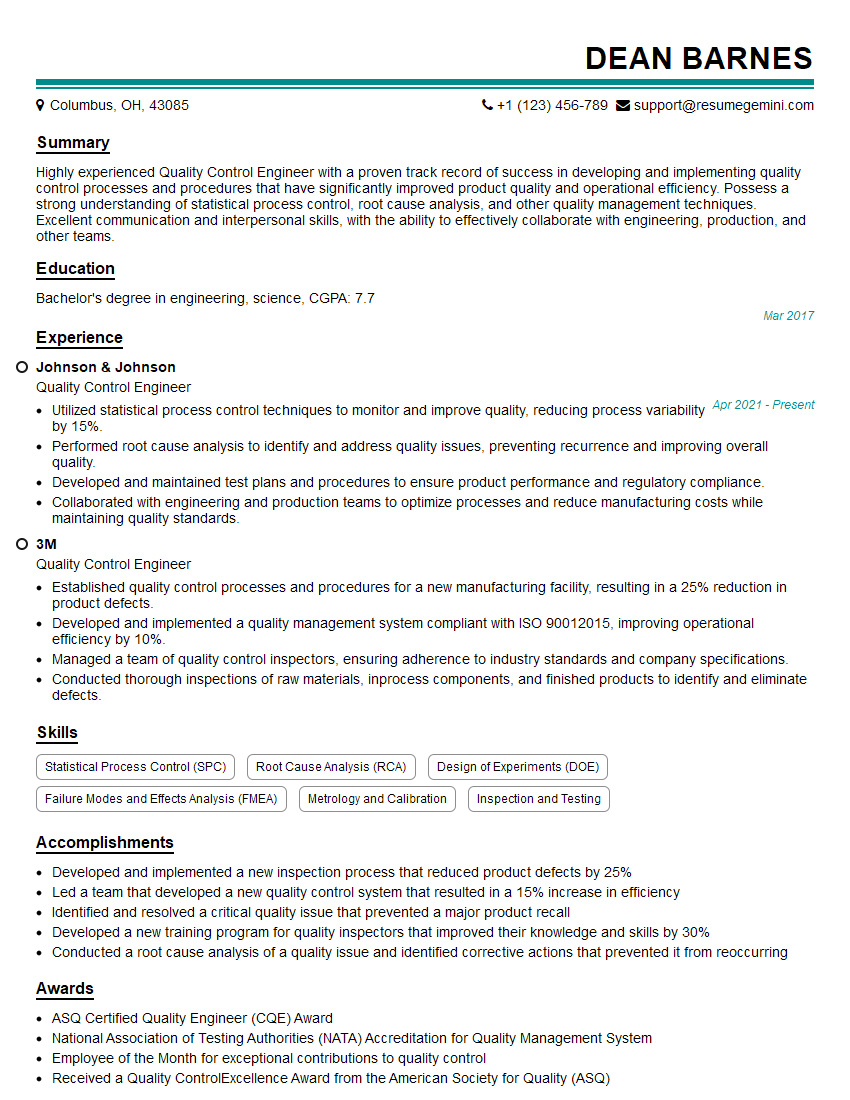
Quality Control Engineer Resume Sample
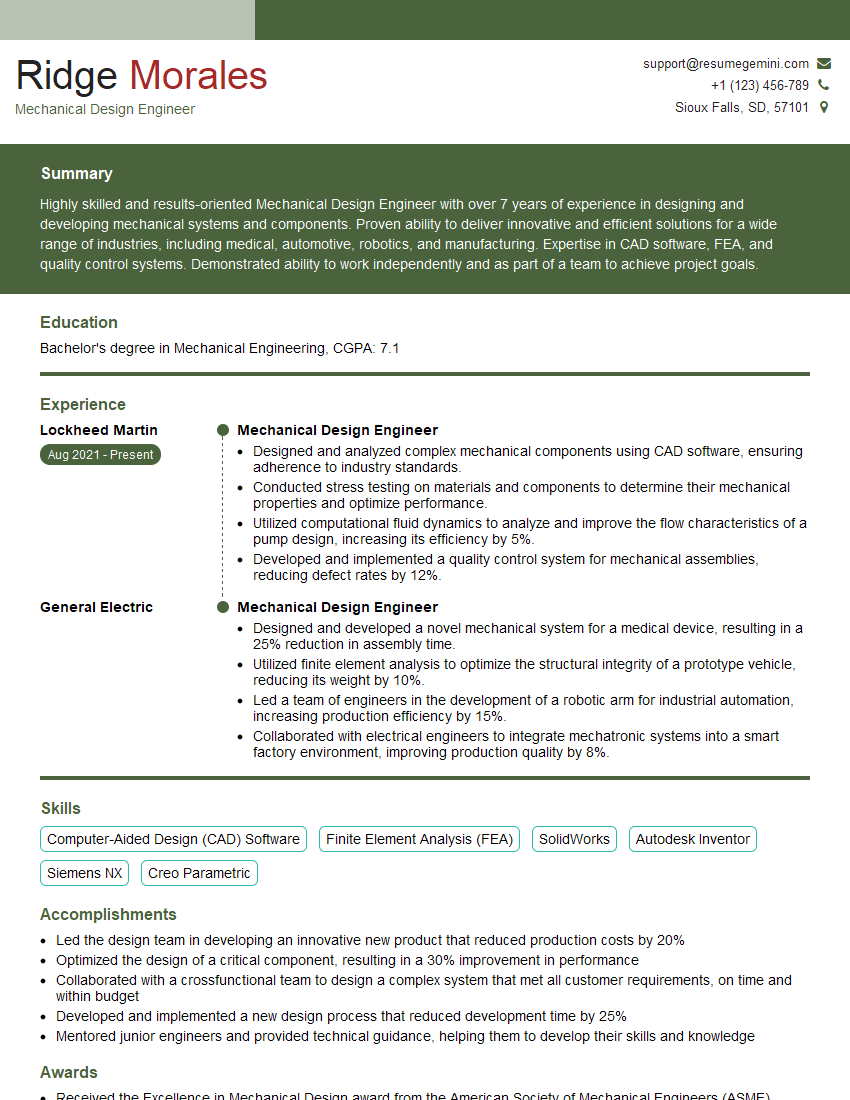
Mechanical Design Engineer Resume Sample
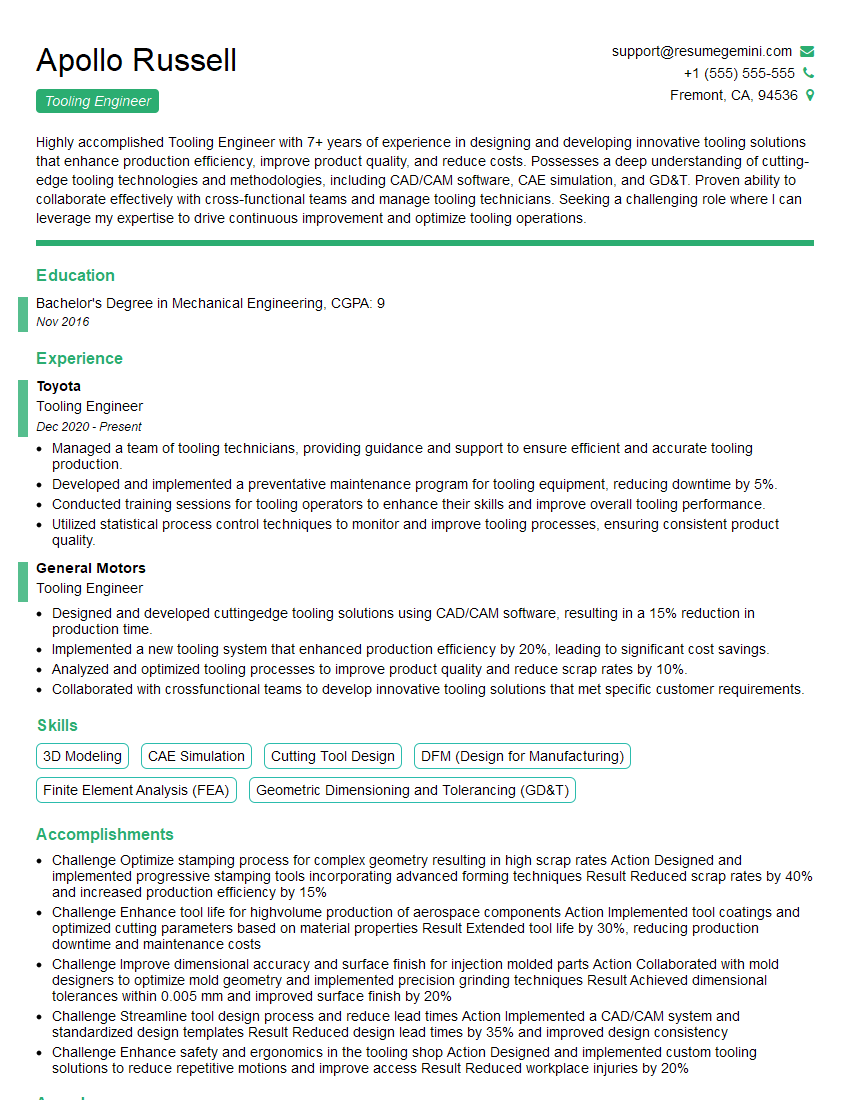
Tooling Engineer Resume Sample
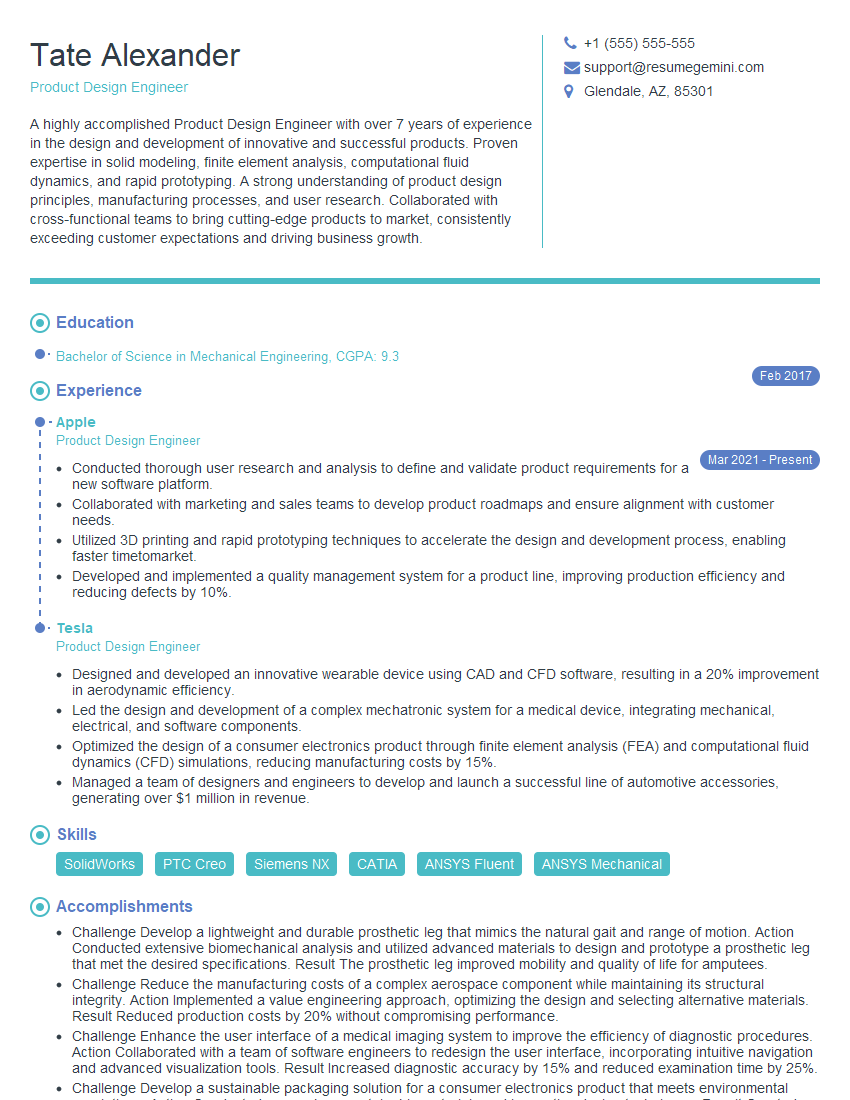
Product Design Engineer Resume Sample

Robotics Engineer Resume Sample
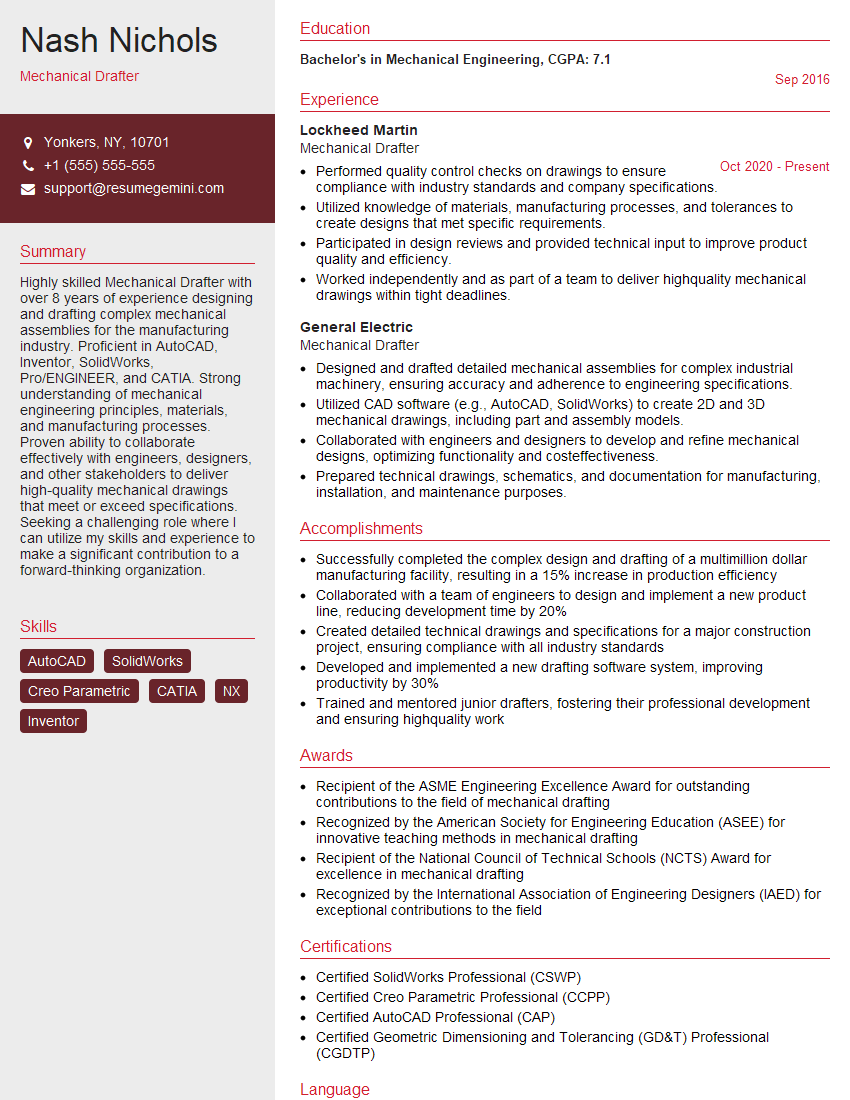
Mechanical Drafter Resume Sample

Technical Designer Resume Sample
Explore more articles
Users Rating of Our Blogs
Share Your Experience
We value your feedback! Please rate our content and share your thoughts (optional).
What Readers Say About Our Blog
Very informative content, great job.
good