The right preparation can turn an interview into an opportunity to showcase your expertise. This guide to meet management interview questions is your ultimate resource, providing key insights and tips to help you ace your responses and stand out as a top candidate.
Questions Asked in meet management Interview
Q 1. Describe your experience in planning and executing meetings of varying sizes and formats.
My experience spans a wide range of meeting sizes and formats, from intimate brainstorming sessions with a handful of colleagues to large-scale conferences with hundreds of attendees. I’ve planned and executed everything from informal stand-up meetings to highly structured workshops, board meetings, and virtual town halls. For smaller meetings, I focus on creating a relaxed, collaborative atmosphere conducive to idea generation. For larger events, meticulous planning is key, encompassing venue selection, logistical arrangements, catering, AV equipment, and speaker coordination.
For example, I once coordinated a three-day leadership summit for over 200 executives. This involved securing a suitable venue, managing speaker schedules, creating engaging content, overseeing the event logistics (registration, catering, travel), and ensuring seamless communication among all participants. Conversely, I regularly facilitate smaller team meetings, employing agile techniques to maintain efficiency and ensure focused discussions.
Q 2. How do you ensure effective communication before, during, and after a meeting?
Effective communication is the bedrock of successful meetings. Before a meeting, I distribute a clear agenda with supporting documents, ensuring everyone understands the purpose and expected outcomes. I proactively address any potential questions or concerns to prevent disruptions during the session. During the meeting, I actively encourage participation, facilitate open dialogue, and ensure everyone has an opportunity to contribute. I use visual aids and concise summaries to maintain clarity. After the meeting, I circulate detailed minutes, action items, and decisions made, assigning owners and deadlines. Regular follow-up communication ensures accountability and reinforces commitment.
For instance, when preparing for a product launch meeting, I pre-share the marketing plan, sales projections, and product specifications. During the meeting, I use a shared online whiteboard to capture key decisions and action items. Post-meeting, a detailed summary is emailed, along with assigned tasks and deadlines tracked via a project management tool.
Q 3. What strategies do you use to manage meeting agendas and keep discussions focused?
Managing meeting agendas and keeping discussions focused is crucial for productivity. I begin by establishing clear objectives and desired outcomes. The agenda itself is meticulously crafted, allotting specific time slots for each topic, and including any necessary pre-reading or preparation. During the meeting, I employ several techniques to maintain focus. This includes adhering strictly to the timeline, gently redirecting discussions that stray off-topic, summarizing key points regularly, and utilizing visual aids to keep everyone engaged. I encourage active participation but actively manage interruptions or lengthy side conversations.
Imagine a meeting with multiple stakeholders on a marketing campaign. The agenda would have clearly defined sections: campaign goals, target audience analysis, marketing channel strategies, budget allocation, and next steps. I would actively manage time for each section, ensuring each topic is fully addressed within the allotted time. Any off-topic discussions would be politely steered back to the agenda, emphasizing the importance of achieving the meeting’s defined objectives.
Q 4. Explain your process for scheduling meetings and managing participant availability.
My meeting scheduling process prioritizes efficiency and participant availability. I leverage scheduling tools that allow attendees to select their preferred times, minimizing scheduling conflicts. I send out calendar invitations well in advance, including clear details such as date, time, agenda, and location (physical or virtual). I also confirm attendance and address any scheduling challenges proactively. For global teams, I consider time zones and try to find a time that accommodates most participants. I always offer alternative options if initial suggestions prove unsuitable.
For example, when scheduling a cross-functional team meeting, I would use a tool like Doodle Poll to gather availability from all participants. This allows for a democratic approach to time selection, minimizing disruptions to individual schedules. The calendar invitations would clearly outline the meeting’s purpose and expected outcome, ensuring everyone is prepared.
Q 5. How do you handle conflicts or disagreements that arise during a meeting?
Handling conflicts or disagreements effectively is vital for productive meetings. My approach is to create a safe and respectful environment where differing opinions are valued. I actively listen to all perspectives, clarifying any misunderstandings and ensuring everyone feels heard. I facilitate constructive dialogue, guiding the discussion toward finding common ground and solutions. If a resolution isn’t immediately achievable, I suggest documenting the disagreement and scheduling a separate follow-up discussion to address it further. My goal is to transform disagreements into opportunities for collaborative problem-solving.
If a debate arises over a marketing strategy, I might say: “I appreciate both viewpoints. Let’s analyze the data on past campaigns to see which approach aligns better with our overall goals. Can we document our respective arguments and revisit this point after we’ve reviewed the data?” This defuses tension and allows for a more data-driven resolution.
Q 6. What technology and tools are you proficient in for managing meetings (e.g., video conferencing, collaboration software)?
I’m proficient in a variety of technologies and tools for managing meetings. This includes video conferencing platforms such as Zoom, Microsoft Teams, and Google Meet, collaboration software like Microsoft SharePoint, Google Workspace, and Slack, and project management tools such as Asana, Trello, and Monday.com. I’m also adept at using screen sharing, online whiteboards, and other interactive tools to enhance meeting engagement and productivity. My expertise extends to integrating these tools for seamless communication and information sharing.
For example, I might use Zoom for a virtual meeting, sharing my screen to present data, then using a shared online whiteboard in the same platform to capture action items and decisions. Post-meeting, minutes and action items are then shared via a project management tool for tracking progress.
Q 7. Describe your experience using meeting management software or platforms.
I have extensive experience using various meeting management software and platforms. I’m comfortable navigating and configuring features such as scheduling, attendee management, agenda creation, recording, and transcription. I’ve utilized platforms like GoToMeeting, Zoom, and Microsoft Teams to manage meetings of varying complexities, leveraging features to streamline processes and enhance overall meeting effectiveness. I understand the importance of selecting the right platform based on the specific meeting’s needs and participant demographics. Moreover, I’m adept at integrating these platforms with other productivity tools to establish a cohesive workflow.
For instance, when managing recurring team meetings, I’d use a platform’s recurring meeting feature to automate the scheduling process, ensuring consistency and reducing manual effort. The platform’s features for recording and generating meeting minutes significantly reduce the administrative burden after the meeting.
Q 8. How do you measure the success of a meeting?
Measuring meeting success goes beyond simply checking off a to-do list. It’s about evaluating whether the meeting achieved its intended objectives and delivered value to participants. I use a multi-faceted approach, focusing on three key areas:
- Outcome Achievement: Did the meeting achieve its pre-defined goals? For example, if the goal was to finalize a marketing plan, did the team leave with a signed-off plan? I track this by creating a checklist of specific objectives before the meeting and reviewing them afterward.
- Participant Engagement: Were participants actively involved and contributing? Did they feel heard and valued? I gauge this through observation during the meeting, informal feedback afterward, and possibly through post-meeting surveys. A low level of engagement suggests the meeting format or agenda needs adjustments.
- Actionable Outcomes: Did the meeting generate concrete next steps and assigned responsibilities? Were clear deadlines set? I assess this by reviewing the meeting minutes and subsequent actions taken. A successful meeting leaves participants with clear tasks and timelines.
For instance, in a recent project kickoff meeting, we measured success by evaluating the completion of the agenda items, the clarity of the assigned roles, and the positive feedback from team members about the clarity of the project goals. Tracking these metrics allows for continuous improvement in meeting design and execution.
Q 9. What techniques do you employ to ensure productive and engaging meetings?
Productive and engaging meetings require careful planning and execution. My techniques center around:
- Clear Agenda and Objectives: Distributing a detailed agenda beforehand helps focus discussions and ensures everyone is prepared. The agenda should clearly outline the meeting’s objectives and desired outcomes. I also always include time allocations for each agenda item to maintain focus.
- Effective Facilitation: I actively manage the meeting flow, ensuring all voices are heard and discussions stay on track. This includes actively managing time, politely redirecting off-topic conversations, and summarizing key decisions.
- Interactive Participation: I encourage active participation through brainstorming sessions, polls, and Q&A sessions. I try to adapt the meeting format to the participants and the subject matter, utilizing various techniques such as round-robin discussions or breakout sessions when appropriate.
- Pre-reading Materials: Distributing relevant materials before the meeting allows for a more focused discussion and less time spent on introductory explanations. This allows more time for collaboration and problem-solving.
- Visual Aids: Incorporating charts, graphs, or presentations keeps participants engaged and improves understanding of complex information. I avoid overwhelming people with too much visual information at once.
For example, in a recent strategic planning session, we used a collaborative whiteboard tool to brainstorm ideas and visually track progress. This improved participation and resulted in a more comprehensive plan.
Q 10. How do you manage meeting minutes and distribute them effectively?
Meeting minutes are crucial for accountability and follow-up. My approach focuses on accuracy, timeliness, and effective distribution:
- Accurate Record-Keeping: I ensure the minutes accurately reflect decisions made, action items assigned, and any key discussions. I aim for concise yet comprehensive notes, including the date, attendees, and a summary of each agenda item. I use a consistent format to make the minutes easily scannable and understandable.
- Action Item Tracking: The minutes clearly state who is responsible for each action item and the associated deadlines. I often use a table format to clearly outline who, what, and when.
- Timely Distribution: Minutes are distributed within 24 hours of the meeting conclusion, using a method that ensures delivery to all participants. I use email with appropriate subject lines for easy retrieval and filing.
- Review and Approval: For high-stakes meetings, I circulate a draft of the minutes for review and approval before final distribution to ensure accuracy and agreement on decisions.
In practice, I often use a shared document (like Google Docs) to take minutes, allowing real-time collaboration and easier distribution. This ensures everyone has access and contributes to accuracy.
Q 11. How do you handle last-minute changes or unexpected issues during a meeting?
Unexpected issues are inevitable. My strategy focuses on flexibility, communication, and problem-solving:
- Assess the Impact: Quickly determine the significance of the change and its potential impact on the meeting agenda.
- Communicate Proactively: Inform participants immediately about the change, explaining its implications and any necessary adjustments to the schedule or discussion points.
- Adapt and Adjust: Be flexible and willing to modify the agenda or discussion flow as needed. This might involve prioritizing key topics or postponing less critical items.
- Document Changes: Make sure the meeting minutes accurately reflect the changes and any decisions made in response to the unexpected issues.
For example, if a key presenter is unexpectedly unavailable, I might quickly rearrange the schedule, giving other participants the opportunity to present their part of the agenda earlier, or we could reschedule the relevant portion of the meeting entirely.
Q 12. How do you ensure accessibility and inclusivity for all meeting participants?
Inclusivity is paramount. I ensure accessibility by:
- Providing Advance Notice: Sharing meeting details (date, time, location, agenda) well in advance allows participants to make necessary arrangements.
- Accessible Meeting Locations: Choosing venues that are physically accessible for those with disabilities (wheelchair access, ramps, etc.) and ensuring that virtual meeting platforms are equally accessible.
- Communication Options: Offering various communication methods (email, phone, etc.) accommodates different communication preferences and needs. In virtual meetings, offering closed captioning and providing transcripts afterwards are vital for accessibility.
- Clear Communication: Using clear, concise language, avoiding jargon, and providing visual aids improves understanding for everyone. I ensure all participants have an equal opportunity to participate and contribute.
- Cultural Sensitivity: I am mindful of cultural differences and communication styles, fostering an environment of mutual respect and understanding.
For example, I always confirm whether participants require any specific accommodations before a meeting, and adjust the meeting format as needed. This might involve using assistive technologies or providing alternative formats for meeting materials.
Q 13. Describe your experience with virtual meeting best practices.
Virtual meeting best practices are crucial for effective remote collaboration. My experience emphasizes:
- Platform Proficiency: I’m proficient with various virtual meeting platforms (Zoom, Microsoft Teams, Google Meet), understanding their features and limitations. This allows me to select the most appropriate platform for each meeting.
- Technology Checks: I always conduct technology checks before the meeting, ensuring all participants can connect and use the necessary features (audio, video, screen sharing). I provide clear instructions to participants on how to join and participate effectively.
- Engaging Virtual Formats: I use interactive features like polls, breakout rooms, and Q&A sessions to maintain engagement. Using virtual whiteboards or collaborative documents further enhances participation.
- Time Management: Virtual meetings can be easily derailed. Strict timekeeping is crucial, ensuring that the meeting stays on track and doesn’t run over.
- Post-Meeting Follow-up: Distributing meeting recordings and transcripts ensures that those who couldn’t attend can catch up.
A recent virtual project review utilized breakout rooms for focused discussions within smaller teams. This allowed for more in-depth analysis and a more participatory meeting experience compared to a standard lecture format.
Q 14. How do you track and analyze meeting data to identify areas for improvement?
Tracking and analyzing meeting data helps identify areas for improvement. My methods include:
- Meeting Metrics: I track key metrics like meeting length, attendance rates, and the completion of agenda items. I compare these to the pre-defined goals to evaluate the success of the meeting.
- Feedback Mechanisms: I utilize post-meeting surveys or informal feedback sessions to gather participant opinions on meeting effectiveness. I actively solicit suggestions for improvement from participants.
- Minutes Analysis: I review the meeting minutes to assess the effectiveness of discussions, identifying areas where discussions were unproductive or time was wasted. This can help pinpoint topics requiring more focused preparation or alternative discussion strategies.
- Action Item Tracking: I monitor the completion of action items and deadlines. Delays or missed deadlines indicate potential issues with meeting outcomes or follow-up processes.
- Data Visualization: I use tools to visualize the data (e.g., charts and graphs) to identify trends and patterns. This makes it easier to identify areas for improvement in meeting preparation, execution, or post-meeting follow-up.
By analyzing this data over time, I can identify recurring issues (like unproductive discussions, consistently missed deadlines, or low participation rates). This allows me to implement adjustments to the meeting format, agenda, or follow-up procedures to improve efficiency and effectiveness.
Q 15. How do you facilitate effective decision-making during meetings?
Facilitating effective decision-making in meetings requires a structured approach that balances collaboration and efficiency. It starts with clear objectives. Before the meeting, I define the specific decisions that need to be made and distribute them beforehand. During the meeting, I employ techniques like the Nominal Group Technique (NGT), where participants individually brainstorm ideas, then share and discuss them, leading to a prioritized list. This minimizes groupthink and ensures all voices are heard. I also actively manage discussion to stay focused on the decision criteria and encourage respectful debate, ultimately guiding the group towards consensus or a well-defined vote.
For example, if we’re deciding on a new software, the meeting’s objective might be to select one vendor based on cost, functionality, and integration capabilities. Using NGT, participants would individually rank the vendors based on these criteria before sharing their rankings. This structured approach allows for a data-driven, transparent decision-making process, rather than relying solely on opinions or loudest voices.
Career Expert Tips:
- Ace those interviews! Prepare effectively by reviewing the Top 50 Most Common Interview Questions on ResumeGemini.
- Navigate your job search with confidence! Explore a wide range of Career Tips on ResumeGemini. Learn about common challenges and recommendations to overcome them.
- Craft the perfect resume! Master the Art of Resume Writing with ResumeGemini’s guide. Showcase your unique qualifications and achievements effectively.
- Don’t miss out on holiday savings! Build your dream resume with ResumeGemini’s ATS optimized templates.
Q 16. What are your strategies for managing participant engagement in virtual meetings?
Managing participant engagement in virtual meetings is crucial for effective collaboration. I start by selecting the right platform, ensuring it offers features like breakout rooms, polls, and interactive whiteboards. To enhance participation, I actively solicit input through polls and Q&A sessions, making sure to acknowledge and address each question or comment. I also utilize visual aids, such as presentations and screen sharing, to keep participants engaged and focused. Breakout rooms are great for smaller discussions, fostering deeper engagement and allowing for diverse perspectives. Regularly checking in with participants—”Is everyone following along? Do we have any questions?”—helps gauge understanding and address any potential roadblocks. Finally, I conclude with a summary of key takeaways and action items, ensuring everyone understands their roles and responsibilities.
For instance, in a virtual product development meeting, using breakout rooms to assign teams to specific features leads to more focused discussions and allows for collaborative problem-solving within smaller groups, before coming back together for a broader overview and decision-making.
Q 17. How do you create an effective pre-meeting communication plan?
A pre-meeting communication plan is essential for setting expectations and ensuring a productive meeting. It begins with a clear and concise agenda, distributed well in advance (ideally 2-3 days prior) so attendees can prepare. This agenda should not just list topics, but also specify the desired outcome for each item. I include relevant background materials, such as reports or documents, so participants are informed. Pre-reading encourages focused participation and minimizes time spent on catching up during the meeting itself. I also confirm attendance and collect any necessary pre-meeting inputs, like data or proposals. A reminder email, sent 1-2 hours before the meeting, reinforces the agenda, time, and any last-minute instructions.
For example, if discussing project milestones, the agenda would outline each milestone, include a link to the project plan, and potentially request that team members prepare a brief update on their progress before the meeting.
Q 18. How do you handle situations where a meeting is running over time?
When a meeting runs over time, I implement a structured approach to regain control. First, I acknowledge the time overrun and apologize for it. Then, I clearly state the remaining time available. I prioritize the remaining discussion points, focusing on the most critical items. Sometimes, it’s necessary to postpone less urgent items to a follow-up meeting. To prevent further delays, I enforce time limits for each discussion point and encourage concise contributions. I also use visual timers to help everyone stay aware of the remaining time. Finally, I clearly summarize the decisions made and any pending action items, ending the meeting punctually.
For instance, if the discussion on feature prioritization is running long, I would summarize the key points so far, state that we only have 5 minutes left, and immediately proceed to the most crucial features, possibly postponing minor ones for a subsequent meeting or a separate follow-up email.
Q 19. What are your preferred methods for recording and archiving meeting materials?
My preferred methods for recording and archiving meeting materials are both digital and physical, depending on context. For virtual meetings, I utilize the built-in recording features of platforms like Zoom or Microsoft Teams. These recordings are then stored securely on a shared cloud drive, ensuring easy access for all participants. I also create detailed minutes, capturing key decisions, action items, and assigned owners. These minutes are distributed promptly following the meeting. For in-person meetings, I use a combination of handwritten notes and digital transcription if feasible. All materials are stored in a centralized, accessible location, often within a project management software or shared drive. The system for archiving is aligned with the company’s retention policies to ensure compliance.
Examples include using a project management tool like Asana, where meeting minutes and recordings are attached to the relevant project, or storing recordings on a secure company-wide cloud storage like SharePoint.
Q 20. How do you ensure all stakeholders are informed and updated after a meeting?
Ensuring all stakeholders are informed and updated after a meeting involves a multi-pronged strategy. I distribute meeting minutes promptly, highlighting key decisions and action items. For those unable to attend, a summary email is sent, providing sufficient context to understand the outcomes. I also utilize project management software to update tasks and statuses, ensuring visibility for all stakeholders. For complex or critical decisions, I may schedule a follow-up meeting or one-on-one calls to clarify any questions or concerns. Consistent communication through updates on the project management platform ensures everyone is kept in the loop.
For instance, after a project review meeting, I’d send a summary email to all stakeholders, then update the project management software with changes to the timeline, assignments, and risks. If any decisions are controversial or require further discussion, I’d schedule follow-up conversations to address them directly.
Q 21. How do you balance the needs of different stakeholders in a meeting?
Balancing the needs of different stakeholders requires careful planning and facilitation. I begin by identifying all stakeholders and their interests before the meeting. I then design the agenda to address the concerns of all stakeholders, even if it means allocating different amounts of time to different topics. Active listening and empathy are crucial; I actively solicit input from each stakeholder, ensuring their viewpoints are heard and considered. I utilize techniques such as prioritizing items based on impact and urgency to ensure that everyone’s concerns are addressed as effectively as possible. Open and transparent communication is essential in this process. If conflicts arise, I aim to facilitate a collaborative resolution, promoting compromise and mutual understanding.
For example, if a project impacts marketing, sales, and product development, the agenda should allocate time for input from all three teams. Prioritizing discussion items based on the impact on the overall project success could ensure that critical stakeholder concerns are addressed. This might involve presenting sales projections first, followed by potential marketing campaign impacts, and finally, addressing product-related challenges.
Q 22. Describe a time you successfully navigated a challenging meeting situation.
One particularly challenging meeting involved a cross-functional team struggling to agree on the launch date for a new product. Marketing wanted an earlier launch to capitalize on a seasonal trend, while Engineering cited critical bugs requiring more development time. The tension was palpable. To navigate this, I started by creating a safe space for open communication. I facilitated a structured discussion, using a visual timeline to map out dependencies between marketing activities and development milestones. This helped everyone visualize the trade-offs involved in different launch dates. We then used a collaborative problem-solving technique, brainstorming alternative solutions, like a phased launch or focusing on a subset of features for the initial release. By clearly defining the problem, encouraging active listening, and employing a visual aid, we reached a consensus on a launch date that balanced risk and reward, achieving buy-in from all stakeholders.
Q 23. What is your experience with different meeting formats (e.g., brainstorming, problem-solving, status updates)?
My experience spans a variety of meeting formats. For brainstorming sessions, I utilize techniques like mind-mapping and round-robin discussions to encourage diverse perspectives and avoid groupthink. Problem-solving meetings often benefit from structured approaches like the 5 Whys or root cause analysis, ensuring we address the core issues, not just symptoms. For status updates, I prefer concise agendas, visual dashboards, and pre-circulated reports, ensuring efficient use of everyone’s time. Each format requires a tailored approach; a highly structured agenda is essential for a problem-solving meeting focused on a critical decision, whereas a brainstorming session thrives on a more flexible, less rigid format.
Q 24. How familiar are you with Agile methodologies and their application to meetings?
I’m very familiar with Agile methodologies and their application to meetings. The Agile principles of iterative development, collaboration, and continuous improvement translate directly into effective meeting management. For instance, daily stand-up meetings, a cornerstone of Agile, focus on concise updates, identifying roadblocks, and planning the day’s work. Sprint retrospectives, used for continuous improvement, allow teams to reflect on past performance, identify areas for improvement in meeting processes, and implement changes for future effectiveness. Incorporating Agile practices ensures meetings are focused, productive, and aligned with project goals.
Q 25. How do you ensure meetings are aligned with overall organizational goals?
Ensuring meeting alignment with organizational goals starts with a clear understanding of those goals. Before scheduling a meeting, I carefully consider its purpose and how it contributes to larger strategic objectives. The agenda should explicitly link discussion points to relevant goals. For example, if a company’s goal is to increase customer satisfaction, meeting agendas might include discussions around customer feedback, new feature development addressing customer pain points, or strategies for enhancing customer service. Post-meeting follow-up actions should also track progress towards these goals and hold participants accountable.
Q 26. What are your strategies for creating and distributing meeting follow-up actions?
My strategy for creating and distributing meeting follow-up actions involves a three-step process: First, during the meeting, I clearly assign action items with specific owners, deadlines, and measurable outcomes. I use a shared document (like a Google Doc or spreadsheet) that everyone can access and edit to record these actions. Second, within 24 hours of the meeting, I distribute a concise summary of the meeting, including key decisions, action items, and next steps, to all participants. Finally, I establish a system for tracking progress on assigned actions, such as a regular check-in or a project management tool, to ensure accountability and timely completion.
Q 27. How do you handle sensitive or confidential information discussed in meetings?
Handling sensitive or confidential information requires a multi-faceted approach. Before the meeting, I clearly communicate the confidential nature of the information and remind participants of their responsibility to maintain confidentiality. During the meeting, I avoid recording discussions, and ensure the meeting location offers appropriate privacy. Following the meeting, I securely store any documentation containing sensitive information, utilizing appropriate access controls and encryption when necessary. Furthermore, I always adhere to the organization’s data security policies and protocols.
Q 28. How do you adapt your meeting management strategies to different company cultures and team dynamics?
Adapting to different company cultures and team dynamics is crucial for effective meeting management. Some cultures are more formal, while others are more informal. Some teams are highly collaborative, while others are more hierarchical. I adapt my communication style, meeting format, and decision-making processes accordingly. In a more formal setting, I may use a structured presentation, while a more informal setting might allow for a more free-flowing discussion. Regardless of the setting, I actively observe team dynamics and adjust my approach to foster open communication and collaboration. For example, in a team with a highly hierarchical structure, I might solicit input from lower-level employees in a structured way, before presenting the options to senior management for final approval.
Key Topics to Learn for Meet Management Interviews
- Meeting Planning & Logistics: Understanding the entire meeting lifecycle, from initial planning and agenda creation to resource allocation and post-meeting follow-up. This includes venue selection, technology considerations, and budget management.
- Participant Management: Strategies for effectively managing attendees, including registration processes, communication protocols, and addressing participant needs and challenges. Consider practical applications like handling last-minute changes or diverse communication preferences.
- Technology & Tools: Proficiency in various meeting management tools and technologies, such as scheduling software, video conferencing platforms, and collaboration tools. Discuss your experience integrating these tools for optimal efficiency and engagement.
- Communication & Collaboration: Effective communication strategies before, during, and after meetings. This includes clear and concise communication, conflict resolution, and fostering a collaborative environment. Think about how you’ve managed communication across multiple time zones or with diverse teams.
- Data Analysis & Reporting: Collecting and analyzing data from meetings to measure effectiveness and identify areas for improvement. This might include tracking attendance, gathering feedback, and reporting key metrics to stakeholders.
- Risk Management & Contingency Planning: Identifying potential challenges and developing strategies to mitigate them. This encompasses preparing for technological failures, participant issues, or unexpected disruptions.
- Meeting Facilitation Techniques: Mastering techniques to guide productive and engaging meetings, including active listening, time management, and encouraging participation from all attendees.
Next Steps
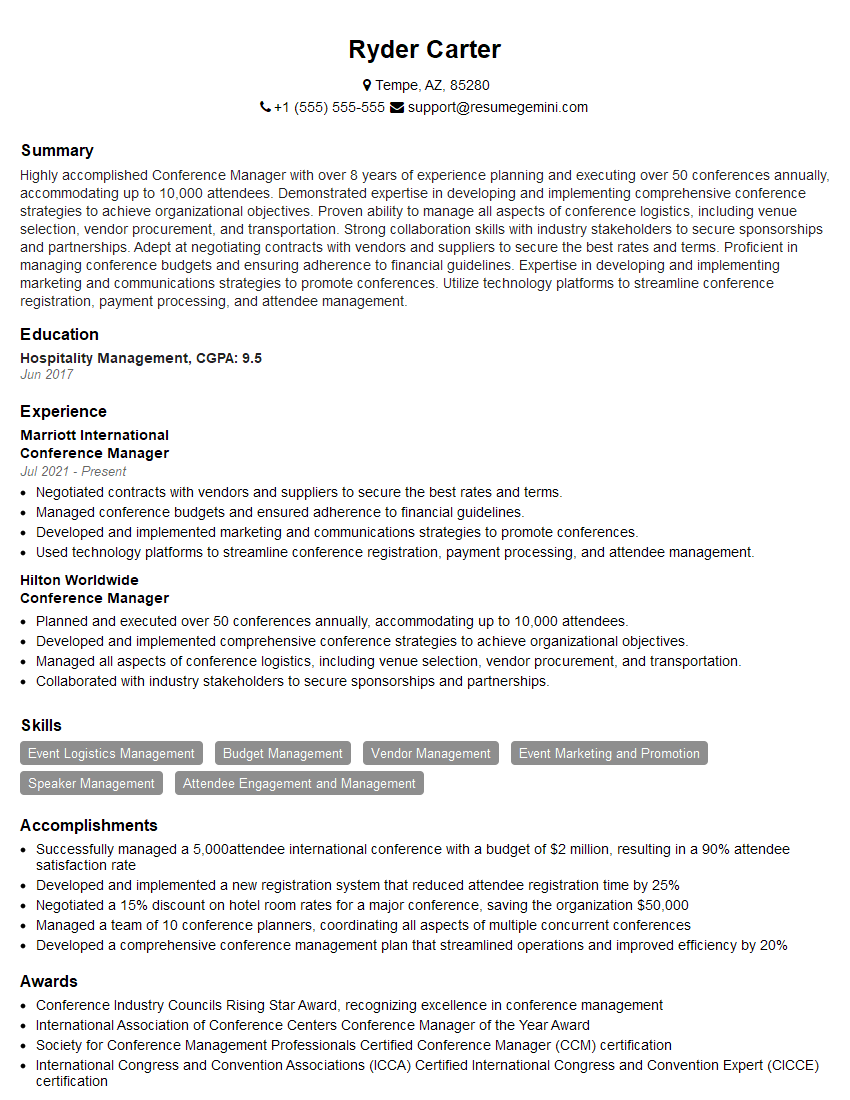
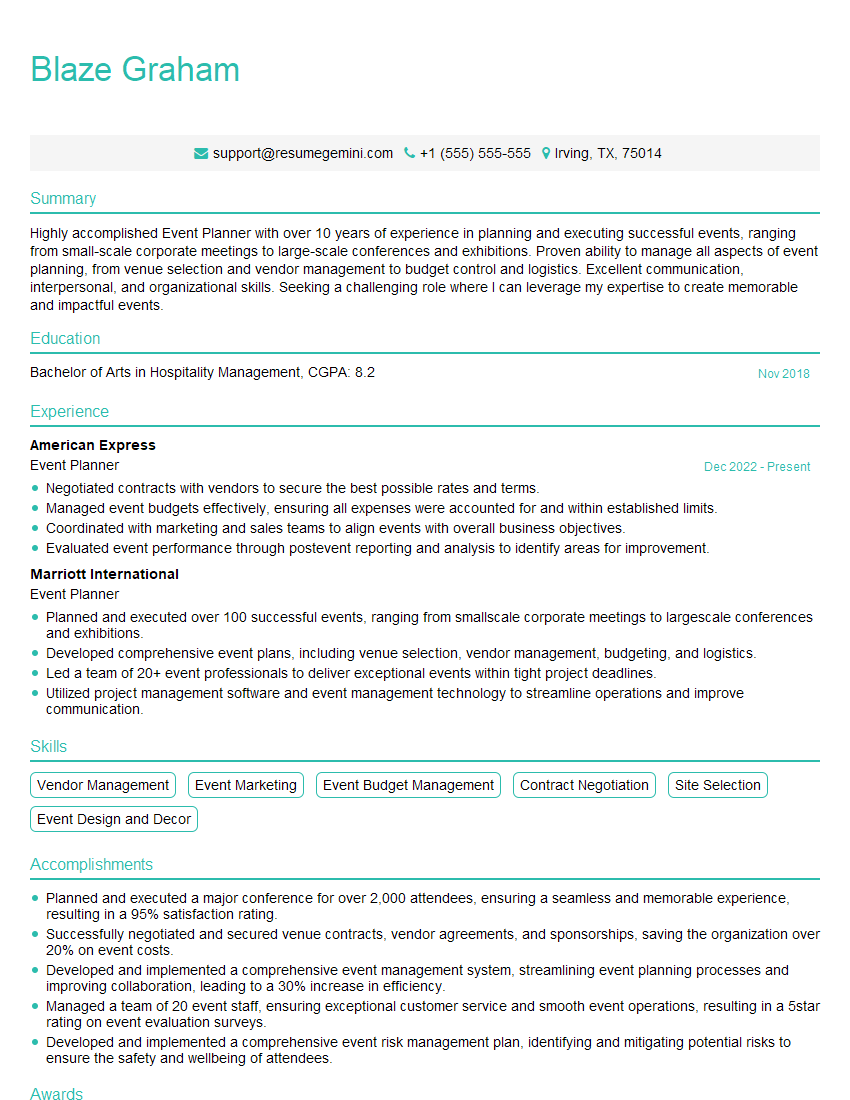
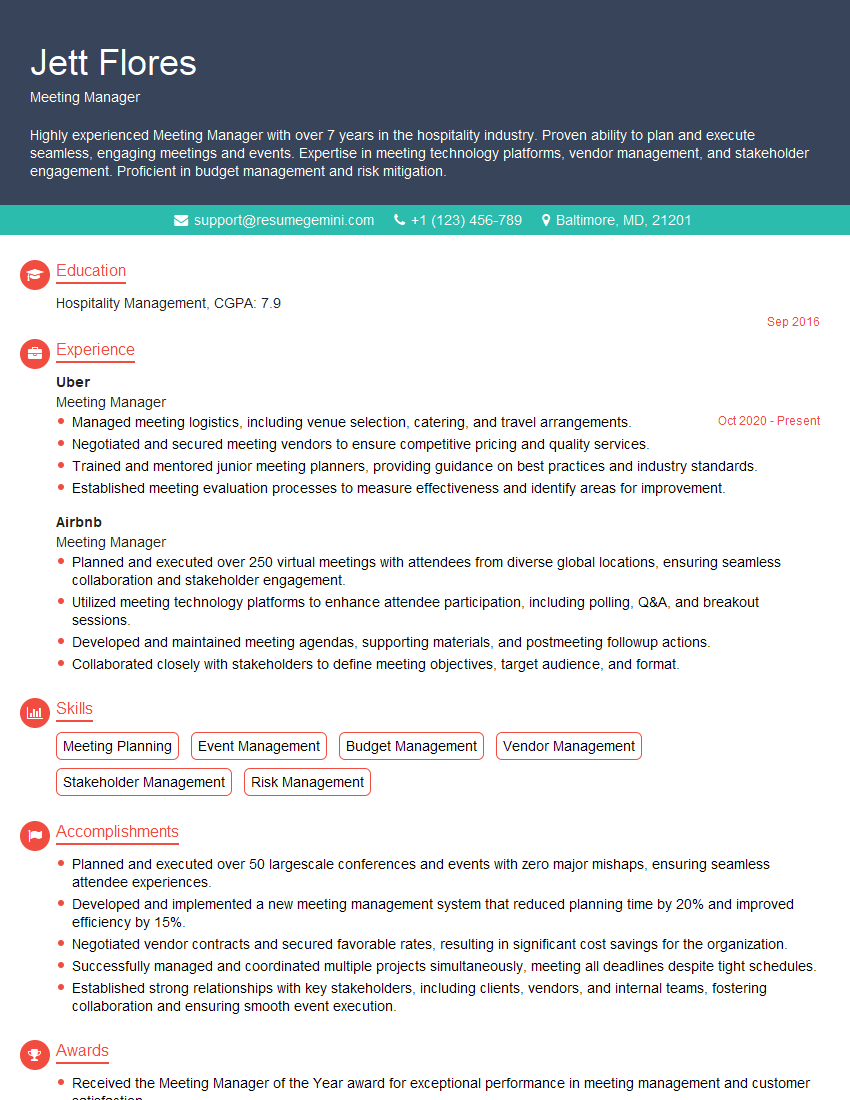
Mastering meet management is crucial for career advancement, opening doors to leadership roles and showcasing your ability to drive efficiency and collaboration. A strong, ATS-friendly resume is your key to unlocking these opportunities. To create a resume that truly highlights your skills and experience, we strongly recommend using ResumeGemini. ResumeGemini provides a powerful platform for building professional, impactful resumes. You’ll find examples of resumes tailored specifically to meet management roles to help guide your process.

Explore more articles
Users Rating of Our Blogs
Share Your Experience
We value your feedback! Please rate our content and share your thoughts (optional).
What Readers Say About Our Blog
good