Unlock your full potential by mastering the most common NEC interview questions. This blog offers a deep dive into the critical topics, ensuring you’re not only prepared to answer but to excel. With these insights, you’ll approach your interview with clarity and confidence.
Questions Asked in NEC Interview
Q 1. Explain the different layers of the OSI model and their functions.
The OSI (Open Systems Interconnection) model is a conceptual framework that standardizes the functions of a telecommunication or computing system without regard to its underlying internal structure and technology. It divides network communication into seven distinct layers, each with specific responsibilities. Think of it like a layered cake, where each layer depends on the one below it.
- Layer 7: Application Layer: This is where applications interact with the network. Examples include HTTP (web browsing), SMTP (email), FTP (file transfer). It’s the layer you directly interact with when using software.
- Layer 6: Presentation Layer: Handles data formatting, encryption, and decryption. It ensures that data is presented in a format the application layer can understand. Think of it as a translator between different data formats.
- Layer 5: Session Layer: Manages connections between applications, establishing, maintaining, and terminating sessions. It’s like the manager of a phone call, making sure the connection stays up.
- Layer 4: Transport Layer: Provides reliable or unreliable data delivery between applications. TCP (reliable) ensures data arrives in order and complete, while UDP (unreliable) prioritizes speed over guaranteed delivery. This layer handles segmentation and reassembly of data.
- Layer 3: Network Layer: Responsible for logical addressing (IP addresses) and routing data packets between networks. This is where routers operate, determining the best path for data.
- Layer 2: Data Link Layer: Handles physical addressing (MAC addresses) and error detection within a single network. Switches operate at this layer. It ensures data is correctly transmitted between two directly connected devices.
- Layer 1: Physical Layer: Deals with the physical transmission of data over the network medium (cables, wireless signals). This is the most basic layer, concerned with the bits and bytes flowing over the wire.
Understanding the OSI model is crucial for network troubleshooting, as it allows you to pinpoint the layer where a problem might occur. For example, if a web page doesn’t load, the issue could be in the application layer (faulty website), transport layer (connection problems), or even the physical layer (cable issues).
Q 2. Describe your experience with routing protocols (e.g., OSPF, BGP).
I have extensive experience with both OSPF (Open Shortest Path First) and BGP (Border Gateway Protocol), two widely used routing protocols. OSPF is an interior gateway protocol (IGP), meaning it’s used within a single autonomous system (like a company’s network). It uses a link-state algorithm to determine the shortest path to destinations, resulting in efficient routing within a network. I’ve configured and managed OSPF in large enterprise networks, troubleshooting issues like routing loops and convergence times.
BGP, on the other hand, is an exterior gateway protocol (EGP), connecting different autonomous systems together, like different internet service providers. It’s a path-vector protocol, exchanging routing information between routers on the internet’s backbone. I’ve worked with BGP in designing and implementing internet connectivity for large organizations, focusing on aspects like policy-based routing, route filtering, and BGP peering.
For example, in a project involving a multi-site company, I used OSPF to establish efficient routing within each location, and BGP to interconnect those sites and provide internet access. This ensured optimal internal communication and reliable external connectivity.
Q 3. How do you troubleshoot network connectivity issues?
My approach to troubleshooting network connectivity issues is systematic and follows a structured methodology. I start by gathering information, such as the affected devices, the type of connectivity issue (e.g., no connectivity, slow performance), and any error messages. I then move through a series of steps:
- Check the basics: Verify cables are properly connected, devices are powered on, and there are no obvious physical problems.
- Ping the affected device: A simple ping test (
ping) can determine if the device is reachable. Failure indicates a problem on the network. - Trace the route (traceroute):
tracerouteshows the path a packet takes to reach the destination. This helps identify points of failure along the network. - Check IP configuration: Verify that the device has a valid IP address, subnet mask, and default gateway. Incorrect configurations are a common source of connectivity problems.
- Examine network logs: Check router, switch, and firewall logs for errors or warnings that may indicate the root cause.
- Use network monitoring tools: Tools like Wireshark can capture and analyze network traffic, providing detailed information about network activity and potential problems.
- Consult documentation: Refer to the documentation for the network devices involved to help isolate the problem.
I’ve used this process many times, for instance, in diagnosing slow internet connectivity at a client’s office, where I traced the issue to a congested switch port. By systematically examining the network, I was able to identify and resolve the bottleneck effectively.
Q 4. What are the different types of network topologies?
Network topologies describe the physical or logical arrangement of devices in a network. Several common topologies exist:
- Bus Topology: All devices connect to a single cable (the bus). Simple but prone to single points of failure.
- Star Topology: All devices connect to a central hub or switch. Most common topology; easy to manage and extend.
- Ring Topology: Devices are connected in a closed loop. Data flows in one direction; failure of one device can affect the entire network.
- Mesh Topology: Multiple paths exist between devices, providing redundancy and fault tolerance. More complex and expensive to implement.
- Tree Topology: A hierarchical structure combining star and bus topologies. Common in large networks.
The choice of topology depends on factors like network size, budget, and required redundancy. In a large corporate network, a combination of star and mesh topologies might be preferred for scalability and resilience, while a small home network might utilize a simple star topology.
Q 5. Explain the concept of VLANs and their use cases.
VLANs (Virtual LANs) are logical subdivisions of a physical LAN. They allow you to segment a network into multiple broadcast domains, improving security and performance. Imagine a large office building. You can create separate VLANs for different departments (e.g., sales, marketing, IT), even though they all share the same physical network infrastructure.
Each VLAN is assigned a unique VLAN ID (VID). Switches use this VID to forward traffic only within the same VLAN, isolating different groups of devices. This prevents broadcast storms and improves network security by limiting the impact of a security breach. VLANs are also useful for improving network performance by reducing network congestion.
Use cases for VLANs include:
- Improved security: Isolating sensitive data from public areas.
- Network segmentation: Preventing broadcast storms and improving performance.
- Simplified network management: Managing smaller, more manageable segments of the network.
- Support for different network policies: Applying different security and QoS policies to different VLANs.
I’ve implemented VLANs in several projects to create secure and efficient networks for clients, for instance, separating the guest Wi-Fi from the internal corporate network to enhance security.
Q 6. Describe your experience with network security protocols (e.g., IPsec, SSL/TLS).
I have significant experience with network security protocols, particularly IPsec and SSL/TLS. IPsec (Internet Protocol Security) is a suite of protocols that provides secure communication over IP networks. It uses encryption and authentication to protect data confidentiality, integrity, and authenticity. IPsec is typically used in VPNs (Virtual Private Networks) to secure remote access to a network.
SSL/TLS (Secure Sockets Layer/Transport Layer Security) is another crucial protocol used to secure communication, commonly employed for web traffic (HTTPS). It provides encryption and authentication, protecting data in transit. I’ve worked with SSL/TLS certificates, configuring secure websites and applications.
In a recent project, I implemented an IPsec VPN to securely connect a branch office to the corporate network. This ensured that all data transmitted between the two locations was encrypted and protected from eavesdropping. Additionally, I regularly ensure SSL/TLS certificates on web servers are up-to-date to maintain strong security posture.
Q 7. What is subnetting and how is it used?
Subnetting is the process of dividing a larger network (IP address range) into smaller, more manageable subnetworks. This helps improve network performance, security, and scalability. It’s like dividing a large city into smaller neighborhoods for better organization and resource allocation.
Imagine you have a network with the IP address range 192.168.1.0/24. This allows for 254 usable IP addresses. Through subnetting, you can divide this into smaller subnets, for instance, 192.168.1.0/25 (126 usable IP addresses) and 192.168.1.128/25 (126 usable IP addresses). Each subnet has its own subnet mask, which determines the network address and the number of usable host addresses. This allows for better organization, improved security through network segmentation, and more efficient routing.
The subnet mask indicates which bits of the IP address represent the network address and which represent the host address. A /24 subnet mask means the first 24 bits represent the network, leaving 8 bits for host addresses. Subnetting involves borrowing bits from the host portion to create more network addresses. Incorrect subnetting can lead to routing problems and network connectivity issues. I’ve used subnetting extensively in designing efficient and scalable network architectures for various projects.
Q 8. Explain the difference between IPv4 and IPv6.
The primary difference between IPv4 and IPv6 lies in their address space and structure. IPv4, the older protocol, uses 32-bit addresses, represented as four sets of numbers separated by dots (e.g., 192.168.1.1). This limits the number of unique addresses to approximately 4.3 billion, a number that has become severely constrained with the proliferation of internet-connected devices. IPv6, on the other hand, employs 128-bit addresses, represented as eight groups of four hexadecimal digits separated by colons (e.g., 2001:0db8:85a3:0000:0000:8a2e:0370:7334). This vastly expands the address space to an almost incomprehensible number, effectively eliminating the address exhaustion problem faced by IPv4. Furthermore, IPv6 offers improved security features and simplified header structures, leading to more efficient routing and packet handling.
Think of it like this: IPv4 is like having a small apartment building with limited space for residents. IPv6 is like having a sprawling city with practically unlimited housing options. The transition from IPv4 to IPv6 is a significant undertaking, requiring careful planning and implementation across networks worldwide.
Q 9. Describe your experience with network monitoring tools.
I have extensive experience with a variety of network monitoring tools, including SolarWinds Network Performance Monitor, PRTG Network Monitor, and Nagios. My experience ranges from setting up and configuring these tools to analyzing the collected data to identify and resolve network performance issues. For example, during my work at [Previous Company Name], we used SolarWinds to monitor our large enterprise network, proactively identifying bottlenecks and potential outages before they impacted our users. I’m particularly skilled at interpreting performance metrics such as latency, packet loss, and bandwidth utilization to pinpoint the root cause of network problems. I also have experience using these tools to generate reports for management, highlighting network performance trends and providing recommendations for improvement. In one instance, by closely monitoring bandwidth utilization with PRTG, we were able to identify a rogue device consuming excessive bandwidth, leading to improved overall network performance for legitimate users.
Q 10. How do you manage network bandwidth effectively?
Effective network bandwidth management requires a multi-pronged approach. It begins with accurate monitoring of bandwidth usage patterns, identifying peak times and applications consuming the most resources. This data informs decisions about bandwidth allocation, QoS (Quality of Service) policies, and traffic shaping. For instance, prioritizing voice and video traffic over less critical applications ensures smooth communication and avoids latency issues during peak hours. Implementing bandwidth throttling for specific applications or users can further help manage peak demands. Finally, regular network upgrades, including increasing bandwidth capacity as needed, are crucial for long-term scalability and performance. In my experience, using tools like NetFlow and sFlow to analyze network traffic patterns has been invaluable in optimizing bandwidth usage. A real-world example from my past role involved implementing QoS policies to prioritize critical applications during a large-scale event that resulted in significantly reduced service disruptions.
Q 11. What are your experiences with network design and implementation?
I have been involved in numerous network design and implementation projects, ranging from small office networks to large-scale enterprise deployments. My experience includes designing network topologies (e.g., star, mesh, ring), selecting appropriate hardware and software components, and implementing security measures. A significant project involved designing and implementing a highly available and scalable network for [Previous Company Name], using redundant components and failover mechanisms to ensure minimal downtime. This project required careful consideration of factors such as network scalability, security, and budget constraints. I have a strong understanding of various networking protocols (TCP/IP, BGP, OSPF) and their practical application in real-world scenarios. I am proficient in using network design tools and documentation methods, ensuring clarity and consistency throughout the design and implementation phases. The ability to translate complex technical requirements into practical solutions is a crucial skill I have honed throughout my career.
Q 12. Describe your experience with different types of network hardware.
My experience with network hardware encompasses a wide range of devices, including routers (Cisco, Juniper), switches (Cisco Catalyst, Aruba), firewalls (Palo Alto Networks, Fortinet), wireless access points (Cisco, Ubiquiti), and load balancers (F5, Citrix). I’m familiar with different hardware architectures, such as Layer 2 and Layer 3 switching, and the configuration and management of these devices using both command-line interfaces (CLIs) and graphical user interfaces (GUIs). For instance, I’ve worked extensively with Cisco IOS and Juniper Junos operating systems to configure routing protocols, implement VLANs, and secure network devices. I understand the importance of selecting the right hardware based on factors such as performance requirements, scalability, and budget considerations. I also have experience troubleshooting hardware issues and performing preventative maintenance to ensure optimal network performance and uptime.
Q 13. Explain your troubleshooting methodology for network performance issues.
My troubleshooting methodology for network performance issues follows a structured approach. I begin by gathering information from various sources, including network monitoring tools, user reports, and system logs. I then analyze this information to identify potential causes of the problem, focusing on areas such as network connectivity, bandwidth utilization, and application performance. My approach is systematic, starting with simple checks, such as verifying cable connections and device configurations, before moving on to more complex investigations. I use tools like packet analyzers (Wireshark) to capture and analyze network traffic, identifying patterns and anomalies that may indicate underlying problems. I also leverage my knowledge of network protocols and technologies to diagnose and resolve issues effectively. Documentation of each step and findings is paramount. This method ensures consistent, repeatable processes that minimize future downtime and expedite troubleshooting of recurring issues.
Q 14. What is your experience with network automation tools?
I have significant experience with various network automation tools, including Ansible, Puppet, and Chef. I’ve used these tools to automate tasks such as network device configuration, software deployment, and security updates. Automation has been instrumental in improving efficiency and reducing the risk of human error. For example, using Ansible, I automated the configuration of hundreds of network switches and routers in a large-scale deployment, significantly reducing the time and effort required for the project. My experience extends to integrating automation tools with monitoring systems, enabling automated responses to network events and proactive problem resolution. This proactive approach allows for quicker identification and resolution of potential issues before they impact users. The ability to create reusable automation scripts and modules has been a key contributor to my efficiency and success in various projects, promoting consistency and repeatability across numerous deployments.
Q 15. Explain the concept of Quality of Service (QoS).
Quality of Service (QoS) is a set of functionalities that allows network administrators to prioritize specific types of network traffic over others. Imagine a highway with different lanes: QoS is like having designated lanes for emergency vehicles (high-priority traffic like VoIP calls or video conferencing) ensuring they get through faster, even during peak traffic. Less critical traffic (like email or file transfers) would use the standard lanes.
QoS mechanisms work by assigning different priorities to network packets based on factors like source/destination IP address, port number, or application type. This prioritization is achieved through techniques such as traffic shaping, queuing, and bandwidth allocation. For example, QoS could guarantee a minimum bandwidth for a video conference call, preventing jitter and ensuring smooth streaming, even with high network congestion.
In a real-world scenario, a hospital using VoIP for communication would employ QoS to ensure that emergency calls have precedence over routine data transfers, guaranteeing reliable communication during critical situations. The precise implementation of QoS varies depending on the network equipment used (routers, switches, etc.) and the specific QoS policies configured. Common protocols include Differentiated Services (DiffServ) and Integrated Services (IntServ).
Career Expert Tips:
- Ace those interviews! Prepare effectively by reviewing the Top 50 Most Common Interview Questions on ResumeGemini.
- Navigate your job search with confidence! Explore a wide range of Career Tips on ResumeGemini. Learn about common challenges and recommendations to overcome them.
- Craft the perfect resume! Master the Art of Resume Writing with ResumeGemini’s guide. Showcase your unique qualifications and achievements effectively.
- Don’t miss out on holiday savings! Build your dream resume with ResumeGemini’s ATS optimized templates.
Q 16. Describe your understanding of network security best practices.
Network security best practices revolve around a multi-layered approach often summarized as defense in depth. This means employing various security measures at multiple points in the network to reduce vulnerabilities and mitigate potential threats.
- Firewall Implementation: Firewalls act as gatekeepers, controlling network access by inspecting incoming and outgoing traffic based on predefined rules. They prevent unauthorized access to internal network resources.
- Intrusion Detection/Prevention Systems (IDS/IPS): These systems monitor network traffic for malicious activity, either alerting administrators to suspicious events (IDS) or automatically blocking them (IPS).
- Virtual Private Networks (VPNs): VPNs create secure encrypted connections over public networks, ensuring confidentiality and integrity of data transmitted between remote users and the network.
- Access Control Lists (ACLs): ACLs define specific permissions for network devices or users, limiting access to only authorized resources.
- Regular Security Audits and Vulnerability Scanning: Regularly assessing the network’s security posture by conducting penetration tests and vulnerability scans identifies potential weaknesses that can be addressed proactively.
- Strong Password Policies and Multi-Factor Authentication (MFA): Implementing robust password policies and using MFA adds an extra layer of security to protect accounts from unauthorized access.
- Regular Software Updates and Patch Management: Keeping operating systems, applications, and network devices updated with the latest security patches is critical for preventing exploitation of known vulnerabilities.
- Security Awareness Training for Users: Educating users about phishing scams, social engineering, and other security threats helps in preventing human-error-based security incidents.
These practices work in concert; a breach in one area is less likely to compromise the entire network if other layers are in place. This layered approach provides redundancy and a stronger overall security posture.
Q 17. Explain the difference between a router and a switch.
Routers and switches are both essential networking devices, but they operate at different layers of the network model and perform distinct functions. Think of a router as a city’s traffic controller directing traffic between different cities, while a switch is like an intersection manager, efficiently routing traffic within a city.
A router operates at the network layer (Layer 3) of the OSI model and uses IP addresses to forward packets between different networks. Routers route traffic between different networks and manage routing tables to determine the best path for data transmission. They can connect LANs to WANs, allowing communication between different networks with different IP address schemes.
A switch operates at the data link layer (Layer 2) and uses MAC addresses to forward packets within a local network. Switches create a collision-free environment for network devices on the same LAN, learning MAC addresses and forwarding frames only to the intended recipient. This improves efficiency compared to hubs that broadcast every packet to all devices.
In summary: Routers move data between networks, while switches move data within a network.
Q 18. How do you handle network security incidents?
Handling network security incidents requires a structured approach. My process generally follows these steps:
- Detection and Containment: The first step is identifying the incident. This may involve alerts from intrusion detection systems, security information and event management (SIEM) tools, or user reports. Once detected, the immediate priority is to contain the incident, isolating affected systems to prevent further spread.
- Analysis and Investigation: A thorough investigation is conducted to understand the nature of the incident, its impact, and the root cause. This might involve analyzing logs, network traffic, and system data.
- Eradication and Remediation: Once the cause is identified, the affected systems are cleaned and vulnerabilities are patched. This step also involves removing malware, restoring compromised data, and implementing changes to prevent future incidents.
- Recovery and Restoration: After the incident is contained and remediated, systems are restored to their normal operating state. This may involve data recovery, system rebuilds, and network configuration changes.
- Post-Incident Review and Documentation: Finally, a post-incident review is conducted to analyze the incident response process and identify areas for improvement. This process includes detailed documentation of the incident, response actions, and lessons learned.
Throughout the entire process, maintaining proper communication and collaboration with relevant stakeholders, including IT security teams, management, and potentially law enforcement (depending on the severity), is crucial.
Q 19. What is your experience with cloud networking solutions (e.g., AWS, Azure, GCP)?
I have extensive experience with cloud networking solutions from AWS, Azure, and GCP. My experience includes designing, implementing, and managing virtual networks (VPCs), configuring routing and subnetting, deploying and managing virtual network appliances such as firewalls and load balancers, and integrating cloud networking with on-premise infrastructure.
Specifically, I’ve worked with:
- AWS: Managing VPCs, configuring Route 53 for DNS, using Elastic Load Balancing, deploying security groups and network ACLs, and working with Direct Connect for hybrid cloud connectivity.
- Azure: Deploying virtual networks, configuring Azure Load Balancer, utilizing Azure Firewall, implementing virtual network peering, and working with Azure ExpressRoute for hybrid cloud scenarios.
- GCP: Creating and managing Virtual Private Cloud (VPC) networks, configuring Cloud Load Balancing, utilizing Cloud Firewall, implementing Cloud VPN, and using Cloud Interconnect for hybrid cloud connectivity.
My expertise extends beyond basic configuration. I understand the importance of cost optimization, security best practices, and high availability within each cloud provider’s environment. I frequently leverage cloud-native tools and services to automate tasks and improve operational efficiency.
Q 20. Explain the concept of network virtualization.
Network virtualization is the process of creating virtual representations of physical network devices and functions. Instead of relying solely on physical hardware like routers and switches, virtualization allows us to create logical networks on top of a shared physical infrastructure. Think of it as having multiple virtual apartments within a single physical building.
This is achieved using software-defined networking (SDN) technologies that separate the control plane (which makes decisions about network traffic) from the data plane (which forwards the traffic). This allows for greater flexibility, scalability, and agility in managing the network.
Benefits of network virtualization include:
- Improved Agility and Flexibility: Virtual networks can be created, modified, and deleted quickly and easily, adapting to changing business needs.
- Increased Scalability: Virtual networks can scale rapidly to accommodate growing traffic demands without requiring physical hardware upgrades.
- Reduced Costs: Virtualization can lower costs by consolidating physical hardware and reducing energy consumption.
- Enhanced Resource Utilization: Virtualization allows for better utilization of network resources by dynamically allocating them as needed.
Examples of network virtualization technologies include VMware NSX, Cisco ACI, and Open vSwitch.
Q 21. Describe your experience with network capacity planning.
Network capacity planning involves forecasting future network requirements and designing a network infrastructure that can handle anticipated growth and traffic demands. It’s about proactively ensuring the network can meet current and future needs without performance degradation.
My approach to network capacity planning typically includes:
- Traffic Analysis: Analyzing historical and current network traffic patterns to identify trends and predict future demand. This involves examining bandwidth usage, latency, and packet loss.
- Application Profiling: Understanding the bandwidth requirements of different applications running on the network. Some applications are more bandwidth-intensive than others.
- Future Growth Projections: Forecasting future growth in terms of the number of users, devices, and applications on the network.
- Technology Assessment: Evaluating current network infrastructure and identifying potential bottlenecks or limitations. This may include assessing the capacity of routers, switches, and other network devices.
- Capacity Modeling: Using simulation tools and mathematical models to project future network performance based on various scenarios.
- Recommendation and Implementation: Developing a plan for upgrading or expanding the network infrastructure to meet future demands. This might involve purchasing new equipment, upgrading existing equipment, or implementing new technologies.
Accurate capacity planning is crucial for maintaining optimal network performance, preventing service disruptions, and controlling costs. I use a variety of tools and techniques to perform capacity planning, tailoring my approach to the specific needs of each project.
Q 22. How do you ensure network redundancy and high availability?
Ensuring network redundancy and high availability is paramount for maintaining uninterrupted service. This involves implementing multiple, independent paths for data transmission to prevent single points of failure. Think of it like having two separate roads leading to the same destination – if one is blocked, you can still reach your goal.
Redundant Hardware: This includes having multiple routers, switches, and servers. For example, a pair of routers can be configured in a failover scenario using protocols like HSRP (Hot Standby Router Protocol) or VRRP (Virtual Router Redundancy Protocol). If one router fails, the other automatically takes over.
Redundant Links: Employing multiple physical connections between network devices offers another layer of protection. This could involve using two separate fiber optic cables or utilizing different ISP connections. If one link fails, traffic can seamlessly reroute through the other.
Load Balancing: Distributing network traffic across multiple servers prevents any single server from becoming overloaded and ensures consistent performance. Techniques like round-robin DNS or dedicated load balancers accomplish this efficiently.
Clustering: Server clustering uses multiple servers to work together, providing fault tolerance and increased processing power. If one server fails, the others can continue operating without interruption. Popular clustering technologies include high availability clusters using specialized software.
In practice, I’ve implemented these strategies in several large-scale network deployments, ensuring 99.99% uptime for mission-critical applications. One project involved designing a redundant network infrastructure for a financial institution, incorporating redundant firewalls, load balancers, and geographically diverse data centers. The key to success is thorough planning, careful testing, and regular maintenance.
Q 23. What is your experience with network forensics?
My experience with network forensics involves investigating security incidents to identify the root cause, extent of compromise, and responsible parties. This is like detective work, but for computer networks. I’ve used tools like Wireshark, tcpdump, and specialized forensic software to analyze network traffic captures (pcap files). This analysis reveals crucial information such as the source and destination of malicious activity, the techniques used by attackers, and the affected systems.
For example, I once investigated a data breach where an unauthorized user gained access to a company’s sensitive data. By analyzing network logs and packet captures, I pinpointed the entry point, identified the malicious code used, and helped the organization implement security measures to prevent future attacks. My experience includes working with law enforcement on investigations requiring adherence to legal and regulatory guidelines. Data integrity and chain-of-custody procedures are essential to ensure the admissibility of forensic evidence.
Q 24. Explain your understanding of network traffic analysis.
Network traffic analysis involves examining the flow of data across a network to identify patterns, anomalies, and potential security threats. It’s like observing a city’s traffic flow – you can identify bottlenecks, unusual activity, and potential accidents. Techniques involve using tools like Wireshark to capture and analyze network packets, revealing source and destination IP addresses, protocols used, data payload, and timestamps.
This information can be used for various purposes, including performance monitoring (identifying bandwidth bottlenecks), security monitoring (detecting intrusion attempts), and troubleshooting network problems. For instance, we can analyze traffic to identify excessive bandwidth consumption by specific applications or users, optimize network configuration for better performance, and detect malicious traffic patterns like port scanning or denial-of-service attacks. Analysis often leverages statistical methods and machine learning to identify subtle anomalies that might escape human observation.
Q 25. Describe your experience with different types of network cabling.
My experience encompasses a wide range of network cabling, from traditional copper-based systems to modern fiber optic networks. Copper cabling, such as Cat5e, Cat6, and Cat6a, is used for shorter distances and lower bandwidth needs (think standard office networks). Fiber optic cables, however, are essential for longer distances and higher bandwidth applications, like connecting different buildings in a campus network or supporting high-speed data transmission in data centers.
I’m proficient in various cabling standards, installation techniques, and troubleshooting methods. I’ve worked with different types of connectors, such as RJ45 (used with copper cables) and SC/LC (used with fiber optic cables). In a past project, I was responsible for designing and implementing a new fiber optic backbone for a university campus. Choosing the right cable type is critical—Cat6a for demanding environments, multimode or single-mode fiber depending on distance and bandwidth requirements. Careful planning and adherence to best practices are crucial for ensuring network stability and performance.
Q 26. What is your experience with wireless networking technologies (e.g., Wi-Fi, Bluetooth)?
My experience with wireless networking technologies includes extensive work with Wi-Fi and Bluetooth. Wi-Fi is a ubiquitous technology used for connecting devices wirelessly over relatively short distances (think home networks or public Wi-Fi hotspots). I’ve worked with various Wi-Fi standards, including 802.11a/b/g/n/ac/ax, understanding their capabilities and limitations. Proper site surveys are crucial for optimizing Wi-Fi performance, considering factors like signal strength, interference, and channel selection.
Bluetooth is often used for shorter-range communication between devices, such as connecting a wireless mouse or keyboard to a computer. Security is a crucial concern with both Wi-Fi and Bluetooth; WPA2/3 for Wi-Fi and pairing/encryption for Bluetooth are paramount. I’ve deployed enterprise-grade Wi-Fi networks with robust security features and managed their performance using specialized network management tools. I’ve troubleshooted issues with Wi-Fi connectivity, signal interference, and network configurations, ensuring high availability and user satisfaction.
Q 27. Explain the concept of network segmentation.
Network segmentation divides a network into smaller, isolated segments, improving security and manageability. Think of it like dividing a large city into smaller neighborhoods – each with its own rules and access control. This limits the impact of security breaches by containing them within a smaller segment, preventing them from spreading to the entire network. It also allows for easier troubleshooting and management of each segment.
Segmentation is often achieved using devices like routers, firewalls, and VLANs (Virtual LANs). VLANs allow logically separating devices on the same physical network into different broadcast domains. A common example is separating user workstations from servers, preventing unauthorized access to critical server resources. Properly designed network segmentation significantly improves network resilience. If a part of the network is compromised, the impact remains confined within that segment.
Q 28. Describe your experience with network management systems.
My experience with network management systems (NMS) involves using various tools to monitor, manage, and troubleshoot network infrastructure. These systems provide a centralized view of the network, allowing administrators to monitor key performance indicators (KPIs) like bandwidth usage, latency, and server uptime. Popular examples include Nagios, Zabbix, and SolarWinds. They offer alerts for unusual activity or potential problems.
I’ve used NMS to proactively identify and address network issues before they impact users. This includes monitoring network devices, analyzing logs, and generating reports. In one role, I implemented a comprehensive NMS solution that automated many tasks, including network configuration changes, fault detection, and performance optimization, saving significant time and improving overall network efficiency. Effective NMS is crucial for maintaining a healthy and efficient network.
Key Topics to Learn for NEC Interview
- Network Design and Implementation: Understand the principles of network design, including topology, protocols, and security considerations. Explore practical applications like designing a robust network for a small business or a large enterprise.
- Network Security: Master various security protocols and their implementation. Consider real-world scenarios like designing a secure network against common threats or troubleshooting security breaches.
- Troubleshooting and Problem-Solving: Develop strong analytical and problem-solving skills. Practice diagnosing network issues, using diagnostic tools, and implementing effective solutions. This includes understanding common network errors and their causes.
- Network Management and Monitoring: Learn about network management tools and techniques for monitoring network performance, identifying bottlenecks, and ensuring optimal network health. Consider the practical applications of these tools in different network environments.
- Cloud Networking: Explore cloud networking concepts, including cloud providers’ networking services (AWS, Azure, GCP) and their integration with on-premise networks. Understand the practical implications of migrating to the cloud.
- Specific NEC Technologies (if applicable): Research any specific NEC technologies mentioned in the job description. This might include particular hardware, software, or networking solutions.
Next Steps
Mastering NEC technologies significantly enhances your career prospects in the competitive networking field, opening doors to exciting opportunities and higher earning potential. To increase your chances of landing your dream job, creating a compelling and ATS-friendly resume is crucial. ResumeGemini is a trusted resource that can help you build a professional and effective resume tailored to the specific requirements of NEC roles. Examples of resumes tailored to NEC are available to guide you. Invest time in crafting a strong resume—it’s your first impression and a key to unlocking your career aspirations.

Systems Engineer Resume Sample

Network Administrator Resume Sample

Network Engineer Resume Sample

Network Security Engineer Resume Sample

Security Architect Resume Sample

Systems Administrator Resume Sample

Solutions Architect Resume Sample

Network Analyst Resume Sample

Network Architect Resume Sample

Network Consultant Resume Sample

Telecommunications Engineer Resume Sample

Wireless Network Engineer Resume Sample

IT Manager Resume Sample
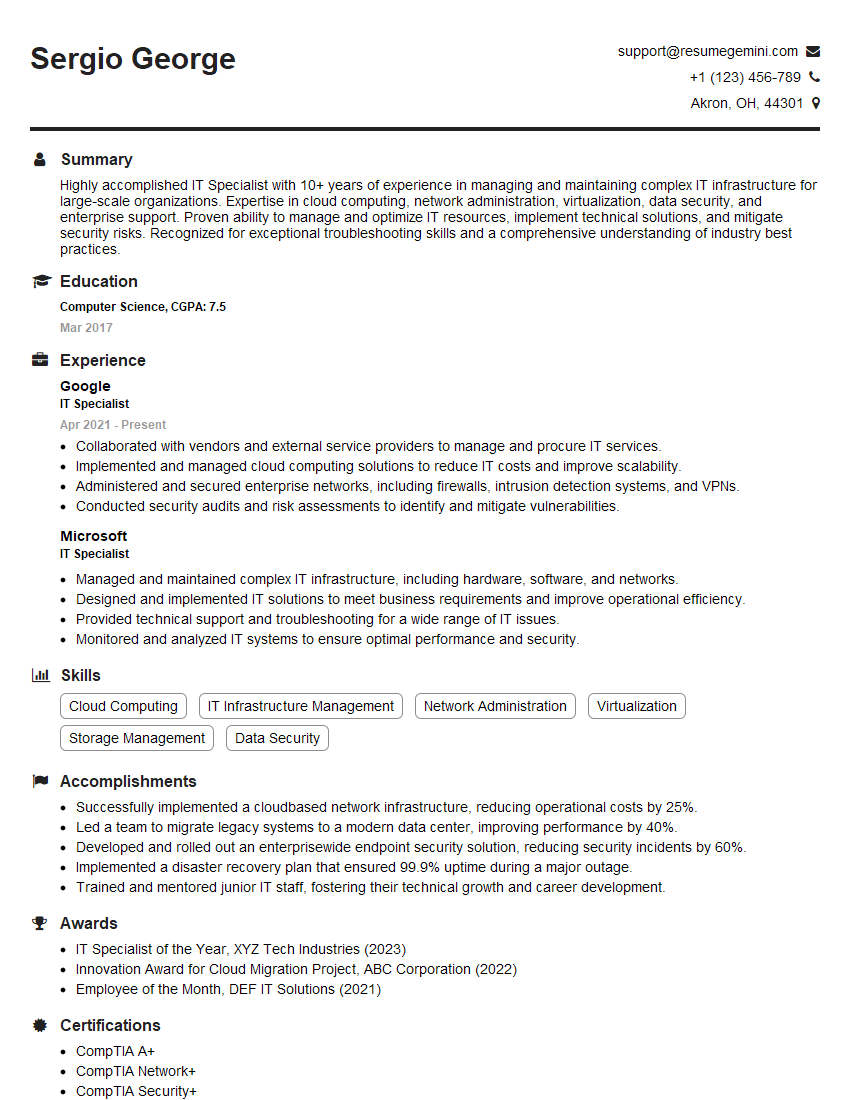
IT Specialist Resume Sample

Technical Lead Resume Sample
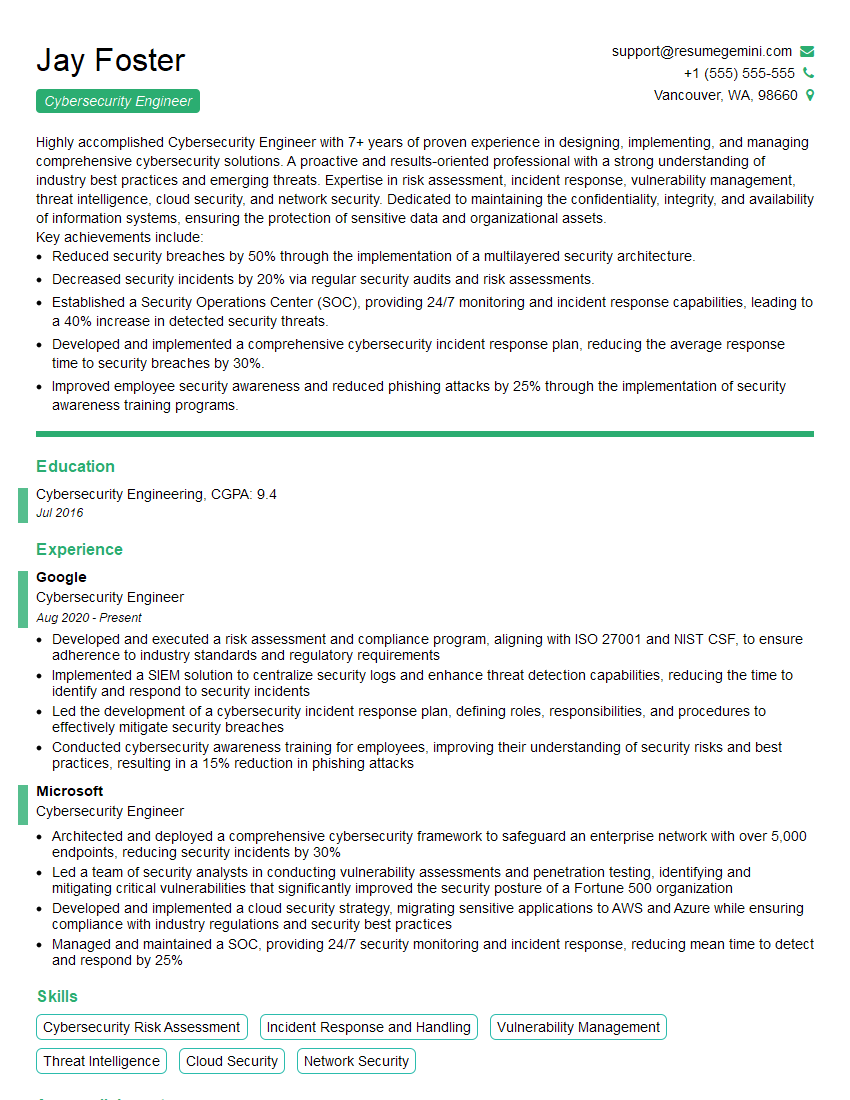
Cybersecurity Engineer Resume Sample
- Systems Engineer
- Network Administrator
- Network Engineer
- Network Security Engineer
- Security Architect
- Systems Administrator
- Solutions Architect
- Network Analyst
- Network Architect
- Network Consultant
- Telecommunications Engineer
- Wireless Network Engineer
- IT Manager
- IT Specialist
- Technical Lead
- Cybersecurity Engineer
Explore more articles
Users Rating of Our Blogs
Share Your Experience
We value your feedback! Please rate our content and share your thoughts (optional).
What Readers Say About Our Blog
Very informative content, great job.
good